fog light FORD EXPLORER 2019 Owners Manual
[x] Cancel search | Manufacturer: FORD, Model Year: 2019, Model line: EXPLORER, Model: FORD EXPLORER 2019Pages: 571, PDF Size: 6.8 MB
Page 5 of 571
Steering Wheel
Adjusting the Steering Wheel - Vehicles
With: Manual Adjustable Steering
Column ..........................................................77
Adjusting the Steering Wheel - Vehicles With: Power Adjustable Steering
Column ..........................................................
77
Audio Control ..................................................
79
Voice Control ...................................................
79
Cruise Control ................................................
80
Information Display Control .....................
80
Heated Steering Wheel ..............................
80
Pedals
Adjusting the Pedals .....................................
81
Wipers and Washers
Windshield Wipers ........................................
82
Autowipers ......................................................
82
Windshield Washers ....................................
83
Rear Window Wiper and Washers ..........
83
Lighting
General Information ....................................
84
Lighting Control .............................................
84
Autolamps .......................................................
85
Instrument Lighting Dimmer ....................
85
Headlamp Exit Delay ...................................
86
Daytime Running Lamps ...........................
86
Automatic High Beam Control .................
87
Front Fog Lamps ...........................................
88
Direction Indicators ......................................
88
Interior Lamps ................................................
88
Ambient Lighting ..........................................
89
Windows and Mirrors
Power Windows ............................................
90
Global Opening ...............................................
91
Exterior Mirrors ................................................
91
Interior Mirror ..................................................
94Sun Visors
........................................................
94
Moonroof .........................................................
94
Instrument Cluster
Gauges ..............................................................
96
Warning Lamps and Indicators ...............
99
Audible Warnings and Indicators ..........
102
Information Displays
General Information ...................................
104
Information Messages ................................
115
Climate Control
Manual Climate Control ............................
129
Automatic Climate Control - Vehicles With: Sony AM/FM/CD .........................
130
Automatic Climate Control - Vehicles With: Premium AM/FM/CD .................
132
Hints on Controlling the Interior Climate ........................................................................\
.
134
Rear Passenger Climate Controls .........
136
Heated Rear Window .................................
137
Heated Exterior Mirrors ..............................
137
Cabin Air Filter ..............................................
138
Remote Start ................................................
138
Seats
Sitting in the Correct Position .................
139
Head Restraints ...........................................
139
Manual Seats ................................................
142
Power Seats ...................................................
143
Memory Function ........................................
146
Rear Seats ......................................................
147
Heated Seats ................................................
154
Climate Controlled Seats .........................
155
Garage Door Opener
Universal Garage Door Opener ...............
157
2
Explorer (TUB) Canada/United States of America, enUSA, Edition date: 201807, Second-Printing Table of Contents
Page 11 of 571
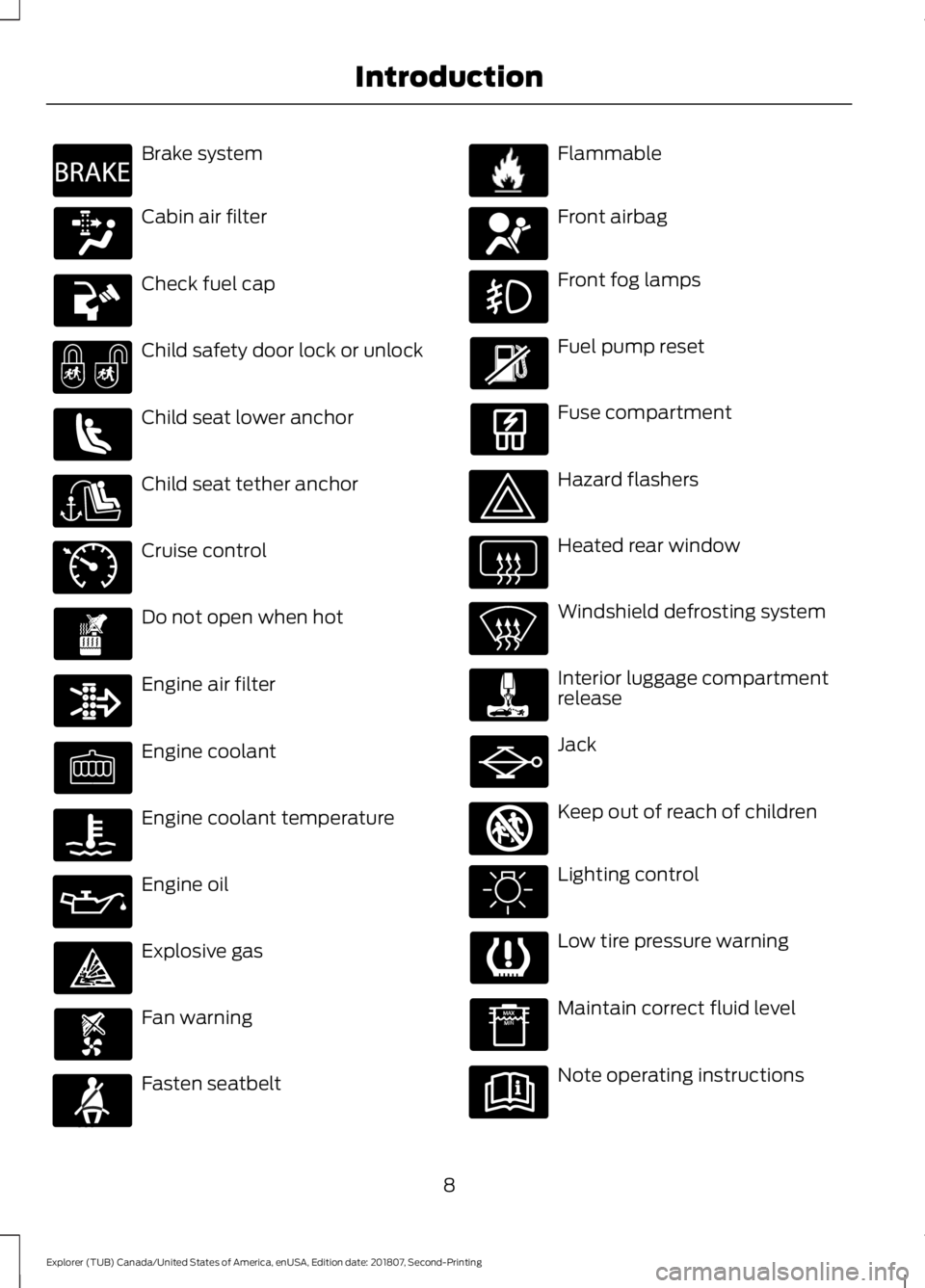
Brake system
Cabin air filter
Check fuel cap
Child safety door lock or unlock
Child seat lower anchor
Child seat tether anchor
Cruise control
Do not open when hot
Engine air filter
Engine coolant
Engine coolant temperature
Engine oil
Explosive gas
Fan warning
Fasten seatbelt Flammable
Front airbag
Front fog lamps
Fuel pump reset
Fuse compartment
Hazard flashers
Heated rear window
Windshield defrosting system
Interior luggage compartment
release
Jack
Keep out of reach of children
Lighting control
Low tire pressure warning
Maintain correct fluid level
Note operating instructions
8
Explorer (TUB) Canada/United States of America, enUSA, Edition date: 201807, Second-Printing IntroductionE270480 E71340 E71880 E231160 E67017 E161353
Page 88 of 571
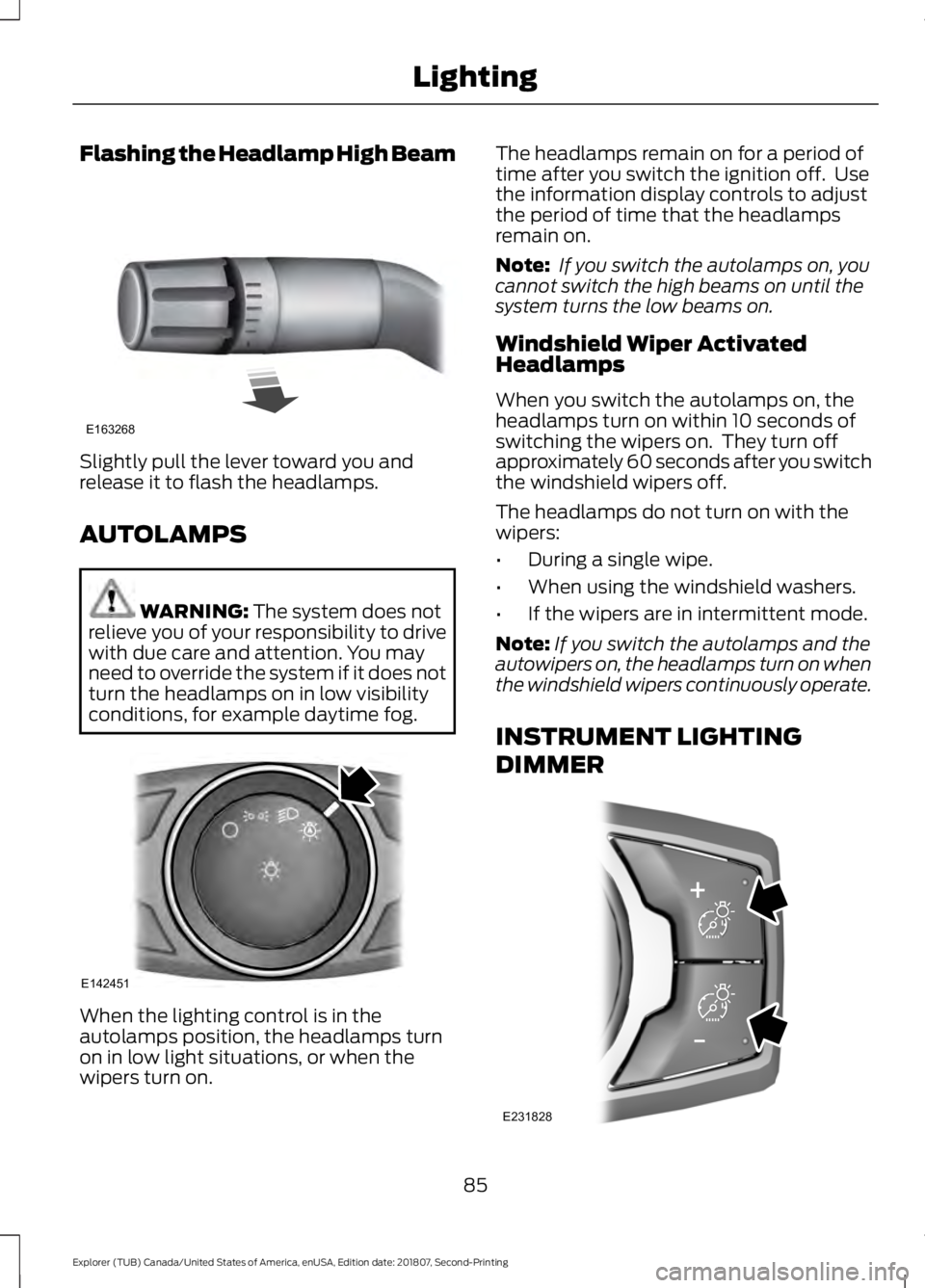
Flashing the Headlamp High Beam
Slightly pull the lever toward you and
release it to flash the headlamps.
AUTOLAMPS
WARNING: The system does not
relieve you of your responsibility to drive
with due care and attention. You may
need to override the system if it does not
turn the headlamps on in low visibility
conditions, for example daytime fog. When the lighting control is in the
autolamps position, the headlamps turn
on in low light situations, or when the
wipers turn on. The headlamps remain on for a period of
time after you switch the ignition off. Use
the information display controls to adjust
the period of time that the headlamps
remain on.
Note:
If you switch the autolamps on, you
cannot switch the high beams on until the
system turns the low beams on.
Windshield Wiper Activated
Headlamps
When you switch the autolamps on, the
headlamps turn on within 10 seconds of
switching the wipers on. They turn off
approximately 60 seconds after you switch
the windshield wipers off.
The headlamps do not turn on with the
wipers:
• During a single wipe.
• When using the windshield washers.
• If the wipers are in intermittent mode.
Note: If you switch the autolamps and the
autowipers on, the headlamps turn on when
the windshield wipers continuously operate.
INSTRUMENT LIGHTING
DIMMER 85
Explorer (TUB) Canada/United States of America, enUSA, Edition date: 201807, Second-Printing LightingE163268 E142451 E231828
Page 90 of 571
The other lighting control switch positions
do not turn on the daytime running lamps.
If the daytime running lamps are off in the
information display, the lamps stay off in
all switch positions.
AUTOMATIC HIGH BEAM
CONTROL (IF EQUIPPED)
WARNING:
The system does not
relieve you of your responsibility to drive
with due care and attention. You may
need to override the system if it does not
turn the high beams on or off.
The system turns on high beams if it is dark
enough and no other traffic is present. If it
detects an approaching vehicle ’s
headlamps or tail lamps, or street lighting
ahead, the system turns off high beams
before they can distract other road users.
Low beams remain on.
Note: The system may not operate properly
if the sensor is blocked. Keep the windshield
free from obstruction or damage.
Note: The system may not operate properly
in cold or inclement conditions. You can
switch on the high beams by overriding the
system.
Note: If the system detects a blockage, for
example bird droppings, bug splatter, snow
or ice, the system goes into low beam mode
until you clear the blockage. A message may
appear in the information display if the
camera is blocked.
Note: Using much larger tires or equipping
vehicle accessories such as snowplows can
modify your vehicle's ride height and
degrade automatic high beam control
performance. A camera sensor, centrally mounted
behind the windshield of your vehicle,
continuously monitors conditions to turn
the high beams on and off.
Once the system is active, the high beams
turn on if:
•
The ambient light level is low enough.
• There is no traffic in front of your
vehicle.
• The vehicle speed is greater than
approximately 32 mph (51 km/h).
The system turns the high beams off if:
• The ambient light level is high enough
that high beams are not required.
• The system detects an approaching
vehicle's headlamps or tail lamps.
• The vehicle speed falls below
approximately
27 mph (44 km/h).
• The system detects severe rain, snow
or fog.
• The camera is blocked.
Switching the System On and Off
Switch the system on using the information
display. See Information Displays (page
104
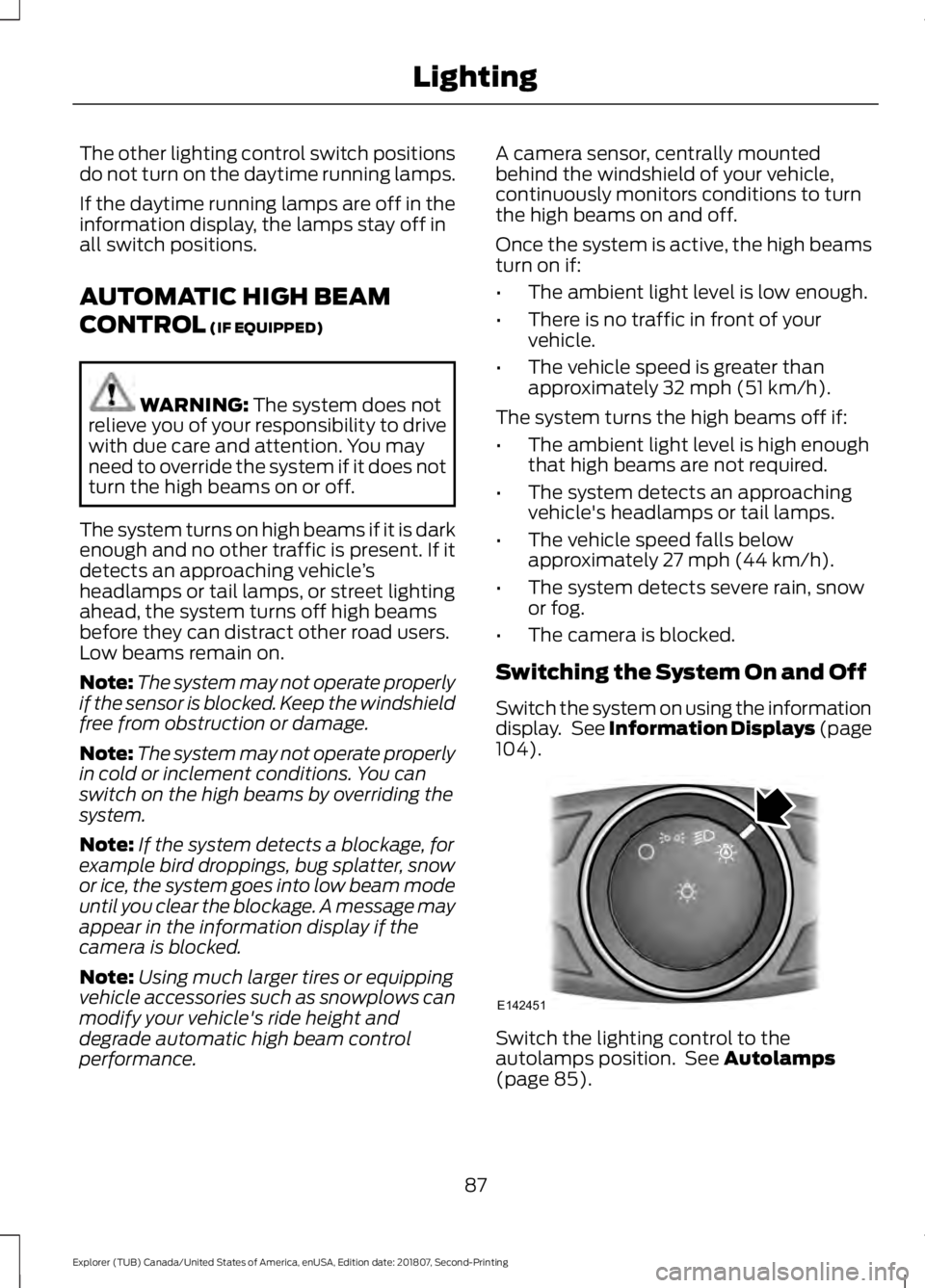
). Switch the lighting control to the
autolamps position. See
Autolamps
(page 85).
87
Explorer (TUB) Canada/United States of America, enUSA, Edition date: 201807, Second-Printing LightingE142451
Page 91 of 571
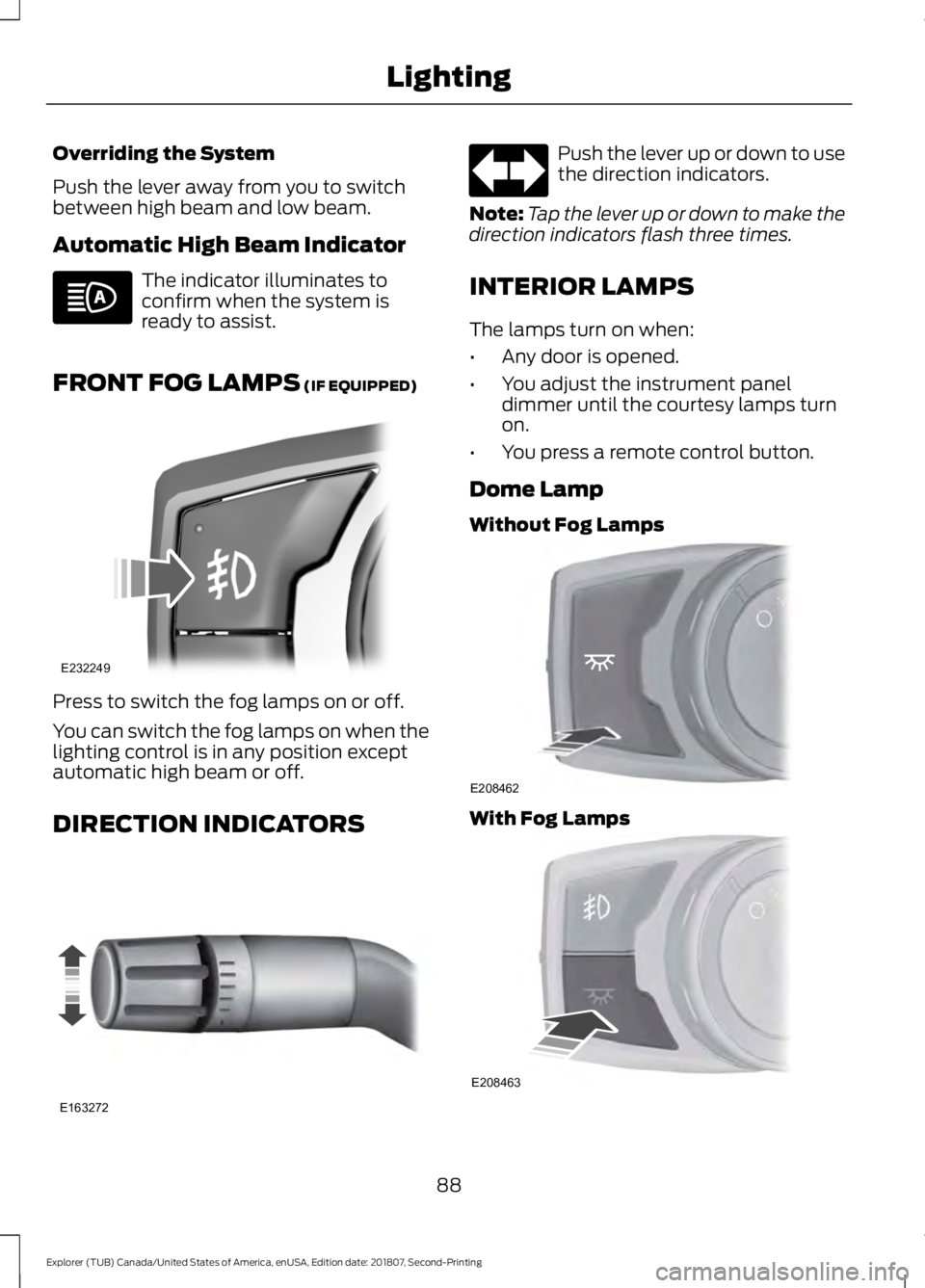
Overriding the System
Push the lever away from you to switch
between high beam and low beam.
Automatic High Beam Indicator
The indicator illuminates to
confirm when the system is
ready to assist.
FRONT FOG LAMPS (IF EQUIPPED) Press to switch the fog lamps on or off.
You can switch the fog lamps on when the
lighting control is in any position except
automatic high beam or off.
DIRECTION INDICATORS Push the lever up or down to use
the direction indicators.
Note: Tap the lever up or down to make the
direction indicators flash three times.
INTERIOR LAMPS
The lamps turn on when:
• Any door is opened.
• You adjust the instrument panel
dimmer until the courtesy lamps turn
on.
• You press a remote control button.
Dome Lamp
Without Fog Lamps With Fog Lamps
88
Explorer (TUB) Canada/United States of America, enUSA, Edition date: 201807, Second-Printing Lighting E232249 E163272 E208462 E208463
Page 104 of 571
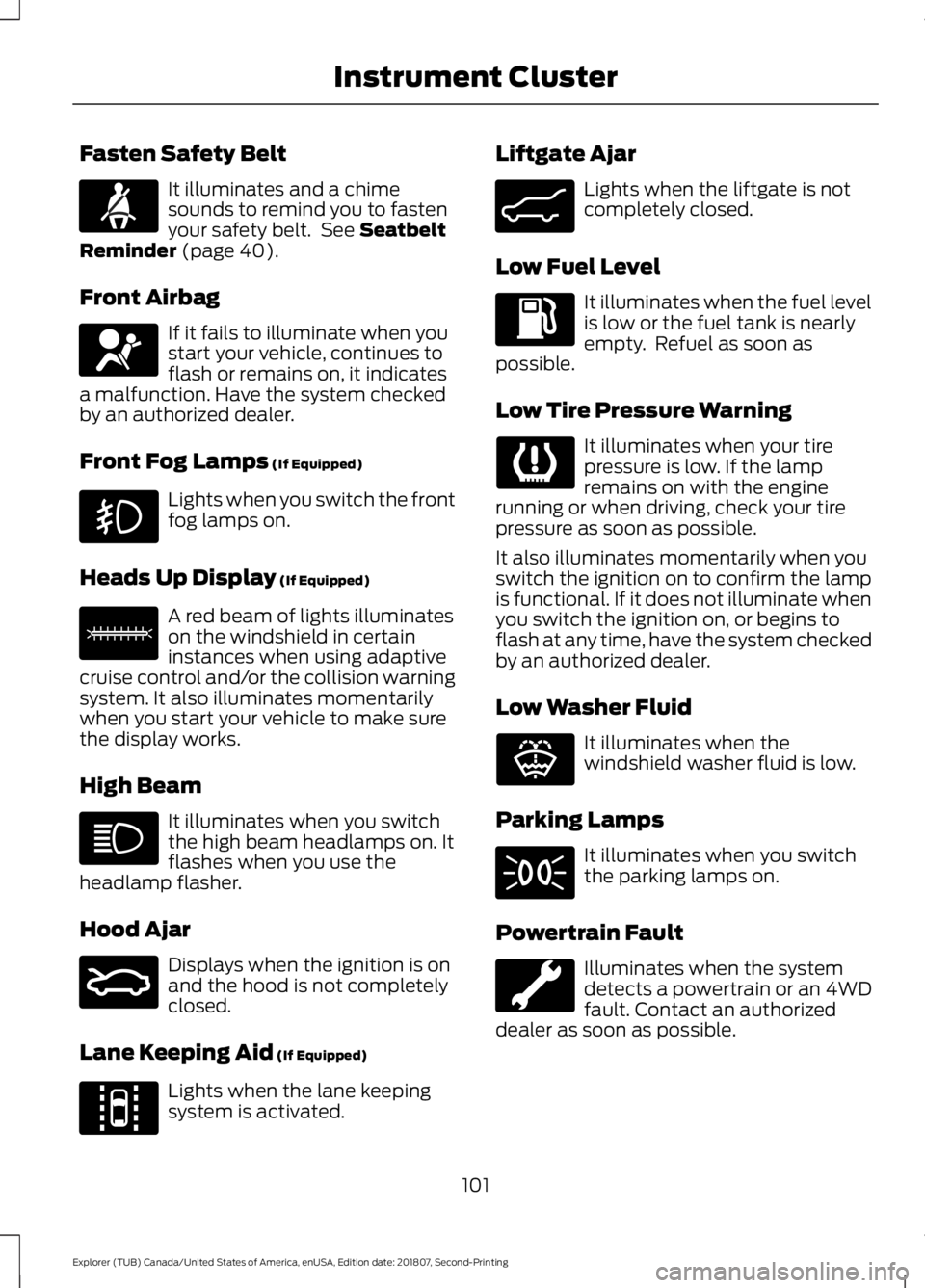
Fasten Safety Belt
It illuminates and a chime
sounds to remind you to fasten
your safety belt. See Seatbelt
Reminder (page 40).
Front Airbag If it fails to illuminate when you
start your vehicle, continues to
flash or remains on, it indicates
a malfunction. Have the system checked
by an authorized dealer.
Front Fog Lamps
(If Equipped) Lights when you switch the front
fog lamps on.
Heads Up Display
(If Equipped) A red beam of lights illuminates
on the windshield in certain
instances when using adaptive
cruise control and/or the collision warning
system. It also illuminates momentarily
when you start your vehicle to make sure
the display works.
High Beam It illuminates when you switch
the high beam headlamps on. It
flashes when you use the
headlamp flasher.
Hood Ajar Displays when the ignition is on
and the hood is not completely
closed.
Lane Keeping Aid
(If Equipped) Lights when the lane keeping
system is activated. Liftgate Ajar Lights when the liftgate is not
completely closed.
Low Fuel Level It illuminates when the fuel level
is low or the fuel tank is nearly
empty. Refuel as soon as
possible.
Low Tire Pressure Warning It illuminates when your tire
pressure is low. If the lamp
remains on with the engine
running or when driving, check your tire
pressure as soon as possible.
It also illuminates momentarily when you
switch the ignition on to confirm the lamp
is functional. If it does not illuminate when
you switch the ignition on, or begins to
flash at any time, have the system checked
by an authorized dealer.
Low Washer Fluid It illuminates when the
windshield washer fluid is low.
Parking Lamps It illuminates when you switch
the parking lamps on.
Powertrain Fault Illuminates when the system
detects a powertrain or an 4WD
fault. Contact an authorized
dealer as soon as possible.
101
Explorer (TUB) Canada/United States of America, enUSA, Edition date: 201807, Second-Printing Instrument ClusterE71880 E67017 E156133 E159324 E144813 E162453 E132353
Page 233 of 571
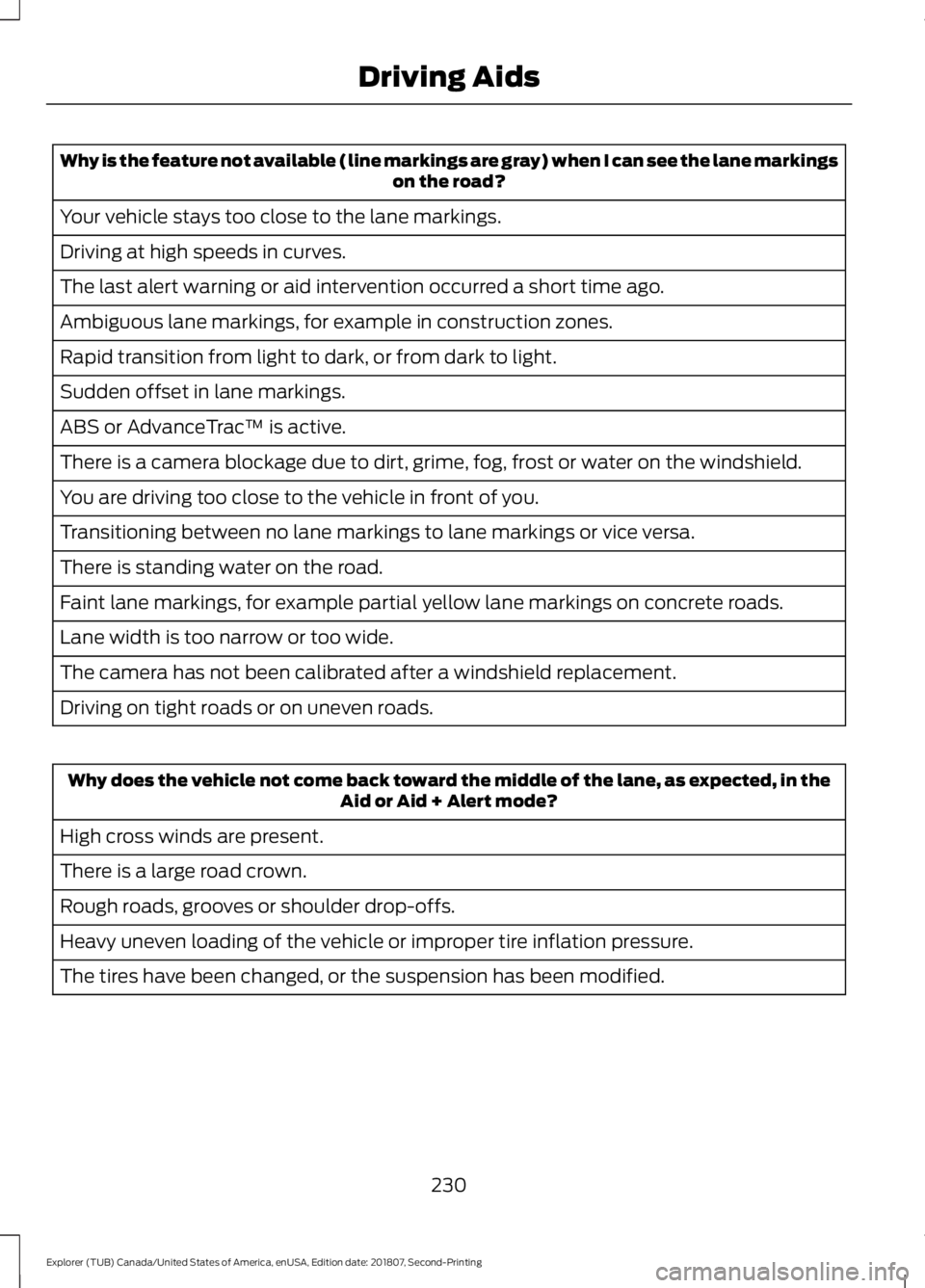
Why is the feature not available (line markings are gray) when I can see the lane markings
on the road?
Your vehicle stays too close to the lane markings.
Driving at high speeds in curves.
The last alert warning or aid intervention occurred a short time ago.
Ambiguous lane markings, for example in construction zones.
Rapid transition from light to dark, or from dark to light.
Sudden offset in lane markings.
ABS or AdvanceTrac ™ is active.
There is a camera blockage due to dirt, grime, fog, frost or water on the windshield.
You are driving too close to the vehicle in front of you.
Transitioning between no lane markings to lane markings or vice versa.
There is standing water on the road.
Faint lane markings, for example partial yellow lane markings on concrete roads.
Lane width is too narrow or too wide.
The camera has not been calibrated after a windshield replacement.
Driving on tight roads or on uneven roads. Why does the vehicle not come back toward the middle of the lane, as expected, in the
Aid or Aid + Alert mode?
High cross winds are present.
There is a large road crown.
Rough roads, grooves or shoulder drop-offs.
Heavy uneven loading of the vehicle or improper tire inflation pressure.
The tires have been changed, or the suspension has been modified.
230
Explorer (TUB) Canada/United States of America, enUSA, Edition date: 201807, Second-Printing Driving Aids
Page 239 of 571
Extreme continuous steering may increase
the effort required for you to steer your
vehicle. This increased effort prevents
overheating and permanent damage to
the steering system. You do not lose the
ability to steer your vehicle manually.
Typical steering and driving maneuvers
allow the system to cool and return to
normal operation.
Steering Tips
If the steering wanders or pulls, check for:
•
Correct tire pressures.
• Uneven tire wear.
• Loose or worn suspension
components.
• Loose or worn steering components.
• Improper vehicle alignment.
Note: A high crown in the road or high
crosswinds may also make the steering
seem to wander or pull.
Adaptive Learning
The electronic power steering system
adaptive learning helps correct road
irregularities and improves overall handling
and steering feel. It communicates with
the brake system to help operate
advanced stability control and accident
avoidance systems. Additionally, whenever
the battery is disconnected or a new
battery installed, you must drive your
vehicle a short distance before the system
relearns the strategy and reactivates all
systems. PRE-COLLISION ASSIST (IF
EQUIPPED) WARNING:
You are responsible
for controlling your vehicle at all times.
The system is designed to be an aid and
does not relieve you of your responsibility
to drive with due care and attention.
Failure to follow this instruction could
result in the loss of control of your
vehicle, personal injury or death. WARNING:
The system does not
detect vehicles that are driving in a
different direction, pedestrians at night,
cyclists or animals. Failure to take care
may result in the loss of control of your
vehicle, serious personal injury or death. WARNING:
The system does not
operate during hard acceleration or
steering. Failure to take care may lead
to a crash or personal injury. WARNING:
The system may fail
or operate with reduced function during
cold and severe weather conditions.
Snow, ice, rain, spray and fog can
adversely affect the system. Keep the
front camera and radar free of snow and
ice. Failure to take care may result in the
loss of control of your vehicle, serious
personal injury or death. WARNING: In situations where the
vehicle camera has limited detection
capability, this may reduce system
performance. These situations include
but are not limited to direct or low
sunlight, vehicles at night without tail
lights, unconventional vehicle types,
pedestrians with complex backgrounds,
236
Explorer (TUB) Canada/United States of America, enUSA, Edition date: 201807, Second-Printing Driving Aids
Page 564 of 571
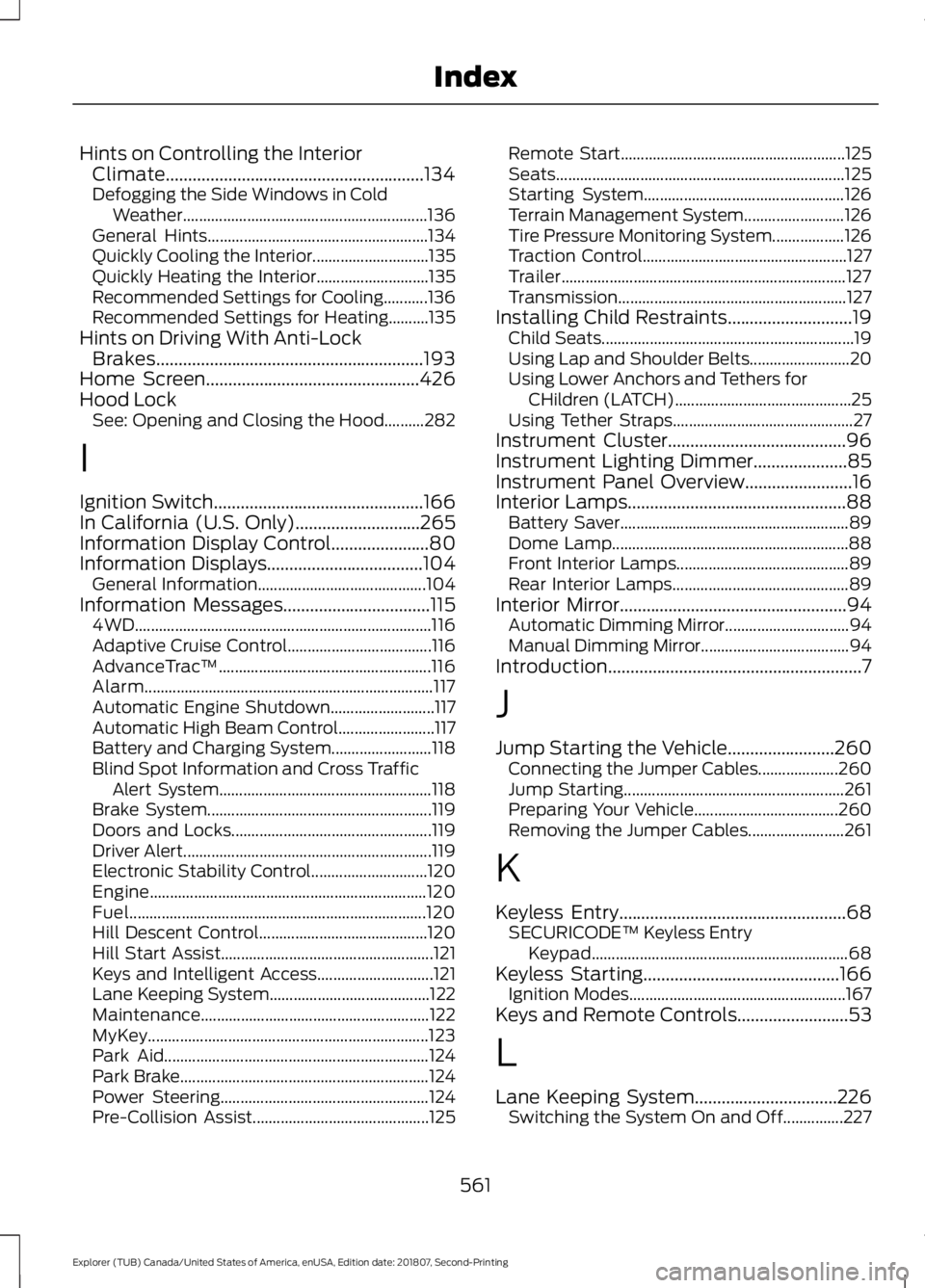
Hints on Controlling the Interior
Climate..........................................................134
Defogging the Side Windows in Cold Weather............................................................. 136
General Hints....................................................... 134
Quickly Cooling the Interior............................. 135
Quickly Heating the Interior............................ 135
Recommended Settings for Cooling...........136
Recommended Settings for Heating..........135
Hints on Driving With Anti-Lock Brakes............................................................193
Home Screen................................................426
Hood Lock See: Opening and Closing the Hood..........282
I
Ignition Switch
...............................................166
In California (U.S. Only)............................265
Information Display Control......................80
Information Displays
...................................104
General Information.......................................... 104
Information Messages
.................................115
4WD........................................................................\
.. 116
Adaptive Cruise Control.................................... 116
AdvanceTrac ™..................................................... 116
Alarm........................................................................\
117
Automatic Engine Shutdown.......................... 117
Automatic High Beam Control........................ 117
Battery and Charging System......................... 118
Blind Spot Information and Cross Traffic Alert System..................................................... 118
Brake System........................................................ 119
Doors and Locks.................................................. 119
Driver Alert.............................................................. 119
Electronic Stability Control............................. 120
Engine..................................................................... 120
Fuel........................................................................\
.. 120
Hill Descent Control.......................................... 120
Hill Start Assist..................................................... 121
Keys and Intelligent Access............................. 121
Lane Keeping System........................................ 122
Maintenance......................................................... 122
MyKey...................................................................... 123
Park Aid.................................................................. 124
Park Brake.............................................................. 124
Power Steering.................................................... 124
Pre-Collision Assist............................................ 125Remote Start........................................................
125
Seats........................................................................\
125
Starting System.................................................. 126
Terrain Management System......................... 126
Tire Pressure Monitoring System.................. 126
Traction Control................................................... 127
Trailer....................................................................... 127
Transmission......................................................... 127
Installing Child Restraints............................19 Child Seats............................................................... 19
Using Lap and Shoulder Belts......................... 20
Using Lower Anchors and Tethers for CHildren (LATCH)............................................ 25
Using Tether Straps............................................. 27
Instrument Cluster........................................96
Instrument Lighting Dimmer
.....................85
Instrument Panel Overview........................16
Interior Lamps
.................................................88
Battery Saver......................................................... 89
Dome Lamp........................................................... 88
Front Interior Lamps........................................... 89
Rear Interior Lamps............................................ 89
Interior Mirror...................................................94 Automatic Dimming Mirror............................... 94
Manual Dimming Mirror..................................... 94
Introduction.........................................................7
J
Jump Starting the Vehicle........................260 Connecting the Jumper Cables.................... 260
Jump Starting....................................................... 261
Preparing Your Vehicle.................................... 260
Removing the Jumper Cables........................ 261
K
Keyless Entry
...................................................68
SECURICODE™ Keyless Entry
Keypad................................................................ 68
Keyless Starting
............................................166
Ignition Modes...................................................... 167
Keys and Remote Controls.........................53
L
Lane Keeping System................................226 Switching the System On and Off...............227
561
Explorer (TUB) Canada/United States of America, enUSA, Edition date: 201807, Second-Printing Index
Page 570 of 571
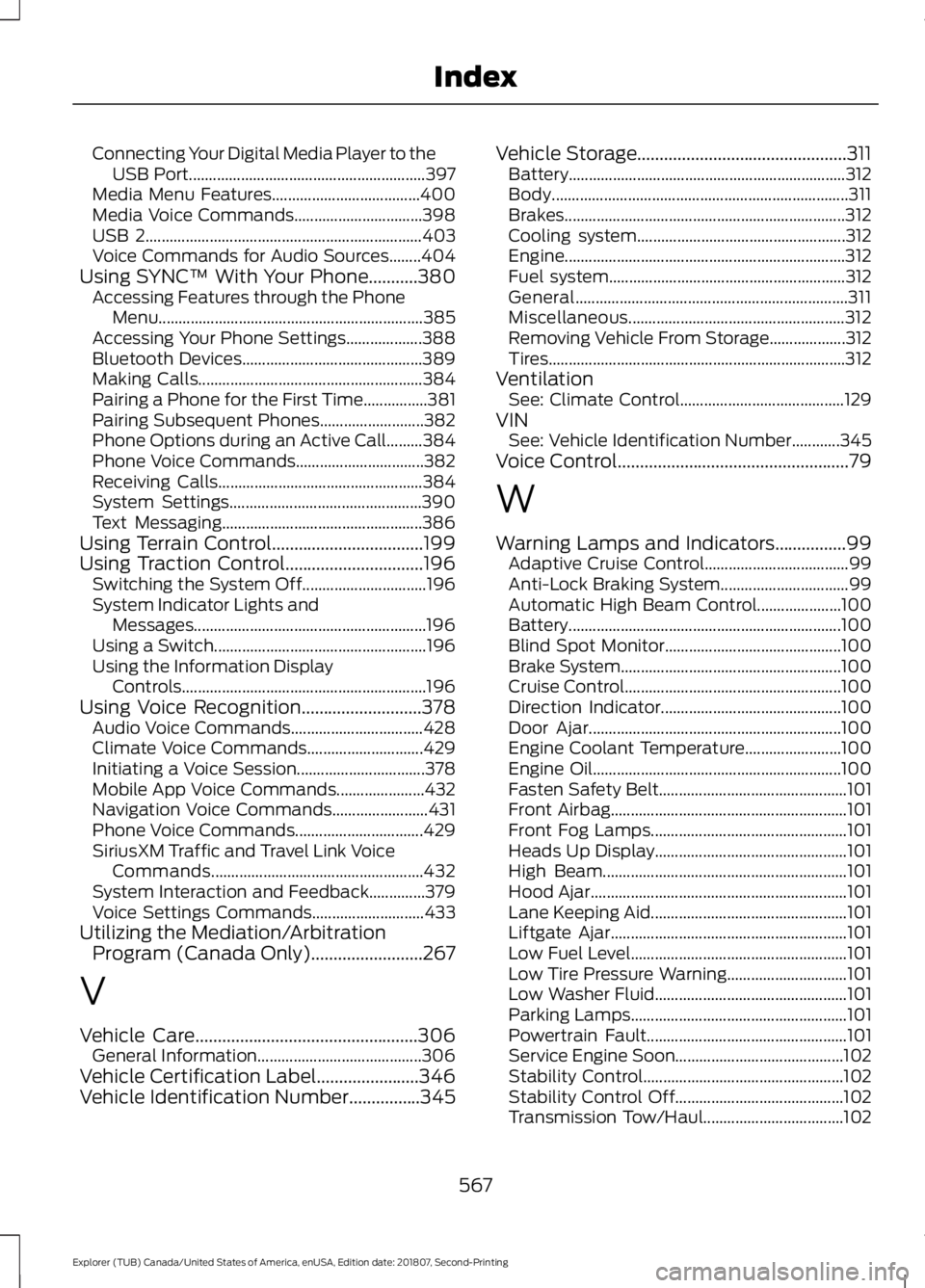
Connecting Your Digital Media Player to the
USB Port........................................................... 397
Media Menu Features..................................... 400
Media Voice Commands................................ 398
USB 2..................................................................... 403
Voice Commands for Audio Sources........404
Using SYNC™ With Your Phone...........380 Accessing Features through the Phone
Menu.................................................................. 385
Accessing Your Phone Settings................... 388
Bluetooth Devices............................................. 389
Making Calls........................................................ 384
Pairing a Phone for the First Time................381
Pairing Subsequent Phones.......................... 382
Phone Options during an Active Call.........384
Phone Voice Commands................................ 382
Receiving Calls................................................... 384
System Settings................................................ 390
Text Messaging.................................................. 386
Using Terrain Control..................................199
Using Traction Control...............................196 Switching the System Off............................... 196
System Indicator Lights and Messages.......................................................... 196
Using a Switch..................................................... 196
Using the Information Display Controls............................................................. 196
Using Voice Recognition...........................378 Audio Voice Commands................................. 428
Climate Voice Commands............................. 429
Initiating a Voice Session................................ 378
Mobile App Voice Commands...................... 432
Navigation Voice Commands........................ 431
Phone Voice Commands................................ 429
SiriusXM Traffic and Travel Link Voice Commands..................................................... 432
System Interaction and Feedback..............379
Voice Settings Commands............................ 433
Utilizing the Mediation/Arbitration Program (Canada Only).........................267
V
Vehicle Care..................................................306 General Information......................................... 306
Vehicle Certification Label.......................346
Vehicle Identification Number................345 Vehicle Storage...............................................311
Battery..................................................................... 312
Body........................................................................\
.. 311
Brakes...................................................................... 312
Cooling system.................................................... 312
Engine...................................................................... 312
Fuel system........................................................... 312
General.................................................................... 311
Miscellaneous...................................................... 312
Removing Vehicle From Storage................... 312
Tires........................................................................\
.. 312
Ventilation See: Climate Control......................................... 129
VIN See: Vehicle Identification Number............345
Voice Control
....................................................79
W
Warning Lamps and Indicators................99 Adaptive Cruise Control.................................... 99
Anti-Lock Braking System................................ 99
Automatic High Beam Control..................... 100
Battery.................................................................... 100
Blind Spot Monitor............................................ 100
Brake System....................................................... 100
Cruise Control...................................................... 100
Direction Indicator............................................. 100
Door Ajar............................................................... 100
Engine Coolant Temperature........................ 100
Engine Oil.............................................................. 100
Fasten Safety Belt............................................... 101
Front Airbag........................................................... 101
Front Fog Lamps................................................. 101
Heads Up Display................................................ 101
High Beam............................................................. 101
Hood Ajar................................................................ 101
Lane Keeping Aid................................................. 101
Liftgate Ajar........................................................... 101
Low Fuel Level...................................................... 101
Low Tire Pressure Warning.............................. 101
Low Washer Fluid................................................ 101
Parking Lamps...................................................... 101
Powertrain Fault.................................................. 101
Service Engine Soon.......................................... 102
Stability Control.................................................. 102
Stability Control Off.......................................... 102
Transmission Tow/Haul................................... 102
567
Explorer (TUB) Canada/United States of America, enUSA, Edition date: 201807, Second-Printing Index