height FORD EXPLORER 2020 User Guide
[x] Cancel search | Manufacturer: FORD, Model Year: 2020, Model line: EXPLORER, Model: FORD EXPLORER 2020Pages: 555, PDF Size: 8.16 MB
Page 98 of 555
WHAT IS AUTOMATIC HIGH
BEAM CONTROL
The system turns on high beams if it is dark
enough and no other traffic is present. If it
detects an approaching vehicle
’s
headlamps or tail lamps, or street lighting
ahead, the system turns the high beams
off. Low beams remain on.
A camera sensor, centrally mounted
behind the windshield of your vehicle,
continuously monitors conditions to turn
the high beams on and off.
SWITCHING AUTOMATIC HIGH
BEAM CONTROL ON AND OFF WARNING: Do not use the system
in poor visibility, for example fog, heavy
rain, spray or snow.
1. Press
Settings on the touchscreen.
2. Press
Vehicle.
3. Press
Lighting.
Activating the Automatic High
Beam Control Switch the lighting control to the
autolamps position. See
Autolamps
(page 89).
Note: The lighting control defaults to
autolamps each time you switch your
vehicle on.
When active, the high beams turn on if:
• The ambient light level is low enough.
• There is no traffic in front of your
vehicle.
• The vehicle speed is greater than
approximately
32 mph (51 km/h). When active, the high beams turn off if:
•
The ambient light level is high enough
that high beams are not required.
• The system detects an approaching
vehicle's headlamps or tail lamps.
• The system detects severe rain, snow
or fog.
• The camera is blocked.
• The vehicle speed falls below
approximately
27 mph (44 km/h).
Note: The deactivation speed is lower on
curves.
Note: High beam reactivation may be
delayed in certain curvy road situations.
Note: The system may not operate properly
if the sensor is blocked. Keep the windshield
free from obstruction or damage.
Note: The system may not operate properly
in cold or inclement conditions. You can
switch on the high beams by overriding the
system.
Note: If the system detects a blockage, for
example bird droppings, bug splatter, snow
or ice, the system goes into low beam mode
until you clear the blockage. A message may
appear in the information display if the
camera is blocked.
Note: Using much larger tires or equipping
vehicle accessories such as snowplows can
modify your vehicle's ride height and
degrade automatic high beam control
performance.
AUTOMATIC HIGH BEAM
CONTROL INDICATORS The indicator illuminates to
confirm when the system is
ready to assist.
95
Explorer (CTW) Canada/United States of America, enUSA, Edition date: 201902, Third-Printing- Automatic High Beam ControlE281240
Page 343 of 555
4. Disconnect the negative battery cable
terminal.
5. Disconnect the positive battery cable terminal.
6. Remove the battery securing clamp.
7. Remove the battery.
8. To install, reverse the removal procedure.
Note: Before reconnecting the battery,
make sure the ignition remains switched off.
Note: Make sure the battery cable terminals
are fully tightened.
If you disconnect or replace the vehicle
battery, you must reset the following
features:
• Window bounce-back. See Power
Windows (page 97).
• Clock Settings.
• Pre-set radio stations.
Battery Disposal Make sure that you dispose of
old batteries in an
environmentally friendly way.
Seek advice from your local authority
about recycling old batteries.
ADJUSTING THE HEADLAMPS
Vertical Aim Adjustment
If your vehicle has been involved in a crash,
have the aim of the headlamp beam
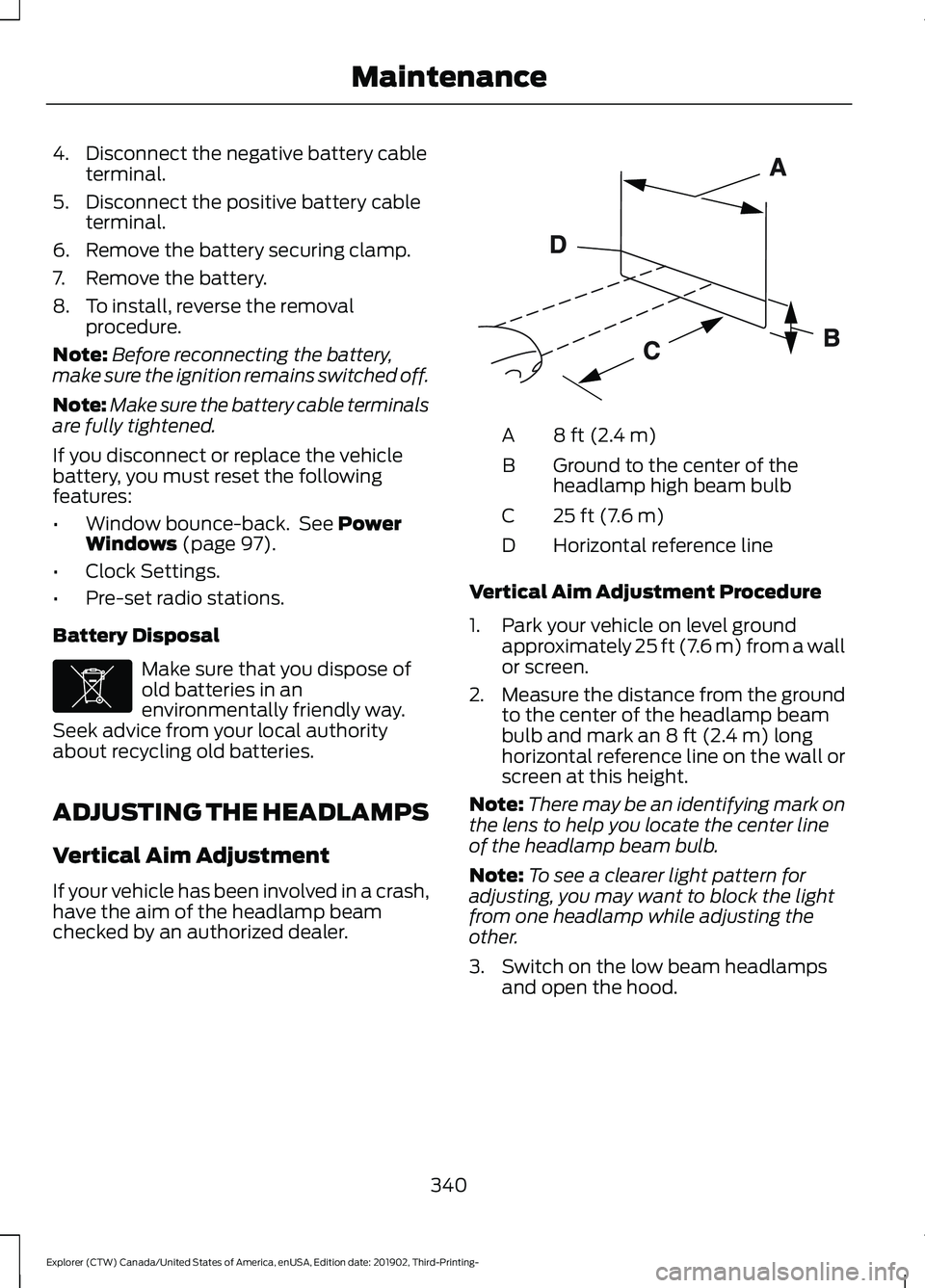
checked by an authorized dealer. 8 ft (2.4 m)
A
Ground to the center of the
headlamp high beam bulb
B
25 ft (7.6 m)
C
Horizontal reference line
D
Vertical Aim Adjustment Procedure
1. Park your vehicle on level ground approximately
25 ft (7.6 m) from a wall
or screen.
2. Measure the distance from the ground
to the center of the headlamp beam
bulb and mark an
8 ft (2.4 m) long
horizontal reference line on the wall or
screen at this height.
Note: There may be an identifying mark on
the lens to help you locate the center line
of the headlamp beam bulb.
Note: To see a clearer light pattern for
adjusting, you may want to block the light
from one headlamp while adjusting the
other.
3. Switch on the low beam headlamps and open the hood.
340
Explorer (CTW) Canada/United States of America, enUSA, Edition date: 201902, Third-Printing- MaintenanceE107998 E142592
Page 361 of 555
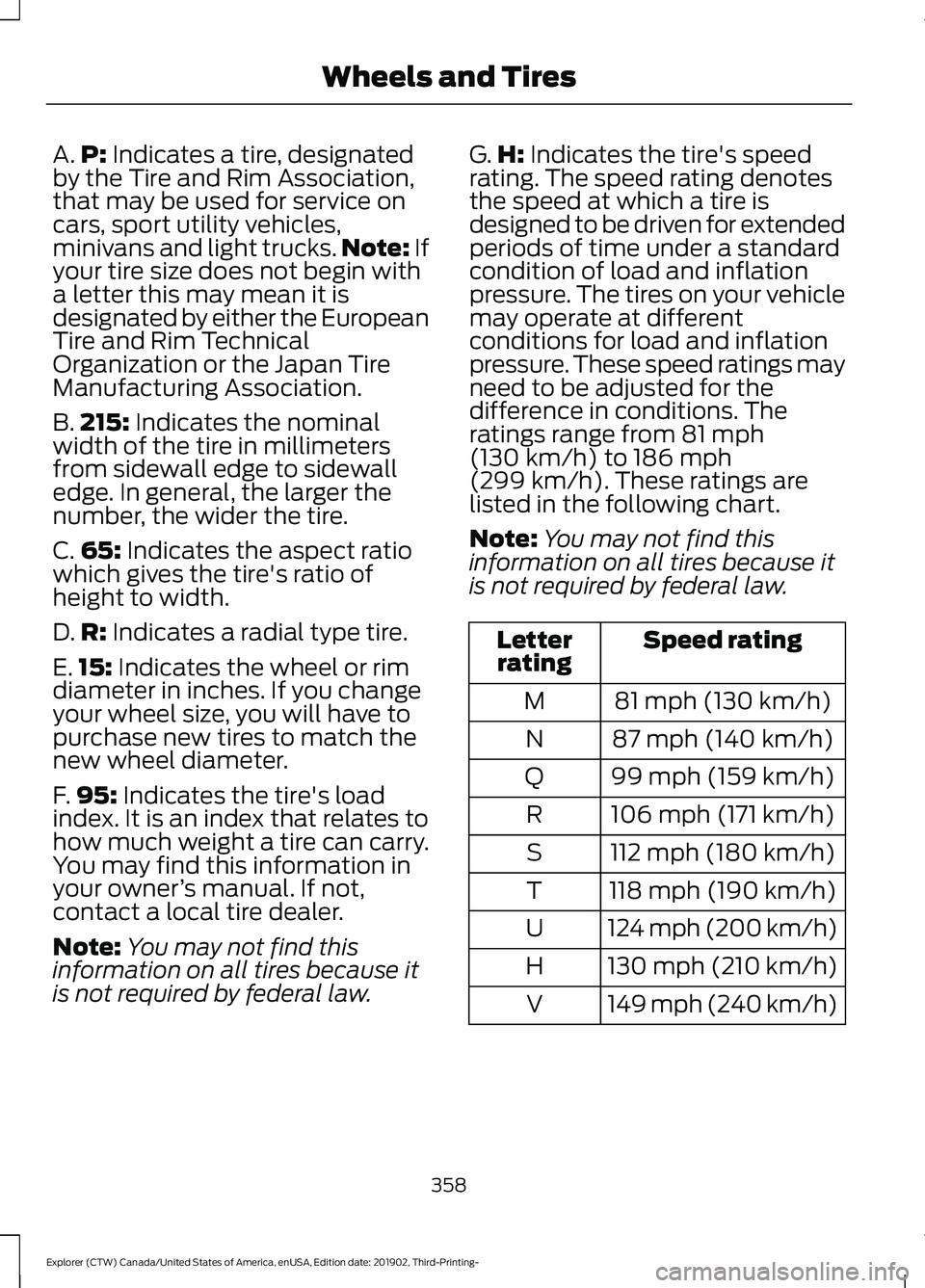
A.
P: Indicates a tire, designated
by the Tire and Rim Association,
that may be used for service on
cars, sport utility vehicles,
minivans and light trucks. Note:
If
your tire size does not begin with
a letter this may mean it is
designated by either the European
Tire and Rim Technical
Organization or the Japan Tire
Manufacturing Association.
B. 215:
Indicates the nominal
width of the tire in millimeters
from sidewall edge to sidewall
edge. In general, the larger the
number, the wider the tire.
C. 65:
Indicates the aspect ratio
which gives the tire's ratio of
height to width.
D. R:
Indicates a radial type tire.
E. 15:
Indicates the wheel or rim
diameter in inches. If you change
your wheel size, you will have to
purchase new tires to match the
new wheel diameter.
F. 95:
Indicates the tire's load
index. It is an index that relates to
how much weight a tire can carry.
You may find this information in
your owner ’s manual. If not,
contact a local tire dealer.
Note: You may not find this
information on all tires because it
is not required by federal law. G.
H:
Indicates the tire's speed
rating. The speed rating denotes
the speed at which a tire is
designed to be driven for extended
periods of time under a standard
condition of load and inflation
pressure. The tires on your vehicle
may operate at different
conditions for load and inflation
pressure. These speed ratings may
need to be adjusted for the
difference in conditions. The
ratings range from
81 mph
(130 km/h) to 186 mph
(299 km/h). These ratings are
listed in the following chart.
Note: You may not find this
information on all tires because it
is not required by federal law. Speed rating
Letter
rating
81 mph (130 km/h)
M
87 mph (140 km/h)
N
99 mph (159 km/h)
Q
106 mph (171 km/h)
R
112 mph (180 km/h)
S
118 mph (190 km/h)
T
124 mph (200 km/h)
U
130 mph (210 km/h)
H
149 mph (240 km/h)
V
358
Explorer (CTW) Canada/United States of America, enUSA, Edition date: 201902, Third-Printing- Wheels and Tires
Page 365 of 555
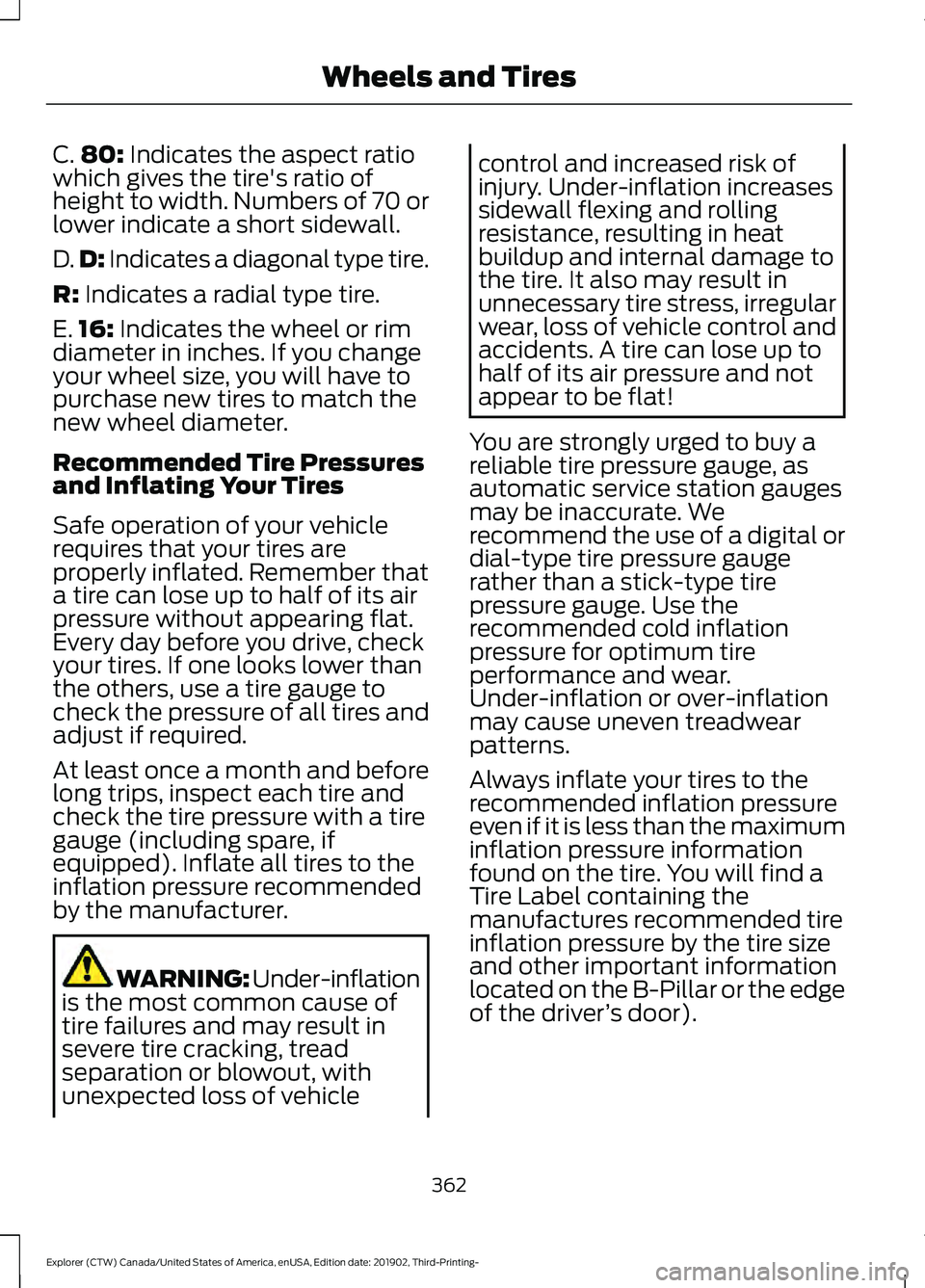
C.
80: Indicates the aspect ratio
which gives the tire's ratio of
height to width. Numbers of 70 or
lower indicate a short sidewall.
D. D:
Indicates a diagonal type tire.
R:
Indicates a radial type tire.
E. 16:
Indicates the wheel or rim
diameter in inches. If you change
your wheel size, you will have to
purchase new tires to match the
new wheel diameter.
Recommended Tire Pressures
and Inflating Your Tires
Safe operation of your vehicle
requires that your tires are
properly inflated. Remember that
a tire can lose up to half of its air
pressure without appearing flat.
Every day before you drive, check
your tires. If one looks lower than
the others, use a tire gauge to
check the pressure of all tires and
adjust if required.
At least once a month and before
long trips, inspect each tire and
check the tire pressure with a tire
gauge (including spare, if
equipped). Inflate all tires to the
inflation pressure recommended
by the manufacturer. WARNING: Under-inflation
is the most common cause of
tire failures and may result in
severe tire cracking, tread
separation or blowout, with
unexpected loss of vehicle control and increased risk of
injury. Under-inflation increases
sidewall flexing and rolling
resistance, resulting in heat
buildup and internal damage to
the tire. It also may result in
unnecessary tire stress, irregular
wear, loss of vehicle control and
accidents. A tire can lose up to
half of its air pressure and not
appear to be flat!
You are strongly urged to buy a
reliable tire pressure gauge, as
automatic service station gauges
may be inaccurate. We
recommend the use of a digital or
dial-type tire pressure gauge
rather than a stick-type tire
pressure gauge. Use the
recommended cold inflation
pressure for optimum tire
performance and wear.
Under-inflation or over-inflation
may cause uneven treadwear
patterns.
Always inflate your tires to the
recommended inflation pressure
even if it is less than the maximum
inflation pressure information
found on the tire. You will find a
Tire Label containing the
manufactures recommended tire
inflation pressure by the tire size
and other important information
located on the B-Pillar or the edge
of the driver ’s door).
362
Explorer (CTW) Canada/United States of America, enUSA, Edition date: 201902, Third-Printing- Wheels and Tires
Page 366 of 555
The recommended tire inflation
pressure is also found on the
Safety Compliance Certification
Label (affixed to either the door
hinge pillar, door-latch post, or the
door edge that meets the
door-latch on the B-pillar, or on
the edge of the driver
’s door.
Failure to follow the tire pressure
recommendations can cause
uneven treadwear patterns and
adversely affect the way your
vehicle handles.
Inspecting Your Tires and
Wheel Valve Stems
Periodically inspect the tire treads
for uneven or excessive wear and
remove objects such as stones,
nails or glass that may be wedged
in the tread grooves. Check the tire
and valve stems for holes, cracks,
or cuts that may permit air
leakage and repair or replace the
tire and replace the valve stem.
Inspect the tire sidewalls for
cracking, cuts, bruises and other
signs of damage or excessive
wear. If internal damage to the tire
is suspected, have the tire
dismounted and inspected in case
it needs to be repaired or replaced.
For your safety, tires that are
damaged or show signs of
excessive wear should not be used
because they are more likely to
blow out or fail. Improper or inadequate vehicle
maintenance can cause tires to
wear abnormally. Inspect all your
tires, including the spare,
frequently, and replace them if
one or more of the following
conditions exist:
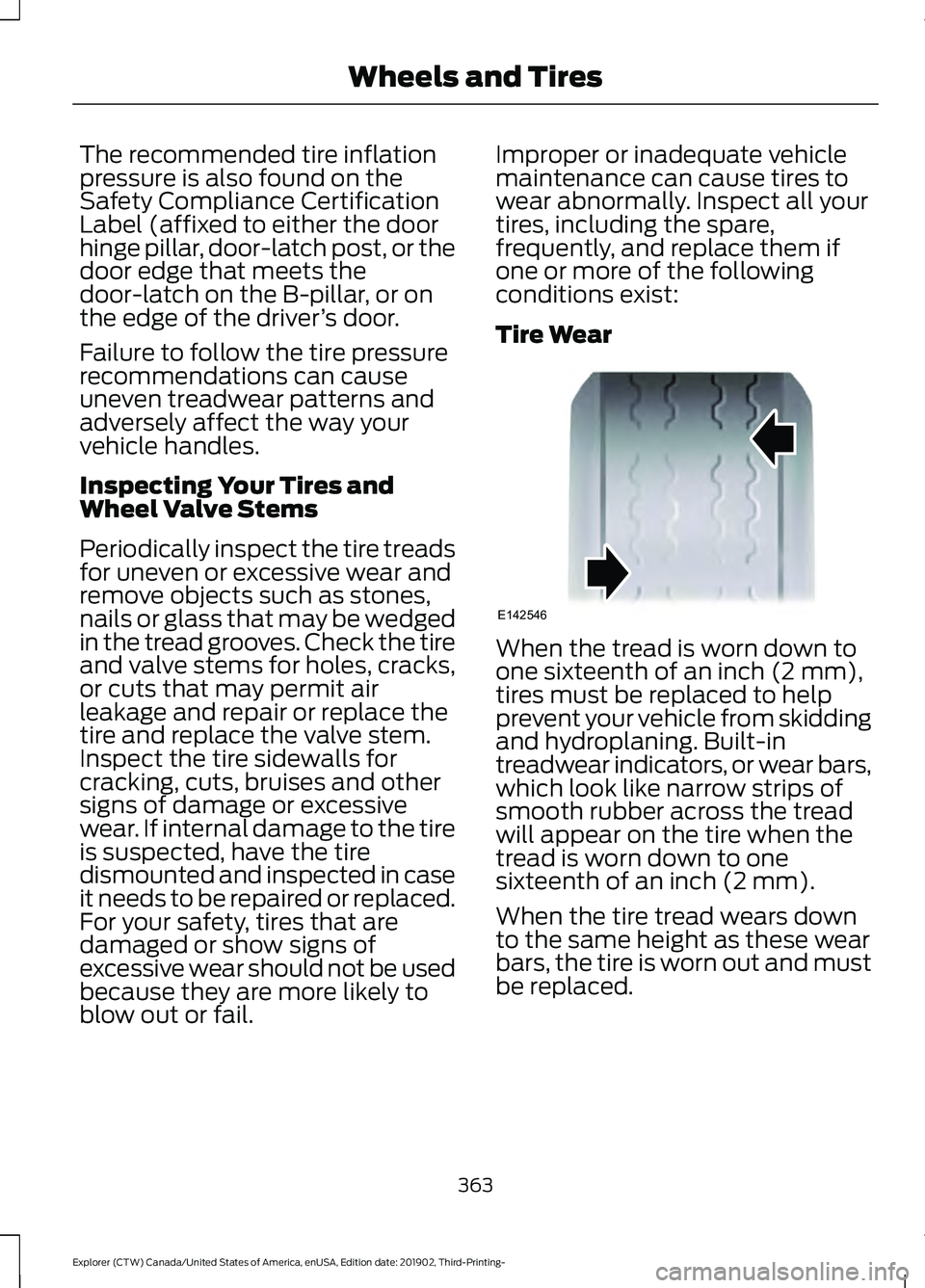
Tire Wear
When the tread is worn down to
one sixteenth of an inch (2 mm),
tires must be replaced to help
prevent your vehicle from skidding
and hydroplaning. Built-in
treadwear indicators, or wear bars,
which look like narrow strips of
smooth rubber across the tread
will appear on the tire when the
tread is worn down to one
sixteenth of an inch (2 mm).
When the tire tread wears down
to the same height as these wear
bars, the tire is worn out and must
be replaced.
363
Explorer (CTW) Canada/United States of America, enUSA, Edition date: 201902, Third-Printing- Wheels and TiresE142546
Page 384 of 555
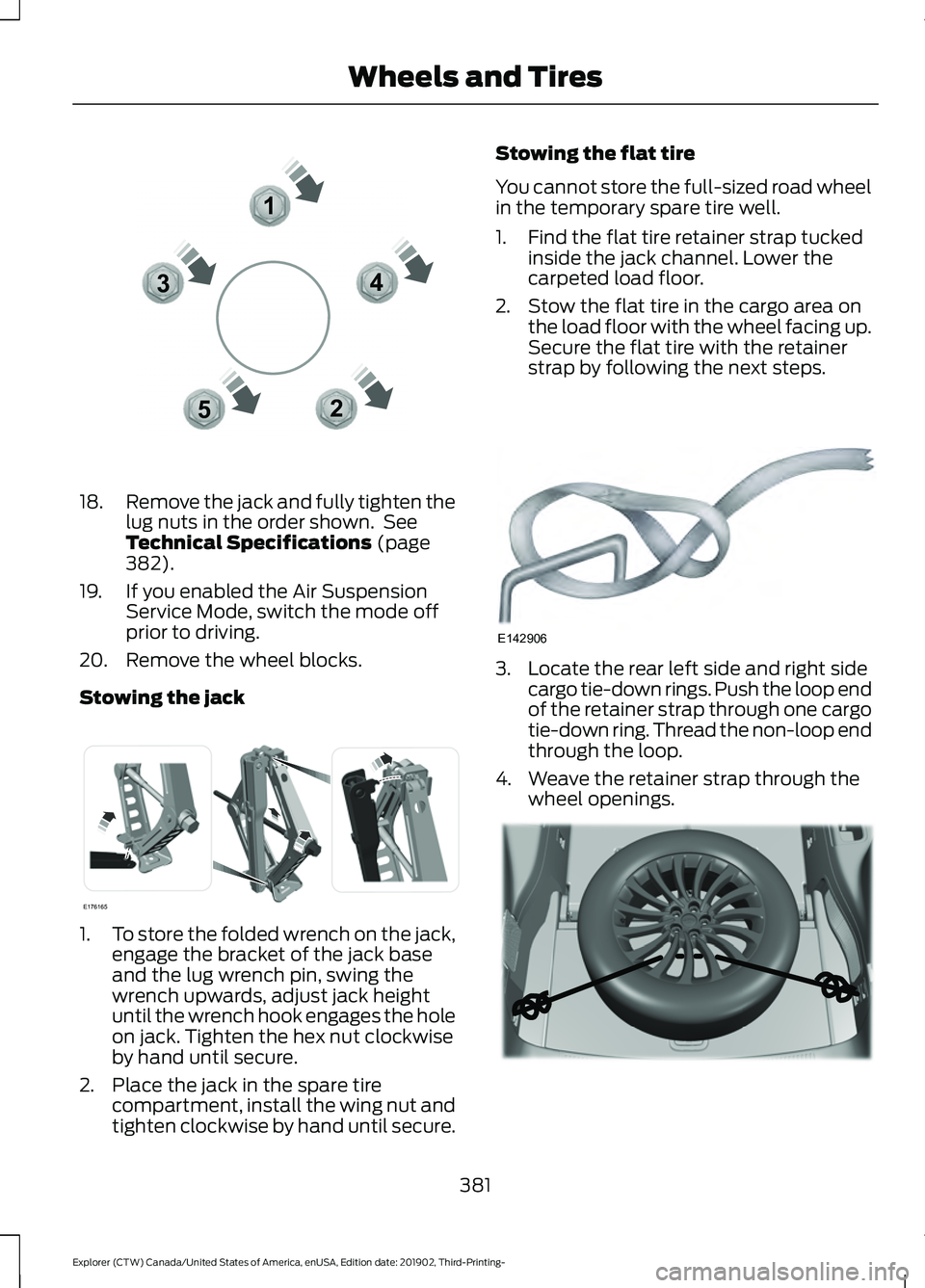
18.
Remove the jack and fully tighten the
lug nuts in the order shown. See
Technical Specifications (page
382).
19. If you enabled the Air Suspension Service Mode, switch the mode off
prior to driving.
20. Remove the wheel blocks.
Stowing the jack 1.
To store the folded wrench on the jack,
engage the bracket of the jack base
and the lug wrench pin, swing the
wrench upwards, adjust jack height
until the wrench hook engages the hole
on jack. Tighten the hex nut clockwise
by hand until secure.
2. Place the jack in the spare tire compartment, install the wing nut and
tighten clockwise by hand until secure. Stowing the flat tire
You cannot store the full-sized road wheel
in the temporary spare tire well.
1. Find the flat tire retainer strap tucked
inside the jack channel. Lower the
carpeted load floor.
2. Stow the flat tire in the cargo area on the load floor with the wheel facing up.
Secure the flat tire with the retainer
strap by following the next steps. 3. Locate the rear left side and right side
cargo tie-down rings. Push the loop end
of the retainer strap through one cargo
tie-down ring. Thread the non-loop end
through the loop.
4. Weave the retainer strap through the wheel openings. 381
Explorer (CTW) Canada/United States of America, enUSA, Edition date: 201902, Third-Printing- Wheels and Tires12
3
4
5E306781 E176165 E142906 E294325
Page 549 of 555
Memory Function.........................................150
Easy Entry and Exit Feature............................. 151
Linking a PreSet Position to your Remote Control ............................................................... 151
Saving a PreSet Position................................... 151
Message Center See: Information Displays................................. 112
Mirrors See: Windows and Mirrors................................ 97
Mobile Communications Equipment.......17
Moonroof.........................................................102 Bounce-Back....................................................... 103
Opening and Closing the Moonroof............102
Rear SunShade Opening and Closing........103
Motorcraft Parts - 2.3L EcoBoost™................................................390
Motorcraft Parts - 3.0L...............................391
Motorcraft Parts - 3.3L..............................392
MyKey – Troubleshooting...........................67
MyKey ™.............................................................64
Principle of Operation........................................ 64
N
Navigation.....................................................460 Changing the Format of the Map................462
cityseeker............................................................. 464
Michelin Travel Guide...................................... 465
Navigation Map Accuracy and Updates........................................................... 465
Route Guidance................................................. 462
Setting a Destination........................................ 461
SiriusXM Traffic and Travel Link.................. 465
Zoom...................................................................... 462
Network Connectivity
................................426
Connecting the Vehicle to a Mobile
Network............................................................ 426
Network Connectivity – Troubleshooting........................................427
Normal Scheduled Maintenance..........490 Intelligent Oil-Life Monitor™........................ 490
Normal Maintenance Intervals...................... 491
O
Oil Change Indicator Reset......................328
Oil Check See: Engine Oil Check....................................... 327Opening and Closing the Hood..............323
Closing the Hood............................................... 324
Opening the Hood............................................. 323
Ordering Additional Owner's Literature........................................................311
Obtaining a French Owner ’s Manual............311
Overhead Console.........................................171
Overriding Automatic High Beam Control............................................................96
Overriding Reverse Braking Assist..........221
Overriding the Set Speed..........................252
P
Parking Aids
...................................................230
Principle of Operation...................................... 230
Passive Anti-Theft System.........................78 Programming a Spare Intelligent Access
Key........................................................................\
. 78
SecuriLock®........................................................... 78
PATS See: Passive Anti-Theft System..................... 78
Pedestrian Alert System
.............................54
Pedestrian Protection..................................54
Perchlorate........................................................15
Personalized Settings
..................................118
Fuel Economy....................................................... 119
Hybrid Information.............................................. 119
Trip 1 and 2.............................................................. 119
Personal Safety System ™
..........................45
How Does the Personal Safety System
Work?.................................................................. 45
Phone..............................................................458 Android Auto...................................................... 460
Apple CarPlay..................................................... 460
Pairing Your Cell Phone for the First Time.................................................................. 459
Text Messaging.................................................. 459
Using Your Cell Phone..................................... 459
Post-Crash Alert System
..........................304
Power Door Locks See: Locking and Unlocking............................. 69
Power Liftgate
..................................................74
Hands-Free Feature............................................ 76
Obstacle Detection.............................................. 76
Opening and Closing the Liftgate................... 74
Setting the Liftgate Open Height................... 76
Stopping the Liftgate Movement................... 75
546
Explorer (CTW) Canada/United States of America, enUSA, Edition date: 201902, Third-Printing- Index
Page 551 of 555
Repairing Minor Paint Damage..............350
Replacement Parts
Recommendation........................................16
Collision Repairs.................................................... 16
Scheduled Maintenance and Mechanical Repairs................................................................. 16
Warranty on Replacement Parts.................... 16
Replacing a Lost Key or Remote Control............................................................63
Replacing the Cabin Air Filter...................143
Reporting Safety Defects (Canada Only)................................................................311
Reporting Safety Defects (U.S. Only)................................................................311
Resuming the Set Speed..........................245 Resuming the Set Speed from a Complete
Stop.................................................................... 252
Reverse Braking Assist Indicators
...........221
Reverse Braking Assist Precautions.................................................220
Reverse Braking Assist
..............................220
Reverse Braking Assist –
Troubleshooting............................................. 222
Reverse Braking Assist – Troubleshooting
........................................222
Reverse Braking Assist – Frequently Asked
Questions......................................................... 223
Reverse Braking Assist – Information Messages.......................................................... 222
Roadside Assistance
..................................299
Vehicles Sold in Canada: Getting Roadside
Assistance...................................................... 300
Vehicles Sold in the United States: Getting Roadside Assistance................................... 299
Vehicles Sold in the United States: Using Roadside Assistance................................... 299
Roadside Emergencies
.............................299
Roof Racks and Load Carriers................282 Adjusting the Crossbar.................................... 283
Maximum Recommended Load Amounts.......................................................... 283
Running-In See: Breaking-In................................................. 297
Running Out of Fuel....................................188 Adding Fuel From a Portable Fuel
Container.......................................................... 189
Filling a Portable Fuel Container.................. 189S
Safety Canopy
™
..............................................51
Safety Precautions......................................186
Satellite Radio..............................................434
Satellite Radio Electronic Serial Number
(ESN)................................................................ 435
Satellite Radio Reception Factors..............434
SiriusXM Satellite Radio Service.................434
Troubleshooting................................................. 435
Scheduled Maintenance Record...........495
Scheduled Maintenance
...........................487
Seatbelt Extensions......................................44
Seatbelt Height Adjustment.......................41
Seatbelt Reminder.........................................42 Seatbelt Status..................................................... 42
Seatbelts...........................................................38 Principle of Operation........................................ 38
Seatbelt Warning Lamp and Indicator Chime...............................................................41
Conditions of operation...................................... 41
Seats.................................................................144
Security..............................................................78
Selecting a Drive Mode..............................279
Settings...........................................................469 911 Assist.............................................................. 469
Ambient Lighting............................................... 470
Audio...................................................................... 469
Automatic Updates.......................................... 469
Bluetooth............................................................. 469
Charge Settings.................................................. 470
Clock...................................................................... 469
Display................................................................... 470
Driver Assist......................................................... 469
FordPass............................................................... 469
General.................................................................. 469
Message Center.................................................. 470
Mobile Apps........................................................ 469
Multi Contour Seats.......................................... 470
Navigation............................................................ 470
Personal Profiles................................................ 470
Phone
.................................................................... 469
Seats....................................................................... 470
Sound.................................................................... 469
Valet Mode........................................................... 470
Vehicle................................................................... 469
Voice Control....................................................... 470
548
Explorer (CTW) Canada/United States of America, enUSA, Edition date: 201902, Third-Printing- Index