window FORD EXPLORER 2020 Owners Manual
[x] Cancel search | Manufacturer: FORD, Model Year: 2020, Model line: EXPLORER, Model: FORD EXPLORER 2020Pages: 555, PDF Size: 8.16 MB
Page 5 of 555
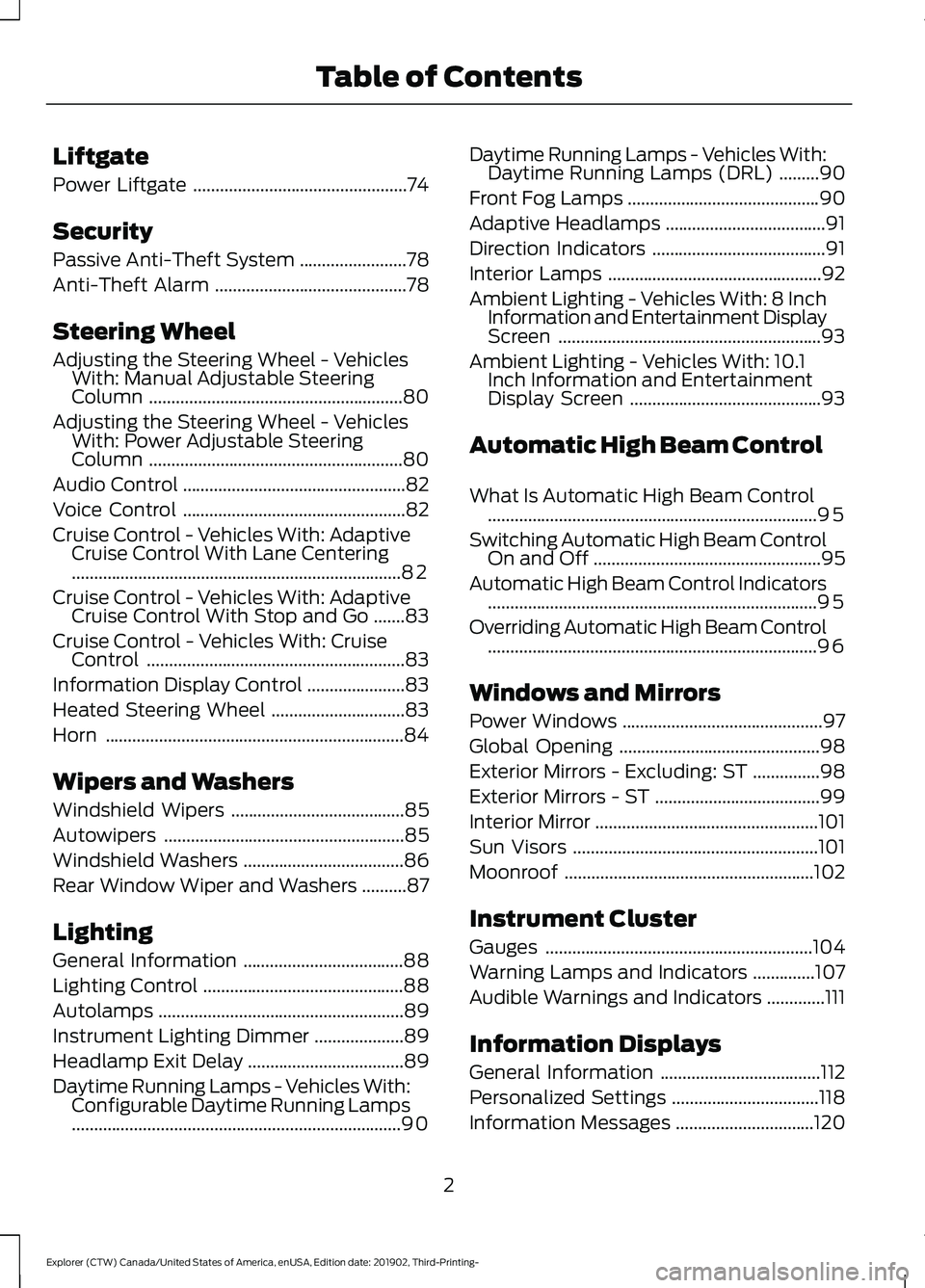
Liftgate
Power Liftgate
................................................74
Security
Passive Anti-Theft System ........................
78
Anti-Theft Alarm ...........................................
78
Steering Wheel
Adjusting the Steering Wheel - Vehicles With: Manual Adjustable Steering
Column .........................................................
80
Adjusting the Steering Wheel - Vehicles With: Power Adjustable Steering
Column .........................................................
80
Audio Control ..................................................
82
Voice Control ..................................................
82
Cruise Control - Vehicles With: Adaptive Cruise Control With Lane Centering
........................................................................\
..
82
Cruise Control - Vehicles With: Adaptive Cruise Control With Stop and Go .......
83
Cruise Control - Vehicles With: Cruise Control ..........................................................
83
Information Display Control ......................
83
Heated Steering Wheel ..............................
83
Horn ...................................................................
84
Wipers and Washers
Windshield Wipers .......................................
85
Autowipers ......................................................
85
Windshield Washers ....................................
86
Rear Window Wiper and Washers ..........
87
Lighting
General Information ....................................
88
Lighting Control .............................................
88
Autolamps .......................................................
89
Instrument Lighting Dimmer ....................
89
Headlamp Exit Delay ...................................
89
Daytime Running Lamps - Vehicles With: Configurable Daytime Running Lamps
........................................................................\
..
90 Daytime Running Lamps - Vehicles With:
Daytime Running Lamps (DRL) .........
90
Front Fog Lamps ...........................................
90
Adaptive Headlamps ....................................
91
Direction Indicators .......................................
91
Interior Lamps ................................................
92
Ambient Lighting - Vehicles With: 8 Inch Information and Entertainment Display
Screen ...........................................................
93
Ambient Lighting - Vehicles With: 10.1 Inch Information and Entertainment
Display Screen ...........................................
93
Automatic High Beam Control
What Is Automatic High Beam Control ........................................................................\
..
95
Switching Automatic High Beam Control On and Off ...................................................
95
Automatic High Beam Control Indicators ........................................................................\
..
95
Overriding Automatic High Beam Control ........................................................................\
..
96
Windows and Mirrors
Power Windows .............................................
97
Global Opening .............................................
98
Exterior Mirrors - Excluding: ST ...............
98
Exterior Mirrors - ST .....................................
99
Interior Mirror ..................................................
101
Sun Visors .......................................................
101
Moonroof ........................................................
102
Instrument Cluster
Gauges ............................................................
104
Warning Lamps and Indicators ..............
107
Audible Warnings and Indicators .............
111
Information Displays
General Information ....................................
112
Personalized Settings .................................
118
Information Messages ...............................
120
2
Explorer (CTW) Canada/United States of America, enUSA, Edition date: 201902, Third-Printing- Table of Contents
Page 6 of 555

Climate Control
Automatic Climate Control
......................137
Hints on Controlling the Interior Climate ........................................................................\
.
139
Rear Passenger Climate Controls .........
140
Heated Windshield ......................................
141
Heated Rear Window .................................
142
Heated Exterior Mirrors ..............................
142
Remote Start .................................................
142
Interior Air Quality
What Is the Cabin Air Filter ......................
143
Locating the Cabin Air Filter ....................
143
Replacing the Cabin Air Filter ..................
143
Seats
Sitting in the Correct Position .................
144
Head Restraints ...........................................
144
Manual Seats ................................................
147
Power Seats ..................................................
148
Memory Function ........................................
150
Rear Seats ......................................................
152
Heated Seats ................................................
156
Climate Controlled Seats .........................
158
Rear Occupant Alert System
What is the Rear Occupant Alert System ........................................................................\
160
How Does the Rear Occupant Alert System Work ............................................
160
Rear Occupant Alert System Precautions ........................................................................\
160
Rear Occupant Alert System Limitations ........................................................................\
160
Switching Rear Occupant Alert System On and Off .................................................
160
Rear Occupant Alert System Indicators ........................................................................\
..
161
Rear Occupant Alert System Audible Warnings ......................................................
161Garage Door Opener
Universal Garage Door Opener
..............
162
Auxiliary Power Points
Auxiliary Power Points ...............................
167
Wireless Accessory Charger ....................
168
Storage Compartments
Cup Holders .....................................................
171
Center Console ...............................................
171
Overhead Console ........................................
171
Starting and Stopping the Engine
General Information ....................................
172
Ignition Switch ...............................................
172
Keyless Starting ............................................
172
Starting a Gasoline Engine .......................
173
Starting a Hybrid Electric Vehicle System ........................................................................\
.
176
Engine Block Heater ...................................
178
Unique Driving Characteristics
Auto-Start-Stop ..........................................
180
Hybrid Vehicle Operation - 3.3L, Hybrid Electric Vehicle (HEV) ...........................
182
Hybrid Vehicle Frequently Asked Questions - 3.3L, Hybrid Electric
Vehicle (HEV) ...........................................
184
Fuel and Refueling
Safety Precautions .....................................
186
Fuel Quality - E85 .......................................
186
Fuel Quality - Gasoline .............................
188
Fuel Filler Funnel Location ......................
188
Running Out of Fuel ...................................
188
Refueling - Excluding: Hybrid Electric Vehicle (HEV) ...........................................
190
Refueling - Hybrid Electric Vehicle (HEV) ........................................................................\
.
193
3
Explorer (CTW) Canada/United States of America, enUSA, Edition date: 201902, Third-Printing- Table of Contents
Page 9 of 555
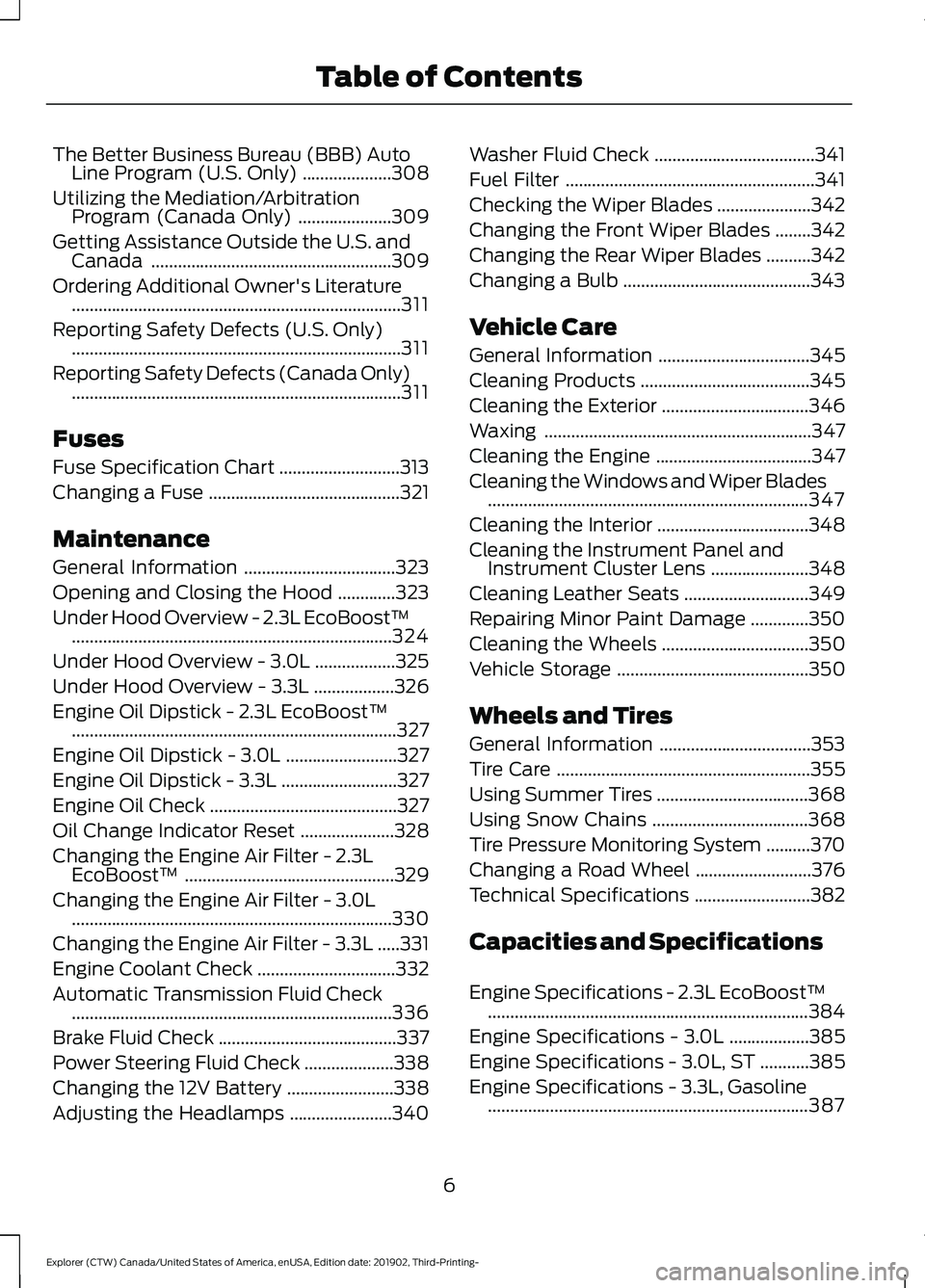
The Better Business Bureau (BBB) Auto
Line Program (U.S. Only) ....................308
Utilizing the Mediation/Arbitration Program (Canada Only) .....................
309
Getting Assistance Outside the U.S. and Canada ......................................................
309
Ordering Additional Owner's Literature ........................................................................\
..
311
Reporting Safety Defects (U.S. Only) ........................................................................\
..
311
Reporting Safety Defects (Canada Only) ........................................................................\
..
311
Fuses
Fuse Specification Chart ...........................
313
Changing a Fuse ...........................................
321
Maintenance
General Information ..................................
323
Opening and Closing the Hood .............
323
Under Hood Overview - 2.3L EcoBoost™ ........................................................................\
324
Under Hood Overview - 3.0L ..................
325
Under Hood Overview - 3.3L ..................
326
Engine Oil Dipstick - 2.3L EcoBoost™ ........................................................................\
.
327
Engine Oil Dipstick - 3.0L .........................
327
Engine Oil Dipstick - 3.3L ..........................
327
Engine Oil Check ..........................................
327
Oil Change Indicator Reset .....................
328
Changing the Engine Air Filter - 2.3L EcoBoost™ ...............................................
329
Changing the Engine Air Filter - 3.0L ........................................................................\
330
Changing the Engine Air Filter - 3.3L .....
331
Engine Coolant Check ...............................
332
Automatic Transmission Fluid Check ........................................................................\
336
Brake Fluid Check ........................................
337
Power Steering Fluid Check ....................
338
Changing the 12V Battery ........................
338
Adjusting the Headlamps .......................
340Washer Fluid Check
....................................
341
Fuel Filter ........................................................
341
Checking the Wiper Blades .....................
342
Changing the Front Wiper Blades ........
342
Changing the Rear Wiper Blades ..........
342
Changing a Bulb ..........................................
343
Vehicle Care
General Information ..................................
345
Cleaning Products ......................................
345
Cleaning the Exterior .................................
346
Waxing ............................................................
347
Cleaning the Engine ...................................
347
Cleaning the Windows and Wiper Blades ........................................................................\
347
Cleaning the Interior ..................................
348
Cleaning the Instrument Panel and Instrument Cluster Lens ......................
348
Cleaning Leather Seats ............................
349
Repairing Minor Paint Damage .............
350
Cleaning the Wheels .................................
350
Vehicle Storage ...........................................
350
Wheels and Tires
General Information ..................................
353
Tire Care .........................................................
355
Using Summer Tires ..................................
368
Using Snow Chains ...................................
368
Tire Pressure Monitoring System ..........
370
Changing a Road Wheel ..........................
376
Technical Specifications ..........................
382
Capacities and Specifications
Engine Specifications - 2.3L EcoBoost™ ........................................................................\
384
Engine Specifications - 3.0L ..................
385
Engine Specifications - 3.0L, ST ...........
385
Engine Specifications - 3.3L, Gasoline ........................................................................\
387
6
Explorer (CTW) Canada/United States of America, enUSA, Edition date: 201902, Third-Printing- Table of Contents
Page 13 of 555
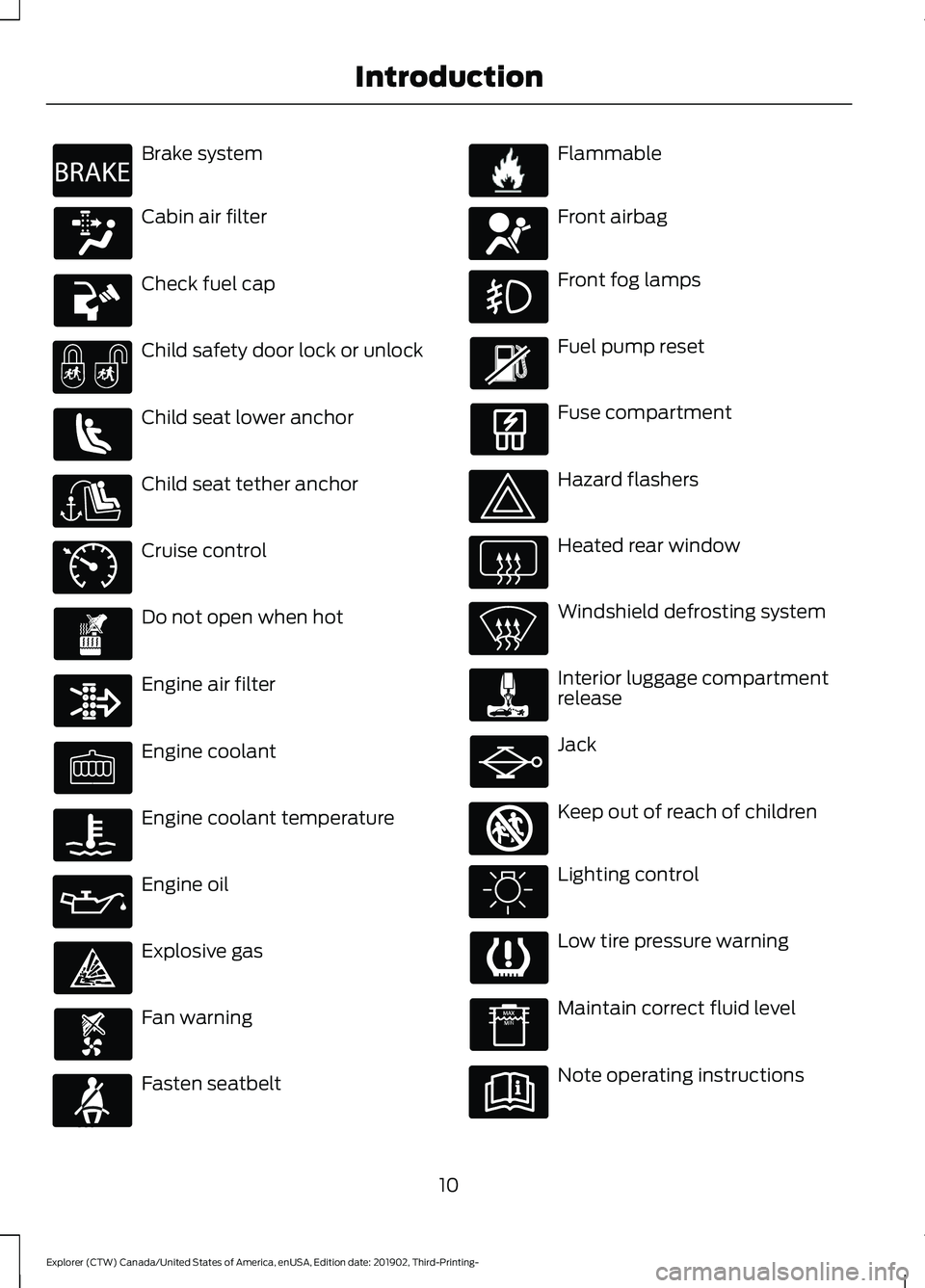
Brake system
Cabin air filter
Check fuel cap
Child safety door lock or unlock
Child seat lower anchor
Child seat tether anchor
Cruise control
Do not open when hot
Engine air filter
Engine coolant
Engine coolant temperature
Engine oil
Explosive gas
Fan warning
Fasten seatbelt Flammable
Front airbag
Front fog lamps
Fuel pump reset
Fuse compartment
Hazard flashers
Heated rear window
Windshield defrosting system
Interior luggage compartment
release
Jack
Keep out of reach of children
Lighting control
Low tire pressure warning
Maintain correct fluid level
Note operating instructions
10
Explorer (CTW) Canada/United States of America, enUSA, Edition date: 201902, Third-Printing- IntroductionE270480 E71340 E71880 E231160 E67017 E161353
Page 14 of 555
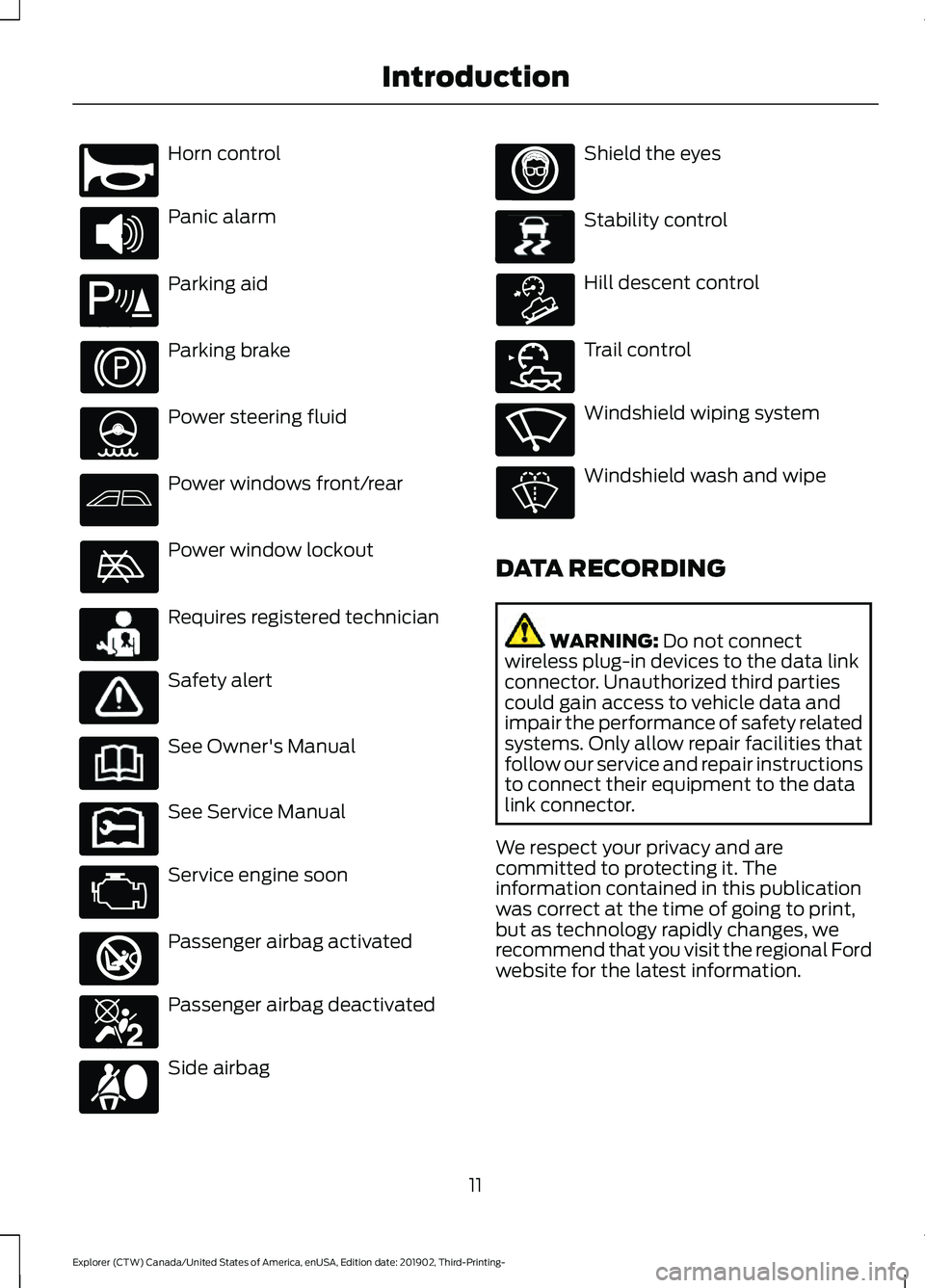
Horn control
Panic alarm
Parking aid
Parking brake
Power steering fluid
Power windows front/rear
Power window lockout
Requires registered technician
Safety alert
See Owner's Manual
See Service Manual
Service engine soon
Passenger airbag activated
Passenger airbag deactivated
Side airbag Shield the eyes
Stability control
Hill descent control
Trail control
Windshield wiping system
Windshield wash and wipe
DATA RECORDING WARNING: Do not connect
wireless plug-in devices to the data link
connector. Unauthorized third parties
could gain access to vehicle data and
impair the performance of safety related
systems. Only allow repair facilities that
follow our service and repair instructions
to connect their equipment to the data
link connector.
We respect your privacy and are
committed to protecting it. The
information contained in this publication
was correct at the time of going to print,
but as technology rapidly changes, we
recommend that you visit the regional Ford
website for the latest information.
11
Explorer (CTW) Canada/United States of America, enUSA, Edition date: 201902, Third-Printing- IntroductionE270945 E139213 E231159 E231158 E270849 E270850 E167012 E138639 E163957 E272858 E270969
Page 55 of 555
WARNING: If a supplementary
restraint system component has
deployed, it will not function again. Have
the system and associated components
inspected as soon as possible. Failure to
follow this instruction could result in
personal injury or death.
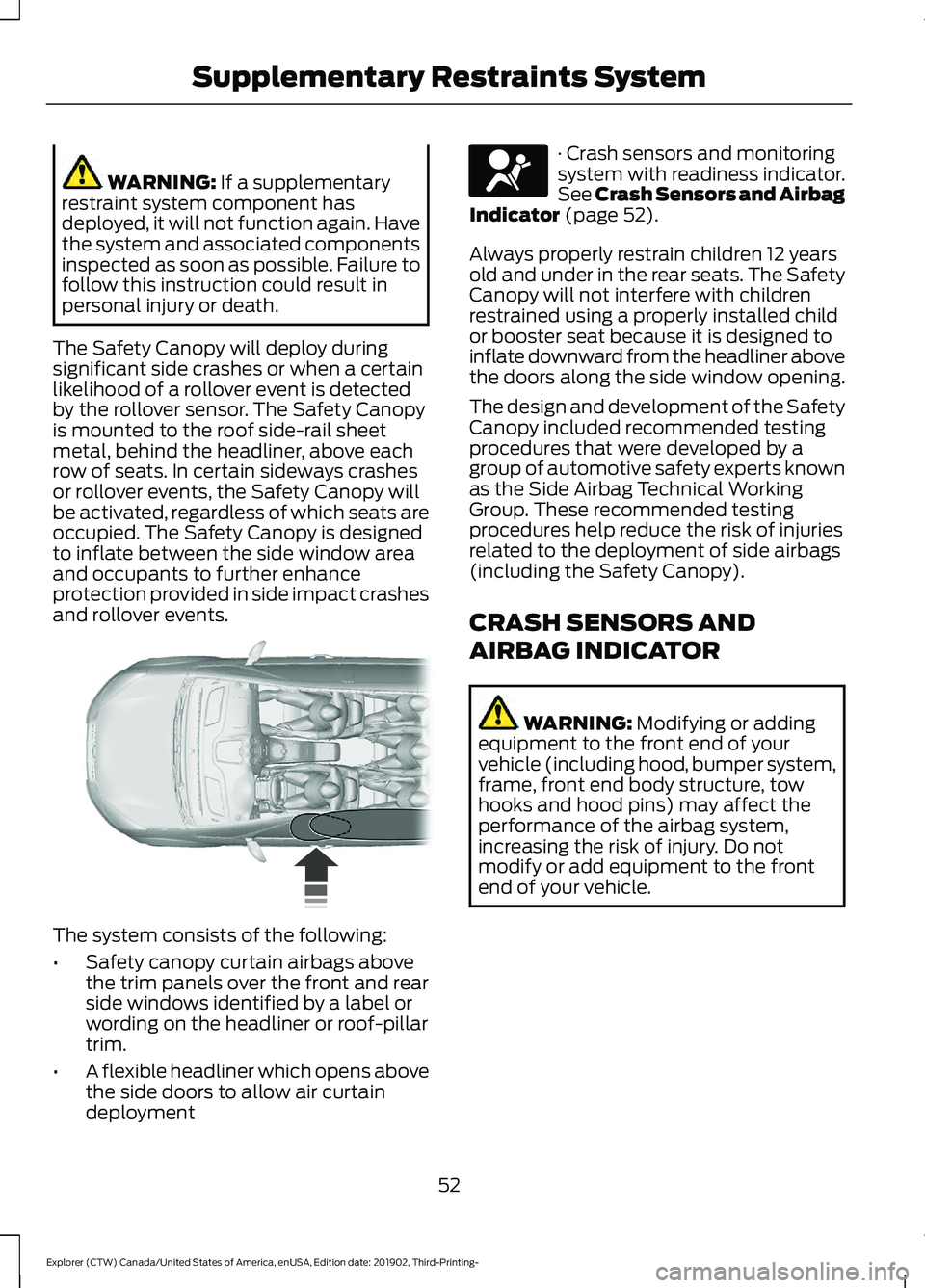
The Safety Canopy will deploy during
significant side crashes or when a certain
likelihood of a rollover event is detected
by the rollover sensor. The Safety Canopy
is mounted to the roof side-rail sheet
metal, behind the headliner, above each
row of seats. In certain sideways crashes
or rollover events, the Safety Canopy will
be activated, regardless of which seats are
occupied. The Safety Canopy is designed
to inflate between the side window area
and occupants to further enhance
protection provided in side impact crashes
and rollover events. The system consists of the following:
•
Safety canopy curtain airbags above
the trim panels over the front and rear
side windows identified by a label or
wording on the headliner or roof-pillar
trim.
• A flexible headliner which opens above
the side doors to allow air curtain
deployment · Crash sensors and monitoring
system with readiness indicator.
See Crash Sensors and Airbag
Indicator
(page 52).
Always properly restrain children 12 years
old and under in the rear seats. The Safety
Canopy will not interfere with children
restrained using a properly installed child
or booster seat because it is designed to
inflate downward from the headliner above
the doors along the side window opening.
The design and development of the Safety
Canopy included recommended testing
procedures that were developed by a
group of automotive safety experts known
as the Side Airbag Technical Working
Group. These recommended testing
procedures help reduce the risk of injuries
related to the deployment of side airbags
(including the Safety Canopy).
CRASH SENSORS AND
AIRBAG INDICATOR WARNING:
Modifying or adding
equipment to the front end of your
vehicle (including hood, bumper system,
frame, front end body structure, tow
hooks and hood pins) may affect the
performance of the airbag system,
increasing the risk of injury. Do not
modify or add equipment to the front
end of your vehicle.
52
Explorer (CTW) Canada/United States of America, enUSA, Edition date: 201902, Third-Printing- Supplementary Restraints System E75004 E67017
Page 58 of 555
WHAT IS 911 ASSIST
911 Assist is a SYNC system feature that
can call for help if you’re in an accident. If
a crash deploys an airbag (excluding knee
airbags and rear inflatable seatbelts [if
equipped]) or activates the fuel pump
shut-off, your SYNC-equipped vehicle may
be able to contact emergency services by
dialing 911 through a paired and connected
Bluetooth-enabled phone. You can learn
more about the 911 Assist feature, by
visiting:
Website
www.owner.ford.com
www.syncmyride.ca
www.syncmaroute.ca
Not all crashes will deploy an airbag or
activate the fuel pump shut-off (the
triggers for 911 Assist). If a connected cell
phone sustains damage or loses its
connection to SYNC during a crash, SYNC
will search for and try to connect to a
previously paired cell phone; SYNC will
then attempt to call the emergency
services.
Before making the call:
• SYNC provides a short window of time
(about 10 seconds) to cancel the call.
If you fail to cancel the call, SYNC
attempts to dial 911.
• SYNC says the following, or a similar
message: "SYNC will attempt to call
911, to cancel the call, press Cancel on
your screen or press and hold the
phone button on your steering wheel." If you do not cancel the call, and SYNC
makes a successful call, a pre-recorded
message plays for the 911 operator, and
then the occupant(s) in your vehicle is able
to talk with the operator. Be prepared to
provide your name, phone number and
location immediately, because not all 911
systems are capable of receiving this
information electronically.
During an emergency call, the system
transmits vehicle data to the emergency
service. See Data Recording (page 11).
EMERGENCY CALL
REQUIREMENTS WARNING:
Do not wait for 911
Assist to make an emergency call if you
can do it yourself. Dial emergency
services immediately to avoid delayed
response time which could increase the
risk of serious injury or death after a
crash. If you do not hear 911 Assist within
five seconds of the crash, the system or
phone may be damaged or
non-functional. WARNING:
Always place your
phone in a secure location in your vehicle
so it does not become a projectile or get
damaged in a crash. Failure to do so may
cause serious injury to someone or
damage the phone which could prevent
911 Assist from working properly. WARNING:
Unless the 911 Assist
setting is set on before a crash, the
system will not dial for help which could
delay response time, potentially
increasing the risk of serious injury or
death after a crash.
55
Explorer (CTW) Canada/United States of America, enUSA, Edition date: 201902, Third-Printing- 911 Assist
Page 66 of 555
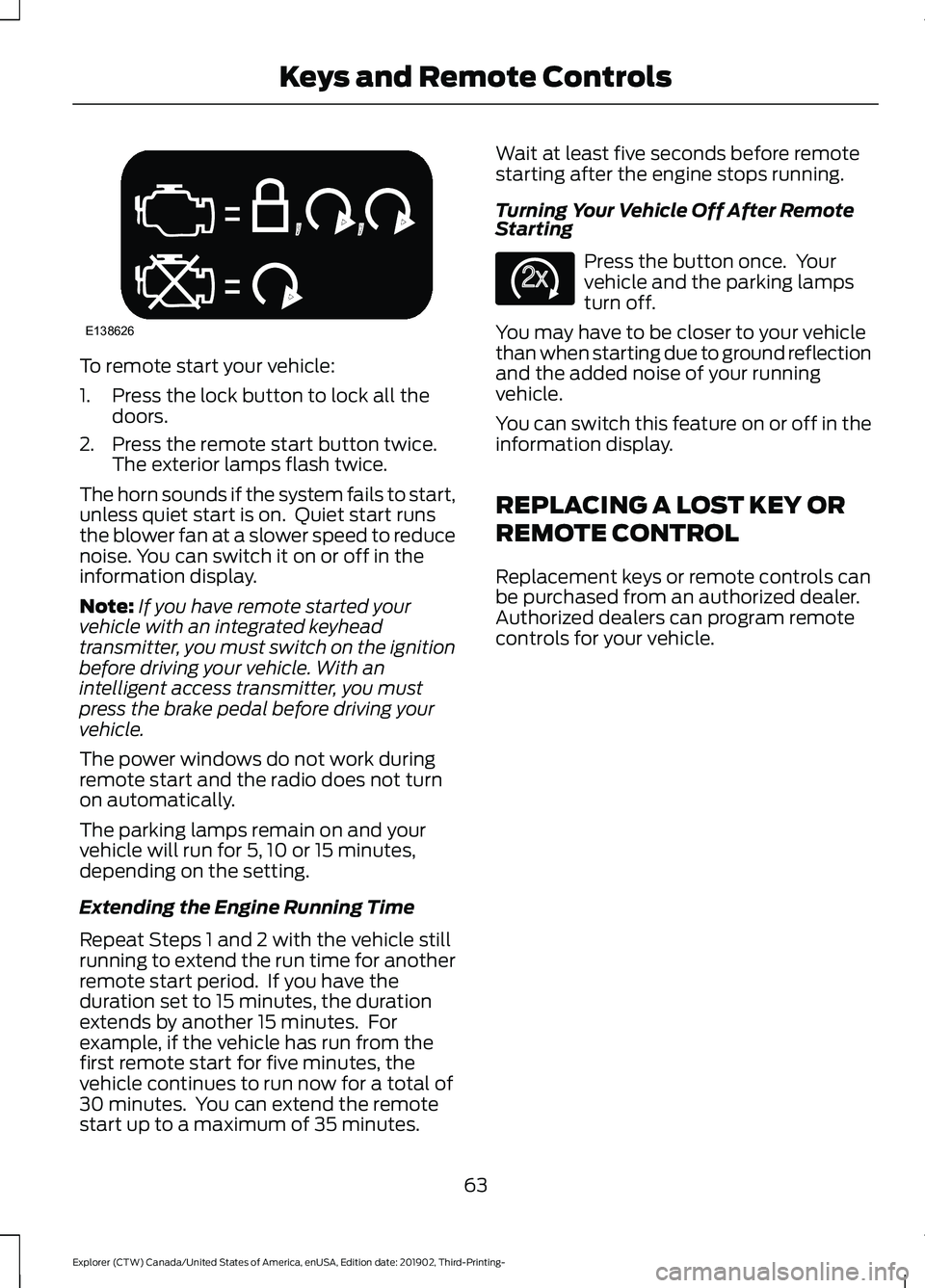
To remote start your vehicle:
1. Press the lock button to lock all the
doors.
2. Press the remote start button twice. The exterior lamps flash twice.
The horn sounds if the system fails to start,
unless quiet start is on. Quiet start runs
the blower fan at a slower speed to reduce
noise. You can switch it on or off in the
information display.
Note: If you have remote started your
vehicle with an integrated keyhead
transmitter, you must switch on the ignition
before driving your vehicle. With an
intelligent access transmitter, you must
press the brake pedal before driving your
vehicle.
The power windows do not work during
remote start and the radio does not turn
on automatically.
The parking lamps remain on and your
vehicle will run for 5, 10 or 15 minutes,
depending on the setting.
Extending the Engine Running Time
Repeat Steps 1 and 2 with the vehicle still
running to extend the run time for another
remote start period. If you have the
duration set to 15 minutes, the duration
extends by another 15 minutes. For
example, if the vehicle has run from the
first remote start for five minutes, the
vehicle continues to run now for a total of
30 minutes. You can extend the remote
start up to a maximum of 35 minutes. Wait at least five seconds before remote
starting after the engine stops running.
Turning Your Vehicle Off After Remote
Starting
Press the button once. Your
vehicle and the parking lamps
turn off.
You may have to be closer to your vehicle
than when starting due to ground reflection
and the added noise of your running
vehicle.
You can switch this feature on or off in the
information display.
REPLACING A LOST KEY OR
REMOTE CONTROL
Replacement keys or remote controls can
be purchased from an authorized dealer.
Authorized dealers can program remote
controls for your vehicle.
63
Explorer (CTW) Canada/United States of America, enUSA, Edition date: 201902, Third-Printing- Keys and Remote ControlsE138626 E138625
Page 75 of 555
Illuminated Exit
The interior lamps and some exterior
lamps illuminate when all doors close and
you switch the ignition off.
The lamps turn off if all the doors remain
closed and:
•
25 seconds have elapsed.
• You lock your vehicle from the outside.
Battery Saver
If you leave the courtesy lamps, interior
lamps or headlamps on, the battery saver
shuts them off 10 minutes after you switch
the ignition off.
Battery Saver for Intelligent Access
Keys (If Equipped)
If you leave the ignition switched on and
the engine is not running, the battery saver
turns the ignition off when it detects a
certain amount of battery drain, or after
45 minutes have elapsed.
KEYLESS ENTRY (IF EQUIPPED)
SECURICODE™ Keyless Entry
Keypad
The keypad is near the driver window. It
illuminates when touched.
Note: If you enter your entry code too fast
on the keypad, the unlock function may not
work. Enter your entry code again more
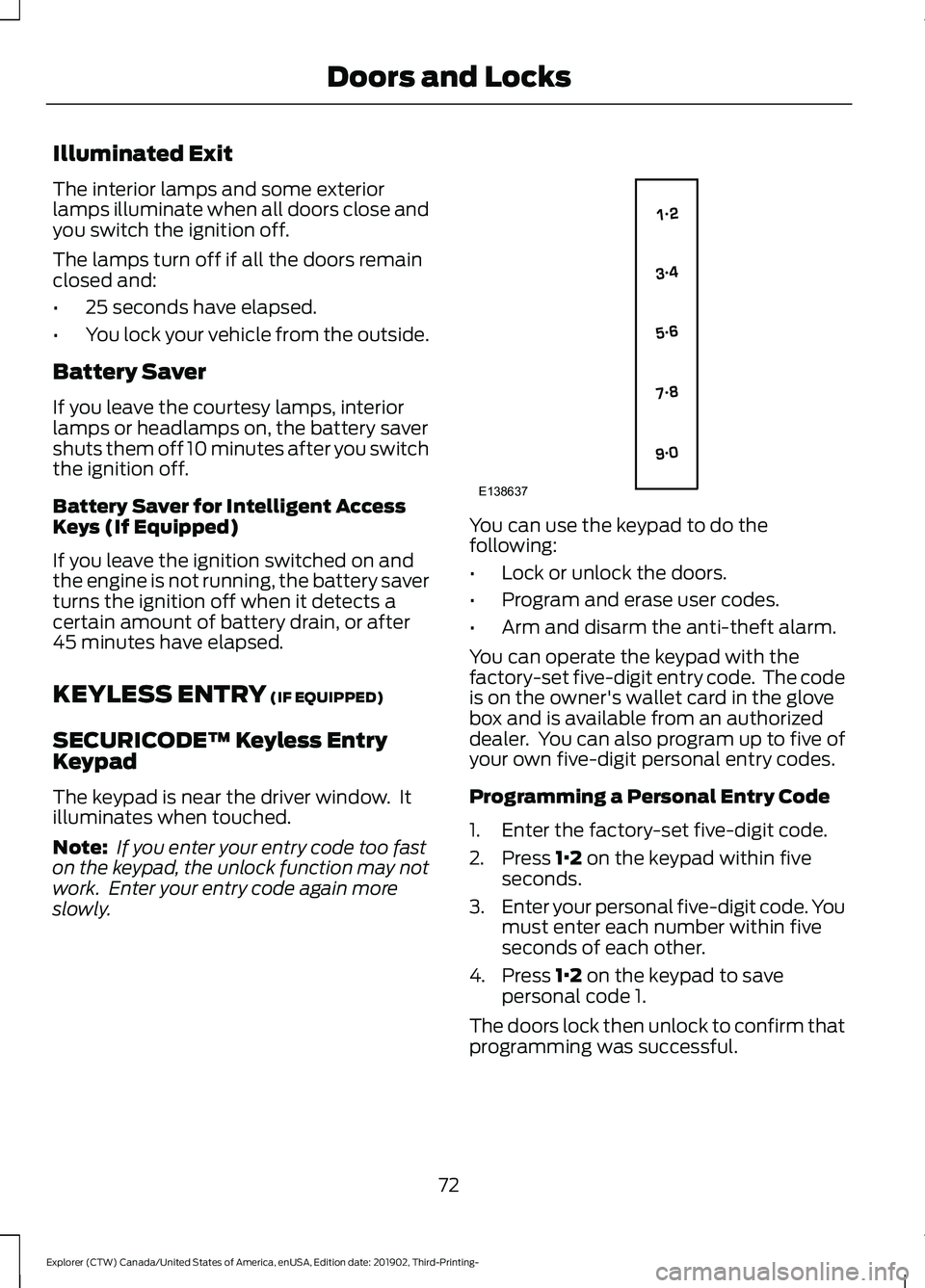
slowly. You can use the keypad to do the
following:
•
Lock or unlock the doors.
• Program and erase user codes.
• Arm and disarm the anti-theft alarm.
You can operate the keypad with the
factory-set five-digit entry code. The code
is on the owner's wallet card in the glove
box and is available from an authorized
dealer. You can also program up to five of
your own five-digit personal entry codes.
Programming a Personal Entry Code
1. Enter the factory-set five-digit code.
2. Press
1·2 on the keypad within five
seconds.
3. Enter your personal five-digit code. You
must enter each number within five
seconds of each other.
4. Press
1·2 on the keypad to save
personal code 1.
The doors lock then unlock to confirm that
programming was successful.
72
Explorer (CTW) Canada/United States of America, enUSA, Edition date: 201902, Third-Printing- Doors and LocksE138637
Page 77 of 555
POWER LIFTGATE
WARNING: It is extremely
dangerous to ride in a cargo area, inside
or outside of a vehicle. In a crash, people
riding in these areas are more likely to be
seriously injured or killed. Do not allow
people to ride in any area of your vehicle
that is not equipped with seats and
seatbelts. Make sure everyone in your
vehicle is in a seat and properly using a
seatbelt. Failure to follow this warning
could result in serious personal injury or
death. WARNING:
Make sure that you fully
close the liftgate to prevent exhaust
fumes from entering your vehicle. If you
are unable to fully close the liftgate,
open the air vents or the windows to
allow fresh air to enter your vehicle.
Failure to follow this instruction could
result in personal injury or death. WARNING:
Make sure that you fully
close the liftgate to prevent passengers
and cargo from falling out. Failure to
follow this instruction could result in
personal injury or death. WARNING: Keep keys out of reach
of children. Do not allow children to
operate or play near an open or moving
power liftgate. You should supervise the
operation of the power liftgate at all
times.
Note: Make sure that you close the liftgate
before operating or moving your vehicle,
especially in an enclosure, like a garage or
a parking structure. This could damage the
liftgate and its components.
Note: Do not hang anything, for example
a bike rack, from the glass or liftgate. This
could damage the liftgate and its
components. The liftgate only operates with the
transmission in park (P).
If there is a problem with the open or close
request, a tone sounds for one of the
following reasons:
•
The ignition is on and the transmission
is not in park (P).
• The battery voltage is below the
minimum operating voltage.
• The liftgate is not fully closed and your
vehicle speed is at or above
3 mph
(5 km/h).
If the liftgate starts to close after it has
fully opened, this indicates there may be
excessive weight on the liftgate or a
possible strut failure. A repetitive tone
sounds and the liftgate closes under
control. If the liftgate continues to close
after opening, have the system checked
by an authorized dealer. Remove any
excessive weight from the liftgate.
Opening and Closing the Liftgate WARNING:
Make sure all persons
are clear of the power liftgate area
before using the power liftgate control.
Note: Make sure the area behind your
vehicle is free from obstruction and that
there is enough room for you to operate the
liftgate. Objects too close to your vehicle,
for example a wall, garage door or another
vehicle may come into contact with the
moving liftgate. This could damage the
liftgate and its components.
Note: Be careful when opening or closing
the liftgate in a garage or other enclosed
area to avoid damaging the liftgate.
Note: Do not leave the liftgate open when
you are driving. This could damage the
liftgate and its components.
74
Explorer (CTW) Canada/United States of America, enUSA, Edition date: 201902, Third-Printing- Liftgate