ignition FORD EXPLORER SPORT TRAC 2001 User Guide
[x] Cancel search | Manufacturer: FORD, Model Year: 2001, Model line: EXPLORER SPORT TRAC, Model: FORD EXPLORER SPORT TRAC 2001Pages: 264, PDF Size: 2.19 MB
Page 26 of 264
Normal Operation
If an ªupº command is selected and the ignition is switched to OFF or
START during window travel, the window will:
1. stop if it is between the vent position and fully closed or
2. continue to move up to the vent position if it is between vent and fully
open.
If a ªdownº or ªventº command is selected and the ignition is switched to
OFF or START during window travel, the window will move to the fully
open or vent position, respectively, and then stop.
The ªdownº command is the only one allowed after the ignition has been
switched to OFF or START while the window is moving.
Bounce-Back
When the back window is moving upward and an obstacle interferes with
the window's movement, the back window will reverse direction and
move toward the fully open position. This is known as ªbounce-backº.
Security Override
If, during a bounce-back condition, the control is held in the clockwise
(ªupº) direction for at least two seconds,the back window will travel
up with no bounce-back protection. If the control is released before
the window reaches fully closed or the ignition is switched to OFF or
START, the back window will reverse direction with bounce-back
re-enabled.
The following are possible reasons for using the security override:
²Ice on the window causing a restriction.
²Window unexpectedly reverses.
Position recovery mode
If the window fails to operate in ªnormalº operation mode, the control
can be turned and held in the active position (up or down window
direction) which will move the window in increments of approximately
15mm (0.6 inches) in the selected direction. (The ªventº feature is
inoperable in this mode.) This feature allows the window to be closed.
Once the window has reached the full closed, the window should again
operate in ªnormalº operation mode. If the window still does not operate
correctly, see your dealer for service.
Controls and features
26
Page 28 of 264
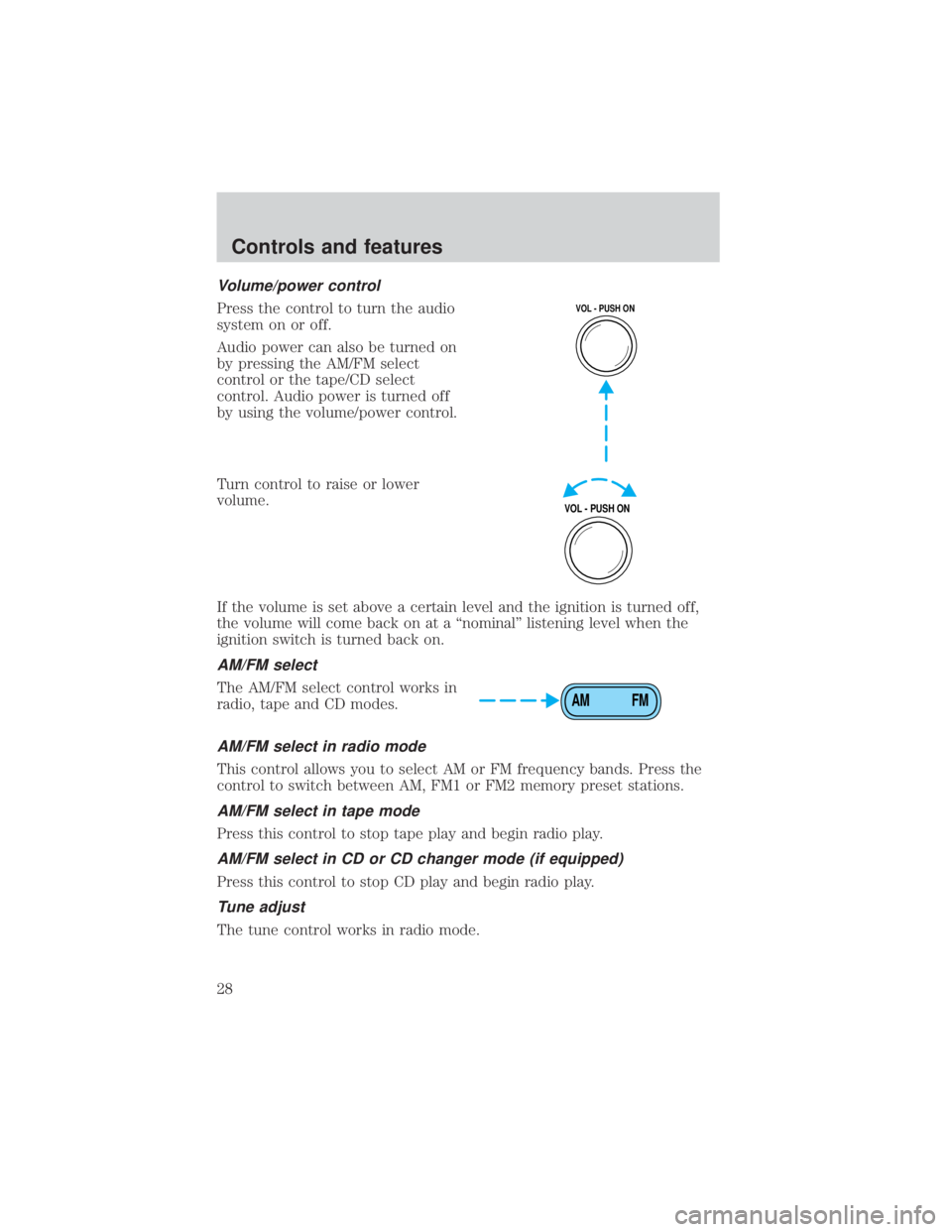
Volume/power control
Press the control to turn the audio
system on or off.
Audio power can also be turned on
by pressing the AM/FM select
control or the tape/CD select
control. Audio power is turned off
by using the volume/power control.
Turn control to raise or lower
volume.
If the volume is set above a certain level and the ignition is turned off,
the volume will come back on at a ªnominalº listening level when the
ignition switch is turned back on.
AM/FM select
The AM/FM select control works in
radio, tape and CD modes.
AM/FM select in radio mode
This control allows you to select AM or FM frequency bands. Press the
control to switch between AM, FM1 or FM2 memory preset stations.
AM/FM select in tape mode
Press this control to stop tape play and begin radio play.
AM/FM select in CD or CD changer mode (if equipped)
Press this control to stop CD play and begin radio play.
Tune adjust
The tune control works in radio mode.
VOL - PUSH ON
VOL - PUSH ON
AM FM
Controls and features
28
Page 37 of 264
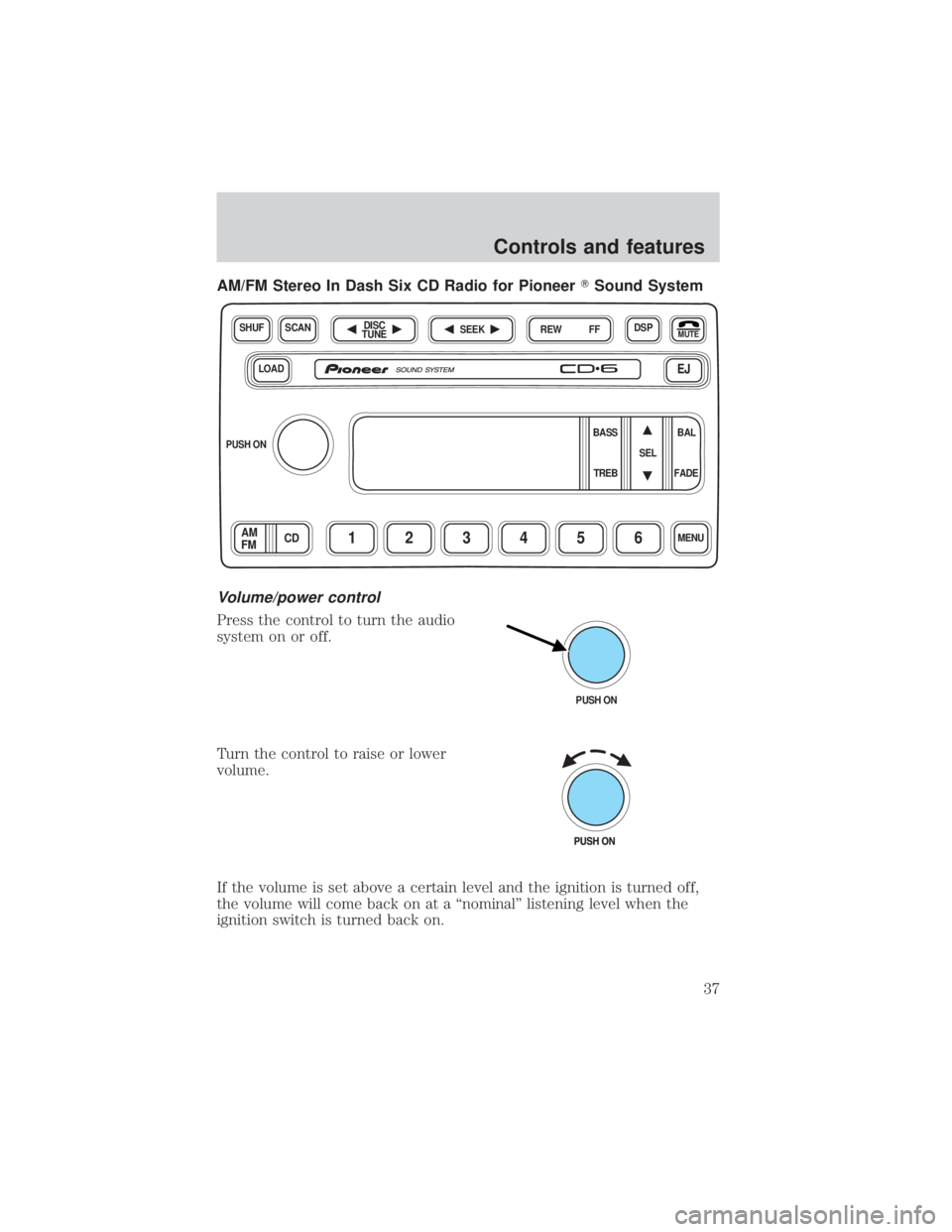
AM/FM Stereo In Dash Six CD Radio for PioneerTSound System
Volume/power control
Press the control to turn the audio
system on or off.
Turn the control to raise or lower
volume.
If the volume is set above a certain level and the ignition is turned off,
the volume will come back on at a ªnominalº listening level when the
ignition switch is turned back on.
LOADEJ
SHUFDSPMUTE
SELBAL BASS
FADE TREB
SCAN
PUSH ON
CD123456MENUAM
FM
SEEKREW FFDISC
TUNE
PUSH ON
Controls and features
37
Page 43 of 264
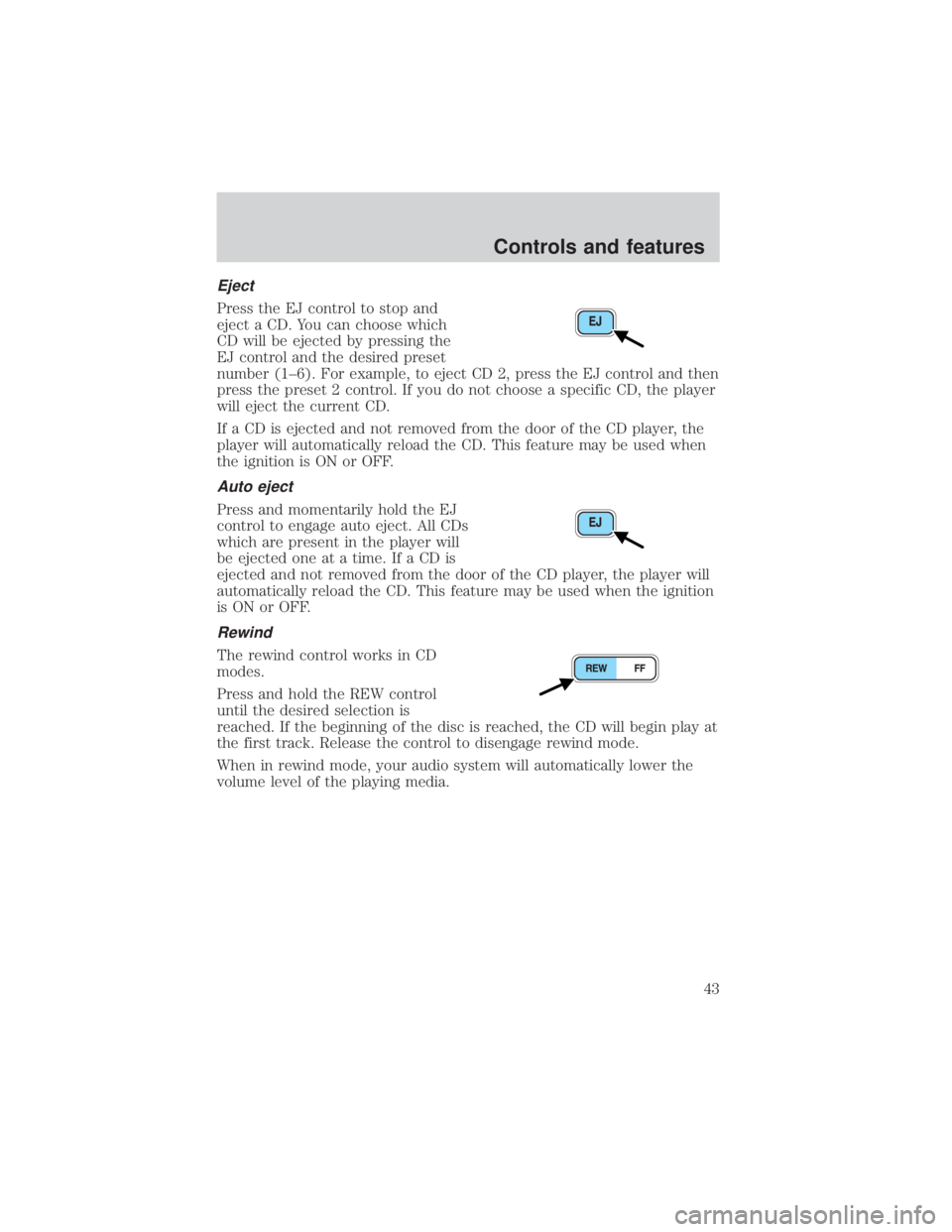
Eject
Press the EJ control to stop and
eject a CD. You can choose which
CD will be ejected by pressing the
EJ control and the desired preset
number (1±6). For example, to eject CD 2, press the EJ control and then
press the preset 2 control. If you do not choose a specific CD, the player
will eject the current CD.
If a CD is ejected and not removed from the door of the CD player, the
player will automatically reload the CD. This feature may be used when
the ignition is ON or OFF.
Auto eject
Press and momentarily hold the EJ
control to engage auto eject. All CDs
which are present in the player will
be ejected one at a time. If a CD is
ejected and not removed from the door of the CD player, the player will
automatically reload the CD. This feature may be used when the ignition
is ON or OFF.
Rewind
The rewind control works in CD
modes.
Press and hold the REW control
until the desired selection is
reached. If the beginning of the disc is reached, the CD will begin play at
the first track. Release the control to disengage rewind mode.
When in rewind mode, your audio system will automatically lower the
volume level of the playing media.
Controls and features
43
Page 56 of 264
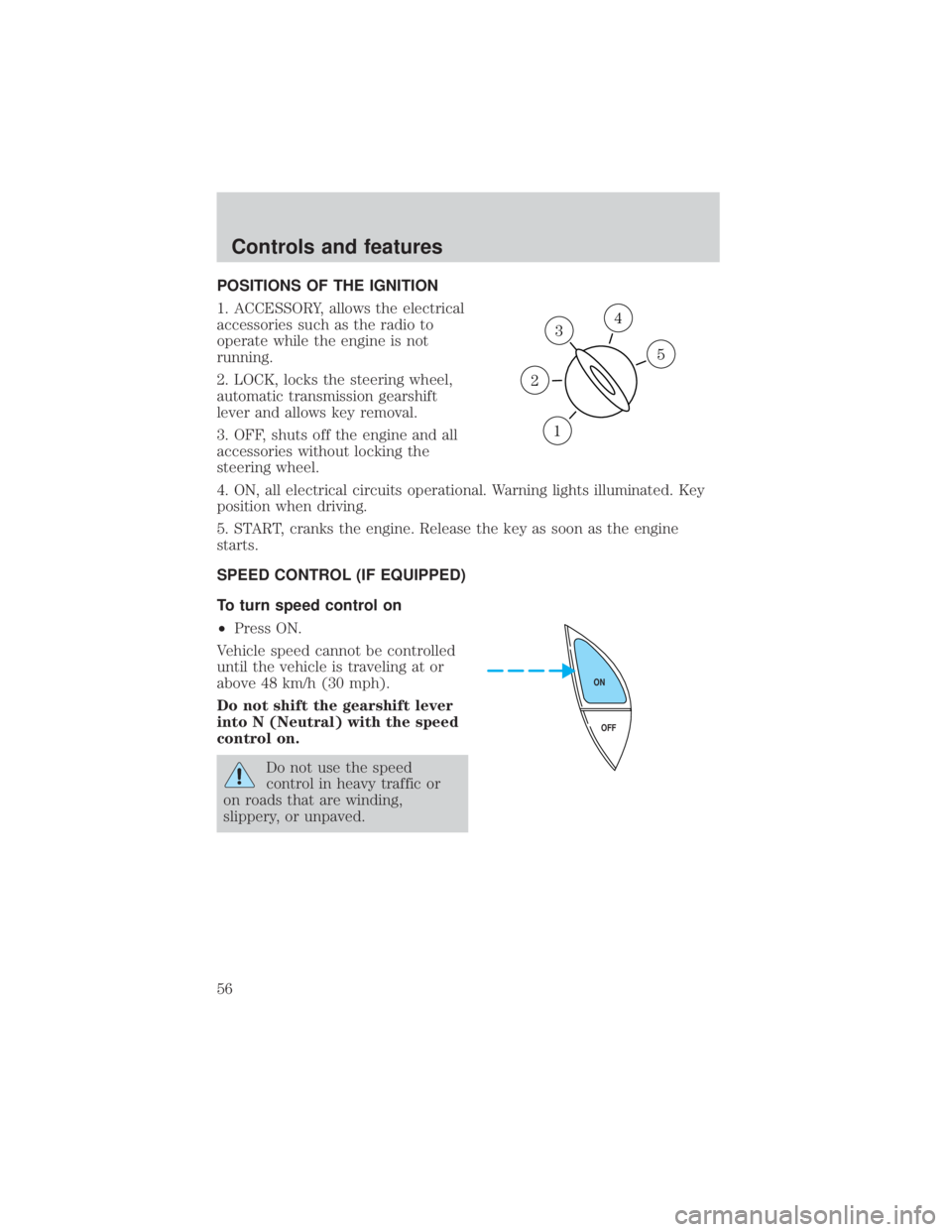
POSITIONS OF THE IGNITION
1. ACCESSORY, allows the electrical
accessories such as the radio to
operate while the engine is not
running.
2. LOCK, locks the steering wheel,
automatic transmission gearshift
lever and allows key removal.
3. OFF, shuts off the engine and all
accessories without locking the
steering wheel.
4. ON, all electrical circuits operational. Warning lights illuminated. Key
position when driving.
5. START, cranks the engine. Release the key as soon as the engine
starts.
SPEED CONTROL (IF EQUIPPED)
To turn speed control on
²Press ON.
Vehicle speed cannot be controlled
until the vehicle is traveling at or
above 48 km/h (30 mph).
Do not shift the gearshift lever
into N (Neutral) with the speed
control on.
Do not use the speed
control in heavy traffic or
on roads that are winding,
slippery, or unpaved.
3
1
2
5
4
OFF ON
Controls and features
56
Page 57 of 264
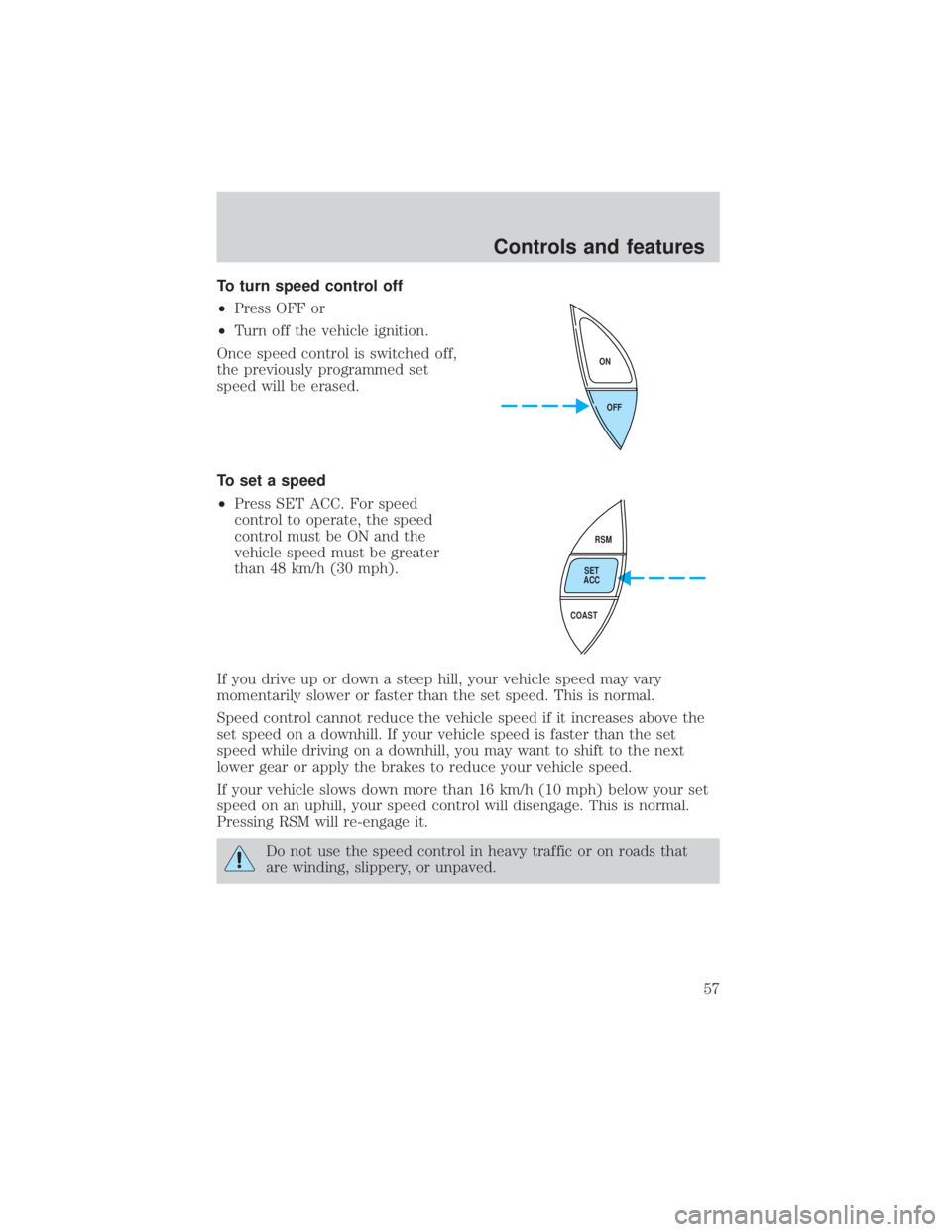
To turn speed control off
²Press OFF or
²Turn off the vehicle ignition.
Once speed control is switched off,
the previously programmed set
speed will be erased.
To set a speed
²Press SET ACC. For speed
control to operate, the speed
control must be ON and the
vehicle speed must be greater
than 48 km/h (30 mph).
If you drive up or down a steep hill, your vehicle speed may vary
momentarily slower or faster than the set speed. This is normal.
Speed control cannot reduce the vehicle speed if it increases above the
set speed on a downhill. If your vehicle speed is faster than the set
speed while driving on a downhill, you may want to shift to the next
lower gear or apply the brakes to reduce your vehicle speed.
If your vehicle slows down more than 16 km/h (10 mph) below your set
speed on an uphill, your speed control will disengage. This is normal.
Pressing RSM will re-engage it.
Do not use the speed control in heavy traffic or on roads that
are winding, slippery, or unpaved.
OFF ON
RSM
SET
ACC
COAST
Controls and features
57
Page 60 of 264
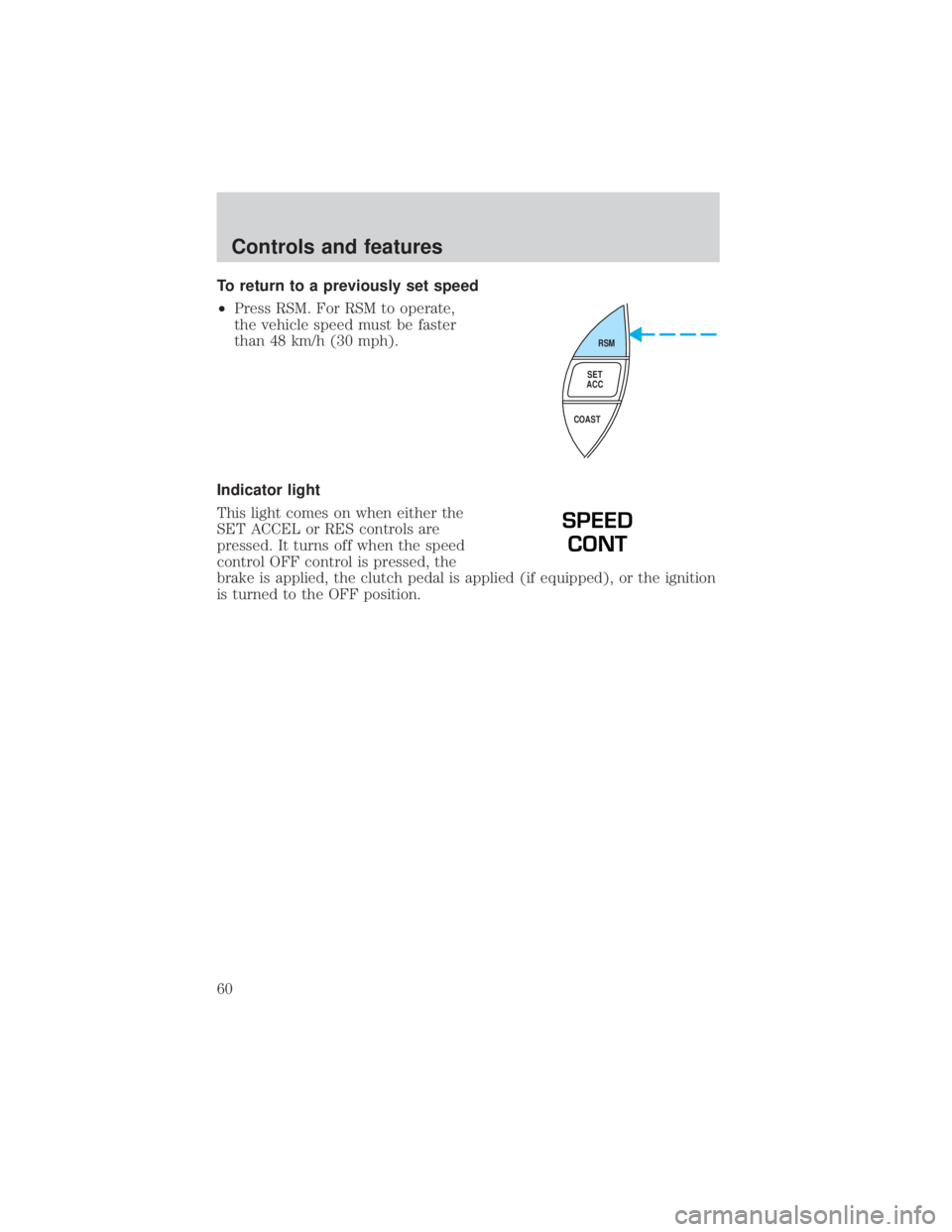
To return to a previously set speed
²Press RSM. For RSM to operate,
the vehicle speed must be faster
than 48 km/h (30 mph).
Indicator light
This light comes on when either the
SET ACCEL or RES controls are
pressed. It turns off when the speed
control OFF control is pressed, the
brake is applied, the clutch pedal is applied (if equipped), or the ignition
is turned to the OFF position.
RSM
SET
ACC
COAST
SPEED
CONT
Controls and features
60
Page 66 of 264
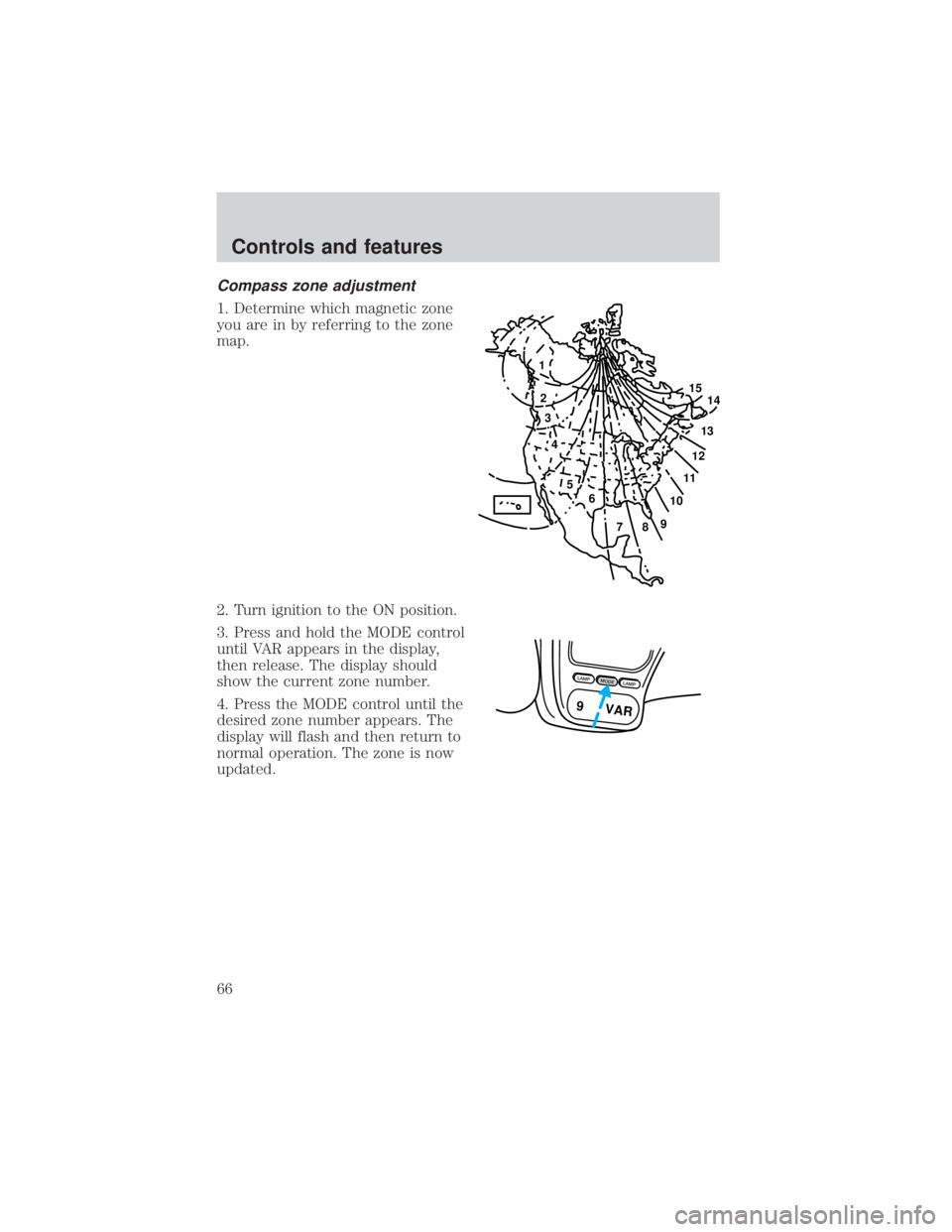
Compass zone adjustment
1. Determine which magnetic zone
you are in by referring to the zone
map.
2. Turn ignition to the ON position.
3. Press and hold the MODE control
until VAR appears in the display,
then release. The display should
show the current zone number.
4. Press the MODE control until the
desired zone number appears. The
display will flash and then return to
normal operation. The zone is now
updated.
1
2
3
4
5
6
7891011121314 15
LAMPMODELAMP
9 VAR
Controls and features
66
Page 67 of 264
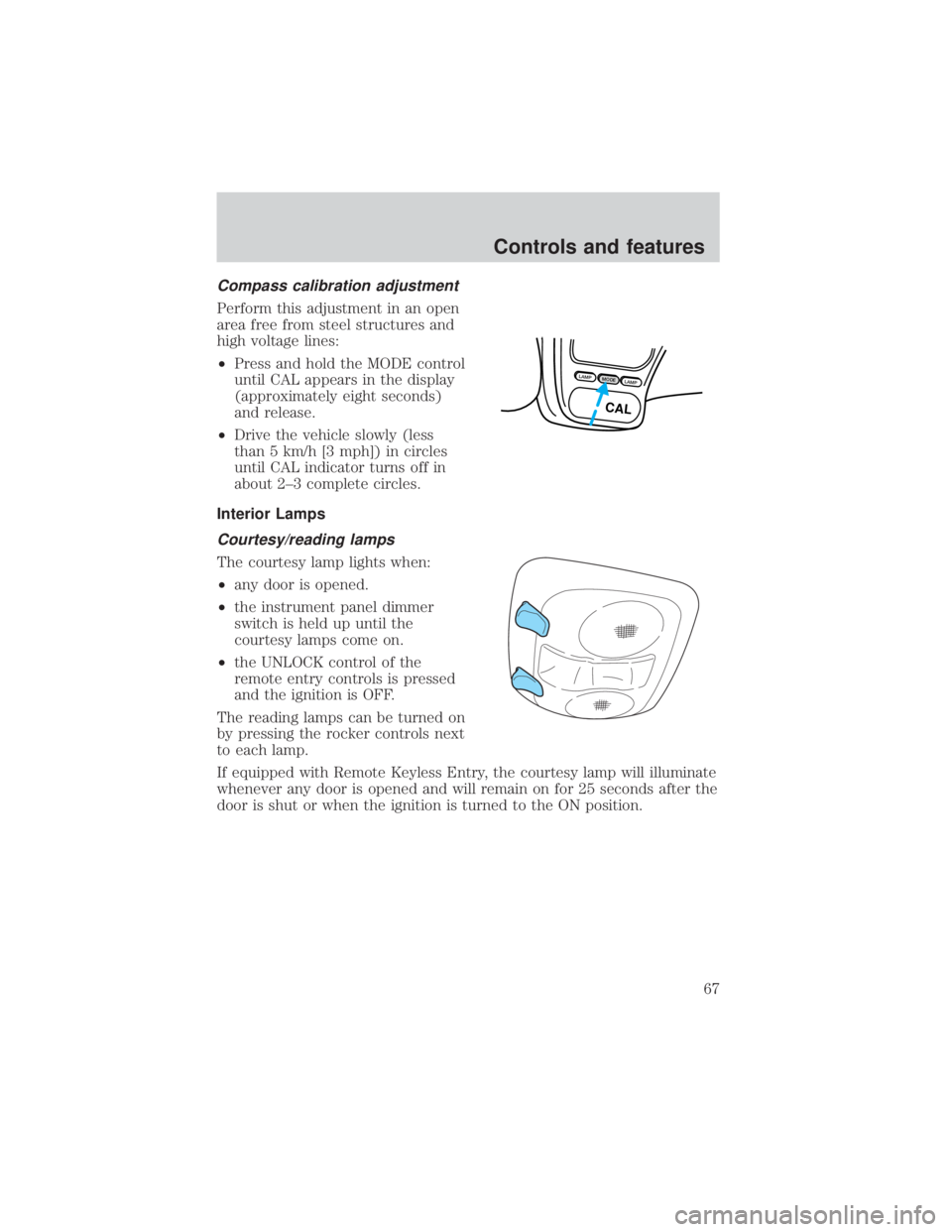
Compass calibration adjustment
Perform this adjustment in an open
area free from steel structures and
high voltage lines:
²Press and hold the MODE control
until CAL appears in the display
(approximately eight seconds)
and release.
²Drive the vehicle slowly (less
than 5 km/h [3 mph]) in circles
until CAL indicator turns off in
about 2±3 complete circles.
Interior Lamps
Courtesy/reading lamps
The courtesy lamp lights when:
²any door is opened.
²the instrument panel dimmer
switch is held up until the
courtesy lamps come on.
²the UNLOCK control of the
remote entry controls is pressed
and the ignition is OFF.
The reading lamps can be turned on
by pressing the rocker controls next
to each lamp.
If equipped with Remote Keyless Entry, the courtesy lamp will illuminate
whenever any door is opened and will remain on for 25 seconds after the
door is shut or when the ignition is turned to the ON position.
LAMPMODELAMP
CAL
Controls and features
67
Page 75 of 264
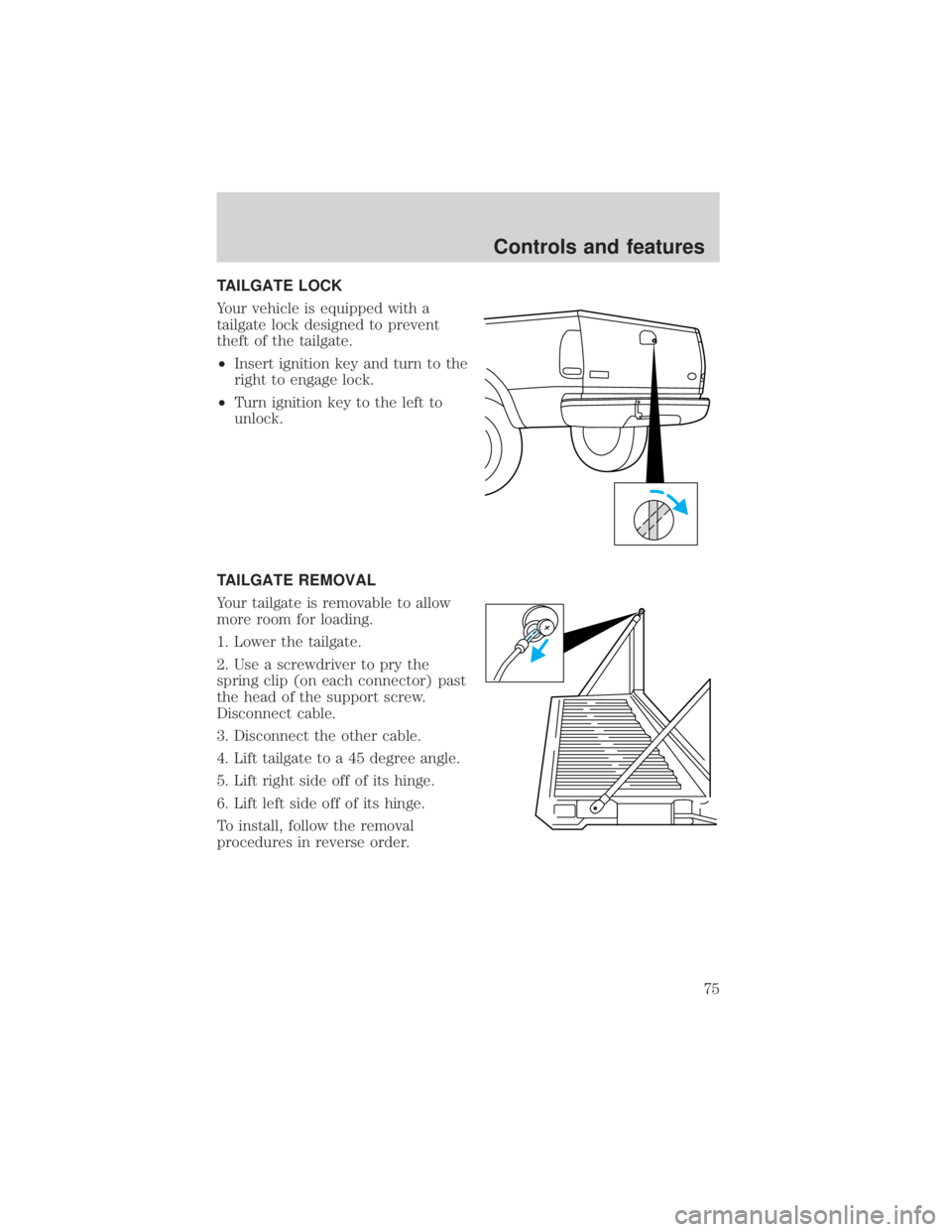
TAILGATE LOCK
Your vehicle is equipped with a
tailgate lock designed to prevent
theft of the tailgate.
²Insert ignition key and turn to the
right to engage lock.
²Turn ignition key to the left to
unlock.
TAILGATE REMOVAL
Your tailgate is removable to allow
more room for loading.
1. Lower the tailgate.
2. Use a screwdriver to pry the
spring clip (on each connector) past
the head of the support screw.
Disconnect cable.
3. Disconnect the other cable.
4. Lift tailgate to a 45 degree angle.
5. Lift right side off of its hinge.
6. Lift left side off of its hinge.
To install, follow the removal
procedures in reverse order.
Controls and features
75