ECO mode FORD EXPLORER SPORT TRAC 2009 User Guide
[x] Cancel search | Manufacturer: FORD, Model Year: 2009, Model line: EXPLORER SPORT TRAC, Model: FORD EXPLORER SPORT TRAC 2009Pages: 351, PDF Size: 2.67 MB
Page 51 of 351
•Remove any snow, ice or leaves from the air intake area at the base of
the windshield.
•To improve the A/C cool down when the vehicle interior is
significantly warmer than the outside temperature, drive with the
windows slightly open for 2–3 minutes after start up or until the
vehicle has been “aired out.”
•If you are driving during extreme high ambient temperatures and
idling for extended periods of time in gear, it is recommended to run
the A/C in the MAX A/C position, adjust the blower fan speed to the
lowest setting, turn off the rear A/C unit and put the vehicle’s
transmission into the P (Park) to continue to receive cool air from
your A/C system.
For maximum cooling performance in panel (
) mode:
•Select MAX A/C mode. MAX A/C uses recirculated air with A/C to
provide a cooler airflow.
•Move the temperature control to the coolest setting.
•Set the fan to the highest speed initially, then adjust in order to
maintain comfort.
To allow side window defogging and demisting while warming up the
vehicle cabin:
1. Select
.
2. Select A/C.
3. Set the temperature control to maintain comfort.
4. Set the fan speed to the highest setting.
5. Direct the outer instrument panel vents towards the side windows. To
increase airflow to the outer instrument panel vents, close the vents
located in the middle of the instrument panel.
To allow windshield defogging and demisting while warming up vehicle:
1. Select
floor/defrost mode.
2. Set temperature control to maintain comfort.
3. Set fan to highest setting.
2009 07+ Explorer Sport Trac(esp)
Owners Guide, 2nd Printing
USA(fus)
Climate Controls
51
Page 52 of 351
DUAL AUTOMATIC TEMPERATURE CONTROL (DATC) SYSTEM
(IF EQUIPPED)
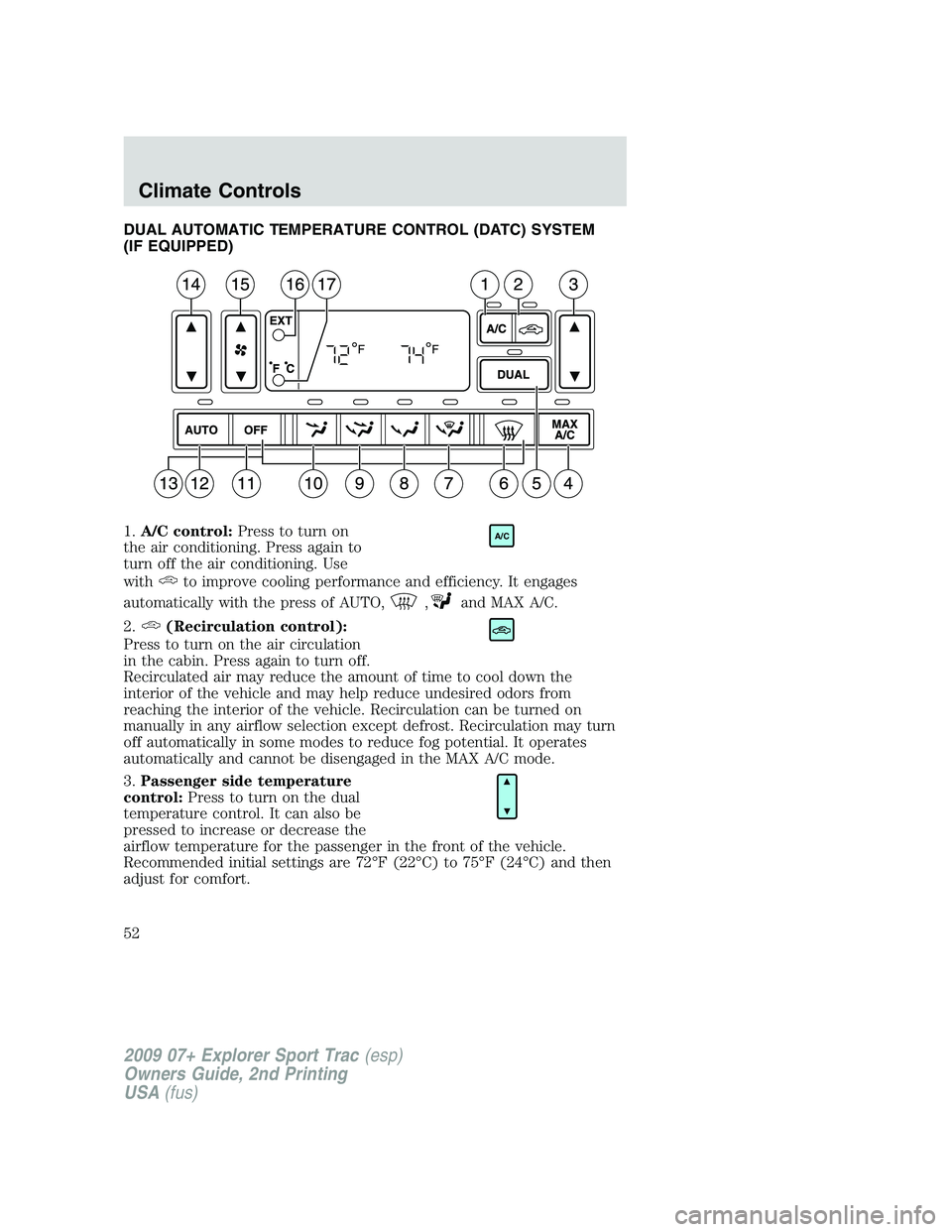
1.A/C control:Press to turn on
the air conditioning. Press again to
turn off the air conditioning. Use
with
to improve cooling performance and efficiency. It engages
automatically with the press of AUTO,
,and MAX A/C.
2.
(Recirculation control):
Press to turn on the air circulation
in the cabin. Press again to turn off.
Recirculated air may reduce the amount of time to cool down the
interior of the vehicle and may help reduce undesired odors from
reaching the interior of the vehicle. Recirculation can be turned on
manually in any airflow selection except defrost. Recirculation may turn
off automatically in some modes to reduce fog potential. It operates
automatically and cannot be disengaged in the MAX A/C mode.
3.Passenger side temperature
control:Press to turn on the dual
temperature control. It can also be
pressed to increase or decrease the
airflow temperature for the passenger in the front of the vehicle.
Recommended initial settings are 72°F (22°C) to 75°F (24°C) and then
adjust for comfort.
A/C
2009 07+ Explorer Sport Trac(esp)
Owners Guide, 2nd Printing
USA(fus)
Climate Controls
52
Page 75 of 351
Security override
If, during a bounce-back condition and within two seconds after the
window stops, the control is held in the closed direction,the back
window will travel closed with no bounce-back protection.If the
control is released before the window reaches fully closed, the back
window will continue moving with bounce-back re-enabled.
The following are possible reasons for using the security override:
•Ice on the window causing a restriction.
•Window unexpectedly reverses.
Position recovery mode
If the motor loses position and stops mid travel, the motor will respond
to switch inputs by moving 0.6 in. (15 mm) each switch command in the
up direction only. Down will be a one touch down operation. If the
window is stalled in the down position and there are no other system
faults, the motor shall relearn its position and resume full functionality. If
there is a feedback signal loss, the window will remain in its 0.6 in.
(15 mm) travel mode with each switch command and will not recover
full functionality. This will allow you to “inch” the window up to the fully
closed position. If the window does not operate correctly, see your dealer
for service.
INTERIOR MIRROR
The interior rear view mirror has two pivot points on the support arm
which lets you adjust the mirror UP or DOWN and from SIDE to SIDE.
WARNING:Do not adjust the mirror while the vehicle is in
motion.
Automatic dimming interior rear view mirror (if equipped)
Your vehicle may be equipped with an interior rear view mirror which
has an auto-dimming function. The electronic day/night mirror will
change from the normal (high reflective) state to the non-glare
(darkened) state when bright lights (glare) reach the mirror. When the
mirror detects bright light from behind the vehicle, it will automatically
adjust (darken) to minimize glare.
2009 07+ Explorer Sport Trac(esp)
Owners Guide, 2nd Printing
USA(fus)
Driver Controls
75
Page 83 of 351

Navigation system/SYNC hands
free control features
(if equipped)
Press VOICE briefly until the
voice
icon appears on the
Navigation display to use the voice
command feature.
Press
to activate phone mode or
answer a phone call. Press and
hold
to exit phone mode or end
call.
For further information on the Navigation system/SYNC system, refer to
theNavigation SystemandSYNCsupplements.
MOON ROOF (IF EQUIPPED)
The moon roof control is located on the overhead console.
WARNING:Do not let children play with the moon roof or leave
children unattended in the vehicle. They may seriously hurt
themselves.
WARNING:When closing the moon roof, you should verify that
it is free of obstructions and ensure that children and/or pets are
not in the proximity of the moon roof opening.
The moon roof is equipped with an automatic, one-touch, express
opening and closing feature. To stop motion at any time during the
one-touch operation, press the control a second time.
To open the moon roof:Press and
release the SLIDE control, the moon
roof will open automatically. Press
the switch again to stop the moon
roof.
To close the moon roof:Pull and
release the SLIDE control, the moon
roof will close automatically. Press
the switch again to stop the moon
roof.
2009 07+ Explorer Sport Trac(esp)
Owners Guide, 2nd Printing
USA(fus)
Driver Controls
83
Page 87 of 351
AWD lock
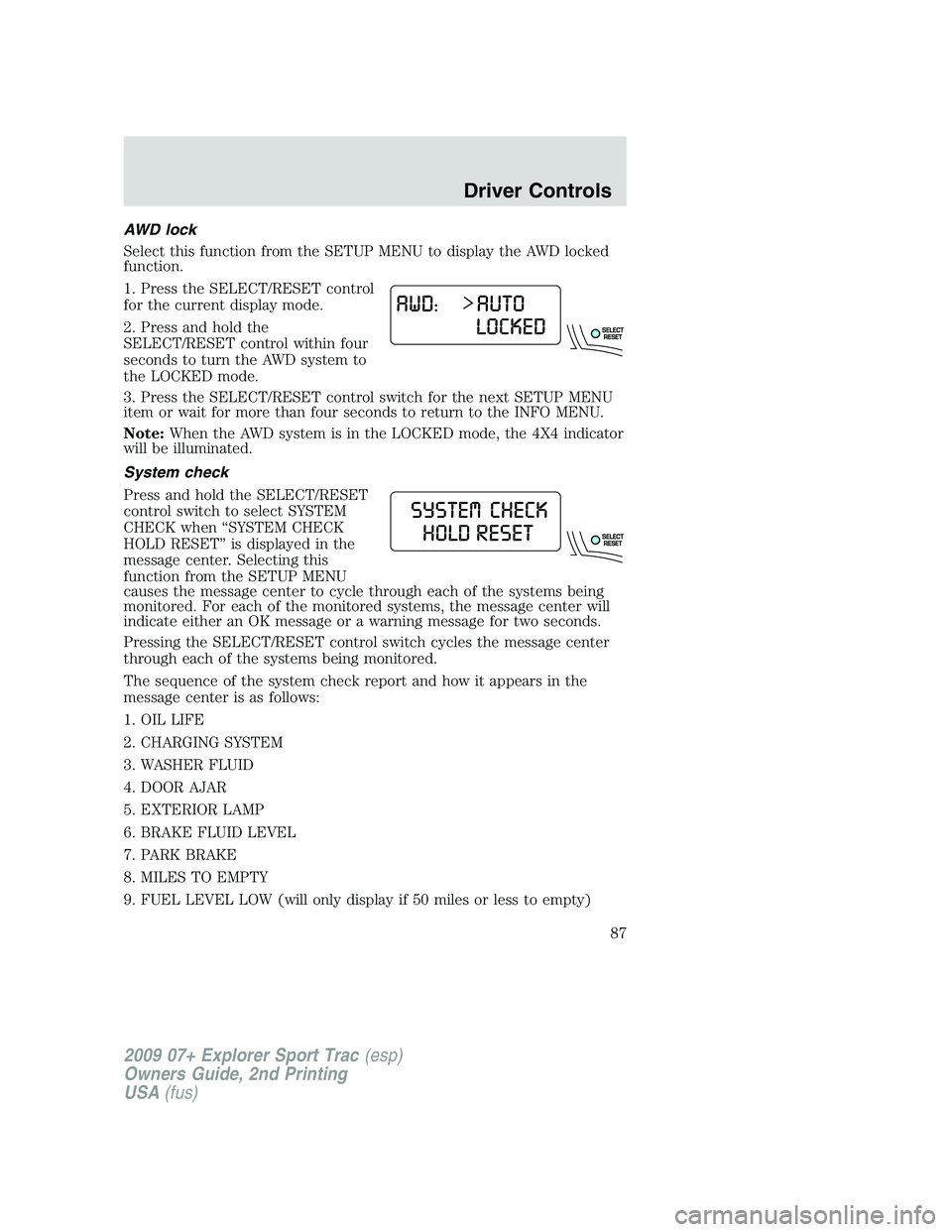
Select this function from the SETUP MENU to display the AWD locked
function.
1. Press the SELECT/RESET control
for the current display mode.
2. Press and hold the
SELECT/RESET control within four
seconds to turn the AWD system to
the LOCKED mode.
3. Press the SELECT/RESET control switch for the next SETUP MENU
item or wait for more than four seconds to return to the INFO MENU.
Note:When the AWD system is in the LOCKED mode, the 4X4 indicator
will be illuminated.
System check
Press and hold the SELECT/RESET
control switch to select SYSTEM
CHECK when “SYSTEM CHECK
HOLD RESET” is displayed in the
message center. Selecting this
function from the SETUP MENU
causes the message center to cycle through each of the systems being
monitored. For each of the monitored systems, the message center will
indicate either an OK message or a warning message for two seconds.
Pressing the SELECT/RESET control switch cycles the message center
through each of the systems being monitored.
The sequence of the system check report and how it appears in the
message center is as follows:
1. OIL LIFE
2. CHARGING SYSTEM
3. WASHER FLUID
4. DOOR AJAR
5. EXTERIOR LAMP
6. BRAKE FLUID LEVEL
7. PARK BRAKE
8. MILES TO EMPTY
9. FUEL LEVEL LOW (will only display if 50 miles or less to empty)
2009 07+ Explorer Sport Trac(esp)
Owners Guide, 2nd Printing
USA(fus)
Driver Controls
87
Page 90 of 351
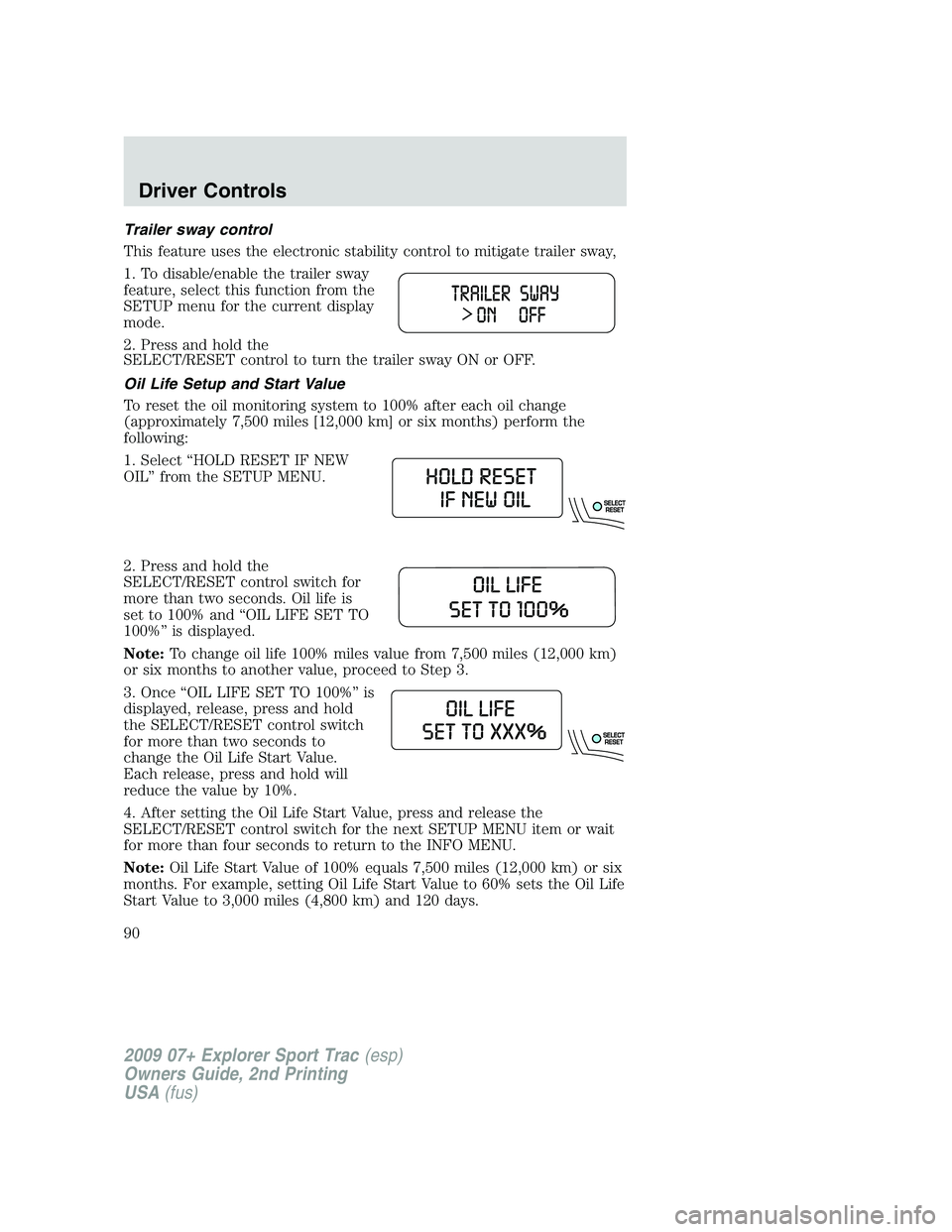
Trailer sway control
This feature uses the electronic stability control to mitigate trailer sway,
1. To disable/enable the trailer sway
feature, select this function from the
SETUP menu for the current display
mode.
2. Press and hold the
SELECT/RESET control to turn the trailer sway ON or OFF.
Oil Life Setup and Start Value
To reset the oil monitoring system to 100% after each oil change
(approximately 7,500 miles [12,000 km] or six months) perform the
following:
1. Select “HOLD RESET IF NEW
OIL” from the SETUP MENU.
2. Press and hold the
SELECT/RESET control switch for
more than two seconds. Oil life is
set to 100% and “OIL LIFE SET TO
100%” is displayed.
Note:To change oil life 100% miles value from 7,500 miles (12,000 km)
or six months to another value, proceed to Step 3.
3. Once “OIL LIFE SET TO 100%” is
displayed, release, press and hold
the SELECT/RESET control switch
for more than two seconds to
change the Oil Life Start Value.
Each release, press and hold will
reduce the value by 10%.
4. After setting the Oil Life Start Value, press and release the
SELECT/RESET control switch for the next SETUP MENU item or wait
for more than four seconds to return to the INFO MENU.
Note:Oil Life Start Value of 100% equals 7,500 miles (12,000 km) or six
months. For example, setting Oil Life Start Value to 60% sets the Oil Life
Start Value to 3,000 miles (4,800 km) and 120 days.
2009 07+ Explorer Sport Trac(esp)
Owners Guide, 2nd Printing
USA(fus)
Driver Controls
90
Page 99 of 351
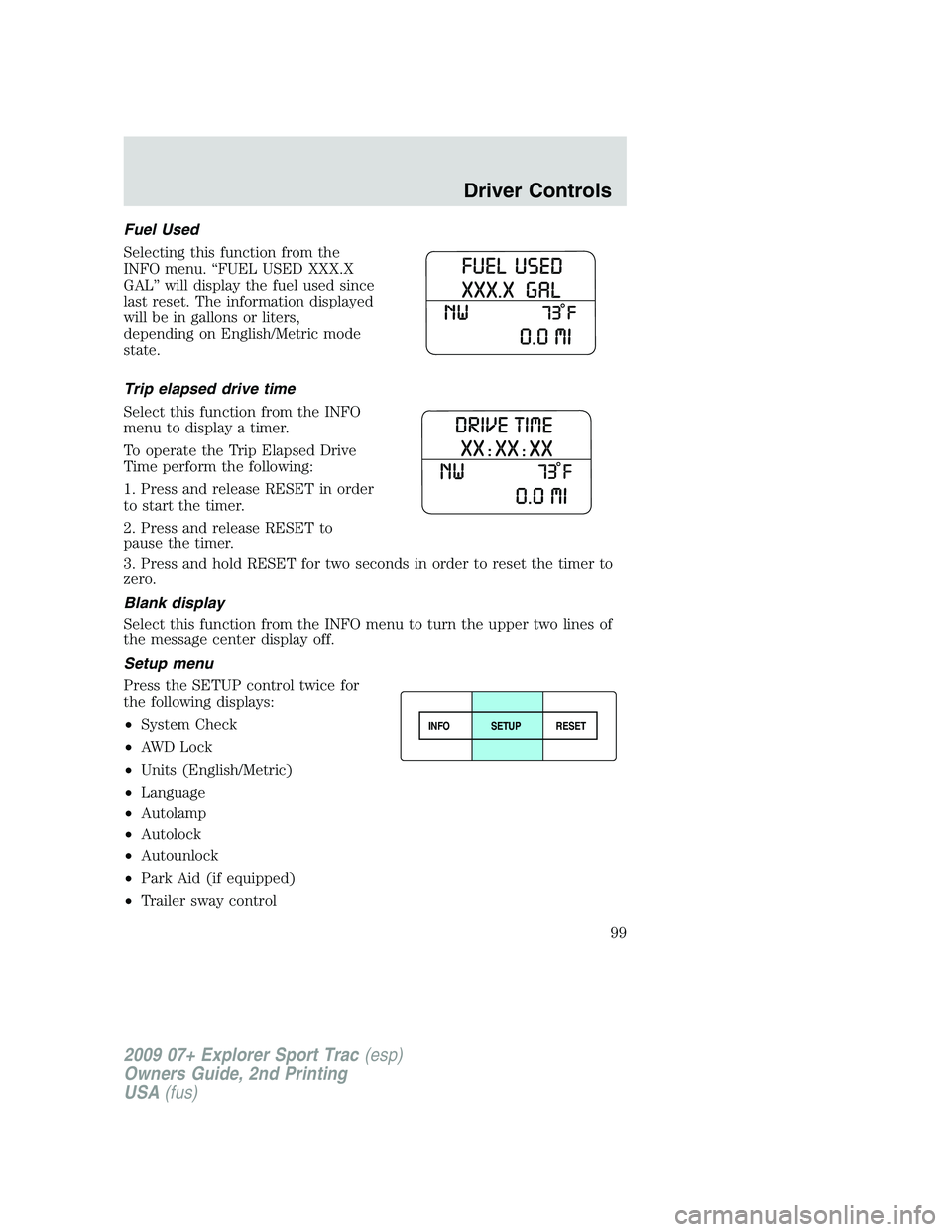
Fuel Used
Selecting this function from the
INFO menu. “FUEL USED XXX.X
GAL” will display the fuel used since
last reset. The information displayed
will be in gallons or liters,
depending on English/Metric mode
state.
Trip elapsed drive time
Select this function from the INFO
menu to display a timer.
To operate the Trip Elapsed Drive
Time perform the following:
1. Press and release RESET in order
to start the timer.
2. Press and release RESET to
pause the timer.
3. Press and hold RESET for two seconds in order to reset the timer to
zero.
Blank display
Select this function from the INFO menu to turn the upper two lines of
the message center display off.
Setup menu
Press the SETUP control twice for
the following displays:
•System Check
•AWD Lock
•Units (English/Metric)
•Language
•Autolamp
•Autolock
•Autounlock
•Park Aid (if equipped)
•Trailer sway control
INFOSETUP
RESET
2009 07+ Explorer Sport Trac(esp)
Owners Guide, 2nd Printing
USA(fus)
Driver Controls
99
Page 100 of 351
•Compass display
•Compass zone adjustment
•Compass calibration adjustment
•Oil Life Setup and Start Value
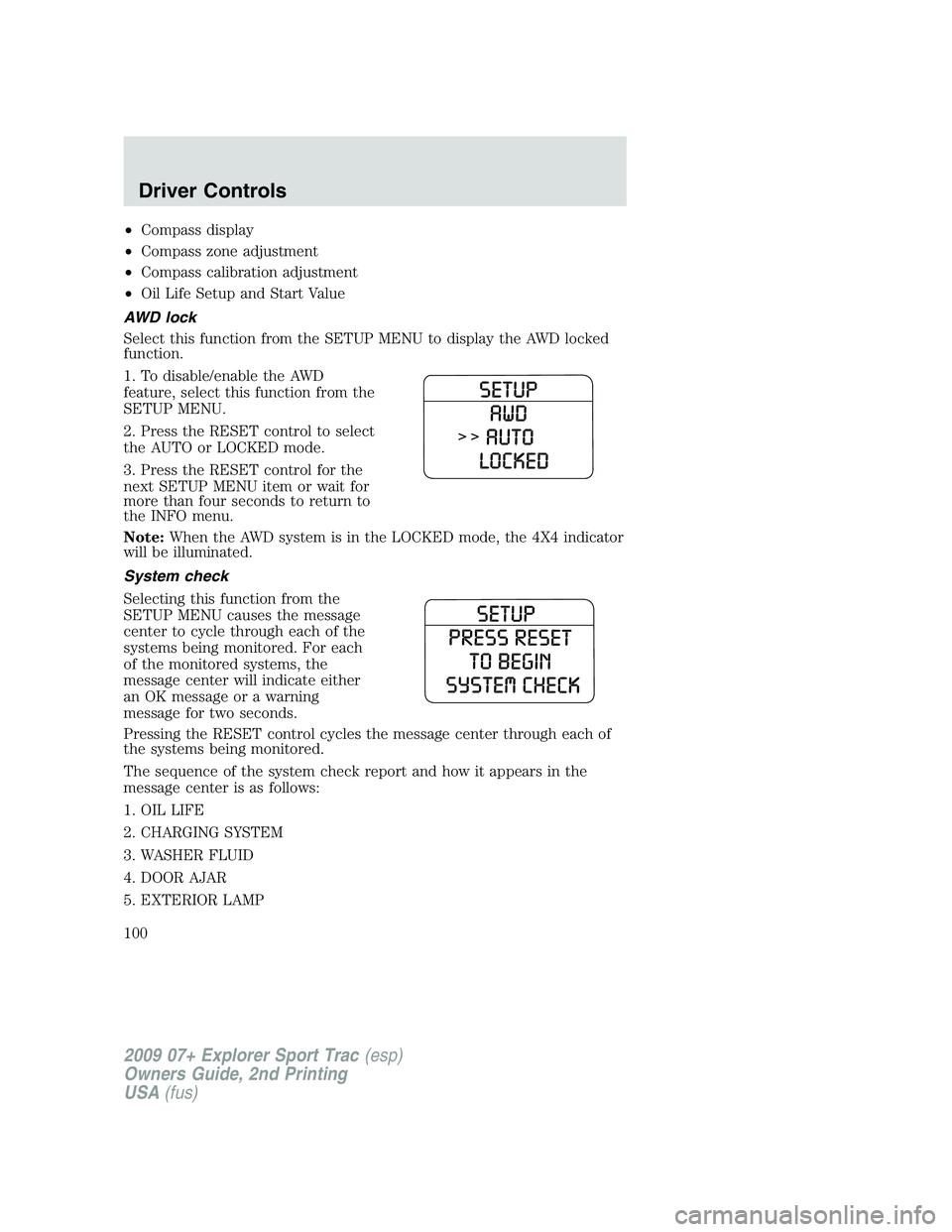
AWD lock
Select this function from the SETUP MENU to display the AWD locked
function.
1. To disable/enable the AWD
feature, select this function from the
SETUP MENU.
2. Press the RESET control to select
the AUTO or LOCKED mode.
3. Press the RESET control for the
next SETUP MENU item or wait for
more than four seconds to return to
the INFO menu.
Note:When the AWD system is in the LOCKED mode, the 4X4 indicator
will be illuminated.
System check
Selecting this function from the
SETUP MENU causes the message
center to cycle through each of the
systems being monitored. For each
of the monitored systems, the
message center will indicate either
an OK message or a warning
message for two seconds.
Pressing the RESET control cycles the message center through each of
the systems being monitored.
The sequence of the system check report and how it appears in the
message center is as follows:
1. OIL LIFE
2. CHARGING SYSTEM
3. WASHER FLUID
4. DOOR AJAR
5. EXTERIOR LAMP
2009 07+ Explorer Sport Trac(esp)
Owners Guide, 2nd Printing
USA(fus)
Driver Controls
100
Page 103 of 351
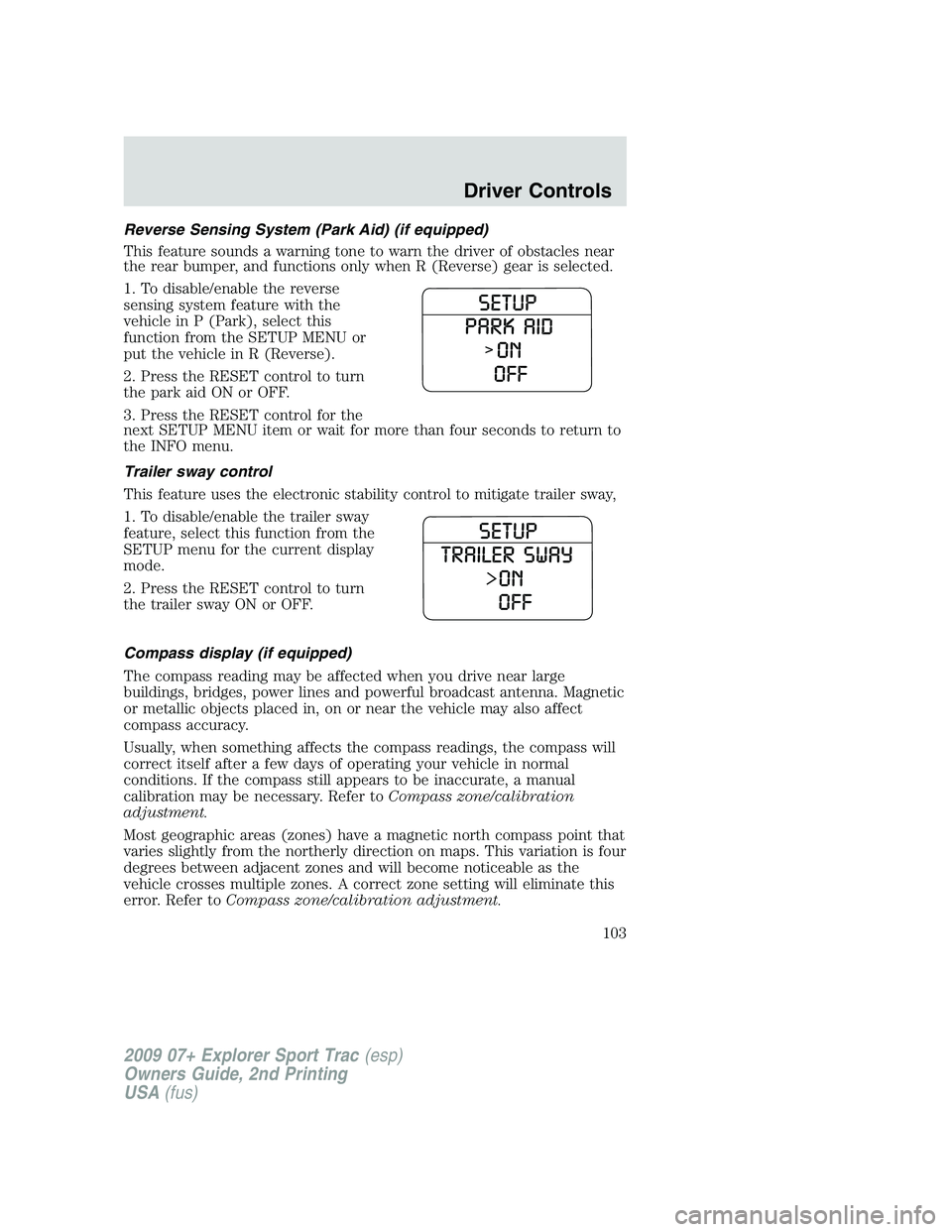
Reverse Sensing System (Park Aid) (if equipped)
This feature sounds a warning tone to warn the driver of obstacles near
the rear bumper, and functions only when R (Reverse) gear is selected.
1. To disable/enable the reverse
sensing system feature with the
vehicle in P (Park), select this
function from the SETUP MENU or
put the vehicle in R (Reverse).
2. Press the RESET control to turn
the park aid ON or OFF.
3. Press the RESET control for the
next SETUP MENU item or wait for more than four seconds to return to
the INFO menu.
Trailer sway control
This feature uses the electronic stability control to mitigate trailer sway,
1. To disable/enable the trailer sway
feature, select this function from the
SETUP menu for the current display
mode.
2. Press the RESET control to turn
the trailer sway ON or OFF.
Compass display (if equipped)
The compass reading may be affected when you drive near large
buildings, bridges, power lines and powerful broadcast antenna. Magnetic
or metallic objects placed in, on or near the vehicle may also affect
compass accuracy.
Usually, when something affects the compass readings, the compass will
correct itself after a few days of operating your vehicle in normal
conditions. If the compass still appears to be inaccurate, a manual
calibration may be necessary. Refer toCompass zone/calibration
adjustment.
Most geographic areas (zones) have a magnetic north compass point that
varies slightly from the northerly direction on maps. This variation is four
degrees between adjacent zones and will become noticeable as the
vehicle crosses multiple zones. A correct zone setting will eliminate this
error. Refer toCompass zone/calibration adjustment.
2009 07+ Explorer Sport Trac(esp)
Owners Guide, 2nd Printing
USA(fus)
Driver Controls
103
Page 122 of 351
Power door lock/unlock inhibit feature (if equipped)
If the key is not in the ignition, all doors are closed, and the vehicle has
been locked using the remote entry transmitter, keypad (if equipped) or
the power door unlock control on the door panel while a front door is
open (then subsequently closed), the power door unlock control on the
door panel will become disabled 20 seconds after the lock event
occurred. Your vehicle comes with this feature enabled, but there are
two methods to disable it:
•Through your authorized dealer, or
•Performing the following power door lock control procedure.
Before following the activation or deactivation procedures, make sure
that the anti-theft system is not armed, ignition is in the off position, and
all vehicle doors are closed.
You must complete Steps 1-5 within 30 seconds or the procedure will
have to be repeated. If the procedure needs to be repeated, you must
wait 30 seconds.Note: Alldoors must be closed and remain closed
throughout the configuration process.
1. Place the key in the ignition and turn the ignition to the on position.
2. Press the power door unlock control on the door panel three times.
3. Turn the ignition from the on position to the off position.
4. Press the power door unlock control on the door panel three times.
5. Turn the ignition back to the on position. The horn will chirp one time
to confirm programming mode has been entered and is active.
6. Press the power door lock control on the door panel two times within
five seconds. The horn will chirp once if trim switch inhibit was
deactivated or twice (one short and one long chirp) if trim switch inhibit
was activated.
7. Turn the ignition to the off position. The horn will chirp once to
confirm the procedure is complete.
2009 07+ Explorer Sport Trac(esp)
Owners Guide, 2nd Printing
USA(fus)
Locks and Security
122