tow FORD EXPLORER SPORT TRAC 2010 User Guide
[x] Cancel search | Manufacturer: FORD, Model Year: 2010, Model line: EXPLORER SPORT TRAC, Model: FORD EXPLORER SPORT TRAC 2010Pages: 344, PDF Size: 2.9 MB
Page 73 of 344
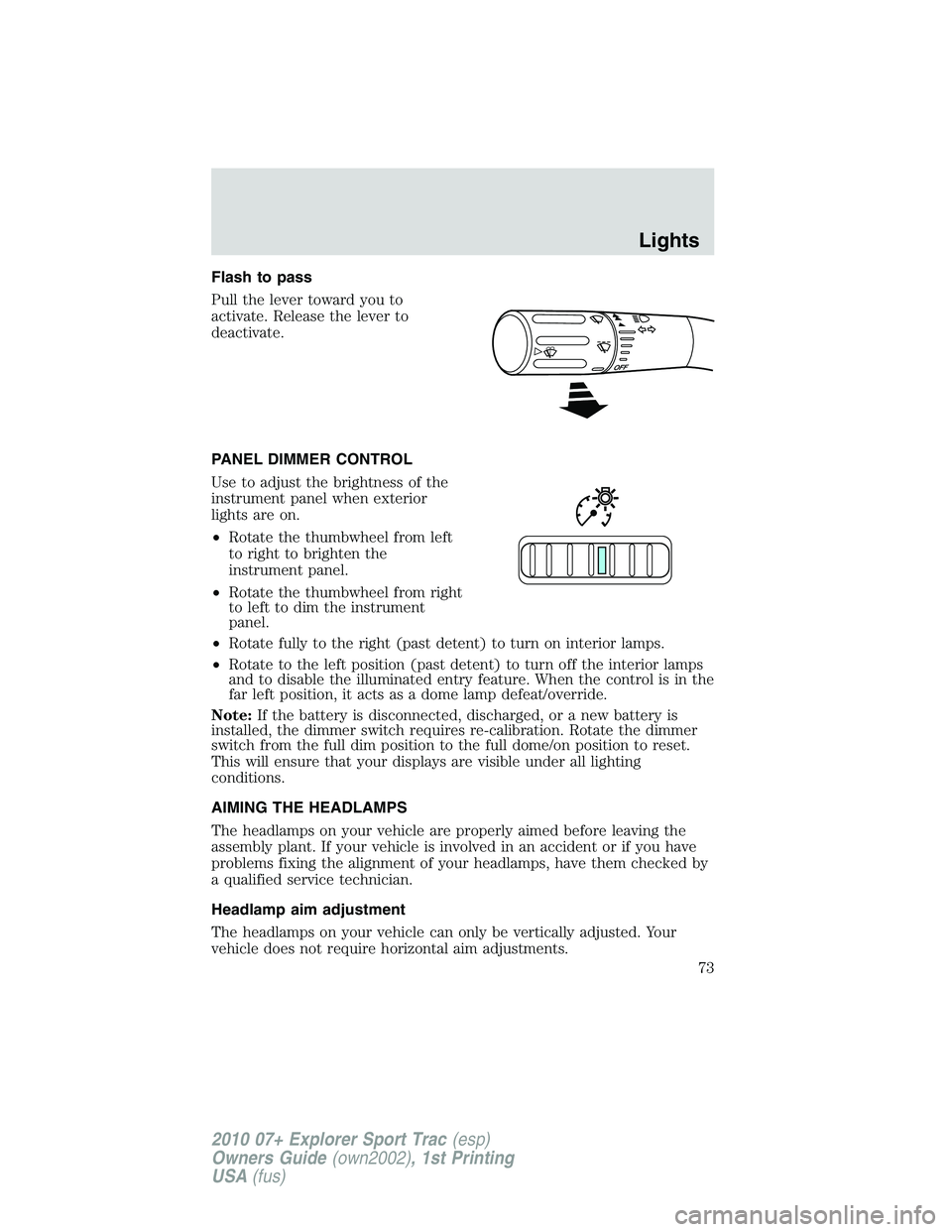
Flash to pass
Pull the lever toward you to
activate. Release the lever to
deactivate.
PANEL DIMMER CONTROL
Use to adjust the brightness of the
instrument panel when exterior
lights are on.
•Rotate the thumbwheel from left
to right to brighten the
instrument panel.
•Rotate the thumbwheel from right
to left to dim the instrument
panel.
•Rotate fully to the right (past detent) to turn on interior lamps.
•Rotate to the left position (past detent) to turn off the interior lamps
and to disable the illuminated entry feature. When the control is in the
far left position, it acts as a dome lamp defeat/override.
Note:If the battery is disconnected, discharged, or a new battery is
installed, the dimmer switch requires re-calibration. Rotate the dimmer
switch from the full dim position to the full dome/on position to reset.
This will ensure that your displays are visible under all lighting
conditions.
AIMING THE HEADLAMPS
The headlamps on your vehicle are properly aimed before leaving the
assembly plant. If your vehicle is involved in an accident or if you have
problems fixing the alignment of your headlamps, have them checked by
a qualified service technician.
Headlamp aim adjustment
The headlamps on your vehicle can only be vertically adjusted. Your
vehicle does not require horizontal aim adjustments.
Lights
73
2010 07+ Explorer Sport Trac(esp)
Owners Guide(own2002), 1st Printing
USA(fus)
Page 81 of 344
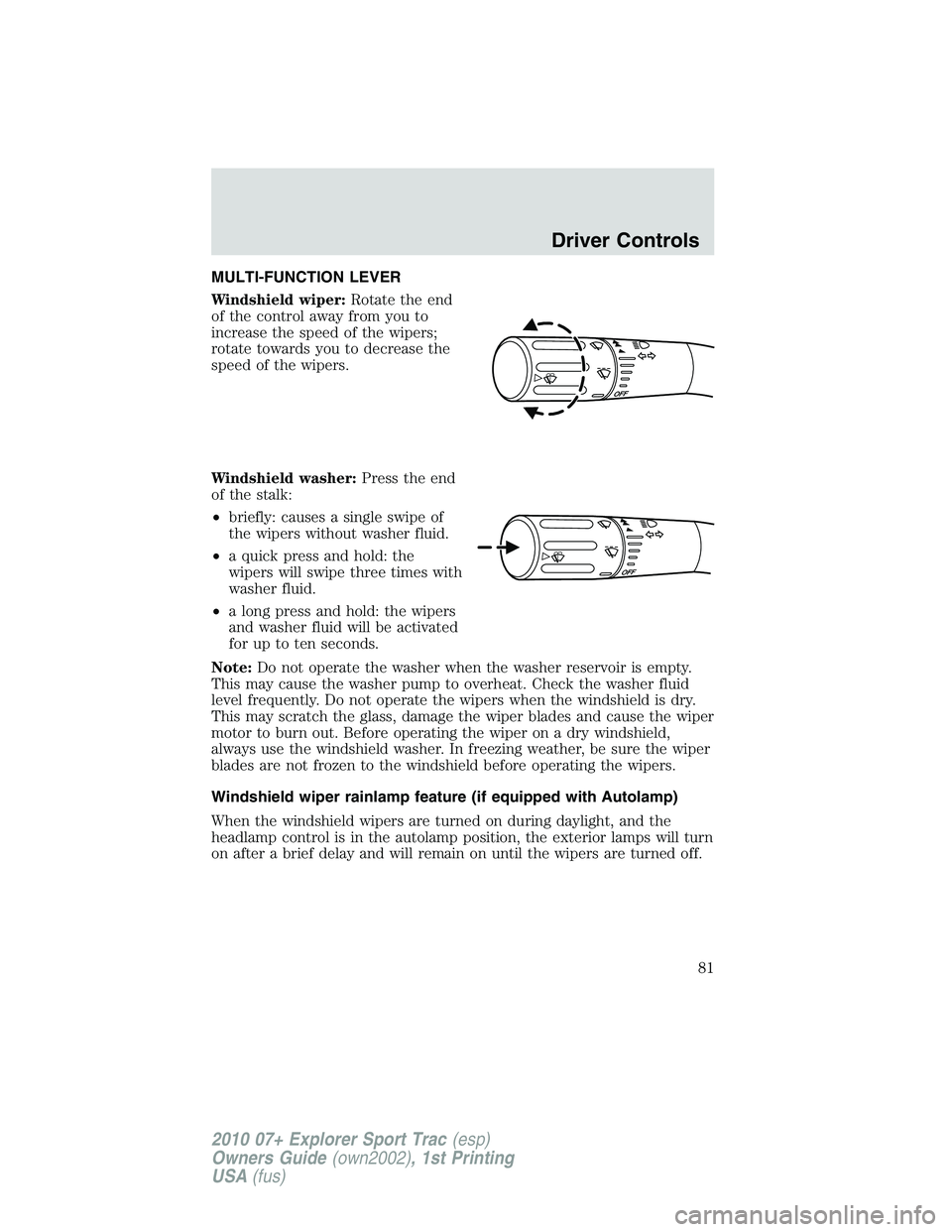
MULTI-FUNCTION LEVER
Windshield wiper:Rotate the end
of the control away from you to
increase the speed of the wipers;
rotate towards you to decrease the
speed of the wipers.
Windshield washer:Press the end
of the stalk:
•briefly: causes a single swipe of
the wipers without washer fluid.
•a quick press and hold: the
wipers will swipe three times with
washer fluid.
•a long press and hold: the wipers
and washer fluid will be activated
for up to ten seconds.
Note:Do not operate the washer when the washer reservoir is empty.
This may cause the washer pump to overheat. Check the washer fluid
level frequently. Do not operate the wipers when the windshield is dry.
This may scratch the glass, damage the wiper blades and cause the wiper
motor to burn out. Before operating the wiper on a dry windshield,
always use the windshield washer. In freezing weather, be sure the wiper
blades are not frozen to the windshield before operating the wipers.
Windshield wiper rainlamp feature (if equipped with Autolamp)
When the windshield wipers are turned on during daylight, and the
headlamp control is in the autolamp position, the exterior lamps will turn
on after a brief delay and will remain on until the wipers are turned off.
Driver Controls
81
2010 07+ Explorer Sport Trac(esp)
Owners Guide(own2002), 1st Printing
USA(fus)
Page 83 of 344
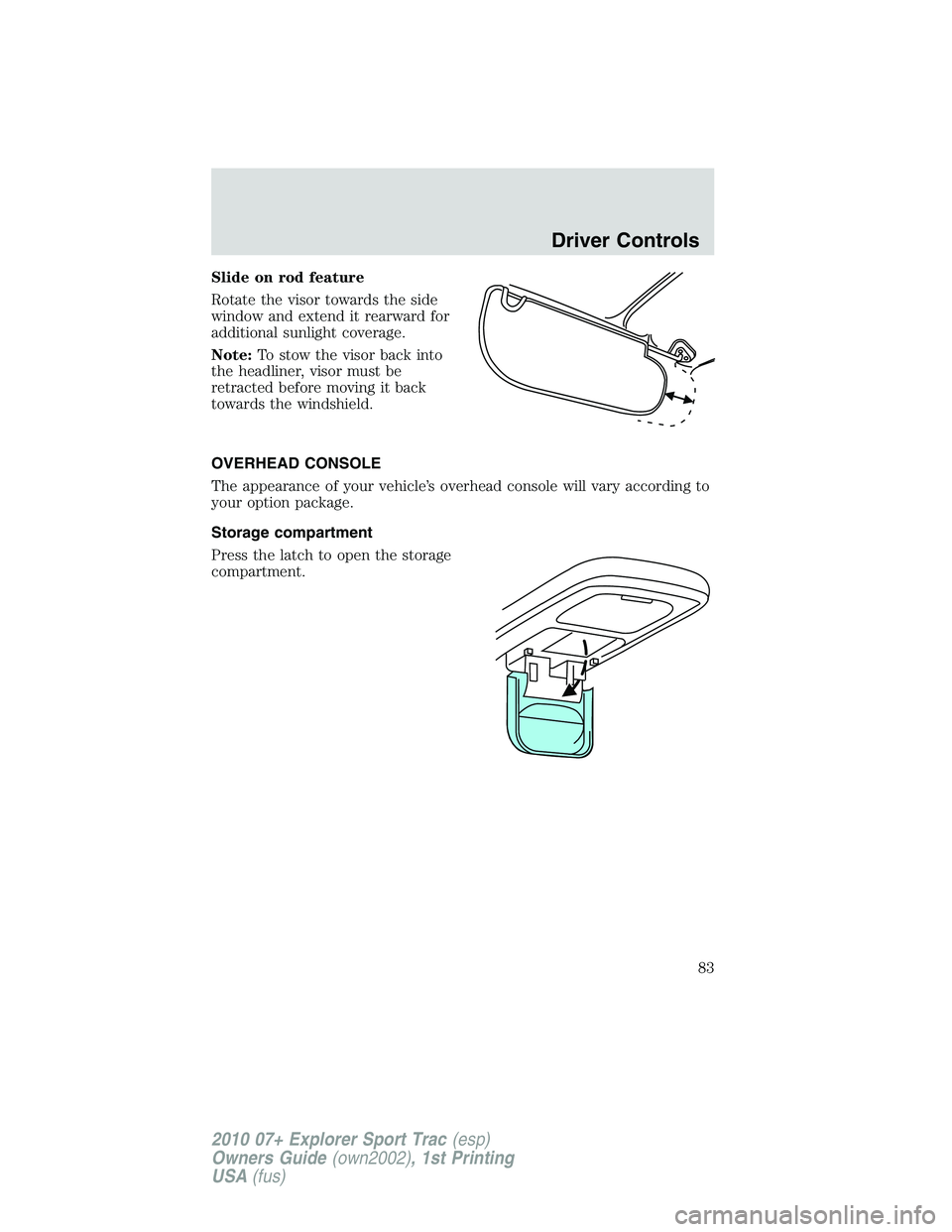
Slide on rod feature
Rotate the visor towards the side
window and extend it rearward for
additional sunlight coverage.
Note:To stow the visor back into
the headliner, visor must be
retracted before moving it back
towards the windshield.
OVERHEAD CONSOLE
The appearance of your vehicle’s overhead console will vary according to
your option package.
Storage compartment
Press the latch to open the storage
compartment.
Driver Controls
83
2010 07+ Explorer Sport Trac(esp)
Owners Guide(own2002), 1st Printing
USA(fus)
Page 89 of 344
WARNING:Do not leave children unattended in the vehicle and
do not let children play with the power sliding back window.
They may seriously injure themselves.
Normal operation
When the power down back window is opened, it will stop in the vent
position. When the window is closed from full open, it will not stop in
the vent position. When the power down back window is in motion, the
control switch can be pressed to change the window direction and move
it to the closest position.
If the power down back window is moving up and the ignition is
switched to off (without accessory delay power enabled) the window will
reverse direction and move down to either the full open or vent position.
If the window is within 0.16 in. (4 mm) of the upper header, it will
completely close.
Bounce-back
When the back window is moving toward the fully closed position and an
obstacle interferes with the window’s movement, the back window will
reverse direction and move toward the fully open position. This is known
as “bounce-back”.
Security override
If, during a bounce-back condition and within two seconds after the
window stops, the control is held in the closed direction,the back
window will travel closed with no bounce-back protection.If the
control is released before the window reaches fully closed, the back
window will continue moving with bounce-back re-enabled.
The following are possible reasons for using the security override:
•Ice on the window causing a restriction.
•Window unexpectedly reverses.
Position recovery mode
If the motor loses position and stops mid travel, the motor will respond
to switch inputs by moving 0.6 in. (15 mm) each switch command in the
up direction only. Down will be a one touch down operation. If the
window is stalled in the down position and there are no other system
faults, the motor shall relearn its position and resume full functionality. If
there is a feedback signal loss, the window will remain in its 0.6 in.
(15 mm) travel mode with each switch command and will not recover
full functionality. This will allow you to “inch” the window up to the fully
closed position. If the window does not operate correctly, see your dealer
for service.
Driver Controls
89
2010 07+ Explorer Sport Trac(esp)
Owners Guide(own2002), 1st Printing
USA(fus)
Page 92 of 344
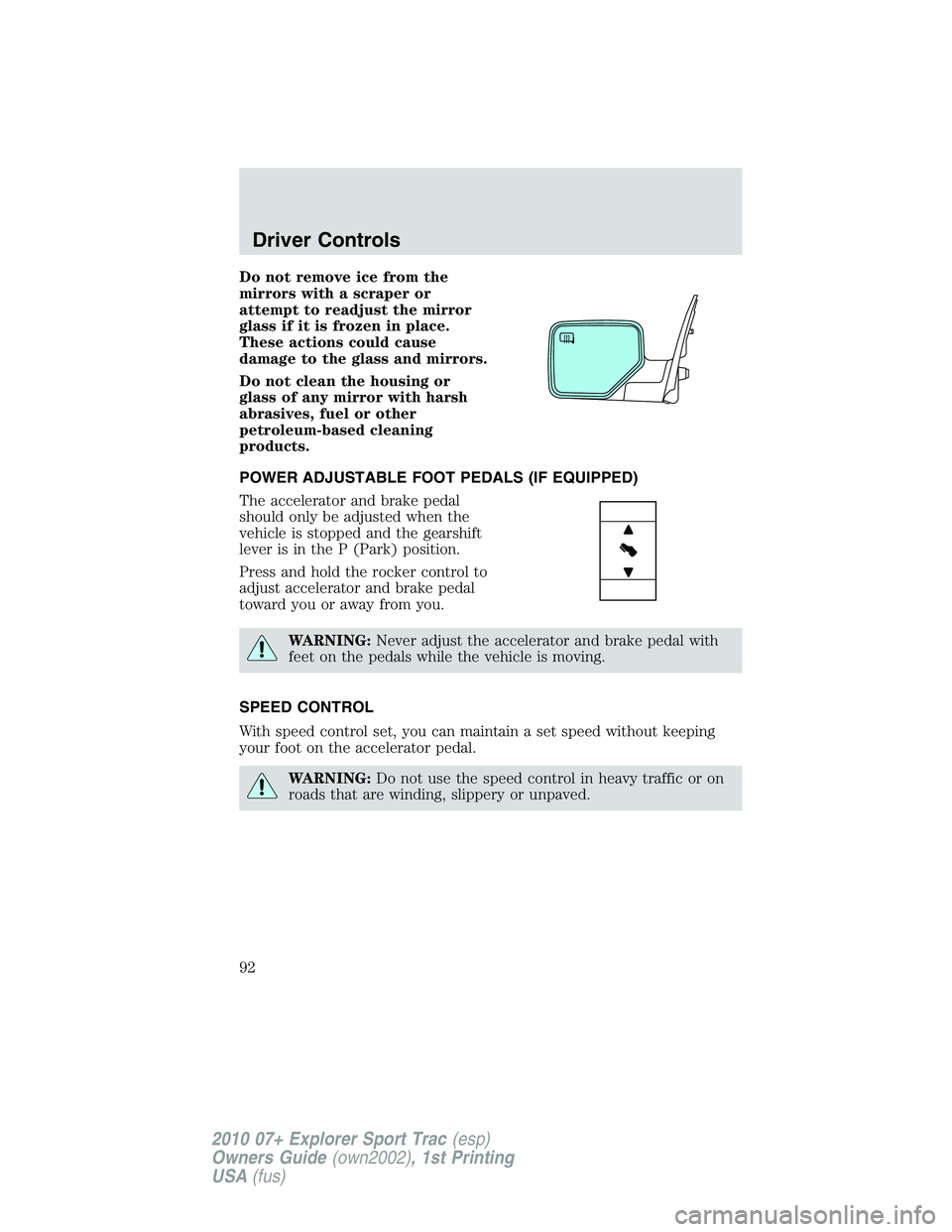
Do not remove ice from the
mirrors with a scraper or
attempt to readjust the mirror
glass if it is frozen in place.
These actions could cause
damage to the glass and mirrors.
Do not clean the housing or
glass of any mirror with harsh
abrasives, fuel or other
petroleum-based cleaning
products.
POWER ADJUSTABLE FOOT PEDALS (IF EQUIPPED)
The accelerator and brake pedal
should only be adjusted when the
vehicle is stopped and the gearshift
lever is in the P (Park) position.
Press and hold the rocker control to
adjust accelerator and brake pedal
toward you or away from you.
WARNING:Never adjust the accelerator and brake pedal with
feet on the pedals while the vehicle is moving.
SPEED CONTROL
With speed control set, you can maintain a set speed without keeping
your foot on the accelerator pedal.
WARNING:Do not use the speed control in heavy traffic or on
roads that are winding, slippery or unpaved.
Driver Controls
92
2010 07+ Explorer Sport Trac(esp)
Owners Guide(own2002), 1st Printing
USA(fus)
Page 98 of 344
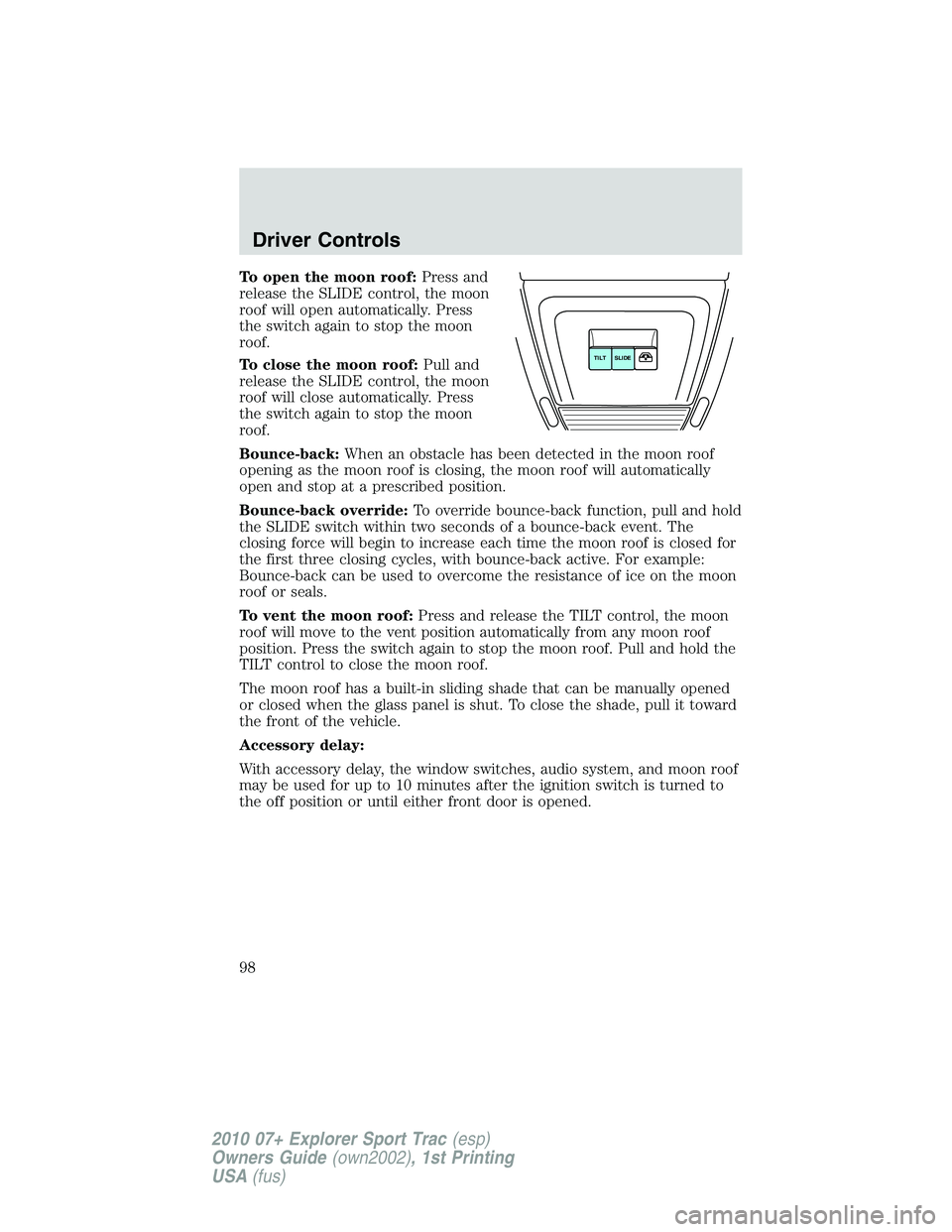
To open the moon roof:Press and
release the SLIDE control, the moon
roof will open automatically. Press
the switch again to stop the moon
roof.
To close the moon roof:Pull and
release the SLIDE control, the moon
roof will close automatically. Press
the switch again to stop the moon
roof.
Bounce-back:When an obstacle has been detected in the moon roof
opening as the moon roof is closing, the moon roof will automatically
open and stop at a prescribed position.
Bounce-back override:To override bounce-back function, pull and hold
the SLIDE switch within two seconds of a bounce-back event. The
closing force will begin to increase each time the moon roof is closed for
the first three closing cycles, with bounce-back active. For example:
Bounce-back can be used to overcome the resistance of ice on the moon
roof or seals.
To vent the moon roof:Press and release the TILT control, the moon
roof will move to the vent position automatically from any moon roof
position. Press the switch again to stop the moon roof. Pull and hold the
TILT control to close the moon roof.
The moon roof has a built-in sliding shade that can be manually opened
or closed when the glass panel is shut. To close the shade, pull it toward
the front of the vehicle.
Accessory delay:
With accessory delay, the window switches, audio system, and moon roof
may be used for up to 10 minutes after the ignition switch is turned to
the off position or until either front door is opened.
SLIDE TILT
Driver Controls
98
2010 07+ Explorer Sport Trac(esp)
Owners Guide(own2002), 1st Printing
USA(fus)
Page 100 of 344
To install, follow the removal procedures in reverse order.
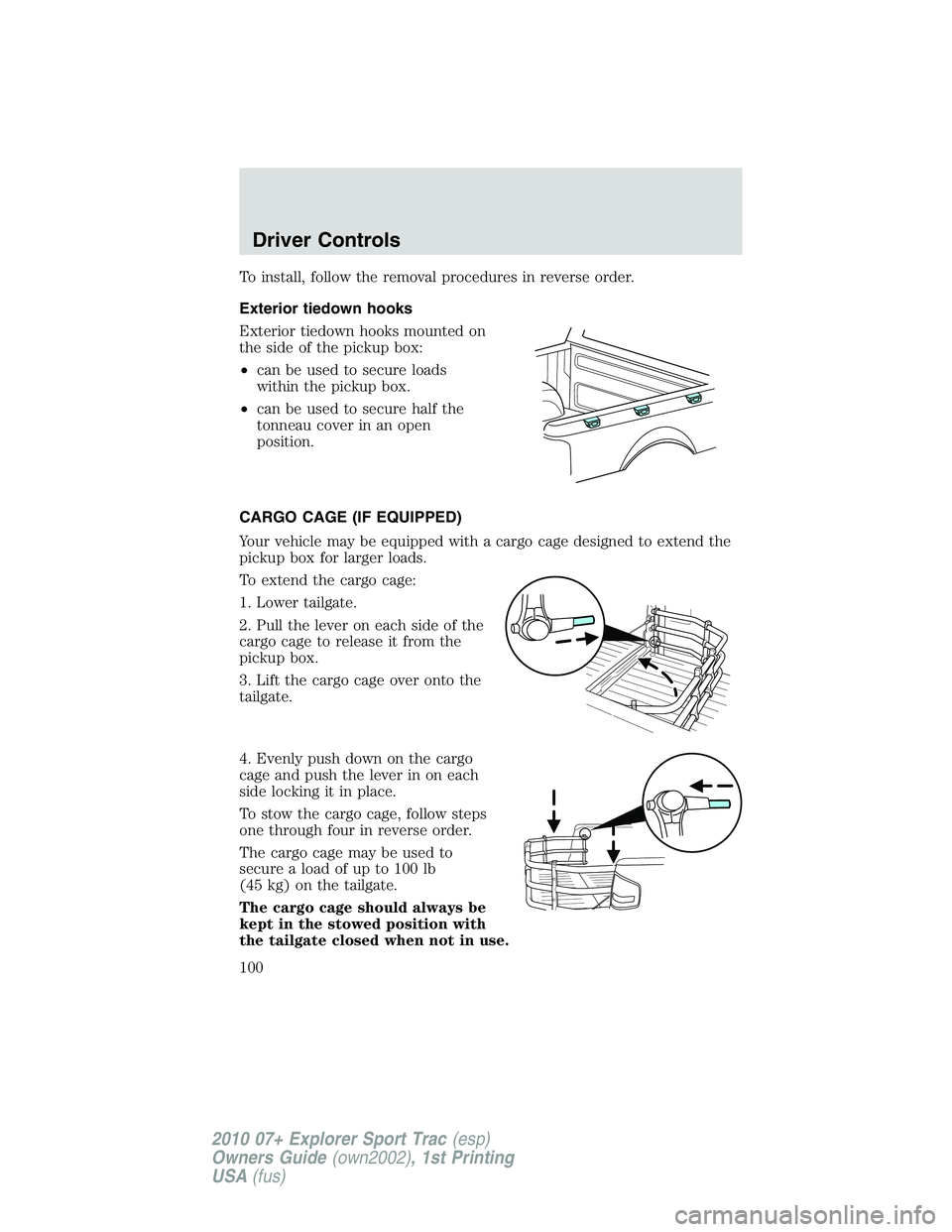
Exterior tiedown hooks
Exterior tiedown hooks mounted on
the side of the pickup box:
•can be used to secure loads
within the pickup box.
•can be used to secure half the
tonneau cover in an open
position.
CARGO CAGE (IF EQUIPPED)
Your vehicle may be equipped with a cargo cage designed to extend the
pickup box for larger loads.
To extend the cargo cage:
1. Lower tailgate.
2. Pull the lever on each side of the
cargo cage to release it from the
pickup box.
3. Lift the cargo cage over onto the
tailgate.
4. Evenly push down on the cargo
cage and push the lever in on each
side locking it in place.
To stow the cargo cage, follow steps
one through four in reverse order.
The cargo cage may be used to
secure a load of up to 100 lb
(45 kg) on the tailgate.
The cargo cage should always be
kept in the stowed position with
the tailgate closed when not in use.
Driver Controls
100
2010 07+ Explorer Sport Trac(esp)
Owners Guide(own2002), 1st Printing
USA(fus)
Page 101 of 344
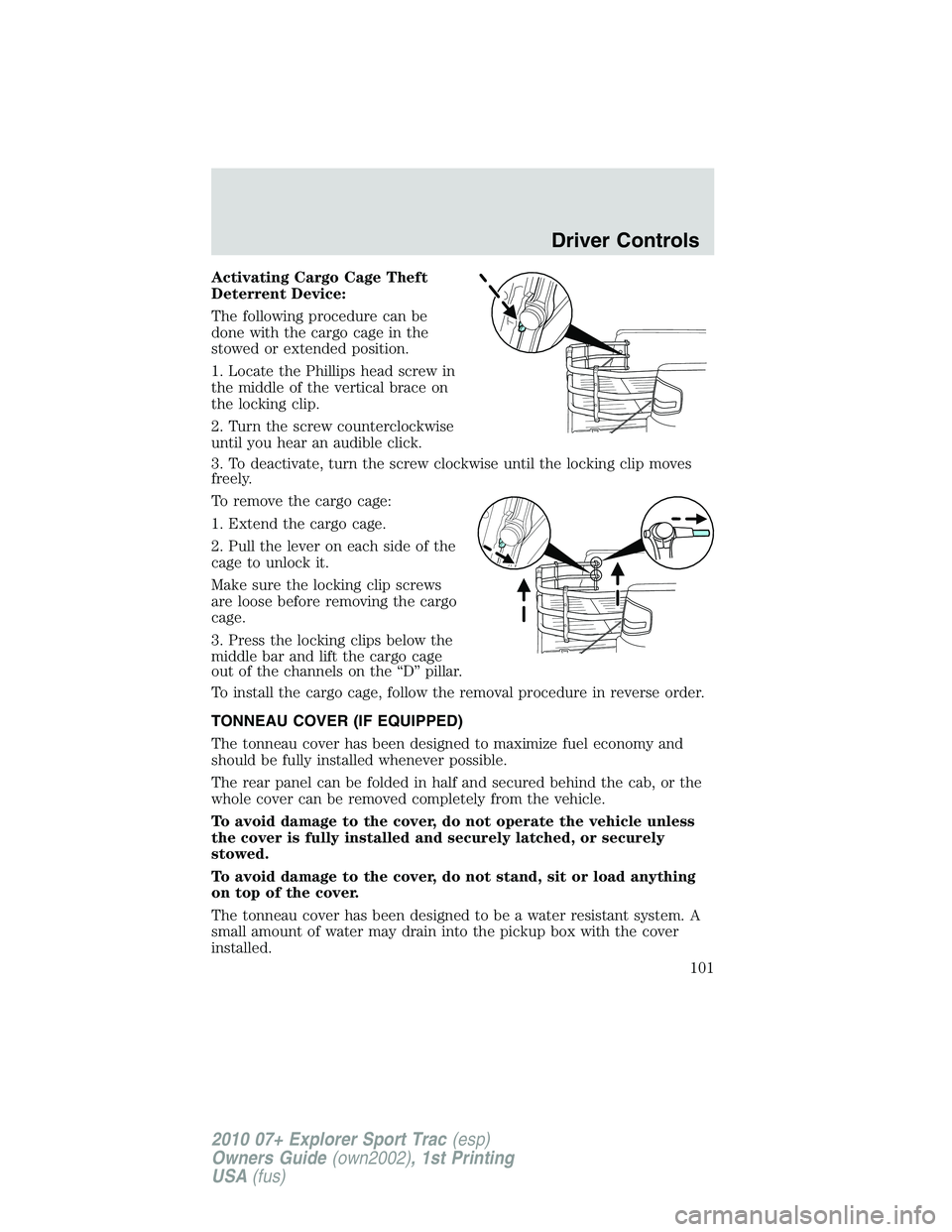
Activating Cargo Cage Theft
Deterrent Device:
The following procedure can be
done with the cargo cage in the
stowed or extended position.
1. Locate the Phillips head screw in
the middle of the vertical brace on
the locking clip.
2. Turn the screw counterclockwise
until you hear an audible click.
3. To deactivate, turn the screw clockwise until the locking clip moves
freely.
To remove the cargo cage:
1. Extend the cargo cage.
2. Pull the lever on each side of the
cage to unlock it.
Make sure the locking clip screws
are loose before removing the cargo
cage.
3. Press the locking clips below the
middle bar and lift the cargo cage
out of the channels on the “D” pillar.
To install the cargo cage, follow the removal procedure in reverse order.
TONNEAU COVER (IF EQUIPPED)
The tonneau cover has been designed to maximize fuel economy and
should be fully installed whenever possible.
The rear panel can be folded in half and secured behind the cab, or the
whole cover can be removed completely from the vehicle.
To avoid damage to the cover, do not operate the vehicle unless
the cover is fully installed and securely latched, or securely
stowed.
To avoid damage to the cover, do not stand, sit or load anything
on top of the cover.
The tonneau cover has been designed to be a water resistant system. A
small amount of water may drain into the pickup box with the cover
installed.
Driver Controls
101
2010 07+ Explorer Sport Trac(esp)
Owners Guide(own2002), 1st Printing
USA(fus)
Page 102 of 344
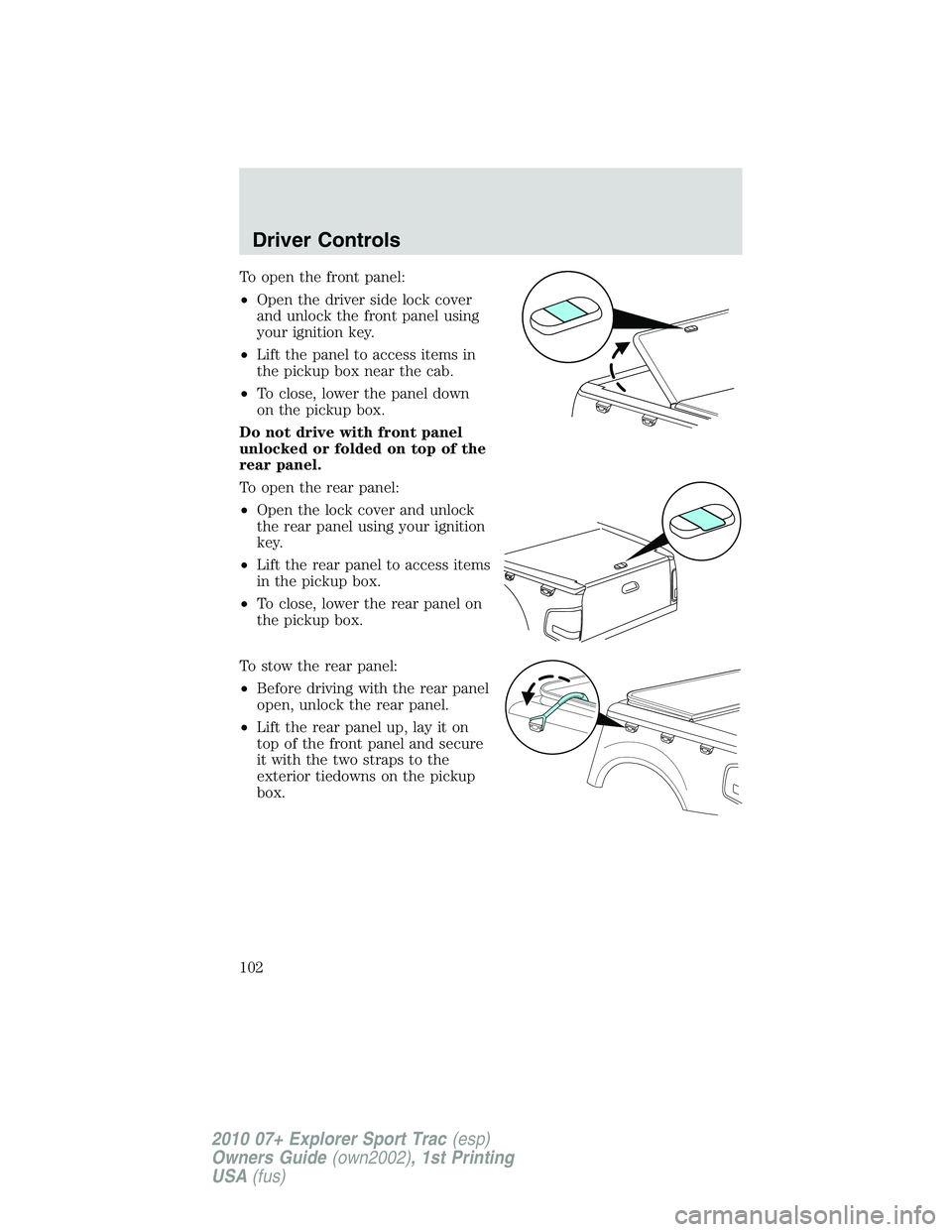
To open the front panel:
•Open the driver side lock cover
and unlock the front panel using
your ignition key.
•Lift the panel to access items in
the pickup box near the cab.
•To close, lower the panel down
on the pickup box.
Do not drive with front panel
unlocked or folded on top of the
rear panel.
To open the rear panel:
•Open the lock cover and unlock
the rear panel using your ignition
key.
•Lift the rear panel to access items
in the pickup box.
•To close, lower the rear panel on
the pickup box.
To stow the rear panel:
•Before driving with the rear panel
open, unlock the rear panel.
•Lift the rear panel up, lay it on
top of the front panel and secure
it with the two straps to the
exterior tiedowns on the pickup
box.
Driver Controls
102
2010 07+ Explorer Sport Trac(esp)
Owners Guide(own2002), 1st Printing
USA(fus)
Page 112 of 344
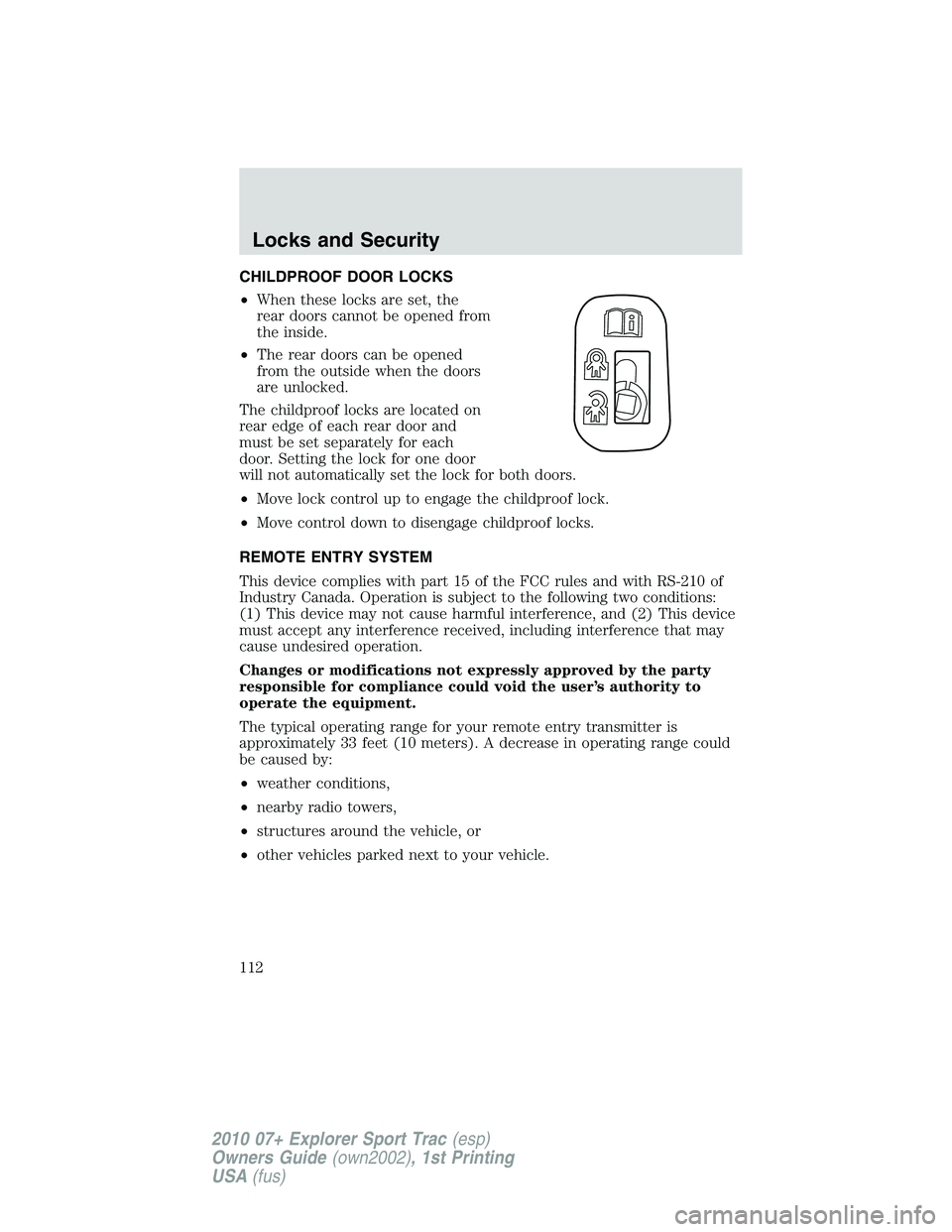
CHILDPROOF DOOR LOCKS
•When these locks are set, the
rear doors cannot be opened from
the inside.
•The rear doors can be opened
from the outside when the doors
are unlocked.
The childproof locks are located on
rear edge of each rear door and
must be set separately for each
door. Setting the lock for one door
will not automatically set the lock for both doors.
•Move lock control up to engage the childproof lock.
•Move control down to disengage childproof locks.
REMOTE ENTRY SYSTEM
This device complies with part 15 of the FCC rules and with RS-210 of
Industry Canada. Operation is subject to the following two conditions:
(1) This device may not cause harmful interference, and (2) This device
must accept any interference received, including interference that may
cause undesired operation.
Changes or modifications not expressly approved by the party
responsible for compliance could void the user’s authority to
operate the equipment.
The typical operating range for your remote entry transmitter is
approximately 33 feet (10 meters). A decrease in operating range could
be caused by:
•weather conditions,
•nearby radio towers,
•structures around the vehicle, or
•other vehicles parked next to your vehicle.
Locks and Security
112
2010 07+ Explorer Sport Trac(esp)
Owners Guide(own2002), 1st Printing
USA(fus)