charging FORD F-150 2018 Owners Manual
[x] Cancel search | Manufacturer: FORD, Model Year: 2018, Model line: F-150, Model: FORD F-150 2018Pages: 641, PDF Size: 8.37 MB
Page 131 of 641
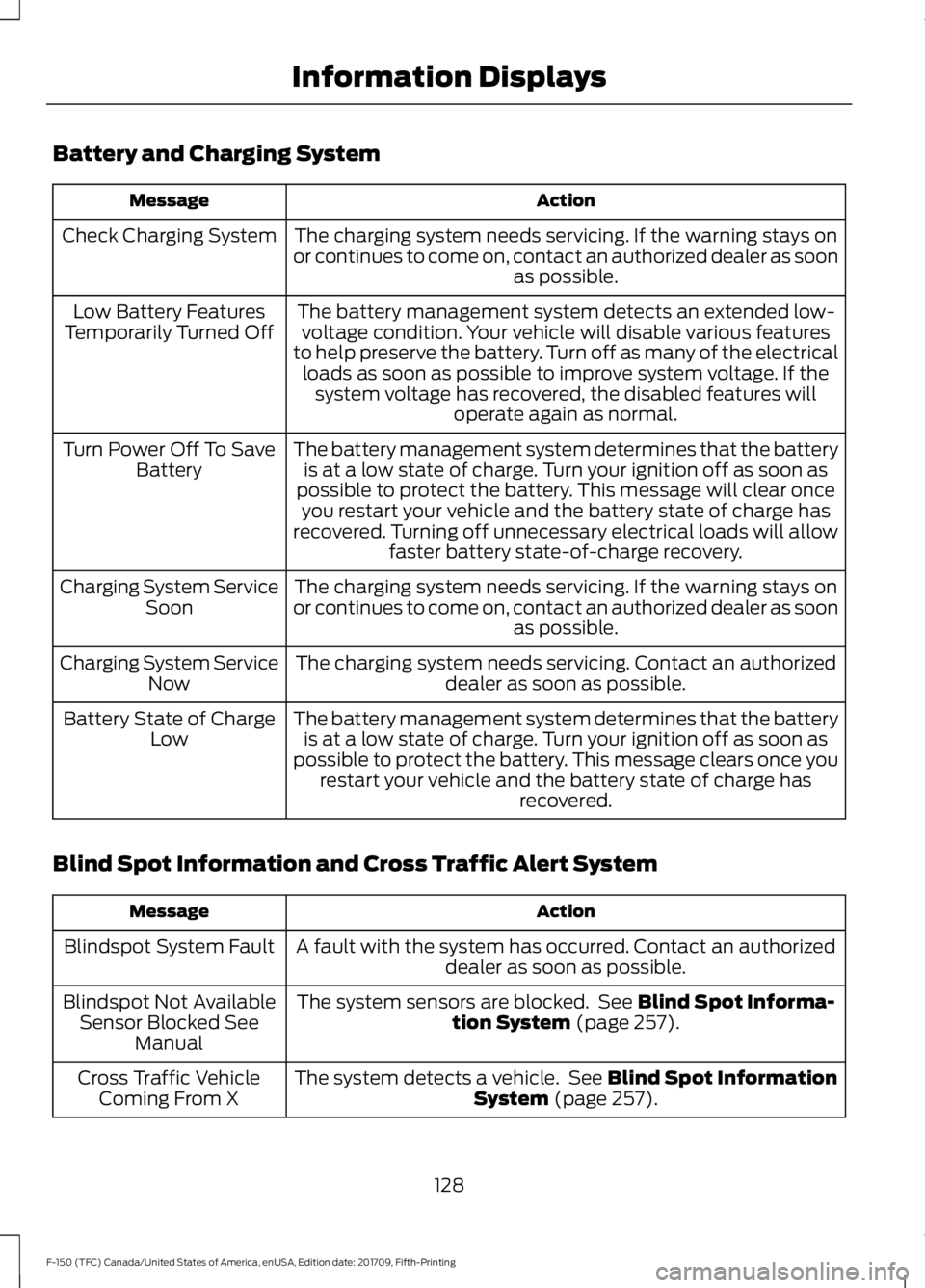
Battery and Charging System
Action
Message
The charging system needs servicing. If the warning stays on
or continues to come on, contact an authorized dealer as soon as possible.
Check Charging System
The battery management system detects an extended low-voltage condition. Your vehicle will disable various features
to help preserve the battery. Turn off as many of the electrical loads as soon as possible to improve system voltage. If the system voltage has recovered, the disabled features will operate again as normal.
Low Battery Features
Temporarily Turned Off
The battery management system determines that the batteryis at a low state of charge. Turn your ignition off as soon as
possible to protect the battery. This message will clear once you restart your vehicle and the battery state of charge has
recovered. Turning off unnecessary electrical loads will allow faster battery state-of-charge recovery.
Turn Power Off To Save
Battery
The charging system needs servicing. If the warning stays on
or continues to come on, contact an authorized dealer as soon as possible.
Charging System Service
Soon
The charging system needs servicing. Contact an authorized dealer as soon as possible.
Charging System Service
Now
The battery management system determines that the batteryis at a low state of charge. Turn your ignition off as soon as
possible to protect the battery. This message clears once you restart your vehicle and the battery state of charge has recovered.
Battery State of Charge
Low
Blind Spot Information and Cross Traffic Alert System Action
Message
A fault with the system has occurred. Contact an authorizeddealer as soon as possible.
Blindspot System Fault
The system sensors are blocked. See Blind Spot Informa-
tion System (page 257).
Blindspot Not Available
Sensor Blocked See Manual
The system detects a vehicle. See
Blind Spot Information
System (page 257).
Cross Traffic Vehicle
Coming From X
128
F-150 (TFC) Canada/United States of America, enUSA, Edition date: 201709, Fifth-Printing Information Displays
Page 144 of 641
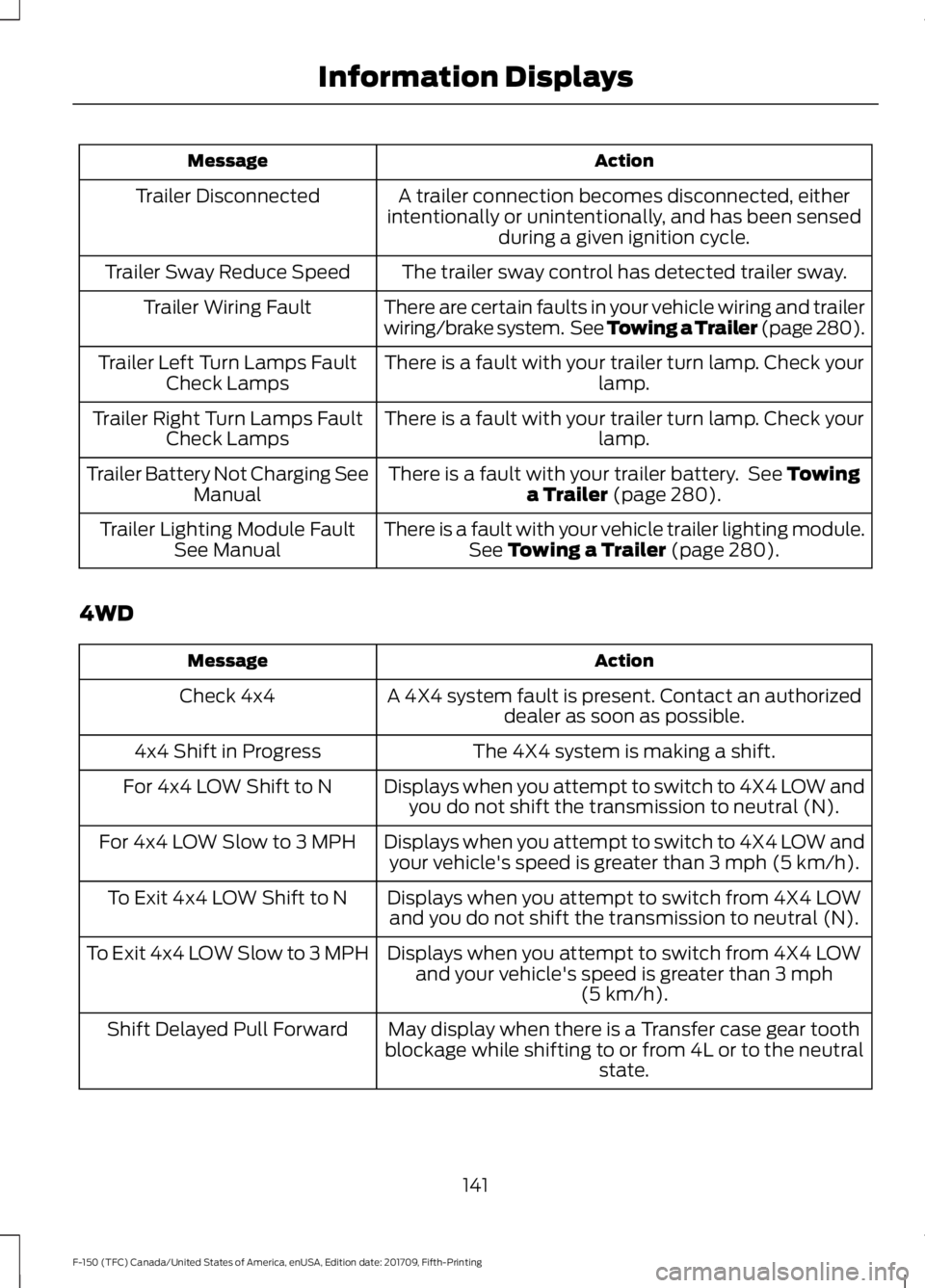
Action
Message
A trailer connection becomes disconnected, either
intentionally or unintentionally, and has been sensed during a given ignition cycle.
Trailer Disconnected
The trailer sway control has detected trailer sway.
Trailer Sway Reduce Speed
There are certain faults in your vehicle wiring and trailer
wiring/brake system. See Towing a Trailer (page 280).
Trailer Wiring Fault
There is a fault with your trailer turn lamp. Check yourlamp.
Trailer Left Turn Lamps Fault
Check Lamps
There is a fault with your trailer turn lamp. Check yourlamp.
Trailer Right Turn Lamps Fault
Check Lamps
There is a fault with your trailer battery. See
Towing
a Trailer (page 280).
Trailer Battery Not Charging See
Manual
There is a fault with your vehicle trailer lighting module.See
Towing a Trailer (page 280).
Trailer Lighting Module Fault
See Manual
4WD Action
Message
A 4X4 system fault is present. Contact an authorizeddealer as soon as possible.
Check 4x4
The 4X4 system is making a shift.
4x4 Shift in Progress
Displays when you attempt to switch to 4X4 LOW andyou do not shift the transmission to neutral (N).
For 4x4 LOW Shift to N
Displays when you attempt to switch to 4X4 LOW andyour vehicle's speed is greater than
3 mph (5 km/h).
For 4x4 LOW Slow to 3 MPH
Displays when you attempt to switch from 4X4 LOWand you do not shift the transmission to neutral (N).
To Exit 4x4 LOW Shift to N
Displays when you attempt to switch from 4X4 LOWand your vehicle's speed is greater than
3 mph
(5 km/h).
To Exit 4x4 LOW Slow to 3 MPH
May display when there is a Transfer case gear tooth
blockage while shifting to or from 4L or to the neutral state.
Shift Delayed Pull Forward
141
F-150 (TFC) Canada/United States of America, enUSA, Edition date: 201709, Fifth-Printing Information Displays
Page 199 of 641
Illumination of the service engine soon
indicator, charging system warning light or
the temperature warning light, fluid leaks,
strange odors, smoke or loss of engine
power could indicate that the emission
control system is not working properly.
An improperly operating or damaged
exhaust system may allow exhaust to
enter the vehicle. Have a damaged or
improperly operating exhaust system
inspected and repaired immediately.
Do not make any unauthorized changes to
your vehicle or engine. By law, vehicle
owners and anyone who manufactures,
repairs, services, sells, leases, trades
vehicles, or supervises a fleet of vehicles
are not permitted to intentionally remove
an emission control device or prevent it
from working. Information about your
vehicle
’s emission system is on the Vehicle
Emission Control Information Decal
located on or near the engine. This decal
also lists engine displacement.
Please consult your warranty information
for complete details.
On-Board Diagnostics (OBD-II)
Your vehicle has a computer known as the
on-board diagnostics system (OBD-II) that
monitors the engine ’s emission control
system. The system protects the
environment by making sure that your
vehicle continues to meet government
emission standards. The OBD-II system
also assists a service technician in properly
servicing your vehicle. When the service engine soon
indicator illuminates, the OBD-II
system has detected a
malfunction. Temporary malfunctions may
cause the service engine soon indicator to
illuminate. Examples are: 1. Your vehicle has run out of fuel
—the
engine may misfire or run poorly.
2. Poor fuel quality or water in the fuel —the engine may misfire or run
poorly.
3. The fuel fill inlet may not have closed properly. See Refueling (page 190).
4. Driving through deep water —the
electrical system may be wet.
You can correct these temporary
malfunctions by filling the fuel tank with
good quality fuel, properly closing the fuel
fill inlet or letting the electrical system dry
out. After three driving cycles without these
or any other temporary malfunctions
present, the service engine soon indicator
should stay off the next time you start the
engine. A driving cycle consists of a cold
engine startup followed by mixed city and
highway driving. No additional vehicle
service is required.
If the service engine soon indicator remains
on, have your vehicle serviced at the first
available opportunity. Although some
malfunctions detected by the OBD-II may
not have symptoms that are apparent,
continued driving with the service engine
soon indicator on can result in increased
emissions, lower fuel economy, reduced
engine and transmission smoothness and
lead to more costly repairs.
Readiness for Inspection and
Maintenance (I/M) Testing
Some state and provincial and local
governments may have
Inspection/Maintenance (I/M) programs
to inspect the emission control equipment
on your vehicle. Failure to pass this
inspection could prevent you from getting
a vehicle registration. If the service engine soon
indicator is on or the bulb does
not work, your vehicle may need
service. See On-Board Diagnostics.
196
F-150 (TFC) Canada/United States of America, enUSA, Edition date: 201709, Fifth-Printing Engine Emission Control
Page 365 of 641
Note:
If you do not allow the engine to
relearn the idle and fuel trim strategy, the
idle quality of your vehicle may be adversely
affected until the engine computer
eventually relearns the idle trim and fuel
trim strategy.
Note: For flexible fuel vehicles, if you are
operating on E85, you may experience poor
starts or an inability to start the engine and
driveability problems until the fuel trim and
ethanol content have been relearned.
Make sure that you dispose of old batteries
in an environmentally friendly way. Seek
advice from your local authority about
recycling old batteries.
If storing your vehicle for more than 30
days without recharging the battery, we
recommend that you disconnect the
negative battery cable to maintain battery
charge for quick starting.
Battery Management System (If
Equipped)
The battery management system monitors
battery conditions and takes actions to
extend battery life. If excessive battery
drain is detected, the system temporarily
disables some electrical systems to
protect the battery.
Systems included are:
• Heated rear window.
• Heated seats.
• Climate control.
• Heated steering wheel.
• Audio unit.
• Navigation system.
A message may appear in the information
displays to alert you that battery
protection actions are active. These
messages are only for notification that an
action is taking place, and not intended to
indicate an electrical problem or that the
battery requires replacement. After battery replacement, or in some
cases after charging the battery with an
external charger, the battery management
system requires eight hours of vehicle sleep
time to relearn the battery state of charge.
During this time your vehicle must remain
fully locked with the ignition switched off.
Note:
Prior to relearning the battery state
of charge, the battery management system
may temporarily disable some electrical
systems.
Electrical Accessory Installation
To make sure the battery management
system works correctly, do not connect an
electrical device ground connection
directly to the battery negative post. This
can cause inaccurate measurements of
the battery condition and potential
incorrect system operation.
Note: If you add electrical accessories or
components to the vehicle, it may adversely
affect battery performance and durability.
This may also affect the performance of
other electrical systems in the vehicle.
CHECKING THE WIPER
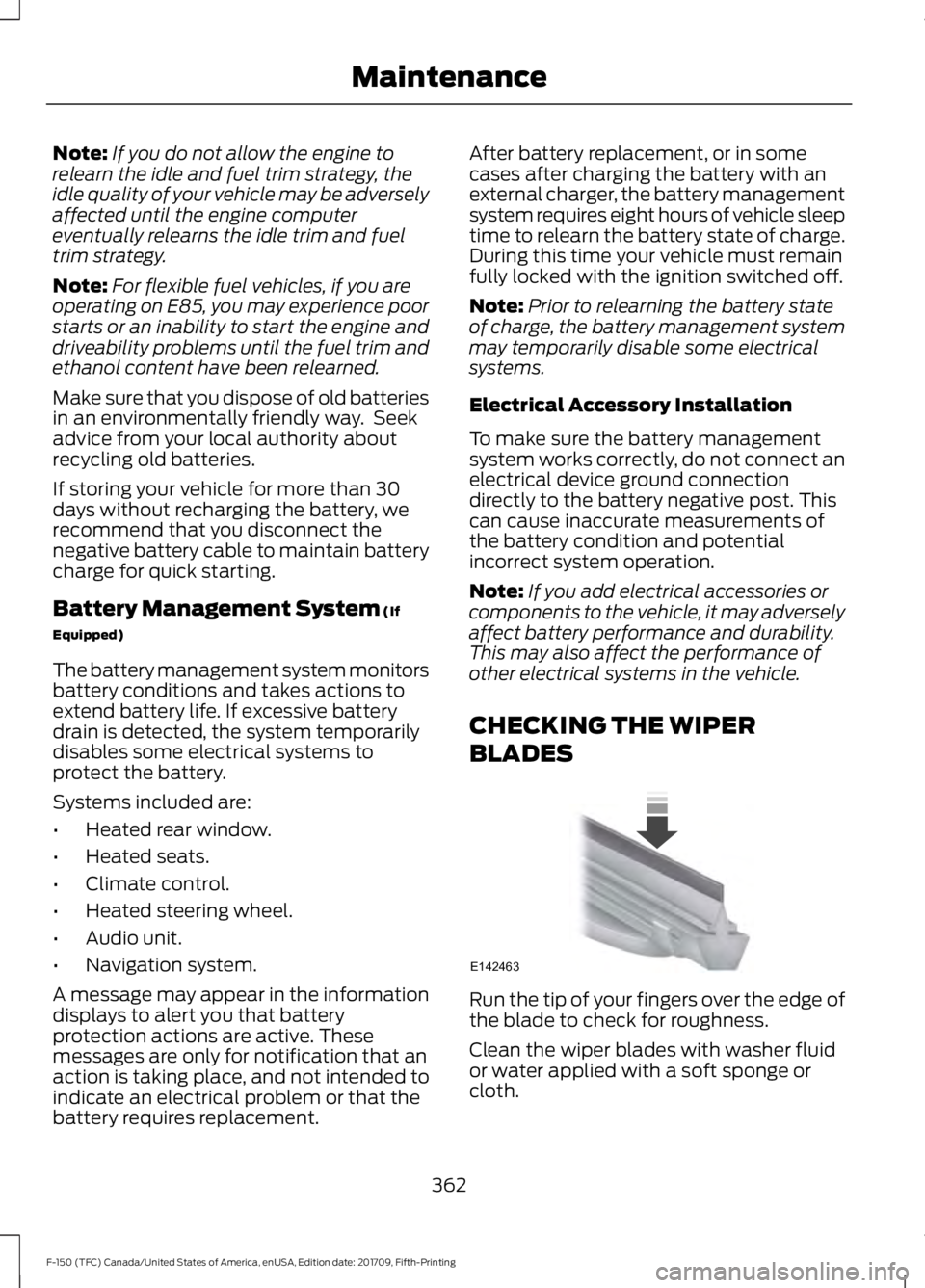
BLADES Run the tip of your fingers over the edge of
the blade to check for roughness.
Clean the wiper blades with washer fluid
or water applied with a soft sponge or
cloth.
362
F-150 (TFC) Canada/United States of America, enUSA, Edition date: 201709, Fifth-Printing MaintenanceE142463
Page 383 of 641
General
•
Store all vehicles in a dry, ventilated
place.
• Protect from sunlight, if possible.
• If vehicles are stored outside, they
require regular maintenance to protect
against rust and damage.
Body
• Wash your vehicle thoroughly to
remove dirt, grease, oil, tar or mud from
exterior surfaces, rear-wheel housing
and the underside of front fenders.
• Periodically wash your vehicle if it is
stored in exposed locations.
• Touch-up exposed or primed metal to
prevent rust.
• Cover chrome and stainless steel parts
with a thick coat of auto wax to prevent
discoloration. Re-wax as necessary
when you wash your vehicle.
• Lubricate all hood, door and luggage
compartment hinges and latches with
a light grade oil.
• Cover interior trim to prevent fading.
• Keep all rubber parts free from oil and
solvents.
Engine
• Change the engine oil and filter prior to
storage because used engine oil
contains contaminates which may
cause engine damage.
• Start the engine every 15 days for a
minimum of 15 minutes. Run at fast idle
with the climate controls set to defrost
until the engine reaches normal
operating temperature. •
With your foot on the brake, shift
through all the gears while the engine
is running.
• We recommend that you change the
engine oil before you use your vehicle
again.
Fuel system
• Fill the fuel tank with high-quality fuel
until the first automatic shutoff of the
fuel pump nozzle.
Cooling system
• Protect against freezing temperatures.
• When removing your vehicle from
storage, check coolant fluid level.
Confirm that there are no cooling
system leaks and that fluid is at the
recommended level.
Battery
• Check and recharge as necessary. Keep
connections clean.
• If storing your vehicle for more than 30
days without recharging the battery,
we recommend that you disconnect
the battery cables to maintain battery
charge for quick starting.
Note: It is necessary to reset memory
features if battery cables are disconnected.
Brakes
• Make sure the brakes and parking brake
release fully.
Tires
• Maintain recommended air pressure.
380
F-150 (TFC) Canada/United States of America, enUSA, Edition date: 201709, Fifth-Printing Vehicle Care
Page 465 of 641
USB PORT
WARNING: Driving while
distracted can result in loss of vehicle
control, crash and injury. We strongly
recommend that you use extreme
caution when using any device that may
take your focus off the road. Your
primary responsibility is the safe
operation of your vehicle. We
recommend against the use of any
hand-held device while driving and
encourage the use of voice-operated
systems when possible. Make sure you
are aware of all applicable local laws
that may affect the use of electronic
devices while driving. Note:
The rear console USB ports are for
charging only. See
Center Console (page
168).
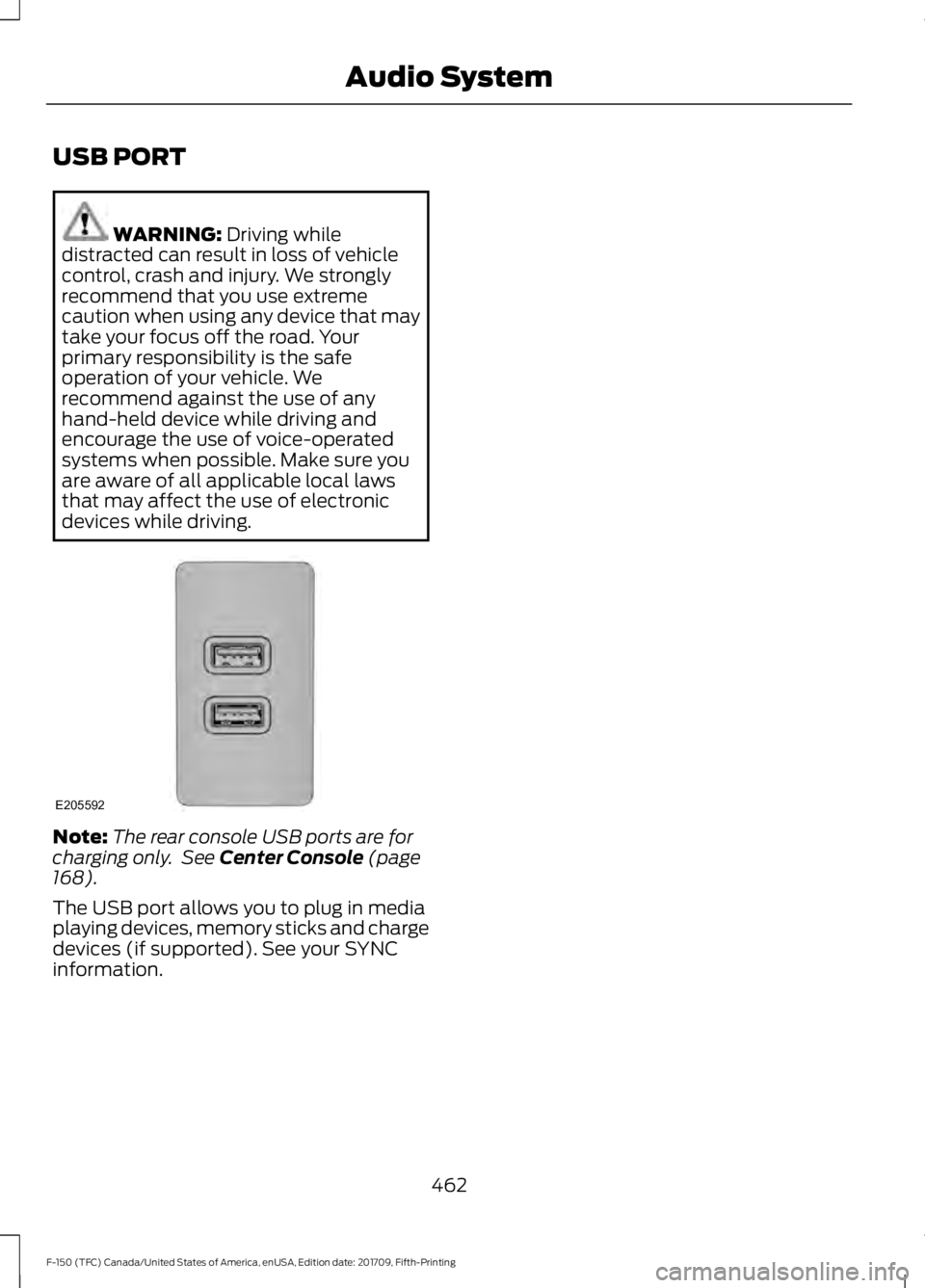
The USB port allows you to plug in media
playing devices, memory sticks and charge
devices (if supported). See your SYNC
information.
462
F-150 (TFC) Canada/United States of America, enUSA, Edition date: 201709, Fifth-Printing Audio SystemE205592
Page 559 of 641
For a complete listing of the accessories
that are available for your vehicle, please
contact your authorized dealer or visit the
online store web site:
Web Address (United States)
www.Accessories.Ford.com Web Address (Canada)
www.Accessories.Ford.ca
Ford Accessories are available for your
vehicle through an authorized Ford dealer.
Ford Motor Company will repair or replace
any properly authorized dealer-installed
Ford Original Accessory found to be
defective in factory-supplied materials or
workmanship during the warranty period,
as well as any component damaged by the
defective accessories.
Ford Motor Company will warrant your
Ford Original Accessory through the
warranty that provides the greatest
benefit:
• 24 months, unlimited mileage.
• The remainder of your new vehicle
limited warranty.
Contact an authorized dealer for details
and a copy of the warranty.
Exterior Style
• Bed rails.
• Chrome exhaust tips.
• Custom graphics*.
• Door sills*.
• Fender flares*.
• Fog lamps*.
• Hood deflector.
• Running boards.
• Side window deflectors*. •
Splash guards.
• Tailgate dampener.
• Tow hooks.
• Trailer tow mirrors.
• Trim kits.
Interior Style
• Ambient lighting.
• Floor mats.
• Premium floor liners.
Lifestyle
• Audio upgrade*.
• Bed divider.
• Bed extender.
• Bed lighting.
• Bedliners and bedmats.
• Bed ramps.
• Bed side step.
• Ford Telematics ™*.
• Hitch balls and towbars.
• Interior cargo organization and
management.
• In-vehicle safe*.
• Racks and carriers*.
• Rear-seat entertainment*.
• Smoker's package.
• Sportliner cargo liner*.
• Tablet cradle*
• Tonneau/Bed cover*.
• Trailer brake controller.
• Trailer hitches, wiring harnesses and
accessories.
• Truck bed camping tent*.
• Truck bed cargo organization and
management.
• Wireless charging*.
556
F-150 (TFC) Canada/United States of America, enUSA, Edition date: 201709, Fifth-Printing Accessories
Page 625 of 641
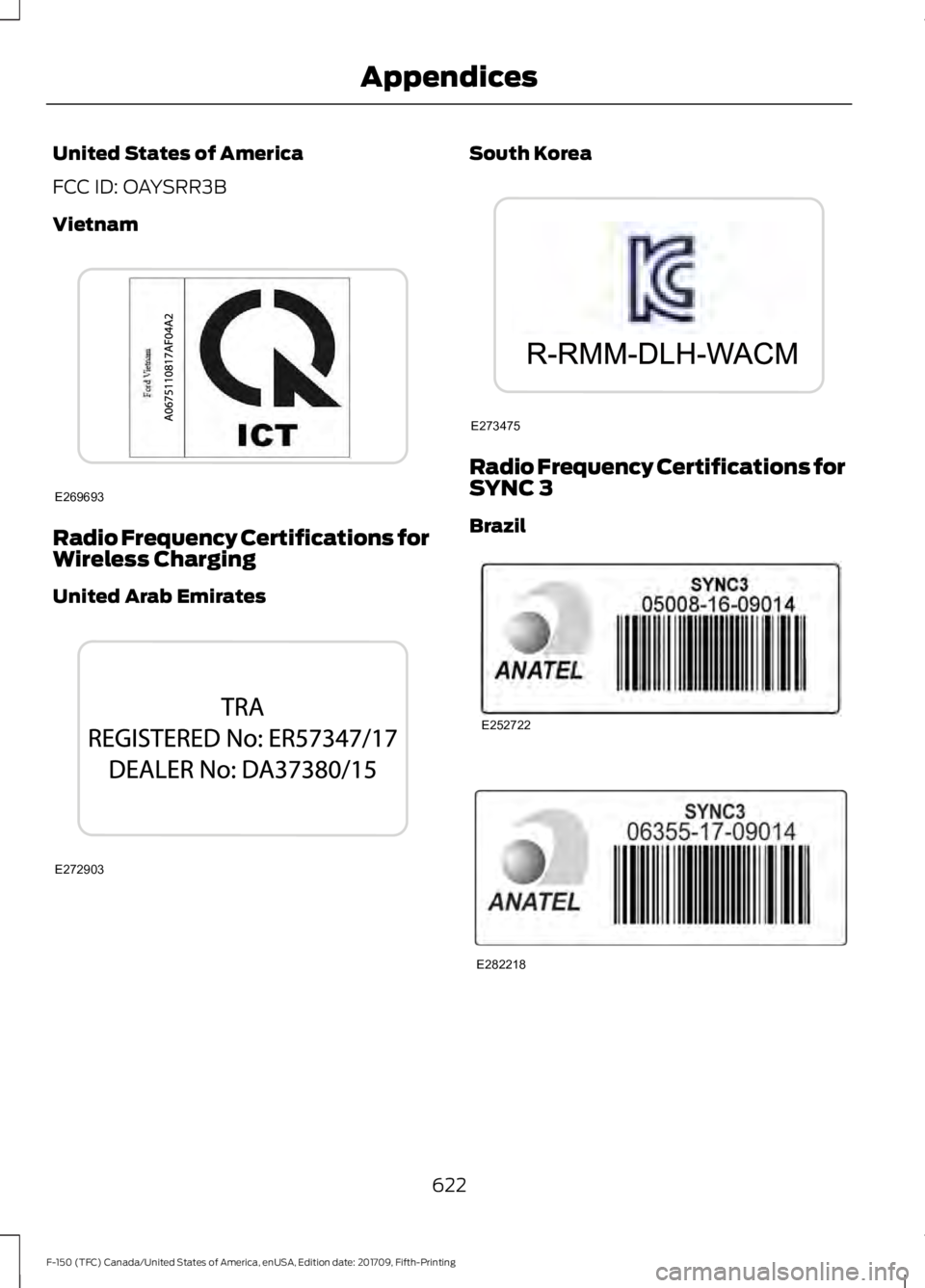
United States of America
FCC ID: OAYSRR3B
Vietnam
Radio Frequency Certifications for
Wireless Charging
United Arab Emirates South Korea
Radio Frequency Certifications for
SYNC 3
Brazil
622
F-150 (TFC) Canada/United States of America, enUSA, Edition date: 201709, Fifth-Printing AppendicesE269693 E272903 E273475 E252722 E282218
Page 634 of 641
In California (U.S. Only)............................329
Information Display Control.......................87
Information Displays....................................113
General Information........................................... 113
Information Messages
................................125
4WD........................................................................\
.. 141
Active Park............................................................ 126
Adaptive Cruise Control................................... 126
AdvanceTrac and Traction Control...............127
Airbag....................................................................... 127
Alarm and Security............................................. 127
Battery and Charging System........................ 128
Blind Spot Information and Cross Traffic Alert System.................................................... 128
Diesel Messages.................................................. 129
Doors and Locks.................................................. 132
Driver Alert............................................................. 132
Drivetrain................................................................ 132
Engine...................................................................... 133
Fuel........................................................................\
... 133
Keys and Intelligent Access............................ 133
Lane Keeping System....................................... 134
Maintenance......................................................... 134
MyKey...................................................................... 135
Off Road................................................................. 136
Park Aid.................................................................. 136
Park Brake.............................................................. 137
Power Steering..................................................... 137
Pre-Collision Assist............................................ 138
Pro Trailer Backup Assist................................. 138
Remote Start........................................................ 139
Seats....................................................................... 139
Side-Wind............................................................. 139
Starting System ................................................. 140
Tire Pressure Monitoring System.................140
Trailer...................................................................... 140
Installing Child Restraints............................19 Child Seats............................................................... 19
Combining Seatbelt and LATCH Lower Anchors for Attaching Child Safety
Seats.................................................................... 28
Front Seat Tether Strap Attachment (Regular Cab)................................................... 29
Rear Seat Tether Strap Attachment (Crew Cab and Super Cab)...................................... 30
Use of Inboard Lower Anchors from the Outermost Seating Positions (Center
Seating Use) .................................................... 28Using Inflatable Seatbelts (Rear Seat
Outermost Positions).................................... 24
Using Lap and Shoulder Belts (Except Front Center Position of Super Cab and Crew
Cab)..................................................................... 20
Using Lap and Shoulder Belts (Front Center Position of Super Cab and Crew
Cab)...................................................................... 22
Using Lower Anchors and Tethers for CHildren (LATCH)............................................ 27
Using Tether Straps............................................. 28
Instrument Cluster.......................................105
Instrument Lighting Dimmer
.....................92
Instrument Panel Overview........................16
Interior Lamps.................................................96 Front Interior Lamps........................................... 96
Rear Interior Lamps............................................. 97
Interior Mirror
..................................................102
Automatic Dimming Mirror............................. 102
Manual Dimming Mirror................................... 102
Introduction.........................................................7
J
Jump Starting the Vehicle........................323 Connecting the Jumper Cables.................... 323
Jump Starting...................................................... 324
Preparing Your Vehicle..................................... 323
Removing the Jumper Cables....................... 324
K
Keyless Entry
.....................................................71
SECURICODE™ KEYLESS ENTRY
KEYPAD................................................................ 71
Keyless Starting
..............................................171
Ignition Modes....................................................... 171
Keys and Remote Controls.........................56
L
Lane Keeping System
................................253
Switching the System On and Off..............254
System Display................................................... 255
System Settings................................................. 254
Troubleshooting................................................. 256
Lighting Control...............................................91 Flashing the Headlamp High Beam..............92
631
F-150 (TFC) Canada/United States of America, enUSA, Edition date: 201709, Fifth-Printing Index
Page 639 of 641
Traction Control............................................227
Principle of Operation....................................... 227
Trailer Reversing Aids.................................282 Principle of Operation...................................... 282
Pro Trailer Backup Assist™............................ 282
Setting Up Pro Trailer Backup Assist..........282
Troubleshooting................................................. 287
Using Pro Trailer Backup Assist................... 286
Trailer Sway Control
...................................292
Transfer Case Fluid Check.......................358
Transmission Code Designation............423
Transmission.................................................207
Transporting the Vehicle
...........................325
Type Approvals..............................................613
Radio Frequency Certification for Keys and
Remote Controls........................................... 623
Radio Frequency Certifications for Blind Spot Information System........................... 621
Radio Frequency Certifications for Body Control Module.............................................. 623
Radio Frequency Certifications for Cruise Control Module.............................................. 623
Radio Frequency Certifications for Mid Range Radar.................................................... 615
Radio Frequency Certifications for Passive Anti-Theft System........................................ 616
Radio Frequency Certifications for Radio Transceiver Module...................................... 619
Radio Frequency Certifications for SYNC 3........................................................................\
... 622
Radio Frequency Certifications for Tire Pressure Monitoring Sensor(s)................613
Radio Frequency Certifications for Wireless Charging........................................................... 622
Radio Frequency Statement for Audio Unit..................................................................... 623
U
Under Hood Overview - 2.7L EcoBoost™.................................................346
Under Hood Overview - 3.0L V6, Diesel.............................................................347
Under Hood Overview - 3.3L Duratec - V6...................................................................348
Under Hood Overview - 3.5L Ecoboost™.................................................349 Under Hood Overview - 5.0L Modular -
V8...................................................................349
Unique Driving Characteristics
.................181
Universal Garage Door Opener...............162 HomeLink Wireless Control System............162
USB Port
.........................................................462
Using Adaptive Cruise Control................245 Automatic Cancellation.................................. 248
Blocked Sensor.................................................. 250
Canceling the Set Speed................................ 248
Changing the Set Speed................................. 248
Detection Issues................................................. 249
Following a Vehicle........................................... 246
Following a Vehicle to a Complete Stop.................................................................... 247
Hilly Condition and Trailer Tow Usage................................................................ 249
Overriding the Set Speed............................... 248
Park Brake Application.................................... 248
Resuming the Set Speed................................ 248
Setting the Adaptive Cruise Speed............246
Setting the Adaptive Cruise Speed When Your Vehicle is Stationary.......................... 246
Setting the Gap Distance................................ 247
Switching Adaptive Cruise Control Off...................................................................... 249
Switching Adaptive Cruise Control On....................................................................... 245
Switching to Normal Cruise Control............251
System Not Available...................................... 250
Using Cruise Control...................................244 Switching Cruise Control Off......................... 244
Switching Cruise Control On......................... 244
Using Four-Wheel Drive.............................213 4WD Indicator Lights......................................... 213
Driving Off-Road With Truck and Utility Vehicles.............................................................. 217
How Your Vehicle Differs From Other Vehicles............................................................. 216
Using the 2-Speed Automatic 4WD System............................................................... 214
Using the Electronic Shift on the Fly 4WD system................................................................ 213
Using Hill Descent Control
........................231
Hill descent modes............................................ 231
Using MyKey With Remote Start Systems..........................................................66
636
F-150 (TFC) Canada/United States of America, enUSA, Edition date: 201709, Fifth-Printing Index