door lock FORD F-150 2018 Owners Manual
[x] Cancel search | Manufacturer: FORD, Model Year: 2018, Model line: F-150, Model: FORD F-150 2018Pages: 641, PDF Size: 8.37 MB
Page 4 of 641
Introduction
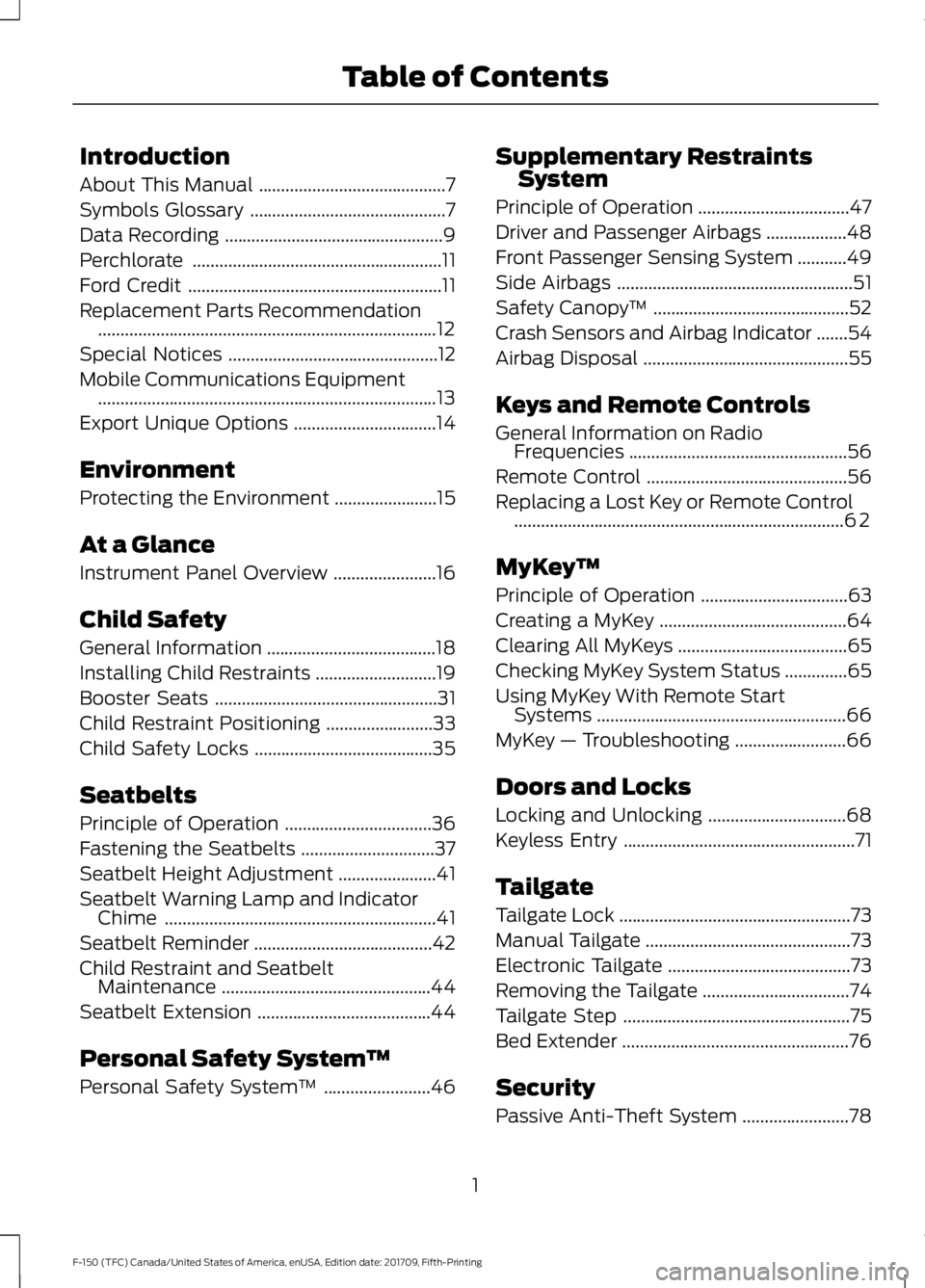
About This Manual
..........................................7
Symbols Glossary ............................................
7
Data Recording .................................................
9
Perchlorate ........................................................
11
Ford Credit .........................................................
11
Replacement Parts Recommendation ........................................................................\
....
12
Special Notices ...............................................
12
Mobile Communications Equipment ........................................................................\
....
13
Export Unique Options ................................
14
Environment
Protecting the Environment .......................
15
At a Glance
Instrument Panel Overview .......................
16
Child Safety
General Information ......................................
18
Installing Child Restraints ...........................
19
Booster Seats ..................................................
31
Child Restraint Positioning ........................
33
Child Safety Locks ........................................
35
Seatbelts
Principle of Operation .................................
36
Fastening the Seatbelts ..............................
37
Seatbelt Height Adjustment ......................
41
Seatbelt Warning Lamp and Indicator Chime .............................................................
41
Seatbelt Reminder ........................................
42
Child Restraint and Seatbelt Maintenance ...............................................
44
Seatbelt Extension .......................................
44
Personal Safety System ™
Personal Safety System ™........................
46 Supplementary Restraints
System
Principle of Operation ..................................
47
Driver and Passenger Airbags ..................
48
Front Passenger Sensing System ...........
49
Side Airbags .....................................................
51
Safety Canopy ™............................................
52
Crash Sensors and Airbag Indicator .......
54
Airbag Disposal ..............................................
55
Keys and Remote Controls
General Information on Radio Frequencies .................................................
56
Remote Control .............................................
56
Replacing a Lost Key or Remote Control ........................................................................\
..
62
MyKey ™
Principle of Operation .................................
63
Creating a MyKey ..........................................
64
Clearing All MyKeys ......................................
65
Checking MyKey System Status ..............
65
Using MyKey With Remote Start Systems ........................................................
66
MyKey — Troubleshooting .........................
66
Doors and Locks
Locking and Unlocking ...............................
68
Keyless Entry ....................................................
71
Tailgate
Tailgate Lock ....................................................
73
Manual Tailgate ..............................................
73
Electronic Tailgate .........................................
73
Removing the Tailgate .................................
74
Tailgate Step ...................................................
75
Bed Extender ...................................................
76
Security
Passive Anti-Theft System ........................
78
1
F-150 (TFC) Canada/United States of America, enUSA, Edition date: 201709, Fifth-Printing Table of Contents
Page 6 of 641
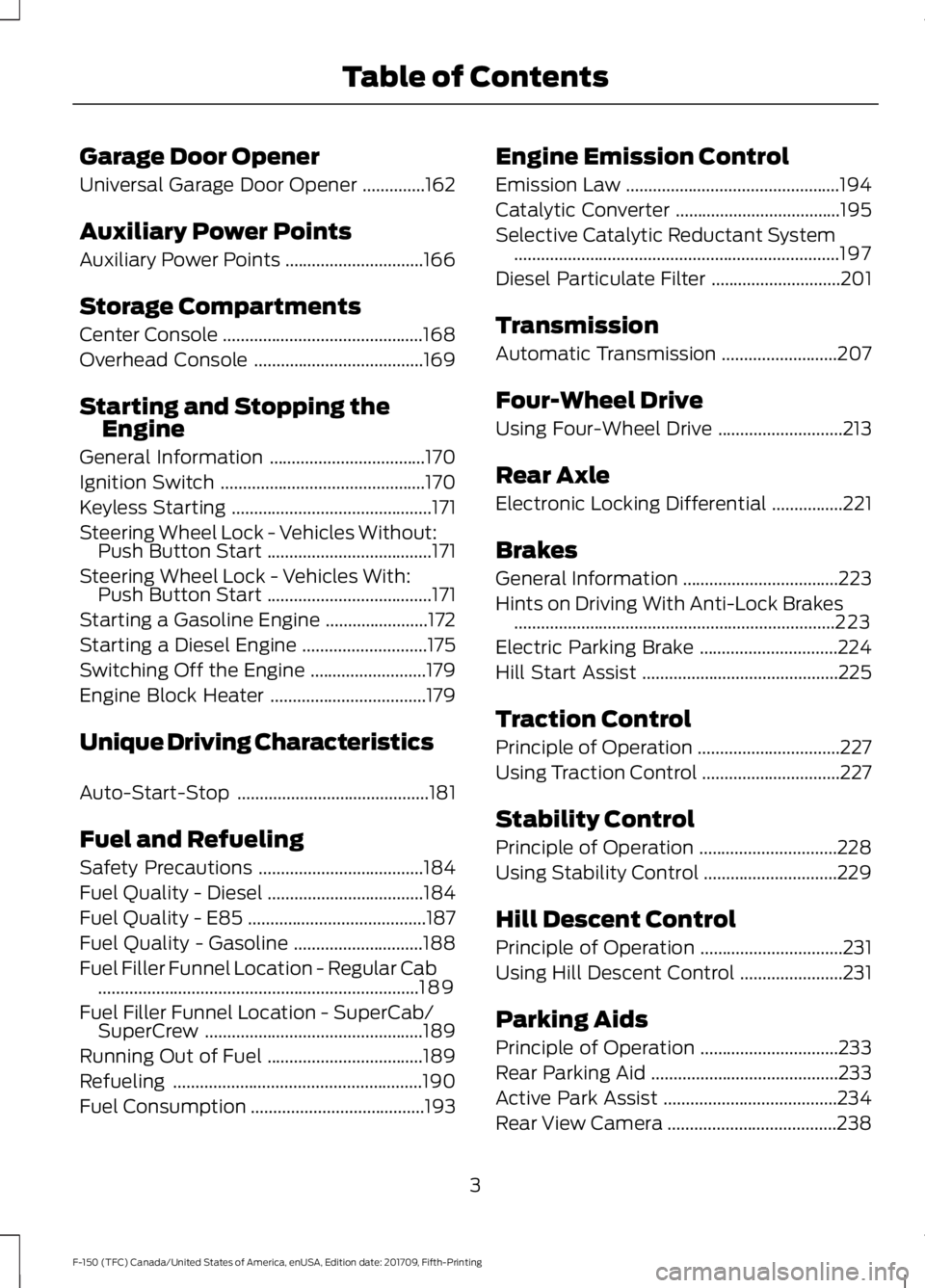
Garage Door Opener
Universal Garage Door Opener
..............162
Auxiliary Power Points
Auxiliary Power Points ...............................
166
Storage Compartments
Center Console .............................................
168
Overhead Console ......................................
169
Starting and Stopping the Engine
General Information ...................................
170
Ignition Switch ..............................................
170
Keyless Starting .............................................
171
Steering Wheel Lock - Vehicles Without: Push Button Start .....................................
171
Steering Wheel Lock - Vehicles With: Push Button Start .....................................
171
Starting a Gasoline Engine .......................
172
Starting a Diesel Engine ............................
175
Switching Off the Engine ..........................
179
Engine Block Heater ...................................
179
Unique Driving Characteristics
Auto-Start-Stop ...........................................
181
Fuel and Refueling
Safety Precautions .....................................
184
Fuel Quality - Diesel ...................................
184
Fuel Quality - E85 ........................................
187
Fuel Quality - Gasoline .............................
188
Fuel Filler Funnel Location - Regular Cab ........................................................................\
189
Fuel Filler Funnel Location - SuperCab/ SuperCrew .................................................
189
Running Out of Fuel ...................................
189
Refueling ........................................................
190
Fuel Consumption .......................................
193Engine Emission Control
Emission Law
................................................
194
Catalytic Converter .....................................
195
Selective Catalytic Reductant System ........................................................................\
.
197
Diesel Particulate Filter .............................
201
Transmission
Automatic Transmission ..........................
207
Four-Wheel Drive
Using Four-Wheel Drive ............................
213
Rear Axle
Electronic Locking Differential ................
221
Brakes
General Information ...................................
223
Hints on Driving With Anti-Lock Brakes ........................................................................\
223
Electric Parking Brake ...............................
224
Hill Start Assist ............................................
225
Traction Control
Principle of Operation ................................
227
Using Traction Control ...............................
227
Stability Control
Principle of Operation ...............................
228
Using Stability Control ..............................
229
Hill Descent Control
Principle of Operation ................................
231
Using Hill Descent Control .......................
231
Parking Aids
Principle of Operation ...............................
233
Rear Parking Aid ..........................................
233
Active Park Assist .......................................
234
Rear View Camera ......................................
238
3
F-150 (TFC) Canada/United States of America, enUSA, Edition date: 201709, Fifth-Printing Table of Contents
Page 11 of 641
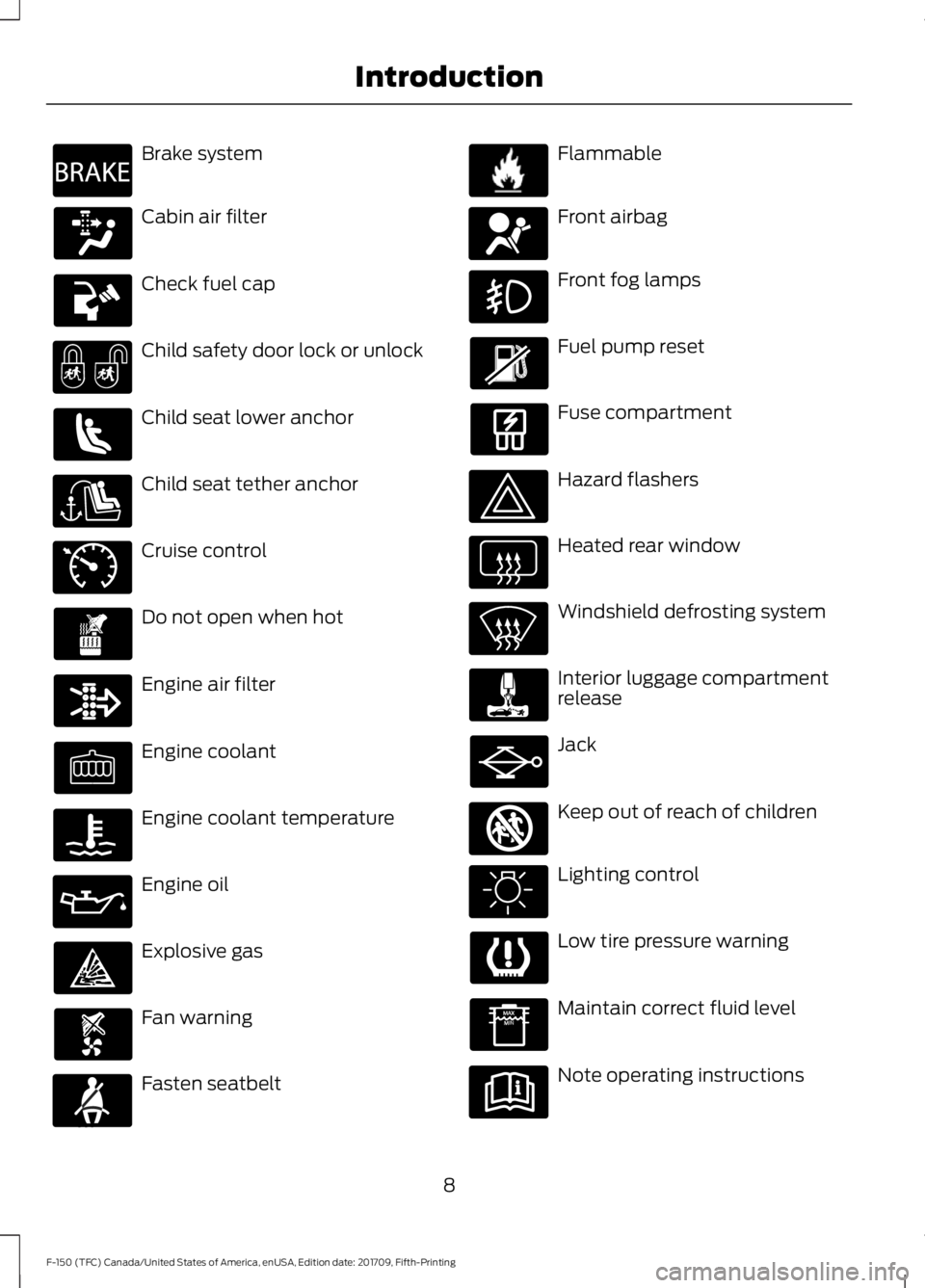
Brake system
Cabin air filter
Check fuel cap
Child safety door lock or unlock
Child seat lower anchor
Child seat tether anchor
Cruise control
Do not open when hot
Engine air filter
Engine coolant
Engine coolant temperature
Engine oil
Explosive gas
Fan warning
Fasten seatbelt Flammable
Front airbag
Front fog lamps
Fuel pump reset
Fuse compartment
Hazard flashers
Heated rear window
Windshield defrosting system
Interior luggage compartment
release
Jack
Keep out of reach of children
Lighting control
Low tire pressure warning
Maintain correct fluid level
Note operating instructions
8
F-150 (TFC) Canada/United States of America, enUSA, Edition date: 201709, Fifth-Printing IntroductionE270480 E71340 E71880 E231160 E67017 E161353
Page 38 of 641
Note:
The child restraint must rest tightly
against the vehicle seat upon which it is
installed. It may be necessary to lift or
remove the head restraint. See Seats (page
151).
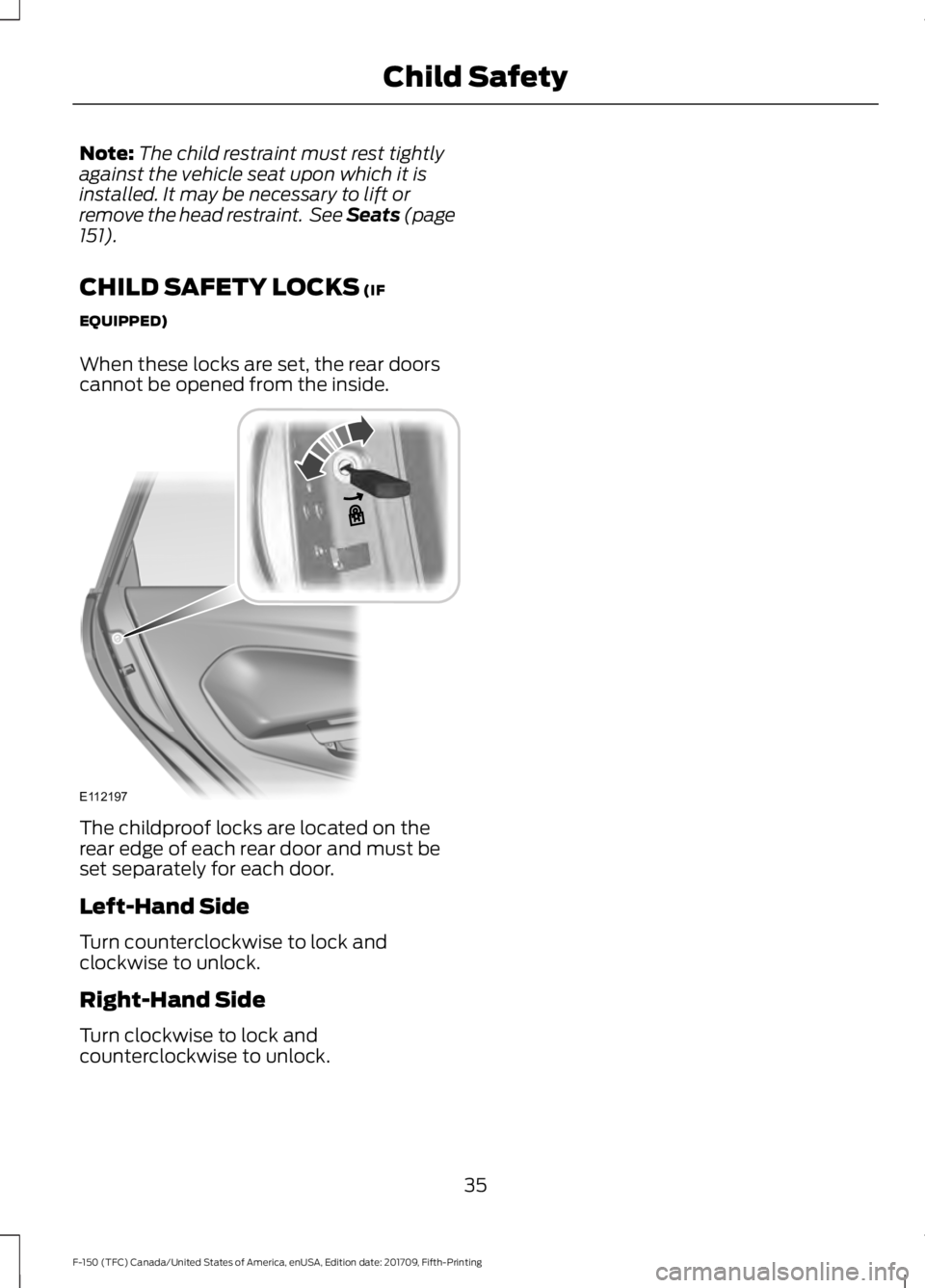
CHILD SAFETY LOCKS
(IF
EQUIPPED)
When these locks are set, the rear doors
cannot be opened from the inside. The childproof locks are located on the
rear edge of each rear door and must be
set separately for each door.
Left-Hand Side
Turn counterclockwise to lock and
clockwise to unlock.
Right-Hand Side
Turn clockwise to lock and
counterclockwise to unlock.
35
F-150 (TFC) Canada/United States of America, enUSA, Edition date: 201709, Fifth-Printing Child SafetyE112197
Page 59 of 641
GENERAL INFORMATION ON
RADIO FREQUENCIES
This device complies with Part 15 of the
FCC Rules and with Industry Canada
license-exempt RSS standard(s).
Operation is subject to the following two
conditions: (1) This device may not cause
harmful interference, and (2) This device
must accept any interference received,
including interference that may cause
undesired operation.
Note:
Changes or modifications not
expressively approved by the party
responsible for compliance could void the
user's authority to operate the equipment.
The term "IC:" before the radio certification
number only signifies that Industry Canada
technical specifications were met.
The typical operating range for your
transmitter is approximately 33 ft (10 m).
Vehicles with the remote start feature will
have a greater range. One of the following
could cause a decrease in operating range:
• Weather conditions.
• Nearby radio towers.
• Structures around the vehicle.
• Other vehicles parked next to your
vehicle.
Other short-distance radio transmitters,
such as amateur radios, medical
equipment, wireless headphones, remote
controls and alarm systems may operate
on the same frequency as your remote
control. If other transmitters are operating
on those frequencies, you may not be able
to use your remote control. Using your
remote control near some types of
electronic equipment, such as USB devices,
computers or cell phones can interfere with
remote operation. Operating your remote
control near metal or metallic-finished
purses, bags or clothing can interfere with
remote operation. You can lock and unlock
the doors with the key. Note:
Make sure to lock your vehicle before
leaving it unattended.
Note: If you are in range, the remote control
still operates if you press any button
unintentionally.
Intelligent Access
(If Equipped)
The system uses a radio frequency signal
to communicate with your vehicle and
authorize your vehicle to unlock when one
of the following conditions are met:
• You touch the inside of the front
exterior door handle within
3 ft (1 m)
proximity of an intelligent access key.
• You press the tailgate release button.
• You press a button on the remote
control.
If excessive radio frequency interference
is present in the area or if the remote
control battery is low, you may need to
mechanically unlock your door. You can
use the mechanical key blade in your
intelligent access key to open the driver
door in this situation. See Remote Control
(page
56).
REMOTE CONTROL
Integrated Keyhead Transmitter (If
Equipped)
Use the key blade to start your vehicle and
unlock or lock the driver door from outside
your vehicle. The integrated keyhead
transmitter functions as a programmed
ignition key that operates all the locks and
starts your vehicle, as well as a remote
control.
56
F-150 (TFC) Canada/United States of America, enUSA, Edition date: 201709, Fifth-Printing Keys and Remote Controls
Page 64 of 641
Remote Start (If Equipped)
WARNING:
To avoid exhaust
fumes, do not use remote start if your
vehicle is parked indoors or in areas that
are not well ventilated.
Note: Do not use remote start if your fuel
level is low. The remote start button is on the
transmitter.
This feature allows you to start your
vehicle from the outside. The transmitter
has an extended operating range.
If your vehicle has automatic climate
control, you can configure it to operate
when you remote start your vehicle. See
Climate Control
(page 143). A manual
climate control system will run at the
setting it was set to when you switched
your vehicle off.
Many states and provinces have
restrictions for the use of remote start.
Check your local and state or provincial
laws for specific requirements regarding
remote start systems.
The remote start system does not work if:
• The ignition is on.
• The alarm system triggers.
• You disable the feature.
• The hood is open.
• The transmission is not in park (P).
• The vehicle battery voltage is too low.
• The service engine soon light is on.
Remote Control Feedback (If
Equipped)
An LED on the remote control provides
status feedback of remote start or stop
commands. Status
LED
Remote startsuccessful
Solid green
Remote stopsuccessful
Solid red
Request failed or
status not received
Blinking red
Status incomplete
Blinking green
Remote Starting your Vehicle
Note: You must press each button within
three seconds of each other. If you do not
follow this sequence, your vehicle does not
start remotely, the direction indicators do
not flash twice and the horn does not sound. To remote start your vehicle:
1. Press the lock button to lock all the
doors.
2. Press the remote start button twice. The exterior lamps flash twice.
The horn sounds if the system fails to start.
Note: You must press the push button
ignition switch on the instrument panel once
while applying the brake pedal before
driving your vehicle.
The power windows do not work during
remote start and the radio does not turn
on automatically.
61
F-150 (TFC) Canada/United States of America, enUSA, Edition date: 201709, Fifth-Printing Keys and Remote ControlsE138625 E138626
Page 71 of 641
LOCKING AND UNLOCKING
You can use the power door lock control
or the remote control to lock and unlock
your doors and tailgate. See Tailgate
(page 73).
Power Door Locks
(If Equipped)
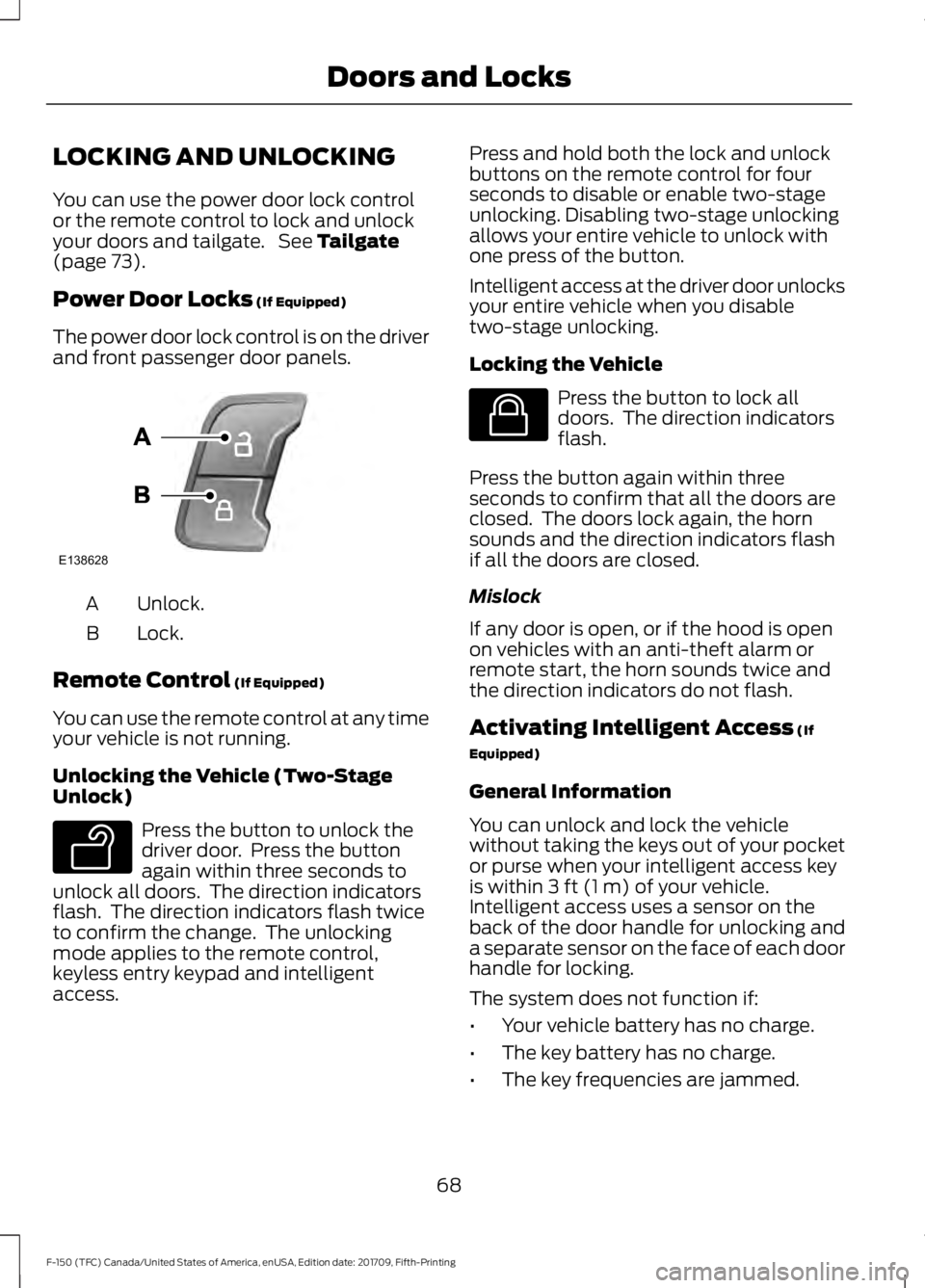
The power door lock control is on the driver
and front passenger door panels. Unlock.
A
Lock.
B
Remote Control
(If Equipped)
You can use the remote control at any time
your vehicle is not running.
Unlocking the Vehicle (Two-Stage
Unlock) Press the button to unlock the
driver door. Press the button
again within three seconds to
unlock all doors. The direction indicators
flash. The direction indicators flash twice
to confirm the change. The unlocking
mode applies to the remote control,
keyless entry keypad and intelligent
access. Press and hold both the lock and unlock
buttons on the remote control for four
seconds to disable or enable two-stage
unlocking. Disabling two-stage unlocking
allows your entire vehicle to unlock with
one press of the button.
Intelligent access at the driver door unlocks
your entire vehicle when you disable
two-stage unlocking.
Locking the Vehicle
Press the button to lock all
doors. The direction indicators
flash.
Press the button again within three
seconds to confirm that all the doors are
closed. The doors lock again, the horn
sounds and the direction indicators flash
if all the doors are closed.
Mislock
If any door is open, or if the hood is open
on vehicles with an anti-theft alarm or
remote start, the horn sounds twice and
the direction indicators do not flash.
Activating Intelligent Access
(If
Equipped)
General Information
You can unlock and lock the vehicle
without taking the keys out of your pocket
or purse when your intelligent access key
is within
3 ft (1 m) of your vehicle.
Intelligent access uses a sensor on the
back of the door handle for unlocking and
a separate sensor on the face of each door
handle for locking.
The system does not function if:
• Your vehicle battery has no charge.
• The key battery has no charge.
• The key frequencies are jammed.
68
F-150 (TFC) Canada/United States of America, enUSA, Edition date: 201709, Fifth-Printing Doors and LocksE138628 E138629 E138623
Page 72 of 641
Note:
The system may not function if the
key is close to metal objects or electronic
devices, for example keys or a cell phone.
Note: If the system does not function, use
the key blade to lock and unlock your
vehicle. See Remote Control (page 56).
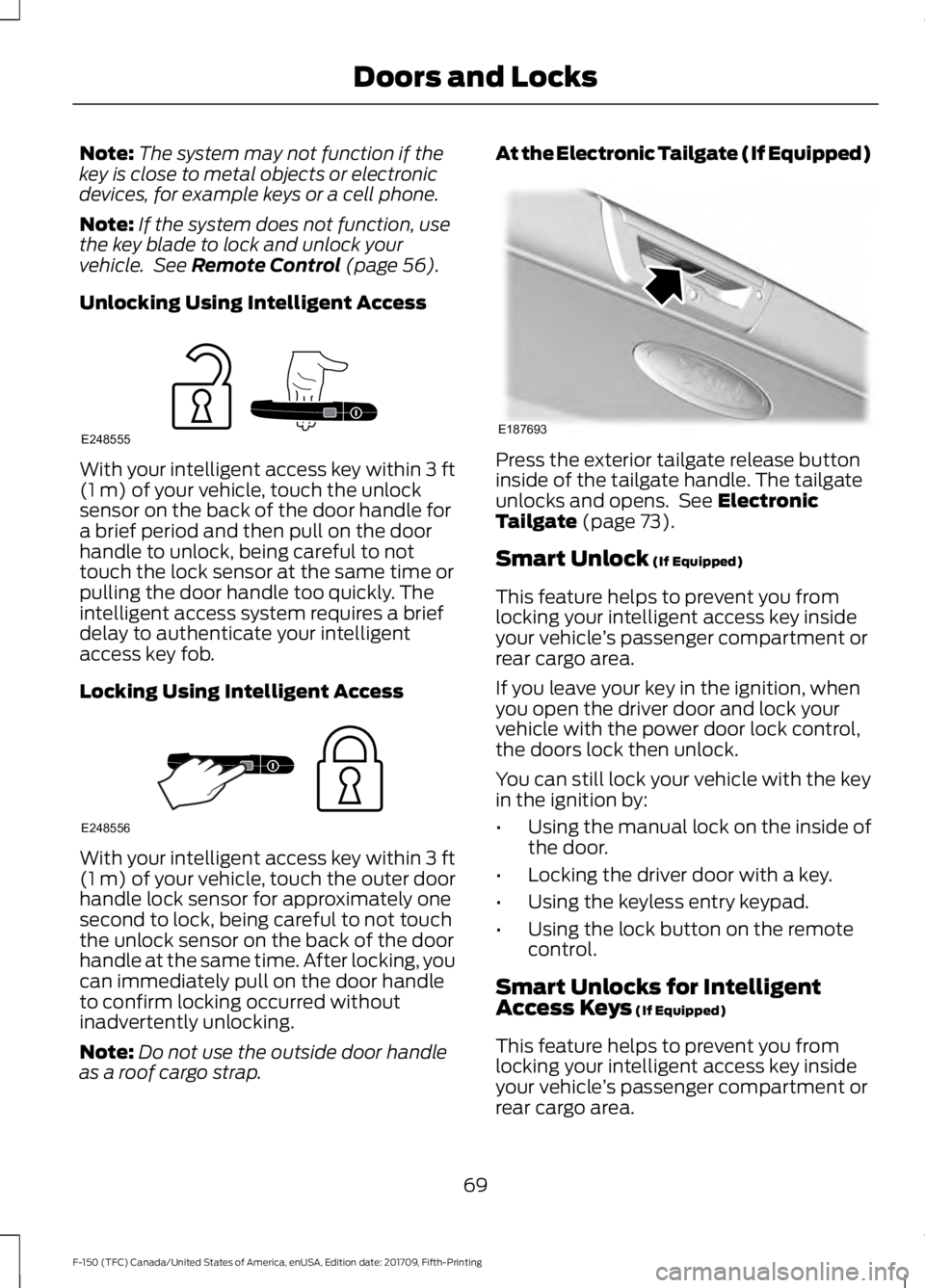
Unlocking Using Intelligent Access With your intelligent access key within
3 ft
(1 m) of your vehicle, touch the unlock
sensor on the back of the door handle for
a brief period and then pull on the door
handle to unlock, being careful to not
touch the lock sensor at the same time or
pulling the door handle too quickly. The
intelligent access system requires a brief
delay to authenticate your intelligent
access key fob.
Locking Using Intelligent Access With your intelligent access key within
3 ft
(1 m) of your vehicle, touch the outer door
handle lock sensor for approximately one
second to lock, being careful to not touch
the unlock sensor on the back of the door
handle at the same time. After locking, you
can immediately pull on the door handle
to confirm locking occurred without
inadvertently unlocking.
Note: Do not use the outside door handle
as a roof cargo strap. At the Electronic Tailgate (If Equipped)
Press the exterior tailgate release button
inside of the tailgate handle. The tailgate
unlocks and opens. See
Electronic
Tailgate (page 73).
Smart Unlock
(If Equipped)
This feature helps to prevent you from
locking your intelligent access key inside
your vehicle ’s passenger compartment or
rear cargo area.
If you leave your key in the ignition, when
you open the driver door and lock your
vehicle with the power door lock control,
the doors lock then unlock.
You can still lock your vehicle with the key
in the ignition by:
• Using the manual lock on the inside of
the door.
• Locking the driver door with a key.
• Using the keyless entry keypad.
• Using the lock button on the remote
control.
Smart Unlocks for Intelligent
Access Keys
(If Equipped)
This feature helps to prevent you from
locking your intelligent access key inside
your vehicle ’s passenger compartment or
rear cargo area.
69
F-150 (TFC) Canada/United States of America, enUSA, Edition date: 201709, Fifth-Printing Doors and LocksE248555 E248556 E187693
Page 73 of 641
When you lock your vehicle using the
power door lock control (with the door
open, vehicle in park and ignition off), your
vehicle searches for an intelligent access
key in the passenger compartment after
you close the door. If your vehicle finds a
key, all of the doors immediately unlock.
In order to override the smart unlock
feature and intentionally lock the
intelligent access key inside your vehicle,
you can lock your vehicle after all doors
are closed by using the keyless entry
keypad, pressing the lock button on
another intelligent access key or touching
the locking area on the handle with another
intelligent access key in your hand.
When you open one of the front doors and
lock your vehicle using the power door lock
control, all doors lock then unlock if the
ignition is on.
Autolock (If Equipped)
Autolock locks all the doors when:
• All doors are closed.
• The ignition is on.
• You shift into any gear putting your
vehicle in motion.
• Your vehicle reaches a speed greater
than
12 mph (20 km/h).
Autolock repeats when:
• You open then close any door while the
ignition is on and your vehicle speed is
9 mph (15 km/h)
or lower.
• Your vehicle reaches a speed greater
than
12 mph (20 km/h). Autounlock
Autounlock unlocks all the doors when:
•
The ignition is on, all the doors are
closed, and your vehicle has been
moving at a speed greater than 12 mph
(20 km/h)
.
• Your vehicle comes to a stop and you
switch the ignition off or to the
accessory position.
• You open the driver door within 10
minutes of switching the ignition off or
to accessory.
Note: The doors do not autounlock if you
electronically lock your vehicle after you
switch the ignition off and before you open
the driver door.
Enabling or Disabling Autounlock
You can enable or disable the autounlock
feature in the information display or an
authorized dealer can do it for you. See
General Information
(page 113).
Illuminated Entry
The interior lamps and select exterior
lamps illuminate when you unlock the
doors with the remote entry system.
The illuminated entry system turns off the
lights if:
• The ignition is on.
• You press the remote control lock
button.
• After 25 seconds of illumination.
The dome lamp does not turn on if the
control is set to the off position.
The lights do not turn off if:
• You switch them on with the dimmer
control.
• Any door is open.
70
F-150 (TFC) Canada/United States of America, enUSA, Edition date: 201709, Fifth-Printing Doors and Locks
Page 74 of 641
Battery Saver
The battery saver turns off the interior
lamps 30 minutes after you switch off the
ignition if a door is open and the dome
lamp switch is on. It turns off the interior
lamps after 10 minutes if the dome lamp
switch is off.
Accessory Mode Battery Saver for
Intelligent Access Keys (If Equipped)
If you leave the ignition on after leaving
your vehicle, it turns off 15 minutes after
you close all of the doors.
KEYLESS ENTRY (IF EQUIPPED)
SECURICODE™ KEYLESS ENTRY
KEYPAD
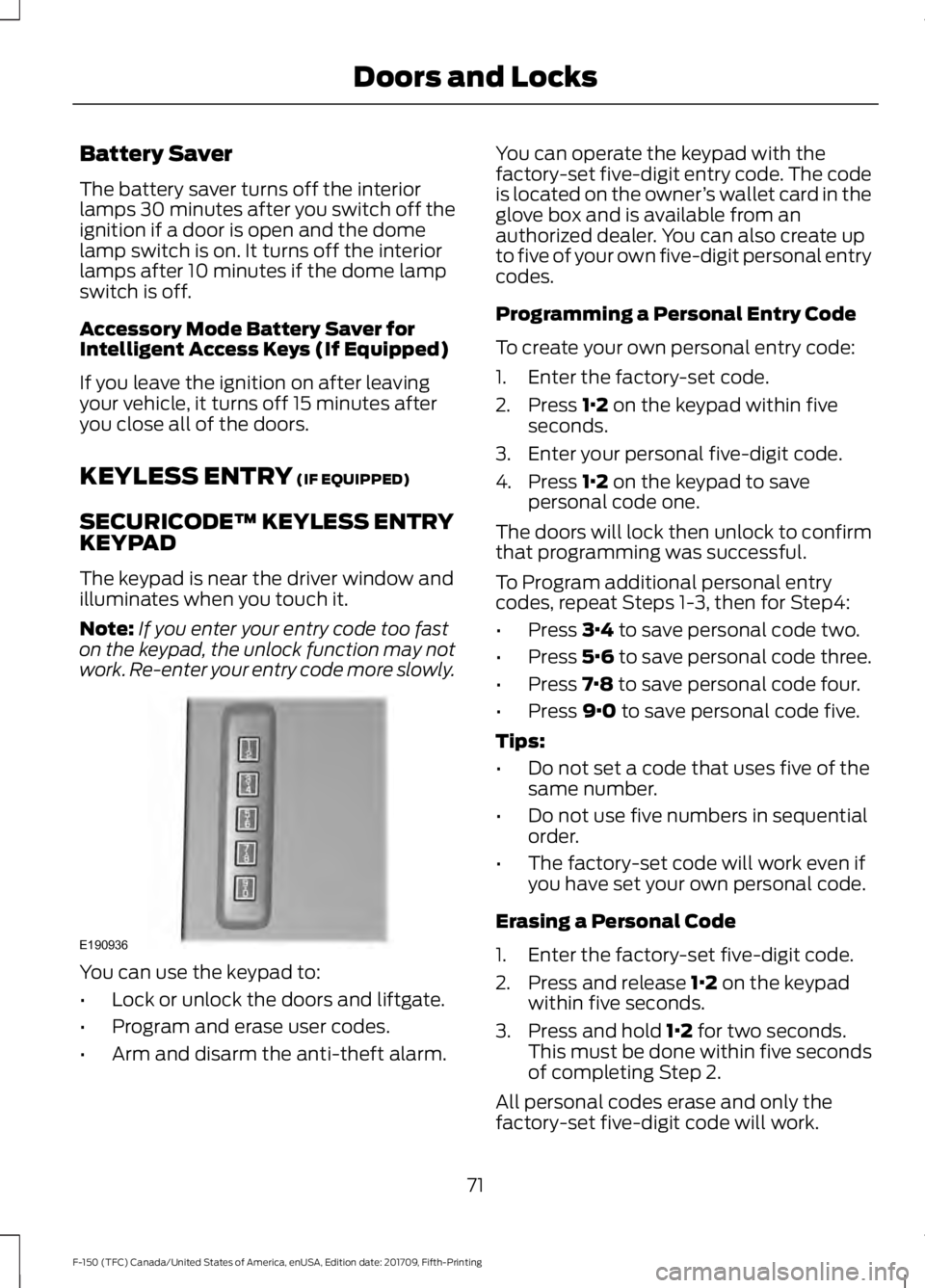
The keypad is near the driver window and
illuminates when you touch it.
Note: If you enter your entry code too fast
on the keypad, the unlock function may not
work. Re-enter your entry code more slowly. You can use the keypad to:
•
Lock or unlock the doors and liftgate.
• Program and erase user codes.
• Arm and disarm the anti-theft alarm. You can operate the keypad with the
factory-set five-digit entry code. The code
is located on the owner
’s wallet card in the
glove box and is available from an
authorized dealer. You can also create up
to five of your own five-digit personal entry
codes.
Programming a Personal Entry Code
To create your own personal entry code:
1. Enter the factory-set code.
2. Press
1·2 on the keypad within five
seconds.
3. Enter your personal five-digit code.
4. Press
1·2 on the keypad to save
personal code one.
The doors will lock then unlock to confirm
that programming was successful.
To Program additional personal entry
codes, repeat Steps 1-3, then for Step4:
• Press
3·4 to save personal code two.
• Press
5·6 to save personal code three.
• Press
7·8 to save personal code four.
• Press
9·0 to save personal code five.
Tips:
• Do not set a code that uses five of the
same number.
• Do not use five numbers in sequential
order.
• The factory-set code will work even if
you have set your own personal code.
Erasing a Personal Code
1. Enter the factory-set five-digit code.
2. Press and release
1·2 on the keypad
within five seconds.
3. Press and hold
1·2 for two seconds.
This must be done within five seconds
of completing Step 2.
All personal codes erase and only the
factory-set five-digit code will work.
71
F-150 (TFC) Canada/United States of America, enUSA, Edition date: 201709, Fifth-Printing Doors and LocksE190936