center console FORD F-150 2019 User Guide
[x] Cancel search | Manufacturer: FORD, Model Year: 2019, Model line: F-150, Model: FORD F-150 2019Pages: 644, PDF Size: 14.81 MB
Page 189 of 644
•
If you select Normal, Eco, Snow/Wet
or Grass/Gravel/Snow modes. (if
equipped).
• You are not in 4H or 4L.
• You have not selected Manual shift
mode.
• Trail control is not active.
• You have not selected Tow haul, Sport,
Sand, Mud/Rut or Baja modes. (if
equipped).
Note: Note when in Sport mode it can be
enabled by pressing the Auto-Start-Stop
button. The green Auto-Start-Stop
indicator light on the instrument
cluster will illuminate to indicate
when the automatic engine stop occurs. If the instrument cluster is
equipped with a grey
Auto-Start-Stop indicator light,
it illuminates when automatic engine stop
is not available due to one of the above
noted conditions not being met.
Automatic Engine Restart
Any of the following conditions will result
in an automatic restart of the engine:
• You have removed your foot from the
brake pedal.
• You press the accelerator pedal.
• You press the accelerator and the
brake pedal at the same time.
• The driver safety belt becomes
unfastened or the driver door is ajar.
• Your vehicle is moving.
• The interior compartment does not
meet customer comfort when air
conditioning or heat is on.
• Fogging of the windows could occur
and the air conditioning is on.
• The battery is not within optimal
operating conditions. •
You have exceeded the maximum
engine off time.
• When you press the Auto-Start-Stop
button with the engine automatically
stopped.
• The front defroster is turned to the Max
setting.
Any of the following conditions may result
in an automatic restart of the engine:
• You have increased the blower fan
speed or changed the climate control
temperature.
• You have an electrical accessory
turned on or plugged in.
Note: You may notice that the climate seat
fan fluctuates during an automatic restart.
Disabling Auto-Start-Stop Press the Auto-Start-Stop button located
on the center console to switch the system
off. The button will illuminate. Deactivating
using the button lasts only 1 key cycle.
Press the button again to restore
Auto-Start-Stop function.
Note:
If the Shift to P, Restart Engine
message appears and the amber
Auto-Start-Stop indicator light is flashing,
automatic restart is not available. You must
restart the vehicle manually. See
Information Displays (page 116).
186
F-150 (TFC) Canada/United States of America, enUSA, Edition date: 201808, Third-Printing- Unique Driving Characteristics E146361 E181352
Page 232 of 644
HINTS ON DRIVING WITH
ANTI-LOCK BRAKES
The anti-lock braking system does not
eliminate the risks when:
•
You drive too closely to the vehicle in
front of you.
• Your vehicle is hydroplaning.
• You take corners too fast.
• The road surface is poor.
Note: If the system activates, the brake
pedal may pulse and may travel further.
Maintain pressure on the brake pedal. You
may also hear a noise from the system. This
is normal.
ELECTRIC PARKING BRAKE WARNING: Always fully apply the
parking brake and make sure you shift
into park (P). Failure to follow this
instruction could result in personal injury
or death. WARNING:
If you drive extended
distances with the parking brake applied,
you could cause damage to the brake
system. WARNING:
The electric parking
brake does not operate if the vehicle
battery is running out of charge.
Your vehicle has an electric parking brake.
You operate it with a switch instead of a
lever. The switch is on the center console
or to the left-hand side of the steering
wheel, on the lower part of the instrument
panel.
Note: The electric parking brake makes
noises during operation. This is normal. Applying the Electric Parking
Brake Pull the switch upward.
The red warning lamp flashes
during operation and illuminates
when the parking brake is
applied. Note:
It remains illuminated for a short
period of time after you switch the ignition
off.
If it continues to flash or does not
illuminate, the system has malfunctioned.
Have your vehicle checked as soon as
possible.
Note: You can apply the electric parking
brake when the ignition is off.
Note: The electric parking brake could
automatically apply when you shift into park
(P). See
Transmission (page 212).
Applying the Electric Parking Brake in
an Emergency
Note: Do not apply the electric parking
brake when your vehicle is moving, except
in an emergency. If you repeatedly use the
electric parking brake to slow or stop your
vehicle, you could cause damage to the
brake system.
You can use the electric parking brake to
slow or stop your vehicle in an emergency. Pull the switch upward and hold
it.
The red warning lamp
illuminates, a tone sounds and
the stoplamps turn on.
229
F-150 (TFC) Canada/United States of America, enUSA, Edition date: 201808, Third-Printing- BrakesE267156 E270480 E267156 E270480
Page 236 of 644
PRINCIPLE OF OPERATION
WARNING: Vehicle modifications
involving braking system, aftermarket
roof racks, suspension, steering system,
tire construction and wheel and tire size
may change the handling characteristics
of your vehicle and may adversely affect
the performance of the electronic
stability control system. In addition,
installing any stereo loudspeakers may
interfere with and adversely affect the
electronic stability control system. Install
any aftermarket stereo loudspeaker as
far as possible from the front center
console, the tunnel, and the front seats
in order to minimize the risk of interfering
with the electronic stability control
sensors. Reducing the effectiveness of
the electronic stability control system
could lead to an increased risk of loss of
vehicle control, vehicle rollover, personal
injury and death. WARNING:
Remember that even
advanced technology cannot defy the
laws of physics. It's always possible to
lose control of a vehicle due to
inappropriate driver input for the
conditions. Aggressive driving on any
road condition can cause you to lose
control of your vehicle increasing the risk
of personal injury or property damage.
Activation of the electronic stability
control system is an indication that at
least some of the tires have exceeded
their ability to grip the road; this could
reduce the operator's ability to control
the vehicle potentially resulting in a loss
of vehicle control, vehicle rollover,
personal injury and death. If your
electronic stability control system
activates, SLOW DOWN.
The system automatically turns on each
time you switch the ignition on. If the stability control or traction control
system detects a fault, the following may
occur:
•
The stability and traction control light
illuminates steadily.
• The stability control and traction
control systems do not enhance your
vehicle's ability to maintain traction of
the wheels.
If the stability control or traction control
system activates, the following may occur:
• The stability and traction control light
flashes.
• Your vehicle slows down.
• Reduced engine power.
• A vibration in the brake pedal.
• The brake pedal is stiffer than usual.
• If the driving condition is severe and
your foot is not on the brake pedal, the
pedal may move as the system applies
higher brake force.
The stability control system has several
features built into it to help you maintain
control of your vehicle.
Electronic Stability Control
The system helps to prevent your vehicle
skidding or laterally sliding by individually
applying the brakes to one or more wheels
and, if necessary, reducing engine power.
Roll Stability Control
The system helps to prevent rollovers by
detecting your vehicle's roll motion, and
individually applying the brakes to one or
more wheels.
233
F-150 (TFC) Canada/United States of America, enUSA, Edition date: 201808, Third-Printing- Stability Control
Page 262 of 644
When you switch the system on and it
detects an unintentional drift out of your
lane is likely to occur, the system notifies
or assists you to stay in your lane through
the steering system and information
display. In Alert mode, the system provides
a warning by vibrating the steering wheel.
In Aid mode, the system provides steering
assistance by gently counter steering your
vehicle back into the lane.
When the system is functioning in the
combined Alert and Aid mode, the system
first provides steering assistance by gently
counter steering your vehicle back into the
lane, followed by a warning that vibrates
the steering wheel if the vehicle is still out
of the lane markings.
Switching the System On and Off
Note:
The system on or off setting is stored
until it is manually changed, unless a
MyKey ™ is detected. If the system detects
a MyKey ™, it defaults to on and the mode
is set to alert.
Note: If a MyKey ™ is detected, pressing
the button does not affect the on or off
status of the system. You can only change
the mode and intensity settings. Press the button on the center
console to switch the system on
or off. System Settings
The system has optional menu settings
available. See General Information
(page 116). The system stores the last
known selection for each of these settings.
You do not need to readjust your settings
each time you switch on the system.
Adjust the settings to enable one of the
three modes:
Alert Only Alert Only mode provides a steering wheel
vibration when an unintended lane
departure is detected.
Aid Only
Aid Only mode provides steering
assistance toward the lane center.
259
F-150 (TFC) Canada/United States of America, enUSA, Edition date: 201808, Third-Printing- Driving AidsE249505 E173233 E165515 E165516
Page 465 of 644
USB PORT
WARNING: Driving while
distracted can result in loss of vehicle
control, crash and injury. We strongly
recommend that you use extreme
caution when using any device that may
take your focus off the road. Your
primary responsibility is the safe
operation of your vehicle. We
recommend against the use of any
hand-held device while driving and
encourage the use of voice-operated
systems when possible. Make sure you
are aware of all applicable local laws
that may affect the use of electronic
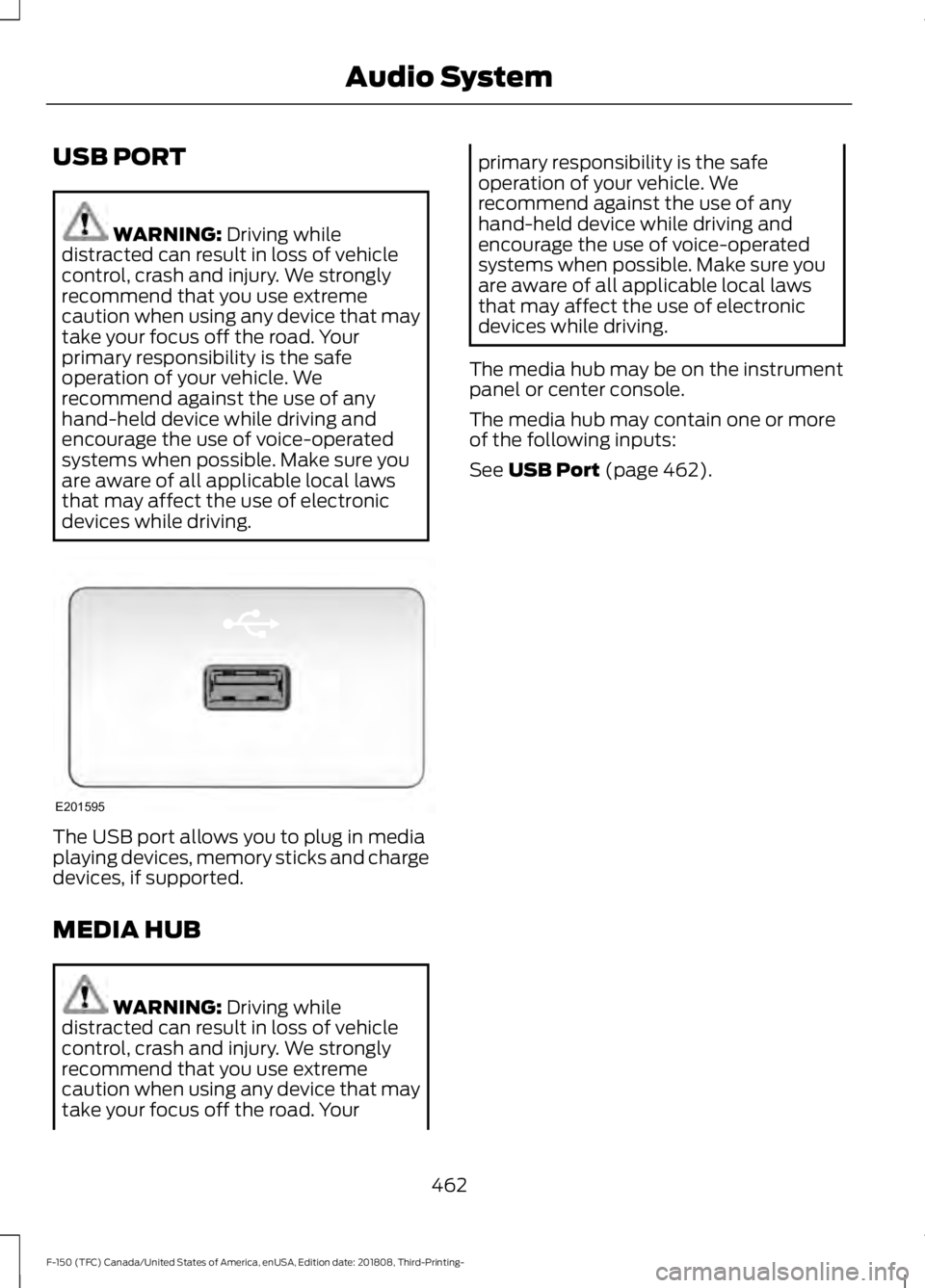
devices while driving. The USB port allows you to plug in media
playing devices, memory sticks and charge
devices, if supported.
MEDIA HUB
WARNING:
Driving while
distracted can result in loss of vehicle
control, crash and injury. We strongly
recommend that you use extreme
caution when using any device that may
take your focus off the road. Your primary responsibility is the safe
operation of your vehicle. We
recommend against the use of any
hand-held device while driving and
encourage the use of voice-operated
systems when possible. Make sure you
are aware of all applicable local laws
that may affect the use of electronic
devices while driving.
The media hub may be on the instrument
panel or center console.
The media hub may contain one or more
of the following inputs:
See
USB Port (page 462).
462
F-150 (TFC) Canada/United States of America, enUSA, Edition date: 201808, Third-Printing- Audio SystemE201595
Page 512 of 644
Function
Button
Playlists
Artist
Albums
Songs
Genres
Podcasts
Audio books
Composers
This button allows you to choose a specific
letter to view within the category you are
browsing.
A-Z Jump
If available, this allows you to browse the
folders and files on your USB device.
Explore Device
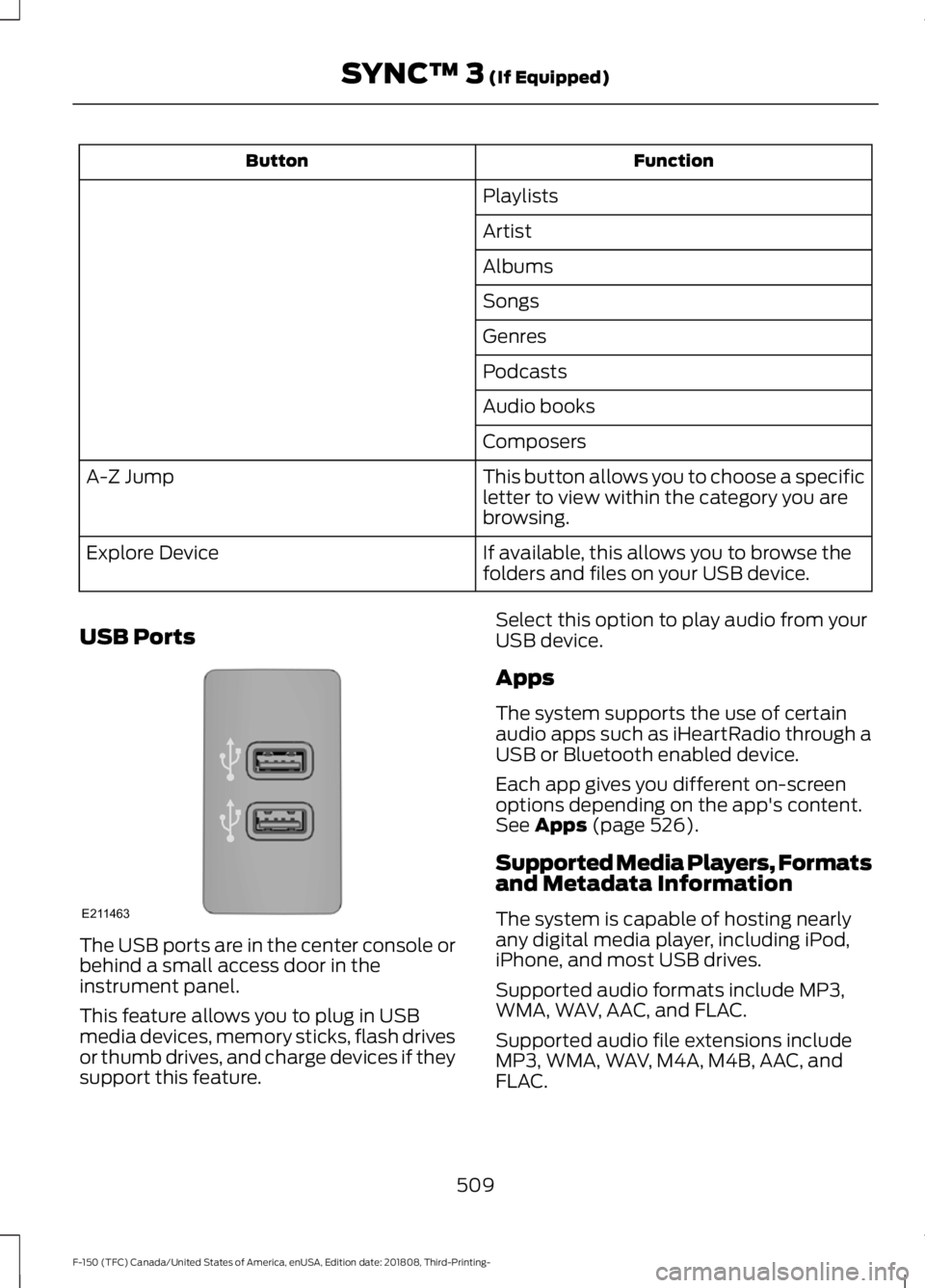
USB Ports The USB ports are in the center console or
behind a small access door in the
instrument panel.
This feature allows you to plug in USB
media devices, memory sticks, flash drives
or thumb drives, and charge devices if they
support this feature. Select this option to play audio from your
USB device.
Apps
The system supports the use of certain
audio apps such as iHeartRadio through a
USB or Bluetooth enabled device.
Each app gives you different on-screen
options depending on the app's content.
See Apps (page 526).
Supported Media Players, Formats
and Metadata Information
The system is capable of hosting nearly
any digital media player, including iPod,
iPhone, and most USB drives.
Supported audio formats include MP3,
WMA, WAV, AAC, and FLAC.
Supported audio file extensions include
MP3, WMA, WAV, M4A, M4B, AAC, and
FLAC.
509
F-150 (TFC) Canada/United States of America, enUSA, Edition date: 201808, Third-Printing- SYNC™ 3
(If Equipped)E211463
Page 632 of 644
BLIS
See: Blind Spot Information System..........262
Body Styling Kits..........................................385
Bonnet Lock See: Opening and Closing the Hood..........350
Booster Seats..................................................33 Types of Booster Seats...................................... 34
Brake Fluid Check........................................364
Brakes..............................................................228 General Information......................................... 228
Breaking-In......................................................319
Bulb Specification Chart..........................450
C
Cabin Air Filter................................................153
Capacities and Specifications - 2.7L EcoBoost™.................................................428
Alternative Engine Oil for Extremely Cold Climates............................................................ 431
Specifications..................................................... 429
Capacities and Specifications - 3.0L Diesel.............................................................432
Specifications..................................................... 433
Capacities and Specifications - 3.3L................................................................436
Alternative Engine Oil for Extremely Cold Climates.......................................................... 440
Specifications...................................................... 437
Capacities and Specifications - 3.5L Ecoboost™..................................................441
Alternative Engine Oil for Extremely Cold Climates........................................................... 445
Specifications..................................................... 442
Capacities and Specifications - 5.0L...............................................................446
Alternative Engine Oil for Extremely Cold Climates........................................................... 449
Specifications......................................................447
Capacities and Specifications.................419
Cargo Lamps...................................................98
Car Wash See: Cleaning the Exterior............................... 377
Catalytic Converter....................................200 On-Board Diagnostics (OBD-II)................... 201
Readiness for Inspection and Maintenance (I/M) Testing.................................................. 202
Center Console
...............................................172 Changing a Bulb...........................................370
Accessing the Halogen High Beam, Low
Beam and Direction Indicator
Bulbs.................................................................. 370
Replacing Brake, Rear, Direction Indicator and Reverse Lamp Bulbs............................ 372
Replacing Cargo Lamp and High-mount Brake Lamp Bulbs......................................... 373
Replacing Exterior Mounted Mirror Direction Indicator Lamp Bulbs.................................. 374
Replacing Fog Lamp Bulbs............................. 372
Replacing LED Brake, Rear, Direction Indicator and Reverse Lamp Bulbs........373
Replacing LED Cargo Lamp, Spot Lamp and High-mount Brake Lamp Bulbs...............373
Replacing LED Direction Indicator and Side Marker Bulbs................................................... 372
Replacing LED Fog lamp Bulbs..................... 372
Replacing LED Headlamp Bulbs.................. 372
Replacing Side Marker Bulb........................... 372
Replacing the Halogen High Beam, Low Beam and Direction Indicator
Bulbs................................................................... 371
Replacing the License Plate Lamp Bulb.................................................................... 373
Changing a Fuse..........................................348 Fuses...................................................................... 348
Changing a Road Wheel
..........................409
Dissimilar Spare Wheel and Tire Assembly
Information..................................................... 409
Jacking the Vehicle............................................. 413
Remove the Vehicle Jack and Tool Bag....................................................................... 411
Removing the Spare Tire................................. 412
Stowing the Flat or Spare Tire....................... 415
Stowing the Vehicle Jack and Tool Bag...................................................................... 415
Tire Change Procedure.................................... 410
Changing the 12V Battery
.........................366
Battery Management System....................... 367
Changing the Engine Air Filter - Diesel.............................................................374
Air Filter Restriction Gauge............................. 375
Changing the Engine Air Filter - Gasoline........................................................374
Changing the Wi-Fi Hotspot Name or Password.....................................................452
Changing the Wiper Blades....................368
629
F-150 (TFC) Canada/United States of America, enUSA, Edition date: 201808, Third-Printing- Index