wheel FORD F-150 2020 User Guide
[x] Cancel search | Manufacturer: FORD, Model Year: 2020, Model line: F-150, Model: FORD F-150 2020Pages: 625, PDF Size: 7.98 MB
Page 93 of 625
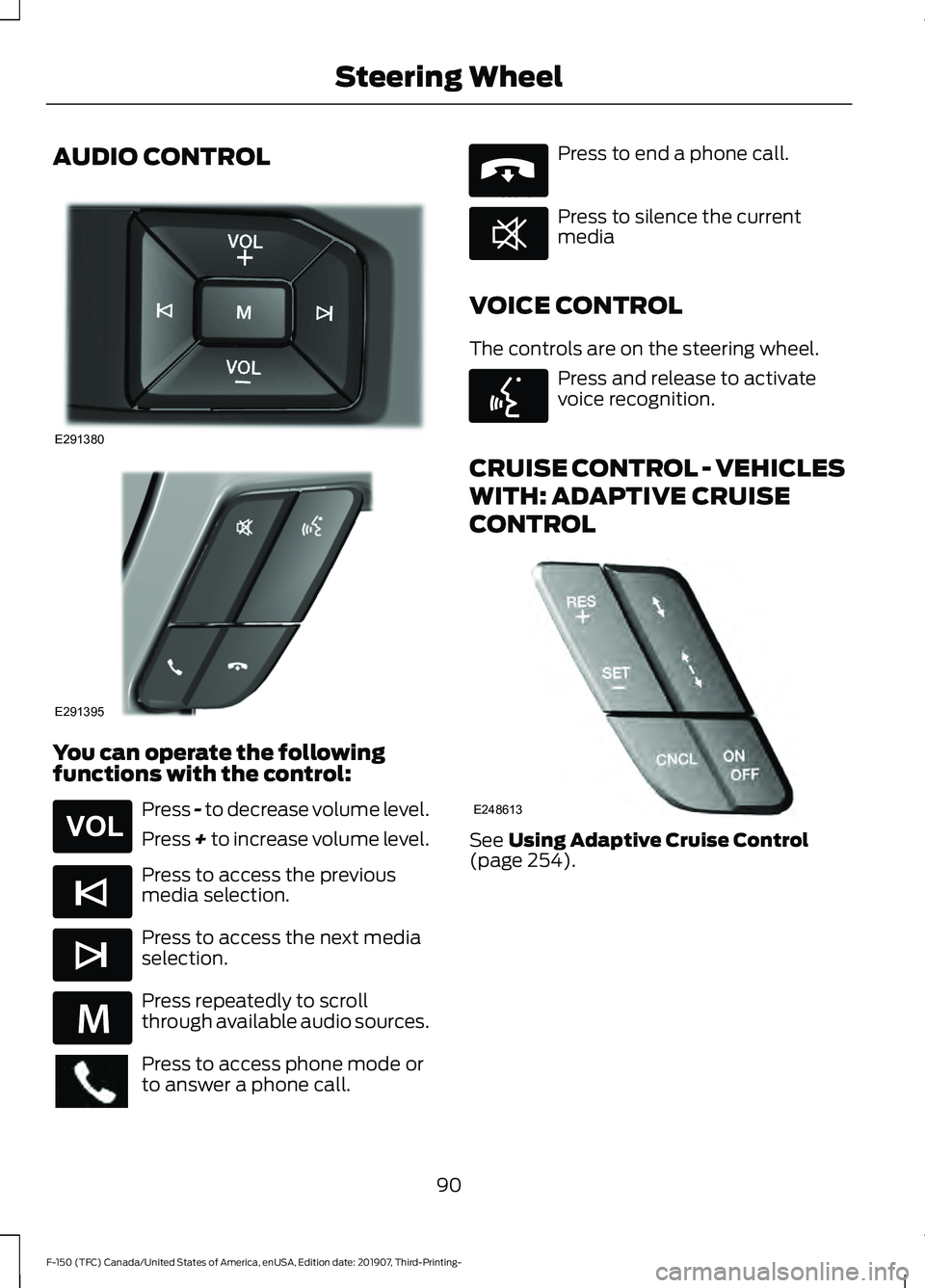
AUDIO CONTROL
You can operate the following
functions with the control:
Press - to decrease volume level.
Press + to increase volume level.
Press to access the previous
media selection.
Press to access the next media
selection.
Press repeatedly to scroll
through available audio sources.
Press to access phone mode or
to answer a phone call. Press to end a phone call.
Press to silence the current
media
VOICE CONTROL
The controls are on the steering wheel. Press and release to activate
voice recognition.
CRUISE CONTROL - VEHICLES
WITH: ADAPTIVE CRUISE
CONTROL See Using Adaptive Cruise Control
(page 254).
90
F-150 (TFC) Canada/United States of America, enUSA, Edition date: 201907, Third-Printing- Steering WheelE291380 E291395 E265304 E265045 E265044 E289636 E265040 E268549 E142599 E248613
Page 94 of 625
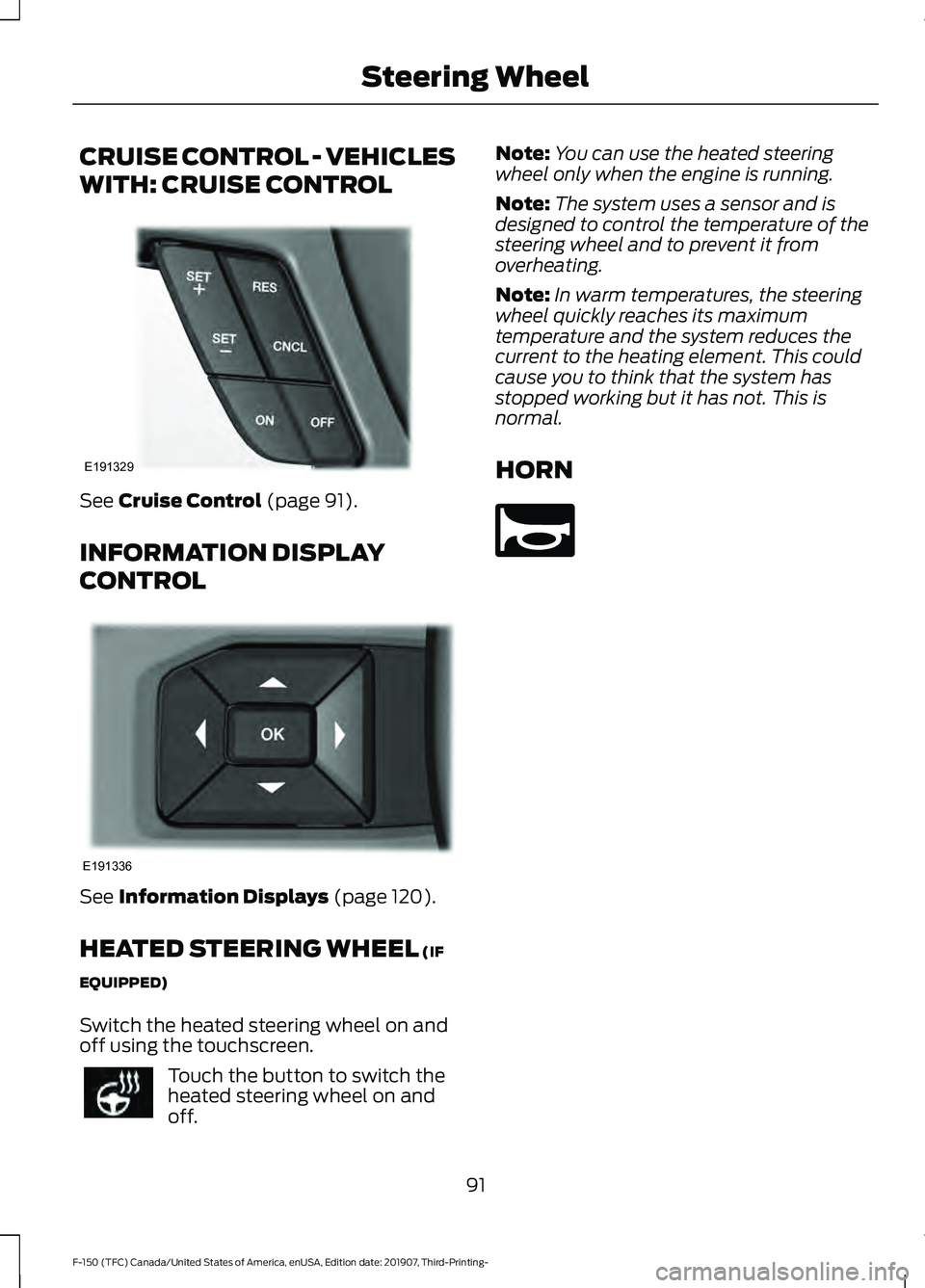
CRUISE CONTROL - VEHICLES
WITH: CRUISE CONTROL
See Cruise Control (page 91).
INFORMATION DISPLAY
CONTROL See
Information Displays (page 120).
HEATED STEERING WHEEL
(IF
EQUIPPED)
Switch the heated steering wheel on and
off using the touchscreen. Touch the button to switch the
heated steering wheel on and
off. Note:
You can use the heated steering
wheel only when the engine is running.
Note: The system uses a sensor and is
designed to control the temperature of the
steering wheel and to prevent it from
overheating.
Note: In warm temperatures, the steering
wheel quickly reaches its maximum
temperature and the system reduces the
current to the heating element. This could
cause you to think that the system has
stopped working but it has not. This is
normal.
HORN 91
F-150 (TFC) Canada/United States of America, enUSA, Edition date: 201907, Third-Printing- Steering WheelE191329 E191336 E270945
Page 118 of 625
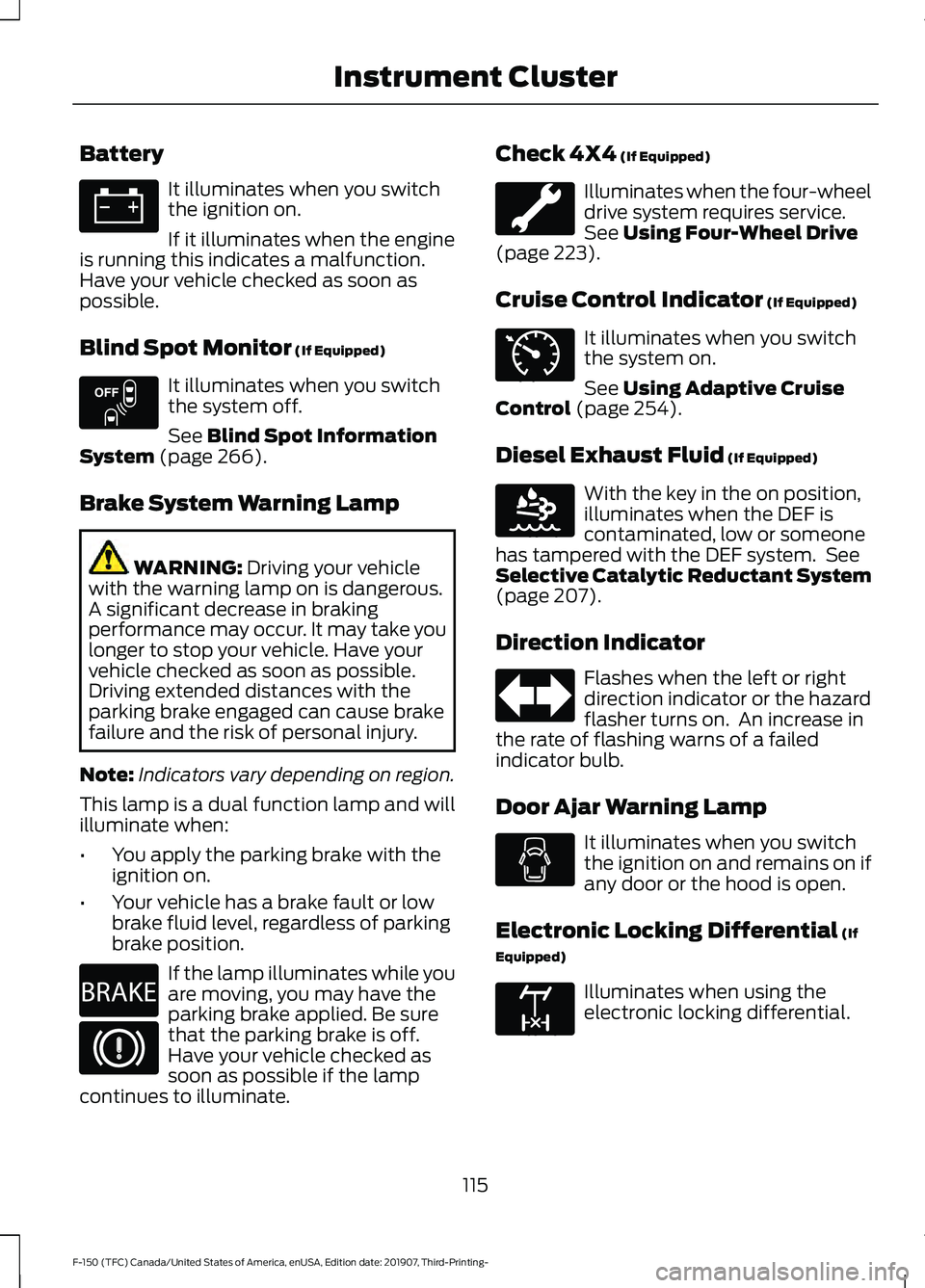
Battery
It illuminates when you switch
the ignition on.
If it illuminates when the engine
is running this indicates a malfunction.
Have your vehicle checked as soon as
possible.
Blind Spot Monitor (If Equipped) It illuminates when you switch
the system off.
See
Blind Spot Information
System (page 266).
Brake System Warning Lamp WARNING:
Driving your vehicle
with the warning lamp on is dangerous.
A significant decrease in braking
performance may occur. It may take you
longer to stop your vehicle. Have your
vehicle checked as soon as possible.
Driving extended distances with the
parking brake engaged can cause brake
failure and the risk of personal injury.
Note: Indicators vary depending on region.
This lamp is a dual function lamp and will
illuminate when:
• You apply the parking brake with the
ignition on.
• Your vehicle has a brake fault or low
brake fluid level, regardless of parking
brake position. If the lamp illuminates while you
are moving, you may have the
parking brake applied. Be sure
that the parking brake is off.
Have your vehicle checked as
soon as possible if the lamp
continues to illuminate. Check 4X4
(If Equipped) Illuminates when the four-wheel
drive system requires service.
See
Using Four-Wheel Drive
(page 223).
Cruise Control Indicator
(If Equipped) It illuminates when you switch
the system on.
See
Using Adaptive Cruise
Control (page 254).
Diesel Exhaust Fluid
(If Equipped) With the key in the on position,
illuminates when the DEF is
contaminated, low or someone
has tampered with the DEF system. See
Selective Catalytic Reductant System
(page
207).
Direction Indicator Flashes when the left or right
direction indicator or the hazard
flasher turns on. An increase in
the rate of flashing warns of a failed
indicator bulb.
Door Ajar Warning Lamp It illuminates when you switch
the ignition on and remains on if
any door or the hood is open.
Electronic Locking Differential
(If
Equipped) Illuminates when using the
electronic locking differential.
115
F-150 (TFC) Canada/United States of America, enUSA, Edition date: 201907, Third-Printing- Instrument Cluster E151262 E270480 E71340 E163176 E163170
Page 119 of 625
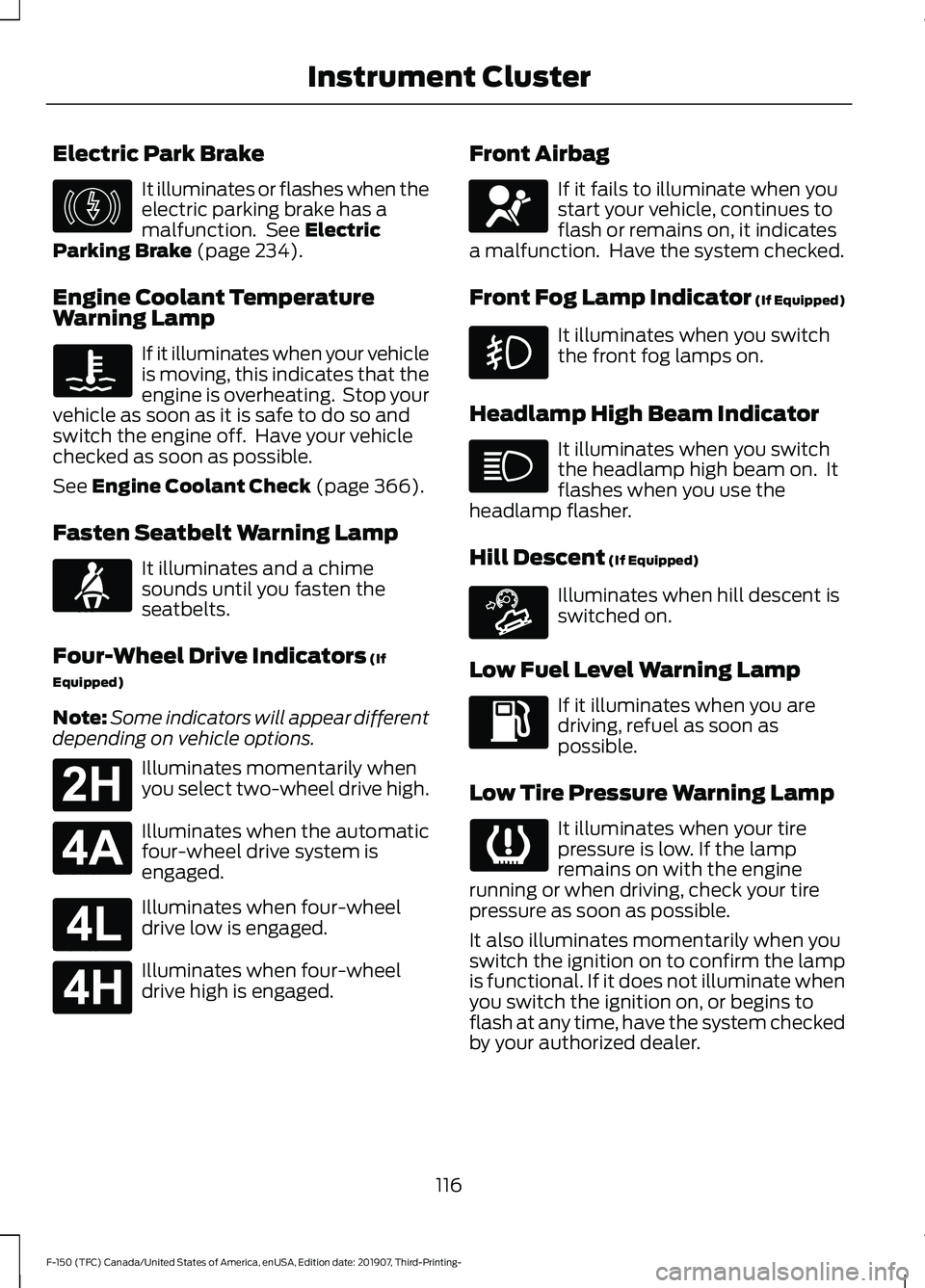
Electric Park Brake
It illuminates or flashes when the
electric parking brake has a
malfunction. See Electric
Parking Brake (page 234).
Engine Coolant Temperature
Warning Lamp If it illuminates when your vehicle
is moving, this indicates that the
engine is overheating. Stop your
vehicle as soon as it is safe to do so and
switch the engine off. Have your vehicle
checked as soon as possible.
See
Engine Coolant Check (page 366).
Fasten Seatbelt Warning Lamp It illuminates and a chime
sounds until you fasten the
seatbelts.
Four-Wheel Drive Indicators
(If
Equipped)
Note: Some indicators will appear different
depending on vehicle options. Illuminates momentarily when
you select two-wheel drive high.
Illuminates when the automatic
four-wheel drive system is
engaged.
Illuminates when four-wheel
drive low is engaged.
Illuminates when four-wheel
drive high is engaged. Front Airbag If it fails to illuminate when you
start your vehicle, continues to
flash or remains on, it indicates
a malfunction. Have the system checked.
Front Fog Lamp Indicator (If Equipped) It illuminates when you switch
the front fog lamps on.
Headlamp High Beam Indicator It illuminates when you switch
the headlamp high beam on. It
flashes when you use the
headlamp flasher.
Hill Descent
(If Equipped) Illuminates when hill descent is
switched on.
Low Fuel Level Warning Lamp If it illuminates when you are
driving, refuel as soon as
possible.
Low Tire Pressure Warning Lamp It illuminates when your tire
pressure is low. If the lamp
remains on with the engine
running or when driving, check your tire
pressure as soon as possible.
It also illuminates momentarily when you
switch the ignition on to confirm the lamp
is functional. If it does not illuminate when
you switch the ignition on, or begins to
flash at any time, have the system checked
by your authorized dealer.
116
F-150 (TFC) Canada/United States of America, enUSA, Edition date: 201907, Third-Printing- Instrument ClusterE146190 E71880 E181778 E181781 E181780 E181779 E67017 E163171
Page 120 of 625
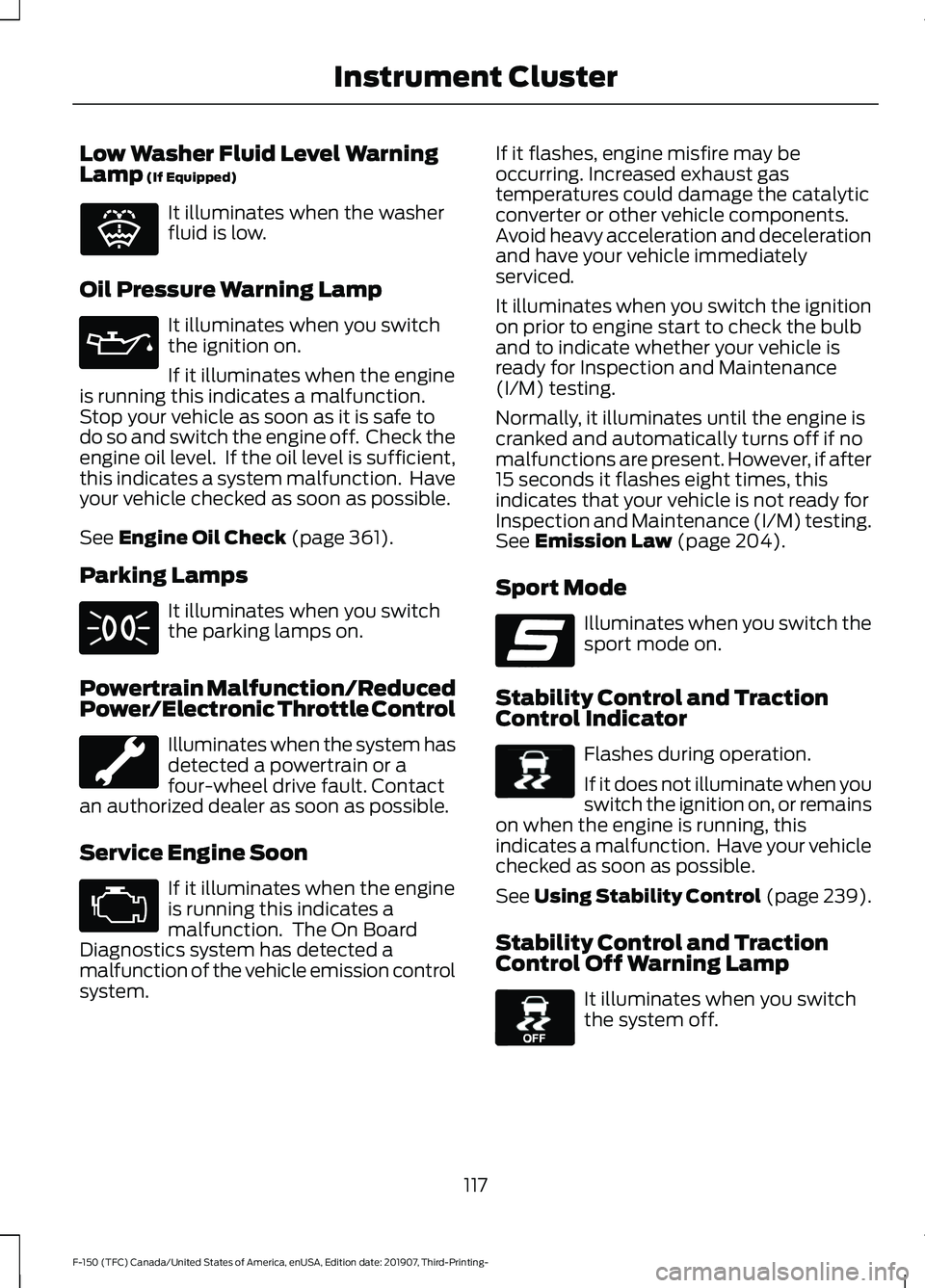
Low Washer Fluid Level Warning
Lamp (If Equipped)
It illuminates when the washer
fluid is low.
Oil Pressure Warning Lamp It illuminates when you switch
the ignition on.
If it illuminates when the engine
is running this indicates a malfunction.
Stop your vehicle as soon as it is safe to
do so and switch the engine off. Check the
engine oil level. If the oil level is sufficient,
this indicates a system malfunction. Have
your vehicle checked as soon as possible.
See
Engine Oil Check (page 361).
Parking Lamps It illuminates when you switch
the parking lamps on.
Powertrain Malfunction/Reduced
Power/Electronic Throttle Control Illuminates when the system has
detected a powertrain or a
four-wheel drive fault. Contact
an authorized dealer as soon as possible.
Service Engine Soon If it illuminates when the engine
is running this indicates a
malfunction. The On Board
Diagnostics system has detected a
malfunction of the vehicle emission control
system. If it flashes, engine misfire may be
occurring. Increased exhaust gas
temperatures could damage the catalytic
converter or other vehicle components.
Avoid heavy acceleration and deceleration
and have your vehicle immediately
serviced.
It illuminates when you switch the ignition
on prior to engine start to check the bulb
and to indicate whether your vehicle is
ready for Inspection and Maintenance
(I/M) testing.
Normally, it illuminates until the engine is
cranked and automatically turns off if no
malfunctions are present. However, if after
15 seconds it flashes eight times, this
indicates that your vehicle is not ready for
Inspection and Maintenance (I/M) testing.
See Emission Law (page 204).
Sport Mode Illuminates when you switch the
sport mode on.
Stability Control and Traction
Control Indicator Flashes during operation.
If it does not illuminate when you
switch the ignition on, or remains
on when the engine is running, this
indicates a malfunction. Have your vehicle
checked as soon as possible.
See Using Stability Control (page 239).
Stability Control and Traction
Control Off Warning Lamp It illuminates when you switch
the system off.
117
F-150 (TFC) Canada/United States of America, enUSA, Edition date: 201907, Third-Printing- Instrument ClusterE132353 E176099 E138639 E130458
Page 123 of 625
GENERAL INFORMATION
WARNING: Driving while distracted
can result in loss of vehicle control, crash
and injury. We strongly recommend that
you use extreme caution when using any
device that may take your focus off the
road. Your primary responsibility is the
safe operation of your vehicle. We
recommend against the use of any
hand-held device while driving and
encourage the use of voice-operated
systems when possible. Make sure you
are aware of all applicable local laws
that may affect the use of electronic
devices while driving.
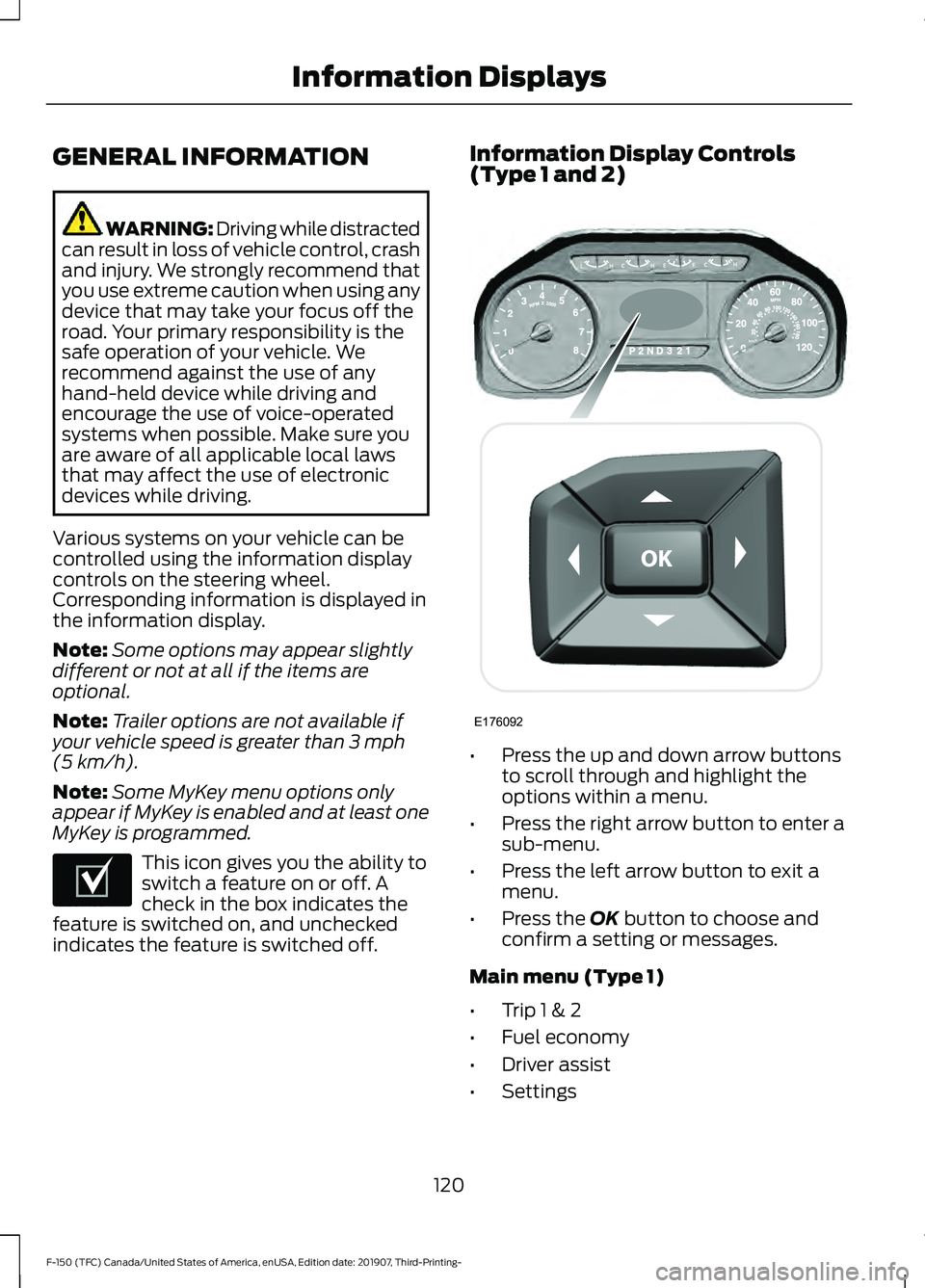
Various systems on your vehicle can be
controlled using the information display
controls on the steering wheel.
Corresponding information is displayed in
the information display.
Note: Some options may appear slightly
different or not at all if the items are
optional.
Note: Trailer options are not available if
your vehicle speed is greater than 3 mph
(5 km/h).
Note: Some MyKey menu options only
appear if MyKey is enabled and at least one
MyKey is programmed. This icon gives you the ability to
switch a feature on or off. A
check in the box indicates the
feature is switched on, and unchecked
indicates the feature is switched off. Information Display Controls
(Type 1 and 2)
•
Press the up and down arrow buttons
to scroll through and highlight the
options within a menu.
• Press the right arrow button to enter a
sub-menu.
• Press the left arrow button to exit a
menu.
• Press the
OK button to choose and
confirm a setting or messages.
Main menu (Type 1)
• Trip 1 & 2
• Fuel economy
• Driver assist
• Settings
120
F-150 (TFC) Canada/United States of America, enUSA, Edition date: 201907, Third-Printing- Information DisplaysE204495 E176092
Page 125 of 625
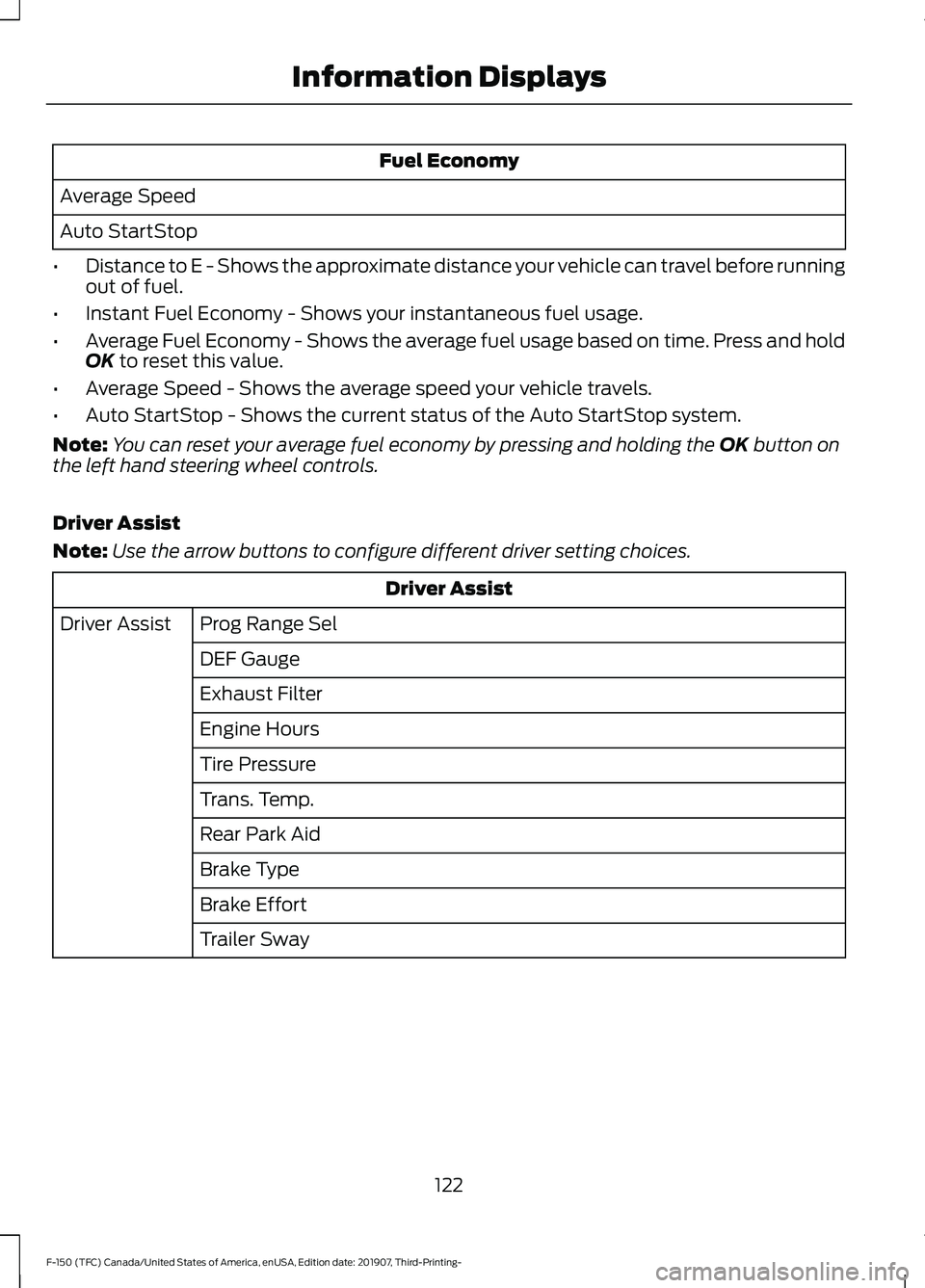
Fuel Economy
Average Speed
Auto StartStop
• Distance to E - Shows the approximate distance your vehicle can travel before running
out of fuel.
• Instant Fuel Economy - Shows your instantaneous fuel usage.
• Average Fuel Economy - Shows the average fuel usage based on time. Press and hold
OK to reset this value.
• Average Speed - Shows the average speed your vehicle travels.
• Auto StartStop - Shows the current status of the Auto StartStop system.
Note: You can reset your average fuel economy by pressing and holding the
OK button on
the left hand steering wheel controls.
Driver Assist
Note: Use the arrow buttons to configure different driver setting choices. Driver Assist
Prog Range Sel
Driver Assist
DEF Gauge
Exhaust Filter
Engine Hours
Tire Pressure
Trans. Temp.
Rear Park Aid
Brake Type
Brake Effort
Trailer Sway
122
F-150 (TFC) Canada/United States of America, enUSA, Edition date: 201907, Third-Printing- Information Displays
Page 129 of 625
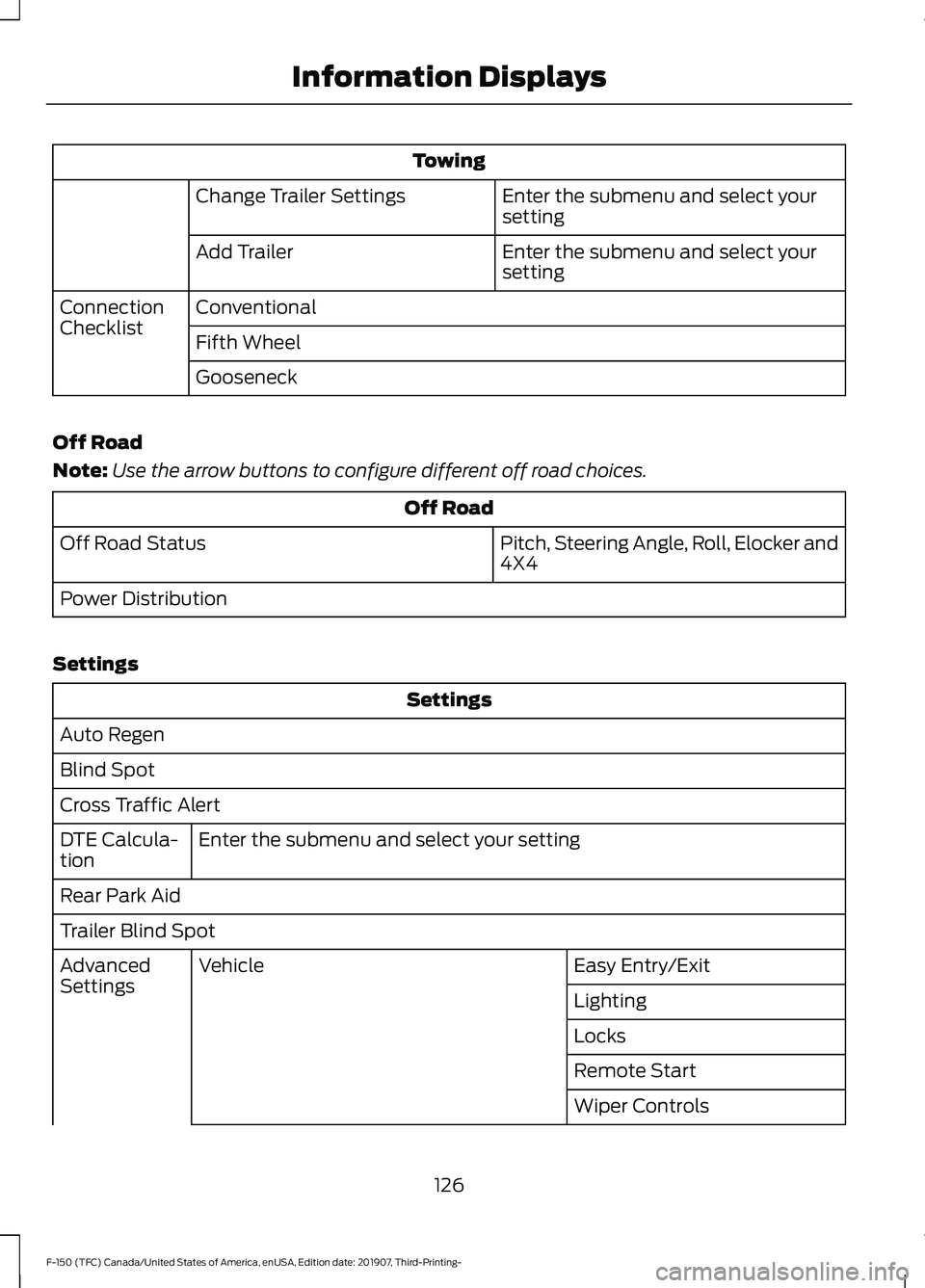
Towing
Enter the submenu and select your
setting
Change Trailer Settings
Enter the submenu and select your
setting
Add Trailer
Conventional
Connection
Checklist
Fifth Wheel
Gooseneck
Off Road
Note: Use the arrow buttons to configure different off road choices. Off Road
Pitch, Steering Angle, Roll, Elocker and
4X4
Off Road Status
Power Distribution
Settings Settings
Auto Regen
Blind Spot
Cross Traffic Alert Enter the submenu and select your setting
DTE Calcula-
tion
Rear Park Aid
Trailer Blind Spot
Easy Entry/Exit
Vehicle
Advanced
Settings
Lighting
Locks
Remote Start
Wiper Controls
126
F-150 (TFC) Canada/United States of America, enUSA, Edition date: 201907, Third-Printing- Information Displays
Page 134 of 625
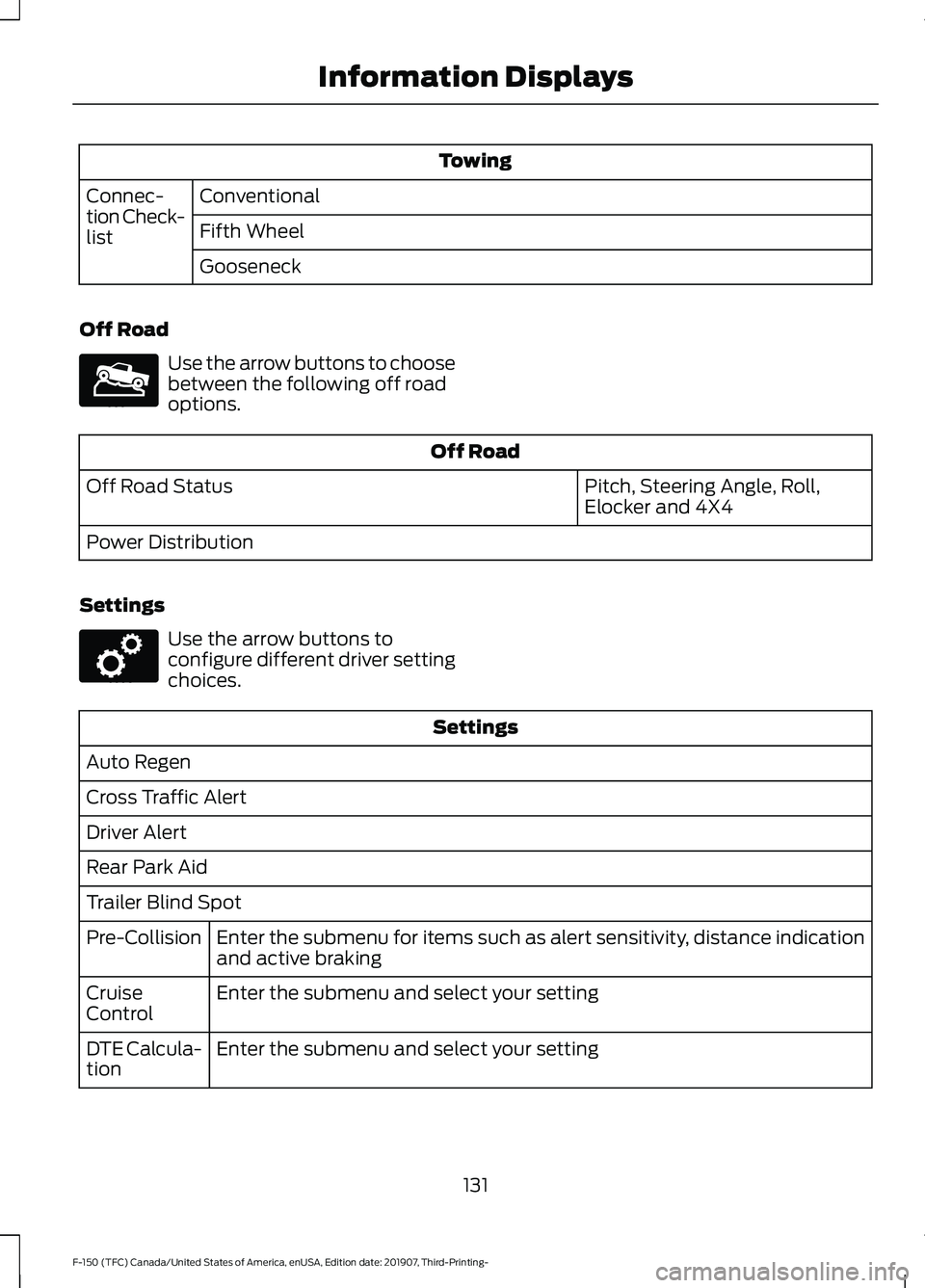
Towing
Conventional
Connec-
tion Check-
list Fifth Wheel
Gooseneck
Off Road Use the arrow buttons to choose
between the following off road
options.
Off Road
Pitch, Steering Angle, Roll,
Elocker and 4X4
Off Road Status
Power Distribution
Settings Use the arrow buttons to
configure different driver setting
choices.
Settings
Auto Regen
Cross Traffic Alert
Driver Alert
Rear Park Aid
Trailer Blind Spot Enter the submenu for items such as alert sensitivity, distance indication
and active braking
Pre-Collision
Enter the submenu and select your setting
Cruise
Control
Enter the submenu and select your setting
DTE Calcula-
tion
131
F-150 (TFC) Canada/United States of America, enUSA, Edition date: 201907, Third-Printing- Information DisplaysE176097 E176098
Page 139 of 625
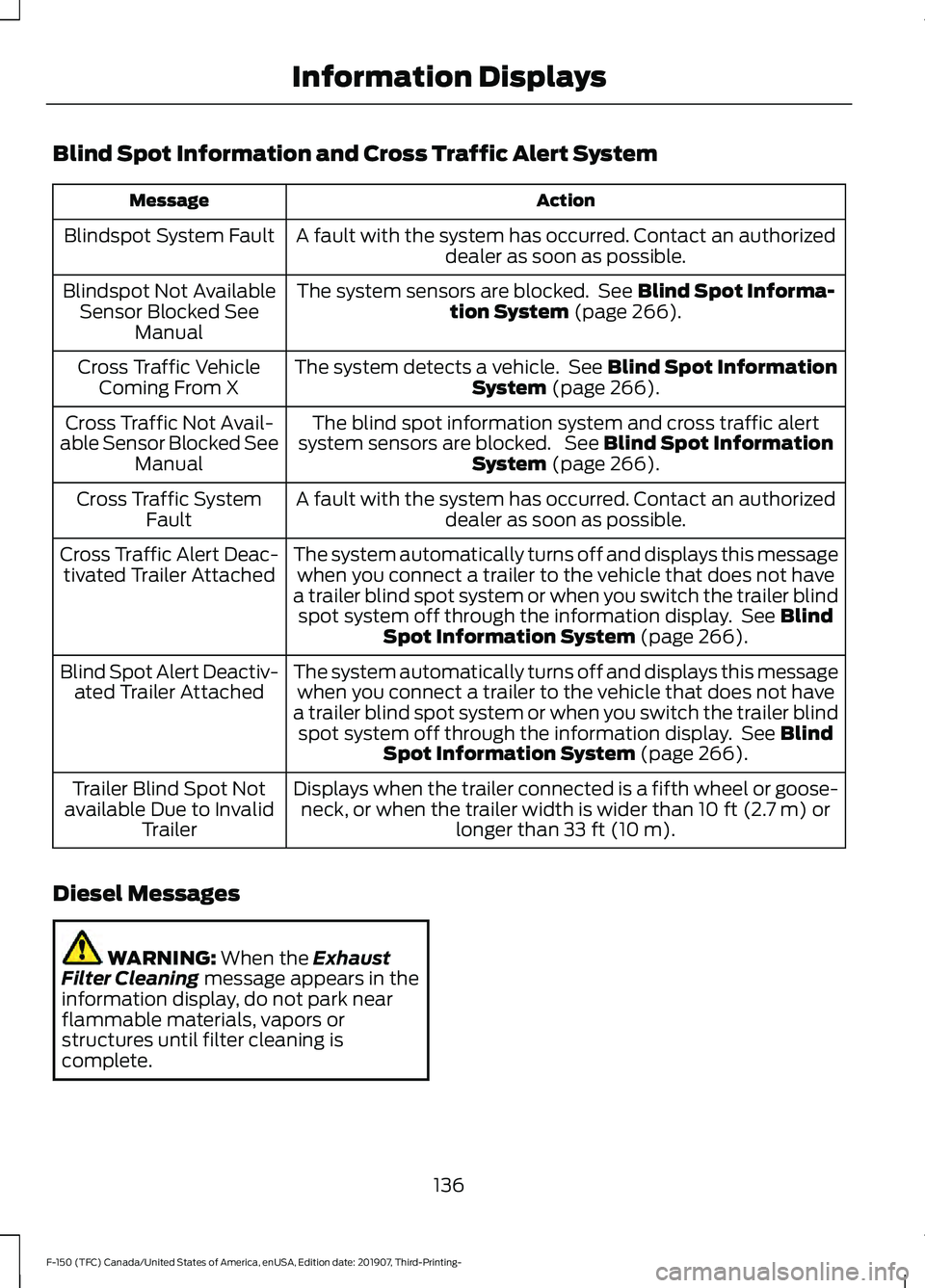
Blind Spot Information and Cross Traffic Alert System
Action
Message
A fault with the system has occurred. Contact an authorizeddealer as soon as possible.
Blindspot System Fault
The system sensors are blocked. See Blind Spot Informa-
tion System (page 266).
Blindspot Not Available
Sensor Blocked See Manual
The system detects a vehicle. See
Blind Spot Information
System (page 266).
Cross Traffic Vehicle
Coming From X
The blind spot information system and cross traffic alert
system sensors are blocked. See
Blind Spot Information
System (page 266).
Cross Traffic Not Avail-
able Sensor Blocked See Manual
A fault with the system has occurred. Contact an authorizeddealer as soon as possible.
Cross Traffic System
Fault
The system automatically turns off and displays this messagewhen you connect a trailer to the vehicle that does not have
a trailer blind spot system or when you switch the trailer blind spot system off through the information display. See
Blind
Spot Information System (page 266).
Cross Traffic Alert Deac-
tivated Trailer Attached
The system automatically turns off and displays this messagewhen you connect a trailer to the vehicle that does not have
a trailer blind spot system or when you switch the trailer blind spot system off through the information display. See
Blind
Spot Information System (page 266).
Blind Spot Alert Deactiv-
ated Trailer Attached
Displays when the trailer connected is a fifth wheel or goose-neck, or when the trailer width is wider than
10 ft (2.7 m) or
longer than 33 ft (10 m).
Trailer Blind Spot Not
available Due to Invalid Trailer
Diesel Messages WARNING:
When the Exhaust
Filter Cleaning message appears in the
information display, do not park near
flammable materials, vapors or
structures until filter cleaning is
complete.
136
F-150 (TFC) Canada/United States of America, enUSA, Edition date: 201907, Third-Printing- Information Displays