power mirrors FORD F-150 2020 Owners Manual
[x] Cancel search | Manufacturer: FORD, Model Year: 2020, Model line: F-150, Model: FORD F-150 2020Pages: 625, PDF Size: 7.98 MB
Page 5 of 625
Anti-Theft Alarm
...........................................84
Power Running Boards
Using Power Running Boards ...................
86
Steering Wheel
Adjusting the Steering Wheel - Vehicles With: Manual Adjustable Steering
Column .........................................................
88
Adjusting the Steering Wheel - Vehicles With: Power Adjustable Steering
Column .........................................................
88
Audio Control .................................................
90
Voice Control ..................................................
90
Cruise Control - Vehicles With: Adaptive Cruise Control ............................................
90
Cruise Control - Vehicles With: Cruise Control ...........................................................
91
Information Display Control .......................
91
Heated Steering Wheel ...............................
91
Horn .....................................................................
91
Adjustable Pedals
Adjusting the Pedals ....................................
92
Wipers and Washers
Windshield Wipers ........................................
93
Autowipers ......................................................
93
Windshield Washers ....................................
94
Lighting
General Information .....................................
95
Lighting Control .............................................
95
Autolamps .......................................................
96
Instrument Lighting Dimmer ....................
96
Daytime Running Lamps - Vehicles With: Daytime Running Lamps (DRL) .........
96
Daytime Running Lamps - Vehicles With: Configurable Daytime Running Lamps
........................................................................\
...
97
Front Fog Lamps ...........................................
97
Direction Indicators ......................................
98Spot Lamps
....................................................
98
Interior Lamps ................................................
98
Ambient Lighting ..........................................
99
Cargo Lamps ..................................................
99
Automatic High Beam Control
What Is Automatic High Beam Control ........................................................................\
..
101
Switching Automatic High Beam Control On and Off ..................................................
101
Automatic High Beam Control Indicators ........................................................................\
..
101
Overriding Automatic High Beam Control ........................................................................\
.
102
Windows and Mirrors
Power Windows ...........................................
103
Exterior Mirrors .............................................
104
Interior Mirror .................................................
107
Sliding Windows .........................................
108
Sun Visors ......................................................
108
Moonroof ........................................................
109
Instrument Cluster
Gauges ...............................................................
111
Warning Lamps and Indicators ...............
114
Audible Warnings and Indicators ...........
118
Information Displays
General Information ...................................
120
Information Messages ...............................
132
Climate Control
Manual Climate Control .............................
151
Automatic Climate Control ......................
152
Hints on Controlling the Interior Climate - Vehicles With: Automatic
Temperature Control .............................
154
2
F-150 (TFC) Canada/United States of America, enUSA, Edition date: 201907, Third-Printing- Table of Contents
Page 6 of 625
Hints on Controlling the Interior Climate
- Vehicles With: Manual Temperature
Control .........................................................155
Heated Windshield .....................................
156
Heated Rear Window .................................
156
Heated Exterior Mirrors .............................
156
Cabin Air Filter ..............................................
156
Remote Start .................................................
157
Seats
Sitting in the Correct Position .................
158
Head Restraints ...........................................
158
Manual Seats ................................................
160
Power Seats ...................................................
161
Memory Function ........................................
164
Rear Seats ......................................................
165
Heated Seats ................................................
166
Ventilated Seats ...........................................
167
Front Seat Armrest ......................................
167
Rear Occupant Alert System
What is the Rear Occupant Alert System ........................................................................\
169
How Does the Rear Occupant Alert System Work ............................................
169
Rear Occupant Alert System Precautions ........................................................................\
169
Rear Occupant Alert System Limitations ........................................................................\
169
Switching Rear Occupant Alert System On and Off .................................................
169
Rear Occupant Alert System Indicators ........................................................................\
.
170
Rear Occupant Alert System Audible Warnings .....................................................
170
Garage Door Opener
Universal Garage Door Opener ................
171
Auxiliary Power Points
Auxiliary Power Points ...............................
175Storage Compartments
Center Console
..............................................
177
Overhead Console .......................................
178
Rear Seat Armrest .......................................
178
Starting and Stopping the Engine
General Information ...................................
179
Ignition Switch ..............................................
179
Keyless Starting ............................................
179
Steering Wheel Lock - Vehicles Without: Push Button Start ...................................
180
Steering Wheel Lock - Vehicles With: Push Button Start ...................................
180
Starting a Gasoline Engine .......................
181
Starting a Diesel Engine ............................
184
Switching Off the Engine .........................
188
Engine Block Heater ...................................
188
Unique Driving Characteristics
Auto-Start-Stop ..........................................
190
Fuel and Refueling
Safety Precautions ......................................
193
Fuel Quality - Diesel ...................................
193
Fuel Quality - E85 .......................................
196
Fuel Quality - Gasoline ..............................
197
Fuel Filler Funnel Location - Regular Cab ........................................................................\
198
Fuel Filler Funnel Location - SuperCab/ SuperCrew .................................................
198
Running Out of Fuel ...................................
198
Refueling .......................................................
200
Fuel Consumption ......................................
202
Engine Emission Control
Emission Law ...............................................
204
Catalytic Converter ....................................
205
3
F-150 (TFC) Canada/United States of America, enUSA, Edition date: 201907, Third-Printing- Table of Contents
Page 101 of 625
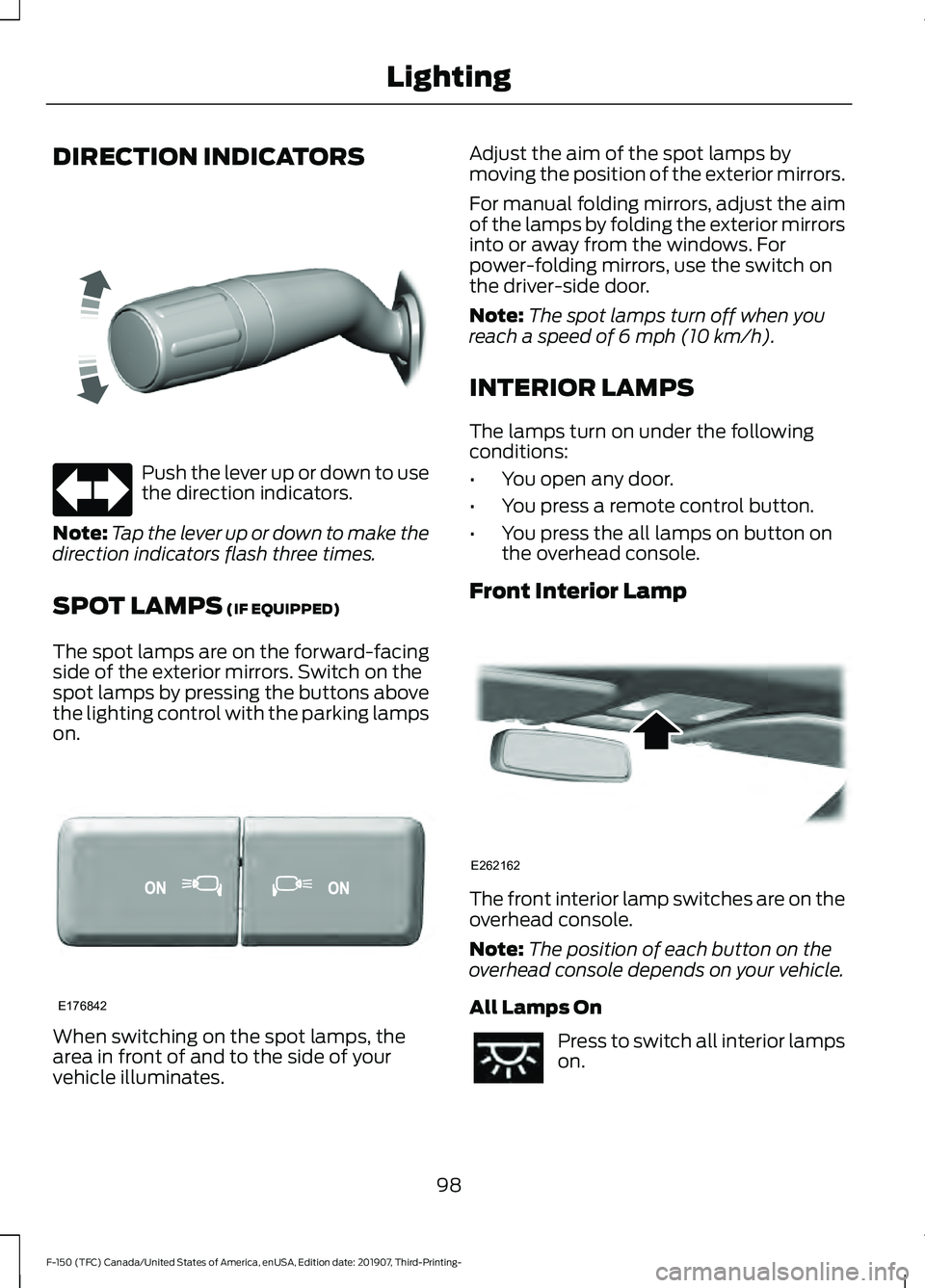
DIRECTION INDICATORS
Push the lever up or down to use
the direction indicators.
Note: Tap the lever up or down to make the
direction indicators flash three times.
SPOT LAMPS (IF EQUIPPED)
The spot lamps are on the forward-facing
side of the exterior mirrors. Switch on the
spot lamps by pressing the buttons above
the lighting control with the parking lamps
on. When switching on the spot lamps, the
area in front of and to the side of your
vehicle illuminates. Adjust the aim of the spot lamps by
moving the position of the exterior mirrors.
For manual folding mirrors, adjust the aim
of the lamps by folding the exterior mirrors
into or away from the windows. For
power-folding mirrors, use the switch on
the driver-side door.
Note:
The spot lamps turn off when you
reach a speed of
6 mph (10 km/h).
INTERIOR LAMPS
The lamps turn on under the following
conditions:
• You open any door.
• You press a remote control button.
• You press the all lamps on button on
the overhead console.
Front Interior Lamp The front interior lamp switches are on the
overhead console.
Note:
The position of each button on the
overhead console depends on your vehicle.
All Lamps On Press to switch all interior lamps
on.
98
F-150 (TFC) Canada/United States of America, enUSA, Edition date: 201907, Third-Printing- LightingE311431 E176842 E262162
Page 106 of 625
POWER WINDOWS (IF EQUIPPED)
WARNING:
Do not leave children
unattended in your vehicle and do not
let them play with the power windows.
They may seriously injure themselves. WARNING:
When closing the
power windows, you should verify they
are free of obstructions and make sure
that children and pets are not in the
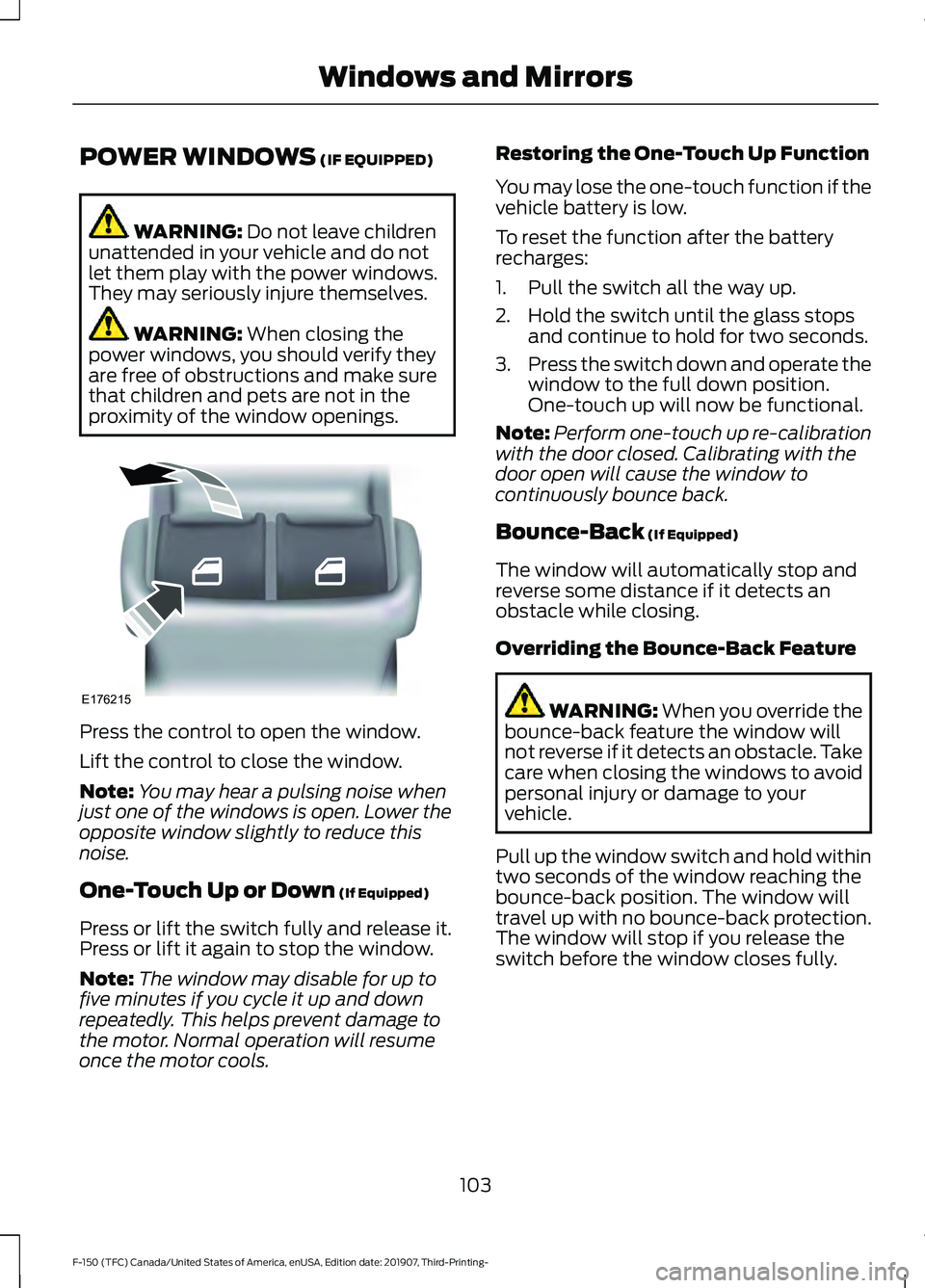
proximity of the window openings. Press the control to open the window.
Lift the control to close the window.
Note:
You may hear a pulsing noise when
just one of the windows is open. Lower the
opposite window slightly to reduce this
noise.
One-Touch Up or Down
(If Equipped)
Press or lift the switch fully and release it.
Press or lift it again to stop the window.
Note: The window may disable for up to
five minutes if you cycle it up and down
repeatedly. This helps prevent damage to
the motor. Normal operation will resume
once the motor cools. Restoring the One-Touch Up Function
You may lose the one-touch function if the
vehicle battery is low.
To reset the function after the battery
recharges:
1. Pull the switch all the way up.
2. Hold the switch until the glass stops
and continue to hold for two seconds.
3. Press the switch down and operate the
window to the full down position.
One-touch up will now be functional.
Note: Perform one-touch up re-calibration
with the door closed. Calibrating with the
door open will cause the window to
continuously bounce back.
Bounce-Back
(If Equipped)
The window will automatically stop and
reverse some distance if it detects an
obstacle while closing.
Overriding the Bounce-Back Feature WARNING:
When you override the
bounce-back feature the window will
not reverse if it detects an obstacle. Take
care when closing the windows to avoid
personal injury or damage to your
vehicle.
Pull up the window switch and hold within
two seconds of the window reaching the
bounce-back position. The window will
travel up with no bounce-back protection.
The window will stop if you release the
switch before the window closes fully.
103
F-150 (TFC) Canada/United States of America, enUSA, Edition date: 201907, Third-Printing- Windows and MirrorsE176215
Page 107 of 625
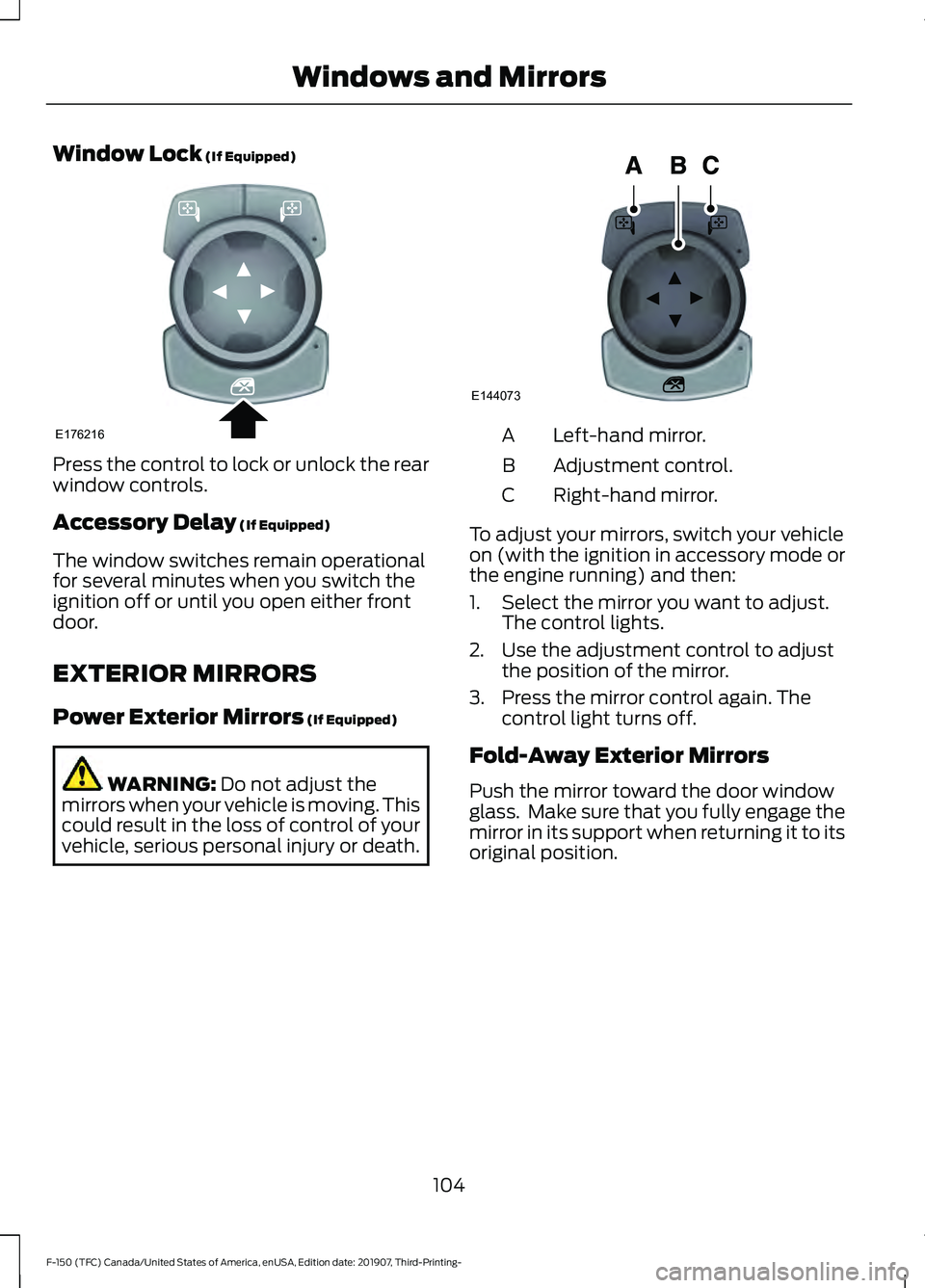
Window Lock (If Equipped)
Press the control to lock or unlock the rear
window controls.
Accessory Delay
(If Equipped)
The window switches remain operational
for several minutes when you switch the
ignition off or until you open either front
door.
EXTERIOR MIRRORS
Power Exterior Mirrors
(If Equipped) WARNING:
Do not adjust the
mirrors when your vehicle is moving. This
could result in the loss of control of your
vehicle, serious personal injury or death. Left-hand mirror.
A
Adjustment control.
B
Right-hand mirror.
C
To adjust your mirrors, switch your vehicle
on (with the ignition in accessory mode or
the engine running) and then:
1. Select the mirror you want to adjust. The control lights.
2. Use the adjustment control to adjust the position of the mirror.
3. Press the mirror control again. The control light turns off.
Fold-Away Exterior Mirrors
Push the mirror toward the door window
glass. Make sure that you fully engage the
mirror in its support when returning it to its
original position.
104
F-150 (TFC) Canada/United States of America, enUSA, Edition date: 201907, Third-Printing- Windows and MirrorsE176216 E144073
Page 108 of 625
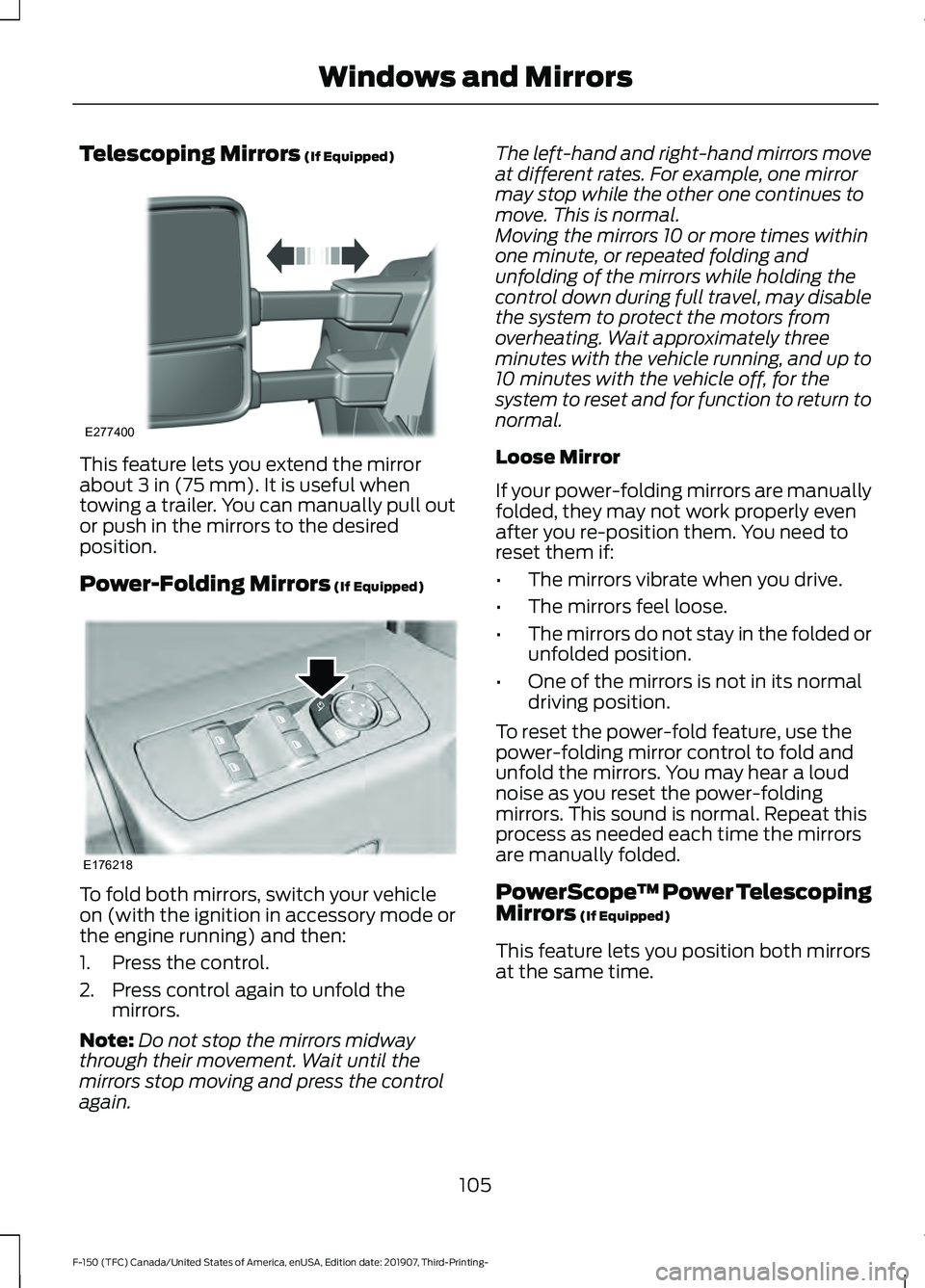
Telescoping Mirrors (If Equipped)
This feature lets you extend the mirror
about
3 in (75 mm). It is useful when
towing a trailer. You can manually pull out
or push in the mirrors to the desired
position.
Power-Folding Mirrors
(If Equipped) To fold both mirrors, switch your vehicle
on (with the ignition in accessory mode or
the engine running) and then:
1. Press the control.
2. Press control again to unfold the
mirrors.
Note: Do not stop the mirrors midway
through their movement. Wait until the
mirrors stop moving and press the control
again. The left-hand and right-hand mirrors move
at different rates. For example, one mirror
may stop while the other one continues to
move. This is normal.
Moving the mirrors 10 or more times within
one minute, or repeated folding and
unfolding of the mirrors while holding the
control down during full travel, may disable
the system to protect the motors from
overheating. Wait approximately three
minutes with the vehicle running, and up to
10 minutes with the vehicle off, for the
system to reset and for function to return to
normal.
Loose Mirror
If your power-folding mirrors are manually
folded, they may not work properly even
after you re-position them. You need to
reset them if:
•
The mirrors vibrate when you drive.
• The mirrors feel loose.
• The mirrors do not stay in the folded or
unfolded position.
• One of the mirrors is not in its normal
driving position.
To reset the power-fold feature, use the
power-folding mirror control to fold and
unfold the mirrors. You may hear a loud
noise as you reset the power-folding
mirrors. This sound is normal. Repeat this
process as needed each time the mirrors
are manually folded.
PowerScope ™ Power Telescoping
Mirrors
(If Equipped)
This feature lets you position both mirrors
at the same time.
105
F-150 (TFC) Canada/United States of America, enUSA, Edition date: 201907, Third-Printing- Windows and MirrorsE277400 E176218
Page 111 of 625
Automatic Dimming Mirror (If Equipped)
Note:
Do not block the sensors on the front
and back of the mirror. A rear center
passenger or raised rear center head
restraint may also block light from reaching
the sensor.
The mirror dims to reduce the effect of
bright light from behind. It returns to
normal when the bright light from behind
is no longer present or if you shift into
reverse (R).
SLIDING WINDOWS (IF EQUIPPED)
Power Sliding Back Window
(If
Equipped) WARNING:
When operating the
power sliding back window, you must
make sure all rear seat occupants and
cargo are not in the proximity of the back
window. WARNING:
Do not leave children
unattended in your vehicle and do not
let them play with the power sliding back
window. They may seriously injure
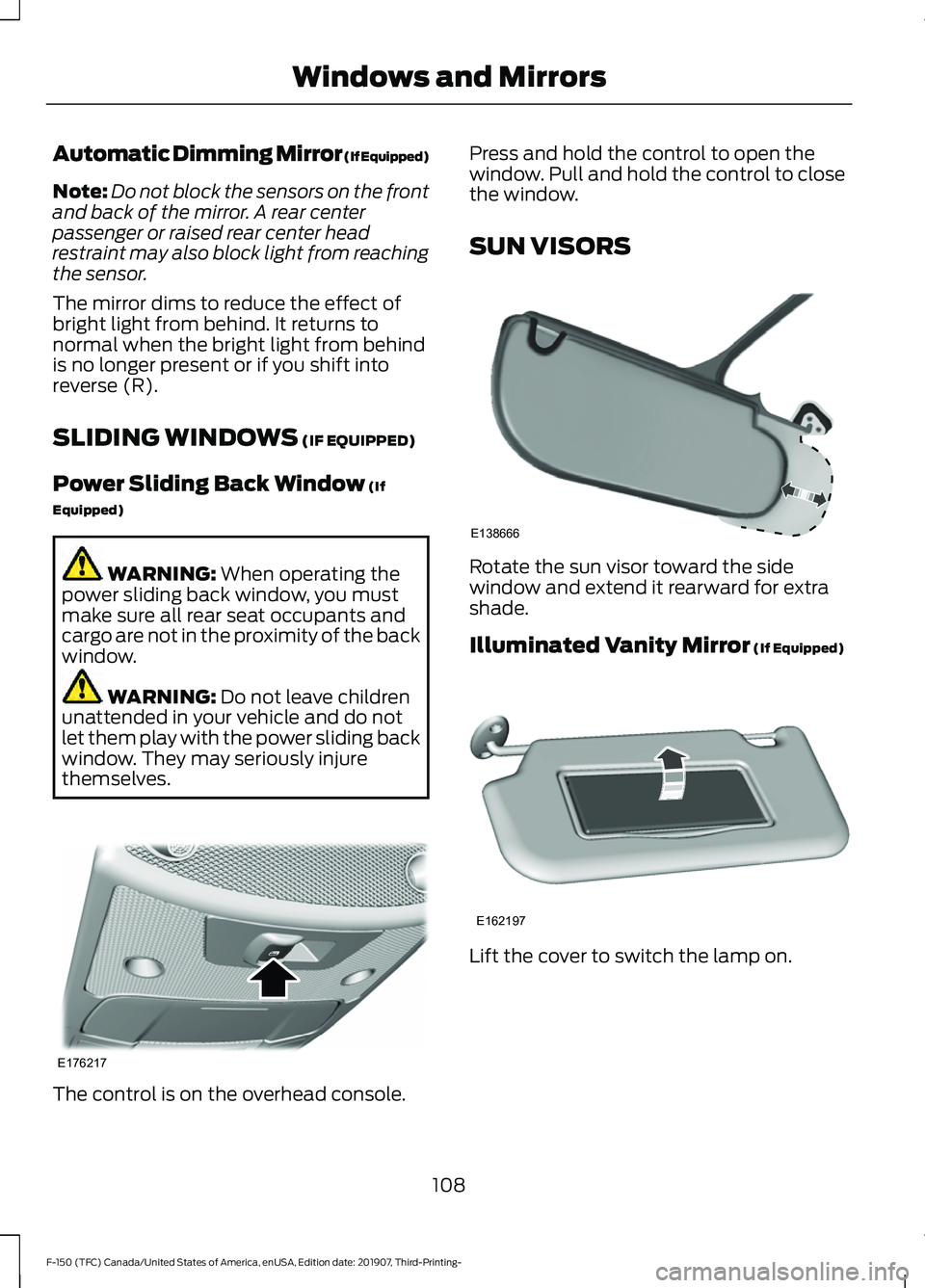
themselves. The control is on the overhead console. Press and hold the control to open the
window. Pull and hold the control to close
the window.
SUN VISORS
Rotate the sun visor toward the side
window and extend it rearward for extra
shade.
Illuminated Vanity Mirror
(If Equipped)
Lift the cover to switch the lamp on.
108
F-150 (TFC) Canada/United States of America, enUSA, Edition date: 201907, Third-Printing- Windows and MirrorsE176217 E138666 E162197
Page 167 of 625
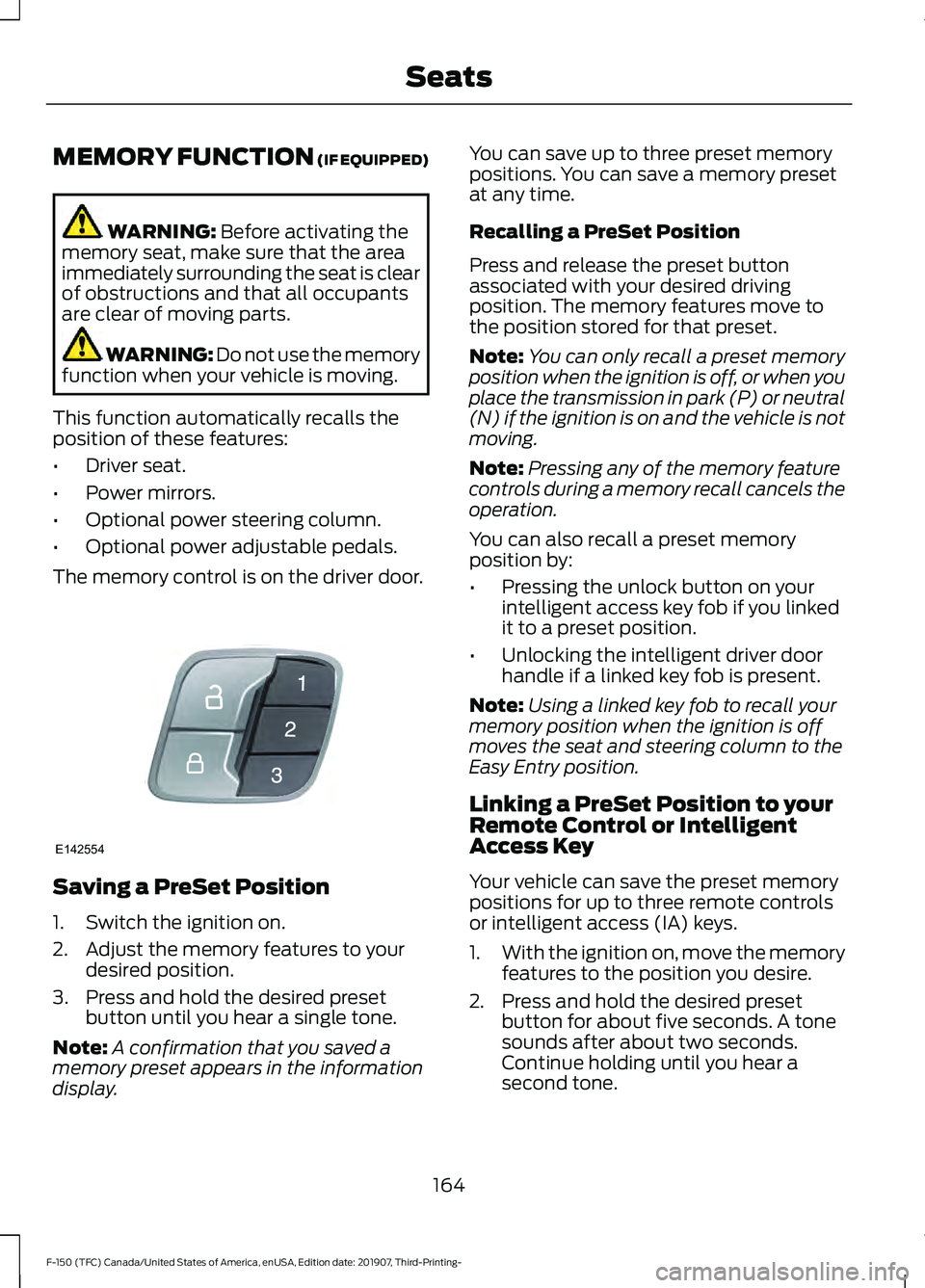
MEMORY FUNCTION (IF EQUIPPED)
WARNING:
Before activating the
memory seat, make sure that the area
immediately surrounding the seat is clear
of obstructions and that all occupants
are clear of moving parts. WARNING:
Do not use the memory
function when your vehicle is moving.
This function automatically recalls the
position of these features:
• Driver seat.
• Power mirrors.
• Optional power steering column.
• Optional power adjustable pedals.
The memory control is on the driver door. Saving a PreSet Position
1. Switch the ignition on.
2. Adjust the memory features to your
desired position.
3. Press and hold the desired preset button until you hear a single tone.
Note: A confirmation that you saved a
memory preset appears in the information
display. You can save up to three preset memory
positions. You can save a memory preset
at any time.
Recalling a PreSet Position
Press and release the preset button
associated with your desired driving
position. The memory features move to
the position stored for that preset.
Note:
You can only recall a preset memory
position when the ignition is off, or when you
place the transmission in park (P) or neutral
(N) if the ignition is on and the vehicle is not
moving.
Note: Pressing any of the memory feature
controls during a memory recall cancels the
operation.
You can also recall a preset memory
position by:
• Pressing the unlock button on your
intelligent access key fob if you linked
it to a preset position.
• Unlocking the intelligent driver door
handle if a linked key fob is present.
Note: Using a linked key fob to recall your
memory position when the ignition is off
moves the seat and steering column to the
Easy Entry position.
Linking a PreSet Position to your
Remote Control or Intelligent
Access Key
Your vehicle can save the preset memory
positions for up to three remote controls
or intelligent access (IA) keys.
1. With the ignition on, move the memory
features to the position you desire.
2. Press and hold the desired preset button for about five seconds. A tone
sounds after about two seconds.
Continue holding until you hear a
second tone.
164
F-150 (TFC) Canada/United States of America, enUSA, Edition date: 201907, Third-Printing- SeatsE142554
Page 352 of 625
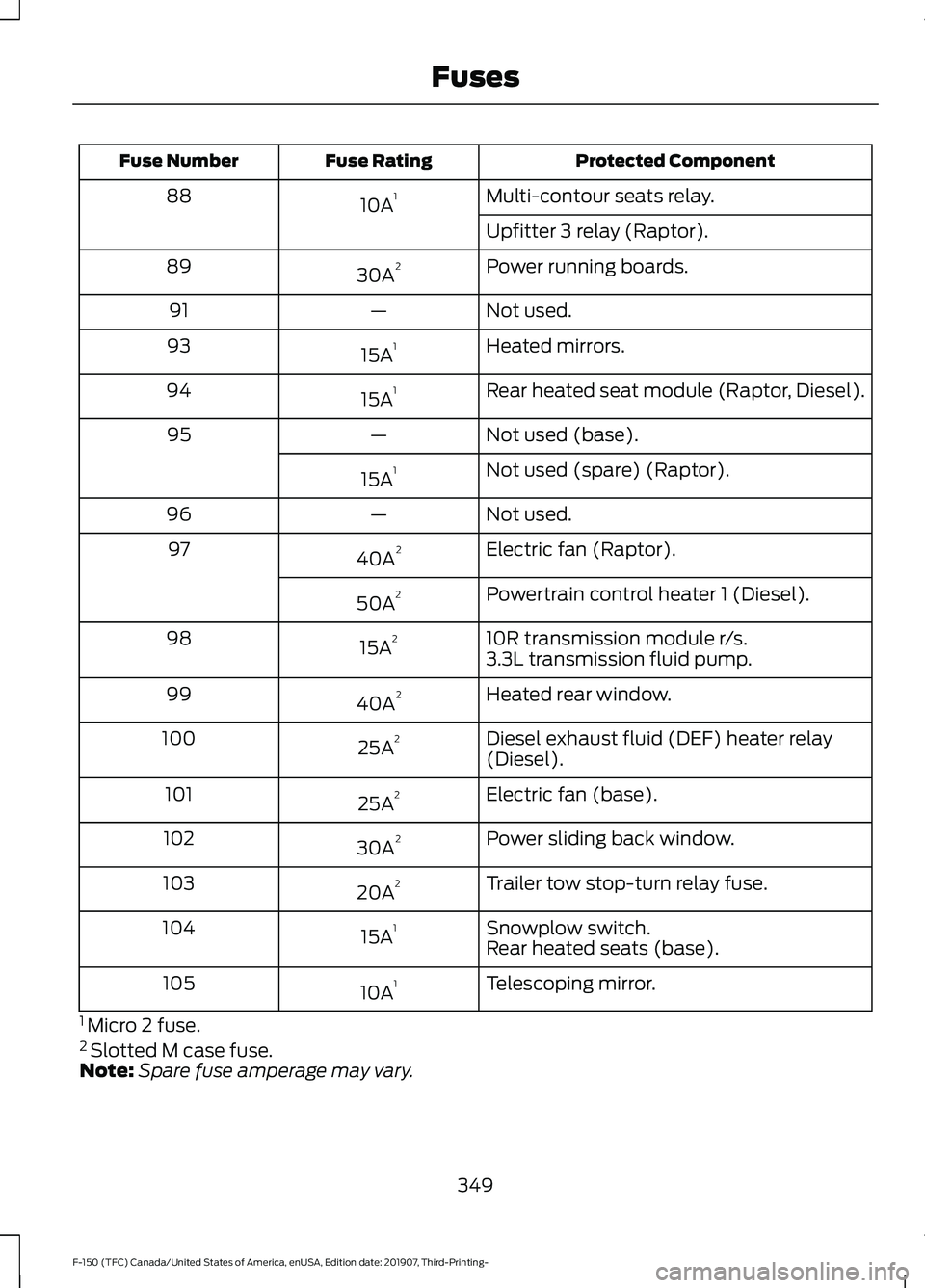
Protected Component
Fuse Rating
Fuse Number
Multi-contour seats relay.
10A 1
88
Upfitter 3 relay (Raptor).
Power running boards.
30A 2
89
Not used.
—
91
Heated mirrors.
15A 1
93
Rear heated seat module (Raptor, Diesel).
15A 1
94
Not used (base).
—
95
Not used (spare) (Raptor).
15A 1
Not used.
—
96
Electric fan (Raptor).
40A 2
97
Powertrain control heater 1 (Diesel).
50A 2
10R transmission module r/s.
15A 2
98
3.3L transmission fluid pump.
Heated rear window.
40A 2
99
Diesel exhaust fluid (DEF) heater relay
(Diesel).
25A 2
100
Electric fan (base).
25A 2
101
Power sliding back window.
30A 2
102
Trailer tow stop-turn relay fuse.
20A 2
103
Snowplow switch.
15A 1
104
Rear heated seats (base).
Telescoping mirror.
10A 1
105
1 Micro 2 fuse.
2 Slotted M case fuse.
Note: Spare fuse amperage may vary.
349
F-150 (TFC) Canada/United States of America, enUSA, Edition date: 201907, Third-Printing- Fuses
Page 377 of 625
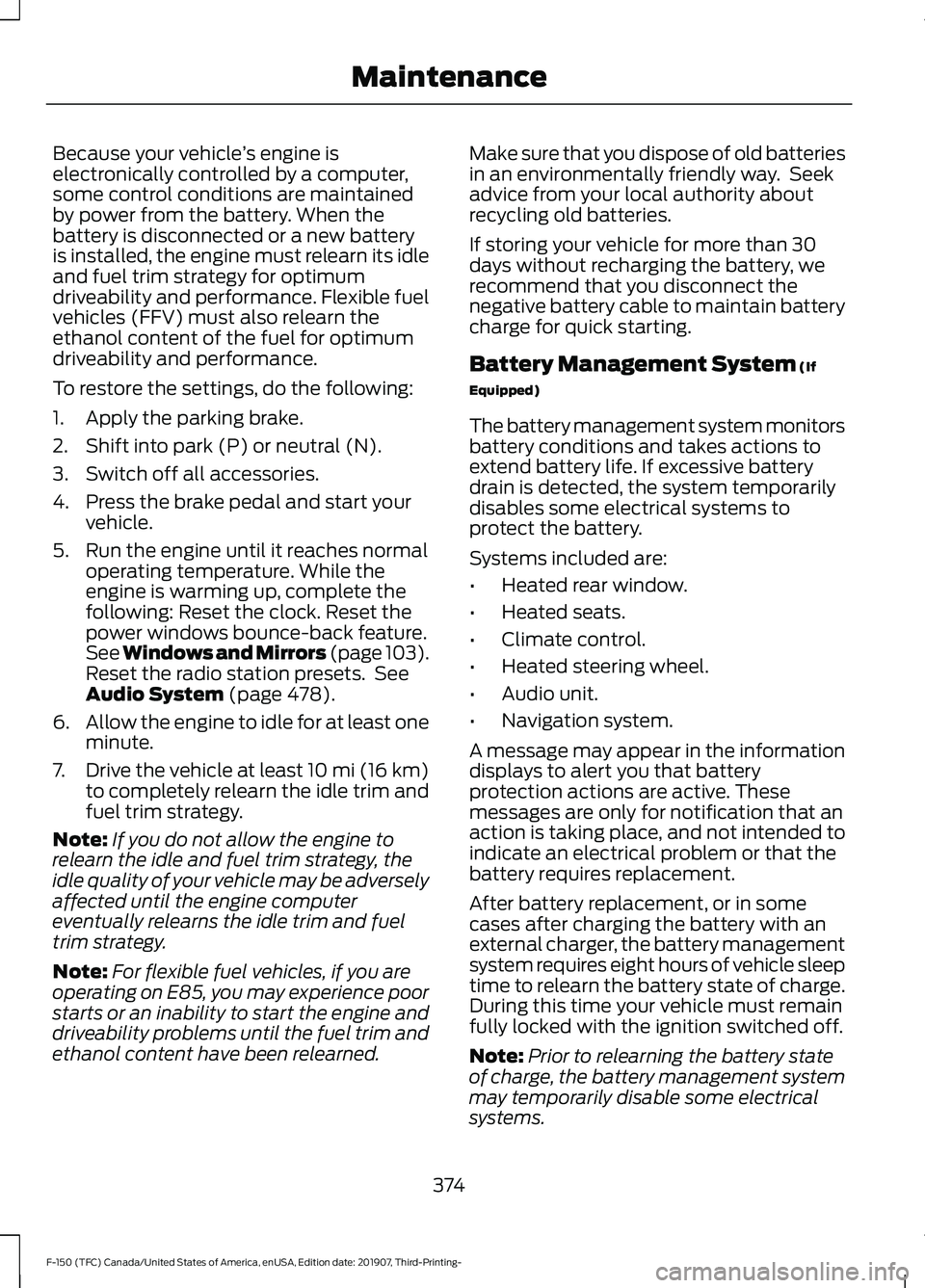
Because your vehicle
’s engine is
electronically controlled by a computer,
some control conditions are maintained
by power from the battery. When the
battery is disconnected or a new battery
is installed, the engine must relearn its idle
and fuel trim strategy for optimum
driveability and performance. Flexible fuel
vehicles (FFV) must also relearn the
ethanol content of the fuel for optimum
driveability and performance.
To restore the settings, do the following:
1. Apply the parking brake.
2. Shift into park (P) or neutral (N).
3. Switch off all accessories.
4. Press the brake pedal and start your vehicle.
5. Run the engine until it reaches normal operating temperature. While the
engine is warming up, complete the
following: Reset the clock. Reset the
power windows bounce-back feature.
See Windows and Mirrors (page 103).
Reset the radio station presets. See
Audio System (page 478).
6. Allow the engine to idle for at least one
minute.
7. Drive the vehicle at least 10 mi (16 km)
to completely relearn the idle trim and
fuel trim strategy.
Note: If you do not allow the engine to
relearn the idle and fuel trim strategy, the
idle quality of your vehicle may be adversely
affected until the engine computer
eventually relearns the idle trim and fuel
trim strategy.
Note: For flexible fuel vehicles, if you are
operating on E85, you may experience poor
starts or an inability to start the engine and
driveability problems until the fuel trim and
ethanol content have been relearned. Make sure that you dispose of old batteries
in an environmentally friendly way. Seek
advice from your local authority about
recycling old batteries.
If storing your vehicle for more than 30
days without recharging the battery, we
recommend that you disconnect the
negative battery cable to maintain battery
charge for quick starting.
Battery Management System
(If
Equipped)
The battery management system monitors
battery conditions and takes actions to
extend battery life. If excessive battery
drain is detected, the system temporarily
disables some electrical systems to
protect the battery.
Systems included are:
• Heated rear window.
• Heated seats.
• Climate control.
• Heated steering wheel.
• Audio unit.
• Navigation system.
A message may appear in the information
displays to alert you that battery
protection actions are active. These
messages are only for notification that an
action is taking place, and not intended to
indicate an electrical problem or that the
battery requires replacement.
After battery replacement, or in some
cases after charging the battery with an
external charger, the battery management
system requires eight hours of vehicle sleep
time to relearn the battery state of charge.
During this time your vehicle must remain
fully locked with the ignition switched off.
Note: Prior to relearning the battery state
of charge, the battery management system
may temporarily disable some electrical
systems.
374
F-150 (TFC) Canada/United States of America, enUSA, Edition date: 201907, Third-Printing- Maintenance