lock FORD F-150 2021 Owners Manual
[x] Cancel search | Manufacturer: FORD, Model Year: 2021, Model line: F-150, Model: FORD F-150 2021Pages: 796, PDF Size: 13.89 MB
Page 307 of 796
Automatic Re-
Engagement Speed
Automatic Disen-
gagement Speed
Maximum Engage-
ment Speed
Drive Modes
No Speed Limit
No Speed Limit
No Speed Limit
Baja (4H)
No Speed Limit
No Speed Limit
No Speed Limit
Rock Crawl (4L) 1
1 Automatically engages when you select this drive mode. You have the ability to manually
override the automatic engagement by pressing the electronic locking differential button. Automatic Re-
Engagement Speed
Automatic Disen-
gagement Speed
Maximum Engage-
ment Speed
4WD Mode
No speed Limit
No speed Limit
No speed Limit
Four-Wheel Drive
Low (4L)
Note: The electronic locking differential
may not engage if you press your accelerator
pedal during an engagement attempt. A
message could display in the instrument
display guiding you to release the
accelerator pedal.
Note: If the electronic locking differential
has difficulty disengaging, release the
accelerator pedal and turn the steering
wheel in the opposite direction while rolling.
Note: The electronic locking differential is
for off-road use only and is not for use on
dry pavement. Using the electronic locking
differential on dry pavement results in
increased tire wear, noise and vibration.
SWITCHING THE ELECTRONIC
LOCKING DIFFERENTIAL ON
AND OFF - 4X4
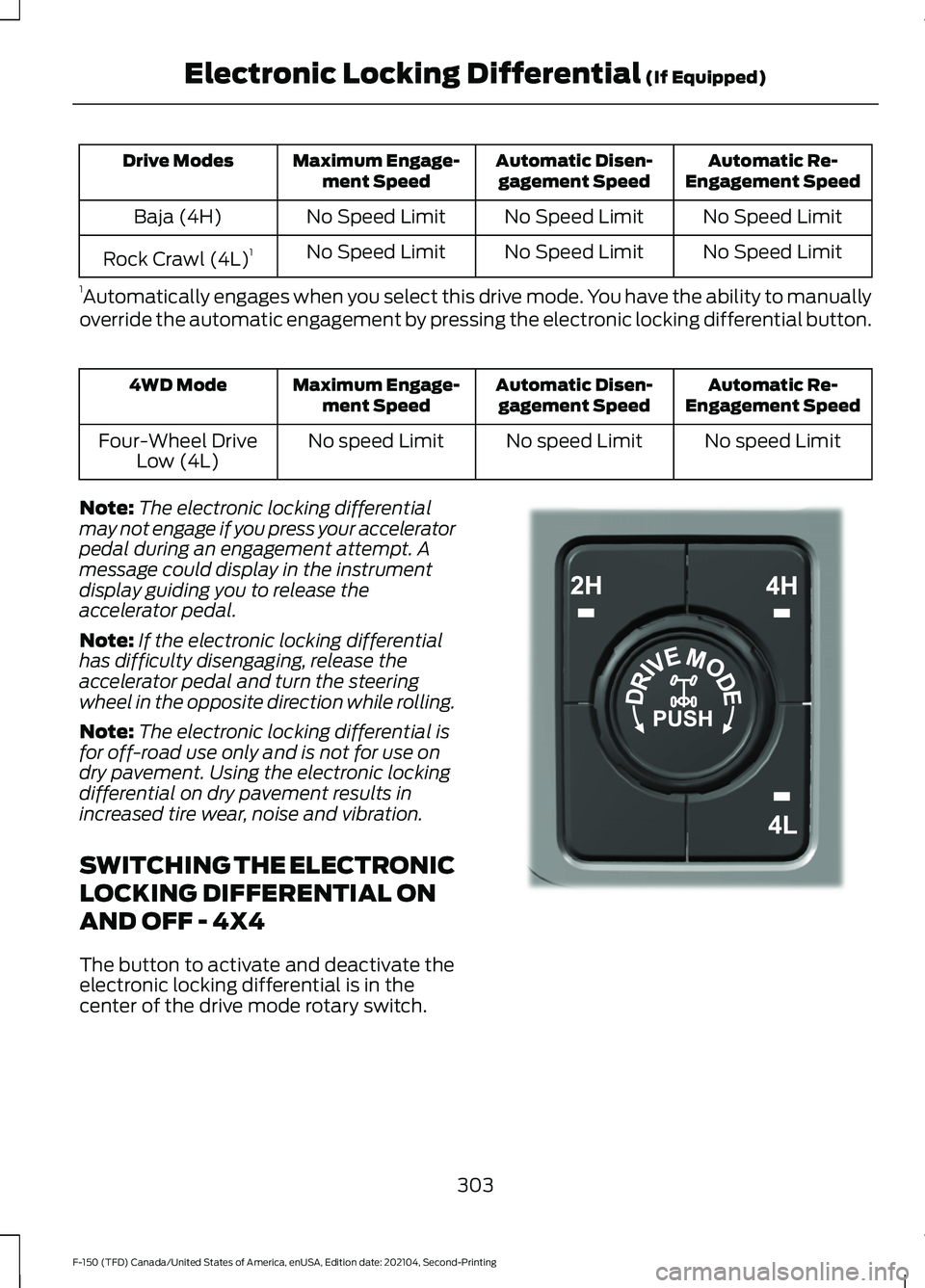
The button to activate and deactivate the
electronic locking differential is in the
center of the drive mode rotary switch. 303
F-150 (TFD) Canada/United States of America, enUSA, Edition date: 202104, Second-Printing Electronic Locking Differential (If Equipped)E323655
Page 308 of 796
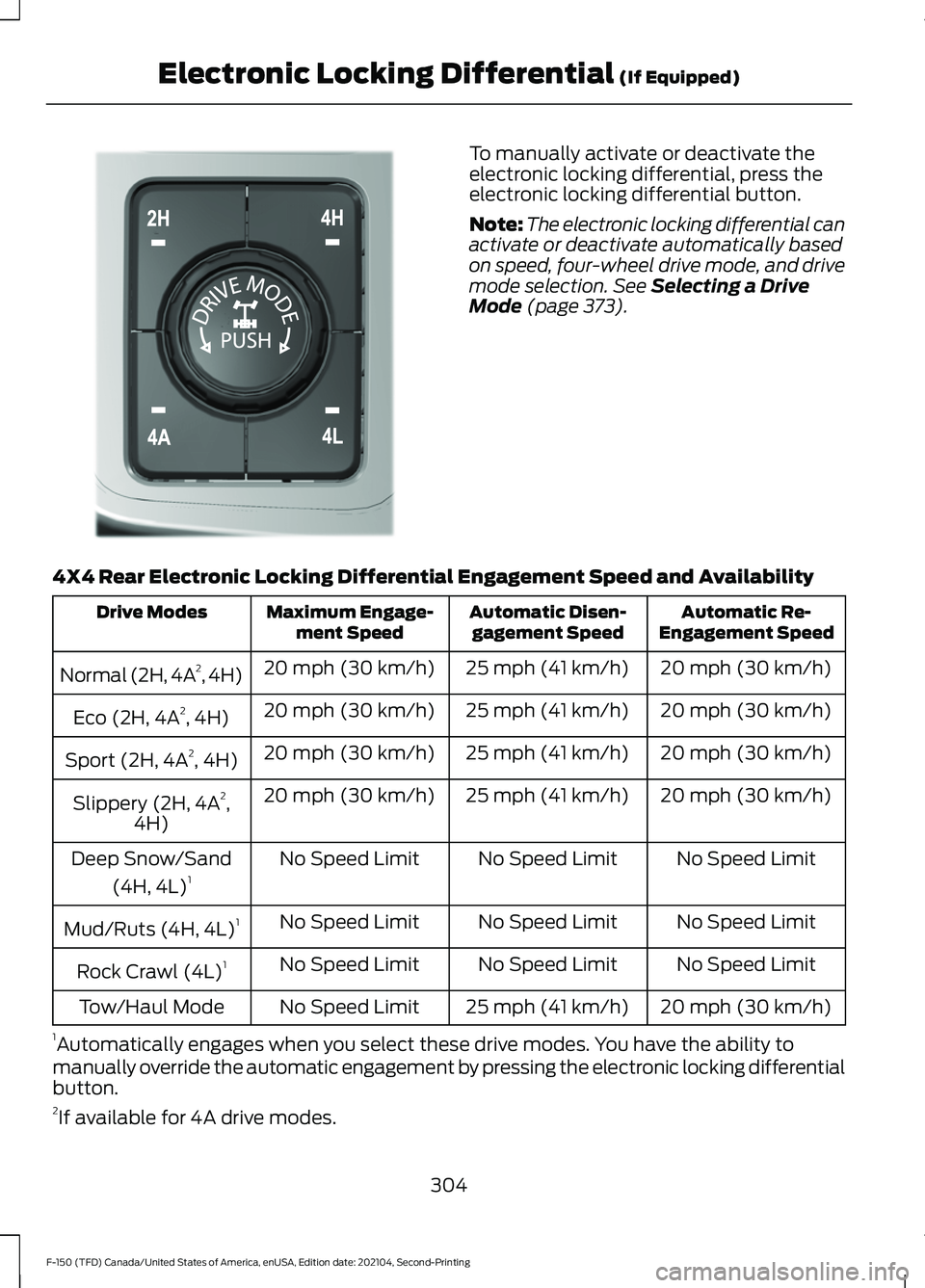
To manually activate or deactivate the
electronic locking differential, press the
electronic locking differential button.
Note:
The electronic locking differential can
activate or deactivate automatically based
on speed, four-wheel drive mode, and drive
mode selection. See Selecting a Drive
Mode (page 373).
4X4 Rear Electronic Locking Differential Engagement Speed and Availability Automatic Re-
Engagement Speed
Automatic Disen-
gagement Speed
Maximum Engage-
ment Speed
Drive Modes
20 mph (30 km/h)
25 mph (41 km/h)
20 mph (30 km/h)
Normal (2H, 4A 2
, 4H)
20 mph (30 km/h)
25 mph (41 km/h)
20 mph (30 km/h)
Eco (2H, 4A 2
, 4H)
20 mph (30 km/h)
25 mph (41 km/h)
20 mph (30 km/h)
Sport (2H, 4A 2
, 4H)
20 mph (30 km/h)
25 mph (41 km/h)
20 mph (30 km/h)
Slippery (2H, 4A 2
,
4H)
No Speed Limit
No Speed Limit
No Speed Limit
Deep Snow/Sand
(4H, 4L) 1
No Speed Limit
No Speed Limit
No Speed Limit
Mud/Ruts (4H, 4L) 1
No Speed Limit
No Speed Limit
No Speed Limit
Rock Crawl (4L) 1
20 mph (30 km/h)
25 mph (41 km/h)
No Speed Limit
Tow/Haul Mode
1 Automatically engages when you select these drive modes. You have the ability to
manually override the automatic engagement by pressing the electronic locking differential
button.
2 If available for 4A drive modes.
304
F-150 (TFD) Canada/United States of America, enUSA, Edition date: 202104, Second-Printing Electronic Locking Differential
(If Equipped)E308146
Page 309 of 796
Automatic Re-
Engagement Speed
Automatic Disen-
gagement Speed
Maximum Engage-
ment Speed
4WD Mode
No speed Limit
No speed Limit
No speed Limit
Four-Wheel Drive
Low (4L)
Note: The electronic locking differential
may not engage if you press your accelerator
pedal during an engagement attempt. A
message could display in the instrument
display guiding you to release the
accelerator pedal.
Note: If the electronic locking differential
has difficulty disengaging, release the
accelerator pedal and turn the steering
wheel in the opposite direction while rolling.
Note: The electronic locking differential is
for off-road use only and is not for use on
dry pavement. Using the electronic locking
differential on dry pavement results in
increased tire wear, noise and vibration.
SWITCHING THE ELECTRONIC
LOCKING DIFFERENTIAL ON
AND OFF - 4X2
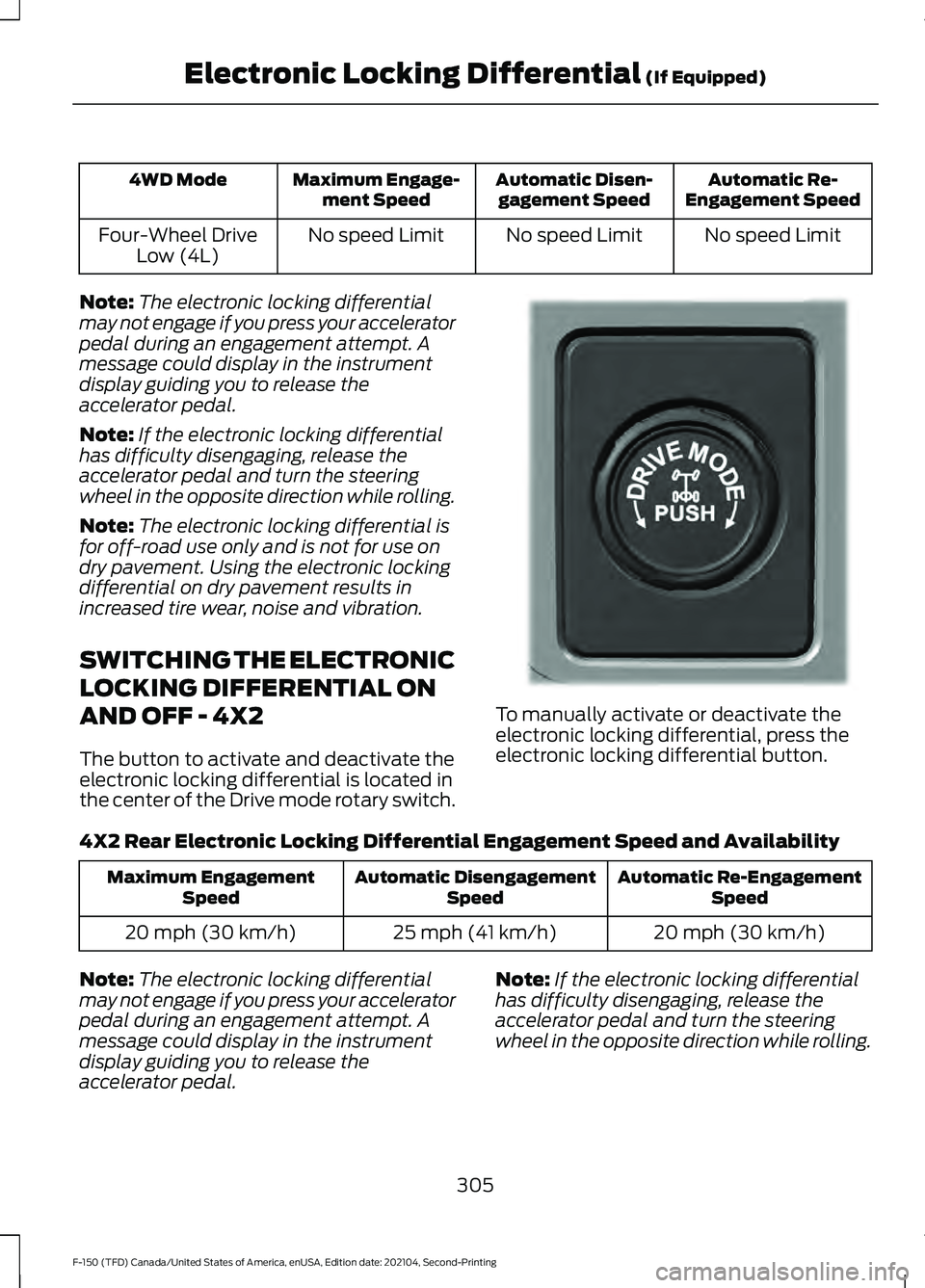
The button to activate and deactivate the
electronic locking differential is located in
the center of the Drive mode rotary switch. To manually activate or deactivate the
electronic locking differential, press the
electronic locking differential button.
4X2 Rear Electronic Locking Differential Engagement Speed and Availability Automatic Re-Engagement
Speed
Automatic Disengagement
Speed
Maximum Engagement
Speed
20 mph (30 km/h)
25 mph (41 km/h)
20 mph (30 km/h)
Note: The electronic locking differential
may not engage if you press your accelerator
pedal during an engagement attempt. A
message could display in the instrument
display guiding you to release the
accelerator pedal. Note:
If the electronic locking differential
has difficulty disengaging, release the
accelerator pedal and turn the steering
wheel in the opposite direction while rolling.
305
F-150 (TFD) Canada/United States of America, enUSA, Edition date: 202104, Second-Printing Electronic Locking Differential (If Equipped)E333748
Page 310 of 796
Note:
The electronic locking differential is
for off-road use only and is not for use on
dry pavement. Using the electronic locking
differential on dry pavement results in
increased tire wear, noise and vibration.
ELECTRONIC LOCKING
DIFFERENTIAL INDICATORS If both rear wheel axle shafts
lock together, the indicator in the
cluster is amber, providing
additional traction.
If you select the electronic locking
differential and the indicator in the cluster
is gray or turns from amber to gray while
driving, one of the following has occurred:
• The vehicle speed is too high.
• The accelerator pedal is too high during
an engagement attempt. •
The vehicle is experiencing an anti-lock
brake activation.
• The left and right wheel speed
difference is too high during an
engagement attempt.
If you select the electronic locking
differential and the indicator in the cluster
does not turn on, the following has
occurred:
• The system has malfunctioned and
accompanies a check locking
differential message in the information
display. See your dealer as soon as
possible.
Note: If the vehicle is experiencing an
anti-lock braking event, the electronic
locking differential could momentarily
disengage.
ELECTRONIC LOCKING DIFFERENTIAL – TROUBLESHOOTING
ELECTRONIC LOCKING DIFFERENTIAL – INFORMATION MESSAGES -
RAPTOR Description and Action
Message
The electronic locking differential has been requested andwill engage when the speed condition is met.
To Engage Locking
Differential Slow to XX mph/km/h
Release the accelerator pedal in order to engage.
To Engage Locking
Differential Release Accelerator Pedal
An electronic locking differential system fault is present.Contact an authorized dealer as soon as possible.
Check Locking Differen-
tial
Displays when the electronic locking differential is selected while in 2H.
Locking differential not
available in 2H
306
F-150 (TFD) Canada/United States of America, enUSA, Edition date: 202104, Second-Printing Electronic Locking Differential (If Equipped)E325779
Page 311 of 796
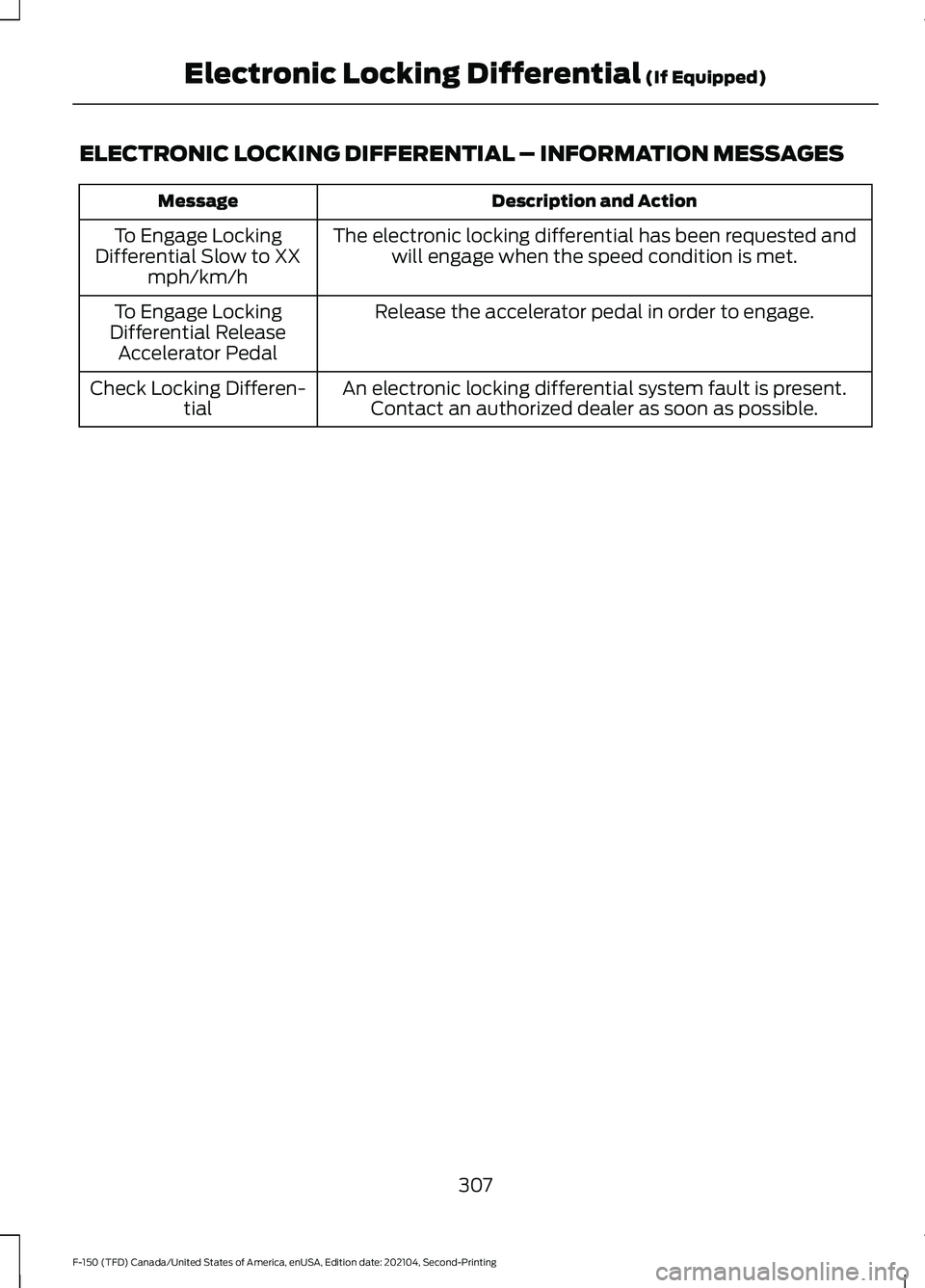
ELECTRONIC LOCKING DIFFERENTIAL – INFORMATION MESSAGES
Description and Action
Message
The electronic locking differential has been requested andwill engage when the speed condition is met.
To Engage Locking
Differential Slow to XX mph/km/h
Release the accelerator pedal in order to engage.
To Engage Locking
Differential Release Accelerator Pedal
An electronic locking differential system fault is present.Contact an authorized dealer as soon as possible.
Check Locking Differen-
tial
307
F-150 (TFD) Canada/United States of America, enUSA, Edition date: 202104, Second-Printing Electronic Locking Differential (If Equipped)
Page 312 of 796
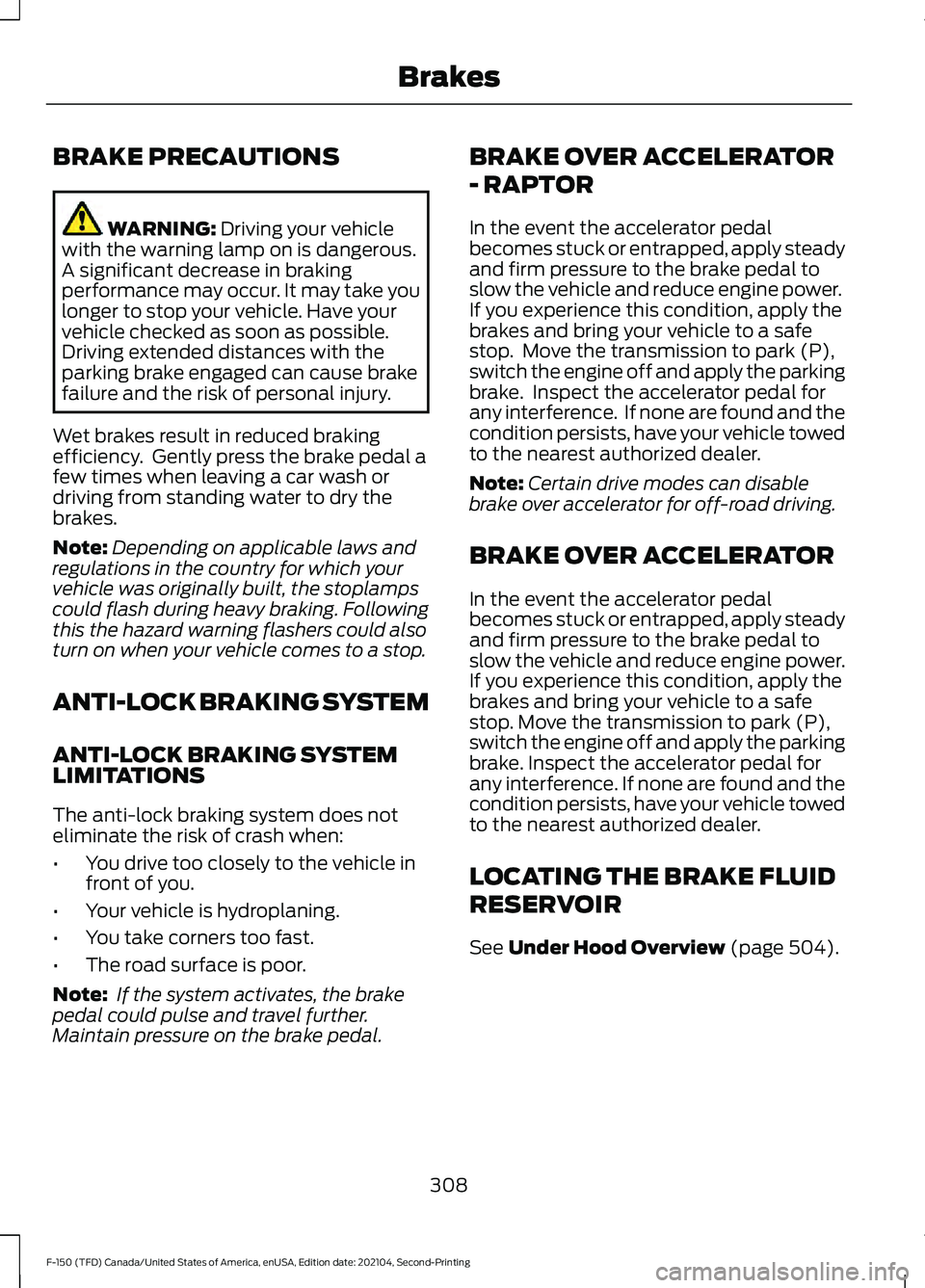
BRAKE PRECAUTIONS
WARNING: Driving your vehicle
with the warning lamp on is dangerous.
A significant decrease in braking
performance may occur. It may take you
longer to stop your vehicle. Have your
vehicle checked as soon as possible.
Driving extended distances with the
parking brake engaged can cause brake
failure and the risk of personal injury.
Wet brakes result in reduced braking
efficiency. Gently press the brake pedal a
few times when leaving a car wash or
driving from standing water to dry the
brakes.
Note: Depending on applicable laws and
regulations in the country for which your
vehicle was originally built, the stoplamps
could flash during heavy braking. Following
this the hazard warning flashers could also
turn on when your vehicle comes to a stop.
ANTI-LOCK BRAKING SYSTEM
ANTI-LOCK BRAKING SYSTEM
LIMITATIONS
The anti-lock braking system does not
eliminate the risk of crash when:
• You drive too closely to the vehicle in
front of you.
• Your vehicle is hydroplaning.
• You take corners too fast.
• The road surface is poor.
Note: If the system activates, the brake
pedal could pulse and travel further.
Maintain pressure on the brake pedal. BRAKE OVER ACCELERATOR
- RAPTOR
In the event the accelerator pedal
becomes stuck or entrapped, apply steady
and firm pressure to the brake pedal to
slow the vehicle and reduce engine power.
If you experience this condition, apply the
brakes and bring your vehicle to a safe
stop. Move the transmission to park (P),
switch the engine off and apply the parking
brake. Inspect the accelerator pedal for
any interference. If none are found and the
condition persists, have your vehicle towed
to the nearest authorized dealer.
Note:
Certain drive modes can disable
brake over accelerator for off-road driving.
BRAKE OVER ACCELERATOR
In the event the accelerator pedal
becomes stuck or entrapped, apply steady
and firm pressure to the brake pedal to
slow the vehicle and reduce engine power.
If you experience this condition, apply the
brakes and bring your vehicle to a safe
stop. Move the transmission to park (P),
switch the engine off and apply the parking
brake. Inspect the accelerator pedal for
any interference. If none are found and the
condition persists, have your vehicle towed
to the nearest authorized dealer.
LOCATING THE BRAKE FLUID
RESERVOIR
See
Under Hood Overview (page 504).
308
F-150 (TFD) Canada/United States of America, enUSA, Edition date: 202104, Second-Printing Brakes
Page 314 of 796
BRAKES –
TROUBLESHOOTING
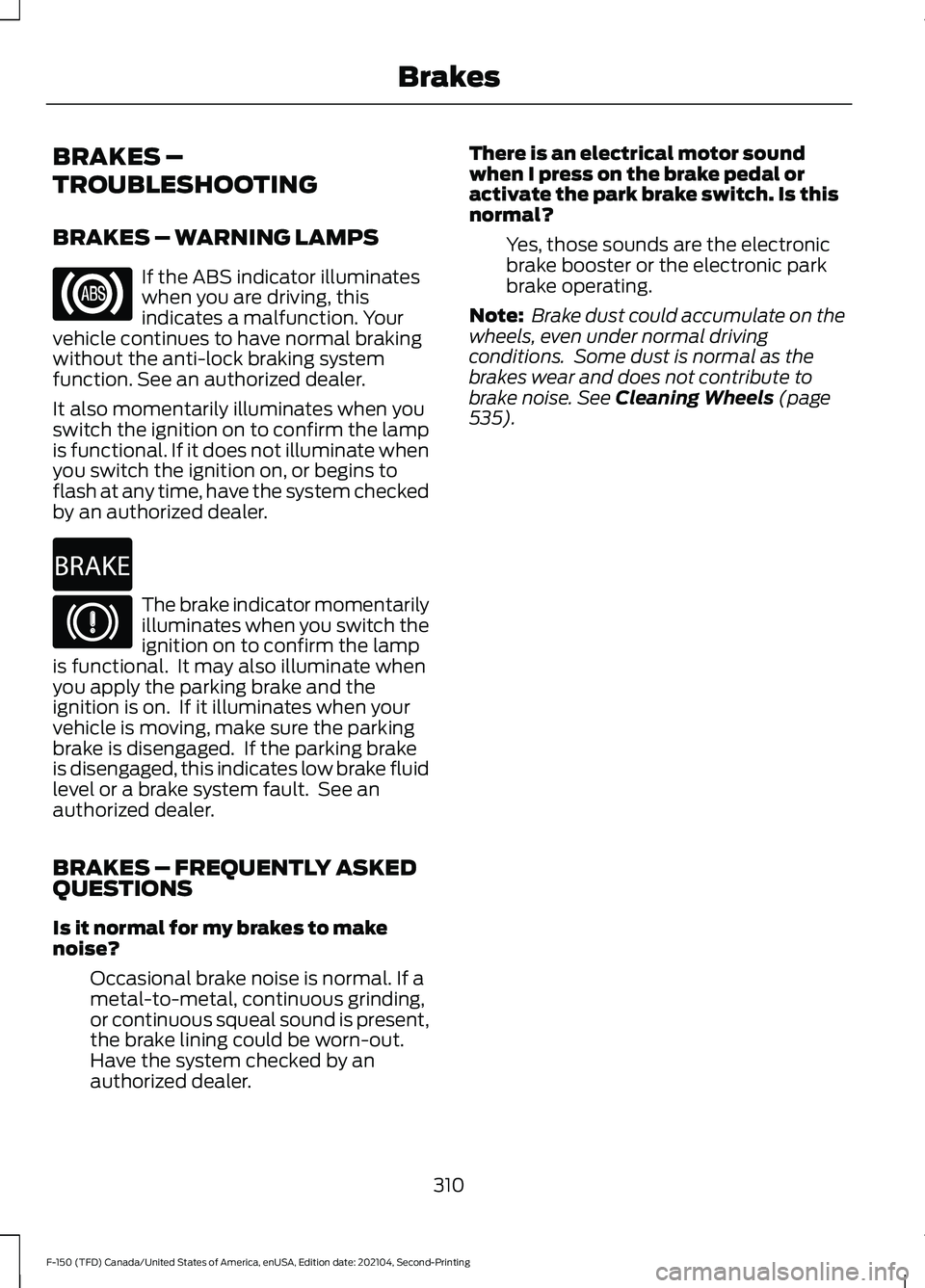
BRAKES – WARNING LAMPS
If the ABS indicator illuminates
when you are driving, this
indicates a malfunction. Your
vehicle continues to have normal braking
without the anti-lock braking system
function. See an authorized dealer.
It also momentarily illuminates when you
switch the ignition on to confirm the lamp
is functional. If it does not illuminate when
you switch the ignition on, or begins to
flash at any time, have the system checked
by an authorized dealer. The brake indicator momentarily
illuminates when you switch the
ignition on to confirm the lamp
is functional. It may also illuminate when
you apply the parking brake and the
ignition is on. If it illuminates when your
vehicle is moving, make sure the parking
brake is disengaged. If the parking brake
is disengaged, this indicates low brake fluid
level or a brake system fault. See an
authorized dealer.
BRAKES – FREQUENTLY ASKED
QUESTIONS
Is it normal for my brakes to make
noise?
Occasional brake noise is normal. If a
metal-to-metal, continuous grinding,
or continuous squeal sound is present,
the brake lining could be worn-out.
Have the system checked by an
authorized dealer. There is an electrical motor sound
when I press on the brake pedal or
activate the park brake switch. Is this
normal?
Yes, those sounds are the electronic
brake booster or the electronic park
brake operating.
Note: Brake dust could accumulate on the
wheels, even under normal driving
conditions. Some dust is normal as the
brakes wear and does not contribute to
brake noise. See Cleaning Wheels (page
535).
310
F-150 (TFD) Canada/United States of America, enUSA, Edition date: 202104, Second-Printing Brakes E270480
Page 318 of 796
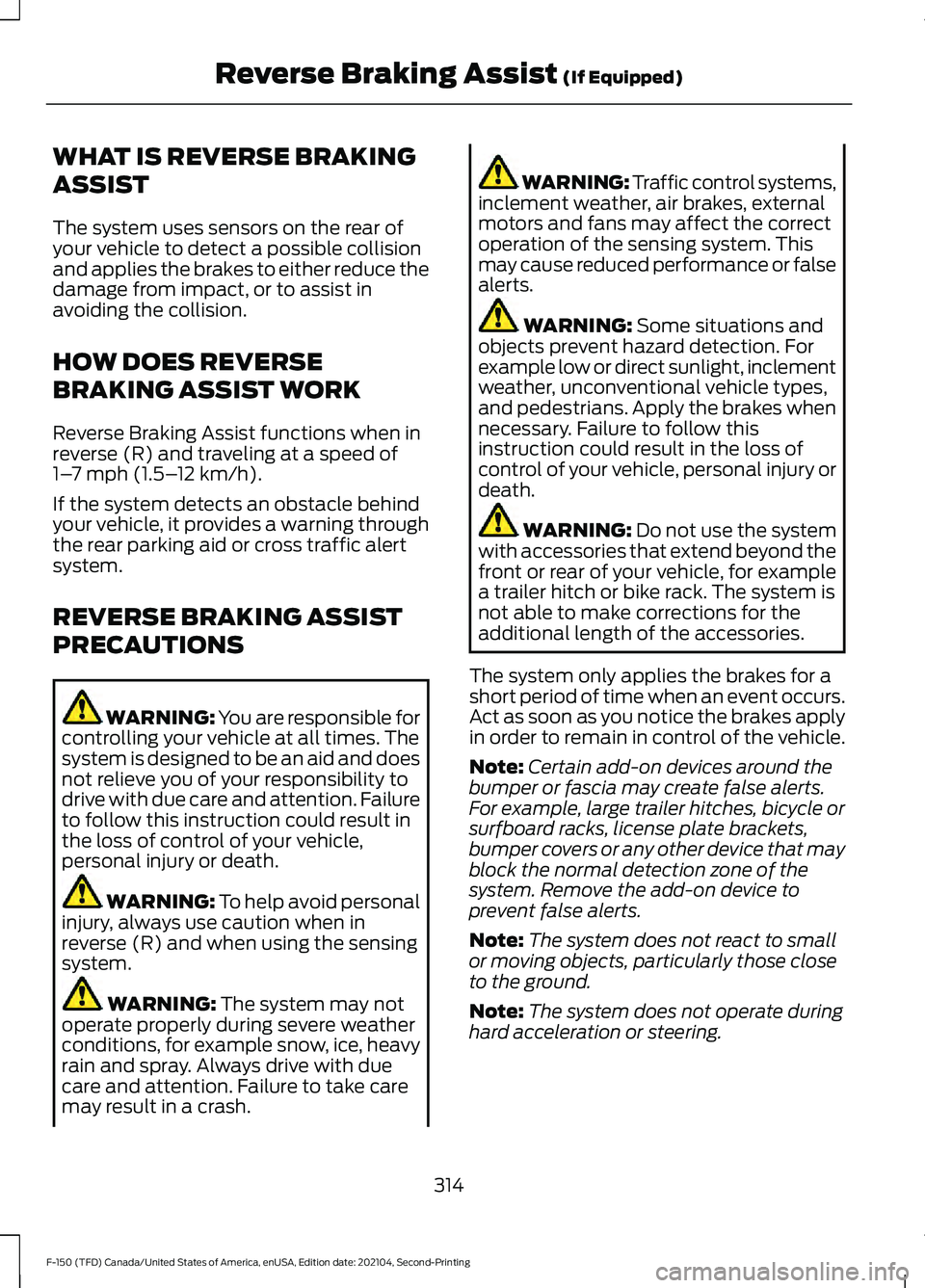
WHAT IS REVERSE BRAKING
ASSIST
The system uses sensors on the rear of
your vehicle to detect a possible collision
and applies the brakes to either reduce the
damage from impact, or to assist in
avoiding the collision.
HOW DOES REVERSE
BRAKING ASSIST WORK
Reverse Braking Assist functions when in
reverse (R) and traveling at a speed of
1–
7 mph (1.5– 12 km/h).
If the system detects an obstacle behind
your vehicle, it provides a warning through
the rear parking aid or cross traffic alert
system.
REVERSE BRAKING ASSIST
PRECAUTIONS WARNING: You are responsible for
controlling your vehicle at all times. The
system is designed to be an aid and does
not relieve you of your responsibility to
drive with due care and attention. Failure
to follow this instruction could result in
the loss of control of your vehicle,
personal injury or death. WARNING:
To help avoid personal
injury, always use caution when in
reverse (R) and when using the sensing
system. WARNING:
The system may not
operate properly during severe weather
conditions, for example snow, ice, heavy
rain and spray. Always drive with due
care and attention. Failure to take care
may result in a crash. WARNING: Traffic control systems,
inclement weather, air brakes, external
motors and fans may affect the correct
operation of the sensing system. This
may cause reduced performance or false
alerts. WARNING:
Some situations and
objects prevent hazard detection. For
example low or direct sunlight, inclement
weather, unconventional vehicle types,
and pedestrians. Apply the brakes when
necessary. Failure to follow this
instruction could result in the loss of
control of your vehicle, personal injury or
death. WARNING:
Do not use the system
with accessories that extend beyond the
front or rear of your vehicle, for example
a trailer hitch or bike rack. The system is
not able to make corrections for the
additional length of the accessories.
The system only applies the brakes for a
short period of time when an event occurs.
Act as soon as you notice the brakes apply
in order to remain in control of the vehicle.
Note: Certain add-on devices around the
bumper or fascia may create false alerts.
For example, large trailer hitches, bicycle or
surfboard racks, license plate brackets,
bumper covers or any other device that may
block the normal detection zone of the
system. Remove the add-on device to
prevent false alerts.
Note: The system does not react to small
or moving objects, particularly those close
to the ground.
Note: The system does not operate during
hard acceleration or steering.
314
F-150 (TFD) Canada/United States of America, enUSA, Edition date: 202104, Second-Printing Reverse Braking Assist
(If Equipped)
Page 320 of 796
REVERSE BRAKING ASSIST –
FREQUENTLY ASKED QUESTIONS
Why is reverse braking assist unavailable?
•
Make sure that all doors, liftgate and
hood are closed. Drive the vehicle on a
straight road for a short period. If the
message remains, contact an
authorized dealer.
• Make sure the cross traffic alert system
is on. See How Does Cross Traffic
Alert Work (page 393).
• Make sure the rear parking aid system
is on.
See What is the Rear Parking
Aid (page 334).
• Make sure traction control is on. See
Traction Control
(page 319).
• The vehicle has sustained a rear end
impact. Contact an authorized dealer
to have the sensors checked for proper
coverage and operation.
• An ABS, traction control or stability
control event may have occurred.
Reverse braking assist resumes
operation when the event is complete.
• Make sure the rear view camera and
360 degree camera are not dirty or
obstructed. If dirty, clean the camera.
If the message still appears after
cleaning the camera, wait a short time
and the message should clear. If the
message does not clear, contact an
authorized dealer.
• Make sure there are no blocked or
faulted sensors.
See How Does Cross
Traffic Alert Work (page 393).
• You recently had your vehicle serviced,
or the battery disconnected. Drive your
vehicle a short distance to resume
system operation.
• Reverse braking assist does not
function when you connect a trailer.
Operation resumes when you
disconnect the trailer. Note:
If the answers to why the system is
unavailable do not assist in returning reverse
braking assist to available, have the system
checked as soon as possible.
316
F-150 (TFD) Canada/United States of America, enUSA, Edition date: 202104, Second-Printing Reverse Braking Assist
(If Equipped)
Page 328 of 796
WHAT IS TRAIL CONTROL -
RAPTOR
WARNING: The system does not
control speed in low traction conditions
or extremely steep slopes. The system
is designed to be an aid and does not
relieve you of your responsibility to drive
with due care and attention. Failure to
follow this instruction could result in
personal injury.
Trail control lets you focus on steering
during low-speed and off-road use by
controlling your vehicle's acceleration and
braking to maintain the speed that you set.
You may hear a noise from the anti-lock
brake system pump motor when you use
the system. This is normal.
TRAIL CONTROL LIMITATIONS
- RAPTOR
Trail control is unavailable when any of the
following occur:
• Your vehicle speed is greater than
20 mph (32 km/h)
in two-wheel drive
high (2H) or four-wheel drive high (4H)
modes.
• Your vehicle speed is greater than
9 mph (15 km/h)
in four-wheel drive
low (4L) mode.
• Your vehicle speed is greater than
5 mph (8 km/h)
in reverse (R).
• The transmission is in park (P).
• The driver side door is open or your
seatbelt is off when the driver side door
is removed.
• Cruise control is on.
• Pro trailer backup assist is on. SWITCHING TRAIL CONTROL
ON AND OFF - RAPTOR Press the button.
The system switches off if you press the
button again or exceed 40 mph (64 km/h).
SETTING THE TRAIL CONTROL
SPEED - RAPTOR
Note: The buttons are located on the
steering wheel.
Drive to your preferred speed. Press button to increase the set
current speed.
Press button to decrease the set
current speed.
Note: The indicator changes color.
You can adjust the set speed in small or
large increments. Press the toggle button
upward or downward once to adjust the
set speed in small increments. Press and
hold the toggle button upward or
downward to adjust the set speed in large
increments.
You can also adjust the set speed by
braking.
Note: Pressing the brake pedal does not
switch off the system.
CANCELING THE SET SPEED -
RAPTOR Press the button.
324
F-150 (TFD) Canada/United States of America, enUSA, Edition date: 202104, Second-Printing Trail ControlE332910 E350925