instrument panel FORD F-150 2021 User Guide
[x] Cancel search | Manufacturer: FORD, Model Year: 2021, Model line: F-150, Model: FORD F-150 2021Pages: 796, PDF Size: 13.89 MB
Page 131 of 796
TAILGATE PRECAUTIONS
WARNING: It is extremely
dangerous to ride in a cargo area, inside
or outside of a vehicle. In a crash, people
riding in these areas are more likely to be
seriously injured or killed. Do not allow
people to ride in any area of your vehicle
that is not equipped with seats and
seatbelts. Make sure everyone in your
vehicle is in a seat and properly using a
seatbelt. Failure to follow this warning
could result in serious personal injury or
death.
OPENING THE TAILGATE
OPENING THE TAILGATE FROM
INSIDE YOUR VEHICLE
The vehicle must be in park (P) to operate
the power tailgate. Press the button on the
instrument panel.
Note: A tone sounds while the tailgate
opens.
OPENING THE TAILGATE FROM
OUTSIDE YOUR VEHICLE
1. Unlock the vehicle with the remote control or power door unlock control.
Note: If an intelligent access transmitter is
within
3 ft (1 m) of the tailgate, the tailgate
unlocks when you press the tailgate release
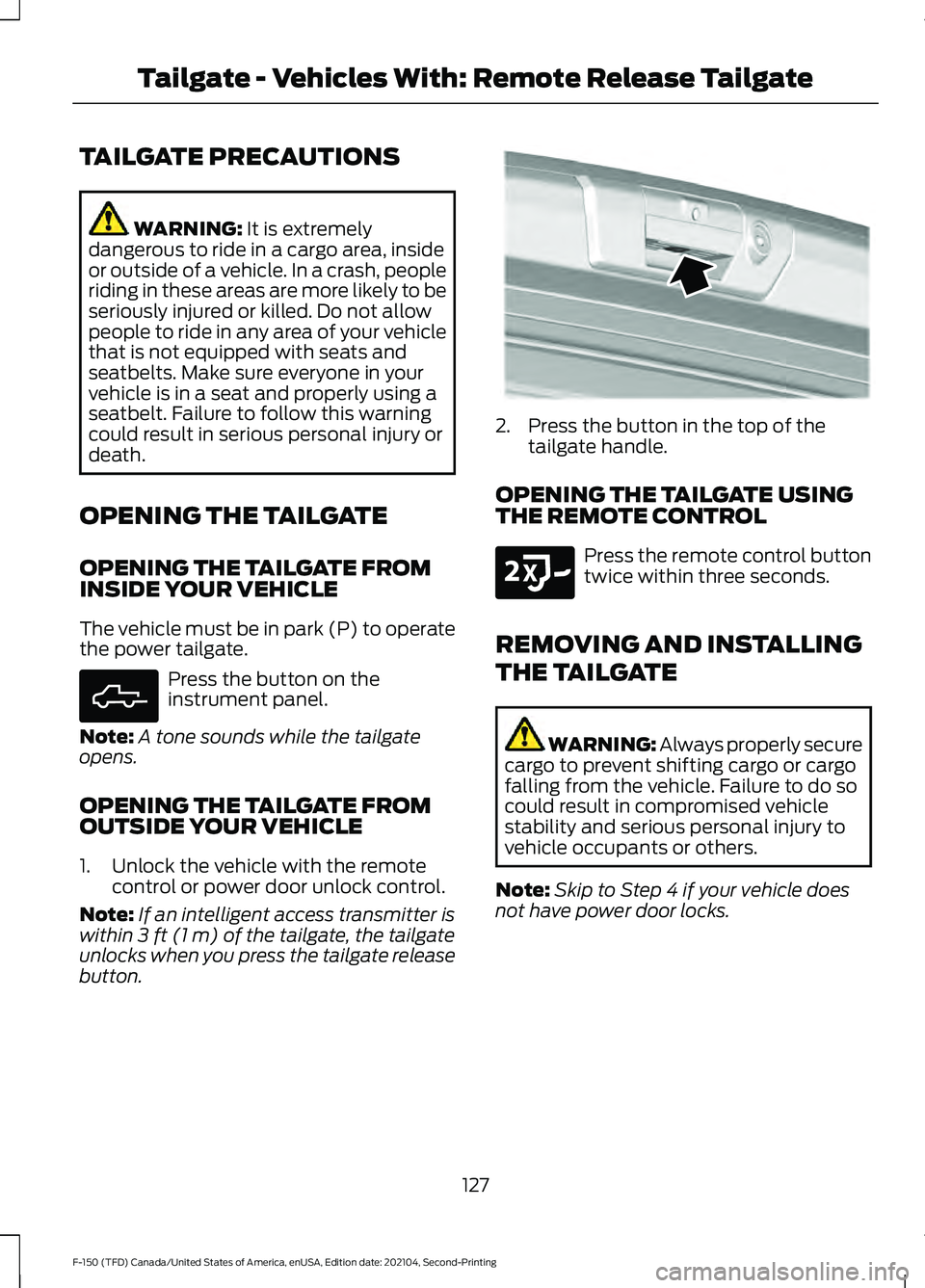
button. 2. Press the button in the top of the
tailgate handle.
OPENING THE TAILGATE USING
THE REMOTE CONTROL Press the remote control button
twice within three seconds.
REMOVING AND INSTALLING
THE TAILGATE WARNING: Always properly secure
cargo to prevent shifting cargo or cargo
falling from the vehicle. Failure to do so
could result in compromised vehicle
stability and serious personal injury to
vehicle occupants or others.
Note: Skip to Step 4 if your vehicle does
not have power door locks.
127
F-150 (TFD) Canada/United States of America, enUSA, Edition date: 202104, Second-Printing Tailgate - Vehicles With: Remote Release TailgateE308661 E346998 E191530
Page 136 of 796
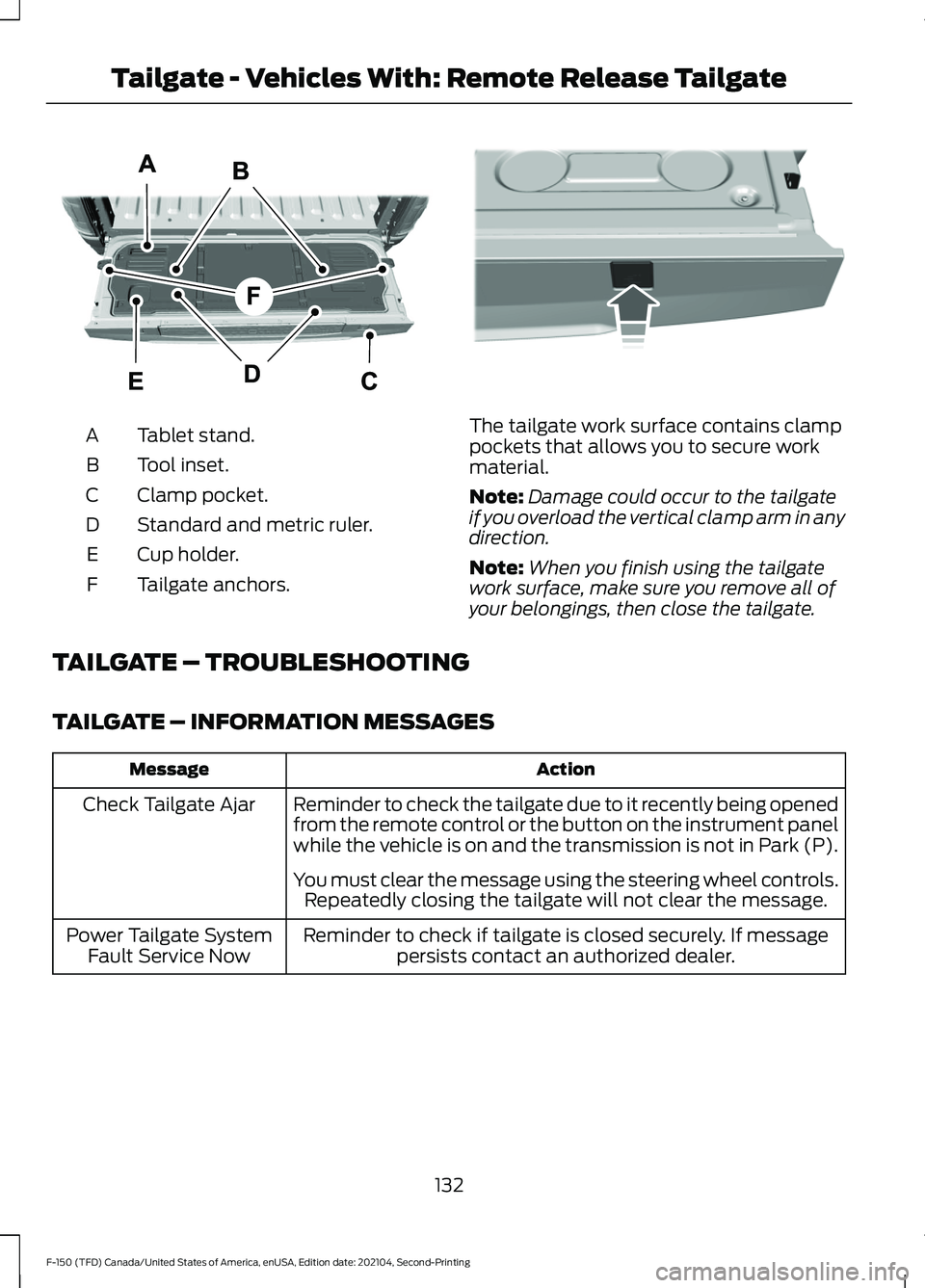
Tablet stand.
A
Tool inset.
B
Clamp pocket.
C
Standard and metric ruler.
D
Cup holder.
E
Tailgate anchors.
F The tailgate work surface contains clamp
pockets that allows you to secure work
material.
Note:
Damage could occur to the tailgate
if you overload the vertical clamp arm in any
direction.
Note: When you finish using the tailgate
work surface, make sure you remove all of
your belongings, then close the tailgate.
TAILGATE – TROUBLESHOOTING
TAILGATE – INFORMATION MESSAGES Action
Message
Reminder to check the tailgate due to it recently being opened
from the remote control or the button on the instrument panel
while the vehicle is on and the transmission is not in Park (P).
Check Tailgate Ajar
You must clear the message using the steering wheel controls.Repeatedly closing the tailgate will not clear the message.
Reminder to check if tailgate is closed securely. If message persists contact an authorized dealer.
Power Tailgate System
Fault Service Now
132
F-150 (TFD) Canada/United States of America, enUSA, Edition date: 202104, Second-Printing Tailgate - Vehicles With: Remote Release TailgateE308677 E336605
Page 146 of 796
ADJUSTING THE PEDALS
WARNING: Do not use the pedal
adjustment controls when the vehicle is
moving. Failure to follow this instruction
could result in personal injury or death.
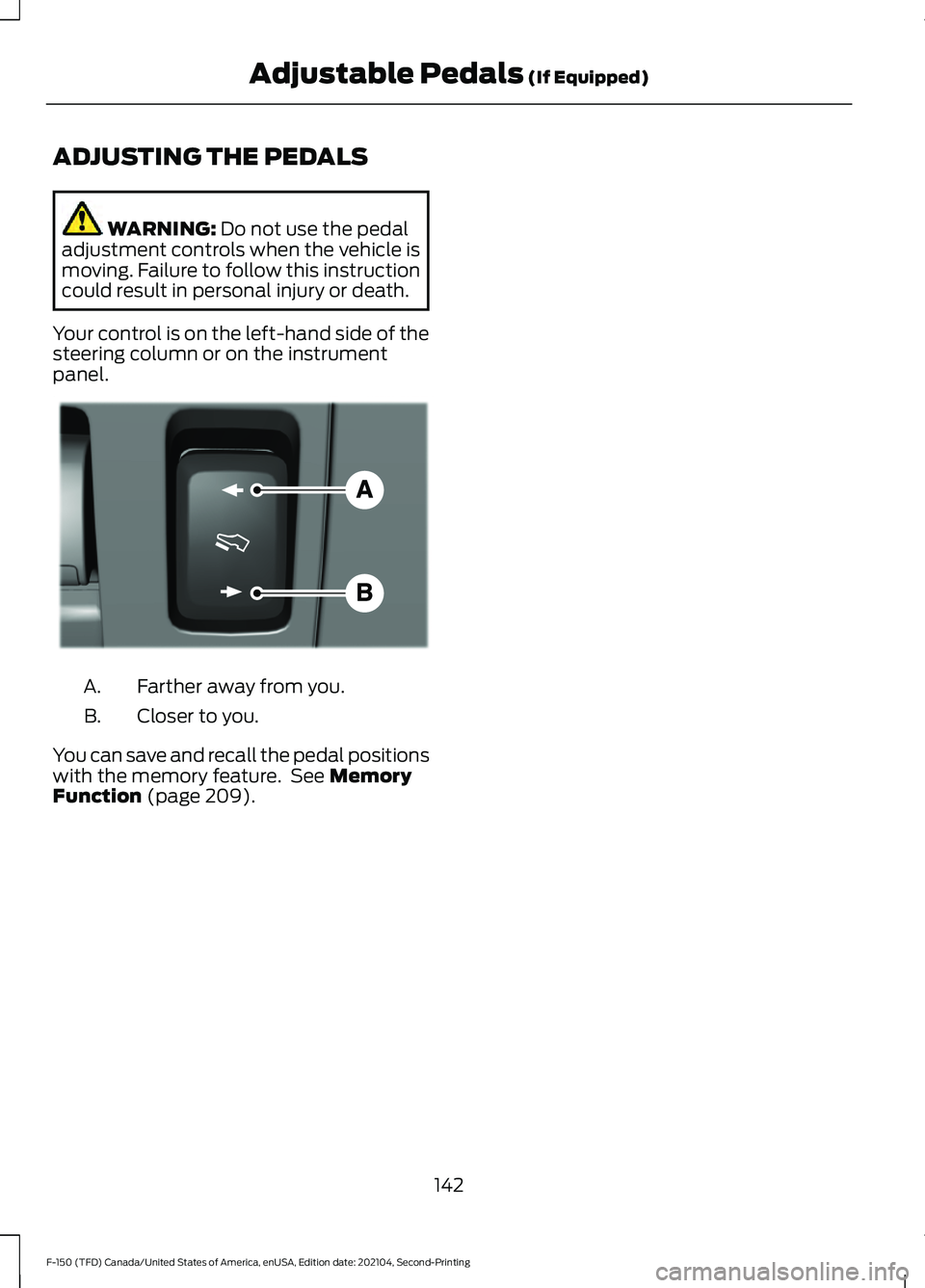
Your control is on the left-hand side of the
steering column or on the instrument
panel. Farther away from you.
A.
Closer to you.
B.
You can save and recall the pedal positions
with the memory feature. See
Memory
Function (page 209).
142
F-150 (TFD) Canada/United States of America, enUSA, Edition date: 202104, Second-Printing Adjustable Pedals
(If Equipped)E176213
Page 165 of 796
SWITCHING THE INTERIOR LAMP
FUNCTION ON AND OFF
Press to switch the interior lamp
function on and off.
Note: The indicator lamp illuminates amber
when the door function is off.
ADJUSTING THE INSTRUMENT
PANEL LIGHTING
BRIGHTNESS
The instrument lighting dimmer buttons
are on the lighting control. Repeatedly press one of the
buttons to adjust the brightness.
AMBIENT LIGHTING (IF EQUIPPED)
SWITCHING AMBIENT LIGHTING
ON AND OFF
1. Press
Settings on the touchscreen.
2. Press
Vehicle Settings.
3. Press
Ambient Light.
4. Switch
Ambient Light on or off.
ADJUSTING AMBIENT LIGHTING
Drag the slider left or right. INTERIOR LIGHTING –
TROUBLESHOOTING
INTERIOR LIGHTING –
FREQUENTLY ASKED QUESTIONS
Why do my courtesy lamps or interior
lamps turn off when I have them
switched on when I switch my vehicle
off?
The battery saver turns the courtesy
lamps and interior lamps off after a
short period of time after you switch
your vehicle off.
161
F-150 (TFD) Canada/United States of America, enUSA, Edition date: 202104, Second-Printing Interior Lighting E291299 E296433
Page 190 of 796
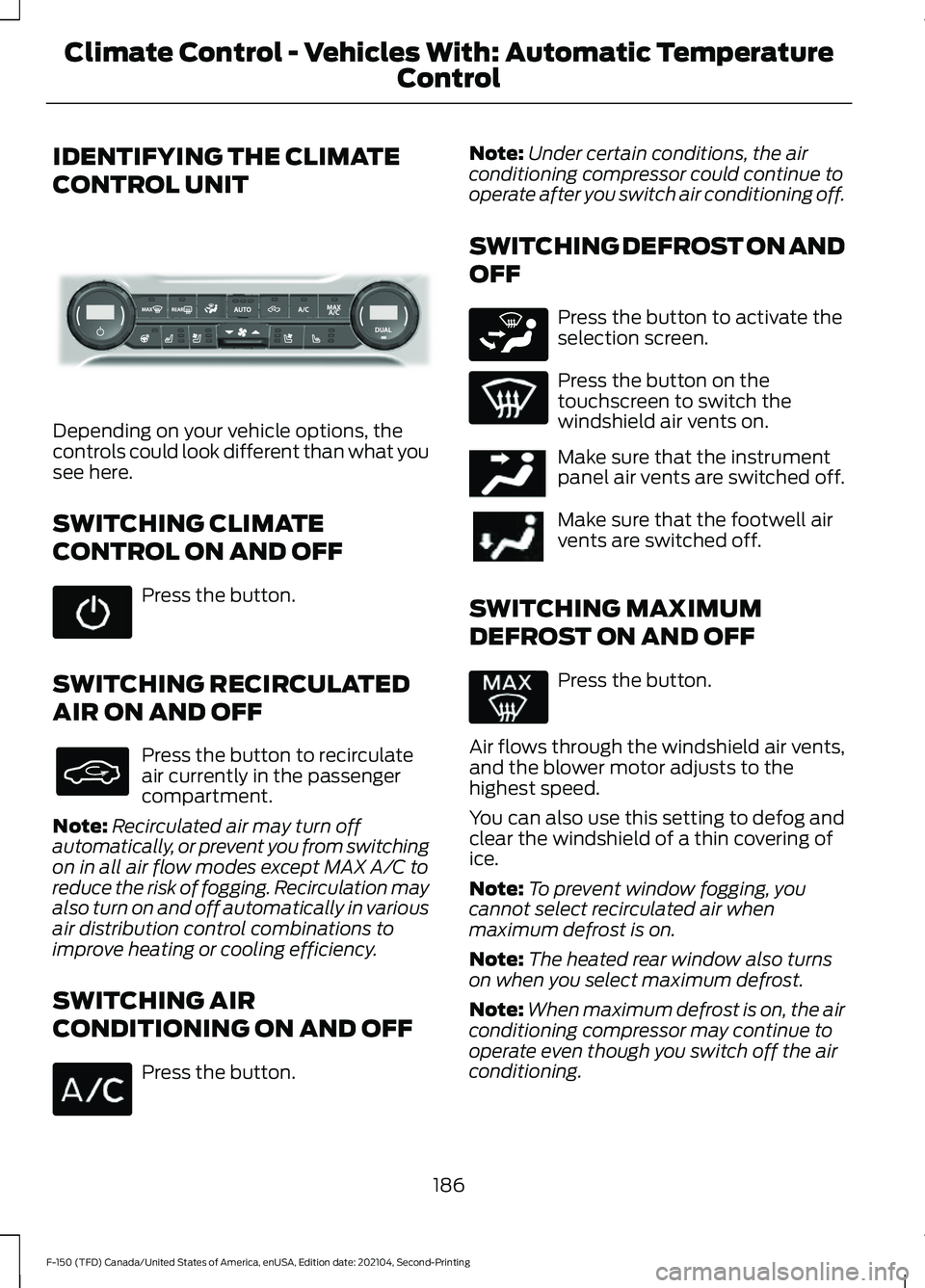
IDENTIFYING THE CLIMATE
CONTROL UNIT
Depending on your vehicle options, the
controls could look different than what you
see here.
SWITCHING CLIMATE
CONTROL ON AND OFF
Press the button.
SWITCHING RECIRCULATED
AIR ON AND OFF Press the button to recirculate
air currently in the passenger
compartment.
Note: Recirculated air may turn off
automatically, or prevent you from switching
on in all air flow modes except MAX A/C to
reduce the risk of fogging. Recirculation may
also turn on and off automatically in various
air distribution control combinations to
improve heating or cooling efficiency.
SWITCHING AIR
CONDITIONING ON AND OFF Press the button. Note:
Under certain conditions, the air
conditioning compressor could continue to
operate after you switch air conditioning off.
SWITCHING DEFROST ON AND
OFF Press the button to activate the
selection screen.
Press the button on the
touchscreen to switch the
windshield air vents on.
Make sure that the instrument
panel air vents are switched off.
Make sure that the footwell air
vents are switched off.
SWITCHING MAXIMUM
DEFROST ON AND OFF Press the button.
Air flows through the windshield air vents,
and the blower motor adjusts to the
highest speed.
You can also use this setting to defog and
clear the windshield of a thin covering of
ice.
Note: To prevent window fogging, you
cannot select recirculated air when
maximum defrost is on.
Note: The heated rear window also turns
on when you select maximum defrost.
Note: When maximum defrost is on, the air
conditioning compressor may continue to
operate even though you switch off the air
conditioning.
186
F-150 (TFD) Canada/United States of America, enUSA, Edition date: 202104, Second-Printing Climate Control - Vehicles With: Automatic Temperature
ControlE339318 E265283 E244097
Page 192 of 796
DIRECTING THE FLOW OF AIR
Directing Air to the Windshield Air
Vents
Press the button to activate the
selection screen.
Press the button on the
touchscreen.
Directing Air to the Instrument
Panel Air Vents Press the button to activate the
selection screen.
Press the button on the
touchscreen.
Directing Air to the Footwell Air
Vents Press the button to activate the
selection screen. Press the button on the
touchscreen.
AUTO MODE
SWITCHING AUTO MODE ON AND
OFF Press the button to switch auto
mode on. Repeatedly press the
button to adjust auto mode.
Note: When you switch auto mode on,
lights on the blower motor control do not
illuminate to indicate the blower motor
speed.
Adjust the blower motor control or air
distribution control to switch auto mode
off.
AUTO MODE INDICATORS
The indicators are on the Auto Mode
button. Description
Auto Mode Indicator
Status
The blower motor speed is reduced. Use this setting to
minimize the amount of noise from the blower motor. This
setting increases the time taken to cool the interior.
One indicator illumin-
ated.
The blower motor speed is moderate.
Two indicators illumin-
ated.
The blower motor speed is increased. Use this setting to
reduce the time taken to cool the interior. This setting
increases the amount of noise from the blower motor.
Three indicators illumin-
ated.
188
F-150 (TFD) Canada/United States of America, enUSA, Edition date: 202104, Second-Printing Climate Control - Vehicles With: Automatic Temperature
ControlE265283 E265283 E244097 E265283
Page 193 of 796
SWITCHING DUAL MODE ON AND
OFF
Press the button.
CLIMATE CONTROL HINTS
General Hints
• Prolonged use of recirculated air may
cause the windows to fog up.
• You may feel a small amount of air
from the footwell air vents regardless
of the air distribution setting.
• To reduce humidity build-up inside your
vehicle, do not drive with the system
switched off or with recirculated air
always switched on.
• Do not place objects under the front
seats as this may interfere with the
airflow to the rear seats.
• Remove any snow, ice or leaves from
the air intake area at the base of the
windshield.
• To improve the time to reach a
comfortable temperature in hot
weather, drive with the windows open
until you feel cold air through the air
vents.
Automatic Climate Control
• Adjusting the settings when your
vehicle interior is extremely hot or cold
is not necessary. Automatic mode is
best recommended to maintain set
temperature.
• The system adjusts to heat or cool the
interior to the temperature you select
as quickly as possible.
• For the system to function efficiently,
the instrument panel and side air vents
should be fully open. •
If you press AUTO during cold outside
temperatures, the system directs air
flow to the windshield and side window
air vents.In addition, the blower motor
may run at a slower speed until the
engine warms up.
• If you press
AUTO during hot
temperatures and the inside of the
vehicle is hot, the system uses
recirculated air to maximize interior
cooling. Blower motor speed may also
reduce until the air cools.
Quickly Heating the Interior
1. Press
AUTO.
2. Adjust the temperature function to the
setting you prefer.
Recommended Settings for
Heating
1. Press
AUTO.
2. Adjust the temperature function to the
setting you prefer. Use
72°F (22°C) as
a starting point, then adjust the setting
as necessary.
Quickly Cooling the Interior
1. Press
MAX A/C.
2. Drive with the windows open for a short
period of time.
Recommended Settings for
Cooling
1. Press
AUTO.
2. Adjust the temperature function to the
setting you prefer. Use
72°F (22°C) as
a starting point, then adjust the setting
as necessary.
Defogging the Side Windows in
Cold Weather
1. Press and release defrost or maximum
defrost.
189
F-150 (TFD) Canada/United States of America, enUSA, Edition date: 202104, Second-Printing Climate Control - Vehicles With: Automatic Temperature
ControlE265280
Page 195 of 796
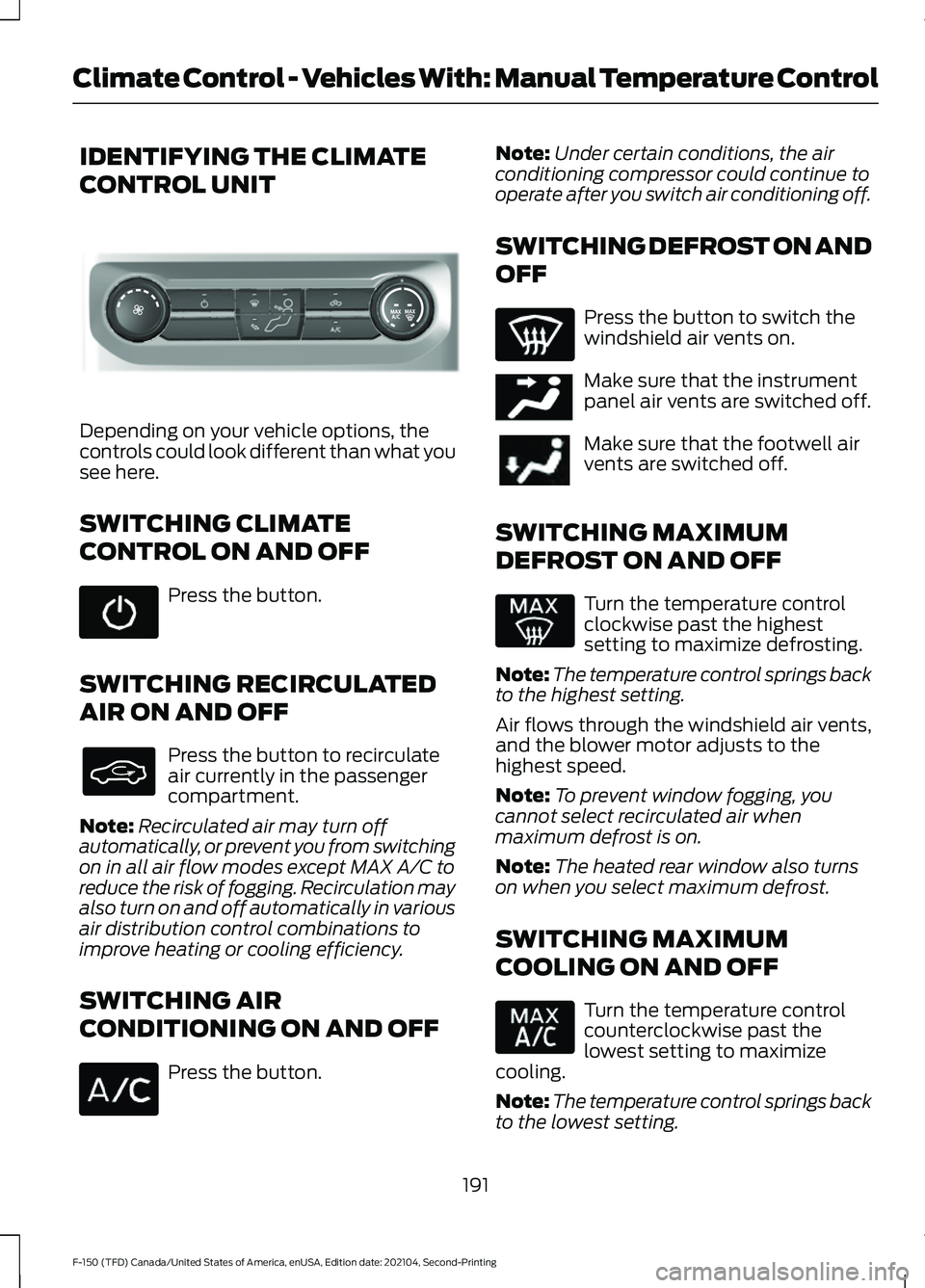
IDENTIFYING THE CLIMATE
CONTROL UNIT
Depending on your vehicle options, the
controls could look different than what you
see here.
SWITCHING CLIMATE
CONTROL ON AND OFF
Press the button.
SWITCHING RECIRCULATED
AIR ON AND OFF Press the button to recirculate
air currently in the passenger
compartment.
Note: Recirculated air may turn off
automatically, or prevent you from switching
on in all air flow modes except MAX A/C to
reduce the risk of fogging. Recirculation may
also turn on and off automatically in various
air distribution control combinations to
improve heating or cooling efficiency.
SWITCHING AIR
CONDITIONING ON AND OFF Press the button. Note:
Under certain conditions, the air
conditioning compressor could continue to
operate after you switch air conditioning off.
SWITCHING DEFROST ON AND
OFF Press the button to switch the
windshield air vents on.
Make sure that the instrument
panel air vents are switched off.
Make sure that the footwell air
vents are switched off.
SWITCHING MAXIMUM
DEFROST ON AND OFF Turn the temperature control
clockwise past the highest
setting to maximize defrosting.
Note: The temperature control springs back
to the highest setting.
Air flows through the windshield air vents,
and the blower motor adjusts to the
highest speed.
Note: To prevent window fogging, you
cannot select recirculated air when
maximum defrost is on.
Note: The heated rear window also turns
on when you select maximum defrost.
SWITCHING MAXIMUM
COOLING ON AND OFF Turn the temperature control
counterclockwise past the
lowest setting to maximize
cooling.
Note: The temperature control springs back
to the lowest setting.
191
F-150 (TFD) Canada/United States of America, enUSA, Edition date: 202104, Second-Printing Climate Control - Vehicles With: Manual Temperature ControlE308141 E244097
Page 196 of 796
Note:
When you switch maximum cooling
off, air conditioning remains on.
SWITCHING THE HEATED
REAR WINDOW ON AND OFF Press the button to clear the rear
window of thin ice and fog. The
heated rear window turns off
after a short period of time.
Note: Do not use harsh chemicals, razor
blades or other sharp objects to clean or
remove decals from the inside of the heated
rear window as this could cause damage to
the heated rear window grid lines not
covered by the vehicle Warranty.
SETTING THE BLOWER MOTOR
SPEED Note:
Lights on the control illuminate to
indicate the blower motor speed.
Note: When you switch the blower motor
off, air conditioning turns off and the
windows could fog up.
SWITCHING THE HEATED
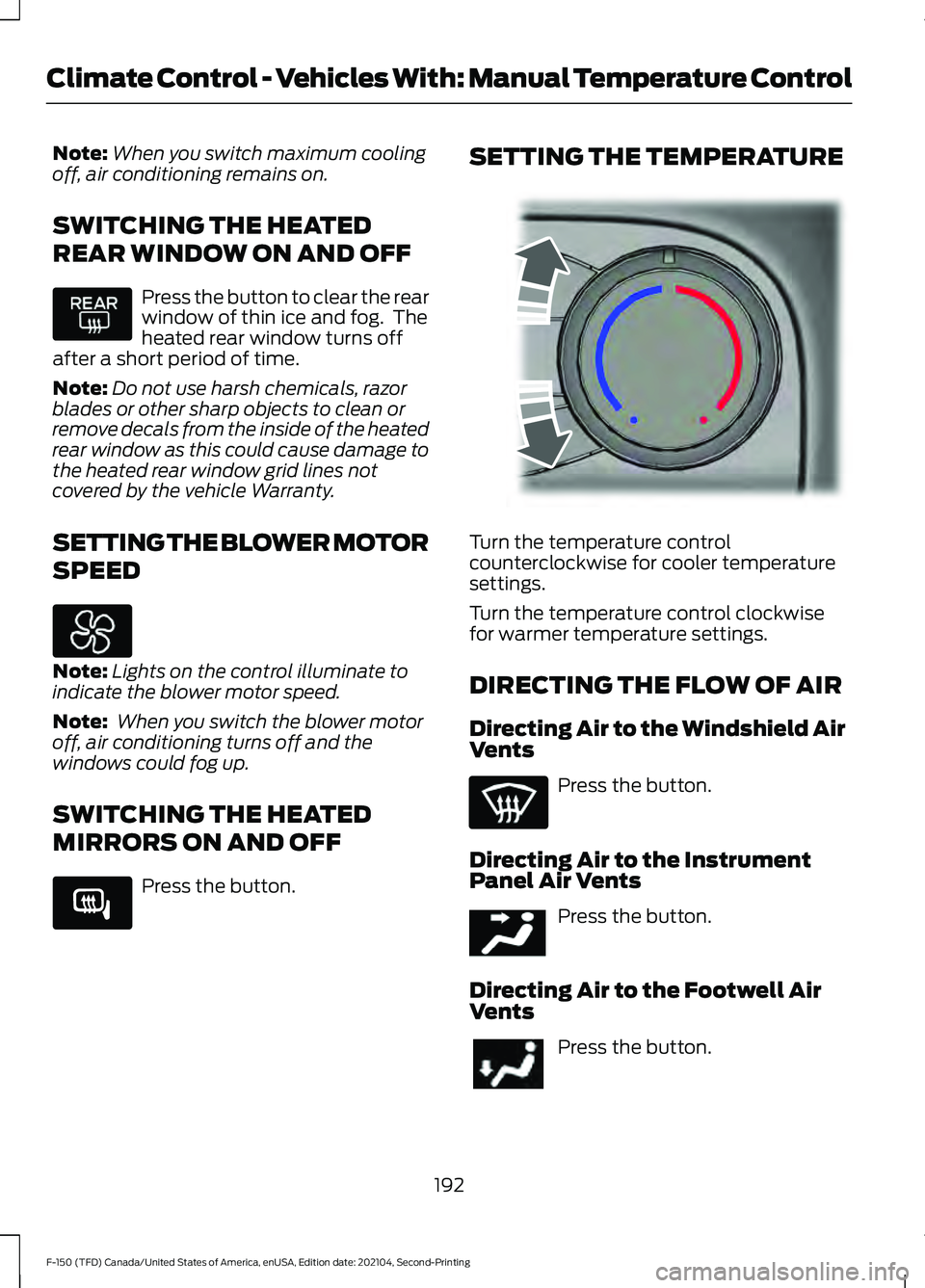
MIRRORS ON AND OFF Press the button. SETTING THE TEMPERATURE
Turn the temperature control
counterclockwise for cooler temperature
settings.
Turn the temperature control clockwise
for warmer temperature settings.
DIRECTING THE FLOW OF AIR
Directing Air to the Windshield Air
Vents
Press the button.
Directing Air to the Instrument
Panel Air Vents Press the button.
Directing Air to the Footwell Air
Vents Press the button.
192
F-150 (TFD) Canada/United States of America, enUSA, Edition date: 202104, Second-Printing Climate Control - Vehicles With: Manual Temperature Control E266189 E244106 E244097
Page 197 of 796
CLIMATE CONTROL HINTS
General Hints
•
Prolonged use of recirculated air may
cause the windows to fog up.
• You may feel a small amount of air
from the footwell air vents regardless
of the air distribution setting.
• To reduce humidity build-up inside your
vehicle, do not drive with the system
switched off or with recirculated air
always switched on.
• Do not place objects under the front
seats as this may interfere with the
airflow to the rear seats.
• Remove any snow, ice or leaves from
the air intake area at the base of the
windshield.
• To improve the time to reach a
comfortable temperature in hot
weather, drive with the windows open
until you feel cold air through the air
vents.
Quickly Heating the Interior
1. Adjust the blower motor speed to the highest speed setting.
2. Adjust the temperature control to the highest setting.
3. Direct air to the footwell air vents.
Recommended Settings for
Heating
1. Adjust the blower motor speed to the center setting.
2. Adjust the temperature control to the midway point of the hot settings.
3. Direct air to the footwell air vents.
Quickly Cooling the Interior
1. Press MAX A/C. 2.
Drive with the windows open for a short
period of time.
Recommended Settings for
Cooling
1. Adjust the blower motor speed to the center setting.
2. Adjust the temperature control to the midway point of the cold settings.
3. Direct air to the instrument panel air vents.
Defogging the Side Windows in
Cold Weather
1. Direct air to the instrument panel and windshield air vents.
2. Press and release
A/C.
3. Adjust the temperature control to the setting you prefer.
4. Adjust the blower motor speed to the highest setting.
5. Direct air toward the side windows.
6. Close the instrument panel air vents.
193
F-150 (TFD) Canada/United States of America, enUSA, Edition date: 202104, Second-Printing Climate Control - Vehicles With: Manual Temperature Control