trailer FORD F-150 2021 User Guide
[x] Cancel search | Manufacturer: FORD, Model Year: 2021, Model line: F-150, Model: FORD F-150 2021Pages: 796, PDF Size: 13.89 MB
Page 170 of 796
Switching Auto-fold On and Off
1. Press Settings on the touchscreen.
2. Press
Vehicle Settings.
3. Press
Mirrors.
4. Switch
Autofold on or off.
Loose Mirror
If your power-folding mirrors are manually
folded, they may not work properly even
after you re-position them. You need to
reset them if:
• The mirrors vibrate when you drive.
• The mirrors feel loose.
• The mirrors do not stay in the folded or
unfolded position.
• One of the mirrors is not in its normal
driving position.
To reset the mirrors perform the following
steps:
1. By hand, fold or retract both mirrors.
2. Using the power folding/power telescoping mirror control switch,
operate the mirrors until you hear an
audible click.
3. Operate the power folding or power telescoping mirrors an additional 3 to
4 times to synchronize the mirrors.
EXTENDING THE EXTERIOR
MIRRORS
This optional feature lets you extend the
mirror about 3 in (75 mm). It is useful when
towing a trailer. You can manually pull out
or push in the mirrors to various positions.
Power Telescoping Mirrors
(If
Equipped)
This feature lets you position both mirrors
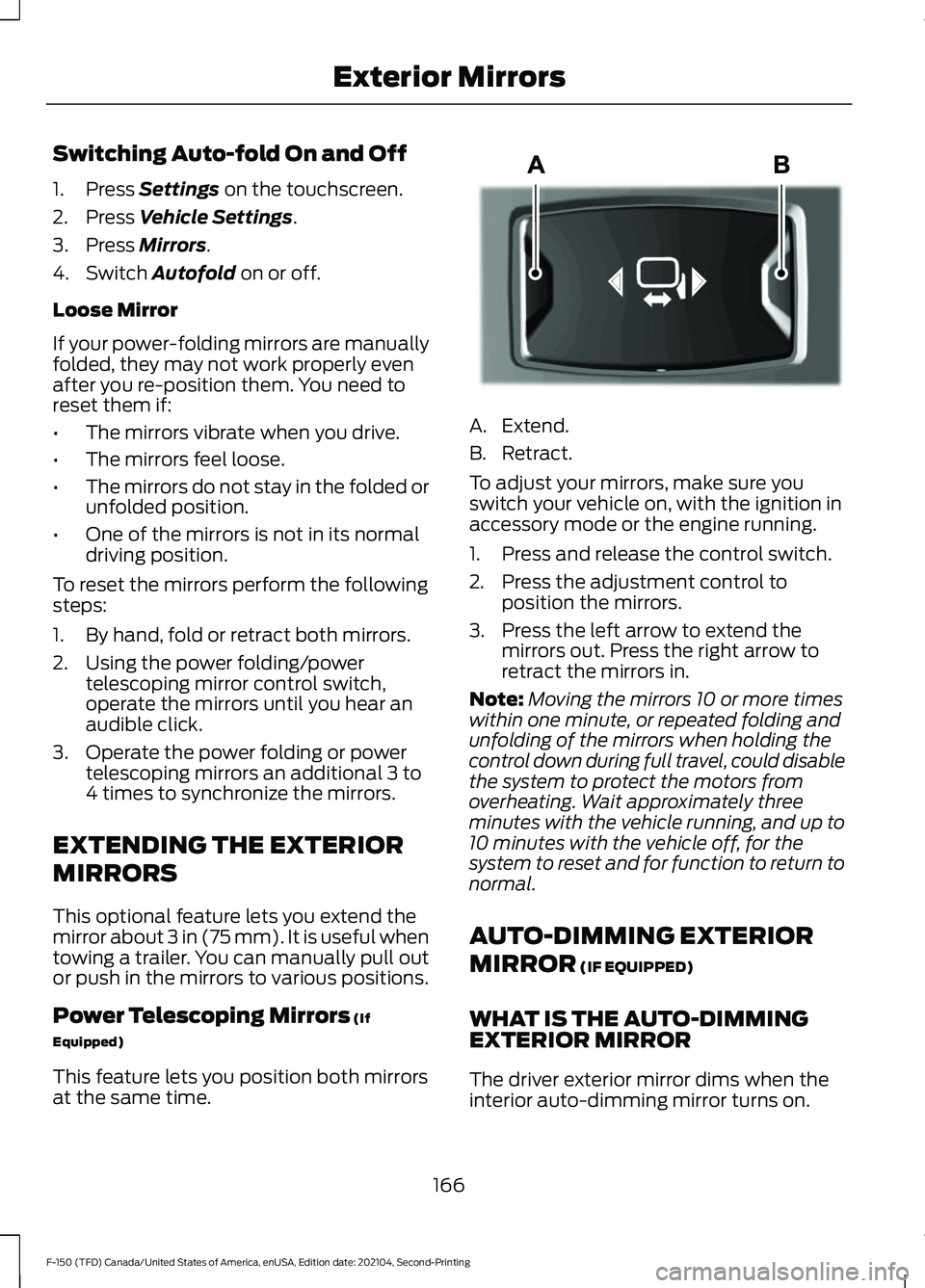
at the same time. A. Extend.
B. Retract.
To adjust your mirrors, make sure you
switch your vehicle on, with the ignition in
accessory mode or the engine running.
1. Press and release the control switch.
2. Press the adjustment control to
position the mirrors.
3. Press the left arrow to extend the mirrors out. Press the right arrow to
retract the mirrors in.
Note: Moving the mirrors 10 or more times
within one minute, or repeated folding and
unfolding of the mirrors when holding the
control down during full travel, could disable
the system to protect the motors from
overheating. Wait approximately three
minutes with the vehicle running, and up to
10 minutes with the vehicle off, for the
system to reset and for function to return to
normal.
AUTO-DIMMING EXTERIOR
MIRROR
(IF EQUIPPED)
WHAT IS THE AUTO-DIMMING
EXTERIOR MIRROR
The driver exterior mirror dims when the
interior auto-dimming mirror turns on.
166
F-150 (TFD) Canada/United States of America, enUSA, Edition date: 202104, Second-Printing Exterior MirrorsE218902
Page 179 of 796
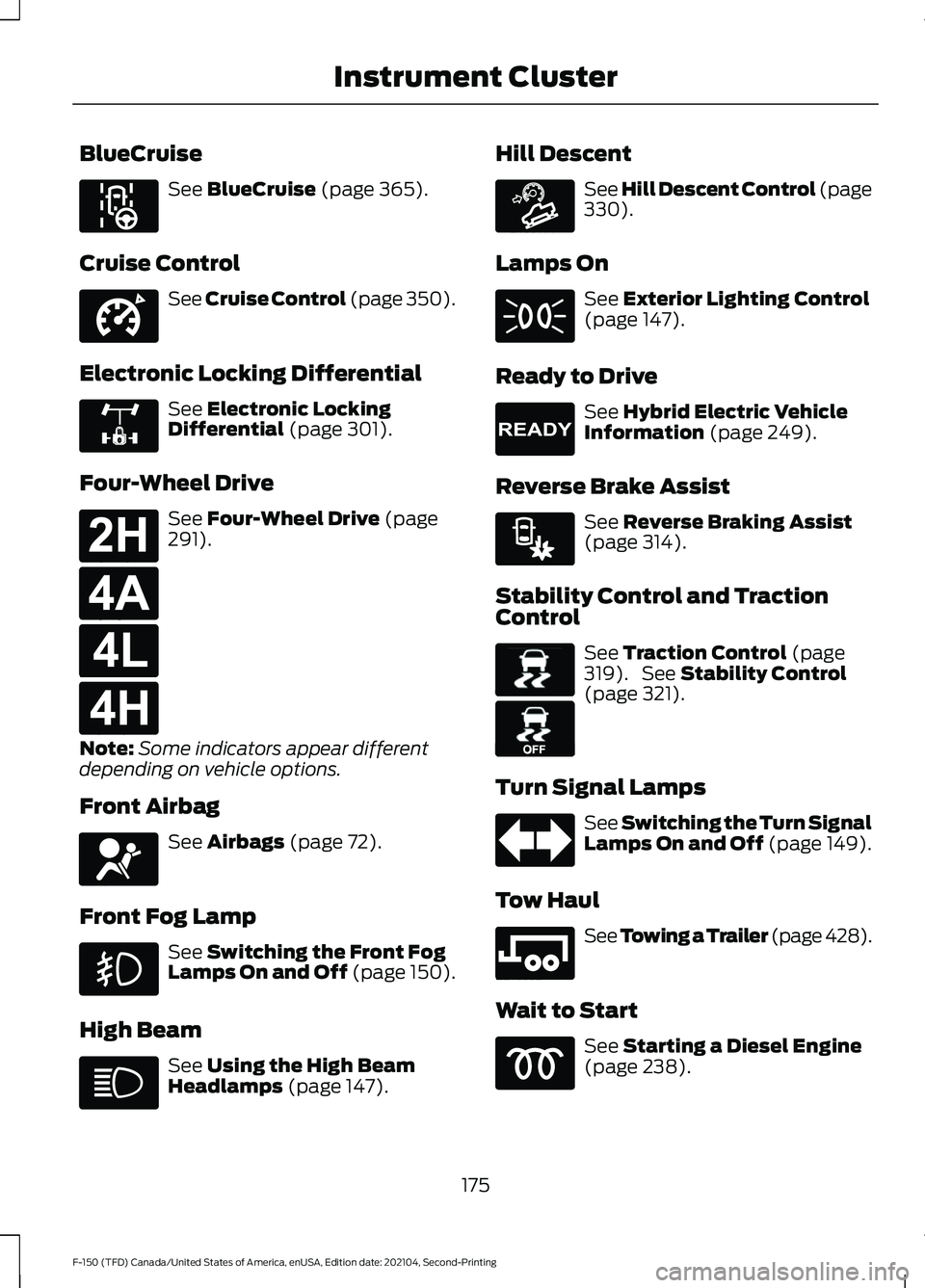
BlueCruise
See BlueCruise (page 365).
Cruise Control See Cruise Control (page 350).
Electronic Locking Differential See
Electronic Locking
Differential (page 301).
Four-Wheel Drive See
Four-Wheel Drive (page
291).
Note: Some indicators appear different
depending on vehicle options.
Front Airbag See
Airbags (page 72).
Front Fog Lamp See
Switching the Front Fog
Lamps On and Off (page 150).
High Beam See
Using the High Beam
Headlamps (page 147). Hill Descent See Hill Descent Control
(page
330).
Lamps On See
Exterior Lighting Control
(page 147).
Ready to Drive See
Hybrid Electric Vehicle
Information (page 249).
Reverse Brake Assist See
Reverse Braking Assist
(page 314).
Stability Control and Traction
Control See
Traction Control (page
319). See Stability Control
(page 321).
Turn Signal Lamps See Switching the Turn Signal
Lamps On and Off (page 149).
Tow Haul See
Towing a Trailer (page 428).
Wait to Start See
Starting a Diesel Engine
(page 238).
175
F-150 (TFD) Canada/United States of America, enUSA, Edition date: 202104, Second-Printing Instrument ClusterE297977 E332905 E325779 E181778 E181781 E181780 E181779 E67017 E163171 E224090 E293490 E138639 E130458 E246592
Page 181 of 796
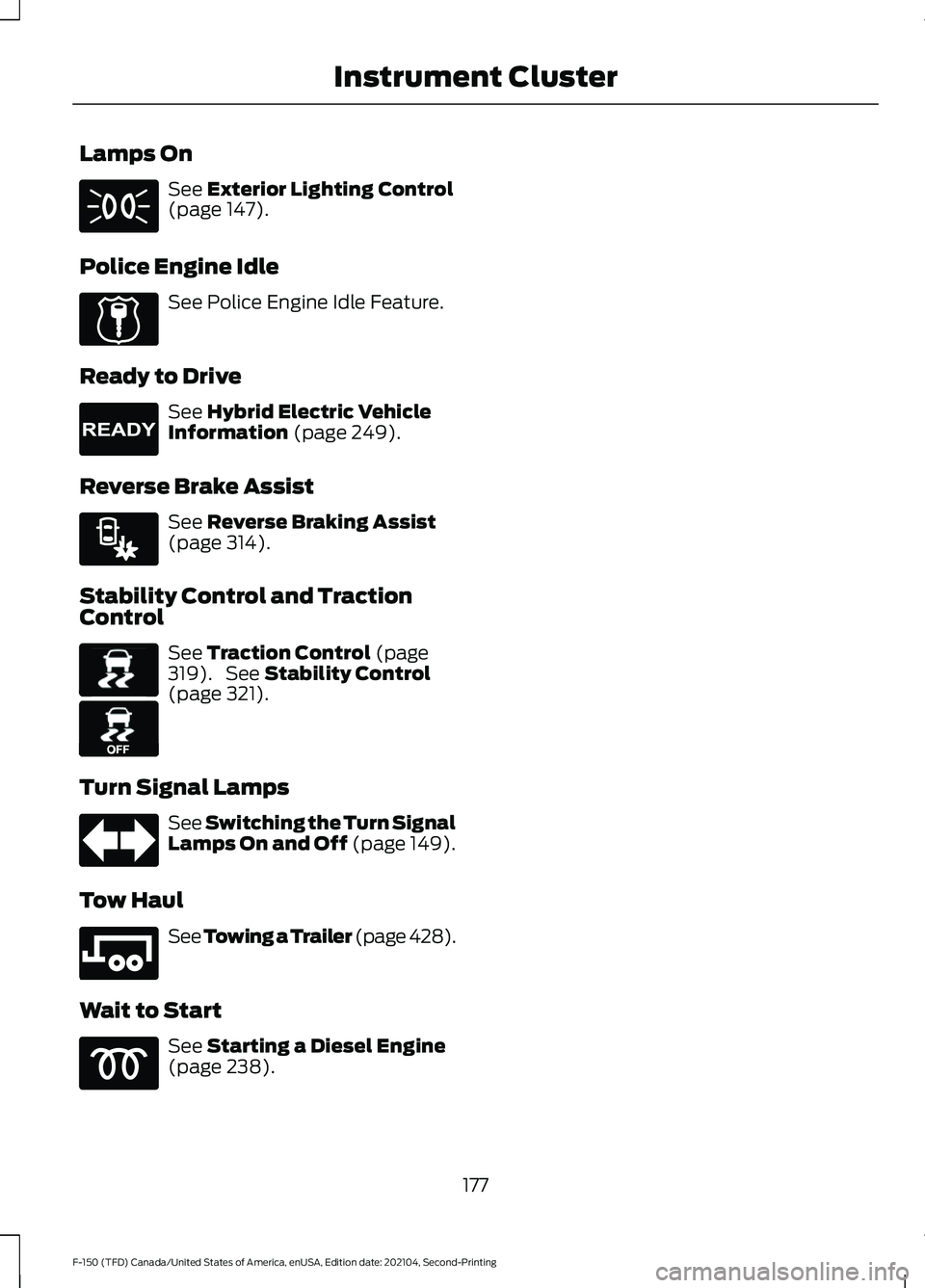
Lamps On
See Exterior Lighting Control
(page 147).
Police Engine Idle See Police Engine Idle Feature.
Ready to Drive See
Hybrid Electric Vehicle
Information (page 249).
Reverse Brake Assist See
Reverse Braking Assist
(page 314).
Stability Control and Traction
Control See
Traction Control (page
319). See Stability Control
(page 321).
Turn Signal Lamps See Switching the Turn Signal
Lamps On and Off (page 149).
Tow Haul See
Towing a Trailer (page 428).
Wait to Start See
Starting a Diesel Engine
(page 238).
177
F-150 (TFD) Canada/United States of America, enUSA, Edition date: 202104, Second-Printing Instrument Cluster E224045 E224090 E293490 E138639 E130458 E246592
Page 253 of 796
WHAT IS A HYBRID ELECTRIC
VEHICLE
A hybrid vehicle has an electric motor and
a high voltage battery combined with a
gasoline engine.
HOW DOES A HYBRID
ELECTRIC VEHICLE WORK
The hybrid vehicle combines electric and
gasoline propulsion to provide optimal
performance and improved efficiency.
HYBRID ELECTRIC VEHICLE
DRIVING CHARACTERISTICS
The gasoline engine starts and stops to
provide power when required and to save
fuel when not needed. When coasting at
low speeds, coming to a stop or standing,
the gas engine normally shuts down and
your vehicle operates in electric-only
mode.
Conditions that may cause the gasoline
engine to start or remain running include:
•
Considerable vehicle acceleration.
• Driving uphill.
• The high voltage battery charge level
is low.
• Heating or cooling the vehicle interior
in high or low outside temperatures.
• The gasoline engine is below normal
operating temperature.
• Towing a trailer.
• Certain selectable drive modes could
cause the engine to run. See Selecting
a Drive Mode (page 373). Use of the
paddle shifters while in drive (D) could
cause the engine to run. Your hybrid vehicle also comes with
standard hydraulic braking and
regenerative braking. Regenerative braking
is performed by your transmission and
captures brake energy and stores it in the
high voltage battery.
You could also notice that your engine
continues to run instead of shutting off
during extended downhill driving. The
engine stays on during this engine braking
but is not using any fuel.
You could also hear a slight whine or
whistle when operating your vehicle. This
is the normal operation of the electric
motor in the hybrid system.
HYBRID ELECTRIC VEHICLE
INDICATORS
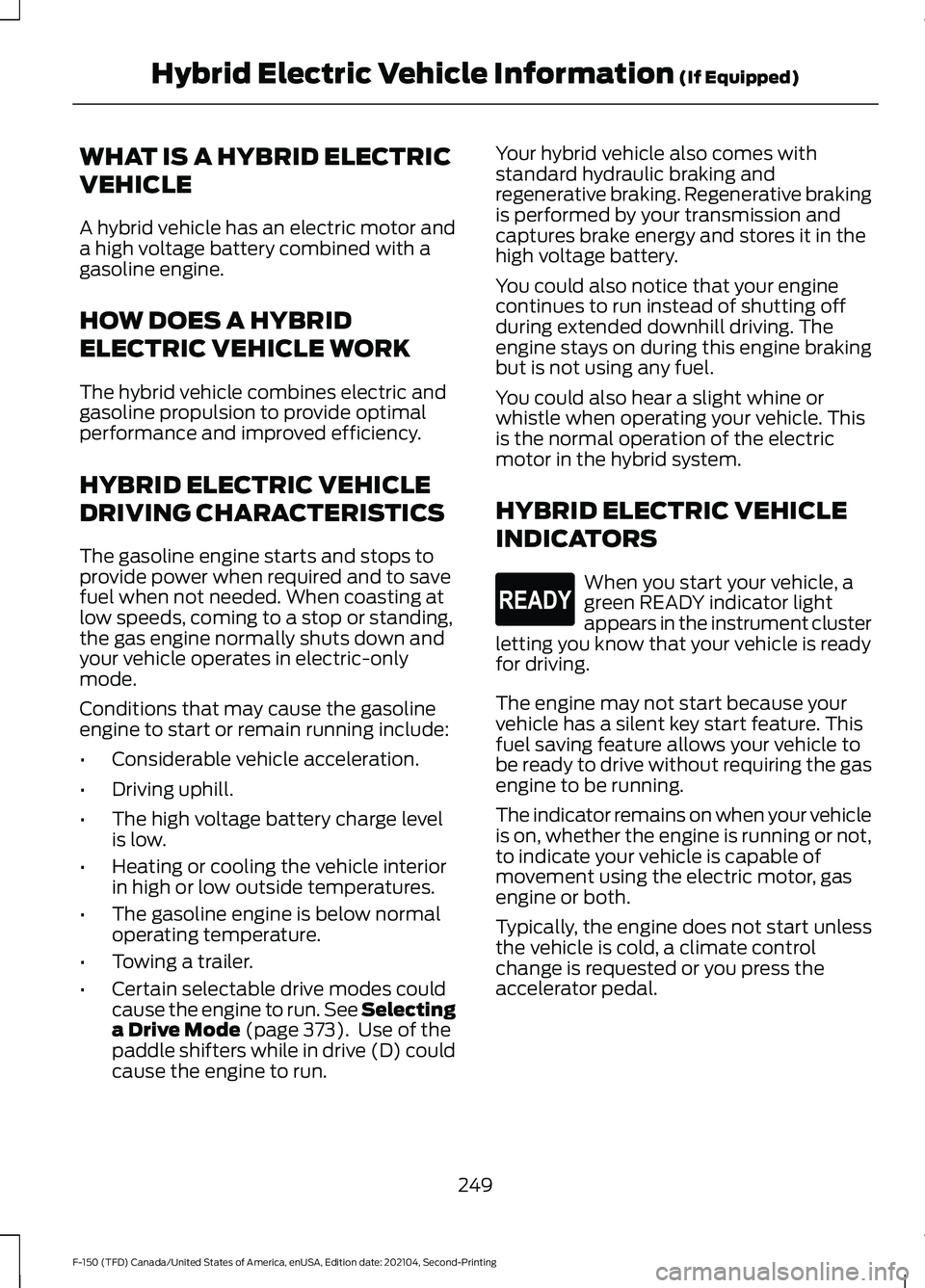
When you start your vehicle, a
green READY indicator light
appears in the instrument cluster
letting you know that your vehicle is ready
for driving.
The engine may not start because your
vehicle has a silent key start feature. This
fuel saving feature allows your vehicle to
be ready to drive without requiring the gas
engine to be running.
The indicator remains on when your vehicle
is on, whether the engine is running or not,
to indicate your vehicle is capable of
movement using the electric motor, gas
engine or both.
Typically, the engine does not start unless
the vehicle is cold, a climate control
change is requested or you press the
accelerator pedal.
249
F-150 (TFD) Canada/United States of America, enUSA, Edition date: 202104, Second-Printing Hybrid Electric Vehicle Information
(If Equipped)E293827
Page 260 of 796
FUEL QUALITY
SELECTING THE CORRECT FUEL -
FLEX FUEL – ETHANOL
Flex fuel vehicles have one of the following
identifiers:
•
Yellow fuel filler cap.
• Yellow bezel around the fuel filler inlet.
• Yellow fuel filler housing.
• Yellow E85 label on the fuel tank filler
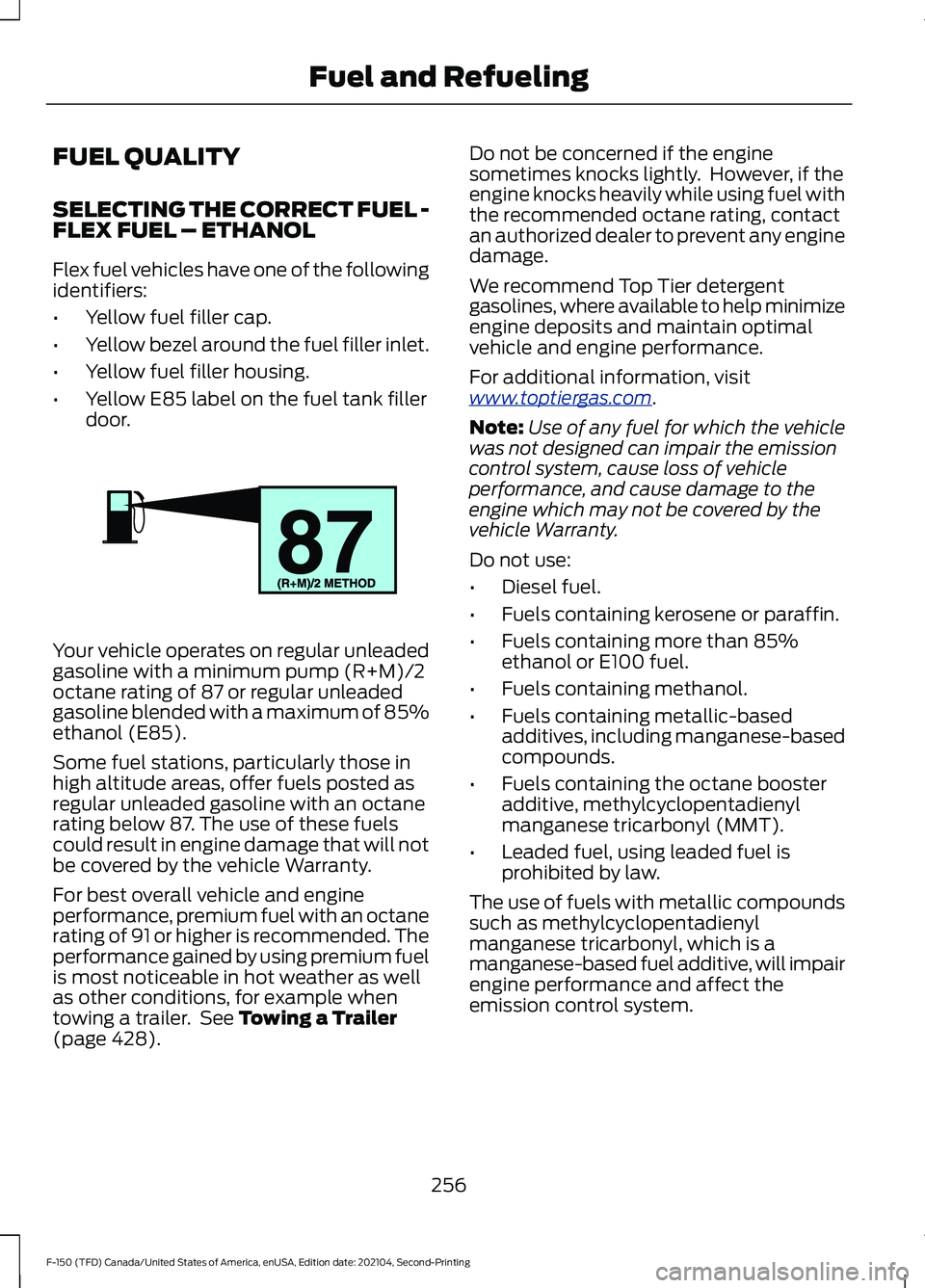
door. Your vehicle operates on regular unleaded
gasoline with a minimum pump (R+M)/2
octane rating of 87 or regular unleaded
gasoline blended with a maximum of 85%
ethanol (E85).
Some fuel stations, particularly those in
high altitude areas, offer fuels posted as
regular unleaded gasoline with an octane
rating below 87. The use of these fuels
could result in engine damage that will not
be covered by the vehicle Warranty.
For best overall vehicle and engine
performance, premium fuel with an octane
rating of 91 or higher is recommended. The
performance gained by using premium fuel
is most noticeable in hot weather as well
as other conditions, for example when
towing a trailer. See Towing a Trailer
(page 428). Do not be concerned if the engine
sometimes knocks lightly. However, if the
engine knocks heavily while using fuel with
the recommended octane rating, contact
an authorized dealer to prevent any engine
damage.
We recommend Top Tier detergent
gasolines, where available to help minimize
engine deposits and maintain optimal
vehicle and engine performance.
For additional information, visit
www
.t op tier g a s. c om .
Note: Use of any fuel for which the vehicle
was not designed can impair the emission
control system, cause loss of vehicle
performance, and cause damage to the
engine which may not be covered by the
vehicle Warranty.
Do not use:
• Diesel fuel.
• Fuels containing kerosene or paraffin.
• Fuels containing more than 85%
ethanol or E100 fuel.
• Fuels containing methanol.
• Fuels containing metallic-based
additives, including manganese-based
compounds.
• Fuels containing the octane booster
additive, methylcyclopentadienyl
manganese tricarbonyl (MMT).
• Leaded fuel, using leaded fuel is
prohibited by law.
The use of fuels with metallic compounds
such as methylcyclopentadienyl
manganese tricarbonyl, which is a
manganese-based fuel additive, will impair
engine performance and affect the
emission control system.
256
F-150 (TFD) Canada/United States of America, enUSA, Edition date: 202104, Second-Printing Fuel and RefuelingE161513
Page 261 of 796
SELECTING THE CORRECT FUEL -
GASOLINE
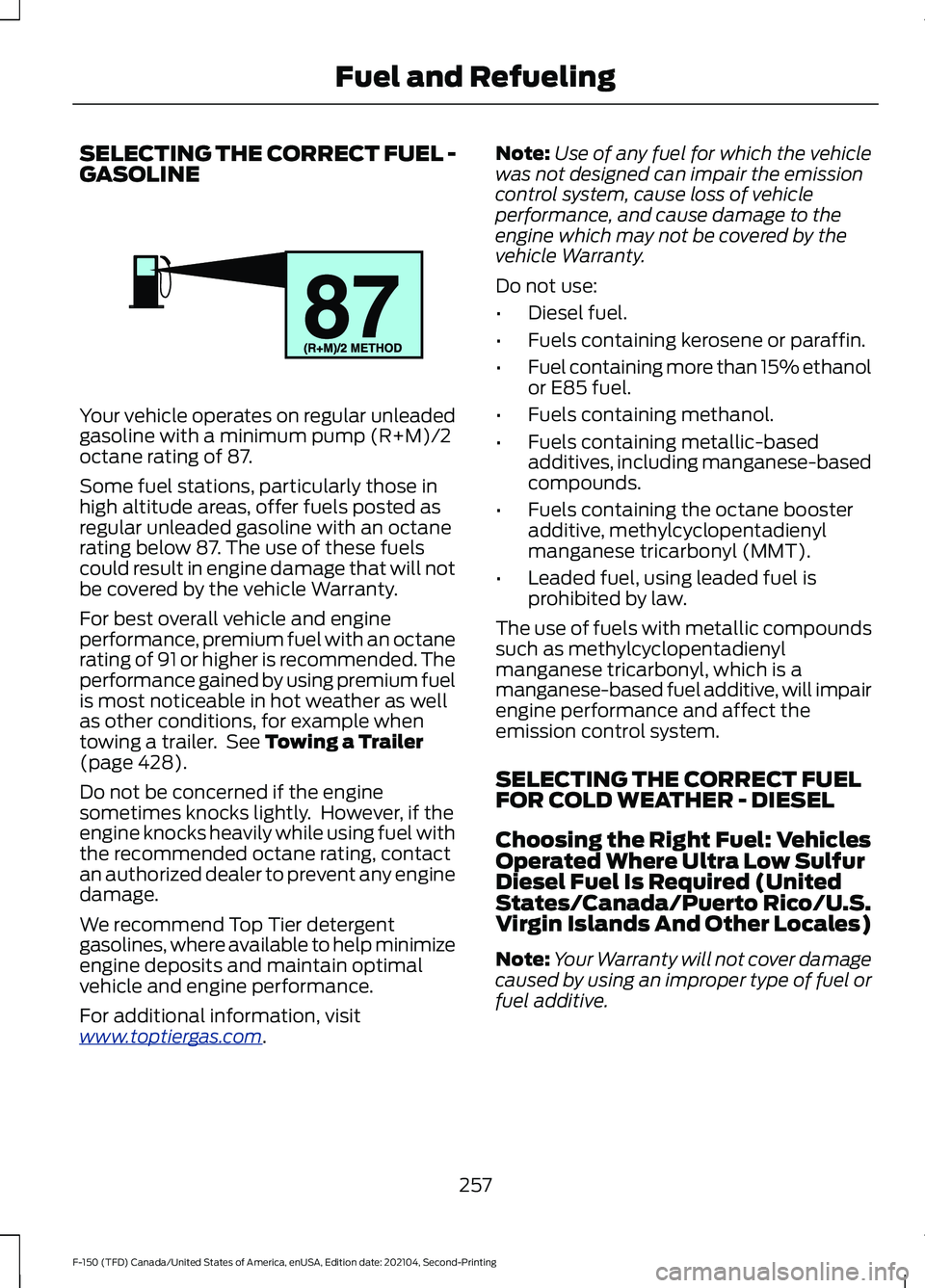
Your vehicle operates on regular unleaded
gasoline with a minimum pump (R+M)/2
octane rating of 87.
Some fuel stations, particularly those in
high altitude areas, offer fuels posted as
regular unleaded gasoline with an octane
rating below 87. The use of these fuels
could result in engine damage that will not
be covered by the vehicle Warranty.
For best overall vehicle and engine
performance, premium fuel with an octane
rating of 91 or higher is recommended. The
performance gained by using premium fuel
is most noticeable in hot weather as well
as other conditions, for example when
towing a trailer. See Towing a Trailer
(page 428).
Do not be concerned if the engine
sometimes knocks lightly. However, if the
engine knocks heavily while using fuel with
the recommended octane rating, contact
an authorized dealer to prevent any engine
damage.
We recommend Top Tier detergent
gasolines, where available to help minimize
engine deposits and maintain optimal
vehicle and engine performance.
For additional information, visit
www .t op tier g a s. c om .Note:
Use of any fuel for which the vehicle
was not designed can impair the emission
control system, cause loss of vehicle
performance, and cause damage to the
engine which may not be covered by the
vehicle Warranty.
Do not use:
• Diesel fuel.
• Fuels containing kerosene or paraffin.
• Fuel containing more than 15% ethanol
or E85 fuel.
• Fuels containing methanol.
• Fuels containing metallic-based
additives, including manganese-based
compounds.
• Fuels containing the octane booster
additive, methylcyclopentadienyl
manganese tricarbonyl (MMT).
• Leaded fuel, using leaded fuel is
prohibited by law.
The use of fuels with metallic compounds
such as methylcyclopentadienyl
manganese tricarbonyl, which is a
manganese-based fuel additive, will impair
engine performance and affect the
emission control system.
SELECTING THE CORRECT FUEL
FOR COLD WEATHER - DIESEL
Choosing the Right Fuel: Vehicles
Operated Where Ultra Low Sulfur
Diesel Fuel Is Required (United
States/Canada/Puerto Rico/U.S.
Virgin Islands And Other Locales)
Note: Your Warranty will not cover damage
caused by using an improper type of fuel or
fuel additive.
257
F-150 (TFD) Canada/United States of America, enUSA, Edition date: 202104, Second-Printing Fuel and RefuelingE161513
Page 287 of 796
SHIFTING YOUR VEHICLE INTO
GEAR - POLICE RESPONDER
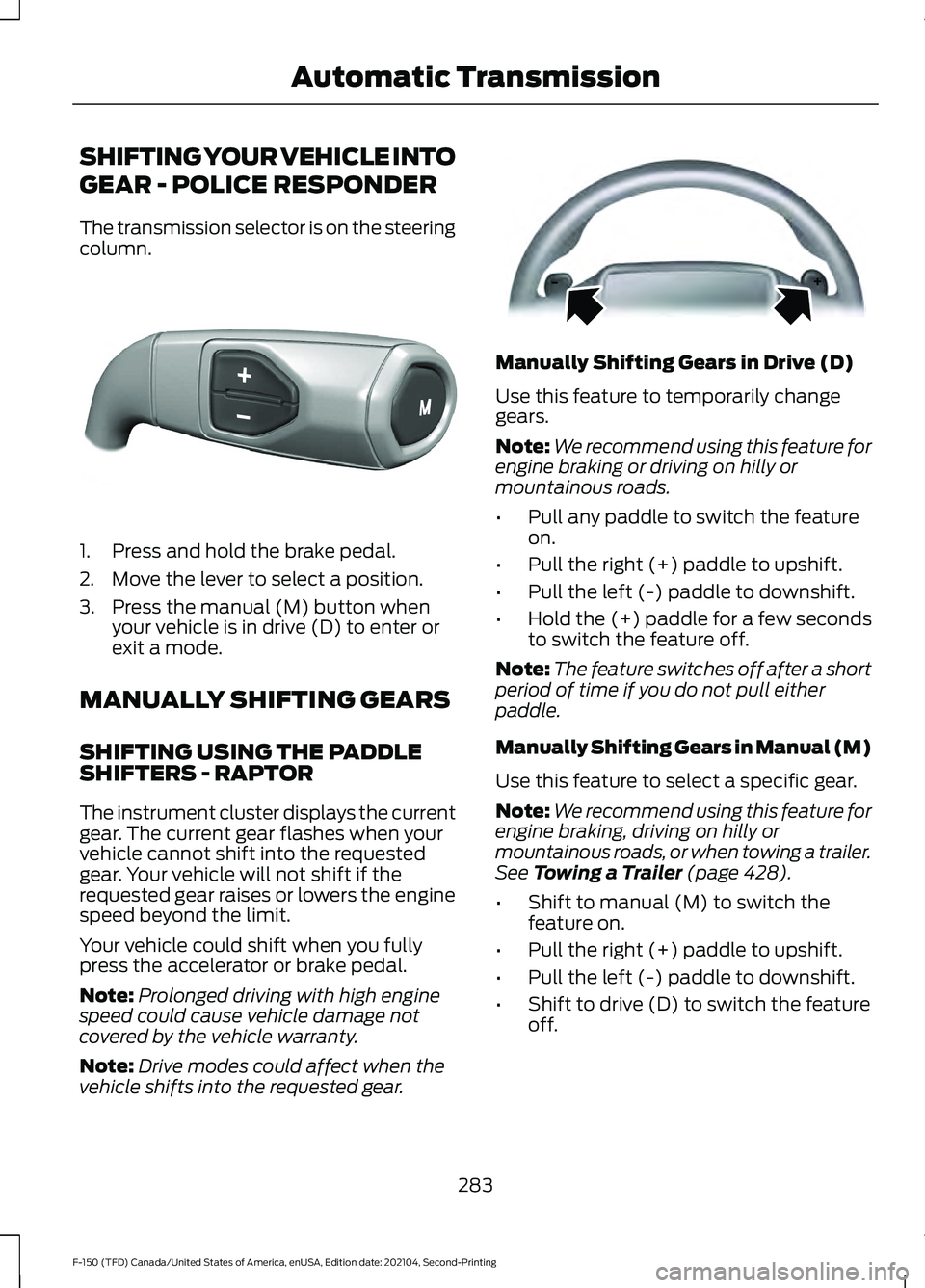
The transmission selector is on the steering
column.
1. Press and hold the brake pedal.
2. Move the lever to select a position.
3. Press the manual (M) button when
your vehicle is in drive (D) to enter or
exit a mode.
MANUALLY SHIFTING GEARS
SHIFTING USING THE PADDLE
SHIFTERS - RAPTOR
The instrument cluster displays the current
gear. The current gear flashes when your
vehicle cannot shift into the requested
gear. Your vehicle will not shift if the
requested gear raises or lowers the engine
speed beyond the limit.
Your vehicle could shift when you fully
press the accelerator or brake pedal.
Note: Prolonged driving with high engine
speed could cause vehicle damage not
covered by the vehicle warranty.
Note: Drive modes could affect when the
vehicle shifts into the requested gear. Manually Shifting Gears in Drive (D)
Use this feature to temporarily change
gears.
Note:
We recommend using this feature for
engine braking or driving on hilly or
mountainous roads.
• Pull any paddle to switch the feature
on.
• Pull the right (+) paddle to upshift.
• Pull the left (-) paddle to downshift.
• Hold the (+) paddle for a few seconds
to switch the feature off.
Note: The feature switches off after a short
period of time if you do not pull either
paddle.
Manually Shifting Gears in Manual (M)
Use this feature to select a specific gear.
Note: We recommend using this feature for
engine braking, driving on hilly or
mountainous roads, or when towing a trailer.
See Towing a Trailer (page 428).
• Shift to manual (M) to switch the
feature on.
• Pull the right (+) paddle to upshift.
• Pull the left (-) paddle to downshift.
• Shift to drive (D) to switch the feature
off.
283
F-150 (TFD) Canada/United States of America, enUSA, Edition date: 202104, Second-Printing Automatic TransmissionE327267 E144821
Page 288 of 796
SHIFTING USING THE BUTTONS
ON THE SELECTOR LEVER
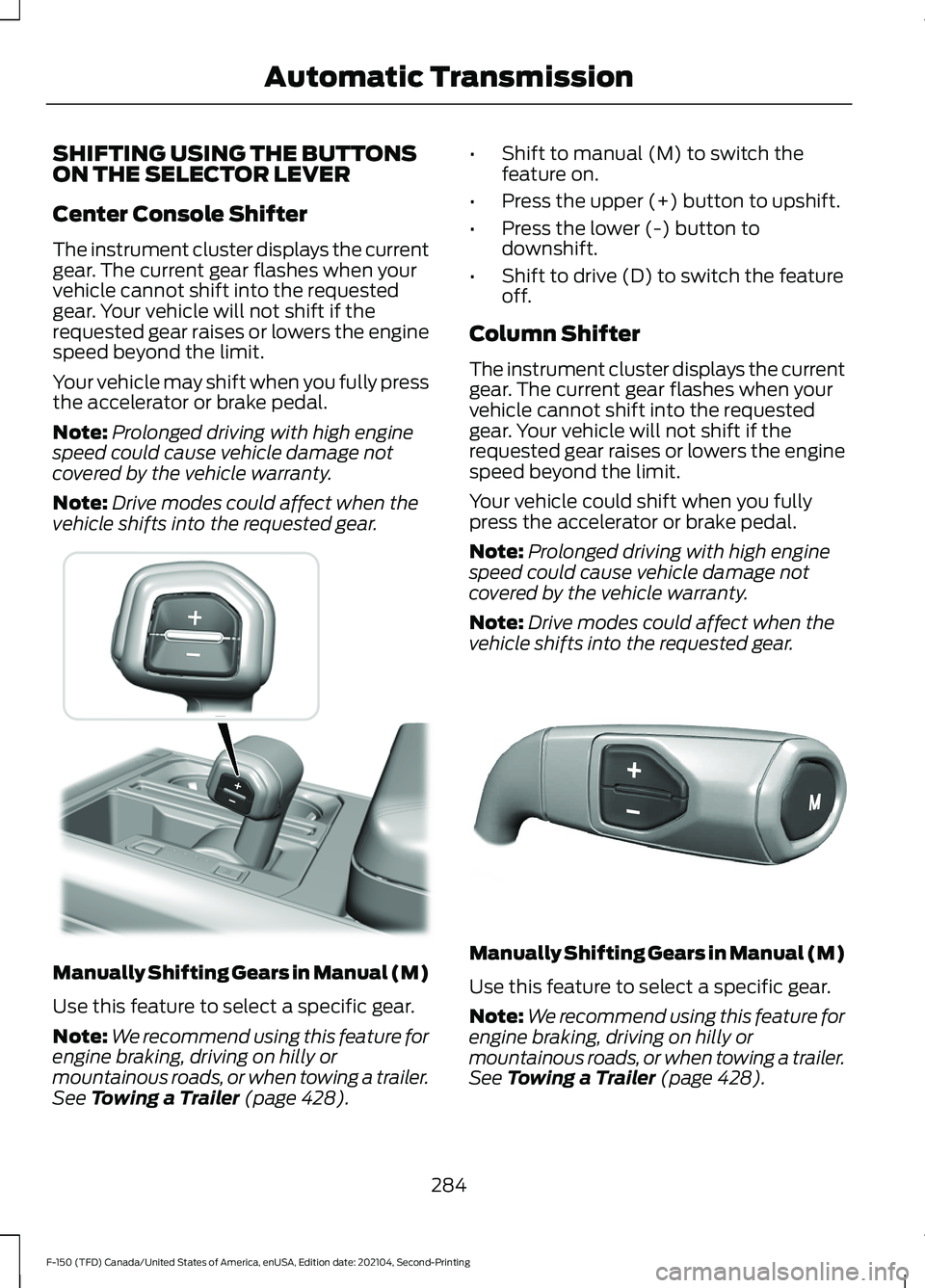
Center Console Shifter
The instrument cluster displays the current
gear. The current gear flashes when your
vehicle cannot shift into the requested
gear. Your vehicle will not shift if the
requested gear raises or lowers the engine
speed beyond the limit.
Your vehicle may shift when you fully press
the accelerator or brake pedal.
Note:
Prolonged driving with high engine
speed could cause vehicle damage not
covered by the vehicle warranty.
Note: Drive modes could affect when the
vehicle shifts into the requested gear. Manually Shifting Gears in Manual (M)
Use this feature to select a specific gear.
Note:
We recommend using this feature for
engine braking, driving on hilly or
mountainous roads, or when towing a trailer.
See Towing a Trailer (page 428). •
Shift to manual (M) to switch the
feature on.
• Press the upper (+) button to upshift.
• Press the lower (-) button to
downshift.
• Shift to drive (D) to switch the feature
off.
Column Shifter
The instrument cluster displays the current
gear. The current gear flashes when your
vehicle cannot shift into the requested
gear. Your vehicle will not shift if the
requested gear raises or lowers the engine
speed beyond the limit.
Your vehicle could shift when you fully
press the accelerator or brake pedal.
Note: Prolonged driving with high engine
speed could cause vehicle damage not
covered by the vehicle warranty.
Note: Drive modes could affect when the
vehicle shifts into the requested gear. Manually Shifting Gears in Manual (M)
Use this feature to select a specific gear.
Note:
We recommend using this feature for
engine braking, driving on hilly or
mountainous roads, or when towing a trailer.
See Towing a Trailer (page 428).
284
F-150 (TFD) Canada/United States of America, enUSA, Edition date: 202104, Second-Printing Automatic Transmission E311242 E327267
Page 289 of 796
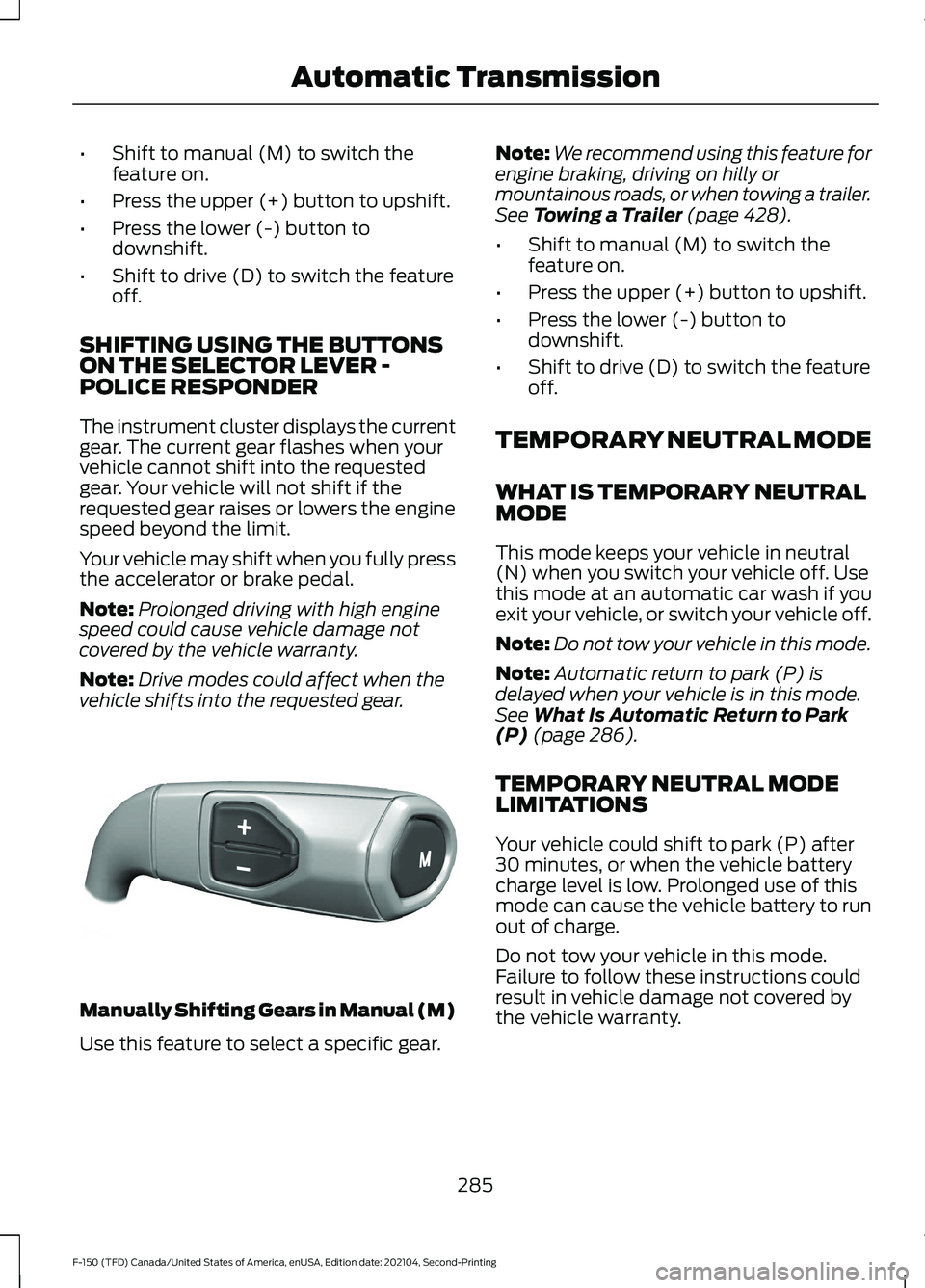
•
Shift to manual (M) to switch the
feature on.
• Press the upper (+) button to upshift.
• Press the lower (-) button to
downshift.
• Shift to drive (D) to switch the feature
off.
SHIFTING USING THE BUTTONS
ON THE SELECTOR LEVER -
POLICE RESPONDER
The instrument cluster displays the current
gear. The current gear flashes when your
vehicle cannot shift into the requested
gear. Your vehicle will not shift if the
requested gear raises or lowers the engine
speed beyond the limit.
Your vehicle may shift when you fully press
the accelerator or brake pedal.
Note: Prolonged driving with high engine
speed could cause vehicle damage not
covered by the vehicle warranty.
Note: Drive modes could affect when the
vehicle shifts into the requested gear. Manually Shifting Gears in Manual (M)
Use this feature to select a specific gear. Note:
We recommend using this feature for
engine braking, driving on hilly or
mountainous roads, or when towing a trailer.
See Towing a Trailer (page 428).
• Shift to manual (M) to switch the
feature on.
• Press the upper (+) button to upshift.
• Press the lower (-) button to
downshift.
• Shift to drive (D) to switch the feature
off.
TEMPORARY NEUTRAL MODE
WHAT IS TEMPORARY NEUTRAL
MODE
This mode keeps your vehicle in neutral
(N) when you switch your vehicle off. Use
this mode at an automatic car wash if you
exit your vehicle, or switch your vehicle off.
Note: Do not tow your vehicle in this mode.
Note: Automatic return to park (P) is
delayed when your vehicle is in this mode.
See
What Is Automatic Return to Park
(P) (page 286).
TEMPORARY NEUTRAL MODE
LIMITATIONS
Your vehicle could shift to park (P) after
30 minutes, or when the vehicle battery
charge level is low. Prolonged use of this
mode can cause the vehicle battery to run
out of charge.
Do not tow your vehicle in this mode.
Failure to follow these instructions could
result in vehicle damage not covered by
the vehicle warranty.
285
F-150 (TFD) Canada/United States of America, enUSA, Edition date: 202104, Second-Printing Automatic TransmissionE327267
Page 315 of 796
WHAT IS THE ELECTRIC
PARKING BRAKE
The electric parking brake is used to hold
your vehicle on slopes and flat roads.
APPLYING THE ELECTRIC
PARKING BRAKE
WARNING: Always fully apply the
parking brake and make sure you shift
into park (P). Failure to follow this
instruction could result in personal injury
or death. WARNING:
If you drive extended
distances with the parking brake applied,
you could cause damage to the brake
system. The switch is on the lower part
of the instrument panel.
1. Pull the switch up.
The red warning lamp flashes during
operation and illuminates when the parking
brake is applied.
Note: You can apply the electric parking
brake when the ignition is off.
Note: The electric parking brake could
apply when you shift into park (P).
See Park
(P) (page 281).
APPLYING THE ELECTRIC
PARKING BRAKE IN AN
EMERGENCY
You can use the electric parking brake to
slow or stop your vehicle in an emergency.
1. Pull the switch up and hold it. The electric parking brake continues to
slow your vehicle down unless you release
the switch.
The red warning lamp illuminates, a tone
sounds and the stoplamps turn on when
you use the electric parking brake in an
emergency.
Note:
Do not apply the electric parking
brake when your vehicle is moving, except
in an emergency. If you repeatedly use the
electric parking brake to slow or stop your
vehicle, you could cause damage to the
brake system.
MANUALLY RELEASING THE
ELECTRIC PARKING BRAKE
1. Switch the ignition on.
2. Press and hold the brake pedal.
3. Push the switch down.
The red warning lamp turns off.
Pulling Away on a Hill When Towing a
Trailer
1. Press and hold the brake pedal.
2. Pull the switch upward and hold it.
3. Shift into gear.
4. Press the accelerator pedal until engine
has developed sufficient torque to
prevent your vehicle from rolling down
the hill.
5. Release the switch and pull away in a normal manner.
AUTOMATICALLY RELEASING
THE ELECTRIC PARKING
BRAKE
1. Close the driver door.
2. Shift into gear.
311
F-150 (TFD) Canada/United States of America, enUSA, Edition date: 202104, Second-Printing Electric Parking BrakeE267156