four wheel drive FORD F-150 2021 Owner's Manual
[x] Cancel search | Manufacturer: FORD, Model Year: 2021, Model line: F-150, Model: FORD F-150 2021Pages: 796, PDF Size: 13.89 MB
Page 307 of 796
Automatic Re-
Engagement Speed
Automatic Disen-
gagement Speed
Maximum Engage-
ment Speed
Drive Modes
No Speed Limit
No Speed Limit
No Speed Limit
Baja (4H)
No Speed Limit
No Speed Limit
No Speed Limit
Rock Crawl (4L) 1
1 Automatically engages when you select this drive mode. You have the ability to manually
override the automatic engagement by pressing the electronic locking differential button. Automatic Re-
Engagement Speed
Automatic Disen-
gagement Speed
Maximum Engage-
ment Speed
4WD Mode
No speed Limit
No speed Limit
No speed Limit
Four-Wheel Drive
Low (4L)
Note: The electronic locking differential
may not engage if you press your accelerator
pedal during an engagement attempt. A
message could display in the instrument
display guiding you to release the
accelerator pedal.
Note: If the electronic locking differential
has difficulty disengaging, release the
accelerator pedal and turn the steering
wheel in the opposite direction while rolling.
Note: The electronic locking differential is
for off-road use only and is not for use on
dry pavement. Using the electronic locking
differential on dry pavement results in
increased tire wear, noise and vibration.
SWITCHING THE ELECTRONIC
LOCKING DIFFERENTIAL ON
AND OFF - 4X4
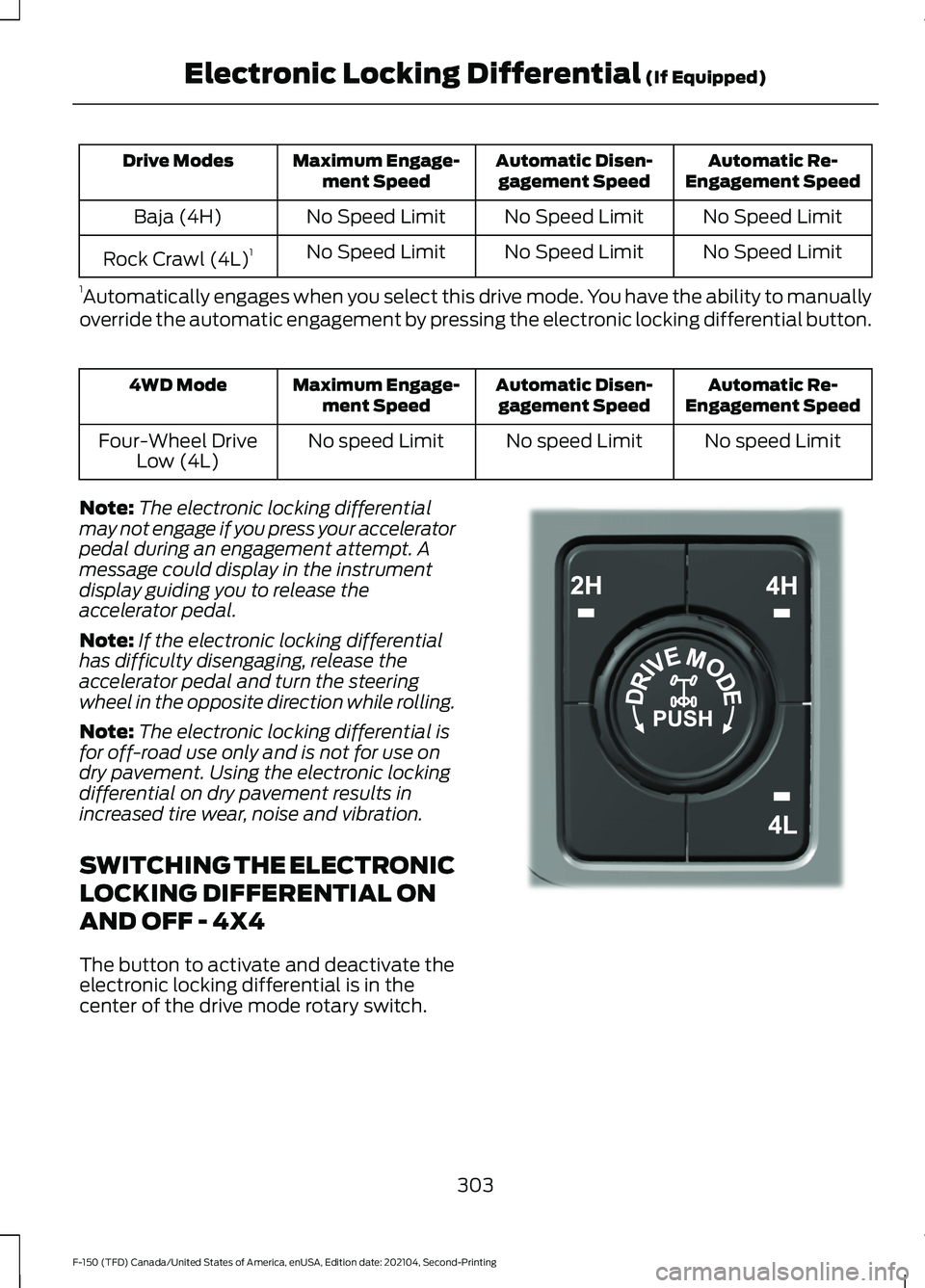
The button to activate and deactivate the
electronic locking differential is in the
center of the drive mode rotary switch. 303
F-150 (TFD) Canada/United States of America, enUSA, Edition date: 202104, Second-Printing Electronic Locking Differential (If Equipped)E323655
Page 308 of 796
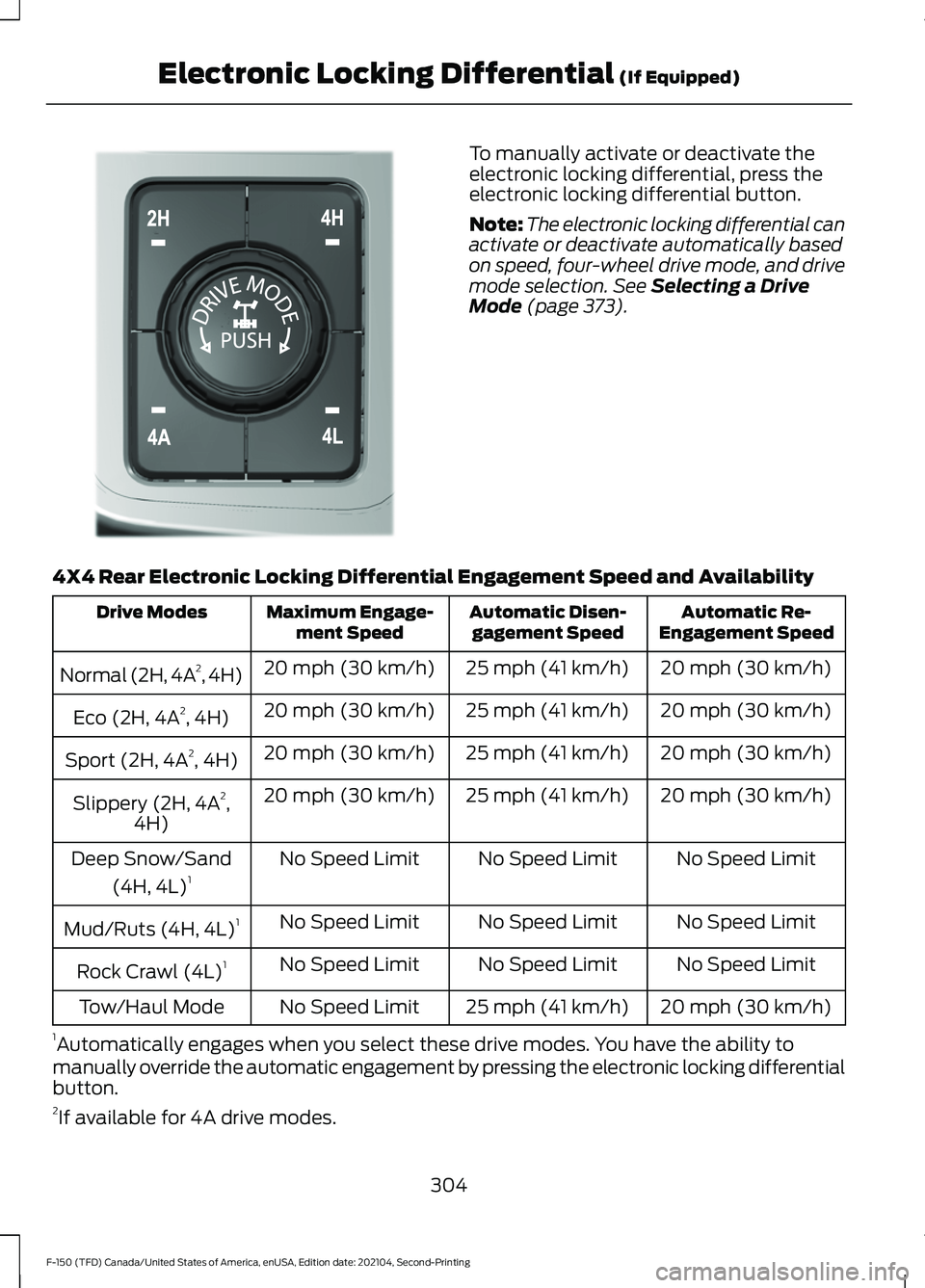
To manually activate or deactivate the
electronic locking differential, press the
electronic locking differential button.
Note:
The electronic locking differential can
activate or deactivate automatically based
on speed, four-wheel drive mode, and drive
mode selection. See Selecting a Drive
Mode (page 373).
4X4 Rear Electronic Locking Differential Engagement Speed and Availability Automatic Re-
Engagement Speed
Automatic Disen-
gagement Speed
Maximum Engage-
ment Speed
Drive Modes
20 mph (30 km/h)
25 mph (41 km/h)
20 mph (30 km/h)
Normal (2H, 4A 2
, 4H)
20 mph (30 km/h)
25 mph (41 km/h)
20 mph (30 km/h)
Eco (2H, 4A 2
, 4H)
20 mph (30 km/h)
25 mph (41 km/h)
20 mph (30 km/h)
Sport (2H, 4A 2
, 4H)
20 mph (30 km/h)
25 mph (41 km/h)
20 mph (30 km/h)
Slippery (2H, 4A 2
,
4H)
No Speed Limit
No Speed Limit
No Speed Limit
Deep Snow/Sand
(4H, 4L) 1
No Speed Limit
No Speed Limit
No Speed Limit
Mud/Ruts (4H, 4L) 1
No Speed Limit
No Speed Limit
No Speed Limit
Rock Crawl (4L) 1
20 mph (30 km/h)
25 mph (41 km/h)
No Speed Limit
Tow/Haul Mode
1 Automatically engages when you select these drive modes. You have the ability to
manually override the automatic engagement by pressing the electronic locking differential
button.
2 If available for 4A drive modes.
304
F-150 (TFD) Canada/United States of America, enUSA, Edition date: 202104, Second-Printing Electronic Locking Differential
(If Equipped)E308146
Page 309 of 796
Automatic Re-
Engagement Speed
Automatic Disen-
gagement Speed
Maximum Engage-
ment Speed
4WD Mode
No speed Limit
No speed Limit
No speed Limit
Four-Wheel Drive
Low (4L)
Note: The electronic locking differential
may not engage if you press your accelerator
pedal during an engagement attempt. A
message could display in the instrument
display guiding you to release the
accelerator pedal.
Note: If the electronic locking differential
has difficulty disengaging, release the
accelerator pedal and turn the steering
wheel in the opposite direction while rolling.
Note: The electronic locking differential is
for off-road use only and is not for use on
dry pavement. Using the electronic locking
differential on dry pavement results in
increased tire wear, noise and vibration.
SWITCHING THE ELECTRONIC
LOCKING DIFFERENTIAL ON
AND OFF - 4X2
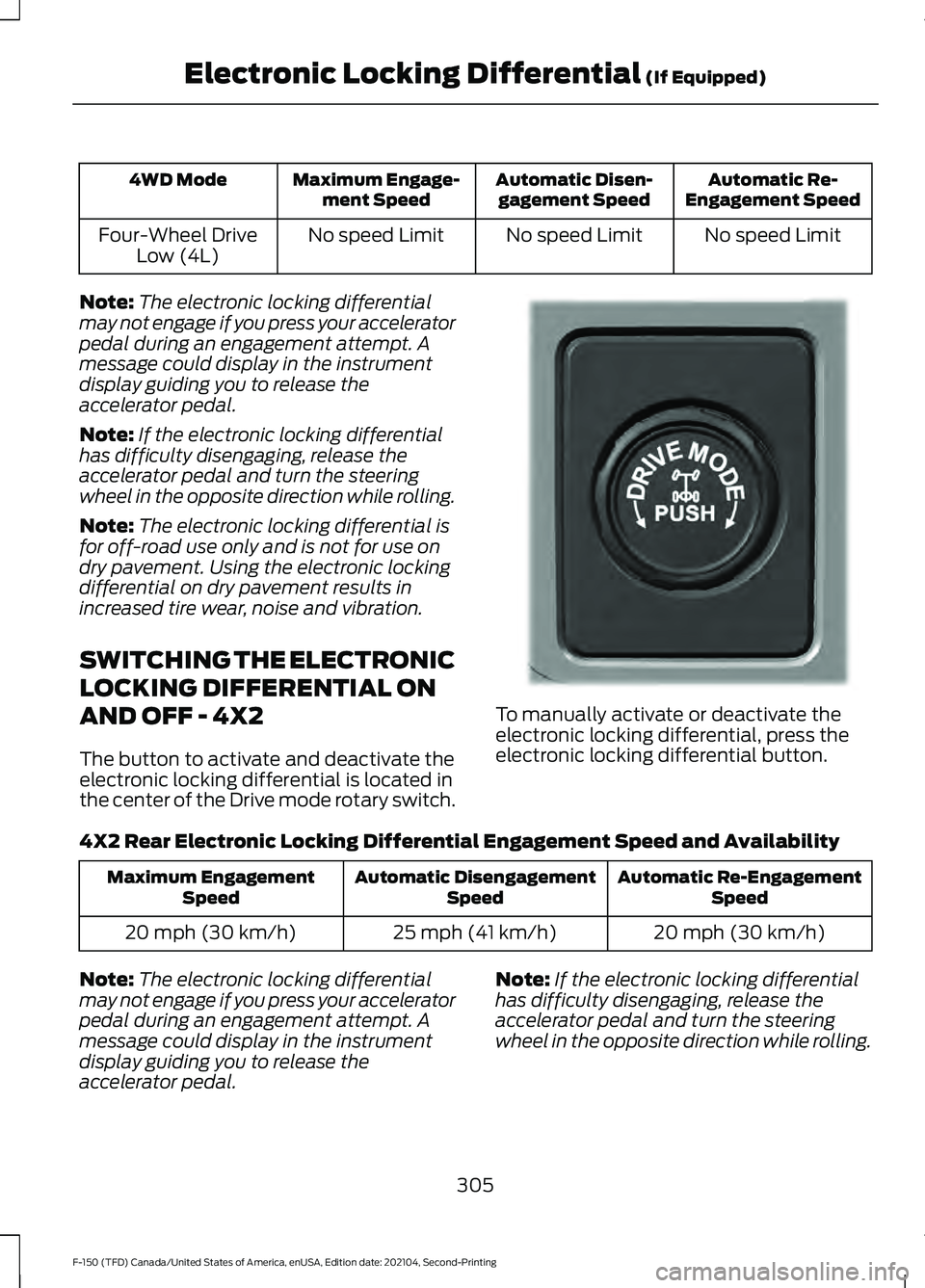
The button to activate and deactivate the
electronic locking differential is located in
the center of the Drive mode rotary switch. To manually activate or deactivate the
electronic locking differential, press the
electronic locking differential button.
4X2 Rear Electronic Locking Differential Engagement Speed and Availability Automatic Re-Engagement
Speed
Automatic Disengagement
Speed
Maximum Engagement
Speed
20 mph (30 km/h)
25 mph (41 km/h)
20 mph (30 km/h)
Note: The electronic locking differential
may not engage if you press your accelerator
pedal during an engagement attempt. A
message could display in the instrument
display guiding you to release the
accelerator pedal. Note:
If the electronic locking differential
has difficulty disengaging, release the
accelerator pedal and turn the steering
wheel in the opposite direction while rolling.
305
F-150 (TFD) Canada/United States of America, enUSA, Edition date: 202104, Second-Printing Electronic Locking Differential (If Equipped)E333748
Page 328 of 796
WHAT IS TRAIL CONTROL -
RAPTOR
WARNING: The system does not
control speed in low traction conditions
or extremely steep slopes. The system
is designed to be an aid and does not
relieve you of your responsibility to drive
with due care and attention. Failure to
follow this instruction could result in
personal injury.
Trail control lets you focus on steering
during low-speed and off-road use by
controlling your vehicle's acceleration and
braking to maintain the speed that you set.
You may hear a noise from the anti-lock
brake system pump motor when you use
the system. This is normal.
TRAIL CONTROL LIMITATIONS
- RAPTOR
Trail control is unavailable when any of the
following occur:
• Your vehicle speed is greater than
20 mph (32 km/h)
in two-wheel drive
high (2H) or four-wheel drive high (4H)
modes.
• Your vehicle speed is greater than
9 mph (15 km/h)
in four-wheel drive
low (4L) mode.
• Your vehicle speed is greater than
5 mph (8 km/h)
in reverse (R).
• The transmission is in park (P).
• The driver side door is open or your
seatbelt is off when the driver side door
is removed.
• Cruise control is on.
• Pro trailer backup assist is on. SWITCHING TRAIL CONTROL
ON AND OFF - RAPTOR Press the button.
The system switches off if you press the
button again or exceed 40 mph (64 km/h).
SETTING THE TRAIL CONTROL
SPEED - RAPTOR
Note: The buttons are located on the
steering wheel.
Drive to your preferred speed. Press button to increase the set
current speed.
Press button to decrease the set
current speed.
Note: The indicator changes color.
You can adjust the set speed in small or
large increments. Press the toggle button
upward or downward once to adjust the
set speed in small increments. Press and
hold the toggle button upward or
downward to adjust the set speed in large
increments.
You can also adjust the set speed by
braking.
Note: Pressing the brake pedal does not
switch off the system.
CANCELING THE SET SPEED -
RAPTOR Press the button.
324
F-150 (TFD) Canada/United States of America, enUSA, Edition date: 202104, Second-Printing Trail ControlE332910 E350925
Page 329 of 796
TRAIL CONTROL INDICATORS
- RAPTOR
TRAIL ONE PEDAL DRIVE (IF
EQUIPPED)
WHAT IS TRAIL ONE PEDAL DRIVE
Trail one pedal drive allows you to
accelerate and brake using only the
accelerator pedal. The system assists
when driving through difficult off-road
terrain. Pressing the accelerator pedal
down accelerates your vehicle and
releasing pressure on the accelerator
pedal, with your foot still on the pedal,
slows your vehicle down. Releasing the
accelerator pedal may allow your vehicle
to come to a complete stop, some
situations may require you to press the
brake pedal to come to a complete stop.
TRAIL ONE PEDAL DRIVE
PRECAUTIONS WARNING:
This system is an extra
driving aid. It does not replace your
attention and judgment, or the need to
apply the brakes. This system does NOT
automatically brake your vehicle. If you
fail to press the brake pedal when
necessary, you may collide with another
vehicle.
Shifting into drive (D) or reverse (R) does
not cause the vehicle to move.
You can press the brake pedal to increase
braking. This does not turn the system off. Trail one pedal drive could apply the
parking brake when your vehicle is not
moving and not in park (P).
Note:
Always check the transmission
selection before accelerating.
Note: Only use trail one pedal drive on
slippery or loose surfaces. Using trail one
pedal drive on dry, hard surfaces could
produce some vibration, driveline bind up
and potential excessive tire and vehicle
wear.
TRAIL ONE PEDAL DRIVE
LIMITATIONS
Trail one pedal drive is unavailable when
any of the following occur:
• Your vehicle is not in four-wheel drive
high (4H) or four-wheel drive low (4L)
modes.
• Using cruise control.
• Using trail control.
• You exceed
30 mph (48 km/h).
Releasing the accelerator pedal may allow
your vehicle to come to a complete stop,
some situations may require you to press
the brake pedal to come to a complete
stop.
SWITCHING TRAIL ONE PEDAL
DRIVE ON AND OFF
Switching Trail One Pedal Drive On Press the trail features button
when in four-wheel drive high or
four-wheel drive low to activate
trail one pedal drive.
Switching Trail One Pedal Drive
Off
Press the trail features button again to
switch trail one pedal drive off.
325
F-150 (TFD) Canada/United States of America, enUSA, Edition date: 202104, Second-Printing Trail ControlE272858 E332910
Page 330 of 796
Selecting a driveline mode other than
four-wheel drive high or four-wheel drive
low switches trail one pedal drive off.
If you exceed 40 mph (65 km/h) trail one
pedal drive switches off. Pressing either button when trail
one pedal drive is active turns
trail control on and places trail
one pedal drive into standby
mode.
Switching from Trail Control to
Trail One Pedal Drive When using trail control in
four-wheel drive high or
four-wheel drive low modes, you
can switch to trail one pedal drive by
pressing the button on the steering wheel.
TRAIL ONE PEDAL DRIVE
INDICATORS When trail one pedal drive is
active, the indicator displays
green in the instrument cluster.
When the system is switched on but is
unavailable or in standby mode, it displays
grey.
TRAIL ONE PEDAL DRIVE – TROUBLESHOOTING
TRAIL ONE PEDAL DRIVE – INFORMATION MESSAGES Action
Message
Displays when trail one pedal drive is active,use the SET+ or SET- to switch to trail control.
Trail 1-Pedal Drive Active Use SET Button
for Trail Control
Displays when you switch trail one pedaldrive off.
Trail Control with Trail 1- Pedal Drive Off
Trail control is in a driveline state not
supported for trail one pedal drive. Set a
speed to activate trail control or change the
driveline state to four-wheel drive high (4H) or four-wheel drive low (4L) modes to active trail one pedal drive.
Trail Control Enabled Use SET button to
Set Speed Trail 1-Pedal Drive Available in 4H or 4L
326
F-150 (TFD) Canada/United States of America, enUSA, Edition date: 202104, Second-Printing Trail Control E308130 1E328584
Page 332 of 796
WHAT IS TRAIL TURN ASSIST
Trail turn assist can reduce the turning
radius of your vehicle by applying the
brakes to the inside rear wheel in
low-speed, high steering-angle maneuvers.
TRAIL TURN ASSIST
PRECAUTIONS
Note:
Do not use trail turn assist on dry,
hard surfaced roads. Doing so can produce
excessive noise, increase tire wear and may
damage drive line, or braking components.
Trail turn assist is only intended for slippery,
or loose surfaces.
You may hear noise from the anti-lock
brake system while trail turn assist is
active. This is normal operation.
TRAIL TURN ASSIST
LIMITATIONS
Trail turn assist can only be used when the
vehicle ’s four-wheel drive system is in the
four-wheel drive high (4H), or four-wheel
drive low (4L) modes.
Trail Turn Assist cannot be used when the
vehicle ’s rear differential is locked. If the
rear differential has recently been locked
prior to Trail Turn Assist being turned on,
Trail Turn Assist may not activate until it
can confirm that the rear differential is
unlocked.
SWITCHING TRAIL TURN
ASSIST ON AND OFF
You can switch the trail turn assist on or
off from the features section of the vehicle
on screen display.
1. Press Features on the touchscreen.
2. Press
Trail Turn Assist. 3. Switch
Trail Turn Assist on or off.
Switch trail turn assist on when your
vehicle is in four-wheel drive high (4H) or
four-wheel drive low (4L).
The system activates when the:
• Vehicle speed is less than
12 mph
(19.3 km/h).
• Rear differential is fully unlocked.
• Steering wheel is almost fully turned
to the left or right.
Switch trail turn assist off by performing
any of the following:
• Switch trail turn assist off from the
features section of the vehicle on
screen display.
• Select two-wheel drive high, or
four-wheel drive auto.
• Switch on the rear locking differential.
TRAIL TURN ASSIST
INDICATORS When trail turn assist is on, one
of these two indicators will be
displayed, depending on the
direction of the vehicle
’s last
turn. When the feature is on but
not in use, the indicator light will
be gray. When the feature is active the
indicator light will be green.
328
F-150 (TFD) Canada/United States of America, enUSA, Edition date: 202104, Second-Printing Trail Turn Assist
(If Equipped)E338899 E338900
Page 333 of 796
TRAIL TURN ASSIST –
TROUBLESHOOTING
TRAIL TURN ASSIST –
INFORMATION MESSAGES
Details
Message
Switch to four-wheel
drive low (4L) or four-
wheel drive high (4H) to activate trail turn assist. See Selecting a Four-
Wheel Drive Mode (page
294).
Trail Turn
Assist Avail- able in 4L or 4H
Trail turn assist systemmalfunction could be
present. if this condition persists, have yourvehicle serviced.
Trail Turn
Assist Not
Available See Manual
You have activated trailturn assist.
Trail Turn
Assist ON
You have switched trailturn assist off.
Trail Turn
Assist OFF
TRAIL TURN ASSIST –
FREQUENTLY ASKED QUESTIONS
Why does Trail Turn Assist not activate
after unlocking the rear differential? The rear differential may not be fully
disengaged. When possible, turn off
the rear axle locker while driving
straight before using trail turn assist.
If you are already in a tight turn when
you encounter this situation, driving
the vehicle for a short distance in
reverse could allow the differential to
fully disengage.
329
F-150 (TFD) Canada/United States of America, enUSA, Edition date: 202104, Second-Printing Trail Turn Assist
(If Equipped)
Page 347 of 796
Side View Camera
The side view camera is on the outside
mirror. It provides a video image of the area
on the sides of your vehicle to aid you when
parking or when backing up a trailer.
Bed Camera
The bed camera is mounted within the
high-mount stop lamp. It displays the
contents of your truck bed. The camera
contains a dynamic guideline to help locate
the center of your vehicle. This view can
be accessed while in drive (D) or reverse
(R).
Auxiliary Camera
The auxiliary camera is a variant of the rear
view camera and is accessed by pressing
the AUX button on the display screen when
moving in reverse (R) or in drive (D). It
displays a rear view image from the back
of a trailer while in reverse.
LOCATING THE 360 DEGREE
CAMERAS - RAPTOR/TREMOR
Rear View Camera
The rear view camera is on the tailgate. It
provides a video image of the area behind
your vehicle.
Front View Camera
The front view camera is in the grille. It
provides a video image of the area in front
of your vehicle.
Note:
The front camera switches on when
you are in mud/ruts, deep snow/sand, rock
crawl, baja mode or in four-wheel drive low. Side View Camera
The side view camera is on the outside
mirror. It provides a video image of the area
on the sides of your vehicle to aid you when
parking or when backing up a trailer.
Bed Camera
The bed camera is in the high-mount stop
lamp. It displays the contents of your truck
bed. The camera contains a dynamic
guideline to help locate the center of your
vehicle. You can access this view while in
drive (D) or reverse (R).
Auxiliary Camera
The auxiliary camera is a variant of the rear
view camera and you can access the
auxiliary view by pressing the AUX button
on the display screen when moving in
reverse (R) or in drive (D). It displays a rear
view image from the back of a trailer while
in reverse.
360 DEGREE CAMERA GUIDE
LINES
Note:
Active guide lines are only available
when the transmission is in reverse (R).
343
F-150 (TFD) Canada/United States of America, enUSA, Edition date: 202104, Second-Printing 360 Degree Camera (If Equipped)
Page 375 of 796
WHAT IS DRIVE MODE
CONTROL
Your vehicle has various drive modes that
you can select for different driving
conditions. Depending on the drive mode
that you select, the system adjusts various
vehicle settings.
HOW DOES DRIVE MODE
CONTROL WORK - RAPTOR
Selectable drive modes change various
electronic and mechanical settings within
your vehicle to tailor its performance and
driving characteristics to on-road or
off-road driving conditions. Steering feel
and effort, traction control, stability
control, chassis controls, powertrain
response, transmission shift points,
four-wheel driveline settings, exhaust noise
level and suspension dampening are
automatically altered to a pre-determined
setting depending upon the drive mode
that you select.
Note:
Your vehicle has diagnostic checks
that continuously monitor all systems for
proper operation. If a drive mode is
unavailable due to a system fault, your
vehicle defaults to normal mode and the
driveline remains in the four-wheel drive
setting that you last selected prior to the
system fault. Note:
Your vehicle reverts to normal mode
each time you start it. If you shut your
vehicle off in a drive mode other than
normal mode, at startup the instrument
cluster screen displays a pop-up asking if
you would like to return to your last used
drive mode. If you select yes to the pop-up,
your vehicle returns to the last selected drive
mode and the default four-wheel driveline
setting associated with that drive mode. If
you select no, your vehicle remains in normal
mode and the default four-wheel driveline
setting associated with that drive mode. If
you do not select yes or no, the pop-up
message times out, your vehicle remains in
normal mode, and the four-wheel driveline
setting remains in its last used setting.
Note: Do not use the electronic locking
differential on dry, hard surfaces. Doing so
produces excessive noise, vibration and
increases tire wear. See Electronic Locking
Differential (page 301).
HOW DOES DRIVE MODE
CONTROL WORK
Selectable drive modes change various
electronic and mechanical settings within
your vehicle to tailor its performance and
driving characteristics to on-road or
off-road driving conditions. Steering feel
and effort, traction control, stability
control, chassis controls, powertrain
response, transmissions shift points,
four-wheel driveline setting, exhaust noise
level and suspension dampening are
automatically altered to a pre-determined
setting depending upon the drive mode
that is selected.
371
F-150 (TFD) Canada/United States of America, enUSA, Edition date: 202104, Second-Printing Drive Mode Control