manual transmission FORD F-150 2021 Owner's Manual
[x] Cancel search | Manufacturer: FORD, Model Year: 2021, Model line: F-150, Model: FORD F-150 2021Pages: 796, PDF Size: 13.89 MB
Page 345 of 796
Note:
Zooming in also engages park hold
which applies the electric park brake when
you shift to park (P). When you press the
zoom button, the electronic park hold
button illuminates on the touchscreen. See
Connecting a Trailer (page 424).
Note: Manual zoom is only available when
the transmission is in reverse (R).
Note: Only the centerline shows when you
enable manual zoom.
SWITCHING REAR VIEW CAMERA
DELAY ON AND OFF
1. Press
Features on the touchscreen.
2. Press
Driver Assistance.
3. Press
Rear View Camera.
4. Switch
Rear View Camera Delay on or
off.
When shifting the transmission out of
reverse (R) and into any gear other than
park (P), the camera image remains in the
display until:
• Your vehicle speed reaches
approximately
5 mph (8 km/h).
• You shift your vehicle into park (P).
SWITCHING THE REAR VIEW
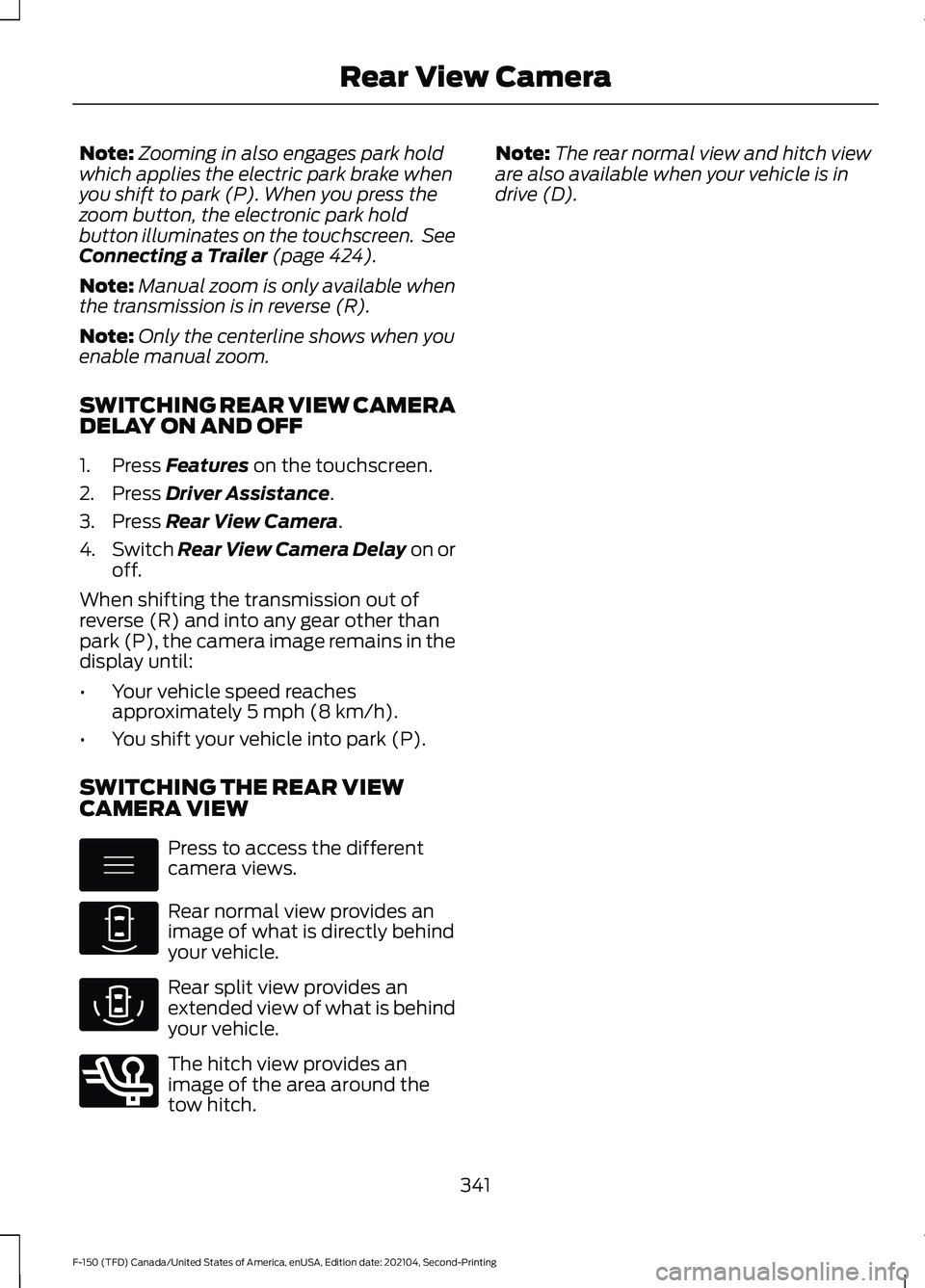
CAMERA VIEW Press to access the different
camera views.
Rear normal view provides an
image of what is directly behind
your vehicle.
Rear split view provides an
extended view of what is behind
your vehicle.
The hitch view provides an
image of the area around the
tow hitch. Note:
The rear normal view and hitch view
are also available when your vehicle is in
drive (D).
341
F-150 (TFD) Canada/United States of America, enUSA, Edition date: 202104, Second-Printing Rear View CameraE337002 E310967 E310974 E350276
Page 346 of 796
WHAT IS THE 360 DEGREE
CAMERA
The 360 degree camera system consists
of front, side and rear cameras which
provide visibility around your vehicle.
HOW DOES THE 360 DEGREE
CAMERA WORK
The 360 Degree Camera system:
•
Allows you to see what is directly in
front of or behind your vehicle.
• Provides a cross traffic view in front of
and behind your vehicle.
• Allows you to see a top-down view of
the area outside your vehicle, including
the blind spots and obstacles near your
vehicle.
360 DEGREE CAMERA
PRECAUTIONS WARNING: The 360 degree
camera system still requires the driver
to use it in conjunction with looking out
of the windows, and checking the interior
and exterior mirrors for maximum
coverage. WARNING:
Objects that are close
to either corner of the bumper or under
the bumper, might not be seen on the
screen due to the limited coverage of the
camera system. WARNING:
Use caution when
turning camera features on or off when
the transmission is not in park (P). Make
sure your vehicle is not moving. WARNING: You are responsible for
controlling your vehicle at all times. The
system is designed to be an aid and does
not relieve you of your responsibility to
drive with due care and attention. Failure
to follow this instruction could result in
the loss of control of your vehicle,
personal injury or death. WARNING:
Use caution when the
rear cargo door is ajar. If the rear cargo
door is ajar, the camera will be out of
position and the video image could be
incorrect. All guide lines disappear when
the rear cargo door is ajar. Failure to
follow this instruction could result in
personal injury. WARNING:
When manual zoom is
on, the full area behind your vehicle may
not show. Be aware of your surroundings
when using the manual zoom feature.
360 DEGREE CAMERA
LIMITATIONS
Note: Use caution if a door is ajar. The 360
degree camera could be out of position and
the image could be incorrect.
LOCATING THE 360 DEGREE
CAMERAS
Rear View Camera
The rear view camera is on the tailgate. It
provides a video image of the area behind
your vehicle.
Front View Camera
The front view camera is in the grille. It
provides a video image of the area in front
of your vehicle.
342
F-150 (TFD) Canada/United States of America, enUSA, Edition date: 202104, Second-Printing 360 Degree Camera
(If Equipped)
Page 432 of 796
TOWING A TRAILER
PRECAUTIONS
WARNING: Do not exceed
the GVWR or the GAWR
specified on the certification
label. WARNING:
Towing trailers
beyond the maximum
recommended gross trailer
weight exceeds the limit of your
vehicle and could result in engine
damage, transmission damage,
structural damage, loss of
vehicle control, vehicle rollover
and personal injury. WARNING:
Do not exceed
the lowest rating capacity for
your vehicle or trailer hitch.
Overloading your vehicle or
trailer hitch can impair your
vehicle stability and handling.
Failure to follow this instruction
could result in the loss of control
of your vehicle, personal injury or
death. WARNING: Make sure that
the vertical load on the tow ball
is between the minimum and
maximum recommended weight
at all times. Failure to follow this
instruction could result in the
loss of control of your vehicle,
personal injury or death. WARNING:
Do not cut,
drill, weld or modify the trailer
hitch. Modifying the trailer hitch
could reduce the hitch rating. WARNING:
The anti-lock
brake system does not control
the trailer brakes.
TRAILER BRAKE
PRECAUTIONS WARNING:
Do not connect a
trailer's hydraulic brake system directly
to your vehicle's brake system. Your
vehicle may not have enough braking
power and your chances of having a
collision greatly increase. WARNING:
Do not tow a trailer
fitted with electric trailer brakes unless
your vehicle is fitted with a compatible
aftermarket electronic trailer brake
controller. Failure to follow this
instruction could result in the loss of
control of your vehicle, personal injury or
death. For additional information and
assistance, we recommend that you
contact an authorized dealer.
Electric brakes and manual, automatic or
surge-type trailer brakes are safe if you
install them properly and adjust them to
the manufacturer's specifications. The
trailer brakes must meet local and federal
regulations.
The rating for the tow vehicle's braking
system operation is at the gross vehicle
weight rating, not the gross combined
weight rating.
428
F-150 (TFD) Canada/United States of America, enUSA, Edition date: 202104, Second-Printing Towing a Trailer
Page 493 of 796
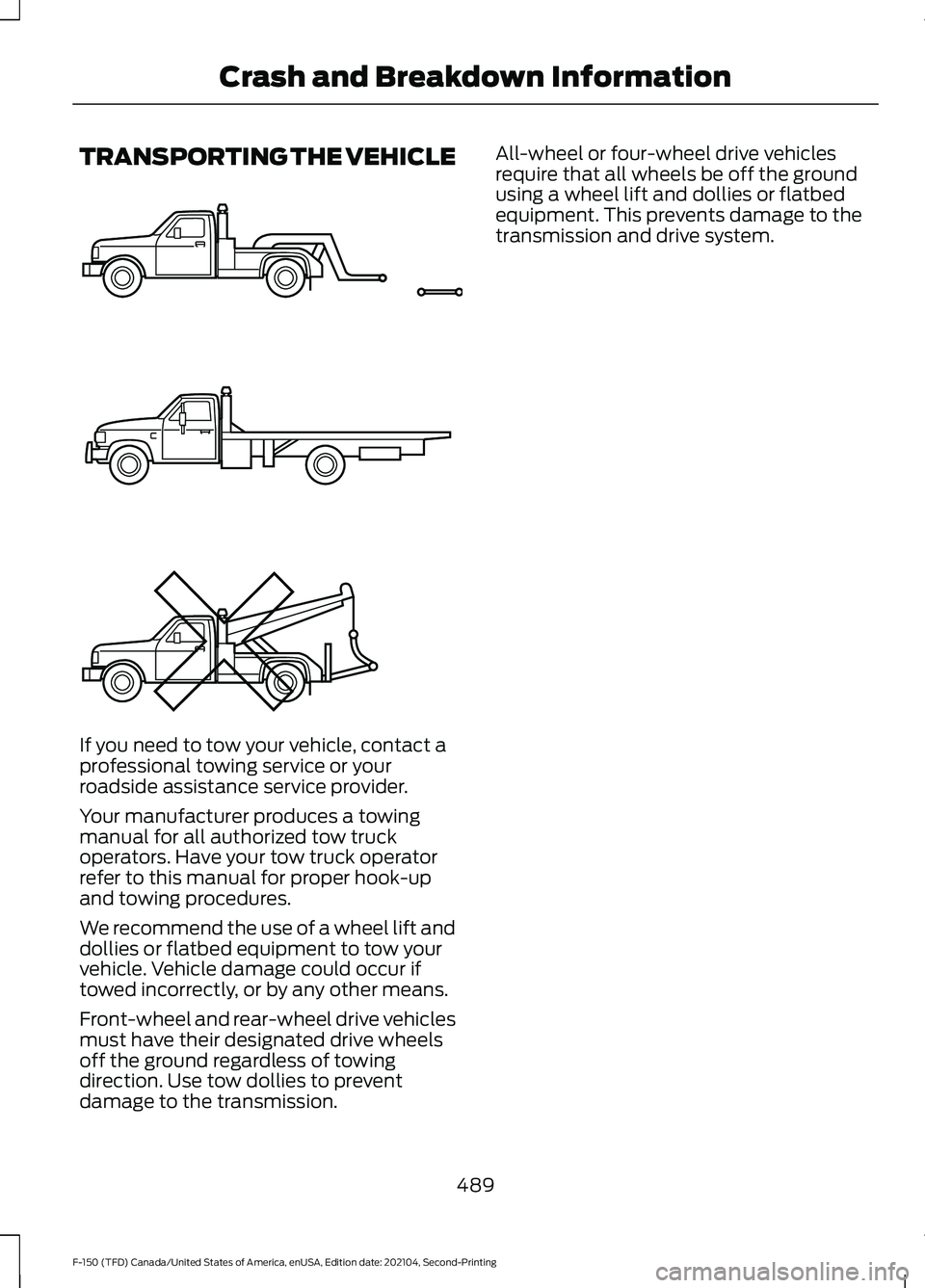
TRANSPORTING THE VEHICLE
If you need to tow your vehicle, contact a
professional towing service or your
roadside assistance service provider.
Your manufacturer produces a towing
manual for all authorized tow truck
operators. Have your tow truck operator
refer to this manual for proper hook-up
and towing procedures.
We recommend the use of a wheel lift and
dollies or flatbed equipment to tow your
vehicle. Vehicle damage could occur if
towed incorrectly, or by any other means.
Front-wheel and rear-wheel drive vehicles
must have their designated drive wheels
off the ground regardless of towing
direction. Use tow dollies to prevent
damage to the transmission. All-wheel or four-wheel drive vehicles
require that all wheels be off the ground
using a wheel lift and dollies or flatbed
equipment. This prevents damage to the
transmission and drive system.
489
F-150 (TFD) Canada/United States of America, enUSA, Edition date: 202104, Second-Printing Crash and Breakdown InformationE143886
Page 496 of 796
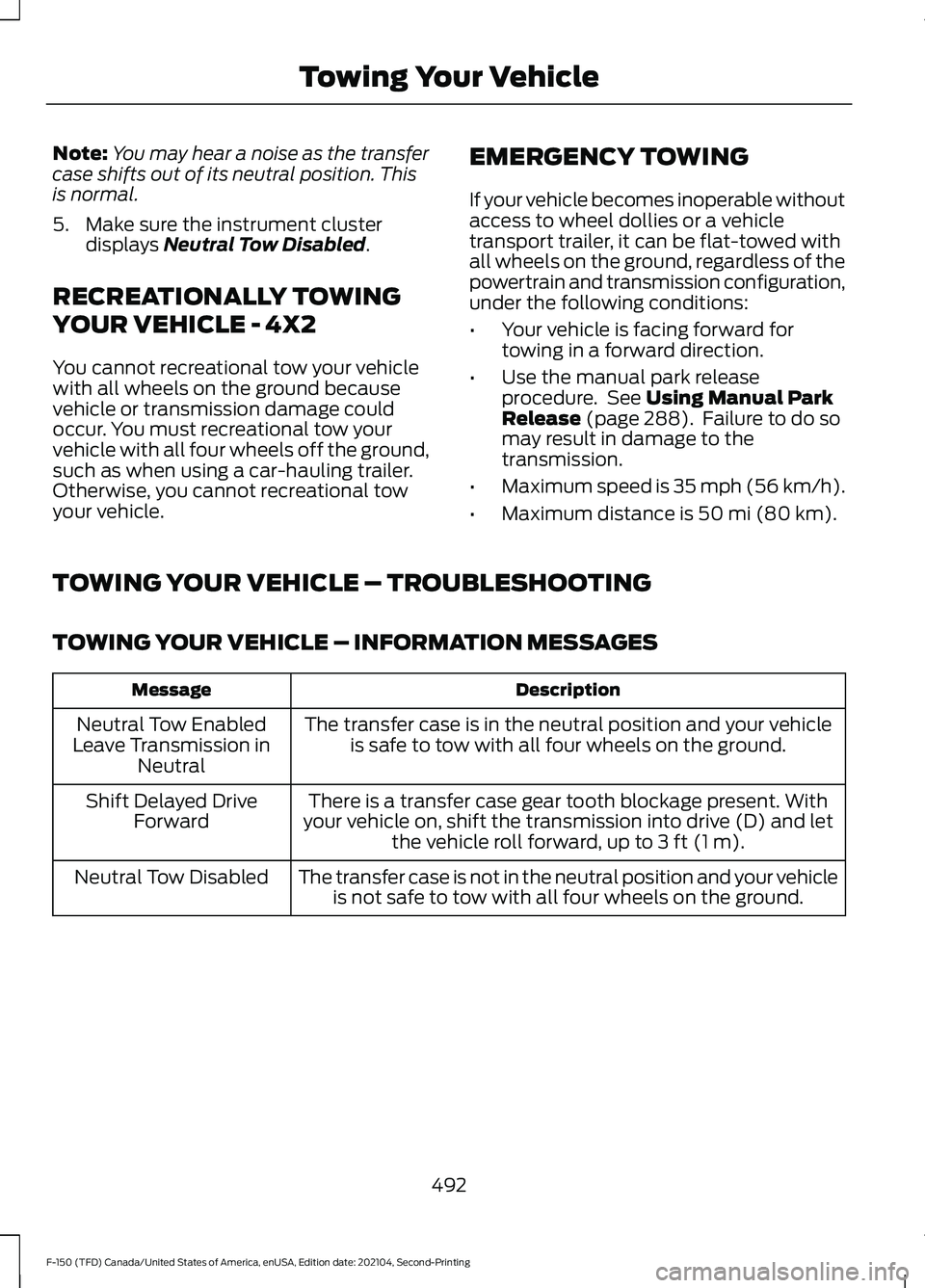
Note:
You may hear a noise as the transfer
case shifts out of its neutral position. This
is normal.
5. Make sure the instrument cluster displays Neutral Tow Disabled.
RECREATIONALLY TOWING
YOUR VEHICLE - 4X2
You cannot recreational tow your vehicle
with all wheels on the ground because
vehicle or transmission damage could
occur. You must recreational tow your
vehicle with all four wheels off the ground,
such as when using a car-hauling trailer.
Otherwise, you cannot recreational tow
your vehicle. EMERGENCY TOWING
If your vehicle becomes inoperable without
access to wheel dollies or a vehicle
transport trailer, it can be flat-towed with
all wheels on the ground, regardless of the
powertrain and transmission configuration,
under the following conditions:
•
Your vehicle is facing forward for
towing in a forward direction.
• Use the manual park release
procedure. See
Using Manual Park
Release (page 288). Failure to do so
may result in damage to the
transmission.
• Maximum speed is 35 mph (56 km/h).
• Maximum distance is
50 mi (80 km).
TOWING YOUR VEHICLE – TROUBLESHOOTING
TOWING YOUR VEHICLE – INFORMATION MESSAGES Description
Message
The transfer case is in the neutral position and your vehicleis safe to tow with all four wheels on the ground.
Neutral Tow Enabled
Leave Transmission in Neutral
There is a transfer case gear tooth blockage present. With
your vehicle on, shift the transmission into drive (D) and let the vehicle roll forward, up to
3 ft (1 m).
Shift Delayed Drive
Forward
The transfer case is not in the neutral position and your vehicleis not safe to tow with all four wheels on the ground.
Neutral Tow Disabled
492
F-150 (TFD) Canada/United States of America, enUSA, Edition date: 202104, Second-Printing Towing Your Vehicle
Page 773 of 796
Automatic Emergency Braking...............401
Switching Automatic Emergency Braking
On and Off...................................................... 402
What Is Automatic Emergency Braking.............................................................. 401
Automatic Engine Stop - Vehicles With: Keyless Entry and Push Button
Start...............................................................243
How Does Automatic Engine Stop Work................................................................... 243
Overriding Automatic Engine Stop.............244
Switching Automatic Engine Stop On and Off....................................................................... 243
What Is Automatic Engine Stop...................243
Automatic High Beam Control................152 Automatic High Beam Control
Indicators.......................................................... 154
Automatic High Beam Control Limitations........................................................ 153
Automatic High Beam Control Precautions...................................................... 153
Automatic High Beam Control Requirements.................................................. 153
How Does Automatic High Beam Control Work.................................................................... 152
Overriding Automatic High Beam Control............................................................... 154
Switching Automatic High Beam Control On and Off....................................................... 154
Automatic High Beam Control – Troubleshooting.........................................154
Automatic High Beam Control – Information Messages................................. 154
Automatic Locking Mode............................65 Disengaging Automatic Locking
Mode.................................................................... 66
Engaging Automatic Locking Mode..............66
What Is Automatic Locking Mode.................65
When to Use Automatic Locking Mode.................................................................... 65
Automatic Return to Park (P)................286 Automatic Return to Park (P)
Limitations....................................................... 287
How Does Automatic Return to Park (P) Work.................................................................. 286
What Is Automatic Return to Park (P)...................................................................... 286Automatic Transmission............................281
Automatic Return to Park (P)......................286
Automatic Transmission Positions..............281
Manually Shifting Gears.................................. 283
Manual Park Release....................................... 288
Temporary Neutral Mode............................... 285
Automatic Transmission Positions
........281
Drive (D)................................................................. 281
Manual (M)........................................................... 281
Neutral (N)............................................................ 281
Park (P).................................................................. 281
Reverse (R)........................................................... 281
Automatic Transmission Precautions..................................................281
Auto Mode
......................................................188
Auto Mode Indicators....................................... 188
Switching Auto Mode On and Off................188
Switching Dual Mode On and Off................189
Auto-Start-Stop...........................................252 Auto-Start-Stop – Troubleshooting...........253
Auto-Start-Stop Indicators
......................252
Auto-Start-Stop Precautions.................252
Auto-Start-Stop – Troubleshooting........................................253
Auto-Start-Stop – Frequently Asked Questions........................................................ 254
Auto-Start-Stop – Information Messages......................................................... 253
Autounlock.....................................................105 Autounlock Requirements.............................. 105
Switching Autounlock On and Off...............105
What Is Autounlock........................................... 105
Autowipers......................................................143 Adjusting the Sensitivity of the Rain
Sensor
................................................................ 143
Autowipers Settings.......................................... 143
What Are Autowipers........................................ 143
Auxiliary Switches.......................................659
B
Base Warranty
...............................................661
Battery See: Changing the 12V Battery...................... 519
Bed Extender...................................................115 Bed Extender Precautions................................ 115
Using the Bed Extender..................................... 116
Beginning a Voice Interaction................640
769
F-150 (TFD) Canada/United States of America, enUSA, Edition date: 202104, Second-Printing Index