reset FORD F-150 2021 Owner's Manual
[x] Cancel search | Manufacturer: FORD, Model Year: 2021, Model line: F-150, Model: FORD F-150 2021Pages: 796, PDF Size: 13.89 MB
Page 225 of 796
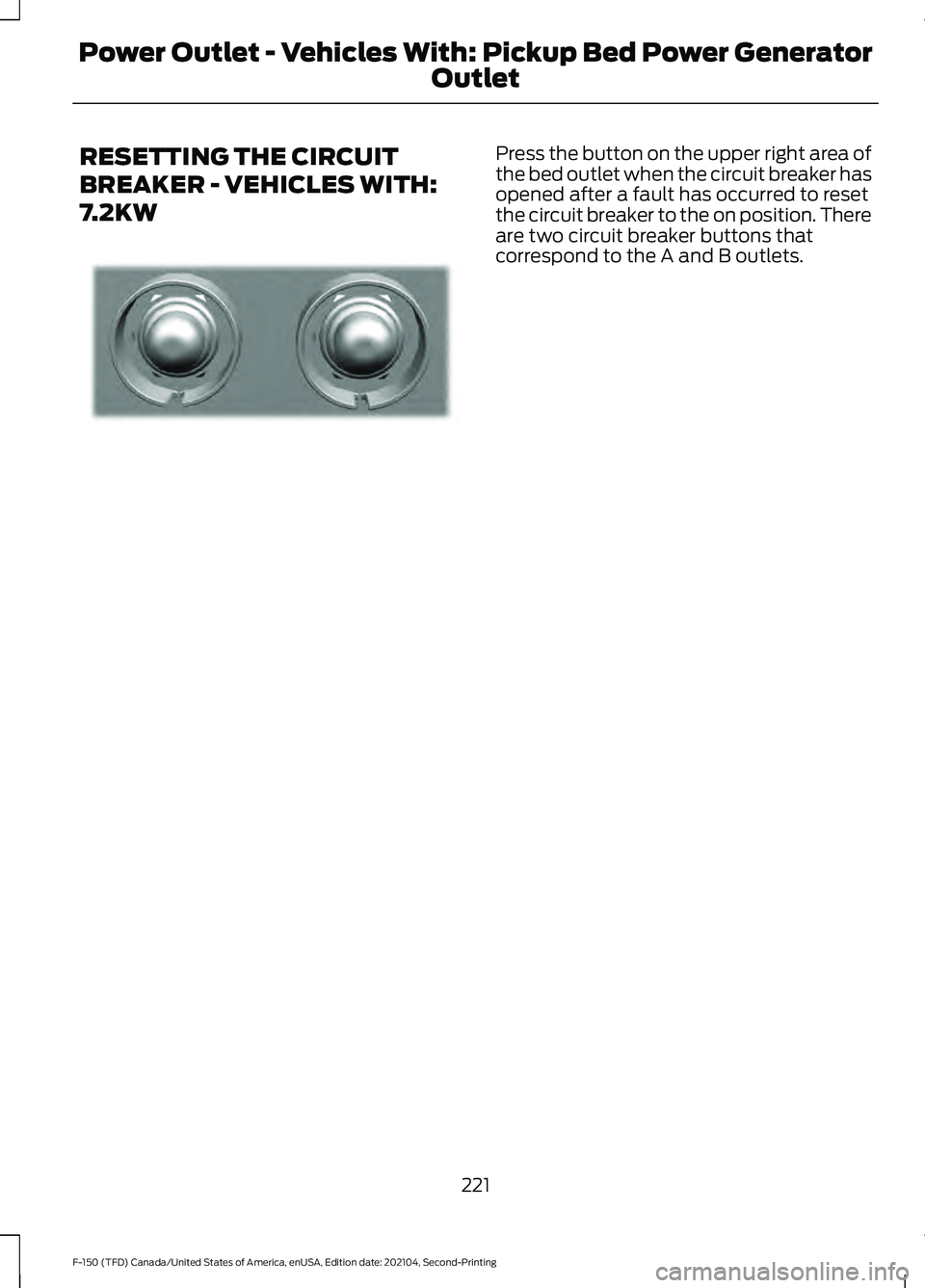
RESETTING THE CIRCUIT
BREAKER - VEHICLES WITH:
7.2KW Press the button on the upper right area of
the bed outlet when the circuit breaker has
opened after a fault has occurred to reset
the circuit breaker to the on position. There
are two circuit breaker buttons that
correspond to the A and B outlets.
221
F-150 (TFD) Canada/United States of America, enUSA, Edition date: 202104, Second-Printing Power Outlet - Vehicles With: Pickup Bed Power Generator
OutletE337774
Page 226 of 796
POWER OUTLET – TROUBLESHOOTING
POWER OUTLET – INFORMATION MESSAGES
Description
Message
Ensure plugged in devices do not exceed
the available power displayed. Devices may exceed the power rating shown the device label when plugged in. Unplug the device
and switch the ignition on and off to reset the system.
Item(s) plugged in exceed the system's
maximum capacity. Try unplugging one or
more items and reset. See Owner's Manual for detail.
After disconnecting all electrical loads, the
ground fault can be reset using the switches
on the power point, on the instrument panel
or on the touchscreen. Use the controls onthe touchscreen to test the ground fault detection circuit.
Ground Fault Detected. See Owner's
Manual for details.
The climate control system may turn on
and power may be limited during extreme hot or cold temperatures to optimize the performance of the system.
Generator System is outside its operating
temperature and capacity is reduced. See Owner's Manual for details.
Do not plug in any device that supplies
power to the vehicle through the power points. This could result in damage to vehicle systems.
Another power source is trying to supply
power to your vehicle's AC outlets. Discon- nect vehicle from that power source. See Owner's Manual for details.
The Pickup Bed Power Generator is in faultmode. Ensure all devices are unplugged
from the system. Use the controls on the touchscreen to reset the system. Switch
the vehicle on and off if the touchscreen
controls are unable to reset the system. See an authorized dealer if these steps do not fix the fault.
Pro Power OnBoard is currently unavailable.
See Owner's Manual for details.
After disconnecting all electrical loads, the
ground fault can be reset using the switches
on the power point, on the instrument panel
or on the touchscreen. Use the controls onthe touchscreen to test the ground fault detection circuit.
This button test outlets for proper opera-
tion of ground fault detection. In a
successful test, Pro Power OnBoard
detects the ground fault and turns off. See Owner's Manual for details.
222
F-150 (TFD) Canada/United States of America, enUSA, Edition date: 202104, Second-Printing Power Outlet - Vehicles With: Pickup Bed Power Generator
Outlet
Page 230 of 796
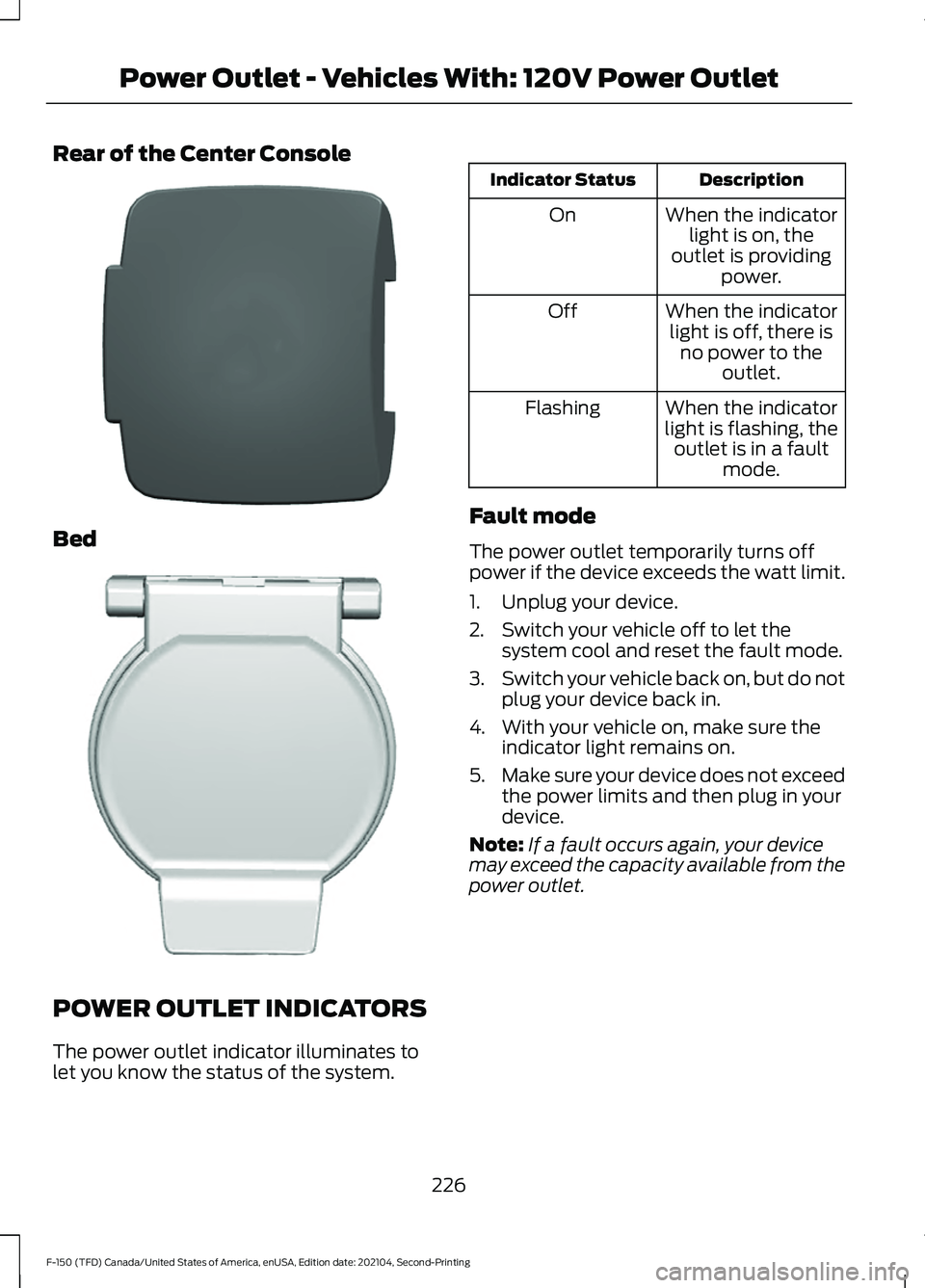
Rear of the Center Console
Bed
POWER OUTLET INDICATORS
The power outlet indicator illuminates to
let you know the status of the system. Description
Indicator Status
When the indicatorlight is on, the
outlet is providing power.
On
When the indicatorlight is off, there is no power to the outlet.
Off
When the indicator
light is flashing, the outlet is in a fault mode.
Flashing
Fault mode
The power outlet temporarily turns off
power if the device exceeds the watt limit.
1. Unplug your device.
2. Switch your vehicle off to let the system cool and reset the fault mode.
3. Switch your vehicle back on, but do not
plug your device back in.
4. With your vehicle on, make sure the indicator light remains on.
5. Make sure your device does not exceed
the power limits and then plug in your
device.
Note: If a fault occurs again, your device
may exceed the capacity available from the
power outlet.
226
F-150 (TFD) Canada/United States of America, enUSA, Edition date: 202104, Second-Printing Power Outlet - Vehicles With: 120V Power OutletE337926 E338700
Page 248 of 796
OVERRIDING AUTOMATIC ENGINE
STOP
You can stop the engine shutdown, or reset
the timer, at any point before the
30-second countdown has expired by
doing any of the following:
•
Pressing the brake pedal or accelerator
pedal.
• Pressing the OK or RESET button
during the countdown.
Note: You cannot permanently switch off
the automatic engine shutdown feature.
When you switch it off temporarily, it turns
on at the next ignition cycle.
ACCESSING THE PASSIVE KEY
BACKUP POSITION
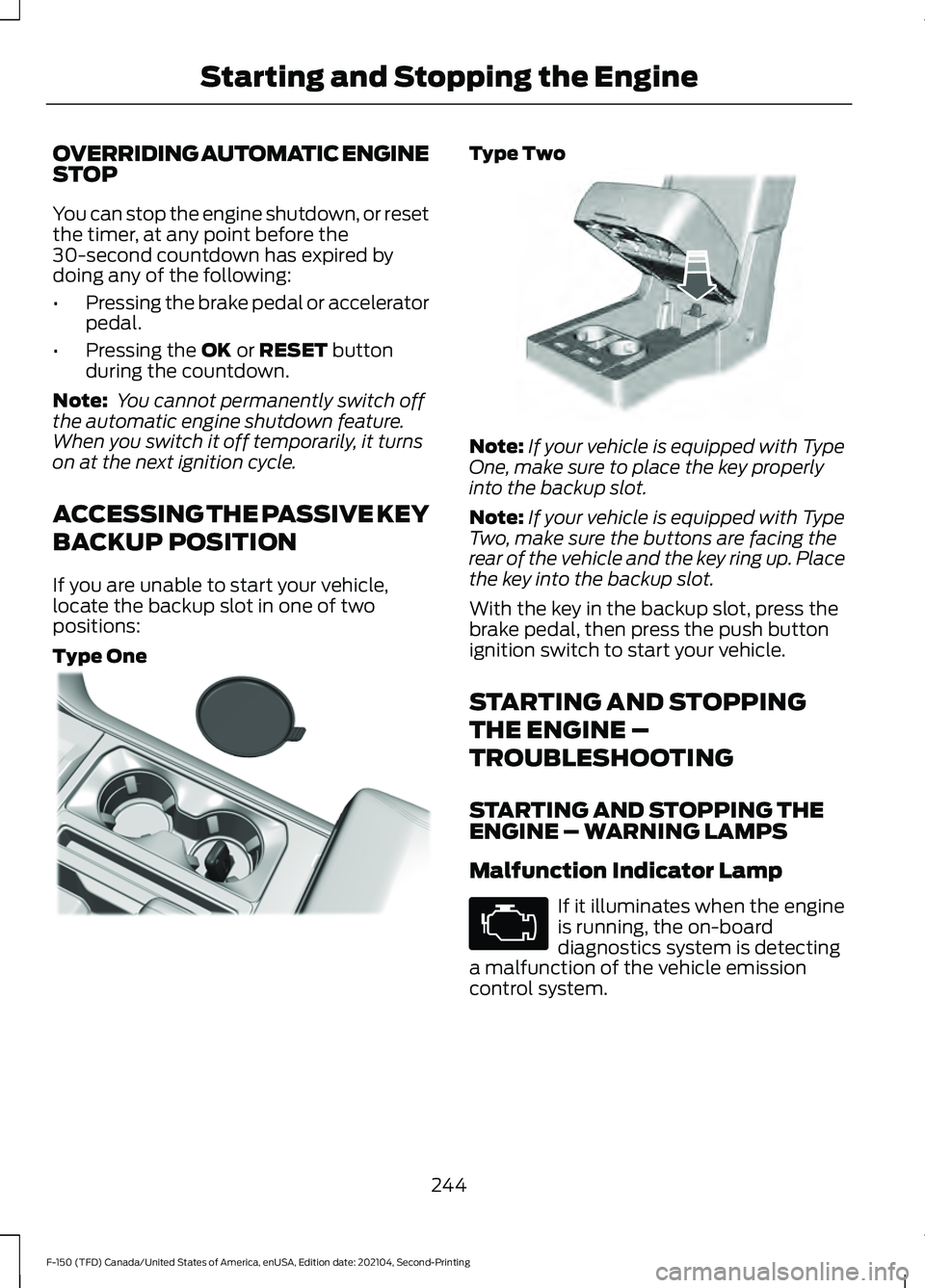
If you are unable to start your vehicle,
locate the backup slot in one of two
positions:
Type One Type Two
Note:
If your vehicle is equipped with Type
One, make sure to place the key properly
into the backup slot.
Note: If your vehicle is equipped with Type
Two, make sure the buttons are facing the
rear of the vehicle and the key ring up. Place
the key into the backup slot.
With the key in the backup slot, press the
brake pedal, then press the push button
ignition switch to start your vehicle.
STARTING AND STOPPING
THE ENGINE –
TROUBLESHOOTING
STARTING AND STOPPING THE
ENGINE – WARNING LAMPS
Malfunction Indicator Lamp If it illuminates when the engine
is running, the on-board
diagnostics system is detecting
a malfunction of the vehicle emission
control system.
244
F-150 (TFD) Canada/United States of America, enUSA, Edition date: 202104, Second-Printing Starting and Stopping the EngineE312216 E269950
Page 271 of 796
FUEL TANK CAPACITY -
HYBRID ELECTRIC VEHICLE
(HEV)
Advertised Capacity
The advertised capacity is the maximum
amount of fuel that you can add to the fuel
tank when the fuel gauge indicates empty.
In addition, the fuel tank contains an empty
reserve. The empty reserve is an
unspecified amount of fuel that remains
in the fuel tank when the fuel gauge
indicates empty.
Note:
The amount of fuel in the empty
reserve varies and should not be relied upon
to increase driving range.
FUEL AND REFUELING –
TROUBLESHOOTING
FUEL AND REFUELING –
WARNING LAMPS If it illuminates when you are
driving, refuel as soon as
possible.
FUEL AND REFUELING –
INFORMATION MESSAGES
Refueling System Warning
If the fuel tank filler valve does not fully
close, a message could appear in the
information display. Message
Check Fuel Fill Inlet
If the message appears, do the following:
1. Stop your vehicle as soon as it is safe to do so and switch the engine off. 2. Shift into park (P) or neutral (N).
3. Apply the parking brake.
4. Fully open the fuel filler door.
5. Check the fuel tank filler valve for any
debris that may be restricting its
movement.
6. Remove any debris from the fuel tank filler valve.
7. Fully insert a fuel pump nozzle or the fuel filler funnel provided with your
vehicle into the fuel filler pipe. See
Locating the Fuel Filler Funnel
(page 260). This action should dislodge
any debris that may be preventing the
fuel tank filler valve from fully closing.
8. Remove the fuel pump nozzle or fuel filler funnel from the fuel filler pipe.
9. Fully close the fuel filler door.
Note: The message may not immediately
reset. If the message continues to appear
and a warning lamp illuminates, have your
vehicle checked as soon as possible.
267
F-150 (TFD) Canada/United States of America, enUSA, Edition date: 202104, Second-Printing Fuel and Refueling
Page 278 of 796
Driving without refilling, replacing
contaminated diesel exhaust fluid, or
having the selective catalytic reduction
system repaired results in the following
actions as required by the California Air
Resources Board (CARB) and the U.S.
Environmental Protection Agency (EPA):
•
Within a preset distance to empty,
speed is limited upon vehicle restart.
Prior to this occurring a message
appears in the information display.
• Further vehicle operation without
refilling or replacing contaminated
diesel exhaust fluid causes the engine
to enter an idle-only condition. This
only occurs upon vehicle refueling,
vehicle idling in park for 1 hour, or
engine shutdown for 10 minutes or
more and is indicated by a message in
the information display indicating
required actions to resume normal
operation. It is required to add a
minimum of 1.0 gal (3.8 L) of diesel
exhaust fluid to the tank to exit the
idle-only condition, but your vehicle is
still in the speed-limiting mode until
you refill the tank completely.
Note: For vehicle speed limiting or idle-only
condition, normal vehicle operation resumes
when you refill the diesel exhaust fluid tank
or repair the contaminated system. If the
system is contaminated or inoperative, have
your vehicle checked as soon as possible. SELECTIVE CATALYTIC
REDUCTION SYSTEM
REQUIREMENTS Only use diesel exhaust fluid that is
certified by the American Petroleum
Institute (API).
You can purchase diesel exhaust fluid at
an authorized dealer, or contact roadside
assistance for help in finding a retailer that
sells diesel exhaust fluid.
Note:
Non-certified diesel exhaust fluid use
can cause damage that your Warranty may
not cover
SELECTIVE CATALYTIC
REDUCTION SYSTEM
GUIDELINES
• Diesel exhaust fluid is non-flammable,
non-toxic, colorless and water-soluble
liquid.
• In order for the system to operate
correctly you must maintain the diesel
exhaust fluid level.
• Do not overfill the diesel exhaust fluid
tank.
• Diesel exhaust fluid is corrosive.
274
F-150 (TFD) Canada/United States of America, enUSA, Edition date: 202104, Second-Printing Selective Catalytic Reduction System - Diesel
(If Equipped)E163354
Page 340 of 796
If your vehicle is in any forward gear, the
front parking aid provides audible warnings
and visual indication when your vehicle is
moving at a speed of 5 mph (8 km/h) or
below and the system detects an object
within the detection zone. Once your
vehicle reaches a stop, the visual indication
and audio warning stops after a few
seconds.
If your vehicle is in neutral (N), the front
and rear sensors provide visual indication
only when your vehicle is moving below a
speed of
5 mph (8 km/h) and obstacles
are detected inside the detection areas.
Once your vehicle stops, the visual
indication and audio warning stops after
a few seconds.
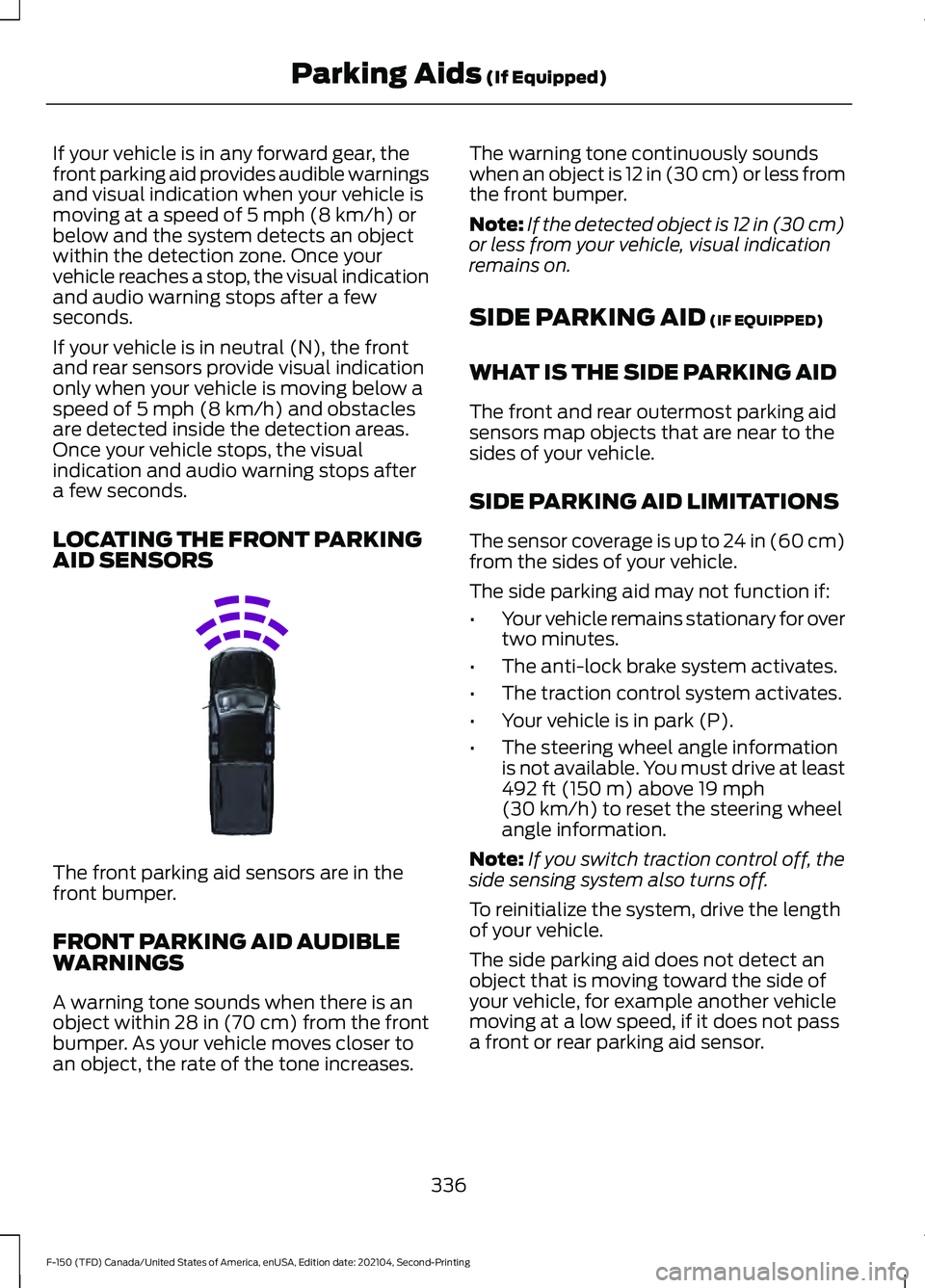
LOCATING THE FRONT PARKING
AID SENSORS The front parking aid sensors are in the
front bumper.
FRONT PARKING AID AUDIBLE
WARNINGS
A warning tone sounds when there is an
object within
28 in (70 cm) from the front
bumper. As your vehicle moves closer to
an object, the rate of the tone increases. The warning tone continuously sounds
when an object is 12 in (30 cm) or less from
the front bumper.
Note:
If the detected object is 12 in (30 cm)
or less from your vehicle, visual indication
remains on.
SIDE PARKING AID
(IF EQUIPPED)
WHAT IS THE SIDE PARKING AID
The front and rear outermost parking aid
sensors map objects that are near to the
sides of your vehicle.
SIDE PARKING AID LIMITATIONS
The sensor coverage is up to 24 in (60 cm)
from the sides of your vehicle.
The side parking aid may not function if:
• Your vehicle remains stationary for over
two minutes.
• The anti-lock brake system activates.
• The traction control system activates.
• Your vehicle is in park (P).
• The steering wheel angle information
is not available. You must drive at least
492 ft (150 m)
above 19 mph
(30 km/h) to reset the steering wheel
angle information.
Note: If you switch traction control off, the
side sensing system also turns off.
To reinitialize the system, drive the length
of your vehicle.
The side parking aid does not detect an
object that is moving toward the side of
your vehicle, for example another vehicle
moving at a low speed, if it does not pass
a front or rear parking aid sensor.
336
F-150 (TFD) Canada/United States of America, enUSA, Edition date: 202104, Second-Printing Parking Aids
(If Equipped)E310332
Page 412 of 796
2. Press Driver Assistance.
3. Switch
Driver Alert on or off.
Note: The system remains on or off
depending on how it was last set. Resetting Driver Alert
You can reset the system by either:
•
Switching the ignition off and on.
• Opening and closing the driver door
when your vehicle is stationary, and it
is safe to do so.
DRIVER ALERT – TROUBLESHOOTING
DRIVER ALERT – INFORMATION MESSAGES Action
Message
Stop and rest as soon as it is safe to do so.
Driver Alert Warning Rest Now
Take a rest soon.
Driver Alert Warning Rest Suggested
408
F-150 (TFD) Canada/United States of America, enUSA, Edition date: 202104, Second-Printing Driver Alert
(If Equipped)
Page 446 of 796
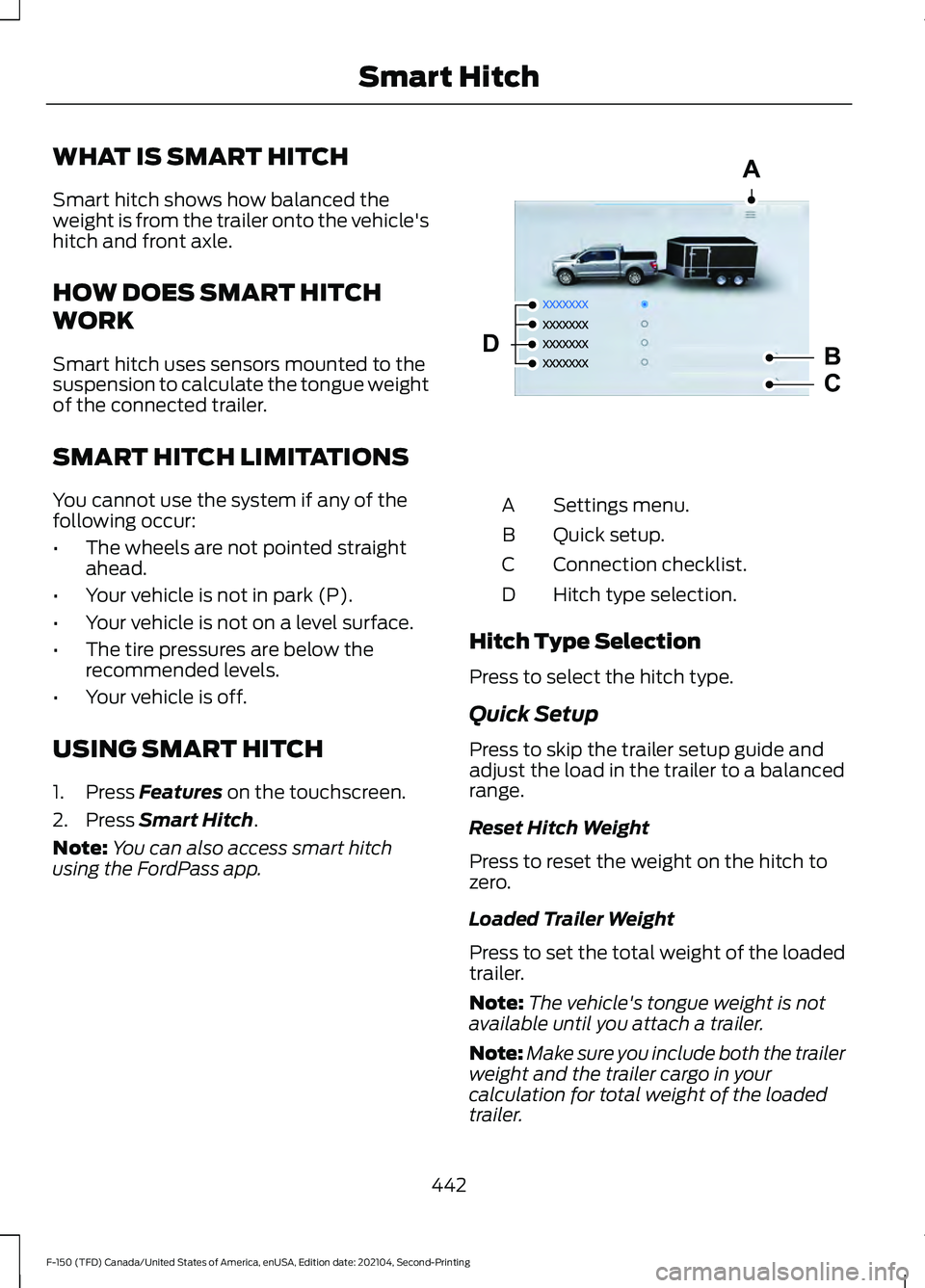
WHAT IS SMART HITCH
Smart hitch shows how balanced the
weight is from the trailer onto the vehicle's
hitch and front axle.
HOW DOES SMART HITCH
WORK
Smart hitch uses sensors mounted to the
suspension to calculate the tongue weight
of the connected trailer.
SMART HITCH LIMITATIONS
You cannot use the system if any of the
following occur:
•
The wheels are not pointed straight
ahead.
• Your vehicle is not in park (P).
• Your vehicle is not on a level surface.
• The tire pressures are below the
recommended levels.
• Your vehicle is off.
USING SMART HITCH
1. Press Features on the touchscreen.
2. Press
Smart Hitch.
Note: You can also access smart hitch
using the FordPass app. Settings menu.
A
Quick setup.
B
Connection checklist.
C
Hitch type selection.
D
Hitch Type Selection
Press to select the hitch type.
Quick Setup
Press to skip the trailer setup guide and
adjust the load in the trailer to a balanced
range.
Reset Hitch Weight
Press to reset the weight on the hitch to
zero.
Loaded Trailer Weight
Press to set the total weight of the loaded
trailer.
Note: The vehicle's tongue weight is not
available until you attach a trailer.
Note: Make sure you include both the trailer
weight and the trailer cargo in your
calculation for total weight of the loaded
trailer.
442
F-150 (TFD) Canada/United States of America, enUSA, Edition date: 202104, Second-Printing Smart HitchA
B
C
DE361328
Page 447 of 796
Taillights
Press to see the hitch load balance on the
vehicle
’s tail lamp.
Connection Checklist
Press to go through the trailer setup guide
and adjust the load in the trailer to a
balanced range.
Reset Hitch Weight
Press to reset the weight on the hitch to
zero.
Loaded Trailer Weight
Press to set the total weight of the loaded
trailer.
Note: The vehicle's tongue weight is not
available until you attach a trailer.
Note: Make sure you include both the trailer
weight and the trailer cargo in your
calculation for total weight of the loaded
trailer.
Taillights
Press to see the hitch load balance on the
vehicle ’s tail lamp.
Smart Hitch Settings
Measurement Units
Press to change measurement units
between pounds and kilograms.
443
F-150 (TFD) Canada/United States of America, enUSA, Edition date: 202104, Second-Printing Smart Hitch