tow FORD F-150 2021 Service Manual
[x] Cancel search | Manufacturer: FORD, Model Year: 2021, Model line: F-150, Model: FORD F-150 2021Pages: 796, PDF Size: 13.89 MB
Page 183 of 796
INSTRUMENT CLUSTER
DISPLAY MAIN MENU -
RAPTOR, VEHICLES WITH: 12.3
INCH SCREEN
Depending on your vehicle options, some
menu items can appear different or not at
all.
Note:
For your safety, some features are
speed-dependent and could be unavailable
when your vehicle is above a certain speed. Menu Item
MyView
Trip/Fuel
Raptor Info Towing
Navigation PhoneAudio
Settings
INSTRUMENT CLUSTER
DISPLAY MAIN MENU -
VEHICLES WITH: 4.2 INCH
SCREEN
Depending on your vehicle options, some
menu items can appear different or not at
all.
Note: For your safety, some features are
speed-dependent and could be unavailable
when your vehicle is above a certain speed. Menu Item
Select Screens Truck InfoTowing
Settings
INSTRUMENT CLUSTER
DISPLAY MAIN MENU -
VEHICLES WITH: 8 INCH
SCREEN
Depending on your vehicle options, some
menu items can appear different or not at
all.
Note: For your safety, some features are
speed-dependent and could be unavailable
when your vehicle is above a certain speed. Menu Item
MyView
Trip/Fuel
Truck Info Towing
Navigation PhoneAudio
Settings
179
F-150 (TFD) Canada/United States of America, enUSA, Edition date: 202104, Second-Printing Instrument Cluster Display
Page 197 of 796
CLIMATE CONTROL HINTS
General Hints
•
Prolonged use of recirculated air may
cause the windows to fog up.
• You may feel a small amount of air
from the footwell air vents regardless
of the air distribution setting.
• To reduce humidity build-up inside your
vehicle, do not drive with the system
switched off or with recirculated air
always switched on.
• Do not place objects under the front
seats as this may interfere with the
airflow to the rear seats.
• Remove any snow, ice or leaves from
the air intake area at the base of the
windshield.
• To improve the time to reach a
comfortable temperature in hot
weather, drive with the windows open
until you feel cold air through the air
vents.
Quickly Heating the Interior
1. Adjust the blower motor speed to the highest speed setting.
2. Adjust the temperature control to the highest setting.
3. Direct air to the footwell air vents.
Recommended Settings for
Heating
1. Adjust the blower motor speed to the center setting.
2. Adjust the temperature control to the midway point of the hot settings.
3. Direct air to the footwell air vents.
Quickly Cooling the Interior
1. Press MAX A/C. 2.
Drive with the windows open for a short
period of time.
Recommended Settings for
Cooling
1. Adjust the blower motor speed to the center setting.
2. Adjust the temperature control to the midway point of the cold settings.
3. Direct air to the instrument panel air vents.
Defogging the Side Windows in
Cold Weather
1. Direct air to the instrument panel and windshield air vents.
2. Press and release
A/C.
3. Adjust the temperature control to the setting you prefer.
4. Adjust the blower motor speed to the highest setting.
5. Direct air toward the side windows.
6. Close the instrument panel air vents.
193
F-150 (TFD) Canada/United States of America, enUSA, Edition date: 202104, Second-Printing Climate Control - Vehicles With: Manual Temperature Control
Page 198 of 796
WHAT IS THE CABIN AIR
FILTER
The cabin air filter improves the quality of
air in your vehicle by trapping dust, pollen
and other particles.
REPLACING THE CABIN AIR
FILTER
Replace the filter at regular intervals. See
Scheduled Maintenance (page 664).
The cabin air filter is behind the glove
compartment.
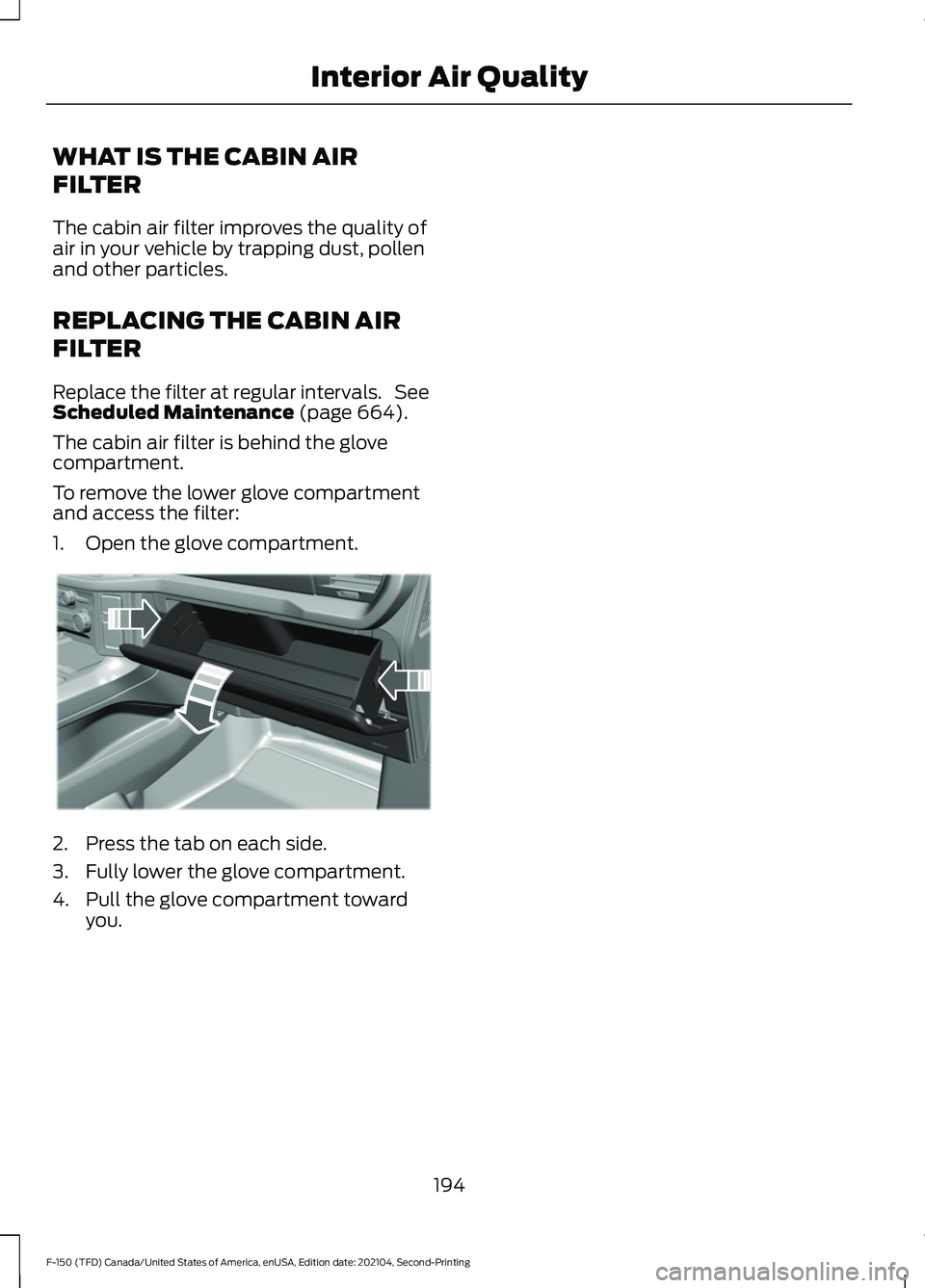
To remove the lower glove compartment
and access the filter:
1. Open the glove compartment. 2. Press the tab on each side.
3. Fully lower the glove compartment.
4. Pull the glove compartment toward
you.
194
F-150 (TFD) Canada/United States of America, enUSA, Edition date: 202104, Second-Printing Interior Air QualityE311296
Page 201 of 796
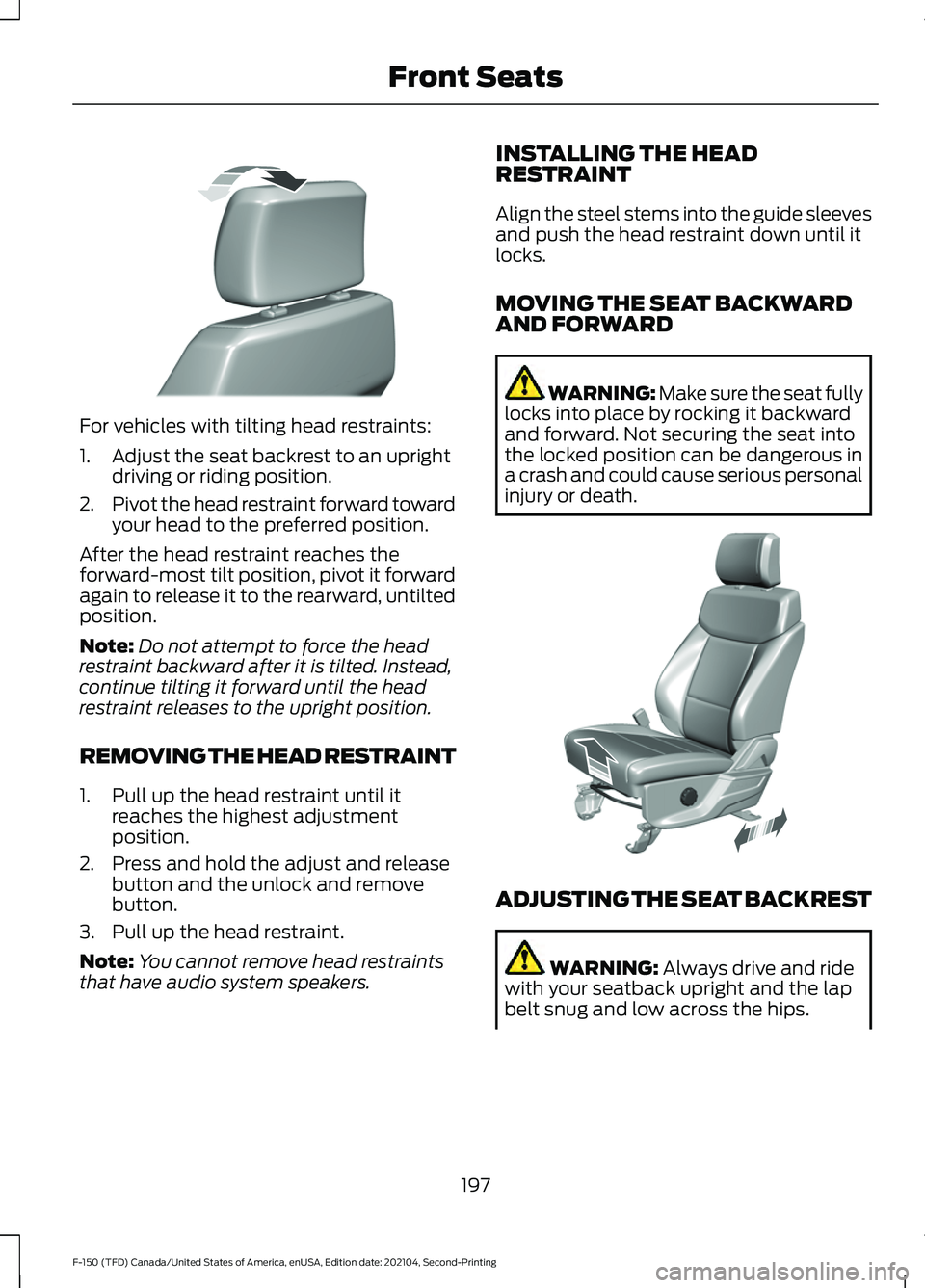
For vehicles with tilting head restraints:
1. Adjust the seat backrest to an upright
driving or riding position.
2. Pivot the head restraint forward toward
your head to the preferred position.
After the head restraint reaches the
forward-most tilt position, pivot it forward
again to release it to the rearward, untilted
position.
Note: Do not attempt to force the head
restraint backward after it is tilted. Instead,
continue tilting it forward until the head
restraint releases to the upright position.
REMOVING THE HEAD RESTRAINT
1. Pull up the head restraint until it reaches the highest adjustment
position.
2. Press and hold the adjust and release button and the unlock and remove
button.
3. Pull up the head restraint.
Note: You cannot remove head restraints
that have audio system speakers. INSTALLING THE HEAD
RESTRAINT
Align the steel stems into the guide sleeves
and push the head restraint down until it
locks.
MOVING THE SEAT BACKWARD
AND FORWARD WARNING: Make sure the seat fully
locks into place by rocking it backward
and forward. Not securing the seat into
the locked position can be dangerous in
a crash and could cause serious personal
injury or death. ADJUSTING THE SEAT BACKREST
WARNING: Always drive and ride
with your seatback upright and the lap
belt snug and low across the hips.
197
F-150 (TFD) Canada/United States of America, enUSA, Edition date: 202104, Second-Printing Front SeatsE327919 E308316
Page 203 of 796
WARNING: The head restraint is a
safety device. Whenever possible it
should be installed and properly
adjusted when the seat is occupied.
Failure to adjust the head restraint
properly could reduce its effectiveness
during certain impacts. WARNING:
Adjust the head
restraints for all passengers before you
drive your vehicle. This will help minimize
the risk of neck injury in the event of a
crash. Do not adjust the head restraints
when your vehicle is moving.
To raise the head restraint, pull the head
restraint up.
To lower the head restraint:
1. Press and hold the adjust and release button.
2. Push the head restraint down.
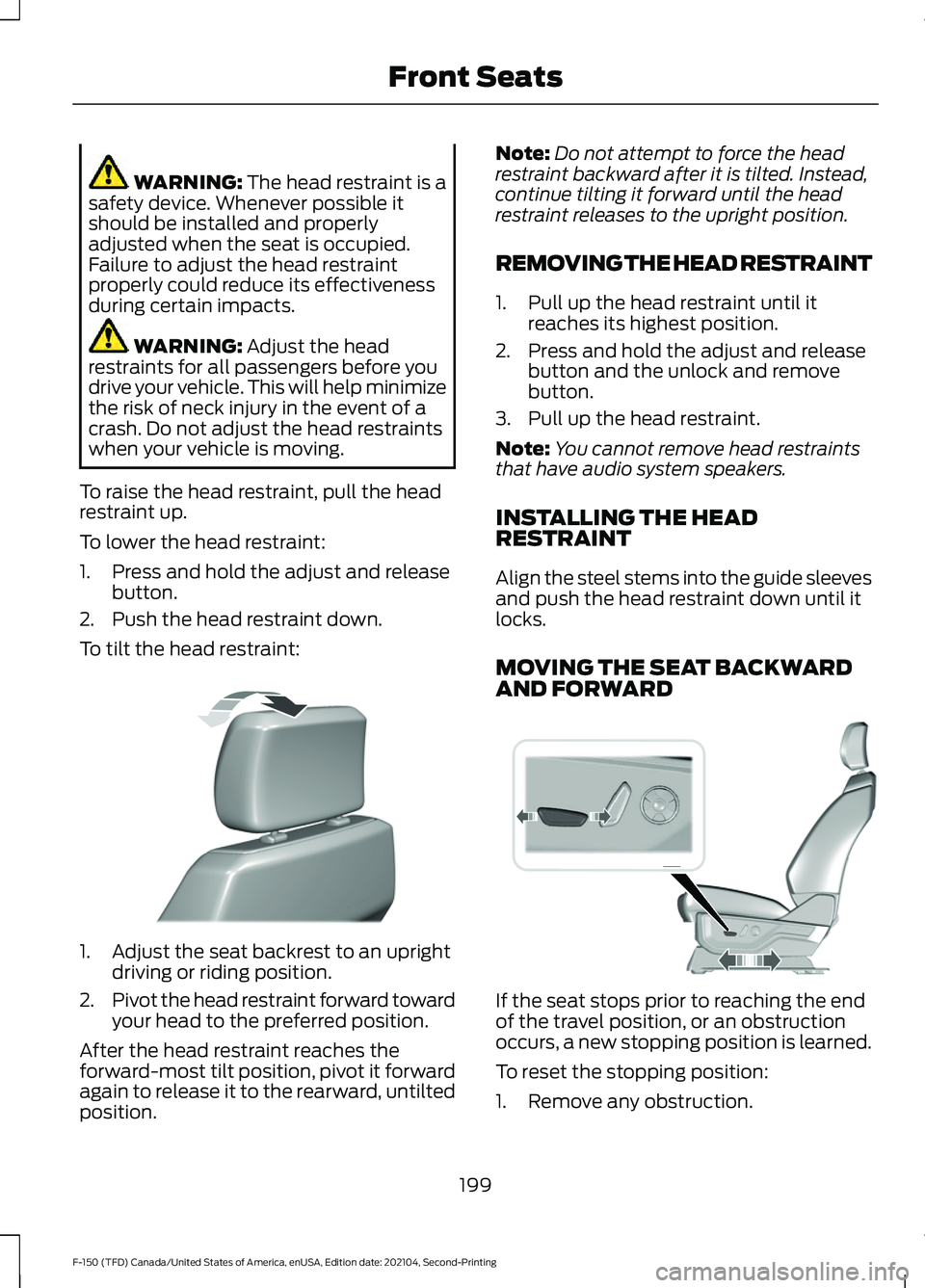
To tilt the head restraint: 1. Adjust the seat backrest to an upright
driving or riding position.
2. Pivot the head restraint forward toward
your head to the preferred position.
After the head restraint reaches the
forward-most tilt position, pivot it forward
again to release it to the rearward, untilted
position. Note:
Do not attempt to force the head
restraint backward after it is tilted. Instead,
continue tilting it forward until the head
restraint releases to the upright position.
REMOVING THE HEAD RESTRAINT
1. Pull up the head restraint until it reaches its highest position.
2. Press and hold the adjust and release button and the unlock and remove
button.
3. Pull up the head restraint.
Note: You cannot remove head restraints
that have audio system speakers.
INSTALLING THE HEAD
RESTRAINT
Align the steel stems into the guide sleeves
and push the head restraint down until it
locks.
MOVING THE SEAT BACKWARD
AND FORWARD If the seat stops prior to reaching the end
of the travel position, or an obstruction
occurs, a new stopping position is learned.
To reset the stopping position:
1. Remove any obstruction.
199
F-150 (TFD) Canada/United States of America, enUSA, Edition date: 202104, Second-Printing Front SeatsE327919 E308339
Page 205 of 796
Adjusting the Upper Seat Backrest
(If Equipped)
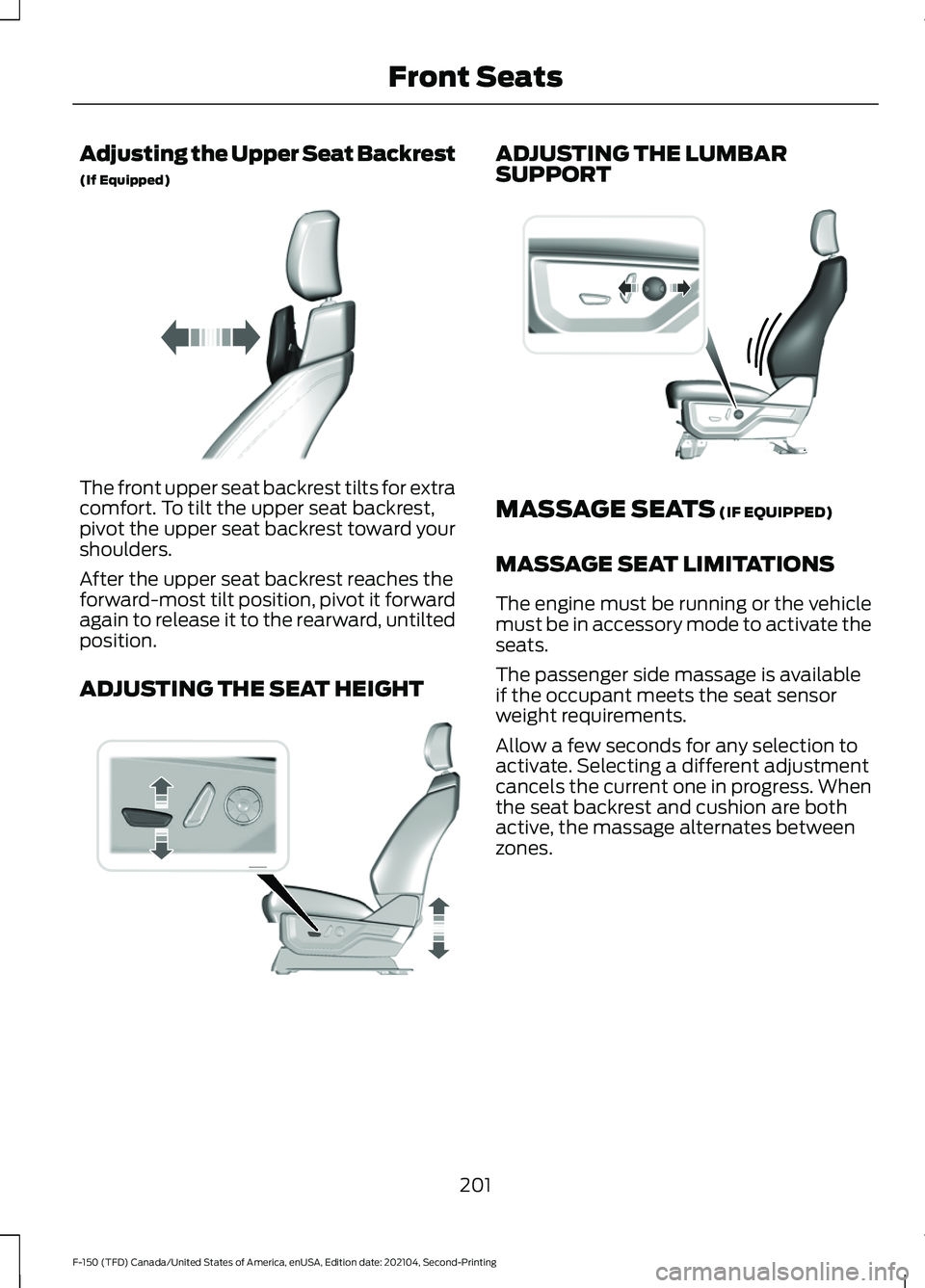
The front upper seat backrest tilts for extra
comfort. To tilt the upper seat backrest,
pivot the upper seat backrest toward your
shoulders.
After the upper seat backrest reaches the
forward-most tilt position, pivot it forward
again to release it to the rearward, untilted
position.
ADJUSTING THE SEAT HEIGHT ADJUSTING THE LUMBAR
SUPPORT
MASSAGE SEATS (IF EQUIPPED)
MASSAGE SEAT LIMITATIONS
The engine must be running or the vehicle
must be in accessory mode to activate the
seats.
The passenger side massage is available
if the occupant meets the seat sensor
weight requirements.
Allow a few seconds for any selection to
activate. Selecting a different adjustment
cancels the current one in progress. When
the seat backrest and cushion are both
active, the massage alternates between
zones.
201
F-150 (TFD) Canada/United States of America, enUSA, Edition date: 202104, Second-Printing Front SeatsE311333 E308337 E327927
Page 233 of 796
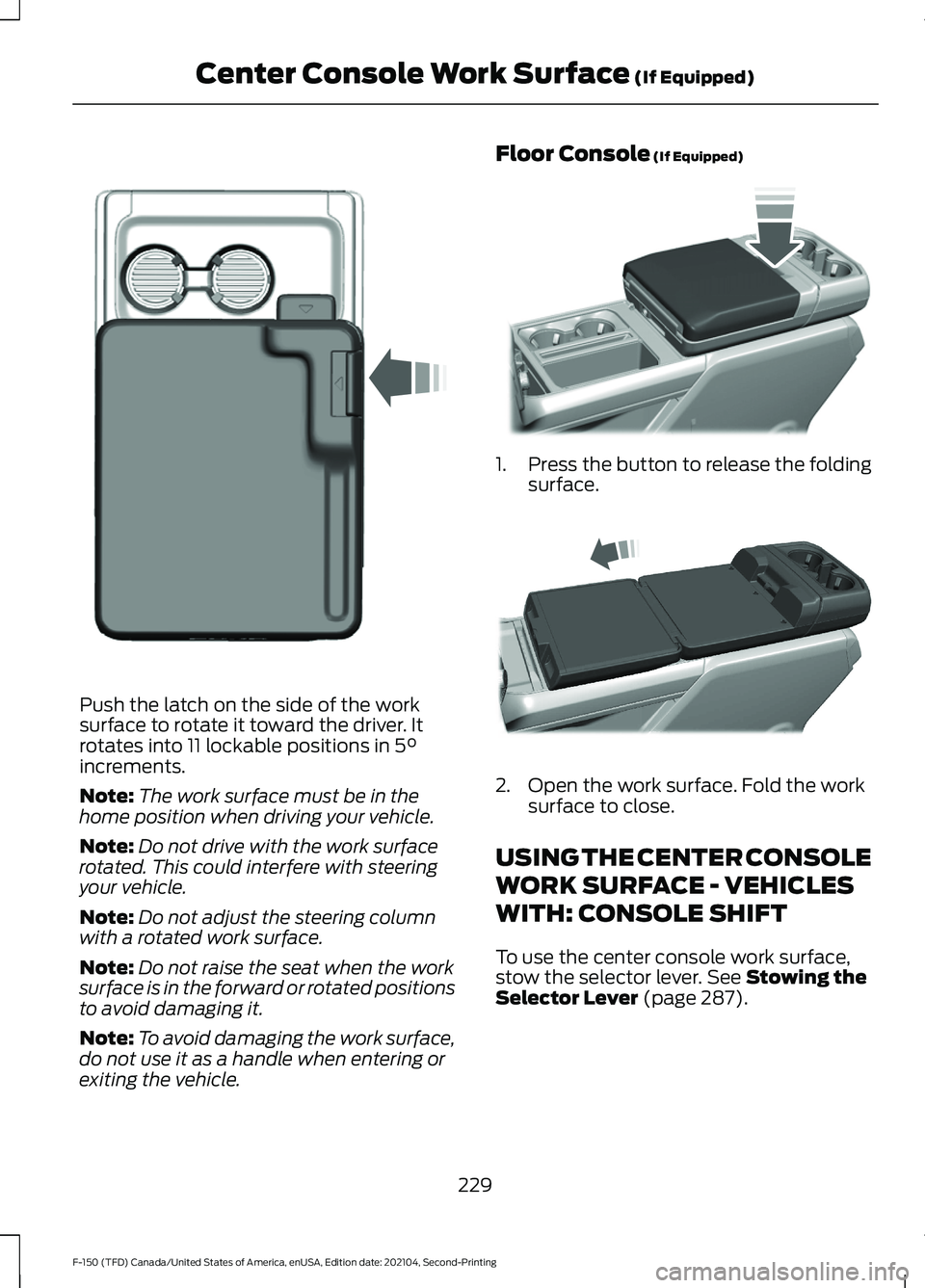
Push the latch on the side of the work
surface to rotate it toward the driver. It
rotates into 11 lockable positions in 5°
increments.
Note: The work surface must be in the
home position when driving your vehicle.
Note: Do not drive with the work surface
rotated. This could interfere with steering
your vehicle.
Note: Do not adjust the steering column
with a rotated work surface.
Note: Do not raise the seat when the work
surface is in the forward or rotated positions
to avoid damaging it.
Note: To avoid damaging the work surface,
do not use it as a handle when entering or
exiting the vehicle. Floor Console
(If Equipped)
1.
Press the button to release the folding
surface. 2. Open the work surface. Fold the work
surface to close.
USING THE CENTER CONSOLE
WORK SURFACE - VEHICLES
WITH: CONSOLE SHIFT
To use the center console work surface,
stow the selector lever.
See Stowing the
Selector Lever (page 287).
229
F-150 (TFD) Canada/United States of America, enUSA, Edition date: 202104, Second-Printing Center Console Work Surface
(If Equipped)E331800 E346160 E327043
Page 234 of 796
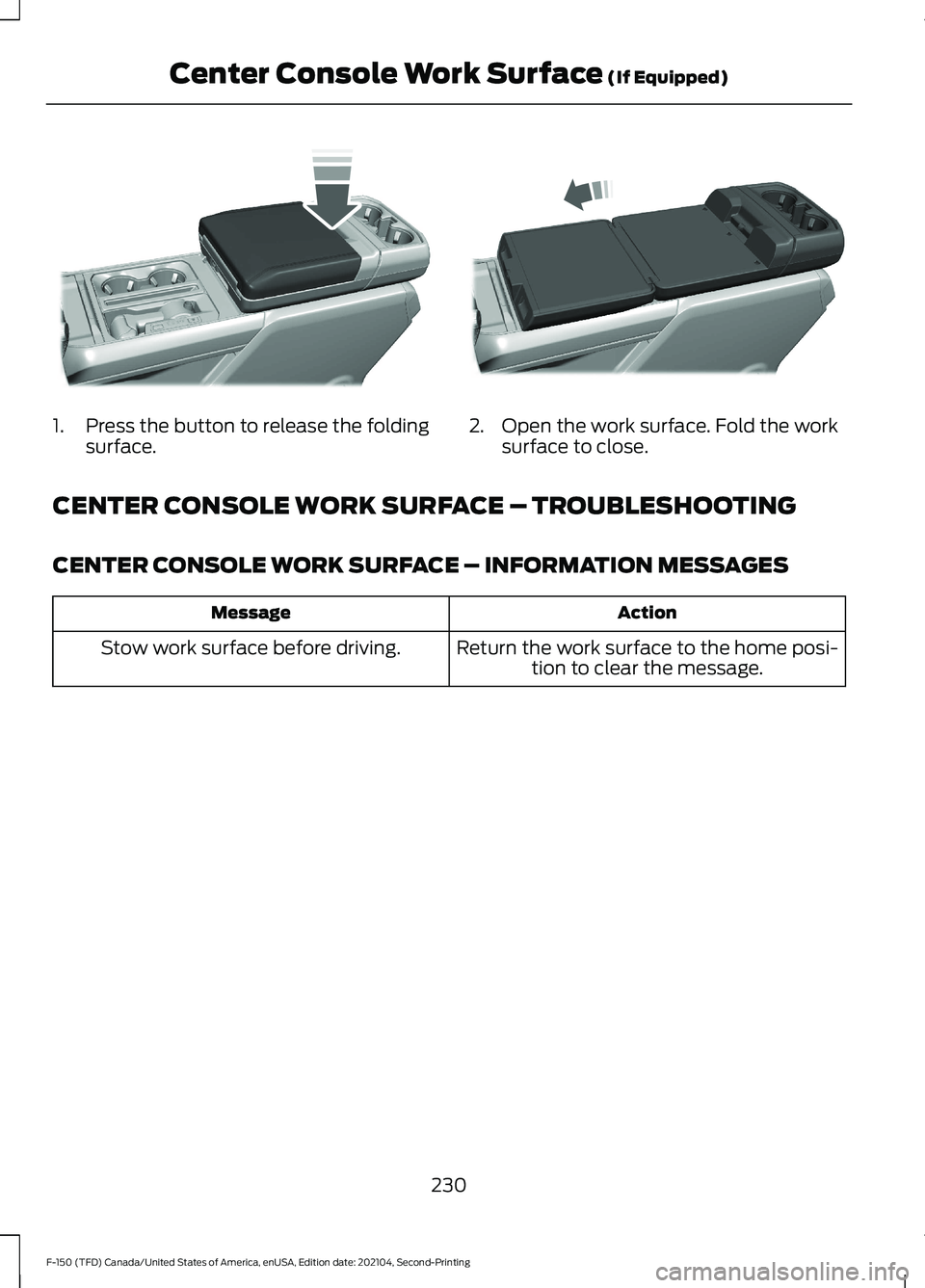
1.
Press the button to release the folding
surface. 2. Open the work surface. Fold the work
surface to close.
CENTER CONSOLE WORK SURFACE – TROUBLESHOOTING
CENTER CONSOLE WORK SURFACE – INFORMATION MESSAGES Action
Message
Return the work surface to the home posi-tion to clear the message.
Stow work surface before driving.
230
F-150 (TFD) Canada/United States of America, enUSA, Edition date: 202104, Second-Printing Center Console Work Surface (If Equipped)E327042 E327043
Page 236 of 796
CUP HOLDERS
CUP HOLDER PRECAUTIONS
WARNING: Use caution when
stowing items or hot drinks in the cup
holders. Items could become loose or
spill during hard braking, acceleration or
crashes. Failure to follow this instruction
could result in personal injury.
GLOVE COMPARTMENT
OPENING THE GLOVE
COMPARTMENT
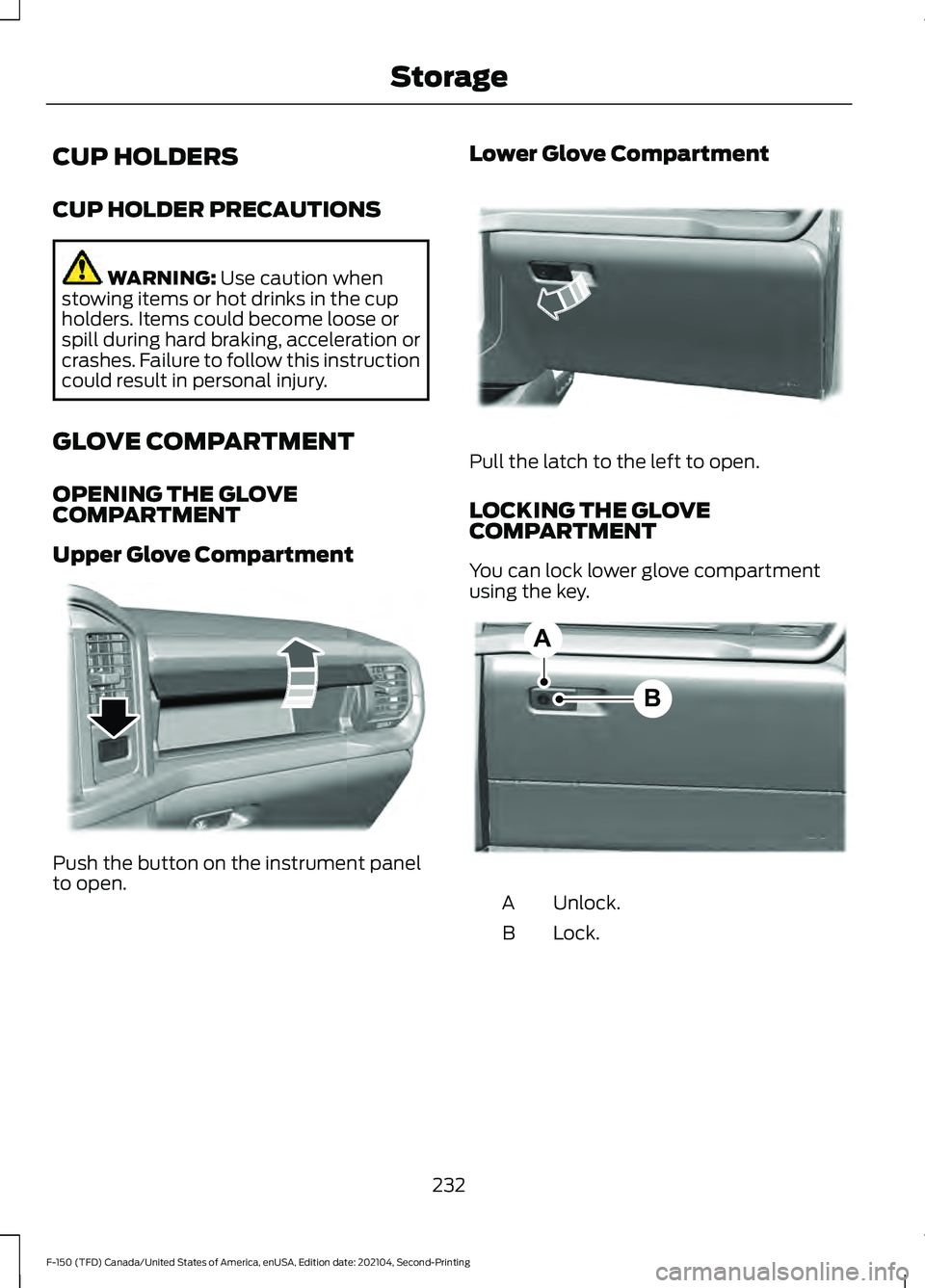
Upper Glove Compartment Push the button on the instrument panel
to open. Lower Glove Compartment Pull the latch to the left to open.
LOCKING THE GLOVE
COMPARTMENT
You can lock lower glove compartment
using the key.
Unlock.
A
Lock.
B
232
F-150 (TFD) Canada/United States of America, enUSA, Edition date: 202104, Second-Printing StorageE310219 E310218 B
AE351063
Page 239 of 796
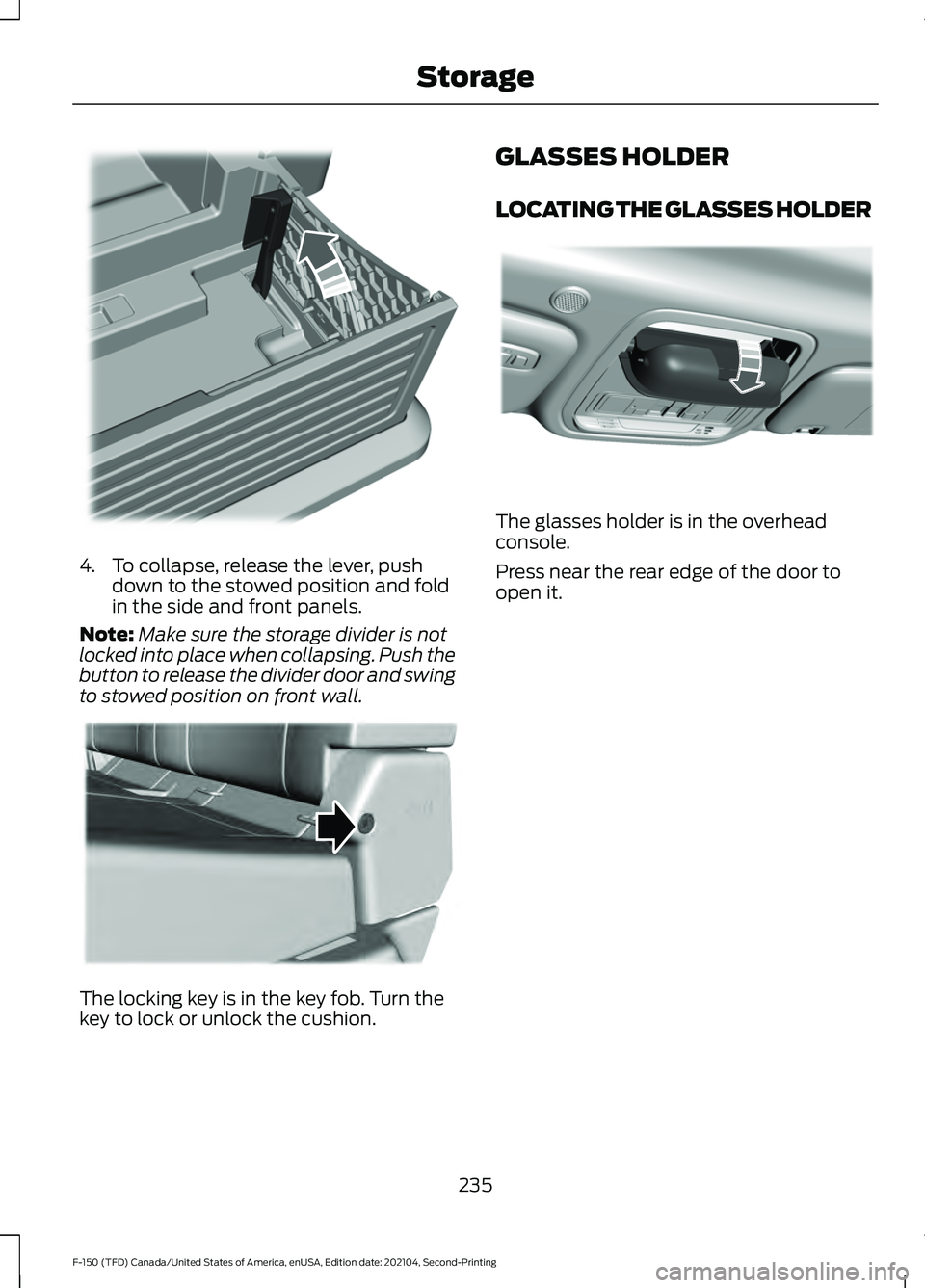
4. To collapse, release the lever, push
down to the stowed position and fold
in the side and front panels.
Note: Make sure the storage divider is not
locked into place when collapsing. Push the
button to release the divider door and swing
to stowed position on front wall. The locking key is in the key fob. Turn the
key to lock or unlock the cushion. GLASSES HOLDER
LOCATING THE GLASSES HOLDER
The glasses holder is in the overhead
console.
Press near the rear edge of the door to
open it.
235
F-150 (TFD) Canada/United States of America, enUSA, Edition date: 202104, Second-Printing StorageE235009 E224956 E306967