ignition FORD F-150 2021 Repair Manual
[x] Cancel search | Manufacturer: FORD, Model Year: 2021, Model line: F-150, Model: FORD F-150 2021Pages: 796, PDF Size: 13.89 MB
Page 326 of 796
Side Wind Stabilization
Side wind stabilization is an advanced
feature that works by carefully applying
the brakes on one side of the vehicle to
reduce the effect of a side wind gust on
the vehicle's path.
Torque Vectoring by Brakes
Torque vectoring control applies brake
torque on the inner driven wheel in a curve
for better traction to avoid an understeer,
or oversteer situation. Unlike electronic
stability control, enhanced torque
vectoring control does not slow the
vehicle. It helps control excessive wheel
slip and gives the vehicle improved
cornering agility.
Traction Control
Traction control enhances your vehicle
’s
ability to maintain traction of the wheels
by detecting and controlling wheel spin.
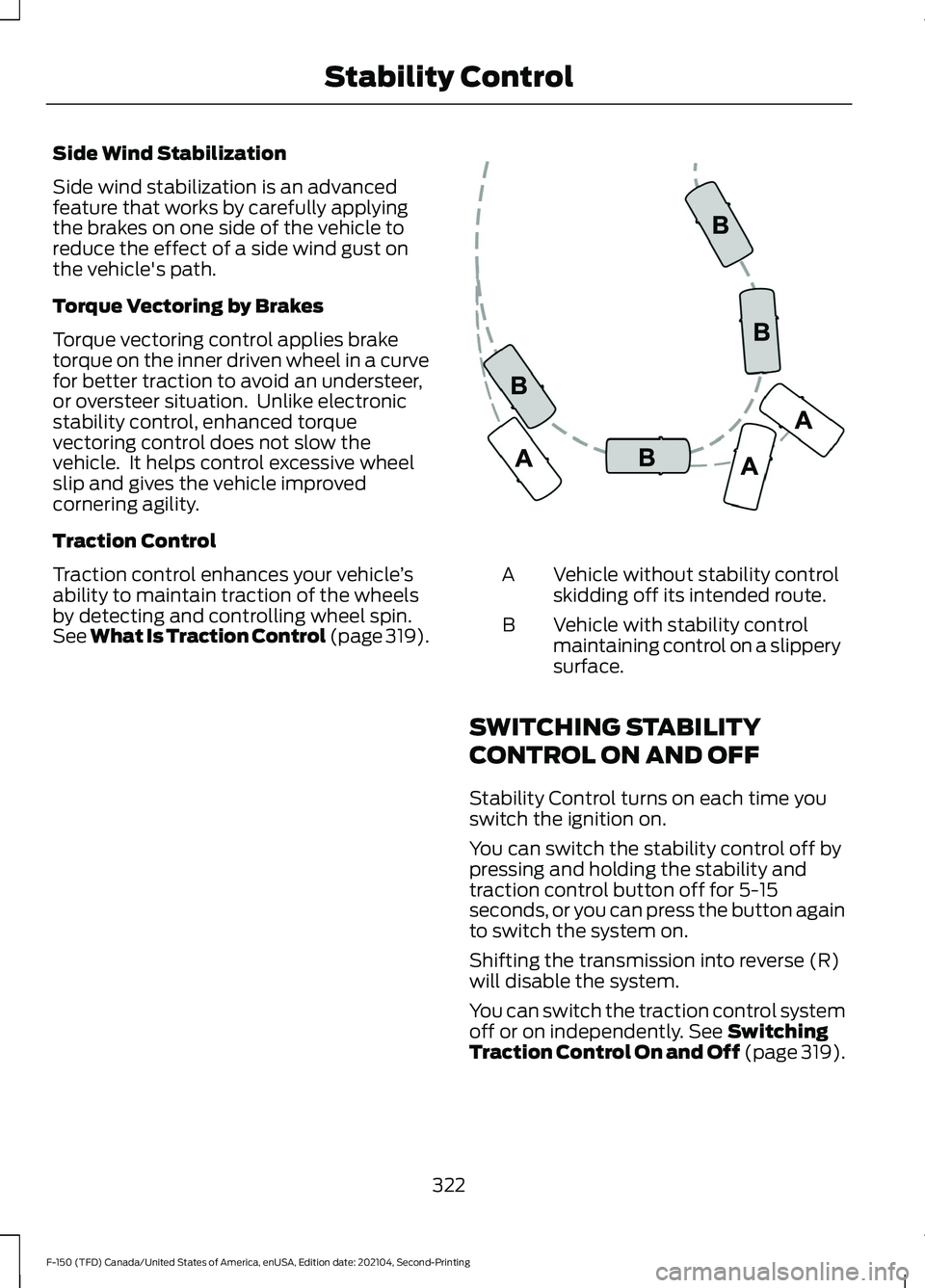
See What Is Traction Control (page 319). Vehicle without stability control
skidding off its intended route.
A
Vehicle with stability control
maintaining control on a slippery
surface.
B
SWITCHING STABILITY
CONTROL ON AND OFF
Stability Control turns on each time you
switch the ignition on.
You can switch the stability control off by
pressing and holding the stability and
traction control button off for 5-15
seconds, or you can press the button again
to switch the system on.
Shifting the transmission into reverse (R)
will disable the system.
You can switch the traction control system
off or on independently. See Switching
Traction Control On and Off (page 319).
322
F-150 (TFD) Canada/United States of America, enUSA, Edition date: 202104, Second-Printing Stability ControlE72903
Page 354 of 796
WHAT IS CRUISE CONTROL
Cruise control lets you maintain a set
speed without keeping your foot on the
accelerator pedal.
Requirements
Use cruise control when the vehicle speed
is greater than 15 mph in imperial units and
20 km/h in metric units.
SWITCHING CRUISE CONTROL
ON AND OFF
WARNING: Do not use cruise
control on winding roads, in heavy traffic
or when the road surface is slippery. This
could result in loss of vehicle control,
serious injury or death.
The cruise controls are on the steering
wheel.
Switching Cruise Control On Press the button to activate the
system. When the system
activates, the set speed is equal
to whichever is greater, the current vehicle
speed, or 15 mph when in imperial units or
20 km/h when in metric units. If the speed
is too low, or other conditions are not
correct for cruise control activation, the
system will instead enter standby mode.
Switching Cruise Control Off Press the button when the
system is active or switch the
ignition off.
Note: When you switch cruise control off,
the set speed clears. SETTING THE CRUISE
CONTROL SPEED WARNING:
When you are going
downhill, your vehicle speed could
increase above the set speed. The
system does not apply the brakes.
Drive to the speed you prefer. Press either the SET+ or SET-
buttons to set the current speed.
Take your foot off the accelerator pedal.
Note: The indicator changes color in the
information display.
Changing the Set Speed Press the SET+ button to
increase the set speed in small
increments. Press and hold the
SET+ button to accelerate. Release the
button when you have reached your
preferred speed. Press the SET- button to
decrease the set speed in small
increments. Press and hold the
SET- button to decelerate. Release the
button when you have reached your
preferred speed.
Note: If you accelerate by pressing the
accelerator pedal, the set speed does not
change. When you release the accelerator
pedal, your vehicle returns to the speed that
you previously set.
350
F-150 (TFD) Canada/United States of America, enUSA, Edition date: 202104, Second-Printing Cruise Control
(If Equipped)E332905 E332905
Page 359 of 796
Switching Adaptive Cruise Control
Off
Press the button when the
system is in standby mode or
switch the ignition off.
Note: When you switch the system off, the
set speed clears.
ADAPTIVE CRUISE CONTROL
AUTOMATIC CANCELLATION
The system may cancel if:
• The tires lose traction.
• You apply the parking brake.
The system may cancel and set the parking
brake if:
• You unbuckle the seatbelt and open
the driver door after you stop your
vehicle.
• Your vehicle is at a stop continuously
for more than three minutes.
The system may deactivate or prevent
activating when requested if:
• The vehicle has a blocked sensor.
• The brake temperature is too high.
• There is a failure in the system or a
related system.
SETTING THE ADAPTIVE
CRUISE CONTROL SPEED
Drive to the speed you prefer. Press the SET+ or SET- buttons
to set the current speed.
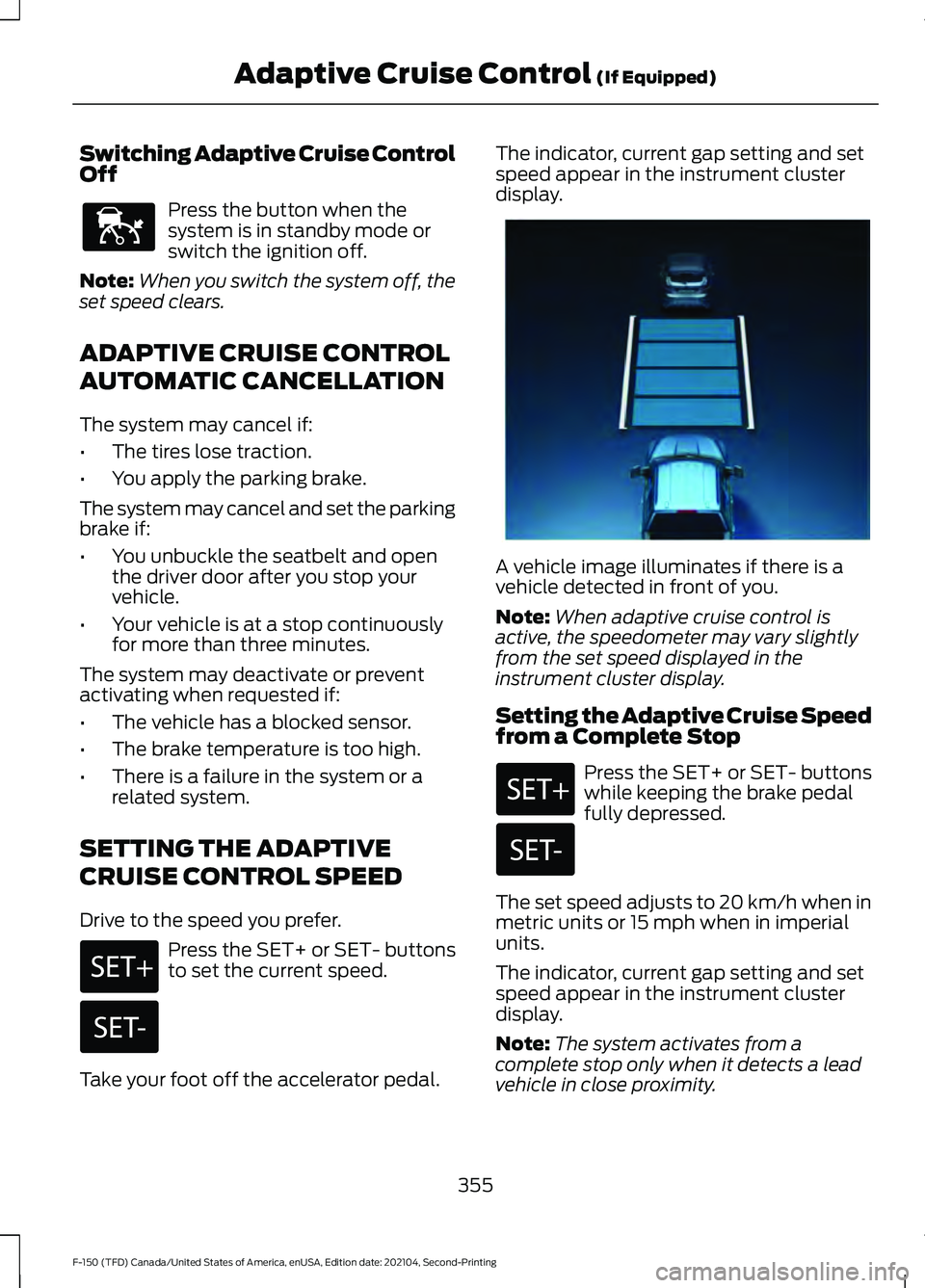
Take your foot off the accelerator pedal. The indicator, current gap setting and set
speed appear in the instrument cluster
display.
A vehicle image illuminates if there is a
vehicle detected in front of you.
Note:
When adaptive cruise control is
active, the speedometer may vary slightly
from the set speed displayed in the
instrument cluster display.
Setting the Adaptive Cruise Speed
from a Complete Stop Press the SET+ or SET- buttons
while keeping the brake pedal
fully depressed.
The set speed adjusts to 20 km/h when in
metric units or 15 mph when in imperial
units.
The indicator, current gap setting and set
speed appear in the instrument cluster
display.
Note: The system activates from a
complete stop only when it detects a lead
vehicle in close proximity.
355
F-150 (TFD) Canada/United States of America, enUSA, Edition date: 202104, Second-Printing Adaptive Cruise Control (If Equipped)E144529 E337576
Page 371 of 796
The driver-facing camera may not operate
correctly due to any of the following:
•
You have a pre-existing eye condition,
such as an eye misalignment, or have
had eye surgery.
• You cover your facial features by a
mask, hat or other items.
• The lighting conditions change
significantly.
• You are not in the field of view of the
camera.
• You position or tilt yourself to one side.
• You are moving around extensively.
• You are wearing glasses or sunglasses
that are too dark or reflective.
Note: The system has limited steering
assistance and may not be sufficient for all
driving situations.
Note: In exceptional conditions, such as
inclement weather or direct sunlight, the
system could deviate from the center line.
Note: The information provided by the
navigation map data could be inaccurate or
out of date.
BLUECRUISE SETTINGS
Enabling BlueCruise
1. Press Features on the touchscreen.
2. Press
Driver Assistance.
3. Press
Cruise Control.
4. Press
Lane Centering with
Hands-Free.
Enabling Activation Prompts
1. Press
Features on the touchscreen.
2. Press
Driver Assistance.
3. Press
Cruise Control.
4. Press
Activation Prompts. SWITCHING BLUECRUISE ON
AND OFF
Switching BlueCruise On
The controls are on the steering wheel.
Using Activation Prompts
When the prompt appears, press
the button to switch BlueCruise
on.
The indicator appears in the instrument
cluster. When the system is on, the color
of the indicator changes to indicate the
system status.
Note: You must enable activation prompts
in the touchscreen.
Using Steering Wheel Controls Using the adaptive cruise control
and lateral support buttons,
ensure both systems are active.
BlueCruise activates.
Switching BlueCruise Off Press either the lateral support
or adaptive cruise control button
when system is active or in
standby mode.
BlueCruise turns off through
each ignition cycle.
367
F-150 (TFD) Canada/United States of America, enUSA, Edition date: 202104, Second-Printing BlueCruise
(If Equipped)E144529 E308131 E144529 E308131 E144529
Page 379 of 796
Two-wheel drive high is the default
four-wheel drive mode. Four-wheel drive
low is not available in eco mode.
The electronic locking differential is
available below 25 mph (40 km/h). See
Switching the Electronic Locking
Differential On and Off
(page 303).
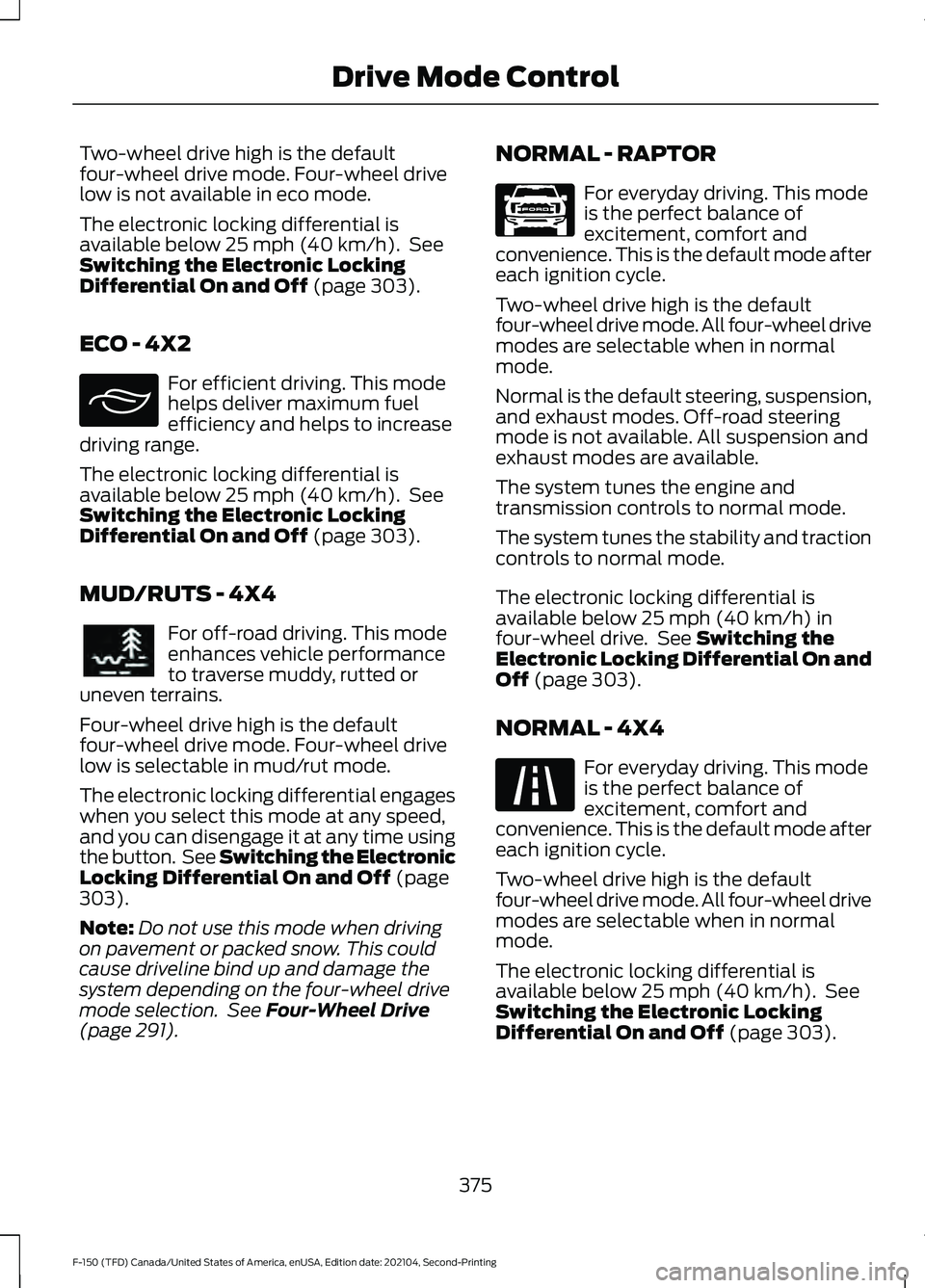
ECO - 4X2 For efficient driving. This mode
helps deliver maximum fuel
efficiency and helps to increase
driving range.
The electronic locking differential is
available below
25 mph (40 km/h). See
Switching the Electronic Locking
Differential On and Off
(page 303).
MUD/RUTS - 4X4 For off-road driving. This mode
enhances vehicle performance
to traverse muddy, rutted or
uneven terrains.
Four-wheel drive high is the default
four-wheel drive mode. Four-wheel drive
low is selectable in mud/rut mode.
The electronic locking differential engages
when you select this mode at any speed,
and you can disengage it at any time using
the button. See Switching the Electronic
Locking Differential On and Off
(page
303).
Note: Do not use this mode when driving
on pavement or packed snow. This could
cause driveline bind up and damage the
system depending on the four-wheel drive
mode selection. See
Four-Wheel Drive
(page 291). NORMAL - RAPTOR For everyday driving. This mode
is the perfect balance of
excitement, comfort and
convenience. This is the default mode after
each ignition cycle.
Two-wheel drive high is the default
four-wheel drive mode. All four-wheel drive
modes are selectable when in normal
mode.
Normal is the default steering, suspension,
and exhaust modes. Off-road steering
mode is not available. All suspension and
exhaust modes are available.
The system tunes the engine and
transmission controls to normal mode.
The system tunes the stability and traction
controls to normal mode.
The electronic locking differential is
available below
25 mph (40 km/h) in
four-wheel drive. See Switching the
Electronic Locking Differential On and
Off
(page 303).
NORMAL - 4X4 For everyday driving. This mode
is the perfect balance of
excitement, comfort and
convenience. This is the default mode after
each ignition cycle.
Two-wheel drive high is the default
four-wheel drive mode. All four-wheel drive
modes are selectable when in normal
mode.
The electronic locking differential is
available below
25 mph (40 km/h). See
Switching the Electronic Locking
Differential On and Off
(page 303).
375
F-150 (TFD) Canada/United States of America, enUSA, Edition date: 202104, Second-Printing Drive Mode ControlE295413 E296606 E347003 E225310
Page 380 of 796
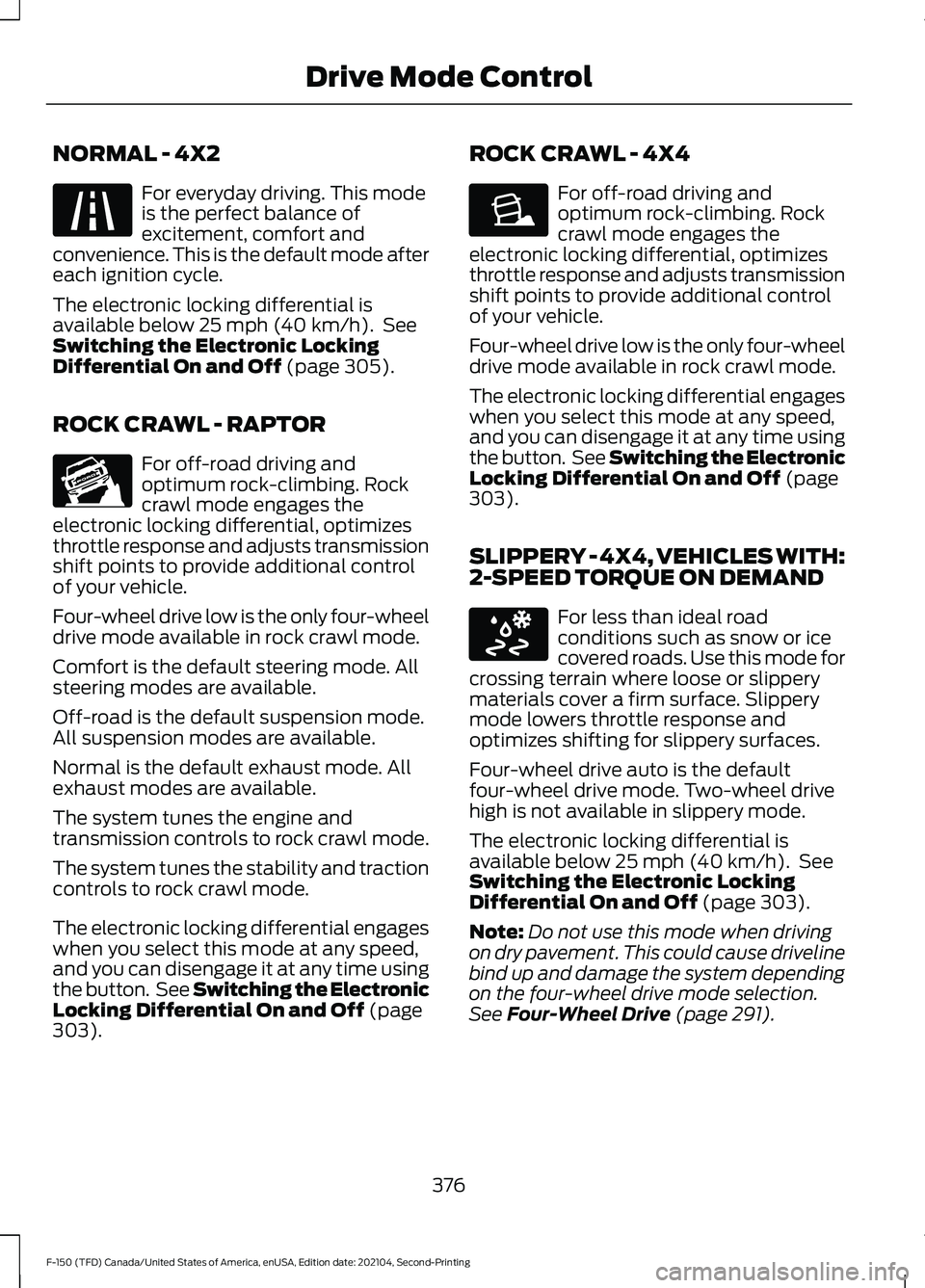
NORMAL - 4X2
For everyday driving. This mode
is the perfect balance of
excitement, comfort and
convenience. This is the default mode after
each ignition cycle.
The electronic locking differential is
available below 25 mph (40 km/h). See
Switching the Electronic Locking
Differential On and Off
(page 305).
ROCK CRAWL - RAPTOR For off-road driving and
optimum rock-climbing. Rock
crawl mode engages the
electronic locking differential, optimizes
throttle response and adjusts transmission
shift points to provide additional control
of your vehicle.
Four-wheel drive low is the only four-wheel
drive mode available in rock crawl mode.
Comfort is the default steering mode. All
steering modes are available.
Off-road is the default suspension mode.
All suspension modes are available.
Normal is the default exhaust mode. All
exhaust modes are available.
The system tunes the engine and
transmission controls to rock crawl mode.
The system tunes the stability and traction
controls to rock crawl mode.
The electronic locking differential engages
when you select this mode at any speed,
and you can disengage it at any time using
the button. See Switching the Electronic
Locking Differential On and Off
(page
303). ROCK CRAWL - 4X4 For off-road driving and
optimum rock-climbing. Rock
crawl mode engages the
electronic locking differential, optimizes
throttle response and adjusts transmission
shift points to provide additional control
of your vehicle.
Four-wheel drive low is the only four-wheel
drive mode available in rock crawl mode.
The electronic locking differential engages
when you select this mode at any speed,
and you can disengage it at any time using
the button. See Switching the Electronic
Locking Differential On and Off
(page
303).
SLIPPERY - 4X4, VEHICLES WITH:
2-SPEED TORQUE ON DEMAND For less than ideal road
conditions such as snow or ice
covered roads. Use this mode for
crossing terrain where loose or slippery
materials cover a firm surface. Slippery
mode lowers throttle response and
optimizes shifting for slippery surfaces.
Four-wheel drive auto is the default
four-wheel drive mode. Two-wheel drive
high is not available in slippery mode.
The electronic locking differential is
available below
25 mph (40 km/h). See
Switching the Electronic Locking
Differential On and Off
(page 303).
Note: Do not use this mode when driving
on dry pavement. This could cause driveline
bind up and damage the system depending
on the four-wheel drive mode selection.
See
Four-Wheel Drive (page 291).
376
F-150 (TFD) Canada/United States of America, enUSA, Edition date: 202104, Second-Printing Drive Mode ControlE225310 E347002 E225315 E295414
Page 398 of 796
Cross Traffic Alert Limitations
with a Trailer Attached
The system remains on when you attach
a trailer in vehicles with blind spot
information system with trailer tow under
the following conditions:
•
You connect a trailer.
• The trailer is a bike rack or cargo rack
with a maximum length of 3 ft (1 m).
• You set the trailer length to
3 ft (1 m)
in the instrument cluster display.
Note: The system may not correctly operate
when towing a trailer. For vehicles with an
approved trailer tow module and tow bar,
the system turns off when you attach a
trailer. For vehicles with an aftermarket
trailer tow module or tow bar, we
recommend that you switch the system off
when you attach a trailer.
SWITCHING CROSS TRAFFIC
ALERT ON AND OFF
To switch cross traffic alert on or off use
the touchscreen.
1. Press
Features on the touchscreen.
2. Press
Driver Assistance.
3. Switch
Cross Traffic Alert on or off.
Note: The system switches on every time
you switch the ignition on. To permanently
switch the system off, contact an authorized
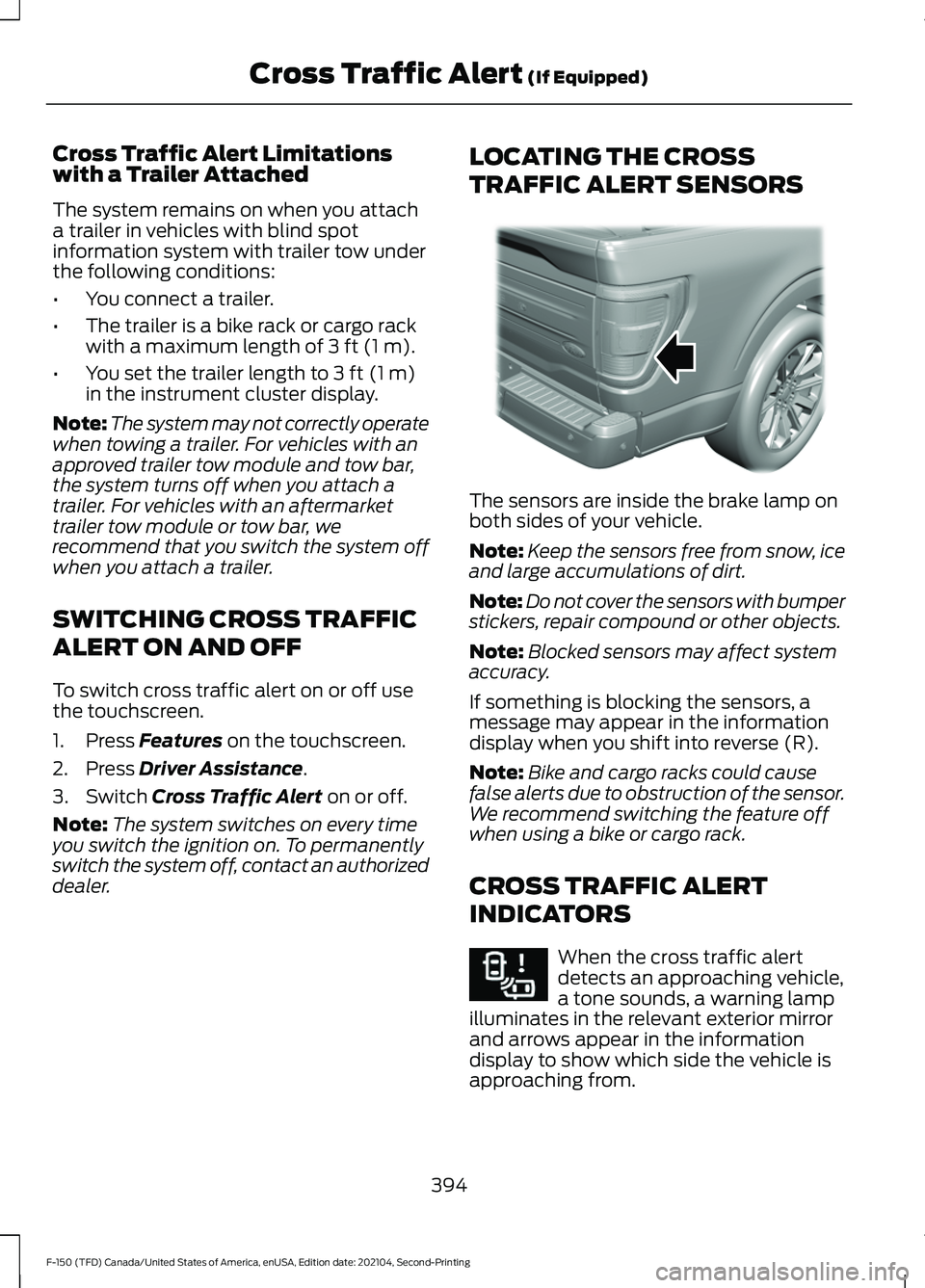
dealer. LOCATING THE CROSS
TRAFFIC ALERT SENSORS The sensors are inside the brake lamp on
both sides of your vehicle.
Note:
Keep the sensors free from snow, ice
and large accumulations of dirt.
Note: Do not cover the sensors with bumper
stickers, repair compound or other objects.
Note: Blocked sensors may affect system
accuracy.
If something is blocking the sensors, a
message may appear in the information
display when you shift into reverse (R).
Note: Bike and cargo racks could cause
false alerts due to obstruction of the sensor.
We recommend switching the feature off
when using a bike or cargo rack.
CROSS TRAFFIC ALERT
INDICATORS When the cross traffic alert
detects an approaching vehicle,
a tone sounds, a warning lamp
illuminates in the relevant exterior mirror
and arrows appear in the information
display to show which side the vehicle is
approaching from.
394
F-150 (TFD) Canada/United States of America, enUSA, Edition date: 202104, Second-Printing Cross Traffic Alert
(If Equipped)E310325 E268294
Page 402 of 796
Pedestrian Detection Limitations
Pedestrian detection is active at speeds
up to 50 mph (80 km/h).
Pedestrian detection operates optimally
when detected hazards are clearly
identifiable. System performance may
reduce in situations where pedestrians are
running, partly obscured, have a complex
background, or when the system cannot
distinguish pedestrians from a group.
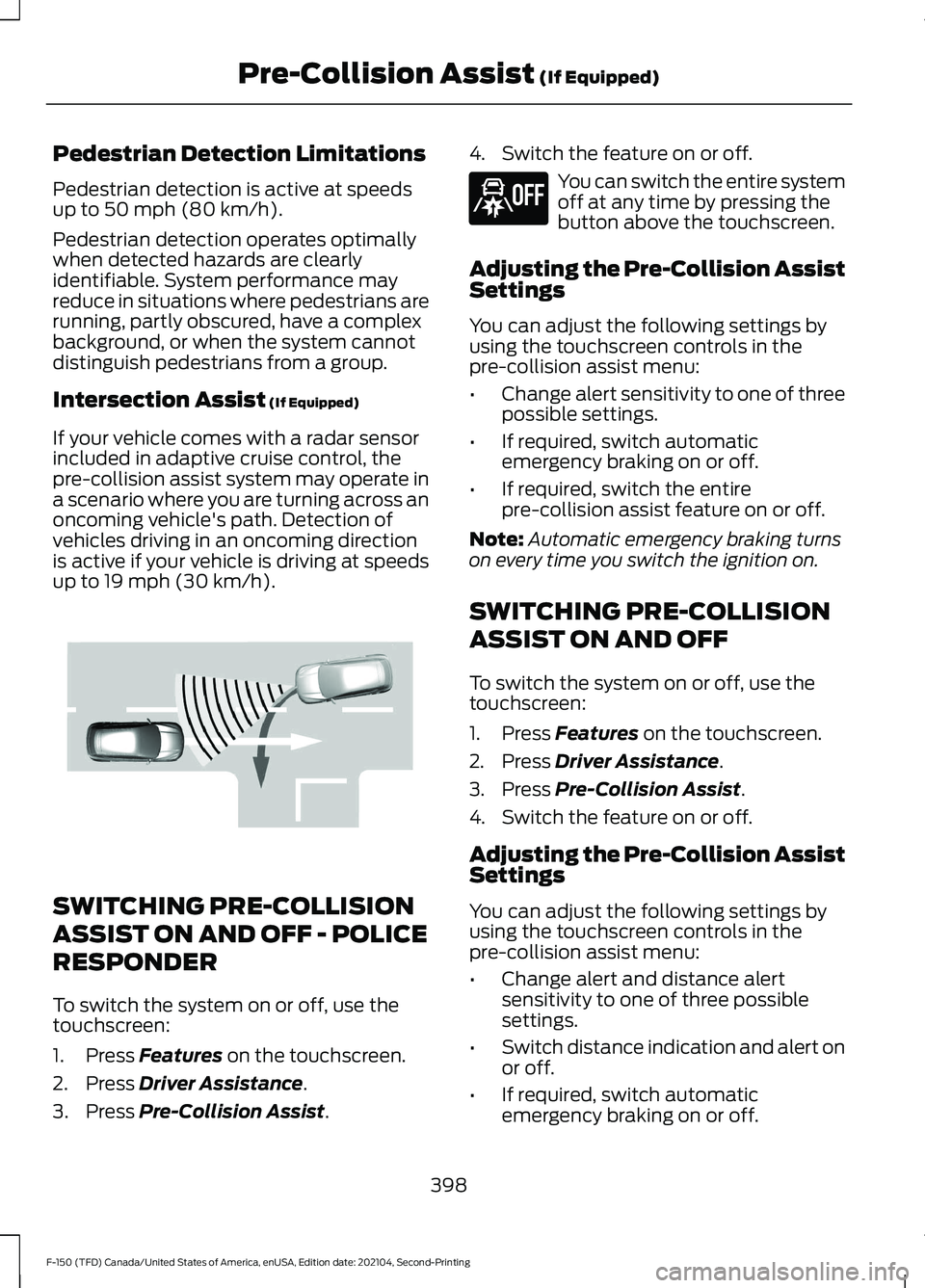
Intersection Assist
(If Equipped)
If your vehicle comes with a radar sensor
included in adaptive cruise control, the
pre-collision assist system may operate in
a scenario where you are turning across an
oncoming vehicle's path. Detection of
vehicles driving in an oncoming direction
is active if your vehicle is driving at speeds
up to
19 mph (30 km/h). SWITCHING PRE-COLLISION
ASSIST ON AND OFF - POLICE
RESPONDER
To switch the system on or off, use the
touchscreen:
1. Press
Features on the touchscreen.
2. Press
Driver Assistance.
3. Press
Pre-Collision Assist. 4. Switch the feature on or off. You can switch the entire system
off at any time by pressing the
button above the touchscreen.
Adjusting the Pre-Collision Assist
Settings
You can adjust the following settings by
using the touchscreen controls in the
pre-collision assist menu:
• Change alert sensitivity to one of three
possible settings.
• If required, switch automatic
emergency braking on or off.
• If required, switch the entire
pre-collision assist feature on or off.
Note: Automatic emergency braking turns
on every time you switch the ignition on.
SWITCHING PRE-COLLISION
ASSIST ON AND OFF
To switch the system on or off, use the
touchscreen:
1. Press
Features on the touchscreen.
2. Press
Driver Assistance.
3. Press
Pre-Collision Assist.
4. Switch the feature on or off.
Adjusting the Pre-Collision Assist
Settings
You can adjust the following settings by
using the touchscreen controls in the
pre-collision assist menu:
• Change alert and distance alert
sensitivity to one of three possible
settings.
• Switch distance indication and alert on
or off.
• If required, switch automatic
emergency braking on or off.
398
F-150 (TFD) Canada/United States of America, enUSA, Edition date: 202104, Second-Printing Pre-Collision Assist
(If Equipped)E309750 E296163
Page 403 of 796
•
If required, switch the entire
pre-collision assist feature on or off.
• If required, switch evasive steering
assist on or off.
Note: Automatic emergency braking and
evasive steering turn on every time you
switch the ignition on.
Note: If your vehicle has a radar sensor, we
recommend that you switch the system off
if you install a snow plow or similar object
in such a way that it may block the radar
sensor. Your vehicle remembers the selected
setting across key cycles.
Note: If you switch automatic emergency
braking off, evasive steering assist switches
off.
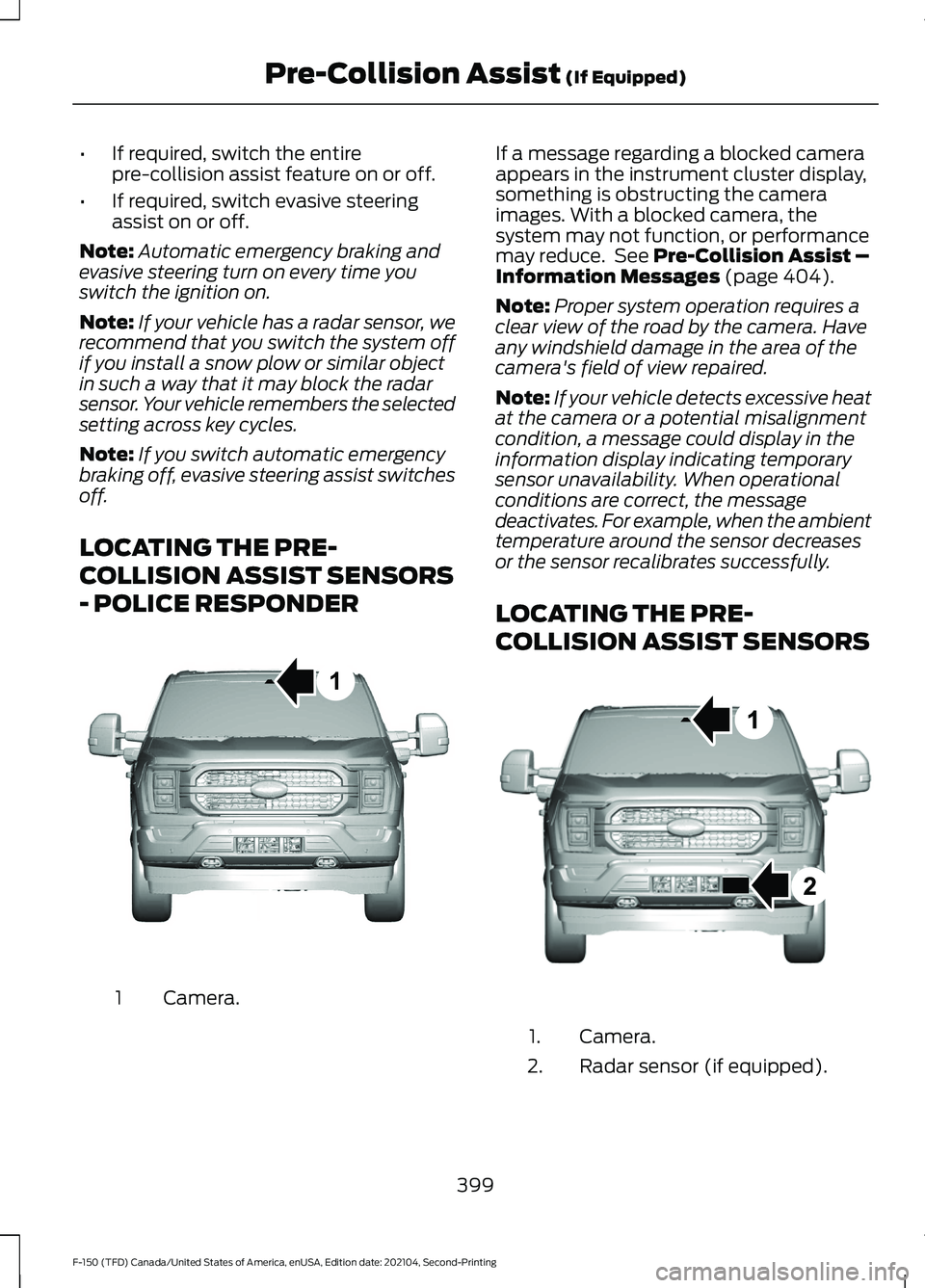
LOCATING THE PRE-
COLLISION ASSIST SENSORS
- POLICE RESPONDER Camera.
1 If a message regarding a blocked camera
appears in the instrument cluster display,
something is obstructing the camera
images. With a blocked camera, the
system may not function, or performance
may reduce. See Pre-Collision Assist –
Information Messages (page 404).
Note: Proper system operation requires a
clear view of the road by the camera. Have
any windshield damage in the area of the
camera's field of view repaired.
Note: If your vehicle detects excessive heat
at the camera or a potential misalignment
condition, a message could display in the
information display indicating temporary
sensor unavailability. When operational
conditions are correct, the message
deactivates. For example, when the ambient
temperature around the sensor decreases
or the sensor recalibrates successfully.
LOCATING THE PRE-
COLLISION ASSIST SENSORS Camera.
1.
Radar sensor (if equipped).
2.
399
F-150 (TFD) Canada/United States of America, enUSA, Edition date: 202104, Second-Printing Pre-Collision Assist
(If Equipped)1E346800 E328125
Page 406 of 796
SWITCHING AUTOMATIC
EMERGENCY BRAKING ON AND
OFF
To switch the system on or off, use the
touchscreen:
1. Press Features on the touchscreen.
2. Press
Driver Assistance.
3. Press
Pre-Collision Assist.
4. Press
Auto Emergency Braking.
5. Switch the feature on or off.
EVASIVE STEERING ASSIST
(IF
EQUIPPED)
WHAT IS EVASIVE STEERING
ASSIST
If your vehicle is rapidly approaching a road
user, evasive steering assist helps you steer
around the road user.
After you turn the steering wheel in an
attempt to avoid a crash with the road
user, the system applies additional steering
torque to help you steer around the road
user. After you pass the road user, the
system applies steering torque when you
turn the steering wheel to steer back into
the lane. The system deactivates after you
fully pass the road user.
Note: Road users are defined as another
stationary vehicle in the same lane or a
vehicle traveling in the same lane in the
same direction as you. See
Pre-Collision
Assist Precautions (page 396). EVASIVE STEERING ASSIST
LIMITATIONS
Evasive steering assist only activates when
all the following occur:
•
Automatic emergency braking and
evasive steering assist are on.
• The system detects a road user ahead
and starts to apply the brakes.
• You significantly turn the steering
wheel to steer around a road user.
Note: Evasive steering assist does not
automatically steer around a road user. If
you do not turn the steering wheel, evasive
steering assist does not activate.
Note: Evasive steering assist does not
activate if the distance to the road user
ahead is too small and the system cannot
avoid a crash.
Note: Evasive steering does not activate
with cyclists or pedestrians.
SWITCHING EVASIVE STEERING
ASSIST ON AND OFF
To switch the system on or off, use the
touchscreen:
1. Press
Features on the touchscreen.
2. Press
Driver Assistance.
3. Press
Pre-Collision Assist.
4. Switch
Evasive Steering on or off.
Note: If you switch automatic emergency
braking off, evasive steering assist turns off.
Note: Automatic emergency braking and
evasive steering assist turn on every time
you switch the ignition on.
402
F-150 (TFD) Canada/United States of America, enUSA, Edition date: 202104, Second-Printing Pre-Collision Assist
(If Equipped)