Auto stop FORD F-150 2022 User Guide
[x] Cancel search | Manufacturer: FORD, Model Year: 2022, Model line: F-150, Model: FORD F-150 2022Pages: 750, PDF Size: 12.96 MB
Page 175 of 750
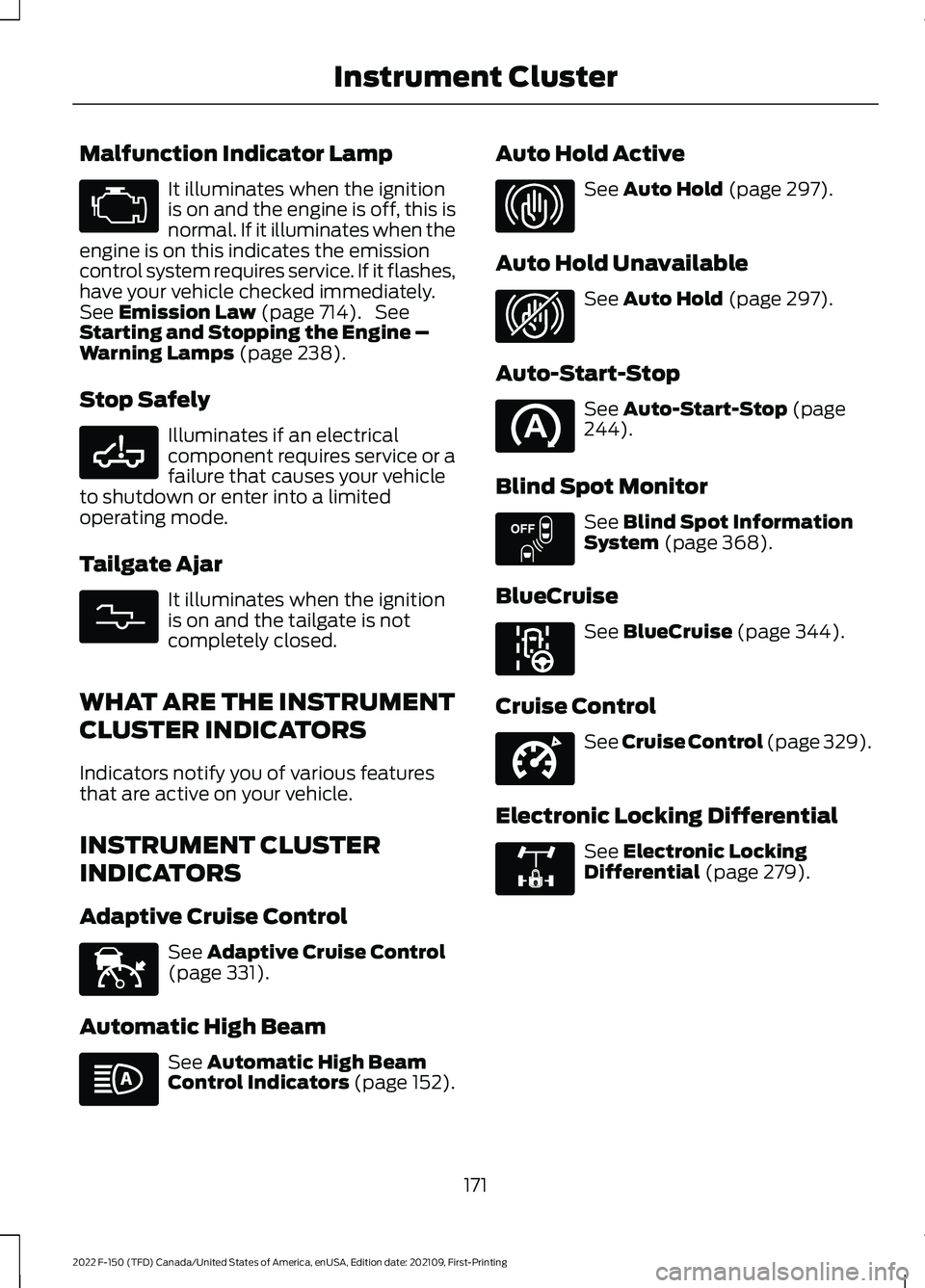
Malfunction Indicator Lamp
It illuminates when the ignition
is on and the engine is off, this is
normal. If it illuminates when the
engine is on this indicates the emission
control system requires service. If it flashes,
have your vehicle checked immediately.
See Emission Law (page 714). See
Starting and Stopping the Engine –
Warning Lamps
(page 238).
Stop Safely Illuminates if an electrical
component requires service or a
failure that causes your vehicle
to shutdown or enter into a limited
operating mode.
Tailgate Ajar It illuminates when the ignition
is on and the tailgate is not
completely closed.
WHAT ARE THE INSTRUMENT
CLUSTER INDICATORS
Indicators notify you of various features
that are active on your vehicle.
INSTRUMENT CLUSTER
INDICATORS
Adaptive Cruise Control See
Adaptive Cruise Control
(page 331).
Automatic High Beam See
Automatic High Beam
Control Indicators (page 152). Auto Hold Active See
Auto Hold (page 297).
Auto Hold Unavailable See
Auto Hold (page 297).
Auto-Start-Stop See
Auto-Start-Stop (page
244).
Blind Spot Monitor See
Blind Spot Information
System (page 368).
BlueCruise See
BlueCruise (page 344).
Cruise Control See
Cruise Control (page 329).
Electronic Locking Differential See
Electronic Locking
Differential (page 279).
171
2022 F-150 (TFD) Canada/United States of America, enUSA, Edition date: 202109, First-Printing Instrument Cluster E332963 E311338 E144524 E323448 E323449 E151262 E297977 E332905 E325779
Page 183 of 750
Note:
The vehicle remains secured when
you have remotely started the vehicle. A
valid key must be inside your vehicle to
switch the ignition on and drive your vehicle.
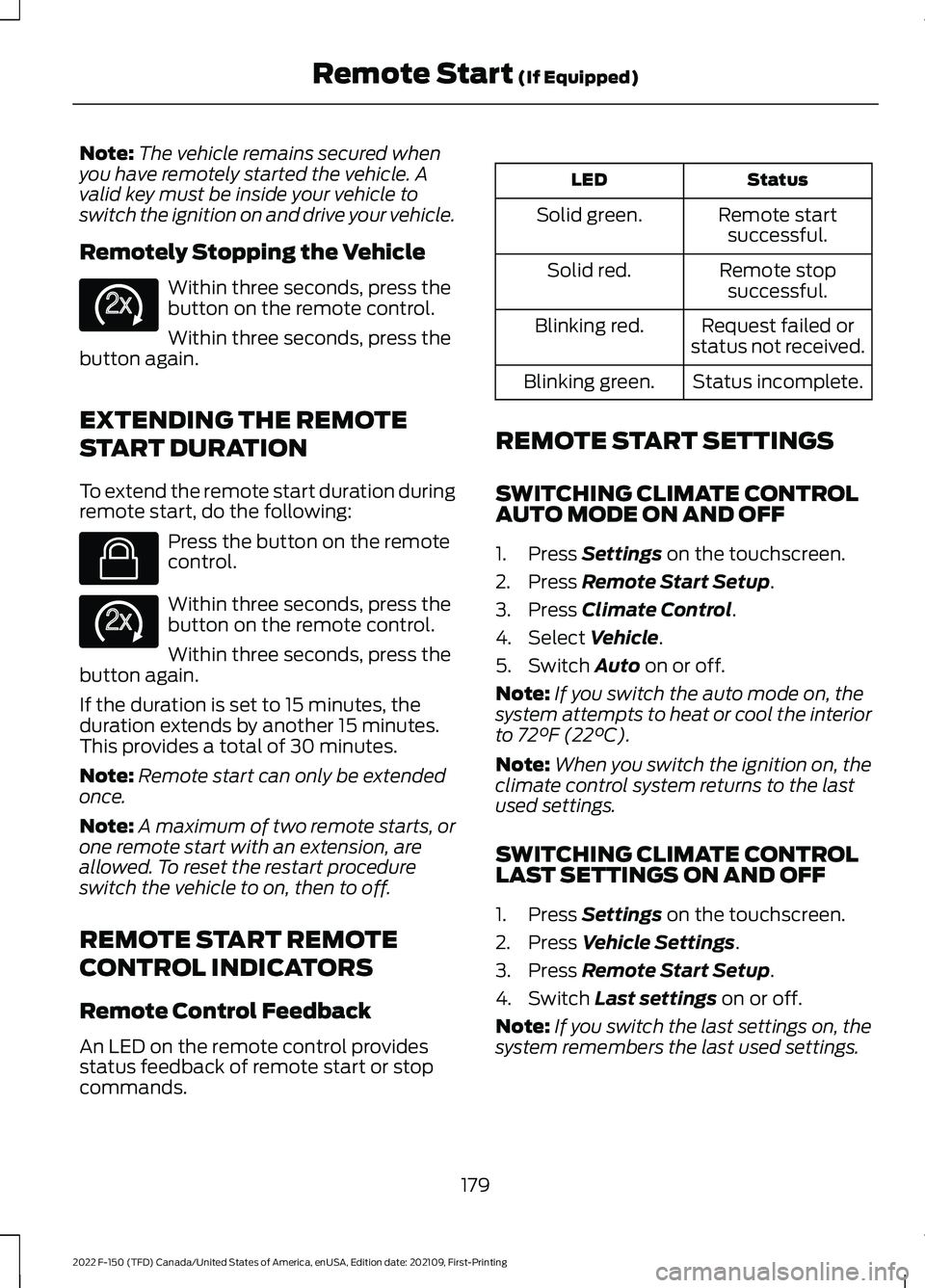
Remotely Stopping the Vehicle Within three seconds, press the
button on the remote control.
Within three seconds, press the
button again.
EXTENDING THE REMOTE
START DURATION
To extend the remote start duration during
remote start, do the following: Press the button on the remote
control.
Within three seconds, press the
button on the remote control.
Within three seconds, press the
button again.
If the duration is set to 15 minutes, the
duration extends by another 15 minutes.
This provides a total of 30 minutes.
Note: Remote start can only be extended
once.
Note: A maximum of two remote starts, or
one remote start with an extension, are
allowed. To reset the restart procedure
switch the vehicle to on, then to off.
REMOTE START REMOTE
CONTROL INDICATORS
Remote Control Feedback
An LED on the remote control provides
status feedback of remote start or stop
commands. Status
LED
Remote startsuccessful.
Solid green.
Remote stopsuccessful.
Solid red.
Request failed or
status not received.
Blinking red.
Status incomplete.
Blinking green.
REMOTE START SETTINGS
SWITCHING CLIMATE CONTROL
AUTO MODE ON AND OFF
1. Press Settings on the touchscreen.
2. Press
Remote Start Setup.
3. Press
Climate Control.
4. Select
Vehicle.
5. Switch
Auto on or off.
Note: If you switch the auto mode on, the
system attempts to heat or cool the interior
to
72°F (22°C).
Note: When you switch the ignition on, the
climate control system returns to the last
used settings.
SWITCHING CLIMATE CONTROL
LAST SETTINGS ON AND OFF
1. Press
Settings on the touchscreen.
2. Press
Vehicle Settings.
3. Press
Remote Start Setup.
4. Switch
Last settings on or off.
Note: If you switch the last settings on, the
system remembers the last used settings.
179
2022 F-150 (TFD) Canada/United States of America, enUSA, Edition date: 202109, First-Printing Remote Start
(If Equipped)E138625 E138623 E138625
Page 184 of 750
SWITCHING THE HEATED SEAT
SETTINGS ON AND OFF
1. Press Settings on the touchscreen.
2. Press
Vehicle Settings.
3. Press
Remote Start Setup.
4. Press
Seats.
5. Switch
Auto on or off.
Note: If you switch the heated seat settings
on, the heated seats turn on during cold
weather.
SWITCHING THE HEATED
STEERING WHEEL SETTINGS ON
AND OFF
1. Press
Settings on the touchscreen.
2. Press
Vehicle Settings.
3. Press
Remote Start Setup.
4. Press
Seats and Steering Wheel.
5. Switch
Auto on or off.
Note: If you switch the heated steering
wheel settings on, the heated steering wheel
turns on during cold weather.
SETTING THE REMOTE START
DURATION
1. Press
Settings on the touchscreen.
2. Press
Vehicle Settings.
3. Press
Remote Start Setup.
4. Press
Duration.
Note: Wait a few seconds before remotely
starting the vehicle after the vehicle stops
running.
180
2022 F-150 (TFD) Canada/United States of America, enUSA, Edition date: 202109, First-Printing Remote Start
(If Equipped)
Page 202 of 750
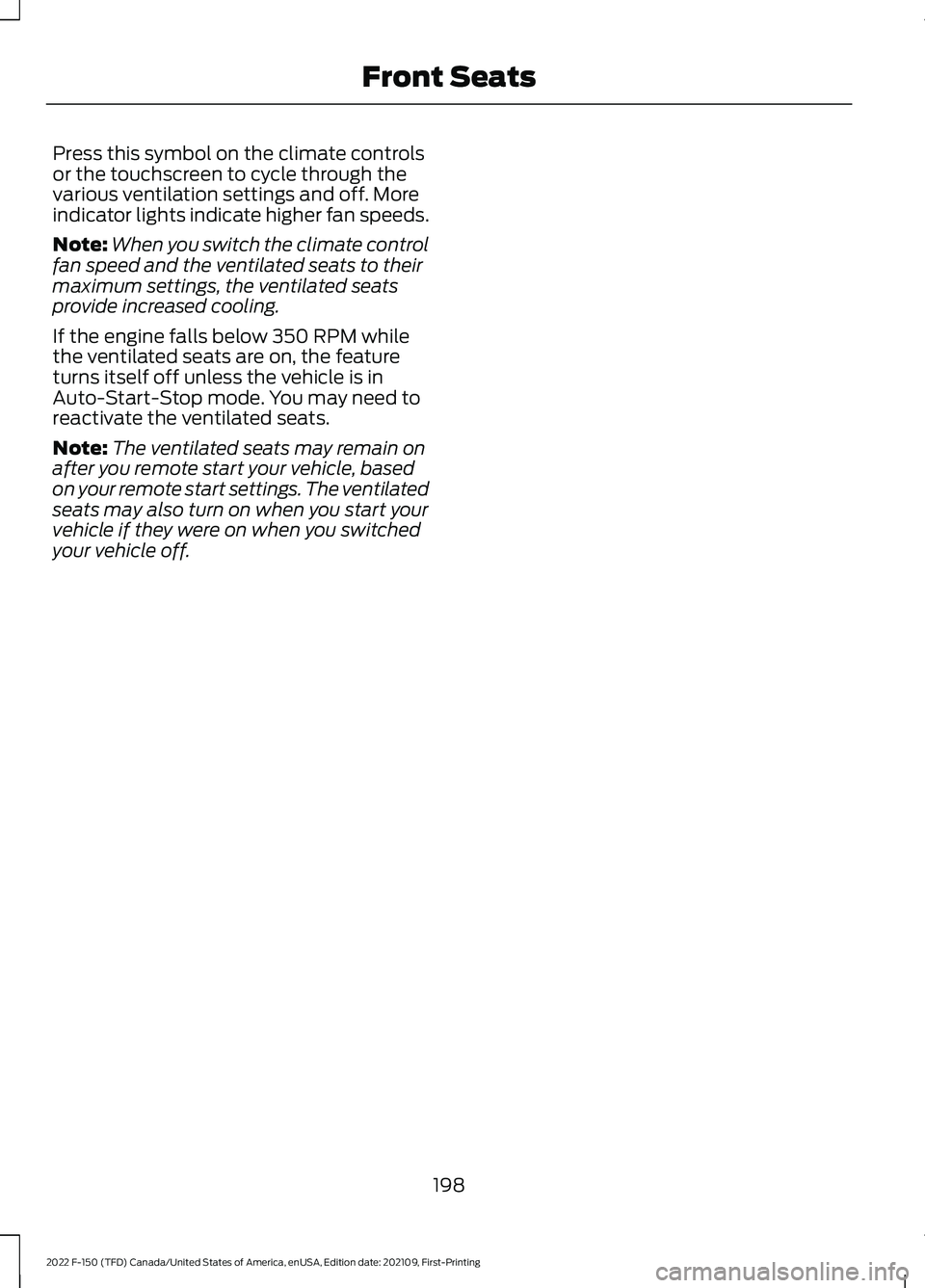
Press this symbol on the climate controls
or the touchscreen to cycle through the
various ventilation settings and off. More
indicator lights indicate higher fan speeds.
Note:
When you switch the climate control
fan speed and the ventilated seats to their
maximum settings, the ventilated seats
provide increased cooling.
If the engine falls below 350 RPM while
the ventilated seats are on, the feature
turns itself off unless the vehicle is in
Auto-Start-Stop mode. You may need to
reactivate the ventilated seats.
Note: The ventilated seats may remain on
after you remote start your vehicle, based
on your remote start settings. The ventilated
seats may also turn on when you start your
vehicle if they were on when you switched
your vehicle off.
198
2022 F-150 (TFD) Canada/United States of America, enUSA, Edition date: 202109, First-Printing Front Seats
Page 215 of 750
WHAT IS THE POWER OUTLET
The vehicle functions as a portable
generator and can power devices that
require up to the rating listed on power
outlet label.
POWER OUTLET
PRECAUTIONS - VEHICLES
WITH: 2KW
WARNING: Do not start the engine
in a closed garage or in other enclosed
areas. Exhaust fumes are toxic. Always
open the garage door before you start
the engine. Failure to follow this
instruction could result in personal injury
or death. WARNING: Exhaust leaks may
result in entry of harmful and potentially
lethal fumes into the passenger
compartment. If you smell exhaust
fumes inside your vehicle, have your
vehicle inspected immediately. Do not
drive if you smell exhaust fumes. WARNING:
Do not connect any
vehicle power outlets to any premises.
This can create a backfeed to utility lines.
Failure to follow this instruction could
result in property damage, fire, electrical
shock or death. WARNING:
The vehicle's engine
runs while the generator is switched on.
Running engines emit carbon monoxide.
Only use the generator when the vehicle
is outdoors. Failure to follow this
instruction could result in personal injury
or death.
Note: Automatic engine stop is disabled
and the gasoline engine will continue to idle
when the outlet is switched on.
Note: We recommend using UL approved
devices for use with the power outlet.
Note: Unplug electrical devices from the
power outlet when they are not switched
on.
Note: Make sure there is no damage to the
outlets before driving your vehicle.
Note: Make sure that objects are not
blocking the inverter inlet and exhaust near
the rear underseat storage compartment.
Note: The climate control system may turn
on and power may be limited during extreme
hot or cold temperatures to optimize the
performance of the system.
Note: When the outlet is switched on and
the vehicle is in Park (P) the engine turns
off 30 minutes after the low fuel warning is
displayed. After the vehicle is turned off,
generator mode only operates while driving
or until the vehicle is refueled.
211
2022 F-150 (TFD) Canada/United States of America, enUSA, Edition date: 202109, First-Printing Power Outlet - Vehicles With: Pickup Bed Power Generator
Outlet
Page 240 of 750
STOPPING THE ENGINE WHEN
YOUR VEHICLE IS MOVING -
VEHICLES WITHOUT: PUSH
BUTTON START
WARNING: Switching off the
engine when your vehicle is still moving
results in a significant decrease in
braking assistance. Higher effort is
required to apply the brakes and to stop
your vehicle. A significant decrease in
steering assistance could also occur. The
steering does not lock, but higher effort
could be required to steer your vehicle.
When you switch the ignition off, some
electrical circuits, for example airbags,
also turn off. If you unintentionally switch
the ignition off, shift into neutral (N) and
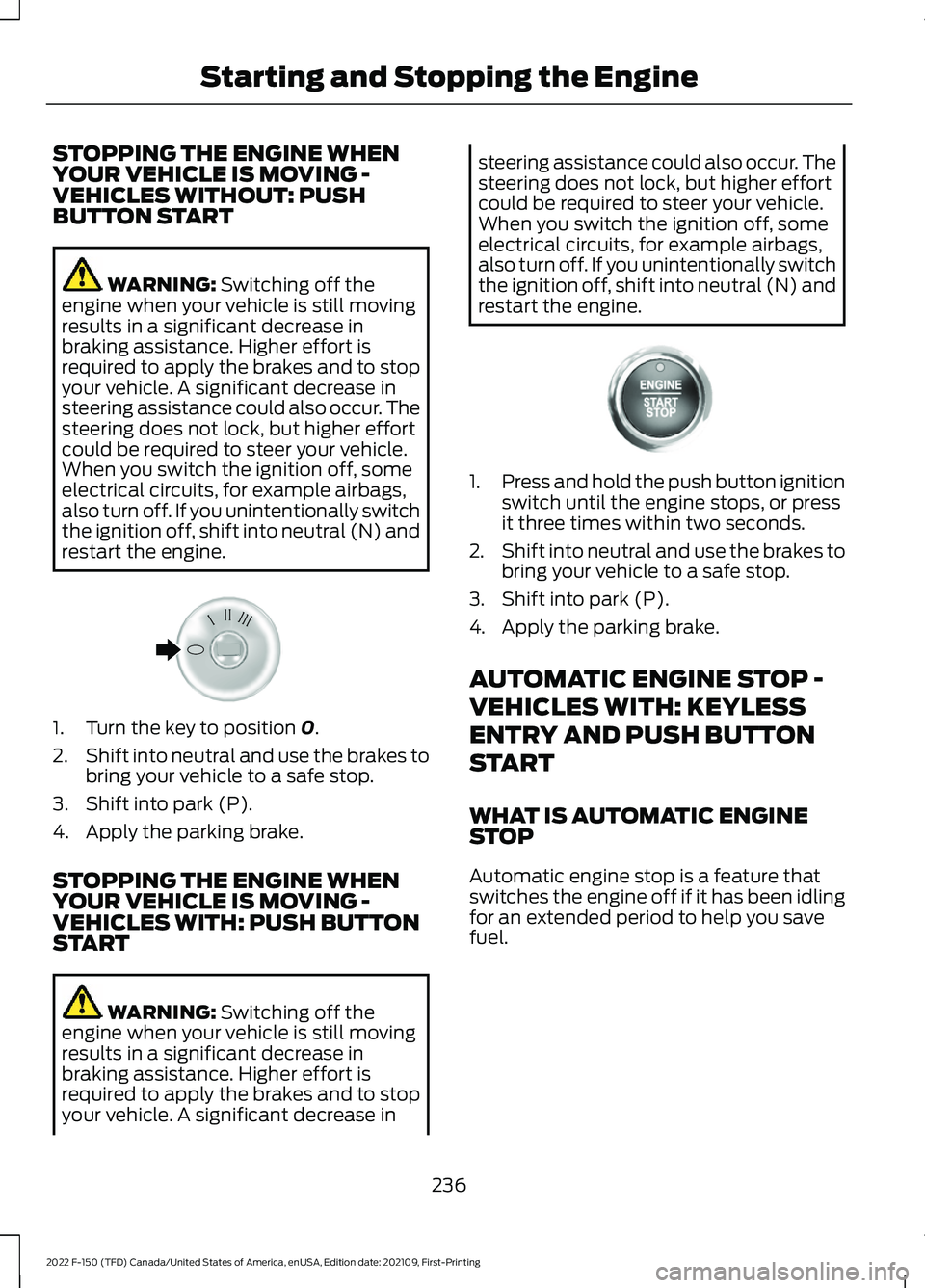
restart the engine. 1. Turn the key to position
0.
2. Shift into neutral and use the brakes to
bring your vehicle to a safe stop.
3. Shift into park (P).
4. Apply the parking brake.
STOPPING THE ENGINE WHEN
YOUR VEHICLE IS MOVING -
VEHICLES WITH: PUSH BUTTON
START WARNING:
Switching off the
engine when your vehicle is still moving
results in a significant decrease in
braking assistance. Higher effort is
required to apply the brakes and to stop
your vehicle. A significant decrease in steering assistance could also occur. The
steering does not lock, but higher effort
could be required to steer your vehicle.
When you switch the ignition off, some
electrical circuits, for example airbags,
also turn off. If you unintentionally switch
the ignition off, shift into neutral (N) and
restart the engine.
1.
Press and hold the push button ignition
switch until the engine stops, or press
it three times within two seconds.
2. Shift into neutral and use the brakes to
bring your vehicle to a safe stop.
3. Shift into park (P).
4. Apply the parking brake.
AUTOMATIC ENGINE STOP -
VEHICLES WITH: KEYLESS
ENTRY AND PUSH BUTTON
START
WHAT IS AUTOMATIC ENGINE
STOP
Automatic engine stop is a feature that
switches the engine off if it has been idling
for an extended period to help you save
fuel.
236
2022 F-150 (TFD) Canada/United States of America, enUSA, Edition date: 202109, First-Printing Starting and Stopping the EngineE322405 E321258
Page 241 of 750
HOW DOES AUTOMATIC ENGINE
STOP WORK
Automatic engine stop turns the engine
off. The ignition also turns off in order to
save battery power. Before the engine
shuts down, a message appears in the
information display showing a timer
counting down. If you do not intervene
within 30 seconds, the engine shuts down.
Another message appears in the
information display to inform you that the
engine has shut down in order to save fuel.
Start your vehicle as you normally do.
SWITCHING AUTOMATIC ENGINE
STOP ON AND OFF
1. Press Settings on the touchscreen.
2. Press
Vehicle Settings.
3. Switch
30min Max Idle on or off.
Note: You cannot permanently switch off
the automatic shutdown. If you switch it off,
it turns on each time you switch the ignition
on.
OVERRIDING AUTOMATIC ENGINE
STOP
You can stop the engine shutdown, or reset
the timer, at any point before the
30-second countdown has expired by
doing any of the following:
• Pressing the brake pedal or accelerator
pedal.
• Pressing the
OK or RESET button
during the countdown.
Note: You cannot permanently switch off
the automatic engine shutdown feature.
When you switch it off temporarily, it turns
on at the next ignition cycle. ACCESSING THE PASSIVE KEY
BACKUP POSITION
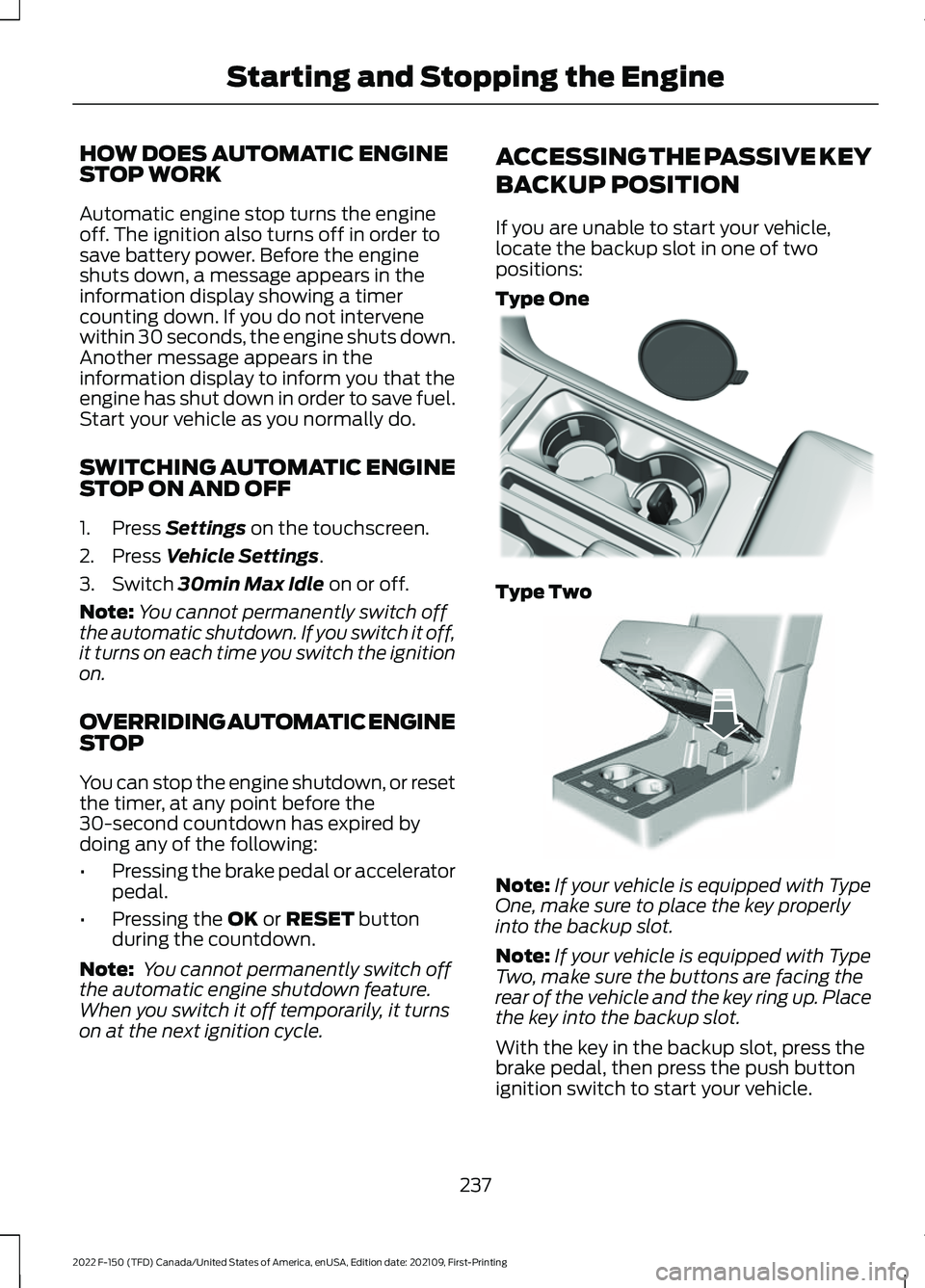
If you are unable to start your vehicle,
locate the backup slot in one of two
positions:
Type One
Type Two
Note:
If your vehicle is equipped with Type
One, make sure to place the key properly
into the backup slot.
Note: If your vehicle is equipped with Type
Two, make sure the buttons are facing the
rear of the vehicle and the key ring up. Place
the key into the backup slot.
With the key in the backup slot, press the
brake pedal, then press the push button
ignition switch to start your vehicle.
237
2022 F-150 (TFD) Canada/United States of America, enUSA, Edition date: 202109, First-Printing Starting and Stopping the EngineE312216 E269950
Page 248 of 750
WHAT IS AUTO-START-STOP
The system is designed to help reduce fuel
consumption and CO
2 emissions by
stopping the engine when it is idling, for
example at traffic lights.
AUTO-START-STOP
PRECAUTIONS WARNING: Apply the parking
brake, shift into park (P), switch the
ignition off and remove the key before
you leave your vehicle. Failure to follow
this instruction could result in personal
injury or death. WARNING:
Apply the parking
brake, shift into park (P), switch the
ignition off and remove the key before
you open the hood or have any service
or repair work completed. If you do not
switch the ignition off, the engine could
restart at any time. Failure to follow this
instruction could result in personal injury
or death.
SWITCHING AUTO-START-
STOP ON AND OFF
The system turns on when you switch the
ignition on. Press the button to switch the
system off.
Note: OFF
illuminates in the switch.
Note: Deactivating the system using the
button lasts only one key cycle.
Press the button again to switch the
system back on. Note:
The system turns off if it detects a
malfunction. If the system malfunctions,
have your vehicle checked as soon as
possible.
STOPPING THE ENGINE
Stop your vehicle, keep your foot on the
brake pedal and the transmission in drive
(D).
RESTARTING THE ENGINE
Release the brake pedal or press the
accelerator pedal.
A message appears in the information
display if the system requires you to take
action.
AUTO-START-STOP
INDICATORS WARNING:
The system may
require the engine to automatically
restart when the auto-start-stop
indicator illuminates green or flashes
amber. Failure to follow this instruction
could result in personal injury. The Auto-Start-Stop indicator
illuminates green when the
engine stops. It flashes amber
and a message appears when you need to
take action. The Auto-Start-Stop indicator
illuminates gray with a
strikethrough when the system
is not available.
Note: You can display the reason why the
system is not available in the information
display.
244
2022 F-150 (TFD) Canada/United States of America, enUSA, Edition date: 202109, First-Printing Auto-Start-Stop
(If Equipped) E146361
Page 249 of 750
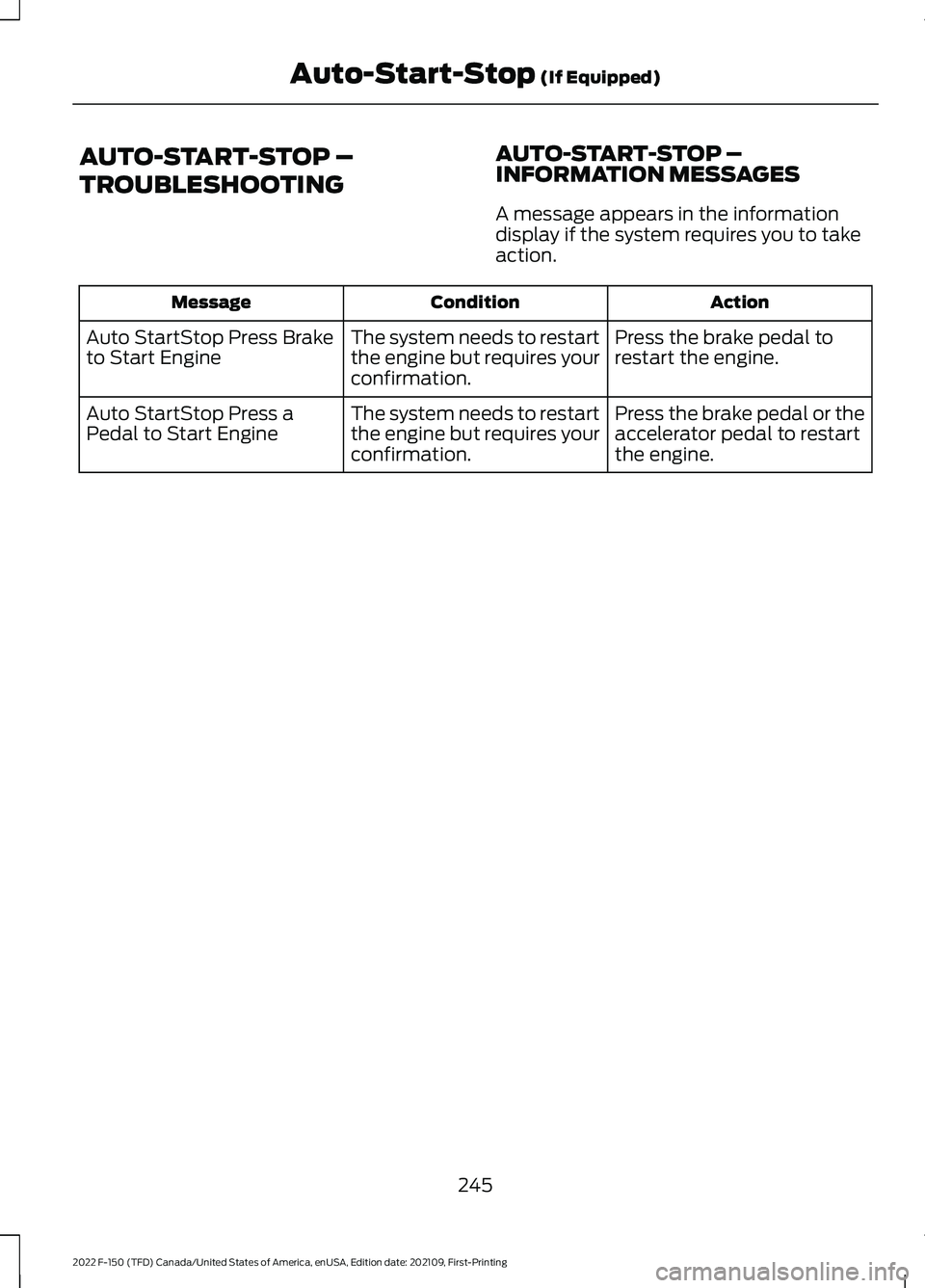
AUTO-START-STOP –
TROUBLESHOOTING
AUTO-START-STOP –
INFORMATION MESSAGES
A message appears in the information
display if the system requires you to take
action. Action
Condition
Message
Press the brake pedal to
restart the engine.
The system needs to restart
the engine but requires your
confirmation.
Auto StartStop Press Brake
to Start Engine
Press the brake pedal or the
accelerator pedal to restart
the engine.
The system needs to restart
the engine but requires your
confirmation.
Auto StartStop Press a
Pedal to Start Engine
245
2022 F-150 (TFD) Canada/United States of America, enUSA, Edition date: 202109, First-Printing Auto-Start-Stop (If Equipped)
Page 250 of 750
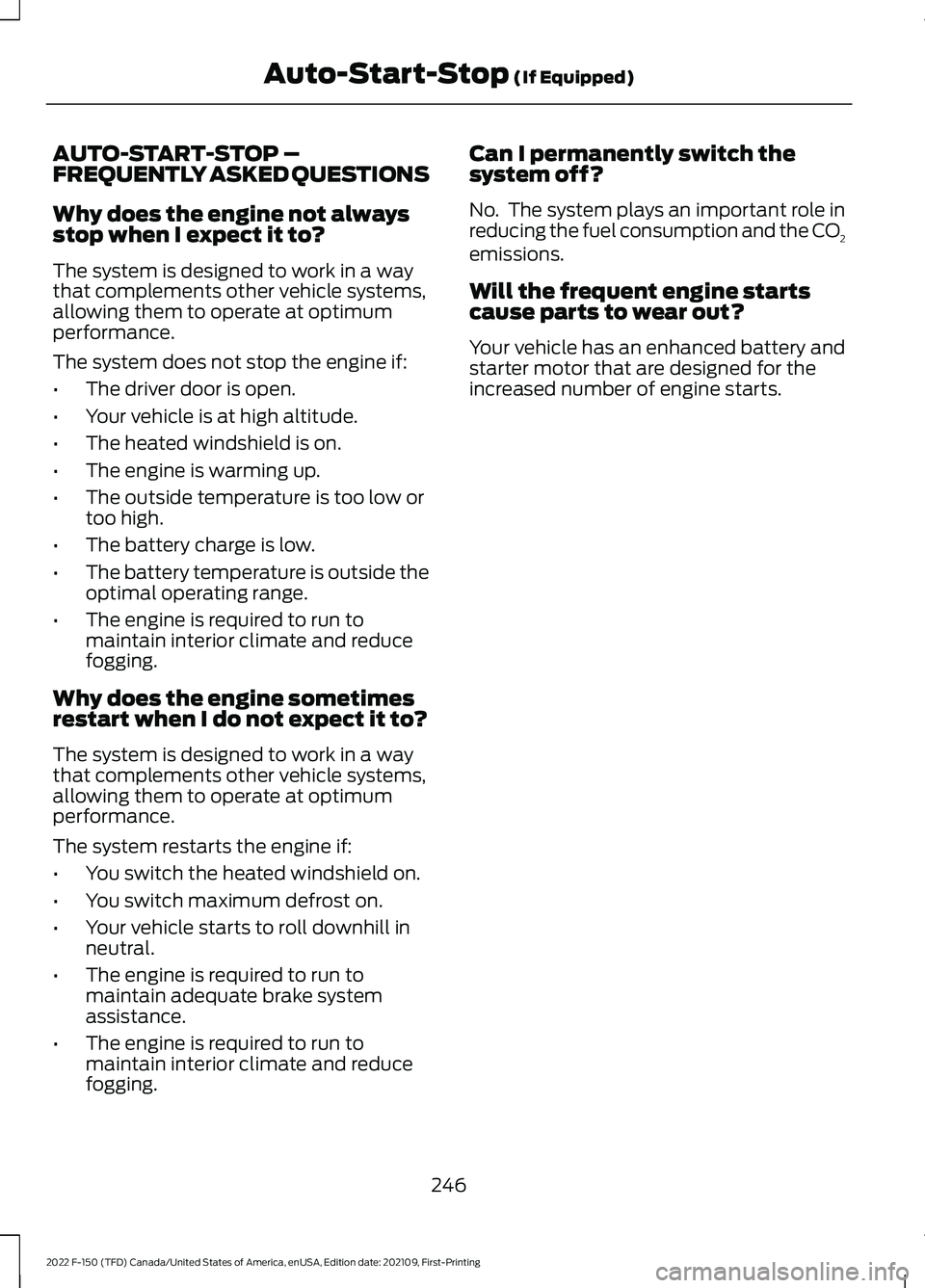
AUTO-START-STOP –
FREQUENTLY ASKED QUESTIONS
Why does the engine not always
stop when I expect it to?
The system is designed to work in a way
that complements other vehicle systems,
allowing them to operate at optimum
performance.
The system does not stop the engine if:
•
The driver door is open.
• Your vehicle is at high altitude.
• The heated windshield is on.
• The engine is warming up.
• The outside temperature is too low or
too high.
• The battery charge is low.
• The battery temperature is outside the
optimal operating range.
• The engine is required to run to
maintain interior climate and reduce
fogging.
Why does the engine sometimes
restart when I do not expect it to?
The system is designed to work in a way
that complements other vehicle systems,
allowing them to operate at optimum
performance.
The system restarts the engine if:
• You switch the heated windshield on.
• You switch maximum defrost on.
• Your vehicle starts to roll downhill in
neutral.
• The engine is required to run to
maintain adequate brake system
assistance.
• The engine is required to run to
maintain interior climate and reduce
fogging. Can I permanently switch the
system off?
No. The system plays an important role in
reducing the fuel consumption and the CO
2
emissions.
Will the frequent engine starts
cause parts to wear out?
Your vehicle has an enhanced battery and
starter motor that are designed for the
increased number of engine starts.
246
2022 F-150 (TFD) Canada/United States of America, enUSA, Edition date: 202109, First-Printing Auto-Start-Stop (If Equipped)