length FORD F-150 2022 User Guide
[x] Cancel search | Manufacturer: FORD, Model Year: 2022, Model line: F-150, Model: FORD F-150 2022Pages: 750, PDF Size: 12.96 MB
Page 377 of 750
Cross Traffic Alert Limitations
with a Trailer Attached
The system remains on when you attach
a trailer in vehicles with blind spot
information system with trailer tow under
the following conditions:
•
You connect a trailer.
• The trailer is a bike rack or cargo rack
with a maximum length of 3 ft (1 m).
• You set the trailer length to
3 ft (1 m)
in the instrument cluster display.
Note: The system may not correctly operate
when towing a trailer. For vehicles with an
approved trailer tow module and tow bar,
the system turns off when you attach a
trailer. For vehicles with an aftermarket
trailer tow module or tow bar, we
recommend that you switch the system off
when you attach a trailer.
SWITCHING CROSS TRAFFIC
ALERT ON AND OFF
To switch cross traffic alert on or off use
the touchscreen.
1. Press
Features on the touchscreen.
2. Press
Driver Assistance.
3. Switch
Cross Traffic Alert on or off.
Note: The system switches on every time
you switch the ignition on. To permanently
switch the system off, contact an authorized
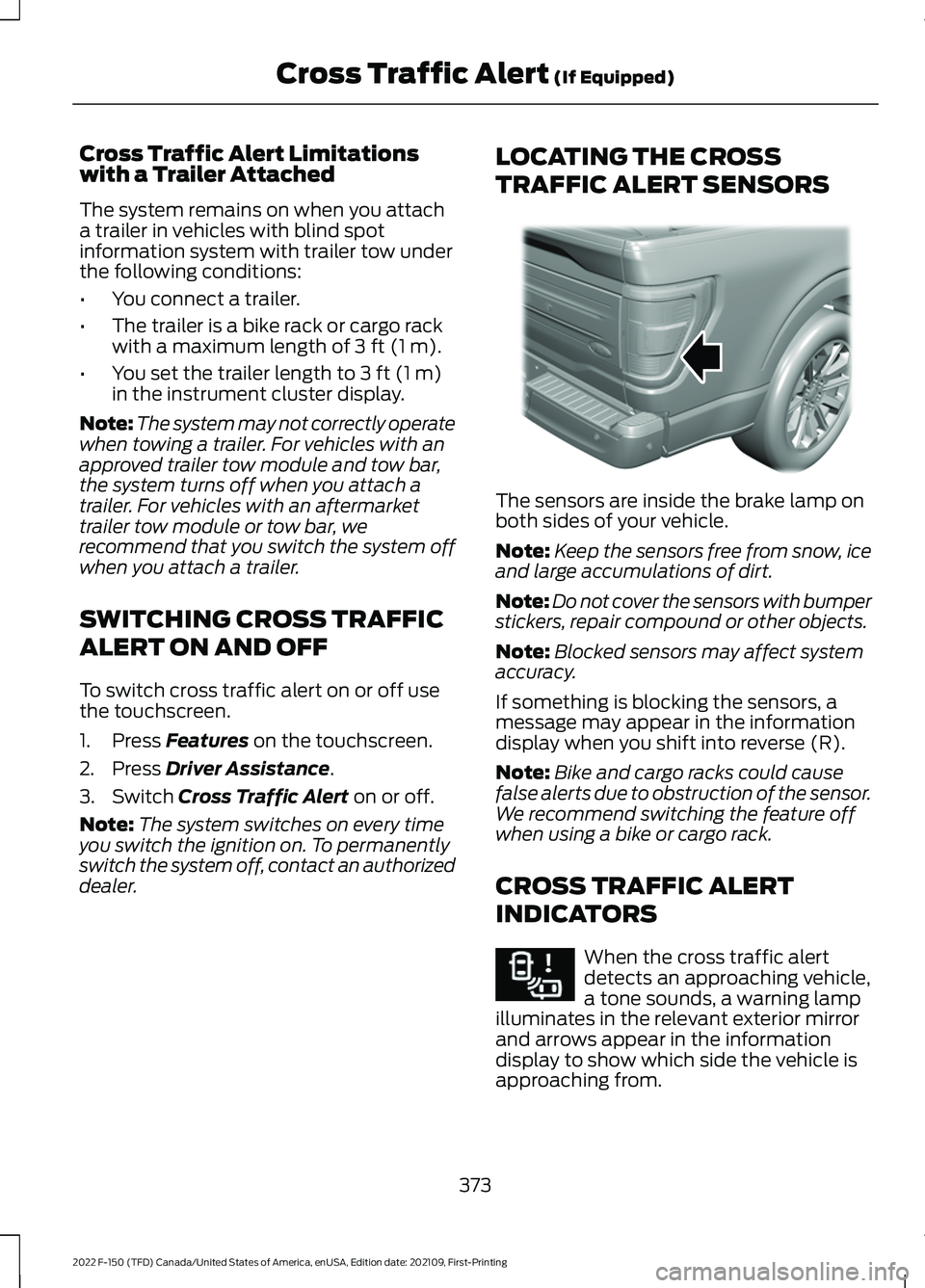
dealer. LOCATING THE CROSS
TRAFFIC ALERT SENSORS The sensors are inside the brake lamp on
both sides of your vehicle.
Note:
Keep the sensors free from snow, ice
and large accumulations of dirt.
Note: Do not cover the sensors with bumper
stickers, repair compound or other objects.
Note: Blocked sensors may affect system
accuracy.
If something is blocking the sensors, a
message may appear in the information
display when you shift into reverse (R).
Note: Bike and cargo racks could cause
false alerts due to obstruction of the sensor.
We recommend switching the feature off
when using a bike or cargo rack.
CROSS TRAFFIC ALERT
INDICATORS When the cross traffic alert
detects an approaching vehicle,
a tone sounds, a warning lamp
illuminates in the relevant exterior mirror
and arrows appear in the information
display to show which side the vehicle is
approaching from.
373
2022 F-150 (TFD) Canada/United States of America, enUSA, Edition date: 202109, First-Printing Cross Traffic Alert
(If Equipped)E310325 E268294
Page 430 of 750
Note:
During calibration, the system
determines the trailer length. The system
supports trailer lengths of 6– 33 ft
(1.85– 10.05 m) distance from the hitch
point to the center of the axle or axles. The
system is designed to work with drawbars
that have a license plate to hitch ball center
measurement of 9– 18 in (23–46 cm) when
installed. Do not attempt to use drawbars
or trailers that have a length outside of this
range as the system performance degrades
and could cause improper system function.
Note: The touchscreen shows if you are
going too slow or fast. Calibration pauses if
the speed is outside the required range of
2 –9 mph (4– 15 km/h)
.
Note: You need to complete at least a 90°
turn, and longer trailers could require a 180°
turn. Camera trailer tracking requires the
system to locate the hitch ball as well as
determine the trailer length. Some trailers
could require you to drive straight then turn
multiple times before calibration completes.
The touchscreen provides instructions and
notifies you when calibration completes.
Note: For best results, do not calibrate the
system at night when calibrating the system
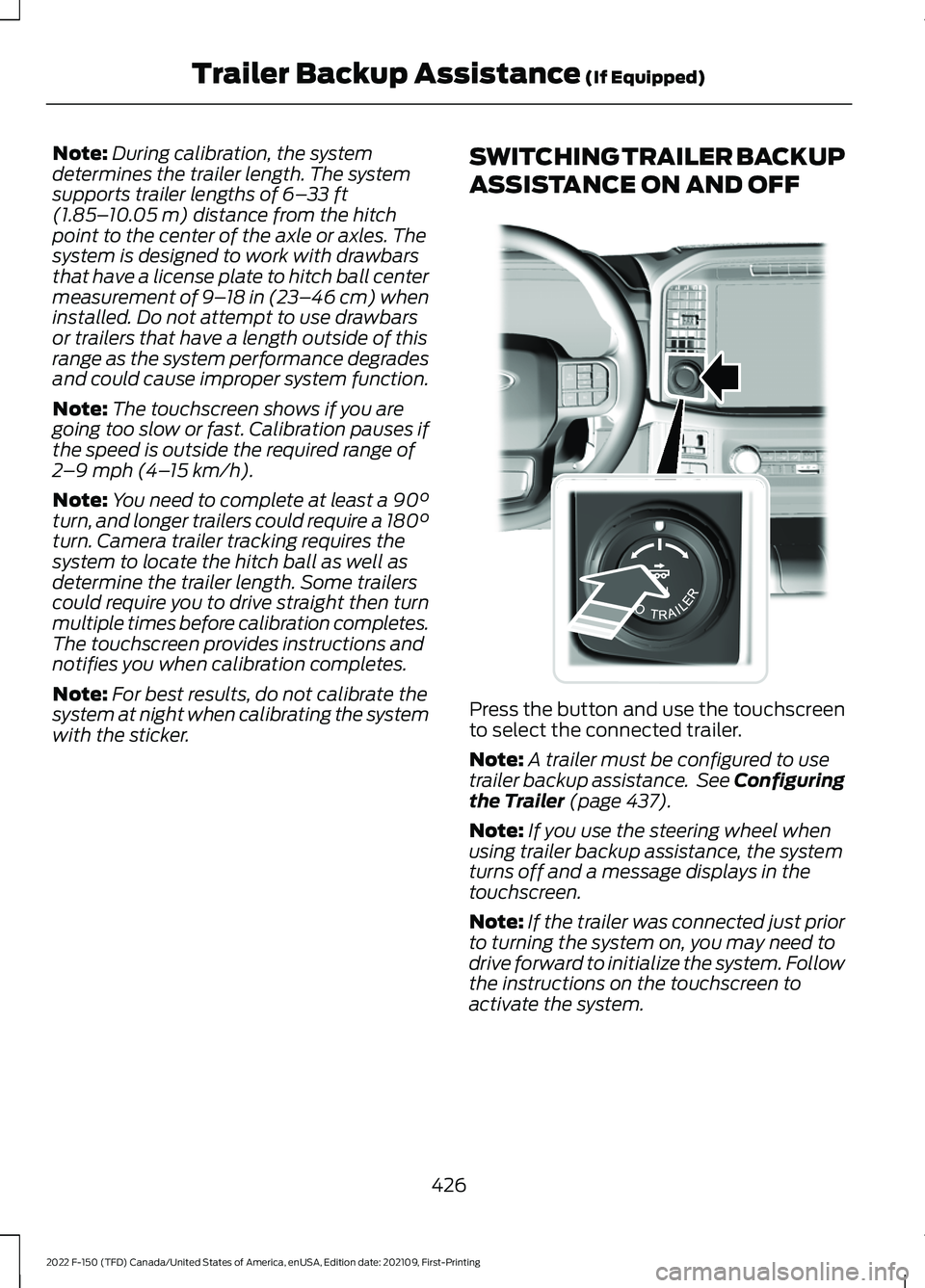
with the sticker. SWITCHING TRAILER BACKUP
ASSISTANCE ON AND OFF
Press the button and use the touchscreen
to select the connected trailer.
Note:
A trailer must be configured to use
trailer backup assistance. See Configuring
the Trailer
(page 437).
Note: If you use the steering wheel when
using trailer backup assistance, the system
turns off and a message displays in the
touchscreen.
Note: If the trailer was connected just prior
to turning the system on, you may need to
drive forward to initialize the system. Follow
the instructions on the touchscreen to
activate the system.
426
2022 F-150 (TFD) Canada/United States of America, enUSA, Edition date: 202109, First-Printing Trailer Backup Assistance
(If Equipped)E310335
Page 432 of 750
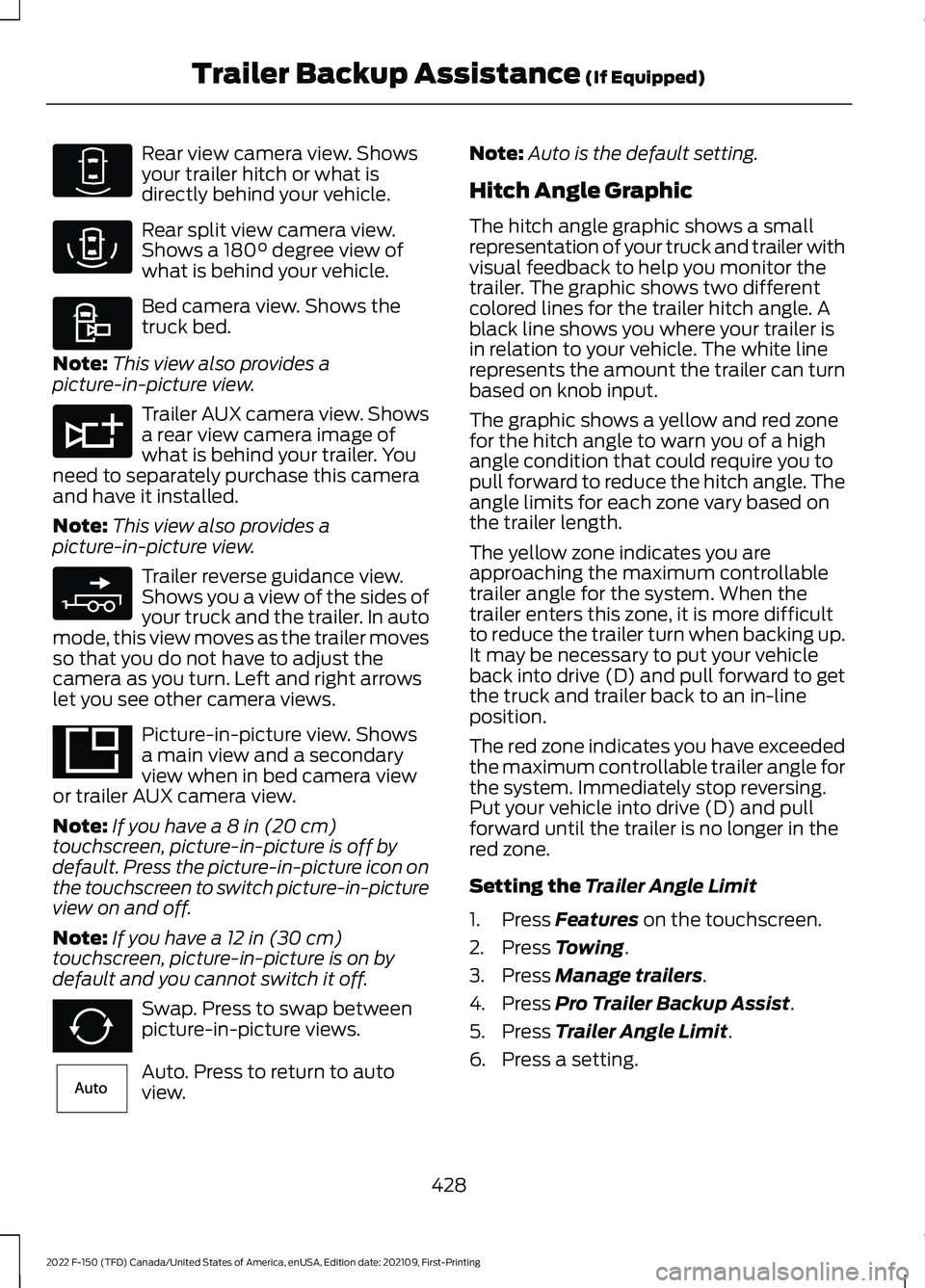
Rear view camera view. Shows
your trailer hitch or what is
directly behind your vehicle.
Rear split view camera view.
Shows a 180° degree view of
what is behind your vehicle. Bed camera view. Shows the
truck bed.
Note: This view also provides a
picture-in-picture view. Trailer AUX camera view. Shows
a rear view camera image of
what is behind your trailer. You
need to separately purchase this camera
and have it installed.
Note: This view also provides a
picture-in-picture view. Trailer reverse guidance view.
Shows you a view of the sides of
your truck and the trailer. In auto
mode, this view moves as the trailer moves
so that you do not have to adjust the
camera as you turn. Left and right arrows
let you see other camera views. Picture-in-picture view. Shows
a main view and a secondary
view when in bed camera view
or trailer AUX camera view.
Note: If you have a
8 in (20 cm)
touchscreen, picture-in-picture is off by
default. Press the picture-in-picture icon on
the touchscreen to switch picture-in-picture
view on and off.
Note: If you have a
12 in (30 cm)
touchscreen, picture-in-picture is on by
default and you cannot switch it off. Swap. Press to swap between
picture-in-picture views.
Auto. Press to return to auto
view. Note:
Auto is the default setting.
Hitch Angle Graphic
The hitch angle graphic shows a small
representation of your truck and trailer with
visual feedback to help you monitor the
trailer. The graphic shows two different
colored lines for the trailer hitch angle. A
black line shows you where your trailer is
in relation to your vehicle. The white line
represents the amount the trailer can turn
based on knob input.
The graphic shows a yellow and red zone
for the hitch angle to warn you of a high
angle condition that could require you to
pull forward to reduce the hitch angle. The
angle limits for each zone vary based on
the trailer length.
The yellow zone indicates you are
approaching the maximum controllable
trailer angle for the system. When the
trailer enters this zone, it is more difficult
to reduce the trailer turn when backing up.
It may be necessary to put your vehicle
back into drive (D) and pull forward to get
the truck and trailer back to an in-line
position.
The red zone indicates you have exceeded
the maximum controllable trailer angle for
the system. Immediately stop reversing.
Put your vehicle into drive (D) and pull
forward until the trailer is no longer in the
red zone.
Setting the
Trailer Angle Limit
1. Press
Features on the touchscreen.
2. Press
Towing.
3. Press
Manage trailers.
4. Press
Pro Trailer Backup Assist.
5. Press
Trailer Angle Limit.
6. Press a setting.
428
2022 F-150 (TFD) Canada/United States of America, enUSA, Edition date: 202109, First-Printing Trailer Backup Assistance
(If Equipped)E310967 E310974 E310995 E311776 E310965 E351663 E351662 E315644
Page 435 of 750
Description
Message
Displays when the system does not detect
the sensor. Check the sensor connection,
check that there is no damaged wiring
between the connector and sensor and
check that there is only one sensor
connected.
If you do not want to use the sensor for this
trailer, delete the trailer in the touchscreen
then repeat the setup process with the
sticker.
Pro Trailer Backup Assist™ Sensor Not
Detected Refer to Owner's Manual Press
Knob to Exit
These messages display when the system
does not detect the trailer.
If your trailer is setup with a sticker, make
sure the rear camera is clean, and the
sticker is clearly visible in the camera image.
You can also move the trailer forward or
backward to change the trailer position and
lighting conditions.
If your trailer is setup with a sensor, check
that the sensor is correctly installed and
the trailer length is within the allowed
range.
If these messages continue to display, visit
your authorized dealer to have your vehicle
checked.
Pro Trailer Backup Assist™ Trailer Not
Detected. Shift to Park Press Knob to Exit
Pro Trailer Backup Assist™ Trailer Not
Detected. Refer to Owner's Manual. Press
Knob to Exit
431
2022 F-150 (TFD) Canada/United States of America, enUSA, Edition date: 202109, First-Printing Trailer Backup Assistance (If Equipped)
Page 439 of 750
What does it mean if the trailer is
at its maximum angle or the
system deactivated by trailer
angle?
•
You are at the maximum controllable
trailer angle for the system. Place your
vehicle in drive (D) and pull forward to
get the truck and trailer back to an
in-line position.
• The trailer could need to be
recalibrated. Check that the correct
trailer is selected in the touchscreen.
Verify the sensor is installed according
to the instructions included in the
sensor kit and check that the drawbar
and the trailer dimensions are within
the allowed range. Then, delete the
trailer from the system and repeat the
setup process to calibrate the trailer.
• The drawbar or the trailer dimensions
are outside of the supported range. The
system is designed to work with
drawbars that have a license plate to
hitch ball center measurement of
9–18 in (23–46 cm) when installed.
The system is designed to work with
trailers that have a hitch point to center
of the axle or axles measurement of
6– 33 ft (1.85– 10.05 m)
. Do not
attempt to use drawbars or trailers that
have a length outside of this range as
the system performance degrades and
could cause improper system function.
• The sensor could be incorrectly
installed. Make sure the sensor is
correctly installed. What does it mean when the
system tells you to take control of
the steering wheel?
•
You have touched the steering wheel
when the system is steering. Avoid
touching the wheel during system
operation.
• You have exceeded the maximum
speed for the feature. The system is no
longer steering the vehicle and you
must take over steering.
• The system does not detect the trailer.
The system is no longer steering the
vehicle and you must take over
steering.
• An internal condition for system
operation is not met that requires your
vehicle to return to manual control of
the steering.
How do I use a sticker if I have
previously setup a trailer with the
sensor?
• Disconnect the sensor wiring and add
a new trailer to the system and follow
the instructions for setup with a sticker.
See Applying the Trailer Reversing
Aid Sticker (page 424). If your vehicle
does not support the sticker option, the
touchscreen instructs you to install the
sensor again.
435
2022 F-150 (TFD) Canada/United States of America, enUSA, Edition date: 202109, First-Printing Trailer Backup Assistance
(If Equipped)
Page 440 of 750
Why does the system not detect a
sensor?
•
There could be an issue with the
connection. Make sure that the 12-way
connector is fully inserted into the
12-way socket, that the red rubber seal
is not visible when the connector is fully
inserted and that the wiring harness
sensor connection is fully inserted at
the trailer sensor.
• The wiring harness could be damaged.
Check for damaged wiring between the
12-way connector and the trailer
sensor.
• There could be multiple sensors
connected to your vehicle. Make sure
only one sensor is connected at a time.
• The sensor could be incorrectly
installed. Make sure the sensor is
installed on a vertical surface with the
arrows pointing straight up.
What does it mean if the system
remains on one message for an
extended time during calibration
when setting up the system with
the sensor?
• The trailer length could be outside the
allowed range. The system is designed
to work with trailers that have a hitch
point to center of the axle or axles
measurement of 6–33 ft
(1.85– 10.05 m).
• The road surface could be too rough or
bumpy. Try calibrating the system on
a smoother road surface, such as an
open parking lot.
• The sensor could be incorrectly
installed. Make sure the sensor is
installed on a vertical surface with the
arrows pointing straight up. What does it mean if the system
does not detect a trailer when
configured with a sensor?
•
Verify that you properly connected the
sensor. See
Trailer Sensor
Installation (page 424). Repeat
calibration on a different route if you
have verified sensor installation.
What if I want to use a sensor for
the trailer instead of a sticker?
• Install the sensor and connect the
sensor wiring before adding the new
trailer to the system. You must connect
the sensor before you add the trailer.
If your vehicle did not come with a
sensor, you can purchase one from your
authorized dealer.
436
2022 F-150 (TFD) Canada/United States of America, enUSA, Edition date: 202109, First-Printing Trailer Backup Assistance
(If Equipped)
Page 444 of 750
Refer to the instructions included with your
trailer sensor for detailed information
regarding installation.
Note:
Make sure the arrows on the sensor
housing are facing up. Mount the sensor to
a vertical part of the trailer that pivots when
you turn your vehicle. Do not mount to a
stationary surface such as the truck side of
the trailer hitch.
Note: To setup a trailer with a sensor, install
the sensor on the trailer and plug the
connector into the connector in your bumper
prior to configuring the trailer. Trailers that
were set up with a sensor still require the
sensor to function. To change a trailer to
use the sticker, delete the trailer in the
system and repeat the trailer setup with the
sticker.
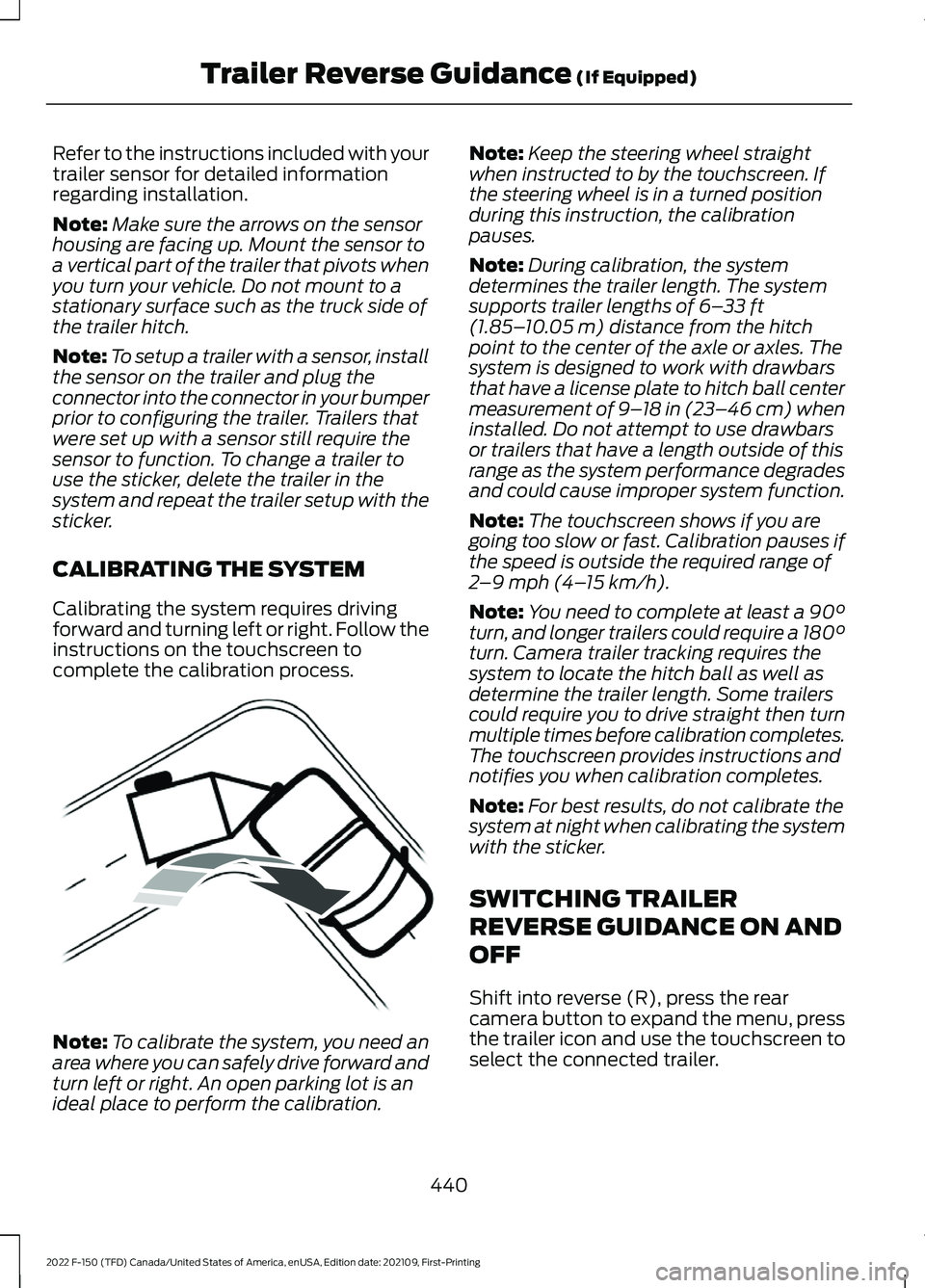
CALIBRATING THE SYSTEM
Calibrating the system requires driving
forward and turning left or right. Follow the
instructions on the touchscreen to
complete the calibration process. Note:
To calibrate the system, you need an
area where you can safely drive forward and
turn left or right. An open parking lot is an
ideal place to perform the calibration. Note:
Keep the steering wheel straight
when instructed to by the touchscreen. If
the steering wheel is in a turned position
during this instruction, the calibration
pauses.
Note: During calibration, the system
determines the trailer length. The system
supports trailer lengths of 6– 33 ft
(1.85– 10.05 m) distance from the hitch
point to the center of the axle or axles. The
system is designed to work with drawbars
that have a license plate to hitch ball center
measurement of 9– 18 in (23–46 cm) when
installed. Do not attempt to use drawbars
or trailers that have a length outside of this
range as the system performance degrades
and could cause improper system function.
Note: The touchscreen shows if you are
going too slow or fast. Calibration pauses if
the speed is outside the required range of
2 –9 mph (4– 15 km/h)
.
Note: You need to complete at least a 90°
turn, and longer trailers could require a 180°
turn. Camera trailer tracking requires the
system to locate the hitch ball as well as
determine the trailer length. Some trailers
could require you to drive straight then turn
multiple times before calibration completes.
The touchscreen provides instructions and
notifies you when calibration completes.
Note: For best results, do not calibrate the
system at night when calibrating the system
with the sticker.
SWITCHING TRAILER
REVERSE GUIDANCE ON AND
OFF
Shift into reverse (R), press the rear
camera button to expand the menu, press
the trailer icon and use the touchscreen to
select the connected trailer.
440
2022 F-150 (TFD) Canada/United States of America, enUSA, Edition date: 202109, First-Printing Trailer Reverse Guidance
(If Equipped)E352329
Page 446 of 750
Note:
Auto mode is the default setting.
Hitch Angle Graphic
The hitch angle graphic shows a small
representation of your truck and trailer with
visual feedback to help you monitor the
trailer. The graphic shows two different
colored lines for the trailer hitch angle. A
black line shows you where your trailer is
in relation to your vehicle. The white line
represents the amount the trailer can turn
based on steering wheel position.
The graphic shows a yellow and red zone
for the hitch angle to warn you of a high
angle condition that could require you to
pull forward to reduce the hitch angle. The
angle limits for each zone vary based on
the trailer length. The yellow zone indicates you are
approaching the maximum controllable
trailer angle for the system. When the
trailer enters this zone, it is more difficult
to reduce the trailer turn when backing up.
It may be necessary to put your vehicle
back into drive (D) and pull forward to get
the truck and trailer back to an in-line
position.
The red zone indicates you have exceeded
the maximum controllable trailer angle for
the system. Immediately stop reversing.
Put your vehicle into drive (D) and pull
forward until the trailer is no longer in the
red zone.
442
2022 F-150 (TFD) Canada/United States of America, enUSA, Edition date: 202109, First-Printing Trailer Reverse Guidance (If Equipped)
Page 448 of 750
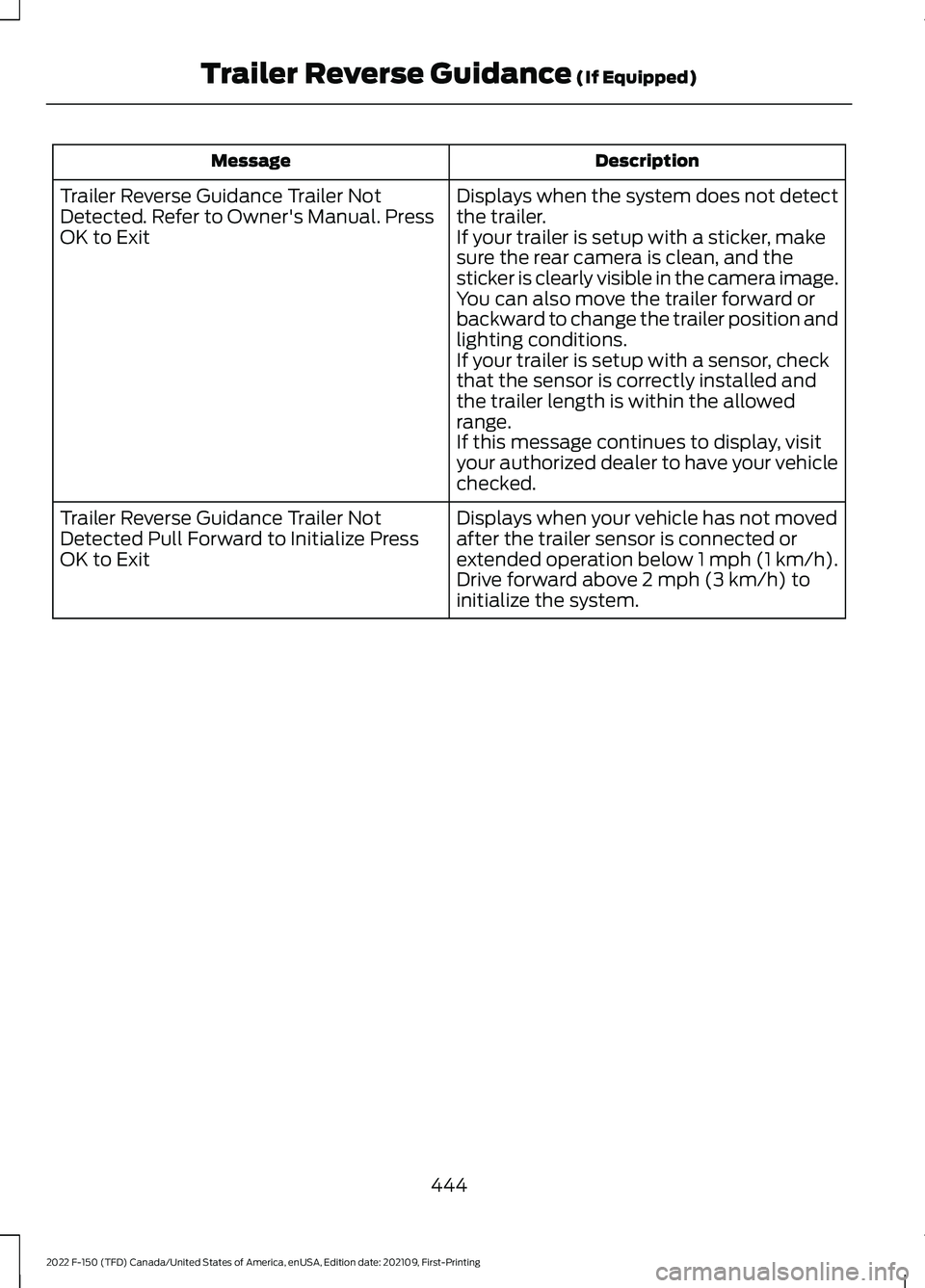
Description
Message
Displays when the system does not detect
the trailer.
If your trailer is setup with a sticker, make
sure the rear camera is clean, and the
sticker is clearly visible in the camera image.
You can also move the trailer forward or
backward to change the trailer position and
lighting conditions.
If your trailer is setup with a sensor, check
that the sensor is correctly installed and
the trailer length is within the allowed
range.
If this message continues to display, visit
your authorized dealer to have your vehicle
checked.
Trailer Reverse Guidance Trailer Not
Detected. Refer to Owner's Manual. Press
OK to Exit
Displays when your vehicle has not moved
after the trailer sensor is connected or
extended operation below 1 mph (1 km/h).
Drive forward above 2 mph (3 km/h) to
initialize the system.
Trailer Reverse Guidance Trailer Not
Detected Pull Forward to Initialize Press
OK to Exit
444
2022 F-150 (TFD) Canada/United States of America, enUSA, Edition date: 202109, First-Printing Trailer Reverse Guidance
(If Equipped)
Page 451 of 750
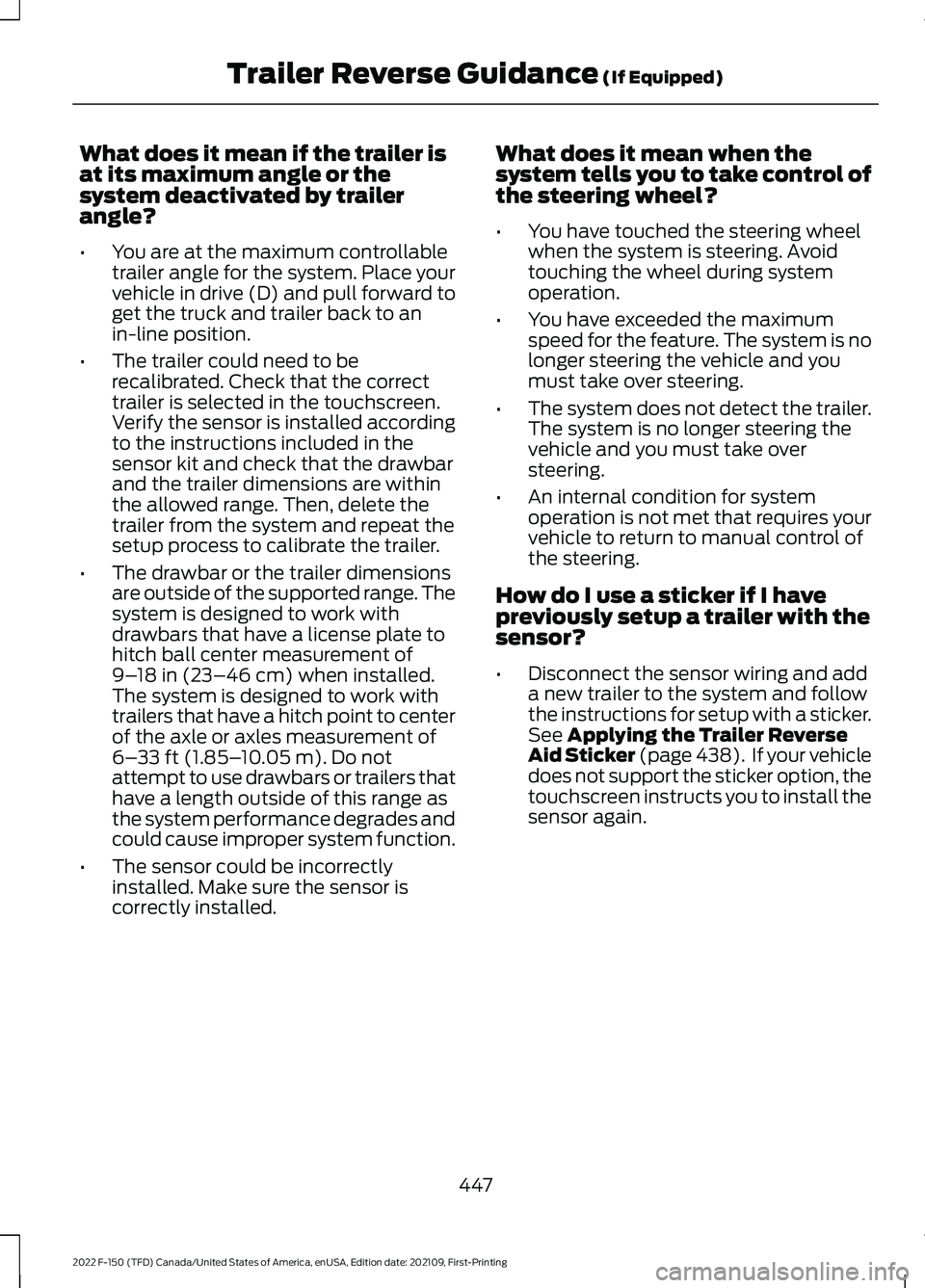
What does it mean if the trailer is
at its maximum angle or the
system deactivated by trailer
angle?
•
You are at the maximum controllable
trailer angle for the system. Place your
vehicle in drive (D) and pull forward to
get the truck and trailer back to an
in-line position.
• The trailer could need to be
recalibrated. Check that the correct
trailer is selected in the touchscreen.
Verify the sensor is installed according
to the instructions included in the
sensor kit and check that the drawbar
and the trailer dimensions are within
the allowed range. Then, delete the
trailer from the system and repeat the
setup process to calibrate the trailer.
• The drawbar or the trailer dimensions
are outside of the supported range. The
system is designed to work with
drawbars that have a license plate to
hitch ball center measurement of
9–18 in (23–46 cm) when installed.
The system is designed to work with
trailers that have a hitch point to center
of the axle or axles measurement of
6– 33 ft (1.85– 10.05 m)
. Do not
attempt to use drawbars or trailers that
have a length outside of this range as
the system performance degrades and
could cause improper system function.
• The sensor could be incorrectly
installed. Make sure the sensor is
correctly installed. What does it mean when the
system tells you to take control of
the steering wheel?
•
You have touched the steering wheel
when the system is steering. Avoid
touching the wheel during system
operation.
• You have exceeded the maximum
speed for the feature. The system is no
longer steering the vehicle and you
must take over steering.
• The system does not detect the trailer.
The system is no longer steering the
vehicle and you must take over
steering.
• An internal condition for system
operation is not met that requires your
vehicle to return to manual control of
the steering.
How do I use a sticker if I have
previously setup a trailer with the
sensor?
• Disconnect the sensor wiring and add
a new trailer to the system and follow
the instructions for setup with a sticker.
See Applying the Trailer Reverse
Aid Sticker (page 438). If your vehicle
does not support the sticker option, the
touchscreen instructs you to install the
sensor again.
447
2022 F-150 (TFD) Canada/United States of America, enUSA, Edition date: 202109, First-Printing Trailer Reverse Guidance
(If Equipped)