Monitor FORD F-150 2022 Owner's Manual
[x] Cancel search | Manufacturer: FORD, Model Year: 2022, Model line: F-150, Model: FORD F-150 2022Pages: 750, PDF Size: 12.96 MB
Page 432 of 750
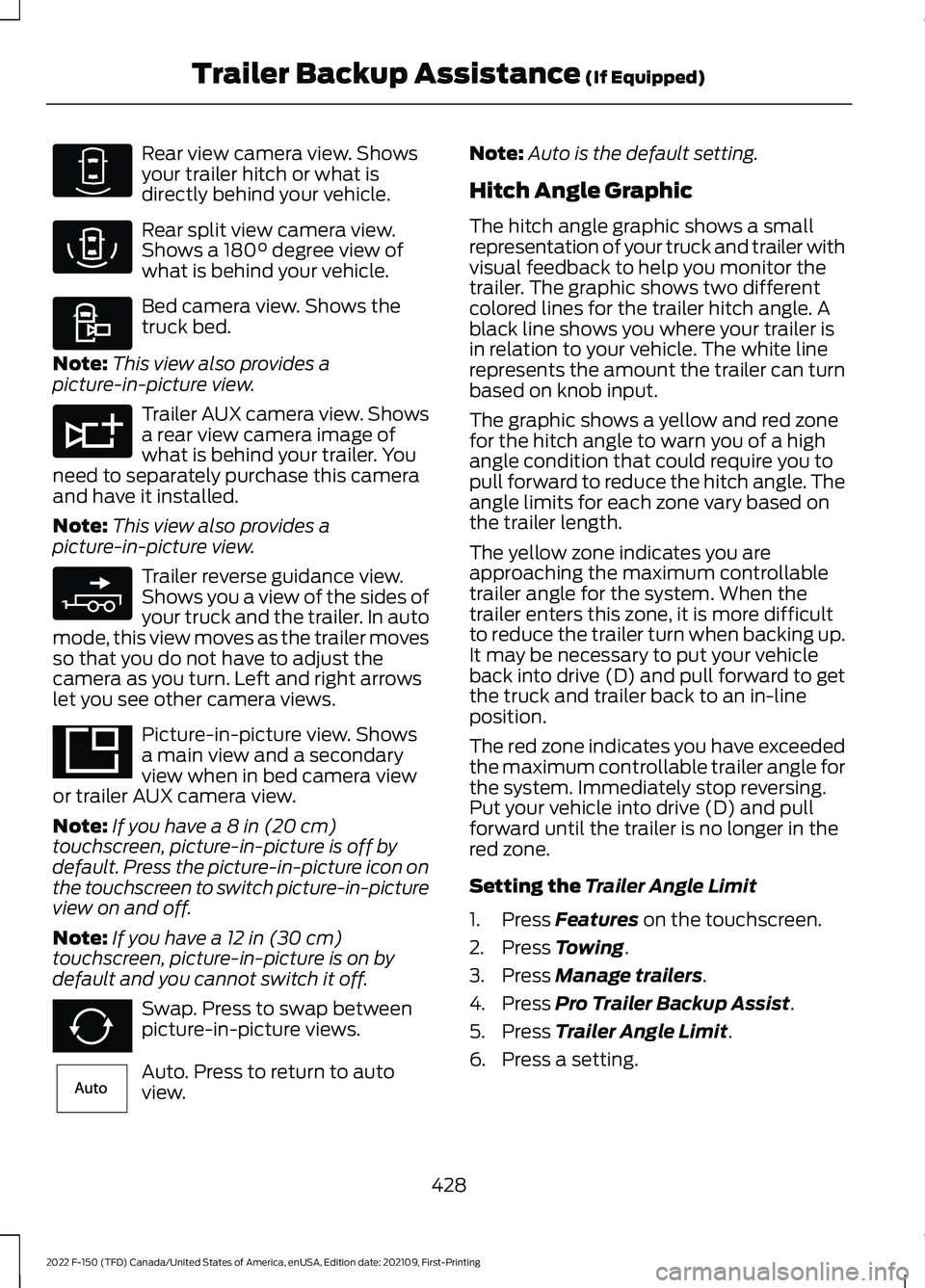
Rear view camera view. Shows
your trailer hitch or what is
directly behind your vehicle.
Rear split view camera view.
Shows a 180° degree view of
what is behind your vehicle. Bed camera view. Shows the
truck bed.
Note: This view also provides a
picture-in-picture view. Trailer AUX camera view. Shows
a rear view camera image of
what is behind your trailer. You
need to separately purchase this camera
and have it installed.
Note: This view also provides a
picture-in-picture view. Trailer reverse guidance view.
Shows you a view of the sides of
your truck and the trailer. In auto
mode, this view moves as the trailer moves
so that you do not have to adjust the
camera as you turn. Left and right arrows
let you see other camera views. Picture-in-picture view. Shows
a main view and a secondary
view when in bed camera view
or trailer AUX camera view.
Note: If you have a
8 in (20 cm)
touchscreen, picture-in-picture is off by
default. Press the picture-in-picture icon on
the touchscreen to switch picture-in-picture
view on and off.
Note: If you have a
12 in (30 cm)
touchscreen, picture-in-picture is on by
default and you cannot switch it off. Swap. Press to swap between
picture-in-picture views.
Auto. Press to return to auto
view. Note:
Auto is the default setting.
Hitch Angle Graphic
The hitch angle graphic shows a small
representation of your truck and trailer with
visual feedback to help you monitor the
trailer. The graphic shows two different
colored lines for the trailer hitch angle. A
black line shows you where your trailer is
in relation to your vehicle. The white line
represents the amount the trailer can turn
based on knob input.
The graphic shows a yellow and red zone
for the hitch angle to warn you of a high
angle condition that could require you to
pull forward to reduce the hitch angle. The
angle limits for each zone vary based on
the trailer length.
The yellow zone indicates you are
approaching the maximum controllable
trailer angle for the system. When the
trailer enters this zone, it is more difficult
to reduce the trailer turn when backing up.
It may be necessary to put your vehicle
back into drive (D) and pull forward to get
the truck and trailer back to an in-line
position.
The red zone indicates you have exceeded
the maximum controllable trailer angle for
the system. Immediately stop reversing.
Put your vehicle into drive (D) and pull
forward until the trailer is no longer in the
red zone.
Setting the
Trailer Angle Limit
1. Press
Features on the touchscreen.
2. Press
Towing.
3. Press
Manage trailers.
4. Press
Pro Trailer Backup Assist.
5. Press
Trailer Angle Limit.
6. Press a setting.
428
2022 F-150 (TFD) Canada/United States of America, enUSA, Edition date: 202109, First-Printing Trailer Backup Assistance
(If Equipped)E310967 E310974 E310995 E311776 E310965 E351663 E351662 E315644
Page 441 of 750
WHAT IS TRAILER REVERSE
GUIDANCE
Trailer reverse guidance provides views
and graphics on the touchscreen to help
you steer your vehicle when you backup a
trailer.
HOW DOES TRAILER REVERSE
GUIDANCE WORK
Trailer reverse guidance uses a sticker or
sensor attached to the trailer to detect the
trailer angle relative to the towing vehicle
and provides instructions, graphics and
camera views on the touchscreen.
TRAILER REVERSE GUIDANCE
PRECAUTIONS
WARNING: Driving while distracted
can result in loss of vehicle control, crash
and injury. We strongly recommend that
you use extreme caution when using any
device that may take your focus off the
road. Your primary responsibility is the
safe operation of your vehicle. We
recommend against the use of any
hand-held device while driving and
encourage the use of voice-operated
systems when possible. Make sure you
are aware of all applicable local laws
that may affect the use of electronic
devices while driving. WARNING: This system is an extra
driving aid. It does not replace your
attention and judgment, or the need to
apply the brakes. This system does NOT
automatically brake your vehicle. If you
fail to press the brake pedal when
necessary, you may collide with another
vehicle. Note:
The system is not a substitute for
safe driving practices. Always be aware of
your vehicle and trailer combination, and
the surrounding environment.
Note: The system does not detect or
prevent your vehicle or trailer from making
contact with obstacles in the surrounding
environment.
Note: The front end of your vehicle swings
out when changing the direction of the
trailer.
Note: In certain conditions, the trailer could
turn faster or the trailer angle could increase
more than anticipated. Always monitor the
clearance between the trailer and vehicle
and the surroundings.
SETTING UP TRAILER
REVERSE GUIDANCE FOR A
CONVENTIONAL TRAILER
CONFIGURING THE TRAILER
You must configure a trailer in the system
to use trailer reverse guidance. This is a
one-time setup process and the system
saves the trailer information for the next
time you use that trailer.
The system only works with conventional
trailers. It does not work with other types
including fifth-wheel and gooseneck. The
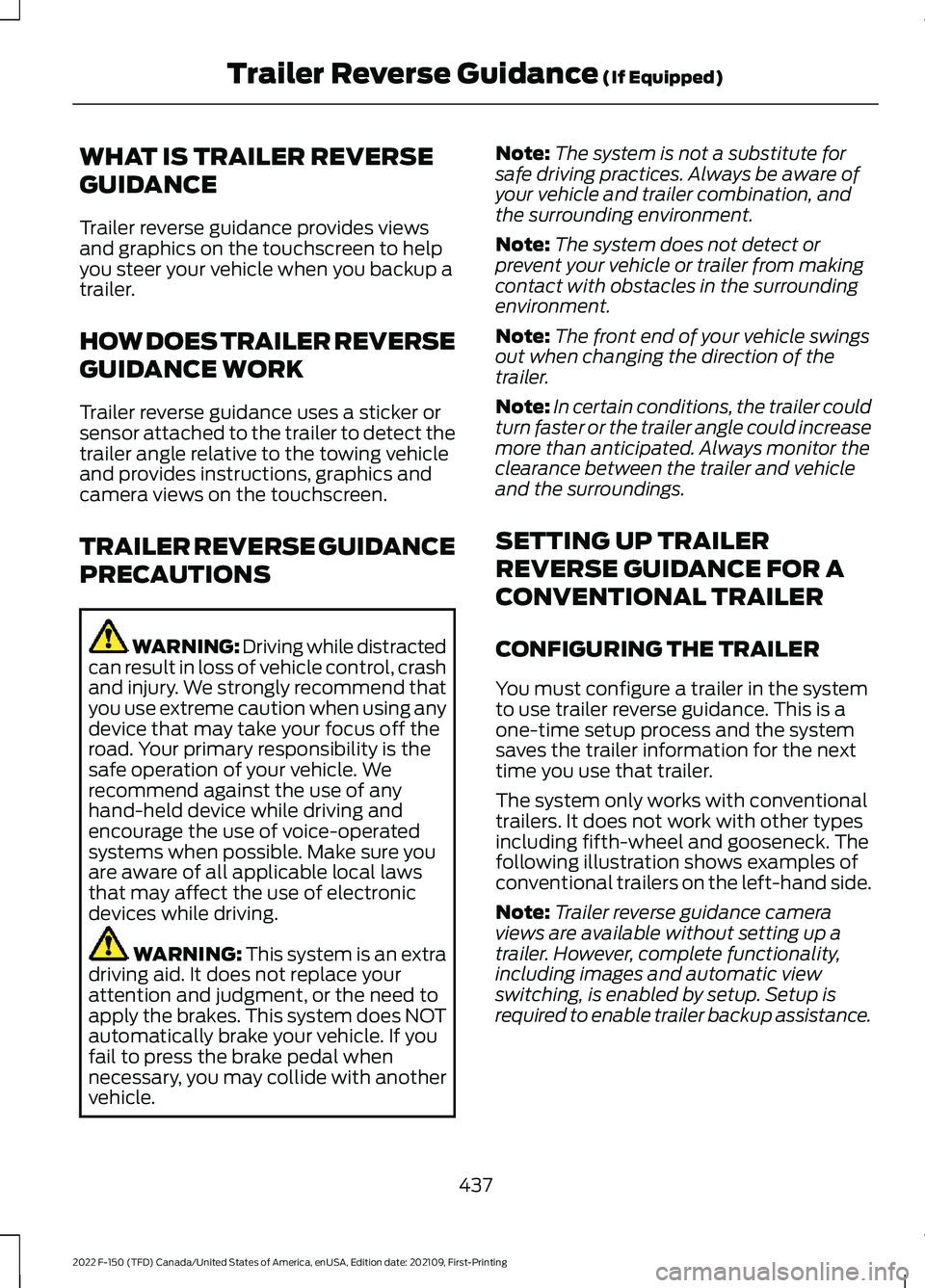
following illustration shows examples of
conventional trailers on the left-hand side.
Note: Trailer reverse guidance camera
views are available without setting up a
trailer. However, complete functionality,
including images and automatic view
switching, is enabled by setup. Setup is
required to enable trailer backup assistance.
437
2022 F-150 (TFD) Canada/United States of America, enUSA, Edition date: 202109, First-Printing Trailer Reverse Guidance
(If Equipped)
Page 446 of 750
Note:
Auto mode is the default setting.
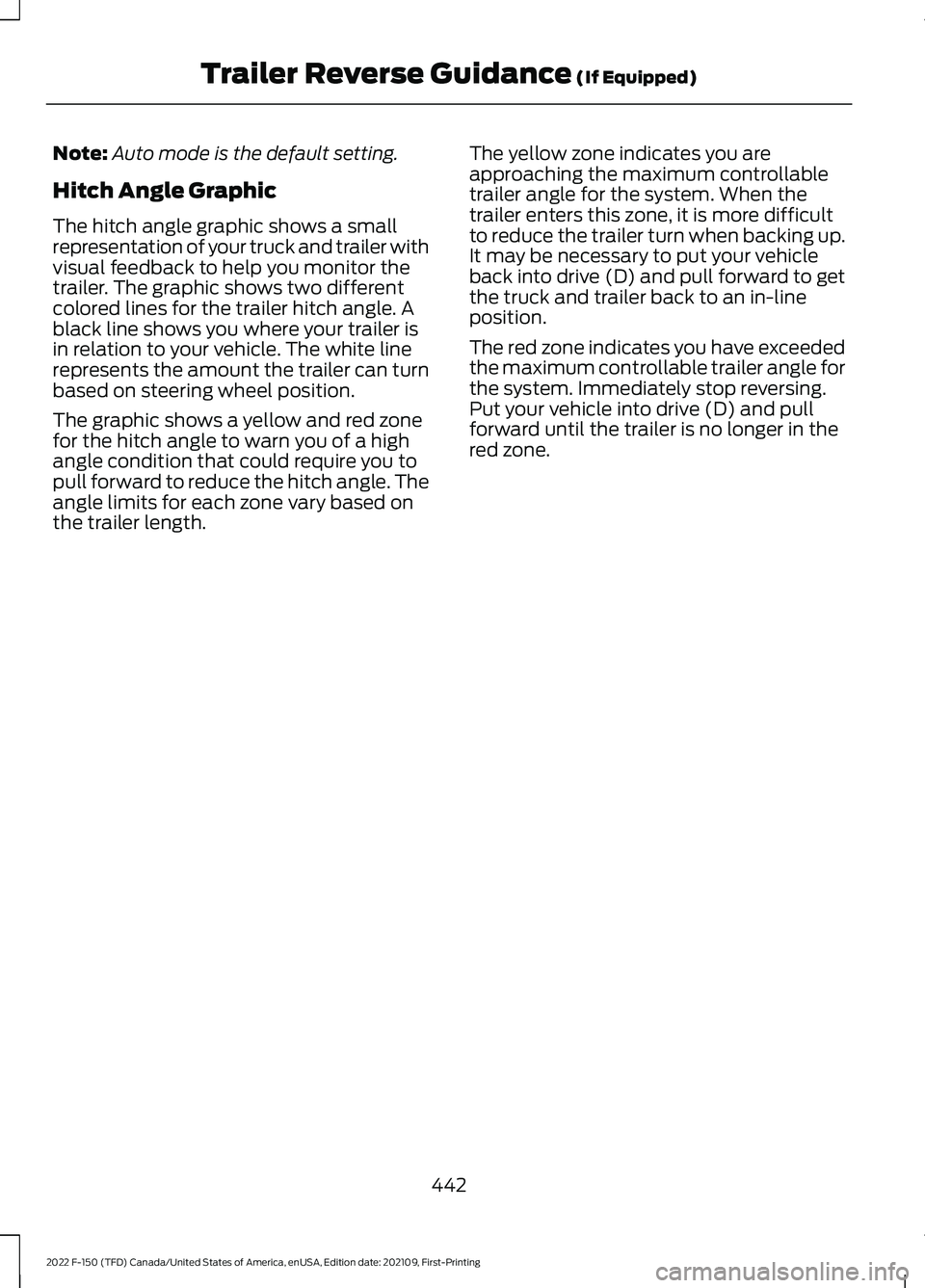
Hitch Angle Graphic
The hitch angle graphic shows a small
representation of your truck and trailer with
visual feedback to help you monitor the
trailer. The graphic shows two different
colored lines for the trailer hitch angle. A
black line shows you where your trailer is
in relation to your vehicle. The white line
represents the amount the trailer can turn
based on steering wheel position.
The graphic shows a yellow and red zone
for the hitch angle to warn you of a high
angle condition that could require you to
pull forward to reduce the hitch angle. The
angle limits for each zone vary based on
the trailer length. The yellow zone indicates you are
approaching the maximum controllable
trailer angle for the system. When the
trailer enters this zone, it is more difficult
to reduce the trailer turn when backing up.
It may be necessary to put your vehicle
back into drive (D) and pull forward to get
the truck and trailer back to an in-line
position.
The red zone indicates you have exceeded
the maximum controllable trailer angle for
the system. Immediately stop reversing.
Put your vehicle into drive (D) and pull
forward until the trailer is no longer in the
red zone.
442
2022 F-150 (TFD) Canada/United States of America, enUSA, Edition date: 202109, First-Printing Trailer Reverse Guidance (If Equipped)
Page 484 of 750
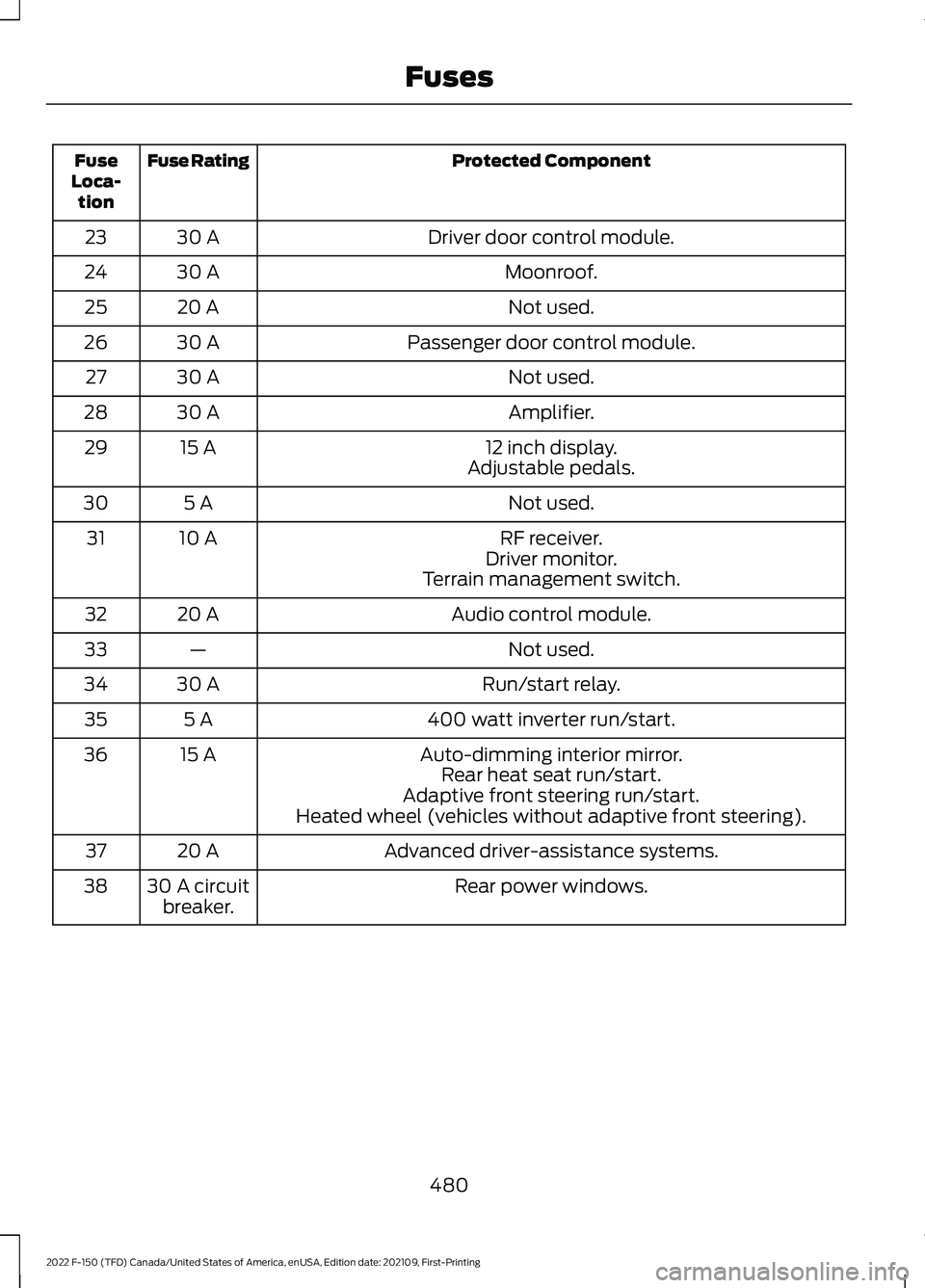
Protected Component
Fuse Rating
Fuse
Loca- tion
Driver door control module.
30 A
23
Moonroof.
30 A
24
Not used.
20 A
25
Passenger door control module.
30 A
26
Not used.
30 A
27
Amplifier.
30 A
28
12 inch display.
15 A
29
Adjustable pedals.
Not used.
5 A
30
RF receiver.
10 A
31
Driver monitor.
Terrain management switch.
Audio control module.
20 A
32
Not used.
—
33
Run/start relay.
30 A
34
400 watt inverter run/start.
5 A
35
Auto-dimming interior mirror.
15 A
36
Rear heat seat run/start.
Adaptive front steering run/start.
Heated wheel (vehicles without adaptive front steering).
Advanced driver-assistance systems.
20 A
37
Rear power windows.
30 A circuit
breaker.
38
480
2022 F-150 (TFD) Canada/United States of America, enUSA, Edition date: 202109, First-Printing Fuses
Page 499 of 750
If you replace the battery make sure it
matches the electrical requirements of
your vehicle.
If you disconnect or replace the battery
and your vehicle has an automatic
transmission, it must relearn its adaptive
strategy. Because of this, the transmission
may shift firmly when first driven. This is
normal operation while the transmission
fully updates its operation to optimum
shift feel.
Battery Sensor Reset
When you install a new battery, reset the
battery sensor by doing the following:
1. Switch the ignition on, and leave the
engine off.
Note: Complete Steps 2 and 3 within 10
seconds.
2. Flash the high beam headlamps five times, ending with the high beams off.
3. Press and release the brake pedal three
times.
The battery warning lamp flashes three
times to confirm that the reset is
successful.
Battery Management System (If
Equipped)
The system monitors battery conditions
and takes actions to extend battery life. If
excessive battery drain is detected, the
system temporarily disables some
electrical systems to protect the battery.
Systems included are:
• Heated rear window.
• Heated seats.
• Climate control.
• Heated steering wheel.
• Audio unit.
• Navigation system. A message may appear in the information
display to alert you that battery protection
actions are active. This message is only for
notification that an action is taking place,
and not intended to indicate an electrical
problem or that the battery requires
replacement.
After battery replacement, or in some
cases after charging the battery with an
external charger, the battery management
system requires eight hours of vehicle sleep
time to relearn the battery state of charge.
During this time, your vehicle must remain
fully locked with the ignition switched off.
Note:
Prior to relearning the battery state
of charge, the battery management system
may temporarily disable some electrical
systems.
Electrical Accessory Installation
To make sure the battery management
system works correctly, do not connect an
electrical device ground connection
directly to the battery negative post. This
can cause inaccurate measurements of
the battery condition and potential
incorrect system operation.
Note: If you add electrical accessories or
components to the vehicle, it may adversely
affect battery performance and durability.
This may also affect the performance of
other electrical systems in the vehicle.
Remove and Reinstall the Battery
Install a battery approved for use by our
specifications. See
Capacities and
Specifications (page 558).
To disconnect or remove the battery, do
the following:
1. Apply the parking brake and switch the
ignition off.
2. Switch all electrical equipment off, for
example lights and radio.
495
2022 F-150 (TFD) Canada/United States of America, enUSA, Edition date: 202109, First-Printing Maintenance
Page 532 of 750
•
Stand at a minimum of 12 ft
(3.66 m) away from the wheel
and tire assembly.
• Use both eye and ear
protection.
Important: Remember to replace
the wheel valve stems when the
road tires are replaced on your
vehicle.
It is recommended that the two
front tires or two rear tires
generally be replaced as a pair if
the worn tires still have usable
depth.
To avoid potential Four-Wheel
Drive (4WD) malfunction or
(4WD) system damage, it is
recommended to replace all four
tires rather than mixing
significantly worn tires with new
tires.
The tire pressure sensors mounted
in the wheels (originally installed
on your vehicle) are not designed
to be used in aftermarket wheels.
The use of wheels or tires not
recommended may affect the
operation of your tire pressure
monitoring system.
If the tire pressure monitoring
system indicator is flashing, your
system is malfunctioning. Your
replacement tire might be
incompatible with your tire
pressure monitoring system, or
some component of the system
may be damaged. USING SNOW CHAINS WARNING: Do not exceed 30 mph
(50 km/h)
. Failure to follow this
instruction could result in the loss of
control of your vehicle, personal injury or
death. WARNING:
Do not use snow chains
on snow-free roads. WARNING:
Only fit snow chains to
specified tires. WARNING:
If your vehicle is fitted
with wheel trims, remove them before
fitting snow chains. WARNING: If you choose to install
snow tires on your vehicle, they must be
the same size, construction, and load
range as the original tires listed on the
tire placard, and they must be installed
on all four wheels. Mixing tires of
different size or construction on your
vehicle can adversely affect your
vehicle's handling and braking, and may
lead to loss of vehicle control. WARNING:
Wheels and tires must
be the same size, load index and speed
rating as those originally fitted on the
vehicle. Use of any other tire or wheel
can affect the safety and performance
of your vehicle. Additionally, the use of
non-recommended tires and wheels can
cause steering, suspension, axle, transfer
case or power transfer unit failure.
Follow the recommended tire inflation
pressures found on the Safety
Compliance Certification label, or the
Tire Label on the B-Pillar or the edge of
the driver door. Failure to follow this
instruction could result in loss of vehicle
control, vehicle rollover, or personal injury
or death.
528
2022 F-150 (TFD) Canada/United States of America, enUSA, Edition date: 202109, First-Printing Wheel and Tire Information
Page 534 of 750
USING BEAD-LOCK WHEELS -
RAPTOR
Your vehicle comes with unique wheels
matched to the tires. To avoid damage to
your wheels:
•
Maintain proper tire pressure.
• Due to extreme tire and wheel width,
do not take your vehicle through an
automatic car wash that uses
mechanical tracks, as wheel damage
may result.
• When installing wheels, always torque
lug nuts to specification with a torque
wrench.
• Inspect your wheels for damage on a
regular basis. If you have a damaged
wheel, replace it immediately.
• If you encounter an abnormally harsh
impact, inspect the outside tire wall of
your wheels, both inside and out, for
damage.
Note: Ford Performance only recommends
using bead-lock rings from Ford
Performance Parts, in conjunction with the
original equipment manufacturer (OEM)
tire. Any other combination using this wheel
could result in air loss or tire failure.
Note: Converting the bead-lock compatible
wheel to true bead-locks is for off-road use
only. We do not approve of the use of true
bead-locks for on-road driving.
If your vehicles equipped with the optional
bead lock compatible wheel, you can
convert this wheel to use a true bead-lock
ring, which allows operation at low tire
pressures when off-road to minimize the
risk of de-beading the tire. See your local
Ford Performance Parts Dealer for more
information. Tire Care WARNING: Always re-inflate tires
to recommended tire pressures before
the vehicle is operated on-road. The
recommended pressure is located on the
tire label or safety certification label,
located on the B-pillar, inside the driver's
door. WARNING:
After off-road use,
before returning to the road, check the
wheels and tires for damage. Off-road
use may cause damage to your wheels
and tires that can lead to tire failure, loss
of vehicle control, serious injury or death. WARNING:
Replace the wheels
and tires with the exact original brand,
size and construction that came
originally on your vehicle. Use of any
other wheel or tire combinations, even
with identical size ratings, may result in
insufficient running clearances, tire
rubbing and eventual puncture. Failure
to follow tire replacement
recommendations can lead to tire failure,
loss of vehicle control, serious injury or
death.
Note: If you have reduced your tire pressure
for off-road use, the tire pressure monitoring
system (TPMS) warning light then activates
in the instrument panel as a reminder to
re-inflate the tires before returning to the
road.
530
2022 F-150 (TFD) Canada/United States of America, enUSA, Edition date: 202109, First-Printing Wheel and Tire Information
Page 535 of 750
Your vehicle comes with high performance,
all-terrain tires designed to optimize
handling, steering and braking to provide
the performance you expect in a Ford
Performance vehicle. These tires are
optimized for both on and off-road
performance, and their ride, noise and wear
characteristics are different from other
tires. Also, because of their aggressive
tread profile, it is important that you
maintain your tires properly.
•
Always maintain your tire pressures
according to the tire information
placard located on the driver ’s door
B-pillar, using an accurate gauge.
Remember to be prepared to re-inflate
your tires before returning to the road.
If a tire filling station is not available,
remember to prepare a supplemental
means to inflate the tires, such as a
portable compressor.
• Check and set the tire pressures when
the tires are cold, and not warm from
driving. Wait at least three hours after
parking the vehicle before checking tire
pressure. Do not reduce the pressure
of warm tires.
• Check your tire pressure often to
maintain it properly. Tire pressure can
decrease over time and fluctuate with
temperature.
• Do not overload your vehicle.
Maximum vehicle and axle weights are
on the tire information placard.
• Use extra caution when operating the
vehicle near its maximum load,
including assuring proper tire pressure
and reducing speeds.
• If you encounter an abnormally harsh
impact, inspect your tires for damage.
• Inspect your tires for damage on a
regular basis. Replace a damaged tire
immediately. •
We do not approve the use of snow
chains on your vehicle's tires.
• Proper suspension alignment is critical
for maximum performance and
optimal tire wear. If you notice uneven
tire wear, have your alignment checked.
Spare Tire and Wheel
Your vehicle comes with a full size
matching spare with an all-terrain tire. The
spare tire and wheel assembly has the
same capability as the road tire and wheel
assemblies but does not come with a tire
pressure monitoring sensor. Wheels
Tires
17x8.5, 34 ET
LT315/70R17
17x8.5, 30 ET
37x12.5R17LT
531
2022 F-150 (TFD) Canada/United States of America, enUSA, Edition date: 202109, First-Printing Wheel and Tire Information
Page 538 of 750
Highway Hazards
No matter how carefully you drive,
there is always the possibility that
you could eventually have a flat
tire on the highway. Drive slowly
to the closest safe area out of
traffic. This could further damage
the flat tire, but your safety is
more important.
If you feel a sudden vibration or
ride disturbance while driving, or
you suspect your tire or vehicle
has been damaged, immediately
reduce your speed. Drive with
caution until you can safely pull
off the road. Stop and inspect the
tires for damage. If a tire is
under-inflated or damaged,
deflate it, remove the wheel and
replace it with your spare tire and
wheel. If you cannot detect a
cause, have the vehicle towed to
the nearest repair facility or tire
dealer to have the vehicle
inspected.
Tire and Wheel Alignment
A bad jolt from hitting a curb or
pothole can cause the front end
of your vehicle to become
misaligned or cause damage to
your tires. If your vehicle seems to
pull to one side when you are
driving, the wheels could be out of
alignment. Have an authorized
dealer check the wheel alignment
periodically.
Wheel misalignment in the front
or the rear can cause uneven and
rapid treadwear of your tires and
should be corrected by an
authorized dealer.
INSPECTING THE WHEEL
VALVE STEMS
Check the valve stems for holes,
cracks, or cuts that could permit
air leakage.
TIRE ROTATION
WARNING: If the tire label
shows different tire pressures for
the front and rear tires and the
vehicle has a tire pressure
monitoring system, then you
need to update the settings for
the system sensors. Always
perform the system reset
procedure after tire rotation. If
you do not reset the system, it
may not provide a low tire
pressure warning when
necessary.
Rotating your tires at the
recommended interval will help
your tires wear more evenly,
providing better tire performance
and longer tire life.
Note: If your tires show any uneven
wear have the alignment checked
by an authorized dealer before
rotating tires.
534
2022 F-150 (TFD) Canada/United States of America, enUSA, Edition date: 202109, First-Printing Tire Care
Page 540 of 750
WHAT IS THE TIRE PRESSURE
MONITORING SYSTEM
The tire pressure monitoring
system measures the vehicle's
tire pressures. A warning lamp
illuminates if one or more tires are
significantly underinflated or if there is a
system malfunction.
TIRE PRESSURE MONITORING
SYSTEM OVERVIEW WARNING: If the tire pressure
monitor sensor becomes damaged it
may not function. WARNING:
Under-inflation is the
most common cause of tire failures and
may result in severe tire cracking, tread
separation or blowout, with unexpected
loss of vehicle control and increased risk
of injury. Under-inflation increases
sidewall flexing and rolling resistance,
resulting in heat buildup and internal
damage to the tire. It also may result in
unnecessary tire stress, irregular wear,
loss of vehicle control and accidents. A
tire can lose up to half of its air pressure
and not appear to be flat! WARNING:
To determine the
required pressure(s) for your vehicle, see
the Safety Compliance Certification
Label (on the door hinge pillar,
door-latch post or the door edge that
meets the door-latch post, next to the
driver seat) or the Tire Label on the
B-Pillar or the edge of the driver door. Each tire, including the spare (if provided),
should be checked monthly when cold and
inflated to the inflation pressure
recommended by the vehicle manufacturer
on the vehicle placard or tire inflation
pressure label. (If your vehicle has tires of
a different size than the size indicated on
the vehicle placard or tire inflation pressure
label, you should determine the proper tire
inflation pressure for those tires).
As an added safety feature, your vehicle
has been equipped with a Tire Pressure
Monitoring System (TPMS) that
illuminates a low tire pressure telltale
when one or more of your tires is
significantly under-inflated. Accordingly,
when the low tire pressure telltale
illuminates, you should stop and check
your tires as soon as possible, and inflate
them to the proper pressure. Driving on a
significantly under-inflated tire causes the
tire to overheat and can lead to tire failure.
Under-inflation also reduces fuel efficiency
and tire tread life, and may affect the
vehicle
’s handling and stopping ability.
Please note that the TPMS is not a
substitute for proper tire maintenance, and
it is the driver ’s responsibility to maintain
correct tire pressure, even if under-inflation
has not reached the level to trigger
illumination of the TPMS low tire pressure
telltale.
Your vehicle has also been equipped with
a TPMS malfunction indicator to indicate
when the system is not operating properly.
The TPMS malfunction indicator is
combined with the low tire pressure
telltale. When the system detects a
malfunction, the telltale will flash for
approximately one minute and then remain
continuously illuminated. This sequence
will continue upon subsequent vehicle
start-ups as long as the malfunction exists.
536
2022 F-150 (TFD) Canada/United States of America, enUSA, Edition date: 202109, First-Printing Tire Pressure Monitoring System