fog light FORD F-250 2018 Owners Manual
[x] Cancel search | Manufacturer: FORD, Model Year: 2018, Model line: F-250, Model: FORD F-250 2018Pages: 660, PDF Size: 11.64 MB
Page 5 of 660
Power Running Boards
Using Power Running Boards
..................80
Steering Wheel
Adjusting the Steering Wheel - Vehicles With: Manual Adjustable Steering
Column .........................................................
82
Adjusting the Steering Wheel - Vehicles With: Power Adjustable Steering
Column .........................................................
82
Audio Control ..................................................
83
Voice Control ..................................................
84
Cruise Control ................................................
84
Information Display Control ......................
85
Heated Steering Wheel ..............................
85
Pedals
Adjusting the Pedals ...................................
86
Wipers and Washers
Windshield Wipers ........................................
87
Autowipers .......................................................
87
Windshield Washers ....................................
88
Lighting
General Information ....................................
89
Lighting Control .............................................
89
Autolamps .......................................................
90
Instrument Lighting Dimmer ....................
90
Daytime Running Lamps .............................
91
Automatic High Beam Control .................
92
Front Fog Lamps ...........................................
93
Direction Indicators ......................................
93
Spot Lamps .....................................................
93
Interior Lamps ................................................
94
Ambient Lighting ...........................................
97
Cargo Lamps ...................................................
97
Windows and Mirrors
Power Windows ............................................
98Global Opening
.............................................
99
Exterior Mirrors ...............................................
99
Interior Mirror ..................................................
101
Sliding Windows ..........................................
102
Sun Visors .......................................................
102
Moonroof ........................................................
103
Instrument Cluster
Gauges ............................................................
105
Warning Lamps and Indicators ..............
108
Audible Warnings and Indicators ............
112
Information Displays
General Information ....................................
113
Information Messages ...............................
129
Climate Control
Manual Climate Control ...........................
146
Automatic Climate Control ......................
147
Hints on Controlling the Interior Climate ........................................................................\
.
149
Heated Rear Window .................................
152
Heated Exterior Mirrors ..............................
152
Cabin Air Filter ...............................................
152
Remote Start .................................................
152
Seats
Sitting in the Correct Position .................
154
Head Restraints ...........................................
154
Manual Seats ................................................
156
Power Seats ...................................................
157
Memory Function ........................................
159
Rear Seats .......................................................
161
Heated Seats .................................................
162
Climate Controlled Seats .........................
163
Front Seat Armrest .....................................
164
Rear Seat Armrest .......................................
165
2
Super Duty (TFE) Canada/United States of America, enUSA, Edition date: 201709, Second Printing Table of Contents
Page 12 of 660
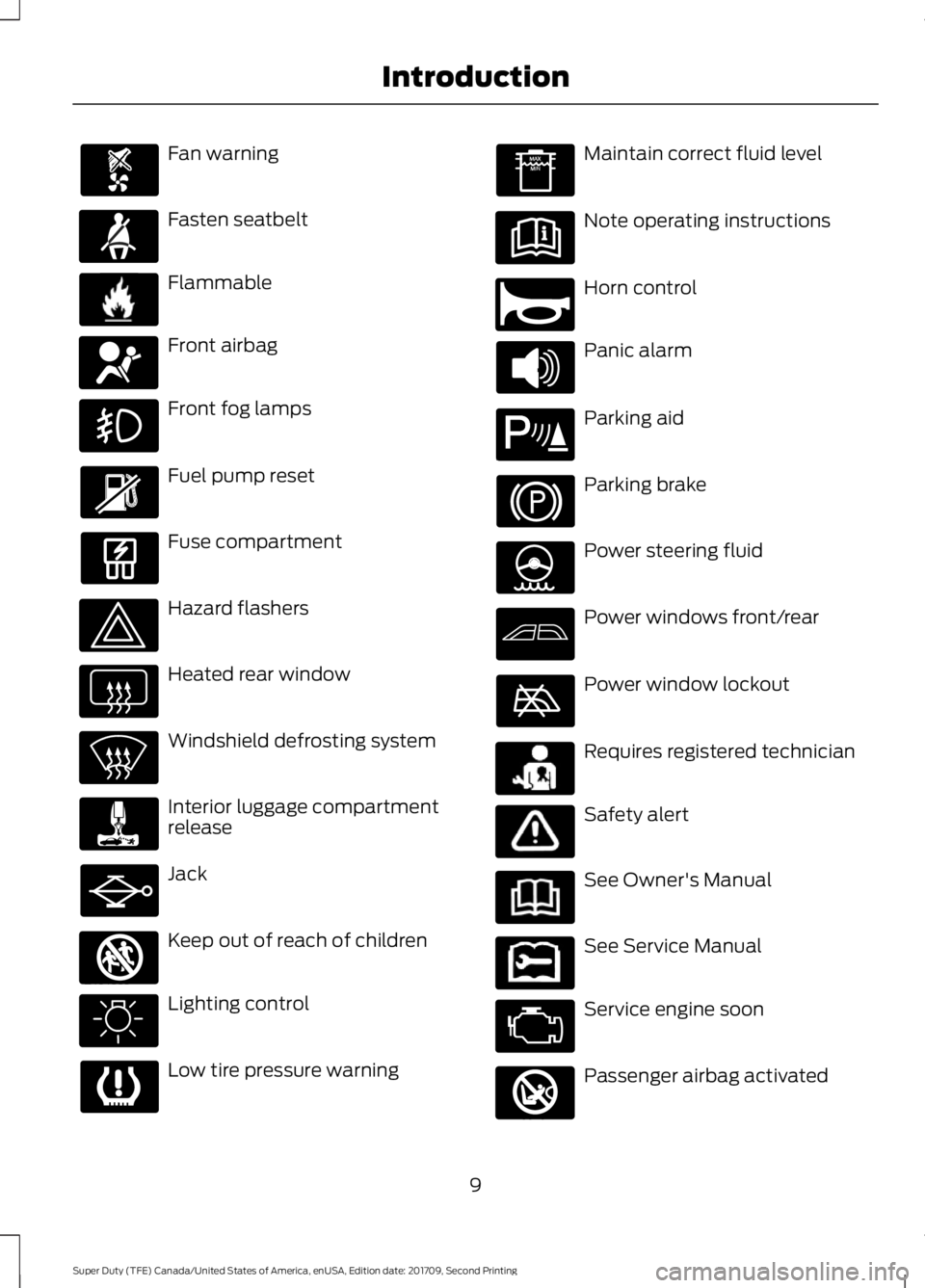
Fan warning
Fasten seatbelt
Flammable
Front airbag
Front fog lamps
Fuel pump reset
Fuse compartment
Hazard flashers
Heated rear window
Windshield defrosting system
Interior luggage compartment
release
Jack
Keep out of reach of children
Lighting control
Low tire pressure warning Maintain correct fluid level
Note operating instructions
Horn control
Panic alarm
Parking aid
Parking brake
Power steering fluid
Power windows front/rear
Power window lockout
Requires registered technician
Safety alert
See Owner's Manual
See Service Manual
Service engine soon
Passenger airbag activated
9
Super Duty (TFE) Canada/United States of America, enUSA, Edition date: 201709, Second Printing Introduction E71880 E231160 E67017 E161353 E270945 E139213 E231159 E231158 E270849
Page 93 of 660
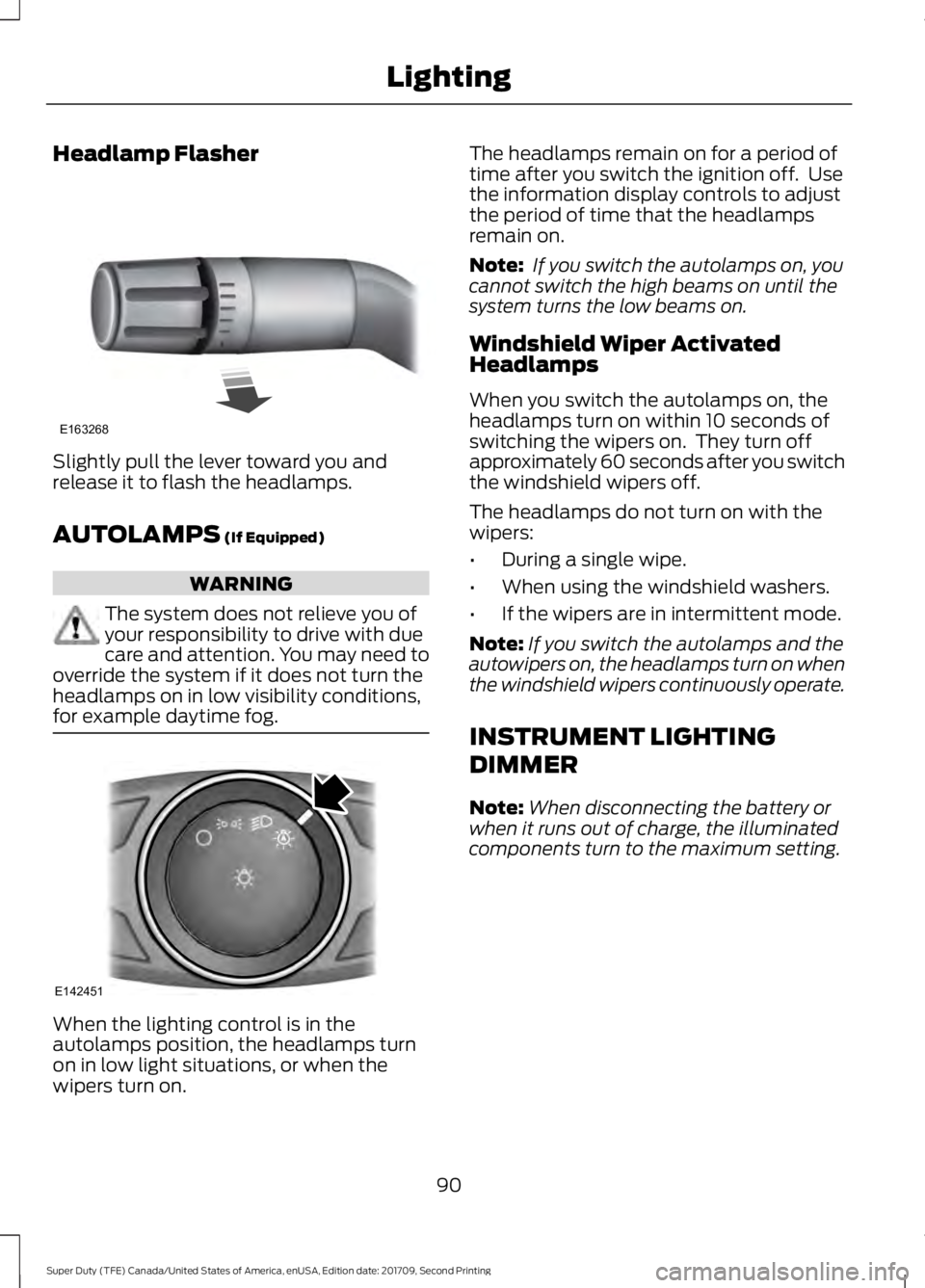
Headlamp Flasher
Slightly pull the lever toward you and
release it to flash the headlamps.
AUTOLAMPS (If Equipped)
WARNING
The system does not relieve you of
your responsibility to drive with due
care and attention. You may need to
override the system if it does not turn the
headlamps on in low visibility conditions,
for example daytime fog. When the lighting control is in the
autolamps position, the headlamps turn
on in low light situations, or when the
wipers turn on. The headlamps remain on for a period of
time after you switch the ignition off. Use
the information display controls to adjust
the period of time that the headlamps
remain on.
Note:
If you switch the autolamps on, you
cannot switch the high beams on until the
system turns the low beams on.
Windshield Wiper Activated
Headlamps
When you switch the autolamps on, the
headlamps turn on within 10 seconds of
switching the wipers on. They turn off
approximately 60 seconds after you switch
the windshield wipers off.
The headlamps do not turn on with the
wipers:
• During a single wipe.
• When using the windshield washers.
• If the wipers are in intermittent mode.
Note: If you switch the autolamps and the
autowipers on, the headlamps turn on when
the windshield wipers continuously operate.
INSTRUMENT LIGHTING
DIMMER
Note: When disconnecting the battery or
when it runs out of charge, the illuminated
components turn to the maximum setting.
90
Super Duty (TFE) Canada/United States of America, enUSA, Edition date: 201709, Second Printing LightingE163268 E142451
Page 94 of 660
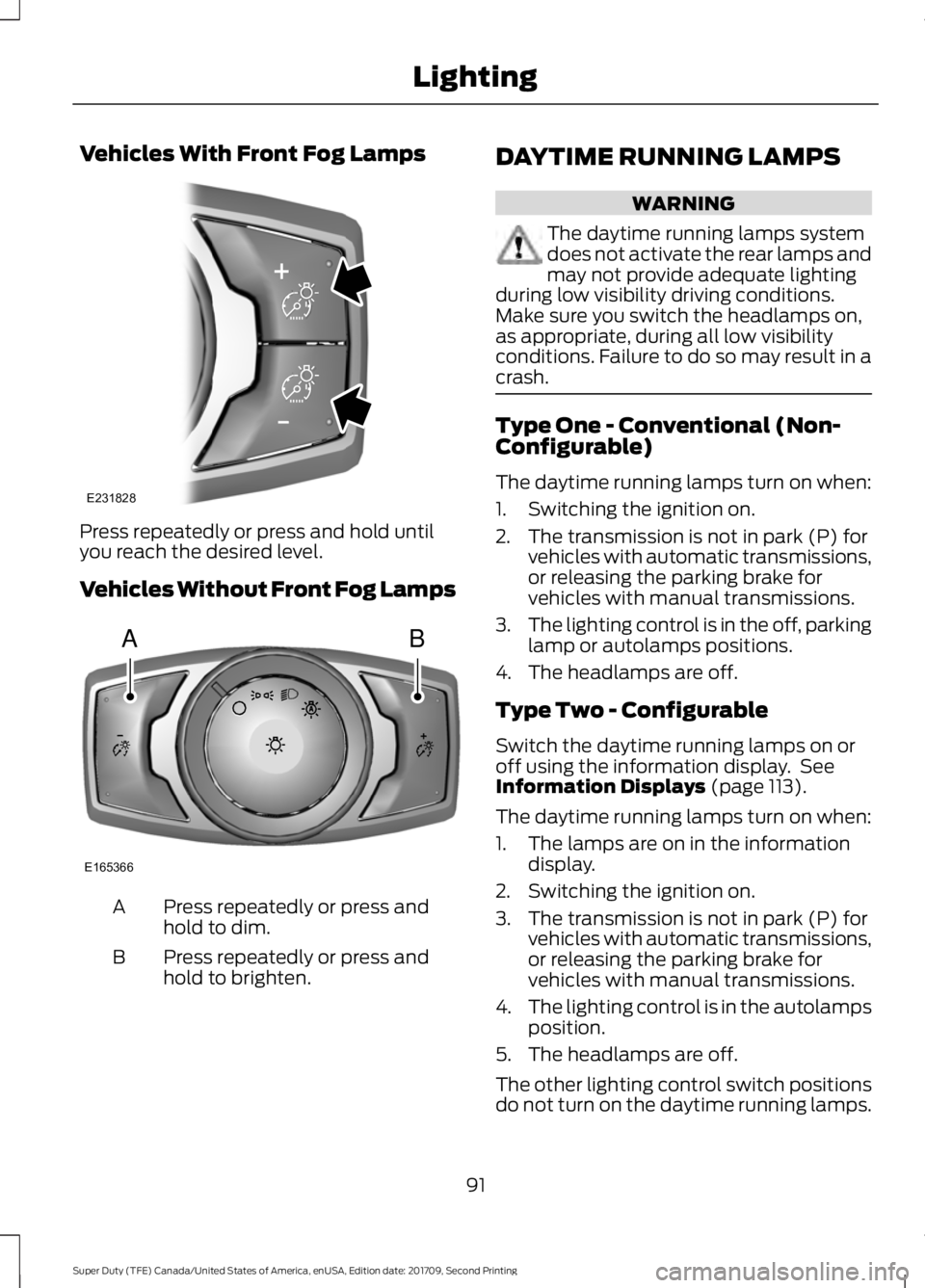
Vehicles With Front Fog Lamps
Press repeatedly or press and hold until
you reach the desired level.
Vehicles Without Front Fog Lamps
Press repeatedly or press and
hold to dim.
A
Press repeatedly or press and
hold to brighten.
B DAYTIME RUNNING LAMPS WARNING
The daytime running lamps system
does not activate the rear lamps and
may not provide adequate lighting
during low visibility driving conditions.
Make sure you switch the headlamps on,
as appropriate, during all low visibility
conditions. Failure to do so may result in a
crash. Type One - Conventional (Non-
Configurable)
The daytime running lamps turn on when:
1. Switching the ignition on.
2. The transmission is not in park (P) for
vehicles with automatic transmissions,
or releasing the parking brake for
vehicles with manual transmissions.
3. The lighting control is in the off, parking
lamp or autolamps positions.
4. The headlamps are off.
Type Two - Configurable
Switch the daytime running lamps on or
off using the information display. See
Information Displays (page 113).
The daytime running lamps turn on when:
1. The lamps are on in the information display.
2. Switching the ignition on.
3. The transmission is not in park (P) for vehicles with automatic transmissions,
or releasing the parking brake for
vehicles with manual transmissions.
4. The lighting control is in the autolamps
position.
5. The headlamps are off.
The other lighting control switch positions
do not turn on the daytime running lamps.
91
Super Duty (TFE) Canada/United States of America, enUSA, Edition date: 201709, Second Printing LightingE231828 AB
E165366
Page 95 of 660
If the daytime running lamps are off in the
information display, the lamps stay off in
all switch positions.
AUTOMATIC HIGH BEAM
CONTROL (If Equipped)
WARNING
The system does not relieve you of
your responsibility to drive with due
care and attention. You may need to
override the system if it does not turn the
high beams on or off. The system turns on high beams if it is dark
enough and no other traffic is present. If it
detects an approaching vehicle
’s
headlamps or tail lamps, or street lighting
ahead, the system turns off high beams
before they can distract other road users.
Low beams remain on.
Note: The system may not operate properly
if the sensor is blocked. Keep the windshield
free from obstruction or damage.
Note: The system may not operate properly
in cold or inclement conditions. You can
switch on the high beams by overriding the
system.
Note: If the system detects a blockage, for
example bird droppings, bug splatter, snow
or ice, the system goes into low beam mode
until you clear the blockage. A message may
appear in the information display if the
camera is blocked.
Note: Using much larger tires or equipping
vehicle accessories such as snowplows can
modify your vehicle's ride height and
degrade automatic high beam control
performance.
A camera sensor, centrally mounted
behind the windshield of your vehicle,
continuously monitors conditions to turn
the high beams on and off. Once the system is active, the high beams
turn on if:
•
The ambient light level is low enough.
• There is no traffic in front of your
vehicle.
• The vehicle speed is greater than
approximately 32 mph (51 km/h).
The high beams turn off if:
• The ambient light level is high enough
that high beams are not required.
• The system detects an approaching
vehicle's headlamps or tail lamps.
• The vehicle speed falls below
approximately
27 mph (44 km/h).
• The system detects severe rain, snow
or fog.
• The camera is blocked.
Switching the System On and Off
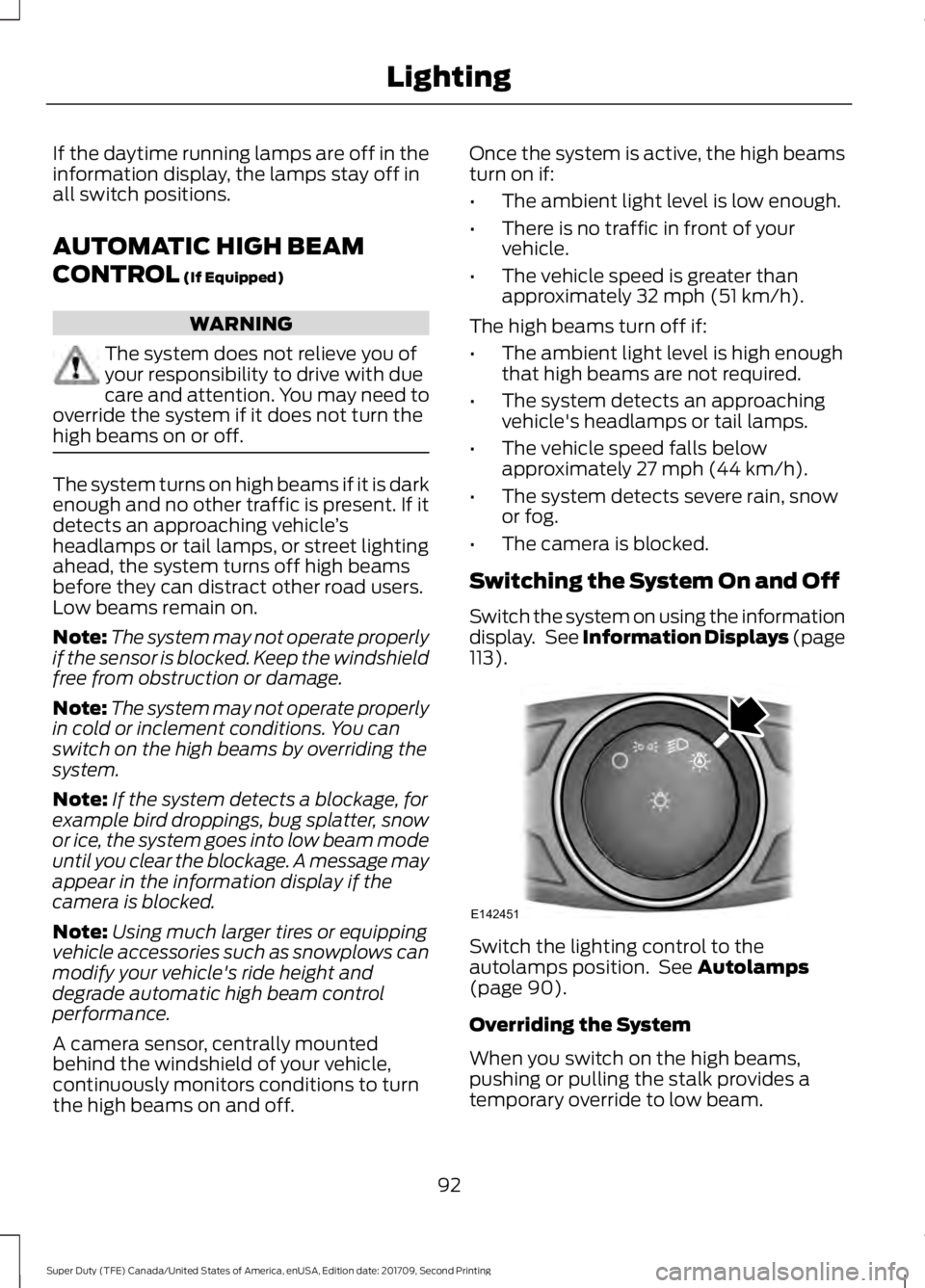
Switch the system on using the information
display. See Information Displays (page
113
). Switch the lighting control to the
autolamps position. See
Autolamps
(page 90).
Overriding the System
When you switch on the high beams,
pushing or pulling the stalk provides a
temporary override to low beam.
92
Super Duty (TFE) Canada/United States of America, enUSA, Edition date: 201709, Second Printing LightingE142451
Page 96 of 660
Automatic High Beam Indicator (If
Equipped) The indicator lamp illuminates
to confirm when the system is
ready to assist.
FRONT FOG LAMPS
(If Equipped) Press the control to switch the fog lamps
on or off.
You can switch the fog lamps on when the
lighting control is in any position except
Off and the high beams are not on.
DIRECTION INDICATORS •
To operate the left direction indicator,
push the lever down until it stops.
• To operate the right direction indicator,
push the lever up until it stops.
Note: Tap the lever up or down to make the
direction indicators flash three times.
SPOT LAMPS (If Equipped)
The spot lamps are on the forward-facing
side of the exterior mirrors. Switch on the
spot lamps by pressing the buttons above
the lighting control with the parking lamps
on. When switching on the spot lamps, the
area in front of and to the side of your
vehicle illuminates.
Adjust the aim of the spot lamps by
moving the position of the exterior mirrors.
For manual folding mirrors, adjust the aim
of the lamps by folding the exterior mirrors
into or away from the windows. For
power-folding mirrors, use the switch on
the driver-side door.
Note:
The spot lamps turn off when you
reach a speed of
6 mph (10 km/h).
93
Super Duty (TFE) Canada/United States of America, enUSA, Edition date: 201709, Second Printing Lighting E142453 E163272 E176842
Page 255 of 660
Why is the feature not available (line markings are gray) when I can see the lane markings
on the road?
Previous feature activation happened within the last one second
Ambiguous lane markings (mainly in construction zones)
Rapid transition from light to dark or vice versa
Sudden offset in lane markings
ABS or AdvanceTrac activation
Camera blockage due to dirt, grime, fog, frost or water on the windshield
Driving too close to the vehicle in front of you
Transitioning between no lane markings to lane markings or vice versa
Standing water on the road
Faint lane markings (partial yellow lane markings on concrete roads)
Lane width too narrow or too wide
Camera not calibrated after a windshield replacement
Driving on tight roads or on uneven roads
Vehicle accessories such as snow plows
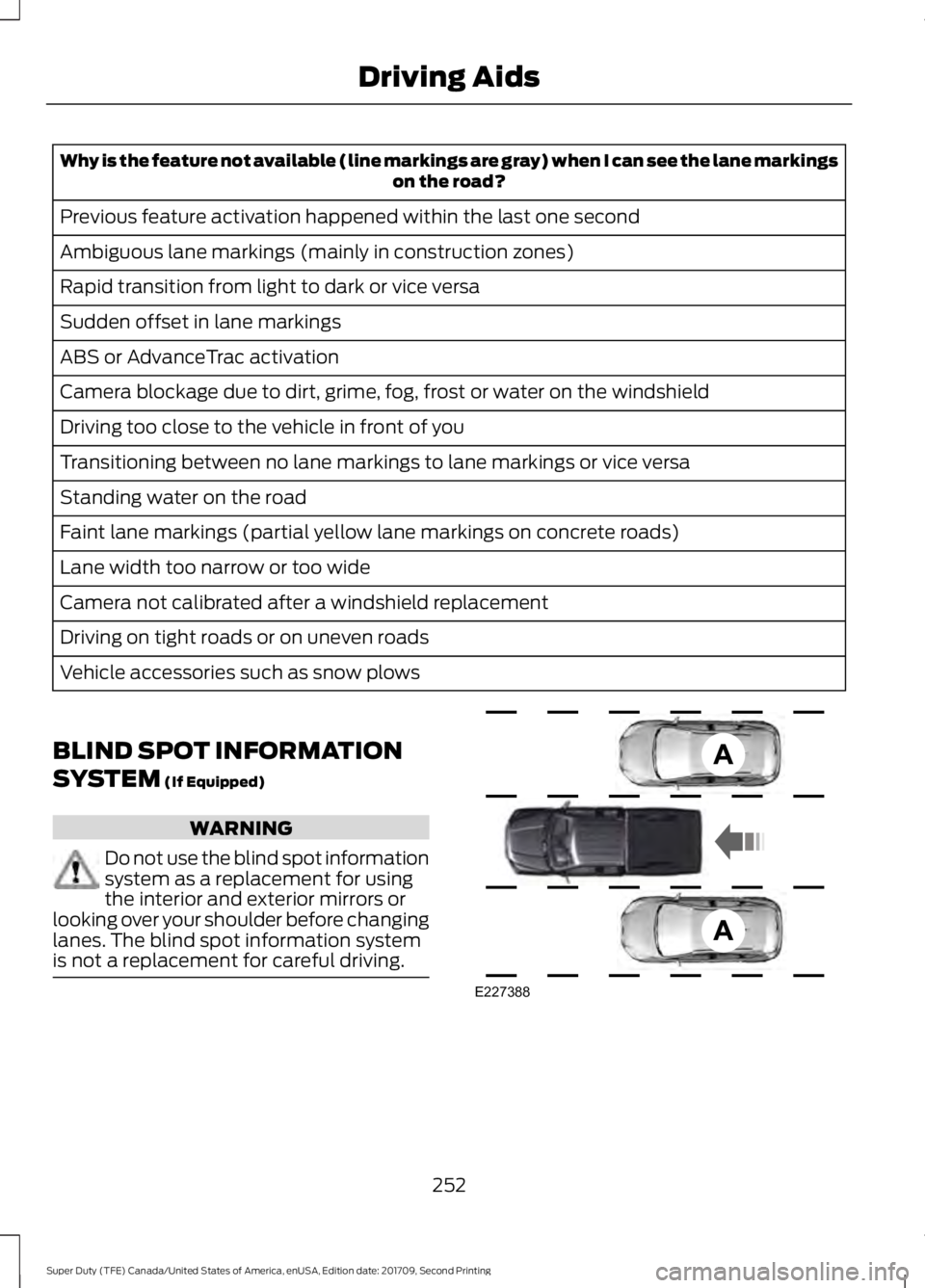
BLIND SPOT INFORMATION
SYSTEM (If Equipped) WARNING
Do not use the blind spot information
system as a replacement for using
the interior and exterior mirrors or
looking over your shoulder before changing
lanes. The blind spot information system
is not a replacement for careful driving. 252
Super Duty (TFE) Canada/United States of America, enUSA, Edition date: 201709, Second Printing Driving AidsE227388
Page 363 of 660
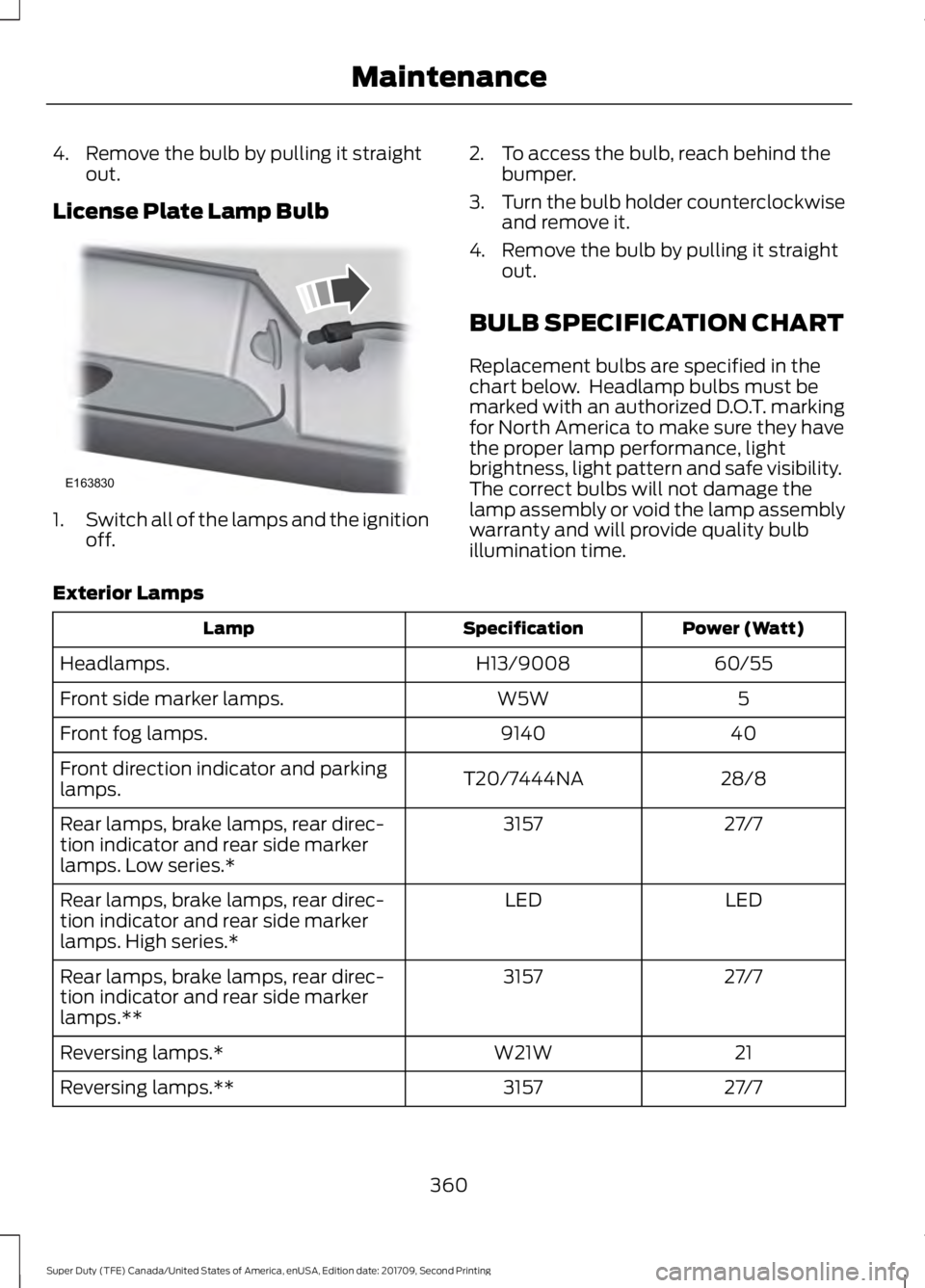
4. Remove the bulb by pulling it straight
out.
License Plate Lamp Bulb 1.
Switch all of the lamps and the ignition
off. 2. To access the bulb, reach behind the
bumper.
3. Turn the bulb holder counterclockwise
and remove it.
4. Remove the bulb by pulling it straight out.
BULB SPECIFICATION CHART
Replacement bulbs are specified in the
chart below. Headlamp bulbs must be
marked with an authorized D.O.T. marking
for North America to make sure they have
the proper lamp performance, light
brightness, light pattern and safe visibility.
The correct bulbs will not damage the
lamp assembly or void the lamp assembly
warranty and will provide quality bulb
illumination time.
Exterior Lamps Power (Watt)
Specification
Lamp
60/55
H13/9008
Headlamps.
5
W5W
Front side marker lamps.
40
9140
Front fog lamps.
28/8
T20/7444NA
Front direction indicator and parking
lamps.
27/7
3157
Rear lamps, brake lamps, rear direc-
tion indicator and rear side marker
lamps. Low series.*
LED
LED
Rear lamps, brake lamps, rear direc-
tion indicator and rear side marker
lamps. High series.*
27/7
3157
Rear lamps, brake lamps, rear direc-
tion indicator and rear side marker
lamps.**
21
W21W
Reversing lamps.*
27/7
3157
Reversing lamps.**
360
Super Duty (TFE) Canada/United States of America, enUSA, Edition date: 201709, Second Printing MaintenanceE163830
Page 531 of 660
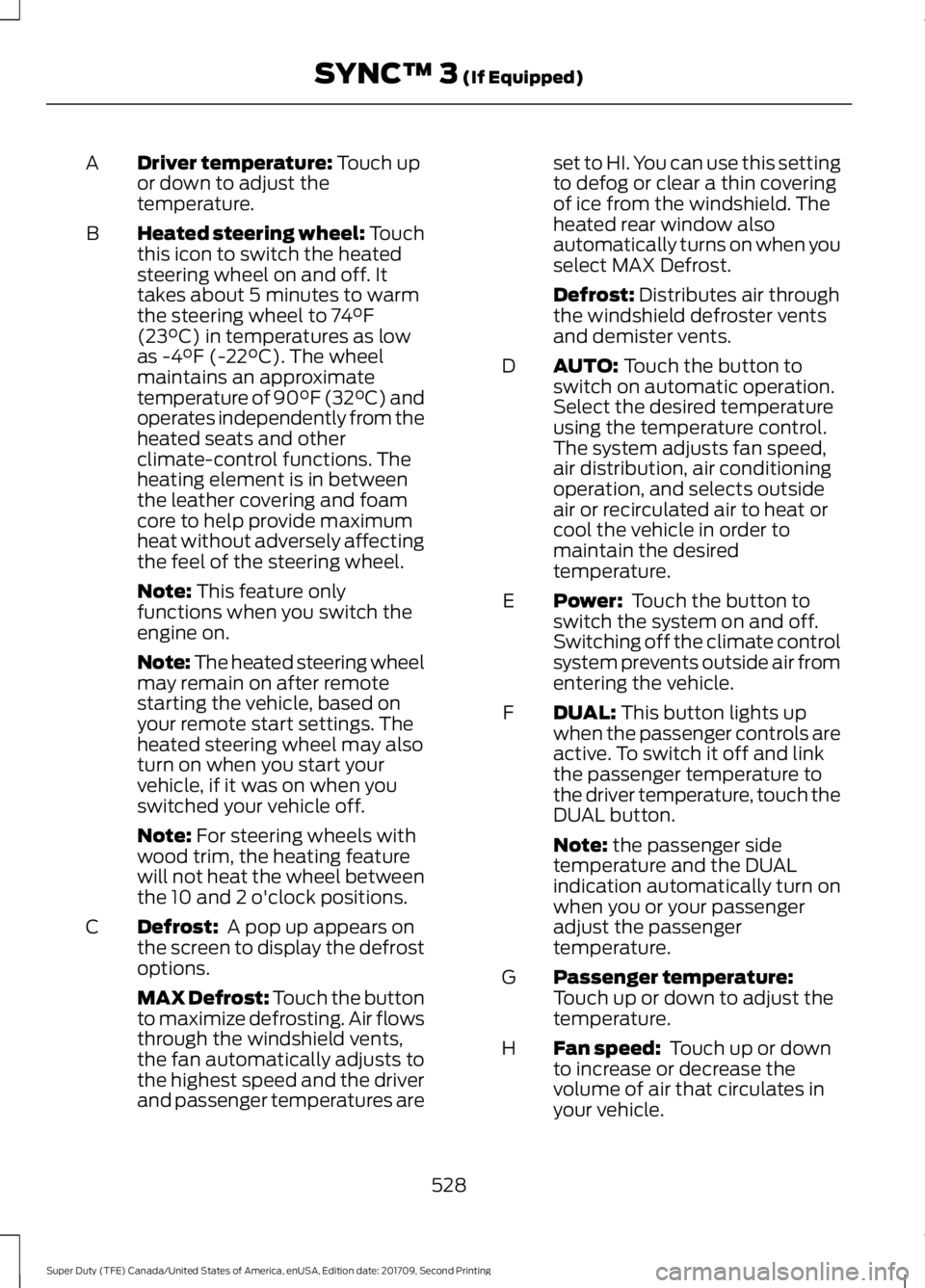
Driver temperature: Touch up
or down to adjust the
temperature.
A
Heated steering wheel: Touch
this icon to switch the heated
steering wheel on and off. It
takes about 5 minutes to warm
the steering wheel to 74°F
(23°C) in temperatures as low
B
as -4°F (-22°C). The wheel
maintains an approximate
temperature of 90°F (32°C) and
operates independently from the
heated seats and other
climate-control functions. The
heating element is in between
the leather covering and foam
core to help provide maximum
heat without adversely affecting
the feel of the steering wheel.
Note:
This feature only
functions when you switch the
engine on.
Note: The heated steering wheel
may remain on after remote
starting the vehicle, based on
your remote start settings. The
heated steering wheel may also
turn on when you start your
vehicle, if it was on when you
switched your vehicle off.
Note:
For steering wheels with
wood trim, the heating feature
will not heat the wheel between
the 10 and 2 o'clock positions.
Defrost:
A pop up appears on
the screen to display the defrost
options.
C
MAX Defrost: Touch the button
to maximize defrosting. Air flows
through the windshield vents,
the fan automatically adjusts to
the highest speed and the driver
and passenger temperatures are set to HI. You can use this setting
to defog or clear a thin covering
of ice from the windshield. The
heated rear window also
automatically turns on when you
select MAX Defrost.
Defrost:
Distributes air through
the windshield defroster vents
and demister vents.
AUTO:
Touch the button to
switch on automatic operation.
Select the desired temperature
using the temperature control.
The system adjusts fan speed,
air distribution, air conditioning
operation, and selects outside
air or recirculated air to heat or
cool the vehicle in order to
maintain the desired
temperature.
D
Power:
Touch the button to
switch the system on and off.
Switching off the climate control
system prevents outside air from
entering the vehicle.
E
DUAL:
This button lights up
when the passenger controls are
active. To switch it off and link
the passenger temperature to
the driver temperature, touch the
DUAL button.
F
Note:
the passenger side
temperature and the DUAL
indication automatically turn on
when you or your passenger
adjust the passenger
temperature.
Passenger temperature:
Touch up or down to adjust the
temperature.
G
Fan speed:
Touch up or down
to increase or decrease the
volume of air that circulates in
your vehicle.
H
528
Super Duty (TFE) Canada/United States of America, enUSA, Edition date: 201709, Second Printing SYNC™ 3
(If Equipped)
Page 654 of 660
Power Steering....................................................
142
Remote Start........................................................ 142
Seats........................................................................\
142
Starting System .................................................. 143
Tire Pressure Monitoring System.................. 143
Trailer....................................................................... 143
Installing Child Restraints...........................20 Child Seats.............................................................. 20
Combining Seatbelt and LATCH Lower Anchors for Attaching Child Safety
Seats.................................................................... 29
Front Seat Tether Strap Attachment (Regular Cab)................................................... 30
Rear Seat Tether Strap Attachment (Crew Cab and Super Cab)........................................ 31
Use of Inboard Lower Anchors from the Outboard Seating Positions (Center
Seating Use) .................................................... 28
Using Inflatable Seatbelts (Rear Seat Outboard Positions)...................................... 25
Using Lap and Shoulder Belts (Except Front Center Position of Super Cab and Crew
Cab)....................................................................... 21
Using Lap and Shoulder Belts (Front Center Position of Super Cab and Crew
Cab)...................................................................... 23
Using Lower Anchors and Tethers for CHildren (LATCH)............................................ 27
Using Tether Straps............................................. 29
Instrument Cluster.......................................105
Instrument Lighting Dimmer.....................90 Vehicles With Front Fog Lamps...................... 91
Vehicles Without Front Fog Lamps................91
Instrument Panel Overview.........................17
Interior Lamps.................................................94
Front Interior Lamps........................................... 94
Rear Interior Lamps............................................ 96
Interior Mirror
...................................................101
Automatic Dimming Mirror............................. 102
Manual Dimming Mirror.................................... 101
Introduction.........................................................7
J
Jump Starting the Vehicle........................305 Connecting the Jumper Cables.................... 305
Jump Starting..................................................... 306
Preparing Your Vehicle.................................... 305Removing the Jumper Cables......................
306
K
Keyless Entry
....................................................70
SECURICODE™ KEYLESS ENTRY
KEYPAD............................................................... 70
Keyless Starting.............................................176 Ignition Modes...................................................... 176
Keys and Remote Controls.........................56
L
Lane Keeping System
................................250
Switching the System On and Off..............250
System Display.................................................... 251
System Settings................................................. 250
Troubleshooting.................................................. 251
Lighting Control
..............................................89
Headlamp Flasher............................................... 90
Headlamp High Beam....................................... 89
Lighting..............................................................89 General Information........................................... 89
Limited Slip Differential
.............................223
Load Carrying................................................264
Load Limit
......................................................264
Special Loading Instructions for Owners of
Pick-up Trucks and Utility-type
Vehicles............................................................ 268
Vehicle Loading - with and without a Trailer................................................................ 264
Locking and Unlocking.................................67 Activating Intelligent Access............................ 67
Autolock.................................................................. 69
Battery Saver......................................................... 70
Illuminated Entry.................................................. 69
Power Door Locks................................................. 67
Remote Control..................................................... 67
Smart Unlock........................................................ 68
Smart Unlocks for Intelligent Access Keys...................................................................... 68
Lug Nuts See: Changing a Road Wheel....................... 408
M
Maintenance.................................................328 General Information......................................... 328
651
Super Duty (TFE) Canada/United States of America, enUSA, Edition date: 201709, Second Printing Index