climate settings FORD F-250 2022 User Guide
[x] Cancel search | Manufacturer: FORD, Model Year: 2022, Model line: F-250, Model: FORD F-250 2022Pages: 740, PDF Size: 12.6 MB
Page 387 of 740
TOWING YOUR VEHICLE
PRECAUTIONS
Use the following guidelines when towing
your vehicle. Failure to follow this
instruction could result in vehicle damage
not covered by the vehicle warranty.
Note:
Make sure you properly secure your
vehicle to the tow vehicle.
Note: If you are unsure of the vehicle ’s
configuration, contact an authorized dealer.
RECREATIONALLY TOWING
YOUR VEHICLE - 4X4 WARNING: Do not disconnect the
battery when recreationally towing your
vehicle. This prevents the transfer case
from shifting properly and could cause
the vehicle to roll, even if the
transmission is in park (P). WARNING:
Placing the transfer
case in its neutral position could cause
your vehicle to freely roll. Make sure you
press and hold the brake pedal and the
vehicle is in a secure, safe position when
you place the transfer case in its neutral
position.
Follow these guidelines if you have a need
for recreational towing. An example of
recreational towing would be towing your
vehicle behind a motorhome. These
guidelines are to make sure that you do
not damage the transmission. You can only tow your vehicle with all
wheels on the ground by placing the
transfer case in its neutral position and
engaging the recreational tow feature.
Perform the following steps after
positioning your vehicle behind the tow
vehicle and properly securing them
together.
Note:
Put your climate control system in
recirculated air mode to prevent exhaust
fumes from entering your vehicle.
Note: Failure to put the transfer case in its
neutral position can damage vehicle
components.
Note: You can check the towing status at
any time by opening the driver door or
turning the ignition to the accessory or on
position. Neutral Tow Enabled Leave
Transmission in Neutral
appears in the
instrument cluster display to confirm you
can recreationally tow your vehicle.
Note: If your vehicle has an anti-theft
alarm, make sure you switch perimeter
sensing on when towing. See
Setting the
Alarm Security Level (page 107).
Switching
Neutral Tow On
1. Place your vehicle in accessory mode by pressing the push button ignition
switch once without pressing the brake
pedal or by turning the ignition key to
the on position.
2. Press and hold the brake pedal.
3. Rotate the four-wheel drive control to 2H
.
4. Shift into neutral (N).
5. Using the instrument cluster controls on the steering wheel, select Settings.
6. Select
Advanced Settings.
7. Select
Vehicle.
8. Select
Neutral Tow.
384
2022 Super Duty (TFE) Canada/United States of America, enUSA, Edition date: 202103, First-Printing Towing Your Vehicle
Page 413 of 740
To maintain correct operation of the
battery management system, if you add
any electrical devices to your vehicle, do
not connect the ground connection directly
to the negative battery terminal. A
connection at the negative battery terminal
can cause inaccurate measurements of
the battery condition and potential
incorrect system operation.
Note:
If you add electrical accessories or
components to your vehicle this may
adversely affect battery performance,
durability and the performance of other
electrical systems on your vehicle.
If you replace the battery make sure it
matches the electrical requirements of
your vehicle.
If you disconnect or replace the battery
and your vehicle has an automatic
transmission, it must relearn its adaptive
strategy. Because of this, the transmission
may shift firmly when first driven. This is
normal operation while the transmission
fully updates its operation to optimum
shift feel.
Remove and Reinstall the Battery
To disconnect or remove the battery, do
the following:
1. Apply the parking brake and switch the
ignition off.
2. Switch all electrical equipment off, for
example lights and radio.
3. Wait a minimum of two minutes before
disconnecting the battery.
Note: The engine management system has
a power hold function and remains powered
for a period of time after you switch the
ignition off. This is to allow diagnostic and
adaptive tables to be stored. Disconnecting
the battery without waiting can cause
damage not covered by the vehicle
Warranty. 4. Disconnect the negative battery cable
terminal.
5. Disconnect the positive battery cable terminal.
6. Remove the battery securing clamp.
7. Remove the battery.
8. To install, reverse the removal procedure.
Note: Before reconnecting the battery,
make sure the ignition remains switched off.
Note: Make sure the battery cable terminals
are fully tightened.
Note: After cleaning or replacing the
battery, make sure you reinstall the battery
cover or shield.
If you disconnect or replace the vehicle
battery, you must reset the following
features:
• Window bounce-back. See Window
Bounce-Back (page 126).
• Clock Settings.
• Pre-set radio stations.
• Steering Angle Sensor.
Note: To calibrate the steering angle
sensor, drive the vehicle above
30 mph
(50 km/h) for a minimum of 1.2 mi (2 km).
Make sure to drive straight ahead for a
minimum of 30 seconds. Several vehicle
functions are disabled and a warning light
could appear until the sensor is calibrated.
Battery Management System
The battery management system monitors
battery conditions and takes actions to
extend battery life. If excessive battery
drain is detected, the system temporarily
disables some of the following features:
• Heated rear window.
• Heated seats.
• Climate control.
• Heated steering wheel.
410
2022 Super Duty (TFE) Canada/United States of America, enUSA, Edition date: 202103, First-Printing Maintenance
Page 556 of 740
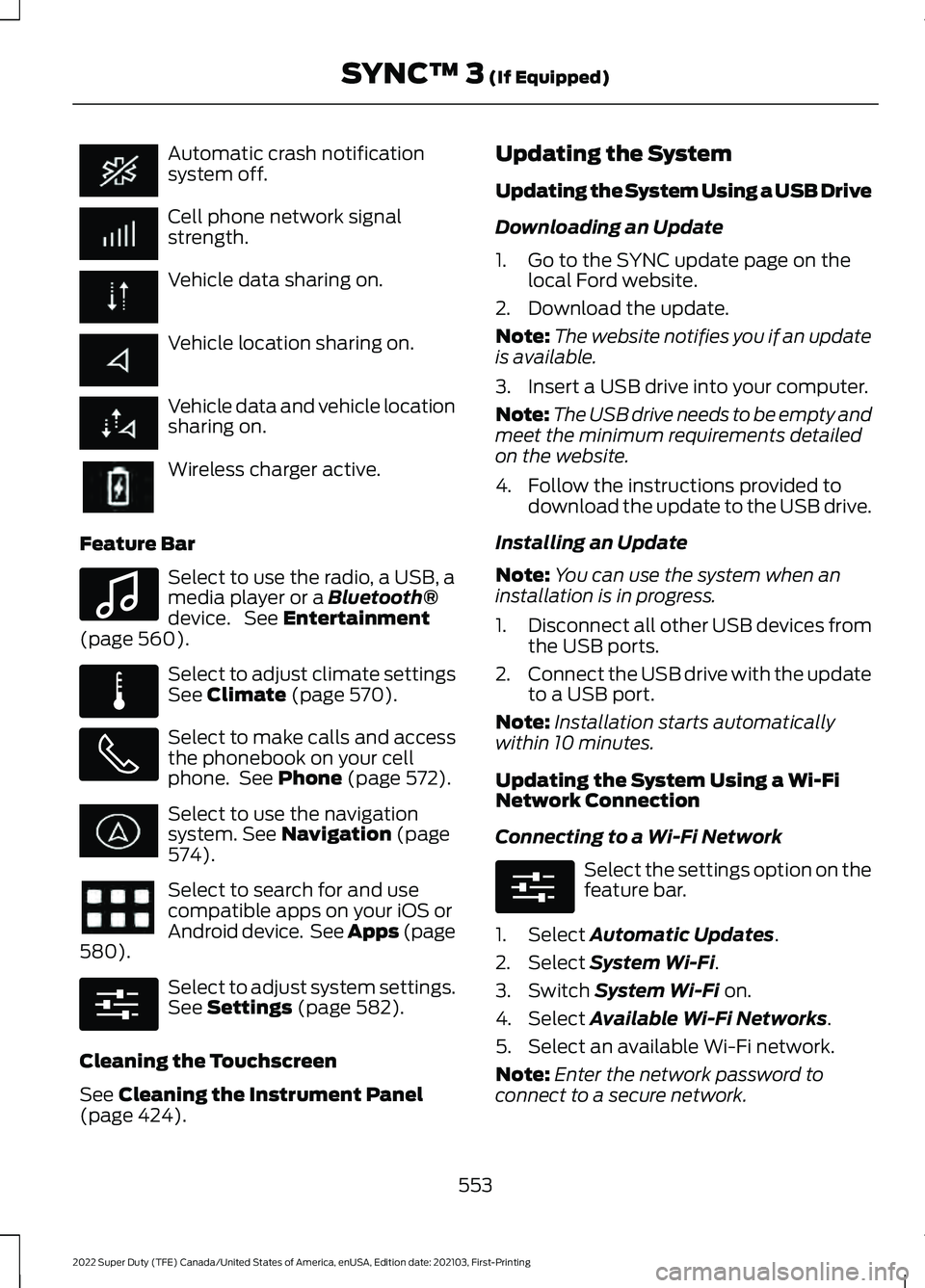
Automatic crash notification
system off.
Cell phone network signal
strength.
Vehicle data sharing on.
Vehicle location sharing on.
Vehicle data and vehicle location
sharing on.
Wireless charger active.
Feature Bar Select to use the radio, a USB, a
media player or a Bluetooth®
device. See Entertainment
(page 560). Select to adjust climate settings
See
Climate (page 570).
Select to make calls and access
the phonebook on your cell
phone. See
Phone (page 572).
Select to use the navigation
system.
See Navigation (page
574). Select to search for and use
compatible apps on your iOS or
Android device. See Apps (page
580
). Select to adjust system settings.
See
Settings (page 582).
Cleaning the Touchscreen
See
Cleaning the Instrument Panel
(page 424). Updating the System
Updating the System Using a USB Drive
Downloading an Update
1. Go to the SYNC update page on the
local Ford website.
2. Download the update.
Note: The website notifies you if an update
is available.
3. Insert a USB drive into your computer.
Note: The USB drive needs to be empty and
meet the minimum requirements detailed
on the website.
4. Follow the instructions provided to download the update to the USB drive.
Installing an Update
Note: You can use the system when an
installation is in progress.
1. Disconnect all other USB devices from
the USB ports.
2. Connect the USB drive with the update
to a USB port.
Note: Installation starts automatically
within 10 minutes.
Updating the System Using a Wi-Fi
Network Connection
Connecting to a Wi-Fi Network Select the settings option on the
feature bar.
1. Select
Automatic Updates.
2. Select
System Wi-Fi.
3. Switch
System Wi-Fi on.
4. Select
Available Wi-Fi Networks.
5. Select an available Wi-Fi network.
Note: Enter the network password to
connect to a secure network.
553
2022 Super Duty (TFE) Canada/United States of America, enUSA, Edition date: 202103, First-Printing SYNC™ 3
(If Equipped) E100027 E283811 E280315 E280315
Page 573 of 740
Supported USB file systems include: FAT,
exFAT, and NTFS.
SYNC 3 is also able to organize the media
from your USB device by metadata tags.
Metadata tags, which are descriptive
software identifiers embedded in the
media files, provide information about the
file.
If your indexed media files contain no
information embedded in these metadata
tags, SYNC 3 may classify the empty
metadata tags as unknown.
SYNC 3 is capable of indexing up to
50,000 songs per USB device, for up to 10
devices.
CLIMATE
Touch the climate button on the
touchscreen to access your climate control
features.
Note:
You can switch temperature units
between Fahrenheit and Celsius. See
Settings (page 582).
Accessing the Climate Control
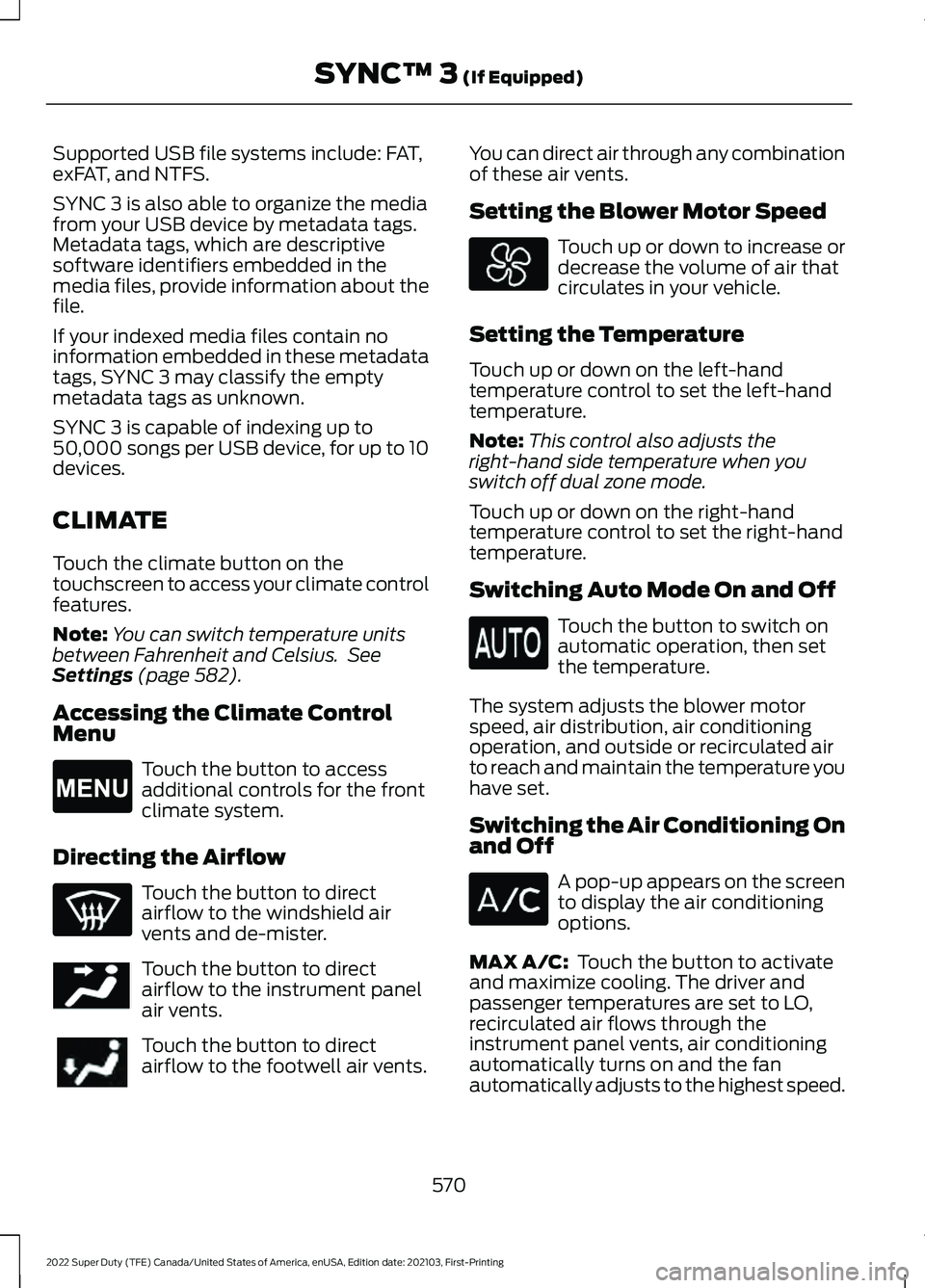
Menu Touch the button to access
additional controls for the front
climate system.
Directing the Airflow Touch the button to direct
airflow to the windshield air
vents and de-mister.
Touch the button to direct
airflow to the instrument panel
air vents.
Touch the button to direct
airflow to the footwell air vents. You can direct air through any combination
of these air vents.
Setting the Blower Motor Speed Touch up or down to increase or
decrease the volume of air that
circulates in your vehicle.
Setting the Temperature
Touch up or down on the left-hand
temperature control to set the left-hand
temperature.
Note: This control also adjusts the
right-hand side temperature when you
switch off dual zone mode.
Touch up or down on the right-hand
temperature control to set the right-hand
temperature.
Switching Auto Mode On and Off Touch the button to switch on
automatic operation, then set
the temperature.
The system adjusts the blower motor
speed, air distribution, air conditioning
operation, and outside or recirculated air
to reach and maintain the temperature you
have set.
Switching the Air Conditioning On
and Off A pop-up appears on the screen
to display the air conditioning
options.
MAX A/C:
Touch the button to activate
and maximize cooling. The driver and
passenger temperatures are set to LO,
recirculated air flows through the
instrument panel vents, air conditioning
automatically turns on and the fan
automatically adjusts to the highest speed.
570
2022 Super Duty (TFE) Canada/United States of America, enUSA, Edition date: 202103, First-Printing SYNC™ 3
(If Equipped)E265038 E244097
Page 574 of 740
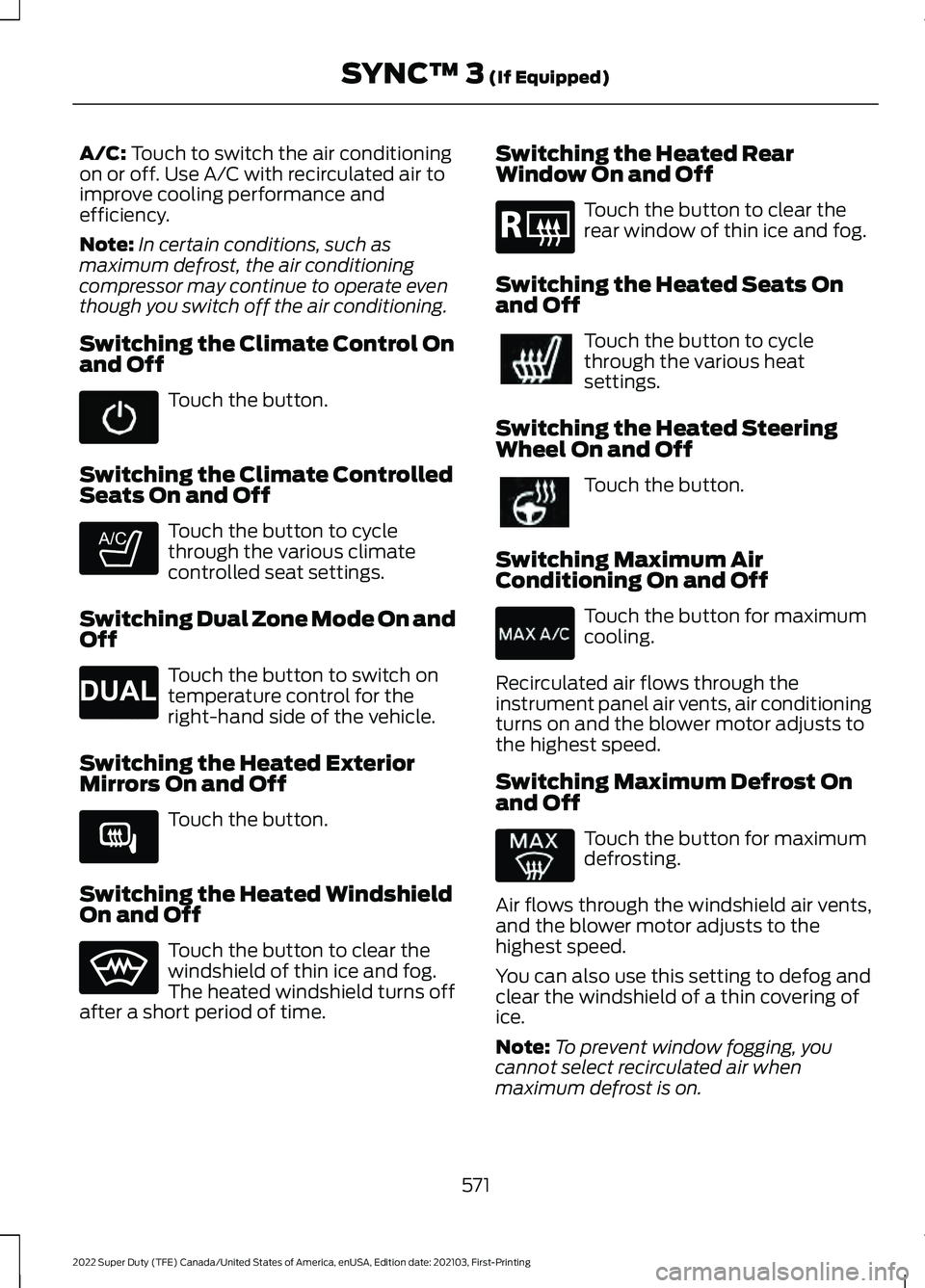
A/C: Touch to switch the air conditioning
on or off. Use A/C with recirculated air to
improve cooling performance and
efficiency.
Note: In certain conditions, such as
maximum defrost, the air conditioning
compressor may continue to operate even
though you switch off the air conditioning.
Switching the Climate Control On
and Off Touch the button.
Switching the Climate Controlled
Seats On and Off Touch the button to cycle
through the various climate
controlled seat settings.
Switching Dual Zone Mode On and
Off Touch the button to switch on
temperature control for the
right-hand side of the vehicle.
Switching the Heated Exterior
Mirrors On and Off Touch the button.
Switching the Heated Windshield
On and Off Touch the button to clear the
windshield of thin ice and fog.
The heated windshield turns off
after a short period of time. Switching the Heated Rear
Window On and Off Touch the button to clear the
rear window of thin ice and fog.
Switching the Heated Seats On
and Off Touch the button to cycle
through the various heat
settings.
Switching the Heated Steering
Wheel On and Off Touch the button.
Switching Maximum Air
Conditioning On and Off Touch the button for maximum
cooling.
Recirculated air flows through the
instrument panel air vents, air conditioning
turns on and the blower motor adjusts to
the highest speed.
Switching Maximum Defrost On
and Off Touch the button for maximum
defrosting.
Air flows through the windshield air vents,
and the blower motor adjusts to the
highest speed.
You can also use this setting to defog and
clear the windshield of a thin covering of
ice.
Note: To prevent window fogging, you
cannot select recirculated air when
maximum defrost is on.
571
2022 Super Duty (TFE) Canada/United States of America, enUSA, Edition date: 202103, First-Printing SYNC™ 3
(If Equipped) E265282 E265280 E266189 E184884
Page 575 of 740
Note:
The heated rear window also turns
on when you select maximum defrost.
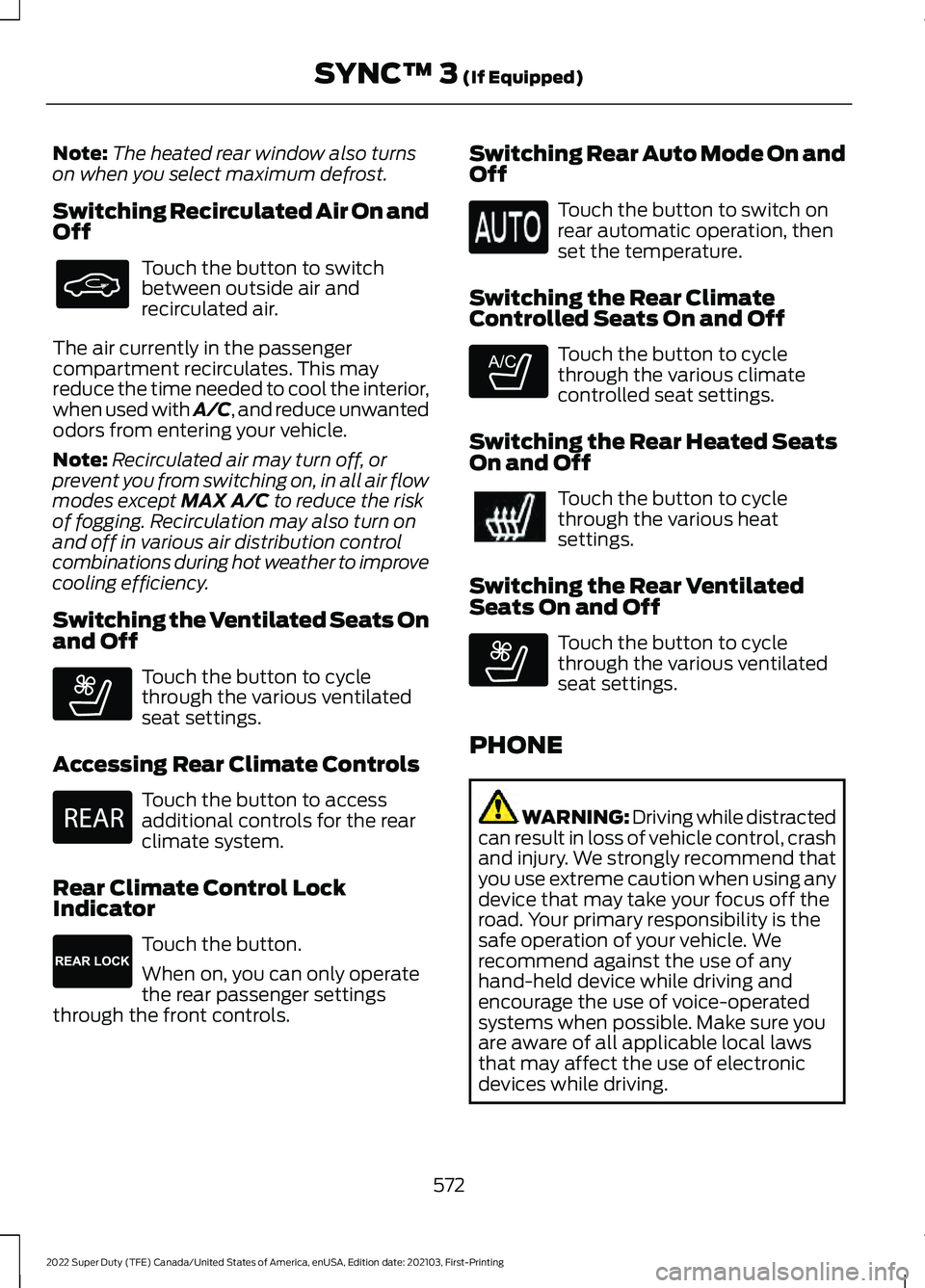
Switching Recirculated Air On and
Off Touch the button to switch
between outside air and
recirculated air.
The air currently in the passenger
compartment recirculates. This may
reduce the time needed to cool the interior,
when used with A/C, and reduce unwanted
odors from entering your vehicle.
Note: Recirculated air may turn off, or
prevent you from switching on, in all air flow
modes except MAX A/C to reduce the risk
of fogging. Recirculation may also turn on
and off in various air distribution control
combinations during hot weather to improve
cooling efficiency.
Switching the Ventilated Seats On
and Off Touch the button to cycle
through the various ventilated
seat settings.
Accessing Rear Climate Controls Touch the button to access
additional controls for the rear
climate system.
Rear Climate Control Lock
Indicator Touch the button.
When on, you can only operate
the rear passenger settings
through the front controls. Switching Rear Auto Mode On and
Off Touch the button to switch on
rear automatic operation, then
set the temperature.
Switching the Rear Climate
Controlled Seats On and Off Touch the button to cycle
through the various climate
controlled seat settings.
Switching the Rear Heated Seats
On and Off Touch the button to cycle
through the various heat
settings.
Switching the Rear Ventilated
Seats On and Off Touch the button to cycle
through the various ventilated
seat settings.
PHONE WARNING: Driving while distracted
can result in loss of vehicle control, crash
and injury. We strongly recommend that
you use extreme caution when using any
device that may take your focus off the
road. Your primary responsibility is the
safe operation of your vehicle. We
recommend against the use of any
hand-held device while driving and
encourage the use of voice-operated
systems when possible. Make sure you
are aware of all applicable local laws
that may affect the use of electronic
devices while driving.
572
2022 Super Duty (TFE) Canada/United States of America, enUSA, Edition date: 202103, First-Printing SYNC™ 3
(If Equipped) E268558 E270447 E265289 E265282 E268558
Page 720 of 740
3
360 Degree Camera...................................266
360 Degree Camera Settings....................... 268
360 Degree Camera Guide Lines...........267
360 Degree Camera Limitations...........266
360 Degree Camera Precautions.........266
360 Degree Camera Settings.................268 Switching the 360 Degree Camera On and
Off...................................................................... 268
Switching the 360 Degree Camera View................................................................... 268
4
4WD See: Four-Wheel Drive..................................... 228
9
911 Assist............................................................67
A
A/C See: Climate Control - Vehicles With:
Automatic Temperature Control.............149
See: Climate Control - Vehicles With: Manual Temperature Control.................................... 154
About This Publication.................................19
ABS See: Brakes.......................................................... 240
Accessing Apps...........................................608
Accessing Navigation
.................................610
Accessing the Passive Key Backup Position..........................................................197
Accessing the Trip Computer - Vehicles With: 2.3 Inch Screen...............................145
Accessing the Trip Computer - Vehicles With: 4.2 Inch Screen
...............................145
Accessing the Trip Computer - Vehicles With: 8 Inch Screen
...................................145
Accessories.....................................................615
Adaptive Cruise Control.............................272 Adaptive Cruise Control –
Troubleshooting............................................ 279
Adaptive Cruise Control Automatic Cancellation................................................275 Adaptive Cruise Control Indicators........277
Adaptive Cruise Control
Limitations...................................................273
Adaptive Cruise Control Precautions..................................................272
Adaptive Cruise Control – Troubleshooting........................................
279
Adaptive Cruise Control – Information
Messages......................................................... 279
Adjustable Pedals
.........................................114
Adjusting the Exterior Mirrors...................129
Adjusting the Headlamps...........................411
Adjusting the Instrument Panel Lighting Brightness.....................................................125
Adjusting the Integrated Trailer Brake Controller Mode
........................................335
Adjusting the Map........................................610
Changing the Format of the Map................610
Zooming the Map In and Out........................ 610
Adjusting the Pedals....................................114
Adjusting the Seatbelt Height
...................52
Adjusting the Seatbelt Length..................53
Adjusting the Seatbelts During Pregnancy......................................................52
Adjusting the Sound Settings.................526
Adjusting the Steering Wheel - Vehicles With: Manual Adjustable Steering
Column...........................................................112
Adjusting the Steering Wheel - Vehicles With: Power Adjustable Steering
Column............................................................111
Adjusting the Volume
.................................525
Airbag Precautions........................................59
Airbags................................................................57
Air Conditioning See: Climate Control - Vehicles With:
Automatic Temperature Control.............149
See: Climate Control - Vehicles With: Manual Temperature Control.................................... 154
Air Conditioning System Capacity and Specification - 6.2L.................................483
Air Conditioning System Capacity and Specification - 6.7L Diesel....................484
Air Conditioning System Capacity and Specification - 7.3L
..................................485
Alert Mode.....................................................288 Adjusting the Steering Wheel Vibration
Intensity........................................................... 289
717
2022 Super Duty (TFE) Canada/United States of America, enUSA, Edition date: 202103, First-Printing Index
Page 729 of 740
How Do the Front Airbags Work...............57
How Do the Side Airbags Work.................57
Hydraulic Power Steering Fluid Capacity and Specification.....................................496
Hydraulic Power Steering.........................256 Checking the Hydraulic Power Steering
Fluid.................................................................... 257
Hydraulic Power Steering Adaptive Steering............................................................ 258
Hydraulic Power Steering Guidelines.........256
Locating the Hydraulic Power Steering Fluid Reservoir........................................................... 257
I
Identifying Fuse Types
...............................395
Identifying the Audio Unit........................535
Identifying the Auxiliary Switch Wiring
.............................................................619
Identifying the Climate Control Unit.................................................................149
Ignition Switch
................................................191
Inflating the Tires..........................................441
Information On Demand Screen
...........599
Information on the Tire Sidewall..........430
Inspecting the Tire for Damage.............445
Inspecting the Tire for Wear
....................444
Inspecting the Wheel Valve Stems...........................................................446
Installing Child Restraints...........................39 Attaching the Front Seat Tether
Strap.................................................................... 44
Attaching the Rear Seat Tether Strap..........45
Combining the Seatbelt and Lower Anchors for Attaching Child Restraints.................... 44
Installing a Child Restraint in a Center Seat...................................................................... 43
Using Lower Anchors and Tethers for Children............................................................... 43
Using Seatbelts..................................................... 39
Using Tether Straps............................................. 44
Instrument Cluster Display
........................141
Personalized Settings....................................... 142
Instrument Cluster Display Main Menu - Vehicles With: 2.3 Inch Screen...............141
Instrument Cluster Display Main Menu - Vehicles With: 4.2 Inch Screen
..............141 Instrument Cluster Display Main Menu -
Vehicles With: 8 Inch Screen.................142
Instrument Cluster Indicators..................138
Instrument Cluster
.......................................133
Fuel Gauge............................................................ 136
Instrument Cluster Overview - Vehicles With: 2.3 Inch Screen................................133
Instrument Cluster Overview - Vehicles With: 4.2 Inch Screen
...............................134
Instrument Cluster Overview - Vehicles With: 8 Inch Screen...................................135
Instrument Cluster Warning Lamps.......137
Instrument Panel.............................................31
Integrated Trailer Brake Controller........334 Integrated Trailer Brake Controller –
Troubleshooting............................................ 336
Integrated Trailer Brake Controller Precautions.................................................334
Integrated Trailer Brake Controller – Troubleshooting........................................336
Integrated Trailer Brake Controller – Frequently Asked Questions..................... 337
Integrated Trailer Brake Controller – Information Messages................................ 336
Interior Air Quality.........................................157
Interior Bulbs
..................................................419
Interior Bulb Specification Chart.................. 419
Interior Lamp Function...............................124 Switching the Interior Lamp Function On
and Off............................................................... 124
What Is the Interior Lamp Function.............124
Interior Lighting..............................................124 Ambient Lighting................................................ 125
Interior Lamp Function..................................... 124
Interior Lighting – Troubleshooting..............125
Interior Lighting – Troubleshooting.......125 Interior Lighting – Frequently Asked
Questions.......................................................... 125
Interior Mirror..................................................128 Auto-Dimming Interior Mirror......................... 128
Interior Mirror Precautions........................128
Introduction .......................................................
19
J
Jump Starting the Vehicle
........................379
Jump Starting Precautions............................. 379
Jump Starting the Vehicle.............................. 380
726
2022 Super Duty (TFE) Canada/United States of America, enUSA, Edition date: 202103, First-Printing Index
Page 734 of 740
Remote Start Limitations.........................146
Remote Start Precautions........................146
Remote Start Remote Control Indicators.......................................................147
Remote Start
.................................................146
Remote Start Settings...................................... 147
Remote Start Settings................................147 Setting the Remote Start Duration.............148
Switching Climate Control Auto Mode On
and Off............................................................... 147
Switching Climate Control Last Settings On and Off........................................................ 147
Switching the Heated Seat Settings On and Off........................................................................\
147
Switching the Heated Steering Wheel Settings On and Off..................................... 148
Removing and Installing the Tailgate...........................................................94
Removing the Key Blade.............................70
Removing Your Vehicle From Storage.........................................................428
Repairing Minor Paint Damage..............426
Replacement Parts Recommendation....................................684
Replacing a Lost Key or Remote Control
.............................................................73
Replacing the Cabin Air Filter...................157
Replacing the Front Wiper Blades..........116
Reporting Safety Defects in Canada.........................................................642
Reporting Safety Defects in the United States............................................................642
Reprogramming the Garage Door Opener...........................................................179
Resetting the Individual Trip Values............................................................145
Resetting the Stopping Position - Vehicles With: Power Adjustable
Steering Column
.........................................112
Resetting the Trip Computer....................145
Resetting Tire Pressure Monitoring System.........................................................450
Resuming the Set Speed...........................271
Roadside Assistance
..................................378
Rollover Warning.........................................640
Route Guidance.............................................611
Adjusting the Guidance Prompt
Volume............................................................... 611Canceling Route Guidance..............................
611
Repeating an Instruction.................................. 611
Running-In See: Breaking-In................................................. 373
Running Out of Fuel...................................208 Adding Fuel From a Portable Fuel
Container......................................................... 208
Filling a Portable Fuel Container.................208
S
Satellite Radio
...............................................513
Locating the Satellite Radio Identification
Number............................................................ 529
Satellite Radio Limitations............................ 529
Satellite Radio Settings.................................. 530
Selecting a Channel......................................... 530
What Is Satellite Radio.................................... 529
Saving a Preset Position.............................174
Scheduled Maintenance...........................622
Seatbelt Extensions......................................56
Seatbelt Precautions
....................................49
Seatbelt Reminder.........................................53
How Does the Seatbelt Reminder
Work..................................................................... 53
Seatbelt Reminder Audible Warnings..........55
Seatbelt Reminder Indicators......................... 55
Switching the Seatbelt Reminder On and Off........................................................................\
. 55
Seatbelts...........................................................49 Automatic Locking Mode................................... 51
Seatbelt Reminder............................................... 53
Sensitive Locking Mode...................................... 51
Security............................................................106 Anti-Theft Alarm System................................ 106
Anti-Theft Alarm System Settings..............107
Passive Anti-Theft System............................. 106
Security – Troubleshooting............................ 108
Security – Troubleshooting......................108 Security – Frequently Asked
Questions......................................................... 109
Security – Information Messages................108
Selecting a Drive Mode...............................281
Selecting a Four-Wheel Drive Mode.............................................................230
Selecting the Audio Source.....................525
Selective Catalytic Reduction System Guidelines.....................................................218
731
2022 Super Duty (TFE) Canada/United States of America, enUSA, Edition date: 202103, First-Printing Index