page 88 FORD F-350 2020 Owners Manual
[x] Cancel search | Manufacturer: FORD, Model Year: 2020, Model line: F-350, Model: FORD F-350 2020Pages: 631, PDF Size: 9.62 MB
Page 10 of 631
ABOUT THIS MANUAL
Thank you for choosing Ford. We
recommend that you take some time to
get to know your vehicle by reading this
manual. The more that you know about
your vehicle, the greater the safety and
pleasure you will get from driving it.
WARNING: Driving while distracted
can result in loss of vehicle control, crash
and injury. We strongly recommend that
you use extreme caution when using any
device that may take your focus off the
road. Your primary responsibility is the
safe operation of your vehicle. We
recommend against the use of any
hand-held device while driving and
encourage the use of voice-operated
systems when possible. Make sure you
are aware of all applicable local laws
that may affect the use of electronic
devices while driving.
Note: This manual describes product
features and options available throughout
the range of available models, sometimes
even before they are generally available. It
may describe options that are not on your
vehicle. It is possible that either Ford Motor
Company or an authorized Ford dealer may
have originally sold an incomplete vehicle
to a vehicle modifier who upfitted it. As a
result, some of the options and features on
this vehicle may differ from what we
describe in this manual.
Note: Some of the illustrations in this
manual may show features as used in
different models, so they may appear
differently to you on your vehicle.
Note: Always use and operate your vehicle
in line with all applicable laws and
regulations. Note:
Pass on this manual when selling
your vehicle. It is an integral part of the
vehicle.
Note: Your vehicle ’s powertrain control
systems can detect and store information
about vehicle modifications that increase
horsepower and torque output such as
whether or not performance-enhancing
powertrain components commonly referred
to as performance chips have been used.
This information will stay in the system ’s
memory and cannot be erased even if the
modification is removed. Ford Motor
Company, Ford of Canada, Ford of Mexico
and service or repair facilities can retrieve
this information when servicing your vehicle.
Ford Motor Company may use this
information to determine if your warranty
covers any needed repairs.
Note: Some aftermarket products may
cause severe engine, transmission and
exhaust system damage. See your warranty
information for more details.
Your new diesel engine may feel, drive and
function somewhat differently than a
gasoline engine. Therefore, it is very
important that you read and thoroughly
familiarize yourself and others operating
the vehicle with this guide. There is a
special procedure for turning off the diesel
engine. See Starting a Diesel Engine
(page 171). It is important to read and
understand this material in order to
maintain the best service life for your
engine.
Ford may discontinue models or change
specifications without any notice and
without incurring obligations.
This manual may qualify the location of a
component as left-hand side or right-hand
side. The side is determined when facing
forward in the seat.
7
Super Duty (TFE), enUSA, Edition date: 201909, Third-Printing- Introduction
Page 15 of 631
Note:
Event data recorder data is recorded
by your vehicle only if a non-trivial crash
situation occurs; no data is recorded by the
event data recorder under normal driving
conditions and no personal data or
information (e.g., name, gender, age, and
crash location) is recorded. However, other
parties, such as law enforcement, could
combine the event data recorder data with
the type of personally identifying data
routinely acquired during a crash
investigation.
To read data recorded by an event data
recorder, special equipment is required,
and access to the vehicle or the event data
recorder is needed. In addition to the
vehicle manufacturer, other parties, such
as law enforcement, that have such special
equipment, can read the information if they
have access to the vehicle or the event
data recorder.
Comfort, Convenience and
Entertainment Data
Your vehicle has electronic control units
that have the ability to store data based
on your personalized settings. The data is
stored locally in the vehicle or on devices
that you connect to it, for example, a USB
drive or digital music player. You can delete
some of this data and also choose whether
to share it through the services to which
you subscribe. See Settings (page 531).
Comfort and Convenience Data
Data recorded includes, for example:
• Seat and steering wheel position.
• Climate control settings.
• Radio presets. Entertainment Data
Data recorded includes, for example:
•
Music, videos or album art.
• Contacts and corresponding address
book entries.
• Navigation destinations.
Services That We Provide
If you use our services, we collect and use
data, for example, account information,
vehicle location and driving characteristics,
that could identify you. We transmit this
data through a dedicated, protected
connection. We only collect and use data
to enable your use of our services to which
you have subscribed, with your consent or
where permitted by law. For additional
information, see the terms and conditions
of the services to which you have
subscribed.
Services That Third Parties
Provide
We recommend that you review the terms
and conditions and data privacy
information for any services to which you
subscribe. We take no responsibility for
services that third parties provide.
Vehicles With a Modem
(If Equipped) The modem has a SIM. The
modem was enabled when your
vehicle was built and periodically
sends messages to stay connected to the
cell phone network, receive automatic
software updates and send vehicle-related
information to us, for example, diagnostic
information. These messages could
include information that identifies your
vehicle, the SIM and the electronic serial
number of the modem. Cell phone network
12
Super Duty (TFE), enUSA, Edition date: 201909, Third-Printing- Introduction
Page 16 of 631
service providers could have access to
additional information, for example, cell
phone network tower identification. For
additional information about our privacy
policy, visit www
.For dC onne c t e d . c om or
refer to your local Ford website.
Note: The modem continues to send this
information unless you disable the modem
or stop the modem from sharing vehicle
data by changing the modem settings. See
Network Connectivity
(page 470).
Note: The service can be unavailable or
interrupted for a number of reasons, for
example, environmental or topographical
conditions and data plan coverage.
Note: To find out if your vehicle has a
modem, visit
www .For dC onne c t e d . c om .
Vehicles With SYNC
Mobile Device Data
If you connect a mobile device to your
vehicle, you can display data from your
device on the touchscreen for example,
music and album art. You can share your
vehicle data with mobile apps on your
device through the system. See
Apps
(page 528).
The mobile apps function operates by your
connected device sending data to us in the
United States. The data is encrypted and
includes the vehicle identification number
of your vehicle, the SYNC module serial
number, odometer, enabled apps, usage
statistics and debugging information. We
retain it only as long as necessary to
provide the service, to troubleshoot, for
continuous improvement and to offer you
products and services that may be of
interest to you according to your
preferences and where allowed by law. If you connect a cell phone to the system,
the system creates a profile that links to
that cell phone. The cell phone profile
enables more mobile features and efficient
operation. The profile contains, for
example, data from your phonebook, read
and unread text messages and call history,
including history of calls when your cell
phone was not connected to the system.
If you connect a media device, the system
creates and retains a media device index
of supported media content. The system
also records a short diagnostic log of
approximately 10 minutes of all recent
system activity.
The cell phone profile, media device index
and diagnostic log remain in your vehicle
unless you delete them and are generally
accessible only in your vehicle when you
connect your cell phone or media device.
If you no longer plan to use the system or
your vehicle, we recommend you use the
master reset function to erase the stored
information. See
Settings (page 531).
System data cannot be accessed without
special equipment and access to your
vehicle's module.
For additional information about our
privacy policy, refer to your local Ford
website.
Note: To find out if your vehicle has a
connectivity technology, visit
www .For dC onne c t e d . c om .
Vehicles With an Emergency Call
System
When the emergency call system is active,
it may disclose to emergency services that
your vehicle has been in a crash involving
the deployment of an airbag or activation
of the fuel pump shut-off. Certain versions
or updates to the emergency call system
may also be capable of electronically or
verbally disclosing to emergency services
operators your vehicle location or other
13
Super Duty (TFE), enUSA, Edition date: 201909, Third-Printing- Introduction
Page 18 of 631
The Ford Warranty may not cover damage
caused to your vehicle as a result of failed
non-Ford parts.
For additional information, refer to the
terms and conditions of the Ford Warranty.
SPECIAL NOTICES
New Vehicle Limited Warranty
For a detailed description of what is
covered by your New Vehicle Limited
Warranty, see your warranty guide that is
available online. For more information,
refer to our website and download your
copy of the warranty guide
Special Instructions
For your added safety, your vehicle has
sophisticated electronic controls.
WARNING: You risk death or
serious injury to yourself and others if you
do not follow the instruction highlighted
by the warning symbol. Failure to follow
the specific warnings and instructions
could result in personal injury. WARNING: Never
place front seat
mounted rear-facing child or infant seats
in front of an active passenger airbag.
On Board Diagnostics Data Link
Connector WARNING:
Do not connect
wireless plug-in devices to the data link
connector. Unauthorized third parties
could gain access to vehicle data and
impair the performance of safety related
systems. Only allow repair facilities that
follow our service and repair instructions
to connect their equipment to the data
link connector. Your vehicle has an OBD Data Link
Connector (DLC) that is used in
conjunction with a diagnostic scan tool for
vehicle diagnostics, repairs and
reprogramming services. Installing an
aftermarket device that uses the DLC
during normal driving for purposes such as
remote insurance company monitoring,
transmission of vehicle data to other
devices or entities, or altering the
performance of the vehicle, may cause
interference with or even damage to
vehicle systems. We do not recommend
or endorse the use of aftermarket plug-in
devices unless approved by Ford. The
vehicle Warranty will not cover damage
caused by an aftermarket plug-in device.
Using your Vehicle With a
Snowplow
More information and guidelines for using
your vehicle with a snowplow are in this
Owner's Manual.
See Snow Plowing
(page 311).
Using a Slide-In Camper
For information regarding the use of
slide-in campers, consult the Truck
Camper Loading document supplied with
your vehicle.
Using your Vehicle as an
Ambulance
If your light truck has the Ford Ambulance
Preparation Package, it may be utilized as
an ambulance. We urge ambulance
manufacturers to follow the
recommendations of the Ford Incomplete
Vehicle Manual, Ford Truck Body Builder ’s
Layout Book and the Qualified Vehicle
Modifiers (QVM) Guidelines as well as
15
Super Duty (TFE), enUSA, Edition date: 201909, Third-Printing- Introduction
Page 19 of 631
pertinent supplements. For additional
information, please contact the Truck Body
Builders Advisory Service at
http://www.fleet.ford.com/truckbbas/
and then by selecting Contact Us or by
phone at 1–877
–840–4338.
Use of your Ford light truck as an
ambulance, without the Ford Ambulance
Preparation Package voids the Ford New
Vehicle Limited Warranty and may void
the emissions warranties. In addition,
ambulance usage without the preparation
package could cause high underbody
temperatures, overpressurized fuel and a
risk of spraying fuel which could lead to
fires.
If your vehicle has the Ford Ambulance
Preparation Package, it will be indicated
on the Safety Compliance Certification
Label. The label is on the driver side door
pillar or on the rear edge of the driver door.
You can determine whether the
ambulance manufacturer followed Ford ’s
recommendations by directly contacting
that manufacturer. The Ford Ambulance
Preparation Package is only available on
certain diesel engine equipped vehicles.
Using your Vehicle as a Stationary
Power Source
Information and guidelines for operating a
vehicle with an aftermarket power take-off
system are in this Owner's Manual. See
Power Take-Off (page 205).
MOBILE COMMUNICATIONS
EQUIPMENT WARNING:
Driving while
distracted can result in loss of vehicle
control, crash and injury. We strongly
recommend that you use extreme
caution when using any device that may
take your focus off the road. Your primary responsibility is the safe
operation of your vehicle. We
recommend against the use of any
hand-held device while driving and
encourage the use of voice-operated
systems when possible. Make sure you
are aware of all applicable local laws
that may affect the use of electronic
devices while driving.
Using mobile communications equipment
is becoming increasingly important in the
conduct of business and personal affairs.
However, you must not compromise your
own or others’ safety when using such
equipment. Mobile communications can
enhance personal safety and security when
appropriately used, particularly in
emergency situations. Safety must be
paramount when using mobile
communications equipment to avoid
negating these benefits. Mobile
communication equipment includes, but
is not limited to, cellular phones, pagers,
portable email devices, text messaging
devices and portable two-way radios.
EXPORT UNIQUE OPTIONS
For your particular global region, your
vehicle may be equipped with features and
options that are different from the features
and options that are described in this
Owner ’s Manual. A market unique
supplement may be supplied that
complements this book. By referring to the
market unique supplement, if provided,
you can properly identify those features,
recommendations and specifications that
are unique to your vehicle. This Owner ’s
Manual is written primarily for the U.S. and
Canadian Markets. Features or equipment
listed as standard may be different on units
built for export. Refer to this Owner ’s
Manual for all other required
information and warnings.
16
Super Duty (TFE), enUSA, Edition date: 201909, Third-Printing- Introduction
Page 21 of 631
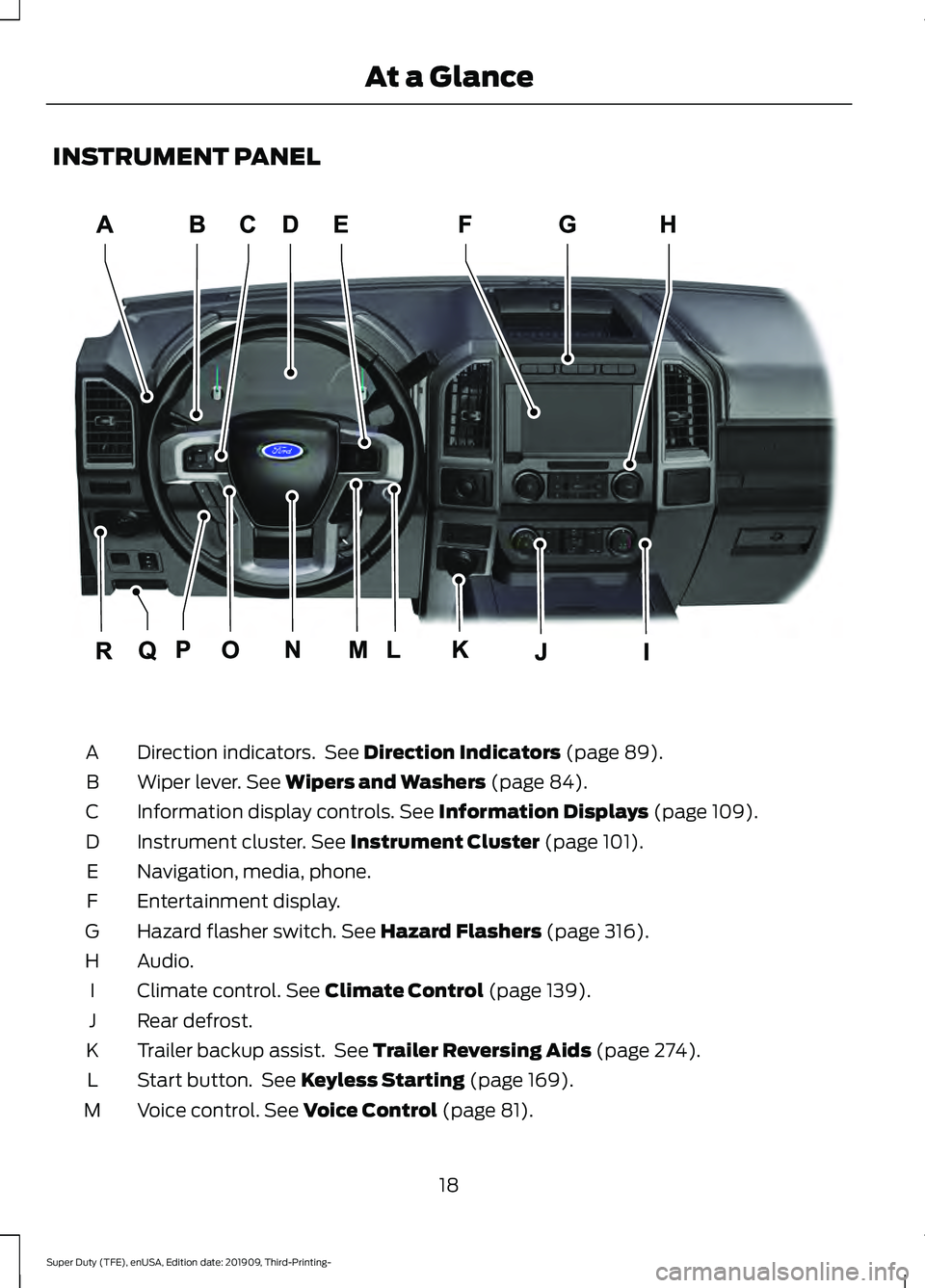
INSTRUMENT PANEL
Direction indicators. See Direction Indicators (page 89).
A
Wiper lever.
See Wipers and Washers (page 84).
B
Information display controls.
See Information Displays (page 109).
C
Instrument cluster.
See Instrument Cluster (page 101).
D
Navigation, media, phone.
E
Entertainment display.
F
Hazard flasher switch.
See Hazard Flashers (page 316).
G
Audio.
H
Climate control.
See Climate Control (page 139).
I
Rear defrost.
J
Trailer backup assist. See
Trailer Reversing Aids (page 274).
K
Start button. See
Keyless Starting (page 169).
L
Voice control.
See Voice Control (page 81).
M
18
Super Duty (TFE), enUSA, Edition date: 201909, Third-Printing- At a GlanceE299629
Page 22 of 631
Horn.
N
Cruise control. See Cruise Control (page 236).
O
Steering wheel adjustment. See
Adjusting the Steering Wheel (page 79).
P
Parking brake release. See
Brakes (page 217).
Q
Lighting control.
See Lighting Control (page 86).
R
19
Super Duty (TFE), enUSA, Edition date: 201909, Third-Printing- At a Glance
Page 38 of 631
Note:
The child restraint must rest tightly
against the vehicle seat upon which it is
installed. It may be necessary to lift or
remove the head restraint. See Seats (page
147).
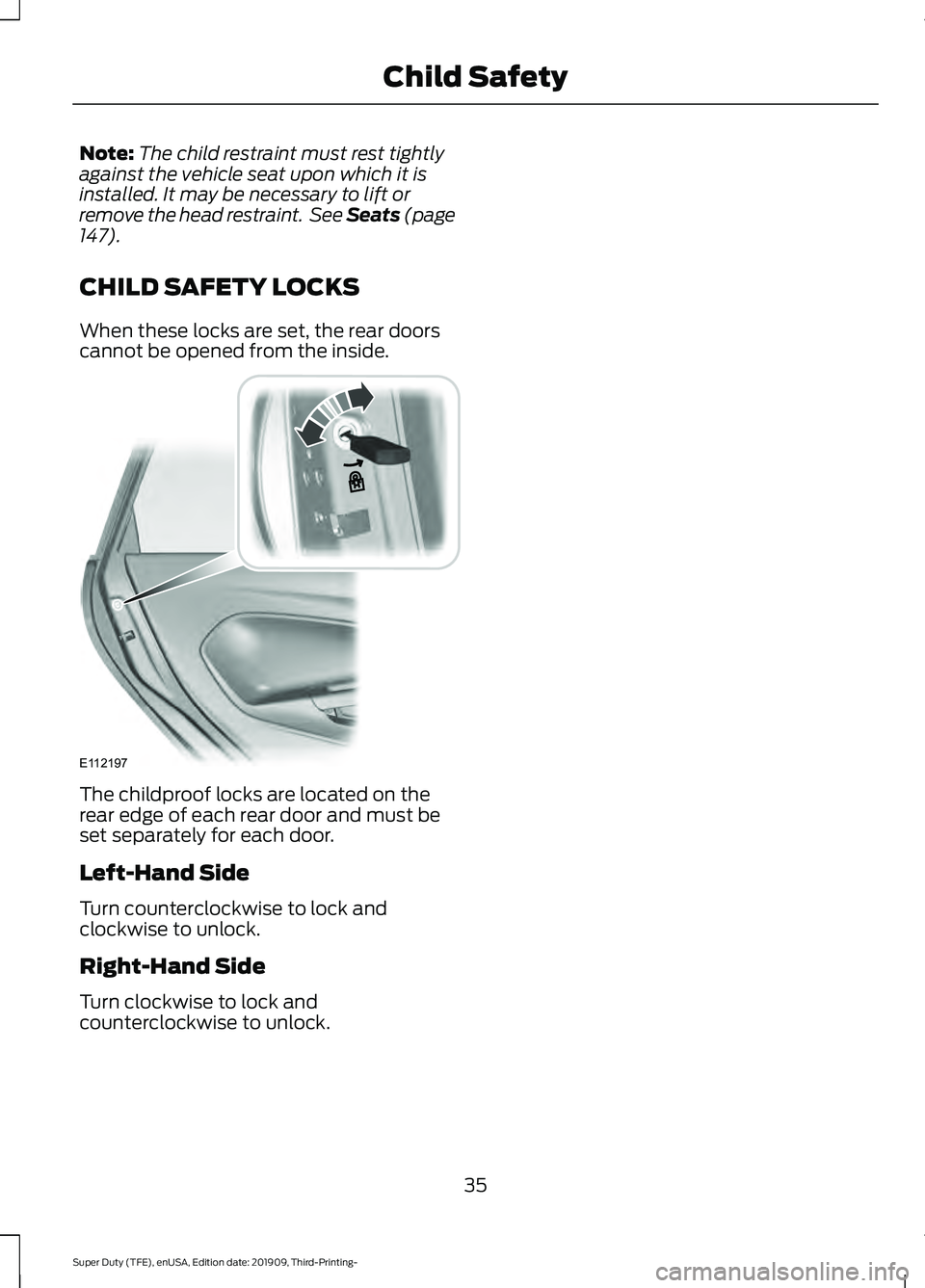
CHILD SAFETY LOCKS
When these locks are set, the rear doors
cannot be opened from the inside. The childproof locks are located on the
rear edge of each rear door and must be
set separately for each door.
Left-Hand Side
Turn counterclockwise to lock and
clockwise to unlock.
Right-Hand Side
Turn clockwise to lock and
counterclockwise to unlock.
35
Super Duty (TFE), enUSA, Edition date: 201909, Third-Printing- Child SafetyE112197
Page 44 of 631
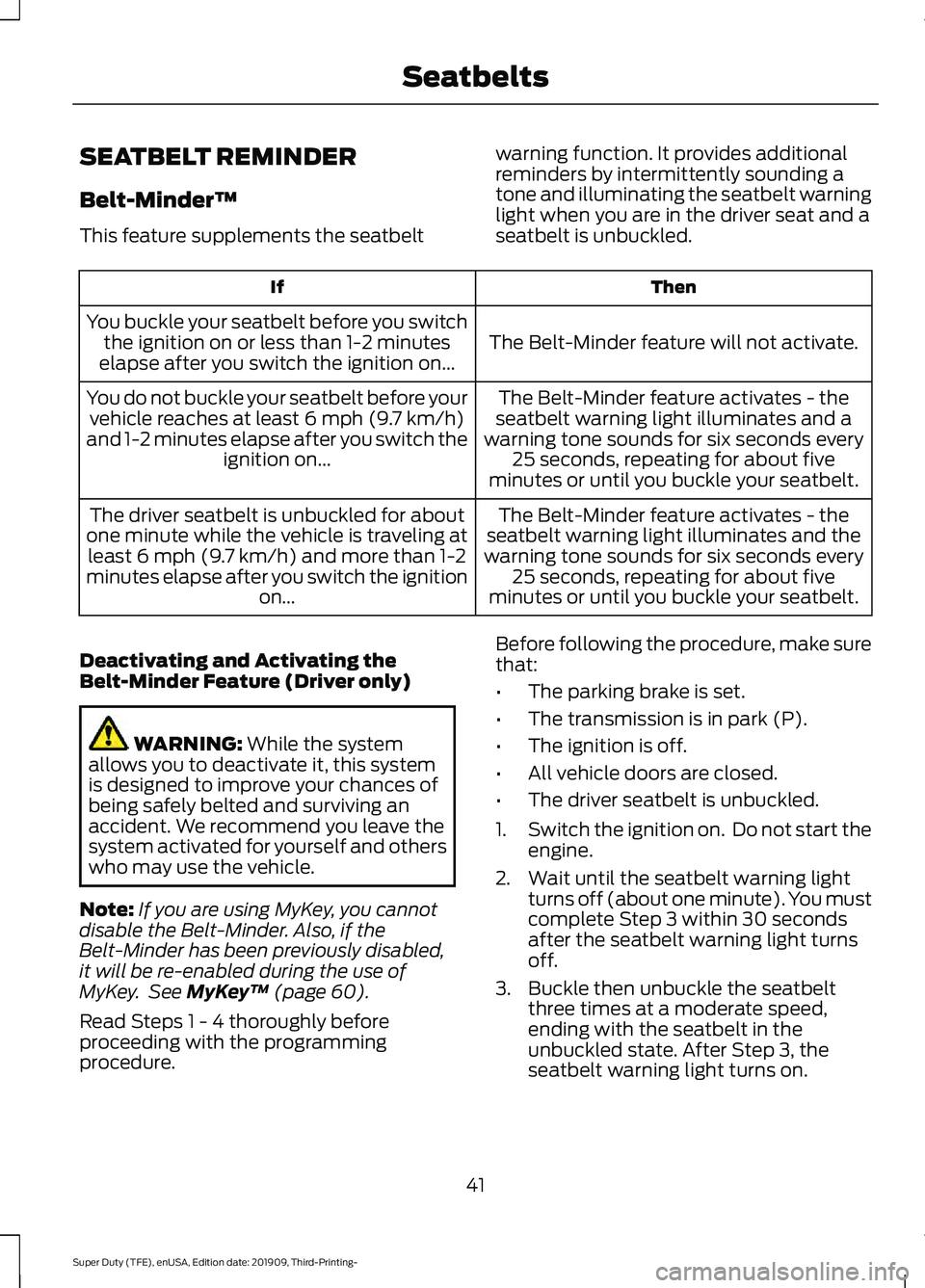
SEATBELT REMINDER
Belt-Minder™
This feature supplements the seatbelt
warning function. It provides additional
reminders by intermittently sounding a
tone and illuminating the seatbelt warning
light when you are in the driver seat and a
seatbelt is unbuckled. Then
If
The Belt-Minder feature will not activate.
You buckle your seatbelt before you switch
the ignition on or less than 1-2 minutes
elapse after you switch the ignition on...
The Belt-Minder feature activates - the
seatbelt warning light illuminates and a
warning tone sounds for six seconds every 25 seconds, repeating for about five
minutes or until you buckle your seatbelt.
You do not buckle your seatbelt before your
vehicle reaches at least 6 mph (9.7 km/h)
and 1-2 minutes elapse after you switch the ignition on...
The Belt-Minder feature activates - the
seatbelt warning light illuminates and the
warning tone sounds for six seconds every 25 seconds, repeating for about five
minutes or until you buckle your seatbelt.
The driver seatbelt is unbuckled for about
one minute while the vehicle is traveling at least
6 mph (9.7 km/h) and more than 1-2
minutes elapse after you switch the ignition on...
Deactivating and Activating the
Belt-Minder Feature (Driver only) WARNING:
While the system
allows you to deactivate it, this system
is designed to improve your chances of
being safely belted and surviving an
accident. We recommend you leave the
system activated for yourself and others
who may use the vehicle.
Note: If you are using MyKey, you cannot
disable the Belt-Minder. Also, if the
Belt-Minder has been previously disabled,
it will be re-enabled during the use of
MyKey. See
MyKey ™ (page 60).
Read Steps 1 - 4 thoroughly before
proceeding with the programming
procedure. Before following the procedure, make sure
that:
•
The parking brake is set.
• The transmission is in park (P).
• The ignition is off.
• All vehicle doors are closed.
• The driver seatbelt is unbuckled.
1. Switch the ignition on. Do not start the
engine.
2. Wait until the seatbelt warning light turns off (about one minute). You must
complete Step 3 within 30 seconds
after the seatbelt warning light turns
off.
3. Buckle then unbuckle the seatbelt three times at a moderate speed,
ending with the seatbelt in the
unbuckled state. After Step 3, the
seatbelt warning light turns on.
41
Super Duty (TFE), enUSA, Edition date: 201909, Third-Printing- Seatbelts
Page 45 of 631
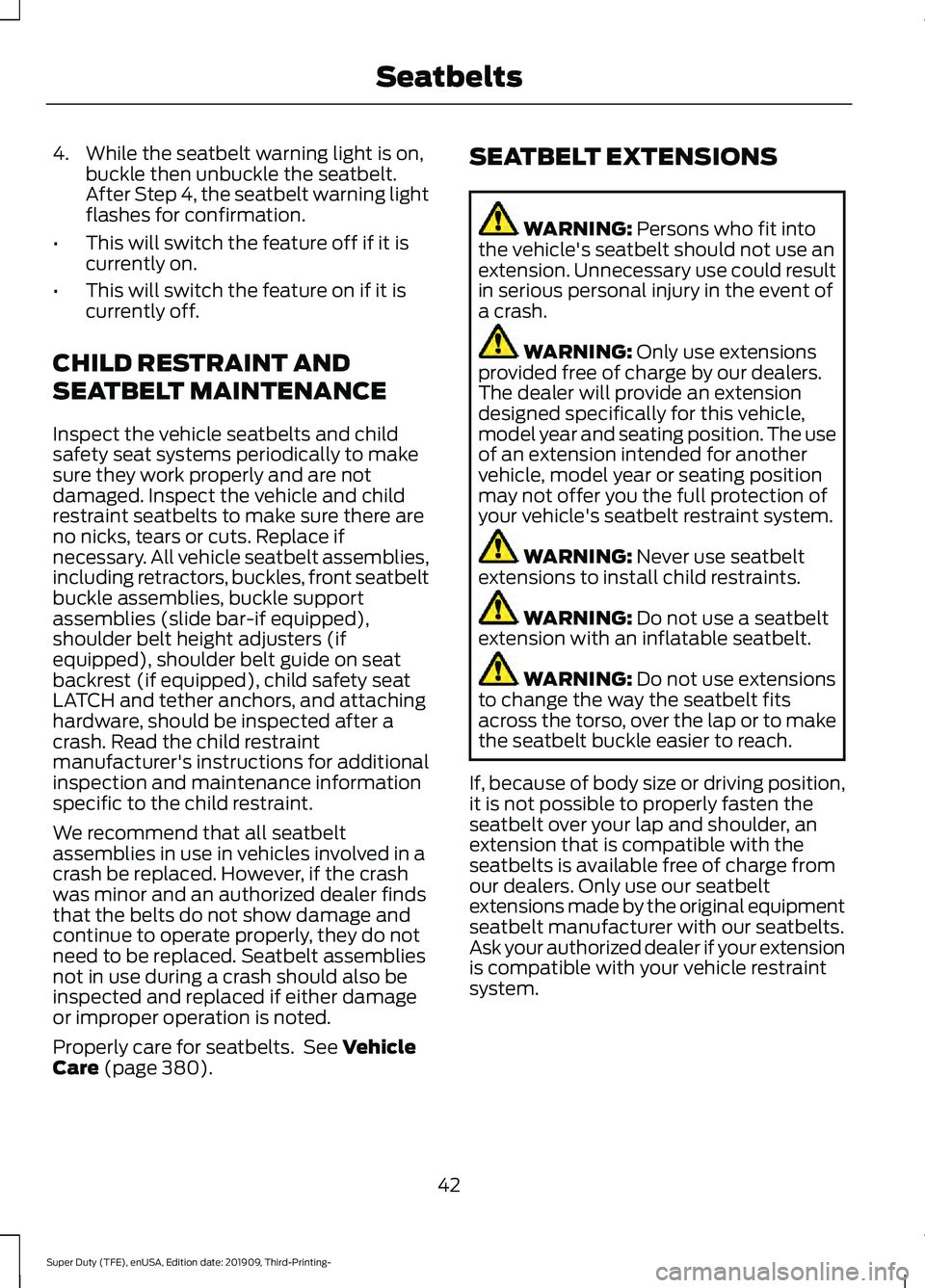
4. While the seatbelt warning light is on,
buckle then unbuckle the seatbelt.
After Step 4, the seatbelt warning light
flashes for confirmation.
• This will switch the feature off if it is
currently on.
• This will switch the feature on if it is
currently off.
CHILD RESTRAINT AND
SEATBELT MAINTENANCE
Inspect the vehicle seatbelts and child
safety seat systems periodically to make
sure they work properly and are not
damaged. Inspect the vehicle and child
restraint seatbelts to make sure there are
no nicks, tears or cuts. Replace if
necessary. All vehicle seatbelt assemblies,
including retractors, buckles, front seatbelt
buckle assemblies, buckle support
assemblies (slide bar-if equipped),
shoulder belt height adjusters (if
equipped), shoulder belt guide on seat
backrest (if equipped), child safety seat
LATCH and tether anchors, and attaching
hardware, should be inspected after a
crash. Read the child restraint
manufacturer's instructions for additional
inspection and maintenance information
specific to the child restraint.
We recommend that all seatbelt
assemblies in use in vehicles involved in a
crash be replaced. However, if the crash
was minor and an authorized dealer finds
that the belts do not show damage and
continue to operate properly, they do not
need to be replaced. Seatbelt assemblies
not in use during a crash should also be
inspected and replaced if either damage
or improper operation is noted.
Properly care for seatbelts. See Vehicle
Care (page 380). SEATBELT EXTENSIONS WARNING:
Persons who fit into
the vehicle's seatbelt should not use an
extension. Unnecessary use could result
in serious personal injury in the event of
a crash. WARNING:
Only use extensions
provided free of charge by our dealers.
The dealer will provide an extension
designed specifically for this vehicle,
model year and seating position. The use
of an extension intended for another
vehicle, model year or seating position
may not offer you the full protection of
your vehicle's seatbelt restraint system. WARNING:
Never use seatbelt
extensions to install child restraints. WARNING:
Do not use a seatbelt
extension with an inflatable seatbelt. WARNING:
Do not use extensions
to change the way the seatbelt fits
across the torso, over the lap or to make
the seatbelt buckle easier to reach.
If, because of body size or driving position,
it is not possible to properly fasten the
seatbelt over your lap and shoulder, an
extension that is compatible with the
seatbelts is available free of charge from
our dealers. Only use our seatbelt
extensions made by the original equipment
seatbelt manufacturer with our seatbelts.
Ask your authorized dealer if your extension
is compatible with your vehicle restraint
system.
42
Super Duty (TFE), enUSA, Edition date: 201909, Third-Printing- Seatbelts