steering wheel FORD F-450 2022 Owner's Manual
[x] Cancel search | Manufacturer: FORD, Model Year: 2022, Model line: F-450, Model: FORD F-450 2022Pages: 740, PDF Size: 12.6 MB
Page 122 of 740
How long may it take for the
acceptable condensation to be
cleared?
Clearing time may take as long as 48
hours under dry weather conditions.
How much condensation is
unacceptable? A water puddle inside the lamp.
Streaks, drip marks or large droplets
present on the interior of the lens.
What should I do if unacceptable
condensation is present? Have your vehicle checked as soon as
possible.
Why do my headlamps turn off when I
have them switched on when I switch
my vehicle off? The battery saver turns the headlamps
off after a short period of time after
you switch your vehicle off.
AUTOLAMPS
WHAT ARE AUTOLAMPS WARNING: The system does not
relieve you of your responsibility to drive
with due care and attention. You may
need to override the system if it does not
turn the headlamps on in low visibility
conditions, for example daytime fog.
Autolamps turn the headlamps on in low
light situations or when the windshield
wipers operate.
AUTOLAMP SETTINGS
1. Using the instrument cluster controls on the steering wheel, select Settings.
2. Select
Vehicle. 3. Select
Lighting.
4. Select
Autolamp Delay.
5. Select a setting and press the
OK
button.
EXTERIOR LAMPS
SWITCHING THE TURN SIGNAL
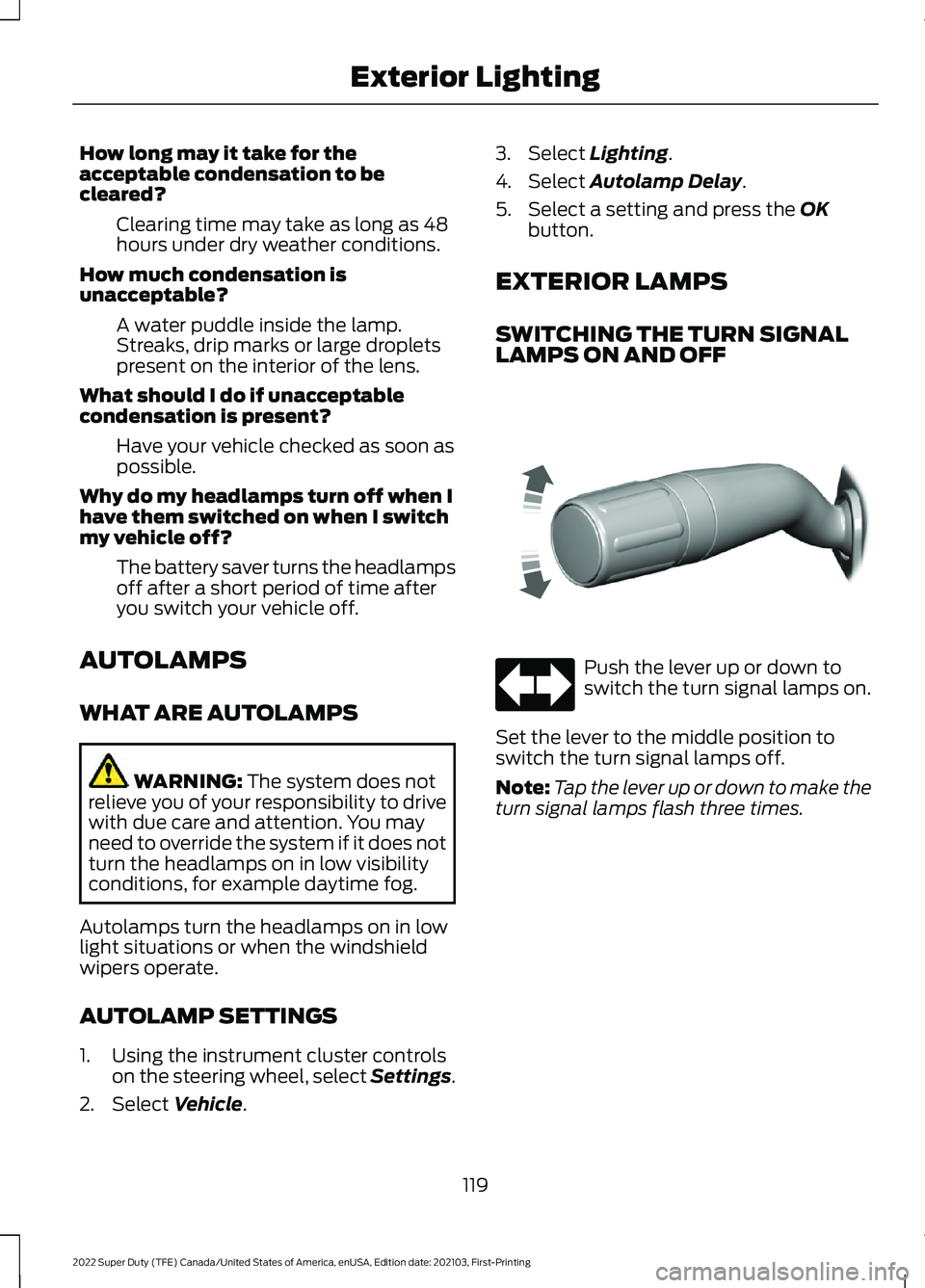
LAMPS ON AND OFF Push the lever up or down to
switch the turn signal lamps on.
Set the lever to the middle position to
switch the turn signal lamps off.
Note: Tap the lever up or down to make the
turn signal lamps flash three times.
119
2022 Super Duty (TFE) Canada/United States of America, enUSA, Edition date: 202103, First-Printing Exterior LightingE311431
Page 123 of 740
SWITCHING THE DAYTIME
RUNNING LAMPS ON AND OFF -
VEHICLES WITH: CONFIGURABLE
DAYTIME RUNNING LAMPS
WARNING: The daytime running
lamps system does not activate the rear
lamps and may not provide adequate
lighting during low visibility driving
conditions. Make sure you switch the
headlamps on, as appropriate, during all
low visibility conditions. Failure to do so
may result in a crash.
1. Using the instrument cluster controls on the steering wheel, select Settings.
2. Select
Vehicle.
3. Select
Lighting.
4. Switch
Daytime Running Lights on or
off.
The daytime running lamps turn on when
all of the following occur:
• You switch the system on.
• You switch your vehicle on.
• The transmission is not in park (P) for
vehicles with automatic transmissions
or you release the parking brake for
vehicles with manual transmissions.
• The lighting control is in the autolamps
position.
• The headlamps are off.
Note: Other lighting control positions do
not turn on the daytime running lamps. SWITCHING THE DAYTIME
RUNNING LAMPS ON AND OFF -
VEHICLES WITH: DAYTIME
RUNNING LAMPS (DRL) WARNING:
The daytime running
lamps system does not activate the rear
lamps and may not provide adequate
lighting during low visibility driving
conditions. Make sure you switch the
headlamps on, as appropriate, during all
low visibility conditions. Failure to do so
may result in a crash.
Daytime running lamps are always on
unless you switch on the headlamps or
your vehicle is in park (P).
SWITCHING THE FRONT FOG
LAMPS ON AND OFF
(If Equipped)
The front fog lamp button is on the lighting
control. Press the button to switch the
front fog lamps on or off.
Note: Only switch the front fog lamps on
during reduced visibility.
Note: The brightness of the daytime running
lamps may decrease when the front fog
lamps are switched on.
Note: When the lighting control is in the
autolamps position, you cannot switch the
fog lamps on unless the headlamps are on.
SWITCHING THE CARGO LAMPS
ON
(If Equipped) Press the button in the lighting
control or in the rear cargo box.
120
2022 Super Duty (TFE) Canada/United States of America, enUSA, Edition date: 202103, First-Printing Exterior Lighting E189587
Page 126 of 740
•
The camera has reduced visibility.
• The vehicle speed falls below
approximately 27 mph (44 km/h).
SWITCHING AUTOMATIC HIGH
BEAM CONTROL ON AND OFF
1. Using the instrument cluster controls on the steering wheel, select Settings.
2. Select
Vehicle.
3. Select
Lighting.
4. Switch
Auto High Beam on or off.
AUTOMATIC HIGH BEAM
CONTROL INDICATORS Illuminates to confirm when the
system is ready to assist.
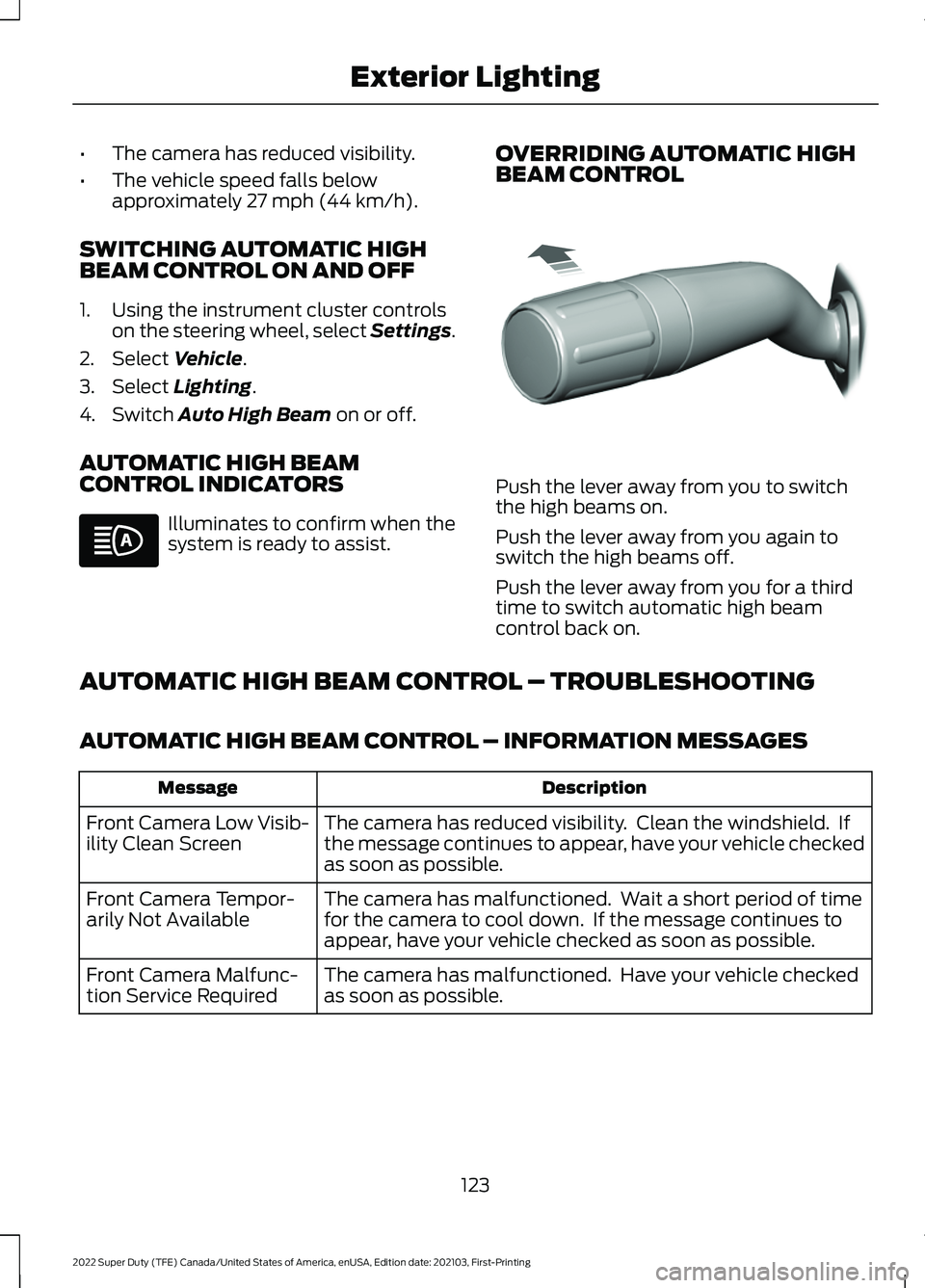
OVERRIDING AUTOMATIC HIGH
BEAM CONTROL Push the lever away from you to switch
the high beams on.
Push the lever away from you again to
switch the high beams off.
Push the lever away from you for a third
time to switch automatic high beam
control back on.
AUTOMATIC HIGH BEAM CONTROL – TROUBLESHOOTING
AUTOMATIC HIGH BEAM CONTROL – INFORMATION MESSAGES Description
Message
The camera has reduced visibility. Clean the windshield. If
the message continues to appear, have your vehicle checked
as soon as possible.
Front Camera Low Visib-
ility Clean Screen
The camera has malfunctioned. Wait a short period of time
for the camera to cool down. If the message continues to
appear, have your vehicle checked as soon as possible.
Front Camera Tempor-
arily Not Available
The camera has malfunctioned. Have your vehicle checked
as soon as possible.
Front Camera Malfunc-
tion Service Required
123
2022 Super Duty (TFE) Canada/United States of America, enUSA, Edition date: 202103, First-Printing Exterior Lighting E308790
Page 144 of 740
USING THE INSTRUMENT
CLUSTER DISPLAY CONTROLS
WARNING: Driving while distracted
can result in loss of vehicle control, crash
and injury. We strongly recommend that
you use extreme caution when using any
device that may take your focus off the
road. Your primary responsibility is the
safe operation of your vehicle. We
recommend against the use of any
hand-held device while driving and
encourage the use of voice-operated
systems when possible. Make sure you
are aware of all applicable local laws
that may affect the use of electronic
devices while driving.
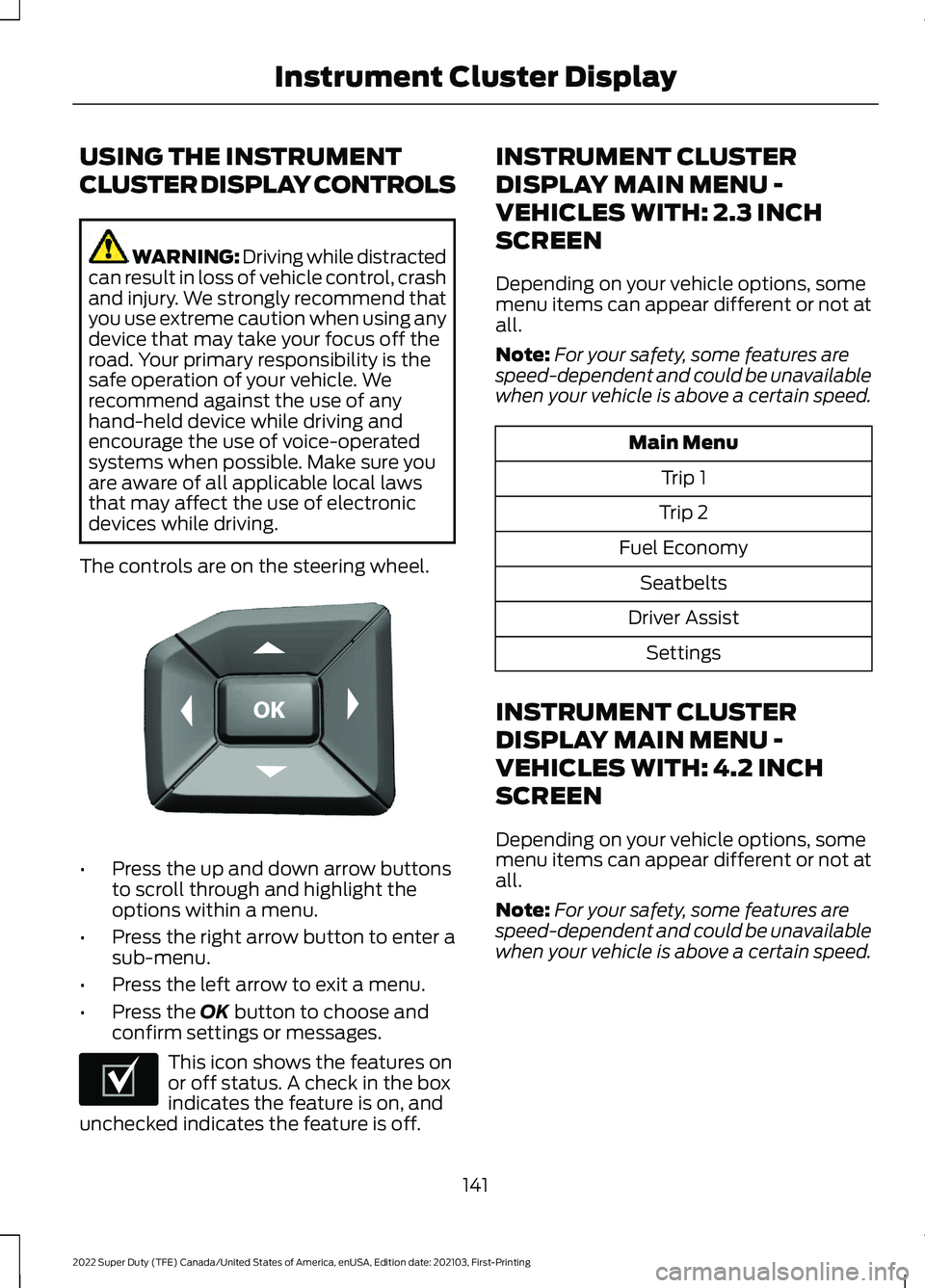
The controls are on the steering wheel. •
Press the up and down arrow buttons
to scroll through and highlight the
options within a menu.
• Press the right arrow button to enter a
sub-menu.
• Press the left arrow to exit a menu.
• Press the OK button to choose and
confirm settings or messages. This icon shows the features on
or off status. A check in the box
indicates the feature is on, and
unchecked indicates the feature is off. INSTRUMENT CLUSTER
DISPLAY MAIN MENU -
VEHICLES WITH: 2.3 INCH
SCREEN
Depending on your vehicle options, some
menu items can appear different or not at
all.
Note:
For your safety, some features are
speed-dependent and could be unavailable
when your vehicle is above a certain speed. Main Menu
Trip 1
Trip 2
Fuel Economy Seatbelts
Driver Assist Settings
INSTRUMENT CLUSTER
DISPLAY MAIN MENU -
VEHICLES WITH: 4.2 INCH
SCREEN
Depending on your vehicle options, some
menu items can appear different or not at
all.
Note: For your safety, some features are
speed-dependent and could be unavailable
when your vehicle is above a certain speed.
141
2022 Super Duty (TFE) Canada/United States of America, enUSA, Edition date: 202103, First-Printing Instrument Cluster DisplayE184451 E204495
Page 151 of 740
SWITCHING THE HEATED
STEERING WHEEL SETTINGS ON
AND OFF (If Equipped)
1. Press
Settings on the touchscreen.
2. Press
Vehicle Settings.
3. Press
Remote Start Setup.
4. Press
Seats and Steering Wheel.
5. Switch
Auto on or off.
Note: If you switch the heated steering
wheel settings on, the heated steering wheel
turns on during cold weather.
SETTING THE REMOTE START
DURATION
1. Press
Settings on the touchscreen.
2. Press
Vehicle Settings.
3. Press
Remote Start Setup.
4. Press
Duration.
Note: Wait a few seconds before remotely
starting the vehicle after the vehicle stops
running.
148
2022 Super Duty (TFE) Canada/United States of America, enUSA, Edition date: 202103, First-Printing Remote Start
(If Equipped)
Page 161 of 740
FRONT SEAT PRECAUTIONS
WARNING: Sitting improperly, out
of position or with the seatback reclined
too far can take weight off the seat
cushion and affect the decision of the
passenger sensing system, resulting in
serious injury or death in the event of a
crash. Always sit upright against your
seat back, with your feet on the floor. WARNING: Do not recline the seat
backrest too far as this can cause the
occupant to slide under the seatbelt,
resulting in personal injury in the event
of a crash. WARNING:
Do not place objects
higher than the top of the seat backrest.
Failure to follow this instruction could
result in personal injury or death in the
event of a sudden stop or crash. WARNING: Do not adjust the driver
seat or seat backrest when your vehicle
is moving. This may result in sudden seat
movement, causing the loss of control
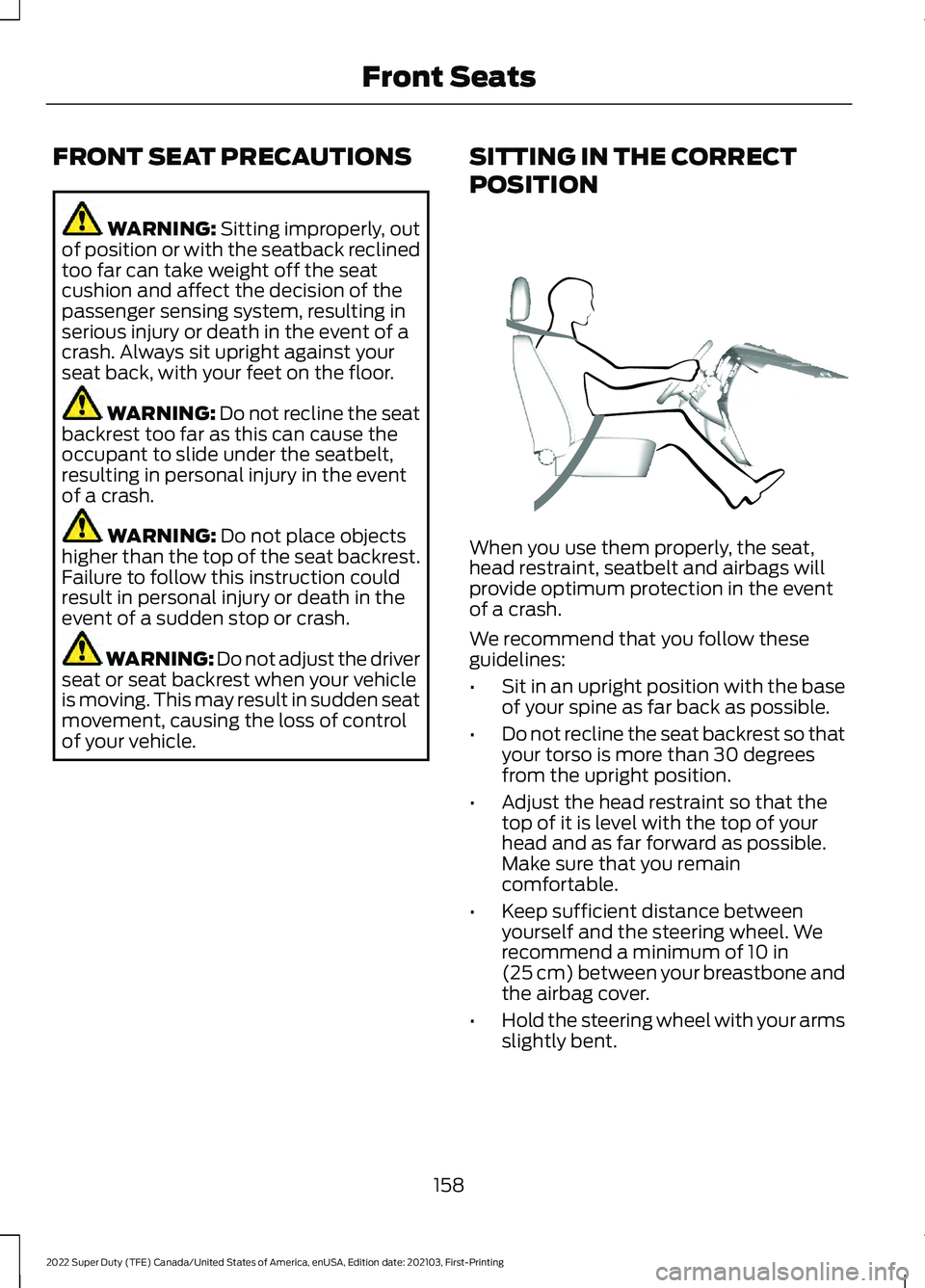
of your vehicle. SITTING IN THE CORRECT
POSITION When you use them properly, the seat,
head restraint, seatbelt and airbags will
provide optimum protection in the event
of a crash.
We recommend that you follow these
guidelines:
•
Sit in an upright position with the base
of your spine as far back as possible.
• Do not recline the seat backrest so that
your torso is more than 30 degrees
from the upright position.
• Adjust the head restraint so that the
top of it is level with the top of your
head and as far forward as possible.
Make sure that you remain
comfortable.
• Keep sufficient distance between
yourself and the steering wheel. We
recommend a minimum of
10 in
(25 cm) between your breastbone and
the airbag cover.
• Hold the steering wheel with your arms
slightly bent.
158
2022 Super Duty (TFE) Canada/United States of America, enUSA, Edition date: 202103, First-Printing Front SeatsE68595
Page 200 of 740
HOW DOES AUTOMATIC ENGINE
STOP WORK
Automatic engine stop turns the engine
off. The ignition also turns off in order to
save battery power. Before the engine
shuts down, a message appears in the
information display showing a timer
counting down. If you do not intervene
within 30 seconds, the engine shuts down.
Another message appears in the
information display to inform you that the
engine has shut down in order to save fuel.
Start your vehicle as you normally do.
SWITCHING AUTOMATIC ENGINE
STOP ON AND OFF - VEHICLES
WITH: 2.3 INCH SCREEN/4.2 INCH
SCREEN
1. Using the information display controls
on the steering wheel, select Settings.
2. Select Vehicle Settings.
3. Switch
30min Max Idle on or off.
Note: You cannot permanently switch off
the automatic shutdown. If you switch it
off, it turns on each time you switch the
ignition on.
SWITCHING AUTOMATIC ENGINE
STOP ON AND OFF - VEHICLES
WITH: 8 INCH SCREEN
1. Press the menu button on the steering
wheel to enter the information display
main menu.
2. Select
Settings.
3. Switch
Auto Engine Off on or off.
Note: You cannot permanently switch off
the automatic shutdown. If you switch it
off, it turns on each time you switch the
ignition on. OVERRIDING AUTOMATIC ENGINE
STOP
You can stop the engine shutdown, or reset
the timer, at any point before the
30-second countdown has expired by
doing any of the following:
•
Pressing the brake pedal or accelerator
pedal.
• Pressing the
OK or RESET button
during the countdown.
Note: You cannot permanently switch off
the automatic engine shutdown feature.
When you switch it off temporarily, it turns
on at the next ignition cycle.
ACCESSING THE PASSIVE KEY
BACKUP POSITION
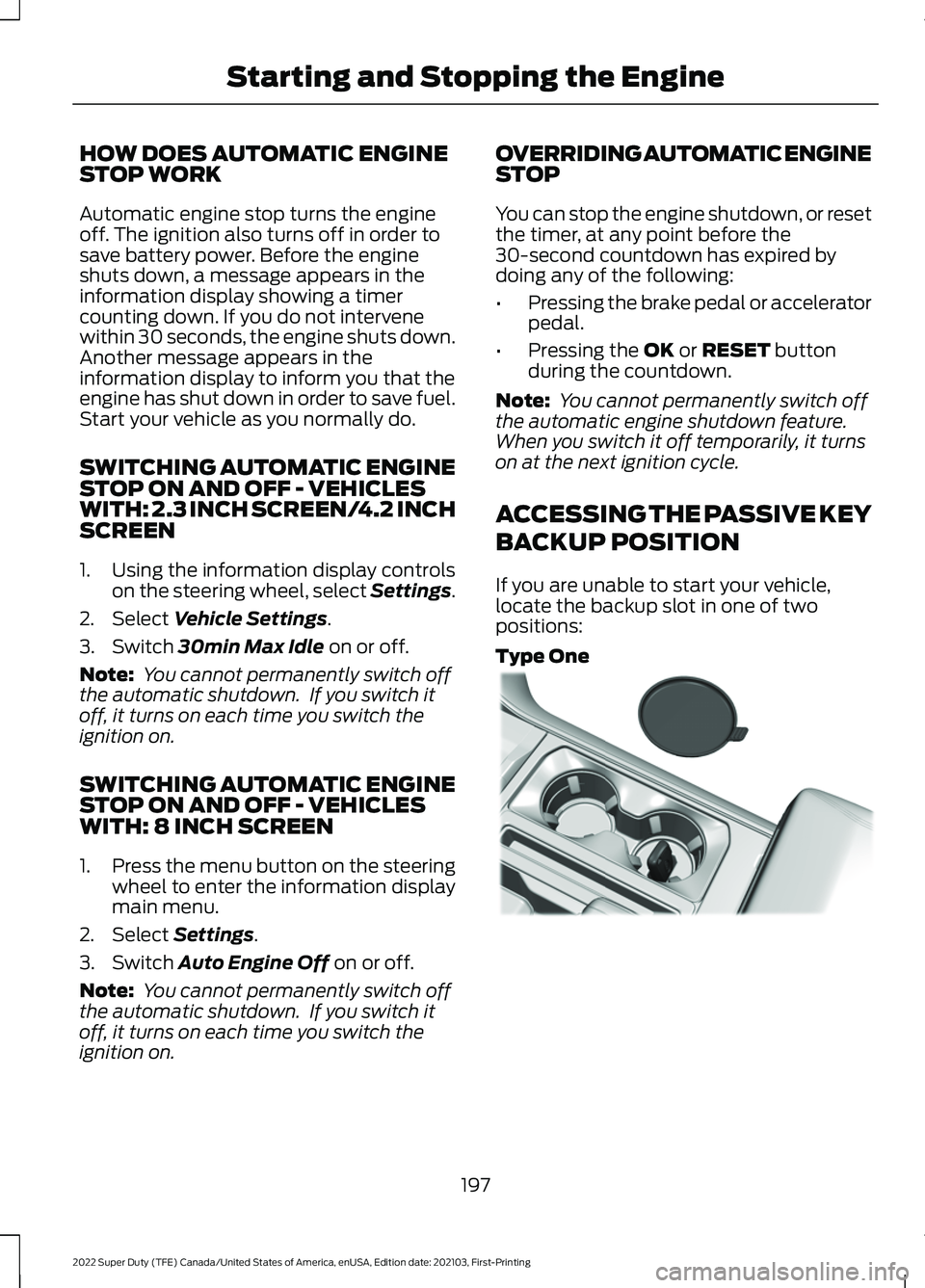
If you are unable to start your vehicle,
locate the backup slot in one of two
positions:
Type One 197
2022 Super Duty (TFE) Canada/United States of America, enUSA, Edition date: 202103, First-Printing Starting and Stopping the EngineE312216
Page 217 of 740
Before you start manual regeneration, do
the following:
•
Shift into park (P) and apply the
parking brake, on stable, level ground.
• Park your vehicle outside of any
structure.
• Park your vehicle 10– 15 ft (3–5 m)
away from any obstructions and away
from materials that can easily combust
or melt, for example paper, leaves,
petroleum products, fuels, plastics and
other dry organic material.
• Make sure there is a minimum of 1/8
tank of fuel.
• Make sure all fluids are at proper levels.
DIESEL PARTICULATE FILTER
MANUAL REGENERATION
LIMITATIONS
You cannot use manual regeneration until
the diesel particulate filter load percentage
has reached 100%. The diesel particulate
filter load percentage fluctuates up and
down when driving your vehicle due to
active and passive regenerations.
If your vehicle is operated with significant
stationary operation, low speed drive
cycles less than
25 mph (40 km/h), short
drive cycles, drive time less than 15 minutes
or the vehicle does not fully warm up,
passive and active regeneration may not
sufficiently clean the diesel particulate
filter system.
Aftermarket devices or modifications to
the exhaust system may reduce the
effectiveness of the exhaust system as
well as cause damage to the exhaust
system or engine. This may also degrade
vehicle performance and could lead to
engine damage that may not be covered
by the vehicle Warranty. STARTING DIESEL PARTICULATE
FILTER MANUAL REGENERATION
Start with your vehicle engine and when it
has reached the normal operating
temperature, press the information display
control button on the steering wheel. See
Instrument Cluster Display
(page 141).
If the diesel particulate filter is near or at
saturation, a message requesting
permission to initiate filter cleaning
appears in the information display. See
Diesel Particulate Filter – Information
Messages
(page 215). Answer yes to this
prompt and then follow the next prompts
regarding exhaust position required to
initiate manual regeneration. Be sure to
understand each prompt. If you are not
sure what is being asked by each prompt,
contact an authorized dealer. The display
confirms the operation has started and
when it has finished. You can also drive to
clean the filter. When the system is at the point
of oversaturation, the service
engine warning lamp illuminates
and a message appears in the information
display. You cannot initiate filter cleaning.
You must have your vehicle checked as
soon as possible.
Once manual regeneration starts, engine
speed increases to approximately 1600
rpm and the cooling fan speed increases.
You will hear a change in audible sound
due to engine speed and cooling fan speed
increases.
It is not necessary to open the hood on the
engine compartment. Once manual
regeneration completes, the engine speed
returns to normal idling. The exhaust
system remains very hot for several
minutes even after regeneration is
complete. Do not reposition the vehicle
over materials that could burn until the
214
2022 Super Duty (TFE) Canada/United States of America, enUSA, Edition date: 202103, First-Printing Diesel Particulate Filter
Page 231 of 740
HOW DOES FOUR-WHEEL
DRIVE WORK
Using the Electronic Shift On the
Fly System (If Equipped)
This four-wheel drive system utilizes a
2-speed Electronic Shift On the Fly (ESOF)
transfer case which is also known as a
part-time system. This system offers the
driver two-wheel drive high, four-wheel
drive high, and four-wheel drive low as
available modes of operation. When you
select either four-wheel drive high or
four-wheel drive low, the system provides
mechanically locked four-wheel drive
power to both the front and rear wheels
for use in off-road or slippery conditions
such as deep snow, sand or mud. When
you select four-wheel drive low, the system
provides additional gearing for increased
torque multiplication for conditions like
deep sand, steep slopes, or pulling heavy
objects. Additionally, the system is capable
of recreational flat towing by putting the
transfer case into a neutral position. See
Recreationally Towing Your Vehicle
(page
384). For proper operation, make sure that each
hub is fully engaged and that both hub
locks are set to the same position (both
set to lock or both set to auto). To engage
lock, turn the hub locks completely
clockwise. To engage auto, turn the hub
locks completely counterclockwise.
The ESOF four-wheel drive system:
•
Provides 4x4 High engagement and
disengagement while the vehicle is
moving.
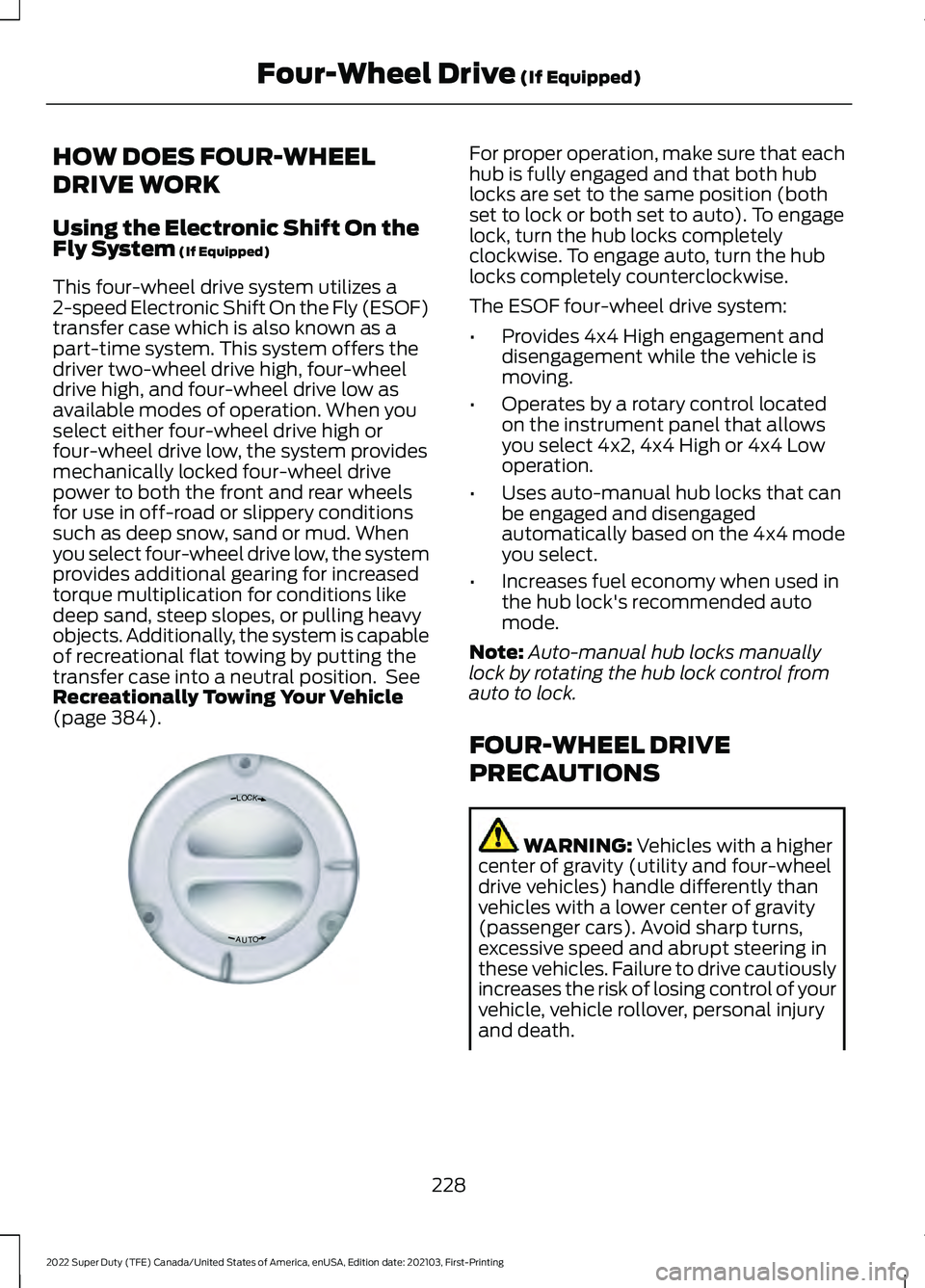
• Operates by a rotary control located
on the instrument panel that allows
you select 4x2, 4x4 High or 4x4 Low
operation.
• Uses auto-manual hub locks that can
be engaged and disengaged
automatically based on the 4x4 mode
you select.
• Increases fuel economy when used in
the hub lock's recommended auto
mode.
Note: Auto-manual hub locks manually
lock by rotating the hub lock control from
auto to lock.
FOUR-WHEEL DRIVE
PRECAUTIONS WARNING:
Vehicles with a higher
center of gravity (utility and four-wheel
drive vehicles) handle differently than
vehicles with a lower center of gravity
(passenger cars). Avoid sharp turns,
excessive speed and abrupt steering in
these vehicles. Failure to drive cautiously
increases the risk of losing control of your
vehicle, vehicle rollover, personal injury
and death.
228
2022 Super Duty (TFE) Canada/United States of America, enUSA, Edition date: 202103, First-Printing Four-Wheel Drive
(If Equipped)LOC K
OTUAE339076
Page 232 of 740
WARNING: If the parking brake is
fully released, but the brake warning
lamp remains illuminated, the brakes
may not be working properly. Have your
vehicle checked as soon as possible. WARNING:
Do not become
overconfident in the ability of four-wheel
drive vehicles. Although a four-wheel
drive vehicle may accelerate better than
a two-wheel drive vehicle in low traction
situations, it won't stop any faster than
two-wheel drive vehicles. Always drive
at a safe speed.
Truck and utility vehicles can differ from
some other vehicles. Your vehicle could be
higher to allow it to travel over rough
terrain without getting stuck or damaging
underbody components. The differences
that make your vehicle so versatile also
make it handle differently than an ordinary
passenger car. Always maintain steering
wheel control, especially in rough terrain.
Since sudden changes in terrain can result
in abrupt steering wheel motion, make sure
you grip the steering wheel from the
outside. Do not grip the spokes. Drive
cautiously to avoid vehicle damage from
concealed objects such as rocks and
stumps. Drive slower in strong crosswinds
which can affect the normal steering
characteristics of your vehicle. Be
extremely careful when driving on
pavement made slippery by loose sand,
water, gravel, snow or ice. Note:
Do not use four-wheel drive high or
four-wheel drive low mode on dry, hard
surfaced roads. Doing so can produce
excessive noise, increase tire wear and can
damage drive components. Four-wheel
drive high or four-wheel drive low modes
are for consistently slippery or loose
surfaces. Use of four-wheel drive low mode
on these surfaces could produce some
noise, such as occasional clunks, but should
not damage drive components. When
transitioning from consistently loose or
slippery surfaces, be sure the four-wheel
drive systems not mechanically blocked
once on dry, hard surfaced roads in
two-wheel drive high.
Parking WARNING:
If the parking brake is
fully released, but the brake warning
lamp remains illuminated, the brakes
may not be working properly. Have your
vehicle checked as soon as possible. WARNING:
Apply the parking
brake, shift into park (P), switch the
ignition off and remove the key before
you leave your vehicle. Failure to follow
this instruction could result in personal
injury or death.
On some four-wheel drive vehicles, when
the transfer case is in the neutral (N)
position, the engine and transmission
disconnects from the rest of the driveline.
Therefore, the vehicle is free to roll even if
the automatic transmission is in park (P)
or the manual transmission is in gear. Do
not leave the vehicle unattended with the
transfer case in the neutral (N) position.
Always set the parking brake fully and turn
off the ignition when leaving the vehicle.
229
2022 Super Duty (TFE) Canada/United States of America, enUSA, Edition date: 202103, First-Printing Four-Wheel Drive
(If Equipped)