steering wheel FORD F-53 2020 Owners Manual
[x] Cancel search | Manufacturer: FORD, Model Year: 2020, Model line: F-53, Model: FORD F-53 2020Pages: 197, PDF Size: 3.04 MB
Page 4 of 197
Introduction
About This Manual
..........................................5
Symbols Glossary ............................................
5
Data Recording ..................................................
7
Perchlorate ........................................................
11
Ford Credit ........................................................
12
Replacement Parts Recommendation ........................................................................\
....
12
Special Notices ...............................................
12
Mobile Communications Equipment ........................................................................\
....
13
Export Unique Options ................................
14
Environment
Protecting the Environment .......................
15
Steering Wheel
Adjusting the Steering Wheel ...................
16
Cruise Control - Vehicles With: Adaptive Cruise Control ..............................................
16
Cruise Control - Vehicles With: Cruise Control ............................................................
17
Information Display Control .......................
17
Horn .....................................................................
17
Wipers and Washers
Windshield Wipers ........................................
18
Windshield Washers .....................................
18
Lighting
Lighting Control ..............................................
19
Autolamps ........................................................
19
Instrument Lighting Dimmer ....................
20
Daytime Running Lamps ............................
20
Direction Indicators ......................................
20
Instrument Cluster
Gauges ................................................................
21
Warning Lamps and Indicators ................
24
Audible Warnings and Indicators ............
26Information Displays
General Information
.....................................
27
Information Messages ................................
30
Starting and Stopping the Engine
General Information .....................................
34
Ignition Switch ................................................
34
Starting a Gasoline Engine ........................
34
Engine Block Heater .....................................
36
Fuel and Refueling
Safety Precautions .......................................
38
Fuel Quality .....................................................
38
Running Out of Fuel .....................................
39
Refueling ..........................................................
40
Fuel Consumption .........................................
41
Engine Emission Control
Emission Law ..................................................
43
Catalytic Converter ......................................
44
Transmission
Automatic Transmission .............................
47
Brakes
General Information ......................................
51
Hints on Driving With Anti-Lock Brakes ........................................................................\
....
51
Parking Brake ..................................................
52
Hill Start Assist ...............................................
52
Traction Control
Principle of Operation .................................
54
Using Traction Control ................................
54
Stability Control
Principle of Operation .................................
55
1
Motorhome (TY3) Canada/United States of America, enUSA, Edition date: 201910, Second-Printing Table of Contents
Page 5 of 197

Cruise Control
What Is Cruise Control
.................................57
Switching Cruise Control On and Off ........................................................................\
...
57
Setting the Cruise Control Speed ............
57
Canceling the Set Speed ............................
57
Resuming the Set Speed ...........................
58
Cruise Control Indicators ............................
58
Using Adaptive Cruise Control .................
58
Driving Aids
Driver Alert .......................................................
65
Lane Keeping System .................................
66
Steering ............................................................
69
Pre-Collision Assist ......................................
70
Load Carrying
Load Limit .........................................................
75
Towing
Towing a Trailer .............................................
80
Recommended Towing Weights ..............
81
Essential Towing Checks ...........................
84
Towing the Vehicle on Four Wheels ......
86
Driving Hints
Reduced Engine Performance ..................
87
Economical Driving .......................................
87
Breaking-In ......................................................
88
Driving Through Water ................................
88
Roadside Emergencies
Roadside Assistance ...................................
90
Hazard Flashers ..............................................
91
Jump Starting the Vehicle ...........................
91
Transporting the Vehicle ............................
93
Customer Assistance
Getting the Services You Need ................
95In California (U.S. Only)
..............................
96
The Better Business Bureau (BBB) Auto Line Program (U.S. Only) .......................
97
Getting Assistance Outside the U.S. and Canada .........................................................
98
Ordering Additional Owner's Literature ........................................................................\
..
99
Reporting Safety Defects (U.S. Only) ........................................................................\
..
99
Reporting Safety Defects (Canada Only) ........................................................................\
100
Fuses
Fuse Specification Chart ...........................
101
Changing a Fuse ..........................................
108
Maintenance
General Information ....................................
110
Under Hood Overview - Commercial Chassis ...........................................................
111
Under Hood Overview - Motorhome Chassis ..........................................................
112
Engine Oil Dipstick ........................................
113
Engine Oil Check ...........................................
113
Oil Change Indicator Reset .......................
114
Changing the Engine Air Filter .................
114
Engine Coolant Check .................................
115
Automatic Transmission Fluid Check ........................................................................\
..
119
Brake Fluid Check .........................................
121
Power Steering Fluid Check .....................
123
Changing the 12V Battery .........................
124
Fuel Filter ........................................................
126
Vehicle Care
General Information ....................................
127
Cleaning the Exterior ...................................
127
Cleaning the Engine ....................................
128
Cleaning the Wheels ..................................
128
Vehicle Storage ............................................
129
2
Motorhome (TY3) Canada/United States of America, enUSA, Edition date: 201910, Second-Printing Table of Contents
Page 11 of 197
We respect your privacy and are
committed to protecting it. The
information contained in this publication
was correct at the time of going to print,
but as technology rapidly changes, we
recommend that you visit the regional Ford
website for the latest information.
Your vehicle has electronic control units
that have data recording functionality and
the ability to permanently or temporarily
store data. This data could include
information on the condition and status of
your vehicle, vehicle maintenance
requirements, events and malfunctions.
The types of data that can be recorded are
described in this section. Some of the data
recorded is stored in event logs or error
logs.
Note:
Error logs are reset following a service
or repair.
Note: We may provide information in
response to requests from law enforcement,
other government authorities and third
parties acting with lawful authority or
through a legal process. Such information
could be used by them in legal proceedings.
Data recorded includes, for example:
• Operating states of system
components, for example, fuel level,
tire pressure and battery charge level.
• Vehicle and component status, for
example, wheel speed, deceleration,
lateral acceleration and seatbelt
status.
• Events or errors in essential systems,
for example, headlamps and brakes.
• System responses to driving situations,
for example, airbag deployment and
stability control.
• Environmental conditions, for example,
temperature. Some of this data, when used in
combination with other information, for
example, an accident report, damage to a
vehicle or eyewitness statements, could
be associated with a specific person.
Service Data
Service data recorders in your vehicle are
capable of collecting and storing
diagnostic information about your vehicle.
This potentially includes information about
the performance or status of various
systems and modules in the vehicle, such
as engine, throttle, steering or brake
systems. In order to properly diagnose and
service your vehicle, Ford Motor Company
(Ford of Canada in Canada), and service
and repair facilities may access or share
among them vehicle diagnostic
information received through a direct
connection to your vehicle when
diagnosing or servicing your vehicle.
Additionally, Ford Motor Company (Ford
of Canada, in Canada) may, where
permitted by law, use vehicle diagnostic
information for vehicle improvement or
with other information we may have about
you, for example, your contact information,
to offer you products or services that may
interest you. Data may be provided to our
service providers such as part suppliers
that may help diagnose malfunctions, and
who are similarly obligated to protect data.
We retain this data only as long as
necessary to perform these functions or to
comply with law. We may provide
information where required in response to
official requests to law enforcement or
other government authorities or third
parties acting with lawful authority or court
order, and such information may be used
in legal proceedings. For U.S. only (if
equipped), if you choose to use connected
apps and services, you consent that certain
diagnostic information may also be
accessed electronically by Ford Motor
Company and Ford authorized service
8
Motorhome (TY3) Canada/United States of America, enUSA, Edition date: 201910, Second-Printing Introduction
Page 12 of 197
facilities, and that the diagnostic
information may be used to provide
services to you, personalizing your
experience, troubleshoot, and to improve
products and services and offer you
products and services that may interest
you, where permitted by law. For Canada
only, for more information, please review
the Ford of Canada privacy policy at
www.ford.ca, including our U.S. data
storage and use of service providers in
other jurisdictions who may be subject to
legal requirements in Canada, the United
States and other countries applicable to
them, for example, lawful requirements to
disclose personal information to
governmental authorities in those
countries.
Event Data
This vehicle is equipped with an event data
recorder. The main purpose of an event
data recorder is to record, in certain crash
or near crash-like situations, such as an
airbag deployment or hitting a road
obstacle; this data assist in understanding
how a vehicle
’s systems performed. The
event data recorder is designed to record
data related to vehicle dynamics and
safety systems for a short period of time,
typically 30 seconds or less.
The event data recorder in this vehicle is
designed to record such data as:
• How various systems in your vehicle
were operating;
• Whether or not the driver and
passenger seatbelts were
buckled/fastened;
• How far (if at all) the driver was
depressing the accelerator and/or the
brake pedal; and
• How fast the vehicle was traveling; and
• Where the driver was positioning the
steering wheel. This data can help provide a better
understanding of the circumstances in
which crashes and injuries occur.
Note:
Event data recorder data is recorded
by your vehicle only if a non-trivial crash
situation occurs; no data is recorded by the
event data recorder under normal driving
conditions and no personal data or
information (e.g., name, gender, age, and
crash location) is recorded. However, other
parties, such as law enforcement, could
combine the event data recorder data with
the type of personally identifying data
routinely acquired during a crash
investigation.
To read data recorded by an event data
recorder, special equipment is required,
and access to the vehicle or the event data
recorder is needed. In addition to the
vehicle manufacturer, other parties, such
as law enforcement, that have such special
equipment, can read the information if they
have access to the vehicle or the event
data recorder.
Comfort, Convenience and
Entertainment Data
Your vehicle has electronic control units
that have the ability to store data based
on your personalized settings. The data is
stored locally in the vehicle or on devices
that you connect to it, for example, a USB
drive or digital music player. You can delete
some of this data and also choose whether
to share it through the services to which
you subscribe.
Comfort and Convenience Data
Data recorded includes, for example:
• Seat and steering wheel position.
• Climate control settings.
• Radio presets.
9
Motorhome (TY3) Canada/United States of America, enUSA, Edition date: 201910, Second-Printing Introduction
Page 19 of 197
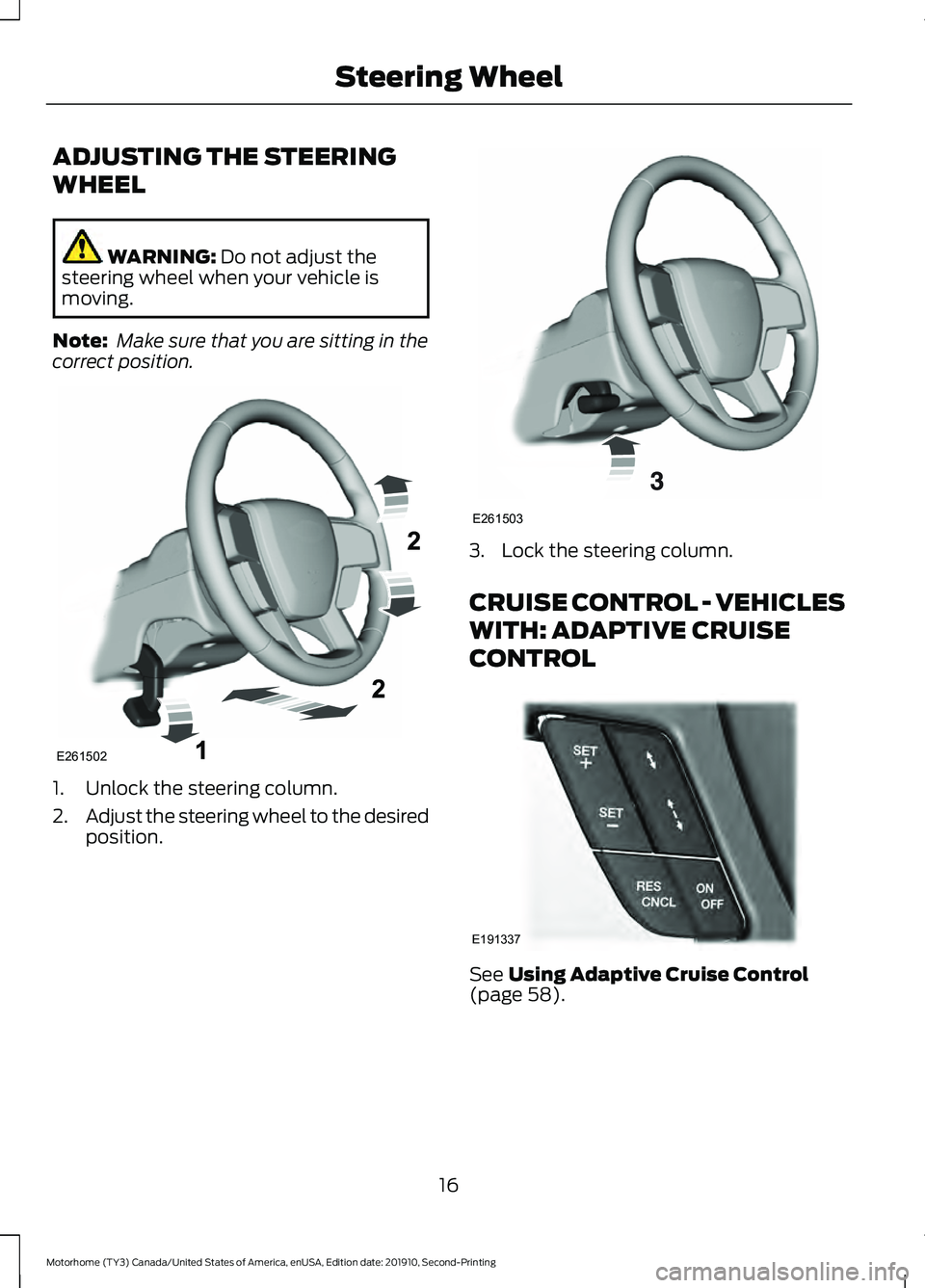
ADJUSTING THE STEERING
WHEEL
WARNING: Do not adjust the
steering wheel when your vehicle is
moving.
Note: Make sure that you are sitting in the
correct position. 1. Unlock the steering column.
2.
Adjust the steering wheel to the desired
position. 3. Lock the steering column.
CRUISE CONTROL - VEHICLES
WITH: ADAPTIVE CRUISE
CONTROL
See
Using Adaptive Cruise Control
(page 58).
16
Motorhome (TY3) Canada/United States of America, enUSA, Edition date: 201910, Second-Printing Steering WheelE261502 E261503 E191337
Page 20 of 197
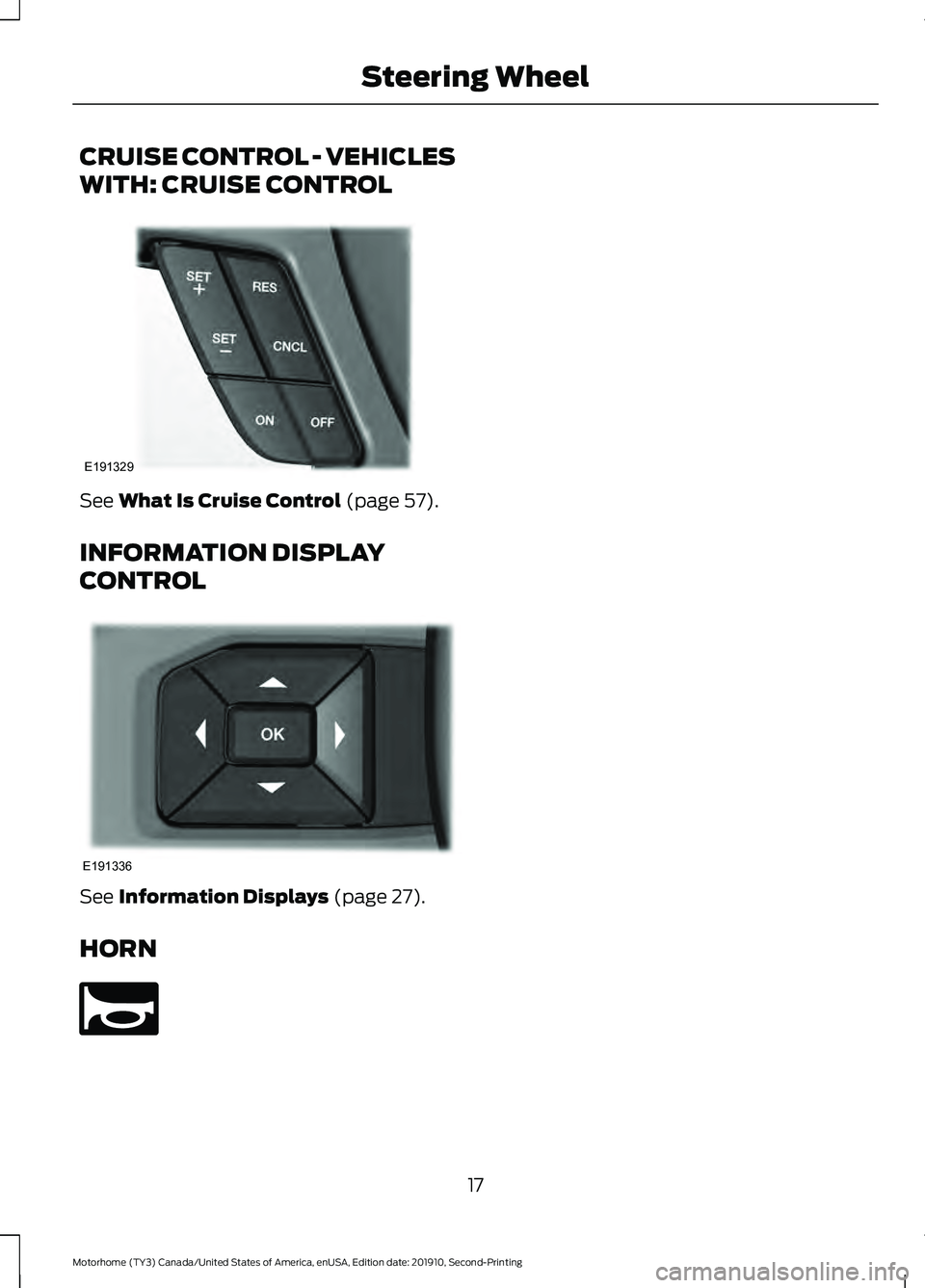
CRUISE CONTROL - VEHICLES
WITH: CRUISE CONTROL
See What Is Cruise Control (page 57).
INFORMATION DISPLAY
CONTROL See
Information Displays (page 27).
HORN 17
Motorhome (TY3) Canada/United States of America, enUSA, Edition date: 201910, Second-Printing Steering WheelE191329 E191336 E270945
Page 28 of 197
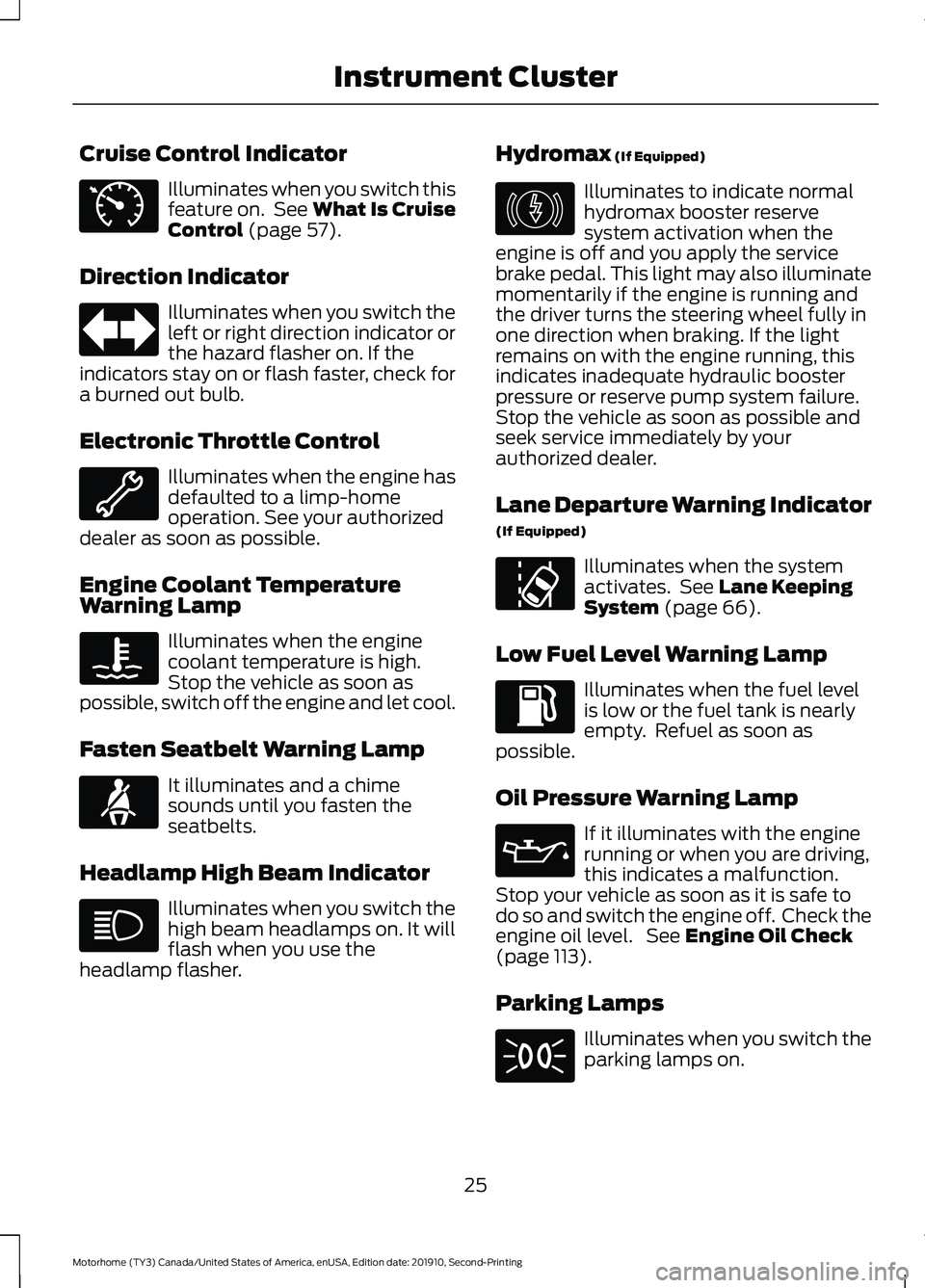
Cruise Control Indicator
Illuminates when you switch this
feature on. See What Is Cruise
Control (page 57).
Direction Indicator Illuminates when you switch the
left or right direction indicator or
the hazard flasher on. If the
indicators stay on or flash faster, check for
a burned out bulb.
Electronic Throttle Control Illuminates when the engine has
defaulted to a limp-home
operation. See your authorized
dealer as soon as possible.
Engine Coolant Temperature
Warning Lamp Illuminates when the engine
coolant temperature is high.
Stop the vehicle as soon as
possible, switch off the engine and let cool.
Fasten Seatbelt Warning Lamp It illuminates and a chime
sounds until you fasten the
seatbelts.
Headlamp High Beam Indicator Illuminates when you switch the
high beam headlamps on. It will
flash when you use the
headlamp flasher. Hydromax
(If Equipped) Illuminates to indicate normal
hydromax booster reserve
system activation when the
engine is off and you apply the service
brake pedal. This light may also illuminate
momentarily if the engine is running and
the driver turns the steering wheel fully in
one direction when braking. If the light
remains on with the engine running, this
indicates inadequate hydraulic booster
pressure or reserve pump system failure.
Stop the vehicle as soon as possible and
seek service immediately by your
authorized dealer.
Lane Departure Warning Indicator
(If Equipped) Illuminates when the system
activates. See
Lane Keeping
System (page 66).
Low Fuel Level Warning Lamp Illuminates when the fuel level
is low or the fuel tank is nearly
empty. Refuel as soon as
possible.
Oil Pressure Warning Lamp If it illuminates with the engine
running or when you are driving,
this indicates a malfunction.
Stop your vehicle as soon as it is safe to
do so and switch the engine off. Check the
engine oil level. See
Engine Oil Check
(page 113).
Parking Lamps Illuminates when you switch the
parking lamps on.
25
Motorhome (TY3) Canada/United States of America, enUSA, Edition date: 201910, Second-Printing Instrument ClusterE71340 E71880 E146190 E173233
Page 52 of 197
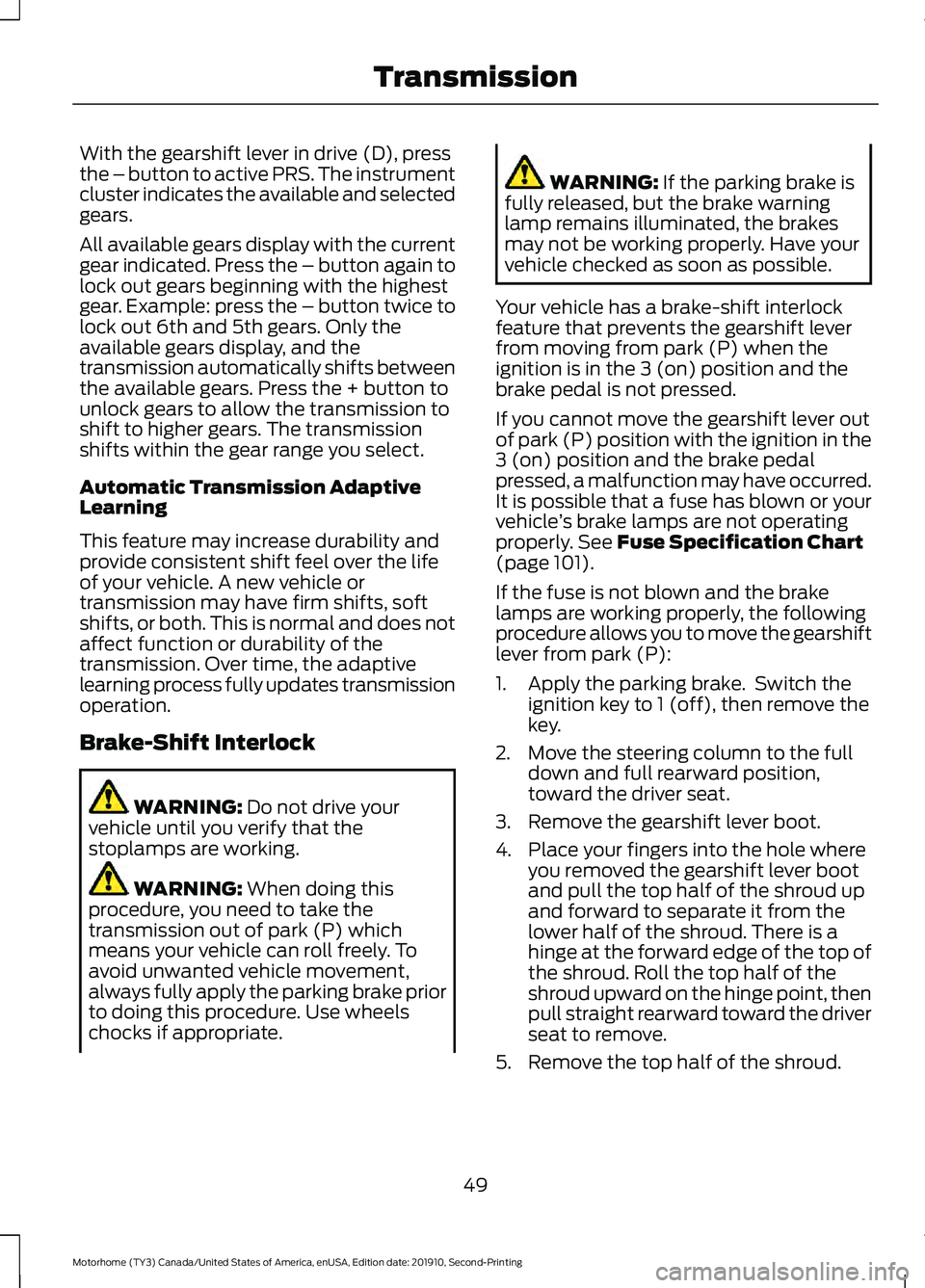
With the gearshift lever in drive (D), press
the – button to active PRS. The instrument
cluster indicates the available and selected
gears.
All available gears display with the current
gear indicated. Press the – button again to
lock out gears beginning with the highest
gear. Example: press the – button twice to
lock out 6th and 5th gears. Only the
available gears display, and the
transmission automatically shifts between
the available gears. Press the + button to
unlock gears to allow the transmission to
shift to higher gears. The transmission
shifts within the gear range you select.
Automatic Transmission Adaptive
Learning
This feature may increase durability and
provide consistent shift feel over the life
of your vehicle. A new vehicle or
transmission may have firm shifts, soft
shifts, or both. This is normal and does not
affect function or durability of the
transmission. Over time, the adaptive
learning process fully updates transmission
operation.
Brake-Shift Interlock
WARNING: Do not drive your
vehicle until you verify that the
stoplamps are working. WARNING:
When doing this
procedure, you need to take the
transmission out of park (P) which
means your vehicle can roll freely. To
avoid unwanted vehicle movement,
always fully apply the parking brake prior
to doing this procedure. Use wheels
chocks if appropriate. WARNING:
If the parking brake is
fully released, but the brake warning
lamp remains illuminated, the brakes
may not be working properly. Have your
vehicle checked as soon as possible.
Your vehicle has a brake-shift interlock
feature that prevents the gearshift lever
from moving from park (P) when the
ignition is in the 3 (on) position and the
brake pedal is not pressed.
If you cannot move the gearshift lever out
of park (P) position with the ignition in the
3 (on) position and the brake pedal
pressed, a malfunction may have occurred.
It is possible that a fuse has blown or your
vehicle ’s brake lamps are not operating
properly.
See Fuse Specification Chart
(page 101).
If the fuse is not blown and the brake
lamps are working properly, the following
procedure allows you to move the gearshift
lever from park (P):
1. Apply the parking brake. Switch the ignition key to 1 (off), then remove the
key.
2. Move the steering column to the full down and full rearward position,
toward the driver seat.
3. Remove the gearshift lever boot.
4. Place your fingers into the hole where you removed the gearshift lever boot
and pull the top half of the shroud up
and forward to separate it from the
lower half of the shroud. There is a
hinge at the forward edge of the top of
the shroud. Roll the top half of the
shroud upward on the hinge point, then
pull straight rearward toward the driver
seat to remove.
5. Remove the top half of the shroud.
49
Motorhome (TY3) Canada/United States of America, enUSA, Edition date: 201910, Second-Printing Transmission
Page 54 of 197
GENERAL INFORMATION
Note:
Occasional brake noise is normal. If
a metal-to-metal, continuous grinding or
continuous squeal sound is present, the
brake linings may be worn-out and should
be inspected by an authorized dealer. If the
vehicle has continuous vibration or shudder
in the steering wheel while braking, the
vehicle should be inspected by an
authorized dealer.
Note: Brake dust may accumulate on the
wheels, even under normal driving
conditions. Some dust is inevitable as the
brakes wear and does not contribute to
brake noise. See Cleaning the Wheels
(page 128). See
Warning Lamps and
Indicators (page 24). Wet brakes result in reduced braking
efficiency. Gently press the brake pedal a
few times when driving from a car wash or
standing water to dry the brakes.
Brake Over Accelerator
In the event the accelerator pedal
becomes stuck or entrapped, apply steady
and firm pressure to the brake pedal to
slow the vehicle and reduce engine power.
If you experience this condition, apply the
brakes and bring your vehicle to a safe
stop. Switch the engine off, shift the
transmission into park (P), apply the
parking brake, and then inspect the
accelerator pedal for any interferences. If
none are found and the condition persists,
have your vehicle towed to the nearest
authorized dealer. Hydraulic brake booster system
(Hydroboost or Hydromax)
The Hydroboost and Hydromax systems
receive fluid pressure from the power
steering pump to provide power assist
during braking.
The Hydromax booster receives backup
pressure from the reserve system electric
pump whenever the fluid in the power
steering system is not flowing. When the
engine is off, the pump turns on if you apply
the brake pedal, or if you switch the ignition
to the on position.
The sound of the pump operating may be
heard by the driver. This is a normal
characteristic of the system.
The reserve system provides reduced
braking power, so the vehicle should be
operated under these conditions with
caution, and only to seek service repair and
removal of the vehicle from the roadway.
Note:
For vehicles with the Hydromax
system operating under normal conditions,
the noise of the fluid flowing through the
booster may be heard whenever you apply
the brake. This condition is normal. Vehicle
service is not required.
If braking performance or pedal response
becomes very poor, even when you
strongly press the pedal, it may indicate
the presence of air in the hydraulic system
or leakage of fluid. Stop the vehicle safely
as soon as possible and seek service
immediately.
HINTS ON DRIVING WITH
ANTI-LOCK BRAKES
The anti-lock braking system does not
eliminate the risks when:
• You drive too closely to the vehicle in
front of you.
• Your vehicle is hydroplaning.
51
Motorhome (TY3) Canada/United States of America, enUSA, Edition date: 201910, Second-Printing BrakesE270480
Page 58 of 197
PRINCIPLE OF OPERATION
WARNING: Vehicle modifications
involving braking system, aftermarket
roof racks, suspension, steering system,
tire construction and wheel and tire size
may change the handling characteristics
of your vehicle and may adversely affect
the performance of the electronic
stability control system. In addition,
installing any stereo loudspeakers may
interfere with and adversely affect the
electronic stability control system. Install
any aftermarket stereo loudspeaker as
far as possible from the front center
console, the tunnel, and the front seats
in order to minimize the risk of interfering
with the electronic stability control
sensors. Reducing the effectiveness of
the electronic stability control system
could lead to an increased risk of loss of
vehicle control, vehicle rollover, personal
injury and death. WARNING:
Remember that even
advanced technology cannot defy the
laws of physics. It's always possible to
lose control of a vehicle due to
inappropriate driver input for the
conditions. Aggressive driving on any
road condition can cause you to lose
control of your vehicle increasing the risk
of personal injury or property damage.
Activation of the electronic stability
control system is an indication that at
least some of the tires have exceeded
their ability to grip the road; this could
reduce the operator's ability to control
the vehicle potentially resulting in a loss
of vehicle control, vehicle rollover,
personal injury and death. If your
electronic stability control system
activates, SLOW DOWN.
The system turns on each time you switch
the ignition on. If a fault occurs in either the stability
control or the traction control system, the
following conditions are possible:
•
The stability and traction control light
illuminate.
• The stability control and traction
control systems are not maintaining
traction of the wheels.
If a driving condition activates either the
stability control or the traction control
system, the following conditions are
possible:
• The stability and traction control light
flash.
• Your vehicle slows down.
• The system reduces engine power.
• A vibration in the brake pedal.
• The brake pedal is stiffer than usual.
• If the driving condition is severe and
your foot is not on the brake, the brake
pedal could move as the system
applies higher brake force.
The stability control system has several
features built into it to help you maintain
control of your vehicle:
Electronic Stability Control
The system assists in preventing skids or
lateral slides by applying the brakes to one
or more of the wheels individually and, if
necessary, decreases engine power.
Traction Control
The system helps maintain traction of the
wheels by detecting and controlling wheel
spin.
See Using Traction Control (page
54).
55
Motorhome (TY3) Canada/United States of America, enUSA, Edition date: 201910, Second-Printing Stability Control
(If Equipped)