steering wheel FORD F-550 2020 User Guide
[x] Cancel search | Manufacturer: FORD, Model Year: 2020, Model line: F-550, Model: FORD F-550 2020Pages: 631, PDF Size: 9.62 MB
Page 84 of 631
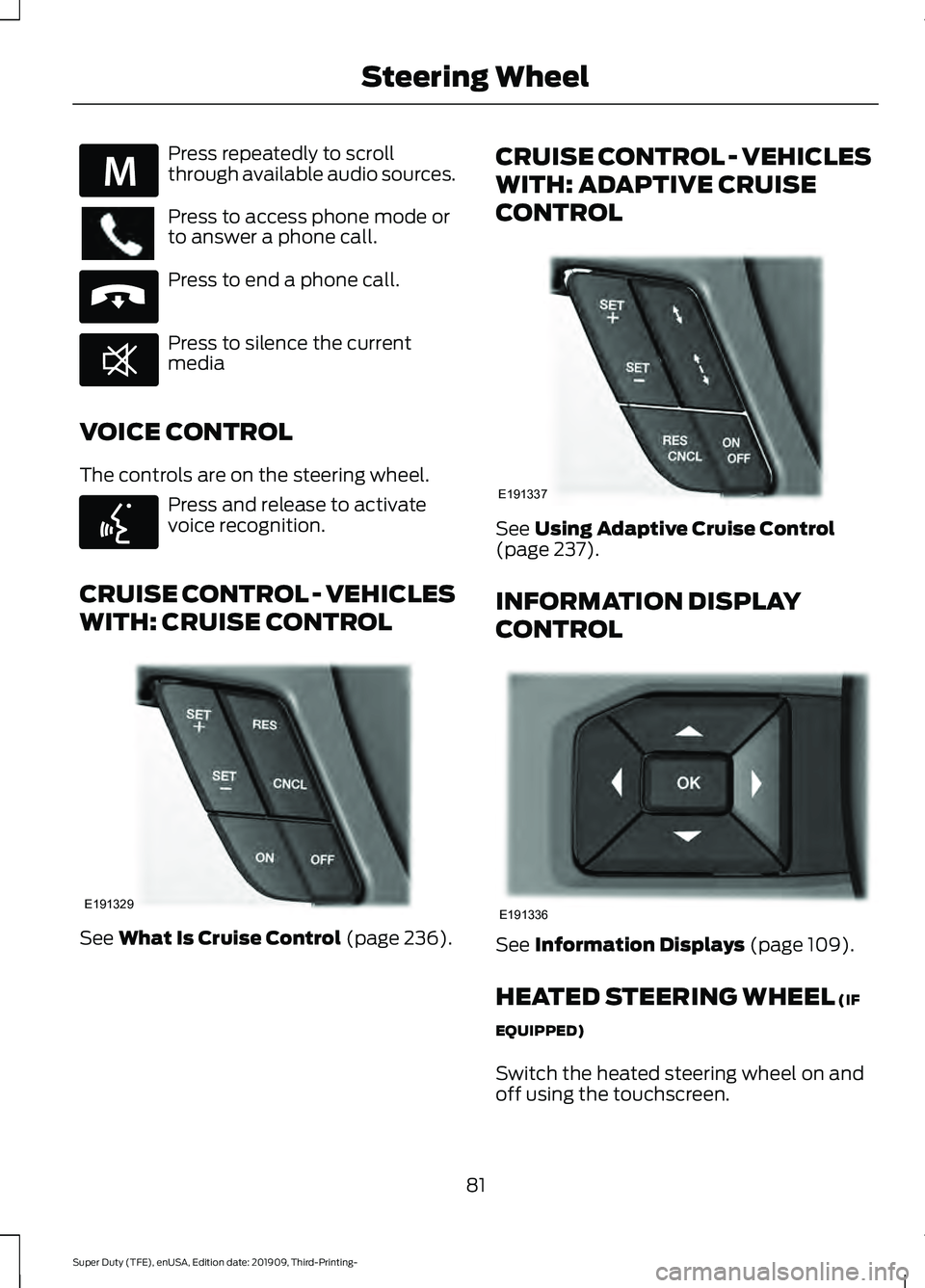
Press repeatedly to scroll
through available audio sources.
Press to access phone mode or
to answer a phone call.
Press to end a phone call.
Press to silence the current
media
VOICE CONTROL
The controls are on the steering wheel. Press and release to activate
voice recognition.
CRUISE CONTROL - VEHICLES
WITH: CRUISE CONTROL See What Is Cruise Control (page 236).CRUISE CONTROL - VEHICLES
WITH: ADAPTIVE CRUISE
CONTROL
See
Using Adaptive Cruise Control
(page 237).
INFORMATION DISPLAY
CONTROL See
Information Displays (page 109).
HEATED STEERING WHEEL
(IF
EQUIPPED)
Switch the heated steering wheel on and
off using the touchscreen.
81
Super Duty (TFE), enUSA, Edition date: 201909, Third-Printing- Steering WheelE289636 E265040 E268549 E142599 E191329 E191337 E191336
Page 85 of 631
Touch the button to switch the
heated steering wheel on and
off.
Note: You can use the heated steering
wheel only when the engine is running.
Note: The system uses a sensor and is
designed to control the temperature of the
steering wheel and to prevent it from
overheating.
Note: In warm temperatures, the steering
wheel quickly reaches its maximum
temperature and the system reduces the
current to the heating element. This could
cause you to think that the system has
stopped working but it has not. This is
normal.
HORN Press on the center of the
steering wheel near the horn icon
to activate the horn.
82
Super Duty (TFE), enUSA, Edition date: 201909, Third-Printing- Steering Wheel E270945
Page 107 of 631
WARNING LAMPS AND
INDICATORS
The following warning lamps and
indicators alert you to a vehicle condition
that may become serious. Some lamps
illuminate when you start your vehicle to
make sure they work. If any lamps remain
on after starting your vehicle, refer to the
respective system warning lamp for further
information.
Note:
Some warning indicators appear in
the information display and operate the
same as a warning lamp but do not
illuminate when you start your vehicle.
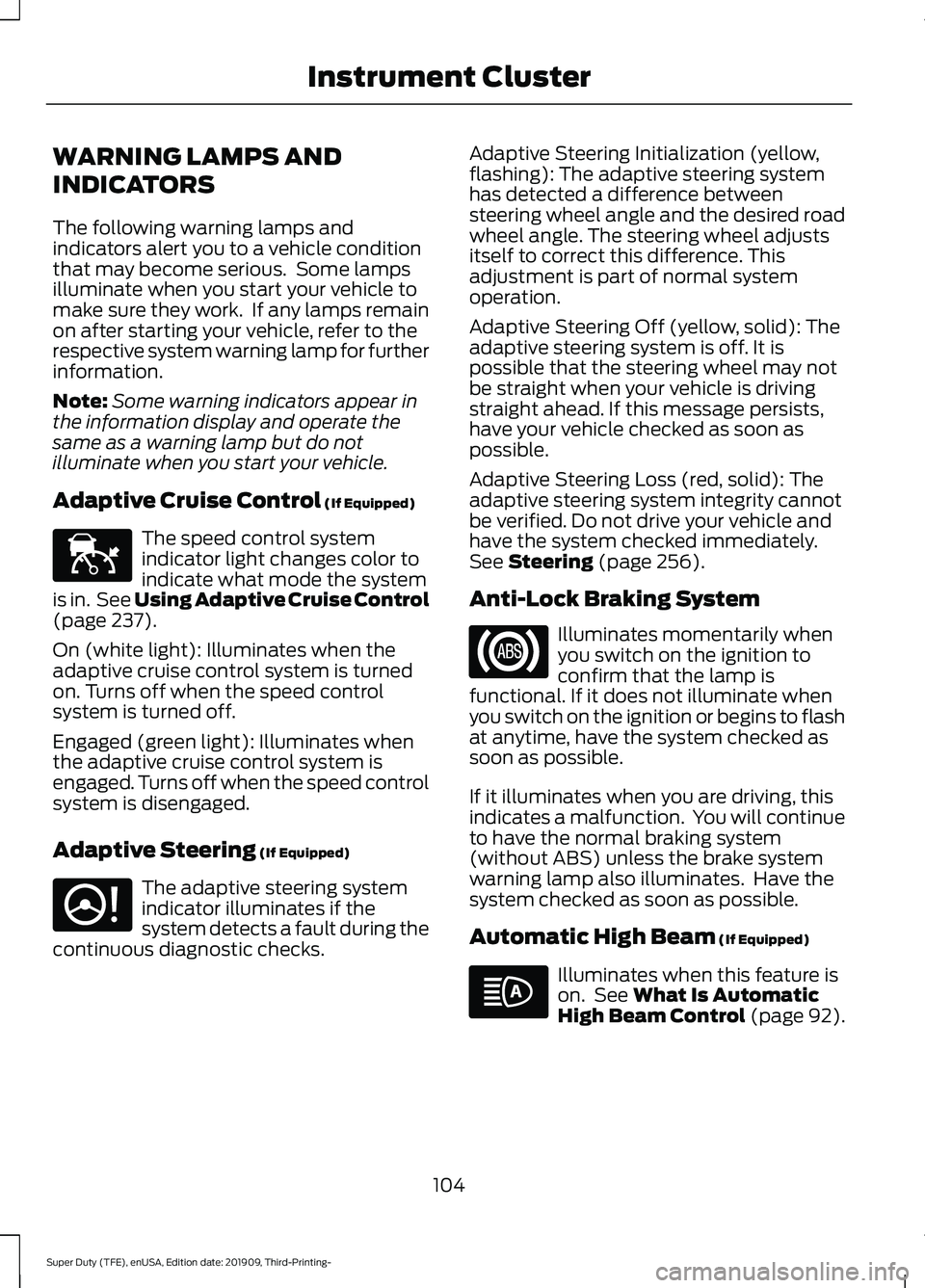
Adaptive Cruise Control (If Equipped) The speed control system
indicator light changes color to
indicate what mode the system
is in. See Using Adaptive Cruise Control
(page
237).
On (white light): Illuminates when the
adaptive cruise control system is turned
on. Turns off when the speed control
system is turned off.
Engaged (green light): Illuminates when
the adaptive cruise control system is
engaged. Turns off when the speed control
system is disengaged.
Adaptive Steering
(If Equipped) The adaptive steering system
indicator illuminates if the
system detects a fault during the
continuous diagnostic checks. Adaptive Steering Initialization (yellow,
flashing): The adaptive steering system
has detected a difference between
steering wheel angle and the desired road
wheel angle. The steering wheel adjusts
itself to correct this difference. This
adjustment is part of normal system
operation.
Adaptive Steering Off (yellow, solid): The
adaptive steering system is off. It is
possible that the steering wheel may not
be straight when your vehicle is driving
straight ahead. If this message persists,
have your vehicle checked as soon as
possible.
Adaptive Steering Loss (red, solid): The
adaptive steering system integrity cannot
be verified. Do not drive your vehicle and
have the system checked immediately.
See
Steering (page 256).
Anti-Lock Braking System Illuminates momentarily when
you switch on the ignition to
confirm that the lamp is
functional. If it does not illuminate when
you switch on the ignition or begins to flash
at anytime, have the system checked as
soon as possible.
If it illuminates when you are driving, this
indicates a malfunction. You will continue
to have the normal braking system
(without ABS) unless the brake system
warning lamp also illuminates. Have the
system checked as soon as possible.
Automatic High Beam
(If Equipped) Illuminates when this feature is
on. See
What Is Automatic
High Beam Control (page 92).
104
Super Duty (TFE), enUSA, Edition date: 201909, Third-Printing- Instrument ClusterE144524 E223375
Page 112 of 631
GENERAL INFORMATION
WARNING: Driving while distracted
can result in loss of vehicle control, crash
and injury. We strongly recommend that
you use extreme caution when using any
device that may take your focus off the
road. Your primary responsibility is the
safe operation of your vehicle. We
recommend against the use of any
hand-held device while driving and
encourage the use of voice-operated
systems when possible. Make sure you
are aware of all applicable local laws
that may affect the use of electronic
devices while driving.
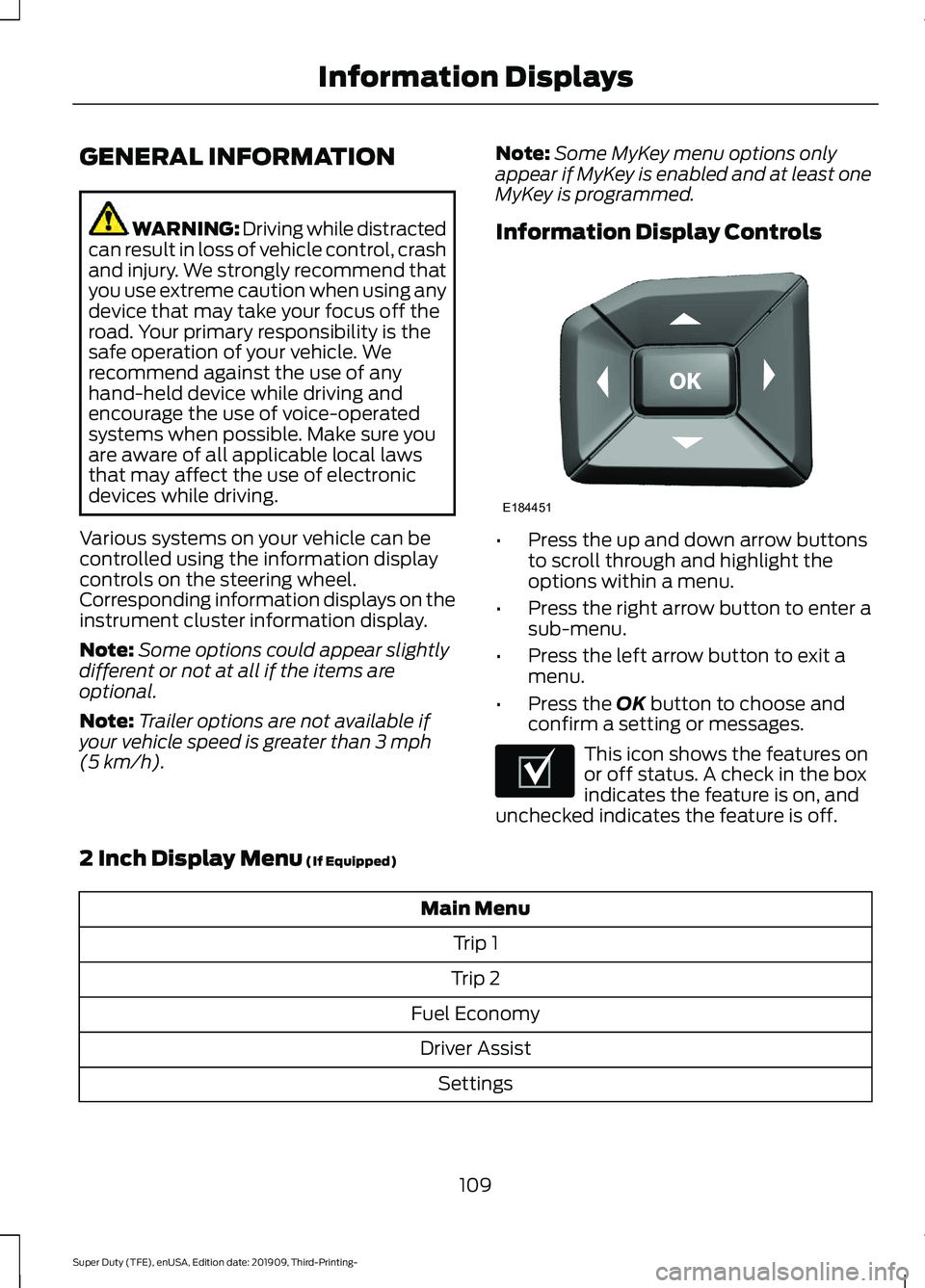
Various systems on your vehicle can be
controlled using the information display
controls on the steering wheel.
Corresponding information displays on the
instrument cluster information display.
Note: Some options could appear slightly
different or not at all if the items are
optional.
Note: Trailer options are not available if
your vehicle speed is greater than 3 mph
(5 km/h). Note:
Some MyKey menu options only
appear if MyKey is enabled and at least one
MyKey is programmed.
Information Display Controls •
Press the up and down arrow buttons
to scroll through and highlight the
options within a menu.
• Press the right arrow button to enter a
sub-menu.
• Press the left arrow button to exit a
menu.
• Press the
OK button to choose and
confirm a setting or messages. This icon shows the features on
or off status. A check in the box
indicates the feature is on, and
unchecked indicates the feature is off.
2 Inch Display Menu
(If Equipped) Main Menu
Trip 1
Trip 2
Fuel Economy Driver Assist Settings
109
Super Duty (TFE), enUSA, Edition date: 201909, Third-Printing- Information DisplaysE184451 E204495
Page 117 of 631
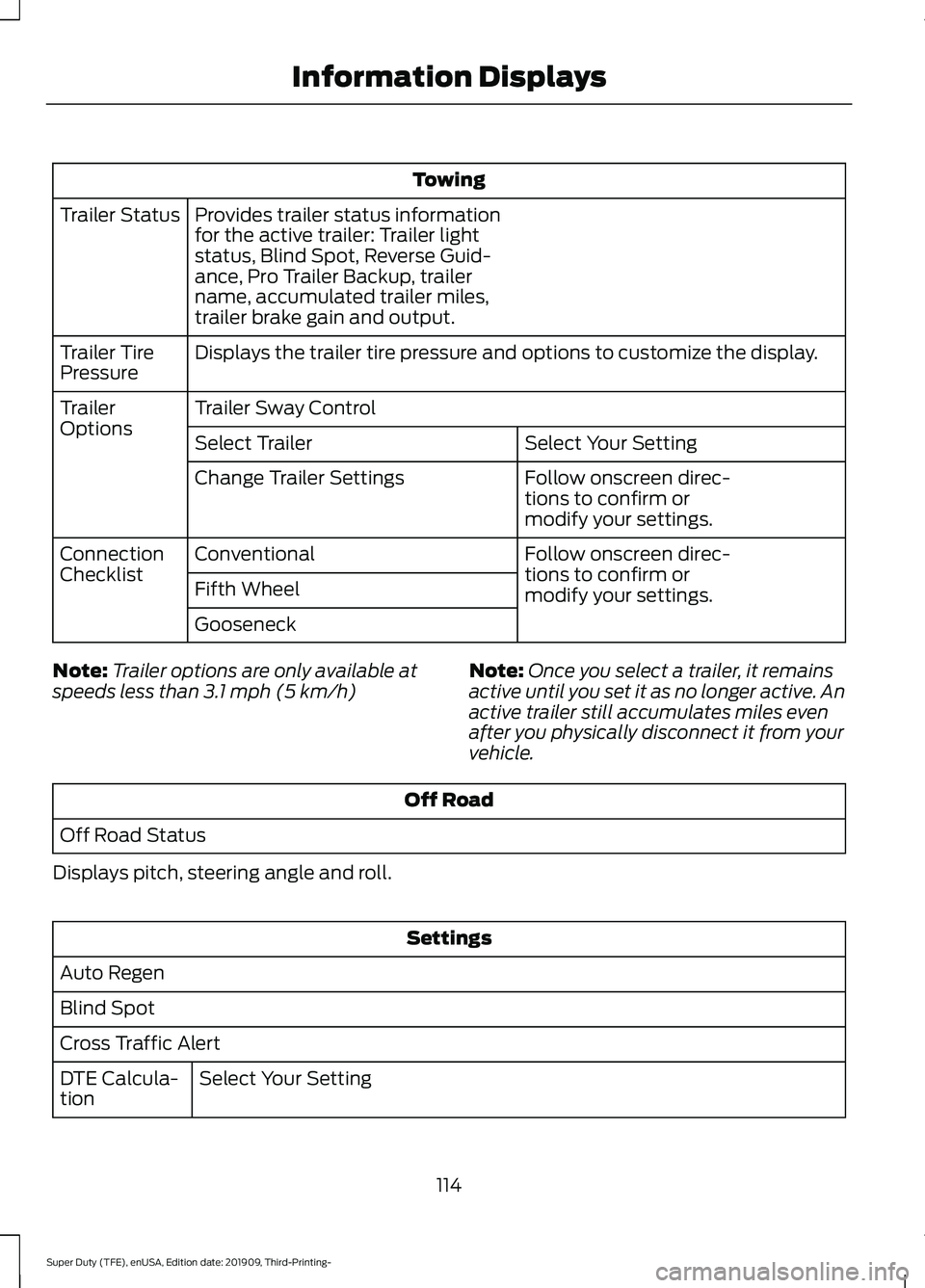
Towing
Provides trailer status information
for the active trailer: Trailer light
status, Blind Spot, Reverse Guid-
ance, Pro Trailer Backup, trailer
name, accumulated trailer miles,
trailer brake gain and output.
Trailer Status
Displays the trailer tire pressure and options to customize the display.
Trailer Tire
Pressure
Trailer Sway Control
Trailer
Options
Select Your Setting
Select Trailer
Follow onscreen direc-
tions to confirm or
modify your settings.
Change Trailer Settings
Follow onscreen direc-
tions to confirm or
modify your settings.
Conventional
Connection
Checklist
Fifth Wheel
Gooseneck
Note: Trailer options are only available at
speeds less than 3.1 mph (5 km/h) Note:
Once you select a trailer, it remains
active until you set it as no longer active. An
active trailer still accumulates miles even
after you physically disconnect it from your
vehicle. Off Road
Off Road Status
Displays pitch, steering angle and roll. Settings
Auto Regen
Blind Spot
Cross Traffic Alert Select Your Setting
DTE Calcula-
tion
114
Super Duty (TFE), enUSA, Edition date: 201909, Third-Printing- Information Displays
Page 121 of 631
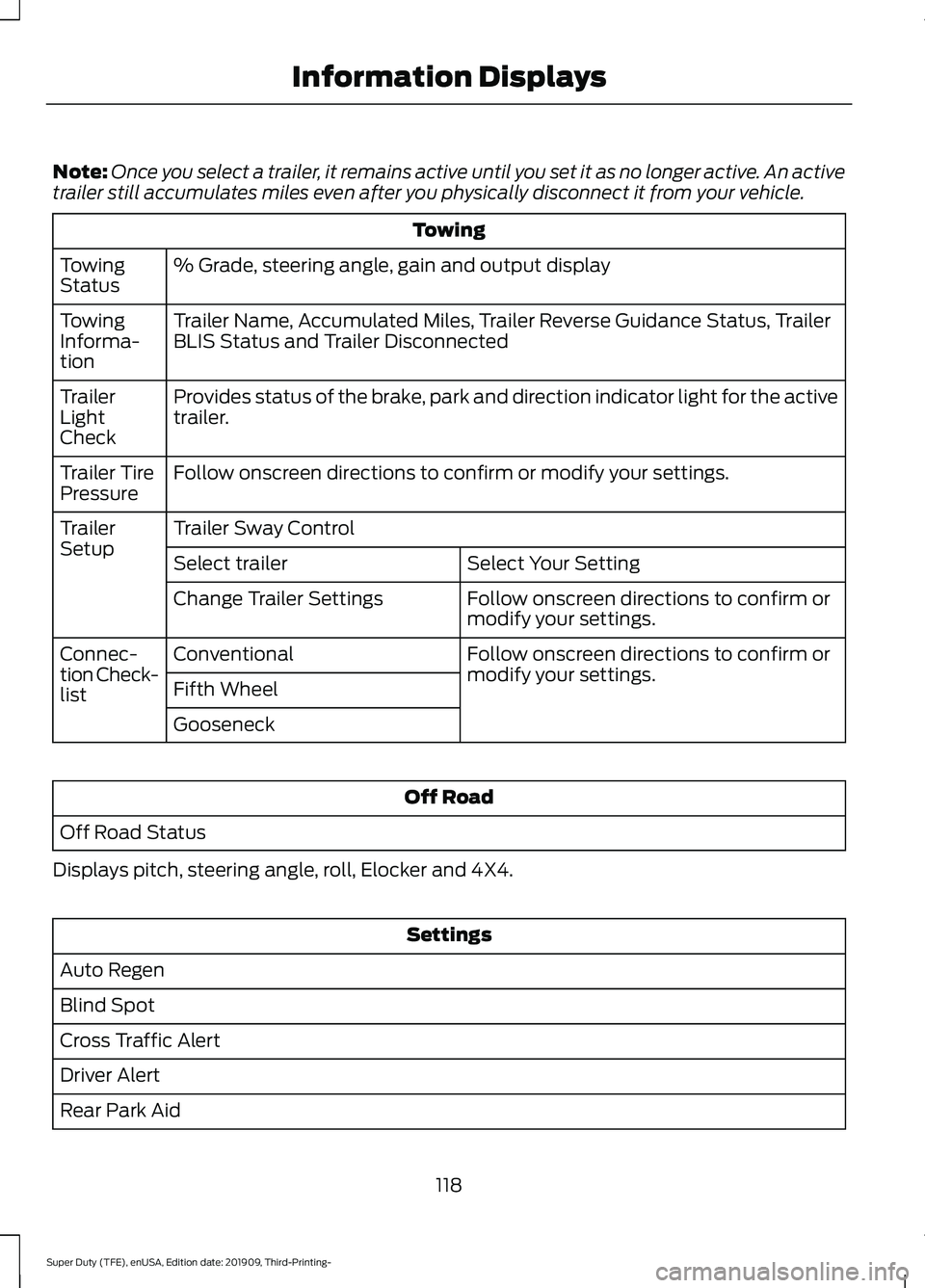
Note:
Once you select a trailer, it remains active until you set it as no longer active. An active
trailer still accumulates miles even after you physically disconnect it from your vehicle. Towing
% Grade, steering angle, gain and output display
Towing
Status
Trailer Name, Accumulated Miles, Trailer Reverse Guidance Status, Trailer
BLIS Status and Trailer Disconnected
Towing
Informa-
tion
Provides status of the brake, park and direction indicator light for the active
trailer.
Trailer
Light
Check
Follow onscreen directions to confirm or modify your settings.
Trailer Tire
Pressure
Trailer Sway Control
Trailer
Setup
Select Your Setting
Select trailer
Follow onscreen directions to confirm or
modify your settings.
Change Trailer Settings
Follow onscreen directions to confirm or
modify your settings.
Conventional
Connec-
tion Check-
list Fifth Wheel
Gooseneck Off Road
Off Road Status
Displays pitch, steering angle, roll, Elocker and 4X4. Settings
Auto Regen
Blind Spot
Cross Traffic Alert
Driver Alert
Rear Park Aid
118
Super Duty (TFE), enUSA, Edition date: 201909, Third-Printing- Information Displays
Page 123 of 631
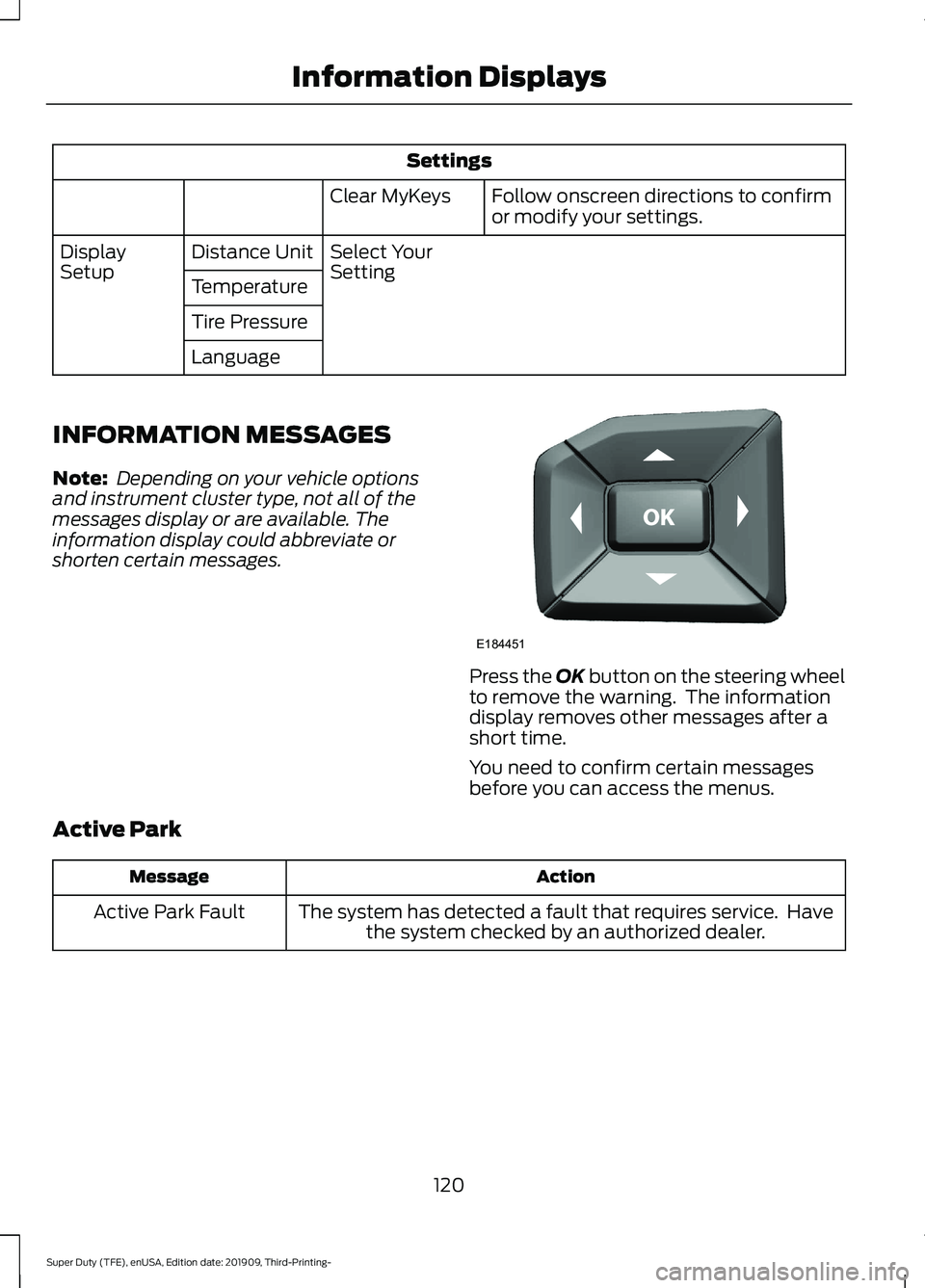
Settings
Follow onscreen directions to confirm
or modify your settings.
Clear MyKeys
Select Your
Setting
Distance Unit
Display
Setup
Temperature
Tire Pressure
Language
INFORMATION MESSAGES
Note: Depending on your vehicle options
and instrument cluster type, not all of the
messages display or are available. The
information display could abbreviate or
shorten certain messages. Press the OK button on the steering wheel
to remove the warning. The information
display removes other messages after a
short time.
You need to confirm certain messages
before you can access the menus.
Active Park Action
Message
The system has detected a fault that requires service. Havethe system checked by an authorized dealer.
Active Park Fault
120
Super Duty (TFE), enUSA, Edition date: 201909, Third-Printing- Information DisplaysE184451
Page 125 of 631
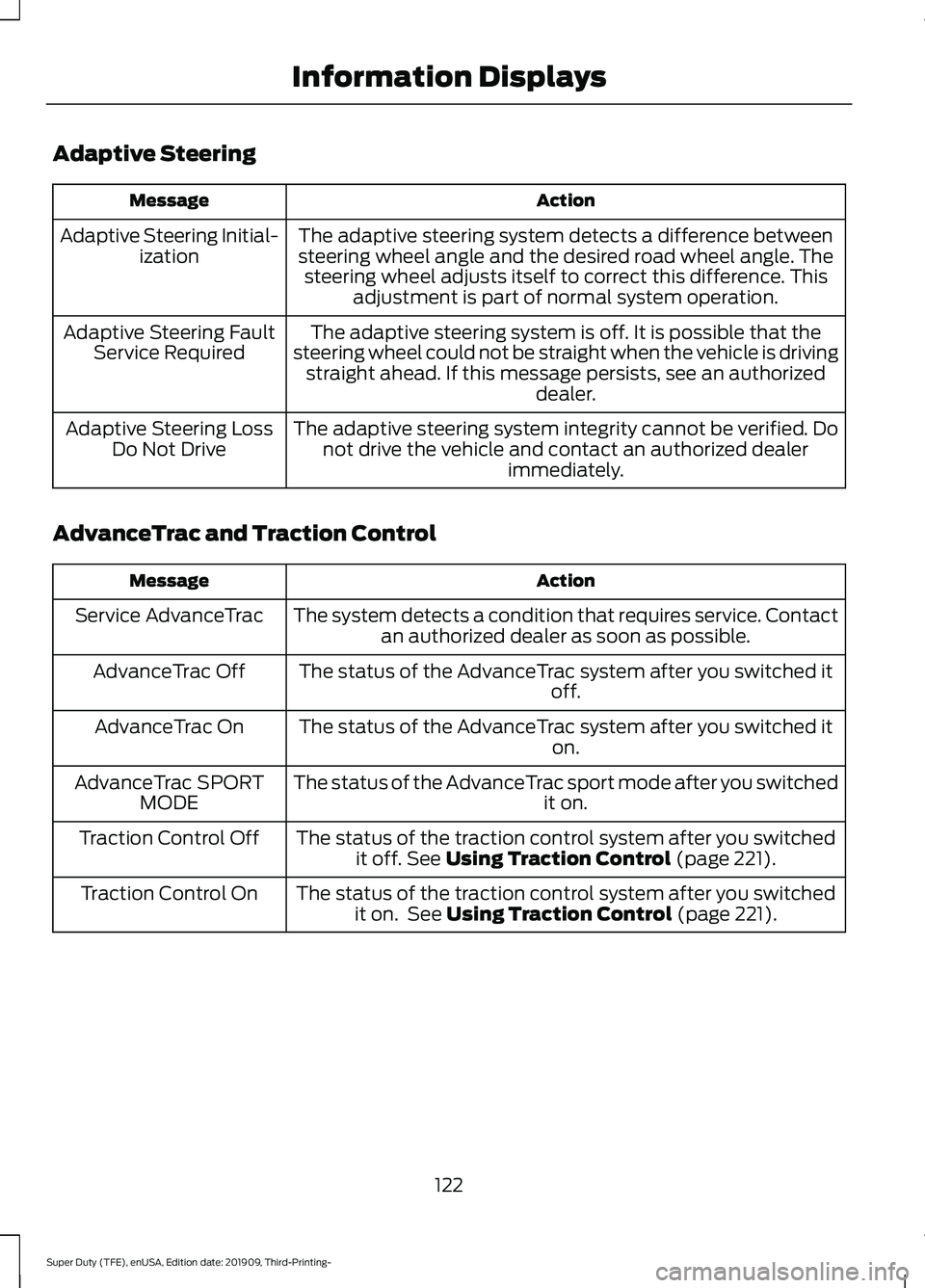
Adaptive Steering
Action
Message
The adaptive steering system detects a difference between
steering wheel angle and the desired road wheel angle. The steering wheel adjusts itself to correct this difference. This adjustment is part of normal system operation.
Adaptive Steering Initial-
ization
The adaptive steering system is off. It is possible that the
steering wheel could not be straight when the vehicle is driving straight ahead. If this message persists, see an authorized dealer.
Adaptive Steering Fault
Service Required
The adaptive steering system integrity cannot be verified. Donot drive the vehicle and contact an authorized dealer immediately.
Adaptive Steering Loss
Do Not Drive
AdvanceTrac and Traction Control Action
Message
The system detects a condition that requires service. Contactan authorized dealer as soon as possible.
Service AdvanceTrac
The status of the AdvanceTrac system after you switched it off.
AdvanceTrac Off
The status of the AdvanceTrac system after you switched it on.
AdvanceTrac On
The status of the AdvanceTrac sport mode after you switched it on.
AdvanceTrac SPORT
MODE
The status of the traction control system after you switchedit off. See Using Traction Control (page 221).
Traction Control Off
The status of the traction control system after you switchedit on. See
Using Traction Control (page 221).
Traction Control On
122
Super Duty (TFE), enUSA, Edition date: 201909, Third-Printing- Information Displays
Page 133 of 631
Lane Keeping System
Action
Message
The system malfunctioned. Contact an authorized dealer as soon as possible.
Lane Keeping Sys.
Malfunction Service Required
The system detects a condition that has caused the systemto be temporarily unavailable.
Front Camera Tempor-
arily Not Available
The system detects a condition that requires you to clean thewindshield in order for it to operate properly.
Front Camera Low Visib-
ility Clean Screen
The system malfunctioned. Contact an authorized dealer assoon as possible.
Front Camera Malfunc-
tion Service Required
The system requests you to keep your hands on the steering wheel.
Keep Hands on Steering
Wheel
Maintenance Action
Message
Stop your vehicle as soon as safely possible and turn off the
engine. Check the oil level. If the warning stays on or continues to come on with your engine running, contact an authorized dealer as soon as possible.
Low Engine Oil Pressure
The engine oil life remaining is 10% or less.
Change Engine Oil Soon
The oil life left is at 0%.
Oil Change Required
The brake fluid level is low, inspect the brake system immedi-ately. See Brake Fluid Check (page 366).
Brake Fluid Level Low
The brake system needs servicing. Stop your vehicle in a safeplace. Contact an authorized dealer.
Check Brake System
Your vehicle is still in Transport or Factory mode. This could
not allow some features to operate properly. See an author- ized dealer.
Transport / Factory
Mode Contact Dealer
The powertrain needs service due to a powertrain malfunction.
See Manual
130
Super Duty (TFE), enUSA, Edition date: 201909, Third-Printing- Information Displays
Page 148 of 631
•
Heated steering wheel.
• Heated mirrors.
• Heated rear window.
Automatic Settings
In hot weather, the system sets to 72°F
(22°C). The cooled seats are set to high,
if available, and AUTO is on in the
information display.
In moderate weather, the system either
heats or cools, based on pre-selected
settings. The rear defroster, heated mirrors
and heated or cooled seats do not turn on.
In cold weather, the system sets to
72°F
(22°C). The heated seats are set to high,
if available, and AUTO is on in the
information display. The heated rear
window and heated mirrors turn on.
145
Super Duty (TFE), enUSA, Edition date: 201909, Third-Printing- Climate Control