instrument panel FORD F-550 2020 Owner's Guide
[x] Cancel search | Manufacturer: FORD, Model Year: 2020, Model line: F-550, Model: FORD F-550 2020Pages: 631, PDF Size: 9.62 MB
Page 521 of 631
Function
Button
Playlists
Artist
Albums
Songs
Genres
Podcasts
Audio books
Composers
This button allows you to choose a specific
letter to view within the category you are
browsing.
A-Z Jump
If available, this allows you to browse the
folders and files on your USB device.
Explore Device
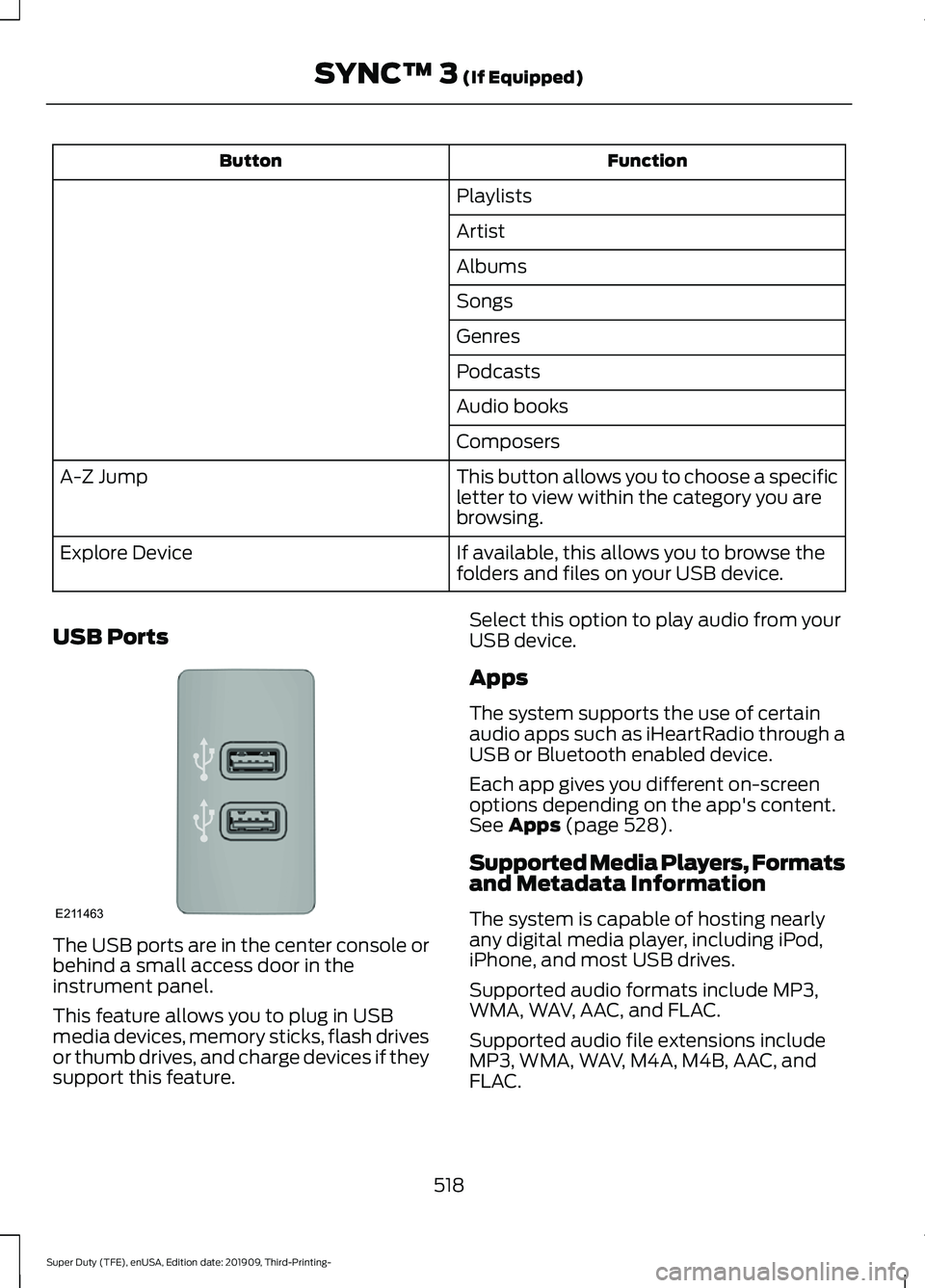
USB Ports The USB ports are in the center console or
behind a small access door in the
instrument panel.
This feature allows you to plug in USB
media devices, memory sticks, flash drives
or thumb drives, and charge devices if they
support this feature. Select this option to play audio from your
USB device.
Apps
The system supports the use of certain
audio apps such as iHeartRadio through a
USB or Bluetooth enabled device.
Each app gives you different on-screen
options depending on the app's content.
See Apps (page 528).
Supported Media Players, Formats
and Metadata Information
The system is capable of hosting nearly
any digital media player, including iPod,
iPhone, and most USB drives.
Supported audio formats include MP3,
WMA, WAV, AAC, and FLAC.
Supported audio file extensions include
MP3, WMA, WAV, M4A, M4B, AAC, and
FLAC.
518
Super Duty (TFE), enUSA, Edition date: 201909, Third-Printing- SYNC™ 3
(If Equipped)E211463
Page 522 of 631
Supported USB file systems include: FAT,
exFAT, and NTFS.
SYNC 3 is also able to organize the media
from your USB device by metadata tags.
Metadata tags, which are descriptive
software identifiers embedded in the
media files, provide information about the
file.
If your indexed media files contain no
information embedded in these metadata
tags, SYNC 3 may classify the empty
metadata tags as unknown.
SYNC 3 is capable of indexing up to
50,000 songs per USB device, for up to 10
devices.
CLIMATE
Touch the climate button on the
touchscreen to access your climate control
features.
Note:
You can switch temperature units
between Fahrenheit and Celsius. See
Settings (page 531).
Accessing the Climate Control
Menu Touch the button to access
additional controls for the front
climate system.
Directing the Airflow Touch the button to direct
airflow to the windshield air
vents and de-mister.
Touch the button to direct
airflow to the instrument panel
air vents.
Touch the button to direct
airflow to the footwell air vents. You can direct air through any combination
of these air vents.
Setting the Blower Motor Speed Touch up or down to increase or
decrease the volume of air that
circulates in your vehicle.
Setting the Temperature
Touch up or down on the left-hand
temperature control to set the left-hand
temperature.
Note: This control also adjusts the
right-hand side temperature when you
switch off dual zone mode.
Touch up or down on the right-hand
temperature control to set the right-hand
temperature.
Switching Auto Mode On and Off Touch the button to switch on
automatic operation, then set
the temperature.
The system adjusts the blower motor
speed, air distribution, air conditioning
operation, and outside or recirculated air
to reach and maintain the temperature you
have set.
Switching the Air Conditioning On
and Off A pop-up appears on the screen
to display the air conditioning
options.
MAX A/C:
Touch the button to activate
and maximize cooling. The driver and
passenger temperatures are set to LO,
recirculated air flows through the
instrument panel vents, air conditioning
automatically turns on and the fan
automatically adjusts to the highest speed.
519
Super Duty (TFE), enUSA, Edition date: 201909, Third-Printing- SYNC™ 3
(If Equipped)E265038 E244097
Page 523 of 631
A/C: Touch to switch the air conditioning
on or off. Use A/C with recirculated air to
improve cooling performance and
efficiency.
Note: In certain conditions, such as
maximum defrost, the air conditioning
compressor may continue to operate even
though you switch off the air conditioning.
Switching the Climate Control On
and Off Touch the button.
Switching the Climate Controlled
Seats On and Off Touch the button to cycle
through the various climate
controlled seat settings.
Switching Dual Zone Mode On and
Off Touch the button to switch on
temperature control for the
right-hand side of the vehicle.
Switching the Heated Exterior
Mirrors On and Off Touch the button.
Switching the Heated Windshield
On and Off Touch the button to clear the
windshield of thin ice and fog.
The heated windshield turns off
after a short period of time. Switching the Heated Rear
Window On and Off Touch the button to clear the
rear window of thin ice and fog.
Switching the Heated Seats On
and Off Touch the button to cycle
through the various heat
settings.
Switching the Heated Steering
Wheel On and Off Touch the button.
Switching Maximum Air
Conditioning On and Off Touch the button for maximum
cooling.
Recirculated air flows through the
instrument panel air vents, air conditioning
turns on and the blower motor adjusts to
the highest speed.
Switching Maximum Defrost On
and Off Touch the button for maximum
defrosting.
Air flows through the windshield air vents,
and the blower motor adjusts to the
highest speed.
You can also use this setting to defog and
clear the windshield of a thin covering of
ice.
Note: To prevent window fogging, you
cannot select recirculated air when
maximum defrost is on.
520
Super Duty (TFE), enUSA, Edition date: 201909, Third-Printing- SYNC™ 3
(If Equipped) E265282 E265280 E266189 E184884
Page 551 of 631
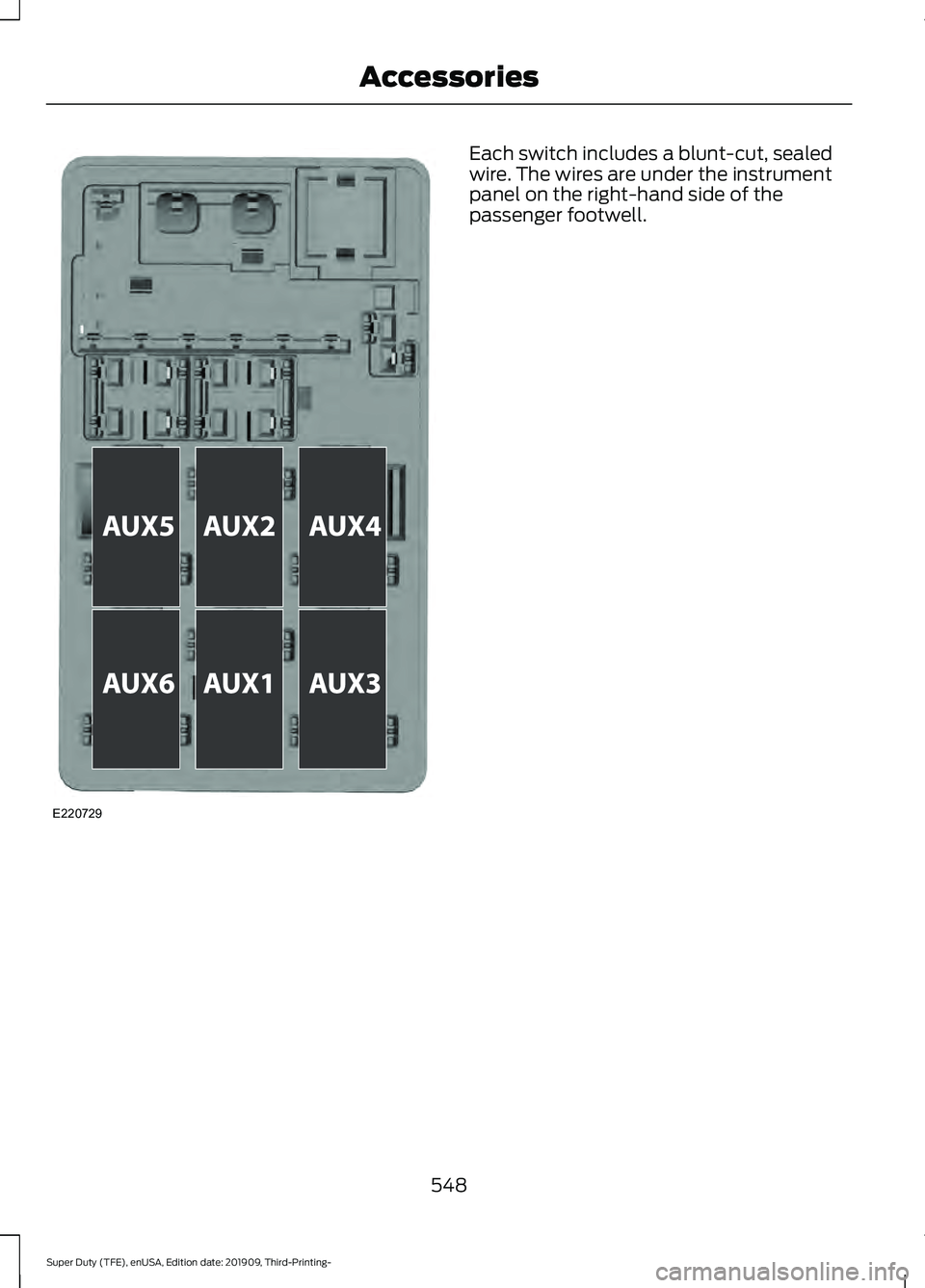
Each switch includes a blunt-cut, sealed
wire. The wires are under the instrument
panel on the right-hand side of the
passenger footwell.
548
Super Duty (TFE), enUSA, Edition date: 201909, Third-Printing- AccessoriesE220729
Page 619 of 631
Changing the Engine Air Filter - 6.7L
Diesel.............................................................347
Air Filter Restriction Gauge............................ 348
Changing the Engine Air Filter - 7.3L.................................................................349
Changing the Engine-Mounted and Diesel Fuel Conditioner Module Fuel
Filters - 6.7L Diesel....................................375
Diesel Fuel Conditioner Module Filter........375
Engine-mounted Fuel Filter........................... 378
Changing the Engine Oil and Oil Filter...............................................................345
Engine Lubrication for Severe Service Operation......................................................... 345
Changing the Vehicle Wi-Fi Hotspot Name or Password...................................473
Changing the Wiper Blades......................371
Checking MyKey System Status...............63 MyKey Distance.................................................... 63
Number of Admin Keys...................................... 63
Number of MyKeys.............................................. 63
Checking the Wiper Blades.......................371
Child Restraint and Seatbelt Maintenance.................................................42
Child Restraint Positioning
.........................33
Child Safety......................................................20 General Information............................................ 20
Child Safety Locks
.........................................35
Left-Hand Side...................................................... 35
Right-Hand Side................................................... 35
Cleaning Leather Seats.............................385 With King Ranch Edition................................. 386
Without King Ranch Edition.......................... 385
Cleaning Products......................................380 Materials............................................................... 380
Cleaning the Engine....................................382
Cleaning the Exhaust - 6.7L Diesel.......382
Cleaning the Exterior...................................381 Cleaning the Headlamps................................. 381
Exterior Chrome Parts...................................... 381
Exterior Plastic Parts......................................... 381
Stripes or Graphics............................................. 381
Underbody........................................................... 382
Under Hood......................................................... 382
Cleaning the Instrument Panel and Instrument Cluster Lens
........................385
Cleaning the Interior...................................383
Cleaning the Wheels..................................387 Cleaning the Windows and Wiper
Blades...........................................................383
Clearing All MyKeys.......................................62
Climate.............................................................519 Accessing Rear Climate Controls.................521
Accessing the Climate Control Menu.........519
Directing the Airflow.......................................... 519
Rear Climate Control Lock Indicator...........521
Setting the Blower Motor Speed.................. 519
Setting the Temperature................................. 519
Switching Auto Mode On and Off................519
Switching Dual Zone Mode On and Off...................................................................... 520
Switching Maximum Air Conditioning On and Off............................................................. 520
Switching Maximum Defrost On and Off...................................................................... 520
Switching Rear Auto Mode On and Off........................................................................\
521
Switching Recirculated Air On and Off........................................................................\
521
Switching the Air Conditioning On and Off....................................................................... 519
Switching the Climate Controlled Seats On and Off............................................................. 520
Switching the Climate Control On and Off...................................................................... 520
Switching the Heated Exterior Mirrors On and Off............................................................. 520
Switching the Heated Rear Window On and Off...................................................................... 520
Switching the Heated Seats On and Off...................................................................... 520
Switching the Heated Steering Wheel On and Off............................................................. 520
Switching the Heated Windshield On and Off...................................................................... 520
Switching the Rear Climate Controlled Seats On and Off........................................... 521
Switching the Rear Heated Seats On and Off........................................................................\
521
Switching the Rear Ventilated Seats On and Off............................................................... 521
Switching the Ventilated Seats On and Off........................................................................\
521
Climate Control.............................................139
616
Super Duty (TFE), enUSA, Edition date: 201909, Third-Printing- Index
Page 624 of 631
Diesel Messages..................................................
125
Doors and Locks.................................................. 127
Driver Alert............................................................. 128
Drivetrain................................................................ 128
Engine..................................................................... 128
Fuel........................................................................\
.. 129
Keys and Remote Controls............................. 129
Lane Keeping System....................................... 130
Maintenance........................................................ 130
MyKey....................................................................... 131
Off Road.................................................................. 131
Park Aid................................................................... 132
Park Brake.............................................................. 132
Power Steering..................................................... 133
Pre-Collision Assist............................................ 133
Remote Start........................................................ 134
Seats........................................................................\
134
Starting System ................................................. 134
Tailgate................................................................... 134
Tire Pressure Monitoring System.................. 135
Trail Control.......................................................... 135
Trailer....................................................................... 136
Installing Child Restraints...........................22 Child Seats.............................................................. 22
Combining Seatbelt and LATCH Lower Anchors for Attaching Child
Restraints........................................................... 28
Front Seat Tether Strap Attachment (Regular Cab)................................................... 29
Rear Seat Tether Strap Attachment (Crew Cab and Super Cab)...................................... 30
Use of Inboard Lower Anchors from the Outboard Seating Positions (Center
Seating Use) ..................................................... 27
Using Lap and Shoulder Belts (Except Front Center Position of Super Cab and Crew
Cab)...................................................................... 22
Using Lap and Shoulder Belts (Front Center Position of Super Cab and Crew
Cab)...................................................................... 24
Using Lower Anchors and Tethers for CHildren (LATCH)........................................... 26
Using Tether Straps............................................. 28
Instrument Cluster........................................101
Instrument Lighting Dimmer......................87
Instrument Panel............................................18
Interior Air Quality........................................146 Interior Lamps
.................................................89
Front Interior Lamp............................................. 89
Rear Interior Lamps............................................ 90
Interior Mirror
...................................................98
Auto-Dimming Mirror......................................... 98
Manual Dimming Mirror..................................... 98
Introduction.........................................................7
J
Jump Starting the Vehicle..........................317 Connecting the Jumper Cables...................... 317
Jump Starting....................................................... 318
Preparing Your Vehicle...................................... 317
Removing the Jumper Cables........................ 318
K
Keyless Entry
...................................................68
SECURICODE™ KEYLESS ENTRY
KEYPAD.............................................................. 68
Keyless Starting
............................................169
Keys and Remote Controls.........................53
L
Lane Keeping System
................................245
Switching the System On and Off..............246
System Display................................................... 246
System Settings................................................. 246
Troubleshooting.................................................. 247
Lighting Control..............................................86 Flashing the Headlamp High Beam..............87
Headlamp High Beam....................................... 86
Lighting..............................................................86 General Information........................................... 86
Limited Slip Differential.............................215
Load Carrying
................................................265
Load Limit.......................................................265
Special Loading Instructions for Owners of
Pick-up Trucks and Utility-type
Vehicles............................................................ 269
Vehicle Loading - with and without a Trailer................................................................. 265
Locating the Cabin Air Filter.....................146
Locking and Unlocking.................................65 Activating Intelligent Access............................ 65
Autolock................................................................... 67
621
Super Duty (TFE), enUSA, Edition date: 201909, Third-Printing- Index