lock FORD F150 1997 10.G Owners Manual
[x] Cancel search | Manufacturer: FORD, Model Year: 1997, Model line: F150, Model: FORD F150 1997 10.GPages: 219, PDF Size: 2.21 MB
Page 10 of 219
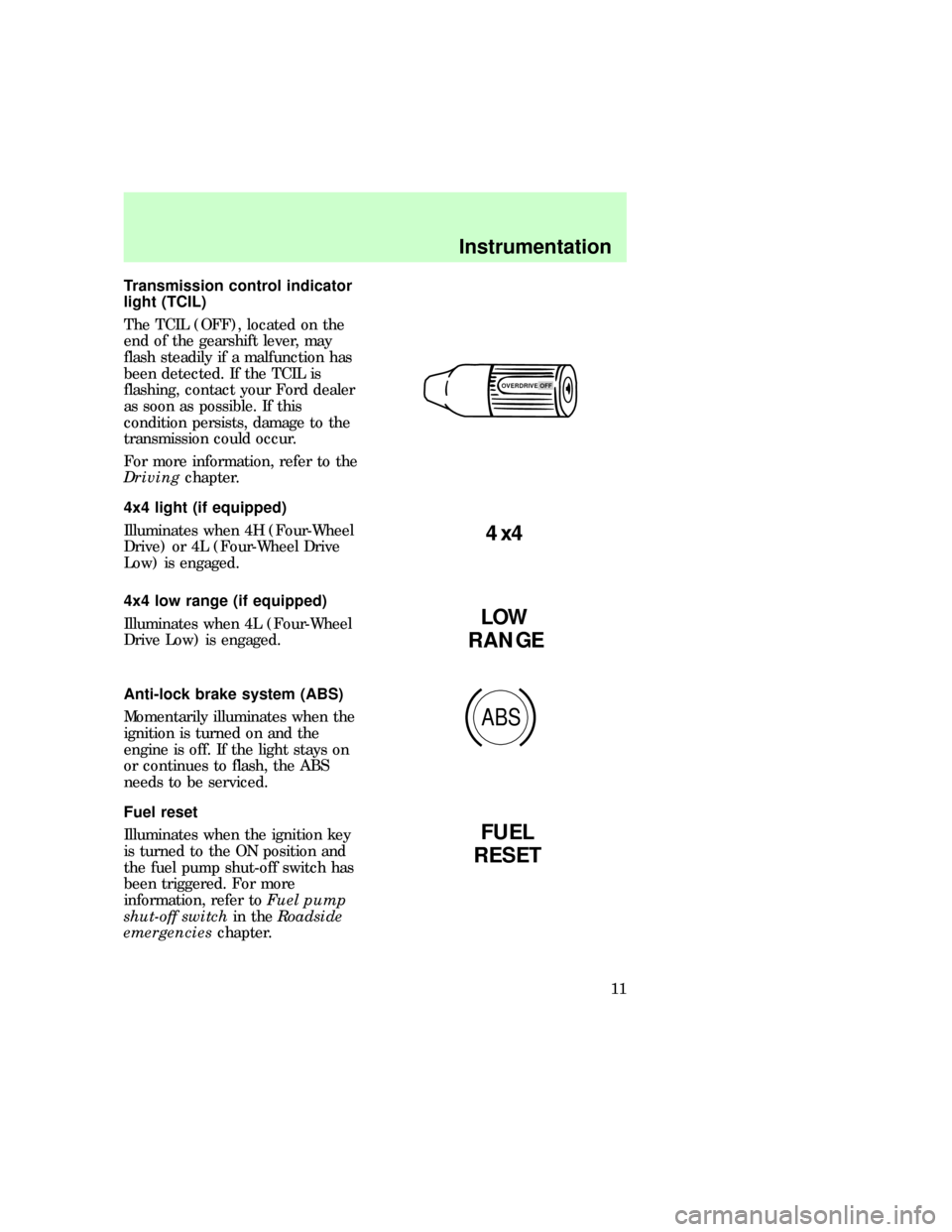
Transmission control indicator
light (TCIL)
The TCIL (OFF), located on the
end of the gearshift lever, may
flash steadily if a malfunction has
been detected. If the TCIL is
flashing, contact your Ford dealer
as soon as possible. If this
condition persists, damage to the
transmission could occur.
For more information, refer to the
Drivingchapter.
4x4 light (if equipped)
Illuminates when 4H (Four-Wheel
Drive) or 4L (Four-Wheel Drive
Low) is engaged.
4x4 low range (if equipped)
Illuminates when 4L (Four-Wheel
Drive Low) is engaged.
Anti-lock brake system (ABS)
Momentarily illuminates when the
ignition is turned on and the
engine is off. If the light stays on
or continues to flash, the ABS
needs to be serviced.
Fuel reset
Illuminates when the ignition key
is turned to the ON position and
the fuel pump shut-off switch has
been triggered. For more
information, refer toFuel pump
shut-off switchin theRoadside
emergencieschapter.
OVERDRIVE OFF
4x4
LOW
RANGE
ABS
FUEL
RESET
f12_4x4_light
f12_4x4_low
com_anti-lock_brake.01
com_fuel_reset.01
com_anti-theft_alarm.01
Instrumentation
11
Page 31 of 219
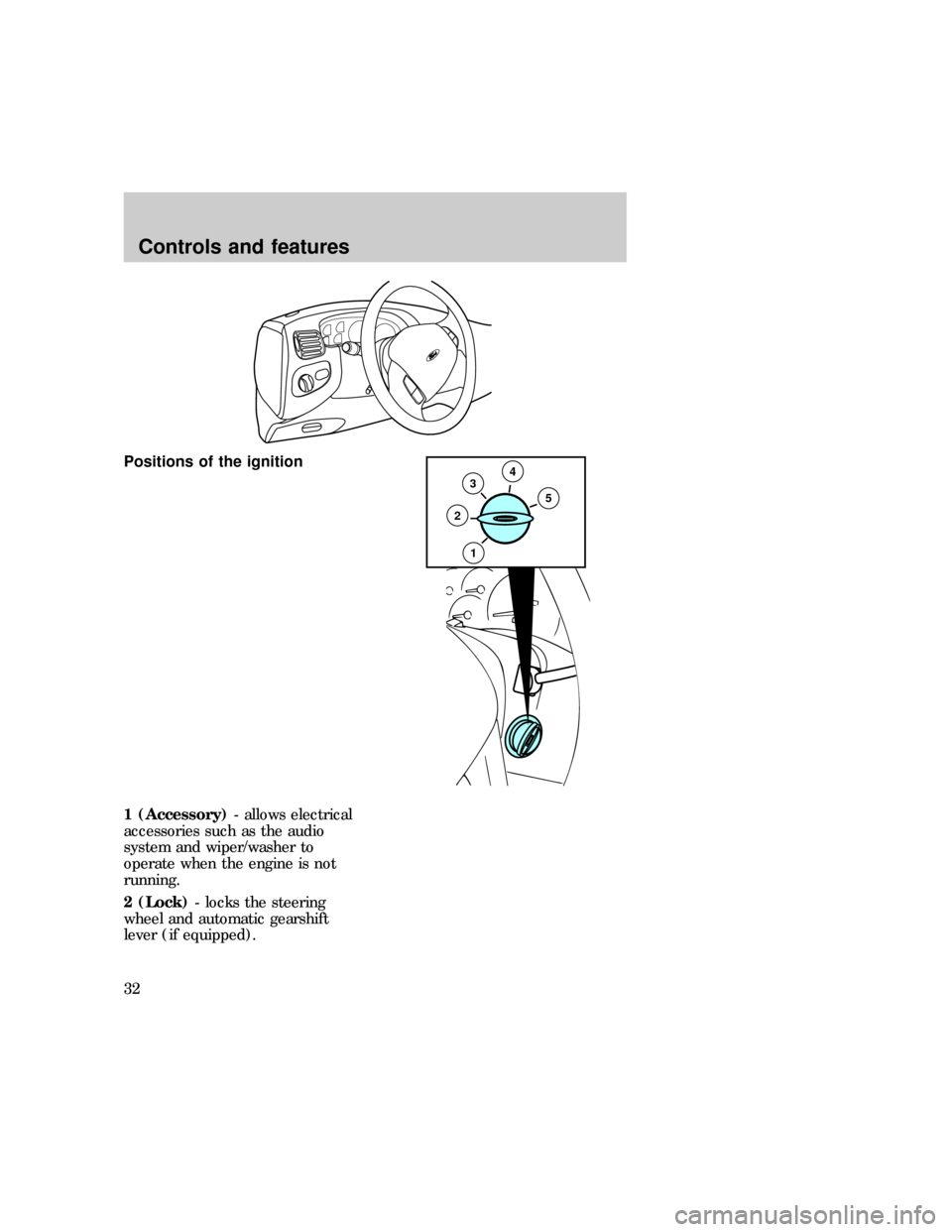
Positions of the ignition
1 (Accessory)- allows electrical
accessories such as the audio
system and wiper/washer to
operate when the engine is not
running.
2 (Lock)- locks the steering
wheel and automatic gearshift
lever (if equipped).
35
2
4
1
f12_ignition_positions
Controls and features
32
Page 32 of 219
3 (Off)- shuts off the engine and
all accessories without locking the
steering wheel.
4 (On)- tests the warning lights.
Key remains here when engine is
running.
5 (Start)- cranks the engine. Key
returns to 4(On) when released.
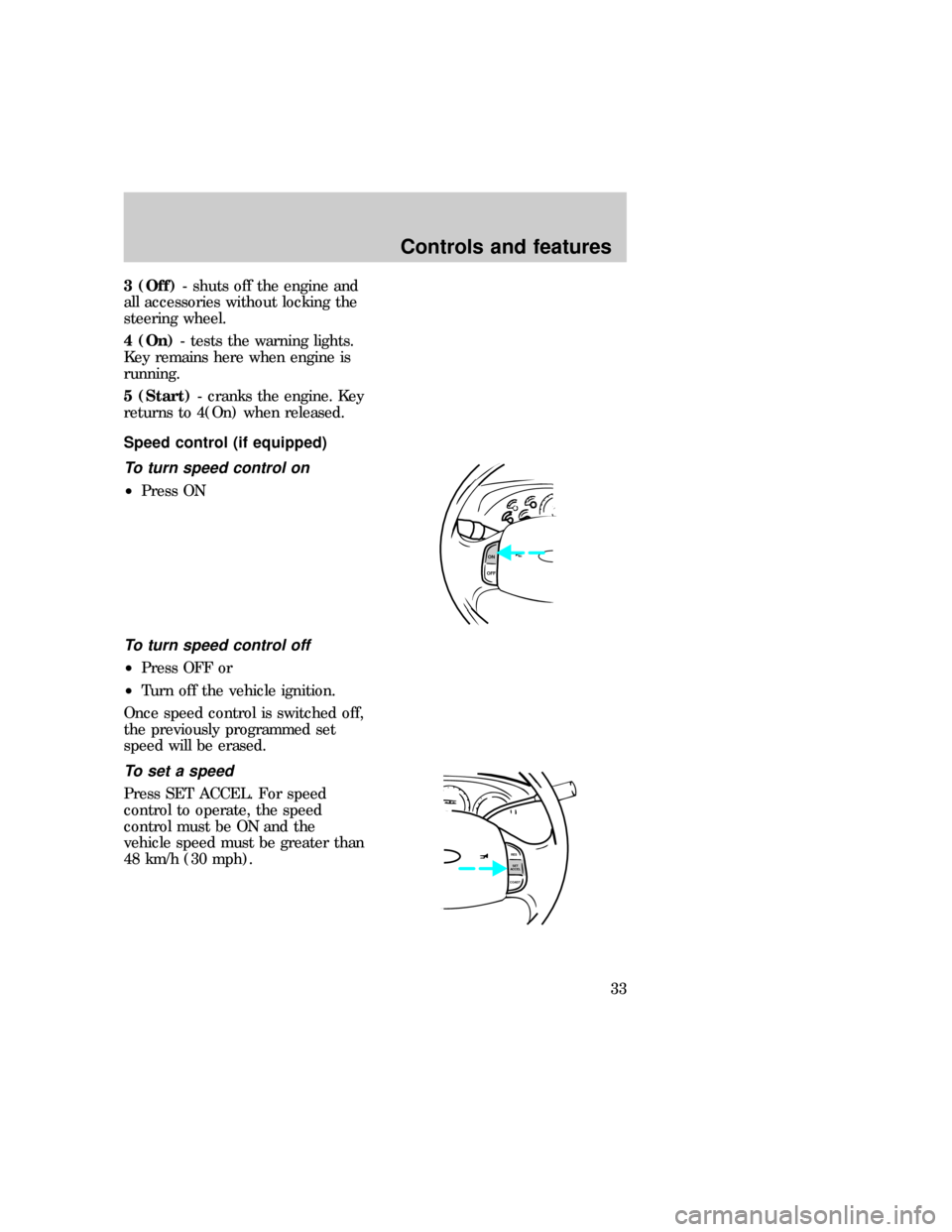
Speed control (if equipped)
To turn speed control on
²Press ON
To turn speed control off
²Press OFF or
²Turn off the vehicle ignition.
Once speed control is switched off,
the previously programmed set
speed will be erased.
To set a speed
Press SET ACCEL. For speed
control to operate, the speed
control must be ON and the
vehicle speed must be greater than
48 km/h (30 mph).
ON
OFF
RES
SET
ACCEL
COAST
f12_speed_cont
com_speed_on.01 com_speed_off.01
com_set_speed.01
Controls and features
33
Page 39 of 219
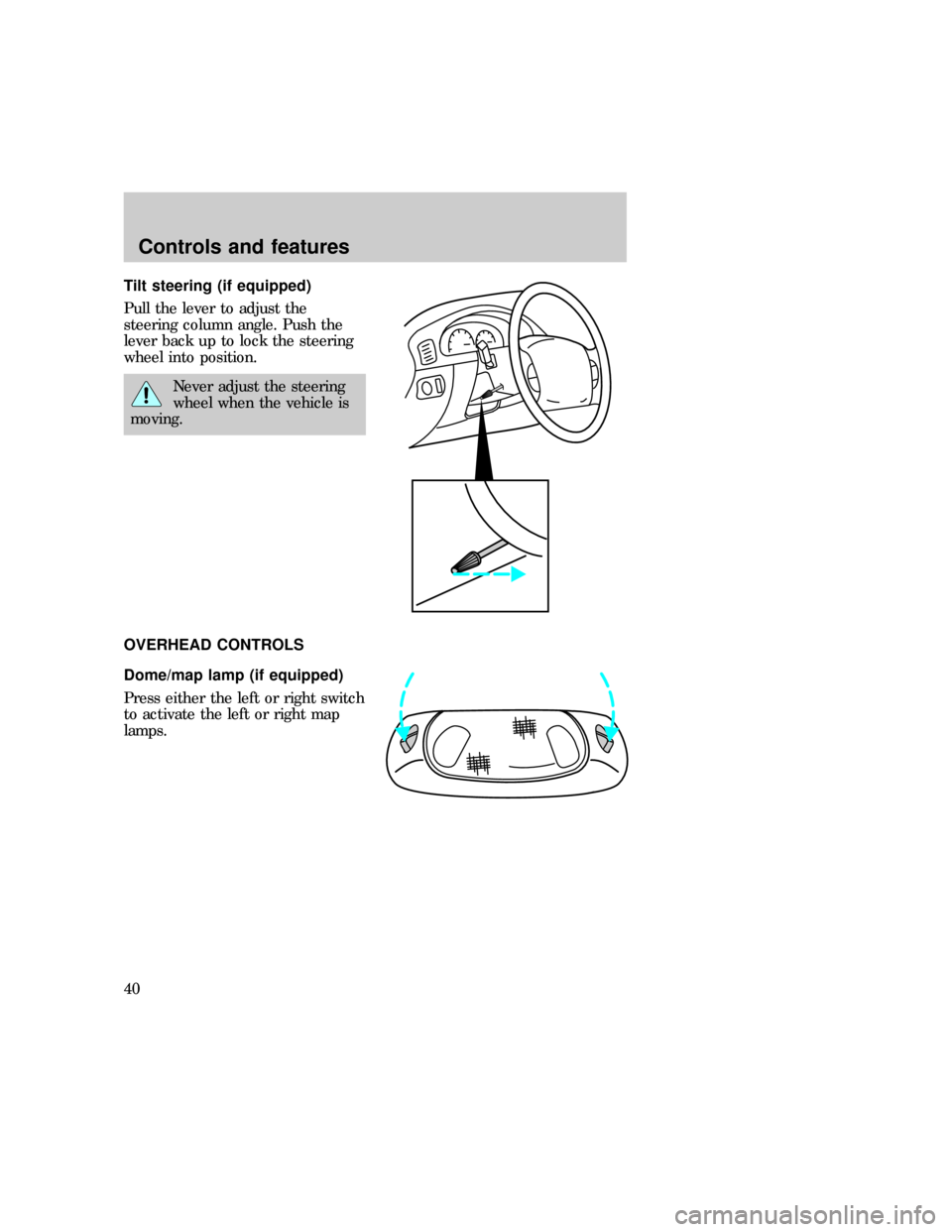
Tilt steering (if equipped)
Pull the lever to adjust the
steering column angle. Push the
lever back up to lock the steering
wheel into position.
Never adjust the steering
wheel when the vehicle is
moving.
OVERHEAD CONTROLS
Dome/map lamp (if equipped)
Press either the left or right switch
to activate the left or right map
lamps.
f12_overhead_overall
f12_domemap_lamp f12_illuminated_entryControls and features
40
Page 40 of 219
Illuminated entry
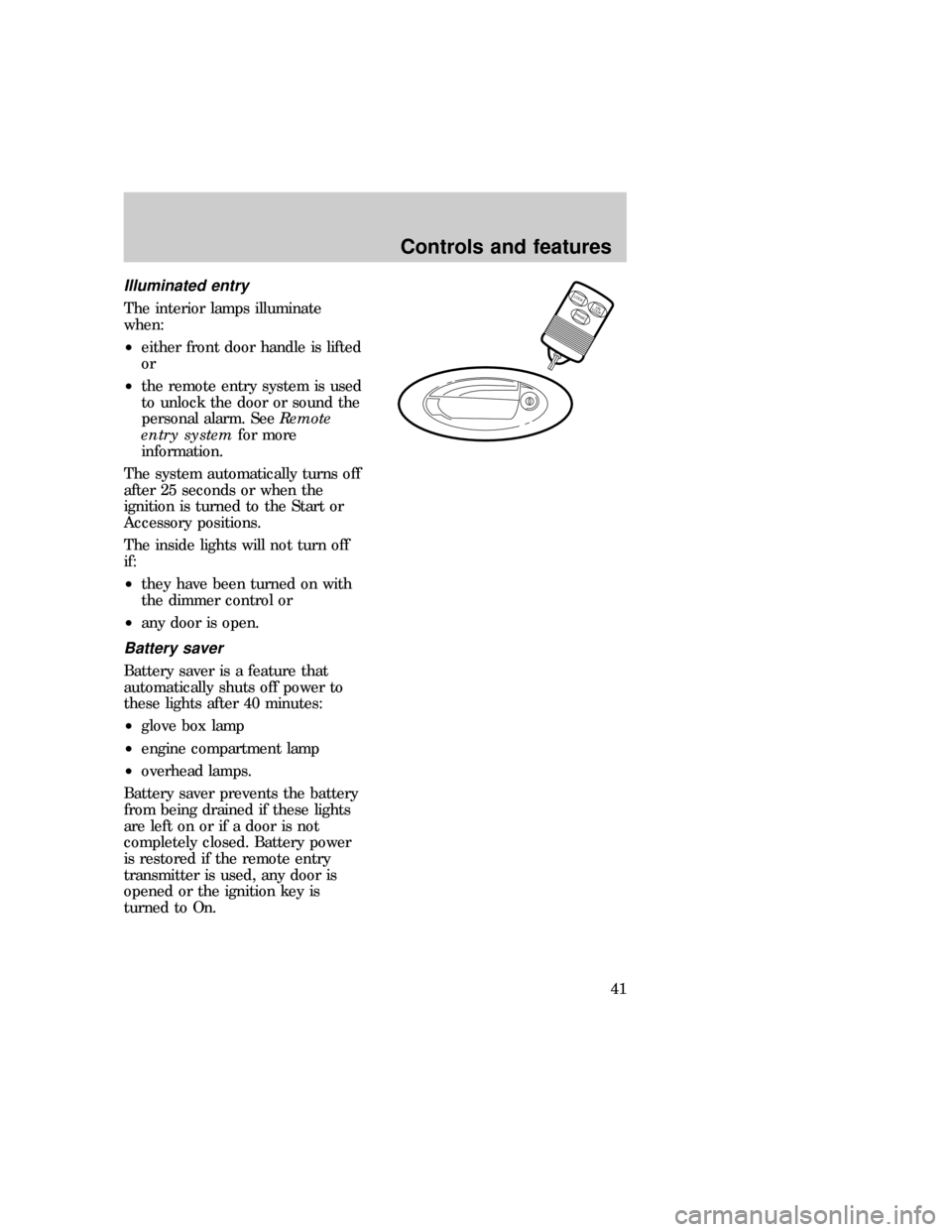
The interior lamps illuminate
when:
²either front door handle is lifted
or
²the remote entry system is used
to unlock the door or sound the
personal alarm. SeeRemote
entry systemfor more
information.
The system automatically turns off
after 25 seconds or when the
ignition is turned to the Start or
Accessory positions.
The inside lights will not turn off
if:
²they have been turned on with
the dimmer control or
²any door is open.
Battery saver
Battery saver is a feature that
automatically shuts off power to
these lights after 40 minutes:
²glove box lamp
²engine compartment lamp
²overhead lamps.
Battery saver prevents the battery
from being drained if these lights
are left on or if a door is not
completely closed. Battery power
is restored if the remote entry
transmitter is used, any door is
opened or the ignition key is
turned to On.
LOCKUN
LOCK
PANIC
f12_battery_saver
Controls and features
41
Page 42 of 219
Passenger-side window
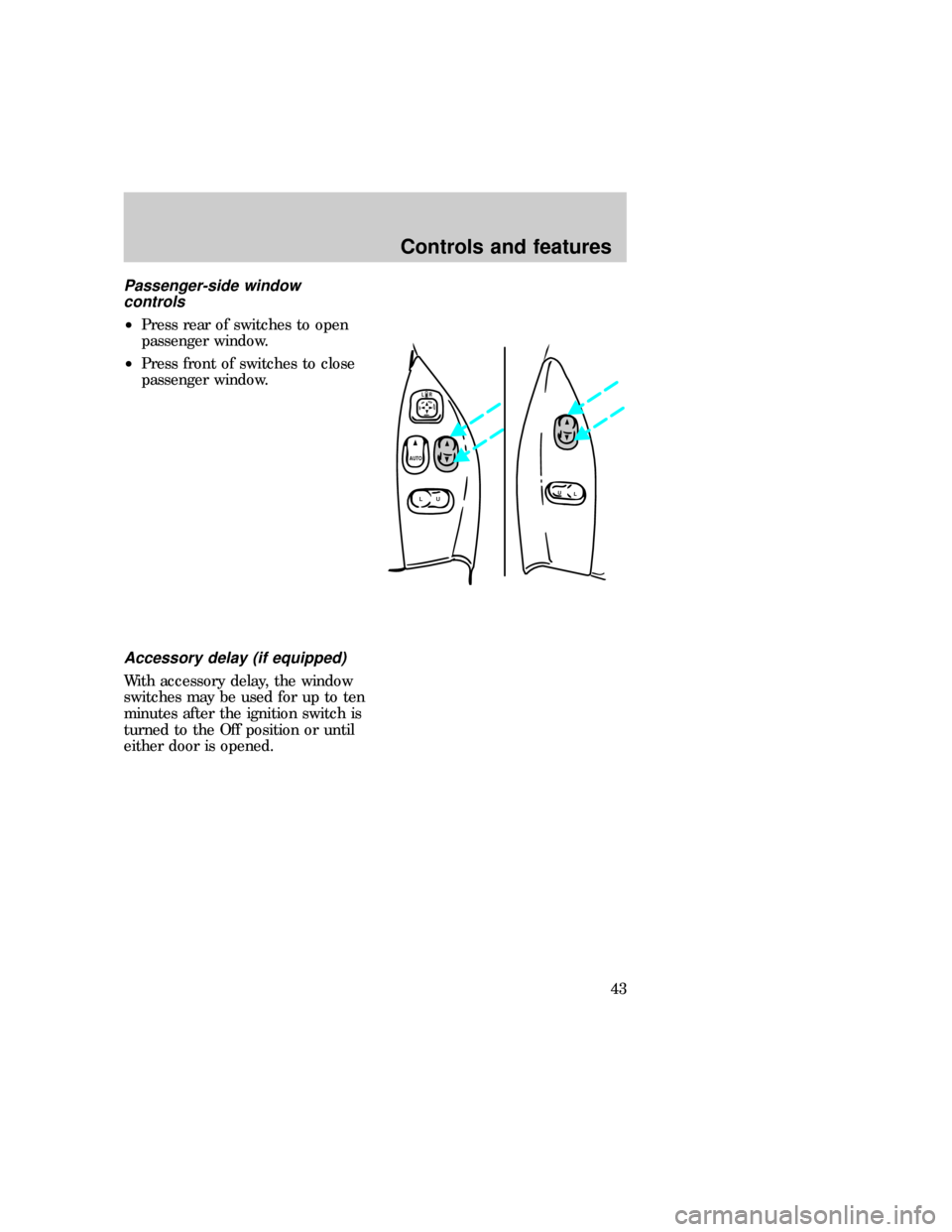
controls
²Press rear of switches to open
passenger window.
²Press front of switches to close
passenger window.
Accessory delay (if equipped)
With accessory delay, the window
switches may be used for up to ten
minutes after the ignition switch is
turned to the Off position or until
either door is opened.
LU
AUTOLR
L
U
f12_acc_delay
f12_power_locks
Controls and features
43
Page 43 of 219
Power locks (if equipped)
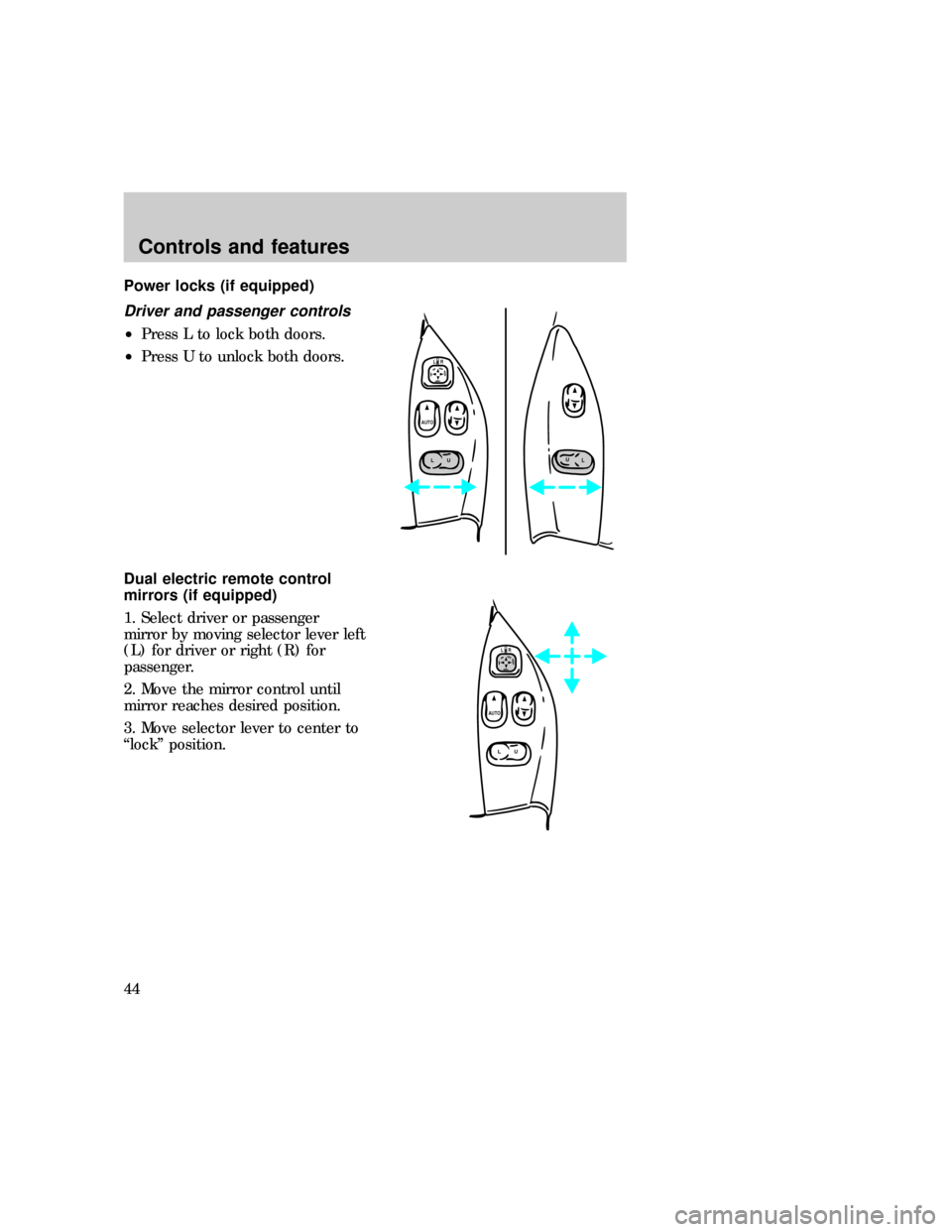
Driver and passenger controls
²Press L to lock both doors.
²Press U to unlock both doors.
Dual electric remote control
mirrors (if equipped)
1. Select driver or passenger
mirror by moving selector lever left
(L) for driver or right (R) for
passenger.
2. Move the mirror control until
mirror reaches desired position.
3. Move selector lever to center to
ªlockº position.
LU
AUTO
LR
L
U
LU
AUTOLR
f12_driver_control f12_remote_mirrors
Controls and features
44
Page 45 of 219
door jamb or the handle on the
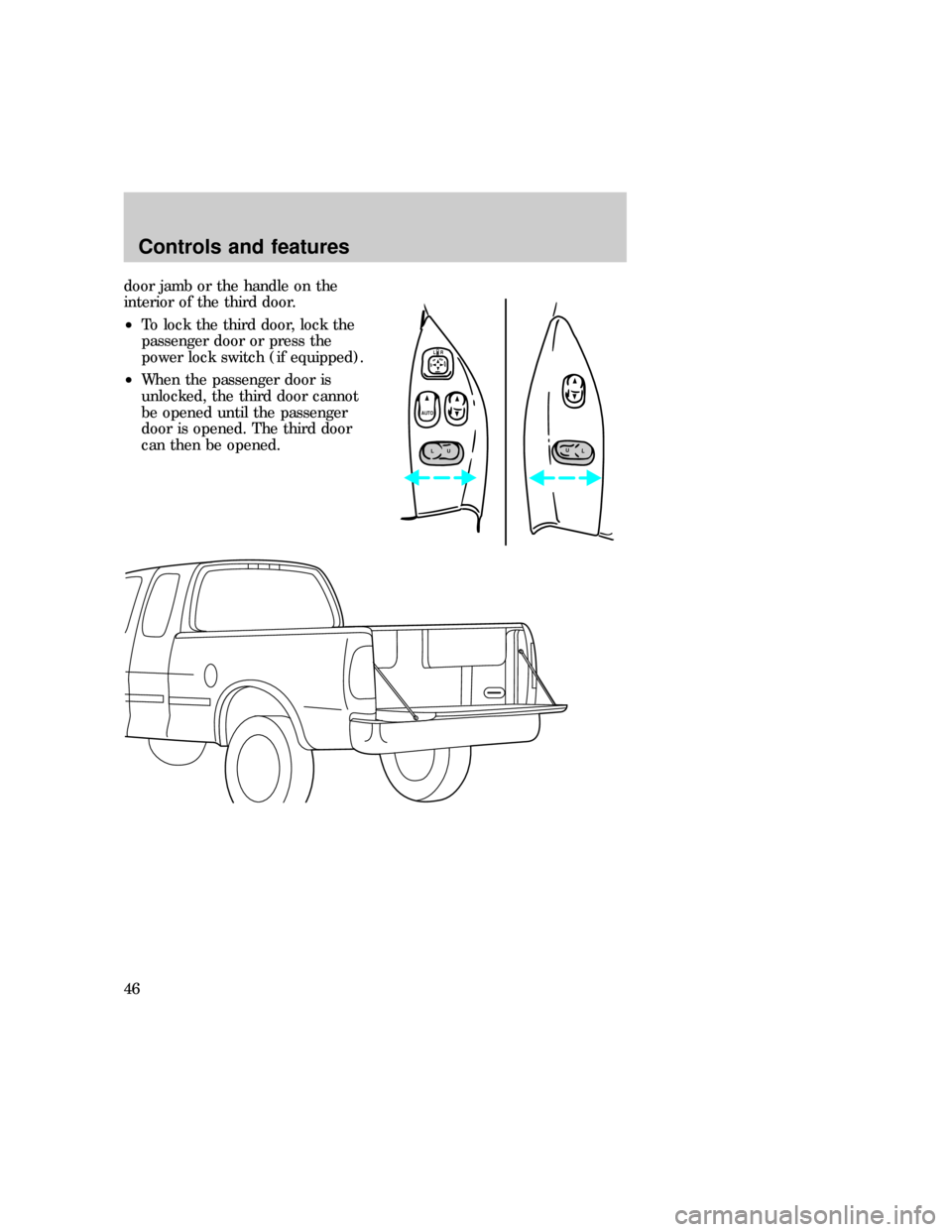
interior of the third door.
²To lock the third door, lock the
passenger door or press the
power lock switch (if equipped).
²When the passenger door is
unlocked, the third door cannot
be opened until the passenger
door is opened. The third door
can then be opened.
LU
AUTO
LR
L
U
f12_trunk_overall
Controls and features
46
Page 46 of 219
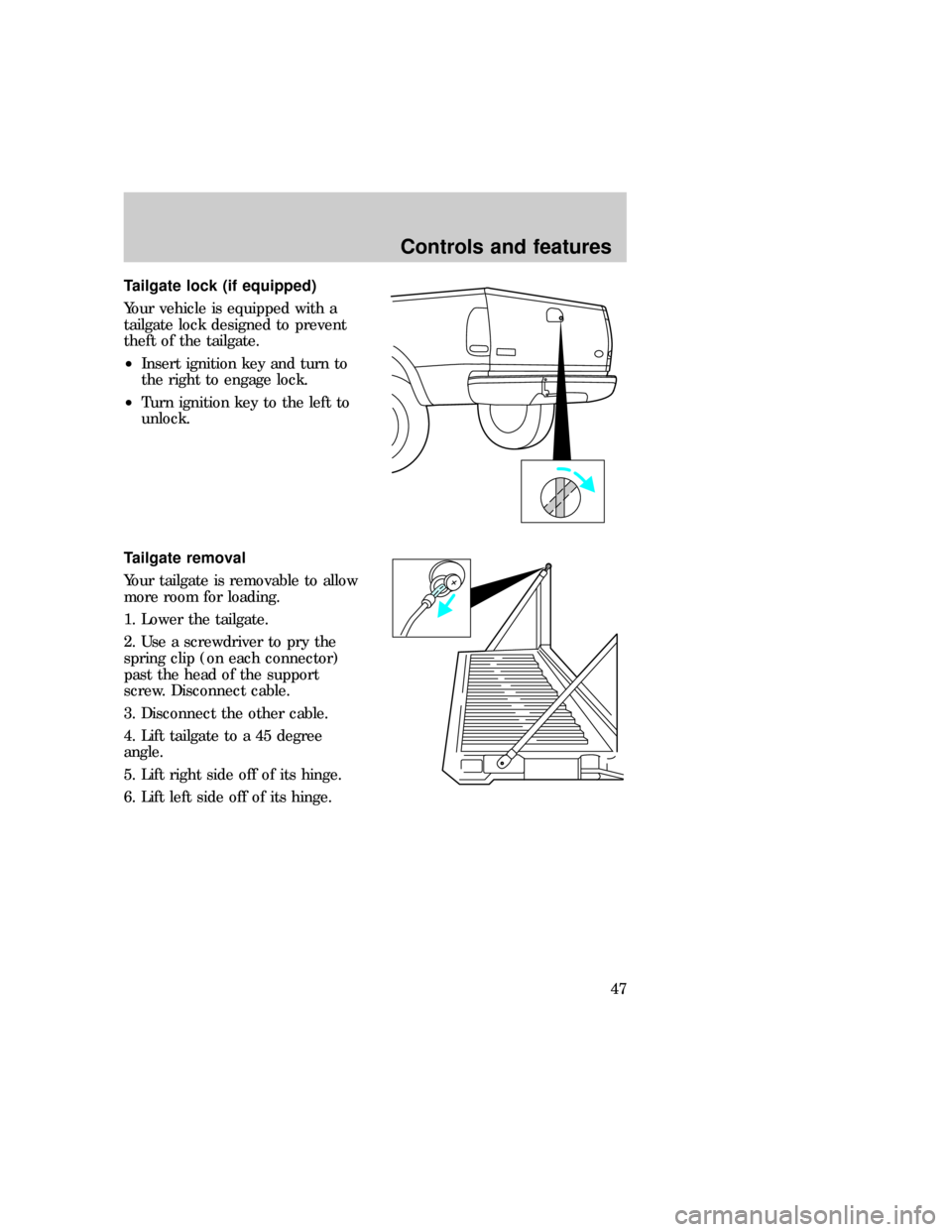
Tailgate lock (if equipped)
Your vehicle is equipped with a
tailgate lock designed to prevent
theft of the tailgate.
²Insert ignition key and turn to
the right to engage lock.
²Turn ignition key to the left to
unlock.
Tailgate removal
Your tailgate is removable to allow
more room for loading.
1. Lower the tailgate.
2. Use a screwdriver to pry the
spring clip (on each connector)
past the head of the support
screw. Disconnect cable.
3. Disconnect the other cable.
4. Lift tailgate to a 45 degree
angle.
5. Lift right side off of its hinge.
6. Lift left side off of its hinge.f12_tailgate_lock
f12_tailgate_removal
f12_antitheft
Controls and features
47
Page 47 of 219
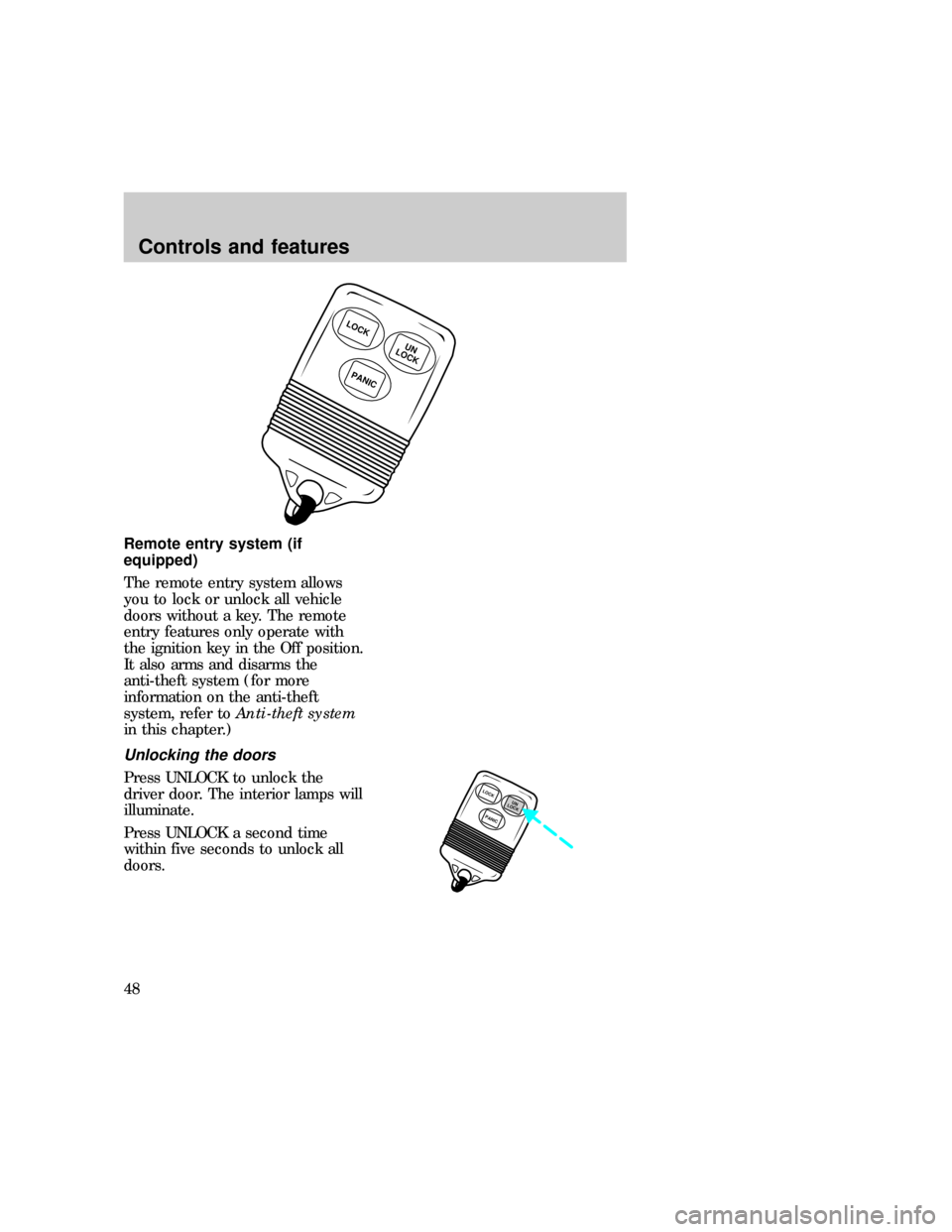
Remote entry system (if
equipped)
The remote entry system allows
you to lock or unlock all vehicle
doors without a key. The remote
entry features only operate with
the ignition key in the Off position.
It also arms and disarms the
anti-theft system (for more
information on the anti-theft
system, refer toAnti-theft system
in this chapter.)
Unlocking the doors
Press UNLOCK to unlock the
driver door. The interior lamps will
illuminate.
Press UNLOCK a second time
within five seconds to unlock all
doors.
LOCK
PANIC
UN
LOCK
LOCK
PANICUN
LOCK
f12_remote_entry
f12_unlocking_doors
f12_locking_doors
Controls and features
48