lock FORD F150 2007 11.G Owners Manual
[x] Cancel search | Manufacturer: FORD, Model Year: 2007, Model line: F150, Model: FORD F150 2007 11.GPages: 344, PDF Size: 3.59 MB
Page 2 of 344
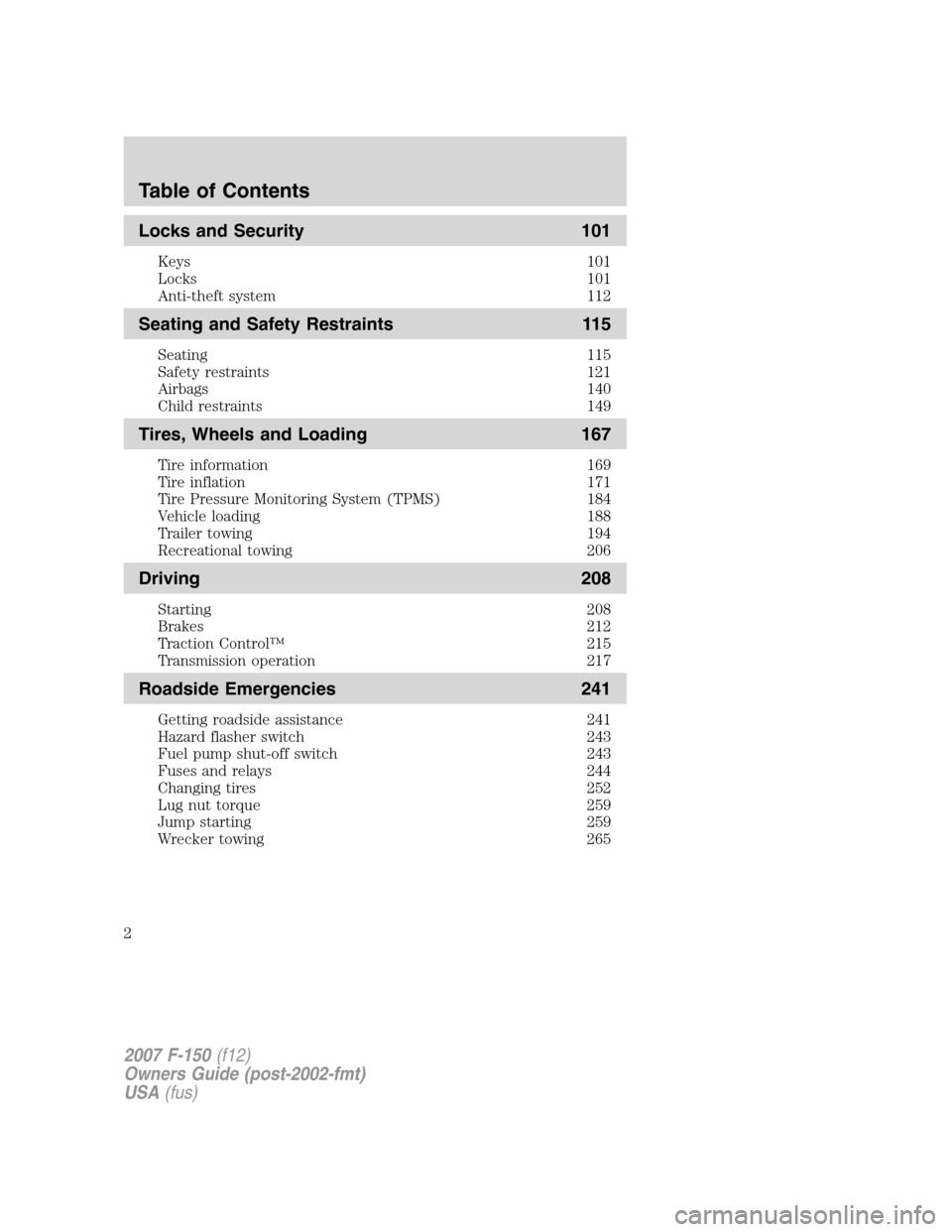
Locks and Security 101
Keys 101
Locks 101
Anti-theft system 112
Seating and Safety Restraints 115
Seating 115
Safety restraints 121
Airbags 140
Child restraints 149
Tires, Wheels and Loading 167
Tire information 169
Tire inflation 171
Tire Pressure Monitoring System (TPMS) 184
Vehicle loading 188
Trailer towing 194
Recreational towing 206
Driving 208
Starting 208
Brakes 212
Traction Control™ 215
Transmission operation 217
Roadside Emergencies 241
Getting roadside assistance 241
Hazard flasher switch 243
Fuel pump shut-off switch 243
Fuses and relays 244
Changing tires 252
Lug nut torque 259
Jump starting 259
Wrecker towing 265
Table of Contents
2
2007 F-150(f12)
Owners Guide (post-2002-fmt)
USA(fus)
Page 10 of 344
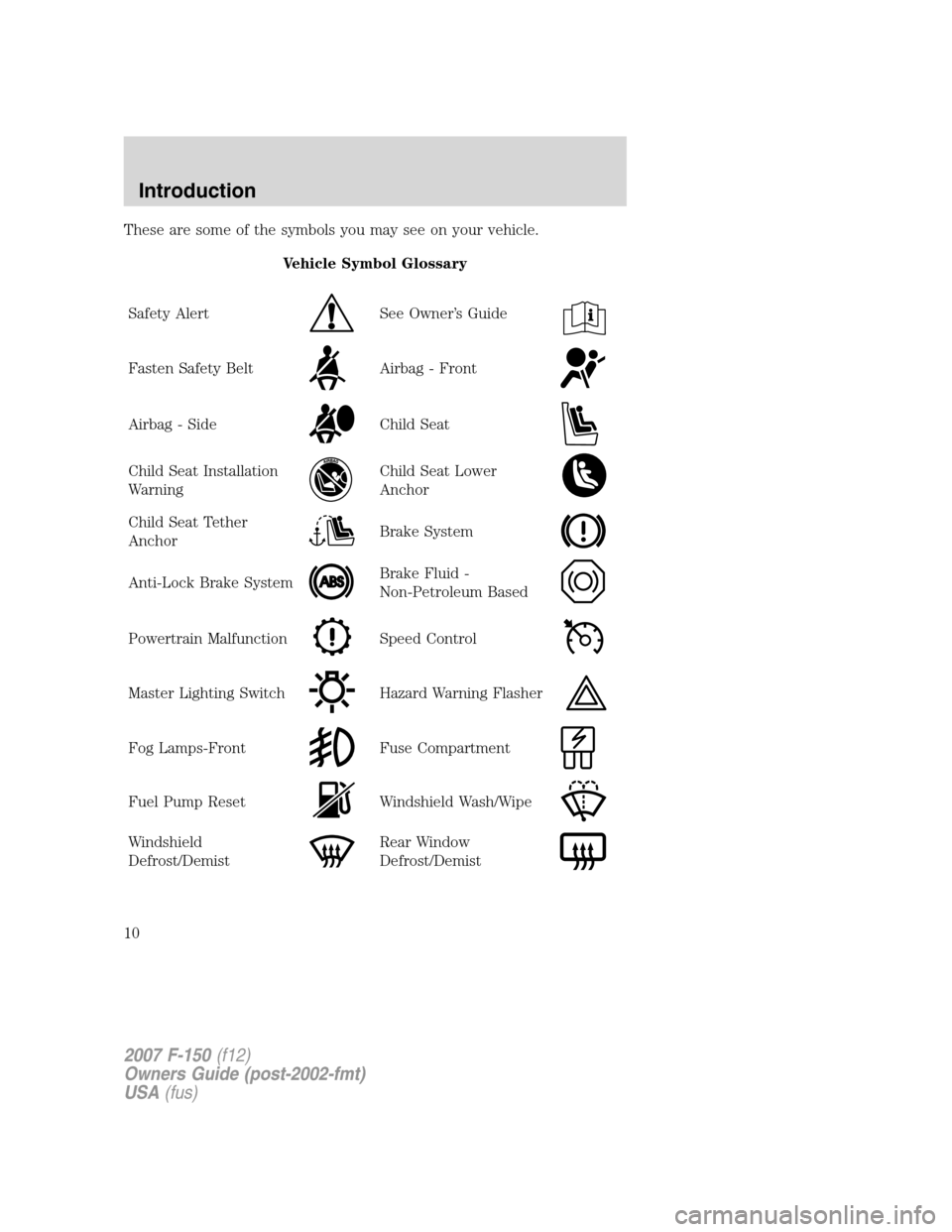
These are some of the symbols you may see on your vehicle.
Vehicle Symbol Glossary
Safety Alert
See Owner’s Guide
Fasten Safety BeltAirbag - Front
Airbag - SideChild Seat
Child Seat Installation
WarningChild Seat Lower
Anchor
Child Seat Tether
AnchorBrake System
Anti-Lock Brake SystemBrake Fluid -
Non-Petroleum Based
Powertrain MalfunctionSpeed Control
Master Lighting SwitchHazard Warning Flasher
Fog Lamps-FrontFuse Compartment
Fuel Pump ResetWindshield Wash/Wipe
Windshield
Defrost/DemistRear Window
Defrost/Demist
2007 F-150(f12)
Owners Guide (post-2002-fmt)
USA(fus)
Introduction
10
Page 11 of 344
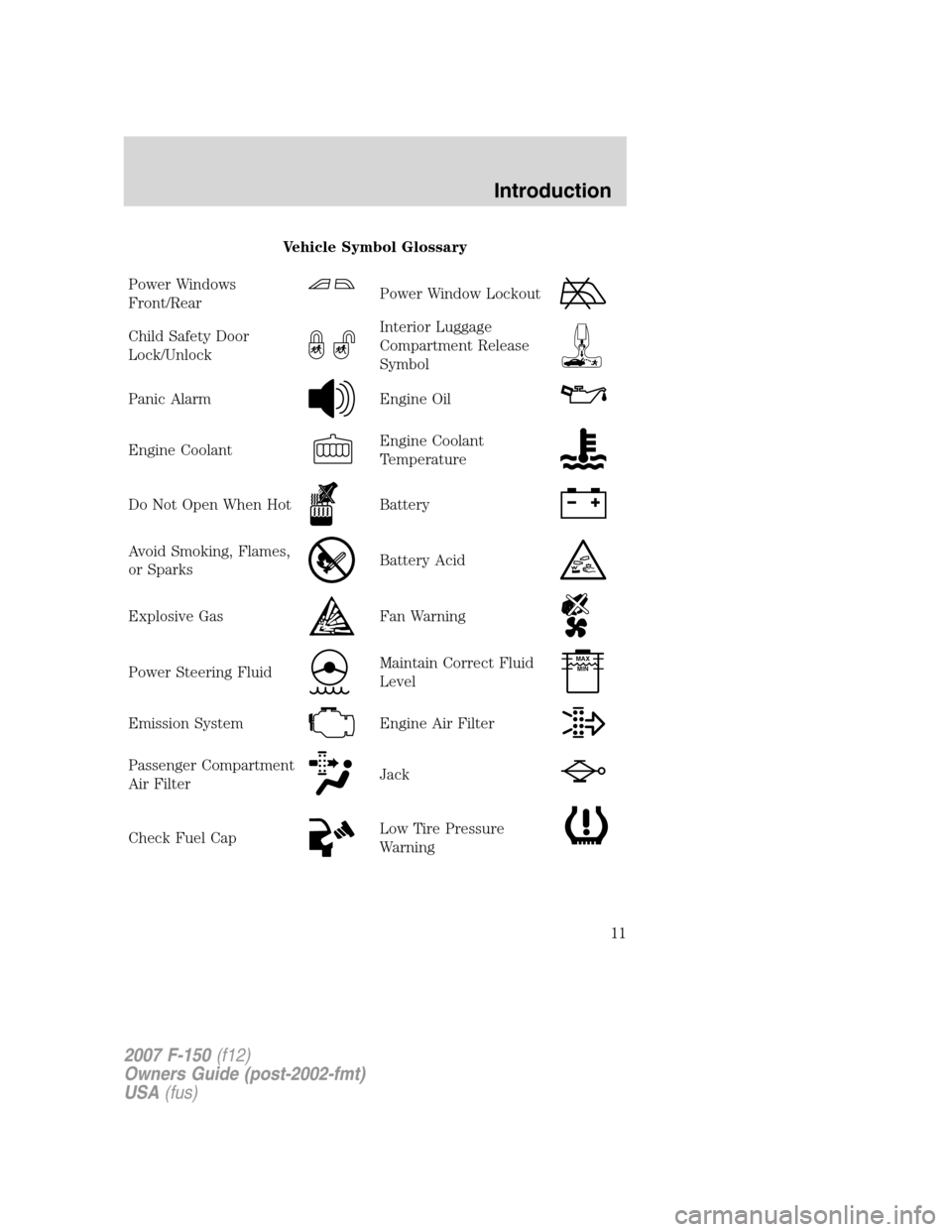
Vehicle Symbol Glossary
Power Windows
Front/Rear
Power Window Lockout
Child Safety Door
Lock/UnlockInterior Luggage
Compartment Release
Symbol
Panic AlarmEngine Oil
Engine CoolantEngine Coolant
Temperature
Do Not Open When HotBattery
Avoid Smoking, Flames,
or SparksBattery Acid
Explosive GasFan Warning
Power Steering FluidMaintain Correct Fluid
LevelMAX
MIN
Emission SystemEngine Air Filter
Passenger Compartment
Air FilterJack
Check Fuel CapLow Tire Pressure
Warning
2007 F-150(f12)
Owners Guide (post-2002-fmt)
USA(fus)
Introduction
11
Page 16 of 344
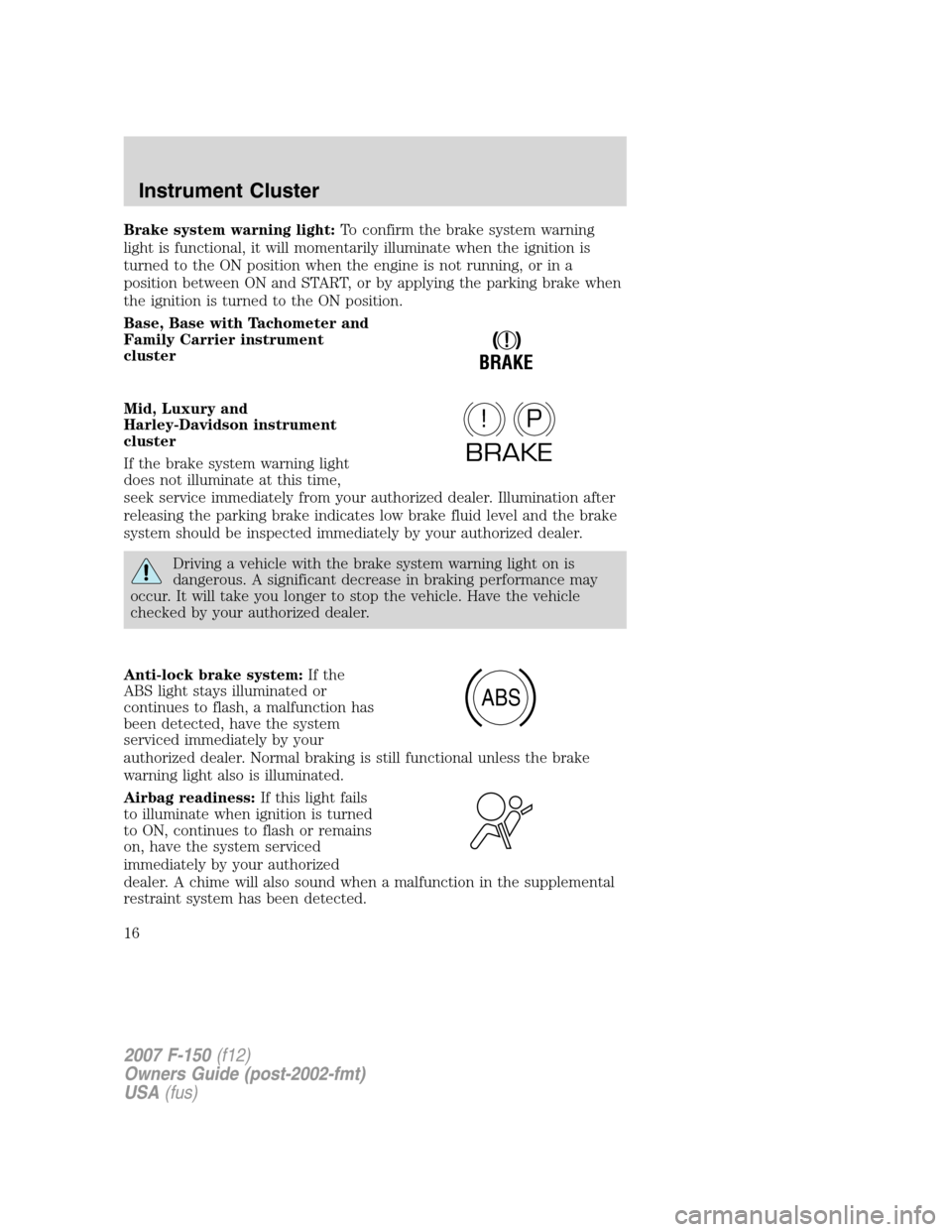
Brake system warning light:To confirm the brake system warning
light is functional, it will momentarily illuminate when the ignition is
turned to the ON position when the engine is not running, or in a
position between ON and START, or by applying the parking brake when
the ignition is turned to the ON position.
Base, Base with Tachometer and
Family Carrier instrument
cluster
Mid, Luxury and
Harley-Davidson instrument
cluster
If the brake system warning light
does not illuminate at this time,
seek service immediately from your authorized dealer. Illumination after
releasing the parking brake indicates low brake fluid level and the brake
system should be inspected immediately by your authorized dealer.
Driving a vehicle with the brake system warning light on is
dangerous. A significant decrease in braking performance may
occur. It will take you longer to stop the vehicle. Have the vehicle
checked by your authorized dealer.
Anti-lock brake system:If the
ABS light stays illuminated or
continues to flash, a malfunction has
been detected, have the system
serviced immediately by your
authorized dealer. Normal braking is still functional unless the brake
warning light also is illuminated.
Airbag readiness:If this light fails
to illuminate when ignition is turned
to ON, continues to flash or remains
on, have the system serviced
immediately by your authorized
dealer. A chime will also sound when a malfunction in the supplemental
restraint system has been detected.
!
BRAKE
P!
BRAKE
ABS
2007 F-150(f12)
Owners Guide (post-2002-fmt)
USA(fus)
Instrument Cluster
16
Page 19 of 344
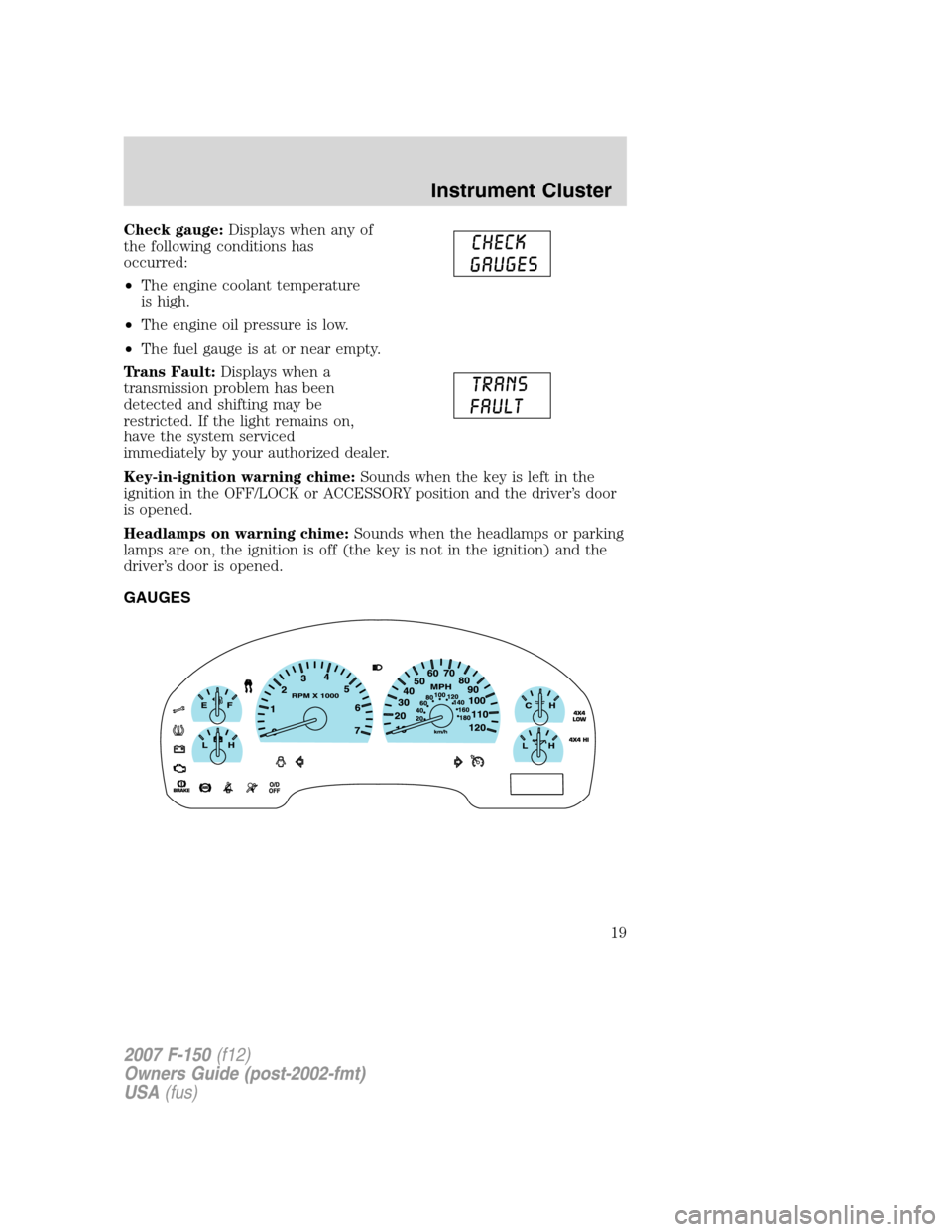
Check gauge:Displays when any of
the following conditions has
occurred:
•The engine coolant temperature
is high.
•The engine oil pressure is low.
•The fuel gauge is at or near empty.
Trans Fault:Displays when a
transmission problem has been
detected and shifting may be
restricted. If the light remains on,
have the system serviced
immediately by your authorized dealer.
Key-in-ignition warning chime:Sounds when the key is left in the
ignition in the OFF/LOCK or ACCESSORY position and the driver’s door
is opened.
Headlamps on warning chime:Sounds when the headlamps or parking
lamps are on, the ignition is off (the key is not in the ignition) and the
driver’s door is opened.
GAUGES
2007 F-150(f12)
Owners Guide (post-2002-fmt)
USA(fus)
Instrument Cluster
19
Page 27 of 344
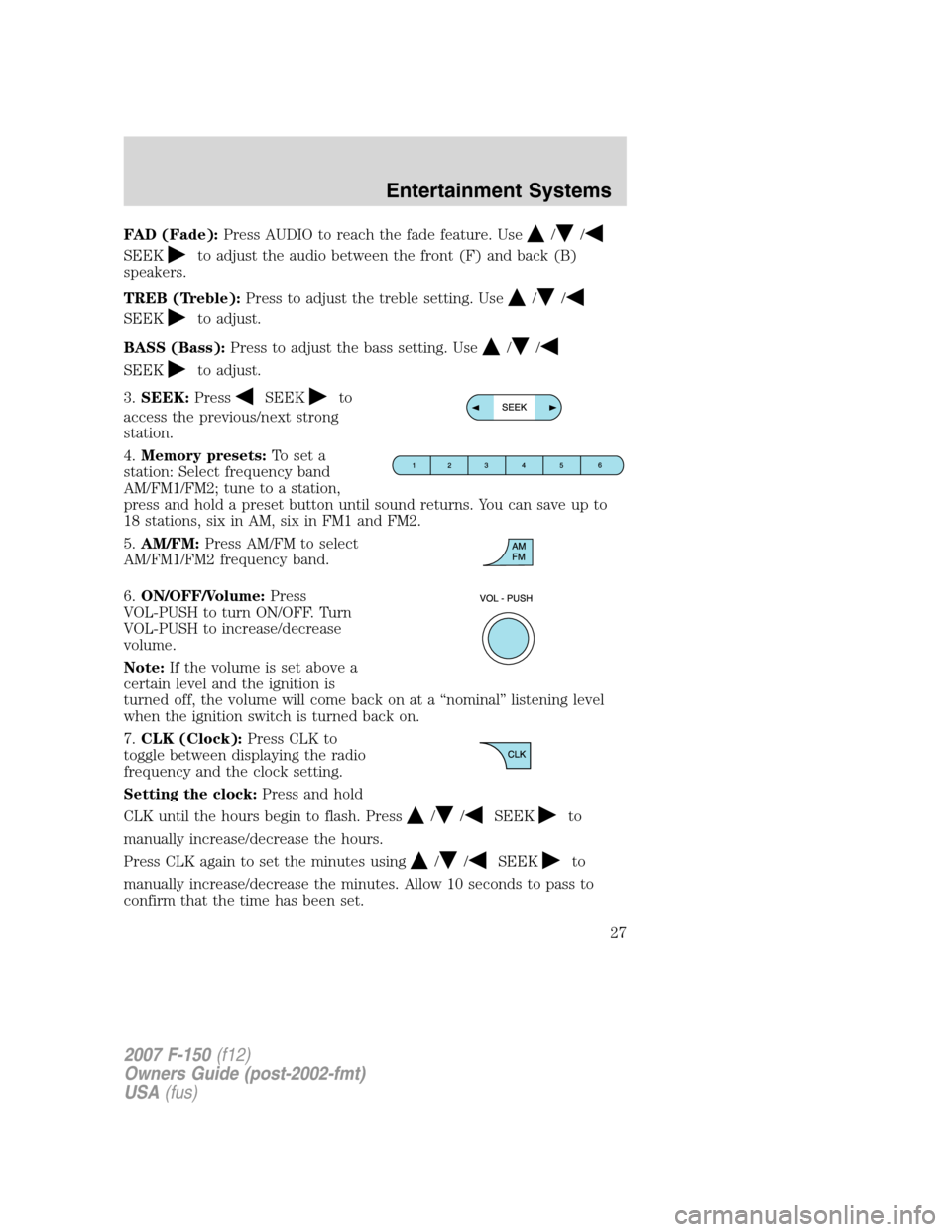
FAD (Fade):Press AUDIO to reach the fade feature. Use//
SEEKto adjust the audio between the front (F) and back (B)
speakers.
TREB (Treble):Press to adjust the treble setting. Use
//
SEEKto adjust.
BASS (Bass):Press to adjust the bass setting. Use
//
SEEKto adjust.
3.SEEK:Press
SEEKto
access the previous/next strong
station.
4.Memory presets:To set a
station: Select frequency band
AM/FM1/FM2; tune to a station,
press and hold a preset button until sound returns. You can save up to
18 stations, six in AM, six in FM1 and FM2.
5.AM/FM:Press AM/FM to select
AM/FM1/FM2 frequency band.
6.ON/OFF/Volume:Press
VOL-PUSH to turn ON/OFF. Turn
VOL-PUSH to increase/decrease
volume.
Note:If the volume is set above a
certain level and the ignition is
turned off, the volume will come back on at a “nominal” listening level
when the ignition switch is turned back on.
7.CLK (Clock):Press CLK to
toggle between displaying the radio
frequency and the clock setting.
Setting the clock:Press and hold
CLK until the hours begin to flash. Press
//SEEKto
manually increase/decrease the hours.
Press CLK again to set the minutes using
//SEEKto
manually increase/decrease the minutes. Allow 10 seconds to pass to
confirm that the time has been set.
2007 F-150(f12)
Owners Guide (post-2002-fmt)
USA(fus)
Entertainment Systems
27
Page 29 of 344
3.MENU:Press MENU repeatedly
to access to the following settings:
CATEGORY (satellite radio if equipped):: Press MENU until the
currently active category appears in the display (CATEGORY MODE). In
CATEGORY MODE, press
/to scroll through the list of available
SIRIUS channel Categories (Pop, Rock, News, etc.) Press
SEEK,
SEEK
or SCAN to select the category. After a category is selected,
press SEEK to search for that specific category of channels only (i.e.
ROCK). To select a different category, press MENU until the category
appears in the display. Press
/to select a different category. You
may also select CATEGORY ALL to seek all available SIRIUS categories
and channels.
Satellite radio is available only with a valid SIRIUS radio
subscription. Check with your authorized dealer for availability.
Setting the clock:Press MENU until SET HOUR or SET MINUTES is
displayed. Use
//SEEK, SEEKto adjust the
hours/minutes.
AUTOSET:Press MENU until the display reads AUTOSET. Autoset
allows you to set the strongest local radio stations without losing your
original manually set preset stations for AM/FM1/FM2. Use
//
SEEK, SEEKto turn on/off.
When the six strongest stations are filled, the station stored in preset 1
will begin playing. If there are less than six strong stations, the system
will store the last one in the remaining presets.
BASS:Press MENU to reach the bass setting. Use
//
SEEK, SEEKto adjust.
TREB (Treble):Press MENU to reach the treble setting.
Use
//SEEK, SEEKto adjust.
BAL (Balance):Press MENU to reach the balance setting.
Use
//SEEK, SEEKto adjust the audio between the left
(L) and right (R) speakers.
2007 F-150(f12)
Owners Guide (post-2002-fmt)
USA(fus)
Entertainment Systems
29
Page 35 of 344
3.MENU:Press repeatedly to
access to the following settings:
CATEGORY (satellite radio if equipped):Press MENU until the
currently active category appears in the display (CATEGORY MODE). In
CATEGORY MODE, press
/to scroll through the list of available
SIRIUS channel Categories (Pop, Rock, News, etc.) Press
SEEK
or SCAN to select the category. After a category is selected, press SEEK
to search for that specific category of channels only (i.e. ROCK). To
select a different category, press MENU until the category appears in the
display. Press
/to select a different category. You may also select
CATEGORY ALL to seek all available SIRIUS categories and channels.
Satellite radio is available only with a valid SIRIUS radio
subscription. Check with your authorized dealer for availability.
Setting the clock:Press until SELECT HOUR or SELECT MINS is
displayed. Press
//SEEKto adjust the hours/minutes.
AUTOSET:Press MENU until the display reads AUTOSET. Autoset
allows you to set the strongest local radio stations without losing your
original manually set preset stations for AM/FM1/FM2. Use
//
SEEK, SEEKto turn on/off.
When the six strongest stations are filled, the station stored in preset 1
will begin playing. If there are less than six strong stations, the system
will store the last one in the remaining presets.
RBDS: Available only in FM mode. This feature allows you to search
RBDS-equipped stations for a certain category of music format:
CLASSIC, COUNTRY, INFORM, JAZZ/RB, ROCK, etc.
To activate,press MENU repeatedly until RBDS (ON/OFF) appears in
the display. Use
//SEEKto toggle RBDS ON/OFF. When
RBDS is OFF, you will not be able to search for RBDS equipped stations
or view the station name or type.
To search for specific RBDS music categories:When the desired
category appears in the display, press
/to find the desired type,
then press and release
SEEK, SEEKor press and hold SCAN to
begin the search.
To view the station name or type:When the desired category appears
in the display, press TEXT/SCAN to toggle between displaying the station
type (COUNTRY, ROCK, etc.) or the station name (WYCD, WXYZ, etc.).
2007 F-150(f12)
Owners Guide (post-2002-fmt)
USA(fus)
Entertainment Systems
35
Page 47 of 344
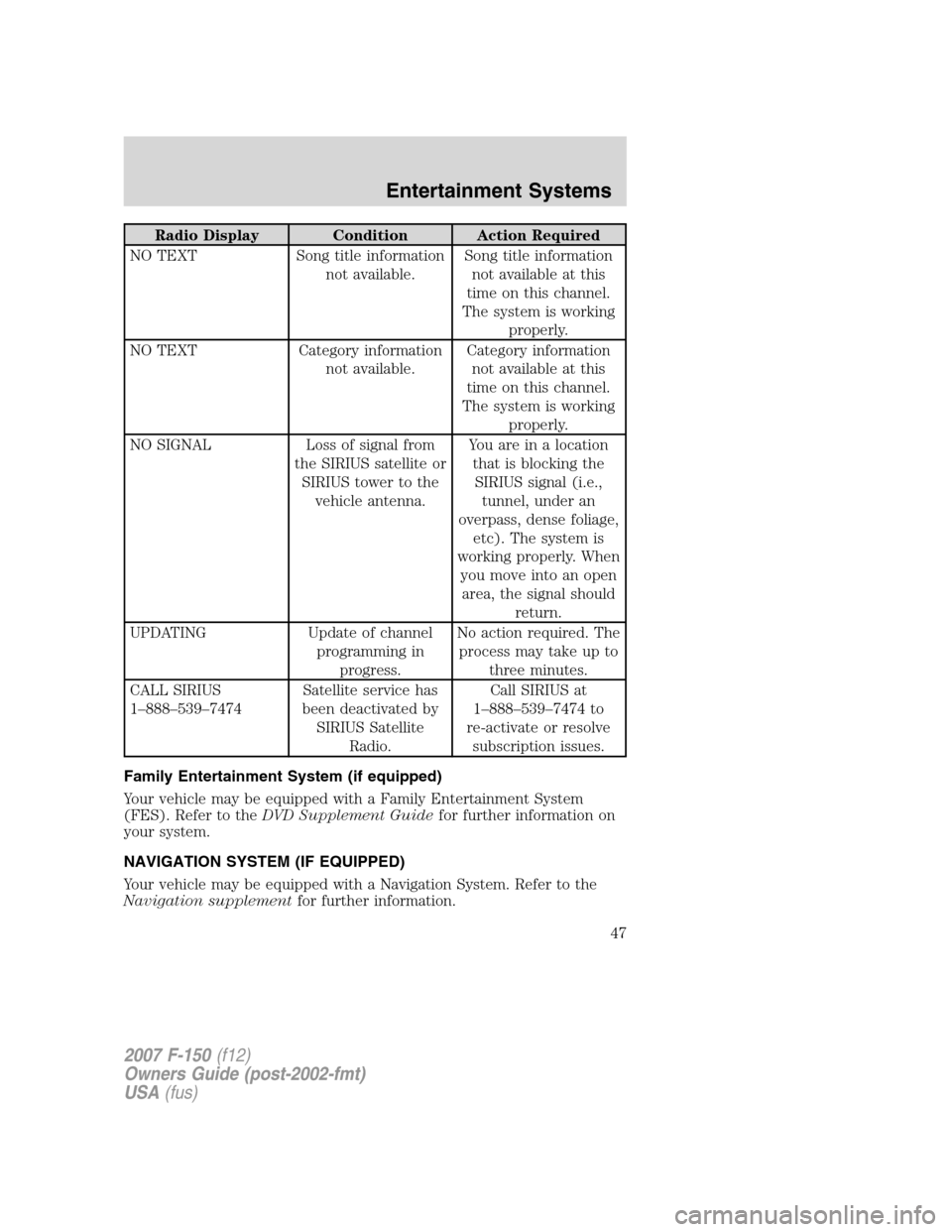
Radio Display Condition Action Required
NO TEXT Song title information
not available.Song title information
not available at this
time on this channel.
The system is working
properly.
NO TEXT Category information
not available.Category information
not available at this
time on this channel.
The system is working
properly.
NO SIGNAL Loss of signal from
the SIRIUS satellite or
SIRIUS tower to the
vehicle antenna.You are in a location
that is blocking the
SIRIUS signal (i.e.,
tunnel, under an
overpass, dense foliage,
etc). The system is
working properly. When
you move into an open
area, the signal should
return.
UPDATING Update of channel
programming in
progress.No action required. The
process may take up to
three minutes.
CALL SIRIUS
1–888–539–7474Satellite service has
been deactivated by
SIRIUS Satellite
Radio.Call SIRIUS at
1–888–539–7474 to
re-activate or resolve
subscription issues.
Family Entertainment System (if equipped)
Your vehicle may be equipped with a Family Entertainment System
(FES). Refer to theDVD Supplement Guidefor further information on
your system.
NAVIGATION SYSTEM (IF EQUIPPED)
Your vehicle may be equipped with a Navigation System. Refer to the
Navigation supplementfor further information.
2007 F-150(f12)
Owners Guide (post-2002-fmt)
USA(fus)
Entertainment Systems
47
Page 58 of 344
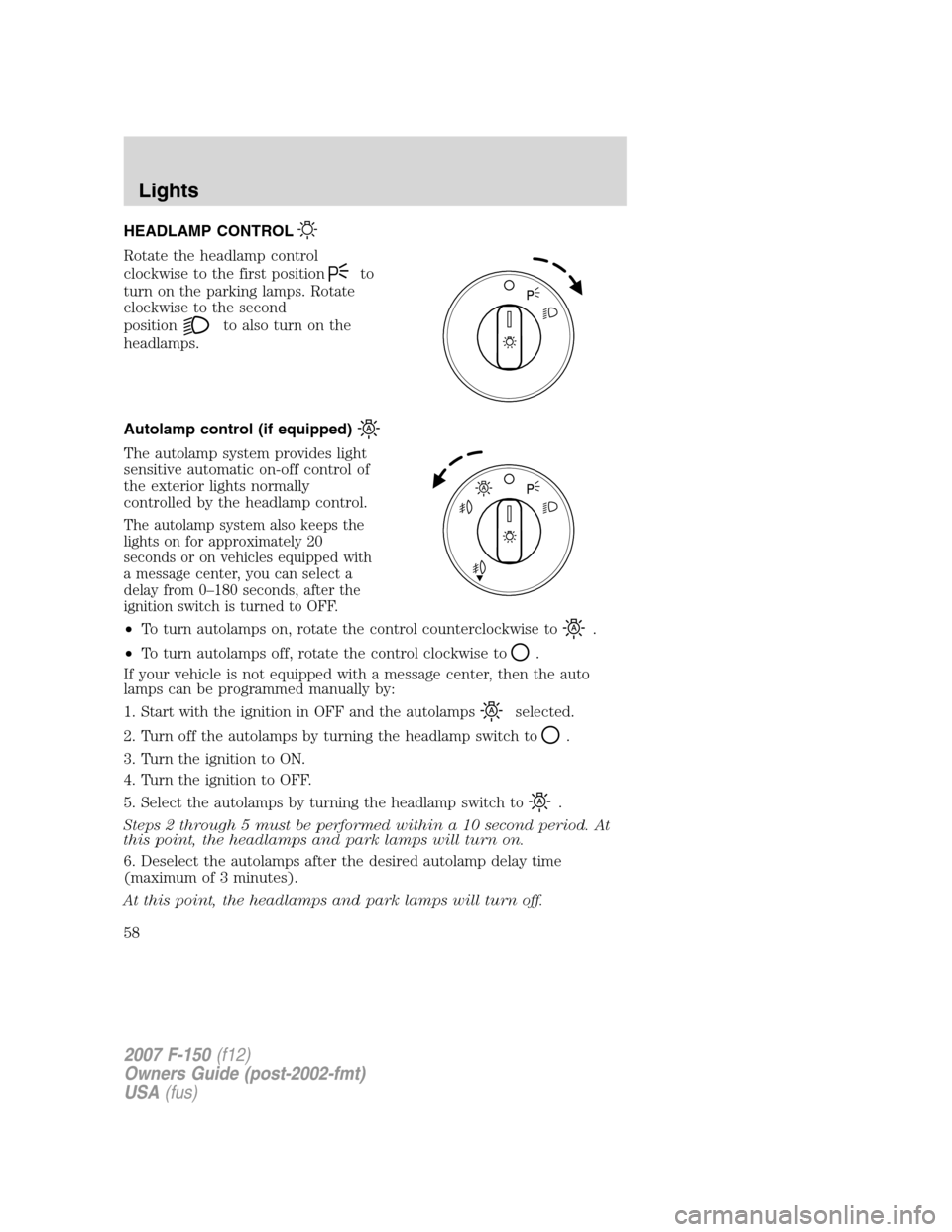
HEADLAMP CONTROL
Rotate the headlamp control
clockwise to the first position
to
turn on the parking lamps. Rotate
clockwise to the second
position
to also turn on the
headlamps.
Autolamp control (if equipped)
The autolamp system provides light
sensitive automatic on-off control of
the exterior lights normally
controlled by the headlamp control.
The autolamp system also keeps the
lights on for approximately 20
seconds or on vehicles equipped with
a message center, you can select a
delay from 0–180 seconds, after the
ignition switch is turned to OFF.
•To turn autolamps on, rotate the control counterclockwise to.
•To turn autolamps off, rotate the control clockwise to
.
If your vehicle is not equipped with a message center, then the auto
lamps can be programmed manually by:
1. Start with the ignition in OFF and the autolamps
selected.
2. Turn off the autolamps by turning the headlamp switch to
.
3. Turn the ignition to ON.
4. Turn the ignition to OFF.
5. Select the autolamps by turning the headlamp switch to
.
Steps 2 through 5 must be performed within a 10 second period. At
this point, the headlamps and park lamps will turn on.
6. Deselect the autolamps after the desired autolamp delay time
(maximum of 3 minutes).
At this point, the headlamps and park lamps will turn off.
2007 F-150(f12)
Owners Guide (post-2002-fmt)
USA(fus)
Lights
58