manual radio set FORD F150 2008 11.G Owners Manual
[x] Cancel search | Manufacturer: FORD, Model Year: 2008, Model line: F150, Model: FORD F150 2008 11.GPages: 400, PDF Size: 3.94 MB
Page 23 of 400
AUDIO SYSTEMS
Quick start — How to get going
Driving while distracted can result in loss of vehicle control,
accident and injury. Ford strongly recommends that drivers use
extreme caution when using any device that may take their focus off
the road. The drivers primary responsibility is the safe operation of
their vehicle. Only use cell phones and other devices not essential to
the driving task when it is safe to do so.
Listening to the radio
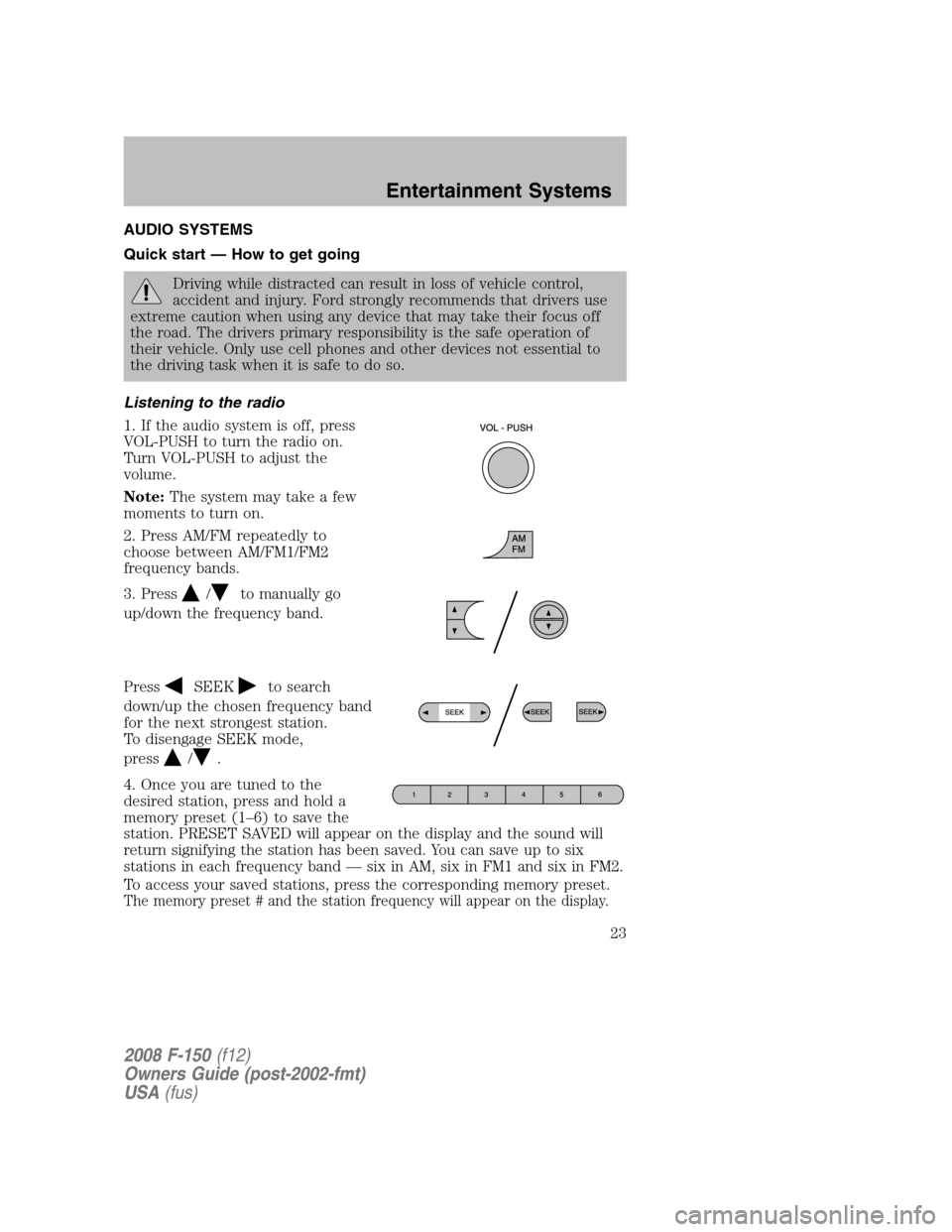
1. If the audio system is off, press
VOL-PUSH to turn the radio on.
Turn VOL-PUSH to adjust the
volume.
Note:The system may take a few
moments to turn on.
2. Press AM/FM repeatedly to
choose between AM/FM1/FM2
frequency bands.
3. Press
/to manually go
up/down the frequency band.
Press
SEEKto search
down/up the chosen frequency band
for the next strongest station.
To disengage SEEK mode,
press
/.
4. Once you are tuned to the
desired station, press and hold a
memory preset (1–6) to save the
station. PRESET SAVED will appear on the display and the sound will
return signifying the station has been saved. You can save up to six
stations in each frequency band — six in AM, six in FM1 and six in FM2.
To access your saved stations, press the corresponding memory preset.
The memory preset # and the station frequency will appear on the display.
2008 F-150(f12)
Owners Guide (post-2002-fmt)
USA(fus)
Entertainment Systems
23
Page 27 of 400
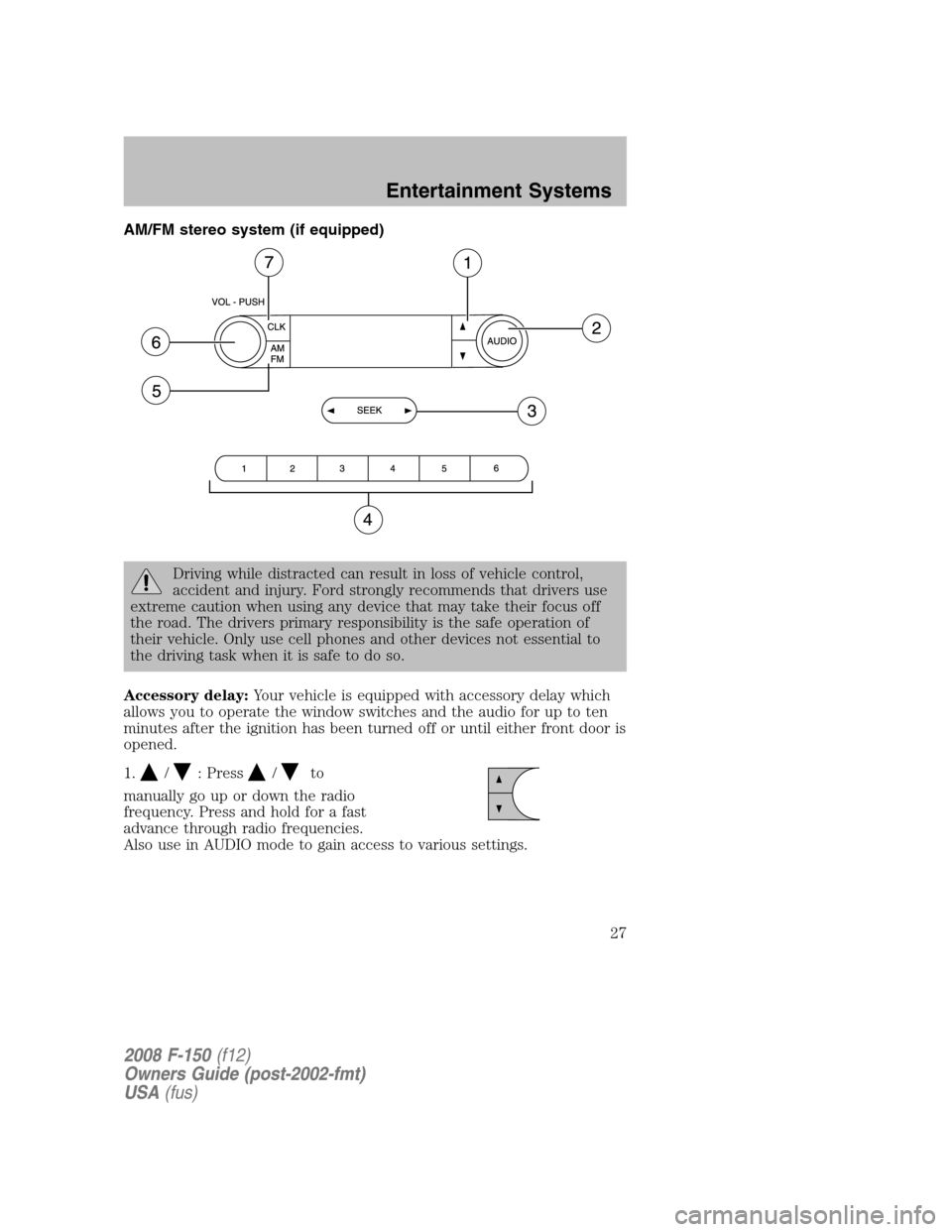
AM/FM stereo system (if equipped)
Driving while distracted can result in loss of vehicle control,
accident and injury. Ford strongly recommends that drivers use
extreme caution when using any device that may take their focus off
the road. The drivers primary responsibility is the safe operation of
their vehicle. Only use cell phones and other devices not essential to
the driving task when it is safe to do so.
Accessory delay:Your vehicle is equipped with accessory delay which
allows you to operate the window switches and the audio for up to ten
minutes after the ignition has been turned off or until either front door is
opened.
1.
/: Press/to
manually go up or down the radio
frequency. Press and hold for a fast
advance through radio frequencies.
Also use in AUDIO mode to gain access to various settings.
2008 F-150(f12)
Owners Guide (post-2002-fmt)
USA(fus)
Entertainment Systems
27
Page 30 of 400
Accessory delay:Your vehicle is equipped with accessory delay which
allows you to operate the window switches and the audio for up to ten
minutes after the ignition has been turned off or until either front door is
opened.
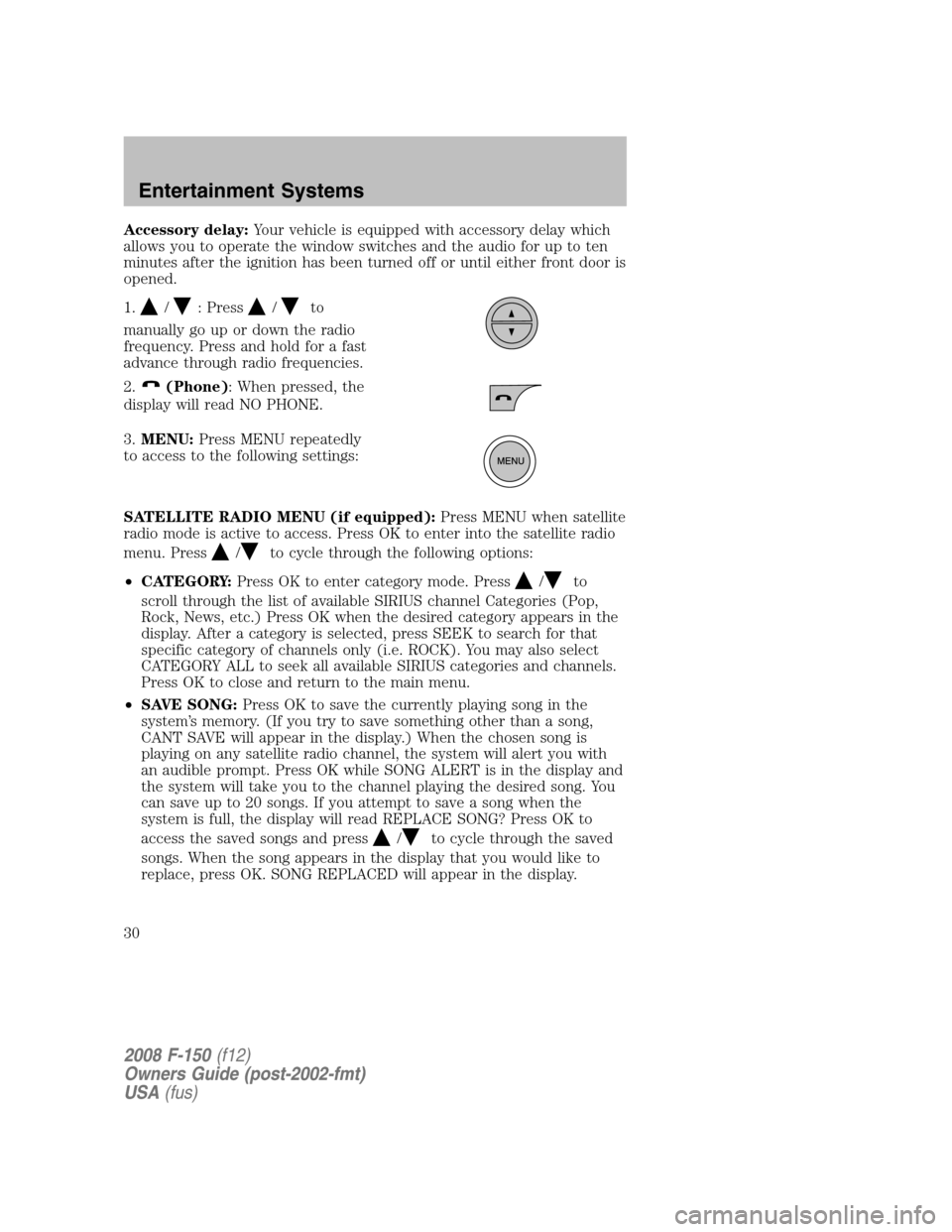
1.
/: Press/to
manually go up or down the radio
frequency. Press and hold for a fast
advance through radio frequencies.
2.
(Phone): When pressed, the
display will read NO PHONE.
3.MENU:Press MENU repeatedly
to access to the following settings:
SATELLITE RADIO MENU (if equipped):Press MENU when satellite
radio mode is active to access. Press OK to enter into the satellite radio
menu. Press
/to cycle through the following options:
•CATEGORY:Press OK to enter category mode. Press
/to
scroll through the list of available SIRIUS channel Categories (Pop,
Rock, News, etc.) Press OK when the desired category appears in the
display. After a category is selected, press SEEK to search for that
specific category of channels only (i.e. ROCK). You may also select
CATEGORY ALL to seek all available SIRIUS categories and channels.
Press OK to close and return to the main menu.
•SAVE SONG:Press OK to save the currently playing song in the
system’s memory. (If you try to save something other than a song,
CANT SAVE will appear in the display.) When the chosen song is
playing on any satellite radio channel, the system will alert you with
an audible prompt. Press OK while SONG ALERT is in the display and
the system will take you to the channel playing the desired song. You
can save up to 20 songs. If you attempt to save a song when the
system is full, the display will read REPLACE SONG? Press OK to
access the saved songs and press
/to cycle through the saved
songs. When the song appears in the display that you would like to
replace, press OK. SONG REPLACED will appear in the display.
2008 F-150(f12)
Owners Guide (post-2002-fmt)
USA(fus)
Entertainment Systems
30
Page 31 of 400

•DELETE SONG:Press OK to delete a song from the system’s
memory. Press
/to cycle through the saved songs. When the
song appears in the display that you would like to delete, press OK.
The song will appear in the display for confirmation. Press OK again
and the display will read SONG DELETED. If you do not want to
delete the currently listed song, press
/to select either
RETURN or CANCEL.
Note:If there are no songs presently saved, the display will read NO
SONGS.
•DELETE ALL SONGS:Press OK to delete all song’s from the
system’s memory. The display will read ARE YOU SURE ? Press OK to
confirm deletion of all saved songs and the display will read ALL
DELETED.
Note:If there are no songs presently saved, the display will read NO
SONGS.
•ENABLE ALERTS / DISABLE ALERTS:Press OK to enable/disable
the satellite alert status which alerts you when your selected songs are
playing on a satellite radio channel. (The system default is disabled.)
SONG ALERTS ENABLED/DISABLED will appear in the display. The
menu listing will display the opposite state. For example, if you have
chosen to enable the song alerts, the menu listing will read DISABLE
as the alerts are currently on, so your other option is to turn them off.
Satellite radio is available only with a valid SIRIUS radio
subscription. Check with your authorized dealer for availability.
Setting the clock:Press MENU until SELECT HOURS or SELECT
MINUTES is displayed. Use
//SEEK, SEEKto adjust the
hours/minutes.
AUTOSET:Press MENU until the display reads AUTOSET. Autoset
allows you to set the strongest local radio stations without losing your
original manually set preset stations for AM/FM1/FM2.
Use
//SEEK, SEEKto turn on/off.
When the six strongest stations are filled, the station stored in preset 1
will begin playing. If there are less than six strong stations, the system
will store the last one in the remaining presets.
RBDS: Available only in FM mode. This feature allows you to search
RBDS-equipped stations for a certain category of music format:
CLASSIC, COUNTRY, INFORM, JAZZ/RB, ROCK, etc.
2008 F-150(f12)
Owners Guide (post-2002-fmt)
USA(fus)
Entertainment Systems
31
Page 34 of 400
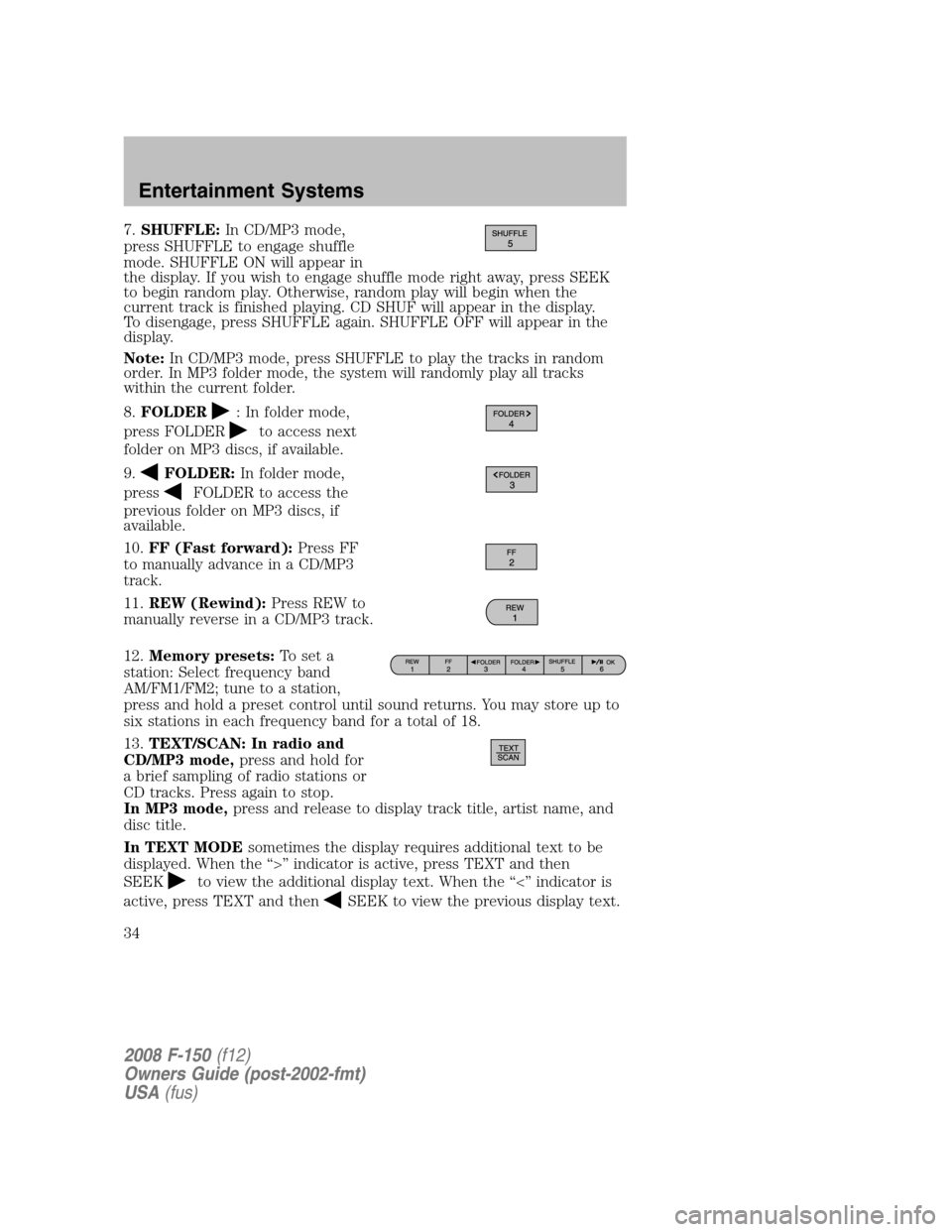
7.SHUFFLE:In CD/MP3 mode,
press SHUFFLE to engage shuffle
mode. SHUFFLE ON will appear in
the display. If you wish to engage shuffle mode right away, press SEEK
to begin random play. Otherwise, random play will begin when the
current track is finished playing. CD SHUF will appear in the display.
To disengage, press SHUFFLE again. SHUFFLE OFF will appear in the
display.
Note:In CD/MP3 mode, press SHUFFLE to play the tracks in random
order. In MP3 folder mode, the system will randomly play all tracks
within the current folder.
8.FOLDER
: In folder mode,
press FOLDER
to access next
folder on MP3 discs, if available.
9.
FOLDER:In folder mode,
press
FOLDER to access the
previous folder on MP3 discs, if
available.
10.FF (Fast forward):Press FF
to manually advance in a CD/MP3
track.
11.REW (Rewind):Press REW to
manually reverse in a CD/MP3 track.
12.Memory presets:To set a
station: Select frequency band
AM/FM1/FM2; tune to a station,
press and hold a preset control until sound returns. You may store up to
six stations in each frequency band for a total of 18.
13.TEXT/SCAN: In radio and
CD/MP3 mode,press and hold for
a brief sampling of radio stations or
CD tracks. Press again to stop.
In MP3 mode,press and release to display track title, artist name, and
disc title.
In TEXT MODEsometimes the display requires additional text to be
displayed. When the “>” indicator is active, press TEXT and then
SEEK
to view the additional display text. When the “<” indicator is
active, press TEXT and then
SEEK to view the previous display text.
2008 F-150(f12)
Owners Guide (post-2002-fmt)
USA(fus)
Entertainment Systems
34
Page 36 of 400
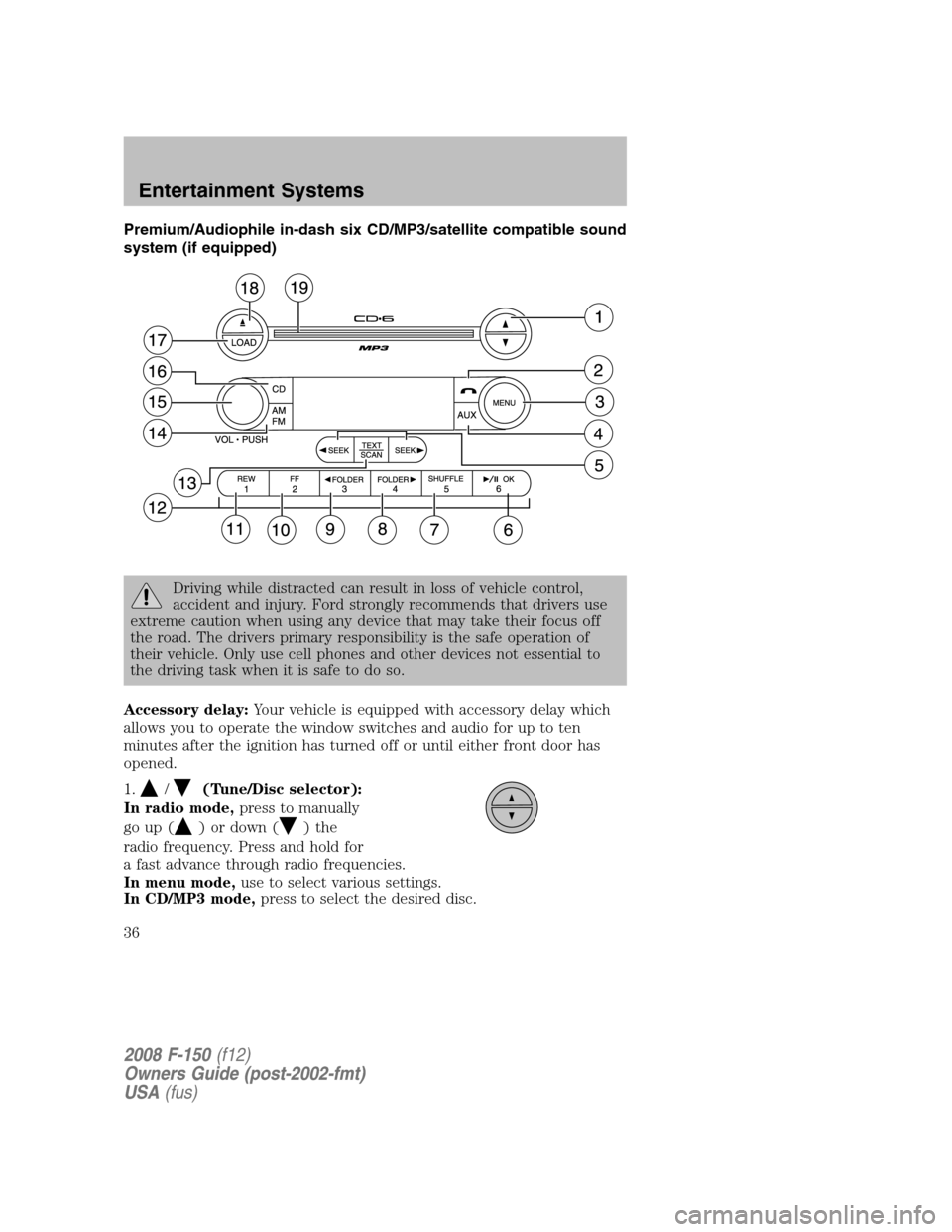
Premium/Audiophile in-dash six CD/MP3/satellite compatible sound
system (if equipped)
Driving while distracted can result in loss of vehicle control,
accident and injury. Ford strongly recommends that drivers use
extreme caution when using any device that may take their focus off
the road. The drivers primary responsibility is the safe operation of
their vehicle. Only use cell phones and other devices not essential to
the driving task when it is safe to do so.
Accessory delay:Your vehicle is equipped with accessory delay which
allows you to operate the window switches and audio for up to ten
minutes after the ignition has turned off or until either front door has
opened.
1.
/(Tune/Disc selector):
In radio mode,press to manually
go up (
) or down () the
radio frequency. Press and hold for
a fast advance through radio frequencies.
In menu mode,use to select various settings.
In CD/MP3 mode,press to select the desired disc.
2008 F-150(f12)
Owners Guide (post-2002-fmt)
USA(fus)
Entertainment Systems
36
Page 38 of 400
•DELETE ALL SONGS:Press OK to delete all song’s from the
system’s memory. The display will read ARE YOU SURE ? Press OK to
confirm deletion of all saved songs and the display will read ALL
DELETED.
Note:If there are no songs presently saved, the display will read NO
SONGS.
•ENABLE ALERTS / DISABLE ALERTS:Press OK to enable/disable
the satellite alert status which alerts you when your selected songs are
playing on a satellite radio channel. (The system default is disabled.)
SONG ALERTS ENABLED/DISABLED will appear in the display. The
menu listing will display the opposite state. For example, if you have
chosen to enable the song alerts, the menu listing will read DISABLE
as the alerts are currently on, so your other option is to turn them off.
Satellite radio is available only with a valid SIRIUS radio
subscription. Check with your authorized dealer for availability.
Setting the clock:Press until SELECT HOUR or SELECT MINUTES is
displayed. Press
//SEEKto adjust the hours/minutes.
AUTOSET:Press MENU until the display reads AUTOSET. Autoset
allows you to set the strongest local radio stations without losing your
original manually set preset stations for AM/FM1/FM2.
Use
//SEEK, SEEKto turn on/off.
When the six strongest stations are filled, the station stored in preset 1
will begin playing. If there are less than six strong stations, the system
will store the last one in the remaining presets.
RBDS: Available only in FM mode. This feature allows you to search
RBDS-equipped stations for a certain category of music format:
CLASSIC, COUNTRY, INFORM, JAZZ/RB, ROCK, etc.
To activate,press MENU repeatedly until RBDS (ON/OFF) appears in
the display. Use
//SEEKto toggle RBDS ON/OFF. When
RBDS is OFF, you will not be able to search for RBDS equipped stations
or view the station name or type.
To search for specific RBDS music categories:When the desired
category appears in the display, press
/to find the desired type,
then press and release
SEEK, SEEKor press and hold SCAN to
begin the search.
To view the station name or type:When the desired category appears
in the display, press TEXT/SCAN to toggle between displaying the station
type (COUNTRY, ROCK, etc.) or the station name (WYCD, WXYZ, etc.).
2008 F-150(f12)
Owners Guide (post-2002-fmt)
USA(fus)
Entertainment Systems
38
Page 41 of 400
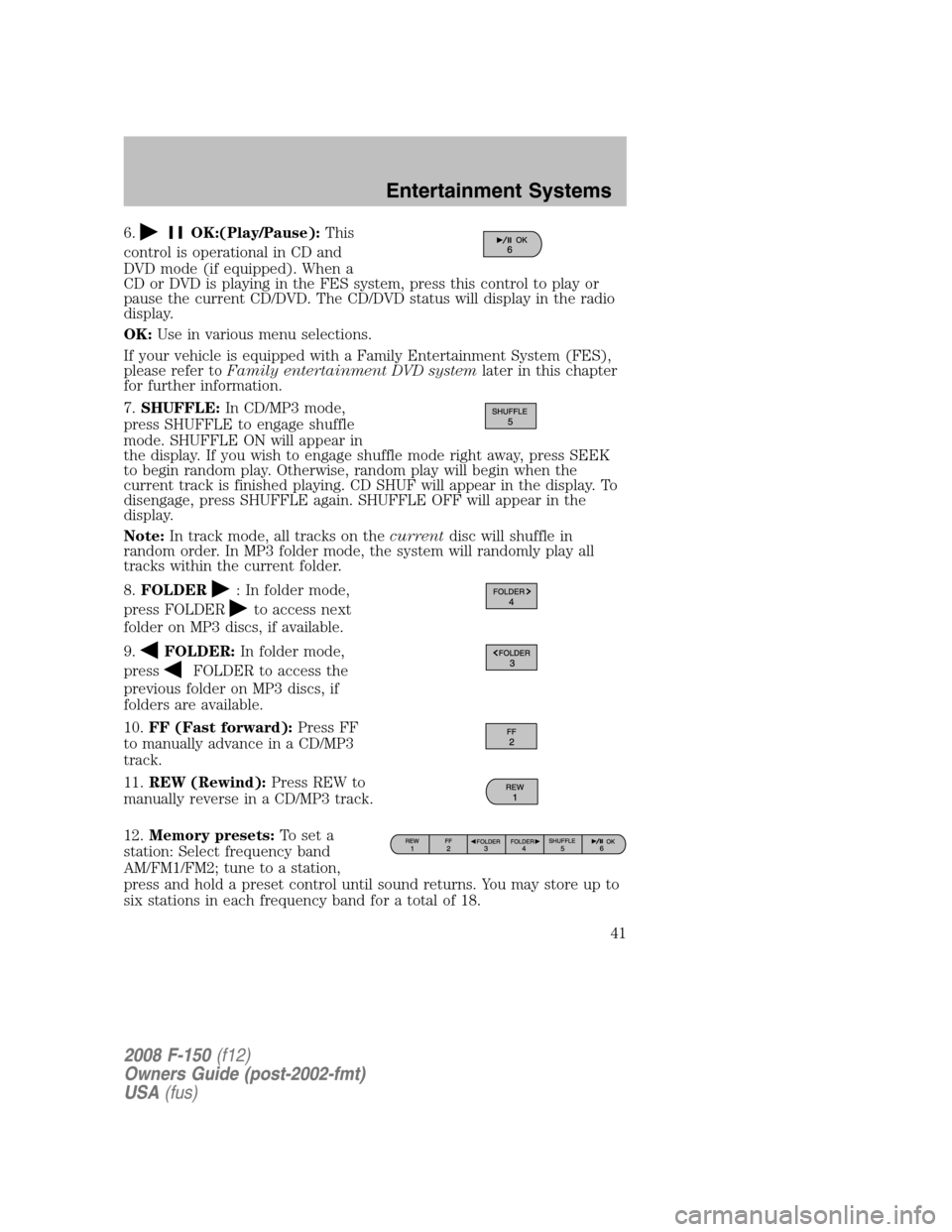
6.OK:(Play/Pause):This
control is operational in CD and
DVD mode (if equipped). When a
CD or DVD is playing in the FES system, press this control to play or
pause the current CD/DVD. The CD/DVD status will display in the radio
display.
OK:Use in various menu selections.
If your vehicle is equipped with a Family Entertainment System (FES),
please refer toFamily entertainment DVD systemlater in this chapter
for further information.
7.SHUFFLE:In CD/MP3 mode,
press SHUFFLE to engage shuffle
mode. SHUFFLE ON will appear in
the display. If you wish to engage shuffle mode right away, press SEEK
to begin random play. Otherwise, random play will begin when the
current track is finished playing. CD SHUF will appear in the display. To
disengage, press SHUFFLE again. SHUFFLE OFF will appear in the
display.
Note:In track mode, all tracks on thecurrentdisc will shuffle in
random order. In MP3 folder mode, the system will randomly play all
tracks within the current folder.
8.FOLDER
: In folder mode,
press FOLDER
to access next
folder on MP3 discs, if available.
9.
FOLDER:In folder mode,
press
FOLDER to access the
previous folder on MP3 discs, if
folders are available.
10.FF (Fast forward):Press FF
to manually advance in a CD/MP3
track.
11.REW (Rewind):Press REW to
manually reverse in a CD/MP3 track.
12.Memory presets:To set a
station: Select frequency band
AM/FM1/FM2; tune to a station,
press and hold a preset control until sound returns. You may store up to
six stations in each frequency band for a total of 18.
2008 F-150(f12)
Owners Guide (post-2002-fmt)
USA(fus)
Entertainment Systems
41
Page 350 of 400
Keep batteries out of reach of children. Batteries contain sulfuric
acid. Avoid contact with skin, eyes or clothing. Shield your eyes
when working near the battery to protect against possible splashing of
acid solution. In case of acid contact with skin or eyes, flush
immediately with water for a minimum of 15 minutes and get prompt
medical attention. If acid is swallowed, call a physician immediately.
Battery posts, terminals and related accessories contain lead and
lead compounds.Wash hands after handling.
Because your vehicle’s engine is also electronically controlled by a
computer, some control conditions are maintained by power from the
battery. When the battery is disconnected or a new battery is installed,
the engine must relearn its idle and fuel trim strategy for optimum
driveability and performance. Flexible fuel vehicles (FFV) must also
relearn the ethanol content of the fuel for optimum driveability and
performance. To begin this process:
1. With the vehicle at a complete stop, set the parking brake.
2. Put the gearshift in P (Park) (automatic transmission) or the neutral
position (manual transmission), turn off all accessories and start the
engine.
3. Run the engine until it reaches normal operating temperature.
4. Allow the engine to idle for at least one minute.
5. Turn the A/C on and allow the engine to idle for at least one minute.
6. Drive the vehicle to complete the relearning process.
•The vehicle may need to be driven 10 miles (16 km) or more to
relearn the idle and fuel trim strategy along with the ethanol content
for flexible fuel vehicles.
•If you do not allow the engine to relearn its idle trim, the idle quality
of your vehicle may be adversely affected until the idle trim is
eventually relearned.
•For flexible fuel vehicles, if you are operating on E85, you may
experience poor starts or an inability to start the engine and
driveability problems until the fuel trim and ethanol content have been
relearned.
If the battery has been disconnected or a new battery has been installed,
the clock and the preset radio stations must be reset once the battery is
reconnected.
2008 F-150(f12)
Owners Guide (post-2002-fmt)
USA(fus)
Maintenance and Specifications
350
Page 396 of 400

Safety Compliance
Certification Label ....................386
Satellite Radio Information ........48
Seats ..........................................158
child safety seats ....................196
cleaning ...................................336
heated ................................87, 162
memory seat ...................149, 161
SecuriLock passive
anti-theft system ...............155–156
Servicing your vehicle ..............339
Setting the clock
AM/FM stereo ...........................28
AM/FM/CD .................................31
AM/FM/In-dash 6 CD ................38
Snowplowing .................7, 293–294
Spark plugs,
specifications .....................380, 385
Special notice
ambulance conversions ..............7
four-wheel drive vehicles .......295
utility-type vehicles ....................8
Specification chart,
lubricants ...................................381
Speed control ............................115
Starting a flex fuel vehicle .......261
Starting your
vehicle ........................258–259, 261
jump starting ..........................315
Steering wheel
controls ....................................117
tilting .......................................103
T
Tailgate ..............................134–135Temperature control
(see Climate control) .................81
Tilt steering wheel ....................103
Tire Pressure Monitoring
System (TPMS)
Tires, Wheels and Loading ....226
Tires ...........................211–212, 307
alignment ................................219
care ..........................................215
changing ..........................307, 310
checking the pressure ............215
inflating ...................................213
label .........................................225
replacing ..................................217
rotating ....................................219
safety practices .......................218
sidewall information ...............221
snow tires and chains ............236
spare tire .................................307
terminology .............................212
tire grades ...............................212
treadwear ........................211, 216
Towing .......................................243
recreational towing .................257
trailer towing ..........................243
Traction control ........................266
Traction-lok rear axle ...............268
Transfer case
fluid checking .........................376
Transmission .............................269
brake-shift interlock
(BSI) ................................269–270
fluid, checking and adding
(automatic) .............................372
fluid, checking and adding
(manual) .................................375
fluid, refill capacities ..............381
lubricant specifications ..........381
manual operation ....................275
Turn signal ..................................95
2008 F-150(f12)
Owners Guide (post-2002-fmt)
USA(fus)
Index
396