brake FORD F150 2009 12.G User Guide
[x] Cancel search | Manufacturer: FORD, Model Year: 2009, Model line: F150, Model: FORD F150 2009 12.GPages: 405, PDF Size: 2.82 MB
Page 82 of 405
Increasing speed while using speed control
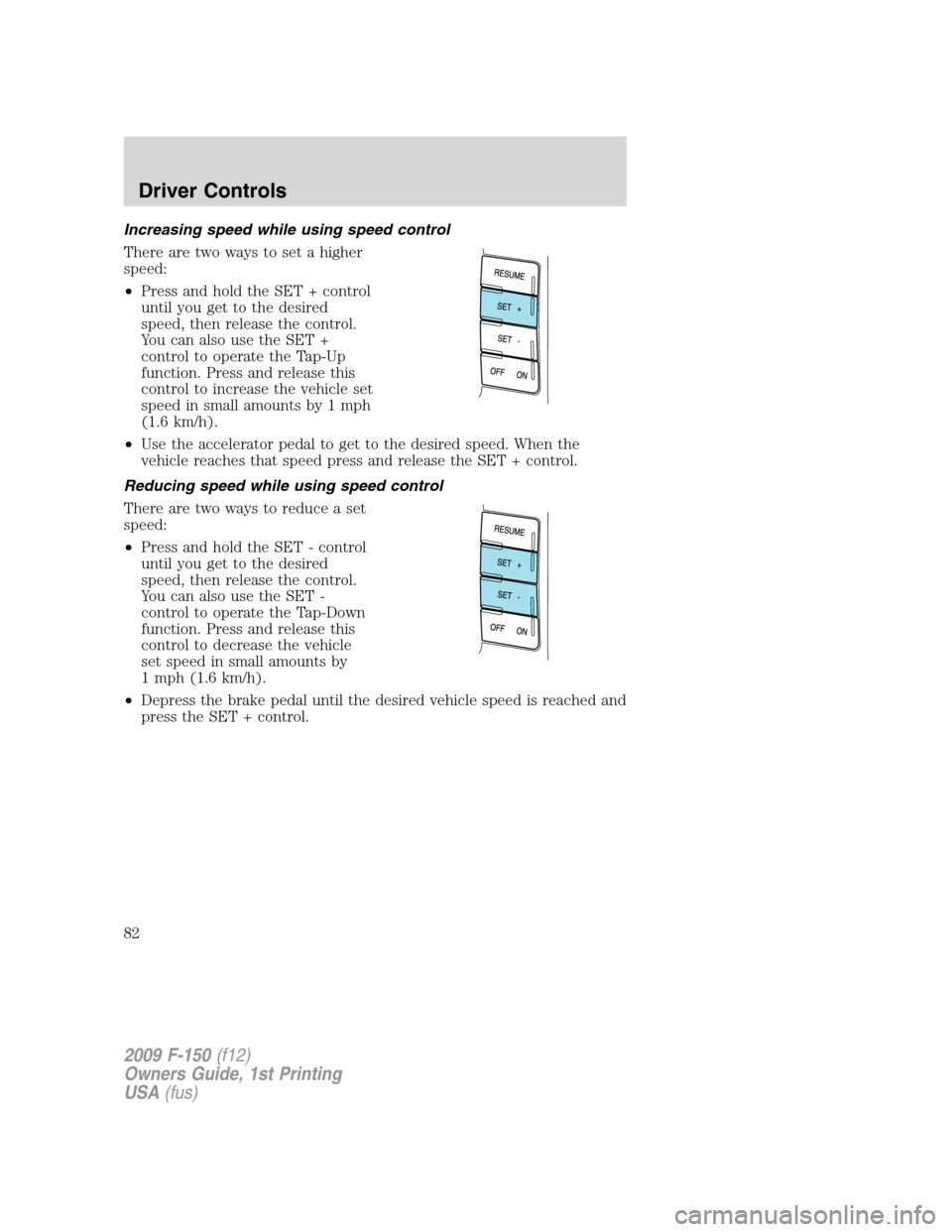
There are two ways to set a higher
speed:
•Press and hold the SET + control
until you get to the desired
speed, then release the control.
You can also use the SET +
control to operate the Tap-Up
function. Press and release this
control to increase the vehicle set
speed in small amounts by 1 mph
(1.6 km/h).
•Use the accelerator pedal to get to the desired speed. When the
vehicle reaches that speed press and release the SET + control.
Reducing speed while using speed control
There are two ways to reduce a set
speed:
•Press and hold the SET - control
until you get to the desired
speed, then release the control.
You can also use the SET -
control to operate the Tap-Down
function. Press and release this
control to decrease the vehicle
set speed in small amounts by
1 mph (1.6 km/h).
•Depress the brake pedal until the desired vehicle speed is reached and
press the SET + control.
2009 F-150(f12)
Owners Guide, 1st Printing
USA(fus)
Driver Controls
82
Page 83 of 405
Turning off speed control
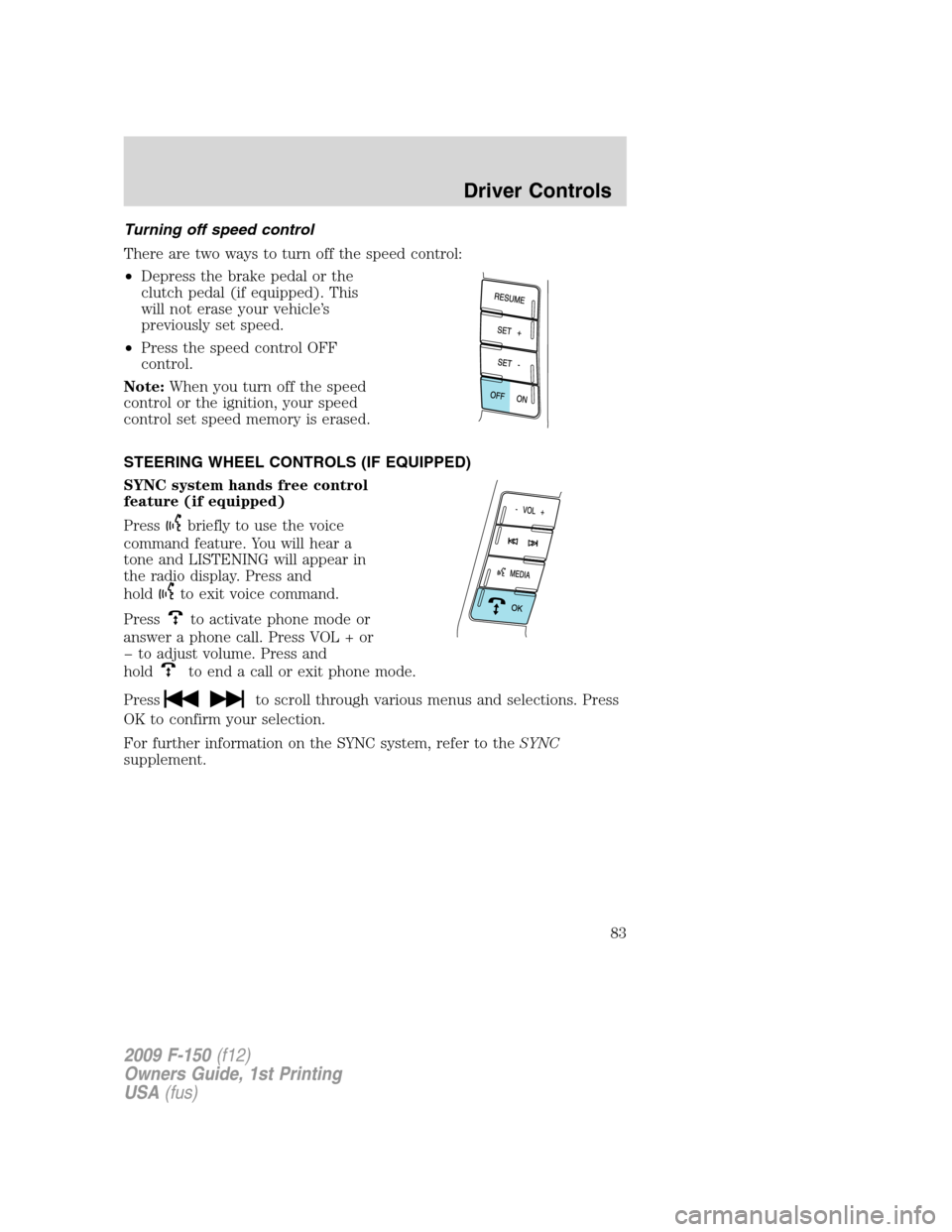
There are two ways to turn off the speed control:
•Depress the brake pedal or the
clutch pedal (if equipped). This
will not erase your vehicle’s
previously set speed.
•Press the speed control OFF
control.
Note:When you turn off the speed
control or the ignition, your speed
control set speed memory is erased.
STEERING WHEEL CONTROLS (IF EQUIPPED)
SYNC system hands free control
feature (if equipped)
Press
briefly to use the voice
command feature. You will hear a
tone and LISTENING will appear in
the radio display. Press and
hold
to exit voice command.
Press
to activate phone mode or
answer a phone call. Press VOL + or
to adjust volume. Press and
hold
to end a call or exit phone mode.
Press
to scroll through various menus and selections. Press
OK to confirm your selection.
For further information on the SYNC system, refer to theSYNC
supplement.
2009 F-150(f12)
Owners Guide, 1st Printing
USA(fus)
Driver Controls
83
Page 95 of 405
3. DOOR STATUS
4. BRAKE FLUID LEVEL
5. XX MILES TO E FUEL LEVEL XXX
6. TBC GAIN = XX.X
NO TRAILER (if equipped and no trailer connected)
7. TBC GAIN = XX.X
OUTPUT = ////// (if equipped and trailer connected)
System warnings
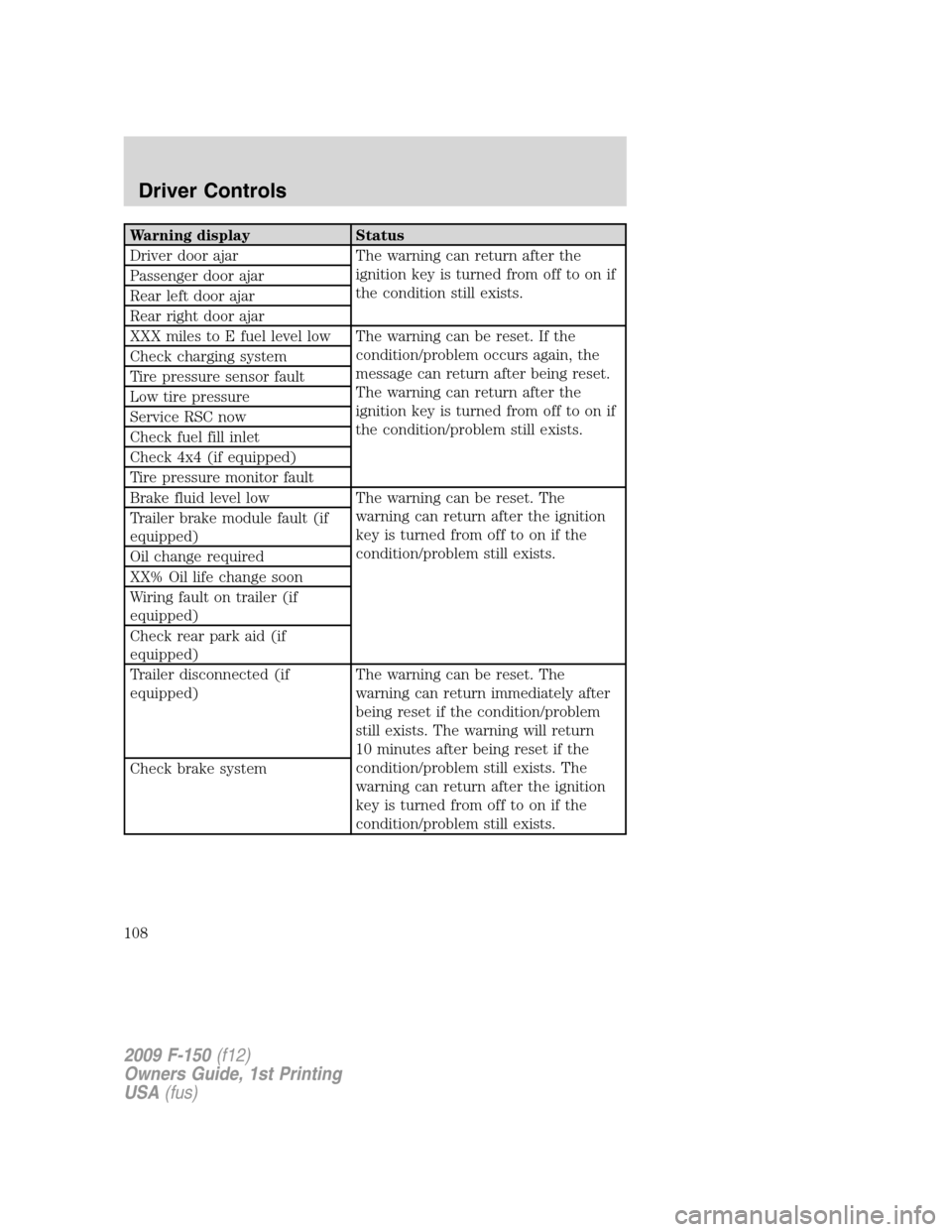
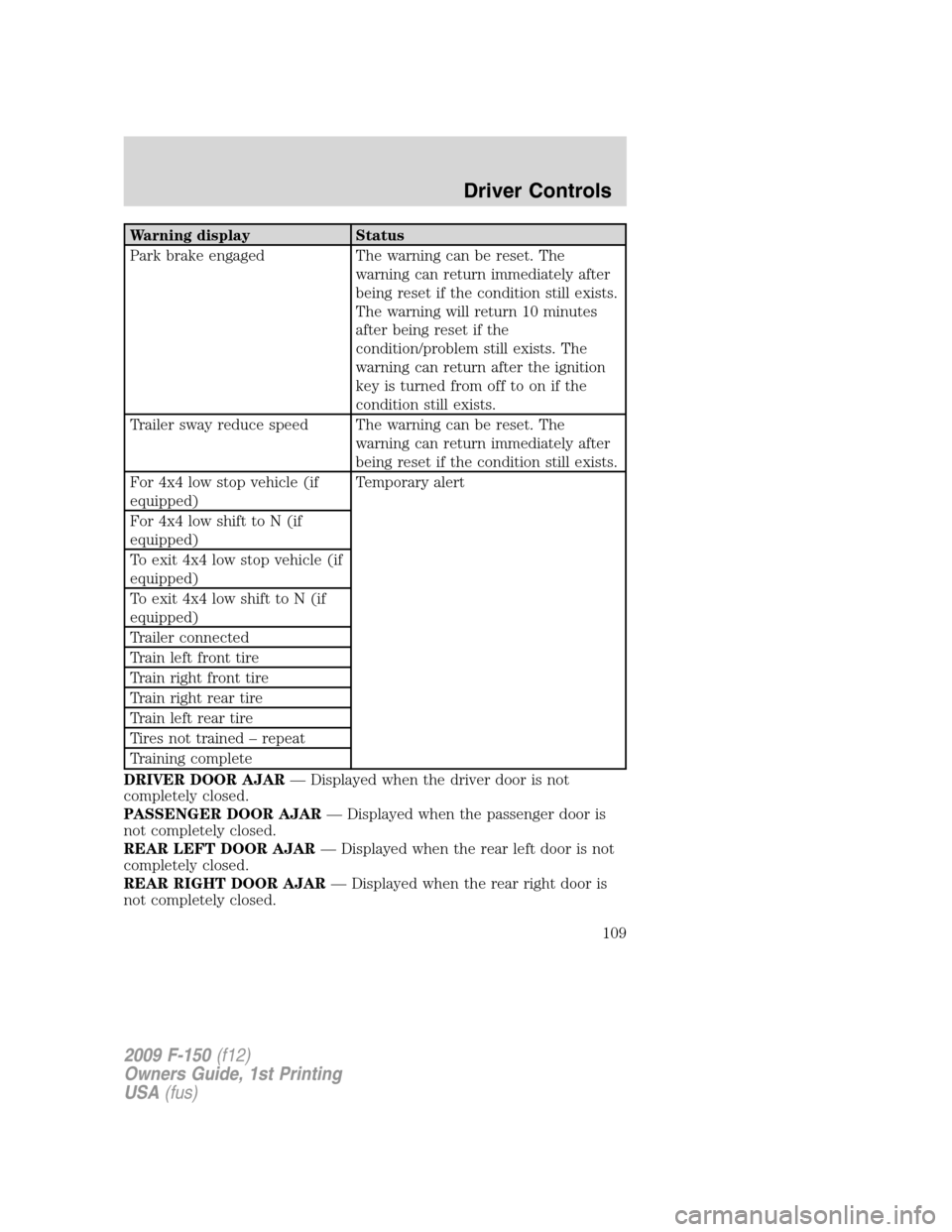
System warnings alert you to possible problems or malfunctions in your
vehicle’s operating systems.
In the event of a multiple warning situation, the message center will
cycle the display to show all warnings by displaying each one for four
seconds.
The message center will display the last selected feature if there are no
more warning messages. This allows you to use the full functionality of
the message center after you acknowledge the warning by pressing the
SELECT/RESET stem and clearing the warning message.
Warning messages can be divided into three categories:
•Cannot be cleared until the condition is corrected.
•Reappears 10 minutes after resetting it.
•Reappears if the condition clears, then reoccurs within the same
ignition on/off cycle.
Warning display Status
Driver door ajar The warning can return after the
ignition key is turned from off to on if
the condition still exists. Passenger door ajar
Rear left door ajar
Rear right door ajar
2009 F-150(f12)
Owners Guide, 1st Printing
USA(fus)
Driver Controls
95
Page 96 of 405
Warning display Status
XXX miles to E fuel level low The warning can be reset. If the
condition/problem occurs again, the
message can return after being reset.
The warning can return after the
ignition key is turned from off to on if
the condition/problem still exists. Check charging system
Tire pressure sensor fault
Low tire pressure
Service RSC now
Check fuel fill inlet
Check 4x4 (if equipped)
Tire pressure monitor fault
Brake fluid level low The warning can be reset. The
warning can return after the ignition
key is turned from off to on if the
condition/problem still exists. Trailer brake module fault (if
equipped)
Oil change required
XX% Oil life change soon
Wiring fault on trailer (if
equipped)
Check rear park aid (if
equipped)
Trailer disconnected (if
equipped)The warning can be reset. The
warning can return immediately after
being reset if the condition/problem
still exists. The warning will return
10 minutes after being reset if the
condition/problem still exists. The
warning can return after the ignition
key is turned from off to on if the
condition/problem still exists. Check brake system
2009 F-150(f12)
Owners Guide, 1st Printing
USA(fus)
Driver Controls
96
Page 97 of 405
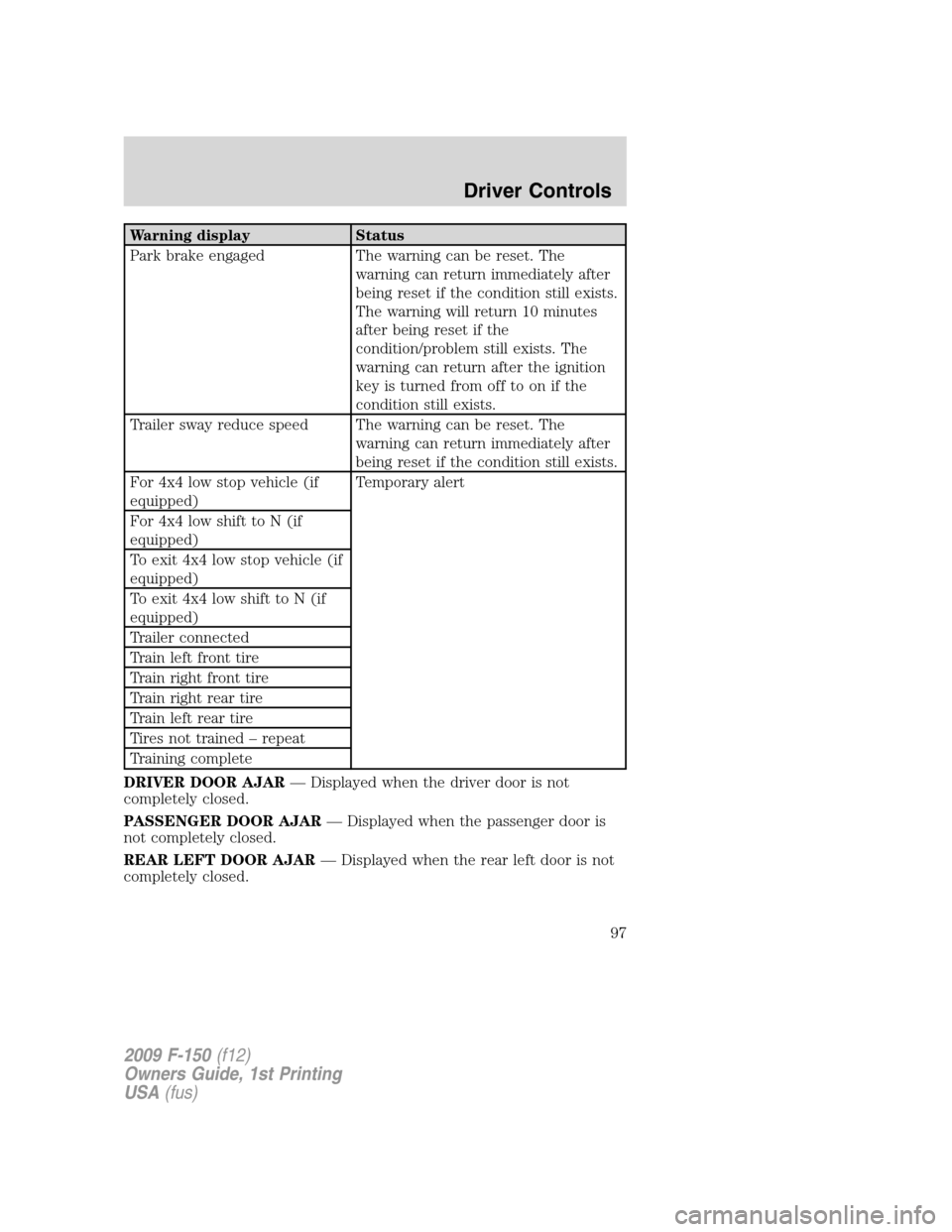
Warning display Status
Park brake engaged The warning can be reset. The
warning can return immediately after
being reset if the condition still exists.
The warning will return 10 minutes
after being reset if the
condition/problem still exists. The
warning can return after the ignition
key is turned from off to on if the
condition still exists.
Trailer sway reduce speed The warning can be reset. The
warning can return immediately after
being reset if the condition still exists.
For 4x4 low stop vehicle (if
equipped)Temporary alert
For 4x4 low shift to N (if
equipped)
To exit 4x4 low stop vehicle (if
equipped)
To exit 4x4 low shift to N (if
equipped)
Trailer connected
Train left front tire
Train right front tire
Train right rear tire
Train left rear tire
Tires not trained – repeat
Training complete
DRIVER DOOR AJAR— Displayed when the driver door is not
completely closed.
PASSENGER DOOR AJAR— Displayed when the passenger door is
not completely closed.
REAR LEFT DOOR AJAR— Displayed when the rear left door is not
completely closed.
2009 F-150(f12)
Owners Guide, 1st Printing
USA(fus)
Driver Controls
97
Page 98 of 405
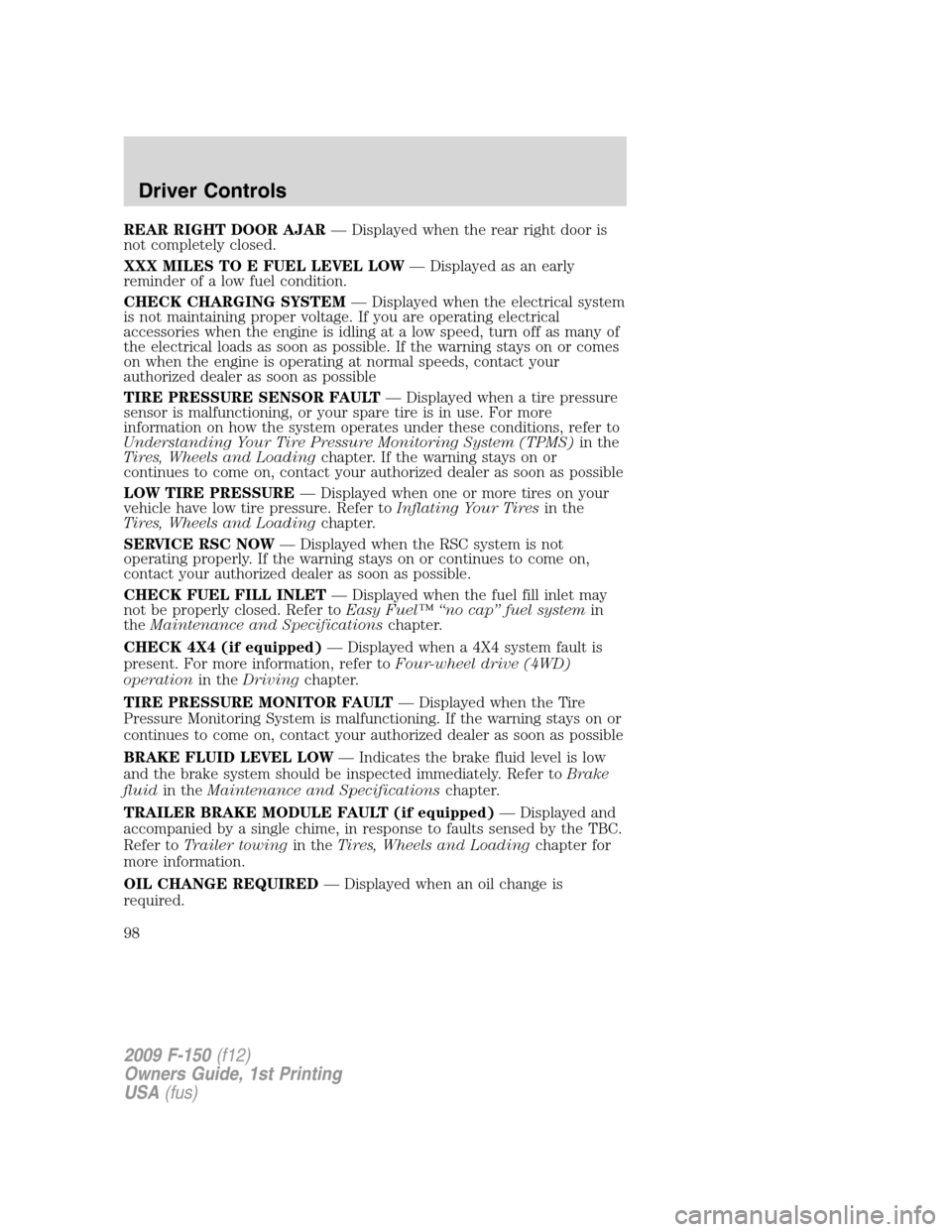
REAR RIGHT DOOR AJAR— Displayed when the rear right door is
not completely closed.
XXX MILES TO E FUEL LEVEL LOW— Displayed as an early
reminder of a low fuel condition.
CHECK CHARGING SYSTEM— Displayed when the electrical system
is not maintaining proper voltage. If you are operating electrical
accessories when the engine is idling at a low speed, turn off as many of
the electrical loads as soon as possible. If the warning stays on or comes
on when the engine is operating at normal speeds, contact your
authorized dealer as soon as possible
TIRE PRESSURE SENSOR FAULT— Displayed when a tire pressure
sensor is malfunctioning, or your spare tire is in use. For more
information on how the system operates under these conditions, refer to
Understanding Your Tire Pressure Monitoring System (TPMS)in the
Tires, Wheels and Loadingchapter. If the warning stays on or
continues to come on, contact your authorized dealer as soon as possible
LOW TIRE PRESSURE— Displayed when one or more tires on your
vehicle have low tire pressure. Refer toInflating Your Tiresin the
Tires, Wheels and Loadingchapter.
SERVICE RSC NOW— Displayed when the RSC system is not
operating properly. If the warning stays on or continues to come on,
contact your authorized dealer as soon as possible.
CHECK FUEL FILL INLET— Displayed when the fuel fill inlet may
not be properly closed. Refer toEasy Fuel™ “no cap” fuel systemin
theMaintenance and Specificationschapter.
CHECK 4X4 (if equipped)— Displayed when a 4X4 system fault is
present. For more information, refer toFour-wheel drive (4WD)
operationin theDrivingchapter.
TIRE PRESSURE MONITOR FAULT— Displayed when the Tire
Pressure Monitoring System is malfunctioning. If the warning stays on or
continues to come on, contact your authorized dealer as soon as possible
BRAKE FLUID LEVEL LOW— Indicates the brake fluid level is low
and the brake system should be inspected immediately. Refer toBrake
fluidin theMaintenance and Specificationschapter.
TRAILER BRAKE MODULE FAULT (if equipped)— Displayed and
accompanied by a single chime, in response to faults sensed by the TBC.
Refer toTrailer towingin theTires, Wheels and Loadingchapter for
more information.
OIL CHANGE REQUIRED— Displayed when an oil change is
required.
2009 F-150(f12)
Owners Guide, 1st Printing
USA(fus)
Driver Controls
98
Page 99 of 405
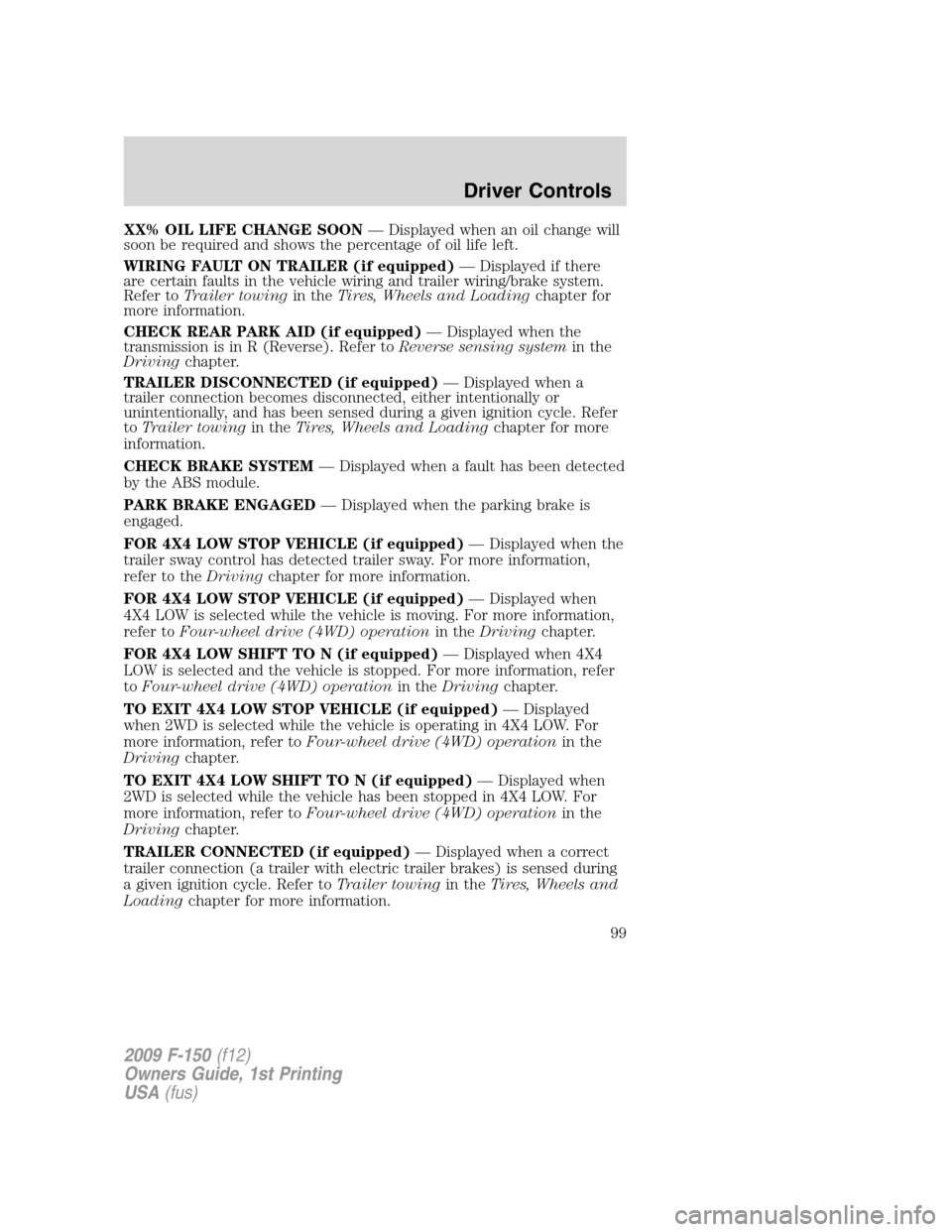
XX% OIL LIFE CHANGE SOON— Displayed when an oil change will
soon be required and shows the percentage of oil life left.
WIRING FAULT ON TRAILER (if equipped)— Displayed if there
are certain faults in the vehicle wiring and trailer wiring/brake system.
Refer toTrailer towingin theTires, Wheels and Loadingchapter for
more information.
CHECK REAR PARK AID (if equipped)— Displayed when the
transmission is in R (Reverse). Refer toReverse sensing systemin the
Drivingchapter.
TRAILER DISCONNECTED (if equipped)— Displayed when a
trailer connection becomes disconnected, either intentionally or
unintentionally, and has been sensed during a given ignition cycle. Refer
toTrailer towingin theTires, Wheels and Loadingchapter for more
information.
CHECK BRAKE SYSTEM— Displayed when a fault has been detected
by the ABS module.
PARK BRAKE ENGAGED— Displayed when the parking brake is
engaged.
FOR 4X4 LOW STOP VEHICLE (if equipped)— Displayed when the
trailer sway control has detected trailer sway. For more information,
refer to theDrivingchapter for more information.
FOR 4X4 LOW STOP VEHICLE (if equipped)— Displayed when
4X4 LOW is selected while the vehicle is moving. For more information,
refer toFour-wheel drive (4WD) operationin theDrivingchapter.
FOR 4X4 LOW SHIFT TO N (if equipped)— Displayed when 4X4
LOW is selected and the vehicle is stopped. For more information, refer
toFour-wheel drive (4WD) operationin theDrivingchapter.
TO EXIT 4X4 LOW STOP VEHICLE (if equipped)— Displayed
when 2WD is selected while the vehicle is operating in 4X4 LOW. For
more information, refer toFour-wheel drive (4WD) operationin the
Drivingchapter.
TO EXIT 4X4 LOW SHIFT TO N (if equipped)— Displayed when
2WD is selected while the vehicle has been stopped in 4X4 LOW. For
more information, refer toFour-wheel drive (4WD) operationin the
Drivingchapter.
TRAILER CONNECTED (if equipped)— Displayed when a correct
trailer connection (a trailer with electric trailer brakes) is sensed during
a given ignition cycle. Refer toTrailer towingin theTires, Wheels and
Loadingchapter for more information.
2009 F-150(f12)
Owners Guide, 1st Printing
USA(fus)
Driver Controls
99
Page 103 of 405
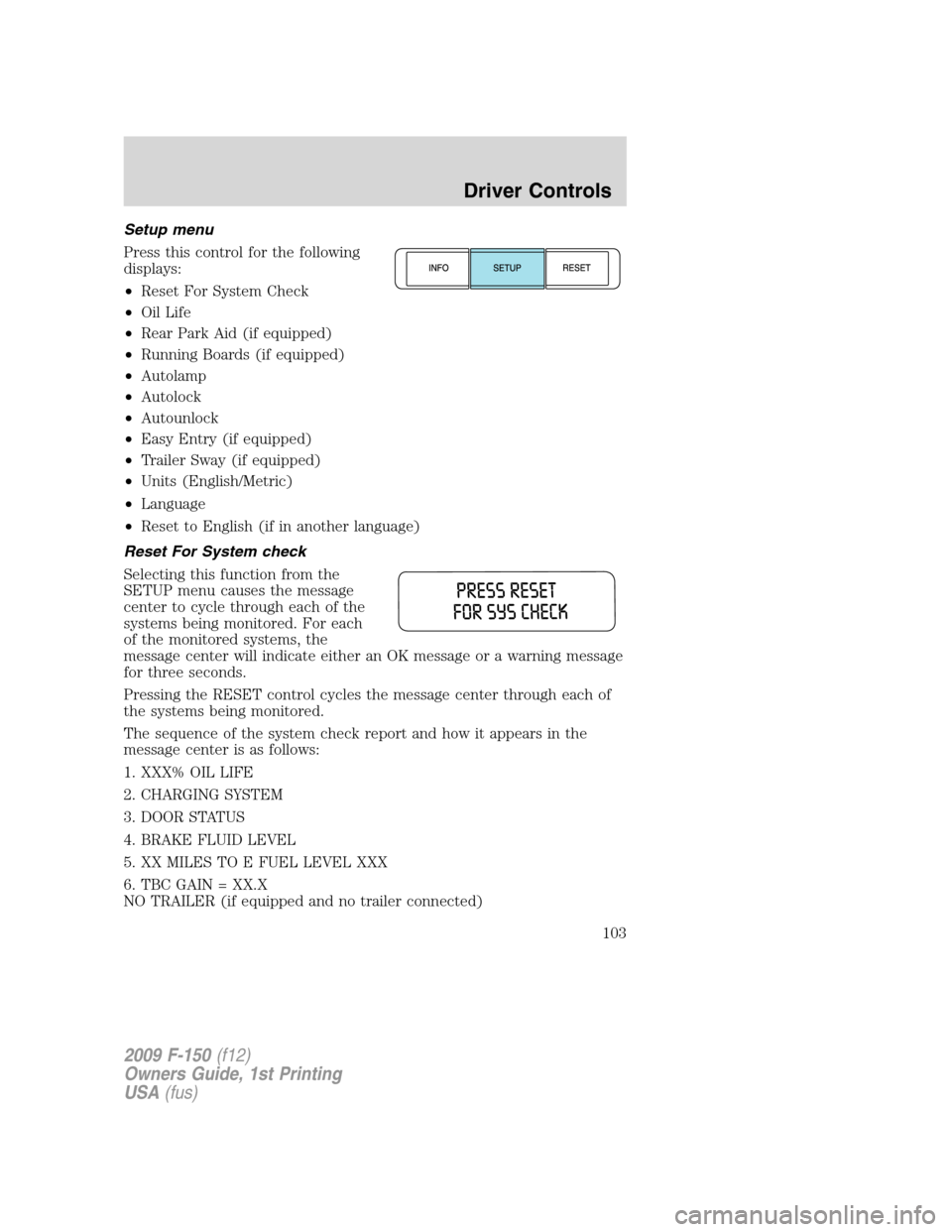
Setup menu
Press this control for the following
displays:
•Reset For System Check
•Oil Life
•Rear Park Aid (if equipped)
•Running Boards (if equipped)
•Autolamp
•Autolock
•Autounlock
•Easy Entry (if equipped)
•Trailer Sway (if equipped)
•Units (English/Metric)
•Language
•Reset to English (if in another language)
Reset For System check
Selecting this function from the
SETUP menu causes the message
center to cycle through each of the
systems being monitored. For each
of the monitored systems, the
message center will indicate either an OK message or a warning message
for three seconds.
Pressing the RESET control cycles the message center through each of
the systems being monitored.
The sequence of the system check report and how it appears in the
message center is as follows:
1. XXX% OIL LIFE
2. CHARGING SYSTEM
3. DOOR STATUS
4. BRAKE FLUID LEVEL
5. XX MILES TO E FUEL LEVEL XXX
6. TBC GAIN = XX.X
NO TRAILER (if equipped and no trailer connected)
2009 F-150(f12)
Owners Guide, 1st Printing
USA(fus)
Driver Controls
103
Page 108 of 405
Warning display Status
Driver door ajar The warning can return after the
ignition key is turned from off to on if
the condition still exists. Passenger door ajar
Rear left door ajar
Rear right door ajar
XXX miles to E fuel level low The warning can be reset. If the
condition/problem occurs again, the
message can return after being reset.
The warning can return after the
ignition key is turned from off to on if
the condition/problem still exists. Check charging system
Tire pressure sensor fault
Low tire pressure
Service RSC now
Check fuel fill inlet
Check 4x4 (if equipped)
Tire pressure monitor fault
Brake fluid level low The warning can be reset. The
warning can return after the ignition
key is turned from off to on if the
condition/problem still exists. Trailer brake module fault (if
equipped)
Oil change required
XX% Oil life change soon
Wiring fault on trailer (if
equipped)
Check rear park aid (if
equipped)
Trailer disconnected (if
equipped)The warning can be reset. The
warning can return immediately after
being reset if the condition/problem
still exists. The warning will return
10 minutes after being reset if the
condition/problem still exists. The
warning can return after the ignition
key is turned from off to on if the
condition/problem still exists. Check brake system
2009 F-150(f12)
Owners Guide, 1st Printing
USA(fus)
Driver Controls
108
Page 109 of 405
Warning display Status
Park brake engaged The warning can be reset. The
warning can return immediately after
being reset if the condition still exists.
The warning will return 10 minutes
after being reset if the
condition/problem still exists. The
warning can return after the ignition
key is turned from off to on if the
condition still exists.
Trailer sway reduce speed The warning can be reset. The
warning can return immediately after
being reset if the condition still exists.
For 4x4 low stop vehicle (if
equipped)Temporary alert
For 4x4 low shift to N (if
equipped)
To exit 4x4 low stop vehicle (if
equipped)
To exit 4x4 low shift to N (if
equipped)
Trailer connected
Train left front tire
Train right front tire
Train right rear tire
Train left rear tire
Tires not trained – repeat
Training complete
DRIVER DOOR AJAR— Displayed when the driver door is not
completely closed.
PASSENGER DOOR AJAR— Displayed when the passenger door is
not completely closed.
REAR LEFT DOOR AJAR— Displayed when the rear left door is not
completely closed.
REAR RIGHT DOOR AJAR— Displayed when the rear right door is
not completely closed.
2009 F-150(f12)
Owners Guide, 1st Printing
USA(fus)
Driver Controls
109