climate control FORD F150 2009 12.G User Guide
[x] Cancel search | Manufacturer: FORD, Model Year: 2009, Model line: F150, Model: FORD F150 2009 12.GPages: 405, PDF Size: 2.82 MB
Page 50 of 405
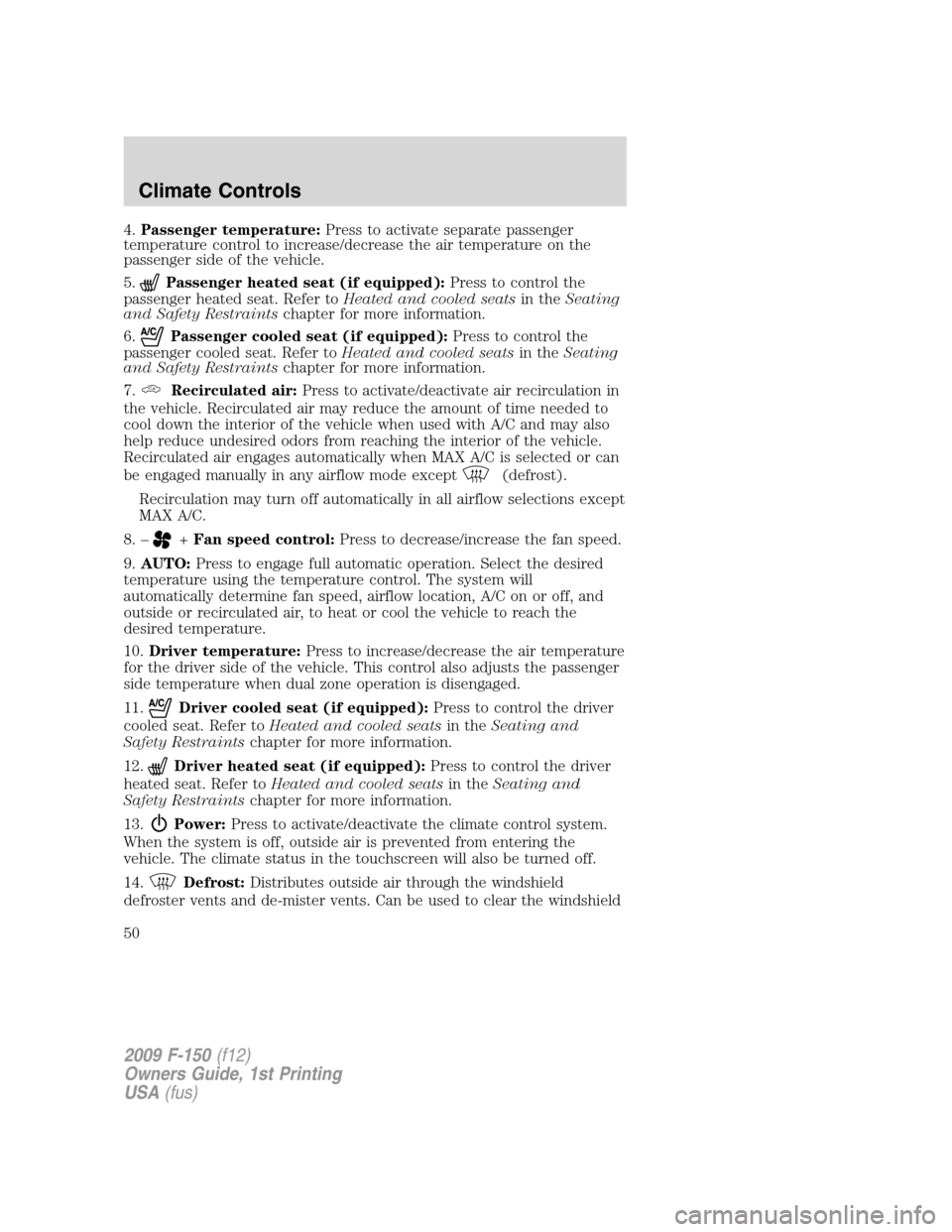
4.Passenger temperature:Press to activate separate passenger
temperature control to increase/decrease the air temperature on the
passenger side of the vehicle.
5.
Passenger heated seat (if equipped):Press to control the
passenger heated seat. Refer toHeated and cooled seatsin theSeating
and Safety Restraintschapter for more information.
6.
Passenger cooled seat (if equipped):Press to control the
passenger cooled seat. Refer toHeated and cooled seatsin theSeating
and Safety Restraintschapter for more information.
7.
Recirculated air:Press to activate/deactivate air recirculation in
the vehicle. Recirculated air may reduce the amount of time needed to
cool down the interior of the vehicle when used with A/C and may also
help reduce undesired odors from reaching the interior of the vehicle.
Recirculated air engages automatically when MAX A/C is selected or can
be engaged manually in any airflow mode except
(defrost).
Recirculation may turn off automatically in all airflow selections except
MAX A/C.
8. –
+Fan speed control:Press to decrease/increase the fan speed.
9.AUTO:Press to engage full automatic operation. Select the desired
temperature using the temperature control. The system will
automatically determine fan speed, airflow location, A/C on or off, and
outside or recirculated air, to heat or cool the vehicle to reach the
desired temperature.
10.Driver temperature:Press to increase/decrease the air temperature
for the driver side of the vehicle. This control also adjusts the passenger
side temperature when dual zone operation is disengaged.
11.
Driver cooled seat (if equipped):Press to control the driver
cooled seat. Refer toHeated and cooled seatsin theSeating and
Safety Restraintschapter for more information.
12.
Driver heated seat (if equipped):Press to control the driver
heated seat. Refer toHeated and cooled seatsin theSeating and
Safety Restraintschapter for more information.
13.
Power:Press to activate/deactivate the climate control system.
When the system is off, outside air is prevented from entering the
vehicle. The climate status in the touchscreen will also be turned off.
14.
Defrost:Distributes outside air through the windshield
defroster vents and de-mister vents. Can be used to clear the windshield
2009 F-150(f12)
Owners Guide, 1st Printing
USA(fus)
Climate Controls
50
Page 51 of 405
of fog and thin ice. The system will automatically provide outside air to
reduce window fogging. Press this button again to return to the previous
air flow selection.
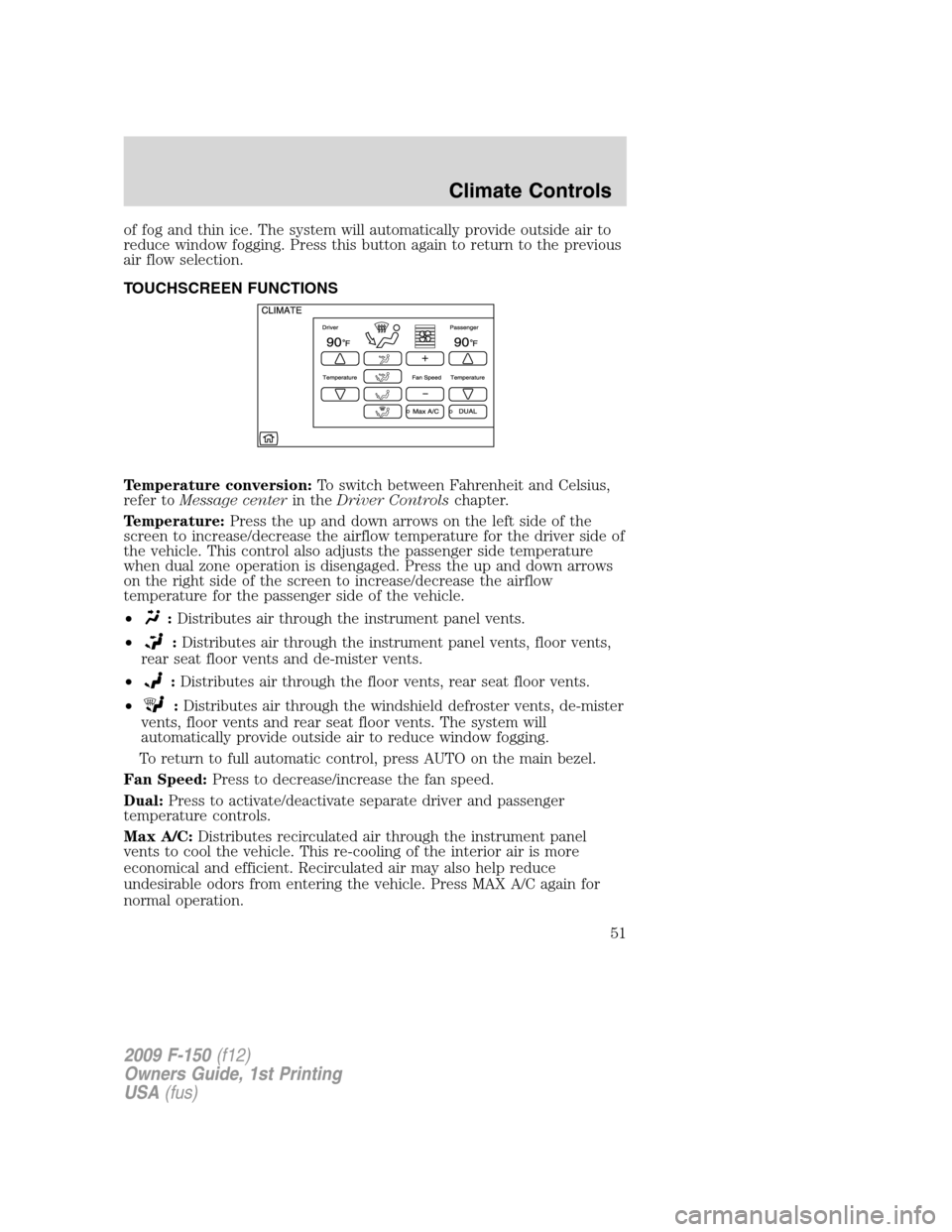
TOUCHSCREEN FUNCTIONS
Temperature conversion:To switch between Fahrenheit and Celsius,
refer toMessage centerin theDriver Controlschapter.
Temperature:Press the up and down arrows on the left side of the
screen to increase/decrease the airflow temperature for the driver side of
the vehicle. This control also adjusts the passenger side temperature
when dual zone operation is disengaged. Press the up and down arrows
on the right side of the screen to increase/decrease the airflow
temperature for the passenger side of the vehicle.
•
:Distributes air through the instrument panel vents.
•
:Distributes air through the instrument panel vents, floor vents,
rear seat floor vents and de-mister vents.
•
:Distributes air through the floor vents, rear seat floor vents.
•
:Distributes air through the windshield defroster vents, de-mister
vents, floor vents and rear seat floor vents. The system will
automatically provide outside air to reduce window fogging.
To return to full automatic control, press AUTO on the main bezel.
Fan Speed:Press to decrease/increase the fan speed.
Dual:Press to activate/deactivate separate driver and passenger
temperature controls.
Max A/C:Distributes recirculated air through the instrument panel
vents to cool the vehicle. This re-cooling of the interior air is more
economical and efficient. Recirculated air may also help reduce
undesirable odors from entering the vehicle. Press MAX A/C again for
normal operation.
2009 F-150(f12)
Owners Guide, 1st Printing
USA(fus)
Climate Controls
51
Page 52 of 405
VOICE COMMANDS IN CLIMATE MODE
Please refer to theVoice commands in climate modesection of the
Navigation supplementfor more information on using voice commands
with the climate control system.
Operating tips
•To reduce fog build up on the windshield during humid weather, place
the air flow selector in the
position.
•To reduce humidity build up inside the vehicle: do not drive with the
system off or with
(recirculated air) engaged.
•Do not put objects under the front seats that will interfere with the
airflow to the back seats.
•Remove any snow, ice or leaves from the air intake area at the base of
the windshield.
•To improve the A/C cool down, drive with the windows slightly open
for 2-3 minutes after start up or until the vehicle has been “aired out.”
•If you are driving during extreme high ambient temperatures and
idling for extended periods of time in gear, it is recommended to run
the A/C in the MAX A/C position, adjust the blower fan speed to the
lowest setting and put the vehicle’s transmission into the P (Park) to
continue to receive cool air from your A/C system.
•For maximum cooling performance MAX A/C:
In AUTO: Press AUTO control and set to desired temperature.
In Manual Override Control: Choose
(panel), A/C,
and
(recirculation) controls, set the temperature to 60°F (16°C) and
the fan to the highest blower setting.
•To aid in side window defogging/demisting in cold weather:
1. Select
.
2. Select A/C.
3. Adjust the temperature control to maintain comfort.
4. Set the fan speed to the highest setting.
5. Direct the outer instrument panel vents towards the side windows.
To increase airflow to the outer instrument panel vents, close the vents
located in the middle of the instrument panel.
2009 F-150(f12)
Owners Guide, 1st Printing
USA(fus)
Climate Controls
52
Page 53 of 405
REAR WINDOW DEFROSTER (IF EQUIPPED)R
The rear defroster control is located on the climate control panel and
works to defrost your rear window from fog and thin ice. If equipped, it
also operates the heated mirror to remove snow and thin ice from the
side mirrors.
Ensure that the ignition on. Press to turn the defroster on/off. The
indicator light will illuminate when activated.
Do not use razor blades or other sharp objects to clean the inside
of the rear window or to remove decals from the inside of the
rear window. This may cause damage to the heated grid lines and
will not be covered by your warranty.
2009 F-150(f12)
Owners Guide, 1st Printing
USA(fus)
Climate Controls
53
Page 77 of 405
Note:10 or more switch activations within one minute, or repeated
folding/unfolding of the mirrors while holding the switch rearward during
full travel, may cause the system to disable the fold/unfold function to
protect motors from overheating. Should this occur, wait approximately
three minutes with the vehicle running and up to 10 minutes with the
vehicle off, for the system to reset and for function to return to normal.
Heated outside mirrors (if equipped)
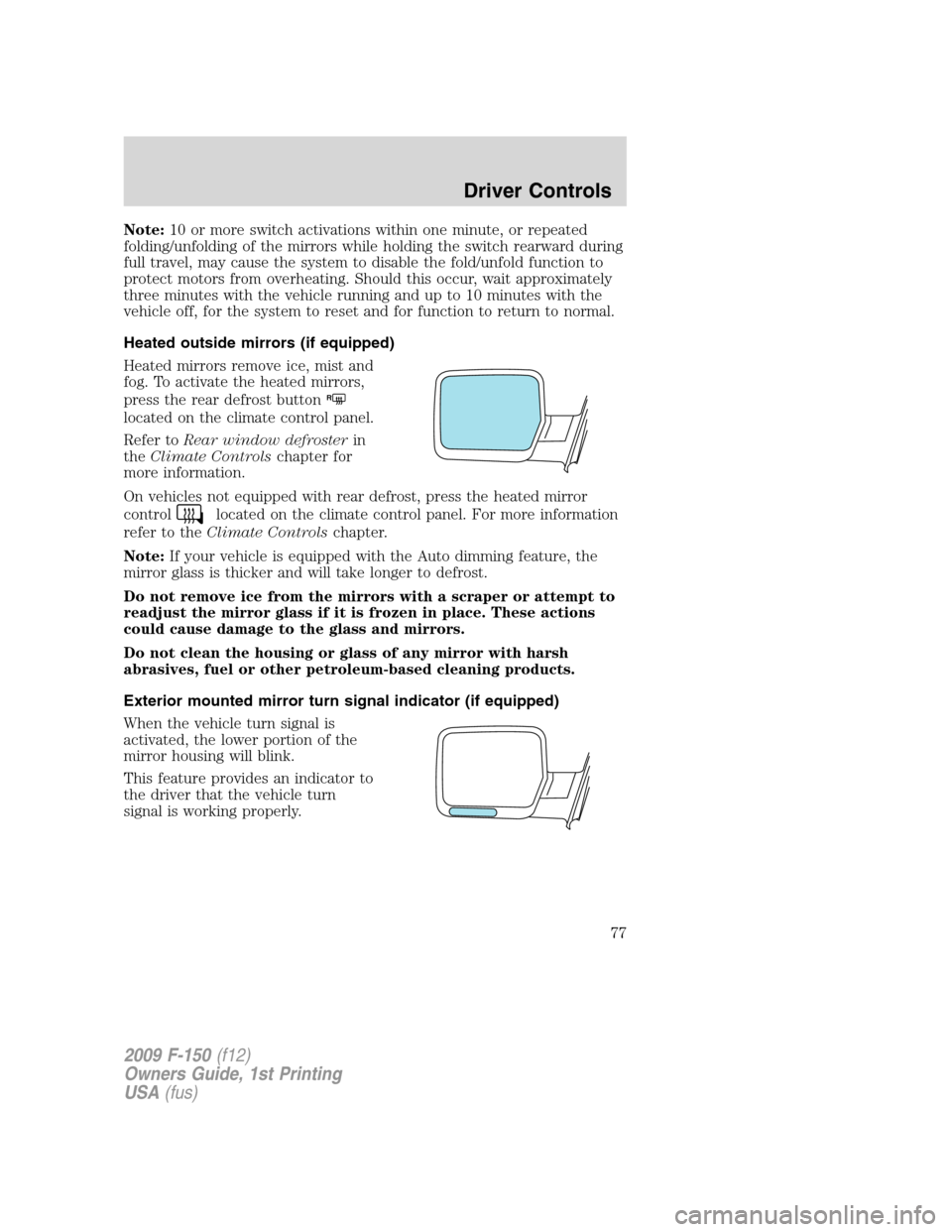
Heated mirrors remove ice, mist and
fog. To activate the heated mirrors,
press the rear defrost button
R
located on the climate control panel.
Refer toRear window defrosterin
theClimate Controlschapter for
more information.
On vehicles not equipped with rear defrost, press the heated mirror
control
located on the climate control panel. For more information
refer to theClimate Controlschapter.
Note:If your vehicle is equipped with the Auto dimming feature, the
mirror glass is thicker and will take longer to defrost.
Do not remove ice from the mirrors with a scraper or attempt to
readjust the mirror glass if it is frozen in place. These actions
could cause damage to the glass and mirrors.
Do not clean the housing or glass of any mirror with harsh
abrasives, fuel or other petroleum-based cleaning products.
Exterior mounted mirror turn signal indicator (if equipped)
When the vehicle turn signal is
activated, the lower portion of the
mirror housing will blink.
This feature provides an indicator to
the driver that the vehicle turn
signal is working properly.
2009 F-150(f12)
Owners Guide, 1st Printing
USA(fus)
Driver Controls
77
Page 80 of 405
Note:Do not use the running boards, front and rear hinge assemblies,
running board motors, or the running board under body mounts to lift
the vehicle when jacking. Please utilize proper jacking points. Refer to
Changing the tiresin theRoadside Emergencieschapter.
WARNING:In extreme climates, excessive ice buildup may
occur, causing the running boards not to deploy. Be sure that the
running boards have deployed, and have finished moving before
attempting to step on them. Note: The running boards will resume
normal function once the blockage is cleared.
WARNING:Turn off the running boards before jacking or
placing any object under the vehicle. Never place your hand
between the extended running board and the vehicle. A moving
running board may cause injury.
SPEED CONTROL (IF EQUIPPED)
With speed control set, you can maintain a set speed without keeping
your foot on the accelerator pedal.
WARNING:Do not use the speed control in heavy traffic or on
roads that are winding, slippery or unpaved.
Setting speed control
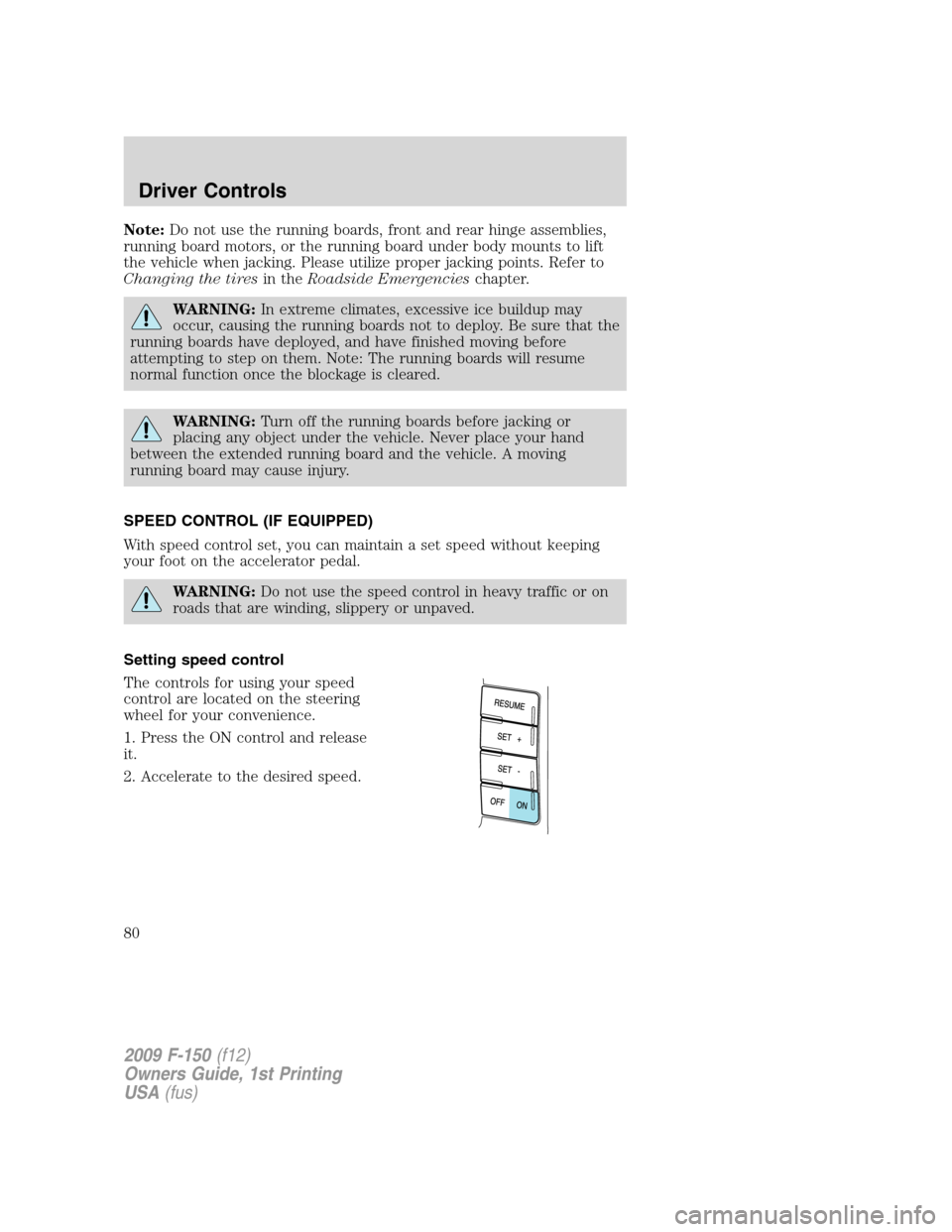
The controls for using your speed
control are located on the steering
wheel for your convenience.
1. Press the ON control and release
it.
2. Accelerate to the desired speed.
2009 F-150(f12)
Owners Guide, 1st Printing
USA(fus)
Driver Controls
80
Page 152 of 405
Easy-access/easy-out feature (if equipped)
The easy entry feature automatically moves the driver’s seat 2 inches
(5 cm) forward when:
•the transmission is in P (Park)
•the key is inserted into the ignition cylinder
(If the seat is located less than 2 inches [5 cm] from the front of the seat
track, the seat will travel up to
14inch (.64 cm) to the front of the seat
track).
The easy out feature automatically moves the driver’s seat 2 inches
(5 cm) backward when:
•the transmission is in P (Park)
•the key is removed from the ignition cylinder
(If the seat is located less than 2 inches (5 cm) from the rear of the seat
track, the seat will travel up to
14inch (.64 cm) to the rear of the seat
track).
If the memory setting is programmed through the remote transmitter,
upon unlocking the door via remote entry system, the seat position will
travel to the desired memory setting less 2 inches (5 cm). Once entering
the vehicle and inserting the key in the ignition while in P (Park), the
easy entry feature will move the seat an additional 2 inches (5 cm) to
the desired memory location. SeeLocks and Securityfor activating the
memory seat feature through the remote entry system.
Deactivating/activating the easy access/easy out feature
The easy entry/exit feature can be turned off or on through the vehicle
message center (if equipped). If your vehicle does not have a message
center, the feature can be turned off or on through the following process:
1. Put the key into the ignition (The driver seat may move forward if the
easy entry/exit feature is activated).
2. Place the ignition key into the on position (do not start the vehicle).
When the vehicle is in the on position, the interior and exterior lights,
the climate controls, and the radio are functional without the engine
started. SeeProgramming remote transmittersfor ignition switch
diagram.
3. Turn the ignition key to the off position.
2009 F-150(f12)
Owners Guide, 1st Printing
USA(fus)
Seating and Safety Restraints
152
Page 154 of 405
Heated and cooled seats (if equipped)
The controls for the climate controlled seats are located on the dual
electronic automatic temperature control (DEATC) system.
Heated seats
WARNING:Persons who are unable to feel pain to the skin
because of advanced age, chronic illness, diabetes, spinal cord
injury, medication, alcohol use, exhaustion, or other physical
conditions, must exercise care when using the seat heater. The seat
heater may cause burns even at low temperatures, especially if used
for long periods of time. Do not place anything on the seat that
insulates against heat, such as a blanket or cushion, because this may
cause the seat heater to overheat. Do not puncture the seat with pins,
needles, or other pointed objects because this may damage the heating
element which may cause the seat heater to overheat. An overheated
seat may cause serious personal injury.
Note:Do not do the following:
•Place heavy objects on the seat
•Operate the seat heater if water or any other liquid is spilled on the
seat. Allow the seat to dry thoroughly.
The heated seats will only function when the engine is running.
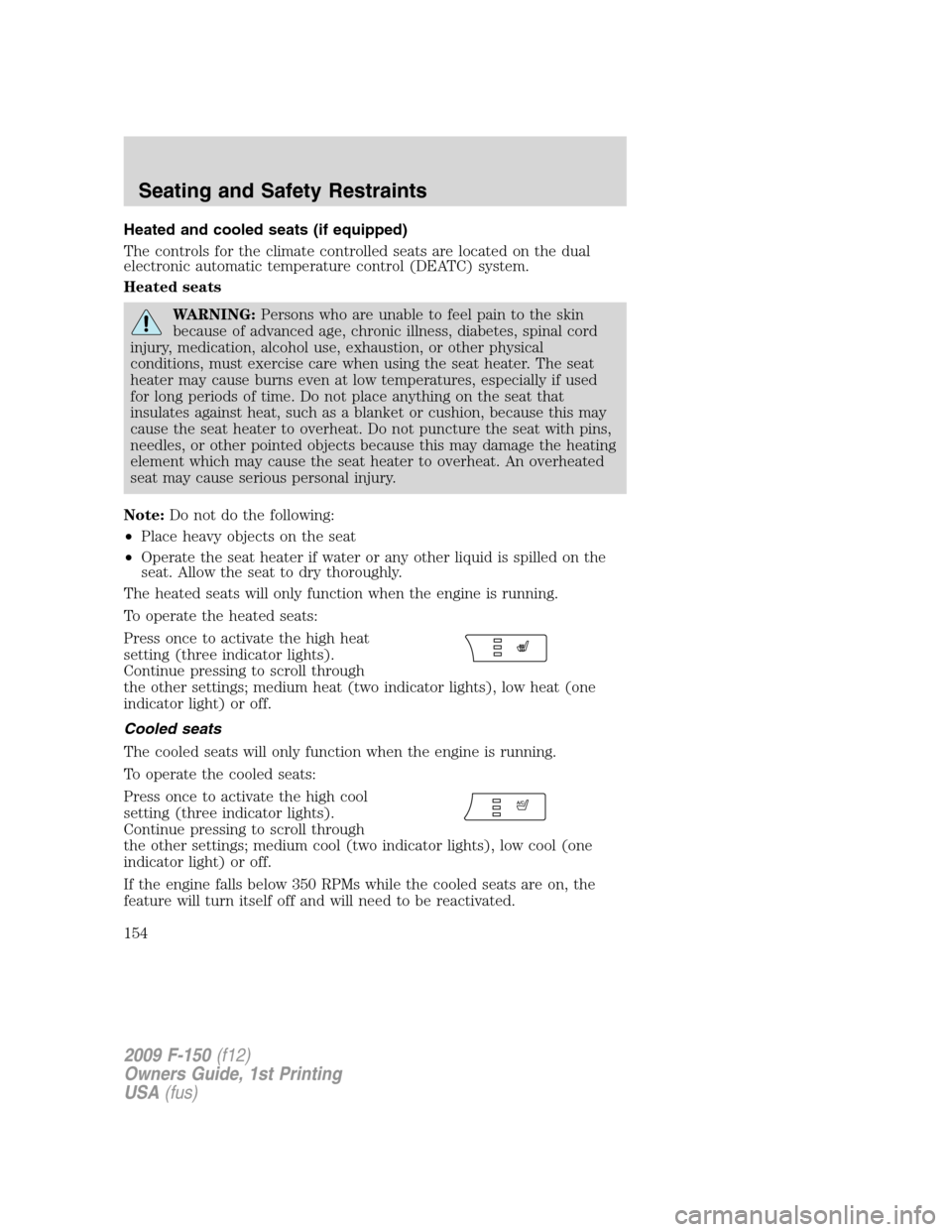
To operate the heated seats:
Press once to activate the high heat
setting (three indicator lights).
Continue pressing to scroll through
the other settings; medium heat (two indicator lights), low heat (one
indicator light) or off.
Cooled seats
The cooled seats will only function when the engine is running.
To operate the cooled seats:
Press once to activate the high cool
setting (three indicator lights).
Continue pressing to scroll through
the other settings; medium cool (two indicator lights), low cool (one
indicator light) or off.
If the engine falls below 350 RPMs while the cooled seats are on, the
feature will turn itself off and will need to be reactivated.
2009 F-150(f12)
Owners Guide, 1st Printing
USA(fus)
Seating and Safety Restraints
154
Page 155 of 405
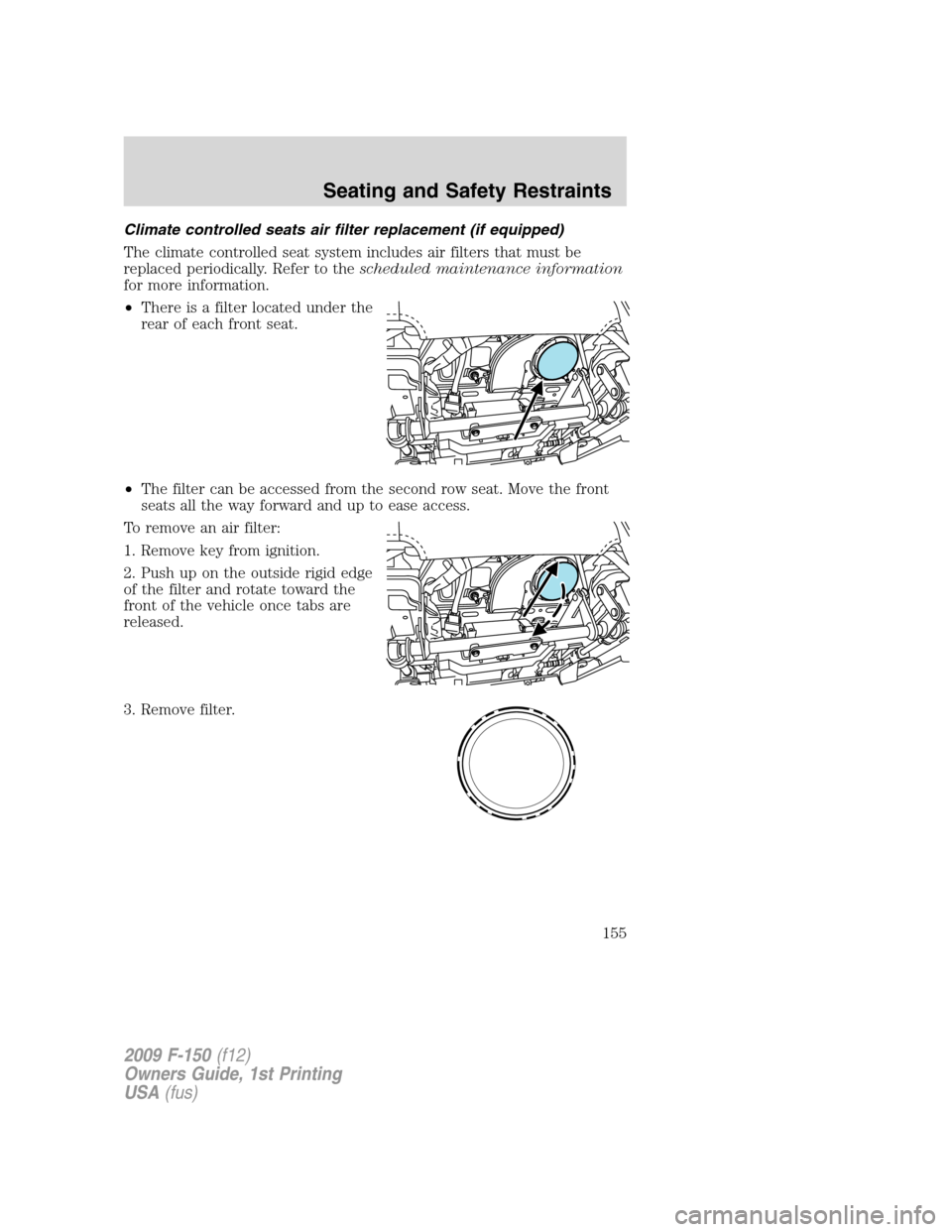
Climate controlled seats air filter replacement (if equipped)
The climate controlled seat system includes air filters that must be
replaced periodically. Refer to thescheduled maintenance information
for more information.
•There is a filter located under the
rear of each front seat.
•The filter can be accessed from the second row seat. Move the front
seats all the way forward and up to ease access.
To remove an air filter:
1. Remove key from ignition.
2. Push up on the outside rigid edge
of the filter and rotate toward the
front of the vehicle once tabs are
released.
3. Remove filter.
2009 F-150(f12)
Owners Guide, 1st Printing
USA(fus)
Seating and Safety Restraints
155
Page 217 of 405
government test course. For example, a tire graded 150 would wear one
and one-half (112) times as well on the government course as a tire
graded 100. The relative performance of tires depends upon the actual
conditions of their use, however, and may depart significantly from the
norm due to variations in driving habits, service practices, and
differences in road characteristics and climate.
Traction AA A B C
The traction grades, from highest to lowest are AA, A, B, and C. The grades
represent the tire’s ability to stop on wet pavement as measured under
controlled conditions on specified government test surfaces of asphalt and
concrete. A tire marked C may have poor traction performance.
WARNING:The traction grade assigned to this tire is based on
straight-ahead braking traction tests, and does not include
acceleration, cornering, hydroplaning or peak traction characteristics.
Temperature A B C
The temperature grades are A (the highest), B and C, representing the
tire’s resistance to the generation of heat and its ability to dissipate heat
when tested under controlled conditions on a specified indoor laboratory
test wheel. Sustained high temperature can cause the material of the tire
to degenerate and reduce tire life, and excessive temperature can lead to
sudden tire failure. The grade C corresponds to a level of performance
which all passenger car tires must meet under the Federal Motor Vehicle
Safety Standard No. 139. Grades B and A represent higher levels of
performance on the laboratory test wheel than the minimum required by
law.
WARNING:The temperature grade for this tire is established
for a tire that is properly inflated and not overloaded. Excessive
speed, underinflation, or excessive loading, either separately or in
combination, can cause heat buildup and possible tire failure.
TIRES
Tires are designed to give many thousands of miles of service, but they
must be maintained in order to get the maximum benefit from them.
Glossary of tire terminology
•Tire label:A label showing the OE (Original Equipment) tire sizes,
recommended inflation pressure and the maximum weight the vehicle
can carry.
2009 F-150(f12)
Owners Guide, 1st Printing
USA(fus)
Tires, Wheels and Loading
217