key FORD F150 2009 12.G User Guide
[x] Cancel search | Manufacturer: FORD, Model Year: 2009, Model line: F150, Model: FORD F150 2009 12.GPages: 405, PDF Size: 2.82 MB
Page 108 of 405
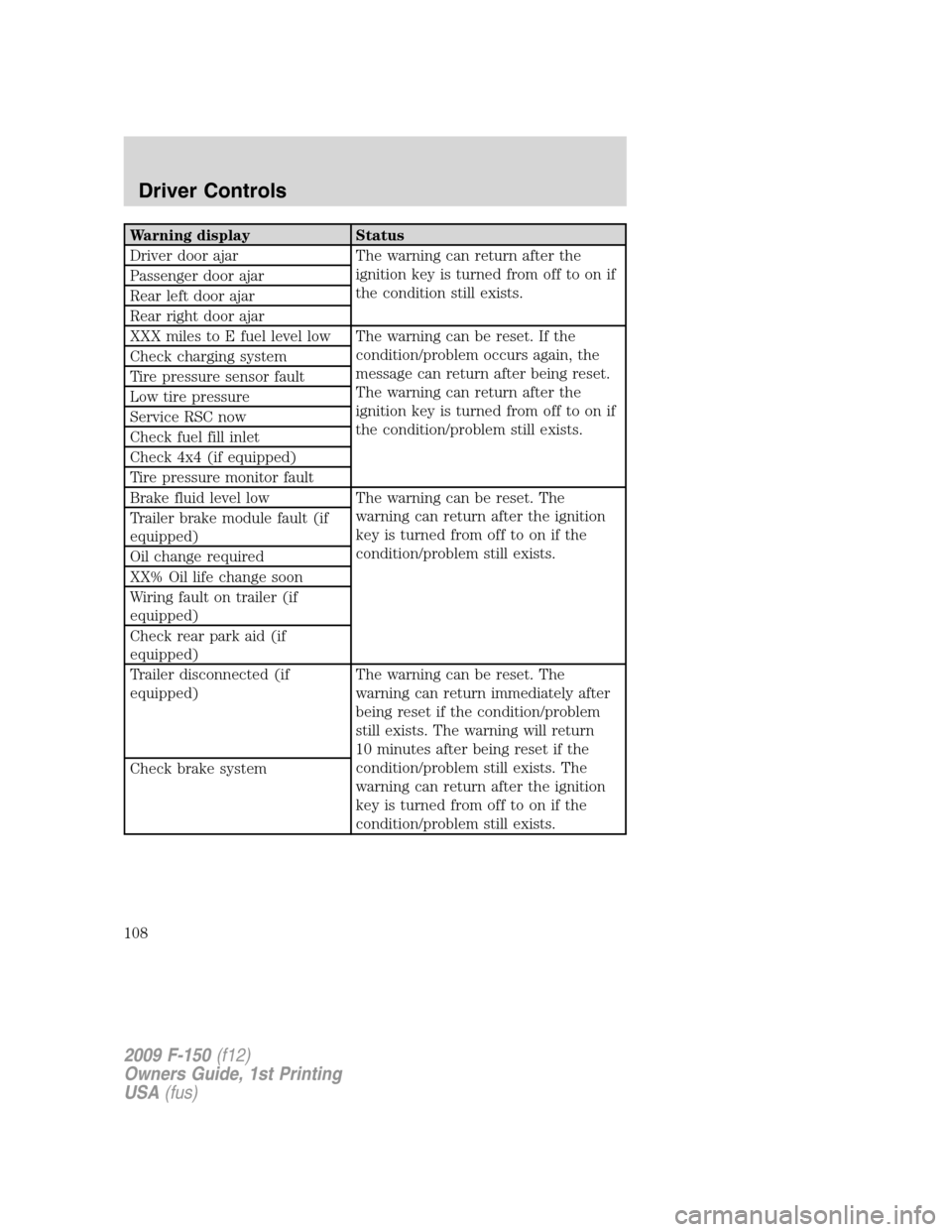
Warning display Status
Driver door ajar The warning can return after the
ignition key is turned from off to on if
the condition still exists. Passenger door ajar
Rear left door ajar
Rear right door ajar
XXX miles to E fuel level low The warning can be reset. If the
condition/problem occurs again, the
message can return after being reset.
The warning can return after the
ignition key is turned from off to on if
the condition/problem still exists. Check charging system
Tire pressure sensor fault
Low tire pressure
Service RSC now
Check fuel fill inlet
Check 4x4 (if equipped)
Tire pressure monitor fault
Brake fluid level low The warning can be reset. The
warning can return after the ignition
key is turned from off to on if the
condition/problem still exists. Trailer brake module fault (if
equipped)
Oil change required
XX% Oil life change soon
Wiring fault on trailer (if
equipped)
Check rear park aid (if
equipped)
Trailer disconnected (if
equipped)The warning can be reset. The
warning can return immediately after
being reset if the condition/problem
still exists. The warning will return
10 minutes after being reset if the
condition/problem still exists. The
warning can return after the ignition
key is turned from off to on if the
condition/problem still exists. Check brake system
2009 F-150(f12)
Owners Guide, 1st Printing
USA(fus)
Driver Controls
108
Page 109 of 405
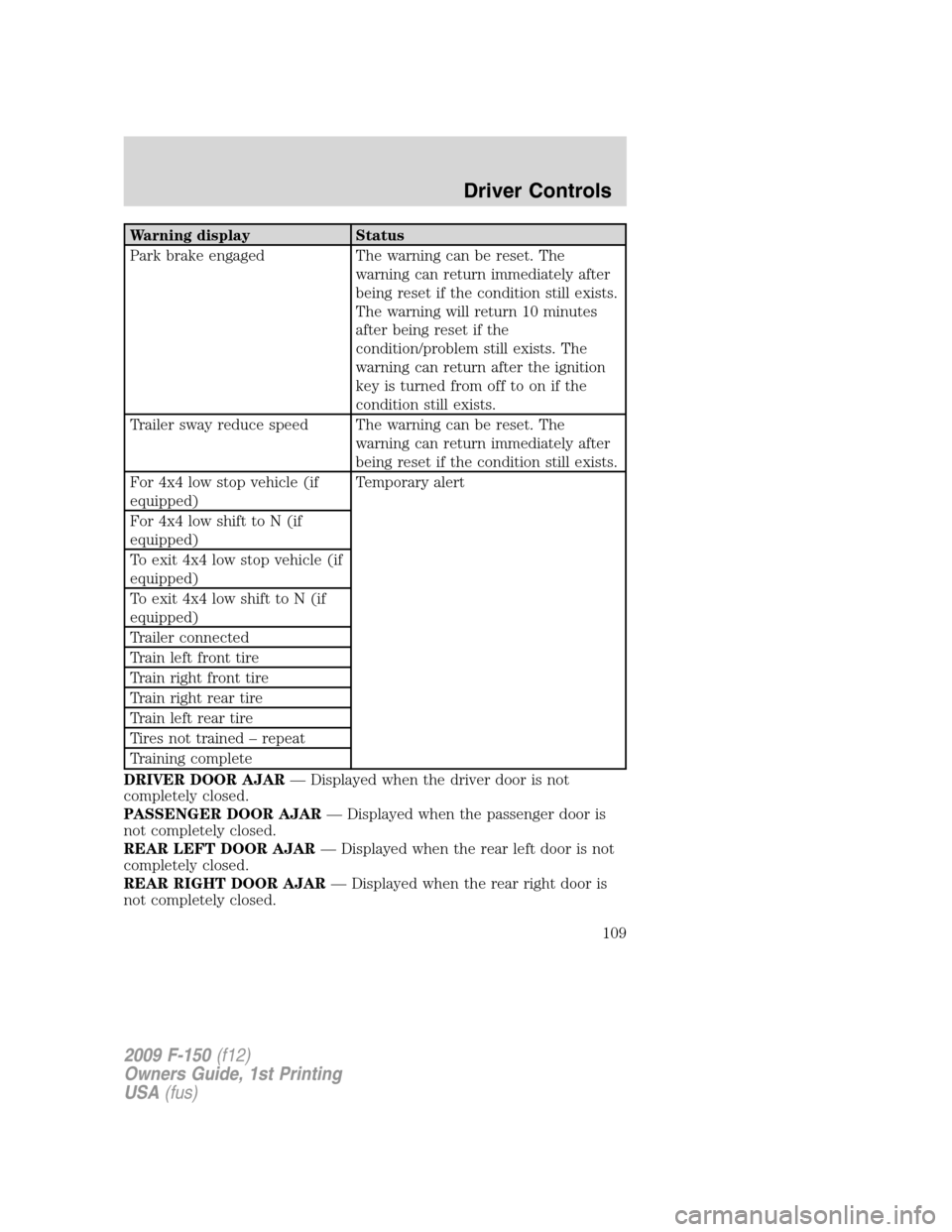
Warning display Status
Park brake engaged The warning can be reset. The
warning can return immediately after
being reset if the condition still exists.
The warning will return 10 minutes
after being reset if the
condition/problem still exists. The
warning can return after the ignition
key is turned from off to on if the
condition still exists.
Trailer sway reduce speed The warning can be reset. The
warning can return immediately after
being reset if the condition still exists.
For 4x4 low stop vehicle (if
equipped)Temporary alert
For 4x4 low shift to N (if
equipped)
To exit 4x4 low stop vehicle (if
equipped)
To exit 4x4 low shift to N (if
equipped)
Trailer connected
Train left front tire
Train right front tire
Train right rear tire
Train left rear tire
Tires not trained – repeat
Training complete
DRIVER DOOR AJAR— Displayed when the driver door is not
completely closed.
PASSENGER DOOR AJAR— Displayed when the passenger door is
not completely closed.
REAR LEFT DOOR AJAR— Displayed when the rear left door is not
completely closed.
REAR RIGHT DOOR AJAR— Displayed when the rear right door is
not completely closed.
2009 F-150(f12)
Owners Guide, 1st Printing
USA(fus)
Driver Controls
109
Page 113 of 405
TAILGATE LOCK (IF EQUIPPED)
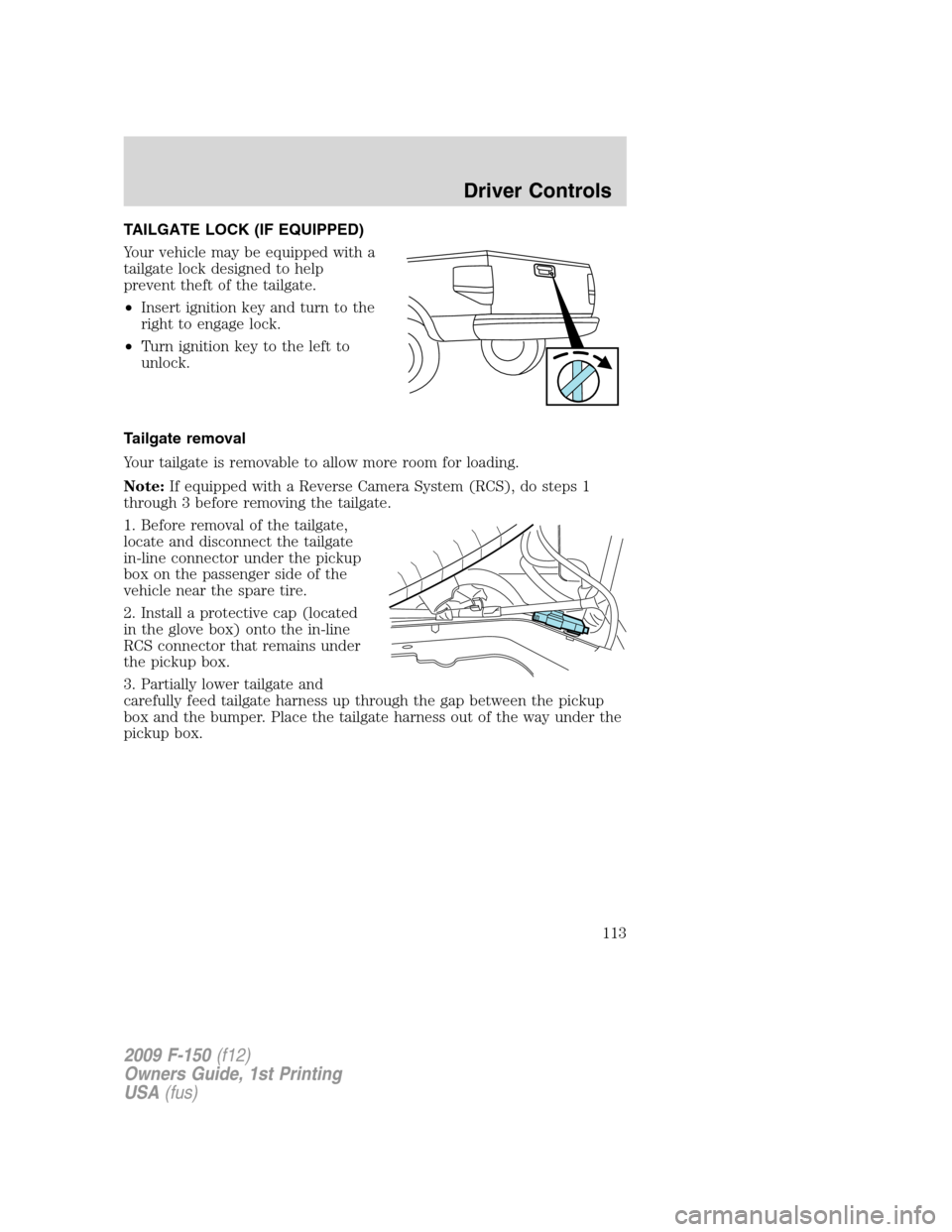
Your vehicle may be equipped with a
tailgate lock designed to help
prevent theft of the tailgate.
•Insert ignition key and turn to the
right to engage lock.
•Turn ignition key to the left to
unlock.
Tailgate removal
Your tailgate is removable to allow more room for loading.
Note:If equipped with a Reverse Camera System (RCS), do steps 1
through 3 before removing the tailgate.
1. Before removal of the tailgate,
locate and disconnect the tailgate
in-line connector under the pickup
box on the passenger side of the
vehicle near the spare tire.
2. Install a protective cap (located
in the glove box) onto the in-line
RCS connector that remains under
the pickup box.
3. Partially lower tailgate and
carefully feed tailgate harness up through the gap between the pickup
box and the bumper. Place the tailgate harness out of the way under the
pickup box.
2009 F-150(f12)
Owners Guide, 1st Printing
USA(fus)
Driver Controls
113
Page 124 of 405
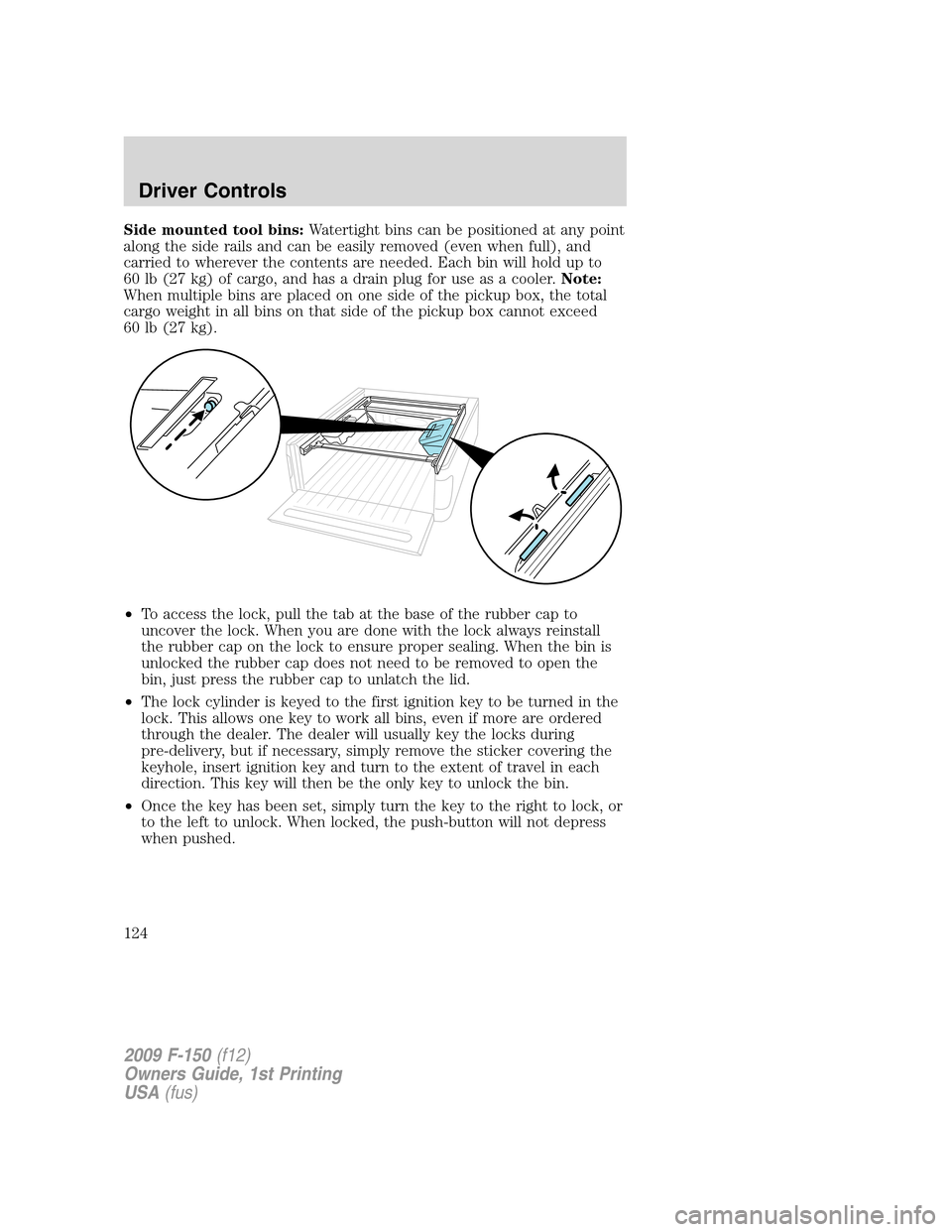
Side mounted tool bins:Watertight bins can be positioned at any point
along the side rails and can be easily removed (even when full), and
carried to wherever the contents are needed. Each bin will hold up to
60 lb (27 kg) of cargo, and has a drain plug for use as a cooler.Note:
When multiple bins are placed on one side of the pickup box, the total
cargo weight in all bins on that side of the pickup box cannot exceed
60 lb (27 kg).
•To access the lock, pull the tab at the base of the rubber cap to
uncover the lock. When you are done with the lock always reinstall
the rubber cap on the lock to ensure proper sealing. When the bin is
unlocked the rubber cap does not need to be removed to open the
bin, just press the rubber cap to unlatch the lid.
•The lock cylinder is keyed to the first ignition key to be turned in the
lock. This allows one key to work all bins, even if more are ordered
through the dealer. The dealer will usually key the locks during
pre-delivery, but if necessary, simply remove the sticker covering the
keyhole, insert ignition key and turn to the extent of travel in each
direction. This key will then be the only key to unlock the bin.
•Once the key has been set, simply turn the key to the right to lock, or
to the left to unlock. When locked, the push-button will not depress
when pushed.
2009 F-150(f12)
Owners Guide, 1st Printing
USA(fus)
Driver Controls
124
Page 126 of 405
KEYS
The key operates all locks on your vehicle. In case of loss, replacement
keys are available from your dealer.
You should always carry a second key with you in a safe place in case
you require it in an emergency.
Refer to theSecuriLock™ passive anti-theft systemsection in this
chapter for more information.
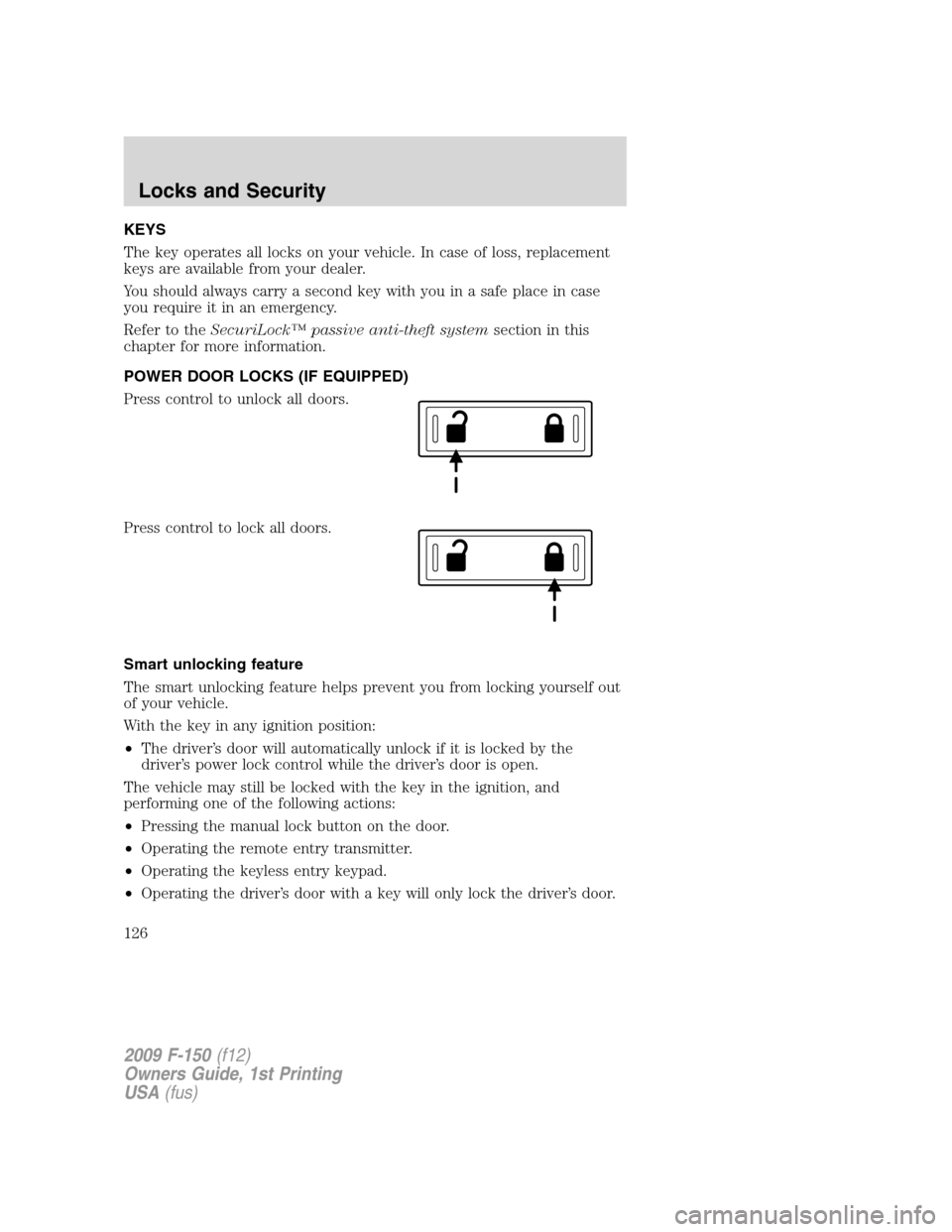
POWER DOOR LOCKS (IF EQUIPPED)
Press control to unlock all doors.
Press control to lock all doors.
Smart unlocking feature
The smart unlocking feature helps prevent you from locking yourself out
of your vehicle.
With the key in any ignition position:
•The driver’s door will automatically unlock if it is locked by the
driver’s power lock control while the driver’s door is open.
The vehicle may still be locked with the key in the ignition, and
performing one of the following actions:
•Pressing the manual lock button on the door.
•Operating the remote entry transmitter.
•Operating the keyless entry keypad.
•Operating the driver’s door with a key will only lock the driver’s door.
2009 F-150(f12)
Owners Guide, 1st Printing
USA(fus)
Locks and Security
126
Page 127 of 405
Autolock
The autolock feature is available on vehicles with power locking. This
feature will lock all the doors when:
•all the doors are closed,
•the ignition is in the on position,
•you shift into any gear putting the vehicle in motion, (for manual
transmission the park brake should not be engaged) and
•the vehicle attains a speed greater than 12 mph (20 km/h).
The autolock feature repeats when:
•any door is opened then closed while the ignition is in the on position
and the vehicle speed is 9 mph (15 km/h) or lower and
•the vehicle attains a speed greater than 12 mph (20 km/h).
Deactivating/activating autolock
Your vehicle comes with the autolock feature enabled. There are four
methods to enable/disable this feature:
•Through your authorized dealer, or
•Performing the power door lock control procedure,
•Performing the keyless entry keypad (if equipped) procedure, or
•Performing the message center (if equipped) procedure.
Before following the activation or deactivation procedures, make sure
that the anti-theft system is not armed, ignition is in the off position, and
all vehicle doors are closed.
Power door unlock/lock procedure
You must complete Steps 1-5 within 30 seconds or the procedure will
have to be repeated. If the procedure needs to be repeated, you must
wait 30 seconds.Note: Alldoors must be closed and remain closed
throughout the configuration process.
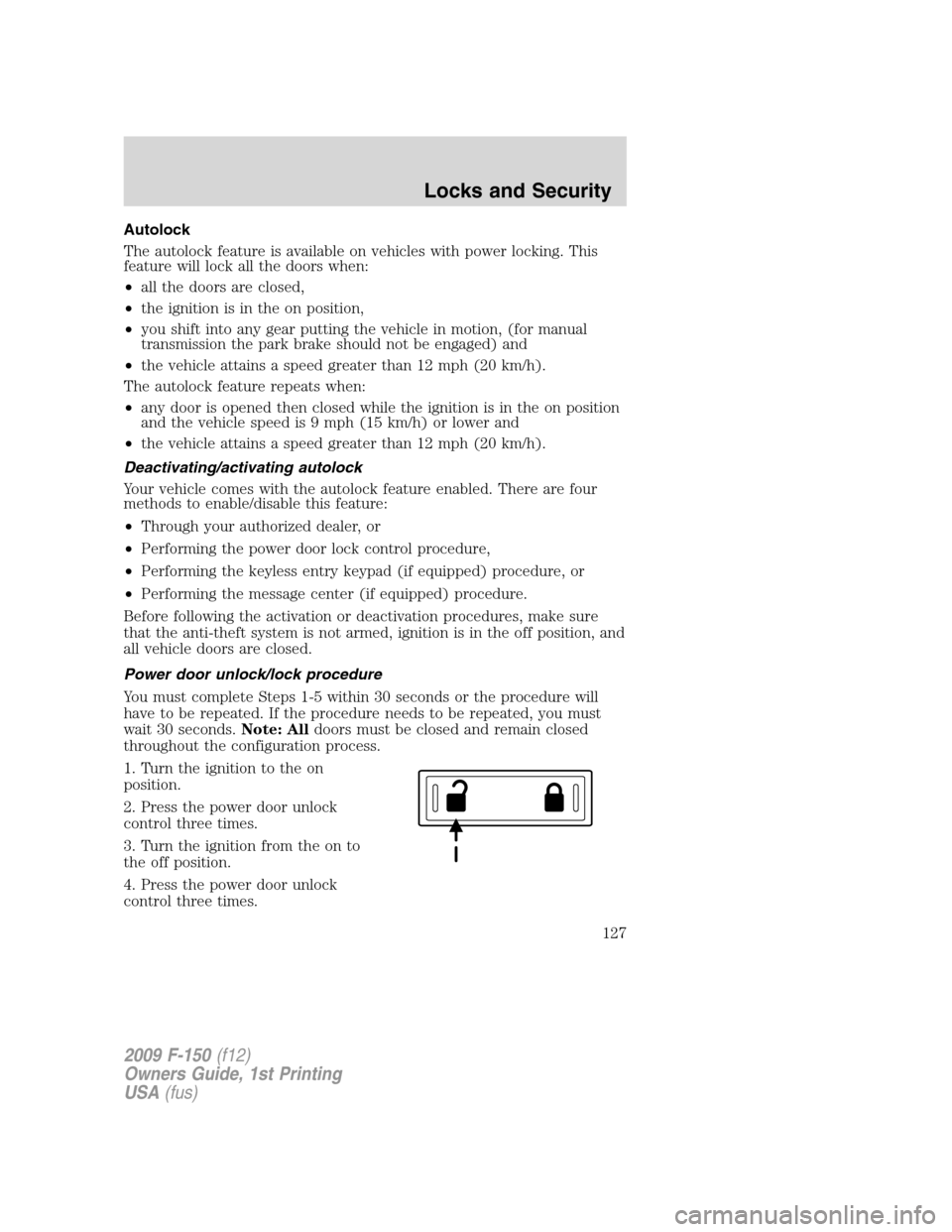
1. Turn the ignition to the on
position.
2. Press the power door unlock
control three times.
3. Turn the ignition from the on to
the off position.
4. Press the power door unlock
control three times.
2009 F-150(f12)
Owners Guide, 1st Printing
USA(fus)
Locks and Security
127
Page 128 of 405
5. Turn the ignition back to the on position. The horn will chirp.
6. Press the unlock control, then press the lock control. The horn will
chirp once if autolock was deactivated or twice (one short and one long
chirp) if autolock was activated.
7. Turn the ignition to the off position. The horn will chirp once to
confirm the procedure is complete.
Keyless entry keypad procedure
1. Turn the ignition to the off position.
2. Close all doors
3. Enter 5–digit entry code
4. Press and hold the 3•4. While holding the 3•4pressthe7•8.
5. Release the 7•8.
6. Release the 3•4.
The user should receive ahorn chirpto indicate the system has been
disabled or a chirp followed by a honk to indicate the system has been
enabled.
Message center procedure
For information regarding the activation and deactivation of the
autolocks feature using the message center, refer toMessage centerin
theDriver Controlschapter.
Autounlock feature
The autounlock feature will unlock all the doors when:
•the ignition is in the on position, all the doors are closed, and the
vehicle has been in motion at a speed greater than 12 mph (20 km/h);
•the vehicle has then come to a stop and the ignition is turned to the
off or accessory position; and
•the driver door is opened within 10 minutes of the ignition being
transitioned to the off or accessory position.
Note:The doors will not autounlock if the vehicle has been
electronically locked before the driver door is opened.
2009 F-150(f12)
Owners Guide, 1st Printing
USA(fus)
Locks and Security
128
Page 129 of 405
Deactivating/activating autounlock feature
Your vehicle comes with the autounlock features activated; there are four
methods to enable/disable this feature:
•Through your authorized dealer,
•by using a power door unlock/lock sequence,
•using a keypad procedure (if equipped), or
•or by using the instrument cluster message center (if equipped). Refer
toMessage centerin theDriver Controlschapter.
Note:The autounlock feature can be activated/deactivated
independently of the autolock feature.
Power door lock switch autounlock enable/disable procedure
Before starting, ensure the ignition is in the off position and all vehicle
doors are closed. You must complete Steps 1–5 within 30 seconds or the
procedure will have to be repeated. If the procedure needs to be
repeated, wait a minimum of 30 seconds before beginning again.
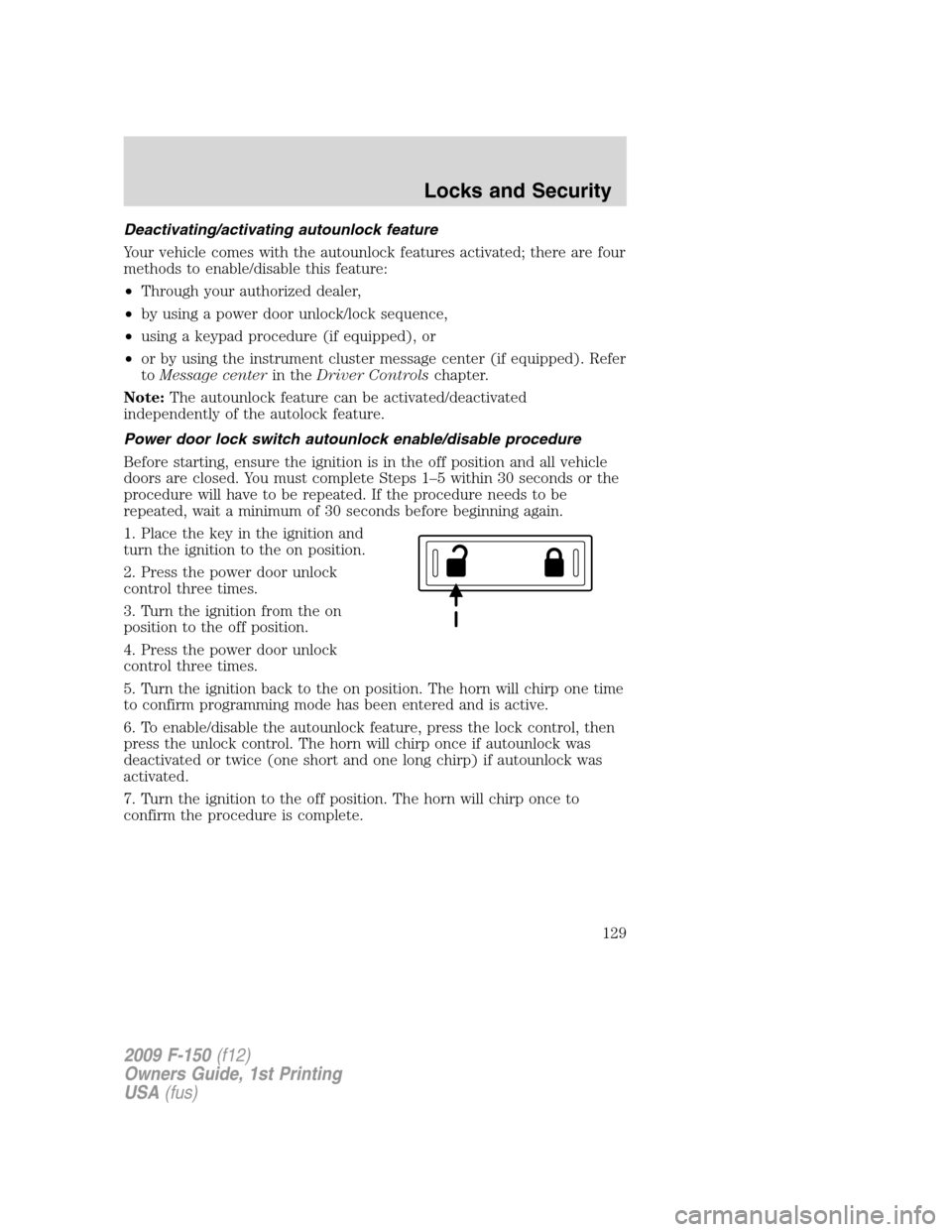
1. Place the key in the ignition and
turn the ignition to the on position.
2. Press the power door unlock
control three times.
3. Turn the ignition from the on
position to the off position.
4. Press the power door unlock
control three times.
5. Turn the ignition back to the on position. The horn will chirp one time
to confirm programming mode has been entered and is active.
6. To enable/disable the autounlock feature, press the lock control, then
press the unlock control. The horn will chirp once if autounlock was
deactivated or twice (one short and one long chirp) if autounlock was
activated.
7. Turn the ignition to the off position. The horn will chirp once to
confirm the procedure is complete.
2009 F-150(f12)
Owners Guide, 1st Printing
USA(fus)
Locks and Security
129
Page 130 of 405
Keyless entry keypad autounlock enable/disable procedure
1. Turn the ignition to the off position.
2. Close all the doors.
3. Enter factory–set 5–digit entry code.
4. Press and hold the 3•4. While holding the 3•4, press and release
the 7•8. While still holding the 3•4, press and release the 7•8a
second time.
5. Release the 3•4.
The user should receive ahorn chirpto indicate the system has been
disabled or a chirp followed by a honk to indicate the system has been
enabled.
Message center procedure
For information on activating/deactivating the autounlock feature using
the vehicle’s message center, refer toMessage centerinformation in the
Driver Controlschapter.
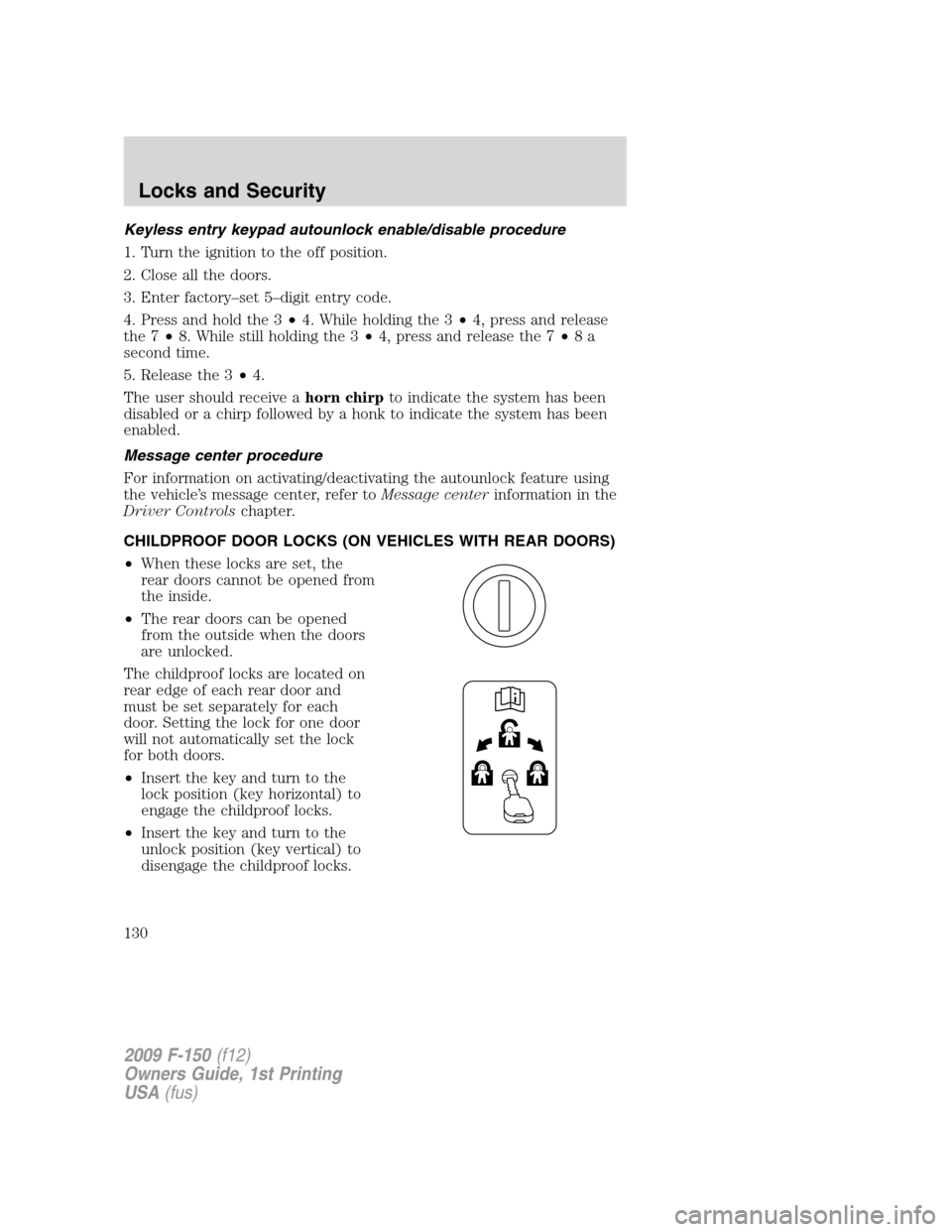
CHILDPROOF DOOR LOCKS (ON VEHICLES WITH REAR DOORS)
•When these locks are set, the
rear doors cannot be opened from
the inside.
•The rear doors can be opened
from the outside when the doors
are unlocked.
The childproof locks are located on
rear edge of each rear door and
must be set separately for each
door. Setting the lock for one door
will not automatically set the lock
for both doors.
•Insert the key and turn to the
lock position (key horizontal) to
engage the childproof locks.
•Insert the key and turn to the
unlock position (key vertical) to
disengage the childproof locks.
2009 F-150(f12)
Owners Guide, 1st Printing
USA(fus)
Locks and Security
130
Page 131 of 405
REMOTE ENTRY SYSTEM (IF EQUIPPED)
This device complies with part 15 of the FCC rules and with RS-210 of
Industry Canada. Operation is subject to the following two conditions:
(1) This device may not cause harmful interference, and (2) This device
must accept any interference received, including interference that may
cause undesired operation.
Changes or modifications not expressly approved by the party
responsible for compliance could void the user’s authority to
operate the equipment.
The typical operating range for your remote entry transmitter is
approximately 33 feet (10 meters). A decrease in operating range could
be caused by:
•weather conditions,
•nearby radio towers,
•structures around the vehicle, or
•other vehicles parked next to your vehicle.
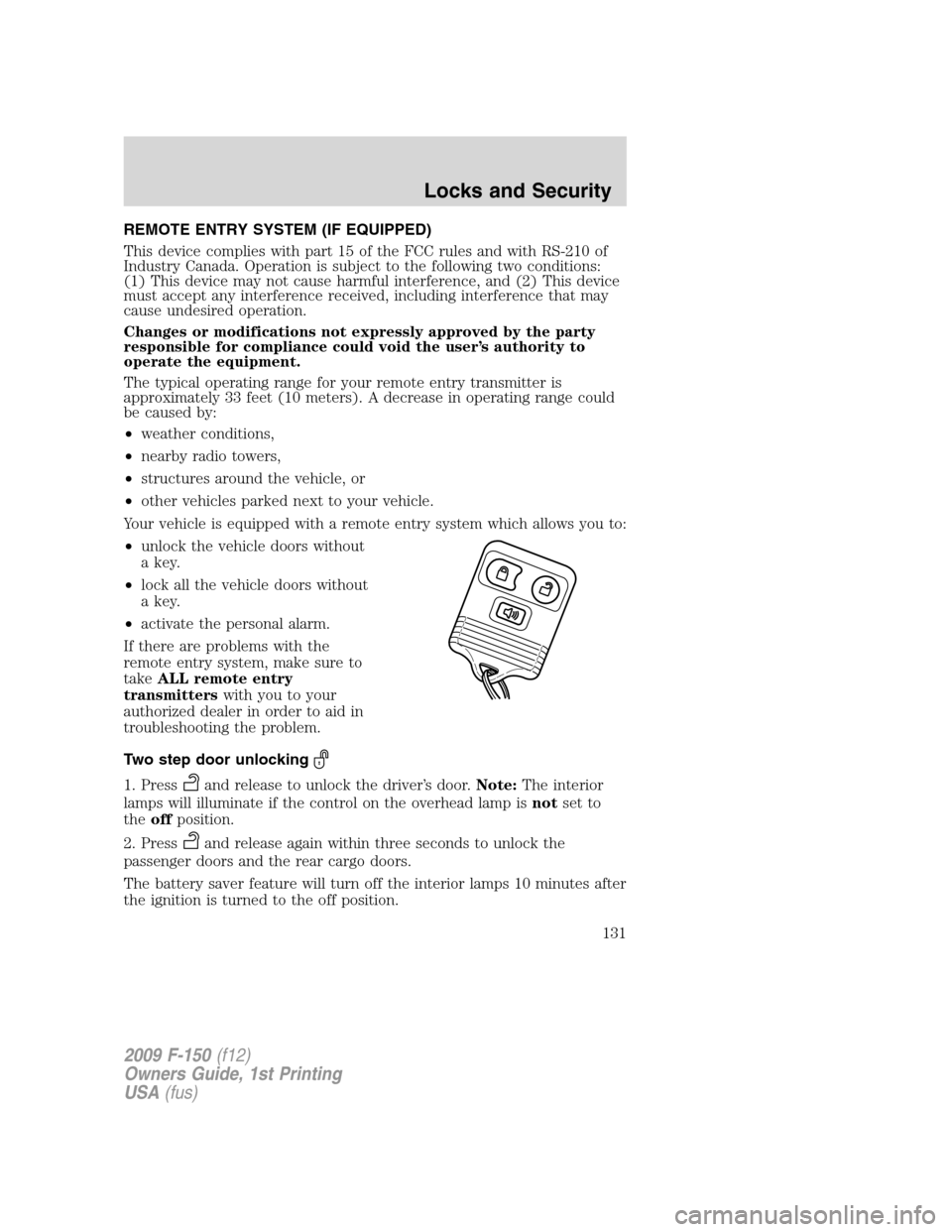
Your vehicle is equipped with a remote entry system which allows you to:
•unlock the vehicle doors without
a key.
•lock all the vehicle doors without
a key.
•activate the personal alarm.
If there are problems with the
remote entry system, make sure to
takeALL remote entry
transmitterswith you to your
authorized dealer in order to aid in
troubleshooting the problem.
Two step door unlocking
1. Pressand release to unlock the driver’s door.Note:The interior
lamps will illuminate if the control on the overhead lamp isnotset to
theoffposition.
2. Press
and release again within three seconds to unlock the
passenger doors and the rear cargo doors.
The battery saver feature will turn off the interior lamps 10 minutes after
the ignition is turned to the off position.
2009 F-150(f12)
Owners Guide, 1st Printing
USA(fus)
Locks and Security
131