window FORD F150 2009 12.G User Guide
[x] Cancel search | Manufacturer: FORD, Model Year: 2009, Model line: F150, Model: FORD F150 2009 12.GPages: 405, PDF Size: 2.82 MB
Page 49 of 405
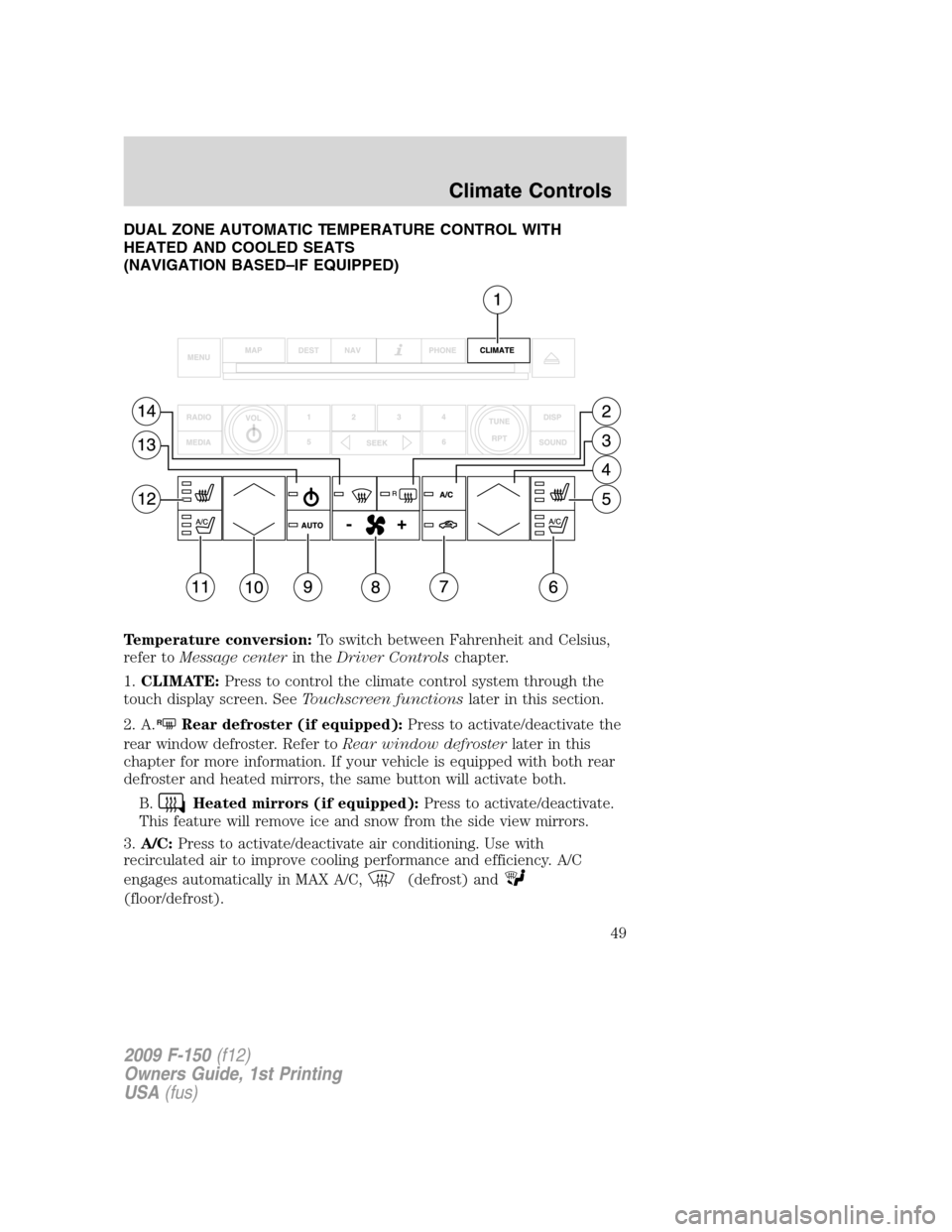
DUAL ZONE AUTOMATIC TEMPERATURE CONTROL WITH
HEATED AND COOLED SEATS
(NAVIGATION BASED–IF EQUIPPED)
Temperature conversion:To switch between Fahrenheit and Celsius,
refer toMessage centerin theDriver Controlschapter.
1.CLIMATE:Press to control the climate control system through the
touch display screen. SeeTouchscreen functionslater in this section.
2. A.
RRear defroster (if equipped):Press to activate/deactivate the
rear window defroster. Refer toRear window defrosterlater in this
chapter for more information. If your vehicle is equipped with both rear
defroster and heated mirrors, the same button will activate both.
B.
Heated mirrors (if equipped):Press to activate/deactivate.
This feature will remove ice and snow from the side view mirrors.
3.A/C:Press to activate/deactivate air conditioning. Use with
recirculated air to improve cooling performance and efficiency. A/C
engages automatically in MAX A/C,
(defrost) and
(floor/defrost).
2009 F-150(f12)
Owners Guide, 1st Printing
USA(fus)
Climate Controls
49
Page 51 of 405
of fog and thin ice. The system will automatically provide outside air to
reduce window fogging. Press this button again to return to the previous
air flow selection.
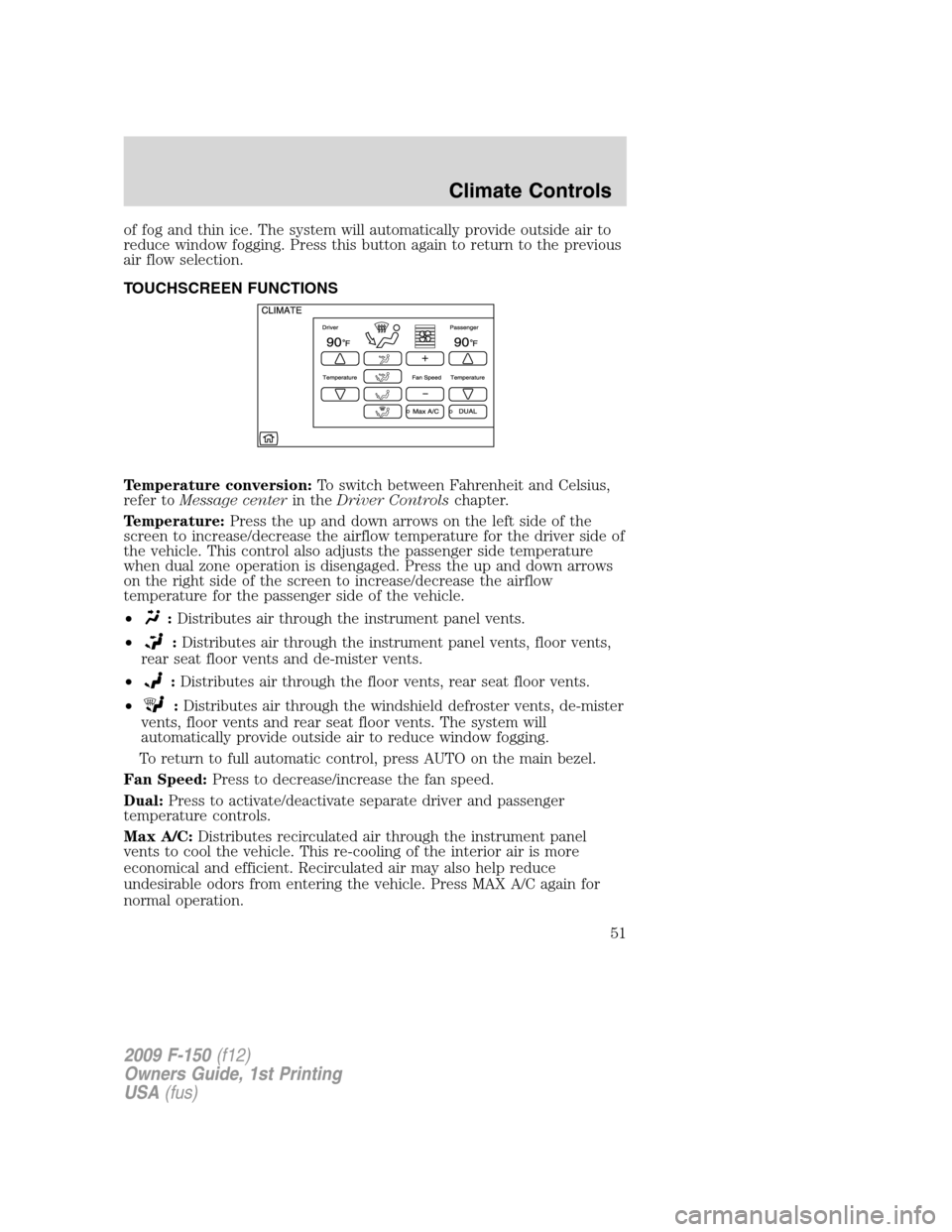
TOUCHSCREEN FUNCTIONS
Temperature conversion:To switch between Fahrenheit and Celsius,
refer toMessage centerin theDriver Controlschapter.
Temperature:Press the up and down arrows on the left side of the
screen to increase/decrease the airflow temperature for the driver side of
the vehicle. This control also adjusts the passenger side temperature
when dual zone operation is disengaged. Press the up and down arrows
on the right side of the screen to increase/decrease the airflow
temperature for the passenger side of the vehicle.
•
:Distributes air through the instrument panel vents.
•
:Distributes air through the instrument panel vents, floor vents,
rear seat floor vents and de-mister vents.
•
:Distributes air through the floor vents, rear seat floor vents.
•
:Distributes air through the windshield defroster vents, de-mister
vents, floor vents and rear seat floor vents. The system will
automatically provide outside air to reduce window fogging.
To return to full automatic control, press AUTO on the main bezel.
Fan Speed:Press to decrease/increase the fan speed.
Dual:Press to activate/deactivate separate driver and passenger
temperature controls.
Max A/C:Distributes recirculated air through the instrument panel
vents to cool the vehicle. This re-cooling of the interior air is more
economical and efficient. Recirculated air may also help reduce
undesirable odors from entering the vehicle. Press MAX A/C again for
normal operation.
2009 F-150(f12)
Owners Guide, 1st Printing
USA(fus)
Climate Controls
51
Page 52 of 405
VOICE COMMANDS IN CLIMATE MODE
Please refer to theVoice commands in climate modesection of the
Navigation supplementfor more information on using voice commands
with the climate control system.
Operating tips
•To reduce fog build up on the windshield during humid weather, place
the air flow selector in the
position.
•To reduce humidity build up inside the vehicle: do not drive with the
system off or with
(recirculated air) engaged.
•Do not put objects under the front seats that will interfere with the
airflow to the back seats.
•Remove any snow, ice or leaves from the air intake area at the base of
the windshield.
•To improve the A/C cool down, drive with the windows slightly open
for 2-3 minutes after start up or until the vehicle has been “aired out.”
•If you are driving during extreme high ambient temperatures and
idling for extended periods of time in gear, it is recommended to run
the A/C in the MAX A/C position, adjust the blower fan speed to the
lowest setting and put the vehicle’s transmission into the P (Park) to
continue to receive cool air from your A/C system.
•For maximum cooling performance MAX A/C:
In AUTO: Press AUTO control and set to desired temperature.
In Manual Override Control: Choose
(panel), A/C,
and
(recirculation) controls, set the temperature to 60°F (16°C) and
the fan to the highest blower setting.
•To aid in side window defogging/demisting in cold weather:
1. Select
.
2. Select A/C.
3. Adjust the temperature control to maintain comfort.
4. Set the fan speed to the highest setting.
5. Direct the outer instrument panel vents towards the side windows.
To increase airflow to the outer instrument panel vents, close the vents
located in the middle of the instrument panel.
2009 F-150(f12)
Owners Guide, 1st Printing
USA(fus)
Climate Controls
52
Page 53 of 405
REAR WINDOW DEFROSTER (IF EQUIPPED)R
The rear defroster control is located on the climate control panel and
works to defrost your rear window from fog and thin ice. If equipped, it
also operates the heated mirror to remove snow and thin ice from the
side mirrors.
Ensure that the ignition on. Press to turn the defroster on/off. The
indicator light will illuminate when activated.
Do not use razor blades or other sharp objects to clean the inside
of the rear window or to remove decals from the inside of the
rear window. This may cause damage to the heated grid lines and
will not be covered by your warranty.
2009 F-150(f12)
Owners Guide, 1st Printing
USA(fus)
Climate Controls
53
Page 72 of 405
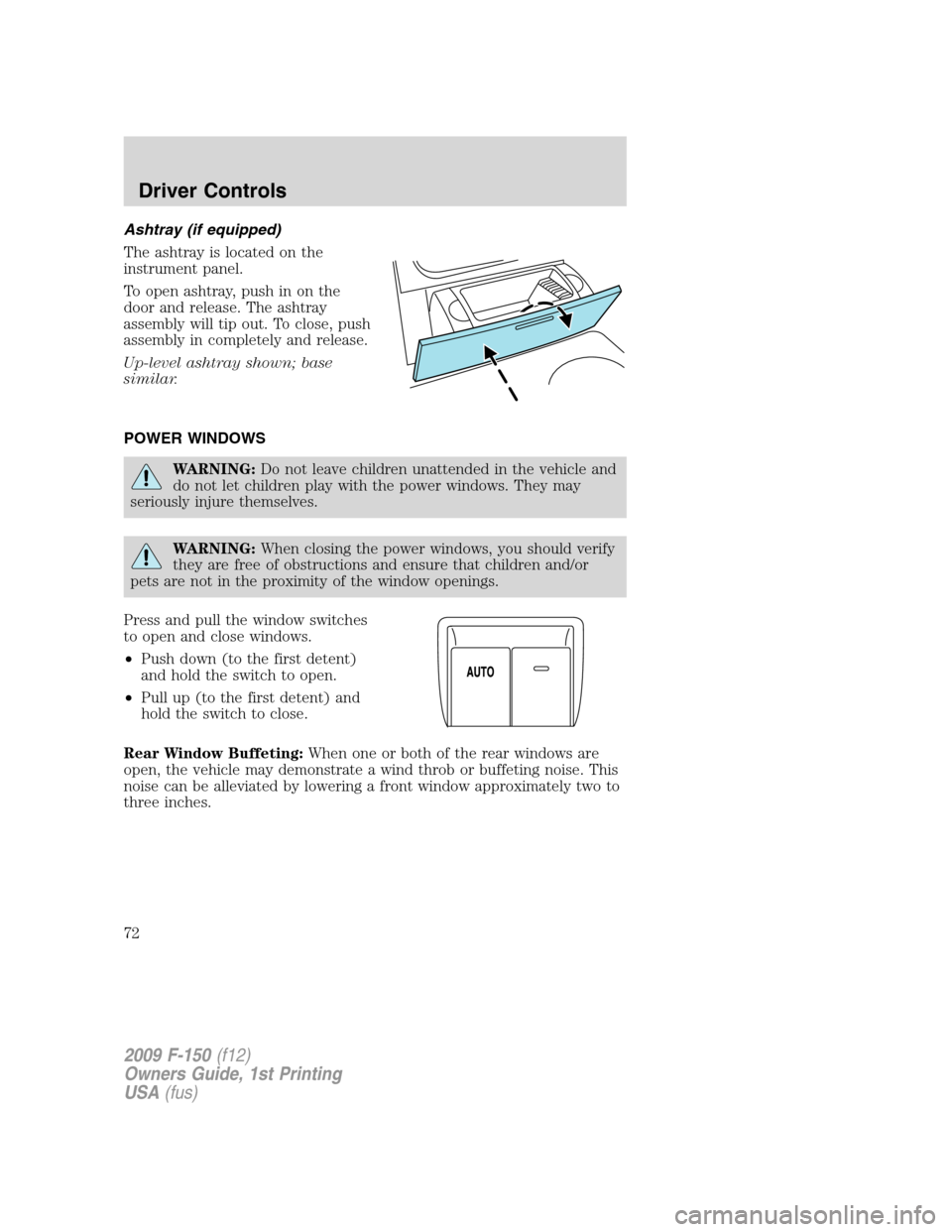
Ashtray (if equipped)
The ashtray is located on the
instrument panel.
To open ashtray, push in on the
door and release. The ashtray
assembly will tip out. To close, push
assembly in completely and release.
Up-level ashtray shown; base
similar.
POWER WINDOWS
WARNING:Do not leave children unattended in the vehicle and
do not let children play with the power windows. They may
seriously injure themselves.
WARNING:When closing the power windows, you should verify
they are free of obstructions and ensure that children and/or
pets are not in the proximity of the window openings.
Press and pull the window switches
to open and close windows.
•Push down (to the first detent)
and hold the switch to open.
•Pull up (to the first detent) and
hold the switch to close.
Rear Window Buffeting:When one or both of the rear windows are
open, the vehicle may demonstrate a wind throb or buffeting noise. This
noise can be alleviated by lowering a front window approximately two to
three inches.
2009 F-150(f12)
Owners Guide, 1st Printing
USA(fus)
Driver Controls
72
Page 73 of 405
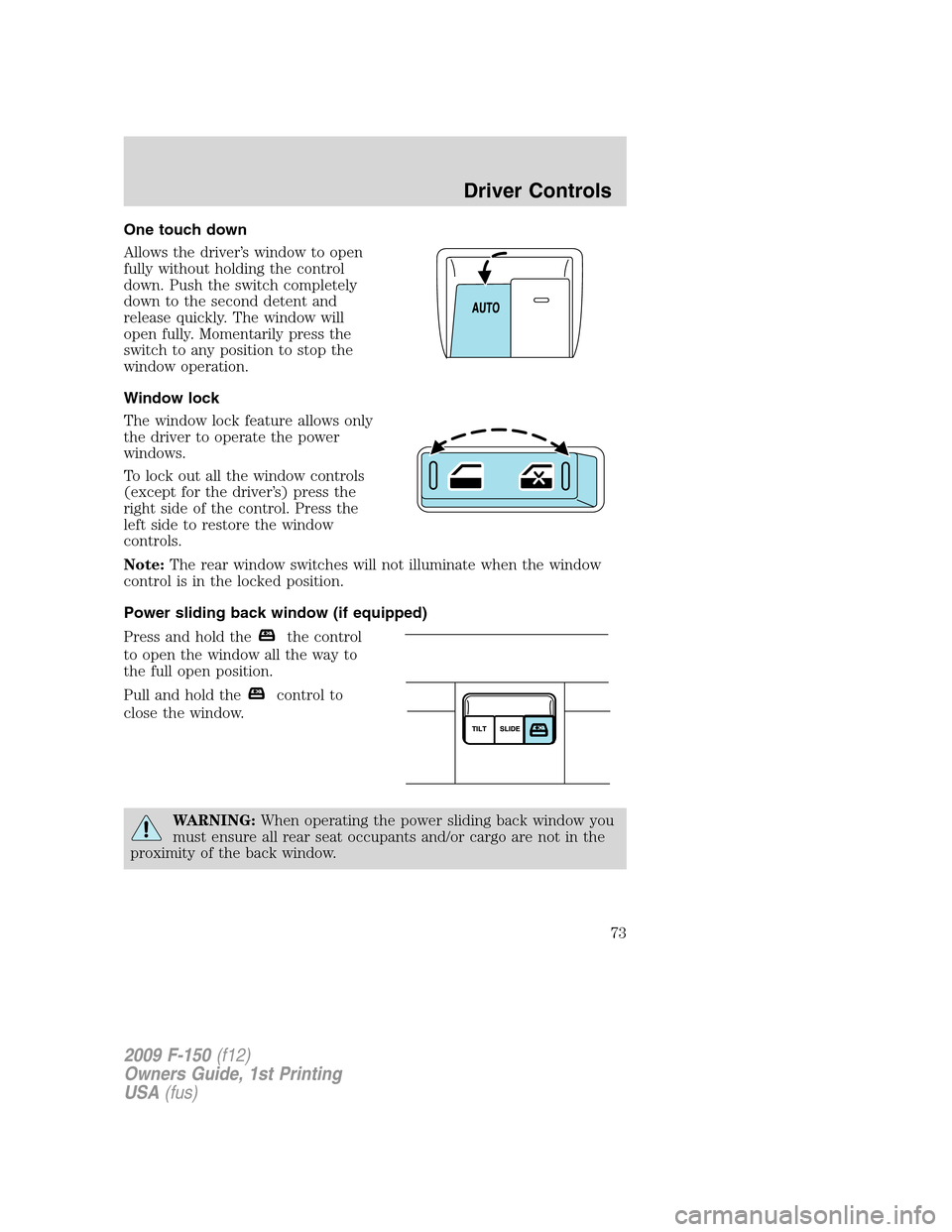
One touch down
Allows the driver’s window to open
fully without holding the control
down. Push the switch completely
down to the second detent and
release quickly. The window will
open fully. Momentarily press the
switch to any position to stop the
window operation.
Window lock
The window lock feature allows only
the driver to operate the power
windows.
To lock out all the window controls
(except for the driver’s) press the
right side of the control. Press the
left side to restore the window
controls.
Note:The rear window switches will not illuminate when the window
control is in the locked position.
Power sliding back window (if equipped)
Press and hold the
the control
to open the window all the way to
the full open position.
Pull and hold the
control to
close the window.
WARNING:When operating the power sliding back window you
must ensure all rear seat occupants and/or cargo are not in the
proximity of the back window.
2009 F-150(f12)
Owners Guide, 1st Printing
USA(fus)
Driver Controls
73
Page 74 of 405
WARNING:Do not leave children unattended in the vehicle and
do not let children play with the power sliding back window.
They may seriously injure themselves.
Accessory delay (if equipped)
With accessory delay, the window switches may be used for up to
10 minutes after the ignition switch is turned to the off position or until
any door is opened.
INTERIOR MIRROR
The interior rear view mirror has two pivot points on the support arm
which lets you adjust the mirror UP or DOWN and from SIDE to SIDE.
WARNING:Do not adjust the mirror while the vehicle is in
motion.
Automatic dimming interior rear view mirror (if equipped)
Your vehicle may be equipped with an interior rear view mirror that has
an auto-dimming function (optional on the driver’s side exterior mirror).
The electronic day/night mirror will change from the normal (high
reflective) state to the non-glare (darkened) state when bright lights
(glare) reach the interior mirror. When the interior mirror detects bright
light from behind the vehicle, the interior rear view mirror and the
driver’s side exterior mirror (if equipped) will automatically adjust
(darken) to minimize glare.
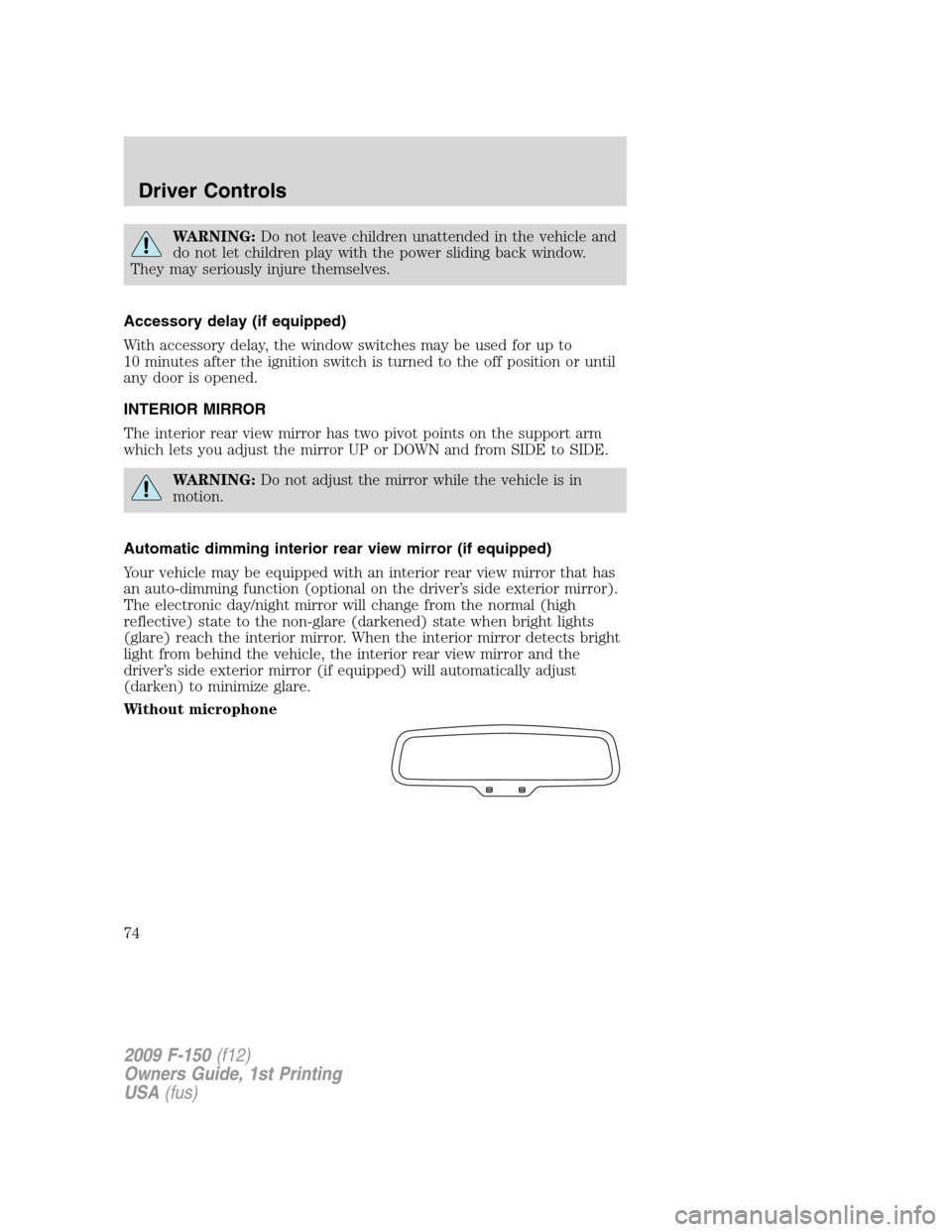
Without microphone
2009 F-150(f12)
Owners Guide, 1st Printing
USA(fus)
Driver Controls
74
Page 77 of 405
Note:10 or more switch activations within one minute, or repeated
folding/unfolding of the mirrors while holding the switch rearward during
full travel, may cause the system to disable the fold/unfold function to
protect motors from overheating. Should this occur, wait approximately
three minutes with the vehicle running and up to 10 minutes with the
vehicle off, for the system to reset and for function to return to normal.
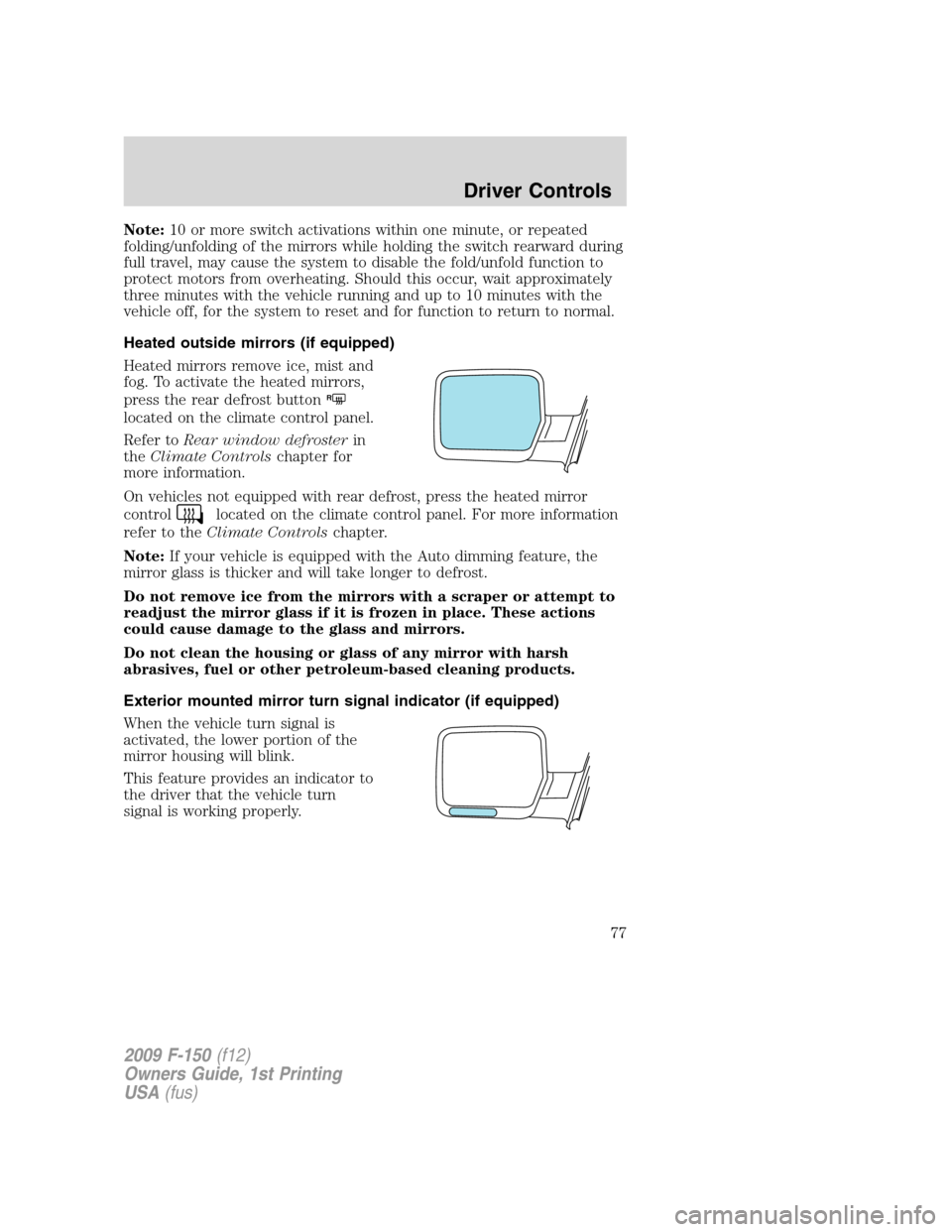
Heated outside mirrors (if equipped)
Heated mirrors remove ice, mist and
fog. To activate the heated mirrors,
press the rear defrost button
R
located on the climate control panel.
Refer toRear window defrosterin
theClimate Controlschapter for
more information.
On vehicles not equipped with rear defrost, press the heated mirror
control
located on the climate control panel. For more information
refer to theClimate Controlschapter.
Note:If your vehicle is equipped with the Auto dimming feature, the
mirror glass is thicker and will take longer to defrost.
Do not remove ice from the mirrors with a scraper or attempt to
readjust the mirror glass if it is frozen in place. These actions
could cause damage to the glass and mirrors.
Do not clean the housing or glass of any mirror with harsh
abrasives, fuel or other petroleum-based cleaning products.
Exterior mounted mirror turn signal indicator (if equipped)
When the vehicle turn signal is
activated, the lower portion of the
mirror housing will blink.
This feature provides an indicator to
the driver that the vehicle turn
signal is working properly.
2009 F-150(f12)
Owners Guide, 1st Printing
USA(fus)
Driver Controls
77
Page 121 of 405
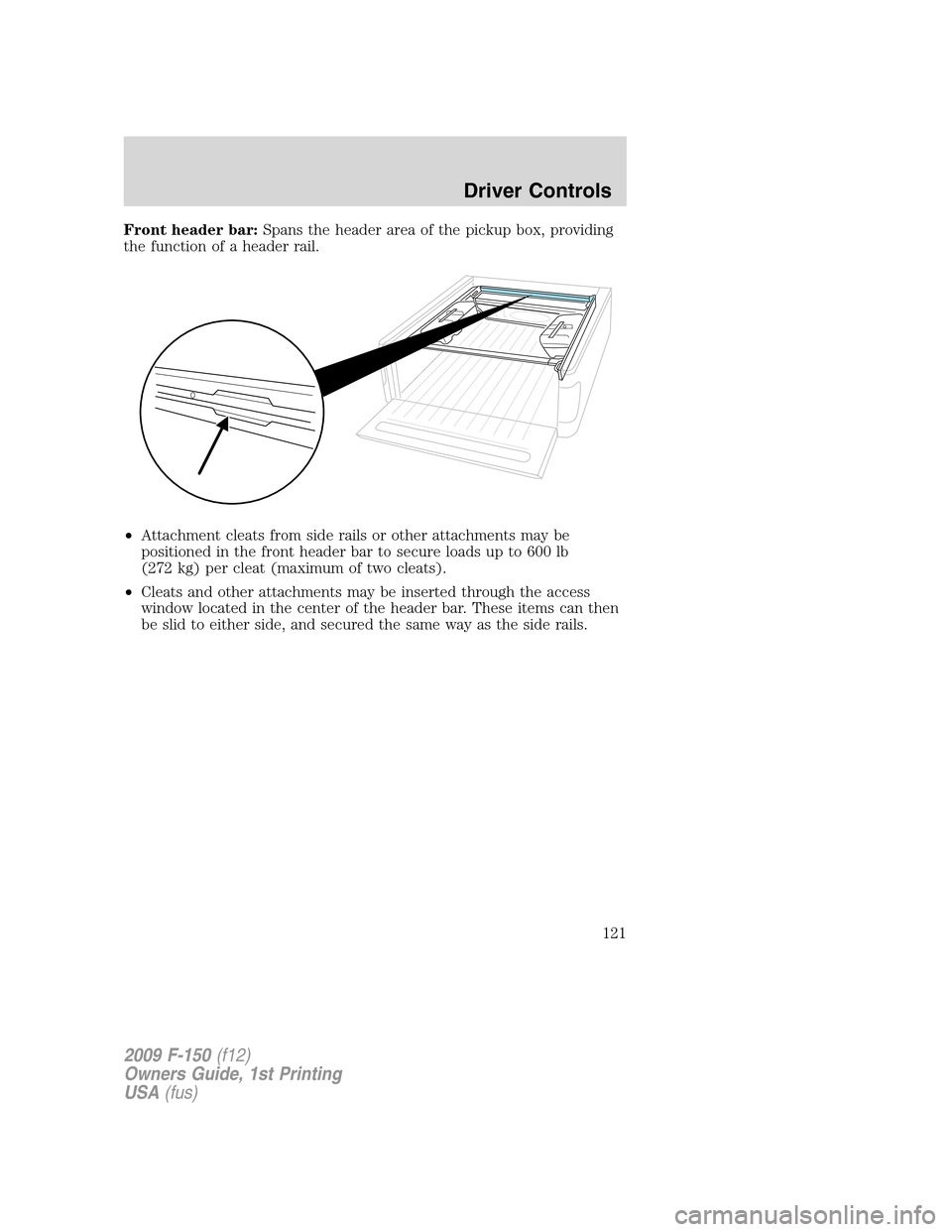
Front header bar:Spans the header area of the pickup box, providing
the function of a header rail.
•Attachment cleats from side rails or other attachments may be
positioned in the front header bar to secure loads up to 600 lb
(272 kg) per cleat (maximum of two cleats).
•Cleats and other attachments may be inserted through the access
window located in the center of the header bar. These items can then
be slid to either side, and secured the same way as the side rails.
2009 F-150(f12)
Owners Guide, 1st Printing
USA(fus)
Driver Controls
121
Page 125 of 405
•To remove the bin from the rail, open lid and pull up on both levers
located on the outboard edge (next to the pickup box top rail) until
the handles are all the way up (approximately 90 degrees). Once both
handles are raised, the lid may be closed.Note:Windows in the lid
will allow the handles to stick up above the lid (with the lid closed).
After closing the lid, simply lift up and inboard away from the pickup
box side to release bin from rail.
•To install, reverse the above instructions.
Note:Remove the bins during severe off road driving to avoid damage to
the cargo bins and pickup box.
WARNING:If any levers are visible above the lid of the bin, the
bin is not securely attached to the rail, and may become
detached from the vehicle if driven in that configuration.
2009 F-150(f12)
Owners Guide, 1st Printing
USA(fus)
Driver Controls
125