buttons FORD F150 2012 12.G Owner's Manual
[x] Cancel search | Manufacturer: FORD, Model Year: 2012, Model line: F150, Model: FORD F150 2012 12.GPages: 462, PDF Size: 3.26 MB
Page 163 of 462
First-row center seat non-adjustable head restraints (if equipped)
Your vehicle may be equipped with a first-row center head restraint that
is non-adjustable.
WARNING:To minimize the risk of neck injury in the event of a
crash, the driver and passenger occupants should not sit in
and/or operate the vehicle, until the head restraint is placed in its
proper position. The driver should never adjust the head restraint
while the vehicle is in motion.
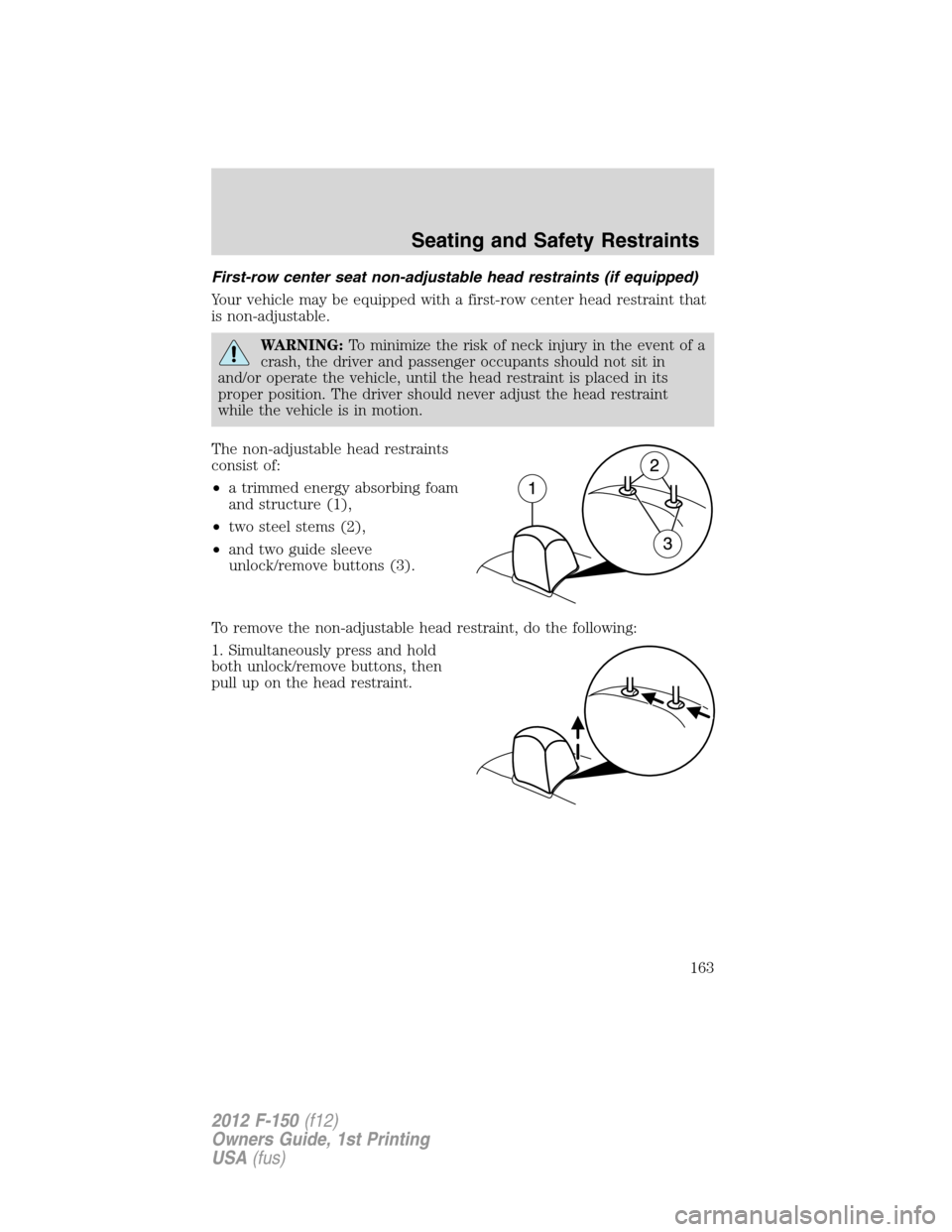
The non-adjustable head restraints
consist of:
•a trimmed energy absorbing foam
and structure (1),
•two steel stems (2),
•and two guide sleeve
unlock/remove buttons (3).
To remove the non-adjustable head restraint, do the following:
1. Simultaneously press and hold
both unlock/remove buttons, then
pull up on the head restraint.
Seating and Safety Restraints
163
2012 F-150(f12)
Owners Guide, 1st Printing
USA(fus)
Page 270 of 462
Trailer brakes
Electric brakes and manual, automatic or surge-type trailer brakes are
safe if installed properly and adjusted to the manufacturer’s
specifications. The trailer brakes must meet local and Federal
regulations.
WARNING:Do not connect a trailer’s hydraulic brake system
directly to your vehicle’s brake system. Your vehicle may not
have enough braking power and your chances of having a collision
greatly increase.
The braking system of the tow vehicle is rated for operation at the
GVWR not GCWR.
Integrated trailer brake controller (if equipped)
Your vehicle may be equipped with a fully integrated electronic trailer
brake controller (TBC). When used properly, the TBC helps ensure
smooth and effective trailer braking by powering the trailer’s electric
brakes with a proportional output based on the towing vehicle’s brake
pressure.
WARNING:The Ford TBC has only been verified to be
compatible with trailers having electric-actuated drum brakes
(one to four axles) and not hydraulic surge or electric-over-hydraulic
types. It is the responsibility of the customer to ensure that the trailer
brakes are adjusted appropriately, functioning normally and all electric
connections are properly made. Failure to do so may result in loss of
vehicle control, crash or serious injury.
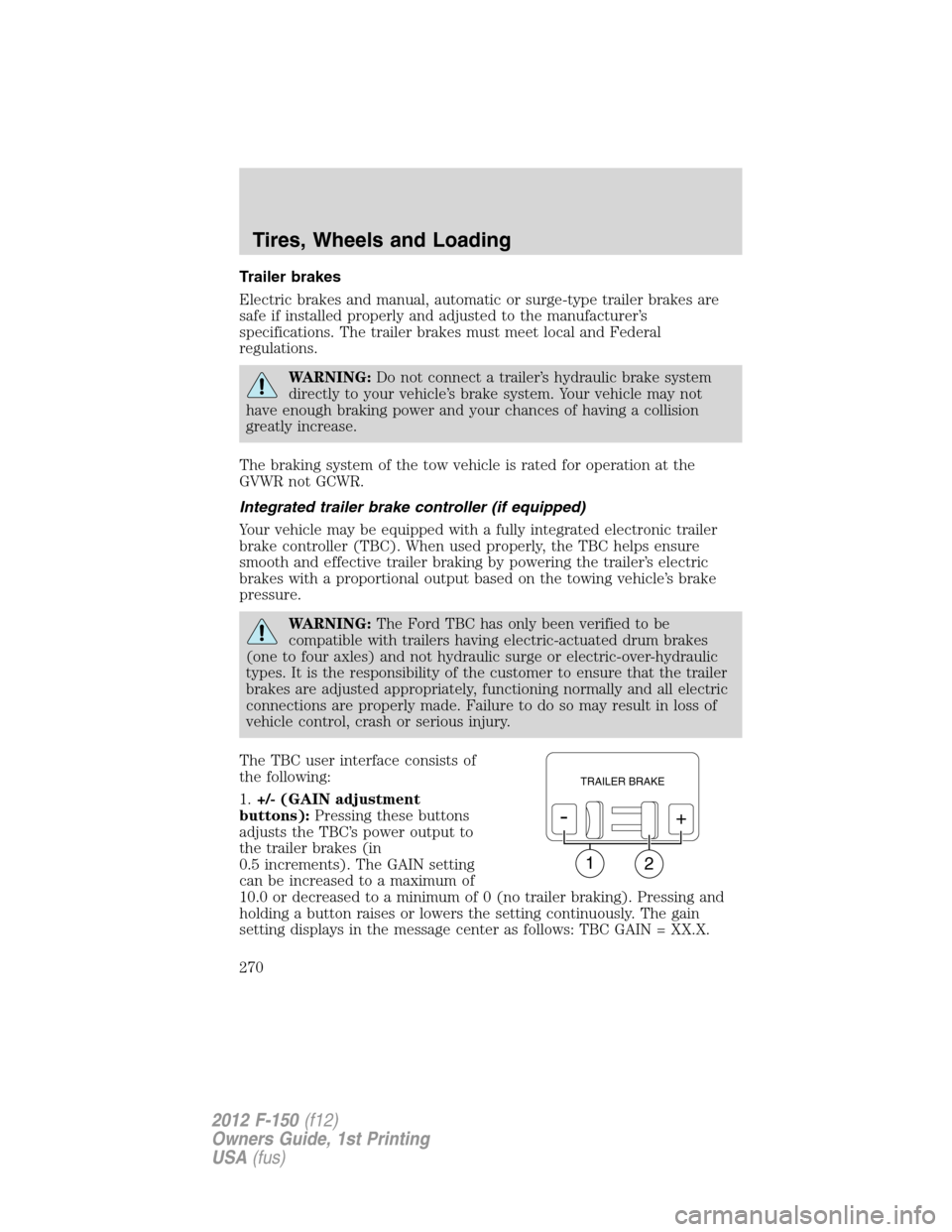
The TBC user interface consists of
the following:
1.+/- (GAIN adjustment
buttons):Pressing these buttons
adjusts the TBC’s power output to
the trailer brakes (in
0.5 increments). The GAIN setting
can be increased to a maximum of
10.0 or decreased to a minimum of 0 (no trailer braking). Pressing and
holding a button raises or lowers the setting continuously. The gain
setting displays in the message center as follows: TBC GAIN = XX.X.
12
TRAILER BRAKE
-+
Tires, Wheels and Loading
270
2012 F-150(f12)
Owners Guide, 1st Printing
USA(fus)
Page 272 of 462
Procedure for adjusting GAIN:
The GAIN setting is used to set the TBC for the specific towing
condition and should be changed as towing conditions change. Changes
to towing conditions include trailer load, vehicle load, road conditions
and weather.
The GAIN should be set to provide the maximum trailer braking
assistance while ensuring the trailer wheels do not lock when braking;
locked trailer wheels may lead to trailer instability.
Note:This should only be performed in a traffic-free environment at
speeds of approximately 20–25 mph (30–40 km/h).
1. Make sure the trailer brakes are in good working condition,
functioning normally and properly adjusted. See your trailer dealer if
necessary.
2. Hook up the trailer and make the electrical connections according to
the trailer manufacturer’s instructions.
3. When a trailer with electric brakes is plugged in, theTRAILER
CONNECTEDmessage displays in the instrument cluster message
center.
4. Use the GAIN adjustment (+/-) buttons to increase or decrease the
GAIN setting to the desired starting point. A GAIN setting of 6.0 is a
good starting point for heavier loads.
5. In a traffic-free environment, tow the trailer on a dry, level surface at
a speed of 20–25 mph (30–40 km/h) and squeeze the manual control
lever completely.
6. If the trailer wheels lock up (indicated by squealing tires), reduce the
GAIN setting; if the trailer wheels turn freely, increase the GAIN setting.
Repeat Steps 5 and 6 until the GAIN setting is at a point just below
trailer wheel lock-up. If towing a heavier trailer, trailer wheel lock-up
may not be attainable even with the maximum GAIN setting of 10.
Explanation of instrument cluster warning messages:
The TBC interacts with the instrument cluster message center to display
the following messages:
TRAILER BRAKE MODULE FAULT:This message is displayed and
accompanied by a single chime, in response to faults sensed by the TBC.
In the event this message is seen, please contact your authorized dealer
as soon as possible for diagnosis and repair. The TBC may still function,
but performance may be degraded.
Tires, Wheels and Loading
272
2012 F-150(f12)
Owners Guide, 1st Printing
USA(fus)
Page 302 of 462
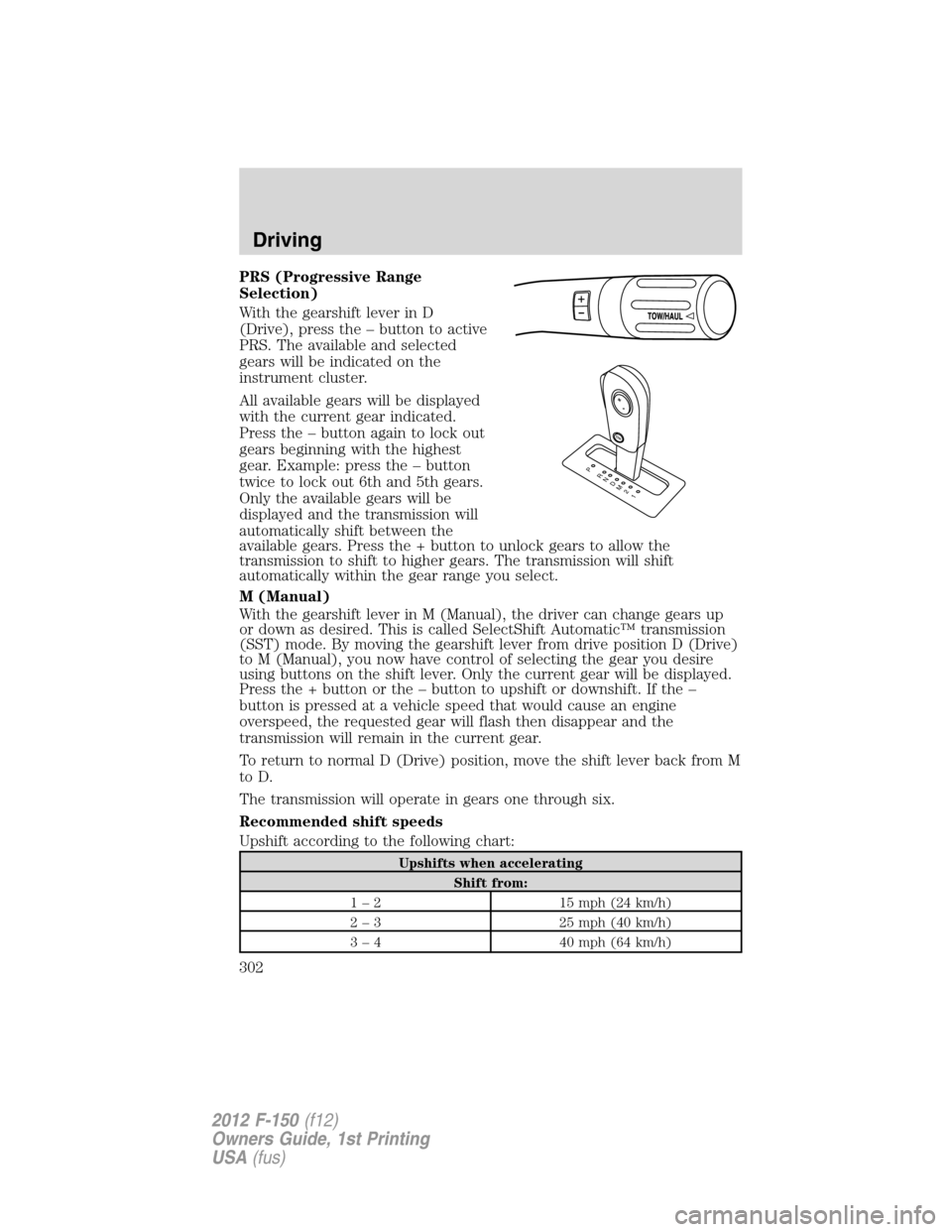
PRS (Progressive Range
Selection)
With the gearshift lever in D
(Drive), press the – button to active
PRS. The available and selected
gears will be indicated on the
instrument cluster.
All available gears will be displayed
with the current gear indicated.
Press the – button again to lock out
gears beginning with the highest
gear. Example: press the – button
twice to lock out 6th and 5th gears.
Only the available gears will be
displayed and the transmission will
automatically shift between the
available gears. Press the + button to unlock gears to allow the
transmission to shift to higher gears. The transmission will shift
automatically within the gear range you select.
M (Manual)
With the gearshift lever in M (Manual), the driver can change gears up
or down as desired. This is called SelectShift Automatic™ transmission
(SST) mode. By moving the gearshift lever from drive position D (Drive)
to M (Manual), you now have control of selecting the gear you desire
using buttons on the shift lever. Only the current gear will be displayed.
Press the + button or the – button to upshift or downshift. If the –
button is pressed at a vehicle speed that would cause an engine
overspeed, the requested gear will flash then disappear and the
transmission will remain in the current gear.
To return to normal D (Drive) position, move the shift lever back from M
to D.
The transmission will operate in gears one through six.
Recommended shift speeds
Upshift according to the following chart:
Upshifts when accelerating
Shift from:
1 – 2 15 mph (24 km/h)
2 – 3 25 mph (40 km/h)
3 – 4 40 mph (64 km/h)
T/H
PR
N
D
M
2
1
+
-
Driving
302
2012 F-150(f12)
Owners Guide, 1st Printing
USA(fus)
Page 308 of 462
When towing, the reverse camera system will only see what is being
towed behind the vehicle. This might not provide adequate coverage as it
usually provides in normal operation and some objects might not be
seen.
Fixed guidelines and visual park aid alert features are only available
when the vehicle is in R (Reverse).
Manual zoom
The manual zoom feature assists drivers with connecting their vehicle to
a trailer for the purpose of towing. It allows the driver to manually zoom
closer to an object behind the vehicle. The zoomed image keeps the
bumper in the image to provide a reference.
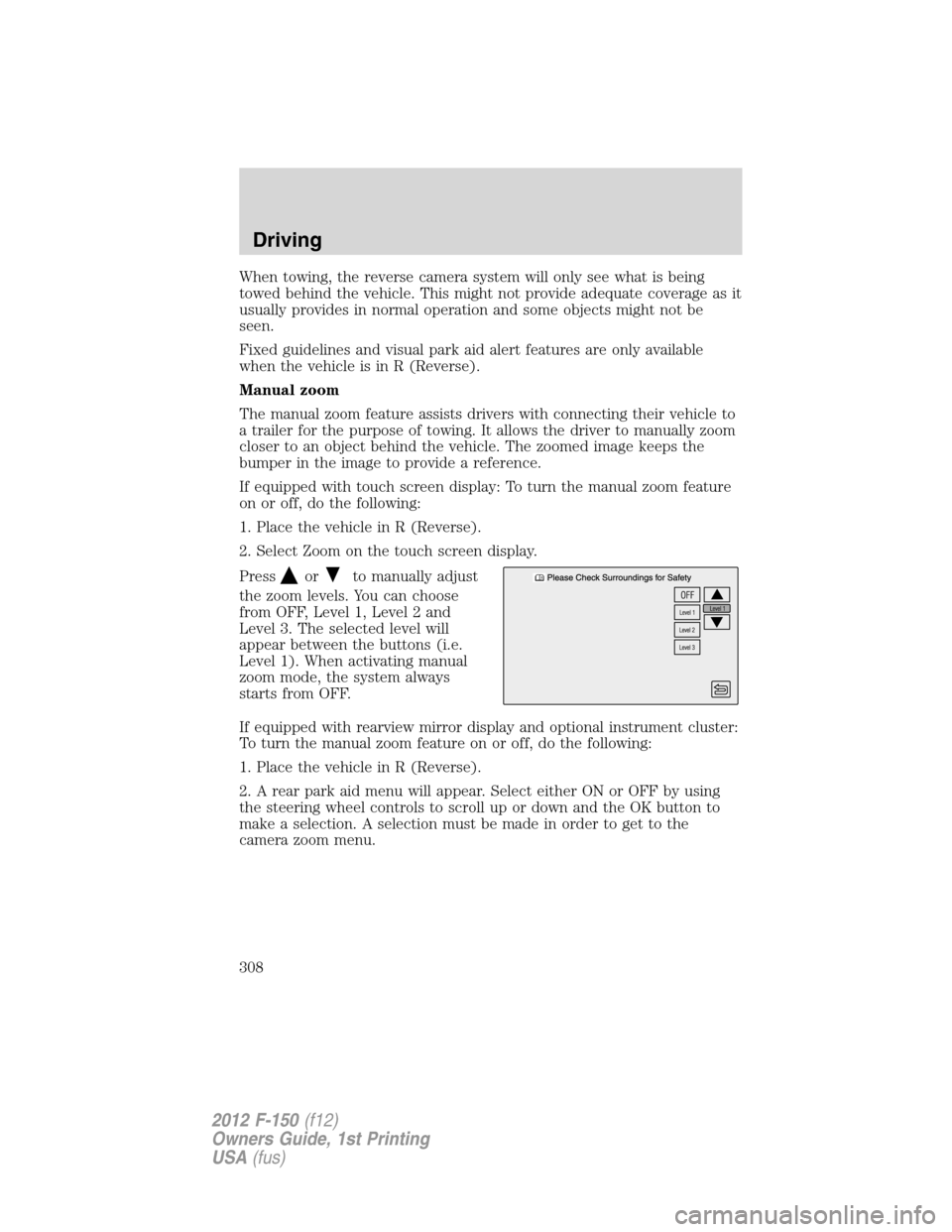
If equipped with touch screen display: To turn the manual zoom feature
on or off, do the following:
1. Place the vehicle in R (Reverse).
2. Select Zoom on the touch screen display.
Press
orto manually adjust
the zoom levels. You can choose
from OFF, Level 1, Level 2 and
Level 3. The selected level will
appear between the buttons (i.e.
Level 1). When activating manual
zoom mode, the system always
starts from OFF.
If equipped with rearview mirror display and optional instrument cluster:
To turn the manual zoom feature on or off, do the following:
1. Place the vehicle in R (Reverse).
2. A rear park aid menu will appear. Select either ON or OFF by using
the steering wheel controls to scroll up or down and the OK button to
make a selection. A selection must be made in order to get to the
camera zoom menu.
Driving
308
2012 F-150(f12)
Owners Guide, 1st Printing
USA(fus)