auxiliary FORD F150 2016 13.G Owners Manual
[x] Cancel search | Manufacturer: FORD, Model Year: 2016, Model line: F150, Model: FORD F150 2016 13.GPages: 505, PDF Size: 6.27 MB
Page 5 of 505
Power Running Boards
Using Power Running Boards....................76
Steering Wheel
Adjusting the Steering Wheel....................78
Audio Control...................................................79
Voice Control...................................................80
Cruise Control
.................................................80
Information Display Control......................80
Pedals
Adjusting the Pedals......................................81
Wipers and Washers
Windshield Wipers
.........................................82
Autowipers.......................................................82
Windshield Washers
.....................................83
Lighting
Lighting Control
..............................................84
Autolamps........................................................84
Instrument Lighting Dimmer
.....................85
Daytime Running Lamps
............................86
Automatic High Beam Control.................86
Front Fog Lamps............................................88
Direction Indicators
.......................................88
Spot Lamps.....................................................88
Interior Lamps.................................................89
Ambient Lighting
.............................................91
Windows and Mirrors
Power Windows
..............................................92
Exterior Mirrors
................................................93
Interior Mirror
....................................................97
Sliding Windows
.............................................97
Sun Visors
.........................................................97
Moonroof..........................................................98 Instrument Cluster
Gauges.............................................................100
Warning Lamps and Indicators...............103
Audible Warnings and Indicators............107
Information Displays
General Information....................................108
Information Messages................................124
Climate Control
Manual Climate Control.............................139
Automatic Climate Control........................141
Hints on Controlling the Interior
Climate.........................................................142
Heated Windows and Mirrors..................145
Cabin Air Filter...............................................145
Remote Start.................................................146
Seats
Sitting in the Correct Position..................147
Head Restraints
.............................................147
Manual Seats.................................................149
Power Seats
...................................................150
Memory Function
..........................................152
Rear Seats
.......................................................154
Heated Seats.................................................154
Climate Controlled Seats..........................155
Front Seat Armrest.......................................157
Rear Seat Armrest
........................................157
Universal Garage Door Opener
Universal Garage Door Opener...............158
Auxiliary Power Points
Auxiliary Power Points................................162
Storage Compartments
Center Console..............................................164
2
F-150 (TFC) Canada/United States of America, enUSA, Edition date: 08/2015, First Printing Table of Contents
Page 165 of 505
12 Volt DC Power Point
WARNING
Do not plug optional electrical
accessories into the cigar lighter
socket (if equipped). Improper use
of the lighter can cause damage not
covered by your warranty, and can result
in fire or serious injury. Note:
If used when the engine is not
running, the battery can discharge. There
may be insufficient power to restart your
engine.
Note: Do not insert objects other than an
accessory plug into the power point. This
damages the outlet and blows the fuse.
Note: Do not hang any type of accessory or
accessory bracket from the plug.
Note: Do not use the power point over the
vehicle capacity of 12 volt DC 180 watts or
a fuse may blow.
Note: Do not use the power point for
operating a cigar lighter element.
Note: Improper use of the power point can
cause damage not covered by your
warranty.
Note: Always keep the power point caps
closed when not in use.
Run the engine for full capacity use of the
power point. To prevent the battery from
being discharged:
• Do not use the power point longer than
necessary when the engine is not
running.
• Do not leave devices plugged in
overnight or when the vehicle is parked
for extended periods. Locations
Power points may be in the following
locations:
•
On the instrument panel.
• In the front of the center console.
• In the 20% seat bin.
• In the center console storage bin.
• On the rear of the center console.
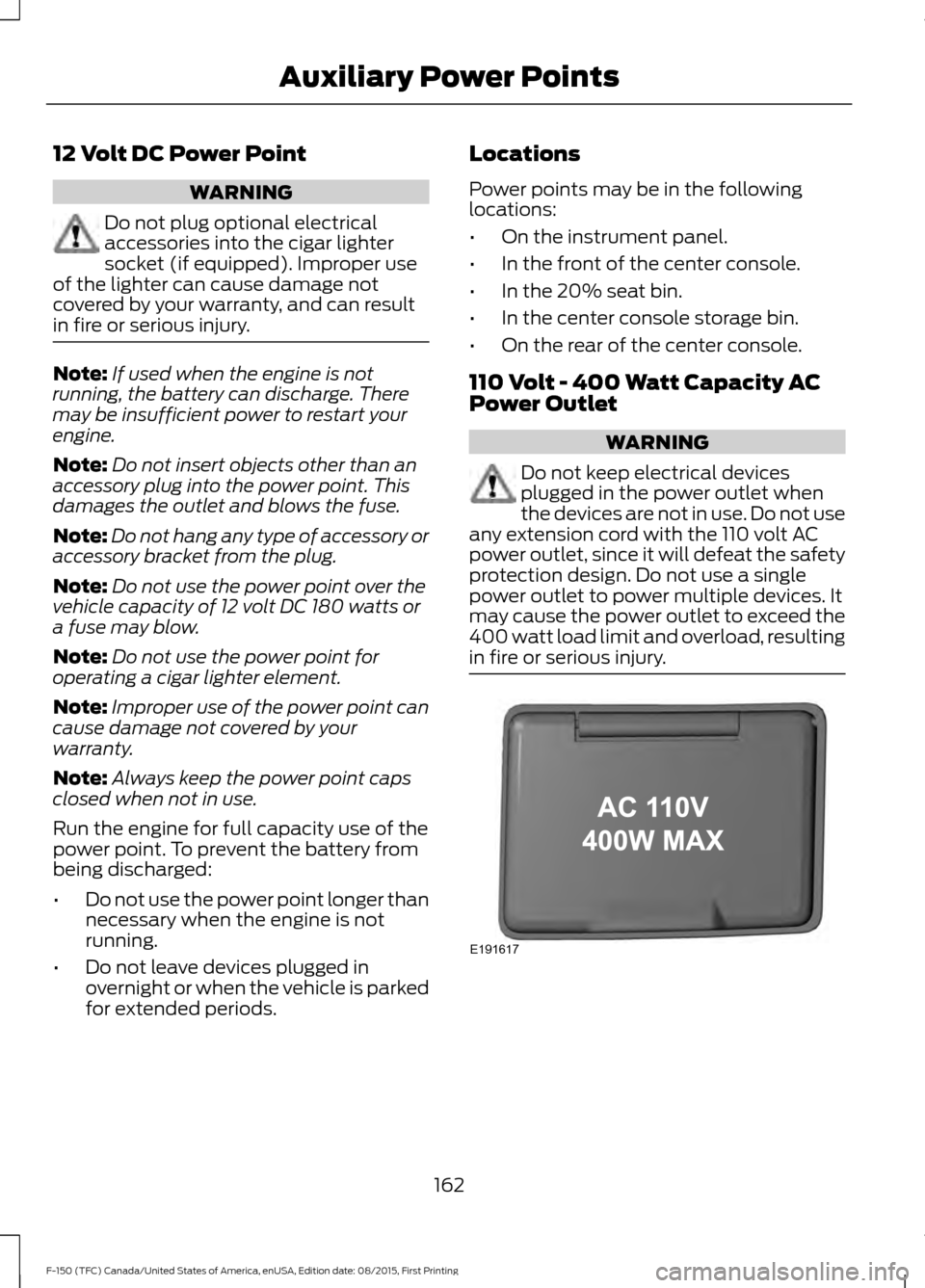
110 Volt - 400 Watt Capacity AC
Power Outlet WARNING
Do not keep electrical devices
plugged in the power outlet when
the devices are not in use. Do not use
any extension cord with the 110 volt AC
power outlet, since it will defeat the safety
protection design. Do not use a single
power outlet to power multiple devices. It
may cause the power outlet to exceed the
400 watt load limit and overload, resulting
in fire or serious injury. 162
F-150 (TFC) Canada/United States of America, enUSA, Edition date: 08/2015, First Printing Auxiliary Power PointsE191617
Page 166 of 505
When the indicator light, located on the
power outlet, is:
•
On and the light is solid — the power
outlet is available or the plugged in
device is within the power range and
does not exceed the outlet's power
limits.
• Three flashes and off — the power
outlet is overloading.
• Off — the power outlet power supply
is off; ignition is not on.
• Constant flashing — the power outlet
is in fault mode, and requires you to
restart your vehicle.
The power outlet temporarily turns off
power when in fault mode if the device
exceeds the 400 watt limit. Unplug your
device and switch the ignition off. Switch
the ignition back on, but do not plug your
device back in. Let the system cool off and
switch the ignition off to reset the fault
mode. Switch the ignition back on and
make sure the indicator light remains on.
You can use the 400 watt power outlet for
these types of electric devices:
• Electric hand drills.
• Rechargeable power tools.
• Video games.
• Laptops.
• Television screens.
You should not use the 400 watt power
outlet for these types of electric devices:
• Cathode ray tube type televisions.
• Motor loads, for example vacuum
cleaners, electric saws and other
electric power tools, or
compressor-driven refrigerators. •
Measuring devices which process
precise data, for example medical
equipment or measuring equipment.
• Other appliances requiring an
extremely stable power supply, for
example microcomputer-controlled
electric blankets or touch sensor
lamps.
Note: This feature works only when the
vehicle is running.
Note: This feature has a maximum output
of 400 watts when the vehicle is in park (P).
Note: While in drive (D), the maximum
outlet output is 300 watts.
Note: When powering electric devices that
require more than 10 watts in vehicles
equipped with keyless start, the vehicle
must remain running. It does not allow you
to switch the ignition off or switch the
ignition to accessory mode.
163
F-150 (TFC) Canada/United States of America, enUSA, Edition date: 08/2015, First Printing Auxiliary Power Points
Page 286 of 505
WARNINGS
Check attachment of floor mats on
a regular basis. Always properly
reinstall and secure floor mats that
have been removed for cleaning or
replacement. Always make sure that objects
cannot fall into the driver foot well
while the vehicle is moving. Objects
that are loose can become trapped under
the pedals causing a loss of vehicle control. Failure to properly follow floor mat
installation or attachment
instructions can potentially cause
interference with pedal operation causing
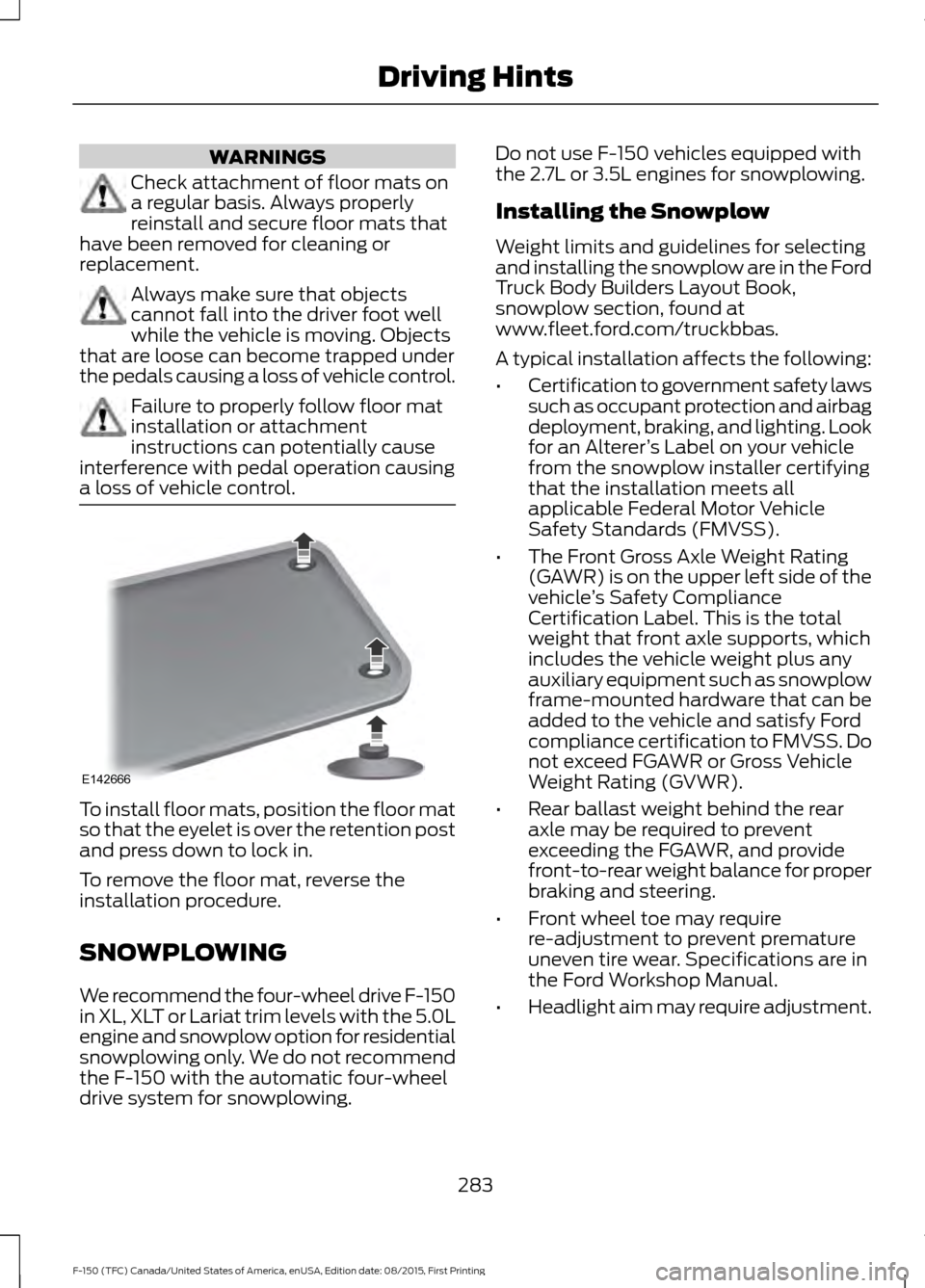
a loss of vehicle control. To install floor mats, position the floor mat
so that the eyelet is over the retention post
and press down to lock in.
To remove the floor mat, reverse the
installation procedure.
SNOWPLOWING
We recommend the four-wheel drive F-150
in XL, XLT or Lariat trim levels with the 5.0L
engine and snowplow option for residential
snowplowing only. We do not recommend
the F-150 with the automatic four-wheel
drive system for snowplowing. Do not use F-150 vehicles equipped with
the 2.7L or 3.5L engines for snowplowing.
Installing the Snowplow
Weight limits and guidelines for selecting
and installing the snowplow are in the Ford
Truck Body Builders Layout Book,
snowplow section, found at
www.fleet.ford.com/truckbbas.
A typical installation affects the following:
•
Certification to government safety laws
such as occupant protection and airbag
deployment, braking, and lighting. Look
for an Alterer ’s Label on your vehicle
from the snowplow installer certifying
that the installation meets all
applicable Federal Motor Vehicle
Safety Standards (FMVSS).
• The Front Gross Axle Weight Rating
(GAWR) is on the upper left side of the
vehicle ’s Safety Compliance
Certification Label. This is the total
weight that front axle supports, which
includes the vehicle weight plus any
auxiliary equipment such as snowplow
frame-mounted hardware that can be
added to the vehicle and satisfy Ford
compliance certification to FMVSS. Do
not exceed FGAWR or Gross Vehicle
Weight Rating (GVWR).
• Rear ballast weight behind the rear
axle may be required to prevent
exceeding the FGAWR, and provide
front-to-rear weight balance for proper
braking and steering.
• Front wheel toe may require
re-adjustment to prevent premature
uneven tire wear. Specifications are in
the Ford Workshop Manual.
• Headlight aim may require adjustment.
283
F-150 (TFC) Canada/United States of America, enUSA, Edition date: 08/2015, First Printing Driving HintsE142666
Page 398 of 505
MEDIA: Press this button to access your auxiliary input jack or switch between
devices you plug into the input jack or USB port.
H
MENU:
Press this button to access different audio system features.
I
RADIO:
Press this button to listen to the radio or change radio frequency bands.
Press the function buttons below the radio screen to select different radio
functions.
J
Clock:
Press this button to access the clock setting. Use the center arrow
controls to change the hours and minutes.
K
You can also set the clock by pressing the MENU button and scrolling to Clock
Settings.
Mute:
Press this button to mute the playing media.
L
Sound:
Press this button to access settings for Treble, Midrange, Bass, Fade
and Balance.
M
AUDIO UNIT - VEHICLES WITH:
AM/FM/CD WARNING
Driving while distracted can result in
loss of vehicle control, crash and
injury. We strongly recommend that
you use extreme caution when using any
device that may take your focus off the
road. Your primary responsibility is the safe
operation of your vehicle. We recommend
against the use of any hand-held device
while driving and encourage the use of
voice-operated systems when possible.
Make sure you are aware of all applicable
local laws that may affect the use of
electronic devices while driving. 395
F-150 (TFC) Canada/United States of America, enUSA, Edition date: 08/2015, First Printing Audio System
Page 400 of 505
In radio mode, select a frequency band and press these buttons. The system
stops at the first station up the band. Press and hold the button to move quickly
to the next strong radio station or memory preset.
In CD mode, press this button to select the next track. Press and hold the button
to move quickly forward through the current track.
CD slot: Insert a CD.
G
Eject:
Press this button to eject a CD.
H
VOL and Power:
Press this button to switch the system off and on. Turn it to
adjust the volume.
I
MEDIA:
Press this button to access your auxiliary input jack or switch between
devices you plug into the input jack or USB port.
J
MENU:
Press this button to access different audio system features.
K
RADIO:
Press this button to listen to the radio or change radio frequency bands.
Press the function buttons below the radio screen to select different radio
functions.
L
Clock:
Press this button to access the clock setting. Use the center arrow
controls to change the hours and minutes.
M
You can also set the clock by pressing the MENU button and scrolling to Clock
Settings.
CD:
Press this button to listen to a CD. Press the function buttons below the
radio screen to select on-screen options of Repeat or Shuffle.
N
Sound:
Press this button to access settings for Treble, Midrange, Bass, Fade
and Balance.
O
397
F-150 (TFC) Canada/United States of America, enUSA, Edition date: 08/2015, First Printing Audio System
Page 402 of 505
In phone mode, press the buttons to dial a phone number.
Function buttons: Select different functions of the audio system depending
on which mode you are in (such as Radio mode).
C
Cursor arrows and OK:
Use the up and down arrow buttons to select the
various settings. When you make your selection, press the left and right arrow
buttons to change the settings.
D
Press
OK to set or press MENU to exit.
TUNE:
Turn to search the frequency band in individual increments.
E
Seek:
Select a frequency band and press these buttons. The system stops at
the first station up the band. Press and hold the button to move quickly to the
next strong radio station or memory preset.
F
VOL and Power:
Press this button to switch the system off and on. Turn it to
adjust the volume.
G
PHONE:
Press this button to access the phone features of the SYNC system.
See SYNC™ (page 410).
H
MENU:
Press this button to access different audio system features.
I
MEDIA:
Press this button to access your auxiliary input jack or switch between
devices you plug into the input jack or USB port.
J
Clock:
Press this button to access the clock setting. Use the center arrow
controls to change the hours and minutes.
K
You can also set the clock by pressing the MENU button and scrolling to Clock
Settings.
RADIO:
Press this button to listen to the radio or change radio frequency bands.
Press the function buttons below the radio screen to select different radio
functions.
L
Sound:
Press this button to access settings for Treble, Midrange, Bass, Fade
and Balance.
M
399
F-150 (TFC) Canada/United States of America, enUSA, Edition date: 08/2015, First Printing Audio System
Page 404 of 505
Display screen: View audio and SYNC options.
A
Number block:
B
In radio mode, store your favorite stations for later access. When tuned to any
station, press and hold a preset button until sound returns.
In CD mode, press a button to select a track.
In phone mode, press the buttons to dial a phone number.
Function buttons:
Select different functions of the audio system depending
on which mode you are in (such as Radio mode or CD mode).
C
Cursor arrows and OK:
Use the up and down arrow buttons to select the
various settings. When you make your selection, press the left and right arrow
buttons to change the settings.
D
Press
OK to set or press MENU to exit.
TUNE:
Turn to search the frequency band in individual increments.
E
Seek:
F
In radio mode, select a frequency band and press these buttons. The system
stops at the first station up the band. Press and hold the button to move quickly
to the next strong radio station or memory preset.
In CD mode, press this button to select the next track. Press and hold the button
to move quickly forward through the current track.
CD slot:
Insert a CD.
G
Eject:
Press this button to eject a CD.
H
VOL and Power:
Press this button to switch the system off and on. Turn it to
adjust the volume.
I
PHONE:
Press this button to access the phone features of the SYNC system.
See SYNC™ (page 410).
J
MENU:
Press this button to access different audio system features.
K
MEDIA:
Press this button to access your auxiliary input jack or switch between
devices you plug into the input jack or USB port.
L
Clock:
Press this button to access the clock setting. Use the center arrow
controls to change the hours and minutes.
M
You can also set the clock by pressing the MENU button and scrolling to Clock
Settings.
RADIO:
Press this button to listen to the radio or change radio frequency bands.
Press the function buttons below the radio screen to select different radio
functions.
N
401
F-150 (TFC) Canada/United States of America, enUSA, Edition date: 08/2015, First Printing Audio System
Page 495 of 505
Automatic Transmission............................182
Brake-Shift Interlock......................................... 185
If Your Vehicle Gets Stuck In Mud or Snow................................................................... 187
Understanding the Shift Positions of a 6– Speed Automatic Transmission.........182
Understanding your SelectShift Automatic ™ transmission......................... 184
Automatic Transmission Fluid Check..............................................................317
Auto-Start-Stop............................................172 Disabling Auto StartStop................................. 173
Enabling Auto StartStop.................................. 172
Autowipers.......................................................82
Auxiliary Power Points................................162 110 Volt - 400 Watt Capacity AC Power
Outlet................................................................. 162
12 Volt DC Power Point..................................... 162
Locations............................................................... 162
B
Battery See: Changing the 12V Battery...................... 318
Bed Access.....................................................248 Box Side Step...................................................... 248
Bed Extender...................................................70 Grocery Mode.......................................................... 71
Tailgate Mode........................................................ 70
Bed Ramps
....................................................249
Installing the Ramp Holder............................. 251
Stowing the Bed Ramp................................... 250
Using the Bed Ramp........................................ 249
Blind Spot Information System
..............232
Switching the System Off and On..............234
System Errors...................................................... 234
Using the System............................................... 232
Bonnet Lock See: Opening and Closing the Hood..........307
Booster Seats..................................................28 Types of Booster Seats...................................... 28
Brake Fluid Check.........................................318
Brakes...............................................................198 General Information.......................................... 198
Breaking-In......................................................281
Bulb Specification Chart...........................327 C
Cabin Air Filter
................................................145
California Proposition 65..............................11
Capacities and Specifications - 2.7L EcoBoost™.................................................374
Specifications...................................................... 375
Capacities and Specifications - 3.5L................................................................382
Specifications..................................................... 383
Capacities and Specifications - 3.5L Ecoboost™.................................................378
Specifications...................................................... 379
Capacities and Specifications - 5.0L................................................................387
Specifications..................................................... 388
Capacities and Specifications................370
Car Wash See: Cleaning the Exterior.............................. 330
Center Console..............................................164
Changing a Bulb...........................................322 Accessing the Halogen High Beam, Low
Beam and Direction Indicator
Bulbs.................................................................. 323
Lamp Assembly Condensation.................... 323
Replacing Brake, Rear, Direction Indicator and Reverse Lamp Bulbs........................... 325
Replacing Cargo Lamp and High-mount Brake Lamp Bulbs........................................ 326
Replacing Exterior Mounted Mirror Direction Indicator Lamp Bulbs................................... 327
Replacing Fog Lamp Bulbs............................ 325
Replacing LED Brake, Rear, Direction Indicator and Reverse Lamp
Bulbs.................................................................. 326
Replacing LED Cargo Lamp, Spot Lamp and High-mount Brake Lamp Bulbs..............326
Replacing LED Direction Indicator and Side Marker Bulbs................................................... 325
Replacing LED Headlamp Bulbs.................. 325
Replacing Side Marker Bulb........................... 325
Replacing the Halogen High Beam, Low Beam and Direction Indicator
Bulbs.................................................................. 324
Replacing the License Plate Lamp Bulb.................................................................... 326
Changing a Fuse
..........................................306
Fuses...................................................................... 306
492
F-150 (TFC) Canada/United States of America, enUSA, Edition date: 08/2015, First Printing Index