headlamp FORD F150 2017 13.G Owners Manual
[x] Cancel search | Manufacturer: FORD, Model Year: 2017, Model line: F150, Model: FORD F150 2017 13.GPages: 599, PDF Size: 7.34 MB
Page 7 of 599
Load Carrying
Load Retaining Fixtures.............................247
Load Limit......................................................248
Bed Access
.....................................................252
Bed Ramps
.....................................................253
Towing
Towing a Trailer
............................................256
Trailer Reversing Aids..................................257
Trailer Sway Control....................................267
Recommended Towing Weights............267
Essential Towing Checks..........................278
Towing the Vehicle on Four Wheels
......285
Driving Hints
Breaking-In....................................................288
Economical Driving
.....................................288
Driving Through Water
..............................289
Floor Mats
......................................................289
Snowplowing................................................290
Roadside Emergencies
Roadside Assistance..................................293
Hazard Warning Flashers.........................294
Fuel Shutoff...................................................294
Jump Starting the Vehicle........................295
Post-Crash Alert System
..........................297
Transporting the Vehicle...........................297
Towing Points
...............................................298
Customer Assistance
Getting the Services You Need..............300
In California (U.S. Only).............................301
The Better Business Bureau (BBB) Auto Line Program (U.S. Only).....................302
Utilizing the Mediation/Arbitration Program (Canada Only).......................303
Getting Assistance Outside the U.S. and Canada
........................................................303 Ordering Additional Owner's
Literature....................................................304
Reporting Safety Defects (U.S. Only)............................................................305
Reporting Safety Defects (Canada Only)............................................................305
Fuses
Fuse Specification Chart..........................307
Changing a Fuse............................................315
Maintenance
General Information
.....................................317
Opening and Closing the Hood...............317
Under Hood Overview - 2.7L EcoBoost™.................................................318
Under Hood Overview - 3.5L
....................319
Under Hood Overview - 3.5L Ecoboost™................................................320
Under Hood Overview - 5.0L....................321
Engine Oil Dipstick.......................................322
Engine Oil Check..........................................322
Oil Change Indicator Reset.......................323
Engine Coolant Check................................323
Automatic Transmission Fluid Check............................................................327
Transfer Case Fluid Check........................328
Brake Fluid Check
........................................328
Power Steering Fluid Check.....................328
Washer Fluid Check
....................................329
Fuel Filter........................................................329
Changing the 12V Battery.........................329
Checking the Wiper Blades.......................331
Changing the Wiper Blades......................331
Adjusting the Headlamps.........................332
Changing a Bulb
...........................................333
Bulb Specification Chart...........................337
Changing the Engine Air Filter................339
Vehicle Care
General Information
...................................340
4
F-150 (TFC) Canada/United States of America, enUSA, First Printing Table of Contents
Page 90 of 599
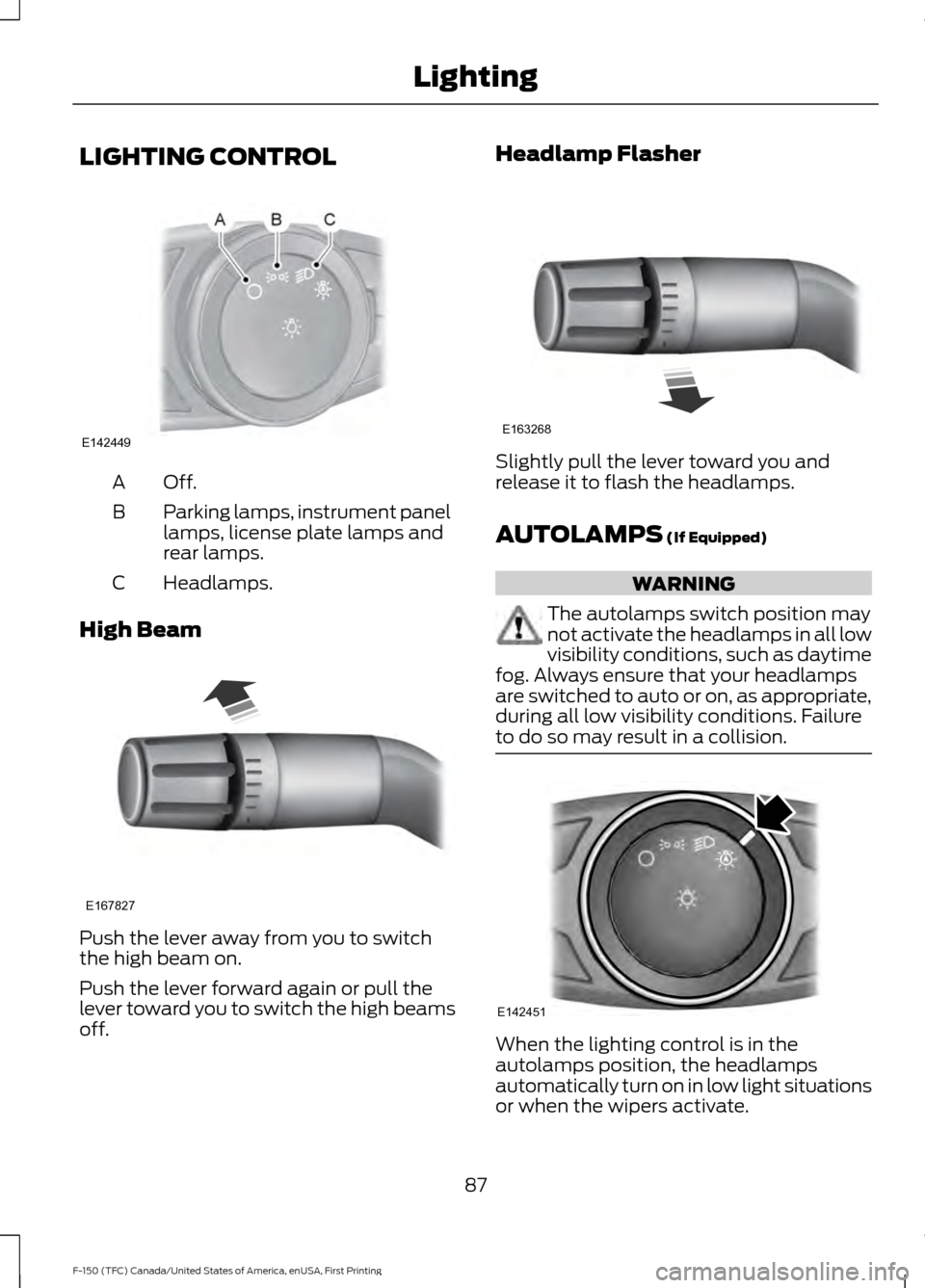
LIGHTING CONTROL
Off.A
Parking lamps, instrument panel
lamps, license plate lamps and
rear lamps.
B
Headlamps.
C
High Beam Push the lever away from you to switch
the high beam on.
Push the lever forward again or pull the
lever toward you to switch the high beams
off. Headlamp Flasher
Slightly pull the lever toward you and
release it to flash the headlamps.
AUTOLAMPS (If Equipped)
WARNING
The autolamps switch position may
not activate the headlamps in all low
visibility conditions, such as daytime
fog. Always ensure that your headlamps
are switched to auto or on, as appropriate,
during all low visibility conditions. Failure
to do so may result in a collision. When the lighting control is in the
autolamps position, the headlamps
automatically turn on in low light situations
or when the wipers activate.
87
F-150 (TFC) Canada/United States of America, enUSA, First Printing LightingE142449 E167827 E163268 E142451
Page 91 of 599
If equipped, the following also activate
when the lighting control is in the
autolamps position and you switch them
on in the information display:
•
Configurable daytime running lamps.
• Automatic high beam control.
• Adaptive headlamp control.
The headlamps remain on for a period of
time after you switch the ignition off. Use
the information display controls to adjust
the period of time that the headlamps
remain on. See Information Displays
(page 110).
Note: With the headlamps in the
autolamps position, you cannot switch the
high beam headlamps on until the
autolamps system turns the low beam
headlamps on.
Windshield Wiper Activated
Headlamps
The windshield wiper activated headlamps
turn on within 10 seconds when you switch
the windshield wipers on and the lighting
control is in the autolamps position. They
turn off approximately 60 seconds after
you switch the windshield wipers off.
The headlamps will not turn on by wiper
activation:
• During a mist wipe.
• When the wipers are on to clear washer
fluid during a wash condition.
• If the wipers are in intermittent mode.
Note: If you switch autolamps and
autowipers on, the headlamps will
automatically turn on when the windshield
wipers continuously operate. INSTRUMENT LIGHTING
DIMMER
Note:
You disable the manual dimmer
when you adjust the setting to Auto
Dimming in the information display. See
Information Displays
(page 110).
Note: If you disconnect the battery or it
becomes discharged, the illuminated
components will switch to the maximum
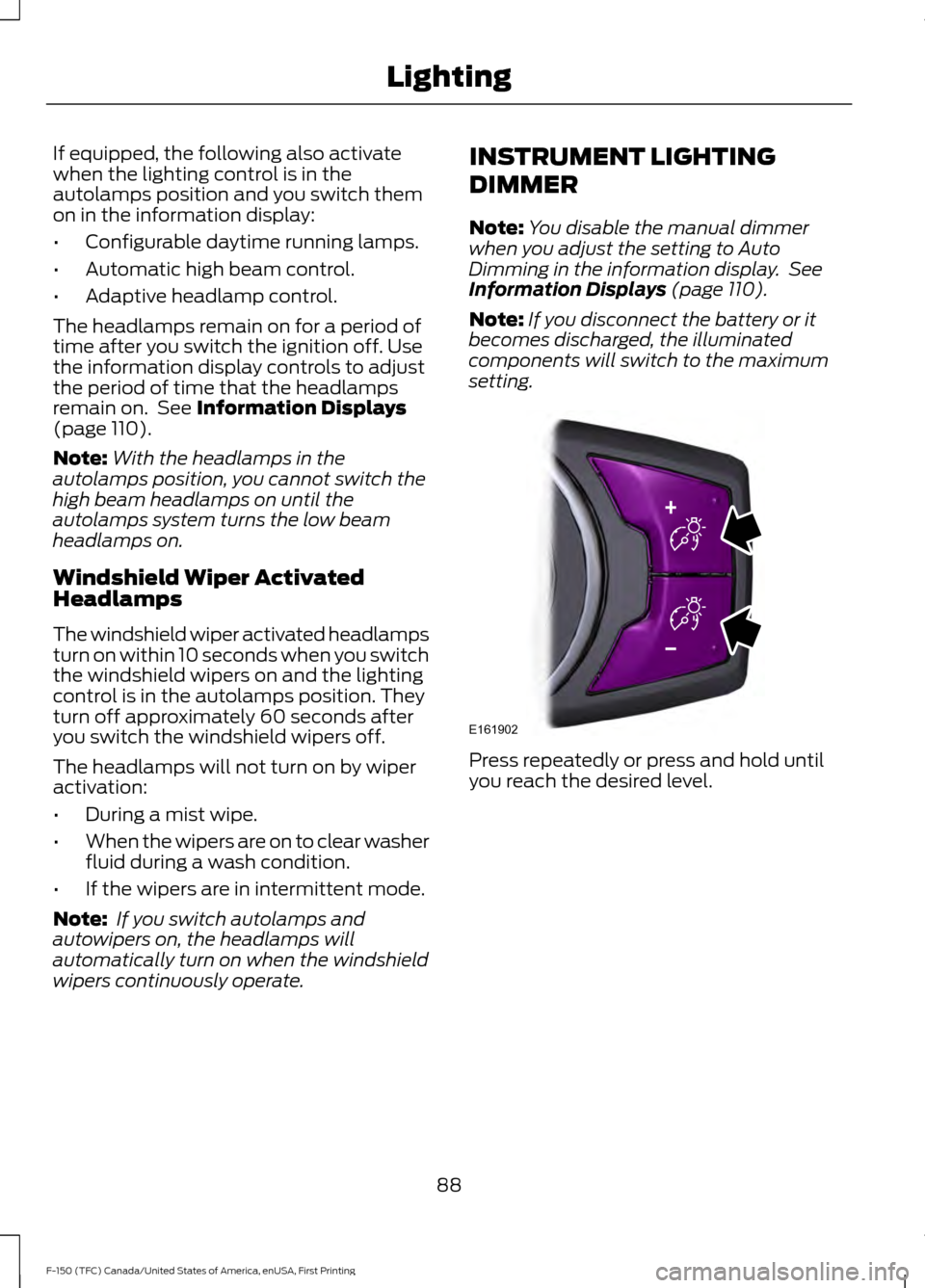
setting. Press repeatedly or press and hold until
you reach the desired level.
88
F-150 (TFC) Canada/United States of America, enUSA, First Printing LightingE161902
Page 92 of 599
DAYTIME RUNNING LAMPS (If
Equipped) WARNING
The daytime running lamps system
does not activate the rear lamps and
may not provide adequate lighting
during low visibility driving conditions. Also,
the autolamps switch position may not
activate the headlamps in all low visibility
conditions, such as daytime fog. Make sure
the headlamps are switched to auto or on,
as appropriate, during all low visibility
conditions. Failure to do so may result in a
crash. Type 1 - Conventional (Non-
Configurable)
The daytime running lamps turn on when:
1. The ignition is switched to the on
position.
2. The transmission is not in park (P) for vehicles with automatic transmissions
or the parking brake is released for
vehicles with manual transmissions.
3. The lighting control is in the off, parking
lamp or autolamps positions.
4. The headlamps are off.
Type 2 - Configurable
Switch the daytime running lamps on or
off using the information display controls.
See
Information Displays (page 110).
The daytime running lamps turn on when:
1. They are switched on in the information
display. See
Information Displays
(page 110).
2. The ignition is switched to the on position. 3. The transmission is not in park (P) for
vehicles with automatic transmissions
or the parking brake is released for
vehicles with manual transmissions.
4. The lighting control is in the autolamps
position.
5. The headlamps are off.
The other lighting control switch positions
do not activate the daytime running lamps,
and you can use them to temporarily
override autolamp control.
When switched off in the information
display, the daytime running lamps are off
in all lighting control switch positions.
AUTOMATIC HIGH BEAM
CONTROL
(If Equipped)
The system automatically turns on the high
beams if it is dark enough and no other
traffic is present. When it detects the
headlights of an approaching vehicle, the
tail lamps of the preceding vehicle or street
lighting, the system turns off the high
beams before they distract other drivers.
The low beams remain on.
Note: If it appears that automatic high
beam is not functioning properly, check the
windshield in front of the camera for a
blockage. A clear view of the road is required
for proper system operation. Make sure that
authorized personnel repair any windshield
damage in the area of the camera's field of
view.
Note: If the system detects a blockage such
as bird droppings, bug splatter, snow or ice,
and you do not observe changes, the system
may go into low beam mode until you clear
the blockage. A message may also appear
in the information display noting the front
camera is blocked.
89
F-150 (TFC) Canada/United States of America, enUSA, First Printing Lighting
Page 93 of 599
Note:
Typical road dust, dirt and water
spots do not affect the performance of the
automatic high beam control. However, in
cold or inclement weather conditions, you
may notice a decrease in the availability of
the automatic high beam control, especially
at start up. If you want to change the beam
state independently of the system, you may
switch the high beams on or off using the
high beam lever. Automatic high beam
control resumes when conditions are
correct.
Note: Using much larger tires or equipping
vehicle accessories such as snowplows can
modify your vehicle's ride height and
degrade automatic high beam control
performance.
A camera sensor, centrally mounted
behind the windshield of your vehicle,
continuously monitors conditions to decide
when to switch the high beams off and on.
Once the system is active, the high beams
switch on if:
• The outside light level is low enough.
• There is no traffic in front of your
vehicle.
• The vehicle speed is greater than
32 mph (52 km/h).
The high beams switch off if:
• The system detects the headlamps of
an approaching vehicle or the rear
lamps of a vehicle in front of you.
• Vehicle speed falls below
16 mph
(26 km/h).
• The outside light level is high enough
that high beams are not required.
• The system detects severe rain, snow
or fog.
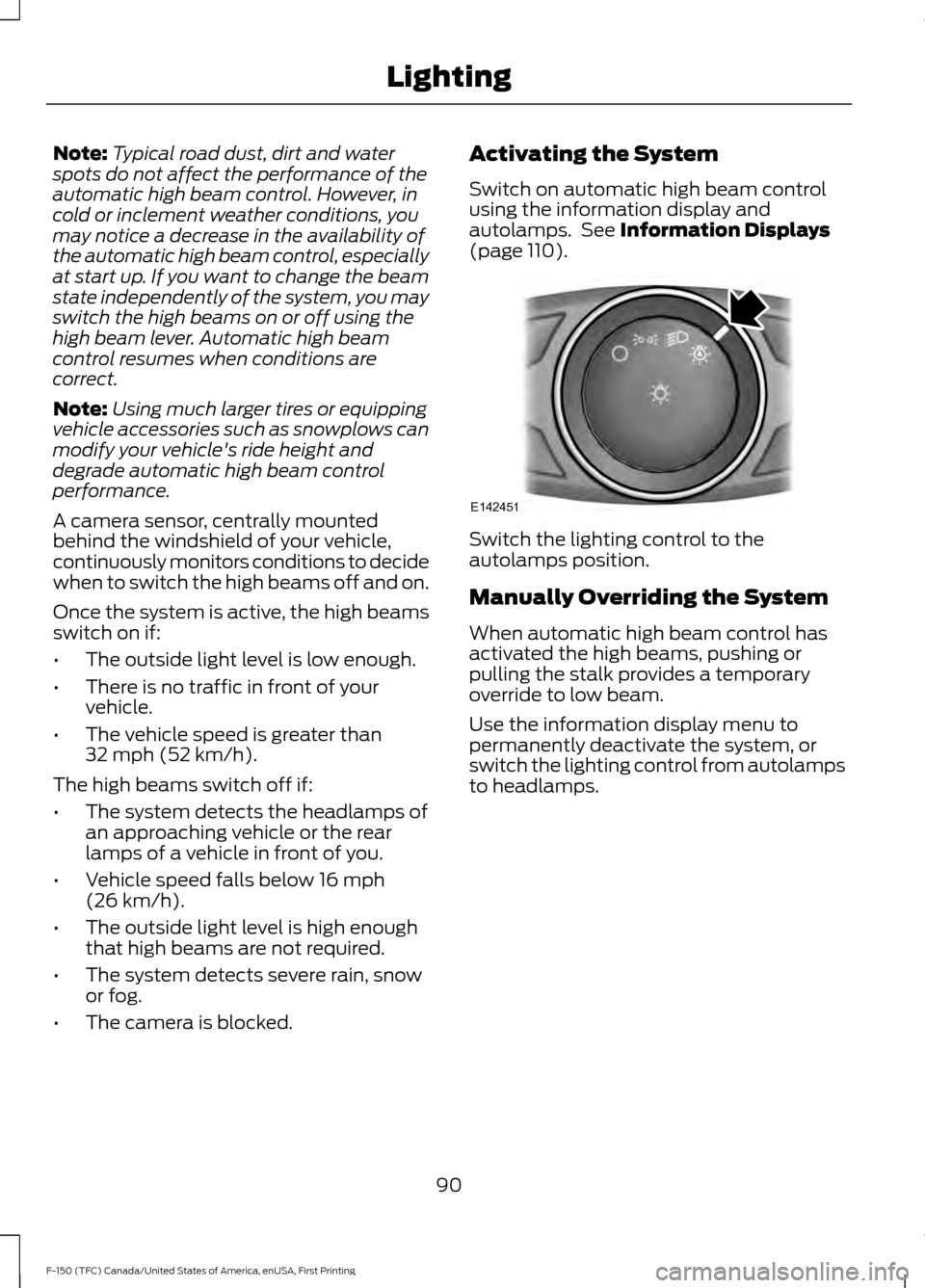
• The camera is blocked. Activating the System
Switch on automatic high beam control
using the information display and
autolamps. See
Information Displays
(page 110). Switch the lighting control to the
autolamps position.
Manually Overriding the System
When automatic high beam control has
activated the high beams, pushing or
pulling the stalk provides a temporary
override to low beam.
Use the information display menu to
permanently deactivate the system, or
switch the lighting control from autolamps
to headlamps.
90
F-150 (TFC) Canada/United States of America, enUSA, First Printing LightingE142451
Page 94 of 599
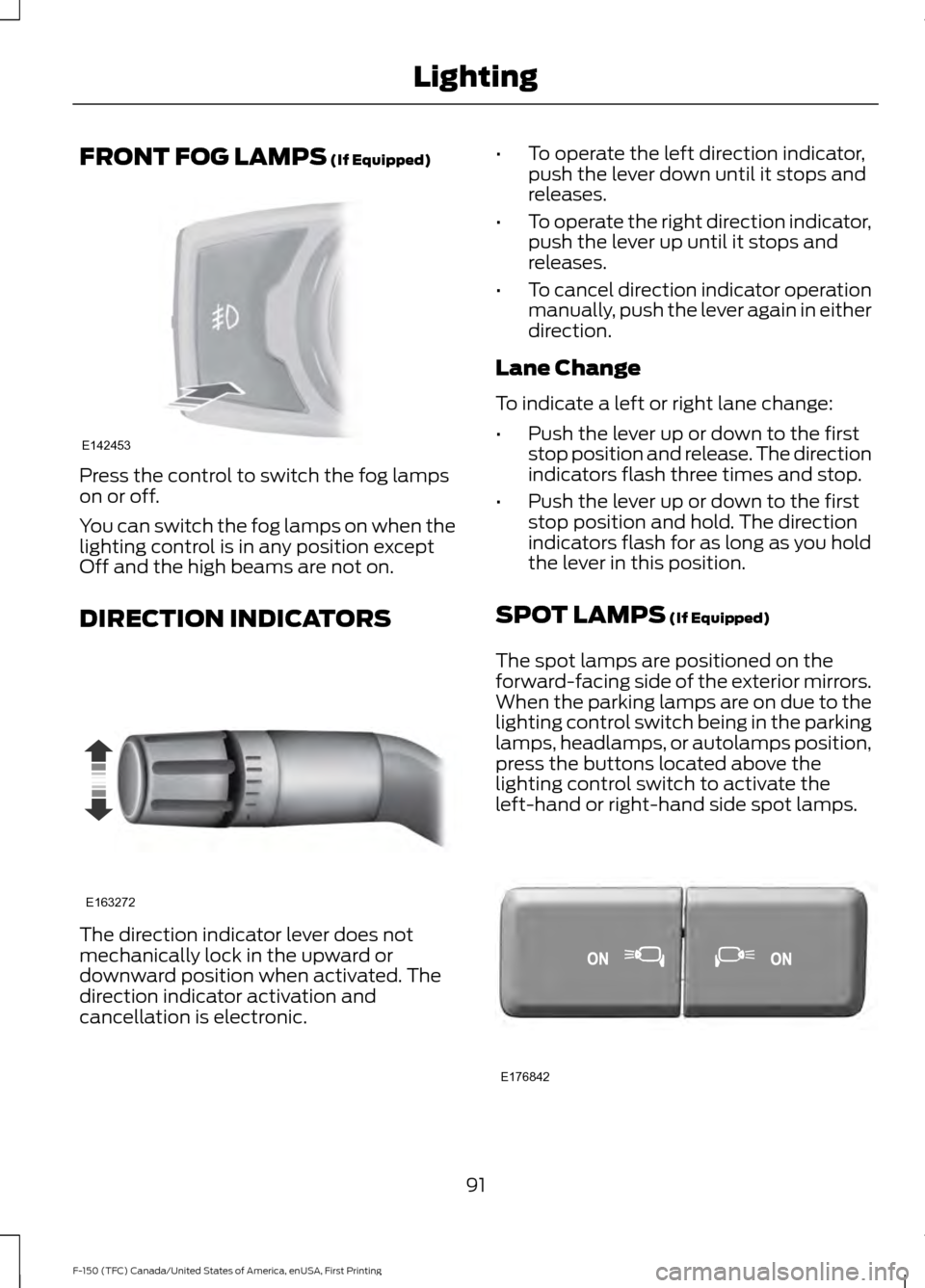
FRONT FOG LAMPS (If Equipped)
Press the control to switch the fog lamps
on or off.
You can switch the fog lamps on when the
lighting control is in any position except
Off and the high beams are not on.
DIRECTION INDICATORS
The direction indicator lever does not
mechanically lock in the upward or
downward position when activated. The
direction indicator activation and
cancellation is electronic. •
To operate the left direction indicator,
push the lever down until it stops and
releases.
• To operate the right direction indicator,
push the lever up until it stops and
releases.
• To cancel direction indicator operation
manually, push the lever again in either
direction.
Lane Change
To indicate a left or right lane change:
• Push the lever up or down to the first
stop position and release. The direction
indicators flash three times and stop.
• Push the lever up or down to the first
stop position and hold. The direction
indicators flash for as long as you hold
the lever in this position.
SPOT LAMPS
(If Equipped)
The spot lamps are positioned on the
forward-facing side of the exterior mirrors.
When the parking lamps are on due to the
lighting control switch being in the parking
lamps, headlamps, or autolamps position,
press the buttons located above the
lighting control switch to activate the
left-hand or right-hand side spot lamps. 91
F-150 (TFC) Canada/United States of America, enUSA, First Printing LightingE142453 E163272 E176842
Page 101 of 599
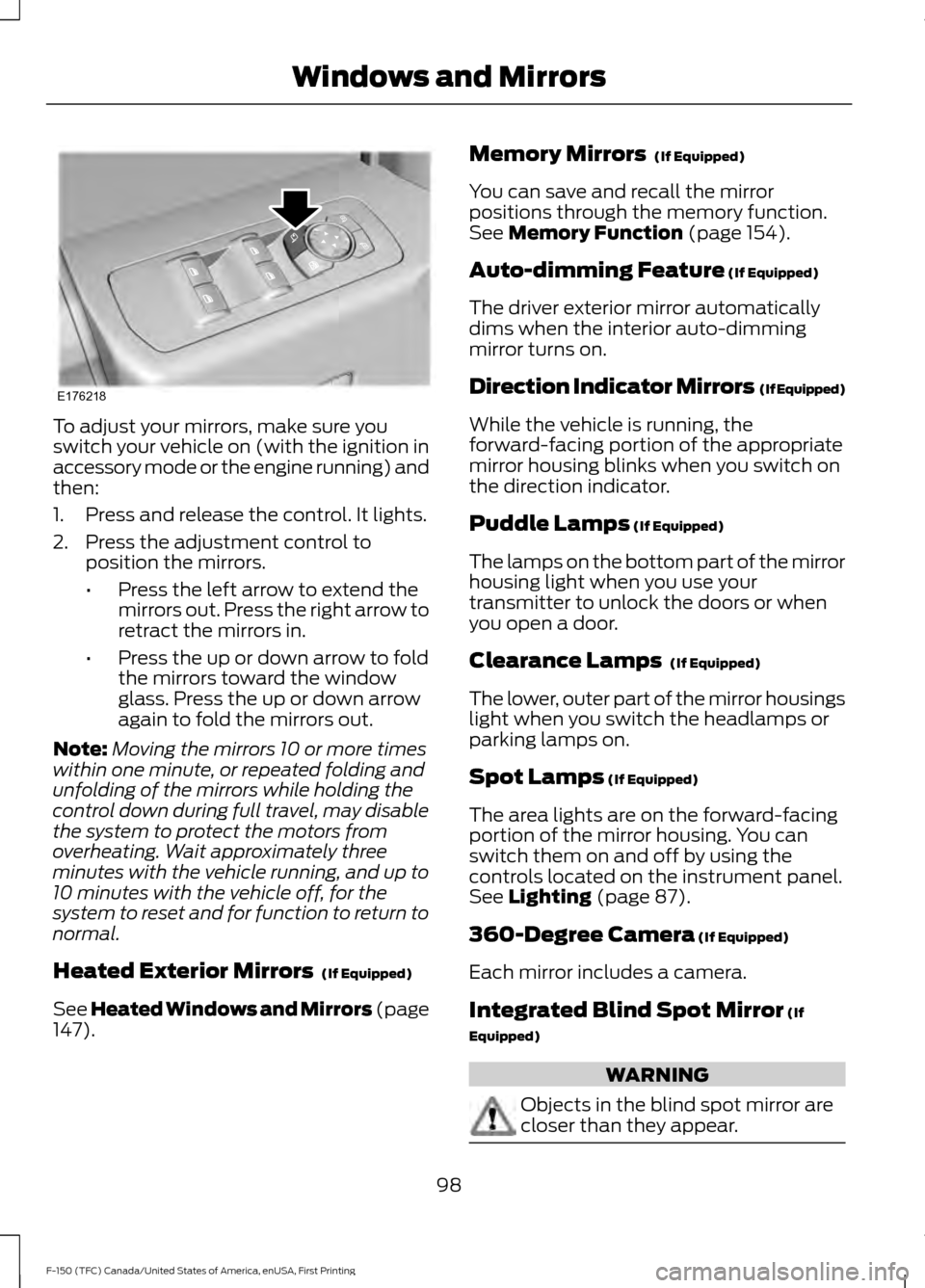
To adjust your mirrors, make sure you
switch your vehicle on (with the ignition in
accessory mode or the engine running) and
then:
1. Press and release the control. It lights.
2. Press the adjustment control to
position the mirrors.
•Press the left arrow to extend the
mirrors out. Press the right arrow to
retract the mirrors in.
• Press the up or down arrow to fold
the mirrors toward the window
glass. Press the up or down arrow
again to fold the mirrors out.
Note: Moving the mirrors 10 or more times
within one minute, or repeated folding and
unfolding of the mirrors while holding the
control down during full travel, may disable
the system to protect the motors from
overheating. Wait approximately three
minutes with the vehicle running, and up to
10 minutes with the vehicle off, for the
system to reset and for function to return to
normal.
Heated Exterior Mirrors (If Equipped)
See Heated Windows and Mirrors (page
147
). Memory Mirrors
(If Equipped)
You can save and recall the mirror
positions through the memory function.
See
Memory Function (page 154).
Auto-dimming Feature
(If Equipped)
The driver exterior mirror automatically
dims when the interior auto-dimming
mirror turns on.
Direction Indicator Mirrors (If Equipped)
While the vehicle is running, the
forward-facing portion of the appropriate
mirror housing blinks when you switch on
the direction indicator.
Puddle Lamps
(If Equipped)
The lamps on the bottom part of the mirror
housing light when you use your
transmitter to unlock the doors or when
you open a door.
Clearance Lamps
(If Equipped)
The lower, outer part of the mirror housings
light when you switch the headlamps or
parking lamps on.
Spot Lamps
(If Equipped)
The area lights are on the forward-facing
portion of the mirror housing. You can
switch them on and off by using the
controls located on the instrument panel.
See
Lighting (page 87).
360-Degree Camera
(If Equipped)
Each mirror includes a camera.
Integrated Blind Spot Mirror
(If
Equipped) WARNING
Objects in the blind spot mirror are
closer than they appear.
98
F-150 (TFC) Canada/United States of America, enUSA, First Printing Windows and MirrorsE176218
Page 110 of 599
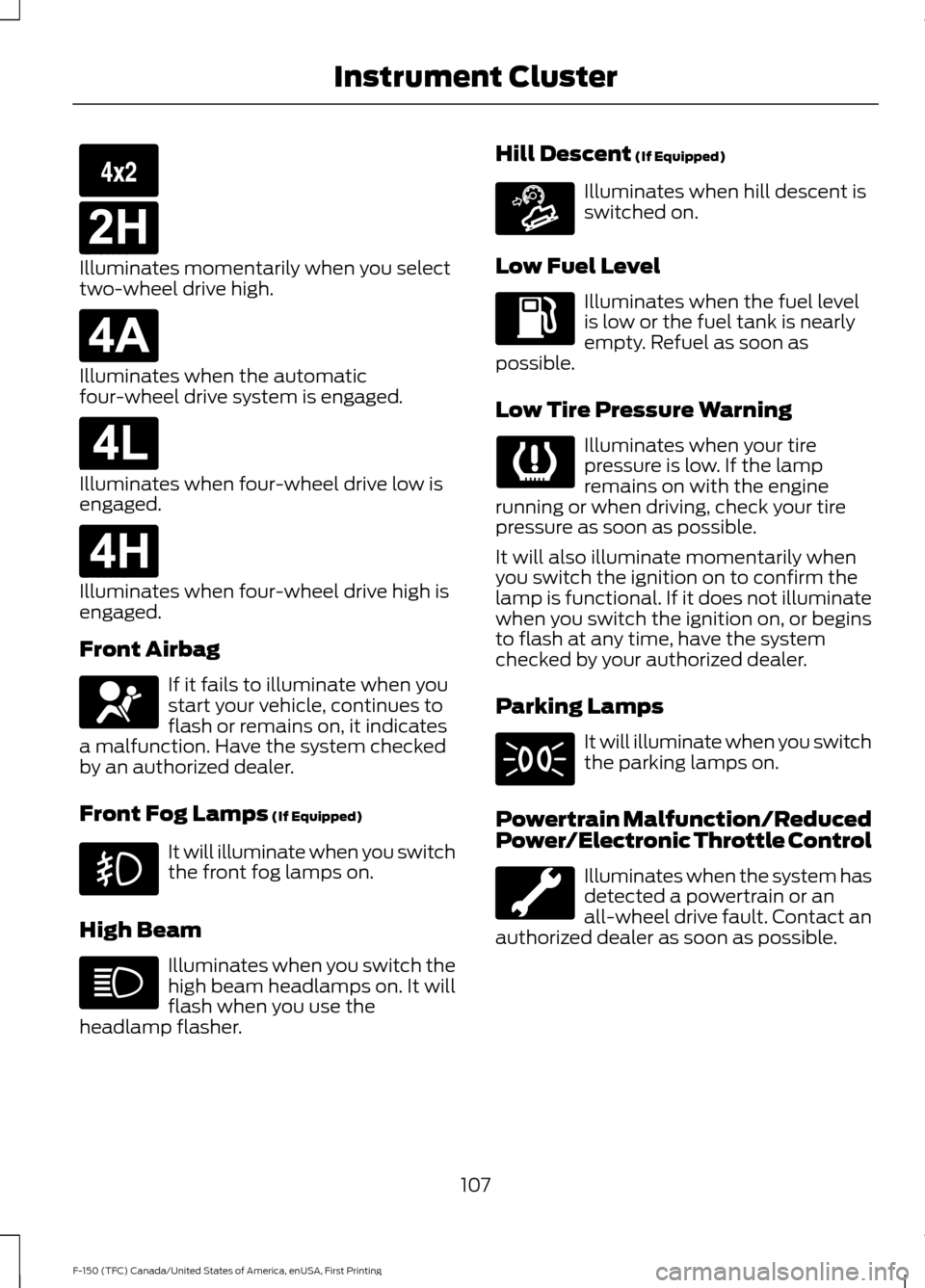
Illuminates momentarily when you select
two-wheel drive high.
Illuminates when the automatic
four-wheel drive system is engaged.
Illuminates when four-wheel drive low is
engaged.
Illuminates when four-wheel drive high is
engaged.
Front Airbag
If it fails to illuminate when you
start your vehicle, continues to
flash or remains on, it indicates
a malfunction. Have the system checked
by an authorized dealer.
Front Fog Lamps (If Equipped) It will illuminate when you switch
the front fog lamps on.
High Beam Illuminates when you switch the
high beam headlamps on. It will
flash when you use the
headlamp flasher. Hill Descent
(If Equipped) Illuminates when hill descent is
switched on.
Low Fuel Level Illuminates when the fuel level
is low or the fuel tank is nearly
empty. Refuel as soon as
possible.
Low Tire Pressure Warning Illuminates when your tire
pressure is low. If the lamp
remains on with the engine
running or when driving, check your tire
pressure as soon as possible.
It will also illuminate momentarily when
you switch the ignition on to confirm the
lamp is functional. If it does not illuminate
when you switch the ignition on, or begins
to flash at any time, have the system
checked by your authorized dealer.
Parking Lamps It will illuminate when you switch
the parking lamps on.
Powertrain Malfunction/Reduced
Power/Electronic Throttle Control Illuminates when the system has
detected a powertrain or an
all-wheel drive fault. Contact an
authorized dealer as soon as possible.
107
F-150 (TFC) Canada/United States of America, enUSA, First Printing Instrument ClusterE163173 E181778 E181781 E181780 E181779 E163171
Page 112 of 599
Beltminder Warning
Sounds when a safety belt is unfastened
in an occupied seat and your vehicle is
moving.
Door Ajar Warning
Sounds when any door is not completely
closed and your vehicle speed exceeds
3 mph (5 km/h).
Headlamps On Warning
Sounds when you remove the key from the
ignition and open the driver's door and you
have left the headlamps or parking lamps
on.
Key in Ignition Warning
Sounds when you open the driver's door
and you have left the key in the ignition.
Keyless Warning Alert
(If Equipped)
Sounds the horn twice when you exit your
vehicle with the intelligent access key, after
the last door is closed and your keyless
vehicle is in RUN, indicating your vehicle is
still on.
Rear Park Aid Warning
A detection warning sounds when
obstacles are within a certain range of the
bumper area. The system turns on
automatically whenever you switch the
ignition on.
Parking Brake On Warning
Sounds when you have left the parking
brake on and drive your vehicle. If the
warning chime remains on after you have
released the parking brake, have the
system checked by your authorized dealer
immediately. Service Advancetrac Warning
Sounds when there is a malfunction with
the Electronic Stability Control (ESC) or
Rollover Stability Control (RSC) system.
109
F-150 (TFC) Canada/United States of America, enUSA, First Printing Instrument Cluster
Page 172 of 599
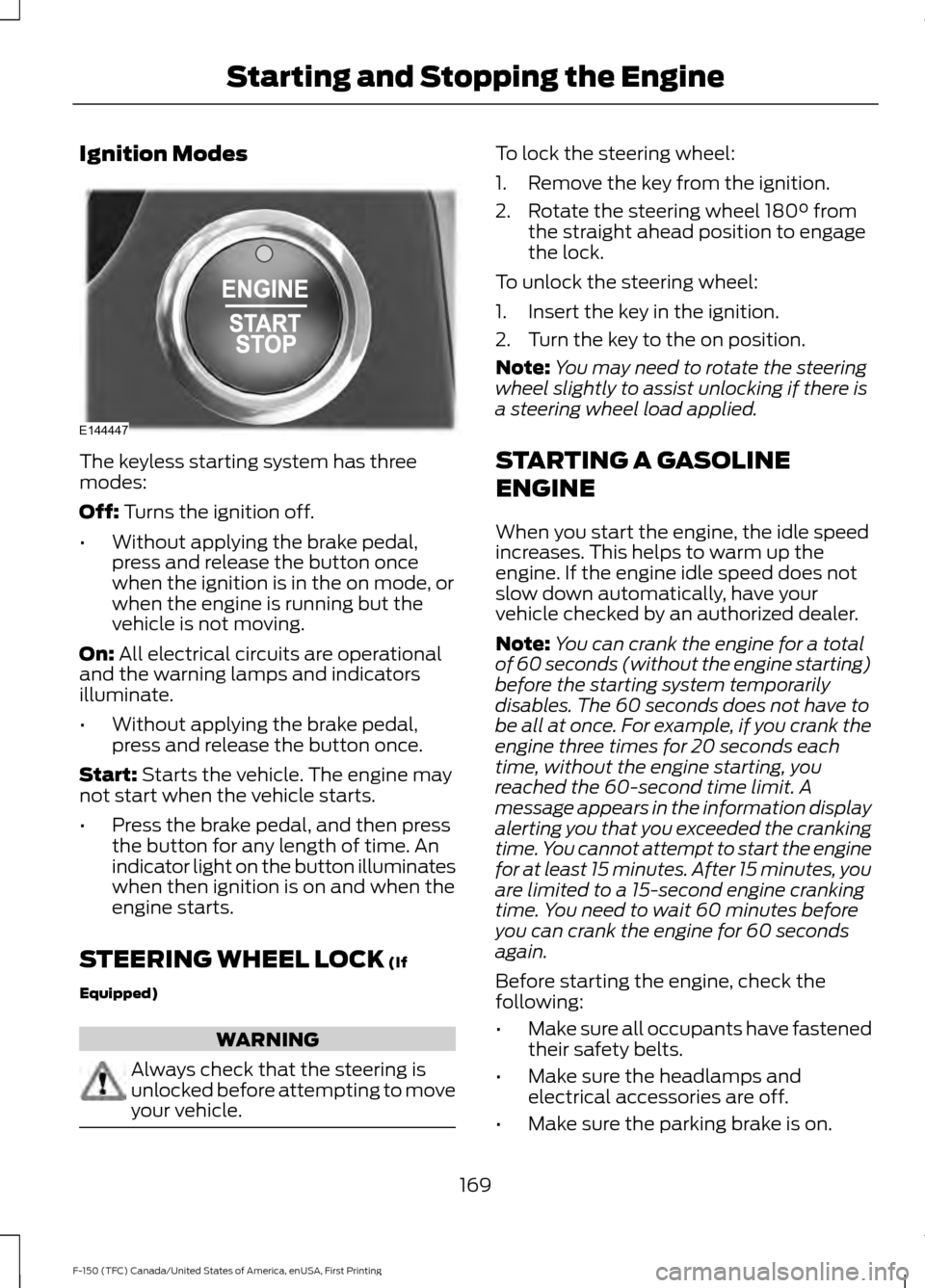
Ignition Modes
The keyless starting system has three
modes:
Off: Turns the ignition off.
• Without applying the brake pedal,
press and release the button once
when the ignition is in the on mode, or
when the engine is running but the
vehicle is not moving.
On:
All electrical circuits are operational
and the warning lamps and indicators
illuminate.
• Without applying the brake pedal,
press and release the button once.
Start:
Starts the vehicle. The engine may
not start when the vehicle starts.
• Press the brake pedal, and then press
the button for any length of time. An
indicator light on the button illuminates
when then ignition is on and when the
engine starts.
STEERING WHEEL LOCK
(If
Equipped) WARNING
Always check that the steering is
unlocked before attempting to move
your vehicle. To lock the steering wheel:
1. Remove the key from the ignition.
2. Rotate the steering wheel 180° from
the straight ahead position to engage
the lock.
To unlock the steering wheel:
1. Insert the key in the ignition.
2. Turn the key to the on position.
Note: You may need to rotate the steering
wheel slightly to assist unlocking if there is
a steering wheel load applied.
STARTING A GASOLINE
ENGINE
When you start the engine, the idle speed
increases. This helps to warm up the
engine. If the engine idle speed does not
slow down automatically, have your
vehicle checked by an authorized dealer.
Note: You can crank the engine for a total
of 60 seconds (without the engine starting)
before the starting system temporarily
disables. The 60 seconds does not have to
be all at once. For example, if you crank the
engine three times for 20 seconds each
time, without the engine starting, you
reached the 60-second time limit. A
message appears in the information display
alerting you that you exceeded the cranking
time. You cannot attempt to start the engine
for at least 15 minutes. After 15 minutes, you
are limited to a 15-second engine cranking
time. You need to wait 60 minutes before
you can crank the engine for 60 seconds
again.
Before starting the engine, check the
following:
• Make sure all occupants have fastened
their safety belts.
• Make sure the headlamps and
electrical accessories are off.
• Make sure the parking brake is on.
169
F-150 (TFC) Canada/United States of America, enUSA, First Printing Starting and Stopping the EngineE144447