mirror FORD F250 2012 User Guide
[x] Cancel search | Manufacturer: FORD, Model Year: 2012, Model line: F250, Model: FORD F250 2012Pages: 448, PDF Size: 3.54 MB
Page 108 of 448
Note:Ten or more switch activations within one minute, or repeated
fold/unfolding of the mirrors while holding the switch rearward during the
full travel may cause the system to disable the fold/unfold function to
protect the motors from overheating. Should this occur, wait approximately
3
12minutes for the system to reset and function to return to normal.
Note:The power-fold mirrors are designed to operate while the vehicle
is stationary or traveling at moderate speeds. If you attempt to
power-fold the mirrors at high speeds, they may not fully fold
forward/rearward - slow down and power-fold or manually fold the
mirrors in order to complete the fold operation.
Note:If the power fold/telescope mirror glass appears loose or vibrates
when driving, it is possible that the mirrors have been manually folded or
telescoped. To minimize the vibration, ensure that the mirrors are
electronically folded and telescoped in/out with the switches on the door
trim panel. If the power fold mirrors are out of sync, electronically
power-fold the mirrors to re-sync the motors. This will cause a loud “click”
and the mirrors will jerk during re-synchronization. This is normal.
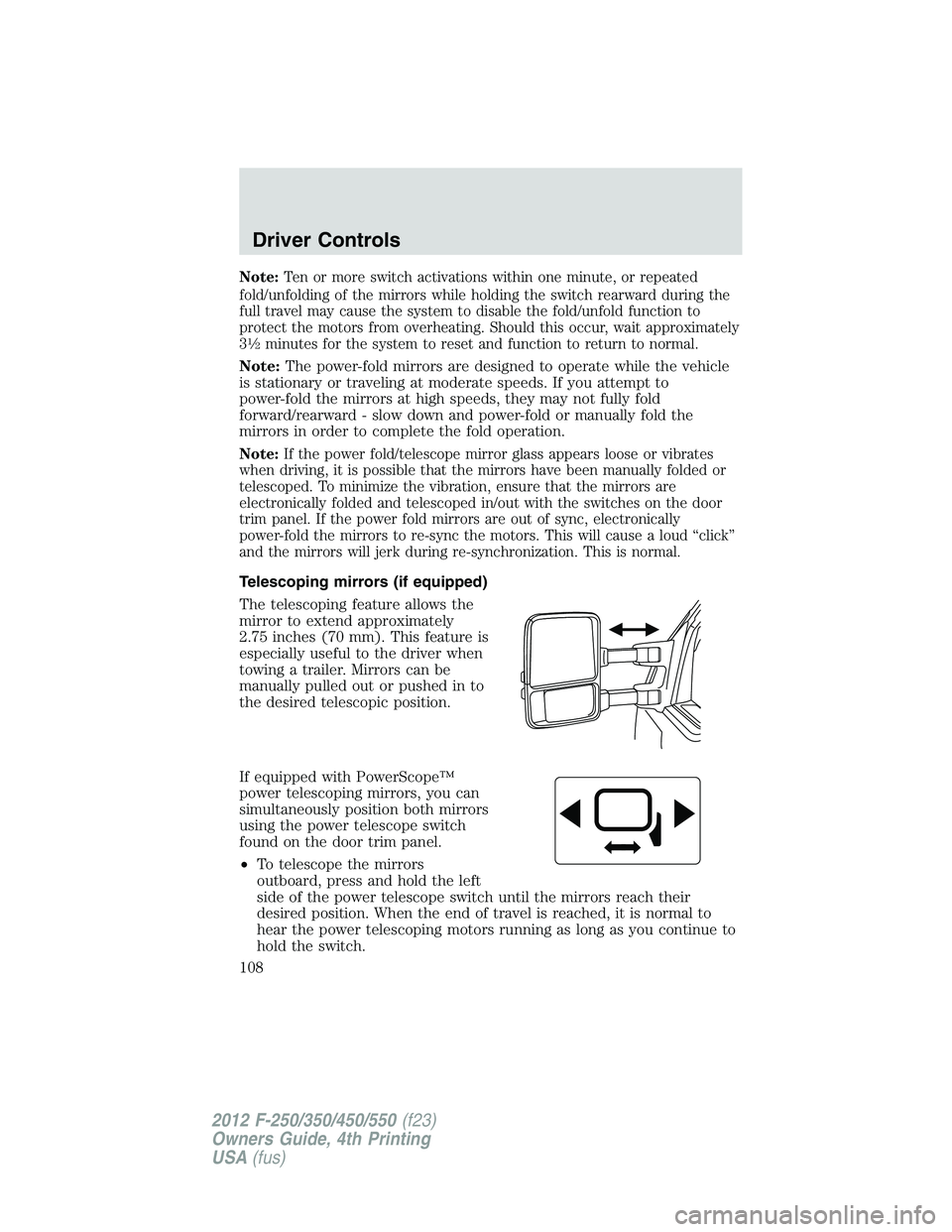
Telescoping mirrors (if equipped)
The telescoping feature allows the
mirror to extend approximately
2.75 inches (70 mm). This feature is
especially useful to the driver when
towing a trailer. Mirrors can be
manually pulled out or pushed in to
the desired telescopic position.
If equipped with PowerScope™
power telescoping mirrors, you can
simultaneously position both mirrors
using the power telescope switch
found on the door trim panel.
•To telescope the mirrors
outboard, press and hold the left
side of the power telescope switch until the mirrors reach their
desired position. When the end of travel is reached, it is normal to
hear the power telescoping motors running as long as you continue to
hold the switch.
Driver Controls
108
2012 F-250/350/450/550(f23)
Owners Guide, 4th Printing
USA(fus)
Page 109 of 448
•To telescope the mirrors inboard, press and hold the right side of the
power telescope switch until the mirrors reach their desired position.
Memory mirrors (if equipped)
This system allows automatic positioning of the outside rearview mirrors.
For more information on this feature, refer toMemory seats/power
mirrors/adjustable pedalsin theSeating and Safety Restraints
chapter.
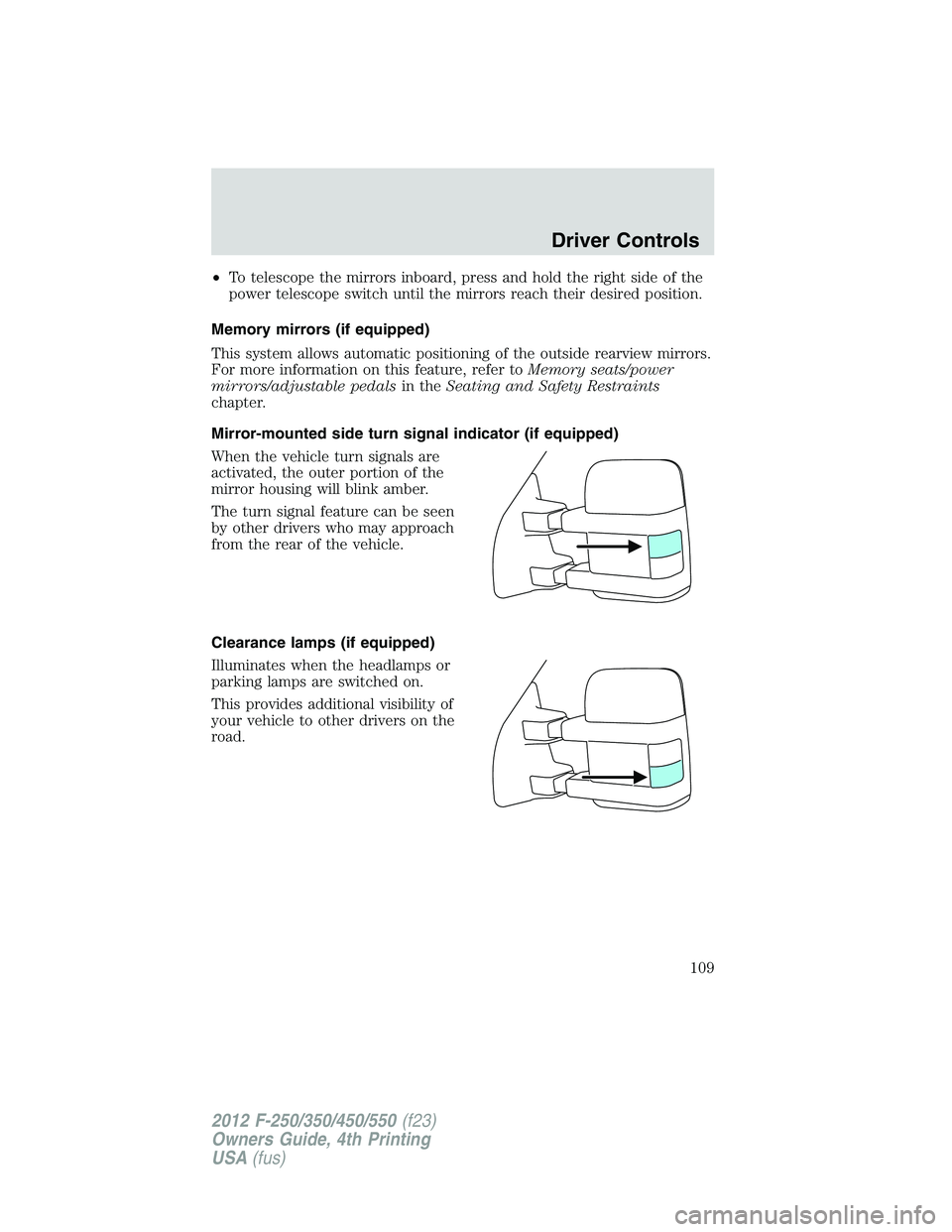
Mirror-mounted side turn signal indicator (if equipped)
When the vehicle turn signals are
activated, the outer portion of the
mirror housing will blink amber.
The turn signal feature can be seen
by other drivers who may approach
from the rear of the vehicle.
Clearance lamps (if equipped)
Illuminates when the headlamps or
parking lamps are switched on.
This provides additional visibility of
your vehicle to other drivers on the
road.
Driver Controls
109
2012 F-250/350/450/550(f23)
Owners Guide, 4th Printing
USA(fus)
Page 110 of 448
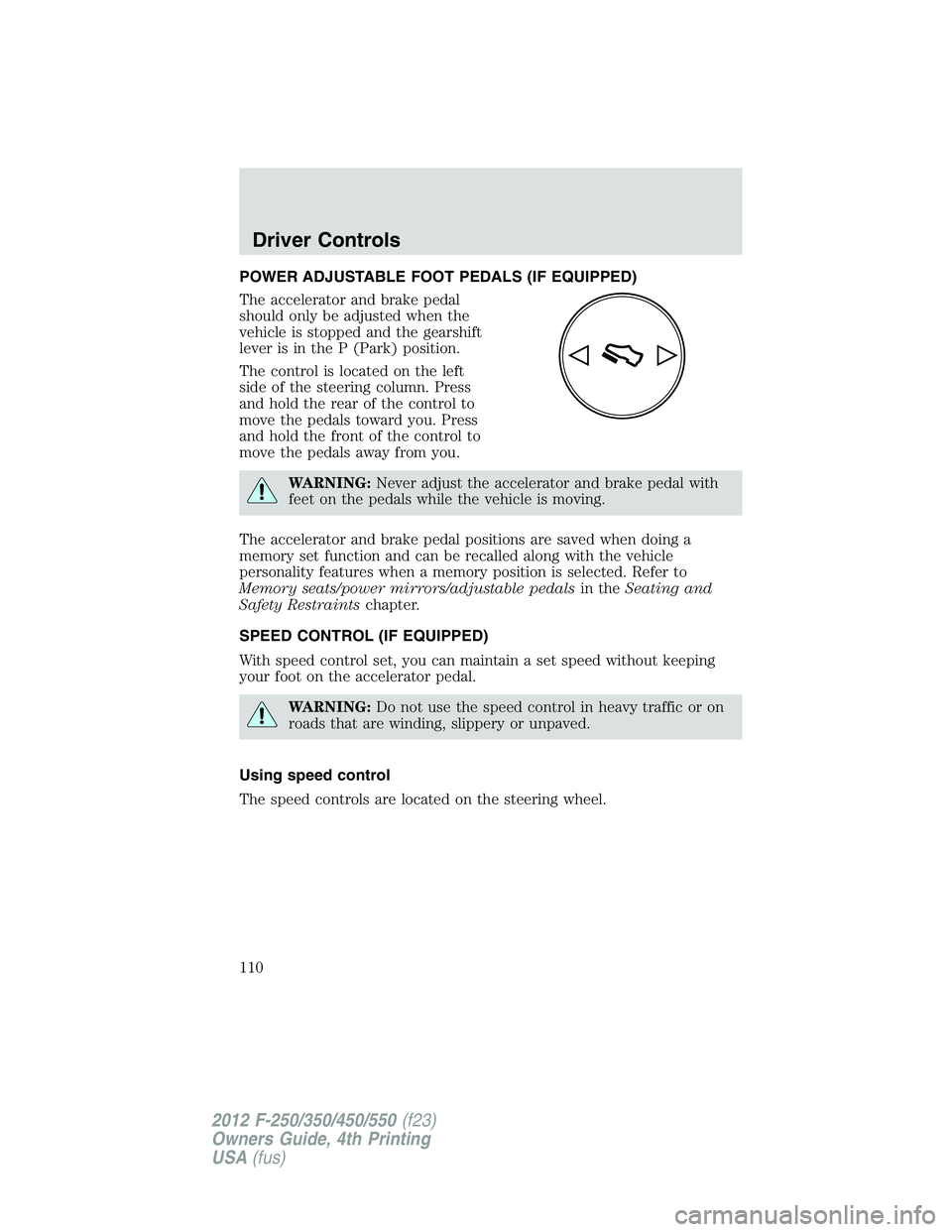
POWER ADJUSTABLE FOOT PEDALS (IF EQUIPPED)
The accelerator and brake pedal
should only be adjusted when the
vehicle is stopped and the gearshift
lever is in the P (Park) position.
The control is located on the left
side of the steering column. Press
and hold the rear of the control to
move the pedals toward you. Press
and hold the front of the control to
move the pedals away from you.
WARNING:Never adjust the accelerator and brake pedal with
feet on the pedals while the vehicle is moving.
The accelerator and brake pedal positions are saved when doing a
memory set function and can be recalled along with the vehicle
personality features when a memory position is selected. Refer to
Memory seats/power mirrors/adjustable pedalsin theSeating and
Safety Restraintschapter.
SPEED CONTROL (IF EQUIPPED)
With speed control set, you can maintain a set speed without keeping
your foot on the accelerator pedal.
WARNING:Do not use the speed control in heavy traffic or on
roads that are winding, slippery or unpaved.
Using speed control
The speed controls are located on the steering wheel.
Driver Controls
110
2012 F-250/350/450/550(f23)
Owners Guide, 4th Printing
USA(fus)
Page 143 of 448
holding both theandbuttons simultaneously on the remote entry
transmitter for approximately four seconds. The hazard lamps will flash
twice to indicate that the vehicle has switched to one step unlocking.
Repeat the procedure to switch back to two-step unlocking.
Locking the doors
1. Press
and release to lock all the doors. The parking lamps will
illuminate if all the doors are closed and locked.
2. Press
and release again within three seconds to confirm that all
the doors are closed and locked.Note:The doors will lock again, the
horn will chirp once, and the parking lamps will illuminate once more.
If any of the doors are not properly closed the horn will make two quick
chirps and the parking lamps will not flash.
Car finder
Press
twice within three seconds. The horn will chirp and the turn
lamps will flash. It is recommended that this method be used to locate
your vehicle, rather than using the panic alarm.
Sounding a panic alarm
Press
to activate the alarm. Press again or turn the ignition to on to
deactivate.
Note:The panic alarm will only operate when the ignition is off.
Memory feature (seat, mirrors and adjustable pedals)
The integrated keyhead transmitter (IKT) allows you to recall the
memory seat/power mirrors/adjustable pedals feature.
Press
to automatically move the driver seat, power mirrors and
adjustable pedals to the desired memory position. (The seat position
corresponds to the transmitter being used).
Programming memory feature to transmitter
To activate this feature:
1. Move the driver seat, power mirrors, and adjustable pedals to the
desired positions using the associated controls.
Locks and Security
143
2012 F-250/350/450/550(f23)
Owners Guide, 4th Printing
USA(fus)
Page 163 of 448
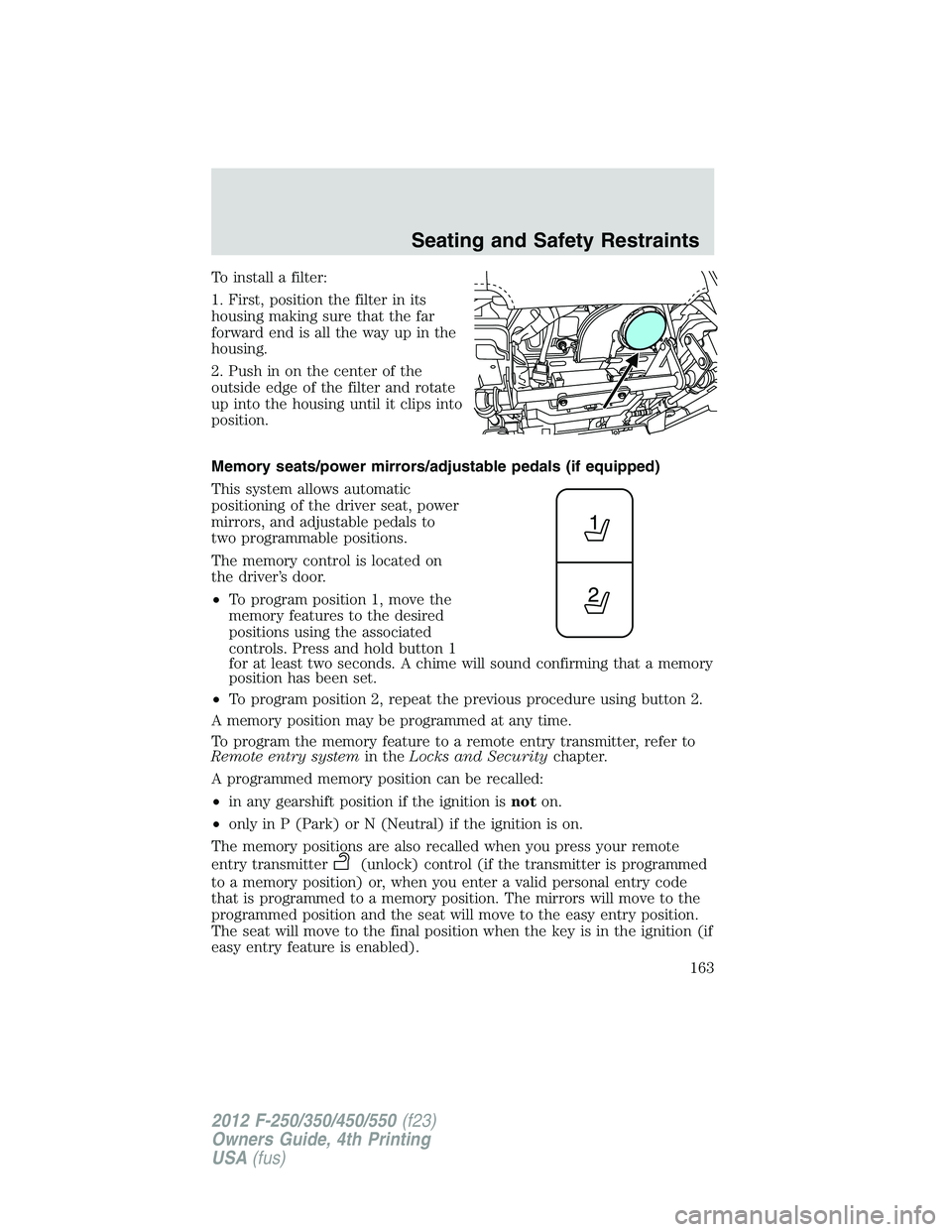
To install a filter:
1. First, position the filter in its
housing making sure that the far
forward end is all the way up in the
housing.
2. Push in on the center of the
outside edge of the filter and rotate
up into the housing until it clips into
position.
Memory seats/power mirrors/adjustable pedals (if equipped)
This system allows automatic
positioning of the driver seat, power
mirrors, and adjustable pedals to
two programmable positions.
The memory control is located on
the driver’s door.
•To program position 1, move the
memory features to the desired
positions using the associated
controls. Press and hold button 1
for at least two seconds. A chime will sound confirming that a memory
position has been set.
•To program position 2, repeat the previous procedure using button 2.
A memory position may be programmed at any time.
To program the memory feature to a remote entry transmitter, refer to
Remote entry systemin theLocks and Securitychapter.
A programmed memory position can be recalled:
•in any gearshift position if the ignition isnoton.
•only in P (Park) or N (Neutral) if the ignition is on.
The memory positions are also recalled when you press your remote
entry transmitter
(unlock) control (if the transmitter is programmed
to a memory position) or, when you enter a valid personal entry code
that is programmed to a memory position. The mirrors will move to the
programmed position and the seat will move to the easy entry position.
The seat will move to the final position when the key is in the ignition (if
easy entry feature is enabled).
Seating and Safety Restraints
163
2012 F-250/350/450/550(f23)
Owners Guide, 4th Printing
USA(fus)
Page 261 of 448
Your vehicle may be equipped with a temporary or conventional spare
tire. If the spare tire is different in size (diameter and/or width), tread
type (All-Season or All-Terrain) or is from a different manufacturer other
than the road tires on your vehicle, your spare tire is considered
“temporary”. Consult information on the Tire Label or Safety Compliance
Certification Label for limitations when using.
Trailer towing safety tips
General
•Ensure that the trailer, safety chains and 7–pin electrical connectors
are securely fastened.
•Make sure the truck receiver, draw bar and coupler are properly
connected and adjusted.
•Check rear view and side mirrors for proper visibility especially when
towing a trailer wider than the truck.
•When turning, make wide turns to allow trailer tires to properly clear
any obstacles.
•Operate the vehicle at lower speeds than you would when not towing
a trailer; the likelihood of trailer sway is greater at higher speeds.
•Be prepared for trailer sway due to buffeting when larger vehicles
pass in either direction.
•If you will be towing a trailer frequently in hot weather, hilly
conditions, at GCWR, or any combination of these factors, consider
refilling your rear axle with synthetic gear lubricant if not already so
equipped. Refer toMaintenance product specifications and
capacitiesin theMaintenance and Specificationschapter for the
proper axle lubricant. Remember that regardless of the rear axle
lubricant used, do not tow a trailer for the first 500 miles (800 km) of
a new vehicle, and that the first 500 miles (800 km) of towing be done
at no faster than 70 mph (113 km/h) with no full-throttle starts.
Loading
•Trailer loads should be evenly distributed front-to-back and
left-to-right.
•Never exceed truck, trailer, receiver, ball, tongue, tire or coupler
loading recommendations.
•Keep the center of gravity low for best handling.
Tires, Wheels and Loading
261
2012 F-250/350/450/550(f23)
Owners Guide, 4th Printing
USA(fus)
Page 298 of 448
Keep the RSS sensors (located on the rear bumper/fascia) free
from snow, ice and large accumulations of dirt (do not clean the
sensors with sharp objects). If the sensors are covered, it will
affect the accuracy of the RSS.
If your vehicle sustains damage to the rear bumper/fascia, leaving
it misaligned or bent, the sensing zone may be altered causing
inaccurate measurement of obstacles or false alarms.
REARVIEW CAMERA SYSTEM (IF EQUIPPED)
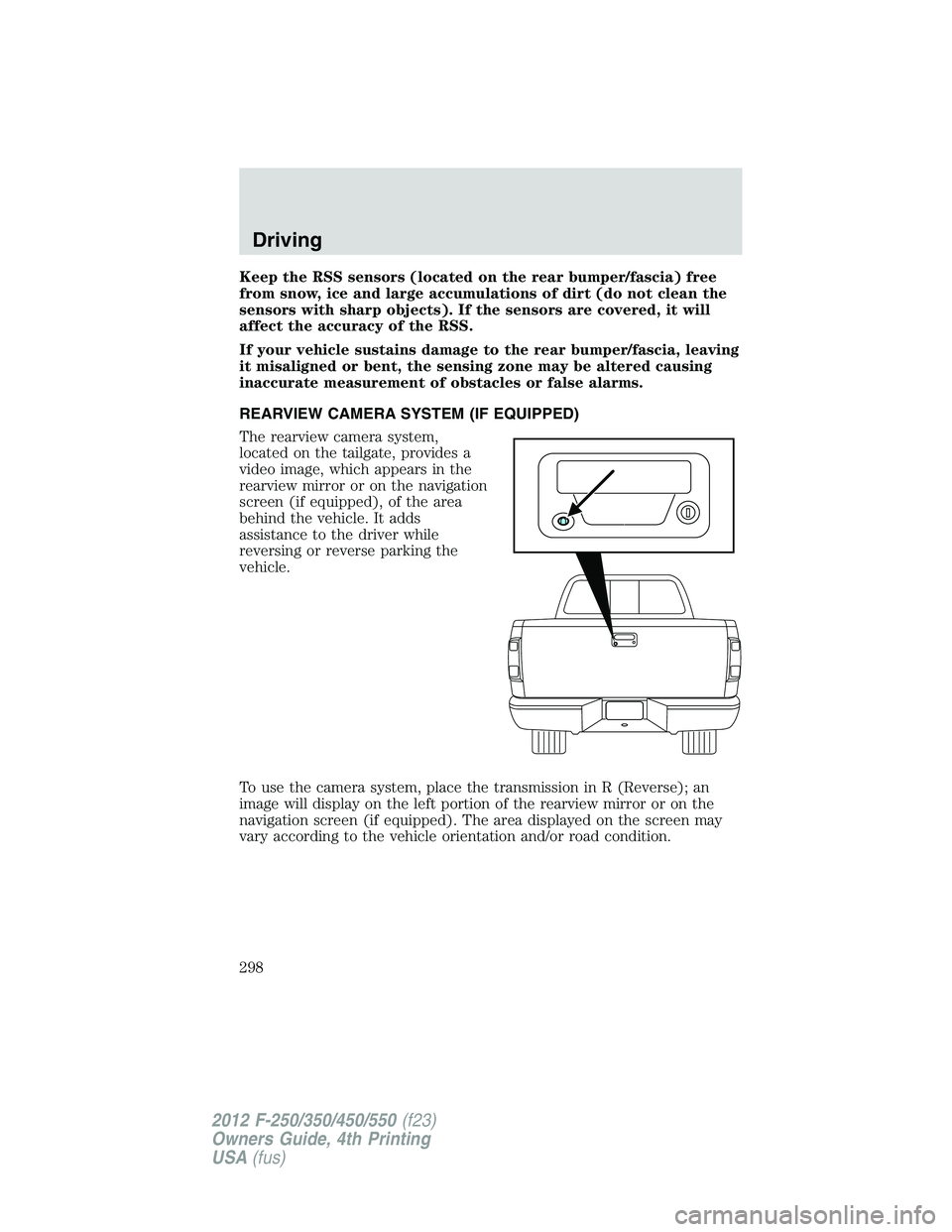
The rearview camera system,
located on the tailgate, provides a
video image, which appears in the
rearview mirror or on the navigation
screen (if equipped), of the area
behind the vehicle. It adds
assistance to the driver while
reversing or reverse parking the
vehicle.
To use the camera system, place the transmission in R (Reverse); an
image will display on the left portion of the rearview mirror or on the
navigation screen (if equipped). The area displayed on the screen may
vary according to the vehicle orientation and/or road condition.
Driving
298
2012 F-250/350/450/550(f23)
Owners Guide, 4th Printing
USA(fus)
Page 299 of 448
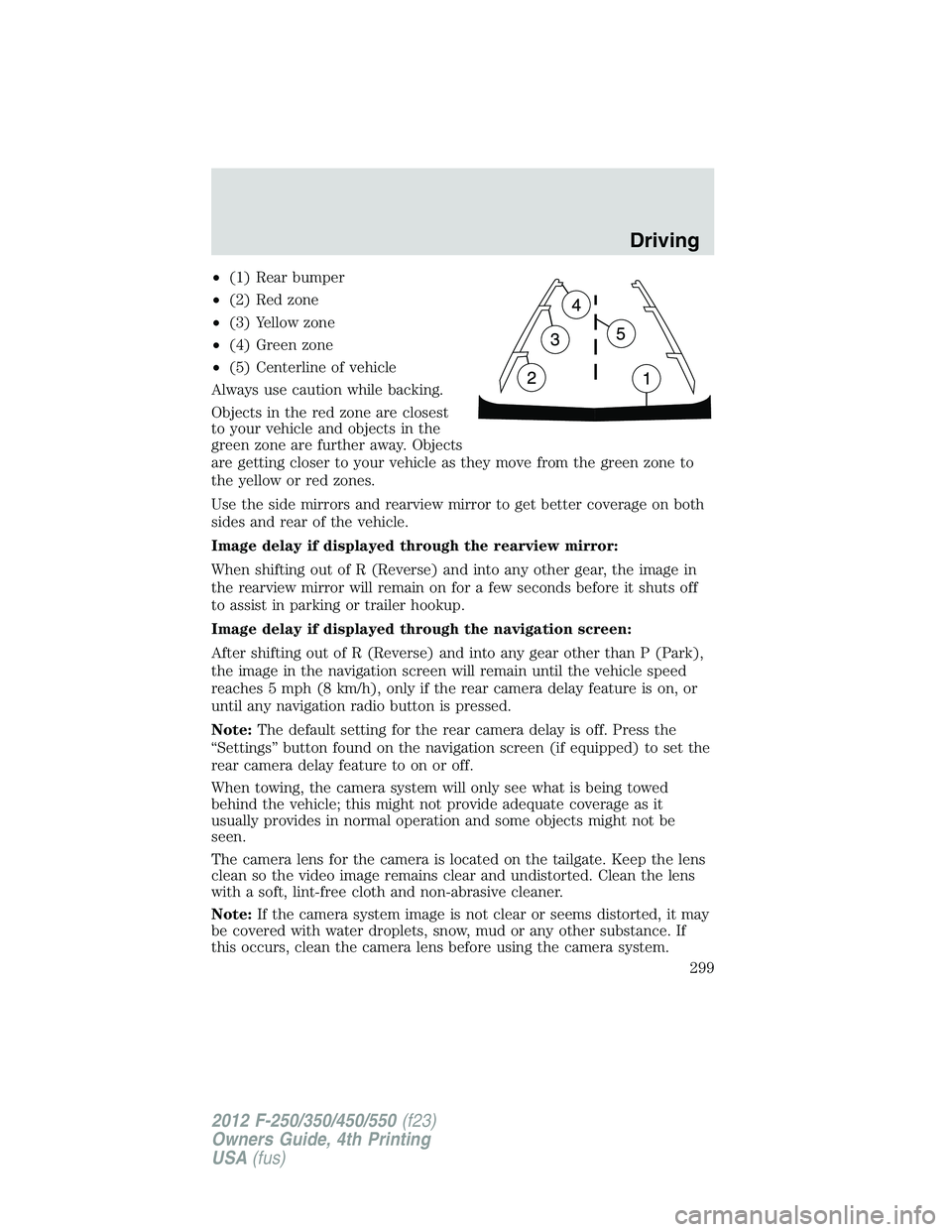
•(1) Rear bumper
•(2) Red zone
•(3) Yellow zone
•(4) Green zone
•(5) Centerline of vehicle
Always use caution while backing.
Objects in the red zone are closest
to your vehicle and objects in the
green zone are further away. Objects
are getting closer to your vehicle as they move from the green zone to
the yellow or red zones.
Use the side mirrors and rearview mirror to get better coverage on both
sides and rear of the vehicle.
Image delay if displayed through the rearview mirror:
When shifting out of R (Reverse) and into any other gear, the image in
the rearview mirror will remain on for a few seconds before it shuts off
to assist in parking or trailer hookup.
Image delay if displayed through the navigation screen:
After shifting out of R (Reverse) and into any gear other than P (Park),
the image in the navigation screen will remain until the vehicle speed
reaches 5 mph (8 km/h), only if the rear camera delay feature is on, or
until any navigation radio button is pressed.
Note:The default setting for the rear camera delay is off. Press the
“Settings” button found on the navigation screen (if equipped) to set the
rear camera delay feature to on or off.
When towing, the camera system will only see what is being towed
behind the vehicle; this might not provide adequate coverage as it
usually provides in normal operation and some objects might not be
seen.
The camera lens for the camera is located on the tailgate. Keep the lens
clean so the video image remains clear and undistorted. Clean the lens
with a soft, lint-free cloth and non-abrasive cleaner.
Note:If the camera system image is not clear or seems distorted, it may
be covered with water droplets, snow, mud or any other substance. If
this occurs, clean the camera lens before using the camera system.
Driving
299
2012 F-250/350/450/550(f23)
Owners Guide, 4th Printing
USA(fus)
Page 300 of 448
WARNING:The camera system is a reverse aid supplement
device that still requires the driver to use it in conjunction with
the rear view mirror and the side mirrors for maximum coverage.
WARNING:Objects that are close to either corner of the
bumper or under the bumper, might not be seen on the screen
due to the limited coverage of the camera system.
WARNING:Back up as slow as possible since higher speeds
might limit your reaction time to stop the vehicle.
WARNING:Do not use the camera system with the tailgate
open.
If the back end of the vehicle is hit or damaged, then check with your
authorized dealer to have your rearview camera system checked for
proper coverage and operation.
Night time and dark area use
At night time or in dark areas, the camera system relies on the reverse
lamp lighting to produce an image. Therefore it is necessary that both
reverse lamps are operating in order to get a clear image in the dark. If
either of the lamps are not operating, stop using the camera system, at
least in the dark, until the lamp(s) are replaced and functioning.
Servicing
•If the image comes on while the vehicle is not in R (Reverse), have
the system inspected by your authorized dealer.
•If the image is not clear, then check if there is anything covering the
lens such as dirt, mud, ice, snow, etc. If the image is still not clear
after cleaning, have your system inspected by your authorized dealer.
Driving
300
2012 F-250/350/450/550(f23)
Owners Guide, 4th Printing
USA(fus)
Page 324 of 448
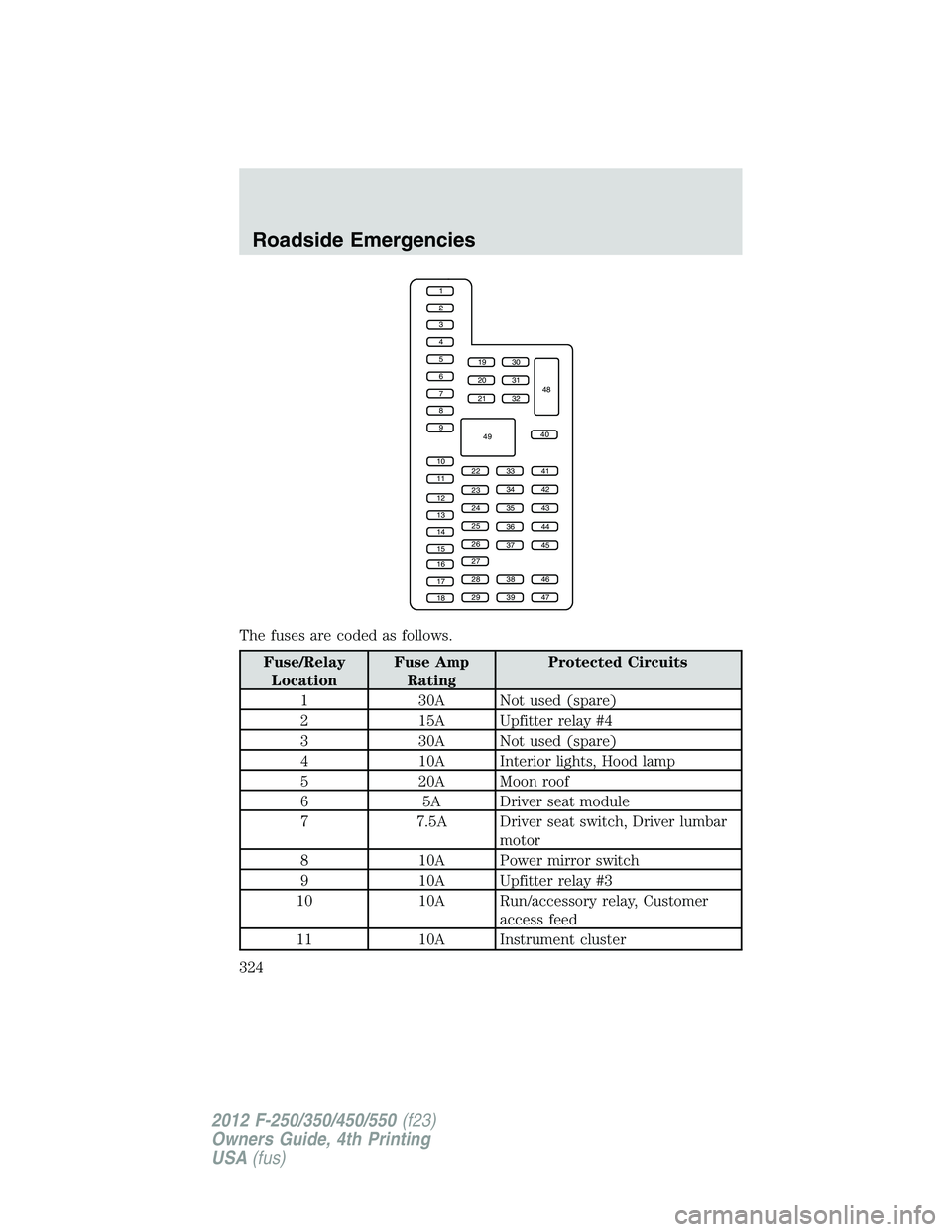
The fuses are coded as follows.
Fuse/Relay
LocationFuse Amp
RatingProtected Circuits
1 30A Not used (spare)
2 15A Upfitter relay #4
3 30A Not used (spare)
4 10A Interior lights, Hood lamp
5 20A Moon roof
6 5A Driver seat module
7 7.5A Driver seat switch, Driver lumbar
motor
8 10A Power mirror switch
9 10A Upfitter relay #3
10 10A Run/accessory relay, Customer
access feed
11 10A Instrument cluster
1
2
3
4
5
6
7
8
9
10
11
12
13
14
15
16
17
18
19
20
21
223341
42
43
44
45
34
35
36
37
23
24
25
26
27
283846
394729
32
40
31
30
48
49
Roadside Emergencies
324
2012 F-250/350/450/550(f23)
Owners Guide, 4th Printing
USA(fus)