buttons FORD F250 2013 Owner's Guide
[x] Cancel search | Manufacturer: FORD, Model Year: 2013, Model line: F250, Model: FORD F250 2013Pages: 577, PDF Size: 7.74 MB
Page 480 of 577
F. Touch this button to scroll down for more options, such as:
•SD Card
•BT Stereo
•A/V In
G. These buttons change with the media mode you are in.
H. Radio memory presets and CD controls.
Note:Some features may not be available in your area. Contact an
authorized dealer for more information.
You can access these options using the touchscreen or voice commands.
Browsing Device Content
When listening to audio on a device, you can browse through other
devices without having to change sources. For example, if you are
currently listening to audio on an SD card, you can browse all the artists
that are stored on your USB device.
Press the voice icon on the steering wheel. When prompted,
you can say:
“BROWSE” within Devices
“Browse”*
“Browse
“Browse
“Browse CD track list”
“Browse Sirius channel guide”
“Browse SD card”
“Browse USB”
“Help”
*If you have said “Browse”, you can then say any commands in the
following chart.
**This command is only usable if you have an active subscription to
SIRIUS satellite radio.
MyFord Touch® (If Equipped)479
2013 F-250/350/450/550(f23)
Owners Guide gf, 3rd Printing, December 2012
USA(fus)
Page 488 of 577

“TUNE”
“<87.9–107.9>” “FM autoset”
“<87.9-107.9> HD <#>”
*“FM autoset preset <#>”
“<530–1710>” “FM preset <#>”
“AM” “FM1”
“AM <530–1710>” “FM 1 preset <#>”
“AM autoset” “FM2”
“AM autoset preset <#>” “FM 2 preset <#>”
“AM preset <#>” “HD <#>”
*
“FM” “Preset <#>”
“FM <87.9–107.9>” “Help”
“FM <87.9-107.9> HD <#>”
*
*
If available.
SIRIUS® Satellite Radio (If Activated)
Press the lower left corner of the touchscreen, then select the
SIRIUStab.
Presets
Save a channel by pressing and holding one of the memory preset areas.
There is a brief mute while the radio saves the channel. Sound returns
when finished.
ALERT
Save the current song, artist, or team as a favorite. The system alerts
you when it plays again on any channel.
Replay
Replay audio on the current channel. You can replay approximately
45 minutes of audio as long as you have remained tuned to the current
station. Changing stations erases the previous audio.
While in replay mode:
•Press and release the seek buttons to hear the previous or next song.
•Press and hold the seek buttons to reverse or fast forward in the
current track.
•Press play or pause to play or pause the audio.
•PressReplayto return to live audio if you have been using the
feature to replay audio.
MyFord Touch® (If Equipped)487
2013 F-250/350/450/550(f23)
Owners Guide gf, 3rd Printing, December 2012
USA(fus)
Page 514 of 577
Note:Neither SIRIUS nor Ford is responsible for any errors or
inaccuracies in the SIRIUS Travel Link services or its use in vehicles.
When you subscribe to SIRIUS Travel Link, it can help you locate the
best gas prices, find movie listings, get current traffic alerts, view the
current weather map, get accurate ski conditions and see scores to
current sports games.
If your vehicle is equipped with Navigation, touch the i
(Information) button to access these features. If your vehicle
is not equipped with Navigation, touch the corner of the
touchscreen with the green tab.
Traffic On Route and Traffic Nearby
Touch these buttons to identify traffic incidents on your route, nearby
your vehicle’s current location or near any of your favorite places, if
programmed.
Fuel Prices
Touch this button to view fuel prices at stations close to your vehicle’s
location or on an active navigation route.
Movie Listings
Touch this button to view nearby movie theaters and their show times, if
available.
Weather
Touch this button to view the nearby weather, current weather, or the
five day forecast for the chosen area. SelectMapto see the weather
map, which can show storms, radar information, charts and winds.
SelectAreato select from a listing of weather locations.
Sports Info
Touch this button to view scores and schedules from a variety of sports.
You can also save up to 10 favorite teams for easier access. The score
automatically refreshes when a game is in progress.
Ski Conditions
Touch this button to view ski conditions for a specific area.
MyFord Touch® (If Equipped)513
2013 F-250/350/450/550(f23)
Owners Guide gf, 3rd Printing, December 2012
USA(fus)
Page 534 of 577
Help
Press the Settings icon >Help,then select from the following:
Help
Where Am I?View your vehicle’s current location, if your
vehicle is equipped with navigation. If your
vehicle is not equipped with navigation, nothing
displays.
System InformationTouchscreen system serial number.
Your vehicle identification number (VIN).
Touchscreen system software version.
Navigation system version.
Map database version.
Sirius satellite radio electronic serial number
(ESN).
Gracenote Database Information and Library
version.
Software LicensesView the licenses for any software and
applications installed on your system.
Driving RestrictionsCertain features are not accessible when your
vehicle is moving.
911 AssistTurn on and turn off the 911 Assist feature. See
911 Assistin theSYNC applications and
servicessection.
In Case of Emergency (ICE) Speed Dial
allows you to save up to two numbers as ICE
contacts for quick access if there is an
emergency. SelectEditto access your
phonebook and then select the desired contacts.
The numbers then appear as options on this
screen for the ICE 1 and ICE 2 buttons. The
ICE contacts you select appear at the end of the
911 Assist call process.
Voice Command ListView categorized lists of voice commands.
To access Help using the voice commands, press the voice button, then,
after the tone, say “Help”. The system provides allowable voice
commands for the current mode.
MyFord Touch® (If Equipped)533
2013 F-250/350/450/550(f23)
Owners Guide gf, 3rd Printing, December 2012
USA(fus)
Page 545 of 577
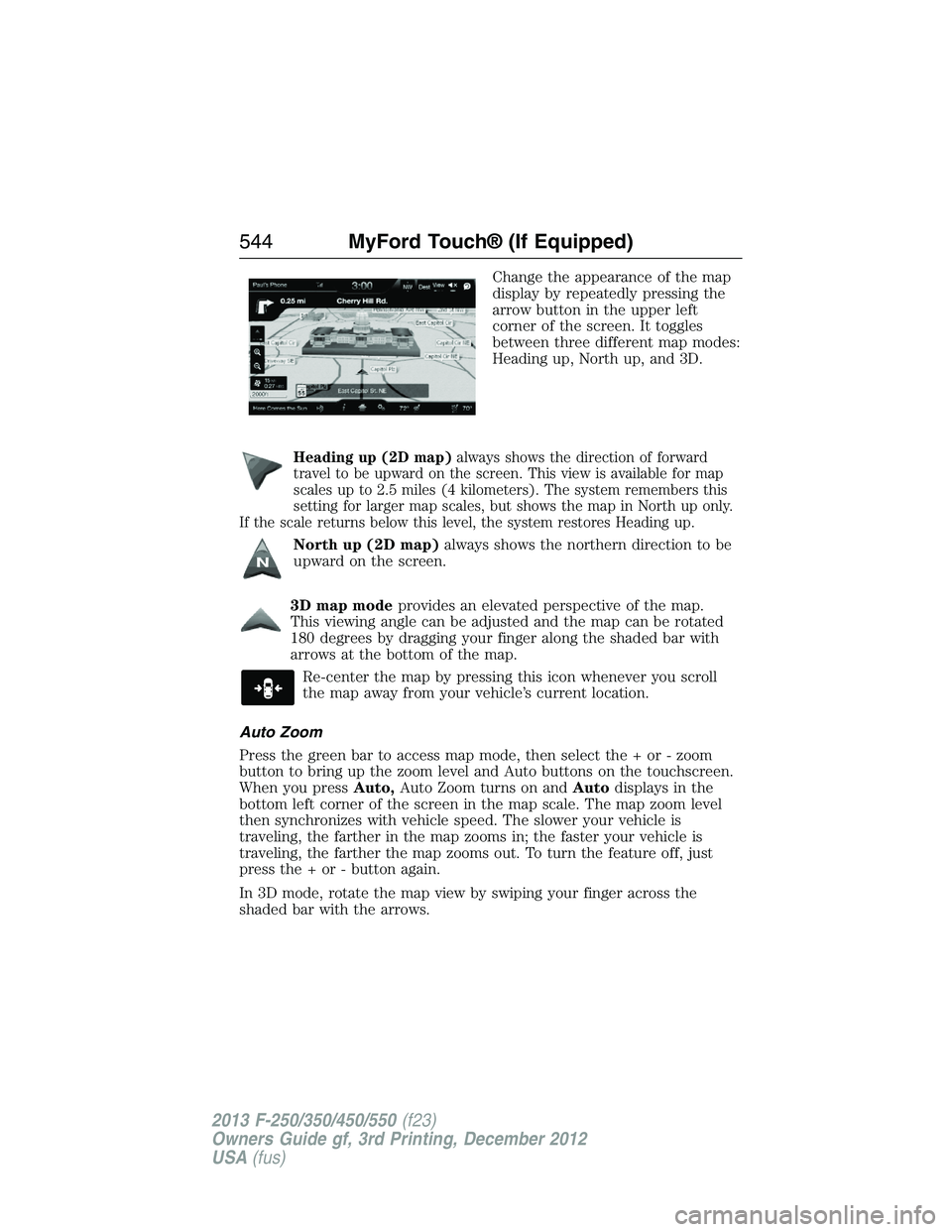
Change the appearance of the map
display by repeatedly pressing the
arrow button in the upper left
corner of the screen. It toggles
between three different map modes:
Heading up, North up, and 3D.
Heading up (2D map)always shows the direction of forward
travel to be upward on the screen. This view is available for map
scales up to 2.5 miles (4 kilometers). The system remembers this
setting for larger map scales, but shows the map in North up only.
If the scale returns below this level, the system restores Heading up.
North up (2D map)always shows the northern direction to be
upward on the screen.
3D map modeprovides an elevated perspective of the map.
This viewing angle can be adjusted and the map can be rotated
180 degrees by dragging your finger along the shaded bar with
arrows at the bottom of the map.
Re-center the map by pressing this icon whenever you scroll
the map away from your vehicle’s current location.
Auto Zoom
Press the green bar to access map mode, then select the + or - zoom
button to bring up the zoom level and Auto buttons on the touchscreen.
When you pressAuto,Auto Zoom turns on andAutodisplays in the
bottom left corner of the screen in the map scale. The map zoom level
then synchronizes with vehicle speed. The slower your vehicle is
traveling, the farther in the map zooms in; the faster your vehicle is
traveling, the farther the map zooms out. To turn the feature off, just
press the + or - button again.
In 3D mode, rotate the map view by swiping your finger across the
shaded bar with the arrows.
544MyFord Touch® (If Equipped)
2013 F-250/350/450/550(f23)
Owners Guide gf, 3rd Printing, December 2012
USA(fus)
Page 547 of 577
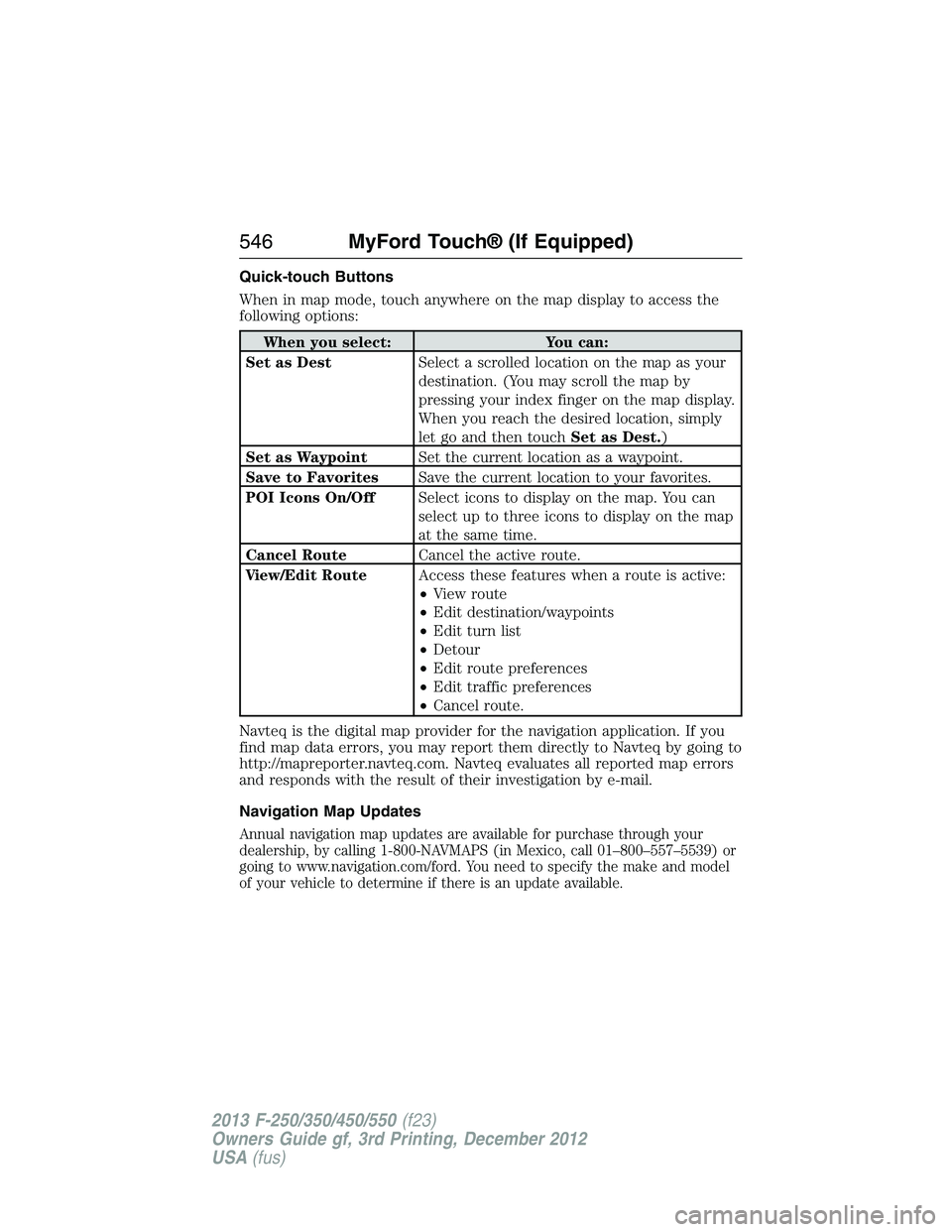
Quick-touch Buttons
When in map mode, touch anywhere on the map display to access the
following options:
When you select: You can:
Set as DestSelect a scrolled location on the map as your
destination. (You may scroll the map by
pressing your index finger on the map display.
When you reach the desired location, simply
let go and then touchSet as Dest.)
Set as WaypointSet the current location as a waypoint.
Save to FavoritesSave the current location to your favorites.
POI Icons On/OffSelect icons to display on the map. You can
select up to three icons to display on the map
at the same time.
Cancel RouteCancel the active route.
View/Edit RouteAccess these features when a route is active:
•View route
•Edit destination/waypoints
•Edit turn list
•Detour
•Edit route preferences
•Edit traffic preferences
•Cancel route.
Navteq is the digital map provider for the navigation application. If you
find map data errors, you may report them directly to Navteq by going to
http://mapreporter.navteq.com. Navteq evaluates all reported map errors
and responds with the result of their investigation by e-mail.
Navigation Map Updates
Annual navigation map updates are available for purchase through your
dealership, by calling 1-800-NAVMAPS (in Mexico, call 01–800–557–5539) or
going to www.navigation.com/ford. You need to specify the make and model
of your vehicle to determine if there is an update available.
546MyFord Touch® (If Equipped)
2013 F-250/350/450/550(f23)
Owners Guide gf, 3rd Printing, December 2012
USA(fus)
Page 575 of 577
Power distribution box
(see Fuses) ...............................291
Power door locks ........................72
Power mirrors .............................92
Powerpoint ................................178
Power steering ..........................240
fluid, checking and adding ....317
fluid, refill capacity ................391
Power Windows ...........................90
Privacy information ..........422, 472
Putting a call on/off hold .........429
Q
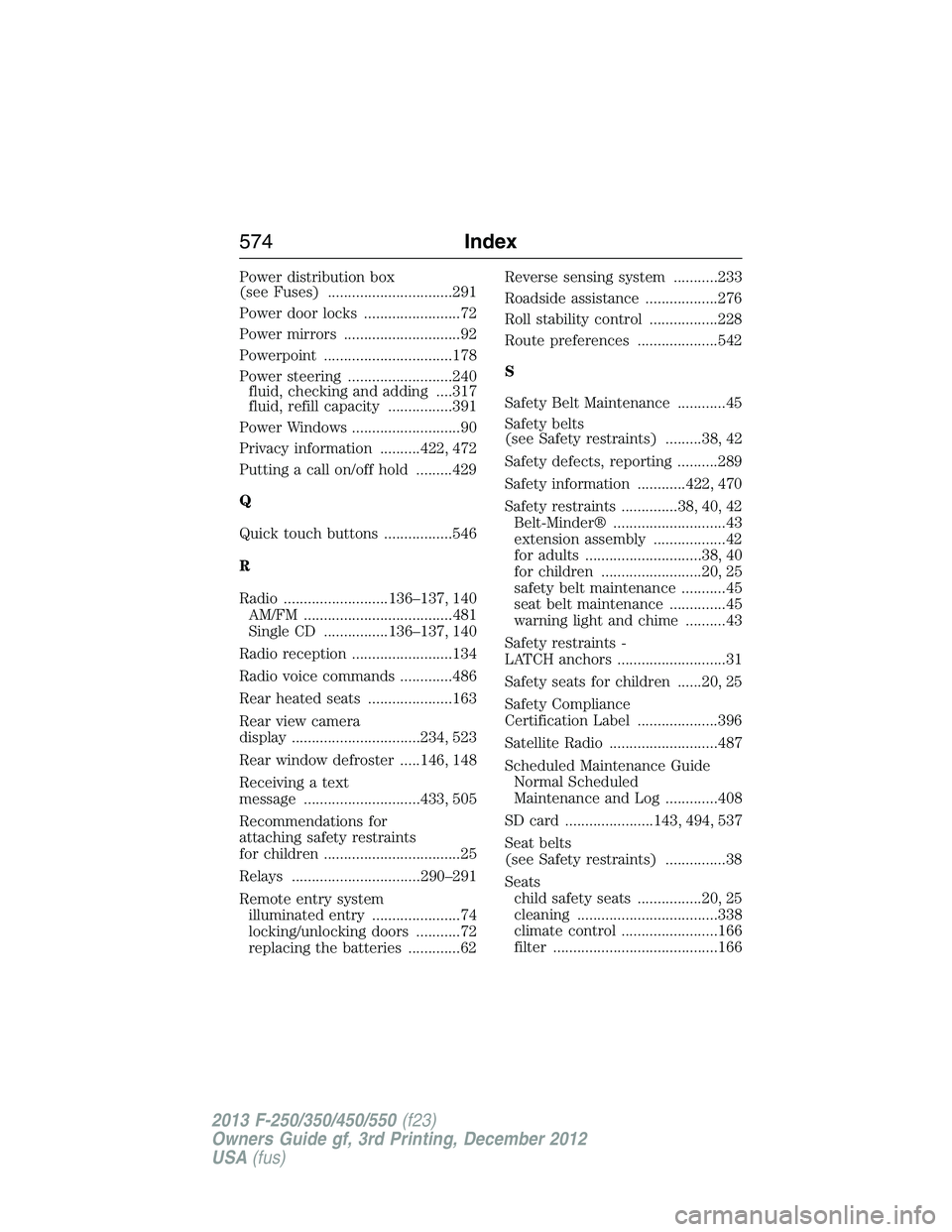
Quick touch buttons .................546
R
Radio ..........................136–137, 140
AM/FM .....................................481
Single CD ................136–137, 140
Radio reception .........................134
Radio voice commands .............486
Rear heated seats .....................163
Rear view camera
display ................................234, 523
Rear window defroster .....146, 148
Receiving a text
message .............................433, 505
Recommendations for
attaching safety restraints
for children ..................................25
Relays ................................290–291
Remote entry system
illuminated entry ......................74
locking/unlocking doors ...........72
replacing the batteries .............62Reverse sensing system ...........233
Roadside assistance ..................276
Roll stability control .................228
Route preferences ....................542
S
Safety Belt Maintenance ............45
Safety belts
(see Safety restraints) .........38, 42
Safety defects, reporting ..........289
Safety information ............422, 470
Safety restraints ..............38, 40, 42
Belt-Minder® ............................43
extension assembly ..................42
for adults .............................38, 40
for children .........................20, 25
safety belt maintenance ...........45
seat belt maintenance ..............45
warning light and chime ..........43
Safety restraints -
LATCH anchors ...........................31
Safety seats for children ......20, 25
Safety Compliance
Certification Label ....................396
Satellite Radio ...........................487
Scheduled Maintenance Guide
Normal Scheduled
Maintenance and Log .............408
SD card ......................143, 494, 537
Seat belts
(see Safety restraints) ...............38
Seats
child safety seats ................20, 25
cleaning ...................................338
climate control ........................166
filter .........................................166
574Index
2013 F-250/350/450/550(f23)
Owners Guide gf, 3rd Printing, December 2012
USA(fus)