seats FORD F250 2013 Workshop Manual
[x] Cancel search | Manufacturer: FORD, Model Year: 2013, Model line: F250, Model: FORD F250 2013Pages: 577, PDF Size: 7.74 MB
Page 300 of 577
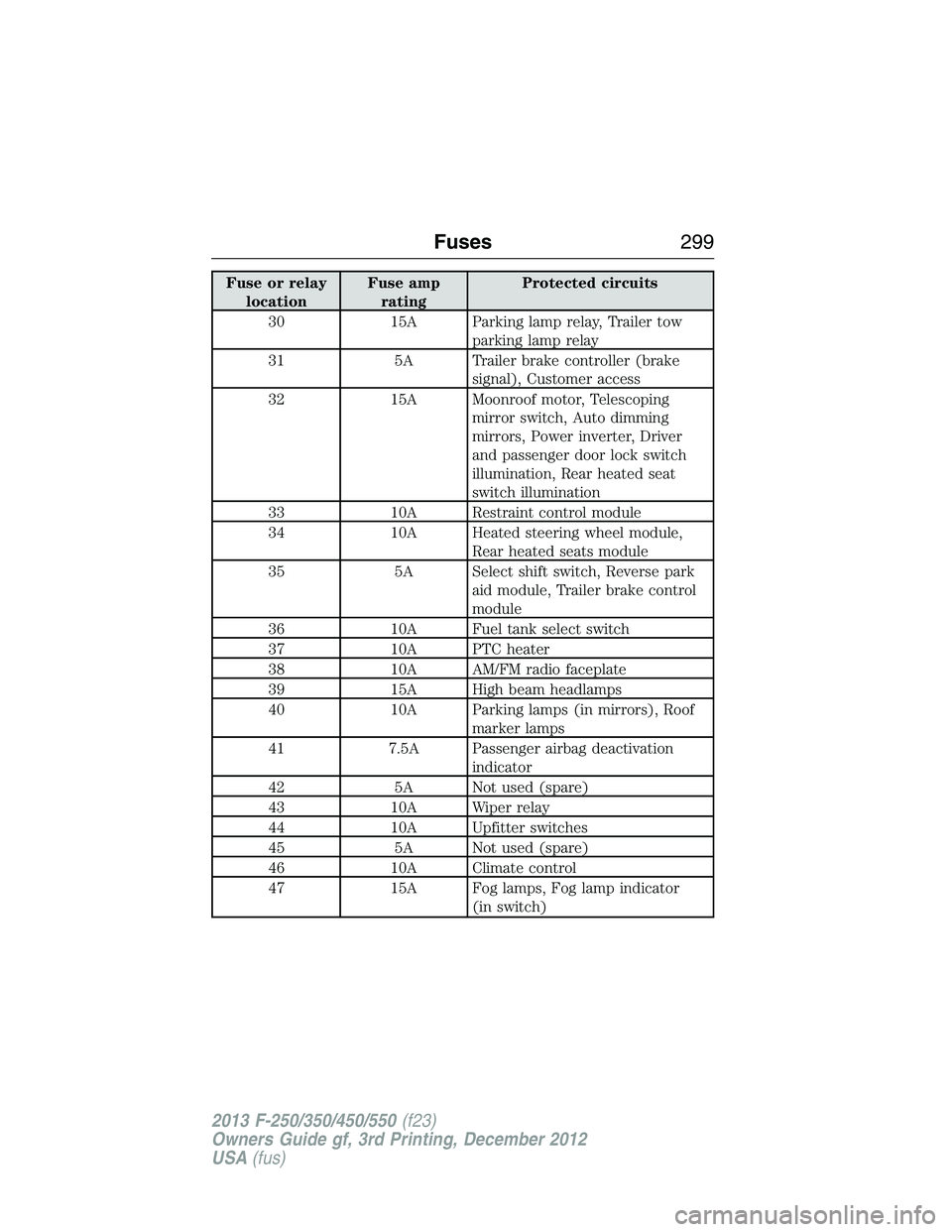
Fuse or relay
locationFuse amp
ratingProtected circuits
30 15A Parking lamp relay, Trailer tow
parking lamp relay
31 5A Trailer brake controller (brake
signal), Customer access
32 15A Moonroof motor, Telescoping
mirror switch, Auto dimming
mirrors, Power inverter, Driver
and passenger door lock switch
illumination, Rear heated seat
switch illumination
33 10A Restraint control module
34 10A Heated steering wheel module,
Rear heated seats module
35 5A Select shift switch, Reverse park
aid module, Trailer brake control
module
36 10A Fuel tank select switch
37 10A PTC heater
38 10A AM/FM radio faceplate
39 15A High beam headlamps
40 10A Parking lamps (in mirrors), Roof
marker lamps
41 7.5A Passenger airbag deactivation
indicator
42 5A Not used (spare)
43 10A Wiper relay
44 10A Upfitter switches
45 5A Not used (spare)
46 10A Climate control
47 15A Fog lamps, Fog lamp indicator
(in switch)
Fuses299
2013 F-250/350/450/550(f23)
Owners Guide gf, 3rd Printing, December 2012
USA(fus)
Page 322 of 577
Battery Management System (If Equipped)
The battery management system (BMS) monitors battery conditions
and takes actions to extend battery life. If excessive battery drain is
detected, the system may temporarily disable certain electrical features
to protect the battery. Those electrical accessories affected include the
rear defrost, heated/cooled seats, climate control fan, heated steering
wheel, audio and navigation system. A message may be shown in the
information displays to alert the driver that battery protection actions
are active. These messages are only for notification that an action is
taking place, and not intended to indicate an electrical problem or that
the battery requires replacement.
Electrical accessory installation
To ensure proper operation of the BMS, any electrical devices that are
added to the vehicle should not have their ground connection made
directly at the negative battery post. A connection at the negative
battery post can cause inaccurate measurements of the battery
condition and potential incorrect system operation.
Note:Electrical or electronic accessories added to the vehicle by the
dealer or the owner may adversely affect battery performance and
durability, and may also affect the performance of other electrical
systems in the vehicle.
When a battery replacement is required, the battery should only be
replaced with a Ford recommended replacement battery which matches
the electrical requirements of the vehicle. After battery replacement,
or in some cases after charging the battery with the external charger,
the BMS requires eight hours of vehicle sleep time (key off with doors
closed) to relearn the new battery state of charge. Prior to relearning the
state of charge, the BMS may disable electrical features (to protect the
battery) earlier than normal.
CHECKING THE WIPER BLADES
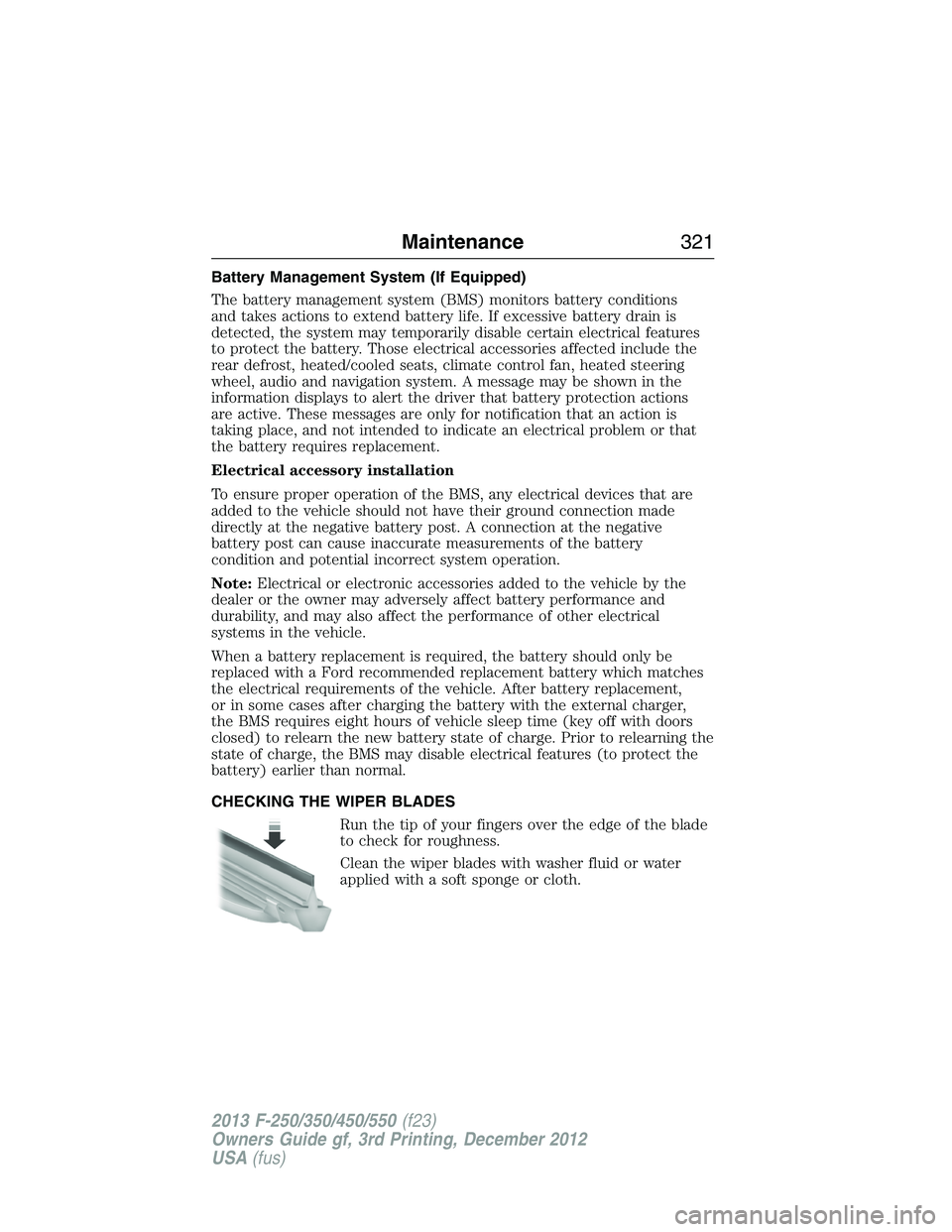
Run the tip of your fingers over the edge of the blade
to check for roughness.
Clean the wiper blades with washer fluid or water
applied with a soft sponge or cloth.
Maintenance321
2013 F-250/350/450/550(f23)
Owners Guide gf, 3rd Printing, December 2012
USA(fus)
Page 337 of 577
For fabric, carpets, cloth seats, safety belts and seats equipped with side
airbags:
•Remove dust and loose dirt with a vacuum cleaner.
•Remove light stains and soil with Motorcraft® Professional Strength
Carpet & Upholstery Cleaner.
•If grease or tar is present on the material, spot-clean the area
first with Motorcraft® Spot and Stain Remover. In Canada, use
Motorcraft® Multi-Purpose Cleaner.
•If a ring forms on the fabric after spot cleaning, clean the entire area
immediately (but do not oversaturate) or the ring will set.
•Do not use household cleaning products or glass cleaners, which can
stain and discolor the fabric and affect the flame retardant abilities of
the seat materials.
CLEANING THE INSTRUMENT PANEL AND INSTRUMENT
CLUSTER LENS
WARNING:Do not use chemical solvents or strong detergents
when cleaning the steering wheel or instrument panel to avoid
contamination of the airbag system.
Clean the instrument panel and cluster lens with a clean, damp, white,
cotton cloth, then use a clean and dry, white, cotton cloth to dry these
areas.
•Avoid cleaners or polishes that increase the gloss of the upper portion
of the instrument panel. The dull finish in this area helps protect the
driver from undesirable windshield reflection.
•Be certain to wash or wipe your hands clean if you have been in
contact with certain products, such as insect repellent and suntan
lotion, in order to avoid possible damage to the interior painted
surfaces.
•Do not use household or glass cleaners as these may damage the
finish of the instrument panel, interior trim and cluster lens.
•Do not allow air fresheners and hand sanitizers to spill on interior
surfaces. If a spill occurs, wipe off immediately. Damage may not be
covered by your warranty.
336Vehicle Care
2013 F-250/350/450/550(f23)
Owners Guide gf, 3rd Printing, December 2012
USA(fus)
Page 339 of 577
Low gloss paint area
The low gloss area of the instrument panel’s upper dash should be
cleaned with mild, soapy water and a soft, damp cloth, then dried with a
clean, dry cloth. When cleaning the low gloss areas:
•Do not usepaper towels or newspaper.
•Do not usesilicone or Teflon® (PTFE)-based products.
•Do not useexterior paint waxes or sealants.
Dust the low gloss areas with a clean, dry cloth, or use Motorcraft
Dusting Cloth (ZC-24).
CLEANING LEATHER SEATS
(IF EQUIPPED, EXCEPT FOR THE KING RANCH® EDITION)
Note:For the King Ranch® Edition leather seats, refer to a separate
section in this chapter.
•Clean spills and stains as quickly as possible.
•For routine cleaning, wipe the surface with a soft, damp cloth. For
more thorough cleaning, wipe the surface with a mild soap and water
solution. In Canada, use Motorcraft® Vinyl Cleaner (CXC-93). Dry the
area with a soft cloth.
•If the leather cannot be completely cleaned using a mild soap and
water solution, the leather may be cleaned using a commercially
available leather cleaning product designed for automotive interiors.
•To check for compatibility, first test any cleaner or stain remover on
an inconspicuous part of the leather.
•Do not use household cleaning products, alcohol solutions, solvents or
cleaners intended for rubber, vinyl and plastics, or oil/petroleum-based
leather conditioners. These products may cause premature wearing or
damage to the leather.
CLEANING LEATHER SEATS
(IF EQUIPPED WITH THE KING RANCH® EDITION)
Your vehicle is equipped with seating covered in premium, top-grain
leather which is extremely durable, but still requires special care and
maintenance in order to ensure longevity and comfort.
Regular cleaning and conditioning will maintain the appearance of the
leather.
338Vehicle Care
2013 F-250/350/450/550(f23)
Owners Guide gf, 3rd Printing, December 2012
USA(fus)
Page 423 of 577
Safety Information
WARNING:Driving while distracted can result in loss of vehicle
control, accident and injury. Ford strongly recommends that
drivers use extreme caution when using any device that may take their
focus off the road. Your primary responsibility is the safe operation of
the vehicle. We recommend against the use of any handheld device
while driving, encourage the use of voice-operated systems when
possible and that you become aware of applicable state and local laws
that may affect use of electronic devices while driving.
When using SYNC:
•Do not operate playing devices if the power cords or cables are
broken, split or damaged. Place cords and cables out of the way,
so they do not interfere with the operation of pedals, seats,
compartments or safe driving abilities.
•Do not leave playing devices in your vehicle during extreme conditions
as it could cause them damage. See your device’s manual for further
information.
•Do not attempt to service or repair the system. See your authorized
dealer.
For your safety, some SYNC functions are speed-dependent. Their use is
limited to when your vehicle is traveling at speeds under 3 mph (5 km/h).
Make sure that you review your device’s manual before using it with SYNC.
Privacy Information
When a cellular phone is connected to SYNC, the system creates a profile
within your vehicle that is linked to that cellular phone. This profile is
created in order to offer you more cellular features and to operate more
efficiently. Among other things, this profile may contain data about your
cellular phone book, text messages (read and unread), and call history,
including history of calls when your cell phone was not connected to the
system. In addition, if you connect a media device, the system creates and
retains an index of supported media content. The system also records a
short development log of approximately 10 minutes of all recent system
activity. The log profile and other system data may be used to improve the
system and help diagnose any problems that may occur.
422SYNC®
2013 F-250/350/450/550(f23)
Owners Guide gf, 3rd Printing, December 2012
USA(fus)
Page 471 of 577
Safety information
WARNING:Driving while distracted can result in loss of vehicle
control, accident and injury. Ford strongly recommends that
drivers use extreme caution when using any device that may take their
focus off the road. Your primary responsibility is the safe operation of
the vehicle. We recommend against the use of any handheld device
while driving, encourage the use of voice-operated systems when
possible and that you become aware of applicable state and local laws
that may affect use of electronic devices while driving.
•
Do not attempt to service or repair SYNC®. See your authorized dealer.
•Do not operate playing devices if the power cords and/or cables are
broken, split or damaged. Carefully place cords and/or cables where
they will not be stepped on or interfere with the operation of pedals,
seats and/or compartments, or safe driving abilities.
•Do not leave playing devices in the vehicle in extreme conditions as it
could cause damage to your device. Refer to your device’s user guide
for further information.
•For your safety, some SYNC® functions are speed dependent and
cannot be performed when the vehicle is traveling at speeds greater
than 3 mph (5 km/h).
•Ensure that you review your device’s user guide before using with
SYNC®.
Speed-restricted Features
Some features of this system may be too difficult to use while your
vehicle is moving so they are restricted from use unless your vehicle is
stationary.
•Screens that are too crowded with information, such as Point of
Interest reviews and ratings, SIRIUS Travel Link sports scores, movie
times and ski conditions.
•Any action that requires you to use a keyboard is restricted, such as
entering a navigation destination or editing information.
•All lists are limited so the user can view fewer entries (such as phone
contacts or recent phone call entries).
470MyFord Touch® (If Equipped)
2013 F-250/350/450/550(f23)
Owners Guide gf, 3rd Printing, December 2012
USA(fus)
Page 536 of 577
F.A/C:Touch to turn the air conditioning on or off.
•Use with recirculated air to improve cooling performance and
efficiency.
•Engages automatically in MAX A/C, defrost and floor/defrost.
G.AUTO:Touch to engage automatic operation, then set the
temperature using the temperature control. The system automatically
controls:
•Fan speed
•Airflow distribution
•A/Conoroff
•Outside or recirculated air.
H.Rear defroster:Touch to turn the rear window defroster and heated
mirrors.
I.Defrost:Touch to clear the windshield of fog and thin ice. Touch
again to return to the previous airflow selection. When on, defrost:
•Provides outside air to reduce window fogging.
•Distributes air through the windshield defroster vents and demister
vents.
J.Manual controls:Select any of the following airflow distribution
modes:
•Floor and Defrost:Distributes air through the windshield defroster
vents, demister vents, floor vents and rear seat floor vents, and
provides outside air to reduce window fogging.
•Panel:Distributes air through the instrument panel vents.
•Panel and Floor:Distributes air through the instrument panel vents,
demister vents, floor vents and rear seat floor vents.
•Floor:Distributes air through the demister vents, floor vents and
rear seat floor vents.
K.Driver settings:Depending on your vehicle and option package, you
may have the following features:
•Touch+or–to adjust the temperature.
•If your vehicle is equipped with heated seats, touch the heated seat
icon to control the heated seat. See theSeatschapter.
•If your vehicle is equipped with cooled seats, touch the cooled seat
icon to control the cooled seat. See theSeatschapter.
•Touch and holdMyTempto select a temperature you would like your
vehicle to remember and maintain for you.
•If your vehicle is equipped with a heated steering wheel, touch the
heated steering wheel icon to warm the steering wheel.
Note:If your vehicle is equipped with a wood-trimmed steering wheel, it
does not heat between the 10 o’clock and 2 o’clock positions.
MyFord Touch® (If Equipped)535
2013 F-250/350/450/550(f23)
Owners Guide gf, 3rd Printing, December 2012
USA(fus)
Page 570 of 577
911 Assist™ ......................441, 516
A
ABS (see Brakes) .....................223
Accessing and using your
USB port ....................................494
Accessing call history/phone
book during active call .............429
Accessing your calendar ..........515
Accessing your media menu
features ......................................454
Accessing your phone menu
features ......................................431
Accessory delay ..........................92
Active call menu options .........429
Adding (pairing) a phone ........502
Advanced menu options ...439, 459
Advanced menu options
(prompts, languages, defaults,
master reset, installing
applications) ..............................439
Airbag supplemental restraint
system ..........................................48
and child safety seats ..............49
description ................................48
disposal ......................................60
driver airbag ..............................48
passenger airbag .......................48
passenger deactivation
switch ........................................51
side airbag ...........................48, 56
Air cleaner filter ...............323, 395
Air conditioning ........................146
manual heating and air
conditioning system ...............146
Air filter .............................323, 395All Wheel Drive (AWD),
driving off road .........................209
Ambient mood/lighting .....522–523
Ambulance packages ..................16
AM/FM .......................................481
Antifreeze
(see Engine coolant) ................307
Anti-lock brake system
(see Brakes) ..............................223
Anti-theft system ..................77, 79
arming the system ..............77, 79
disarming a triggered system ..79
AppLink™ .................................449
Audio system
Single CD ................136–137, 140
Audio system
(see Radio) ................136–137, 140
Automatic transmission ............201
driving an automatic
overdrive .................................199
fluid, adding ............................313
fluid, checking ........................313
fluid, refill capacities ..............391
fluid, specification ..................391
Selectshift (SST) ....................204
Auxiliary Input Jack .................490
Auxiliary input jack (Line in) ..141
Auxiliary powerpoint ................178
A/V inputs ..........................143, 498
Axle
refill capacities ........................391
B
Battery .......................................318
acid, treating emergencies .....318
jumping a disabled battery ....279
Index569
2013 F-250/350/450/550(f23)
Owners Guide gf, 3rd Printing, December 2012
USA(fus)
Page 571 of 577
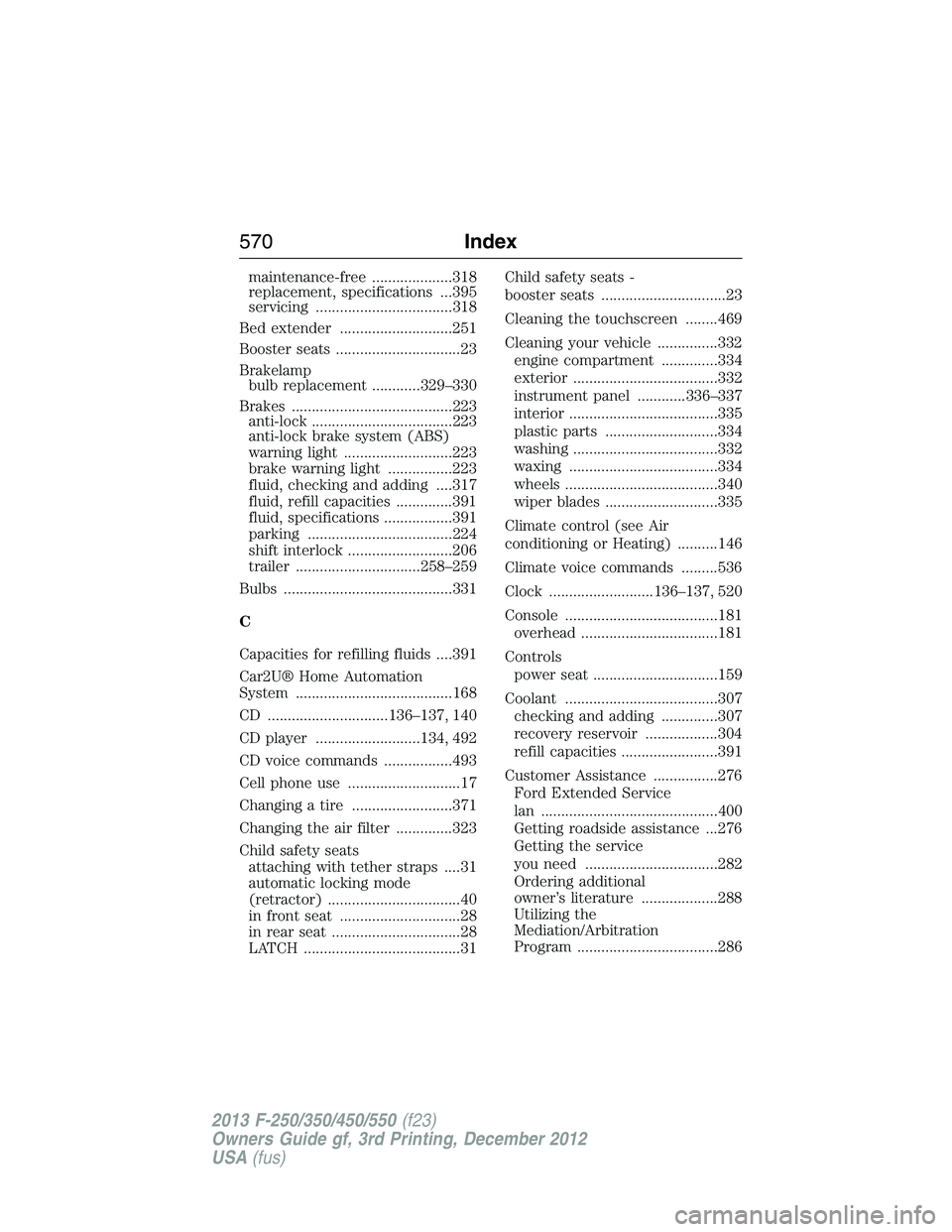
maintenance-free ....................318
replacement, specifications ...395
servicing ..................................318
Bed extender ............................251
Booster seats ...............................23
Brakelamp
bulb replacement ............329–330
Brakes ........................................223
anti-lock ...................................223
anti-lock brake system (ABS)
warning light ...........................223
brake warning light ................223
fluid, checking and adding ....317
fluid, refill capacities ..............391
fluid, specifications .................391
parking ....................................224
shift interlock ..........................206
trailer ...............................258–259
Bulbs ..........................................331
C
Capacities for refilling fluids ....391
Car2U® Home Automation
System .......................................168
CD ..............................136–137, 140
CD player ..........................134, 492
CD voice commands .................493
Cell phone use ............................17
Changing a tire .........................371
Changing the air filter ..............323
Child safety seats
attaching with tether straps ....31
automatic locking mode
(retractor) .................................40
in front seat ..............................28
in rear seat ................................28
LATCH .......................................31Child safety seats -
booster seats ...............................23
Cleaning the touchscreen ........469
Cleaning your vehicle ...............332
engine compartment ..............334
exterior ....................................332
instrument panel ............336–337
interior .....................................335
plastic parts ............................334
washing ....................................332
waxing .....................................334
wheels ......................................340
wiper blades ............................335
Climate control (see Air
conditioning or Heating) ..........146
Climate voice commands .........536
Clock ..........................136–137, 520
Console ......................................181
overhead ..................................181
Controls
power seat ...............................159
Coolant ......................................307
checking and adding ..............307
recovery reservoir ..................304
refill capacities ........................391
Customer Assistance ................276
Ford Extended Service
lan ............................................400
Getting roadside assistance ...276
Getting the service
you need .................................282
Ordering additional
owner’s literature ...................288
Utilizing the
Mediation/Arbitration
Program ...................................286
570Index
2013 F-250/350/450/550(f23)
Owners Guide gf, 3rd Printing, December 2012
USA(fus)
Page 574 of 577
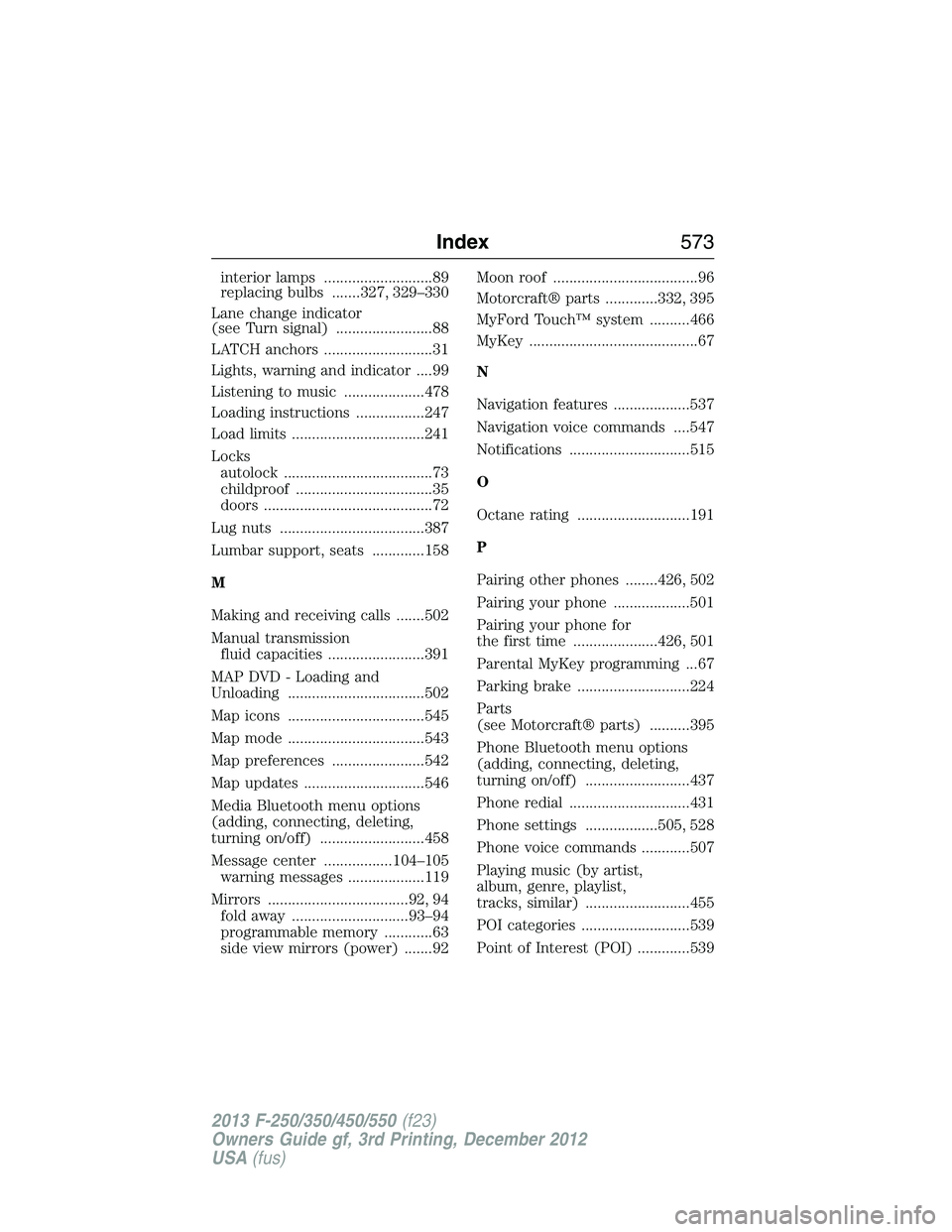
interior lamps ...........................89
replacing bulbs .......327, 329–330
Lane change indicator
(see Turn signal) ........................88
LATCH anchors ...........................31
Lights, warning and indicator ....99
Listening to music ....................478
Loading instructions .................247
Load limits .................................241
Locks
autolock .....................................73
childproof ..................................35
doors ..........................................72
Lug nuts ....................................387
Lumbar support, seats .............158
M
Making and receiving calls .......502
Manual transmission
fluid capacities ........................391
MAP DVD - Loading and
Unloading ..................................502
Map icons ..................................545
Map mode ..................................543
Map preferences .......................542
Map updates ..............................546
Media Bluetooth menu options
(adding, connecting, deleting,
turning on/off) ..........................458
Message center .................104–105
warning messages ...................119
Mirrors ...................................92, 94
fold away .............................93–94
programmable memory ............63
side view mirrors (power) .......92Moon roof ....................................96
Motorcraft® parts .............332, 395
MyFord Touch™ system ..........466
MyKey ..........................................67
N
Navigation features ...................537
Navigation voice commands ....547
Notifications ..............................515
O
Octane rating ............................191
P
Pairing other phones ........426, 502
Pairing your phone ...................501
Pairing your phone for
the first time .....................426, 501
Parental MyKey programming ...67
Parking brake ............................224
Parts
(see Motorcraft® parts) ..........395
Phone Bluetooth menu options
(adding, connecting, deleting,
turning on/off) ..........................437
Phone redial ..............................431
Phone settings ..................505, 528
Phone voice commands ............507
Playing music (by artist,
album, genre, playlist,
tracks, similar) ..........................455
POI categories ...........................539
Point of Interest (POI) .............539
Index573
2013 F-250/350/450/550(f23)
Owners Guide gf, 3rd Printing, December 2012
USA(fus)