traction control FORD F250 2013 Owners Manual
[x] Cancel search | Manufacturer: FORD, Model Year: 2013, Model line: F250, Model: FORD F250 2013Pages: 577, PDF Size: 7.74 MB
Page 5 of 577
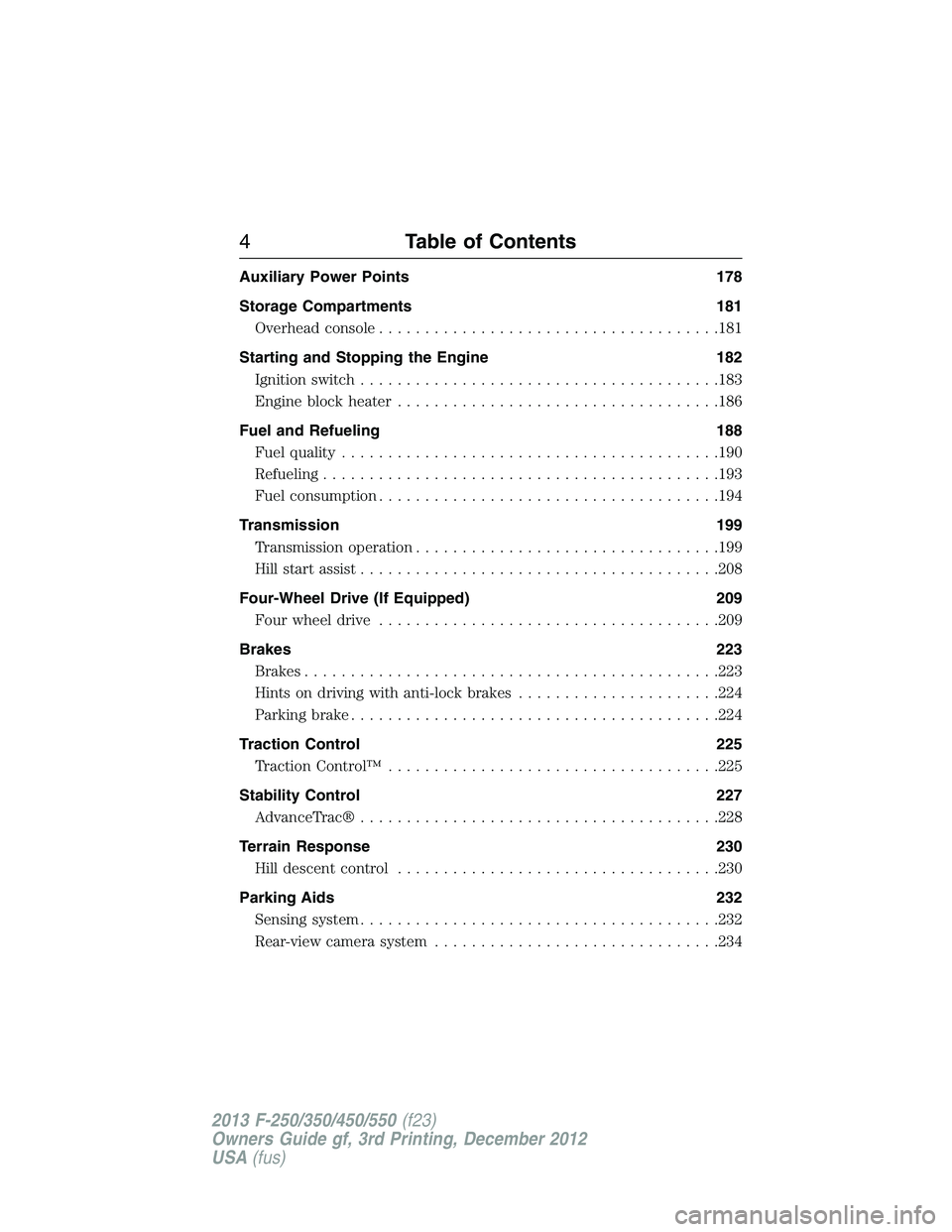
Auxiliary Power Points 178
Storage Compartments 181
Overhead console.....................................181
Starting and Stopping the Engine 182
Ignition switch.......................................183
Engine block heater...................................186
Fuel and Refueling 188
Fuel quality.........................................190
Refueling...........................................193
Fuel consumption.....................................194
Transmission 199
Transmission operation.................................199
Hill start assist.......................................208
Four-Wheel Drive (If Equipped) 209
Four wheel drive.....................................209
Brakes 223
Brakes.............................................223
Hints on driving with anti-lock brakes......................224
Parking brake........................................224
Traction Control 225
TractionControl™ ....................................225
Stability Control 227
AdvanceTrac®.......................................228
Terrain Response 230
Hill descent control...................................230
Parking Aids 232
Sensing system.......................................232
Rear-view camera system...............................234
4Table of Contents
2013 F-250/350/450/550(f23)
Owners Guide gf, 3rd Printing, December 2012
USA(fus)
Page 103 of 577
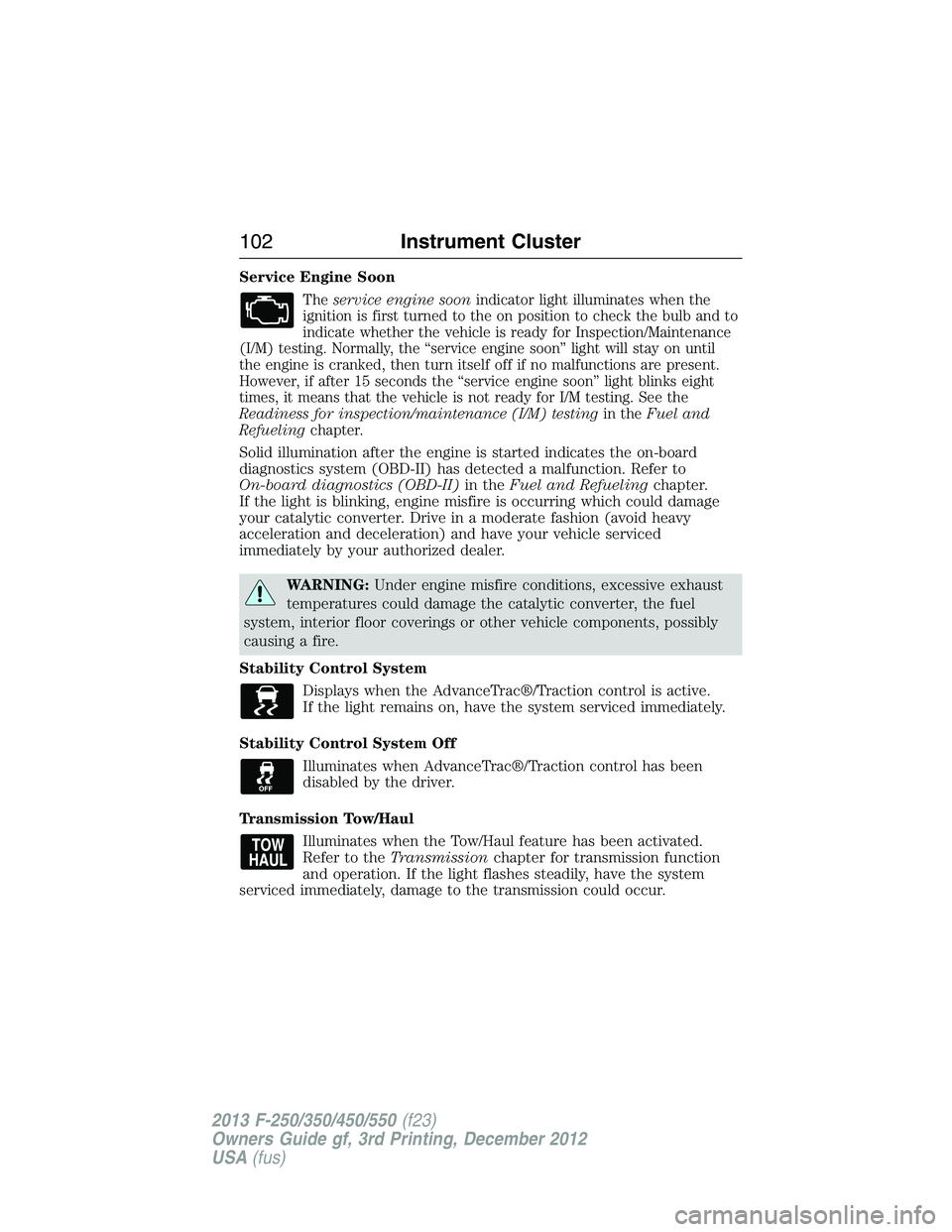
Service Engine Soon
Theservice engine soonindicator light illuminates when the
ignition is first turned to the on position to check the bulb and to
indicate whether the vehicle is ready for Inspection/Maintenance
(I/M) testing. Normally, the “service engine soon” light will stay on until
the engine is cranked, then turn itself off if no malfunctions are present.
However, if after 15 seconds the “service engine soon” light blinks eight
times, it means that the vehicle is not ready for I/M testing. See the
Readiness for inspection/maintenance (I/M) testingin theFuel and
Refuelingchapter.
Solid illumination after the engine is started indicates the on-board
diagnostics system (OBD-II) has detected a malfunction. Refer to
On-board diagnostics (OBD-II)in theFuel and Refuelingchapter.
If the light is blinking, engine misfire is occurring which could damage
your catalytic converter. Drive in a moderate fashion (avoid heavy
acceleration and deceleration) and have your vehicle serviced
immediately by your authorized dealer.
WARNING:Under engine misfire conditions, excessive exhaust
temperatures could damage the catalytic converter, the fuel
system, interior floor coverings or other vehicle components, possibly
causing a fire.
Stability Control System
Displays when the AdvanceTrac®/Traction control is active.
If the light remains on, have the system serviced immediately.
Stability Control System Off
Illuminates when AdvanceTrac®/Traction control has been
disabled by the driver.
Transmission Tow/Haul
Illuminates when the Tow/Haul feature has been activated.
Refer to theTransmissionchapter for transmission function
and operation. If the light flashes steadily, have the system
serviced immediately, damage to the transmission could occur.
102Instrument Cluster
2013 F-250/350/450/550(f23)
Owners Guide gf, 3rd Printing, December 2012
USA(fus)
Page 114 of 577
•Instant MPG: shows instantaneous fuel usage.
•Miles to empty: shows the approximate distance the vehicle can travel
before running out of fuel.
•Average MPG: shows the average fuel usage based on time. See Fuel
Hist. to change the time interval. Press and hold OK to reset this
value.
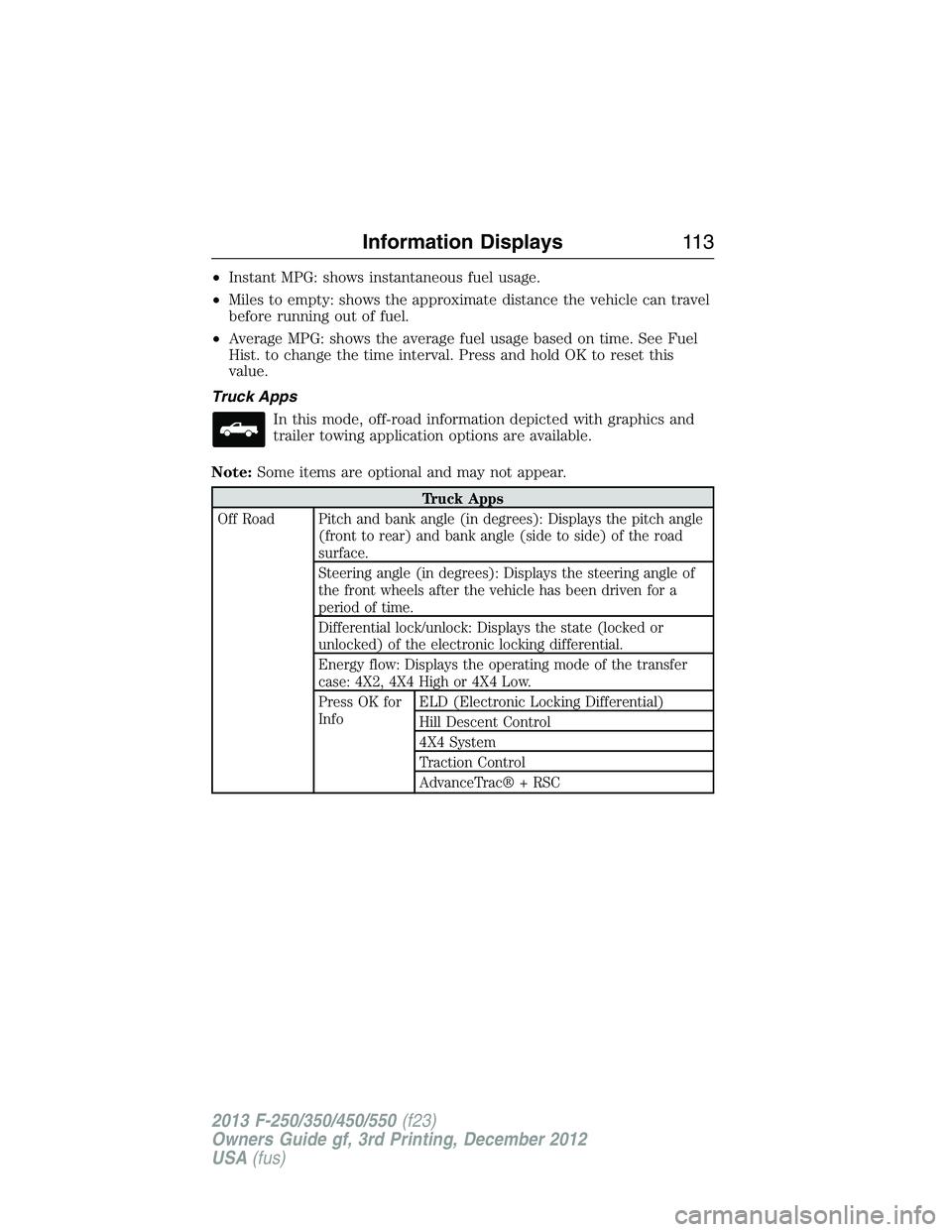
Truck Apps
In this mode, off-road information depicted with graphics and
trailer towing application options are available.
Note:Some items are optional and may not appear.
Truck Apps
Off Road Pitch and bank angle (in degrees): Displays the pitch angle
(front to rear) and bank angle (side to side) of the road
surface.
Steering angle (in degrees): Displays the steering angle of
the front wheels after the vehicle has been driven for a
period of time.
Differential lock/unlock: Displays the state (locked or
unlocked) of the electronic locking differential.
Energy flow: Displays the operating mode of the transfer
case: 4X2, 4X4 High or 4X4 Low.
Press OK for
InfoELD (Electronic Locking Differential)
Hill Descent Control
4X4 System
Traction Control
AdvanceTrac® + RSC
Information Displays11 3
2013 F-250/350/450/550(f23)
Owners Guide gf, 3rd Printing, December 2012
USA(fus)
Page 120 of 577
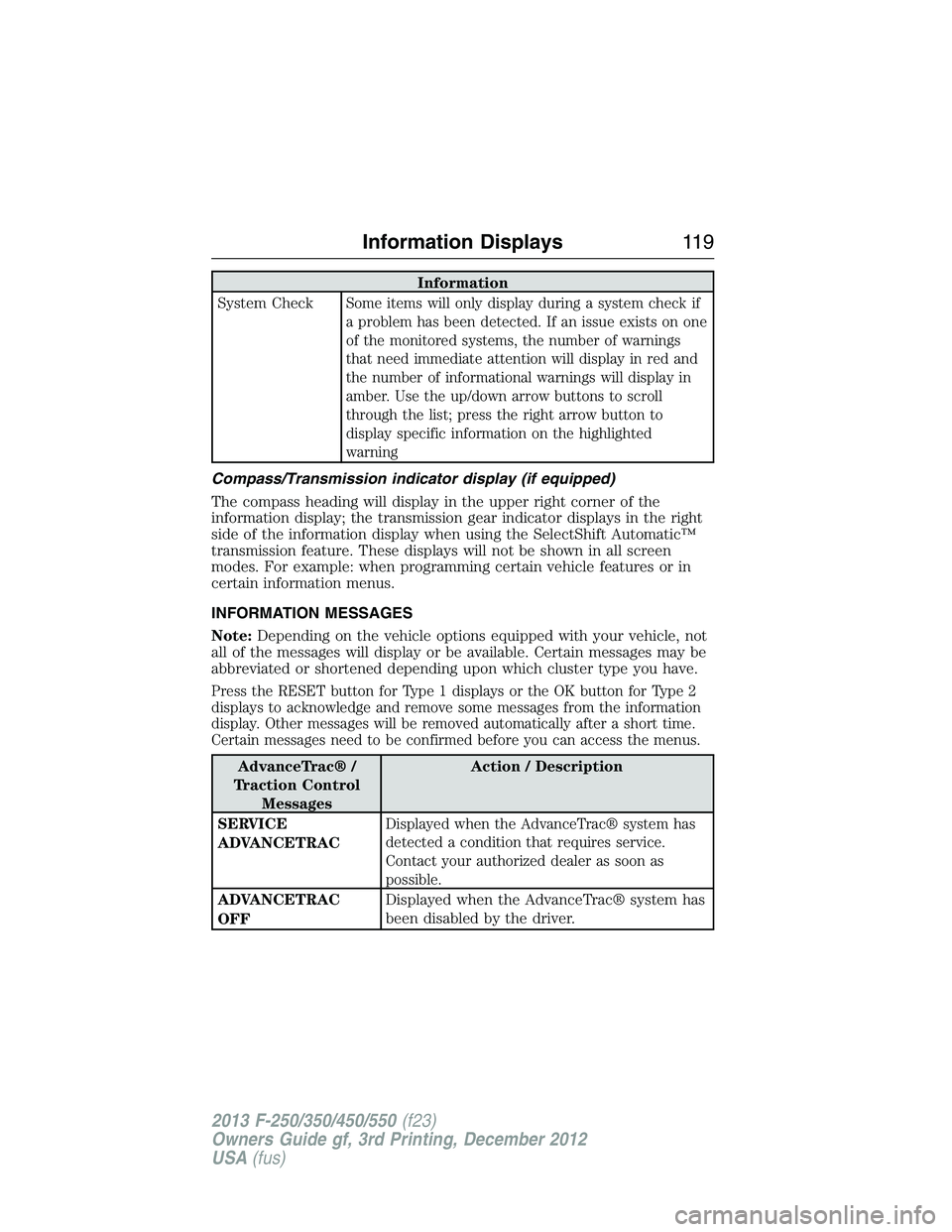
Information
System Check
Some items will only display during a system check if
a problem has been detected. If an issue exists on one
of the monitored systems, the number of warnings
that need immediate attention will display in red and
the number of informational warnings will display in
amber. Use the up/down arrow buttons to scroll
through the list; press the right arrow button to
display specific information on the highlighted
warning
Compass/Transmission indicator display (if equipped)
The compass heading will display in the upper right corner of the
information display; the transmission gear indicator displays in the right
side of the information display when using the SelectShift Automatic™
transmission feature. These displays will not be shown in all screen
modes. For example: when programming certain vehicle features or in
certain information menus.
INFORMATION MESSAGES
Note:Depending on the vehicle options equipped with your vehicle, not
all of the messages will display or be available. Certain messages may be
abbreviated or shortened depending upon which cluster type you have.
Press the RESET button for Type 1 displays or the OK button for Type 2
displays to acknowledge and remove some messages from the information
display. Other messages will be removed automatically after a short time.
Certain messages need to be confirmed before you can access the menus.
AdvanceTrac® /
Traction Control
MessagesAction / Description
SERVICE
ADVANCETRAC
Displayed when the AdvanceTrac® system has
detected a condition that requires service.
Contact your authorized dealer as soon as
possible.
ADVANCETRAC
OFFDisplayed when the AdvanceTrac® system has
been disabled by the driver.
Information Displays11 9
2013 F-250/350/450/550(f23)
Owners Guide gf, 3rd Printing, December 2012
USA(fus)
Page 121 of 577
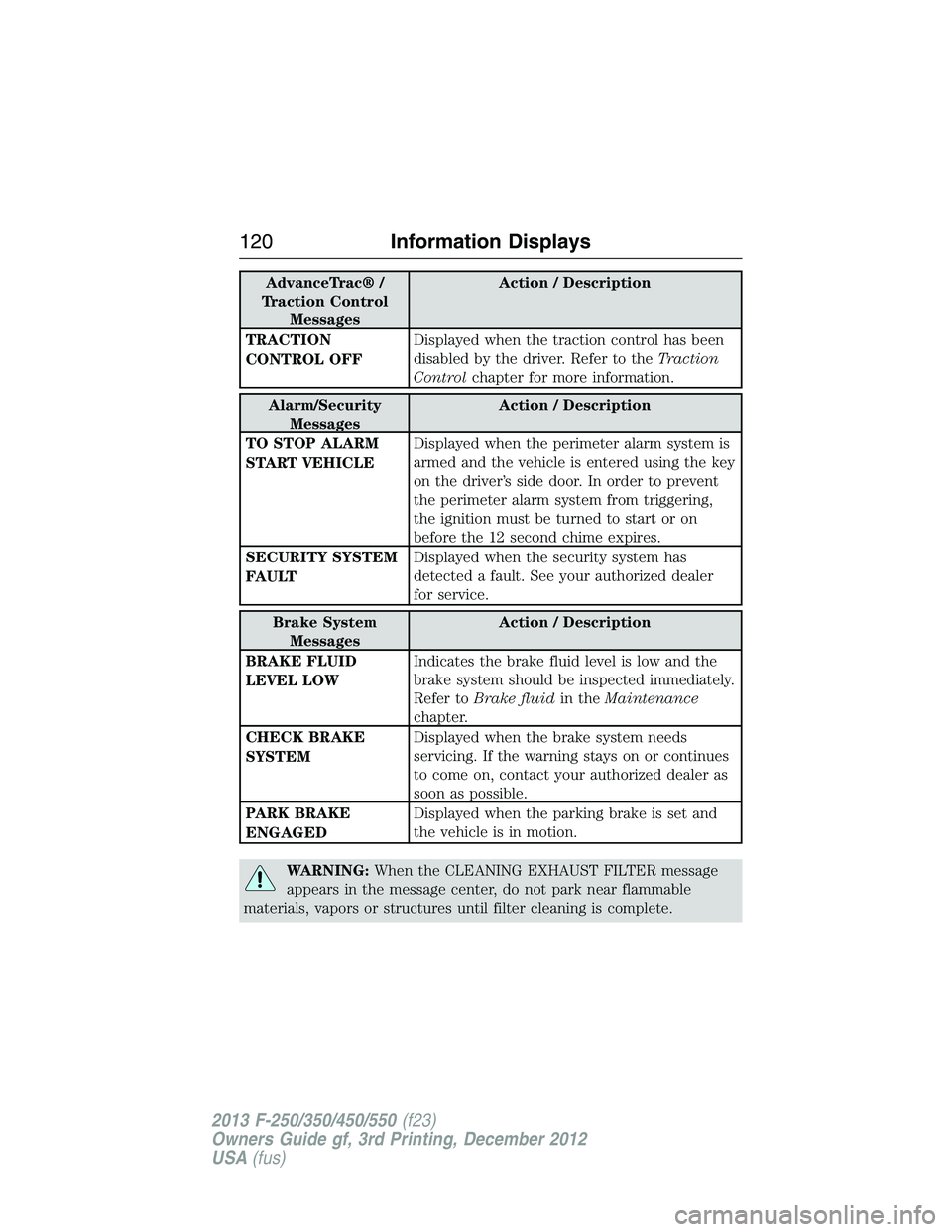
AdvanceTrac® /
Traction Control
MessagesAction / Description
TRACTION
CONTROL OFFDisplayed when the traction control has been
disabled by the driver. Refer to theTraction
Controlchapter for more information.
Alarm/Security
MessagesAction / Description
TO STOP ALARM
START VEHICLEDisplayed when the perimeter alarm system is
armed and the vehicle is entered using the key
on the driver’s side door. In order to prevent
the perimeter alarm system from triggering,
the ignition must be turned to start or on
before the 12 second chime expires.
SECURITY SYSTEM
FAULTDisplayed when the security system has
detected a fault. See your authorized dealer
for service.
Brake System
MessagesAction / Description
BRAKE FLUID
LEVEL LOWIndicates the brake fluid level is low and the
brake system should be inspected immediately.
Refer toBrake fluidin theMaintenance
chapter.
CHECK BRAKE
SYSTEMDisplayed when the brake system needs
servicing. If the warning stays on or continues
to come on, contact your authorized dealer as
soon as possible.
PARK BRAKE
ENGAGEDDisplayed when the parking brake is set and
the vehicle is in motion.
WARNING:When the CLEANING EXHAUST FILTER message
appears in the message center, do not park near flammable
materials, vapors or structures until filter cleaning is complete.
120Information Displays
2013 F-250/350/450/550(f23)
Owners Guide gf, 3rd Printing, December 2012
USA(fus)
Page 201 of 577
D (Overdrive) with Tow/Haul Off
D (Overdrive) with tow/haul off is the normal driving position for the
best fuel economy. The overdrive function allows automatic upshifts and
downshifts through gears one through five.
D (Overdrive) with Tow/Haul On
The tow/haul feature improves transmission operation when towing a
trailer or a heavy load. All transmission gear ranges are available when
using tow/haul.
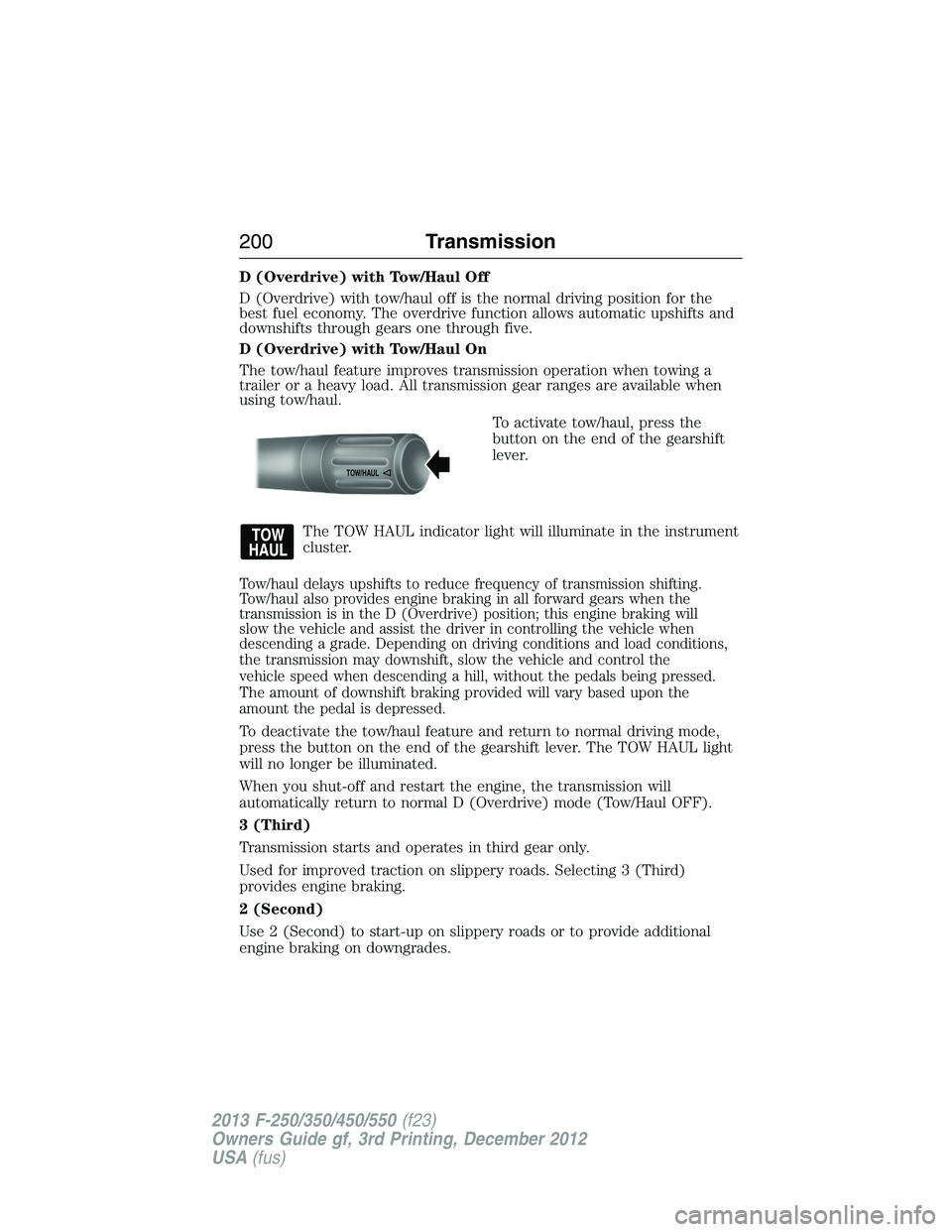
To activate tow/haul, press the
button on the end of the gearshift
lever.
The TOW HAUL indicator light will illuminate in the instrument
cluster.
Tow/haul delays upshifts to reduce frequency of transmission shifting.
Tow/haul also provides engine braking in all forward gears when the
transmission is in the D (Overdrive) position; this engine braking will
slow the vehicle and assist the driver in controlling the vehicle when
descending a grade. Depending on driving conditions and load conditions,
the transmission may downshift, slow the vehicle and control the
vehicle speed when descending a hill, without the pedals being pressed.
The amount of downshift braking provided will vary based upon the
amount the pedal is depressed.
To deactivate the tow/haul feature and return to normal driving mode,
press the button on the end of the gearshift lever. The TOW HAUL light
will no longer be illuminated.
When you shut-off and restart the engine, the transmission will
automatically return to normal D (Overdrive) mode (Tow/Haul OFF).
3 (Third)
Transmission starts and operates in third gear only.
Used for improved traction on slippery roads. Selecting 3 (Third)
provides engine braking.
2 (Second)
Use 2 (Second) to start-up on slippery roads or to provide additional
engine braking on downgrades.
TOW/H
AUL
200Transmission
2013 F-250/350/450/550(f23)
Owners Guide gf, 3rd Printing, December 2012
USA(fus)
Page 212 of 577
4X4 LOW- Continuously illuminates when 4L is selected.
CHECK 4X4- Displays when a 4X4 fault is present.
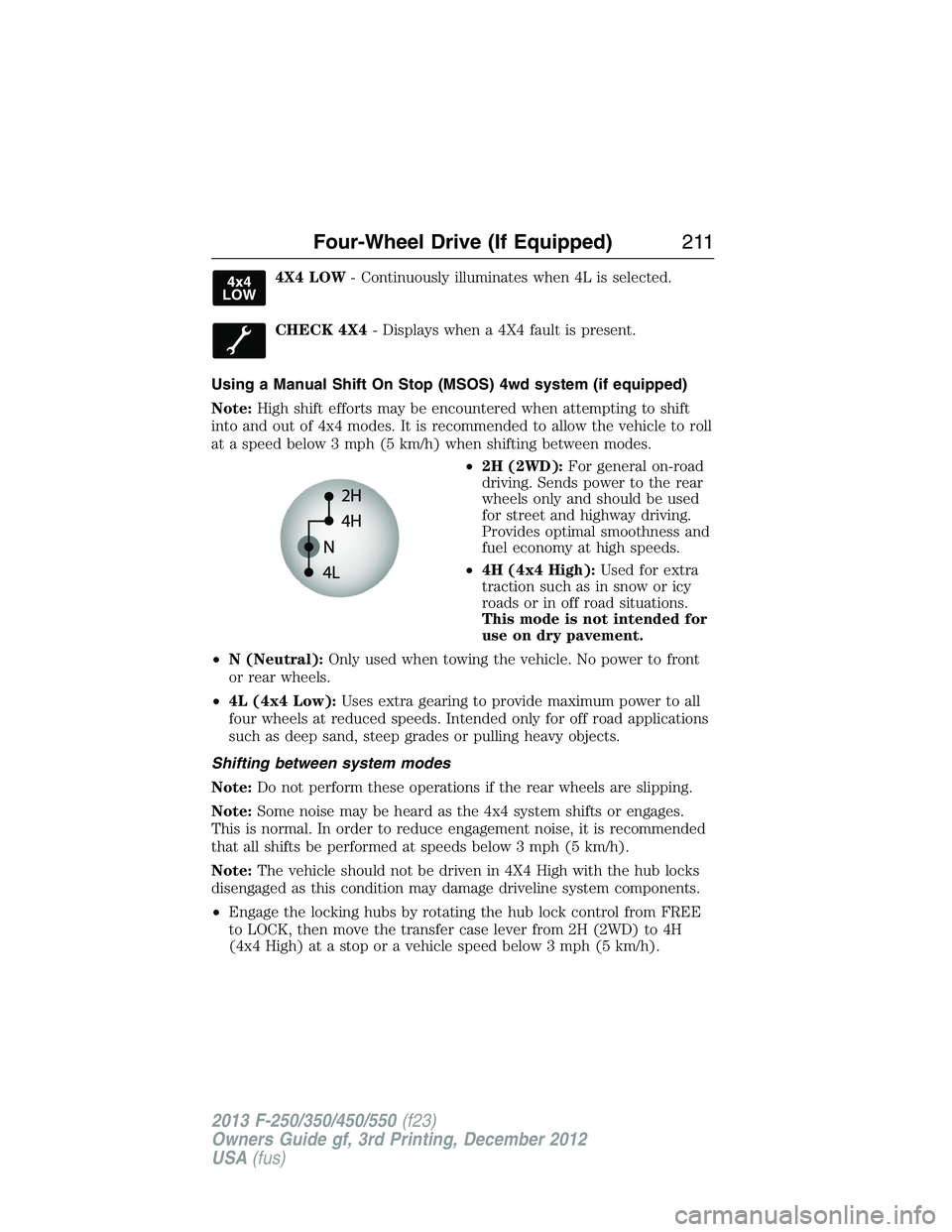
Using a Manual Shift On Stop (MSOS) 4wd system (if equipped)
Note:High shift efforts may be encountered when attempting to shift
into and out of 4x4 modes. It is recommended to allow the vehicle to roll
at a speed below 3 mph (5 km/h) when shifting between modes.
•2H (2WD):For general on-road
driving. Sends power to the rear
wheels only and should be used
for street and highway driving.
Provides optimal smoothness and
fuel economy at high speeds.
•4H (4x4 High):Used for extra
traction such as in snow or icy
roads or in off road situations.
This mode is not intended for
use on dry pavement.
•N (Neutral):Only used when towing the vehicle. No power to front
or rear wheels.
•4L (4x4 Low):Uses extra gearing to provide maximum power to all
four wheels at reduced speeds. Intended only for off road applications
such as deep sand, steep grades or pulling heavy objects.
Shifting between system modes
Note:Do not perform these operations if the rear wheels are slipping.
Note:Some noise may be heard as the 4x4 system shifts or engages.
This is normal. In order to reduce engagement noise, it is recommended
that all shifts be performed at speeds below 3 mph (5 km/h).
Note:The vehicle should not be driven in 4X4 High with the hub locks
disengaged as this condition may damage driveline system components.
•Engage the locking hubs by rotating the hub lock control from FREE
to LOCK, then move the transfer case lever from 2H (2WD) to 4H
(4x4 High) at a stop or a vehicle speed below 3 mph (5 km/h).
Four-Wheel Drive (If Equipped)211
2013 F-250/350/450/550(f23)
Owners Guide gf, 3rd Printing, December 2012
USA(fus)
Page 214 of 577
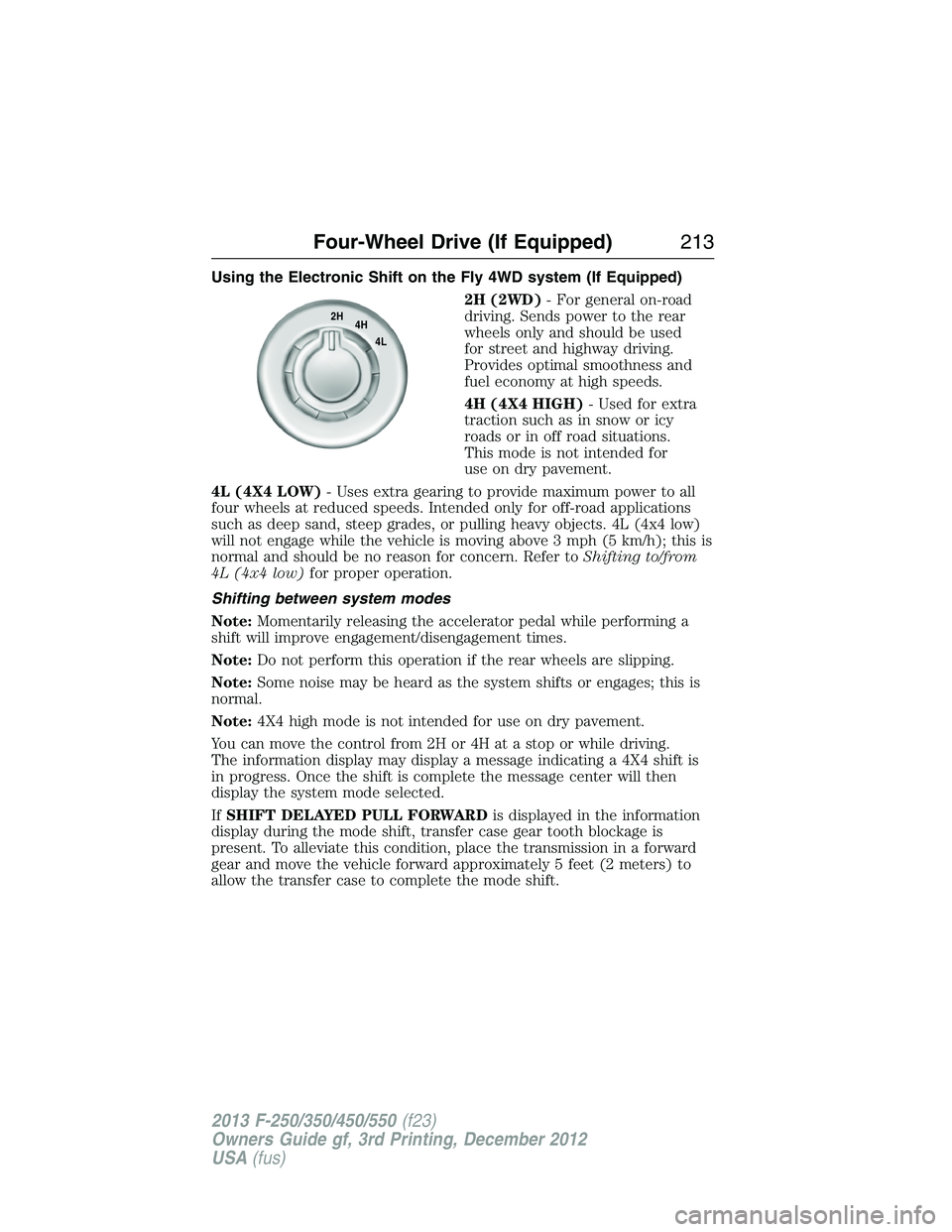
Using the Electronic Shift on the Fly 4WD system (If Equipped)
2H (2WD)- For general on-road
driving. Sends power to the rear
wheels only and should be used
for street and highway driving.
Provides optimal smoothness and
fuel economy at high speeds.
4H (4X4 HIGH)- Used for extra
traction such as in snow or icy
roads or in off road situations.
This mode is not intended for
use on dry pavement.
4L (4X4 LOW)- Uses extra gearing to provide maximum power to all
four wheels at reduced speeds. Intended only for off-road applications
such as deep sand, steep grades, or pulling heavy objects. 4L (4x4 low)
will not engage while the vehicle is moving above 3 mph (5 km/h); this is
normal and should be no reason for concern. Refer toShifting to/from
4L (4x4 low)for proper operation.
Shifting between system modes
Note:Momentarily releasing the accelerator pedal while performing a
shift will improve engagement/disengagement times.
Note:Do not perform this operation if the rear wheels are slipping.
Note:Some noise may be heard as the system shifts or engages; this is
normal.
Note:4X4 high mode is not intended for use on dry pavement.
You can move the control from 2H or 4H at a stop or while driving.
The information display may display a message indicating a 4X4 shift is
in progress. Once the shift is complete the message center will then
display the system mode selected.
IfSHIFT DELAYED PULL FORWARDis displayed in the information
display during the mode shift, transfer case gear tooth blockage is
present. To alleviate this condition, place the transmission in a forward
gear and move the vehicle forward approximately 5 feet (2 meters) to
allow the transfer case to complete the mode shift.
2H
4H
4L
Four-Wheel Drive (If Equipped)213
2013 F-250/350/450/550(f23)
Owners Guide gf, 3rd Printing, December 2012
USA(fus)
Page 215 of 577
Shifting to/from 4L (4X4 low)
Note:Some noise may be heard as the system shifts or engages; this is
normal.
Note:4x4 low mode is not intended for use on dry pavement.
1. Bring the vehicle to a speed of 3 mph (5 km/h) or less.
2. Place the transmission in N (Neutral).
3. Move the 4WD control to the desired position.
The information display will display a message indicating a 4X4 shift is
in progress. The information display will then display the system mode
selected. If any of the above shift conditions are not met, the shift will
not occur and the information display will display information guiding the
driver through the proper shifting procedures.
IfSHIFT DELAYED PULL FORWARDis displayed in the information
display, transfer case gear tooth blockage is present. To alleviate this
condition, place the transmission in a forward gear, move the vehicle
forward approximately 5 feet (1.5 m), and shift the transmission back
to neutral to allow the transfer case to complete the range shift.
Electronic Locking Differential (ELD) (If Equipped)
Note:The ELD is designed for off-road use only and is not intended for
use on dry pavement. Using the ELD on dry pavement will result in
increased tire wear, noise and vibration.
The electronic locking differential (ELD) is a device housed in the rear
axle which allows both rear wheels to turn at the same speed. It provides
added traction on slippery and/or off road surfaces, particularly when
one wheel is on a poor traction surface. The ELD may be locked or
unlocked by the vehicle operator and can be engaged or disengaged on
the fly. When the axle is unlocked it will function like a standard rear
axle. When the axle is locked it will not allow the rear wheels to rotate
at different speeds when turning.
The ELD is affected by the following conditions:
•
On 2WD vehicles and 4WD vehicles in 2H (4X2) or 4H (4X4 High), the
ELD will not engage if the vehicle speed is above 20 mph (32 km/h).
•On 2WD vehicles and 4WD vehicles in 2H (4X2) or 4H (4X4 High), the
ELD will automatically disengage at speeds above 25 mph (40 km/h) and
will automatically reengage at speeds below 20 mph (32 km/h).
•On 4WD vehicles in 4L (4X4 Low), the ELD can be engaged at any
speed and will not automatically disengage.
214Four-Wheel Drive (If Equipped)
2013 F-250/350/450/550(f23)
Owners Guide gf, 3rd Printing, December 2012
USA(fus)
Page 216 of 577
Activating the Electronic Locking Differential (ELD)
Note:The ELD may have difficulty disengaging either by operator
command or automatically if the driveline is under torque. If driving
conditions allow, releasing the accelerator pedal or turning the steering
wheel in the opposite direction may assist in disengagement.
Note:The ELD is designed for off-road use only and is not intended for
use on dry pavement.
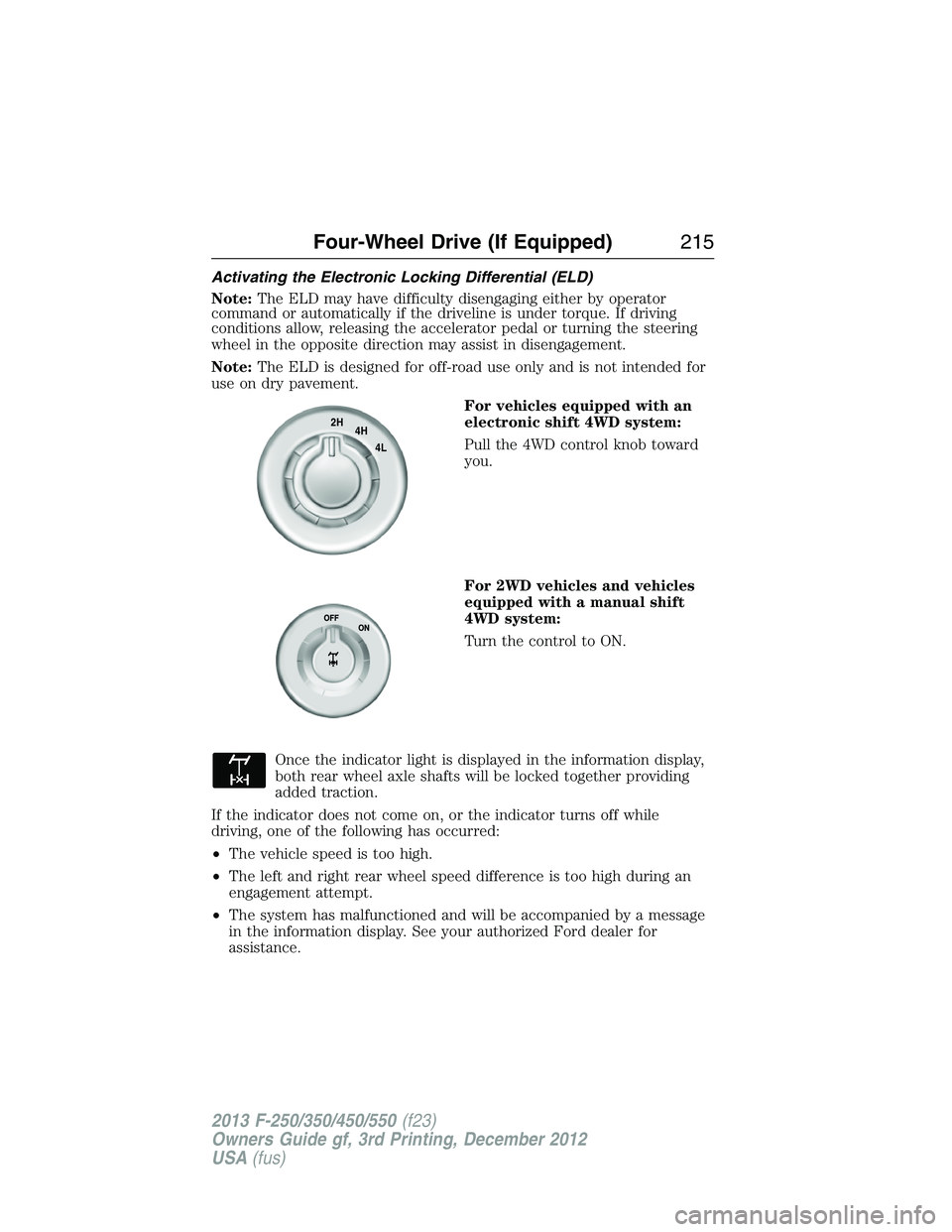
For vehicles equipped with an
electronic shift 4WD system:
Pull the 4WD control knob toward
you.
For 2WD vehicles and vehicles
equipped with a manual shift
4WD system:
Turn the control to ON.
Once the indicator light is displayed in the information display,
both rear wheel axle shafts will be locked together providing
added traction.
If the indicator does not come on, or the indicator turns off while
driving, one of the following has occurred:
•The vehicle speed is too high.
•The left and right rear wheel speed difference is too high during an
engagement attempt.
•The system has malfunctioned and will be accompanied by a message
in the information display. See your authorized Ford dealer for
assistance.
2H
4H
4L
Four-Wheel Drive (If Equipped)215
2013 F-250/350/450/550(f23)
Owners Guide gf, 3rd Printing, December 2012
USA(fus)