phone FORD F250 2014 Manual PDF
[x] Cancel search | Manufacturer: FORD, Model Year: 2014, Model line: F250, Model: FORD F250 2014Pages: 460, PDF Size: 5.33 MB
Page 395 of 460
Disconnecting from SYNC Services
1. Press and hold the hang-up phone
button on the steering wheel.
2. Say "Good-bye" from the SYNC Services main menu. SYNC Services quick tips
You can personalize your Services feature to provide
quicker access to your most used or favorite information.
You can save address points, such as work or home. You
can also save favorite information like sports teams, such
as Detroit Lions, or a news category. You can learn more
about personalization by logging onto
www.SYNCMyRide.com.
Personalizing
Press the voice button at any time (while connected to
SYNC Services) to interrupt a voice prompt or an audio
clip (such as a sports report) and say your voice command.
Push to interrupt
Your subscription is associated with your Bluetooth-
enabled cellular phone number, not your VIN (Vehicle
Identification Number). You can pair and connect your
phone to any vehicle equipped with SYNC Services and
continue enjoying your personalized services.
Portable
SYNC Services Voice Commands When a route has been
downloaded (non-navigation
systems), press the voice button
on the steering wheel controls. When
prompted, say any of the following
commands: "SERVICES"
"Cancel route"
"Navigation voice off" "Navigation voice on" "Next turn"
"Route status"
"Route summary" "SERVICES"
"Services"
"Update route" "Help"
Sirius Travel Link (If Equipped) WARNING
Driving while distracted can result in
loss of vehicle control, crash and
injury. We strongly recommend that
you use extreme caution when using any
device that may take your focus off the
road. Your primary responsibility is the safe
operation of your vehicle. We recommend
against the use of any handheld device
while driving and encourage the use of
voice-operated systems when possible.
Make sure you are aware of all applicable
local laws that may affect the use of
electronic devices while driving. 392
Super Duty (TFA) MyFord Touch
™
(If Equipped)E142599
Page 398 of 460
Additional sports-related voice
commands
"WNBA schedule" "WNBA scores" "Help"
Alerts If your vehicle is equipped with
Navigation, touch the i
(Information) button to access
these features. If your vehicle is not
equipped with Navigation, touch the corner
of the touchscreen with the green tab.
Press Alerts, and then choose from any
of the following services:
• View
the complete message.
• Delete
the message.
• Delete All
messages.
This screen displays any system messages
(such as an SD card fault).
Note: The system alerts you to any
messages by turning the information icon
yellow. After you read or delete the
messages, the icon returns to white.
Calendar If your vehicle is equipped with
Navigation, touch the i
(Information) button to access
these features. If your vehicle is not
equipped with Navigation, touch the corner
of the touchscreen with the green tab.
Press
Calendar. You can view the current
calendar by day, week or month. 911 Assist
(If Equipped) WARNINGS
Unless the 911 Assist setting is set on
before a crash, the system will not
dial for help, which could delay
response time, potentially increasing the
risk of serious injury or death after a crash. Do not wait for 911 Assist to make an
emergency call if you can do it
yourself. Dial emergency services
immediately to avoid delayed response
time, which could increase the risk of
serious injury or death after a crash. If you
do not hear 911 Assist within five seconds
of the crash, the system or phone may be
damaged or non-functional. Always place your phone in a secure
location in your vehicle so it does not
become a projectile or damaged in
a crash. Failure to do so may cause serious
injury to someone or damage the phone,
which could prevent 911 Assist from
working properly. Note:
The SYNC 911 Assist feature must be
set on prior to the incident.
Note: Before setting this feature on, make
sure that you read the 911 Assist Privacy
Notice later in this section for important
information.
Note: If any user turns 911 Assist on or off,
that setting applies for all paired phones. If
911 Assist is turned off, either a voice
message plays or a display message (or
icon) comes on (or both) when your vehicle
is started after a previously paired phone
connects.
Note: Every phone operates differently.
While SYNC 911 Assist works with most
cellular phones, some may have trouble
using this feature.
395
Super Duty (TFA) MyFord Touch
™
(If Equipped)E142608 E142608
Page 399 of 460
![FORD F250 2014 Manual PDF If a crash deploys an airbag (excludes knee
airbags and rear inflatable safety belts [if
equipped]) or activates the fuel pump
shut-off, your SYNC-equipped vehicle may
be able to contact emergency ser](/img/11/58775/w960_58775-398.png "FORD F250 2014 Manual PDF If a crash deploys an airbag (excludes knee
airbags and rear inflatable safety belts [if
equipped]) or activates the fuel pump
shut-off, your SYNC-equipped vehicle may
be able to contact emergency ser")
If a crash deploys an airbag (excludes knee
airbags and rear inflatable safety belts [if
equipped]) or activates the fuel pump
shut-off, your SYNC-equipped vehicle may
be able to contact emergency services by
dialing 911 through a paired and connected
Bluetooth-enabled phone. You can learn
more about the 911 Assist feature, visit
www.SYNCMyRide.com,
www.SYNCMyRide.ca or
www.syncmaroute.ca.
See Supplementary Restraints System
(page 36). Important information
regarding airbag deployment is in this
chapter.
See Roadside Emergencies (page 204).
Important information regarding the fuel
pump shut-off is in this chapter.
Setting 911 Assist On If your vehicle is equipped with
Navigation, touch the i
(Information) button to access
these features. If your vehicle is not
equipped with Navigation, touch the corner
of the touchscreen with the green tab.
Touch
Apps > 911 Assist, then select On. You can also access 911 Assist
by:
• Pressing the Settings icon >
Settings
> Phone > 911 Assist, or
• Pressing the Settings icon > Help > 911
Assist
.
To make sure that 911 Assist works
properly:
• SYNC must be powered and working
properly at the time of the incident and
throughout feature activation and use.
• The 911 Assist feature must be set on
prior to the incident. •
You must pair and connect a
Bluetooth-enabled and compatible
phone to SYNC.
• A connected Bluetooth-enabled phone
must have the ability to make and
maintain an outgoing call at the time
of the incident.
• A connected Bluetooth-enabled phone
must have adequate network coverage,
battery power and signal strength.
• The vehicle must have battery power
and be located in the United States,
Canada or in a territory in which 911 is
the emergency number.
In the Event of a Crash
Not all crashes deploy an airbag or activate
the fuel pump shut-off (which would
trigger 911 Assist); however, SYNC tries to
contact emergency services if 911 Assist
triggers. If a connected phone sustains
damage or loses connection to SYNC,
SYNC searches for, and tries to connect
to, any available previously paired phone
and tries to make the call to 911.
Before making the call:
• SYNC provides a short window of time
(about 10 seconds) to cancel the call.
If you fail to cancel the call, SYNC
attempts to dial 911.
• SYNC says the following, or a similar
message: "SYNC will attempt to call
911, to cancel the call, press Cancel on
your screen or press and hold the
phone button on your steering wheel."
If you do not cancel the call, and SYNC
makes a successful call, a pre-recorded
message plays for the 911 operator, and
then the occupant(s) in your vehicle is able
to talk with the operator. Be prepared to
provide your name, phone number and
location immediately, because not all 911
systems are capable of receiving this
information electronically.
396
Super Duty (TFA) MyFord Touch
™
(If Equipped)E142608 E142607
Page 400 of 460
911 Assist May Not Work If
•
Your cellular phone or 911 Assist
hardware sustains damage in a crash.
• The vehicle's battery or the SYNC
system has no power.
• The phone(s) thrown from your vehicle
are the ones paired and connected to
the system.
911 Assist Privacy Notice
When you turn on 911 Assist, it may
disclose to emergency services that your
vehicle has been in a crash involving the
deployment of an airbag or activation of
the fuel pump shut-off. Certain versions or
updates to 911 Assist may also be capable
of electronically or verbally disclosing to
911 operators your vehicle location or other
details about your vehicle or crash to assist
911 operators to provide the most
appropriate emergency services. If you do
not want to disclose this information, do
not turn the feature on.
Vehicle Health Report (If Equipped) WARNING
Always follow scheduled
maintenance instructions, regularly
inspect your vehicle, and seek repair
for any damage or problem you suspect.
Vehicle Health Report supplements, but
cannot replace, normal maintenance and
vehicle inspection. Vehicle Health Report
only monitors certain systems
electronically monitored by your vehicle
and will not monitor or report the status
of any other system, (such as brake lining
wear). Failure to perform scheduled
maintenance and regularly inspect your
vehicle may result in vehicle damage and
serious injury. Note:
This feature is only available in the
United States. Note:
Your Vehicle Health Report feature
requires activation prior to use. Visit
www.SYNCMyRide.com to register. There
is no fee or subscription associated with
Vehicle Health Report, but you must register
to use this feature.
Note: This feature may not function
properly if you have enabled caller ID
blocking on your cellular phone. Before
running a report, review the Vehicle Health
Report Privacy Notice.
Note: In order to allow a break-in period for
your vehicle, you may not be able to create
a Vehicle Health Report until your vehicle
odometer has reached 200 miles.
Note: Cellular phone and SMS charges may
apply when making a report.
Register for Vehicle Health Report and set
your report preferences at
www.SYNCMyRide.com. After registering,
you can request a Vehicle Health Report
(inside your vehicle). Return to your
account at www.SYNCMyRide.com to view
your report. You can also choose for SYNC
to remind you automatically to run reports
at specific mileage intervals. Cellular phone
airtime usage may apply when reporting.
The system allows you to check your
vehicle ’s overall health in the form of a
diagnostic report card. The Vehicle Health
Report contains valuable information, such
as:
• Vehicle diagnostic information
• Scheduled maintenance
• Open recalls and Field Service Actions
• Items noted during vehicle inspections
by your authorized dealer that still need
servicing.
Making a Report If you want to run a report by
using the touchscreen, touch
Apps > Vehicle Health Report.
397
Super Duty (TFA) MyFord Touch
™
(If Equipped)E142608
Page 401 of 460
To run a report by voice
command, press the voice
button on the steering wheel
and, when prompted, say "Vehicle health
report".
Vehicle Health Report Privacy Notice
When you create a Vehicle Health Report,
Ford Motor Company may collect your
cellular phone number (to process your
report request) and diagnostic information
about your vehicle. Certain versions or
updates to Vehicle Health Report may also
collect more vehicle information. Ford may
use your vehicle information it collects for
any purpose. If you do not want to disclose your cellular phone number or vehicle
information, do not run the feature or set
up your Vehicle Health Report profile at
www.SYNCMyRide.com. See
www.SYNCMyRide.com (Vehicle Health
Report Terms and Conditions, and Privacy
Statement) for more information.
CLIMATE Press the lower right corner on
the touchscreen to access your
climate control features.
Depending on your vehicle line and option
package, your climate screen may look
different from the screen shown here. Power: Touch to switch the system off and on. Outside air cannot enter your
vehicle when you switch off the system.
A
Passenger settings:
Touch + or – to adjust the temperature. Touch the heated
seat icon to control the heated seat. Touch the cooled seat icon to control the
cooled seat. See
Seats (page 108).
B
Fan speed:
Touch + or – to adjust fan speed.
C
398
Super Duty (TFA) MyFord Touch
™
(If Equipped)E142599 E142612 E166138
A
KB
JC
IHGFED
Page 405 of 460
During route guidance, you can press the
talking bubble icon that appears in the
upper right navigation corner (green bar)
if you want the system to repeat route
guidance information. When the system
repeats the last guidance instruction, it
updates the distance to the next guidance
instruction, since it detects when the
vehicle is moving.
Point of Interest (POI) Categories
Main categories
Food/Drink & Dining
Travel & Transportation Financial
Emergency
Community
Health & Medicine AutomotiveShopping
Entertainment & Arts Recreation & Sports Government
Domestic Services Subcategories
Restaurant Golf
Parking
Home & Garden
Personal Care Services Auto Dealership Subcategories
Govt Office
Public Transit Education
To expand these listings, press the + in
front of the listing.
The system also allows you to sort
alphabetically, by distance or by cityseekr
listings (if available).
cityseekr
Note: cityseekr point of interest (POI)
information is limited to approximately 912
cities (881 in the United States, 20 in
Canada and 11 in Mexico). cityseekr, when available, is a service that
provides more information about certain
points of interest such as restaurants,
hotels and attractions.
When you have selected a point of interest,
the location and information appear, such
as address and phone number. If cityseekr
lists the point of interest, more information
is available, such as a brief description,
check-in and checkout times or restaurant
hours.
Press More Information for a longer
review, a list of services and facilities, the
average room or meal price as well as the
website. This screen displays the point of
interest icon such as:
402
Super Duty (TFA) MyFord Touch
™
(If Equipped)E142634
Page 413 of 460
For maximum vehicle performance, keep
the following information in mind when
adding accessories or equipment to your
vehicle:
•
When adding accessories, equipment,
passengers and luggage to your
vehicle, do not exceed the total weight
capacity of the vehicle or of the front
or rear axle (GVWR or GAWR as
indicated on the Safety Compliance
Certification label). Ask an authorized
dealer for specific weight information.
• The Federal Communications
Commission (FCC) and Canadian
Radio Telecommunications
Commission (CRTC) regulate the use
of mobile communications systems
that are equipped with radio
transmitters, for example, two-way
radios, telephones and theft alarms.
Any such equipment installed in your
vehicle should comply with Federal
Communications Commission (FCC)
and Canadian Radio
Telecommunications Commission
(CRTC) regulations and should be
installed only by an authorized dealer.
• An authorized dealer needs to install
mobile communications systems.
Improper installation may harm the
operation of your vehicle, particularly
if the manufacturer did not design the
mobile communication system
specifically for automotive use.
• If you or an authorized Ford dealer add
any non-Ford custom electrical or
electronic accessories or components
to your vehicle, you may adversely
affect battery performance and
durability. In addition, you may also
adversely affect the performance of
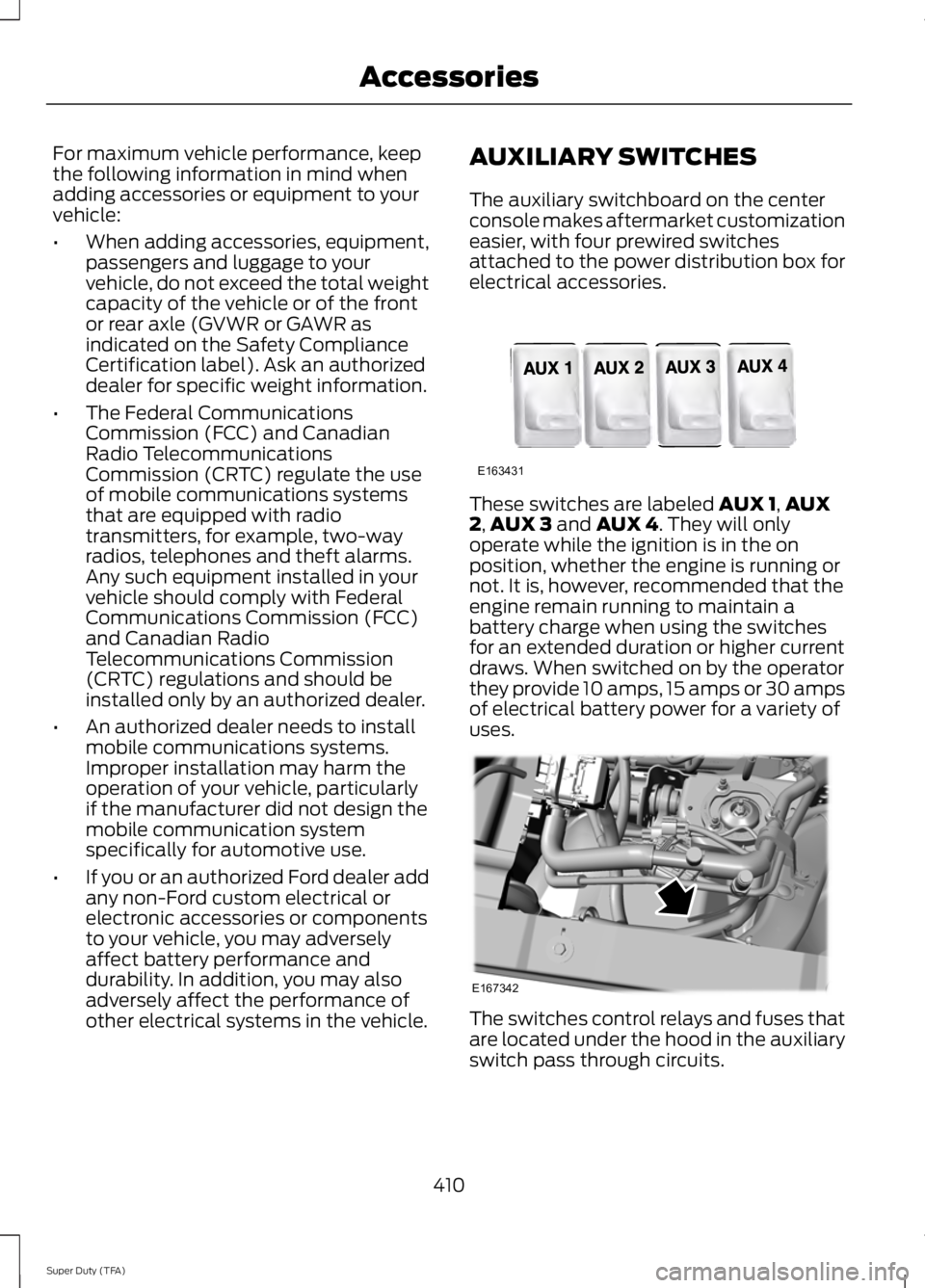
other electrical systems in the vehicle. AUXILIARY SWITCHES
The auxiliary switchboard on the center
console makes aftermarket customization
easier, with four prewired switches
attached to the power distribution box for
electrical accessories.
These switches are labeled AUX 1,
AUX
2, AUX 3 and AUX 4. They will only
operate while the ignition is in the on
position, whether the engine is running or
not. It is, however, recommended that the
engine remain running to maintain a
battery charge when using the switches
for an extended duration or higher current
draws. When switched on by the operator
they provide 10 amps, 15 amps or 30 amps
of electrical battery power for a variety of
uses. The switches control relays and fuses that
are located under the hood in the auxiliary
switch pass through circuits.
410
Super Duty (TFA) AccessoriesE163431 E167342
Page 426 of 460
real time route guidance, fleet
management or similar applications; or (b)
with, or in communication with, including
without limitation, cellular phones,
palmtop and handheld computers, pagers,
and personal digital -assistants or PDAs.
Note:
This Data may contain inaccurate or
incomplete information due to the passage
of time, changing circum-stances, sources
used and the nature of collecting
comprehensive geographic Data, any of
which may lead to incorrect results.
No Warranty:
This Data is provided to you “as is” , and
you agree to use it at your own risk. HERE
and its licensors (and their licensors and
suppliers) make no guarantees,
representations or warranties of any kind,
express or implied, arising by law or
otherwise, including but not limited to,
content, quality, accuracy, completeness,
effectiveness, reliability, fitness for a
particular purpose, usefulness, use or
results to be obtained from this Data, or
that the Data or server will be
uninterrupted or error ¬free.
Disclaimer of Warranty:
HERE AND ITS LICENSORS (INCLUDING
THEIR LICENSORS AND SUPPLIERS)
DISCLAIM ANY WARRANTIES, EXPRESS
OR IMPLIED, OF QUALITY,
PERFORMANCE, MERCHANTABILITY,
FITNESS FOR A PARTICULAR PURPOSE
OR NON-INFRINGEMENT. Some States,
Territories and Countries do not allow
certain warranty exclusions, so to that
extent the above exclusion may not apply
to you. Disclaimer of Liability:
HERE AND ITS LICENSORS (INCLUDING
THEIR LICENSORS AND SUPPLIERS)
SHALL NOT BE LIABLE TO YOU IN
RESPECT OF ANY CLAIM, DEMAND OR
ACTION, IRRESPECTIVE OF THE NATURE
OF THE CAUSE OF THE CLAIM, DEMAND
OR ACTION ALLEGING ANY LOSS, INJURY
OR DAMAGES, DIRECT OR INDIRECT,
WHICH MAY RESULT FROM THE USE OR
POSSESSION OF THIS DATA; OR FOR ANY
LOSS OF PROFIT, REVENUE, CONTRACTS
OR SAVINGS, OR ANY OTHER DIRECT,
INDIRECT, INCIDENTAL, SPECIAL OR
CONSEQUENTIAL DAMAGES ARISING
OUT OF YOUR USE OF OR INABILITY TO
USE THIS DATA, ANY DEFECT IN THIS
DATA, OR THE BREACH OF THESE TERMS
OR CONDITIONS, WHETHER IN AN
ACTION IN CONTRACT OR TORT OR
BASED ON A WARRANTY, EVEN IF HERE
OR ITS LICENSORS HAVE BEEN ADVISED
OF THE POSSIBILITY OF SUCH DAMAGES.
Some States, Territories and Countries do
not allow certain liability exclusions or
damages limitations, so to that extent the
above may not apply to you.
Export Control:
You agree not to export from anywhere
any part of the Data or any direct product
thereof except in compliance with, and
with all licenses and approvals required
under, applicable export laws, rules and
regulations, including but not limited to the
laws, rules and regulations administered
by the Office of Foreign Assets Control of
the U.S. Department of Commerce and the
Bureau of Industry and Security of the U.S.
Department of Commerce. To the extent
that any such export laws, rules or
regulations prohibit HERE from complying
with any of its obligations hereunder to
deliver or distribute Data, such failure shall
be excused and shall not constitute a
breach of this Agreement.
423
Super Duty (TFA) Appendices
Page 455 of 460
Mirrors
See: Heated Windows and Mirrors..............106
See: Windows and Mirrors................................ 69
Mobile Communications Equipment.......13
Moonroof...........................................................73 Bounce-Back.......................................................... 74
Opening and Closing the Moonroof..............73
Venting the Moonroof......................................... 74
Motorcraft Parts...........................................293
MyFord Touch ™...........................................349
General Information......................................... 349
MyKey Troubleshooting
...............................53
MyKey ™............................................................50
Principle of Operation........................................ 50
N
Navigation.....................................................400 cityseekr................................................................ 402
Map Mode............................................................ 404
Navigation Map Updates................................ 407
Navigation Voice Commands....................... 407
Point of Interest (POI) Categories..............402
Quick-touch Buttons....................................... 406
Setting a Destination........................................ 401
Setting Your Navigation Preferences.........403
Normal Scheduled Maintenance
..........433
6.2L and 6.8L Gasoline Engines................... 433
6.7L Diesel Engine............................................. 434
O
Oil Check See: Engine Oil Check...................................... 226
Opening and Closing the Hood..............223
Ordering Additional Owner's Literature.......................................................212
Obtaining a French Owner ’s Manual...........212
Overhead Console
........................................129
P
Parking Aid
......................................................170
Rear Sensing System........................................ 170
Parking Aids....................................................170
Parking Brake
..................................................161
Passive Anti-Theft System........................58
SecuriLock ™.......................................................... 58PATS
See: Passive Anti-Theft System..................... 58
Pedals.................................................................63
Perchlorate.........................................................11
Phone...............................................................383 Making Calls........................................................ 385
Pairing Subsequent Phones.......................... 385
Pairing Your Phone for the First Time.................................................................. 384
Phone Menu Options....................................... 385
Phone Settings................................................... 387
Phone Voice Commands............................... 388
Receiving Calls................................................... 385
Text Messaging.................................................. 386
Post-Crash Alert System
..........................207
Power Door Locks See: Locking and Unlocking............................. 54
Power Seats
......................................................111
Power Lumbar........................................................ 111
Power Recline......................................................... 111
Power Steering Fluid Check.....................234
Power Take-Off.............................................148
Power Windows
.............................................69
Accessory Delay.................................................... 70
Bounce-Back......................................................... 69
One-Touch Up or Down.................................... 69
Power Sliding Back Window............................ 70
Window Lock......................................................... 70
R
Rear Axle
..........................................................158
Rear Seat Armrest.........................................118
Rear Seats
........................................................112
Folding the Rear Seat Back (Crew Cab)
........................................................................\
....... 113
Folding up the Rear Seat Cushion.................113
Rear Heated Seats ............................................. 114
Rear Under Seat Storage (Crew Cab).........114
Returning the Seat to the Seating Position............................................................... 113
Rear View Camera.........................................171 Using the Rear View Camera System...........171
Rear View Camera See: Rear View Camera..................................... 171
Recommended Towing Weights............188 Calculating the Maximum Loaded Trailer
Weight for Your Vehicle............................... 189
452
Super Duty (TFA) Index
Page 458 of 460
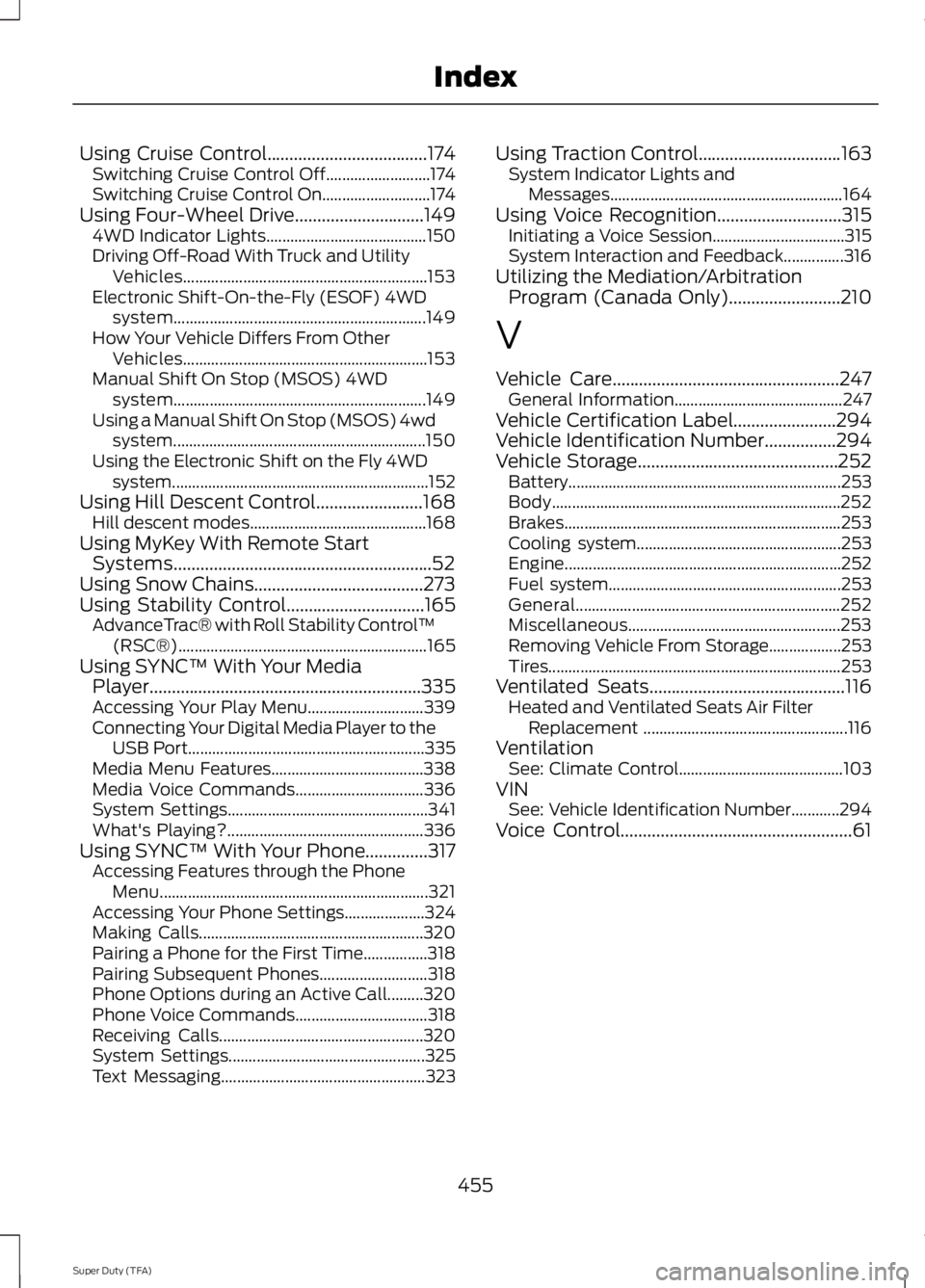
Using Cruise Control....................................174
Switching Cruise Control Off.......................... 174
Switching Cruise Control On........................... 174
Using Four-Wheel Drive.............................149 4WD Indicator Lights........................................ 150
Driving Off-Road With Truck and Utility Vehicles............................................................. 153
Electronic Shift-On-the-Fly (ESOF) 4WD system............................................................... 149
How Your Vehicle Differs From Other Vehicles............................................................. 153
Manual Shift On Stop (MSOS) 4WD system............................................................... 149
Using a Manual Shift On Stop (MSOS) 4wd system............................................................... 150
Using the Electronic Shift on the Fly 4WD system................................................................ 152
Using Hill Descent Control........................168 Hill descent modes............................................ 168
Using MyKey With Remote Start Systems..........................................................52
Using Snow Chains......................................273
Using Stability Control...............................165
AdvanceTrac® with Roll Stability Control ™
(RSC®).............................................................. 165
Using SYNC™ With Your Media Player.............................................................335
Accessing Your Play Menu............................. 339
Connecting Your Digital Media Player to the USB Port........................................................... 335
Media Menu Features...................................... 338
Media Voice Commands................................ 336
System Settings.................................................. 341
What's Playing?................................................. 336
Using SYNC™ With Your Phone..............317 Accessing Features through the Phone
Menu................................................................... 321
Accessing Your Phone Settings.................... 324
Making Calls........................................................ 320
Pairing a Phone for the First Time................318
Pairing Subsequent Phones........................... 318
Phone Options during an Active Call.........320
Phone Voice Commands................................. 318
Receiving Calls................................................... 320
System Settings................................................. 325
Text Messaging................................................... 323Using Traction Control
................................163
System Indicator Lights and
Messages.......................................................... 164
Using Voice Recognition
............................315
Initiating a Voice Session................................. 315
System Interaction and Feedback...............316
Utilizing the Mediation/Arbitration Program (Canada Only).........................210
V
Vehicle Care
...................................................247
General Information.......................................... 247
Vehicle Certification Label
.......................294
Vehicle Identification Number................294
Vehicle Storage.............................................252 Battery.................................................................... 253
Body........................................................................\
252
Brakes..................................................................... 253
Cooling system................................................... 253
Engine..................................................................... 252
Fuel system.......................................................... 253
General.................................................................. 252
Miscellaneous..................................................... 253
Removing Vehicle From Storage.................. 253
Tires........................................................................\
. 253
Ventilated Seats
............................................116
Heated and Ventilated Seats Air Filter
Replacement ................................................... 116
Ventilation See: Climate Control......................................... 103
VIN See: Vehicle Identification Number............294
Voice Control....................................................61
455
Super Duty (TFA) Index