light FORD F250 SUPER DUTY 2006 Owner's Guide
[x] Cancel search | Manufacturer: FORD, Model Year: 2006, Model line: F250 SUPER DUTY, Model: FORD F250 SUPER DUTY 2006Pages: 312, PDF Size: 5.15 MB
Page 53 of 312
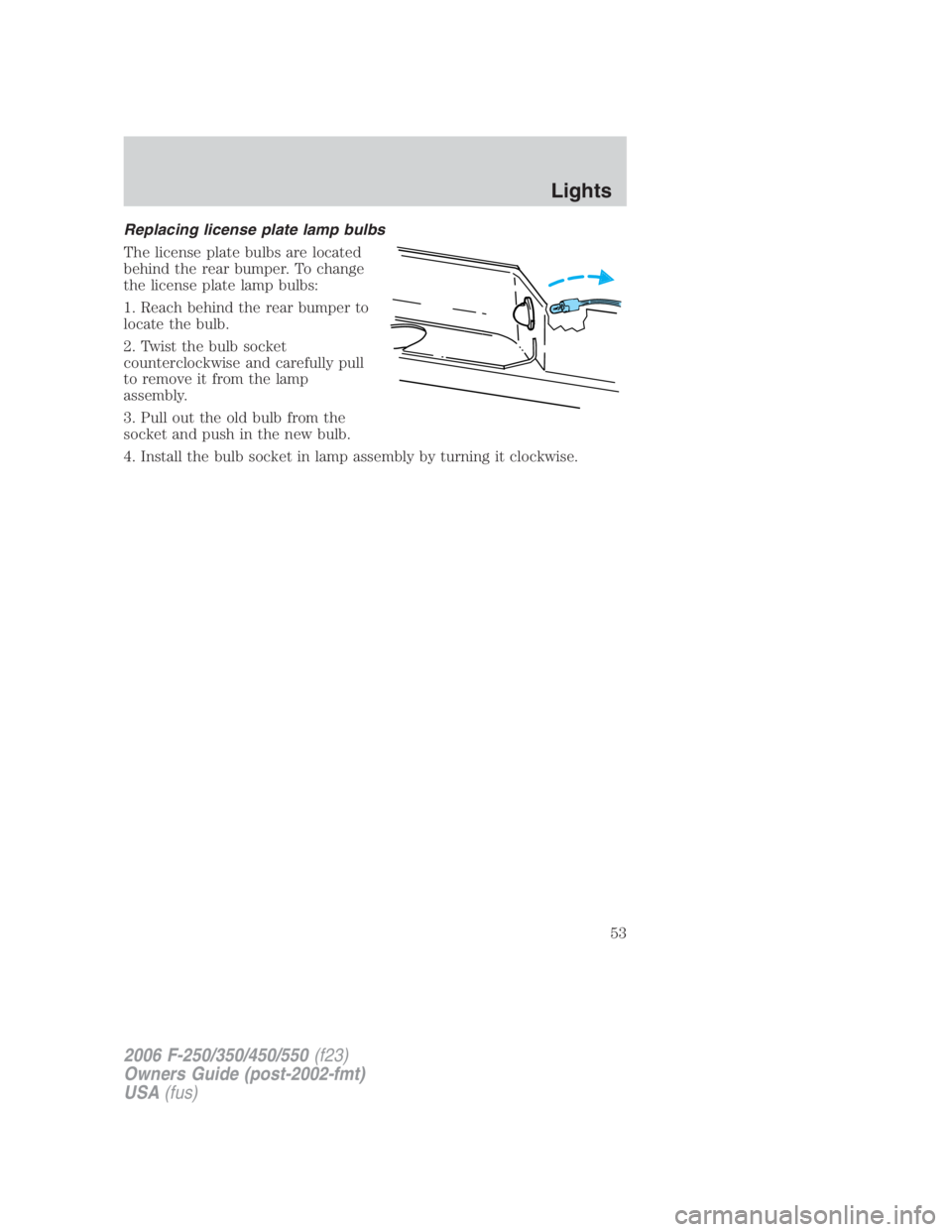
Replacing license plate lamp bulbs
The license plate bulbs are located
behind the rear bumper. To change
the license plate lamp bulbs:
1. Reach behind the rear bumper to
locate the bulb.
2. Twist the bulb socket
counterclockwise and carefully pull
to remove it from the lamp
assembly.
3. Pull out the old bulb from the
socket and push in the new bulb.
4. Install the bulb socket in lamp assembly by turning it clockwise.
2006 F-250/350/450/550 (f23)
Owners Guide (post-2002-fmt)
USA (fus) Lights
53
Page 55 of 312
TRANSMISSION CONTROL
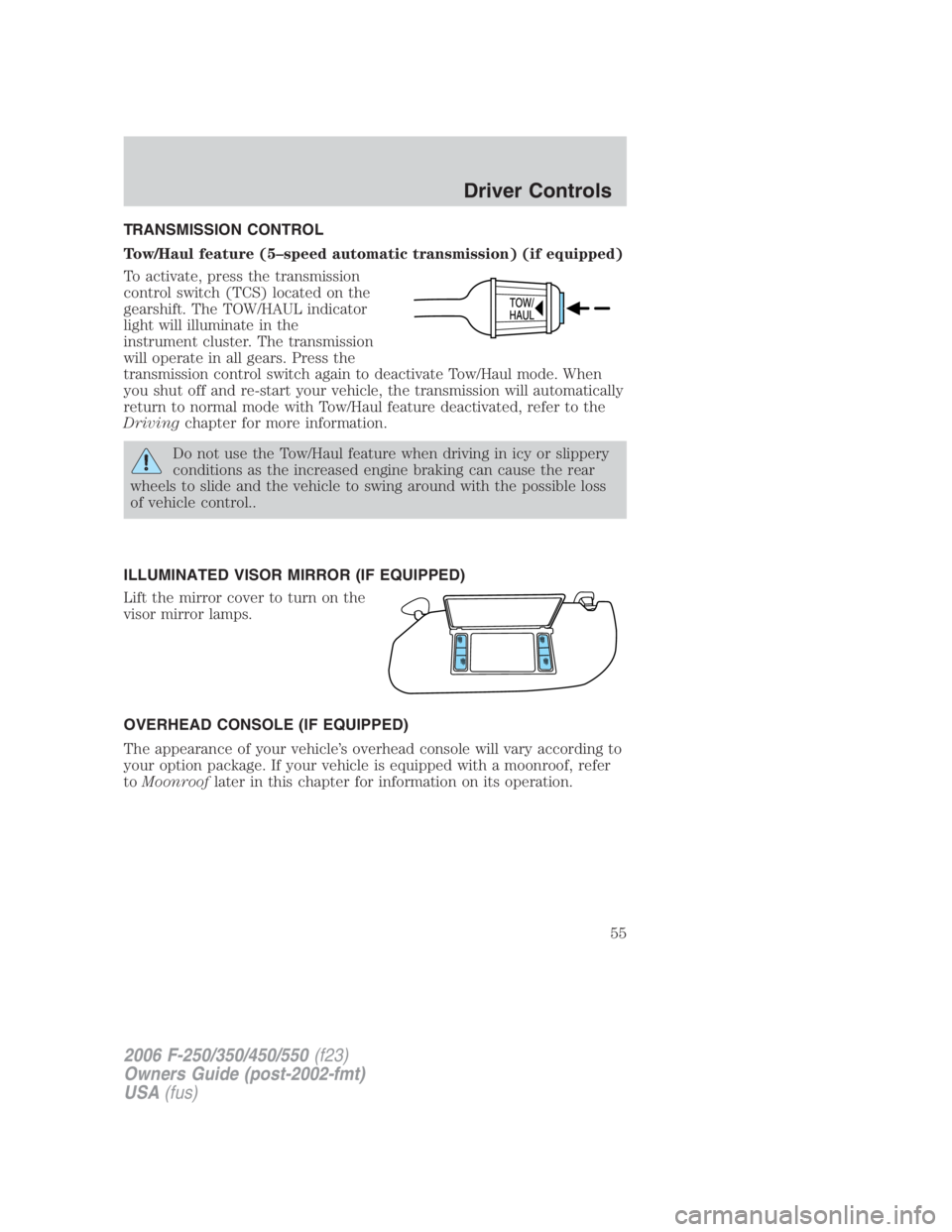
Tow/Haul feature (5–speed automatic transmission) (if equipped)
To activate, press the transmission
control switch (TCS) located on the
gearshift. The TOW/HAUL indicator
light will illuminate in the
instrument cluster. The transmission
will operate in all gears. Press the
transmission control switch again to deactivate Tow/Haul mode. When
you shut off and re-start your vehicle, the transmission will automatically
return to normal mode with Tow/Haul feature deactivated, refer to the
Driving chapter for more information.
Do not use the Tow/Haul feature when driving in icy or slippery
conditions as the increased engine braking can cause the rear
wheels to slide and the vehicle to swing around with the possible loss
of vehicle control..
ILLUMINATED VISOR MIRROR (IF EQUIPPED)
Lift the mirror cover to turn on the
visor mirror lamps.
OVERHEAD CONSOLE (IF EQUIPPED)
The appearance of your vehicle’s overhead console will vary according to
your option package. If your vehicle is equipped with a moonroof, refer
to Moonroof later in this chapter for information on its operation.
2006 F-250/350/450/550 (f23)
Owners Guide (post-2002-fmt)
USA (fus) Driver Controls
55
Page 56 of 312
Storage compartment (if equipped)
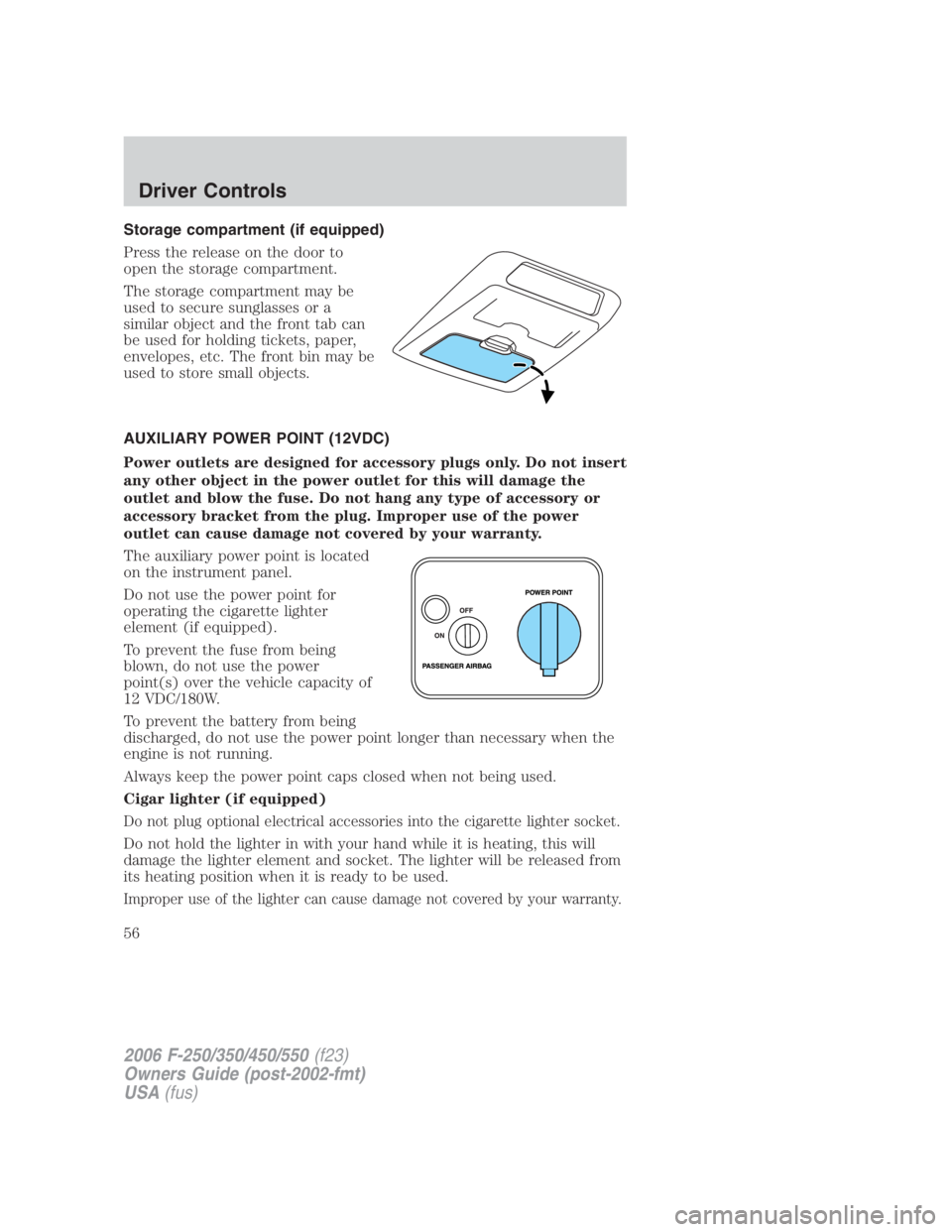
Press the release on the door to
open the storage compartment.
The storage compartment may be
used to secure sunglasses or a
similar object and the front tab can
be used for holding tickets, paper,
envelopes, etc. The front bin may be
used to store small objects.
AUXILIARY POWER POINT (12VDC)
Power outlets are designed for accessory plugs only. Do not insert
any other object in the power outlet for this will damage the
outlet and blow the fuse. Do not hang any type of accessory or
accessory bracket from the plug. Improper use of the power
outlet can cause damage not covered by your warranty.
The auxiliary power point is located
on the instrument panel.
Do not use the power point for
operating the cigarette lighter
element (if equipped).
To prevent the fuse from being
blown, do not use the power
point(s) over the vehicle capacity of
12 VDC/180W.
To prevent the battery from being
discharged, do not use the power point longer than necessary when the
engine is not running.
Always keep the power point caps closed when not being used.
Cigar lighter (if equipped)
Do not plug optional electrical accessories into the cigarette lighter socket.
Do not hold the lighter in with your hand while it is heating, this will
damage the lighter element and socket. The lighter will be released from
its heating position when it is ready to be used.
Improper use of the lighter can cause damage not covered by your warranty.
2006 F-250/350/450/550 (f23)
Owners Guide (post-2002-fmt)
USA (fus)Driver Controls
56
Page 58 of 312
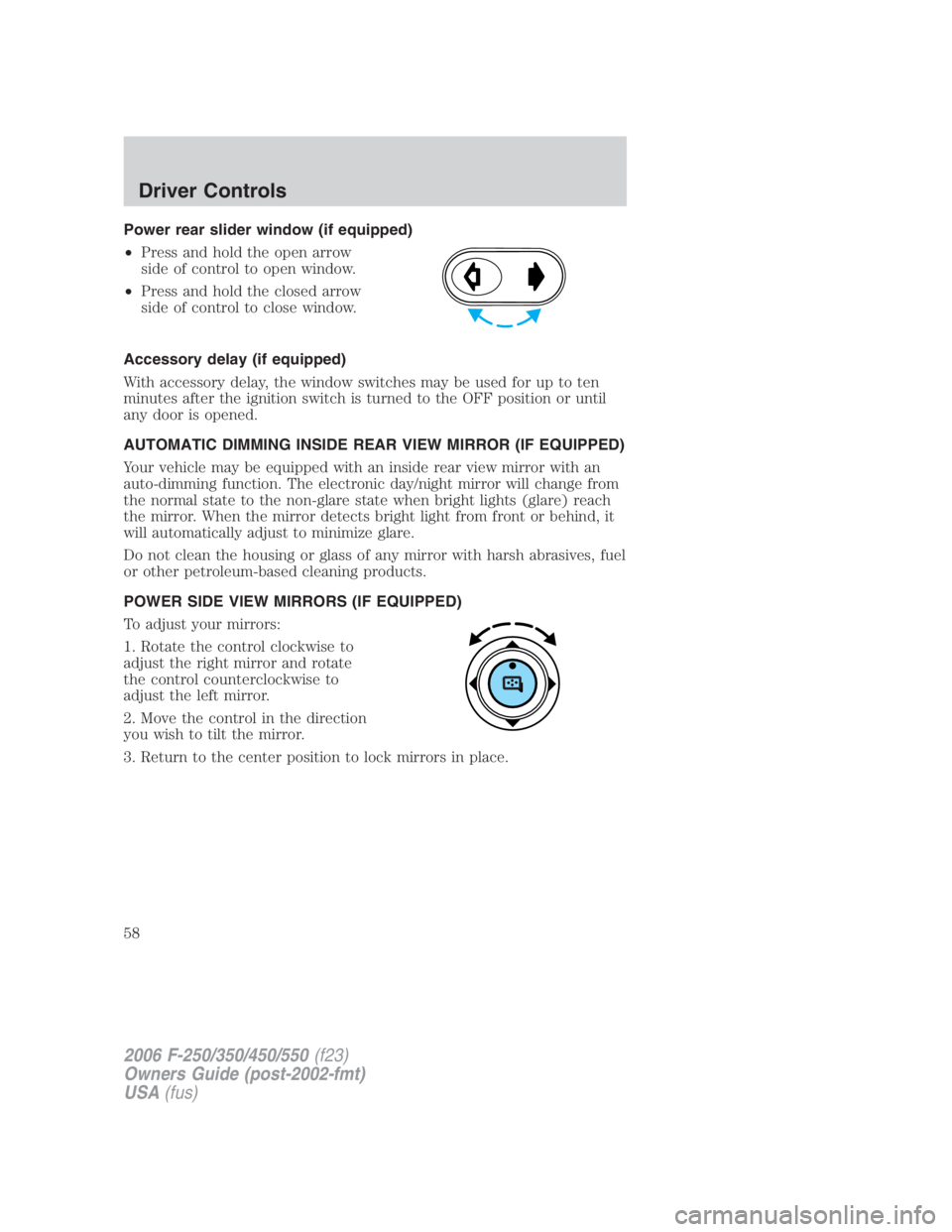
Power rear slider window (if equipped)
• Press and hold the open arrow
side of control to open window.
• Press and hold the closed arrow
side of control to close window.
Accessory delay (if equipped)
With accessory delay, the window switches may be used for up to ten
minutes after the ignition switch is turned to the OFF position or until
any door is opened.
AUTOMATIC DIMMING INSIDE REAR VIEW MIRROR (IF EQUIPPED)
Your vehicle may be equipped with an inside rear view mirror with an
auto-dimming function. The electronic day/night mirror will change from
the normal state to the non-glare state when bright lights (glare) reach
the mirror. When the mirror detects bright light from front or behind, it
will automatically adjust to minimize glare.
Do not clean the housing or glass of any mirror with harsh abrasives, fuel
or other petroleum-based cleaning products.
POWER SIDE VIEW MIRRORS (IF EQUIPPED)
To adjust your mirrors:
1. Rotate the control clockwise to
adjust the right mirror and rotate
the control counterclockwise to
adjust the left mirror.
2. Move the control in the direction
you wish to tilt the mirror.
3. Return to the center position to lock mirrors in place.
2006 F-250/350/450/550 (f23)
Owners Guide (post-2002-fmt)
USA (fus)Driver Controls
58
Page 62 of 312
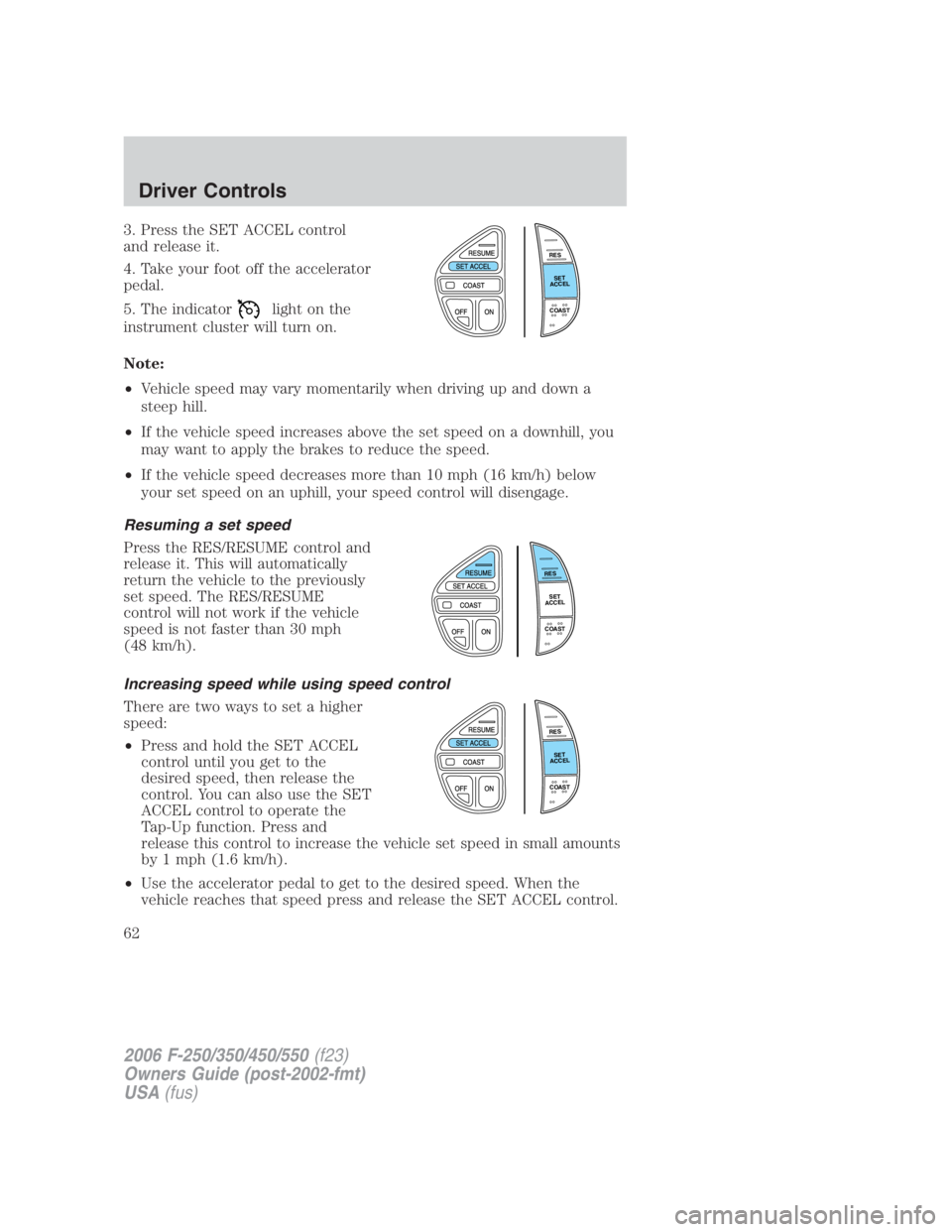
3. Press the SET ACCEL control
and release it.
4. Take your foot off the accelerator
pedal.
5. The indicator light on the
instrument cluster will turn on.
Note:
• Vehicle speed may vary momentarily when driving up and down a
steep hill.
• If the vehicle speed increases above the set speed on a downhill, you
may want to apply the brakes to reduce the speed.
• If the vehicle speed decreases more than 10 mph (16 km/h) below
your set speed on an uphill, your speed control will disengage.
Resuming a set speed
Press the RES/RESUME control and
release it. This will automatically
return the vehicle to the previously
set speed. The RES/RESUME
control will not work if the vehicle
speed is not faster than 30 mph
(48 km/h).
Increasing speed while using speed control
There are two ways to set a higher
speed:
• Press and hold the SET ACCEL
control until you get to the
desired speed, then release the
control. You can also use the SET
ACCEL control to operate the
Tap-Up function. Press and
release this control to increase the vehicle set speed in small amounts
by 1 mph (1.6 km/h).
• Use the accelerator pedal to get to the desired speed. When the
vehicle reaches that speed press and release the SET ACCEL control. R E S
S E T
A C C E L
C O A S T
R E S
S E T
A C C E L
C O A S T
R E S
S E T
A C C E L
C O A S T
2006 F-250/350/450/550 (f23)
Owners Guide (post-2002-fmt)
USA (fus)Driver Controls
62
Page 63 of 312
Reducing speed while using speed control
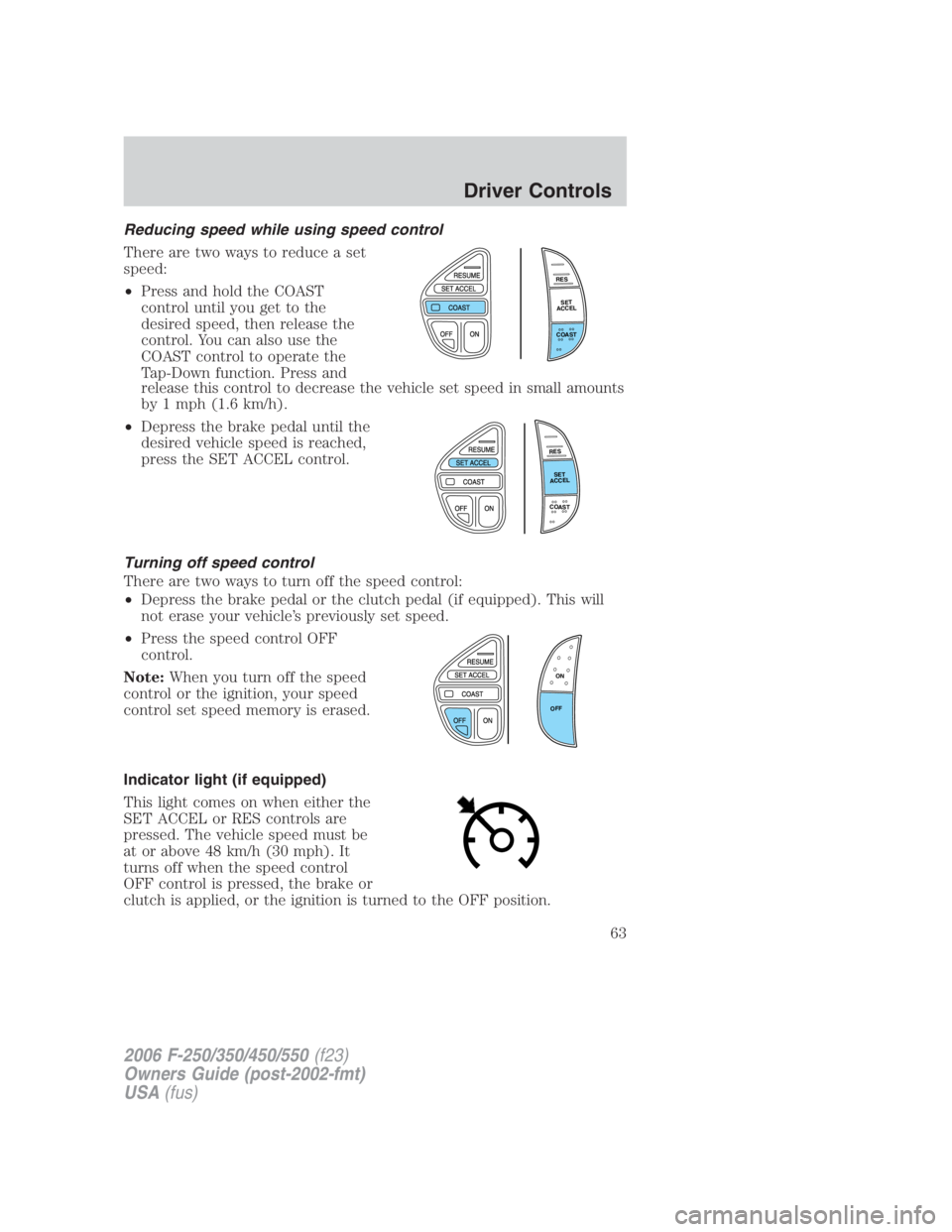
There are two ways to reduce a set
speed:
• Press and hold the COAST
control until you get to the
desired speed, then release the
control. You can also use the
COAST control to operate the
Tap-Down function. Press and
release this control to decrease the vehicle set speed in small amounts
by 1 mph (1.6 km/h).
• Depress the brake pedal until the
desired vehicle speed is reached,
press the SET ACCEL control.
Turning off speed control
There are two ways to turn off the speed control:
• Depress the brake pedal or the clutch pedal (if equipped). This will
not erase your vehicle’s previously set speed.
• Press the speed control OFF
control.
Note: When you turn off the speed
control or the ignition, your speed
control set speed memory is erased.
Indicator light (if equipped)
This light comes on when either the
SET ACCEL or RES controls are
pressed. The vehicle speed must be
at or above 48 km/h (30 mph). It
turns off when the speed control
OFF control is pressed, the brake or
clutch is applied, or the ignition is turned to the OFF position. R E S
S E T
A C C E L
C O A S T
R E S
S E T
A C C E L
C O A S T
ON
OFF
2006 F-250/350/450/550 (f23)
Owners Guide (post-2002-fmt)
USA (fus) Driver Controls
63
Page 65 of 312
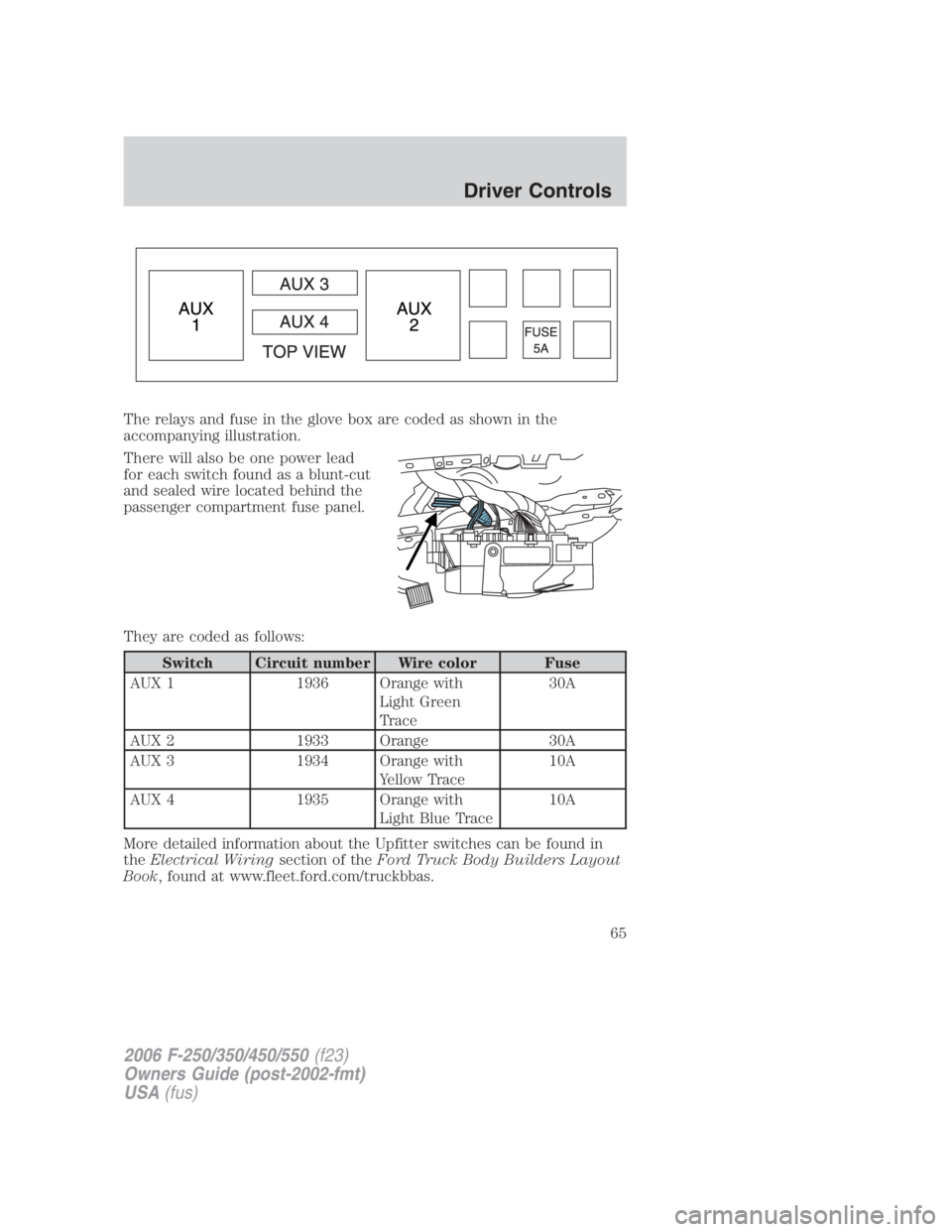
The relays and fuse in the glove box are coded as shown in the
accompanying illustration.
There will also be one power lead
for each switch found as a blunt-cut
and sealed wire located behind the
passenger compartment fuse panel.
They are coded as follows:
Switch Circuit number Wire color Fuse
AUX 1 1936 Orange with
Light Green
Trace 30A
AUX 2 1933 Orange 30A
AUX 3 1934 Orange with
Yellow Trace 10A
AUX 4 1935 Orange with
Light Blue Trace 10A
More detailed information about the Upfitter switches can be found in
the Electrical Wiring section of the Ford Truck Body Builders Layout
Book , found at www.fleet.ford.com/truckbbas.
2006 F-250/350/450/550 (f23)
Owners Guide (post-2002-fmt)
USA (fus) Driver Controls
65
Page 68 of 312
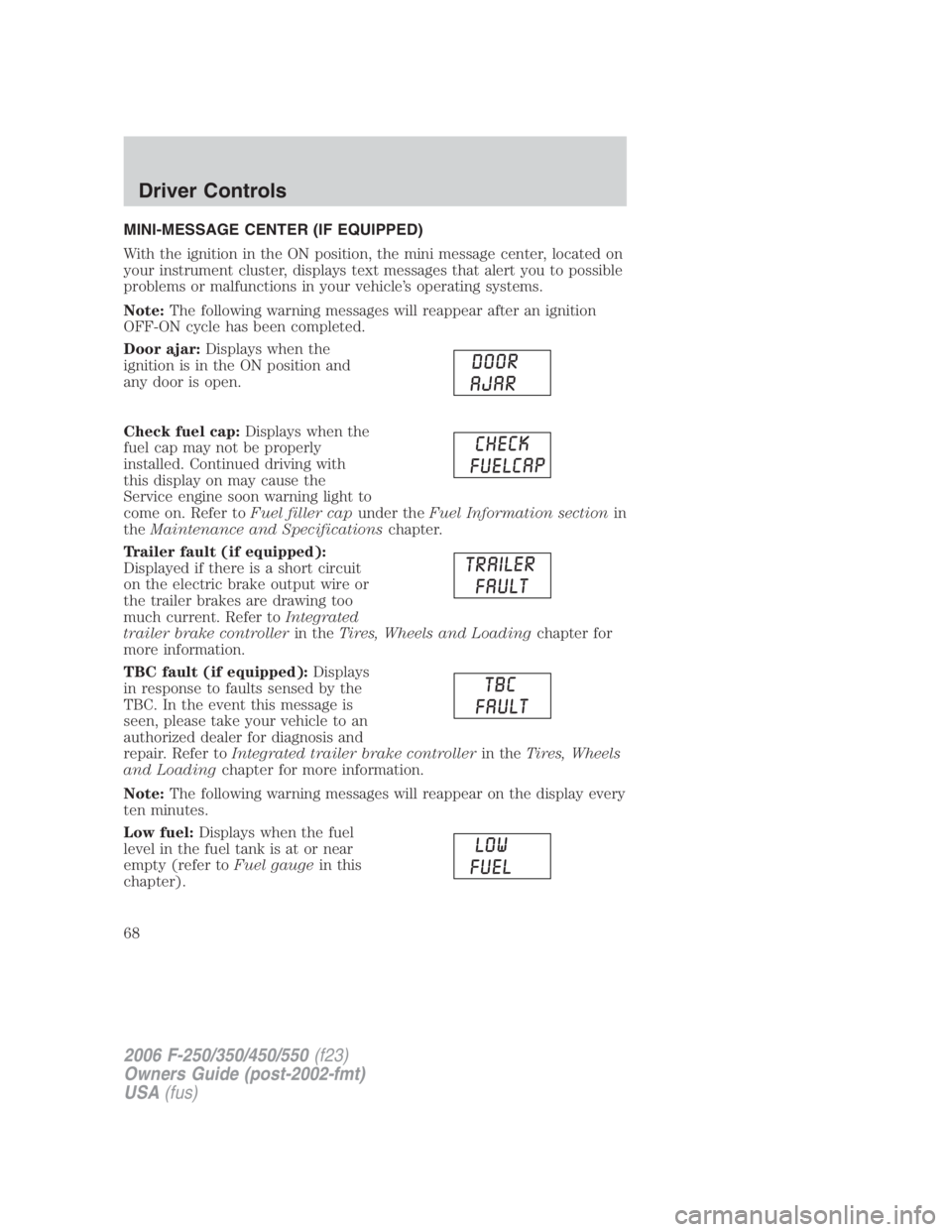
MINI-MESSAGE CENTER (IF EQUIPPED)
With the ignition in the ON position, the mini message center, located on
your instrument cluster, displays text messages that alert you to possible
problems or malfunctions in your vehicle’s operating systems.
Note: The following warning messages will reappear after an ignition
OFF-ON cycle has been completed.
Door ajar: Displays when the
ignition is in the ON position and
any door is open.
Check fuel cap: Displays when the
fuel cap may not be properly
installed. Continued driving with
this display on may cause the
Service engine soon warning light to
come on. Refer to Fuel filler cap under the Fuel Information section in
the Maintenance and Specifications chapter.
Trailer fault (if equipped):
Displayed if there is a short circuit
on the electric brake output wire or
the trailer brakes are drawing too
much current. Refer to Integrated
trailer brake controller in the Tires, Wheels and Loading chapter for
more information.
TBC fault (if equipped): Displays
in response to faults sensed by the
TBC. In the event this message is
seen, please take your vehicle to an
authorized dealer for diagnosis and
repair. Refer to Integrated trailer brake controller in the Tires, Wheels
and Loading chapter for more information.
Note: The following warning messages will reappear on the display every
ten minutes.
Low fuel: Displays when the fuel
level in the fuel tank is at or near
empty (refer to Fuel gauge in this
chapter).
2006 F-250/350/450/550 (f23)
Owners Guide (post-2002-fmt)
USA (fus)Driver Controls
68
Page 70 of 312
Selectable features
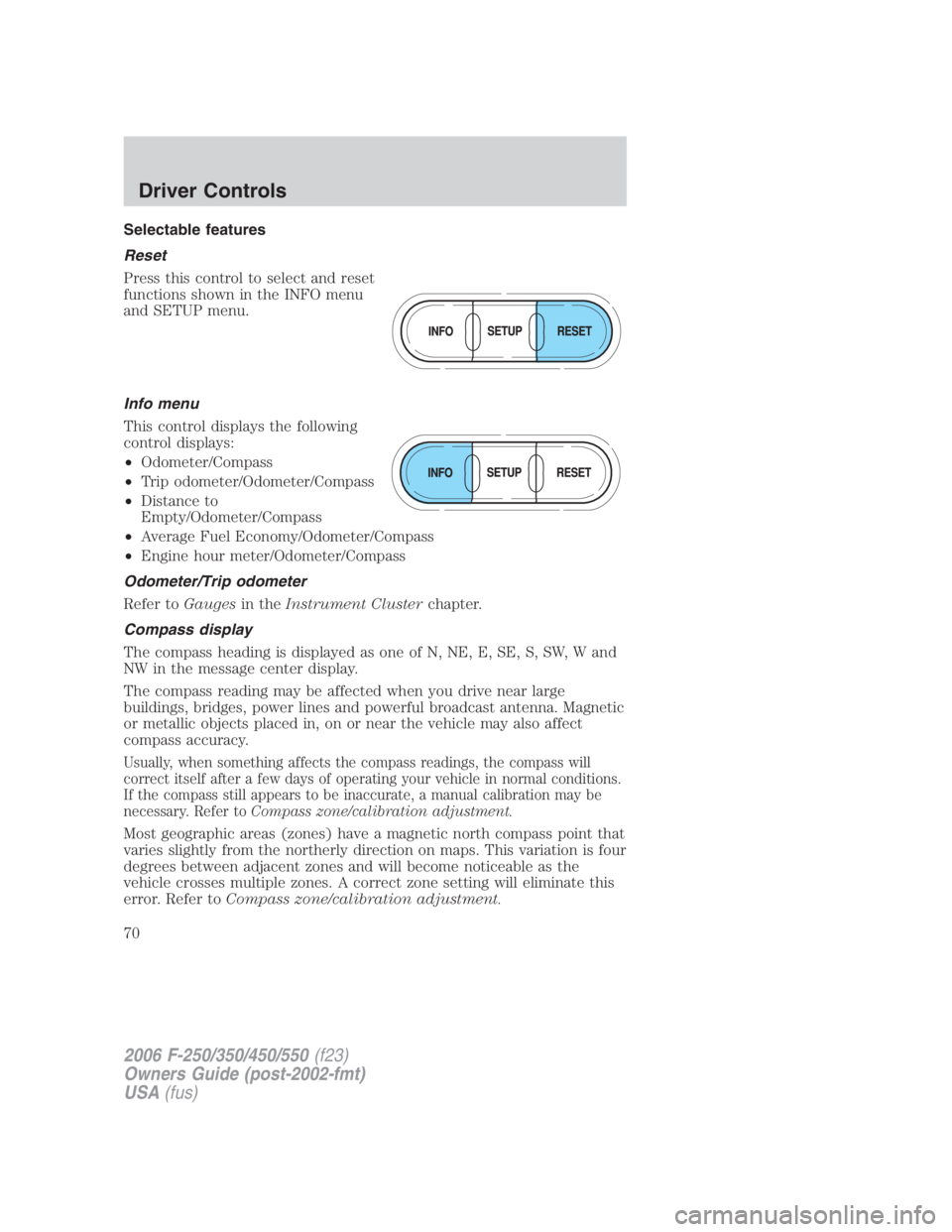
Reset
Press this control to select and reset
functions shown in the INFO menu
and SETUP menu.
Info menu
This control displays the following
control displays:
• Odometer/Compass
• Trip odometer/Odometer/Compass
• Distance to
Empty/Odometer/Compass
• Average Fuel Economy/Odometer/Compass
• Engine hour meter/Odometer/Compass
Odometer/Trip odometer
Refer to Gauges in the Instrument Cluster chapter.
Compass display
The compass heading is displayed as one of N, NE, E, SE, S, SW, W and
NW in the message center display.
The compass reading may be affected when you drive near large
buildings, bridges, power lines and powerful broadcast antenna. Magnetic
or metallic objects placed in, on or near the vehicle may also affect
compass accuracy.
Usually, when something affects the compass readings, the compass will
correct itself after a few days of operating your vehicle in normal conditions.
If the compass still appears to be inaccurate, a manual calibration may be
necessary. Refer to Compass zone/calibration adjustment.
Most geographic areas (zones) have a magnetic north compass point that
varies slightly from the northerly direction on maps. This variation is four
degrees between adjacent zones and will become noticeable as the
vehicle crosses multiple zones. A correct zone setting will eliminate this
error. Refer to Compass zone/calibration adjustment.
2006 F-250/350/450/550 (f23)
Owners Guide (post-2002-fmt)
USA (fus)Driver Controls
70
Page 74 of 312
5. DOOR AJAR
6. FUEL CAP (gasoline engine only)
7. AIR FILTER (diesel engine only)
8. FUEL LEVEL
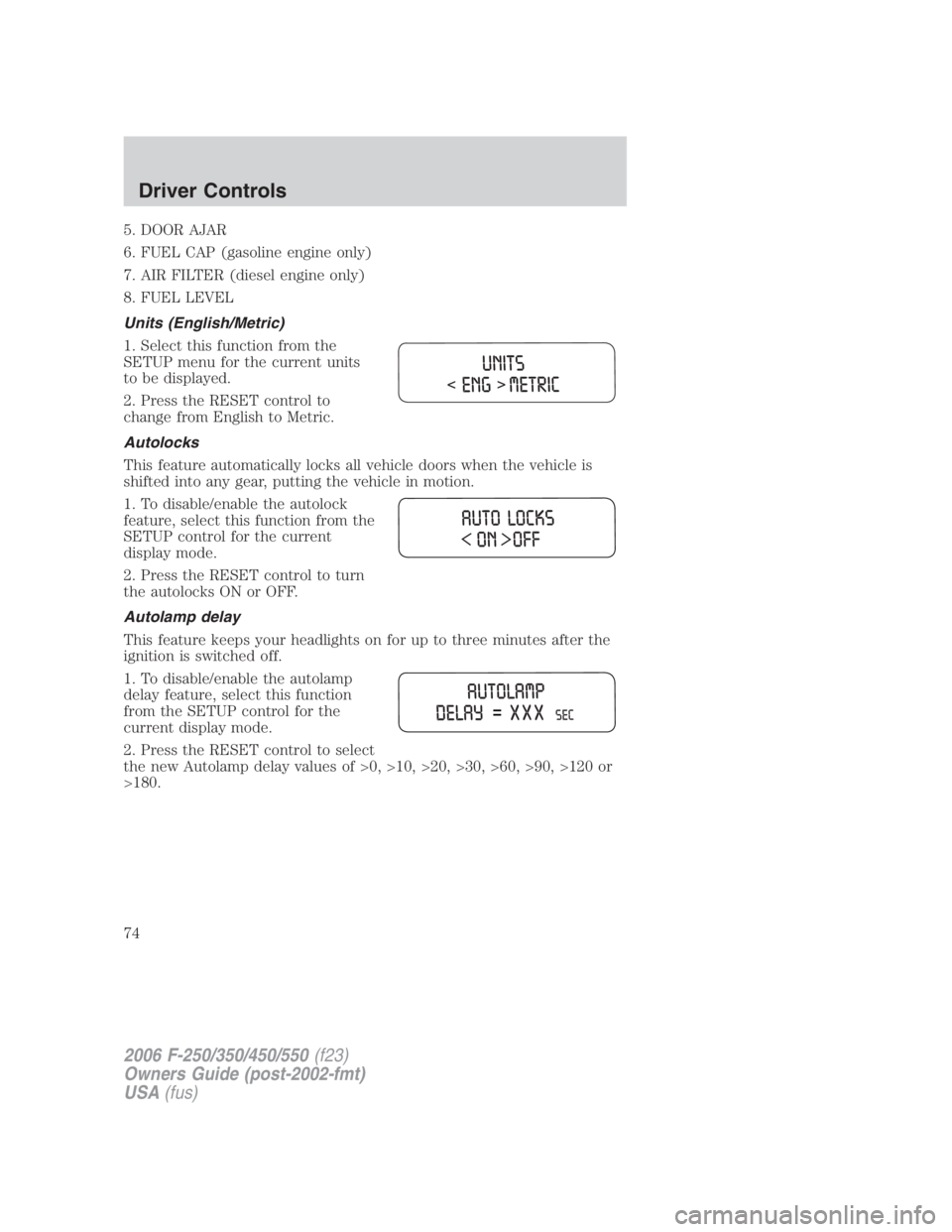
Units (English/Metric)
1. Select this function from the
SETUP menu for the current units
to be displayed.
2. Press the RESET control to
change from English to Metric.
Autolocks
This feature automatically locks all vehicle doors when the vehicle is
shifted into any gear, putting the vehicle in motion.
1. To disable/enable the autolock
feature, select this function from the
SETUP control for the current
display mode.
2. Press the RESET control to turn
the autolocks ON or OFF.
Autolamp delay
This feature keeps your headlights on for up to three minutes after the
ignition is switched off.
1. To disable/enable the autolamp
delay feature, select this function
from the SETUP control for the
current display mode.
2. Press the RESET control to select
the new Autolamp delay values of >0, >10, >20, >30, >60, >90, >120 or
>180.
2006 F-250/350/450/550 (f23)
Owners Guide (post-2002-fmt)
USA (fus)Driver Controls
74