remote control FORD F250 SUPER DUTY 2014 Owner's Manual
[x] Cancel search | Manufacturer: FORD, Model Year: 2014, Model line: F250 SUPER DUTY, Model: FORD F250 SUPER DUTY 2014Pages: 460, PDF Size: 6.55 MB
Page 115 of 460
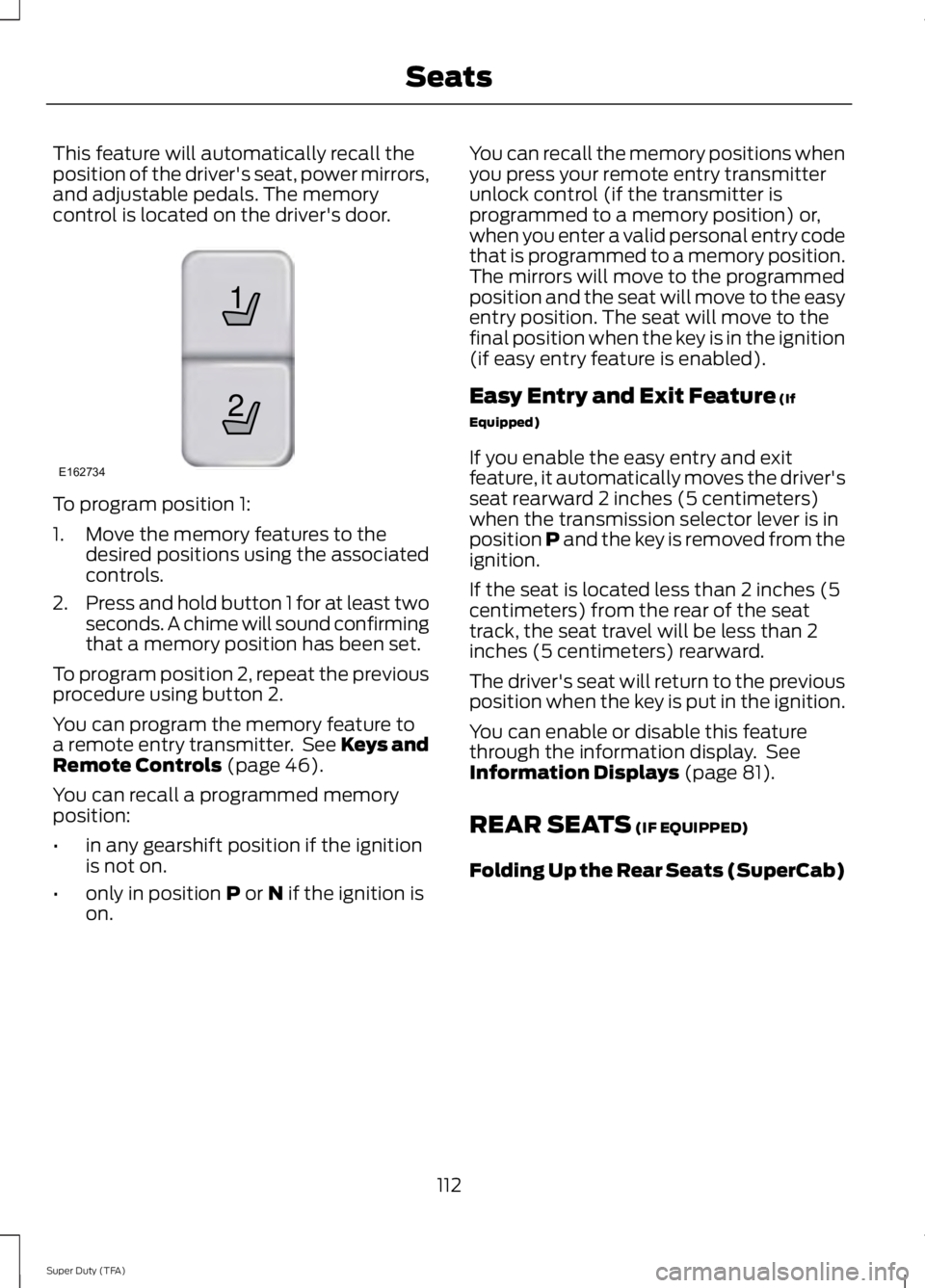
This feature will automatically recall theposition of the driver's seat, power mirrors,and adjustable pedals. The memorycontrol is located on the driver's door.
To program position 1:
1. Move the memory features to thedesired positions using the associatedcontrols.
2.Press and hold button 1 for at least twoseconds. A chime will sound confirmingthat a memory position has been set.
To program position 2, repeat the previousprocedure using button 2.
You can program the memory feature toa remote entry transmitter. See Keys andRemote Controls (page 46).
You can recall a programmed memoryposition:
•in any gearshift position if the ignitionis not on.
•only in position P or N if the ignition ison.
You can recall the memory positions whenyou press your remote entry transmitterunlock control (if the transmitter isprogrammed to a memory position) or,when you enter a valid personal entry codethat is programmed to a memory position.The mirrors will move to the programmedposition and the seat will move to the easyentry position. The seat will move to thefinal position when the key is in the ignition(if easy entry feature is enabled).
Easy Entry and Exit Feature (If
Equipped)
If you enable the easy entry and exitfeature, it automatically moves the driver'sseat rearward 2 inches (5 centimeters)when the transmission selector lever is inposition P and the key is removed from theignition.
If the seat is located less than 2 inches (5centimeters) from the rear of the seattrack, the seat travel will be less than 2inches (5 centimeters) rearward.
The driver's seat will return to the previousposition when the key is put in the ignition.
You can enable or disable this featurethrough the information display. SeeInformation Displays (page 81).
REAR SEATS (IF EQUIPPED)
Folding Up the Rear Seats (SuperCab)
112
Super Duty (TFA)
Seats21
E162734
Page 122 of 460
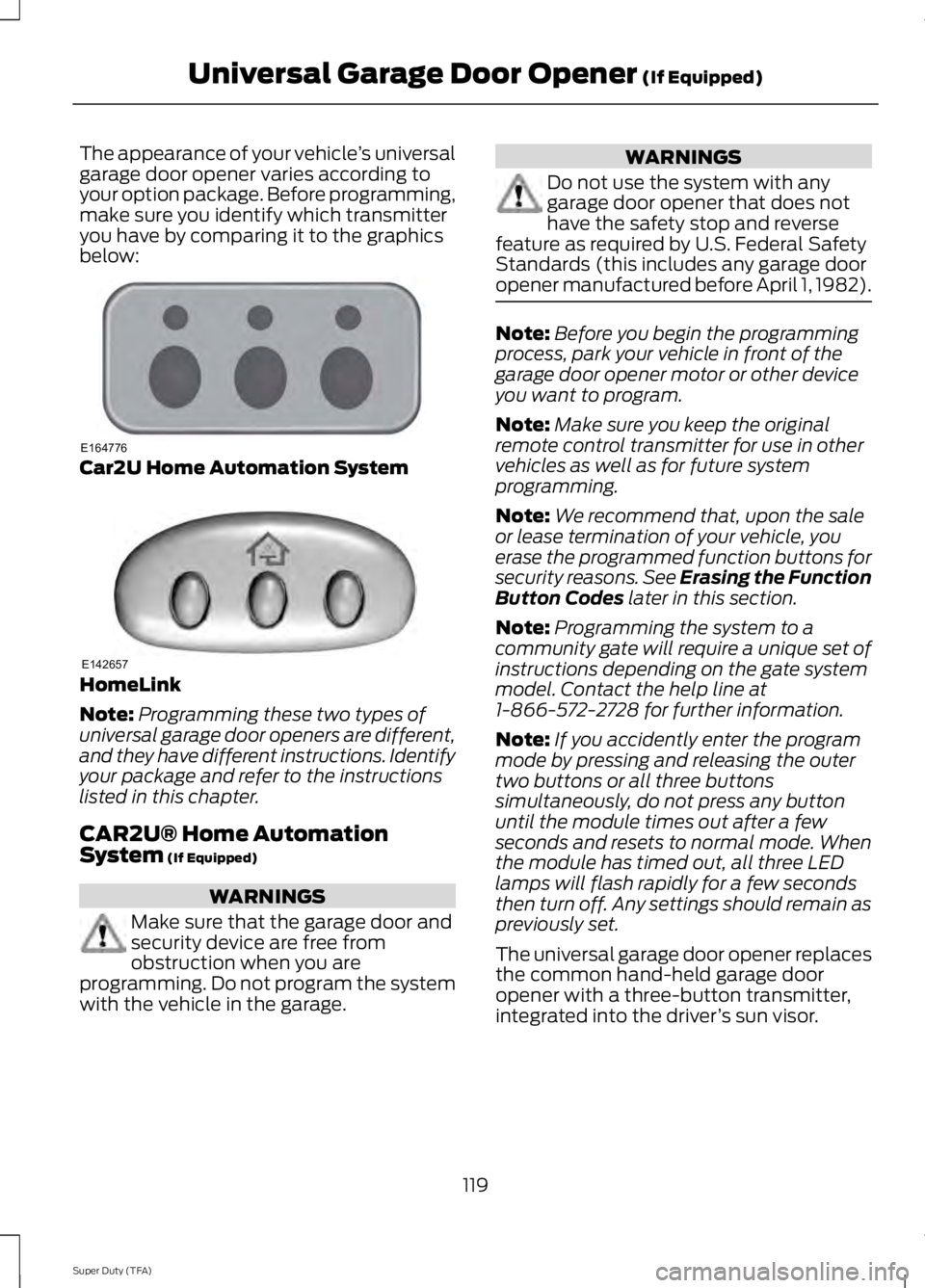
The appearance of your vehicle’s universalgarage door opener varies according toyour option package. Before programming,make sure you identify which transmitteryou have by comparing it to the graphicsbelow:
Car2U Home Automation System
HomeLink
Note:Programming these two types ofuniversal garage door openers are different,and they have different instructions. Identifyyour package and refer to the instructionslisted in this chapter.
CAR2U® Home AutomationSystem (If Equipped)
WARNINGS
Make sure that the garage door andsecurity device are free fromobstruction when you areprogramming. Do not program the systemwith the vehicle in the garage.
WARNINGS
Do not use the system with anygarage door opener that does nothave the safety stop and reversefeature as required by U.S. Federal SafetyStandards (this includes any garage dooropener manufactured before April 1, 1982).
Note:Before you begin the programmingprocess, park your vehicle in front of thegarage door opener motor or other deviceyou want to program.
Note:Make sure you keep the originalremote control transmitter for use in othervehicles as well as for future systemprogramming.
Note:We recommend that, upon the saleor lease termination of your vehicle, youerase the programmed function buttons forsecurity reasons. See Erasing the FunctionButton Codes later in this section.
Note:Programming the system to acommunity gate will require a unique set ofinstructions depending on the gate systemmodel. Contact the help line at1-866-572-2728 for further information.
Note:If you accidently enter the programmode by pressing and releasing the outertwo buttons or all three buttonssimultaneously, do not press any buttonuntil the module times out after a fewseconds and resets to normal mode. Whenthe module has timed out, all three LEDlamps will flash rapidly for a few secondsthen turn off. Any settings should remain aspreviously set.
The universal garage door opener replacesthe common hand-held garage dooropener with a three-button transmitter,integrated into the driver’s sun visor.
119
Super Duty (TFA)
Universal Garage Door Opener (If Equipped)E164776 E142657
Page 123 of 460
The system includes two primary features,a garage door opener and a platform forremote activation of devices within thehome. This functionality allows you toprogram garage door openers as well assecurity devices and home lightingsystems.
You can find additional system informationonline at www.learcar2U.com or by callingthe toll-free help line on 1-866-572-2728.
Rolling Code Programming
Note:If you do not follow the time-sensitiveinstructions, the device will time out andyou will have to repeat the completeprocedure.
Note:It may be helpful to have anotherperson assist you in programming thetransmitter.
1. Switch the ignition on.
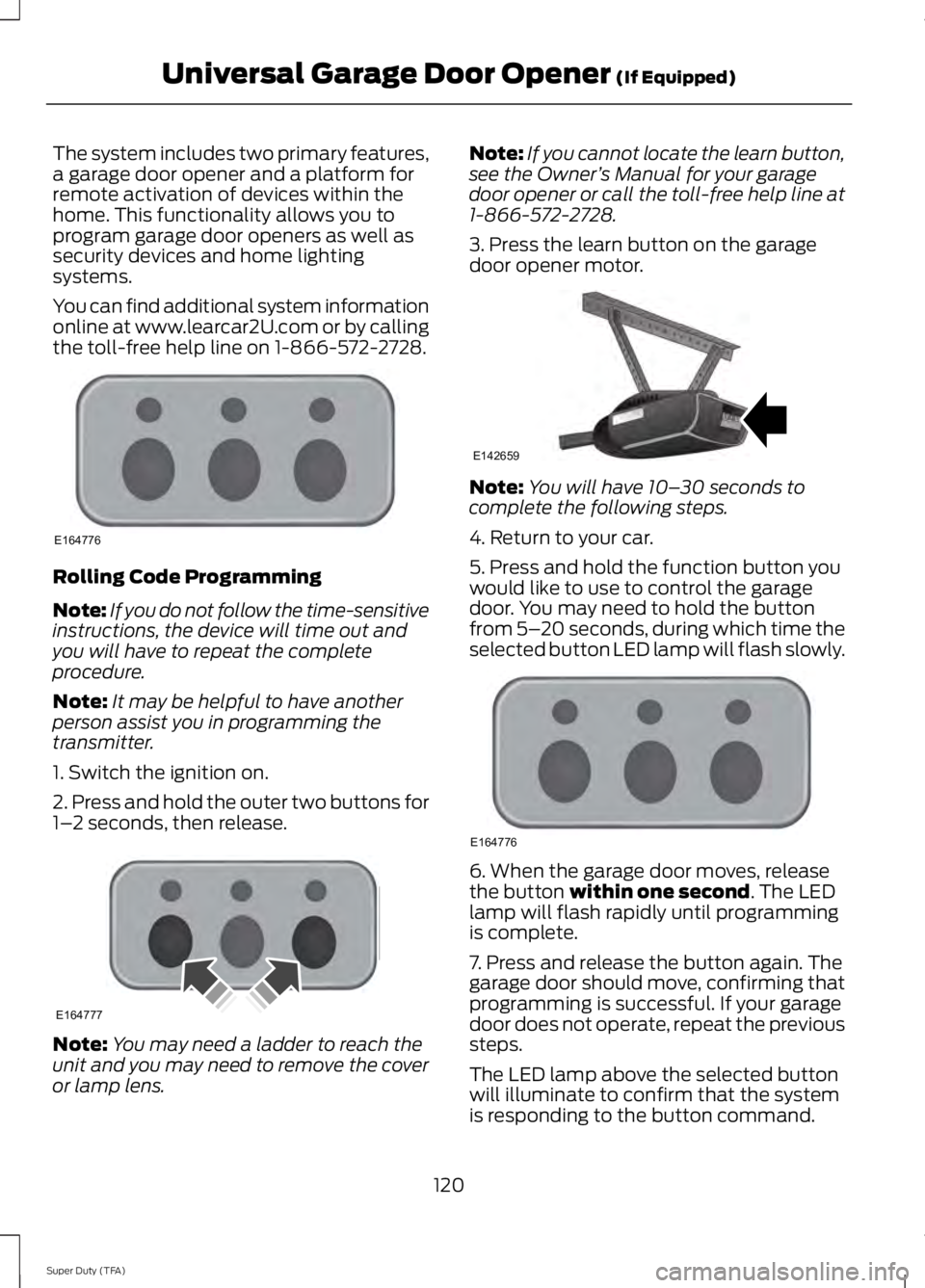
2. Press and hold the outer two buttons for1–2 seconds, then release.
Note:You may need a ladder to reach theunit and you may need to remove the coveror lamp lens.
Note:If you cannot locate the learn button,see the Owner’s Manual for your garagedoor opener or call the toll-free help line at1-866-572-2728.
3. Press the learn button on the garagedoor opener motor.
Note:You will have 10–30 seconds tocomplete the following steps.
4. Return to your car.
5. Press and hold the function button youwould like to use to control the garagedoor. You may need to hold the buttonfrom 5–20 seconds, during which time theselected button LED lamp will flash slowly.
6. When the garage door moves, releasethe button within one second. The LEDlamp will flash rapidly until programmingis complete.
7. Press and release the button again. Thegarage door should move, confirming thatprogramming is successful. If your garagedoor does not operate, repeat the previoussteps.
The LED lamp above the selected buttonwill illuminate to confirm that the systemis responding to the button command.
120
Super Duty (TFA)
Universal Garage Door Opener (If Equipped)E164776 E164777 E142659 E164776
Page 125 of 460
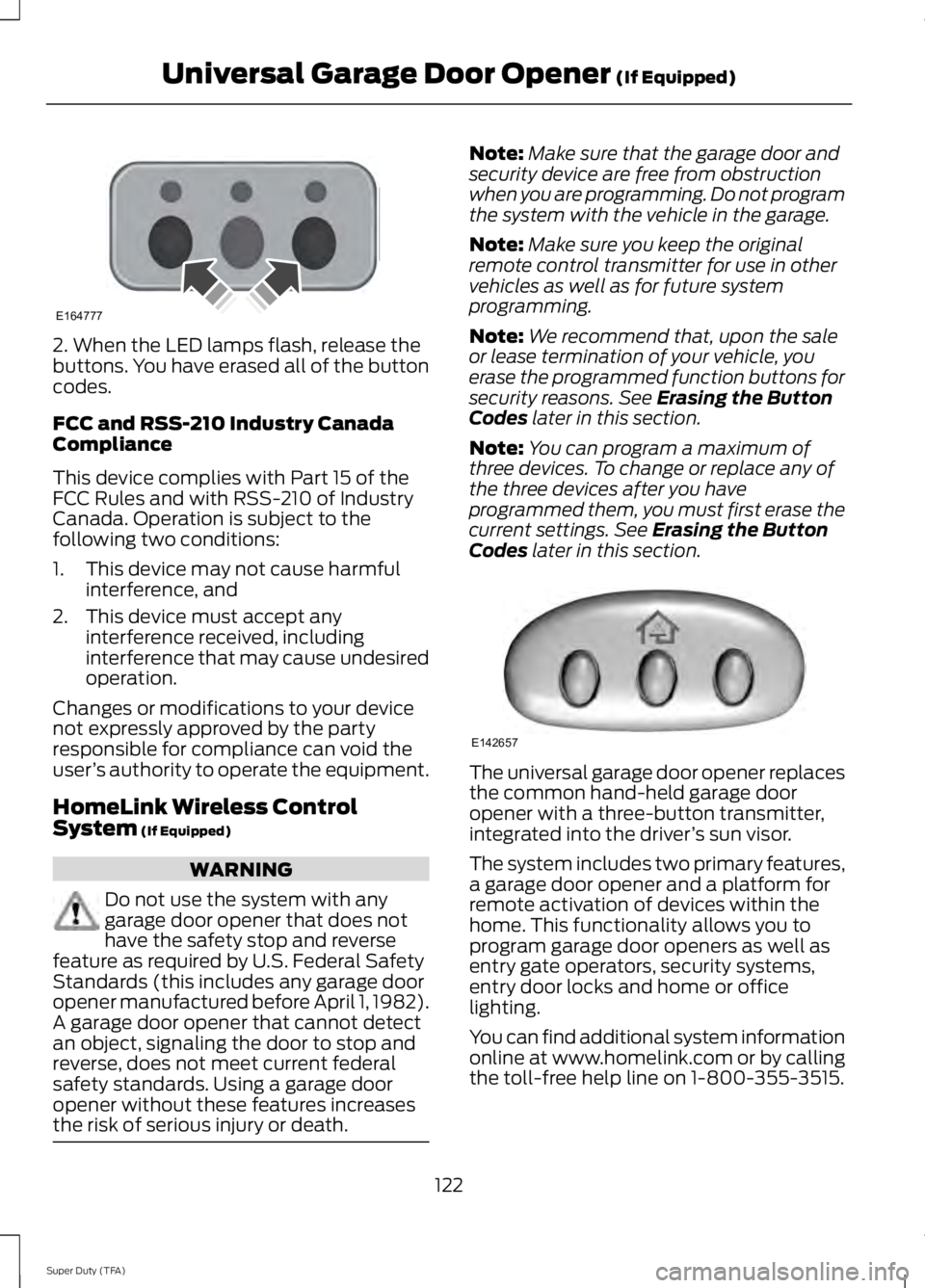
2. When the LED lamps flash, release thebuttons. You have erased all of the buttoncodes.
FCC and RSS-210 Industry CanadaCompliance
This device complies with Part 15 of theFCC Rules and with RSS-210 of IndustryCanada. Operation is subject to thefollowing two conditions:
1. This device may not cause harmfulinterference, and
2. This device must accept anyinterference received, includinginterference that may cause undesiredoperation.
Changes or modifications to your devicenot expressly approved by the partyresponsible for compliance can void theuser’s authority to operate the equipment.
HomeLink Wireless ControlSystem (If Equipped)
WARNING
Do not use the system with anygarage door opener that does nothave the safety stop and reversefeature as required by U.S. Federal SafetyStandards (this includes any garage dooropener manufactured before April 1, 1982).A garage door opener that cannot detectan object, signaling the door to stop andreverse, does not meet current federalsafety standards. Using a garage dooropener without these features increasesthe risk of serious injury or death.
Note:Make sure that the garage door andsecurity device are free from obstructionwhen you are programming. Do not programthe system with the vehicle in the garage.
Note:Make sure you keep the originalremote control transmitter for use in othervehicles as well as for future systemprogramming.
Note:We recommend that, upon the saleor lease termination of your vehicle, youerase the programmed function buttons forsecurity reasons. See Erasing the ButtonCodes later in this section.
Note:You can program a maximum ofthree devices. To change or replace any ofthe three devices after you haveprogrammed them, you must first erase thecurrent settings. See Erasing the ButtonCodes later in this section.
The universal garage door opener replacesthe common hand-held garage dooropener with a three-button transmitter,integrated into the driver’s sun visor.
The system includes two primary features,a garage door opener and a platform forremote activation of devices within thehome. This functionality allows you toprogram garage door openers as well asentry gate operators, security systems,entry door locks and home or officelighting.
You can find additional system informationonline at www.homelink.com or by callingthe toll-free help line on 1-800-355-3515.
122
Super Duty (TFA)
Universal Garage Door Opener (If Equipped)E164777 E142657
Page 210 of 460
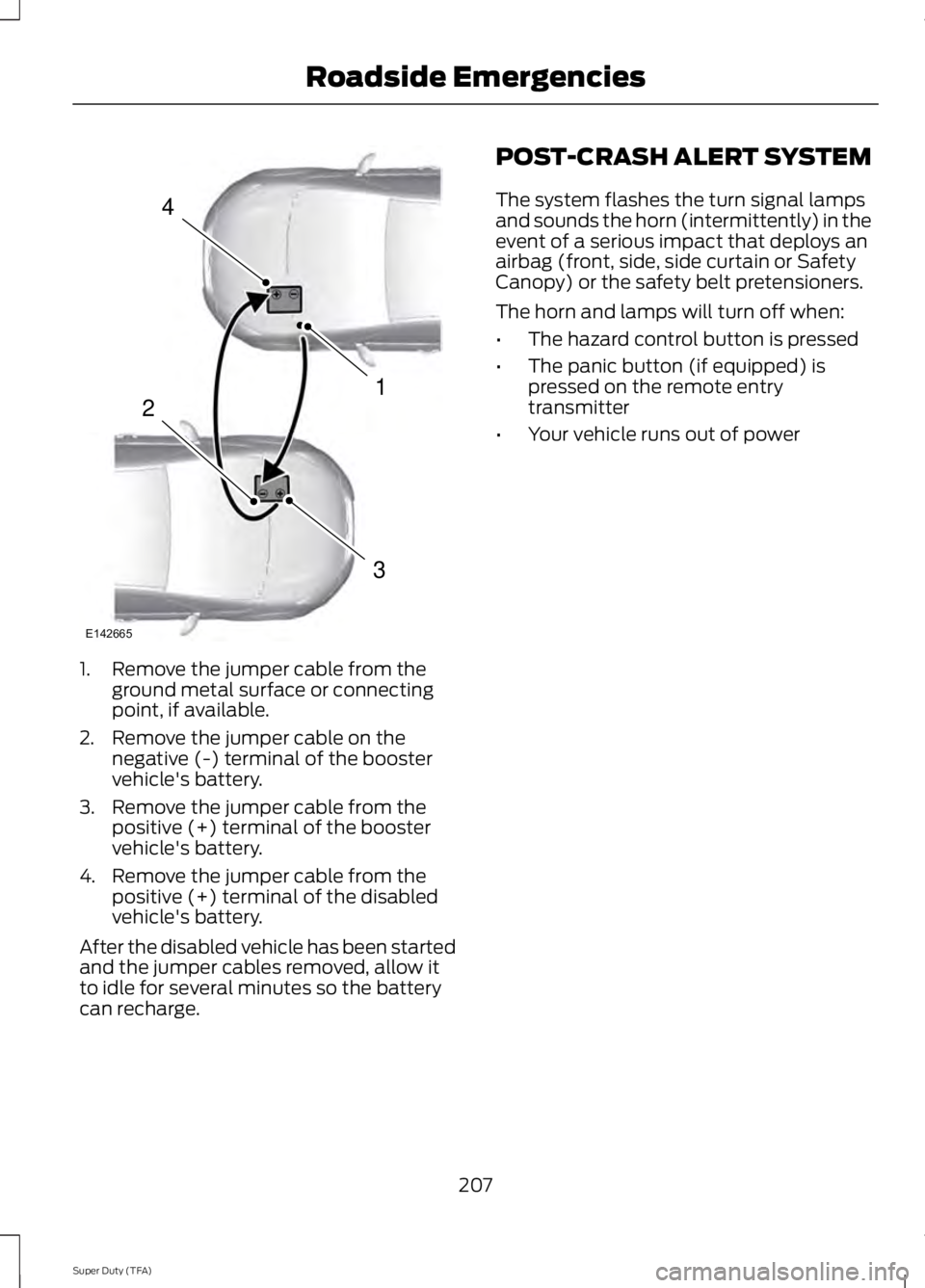
1. Remove the jumper cable from theground metal surface or connectingpoint, if available.
2. Remove the jumper cable on thenegative (-) terminal of the boostervehicle's battery.
3. Remove the jumper cable from thepositive (+) terminal of the boostervehicle's battery.
4. Remove the jumper cable from thepositive (+) terminal of the disabledvehicle's battery.
After the disabled vehicle has been startedand the jumper cables removed, allow itto idle for several minutes so the batterycan recharge.
POST-CRASH ALERT SYSTEM
The system flashes the turn signal lampsand sounds the horn (intermittently) in theevent of a serious impact that deploys anairbag (front, side, side curtain or SafetyCanopy) or the safety belt pretensioners.
The horn and lamps will turn off when:
•The hazard control button is pressed
•The panic button (if equipped) ispressed on the remote entrytransmitter
•Your vehicle runs out of power
207
Super Duty (TFA)
Roadside Emergencies4
1
3
2
E142665
Page 224 of 460
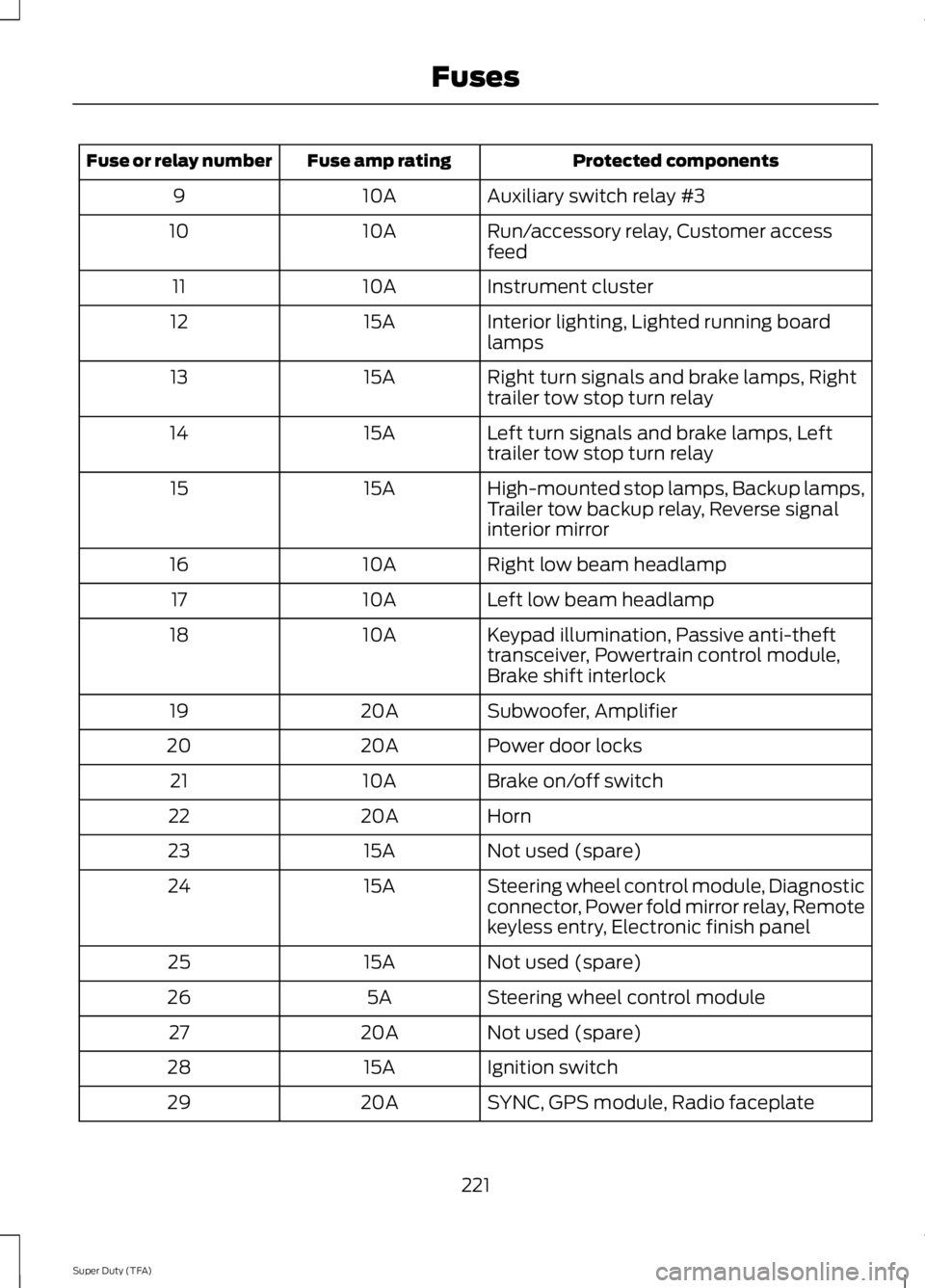
Protected componentsFuse amp ratingFuse or relay number
Auxiliary switch relay #310A9
Run/accessory relay, Customer accessfeed10A10
Instrument cluster10A11
Interior lighting, Lighted running boardlamps15A12
Right turn signals and brake lamps, Righttrailer tow stop turn relay15A13
Left turn signals and brake lamps, Lefttrailer tow stop turn relay15A14
High-mounted stop lamps, Backup lamps,Trailer tow backup relay, Reverse signalinterior mirror
15A15
Right low beam headlamp10A16
Left low beam headlamp10A17
Keypad illumination, Passive anti-thefttransceiver, Powertrain control module,Brake shift interlock
10A18
Subwoofer, Amplifier20A19
Power door locks20A20
Brake on/off switch10A21
Horn20A22
Not used (spare)15A23
Steering wheel control module, Diagnosticconnector, Power fold mirror relay, Remotekeyless entry, Electronic finish panel
15A24
Not used (spare)15A25
Steering wheel control module5A26
Not used (spare)20A27
Ignition switch15A28
SYNC, GPS module, Radio faceplate20A29
221
Super Duty (TFA)
Fuses
Page 412 of 460
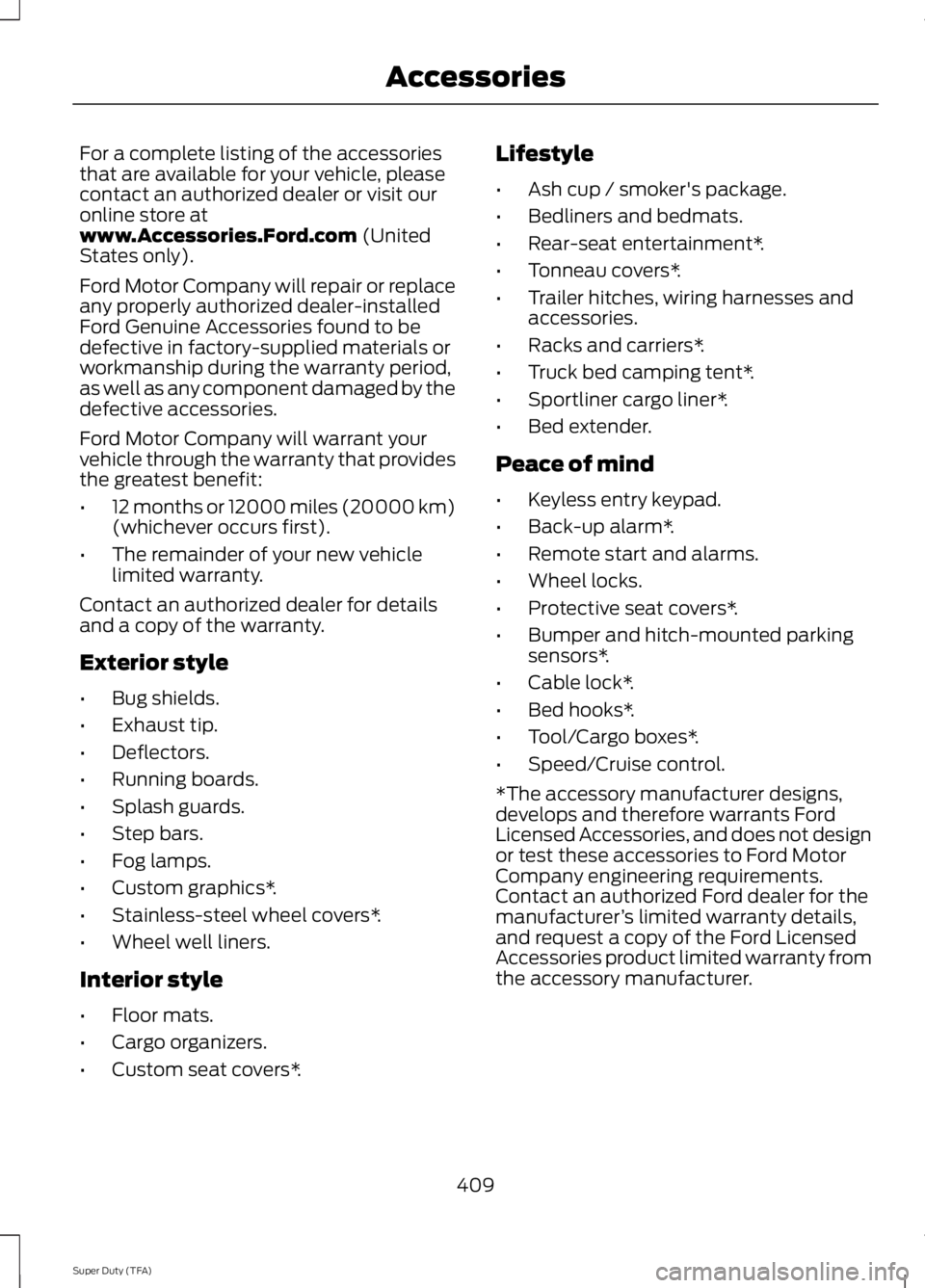
For a complete listing of the accessoriesthat are available for your vehicle, pleasecontact an authorized dealer or visit ouronline store atwww.Accessories.Ford.com (UnitedStates only).
Ford Motor Company will repair or replaceany properly authorized dealer-installedFord Genuine Accessories found to bedefective in factory-supplied materials orworkmanship during the warranty period,as well as any component damaged by thedefective accessories.
Ford Motor Company will warrant yourvehicle through the warranty that providesthe greatest benefit:
•12 months or 12000 miles (20000 km)(whichever occurs first).
•The remainder of your new vehiclelimited warranty.
Contact an authorized dealer for detailsand a copy of the warranty.
Exterior style
•Bug shields.
•Exhaust tip.
•Deflectors.
•Running boards.
•Splash guards.
•Step bars.
•Fog lamps.
•Custom graphics*.
•Stainless-steel wheel covers*.
•Wheel well liners.
Interior style
•Floor mats.
•Cargo organizers.
•Custom seat covers*.
Lifestyle
•Ash cup / smoker's package.
•Bedliners and bedmats.
•Rear-seat entertainment*.
•Tonneau covers*.
•Trailer hitches, wiring harnesses andaccessories.
•Racks and carriers*.
•Truck bed camping tent*.
•Sportliner cargo liner*.
•Bed extender.
Peace of mind
•Keyless entry keypad.
•Back-up alarm*.
•Remote start and alarms.
•Wheel locks.
•Protective seat covers*.
•Bumper and hitch-mounted parkingsensors*.
•Cable lock*.
•Bed hooks*.
•Tool/Cargo boxes*.
•Speed/Cruise control.
*The accessory manufacturer designs,develops and therefore warrants FordLicensed Accessories, and does not designor test these accessories to Ford MotorCompany engineering requirements.Contact an authorized Ford dealer for themanufacturer’s limited warranty details,and request a copy of the Ford LicensedAccessories product limited warranty fromthe accessory manufacturer.
409
Super Duty (TFA)
Accessories
Page 454 of 460
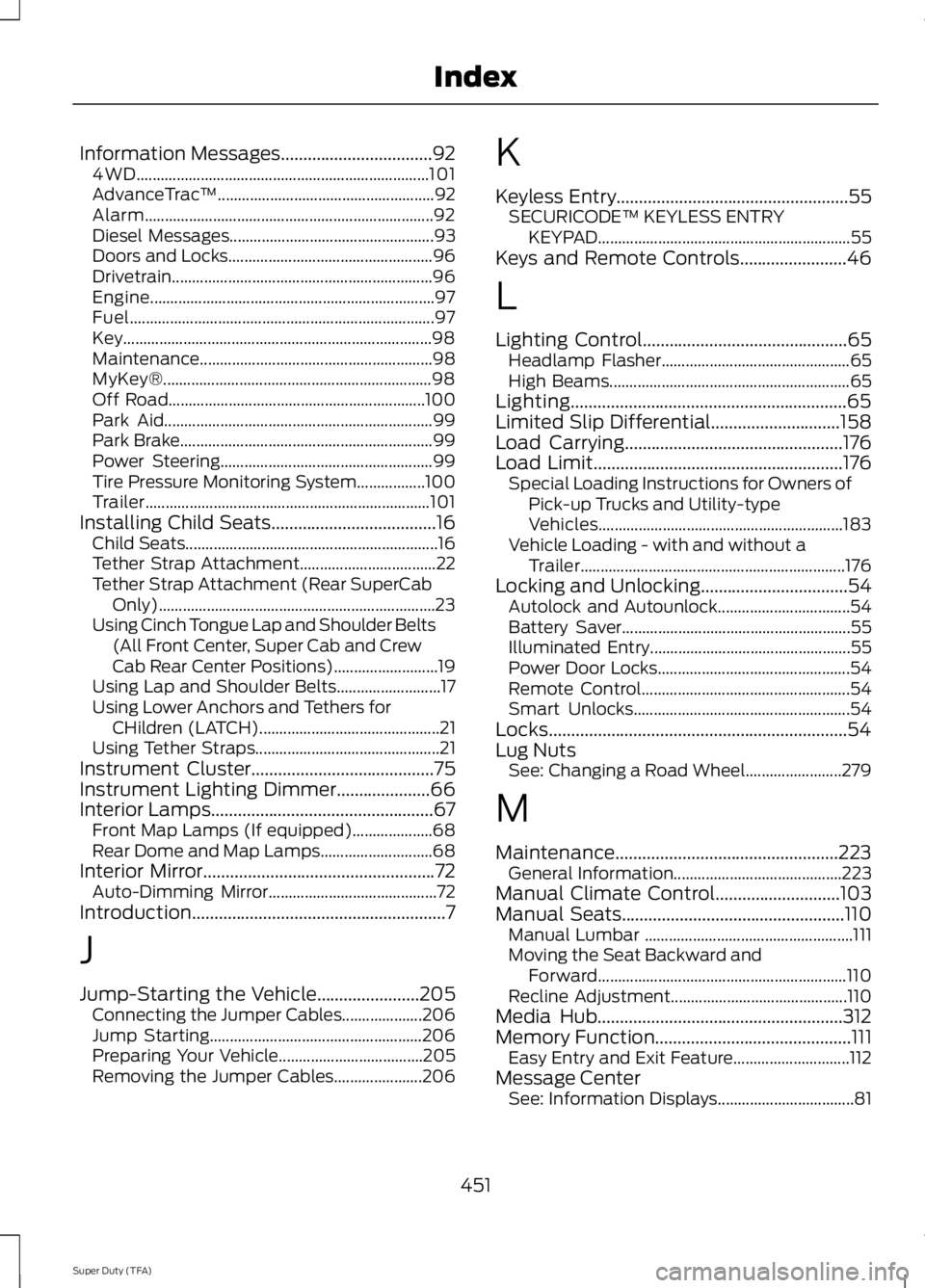
Information Messages..................................924WD.........................................................................101AdvanceTrac™......................................................92Alarm........................................................................92Diesel Messages...................................................93Doors and Locks...................................................96Drivetrain.................................................................96Engine.......................................................................97Fuel............................................................................97Key.............................................................................98Maintenance..........................................................98MyKey®...................................................................98Off Road................................................................100Park Aid...................................................................99Park Brake...............................................................99Power Steering.....................................................99Tire Pressure Monitoring System.................100Trailer.......................................................................101Installing Child Seats.....................................16Child Seats...............................................................16Tether Strap Attachment..................................22Tether Strap Attachment (Rear SuperCabOnly).....................................................................23Using Cinch Tongue Lap and Shoulder Belts(All Front Center, Super Cab and CrewCab Rear Center Positions)..........................19Using Lap and Shoulder Belts..........................17Using Lower Anchors and Tethers forCHildren (LATCH).............................................21Using Tether Straps..............................................21Instrument Cluster.........................................75Instrument Lighting Dimmer.....................66Interior Lamps..................................................67Front Map Lamps (If equipped)....................68Rear Dome and Map Lamps............................68Interior Mirror....................................................72Auto-Dimming Mirror..........................................72Introduction.........................................................7
J
Jump-Starting the Vehicle.......................205Connecting the Jumper Cables....................206Jump Starting.....................................................206Preparing Your Vehicle....................................205Removing the Jumper Cables......................206
K
Keyless Entry....................................................55SECURICODE™ KEYLESS ENTRYKEYPAD...............................................................55Keys and Remote Controls........................46
L
Lighting Control..............................................65Headlamp Flasher...............................................65High Beams............................................................65Lighting..............................................................65Limited Slip Differential.............................158Load Carrying.................................................176Load Limit........................................................176Special Loading Instructions for Owners ofPick-up Trucks and Utility-typeVehicles.............................................................183Vehicle Loading - with and without aTrailer..................................................................176Locking and Unlocking.................................54Autolock and Autounlock.................................54Battery Saver.........................................................55Illuminated Entry..................................................55Power Door Locks................................................54Remote Control....................................................54Smart Unlocks......................................................54Locks...................................................................54Lug NutsSee: Changing a Road Wheel........................279
M
Maintenance..................................................223General Information..........................................223Manual Climate Control............................103Manual Seats..................................................110Manual Lumbar ....................................................111Moving the Seat Backward andForward..............................................................110Recline Adjustment............................................110Media Hub.......................................................312Memory Function............................................111Easy Entry and Exit Feature.............................112Message CenterSee: Information Displays..................................81
451
Super Duty (TFA)
Index
Page 456 of 460
Refueling..........................................................136Fuel Filler Cap.......................................................137Remote Control..............................................46Car Finder................................................................47Integrated Keyhead Transmitters .................46Memory Feature....................................................47Remote Start ........................................................48Replacing the Battery.........................................46Sounding a Panic Alarm....................................48Remote Start.................................................106Automatic Settings............................................107Heated and Cooled Devices...........................107Removing a Headlamp..............................239Repairing Minor Paint Damage................251Replacement PartsRecommendation........................................12Collision Repairs....................................................12Scheduled Maintenance and MechanicalRepairs..................................................................12Warranty on Replacement Parts.....................12Replacing a Lost Key or RemoteControl............................................................49Reporting Safety Defects (CanadaOnly)...............................................................213Reporting Safety Defects (U.S.Only)...............................................................212Roadside Assistance.................................204Vehicles Sold In Canada : Getting RoadsideAssistance.......................................................204Vehicles Sold In Canada : Using RoadsideAssistance.......................................................204Vehicles Sold In The U.S.: Getting RoadsideAssistance.......................................................204Vehicles Sold In The U.S. : Using RoadsideAssistance.......................................................204Roadside Emergencies.............................204Running-InSee: Breaking-In................................................200Running Out of Fuel....................................136Refilling With a Portable FuelContainer..........................................................136
S
Safety Belt Height Adjustment.................32Safety Belt Minder.........................................33Belt-Minder™........................................................33
Safety Belts......................................................28Principle of Operation........................................28Safety Belt Warning Lamp and IndicatorChime...............................................................32Conditions of operation.....................................33Safety Canopy™............................................43Safety Precautions.......................................134Satellite Radio..............................................309Satellite Radio Electronic Serial Number(ESN).................................................................310Satellite Radio Reception Factors..............309SIRIUS® Satellite Radio Service.................309Troubleshooting..................................................310Scheduled Maintenance Record...........438Scheduled Maintenance..........................430Seats.................................................................108Security..............................................................58Settings...........................................................356Clock.......................................................................357Display....................................................................357Settings.................................................................359Sound.....................................................................358Vehicle...................................................................358Side Airbags.....................................................42Sitting in the Correct Position.................108Snow ChainsSee: Using Snow Chains..................................273Snowplowing................................................202Engine temperature while plowing.............203Installing the Snowplow.................................202Operating the Vehicle with the SnowplowAttached..........................................................202Snowplowing with your Airbag EquippedVehicle..............................................................203Transmission operation whileplowing.............................................................203Special Notices................................................12New Vehicle Limited Warranty.........................12Special Instructions..............................................12Using your Vehicle as an Ambulance.............13Using your Vehicle as a Stationary PowerSource...................................................................13Using your Vehicle with a Snowplow.............12Special Operating Conditions ScheduledMaintenance..............................................4346.2L and 6.8L Gasoline Engines...................4346.7L Diesel Engine..............................................437Exceptions............................................................437
453
Super Duty (TFA)
Index
Page 458 of 460
Using Cruise Control....................................174Switching Cruise Control Off..........................174Switching Cruise Control On...........................174Using Four-Wheel Drive.............................1494WD Indicator Lights........................................150Driving Off-Road With Truck and UtilityVehicles.............................................................153Electronic Shift-On-the-Fly (ESOF) 4WDsystem...............................................................149How Your Vehicle Differs From OtherVehicles.............................................................153Manual Shift On Stop (MSOS) 4WDsystem...............................................................149Using a Manual Shift On Stop (MSOS) 4wdsystem...............................................................150Using the Electronic Shift on the Fly 4WDsystem................................................................152Using Hill Descent Control........................168Hill descent modes............................................168Using MyKey With Remote StartSystems..........................................................52Using Snow Chains......................................273Using Stability Control...............................165AdvanceTrac® with Roll Stability Control™(RSC®)..............................................................165Using SYNC™ With Your MediaPlayer.............................................................335Accessing Your Play Menu.............................339Connecting Your Digital Media Player to theUSB Port...........................................................335Media Menu Features......................................338Media Voice Commands................................336System Settings..................................................341What's Playing?.................................................336Using SYNC™ With Your Phone..............317Accessing Features through the PhoneMenu...................................................................321Accessing Your Phone Settings....................324Making Calls........................................................320Pairing a Phone for the First Time................318Pairing Subsequent Phones...........................318Phone Options during an Active Call.........320Phone Voice Commands.................................318Receiving Calls...................................................320System Settings.................................................325Text Messaging...................................................323
Using Traction Control................................163System Indicator Lights andMessages..........................................................164Using Voice Recognition............................315Initiating a Voice Session.................................315System Interaction and Feedback...............316Utilizing the Mediation/ArbitrationProgram (Canada Only).........................210
V
Vehicle Care...................................................247General Information..........................................247Vehicle Certification Label.......................294Vehicle Identification Number................294Vehicle Storage.............................................252Battery....................................................................253Body........................................................................252Brakes.....................................................................253Cooling system...................................................253Engine.....................................................................252Fuel system..........................................................253General..................................................................252Miscellaneous.....................................................253Removing Vehicle From Storage..................253Tires.........................................................................253Ventilated Seats............................................116Heated and Ventilated Seats Air FilterReplacement ...................................................116VentilationSee: Climate Control.........................................103VINSee: Vehicle Identification Number............294Voice Control....................................................61
455
Super Duty (TFA)
Index