steering FORD F250 SUPER DUTY 2014 Owners Manual
[x] Cancel search | Manufacturer: FORD, Model Year: 2014, Model line: F250 SUPER DUTY, Model: FORD F250 SUPER DUTY 2014Pages: 460, PDF Size: 6.55 MB
Page 4 of 460
Introduction
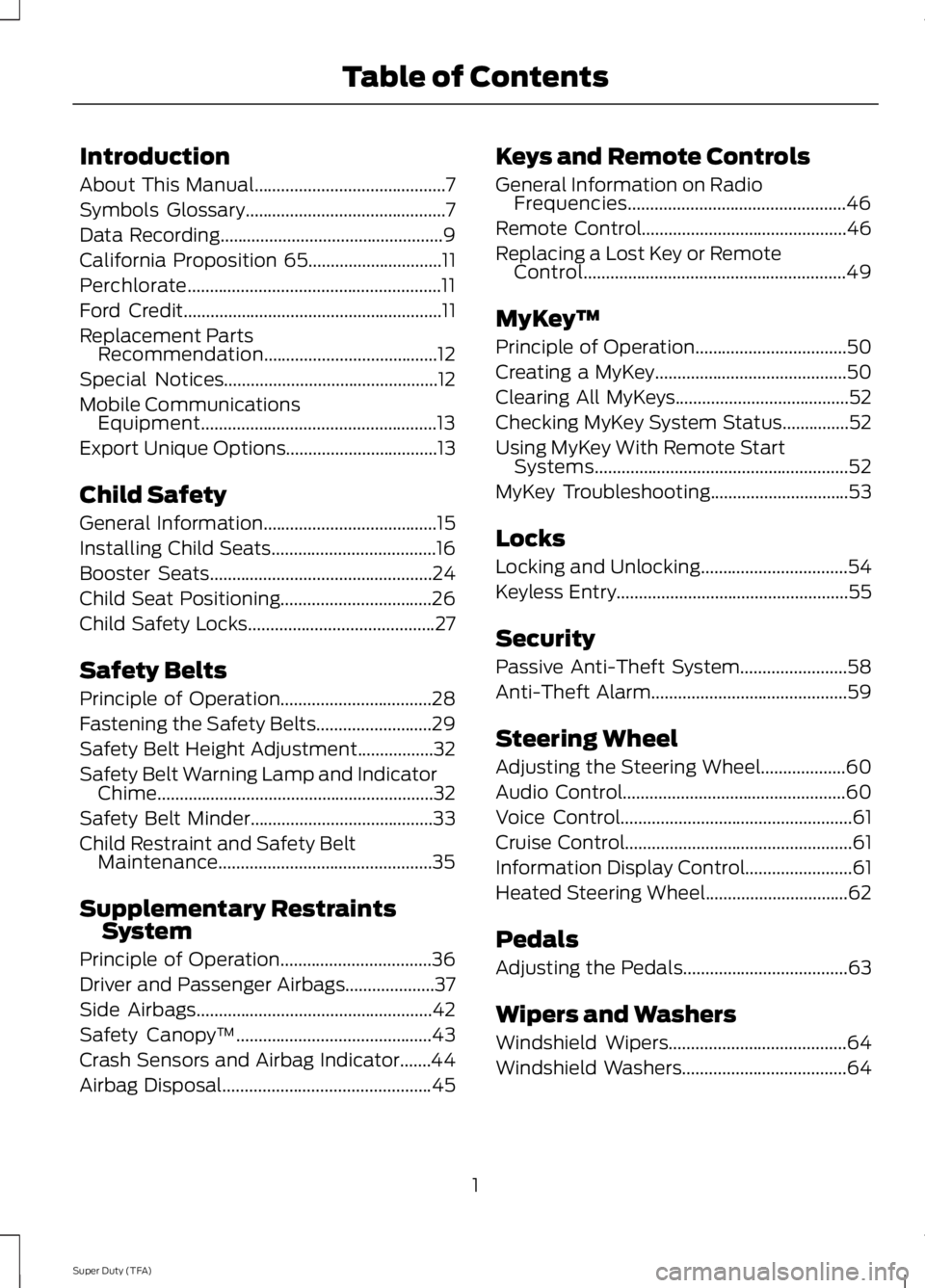
About This Manual...........................................7
Symbols Glossary.............................................7
Data Recording..................................................9
California Proposition 65..............................11
Perchlorate.........................................................11
Ford Credit..........................................................11
Replacement PartsRecommendation.......................................12
Special Notices................................................12
Mobile CommunicationsEquipment.....................................................13
Export Unique Options..................................13
Child Safety
General Information.......................................15
Installing Child Seats.....................................16
Booster Seats..................................................24
Child Seat Positioning..................................26
Child Safety Locks..........................................27
Safety Belts
Principle of Operation..................................28
Fastening the Safety Belts..........................29
Safety Belt Height Adjustment.................32
Safety Belt Warning Lamp and IndicatorChime..............................................................32
Safety Belt Minder.........................................33
Child Restraint and Safety BeltMaintenance................................................35
Supplementary RestraintsSystem
Principle of Operation..................................36
Driver and Passenger Airbags....................37
Side Airbags.....................................................42
Safety Canopy™............................................43
Crash Sensors and Airbag Indicator.......44
Airbag Disposal...............................................45
Keys and Remote Controls
General Information on RadioFrequencies.................................................46
Remote Control..............................................46
Replacing a Lost Key or RemoteControl...........................................................49
MyKey™
Principle of Operation..................................50
Creating a MyKey...........................................50
Clearing All MyKeys.......................................52
Checking MyKey System Status...............52
Using MyKey With Remote StartSystems.........................................................52
MyKey Troubleshooting...............................53
Locks
Locking and Unlocking.................................54
Keyless Entry....................................................55
Security
Passive Anti-Theft System........................58
Anti-Theft Alarm............................................59
Steering Wheel
Adjusting the Steering Wheel...................60
Audio Control..................................................60
Voice Control....................................................61
Cruise Control...................................................61
Information Display Control........................61
Heated Steering Wheel................................62
Pedals
Adjusting the Pedals.....................................63
Wipers and Washers
Windshield Wipers........................................64
Windshield Washers.....................................64
1
Super Duty (TFA)
Table of Contents
Page 6 of 460
Rear Axle
Limited Slip Differential.............................158
Electronic Locking Differential................158
Brakes
General Information....................................160
Hints on Driving With Anti-LockBrakes...........................................................160
Parking Brake..................................................161
Hill Start Assist...............................................161
Traction Control
Principle of Operation.................................163
Using Traction Control................................163
Stability Control
Principle of Operation.................................165
Using Stability Control...............................165
Terrain Response
Principle of Operation................................168
Using Hill Descent Control........................168
Parking Aids
Parking Aid......................................................170
Rear View Camera.........................................171
Cruise Control
Principle of Operation.................................174
Using Cruise Control....................................174
Driving Aids
Steering.............................................................175
Load Carrying
Load Limit........................................................176
Tailgate.............................................................183
Towing
Towing a Trailer..............................................187
Trailer Sway Control....................................188
Recommended Towing Weights............188
Essential Towing Checks...........................189
Towing Points................................................196
Transporting the Vehicle............................197
Towing the Vehicle on Four Wheels......198
Driving Hints
Breaking-In....................................................200
Economical Driving....................................200
Driving Through Water................................201
Floor Mats.......................................................201
Snowplowing................................................202
Roadside Emergencies
Roadside Assistance.................................204
Hazard Warning Flashers.........................205
Fuel Shutoff..................................................205
Jump-Starting the Vehicle.......................205
Post-Crash Alert System..........................207
Customer Assistance
Getting the Services You Need..............208
In California (U.S. Only)............................209
The Better Business Bureau (BBB) AutoLine Program (U.S. Only)......................210
Utilizing the Mediation/ArbitrationProgram (Canada Only)........................210
Getting Assistance Outside the U.S. andCanada..........................................................211
Ordering Additional Owner'sLiterature......................................................212
Reporting Safety Defects (U.S.Only)..............................................................212
Reporting Safety Defects (CanadaOnly)..............................................................213
Fuses
Changing a Fuse............................................214
3
Super Duty (TFA)
Table of Contents
Page 7 of 460
Fuse Specification Chart............................215
Maintenance
General Information....................................223
Opening and Closing the Hood..............223
Under Hood Overview - 6.2L...................224
Under Hood Overview - 6.8L...................225
Engine Oil Dipstick......................................226
Engine Oil Check..........................................226
Engine Coolant Check................................227
Automatic Transmission FluidCheck.............................................................231
Transfer Case Fluid Check........................234
Brake Fluid Check........................................234
Power Steering Fluid Check.....................234
Washer Fluid Check....................................235
Fuel Filter........................................................235
Changing the 12V Battery.........................235
Checking the Wiper Blades......................237
Changing the Wiper Blades......................237
Adjusting the Headlamps.........................238
Removing a Headlamp..............................239
Changing a Bulb............................................241
Bulb Specification Chart...........................243
Changing the Engine Air Filter................245
Vehicle Care
General Information....................................247
Cleaning Products.......................................247
Cleaning the Exterior..................................247
Waxing.............................................................248
Cleaning the Engine...................................248
Cleaning the Exhaust.................................249
Cleaning the Windows and WiperBlades..........................................................249
Cleaning the Interior...................................250
Cleaning the Instrument Panel andInstrument Cluster Lens.......................250
Cleaning Leather Seats..............................251
Repairing Minor Paint Damage................251
Cleaning the Alloy Wheels........................251
Vehicle Storage.............................................252
Wheels and Tires
General Information...................................254
Tire Care..........................................................256
Using Snow Chains......................................273
Tire Pressure Monitoring System...........273
Changing a Road Wheel............................279
Technical Specifications..........................290
Capacities and Specific-ations
Engine Specifications................................292
Motorcraft Parts...........................................293
Vehicle Identification Number................294
Vehicle Certification Label.......................294
Transmission Code Designation............295
Technical Specifications..........................296
Audio System
General Information....................................301
Audio unit - Vehicles With: AM/FM......302
Audio unit - Vehicles With: AM/FM/CD/SYNC............................................................303
Audio unit - Vehicles With: Sony AM/FM/CD.................................................................305
Digital Radio..................................................306
Satellite Radio..............................................309
Audio Input Jack.............................................311
USB Port...........................................................312
Media Hub.......................................................312
SYNC™
General Information....................................313
Using Voice Recognition............................315
Using SYNC™ With Your Phone.............317
SYNC™ Applications and Services......328
Using SYNC™ With Your MediaPlayer...........................................................335
4
Super Duty (TFA)
Table of Contents
Page 12 of 460
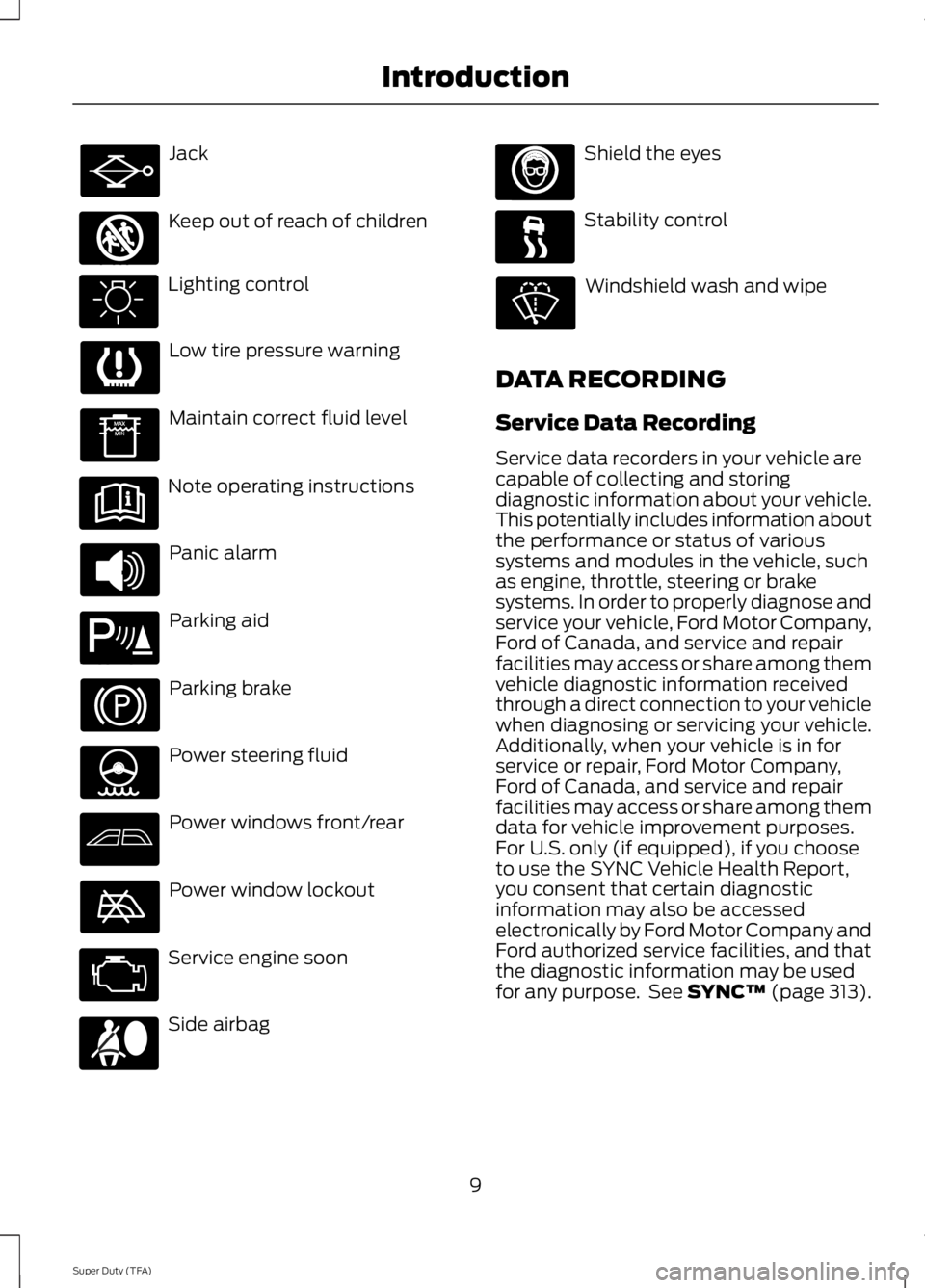
Jack
Keep out of reach of children
Lighting control
Low tire pressure warning
Maintain correct fluid level
Note operating instructions
Panic alarm
Parking aid
Parking brake
Power steering fluid
Power windows front/rear
Power window lockout
Service engine soon
Side airbag
Shield the eyes
Stability control
Windshield wash and wipe
DATA RECORDING
Service Data Recording
Service data recorders in your vehicle arecapable of collecting and storingdiagnostic information about your vehicle.This potentially includes information aboutthe performance or status of varioussystems and modules in the vehicle, suchas engine, throttle, steering or brakesystems. In order to properly diagnose andservice your vehicle, Ford Motor Company,Ford of Canada, and service and repairfacilities may access or share among themvehicle diagnostic information receivedthrough a direct connection to your vehiclewhen diagnosing or servicing your vehicle.Additionally, when your vehicle is in forservice or repair, Ford Motor Company,Ford of Canada, and service and repairfacilities may access or share among themdata for vehicle improvement purposes.For U.S. only (if equipped), if you chooseto use the SYNC Vehicle Health Report,you consent that certain diagnosticinformation may also be accessedelectronically by Ford Motor Company andFord authorized service facilities, and thatthe diagnostic information may be usedfor any purpose. See SYNC™ (page 313).
9
Super Duty (TFA)
Introduction E161353 E139213 E167012
Page 13 of 460
Event Data Recording
This vehicle is equipped with an eventdata recorder. The main purpose of anevent data recorder is to record, incertain crash or near crash-likesituations, such as an airbagdeployment or hitting a road obstacle;this data will assist in understandinghow a vehicle’s systems performed.The event data recorder is designed torecord data related to vehicle dynamicsand safety systems for a short periodof time, typically 30 seconds or less.
The event data recorder in this vehicleis designed to record such data as:
•How various systems in your vehiclewere operating;
•Whether or not the driver andpassenger safety belts werebuckled/fastened;
•How far (if at all) the driver wasdepressing the accelerator and/orthe brake pedal; and
•How fast the vehicle was traveling;and
•Where the driver was positioningthe steering wheel.
This data can help provide a betterunderstanding of the circumstances inwhich crashes and injuries occur.
Note:Event data recorder data isrecorded by your vehicle only if anon-trivial crash situation occurs; no datais recorded by the event data recorderunder normal driving conditions and nopersonal data or information (e.g., name,gender, age, and crash location) isrecorded (see limitations regarding 911Assist and Traffic, directions andInformation privacy below). However,parties, such as law enforcement, couldcombine the event data recorder datawith the type of personally identifyingdata routinely acquired during a crashinvestigation.
To read data recorded by an event datarecorder, special equipment is required,and access to the vehicle or the eventdata recorder is needed. In addition tothe vehicle manufacturer, otherparties, such as law enforcement, thathave such special equipment, can readthe information if they have access tothe vehicle or the event data recorder.Ford Motor Company and Ford ofCanada do not access event datarecorder information without obtainingconsent, unless pursuant to court orderor where required by law enforcement,other government authorities or otherthird parties acting with lawfulauthority. Other parties may seek toaccess the information independentlyof Ford Motor Company and Ford ofCanada.
10
Super Duty (TFA)
Introduction
Page 63 of 460
ADJUSTING THE STEERING
WHEEL
WARNING
Do not adjust the steering wheelwhen your vehicle is moving.
Note:Make sure that you are sitting in thecorrect position. See Sitting in the CorrectPosition (page 108).
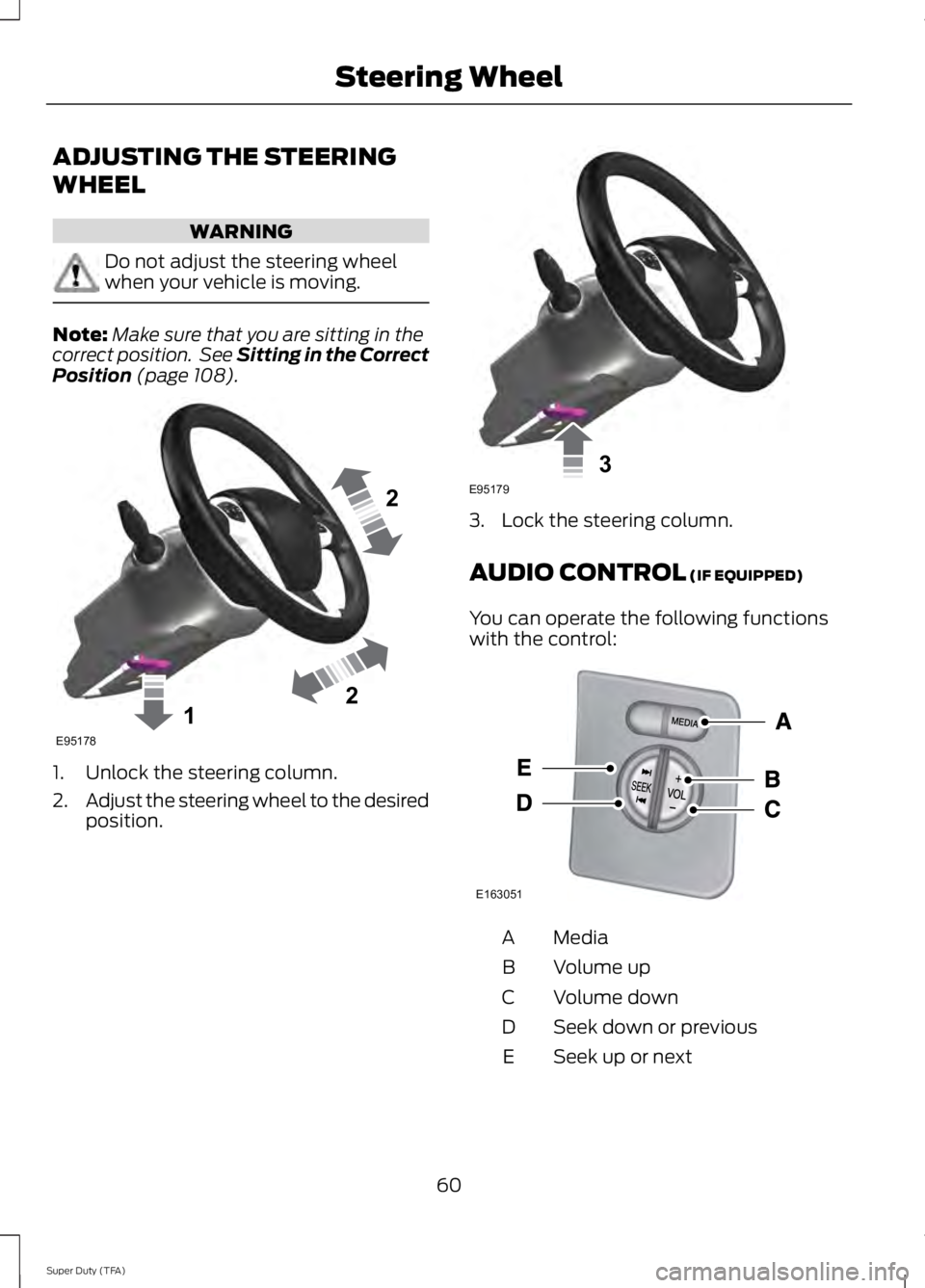
1. Unlock the steering column.
2.Adjust the steering wheel to the desiredposition.
3. Lock the steering column.
AUDIO CONTROL (IF EQUIPPED)
You can operate the following functionswith the control:
MediaA
Volume upB
Volume downC
Seek down or previousD
Seek up or nextE
60
Super Duty (TFA)
Steering Wheel122E95178 3E95179 E163051
Page 64 of 460
Media
Press repeatedly to scroll through availableaudio modes.
Seek, Next or Previous
Press the seek button to:
•tune the radio to the next or previousstored preset
•play the next or the previous track.
Press and hold the seek button to:
•tune the radio to the next station up ordown the frequency band
•seek through a track.
VOICE CONTROL (IF EQUIPPED)
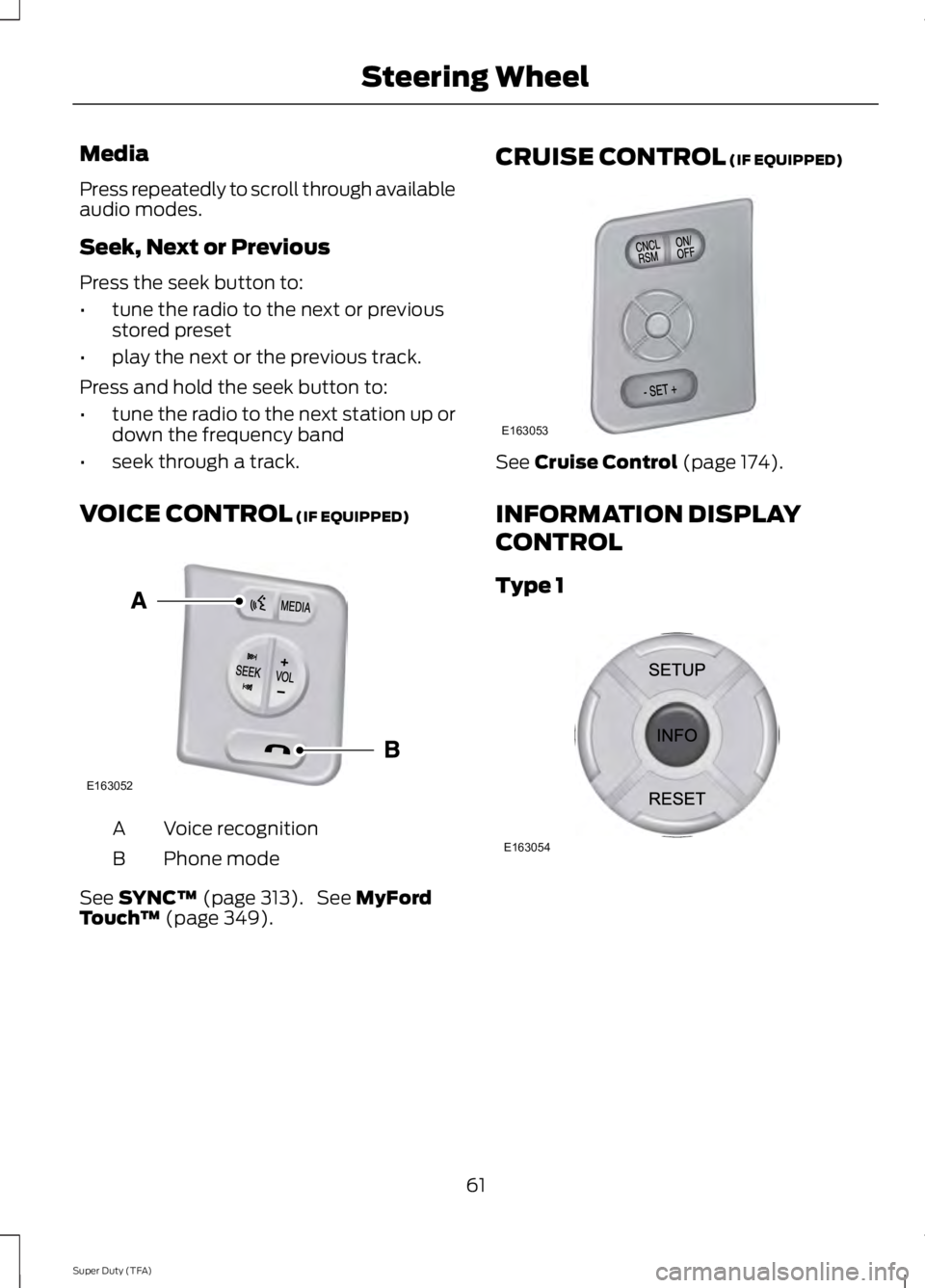
Voice recognitionA
Phone modeB
See SYNC™ (page 313). See MyFordTouch™ (page 349).
CRUISE CONTROL (IF EQUIPPED)
See Cruise Control (page 174).
INFORMATION DISPLAY
CONTROL
Type 1
61
Super Duty (TFA)
Steering WheelE163052 E163053 E163054
Page 65 of 460
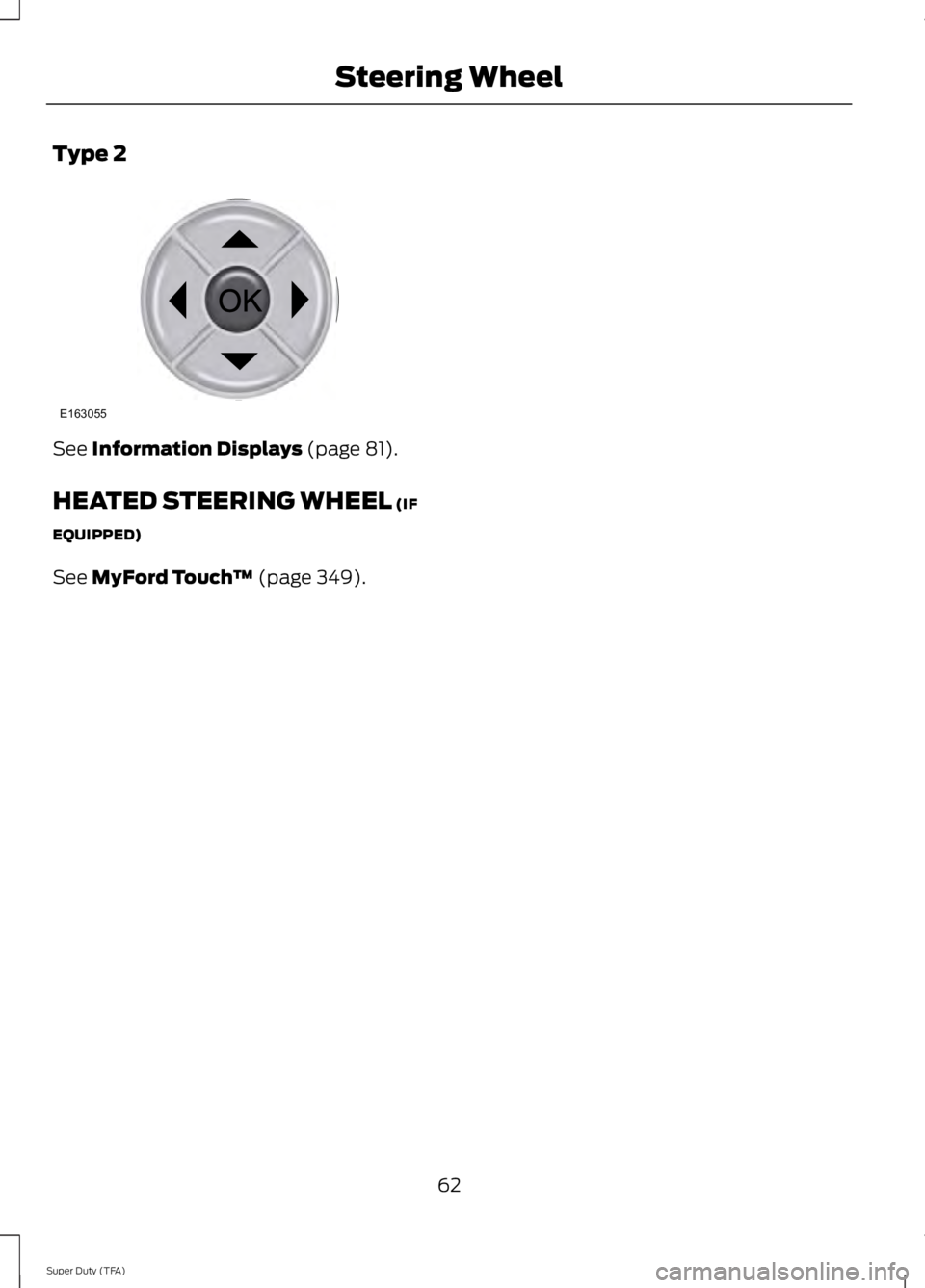
Type 2
See Information Displays (page 81).
HEATED STEERING WHEEL (IF
EQUIPPED)
See MyFord Touch™ (page 349).
62
Super Duty (TFA)
Steering WheelE163055
Page 66 of 460
ADJUSTING THE PEDALS (IF
EQUIPPED)
Note:Never use the controls while your feetare on the accelerator and brake pedals andthe vehicle is moving.
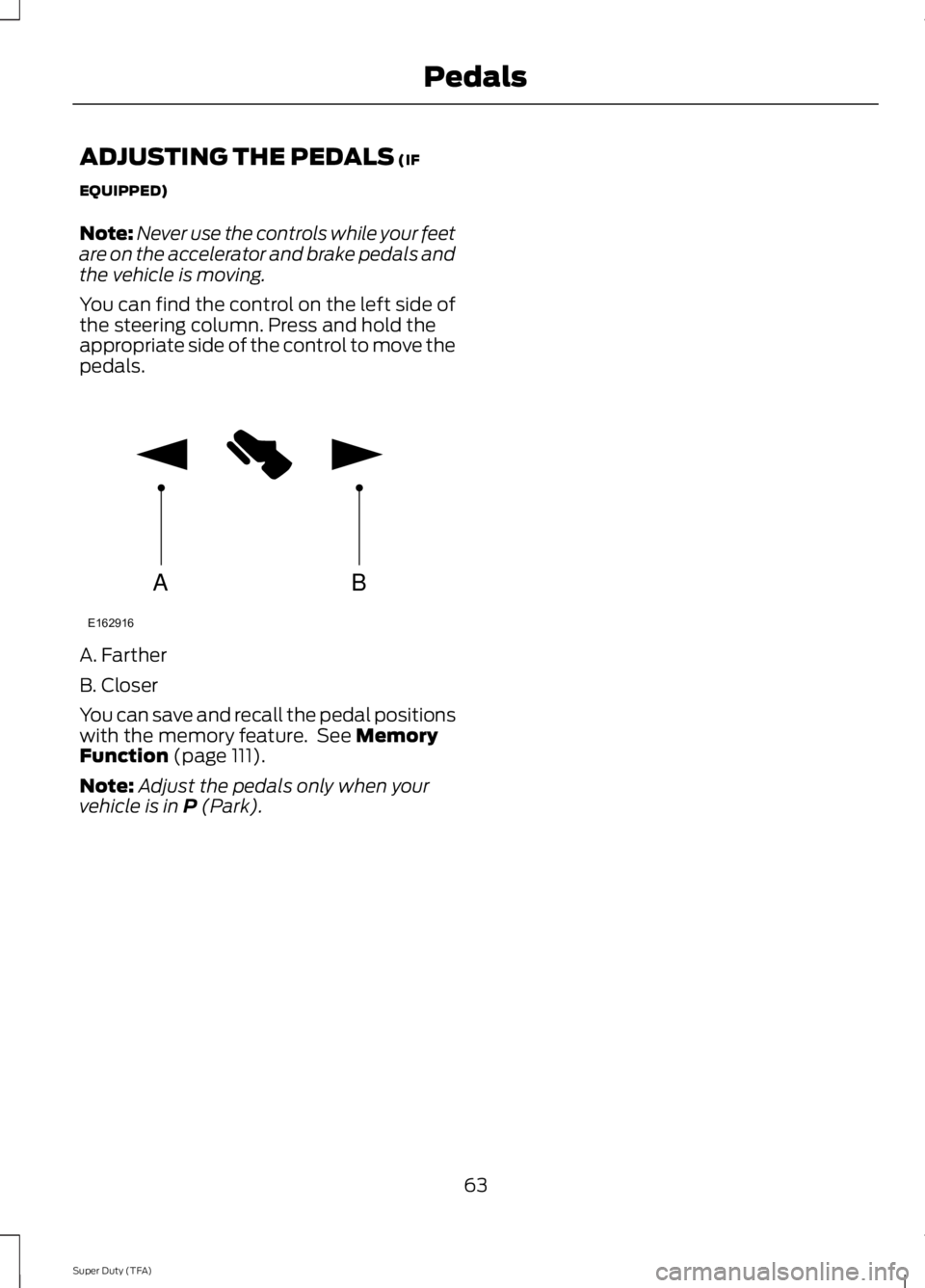
You can find the control on the left side ofthe steering column. Press and hold theappropriate side of the control to move thepedals.
A. Farther
B. Closer
You can save and recall the pedal positionswith the memory feature. See MemoryFunction (page 111).
Note:Adjust the pedals only when yourvehicle is in P (Park).
63
Super Duty (TFA)
PedalsAB
E162916
Page 84 of 460
GENERAL INFORMATION
WARNING
Driving while distracted can result inloss of vehicle control, crash andinjury. We strongly recommend thatyou use extreme caution when using anydevice that may take your focus off theroad. Your primary responsibility is the safeoperation of your vehicle. We recommendagainst the use of any hand-held devicewhile driving and encourage the use ofvoice-operated systems when possible.Make sure you are aware of all applicablelocal laws that may affect the use ofelectronic devices while driving.
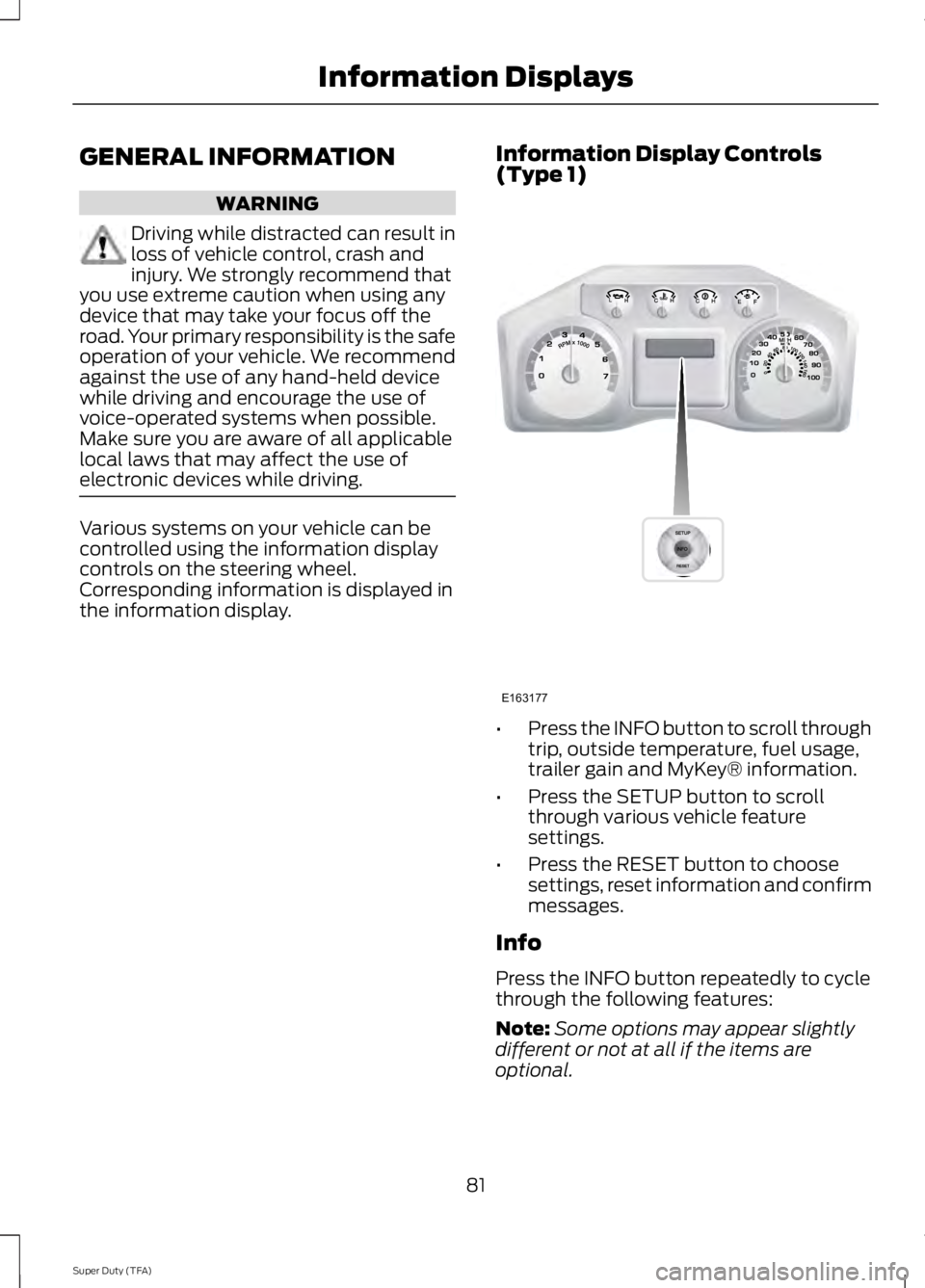
Various systems on your vehicle can becontrolled using the information displaycontrols on the steering wheel.Corresponding information is displayed inthe information display.
Information Display Controls(Type 1)
•Press the INFO button to scroll throughtrip, outside temperature, fuel usage,trailer gain and MyKey® information.
•Press the SETUP button to scrollthrough various vehicle featuresettings.
•Press the RESET button to choosesettings, reset information and confirmmessages.
Info
Press the INFO button repeatedly to cyclethrough the following features:
Note:Some options may appear slightlydifferent or not at all if the items areoptional.
81
Super Duty (TFA)
Information DisplaysE163177