power steering FORD F250 SUPER DUTY 2020 Owners Manual
[x] Cancel search | Manufacturer: FORD, Model Year: 2020, Model line: F250 SUPER DUTY, Model: FORD F250 SUPER DUTY 2020Pages: 633, PDF Size: 9.18 MB
Page 5 of 633
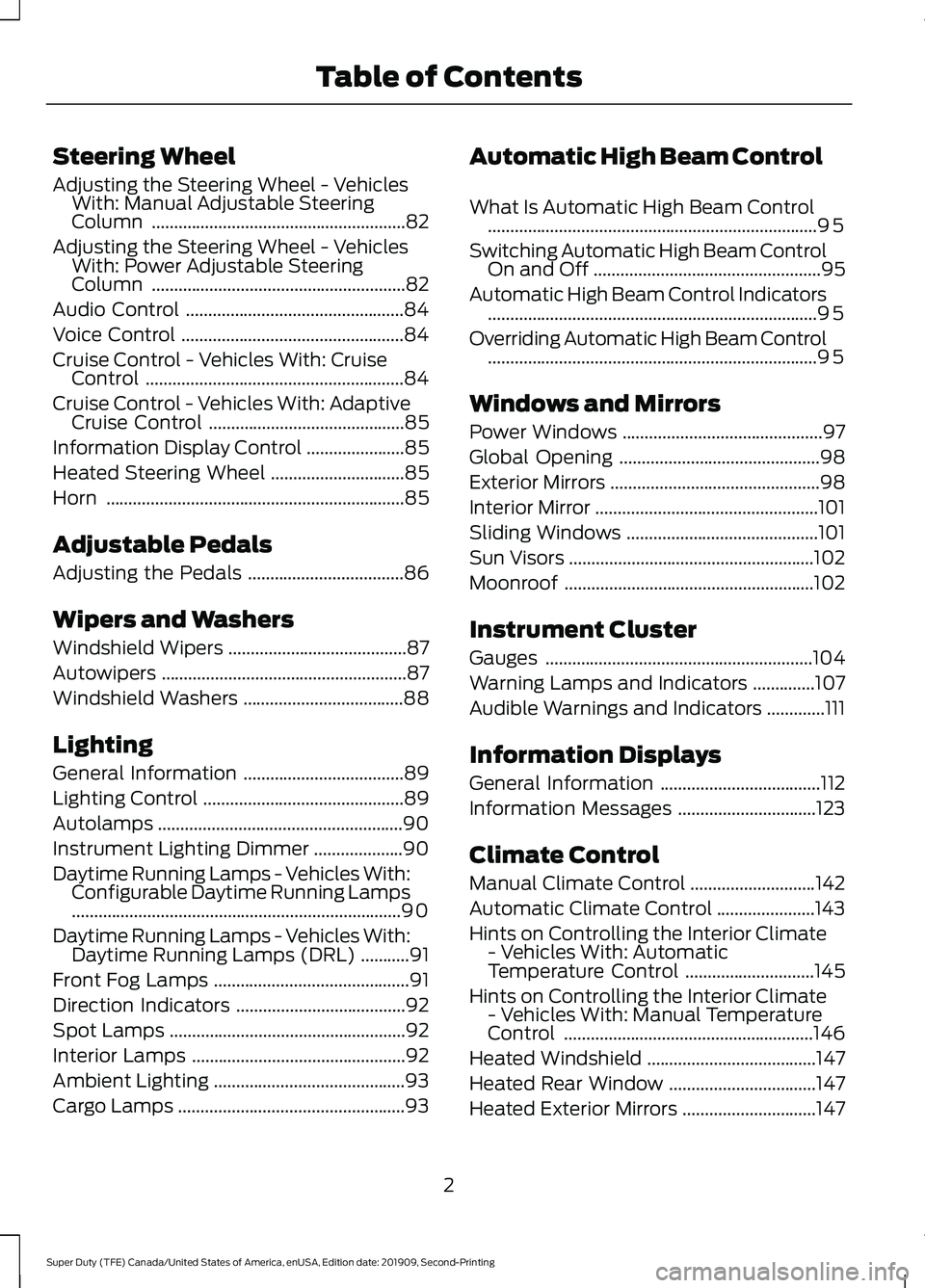
Steering Wheel
Adjusting the Steering Wheel - Vehicles
With: Manual Adjustable Steering
Column .........................................................82
Adjusting the Steering Wheel - Vehicles With: Power Adjustable Steering
Column .........................................................
82
Audio Control .................................................
84
Voice Control ..................................................
84
Cruise Control - Vehicles With: Cruise Control ..........................................................
84
Cruise Control - Vehicles With: Adaptive Cruise Control ............................................
85
Information Display Control ......................
85
Heated Steering Wheel ..............................
85
Horn ...................................................................
85
Adjustable Pedals
Adjusting the Pedals ...................................
86
Wipers and Washers
Windshield Wipers ........................................
87
Autowipers .......................................................
87
Windshield Washers ....................................
88
Lighting
General Information ....................................
89
Lighting Control .............................................
89
Autolamps .......................................................
90
Instrument Lighting Dimmer ....................
90
Daytime Running Lamps - Vehicles With: Configurable Daytime Running Lamps
........................................................................\
..
90
Daytime Running Lamps - Vehicles With: Daytime Running Lamps (DRL) ...........
91
Front Fog Lamps ............................................
91
Direction Indicators ......................................
92
Spot Lamps .....................................................
92
Interior Lamps ................................................
92
Ambient Lighting ...........................................
93
Cargo Lamps ...................................................
93Automatic High Beam Control
What Is Automatic High Beam Control
........................................................................\
..
95
Switching Automatic High Beam Control On and Off ...................................................
95
Automatic High Beam Control Indicators ........................................................................\
..
95
Overriding Automatic High Beam Control ........................................................................\
..
95
Windows and Mirrors
Power Windows .............................................
97
Global Opening .............................................
98
Exterior Mirrors ...............................................
98
Interior Mirror ..................................................
101
Sliding Windows ...........................................
101
Sun Visors .......................................................
102
Moonroof ........................................................
102
Instrument Cluster
Gauges ............................................................
104
Warning Lamps and Indicators ..............
107
Audible Warnings and Indicators .............
111
Information Displays
General Information ....................................
112
Information Messages ...............................
123
Climate Control
Manual Climate Control ............................
142
Automatic Climate Control ......................
143
Hints on Controlling the Interior Climate - Vehicles With: Automatic
Temperature Control .............................
145
Hints on Controlling the Interior Climate - Vehicles With: Manual Temperature
Control ........................................................
146
Heated Windshield ......................................
147
Heated Rear Window .................................
147
Heated Exterior Mirrors ..............................
147
2
Super Duty (TFE) Canada/United States of America, enUSA, Edition date: 201909, Second-Printing Table of Contents
Page 7 of 633
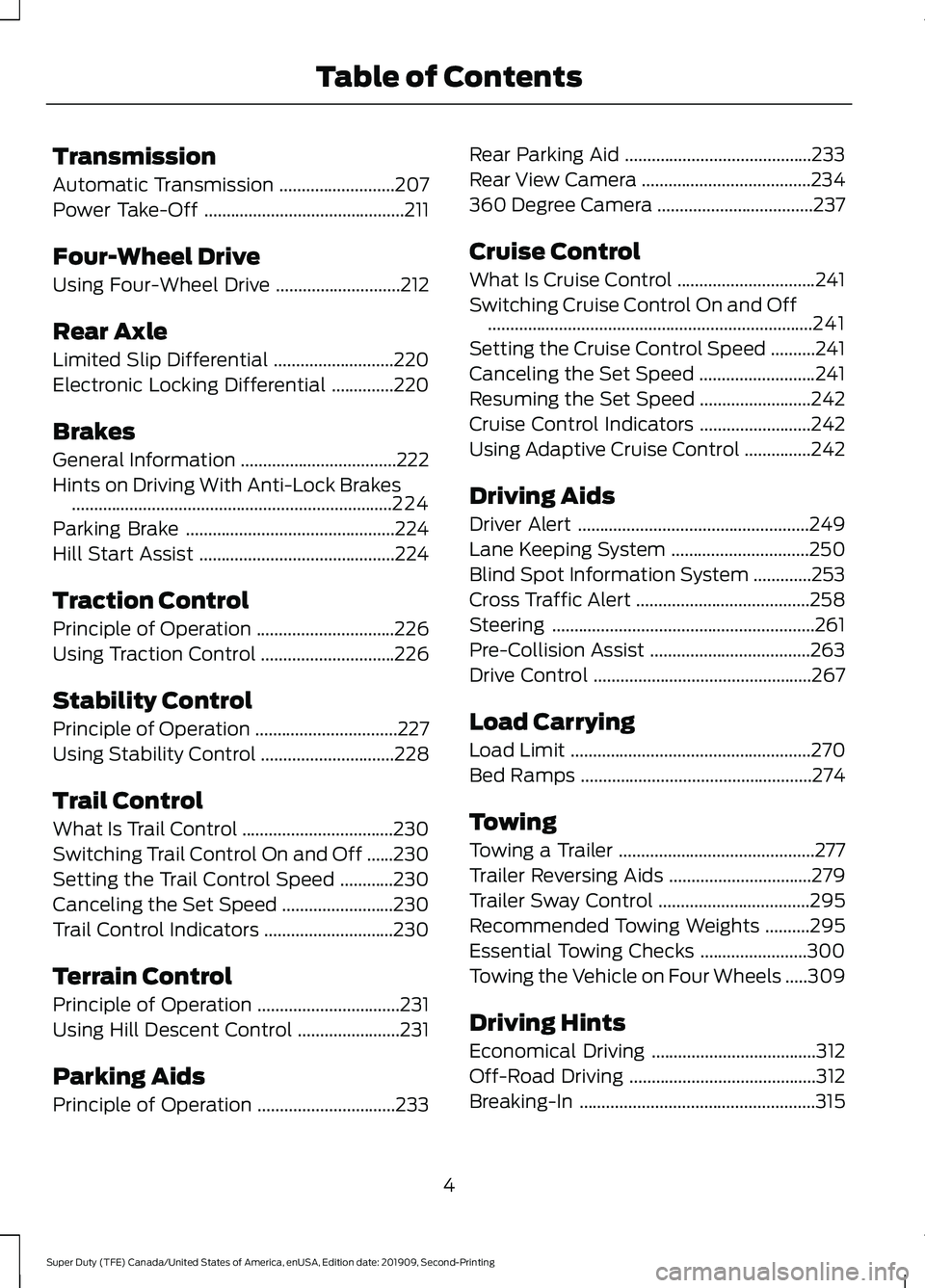
Transmission
Automatic Transmission
..........................207
Power Take-Off .............................................
211
Four-Wheel Drive
Using Four-Wheel Drive ............................
212
Rear Axle
Limited Slip Differential ...........................
220
Electronic Locking Differential ..............
220
Brakes
General Information ...................................
222
Hints on Driving With Anti-Lock Brakes ........................................................................\
224
Parking Brake ...............................................
224
Hill Start Assist ............................................
224
Traction Control
Principle of Operation ...............................
226
Using Traction Control ..............................
226
Stability Control
Principle of Operation ................................
227
Using Stability Control ..............................
228
Trail Control
What Is Trail Control ..................................
230
Switching Trail Control On and Off ......
230
Setting the Trail Control Speed ............
230
Canceling the Set Speed .........................
230
Trail Control Indicators .............................
230
Terrain Control
Principle of Operation ................................
231
Using Hill Descent Control .......................
231
Parking Aids
Principle of Operation ...............................
233Rear Parking Aid
..........................................
233
Rear View Camera ......................................
234
360 Degree Camera ...................................
237
Cruise Control
What Is Cruise Control ...............................
241
Switching Cruise Control On and Off ........................................................................\
.
241
Setting the Cruise Control Speed ..........
241
Canceling the Set Speed ..........................
241
Resuming the Set Speed .........................
242
Cruise Control Indicators .........................
242
Using Adaptive Cruise Control ...............
242
Driving Aids
Driver Alert ....................................................
249
Lane Keeping System ...............................
250
Blind Spot Information System .............
253
Cross Traffic Alert .......................................
258
Steering ...........................................................
261
Pre-Collision Assist ....................................
263
Drive Control .................................................
267
Load Carrying
Load Limit ......................................................
270
Bed Ramps ....................................................
274
Towing
Towing a Trailer ............................................
277
Trailer Reversing Aids ................................
279
Trailer Sway Control ..................................
295
Recommended Towing Weights ..........
295
Essential Towing Checks ........................
300
Towing the Vehicle on Four Wheels .....
309
Driving Hints
Economical Driving .....................................
312
Off-Road Driving ..........................................
312
Breaking-In .....................................................
315
4
Super Duty (TFE) Canada/United States of America, enUSA, Edition date: 201909, Second-Printing Table of Contents
Page 8 of 633
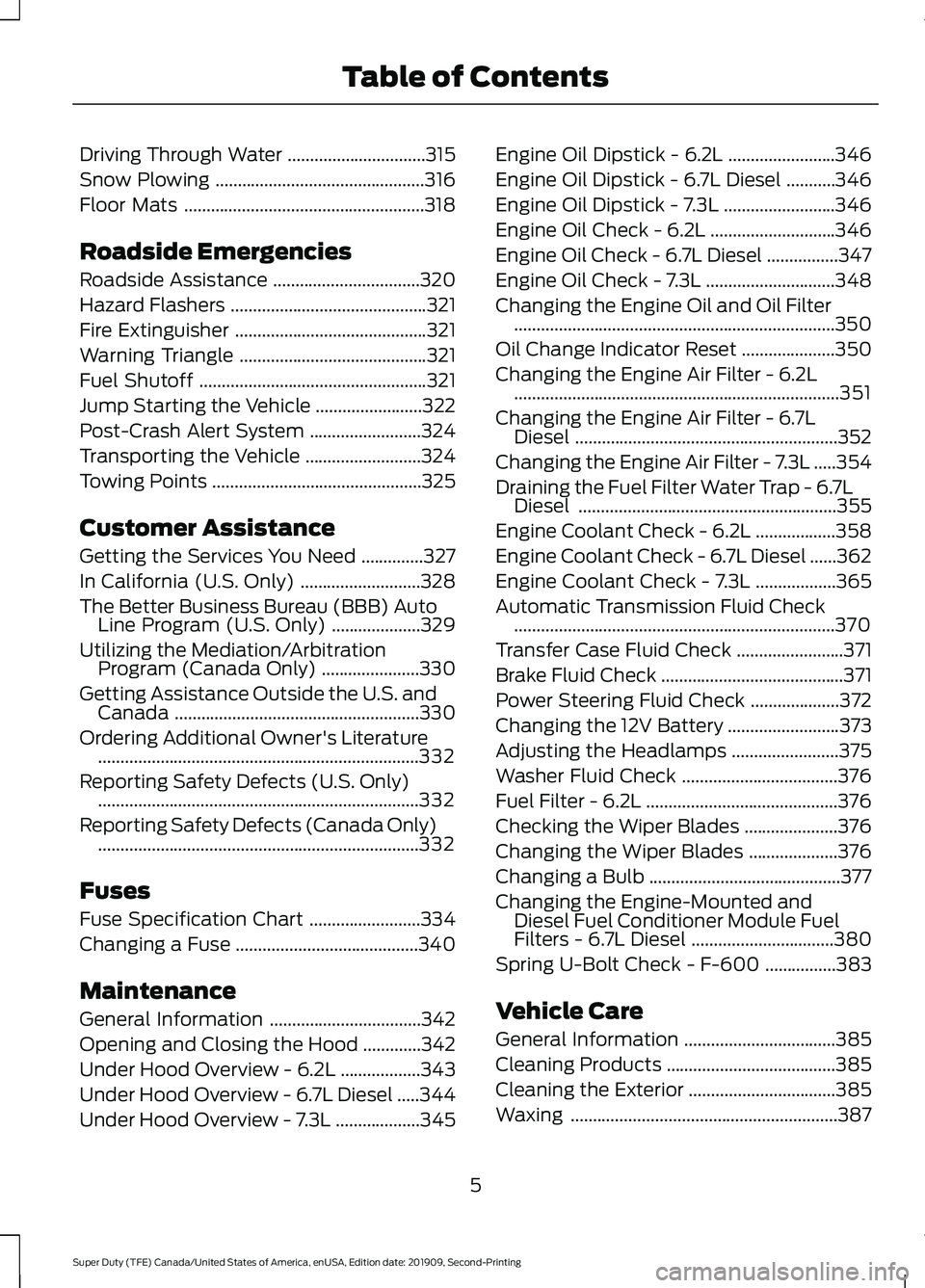
Driving Through Water
...............................315
Snow Plowing ...............................................
316
Floor Mats ......................................................
318
Roadside Emergencies
Roadside Assistance .................................
320
Hazard Flashers ............................................
321
Fire Extinguisher ...........................................
321
Warning Triangle ..........................................
321
Fuel Shutoff ...................................................
321
Jump Starting the Vehicle ........................
322
Post-Crash Alert System .........................
324
Transporting the Vehicle ..........................
324
Towing Points ...............................................
325
Customer Assistance
Getting the Services You Need ..............
327
In California (U.S. Only) ...........................
328
The Better Business Bureau (BBB) Auto Line Program (U.S. Only) ....................
329
Utilizing the Mediation/Arbitration Program (Canada Only) ......................
330
Getting Assistance Outside the U.S. and Canada .......................................................
330
Ordering Additional Owner's Literature ........................................................................\
332
Reporting Safety Defects (U.S. Only) ........................................................................\
332
Reporting Safety Defects (Canada Only) ........................................................................\
332
Fuses
Fuse Specification Chart .........................
334
Changing a Fuse .........................................
340
Maintenance
General Information ..................................
342
Opening and Closing the Hood .............
342
Under Hood Overview - 6.2L ..................
343
Under Hood Overview - 6.7L Diesel .....
344
Under Hood Overview - 7.3L ...................
345Engine Oil Dipstick - 6.2L
........................
346
Engine Oil Dipstick - 6.7L Diesel ...........
346
Engine Oil Dipstick - 7.3L .........................
346
Engine Oil Check - 6.2L ............................
346
Engine Oil Check - 6.7L Diesel ................
347
Engine Oil Check - 7.3L .............................
348
Changing the Engine Oil and Oil Filter ........................................................................\
350
Oil Change Indicator Reset .....................
350
Changing the Engine Air Filter - 6.2L ........................................................................\
.
351
Changing the Engine Air Filter - 6.7L Diesel ...........................................................
352
Changing the Engine Air Filter - 7.3L .....
354
Draining the Fuel Filter Water Trap - 6.7L Diesel ..........................................................
355
Engine Coolant Check - 6.2L ..................
358
Engine Coolant Check - 6.7L Diesel ......
362
Engine Coolant Check - 7.3L ..................
365
Automatic Transmission Fluid Check ........................................................................\
370
Transfer Case Fluid Check ........................
371
Brake Fluid Check .........................................
371
Power Steering Fluid Check ....................
372
Changing the 12V Battery .........................
373
Adjusting the Headlamps ........................
375
Washer Fluid Check ...................................
376
Fuel Filter - 6.2L ...........................................
376
Checking the Wiper Blades .....................
376
Changing the Wiper Blades ....................
376
Changing a Bulb ...........................................
377
Changing the Engine-Mounted and Diesel Fuel Conditioner Module Fuel
Filters - 6.7L Diesel ................................
380
Spring U-Bolt Check - F-600 ................
383
Vehicle Care
General Information ..................................
385
Cleaning Products ......................................
385
Cleaning the Exterior .................................
385
Waxing ............................................................
387
5
Super Duty (TFE) Canada/United States of America, enUSA, Edition date: 201909, Second-Printing Table of Contents
Page 14 of 633
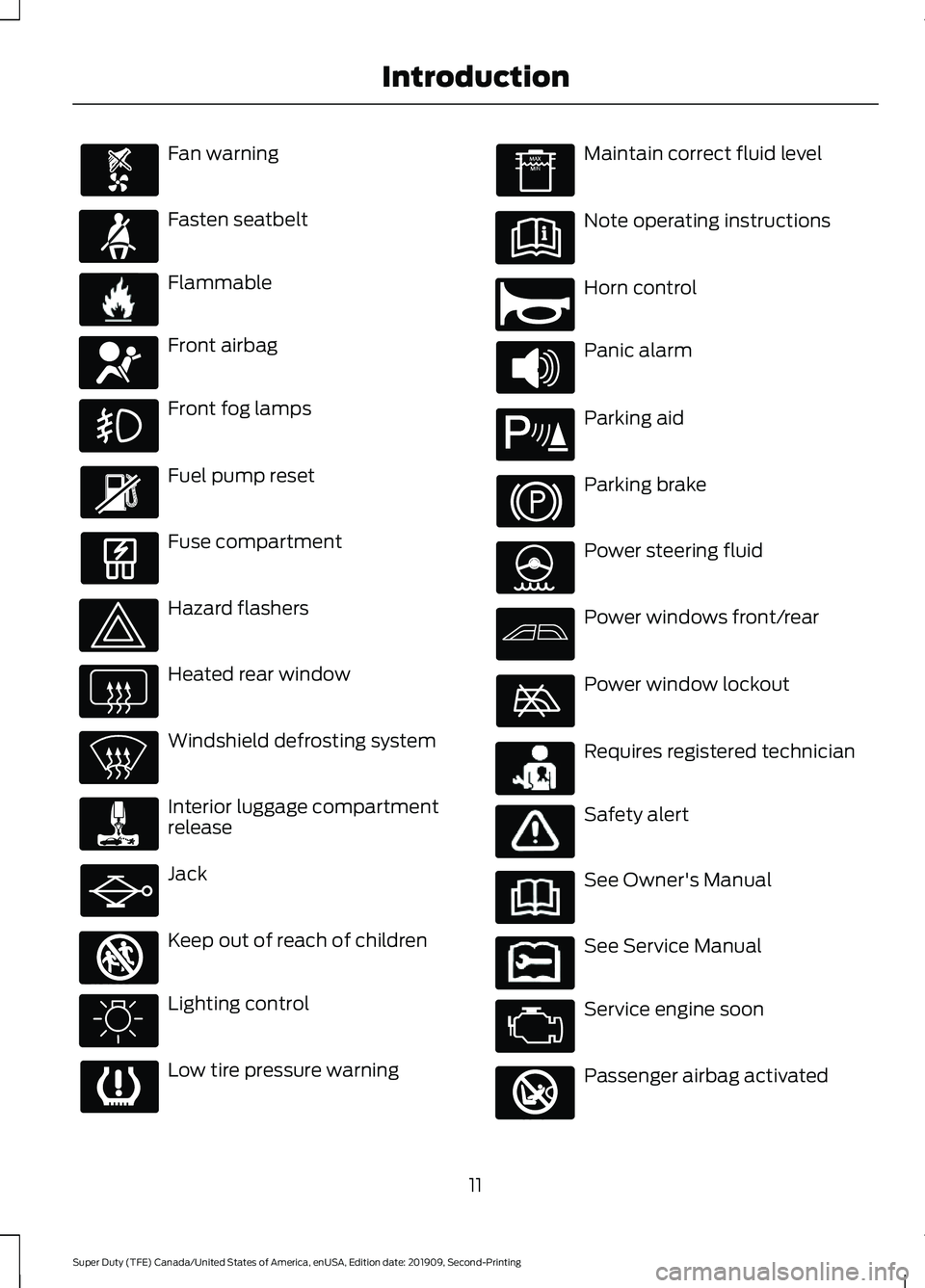
Fan warning
Fasten seatbelt
Flammable
Front airbag
Front fog lamps
Fuel pump reset
Fuse compartment
Hazard flashers
Heated rear window
Windshield defrosting system
Interior luggage compartment
release
Jack
Keep out of reach of children
Lighting control
Low tire pressure warning Maintain correct fluid level
Note operating instructions
Horn control
Panic alarm
Parking aid
Parking brake
Power steering fluid
Power windows front/rear
Power window lockout
Requires registered technician
Safety alert
See Owner's Manual
See Service Manual
Service engine soon
Passenger airbag activated
11
Super Duty (TFE) Canada/United States of America, enUSA, Edition date: 201909, Second-Printing Introduction E71880 E231160 E67017 E161353 E270945 E139213 E231159 E231158 E270849
Page 85 of 633
ADJUSTING THE STEERING
WHEEL - VEHICLES WITH:
MANUAL ADJUSTABLE
STEERING COLUMN
WARNING: Do not adjust the
steering wheel when your vehicle is
moving.
Note: Make sure that you are sitting in the
correct position. See
Sitting in the Correct
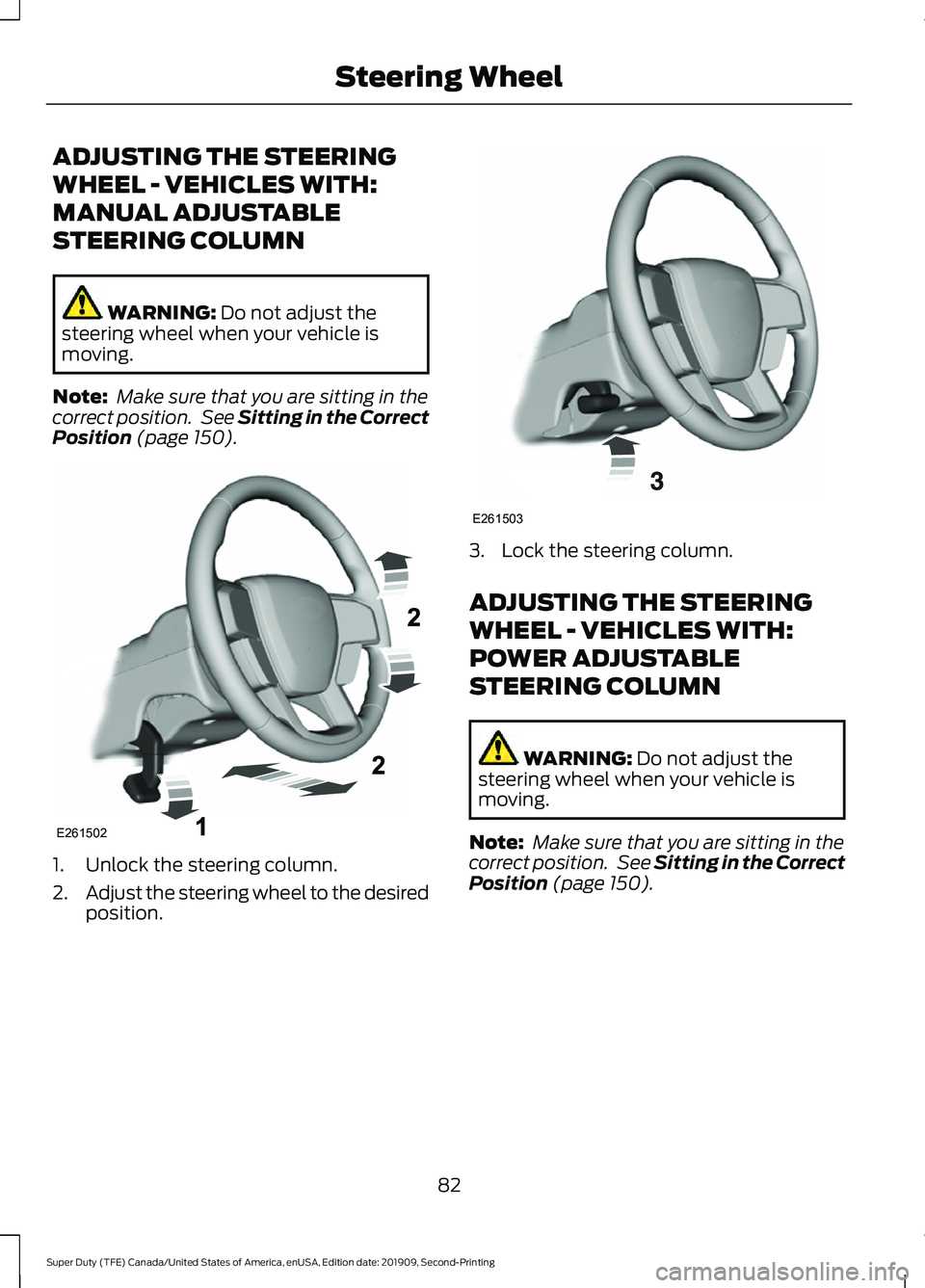
Position (page 150). 1. Unlock the steering column.
2.
Adjust the steering wheel to the desired
position. 3. Lock the steering column.
ADJUSTING THE STEERING
WHEEL - VEHICLES WITH:
POWER ADJUSTABLE
STEERING COLUMN
WARNING:
Do not adjust the
steering wheel when your vehicle is
moving.
Note: Make sure that you are sitting in the
correct position. See
Sitting in the Correct
Position (page 150).
82
Super Duty (TFE) Canada/United States of America, enUSA, Edition date: 201909, Second-Printing Steering WheelE261502 E261503
Page 89 of 633
ADJUSTING THE PEDALS
WARNING: Never use the pedal
adjustment controls when your feet are
on the accelerator or brake pedal when
the vehicle is moving.
Note: Adjust the pedals only when your
vehicle is in park (P).
Depending on your vehicle and equipment
level, the shape and location of your
power-adjustable pedal control can vary.
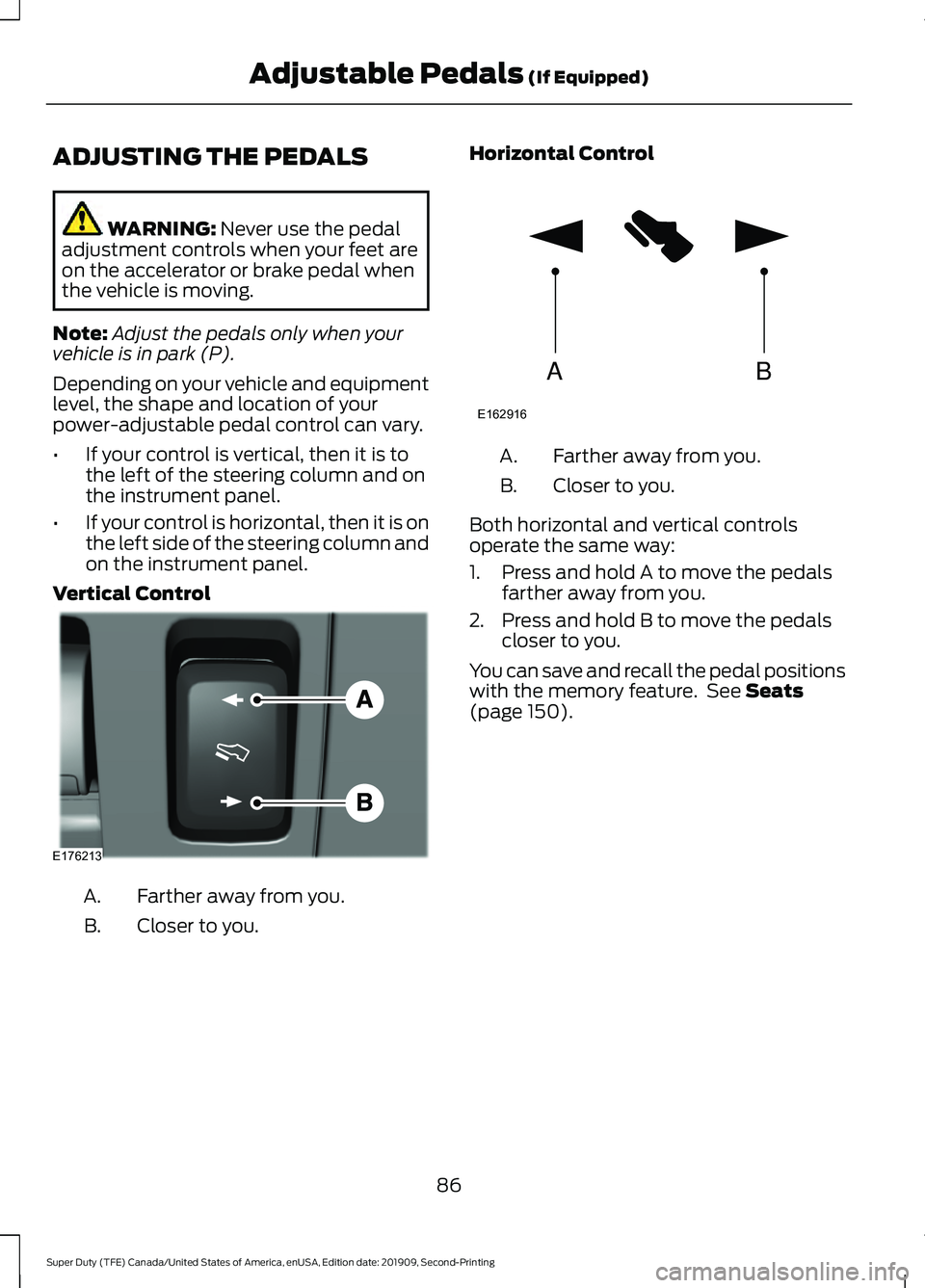
• If your control is vertical, then it is to
the left of the steering column and on
the instrument panel.
• If your control is horizontal, then it is on
the left side of the steering column and
on the instrument panel.
Vertical Control Farther away from you.
A.
Closer to you.
B. Horizontal Control Farther away from you.
A.
Closer to you.
B.
Both horizontal and vertical controls
operate the same way:
1. Press and hold A to move the pedals farther away from you.
2. Press and hold B to move the pedals closer to you.
You can save and recall the pedal positions
with the memory feature. See
Seats
(page 150).
86
Super Duty (TFE) Canada/United States of America, enUSA, Edition date: 201909, Second-Printing Adjustable Pedals
(If Equipped)E176213 AB
E162916
Page 136 of 633
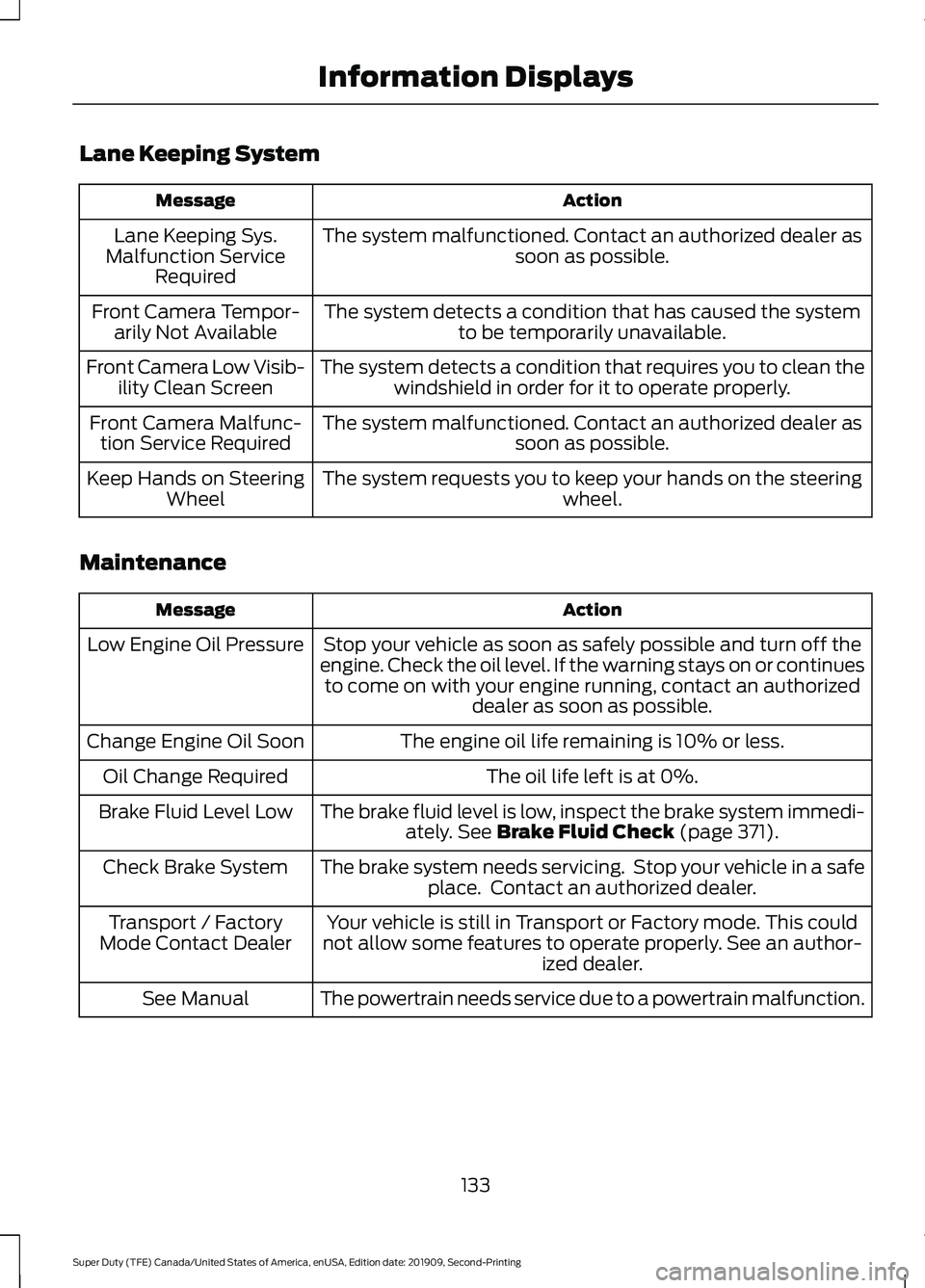
Lane Keeping System
Action
Message
The system malfunctioned. Contact an authorized dealer as soon as possible.
Lane Keeping Sys.
Malfunction Service Required
The system detects a condition that has caused the systemto be temporarily unavailable.
Front Camera Tempor-
arily Not Available
The system detects a condition that requires you to clean thewindshield in order for it to operate properly.
Front Camera Low Visib-
ility Clean Screen
The system malfunctioned. Contact an authorized dealer assoon as possible.
Front Camera Malfunc-
tion Service Required
The system requests you to keep your hands on the steering wheel.
Keep Hands on Steering
Wheel
Maintenance Action
Message
Stop your vehicle as soon as safely possible and turn off the
engine. Check the oil level. If the warning stays on or continues to come on with your engine running, contact an authorized dealer as soon as possible.
Low Engine Oil Pressure
The engine oil life remaining is 10% or less.
Change Engine Oil Soon
The oil life left is at 0%.
Oil Change Required
The brake fluid level is low, inspect the brake system immedi-ately. See Brake Fluid Check (page 371).
Brake Fluid Level Low
The brake system needs servicing. Stop your vehicle in a safeplace. Contact an authorized dealer.
Check Brake System
Your vehicle is still in Transport or Factory mode. This could
not allow some features to operate properly. See an author- ized dealer.
Transport / Factory
Mode Contact Dealer
The powertrain needs service due to a powertrain malfunction.
See Manual
133
Super Duty (TFE) Canada/United States of America, enUSA, Edition date: 201909, Second-Printing Information Displays
Page 139 of 633
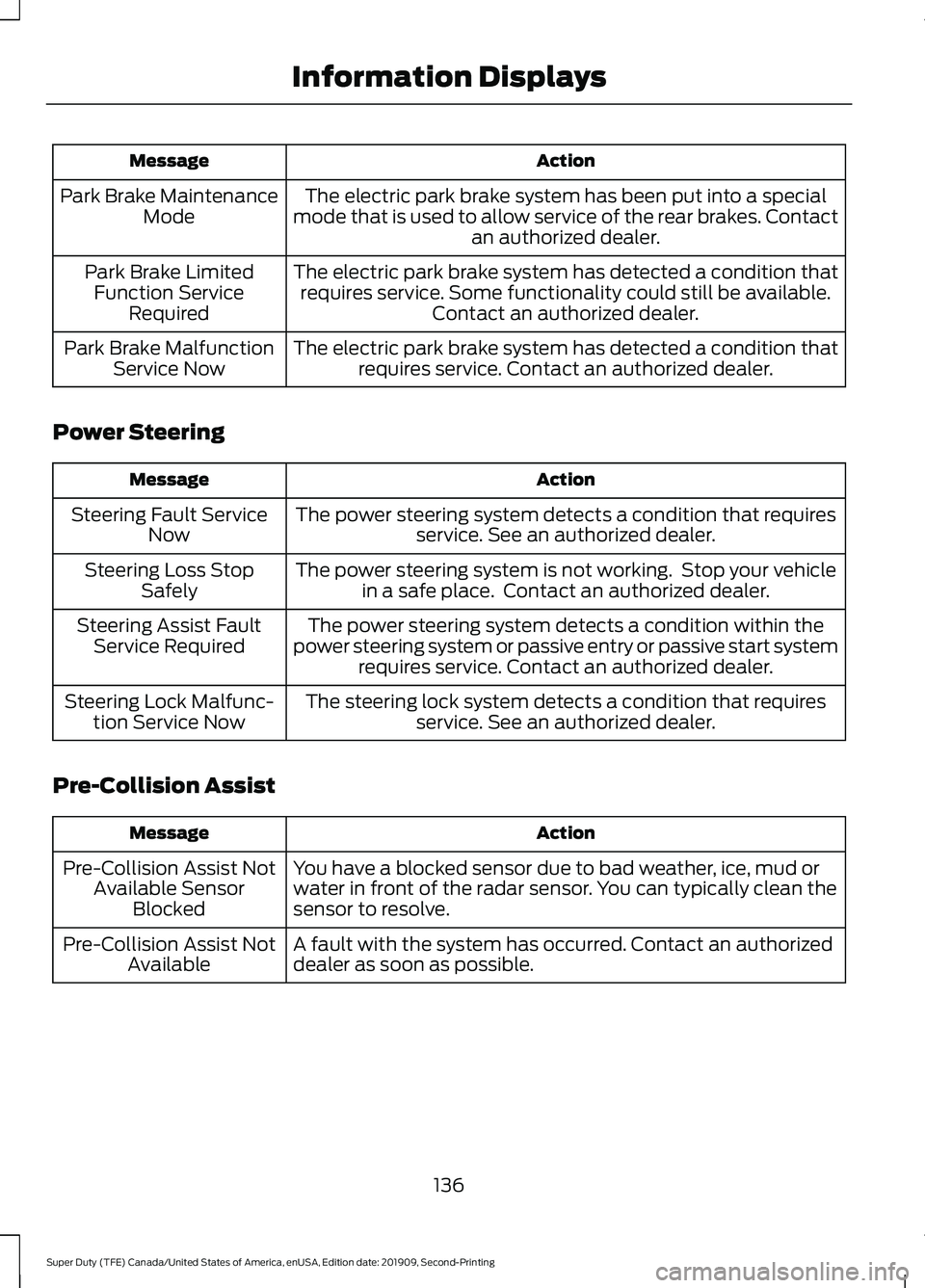
Action
Message
The electric park brake system has been put into a special
mode that is used to allow service of the rear brakes. Contact an authorized dealer.
Park Brake Maintenance
Mode
The electric park brake system has detected a condition thatrequires service. Some functionality could still be available. Contact an authorized dealer.
Park Brake Limited
Function Service Required
The electric park brake system has detected a condition thatrequires service. Contact an authorized dealer.
Park Brake Malfunction
Service Now
Power Steering Action
Message
The power steering system detects a condition that requiresservice. See an authorized dealer.
Steering Fault Service
Now
The power steering system is not working. Stop your vehiclein a safe place. Contact an authorized dealer.
Steering Loss Stop
Safely
The power steering system detects a condition within the
power steering system or passive entry or passive start system requires service. Contact an authorized dealer.
Steering Assist Fault
Service Required
The steering lock system detects a condition that requiresservice. See an authorized dealer.
Steering Lock Malfunc-
tion Service Now
Pre-Collision Assist Action
Message
You have a blocked sensor due to bad weather, ice, mud or
water in front of the radar sensor. You can typically clean the
sensor to resolve.
Pre-Collision Assist Not
Available Sensor Blocked
A fault with the system has occurred. Contact an authorized
dealer as soon as possible.
Pre-Collision Assist Not
Available
136
Super Duty (TFE) Canada/United States of America, enUSA, Edition date: 201909, Second-Printing Information Displays
Page 159 of 633
MEMORY FUNCTION (IF EQUIPPED)
WARNING:
Before activating the
memory seat, make sure that the area
immediately surrounding the seat is clear
of obstructions and that all occupants
are clear of moving parts. WARNING:
Do not use the memory
function when your vehicle is moving.
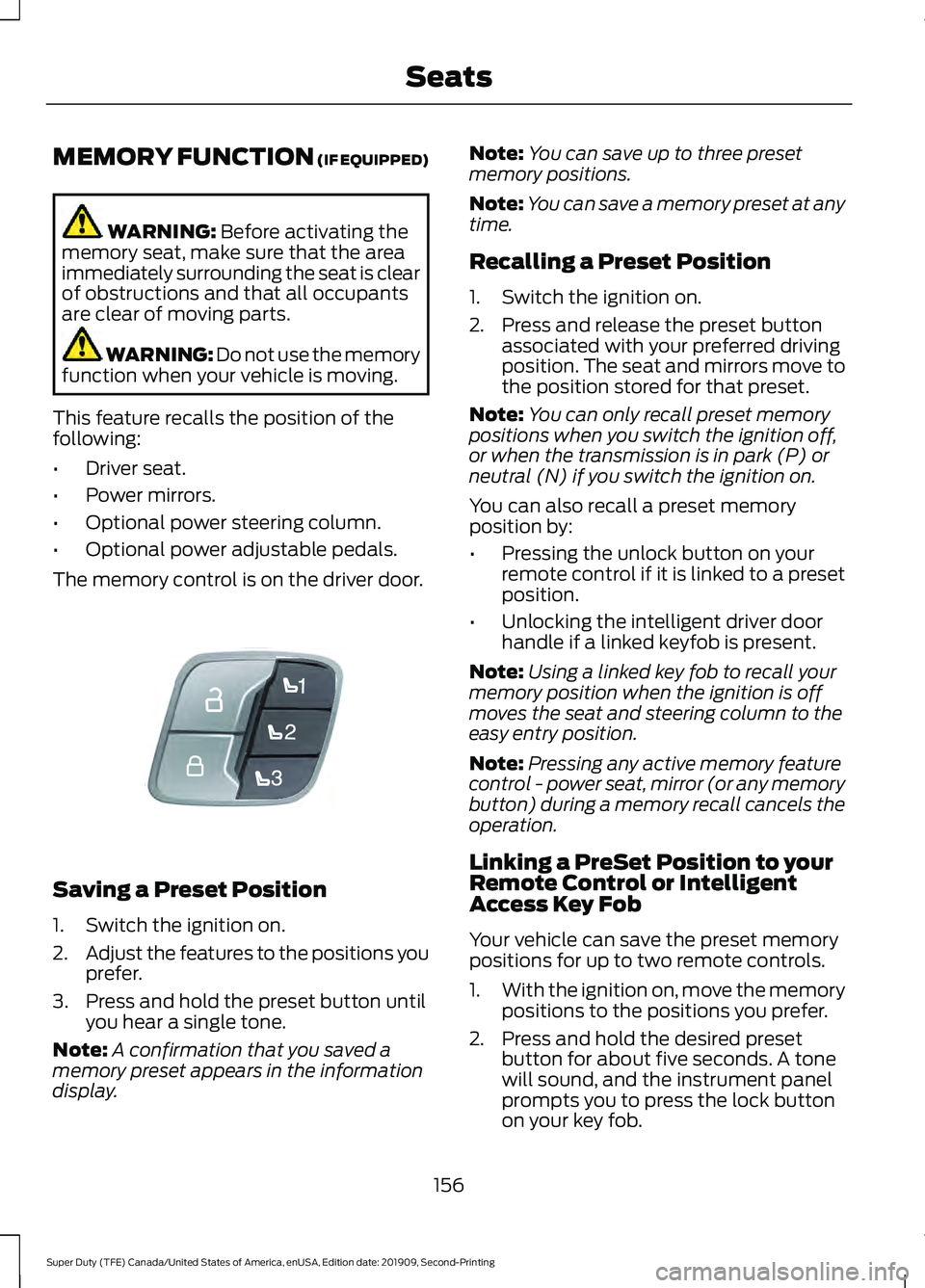
This feature recalls the position of the
following:
• Driver seat.
• Power mirrors.
• Optional power steering column.
• Optional power adjustable pedals.
The memory control is on the driver door. Saving a Preset Position
1. Switch the ignition on.
2.
Adjust the features to the positions you
prefer.
3. Press and hold the preset button until you hear a single tone.
Note: A confirmation that you saved a
memory preset appears in the information
display. Note:
You can save up to three preset
memory positions.
Note: You can save a memory preset at any
time.
Recalling a Preset Position
1. Switch the ignition on.
2. Press and release the preset button associated with your preferred driving
position. The seat and mirrors move to
the position stored for that preset.
Note: You can only recall preset memory
positions when you switch the ignition off,
or when the transmission is in park (P) or
neutral (N) if you switch the ignition on.
You can also recall a preset memory
position by:
• Pressing the unlock button on your
remote control if it is linked to a preset
position.
• Unlocking the intelligent driver door
handle if a linked keyfob is present.
Note: Using a linked key fob to recall your
memory position when the ignition is off
moves the seat and steering column to the
easy entry position.
Note: Pressing any active memory feature
control - power seat, mirror (or any memory
button) during a memory recall cancels the
operation.
Linking a PreSet Position to your
Remote Control or Intelligent
Access Key Fob
Your vehicle can save the preset memory
positions for up to two remote controls.
1. With the ignition on, move the memory
positions to the positions you prefer.
2. Press and hold the desired preset button for about five seconds. A tone
will sound, and the instrument panel
prompts you to press the lock button
on your key fob.
156
Super Duty (TFE) Canada/United States of America, enUSA, Edition date: 201909, Second-Printing SeatsE307868
Page 179 of 633
2. Turn the key to position III to start the
engine.
3. When the engine starts, release the brake pedal.
Do not crank the engine for more than 10
seconds as starter damage may occur. If
the engine does not start, switch the
ignition off and wait 30 seconds before
trying again.
Vehicles with Keyless Start
Note: Do not touch the accelerator pedal.
Note: If you press the push button ignition
switch again prior to the engine starting, the
ignition switches to accessory mode and
will not start.
Note: If you release the brake pedal before
the engine starts, follow the engine start
sequence again.
1. Fully press the brake pedal.
2. Press the center of the push button ignition switch.
3. When the engine starts, release the brake pedal.
Failure to Start
If you cannot start the engine after three
attempts, wait 10 seconds and follow this
procedure:
1. Fully press the brake pedal.
2. Fully press the accelerator pedal and hold it there.
3. Start the engine.
Stopping the Engine When Your
Vehicle is Stationary
1. When your vehicle has stopped, shift into park (P) and switch the ignition
off.
2. Apply the parking brake. Stopping the Engine When Your
Vehicle is Moving WARNING:
Switching off the
engine when your vehicle is still moving
results in a significant decrease in
braking assistance. Higher effort is
required to apply the brakes and to stop
your vehicle. A significant decrease in
steering assistance could also occur. The
steering does not lock, but higher effort
could be required to steer your vehicle.
When you switch the ignition off, some
electrical circuits, for example airbags,
also turn off. If you unintentionally switch
the ignition off, shift into neutral (N) and
restart the engine.
1. Put the transmission into neutral (N) and use the brakes to bring your vehicle
to a safe stop.
2. When your vehicle has stopped, shift into park (P) and switch the ignition
off.
3. Apply the parking brake.
Automatic Engine Shutdown
If your vehicle has a keyless ignition, it has
a feature that shuts down the engine if it
has been idling for an extended period of
time. The ignition also turns off in order to
save battery power. Before the engine
shuts down, a message appears in the
information display showing a timer
counting down from 30 seconds. If you do
not intervene within 30 seconds, the engine
shuts down. Another message appears in
the information display to inform you that
the engine has shut down in order to save
fuel. Start your vehicle as you normally do.
176
Super Duty (TFE) Canada/United States of America, enUSA, Edition date: 201909, Second-Printing Starting and Stopping the Engine