brake FORD F450 2010 User Guide
[x] Cancel search | Manufacturer: FORD, Model Year: 2010, Model line: F450, Model: FORD F450 2010Pages: 408, PDF Size: 5.46 MB
Page 33 of 408
XX.X MPG (L/100km)
Average fuel economy displays your average fuel economy in miles/gallon
or liters/100 km.
If you calculate your average fuel economy by dividing distance traveled
by gallons of fuel used (liters of fuel used by 100 kilometers traveled),
your figure may be different than displayed for the following reasons:
• Your vehicle was not perfectly level during fill-up
• Differences in the automatic shut-off points on the fuel pumps at
service stations
• Variations in top-off procedure from one fill-up to another
• Rounding of the displayed values to the nearest 0.1 gallon (liter)
1. Drive the vehicle at least 5 miles (8 km) with the speed control
system engaged to display a stabilized average.
2. Record the highway fuel economy for future reference.
It is important to press the RESET button (press and hold RESET for
two seconds in order to reset the function) after setting the speed
control to get accurate highway fuel economy readings.
TIMER
Timer displays the trip elapsed drive time.
To operate, do the following:
1. Press and release RESET in order to start the timer.
2. Press and release RESET to pause the timer.
3. Press and hold RESET until the timer resets.
TBC GAIN (if equipped)
Displays the level of trailer brake gain or if the trailer is not connected. Instrument Cluster
33
2010 F-250/350/450/550 (f23)
Owners Guide, 2nd Printing
USA (fus)
Page 34 of 408
System check and vehicle feature customization
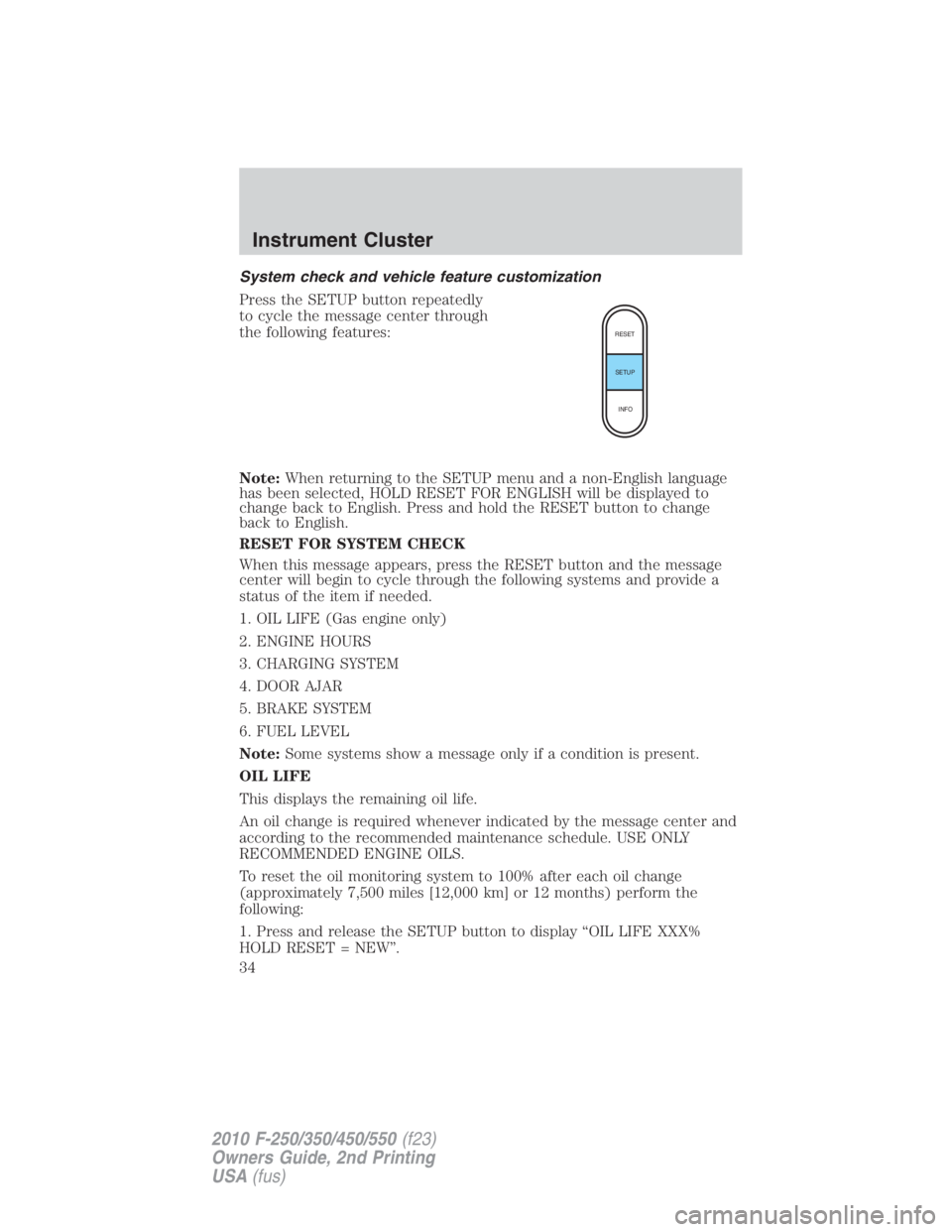
Press the SETUP button repeatedly
to cycle the message center through
the following features:
Note: When returning to the SETUP menu and a non-English language
has been selected, HOLD RESET FOR ENGLISH will be displayed to
change back to English. Press and hold the RESET button to change
back to English.
RESET FOR SYSTEM CHECK
When this message appears, press the RESET button and the message
center will begin to cycle through the following systems and provide a
status of the item if needed.
1. OIL LIFE (Gas engine only)
2. ENGINE HOURS
3. CHARGING SYSTEM
4. DOOR AJAR
5. BRAKE SYSTEM
6. FUEL LEVEL
Note: Some systems show a message only if a condition is present.
OIL LIFE
This displays the remaining oil life.
An oil change is required whenever indicated by the message center and
according to the recommended maintenance schedule. USE ONLY
RECOMMENDED ENGINE OILS.
To reset the oil monitoring system to 100% after each oil change
(approximately 7,500 miles [12,000 km] or 12 months) perform the
following:
1. Press and release the SETUP button to display “OIL LIFE XXX%
HOLD RESET = NEW”. RESET
SETUP
INFO
Instrument Cluster
34
2010 F-250/350/450/550 (f23)
Owners Guide, 2nd Printing
USA (fus)
Page 38 of 408
PARK BRAKE ENGAGED — Displayed when the parking brake is
applied (or not fully released).
CHECK BRAKE SYSTEM — Displayed when a fault has been detected
by the ABS module.
DRIVER DOOR AJAR — Displayed when the driver’s door is not
completely closed.
PASSENGER DOOR AJAR — Displayed when the passenger’s door is
not completely closed.
REAR LEFT DOOR AJAR — Displayed when the rear left door is not
completely closed.
REAR RIGHT DOOR AJAR — Displayed when the rear right door is
not completely closed.
XXX MILES TO E FUEL LEVEL LOW — Displayed as an early
reminder of a low fuel condition.
CHECK PARK AID (if equipped) — Displayed when the transmission
is in R (Reverse) and the reverse sensing system (park aid) is disabled.
TO STOP ALARM START VEHICLE (if equipped) — Displayed
when the perimeter alarm system is armed and the vehicle is entered
using the key on the driver’s side door. In order to prevent the perimeter
alarm system from triggering, the ignition must be turned to start or on
before the 12–second chime expires. See Perimeter alarm system in the
Locks and Security chapter.
WIRING FAULT ON TRAILER (if equipped) — Displayed and
accompanied by a single chime if there are certain faults in the vehicle
wiring and trailer wiring/brake system. Refer to Trailer towing in the
Tires, Wheels and Loading chapter for more information.
TRAILER BRAKE MODULE FAULT (if equipped) — Displayed and
accompanied by a single chime in response to faults sensed by the TBC.
Refer to Trailer towing in the Tires, Wheels and Loading chapter for
more information.
TRAILER CONNECTED (if equipped) — Displayed when a correct
trailer connection (a trailer with electric trailer brakes) is sensed during
a given ignition cycle. Refer to Trailer towing in the Tires, Wheels and
Loading chapter for more information.
TRAILER DISCONNECTED (if equipped) — Displayed and
accompanied by a single chime when a trailer connection becomes
disconnected, either intentionally or unintentionally, and has been sensed
during a given ignition cycle. Refer to Trailer towing in the Tires,
Wheels and Loading chapter for more information.Instrument Cluster
38
2010 F-250/350/450/550 (f23)
Owners Guide, 2nd Printing
USA (fus)
Page 39 of 408
BRAKE FLUID LEVEL LOW — Indicates the brake fluid level is low
and the brake system should be inspected immediately. Refer to Brake
fluid in the Maintenance and Specifications chapter.
LOW TIRE PRESSURE (if equipped) — Displayed when one or more
tires on your vehicle have low tire pressure. Refer to Inflating your
tires in the Tires, Wheels and Loading chapter.
TIRE PRESSURE MONITOR FAULT (if equipped) — Displayed
when the Tire Pressure Monitoring System is malfunctioning. If the
warning stays on or continues to come on, contact your authorized
dealer as soon as possible.
TIRE PRESSURE SENSOR FAULT (if equipped) — Displayed when
a tire pressure sensor is malfunctioning, or your spare tire is in use. For
more information on how the system operates under these conditions,
refer to Understanding Your Tire Pressure Monitoring System
(TPMS) in the Tires, Wheels and Loading chapter. If the warning stays
on or continues to come on, contact your authorized dealer as soon as
possible.
ENGINE WARMING PLEASE WAIT XX (Diesel engine only) —
Displayed in extremely cold weather, typically below –15°F (–26°C), if
the engine block heater is not utilized. The engine will not respond to
accelerator pedal movement for 30 seconds; this is done so the engine oil
can be properly circulated to avoid engine damage from lack of
lubrication. A timer will begin a countdown from 30 seconds. Once the
counter has reached 0 (zero) seconds, OK TO DRIVE will be displayed
and the engine will respond to accelerator pedal movement. Refer to
your Power Stroke 6.0 and 6.4 Liter Direct Injection Turbo Diesel
Owner’s Guide Supplement for more information.
OK TO DRIVE (Diesel engine only) — Displayed when the time
counter has reached 0 (zero) and the engine is sufficiently warm enough
to drive in extremely cold weather (refer to the engine warming please
wait message description mentioned previously). Refer to your Power
Stroke 6.0 and 6.4 Liter Direct Injection Turbo Diesel Owner’s Guide
Supplement for more information.
DRAIN WATER SEPARATOR (Diesel engine only) — Displayed
when the water separator has reached a predetermined capacity and
needs to be drained. Refer to your Power Stroke 6.0 and 6.4 Liter
Direct Injection Turbo Diesel Owner’s Guide Supplement for more
information. Instrument Cluster
39
2010 F-250/350/450/550 (f23)
Owners Guide, 2nd Printing
USA (fus)
Page 108 of 408
Daytime running lamps (DRL) (if equipped)
Turns the headlamps on with a reduced output.
To activate:
• the ignition must be in the on position,
• the headlamp control is in the off or parking lamp position and
• the parking brake must be disengaged.
WARNING: Always remember to turn on your headlamps at
dusk or during inclement weather. The Daytime Running Lamp
(DRL) system does not activate the tail lamps and generally may not
provide adequate lighting during these conditions. Failure to activate
your headlamps under these conditions may result in a collision.
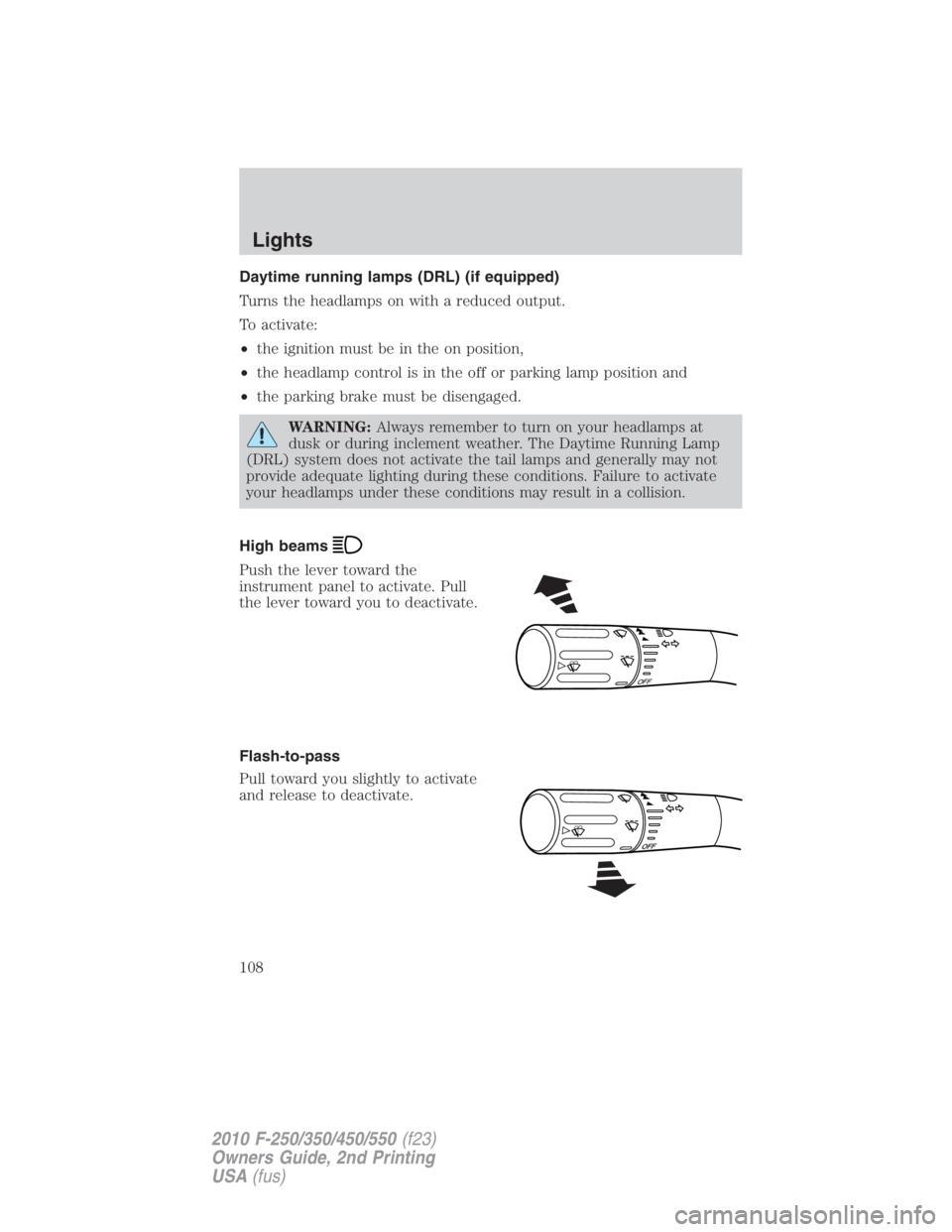
High beams
Push the lever toward the
instrument panel to activate. Pull
the lever toward you to deactivate.
Flash-to-pass
Pull toward you slightly to activate
and release to deactivate. O F F
Lights
108
2010 F-250/350/450/550 (f23)
Owners Guide, 2nd Printing
USA (fus)
Page 117 of 408
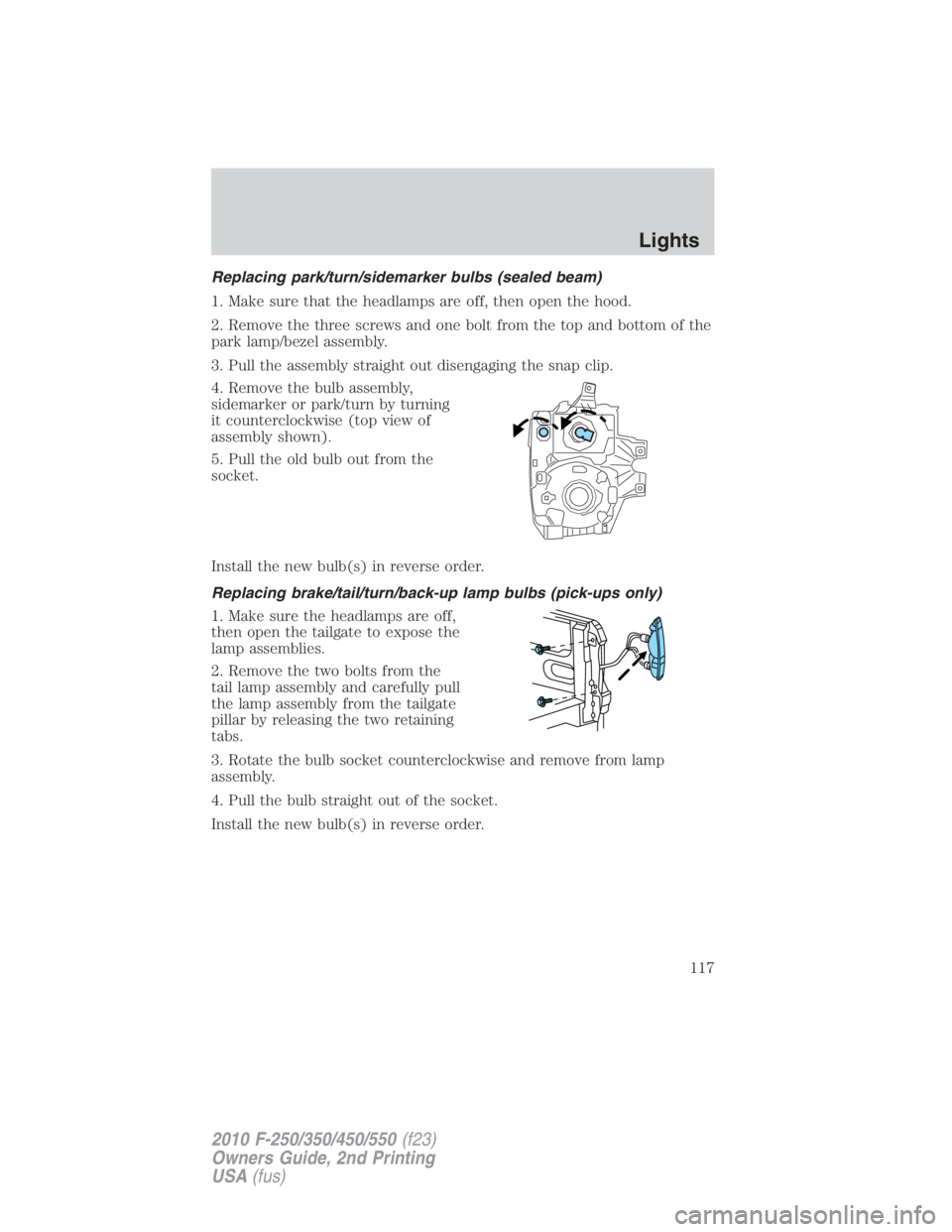
Replacing park/turn/sidemarker bulbs (sealed beam)
1. Make sure that the headlamps are off, then open the hood.
2. Remove the three screws and one bolt from the top and bottom of the
park lamp/bezel assembly.
3. Pull the assembly straight out disengaging the snap clip.
4. Remove the bulb assembly,
sidemarker or park/turn by turning
it counterclockwise (top view of
assembly shown).
5. Pull the old bulb out from the
socket.
Install the new bulb(s) in reverse order.
Replacing brake/tail/turn/back-up lamp bulbs (pick-ups only)
1. Make sure the headlamps are off,
then open the tailgate to expose the
lamp assemblies.
2. Remove the two bolts from the
tail lamp assembly and carefully pull
the lamp assembly from the tailgate
pillar by releasing the two retaining
tabs.
3. Rotate the bulb socket counterclockwise and remove from lamp
assembly.
4. Pull the bulb straight out of the socket.
Install the new bulb(s) in reverse order. Lights
117
2010 F-250/350/450/550 (f23)
Owners Guide, 2nd Printing
USA (fus)
Page 118 of 408
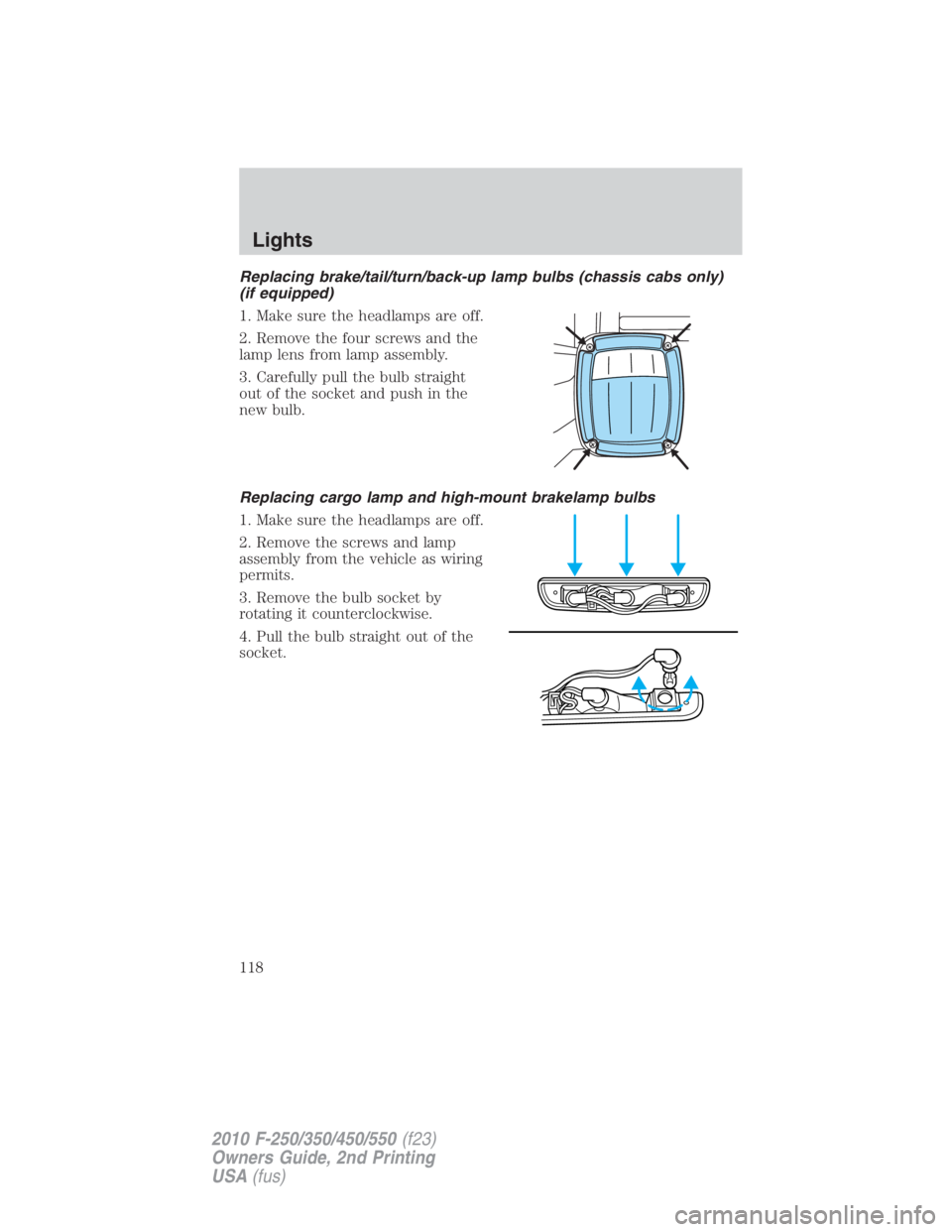
Replacing brake/tail/turn/back-up lamp bulbs (chassis cabs only)
(if equipped)
1. Make sure the headlamps are off.
2. Remove the four screws and the
lamp lens from lamp assembly.
3. Carefully pull the bulb straight
out of the socket and push in the
new bulb.
Replacing cargo lamp and high-mount brakelamp bulbs
1. Make sure the headlamps are off.
2. Remove the screws and lamp
assembly from the vehicle as wiring
permits.
3. Remove the bulb socket by
rotating it counterclockwise.
4. Pull the bulb straight out of the
socket.Lights
118
2010 F-250/350/450/550 (f23)
Owners Guide, 2nd Printing
USA (fus)
Page 131 of 408
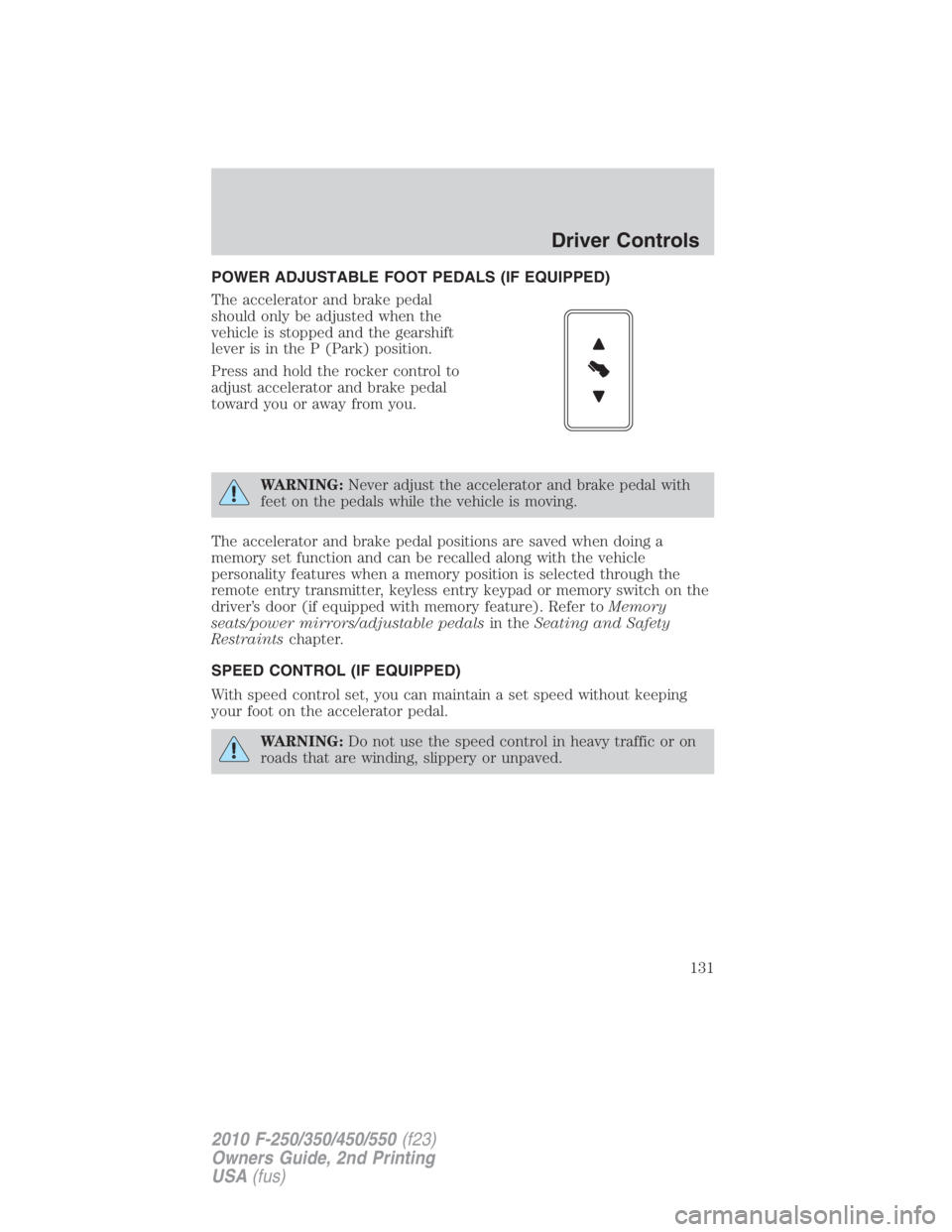
POWER ADJUSTABLE FOOT PEDALS (IF EQUIPPED)
The accelerator and brake pedal
should only be adjusted when the
vehicle is stopped and the gearshift
lever is in the P (Park) position.
Press and hold the rocker control to
adjust accelerator and brake pedal
toward you or away from you.
WARNING: Never adjust the accelerator and brake pedal with
feet on the pedals while the vehicle is moving.
The accelerator and brake pedal positions are saved when doing a
memory set function and can be recalled along with the vehicle
personality features when a memory position is selected through the
remote entry transmitter, keyless entry keypad or memory switch on the
driver’s door (if equipped with memory feature). Refer to Memory
seats/power mirrors/adjustable pedals in the Seating and Safety
Restraints chapter.
SPEED CONTROL (IF EQUIPPED)
With speed control set, you can maintain a set speed without keeping
your foot on the accelerator pedal.
WARNING: Do not use the speed control in heavy traffic or on
roads that are winding, slippery or unpaved. Driver Controls
131
2010 F-250/350/450/550 (f23)
Owners Guide, 2nd Printing
USA (fus)
Page 132 of 408
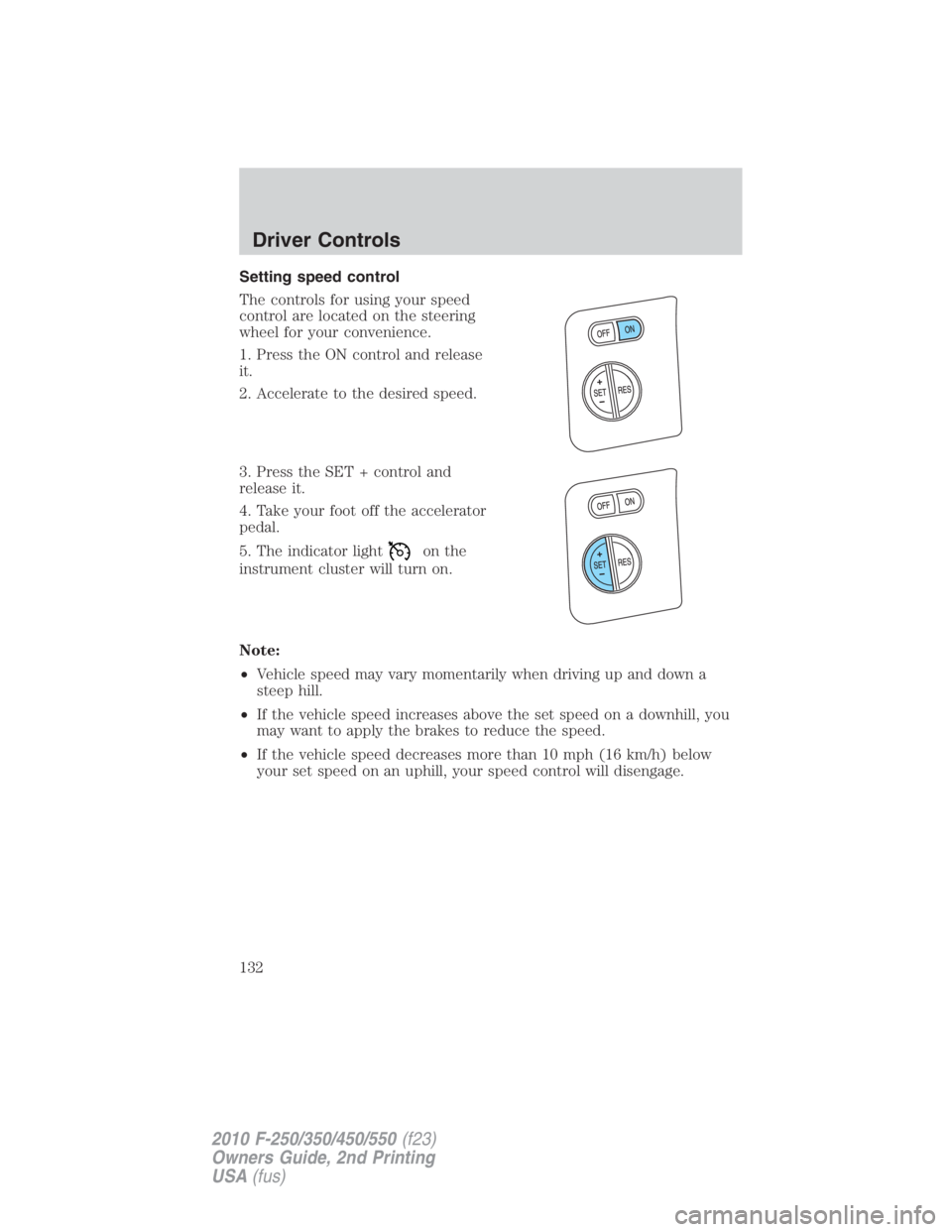
Setting speed control
The controls for using your speed
control are located on the steering
wheel for your convenience.
1. Press the ON control and release
it.
2. Accelerate to the desired speed.
3. Press the SET + control and
release it.
4. Take your foot off the accelerator
pedal.
5. The indicator light on the
instrument cluster will turn on.
Note:
• Vehicle speed may vary momentarily when driving up and down a
steep hill.
• If the vehicle speed increases above the set speed on a downhill, you
may want to apply the brakes to reduce the speed.
• If the vehicle speed decreases more than 10 mph (16 km/h) below
your set speed on an uphill, your speed control will disengage.Driver Controls
132
2010 F-250/350/450/550 (f23)
Owners Guide, 2nd Printing
USA (fus)
Page 133 of 408
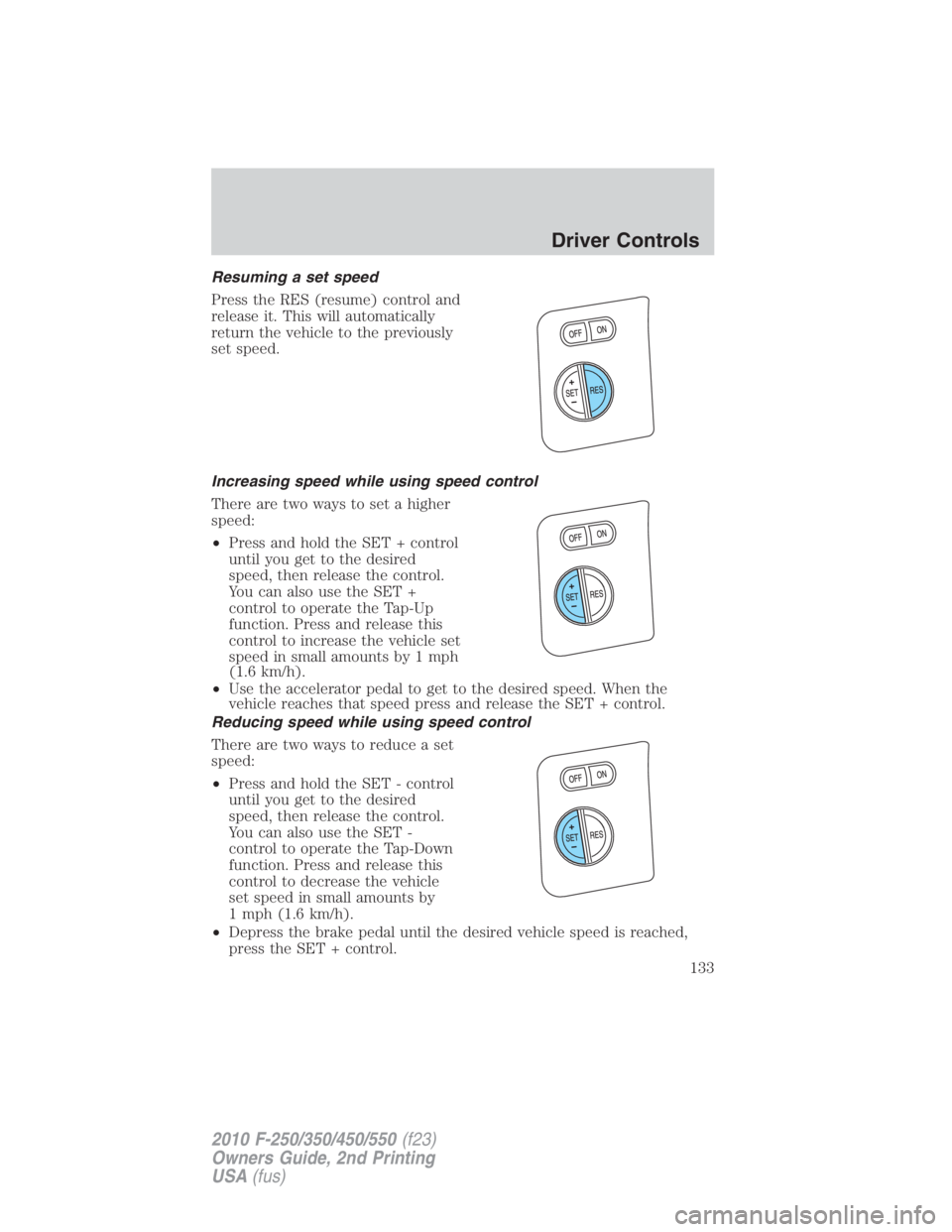
Resuming a set speed
Press the RES (resume) control and
release it. This will automatically
return the vehicle to the previously
set speed.
Increasing speed while using speed control
There are two ways to set a higher
speed:
• Press and hold the SET + control
until you get to the desired
speed, then release the control.
You can also use the SET +
control to operate the Tap-Up
function. Press and release this
control to increase the vehicle set
speed in small amounts by 1 mph
(1.6 km/h).
• Use the accelerator pedal to get to the desired speed. When the
vehicle reaches that speed press and release the SET + control.
Reducing speed while using speed control
There are two ways to reduce a set
speed:
• Press and hold the SET - control
until you get to the desired
speed, then release the control.
You can also use the SET -
control to operate the Tap-Down
function. Press and release this
control to decrease the vehicle
set speed in small amounts by
1 mph (1.6 km/h).
• Depress the brake pedal until the desired vehicle speed is reached,
press the SET + control. Driver Controls
133
2010 F-250/350/450/550 (f23)
Owners Guide, 2nd Printing
USA (fus)