lock FORD F450 2010 Owner's Manual
[x] Cancel search | Manufacturer: FORD, Model Year: 2010, Model line: F450, Model: FORD F450 2010Pages: 408, PDF Size: 5.46 MB
Page 111 of 408
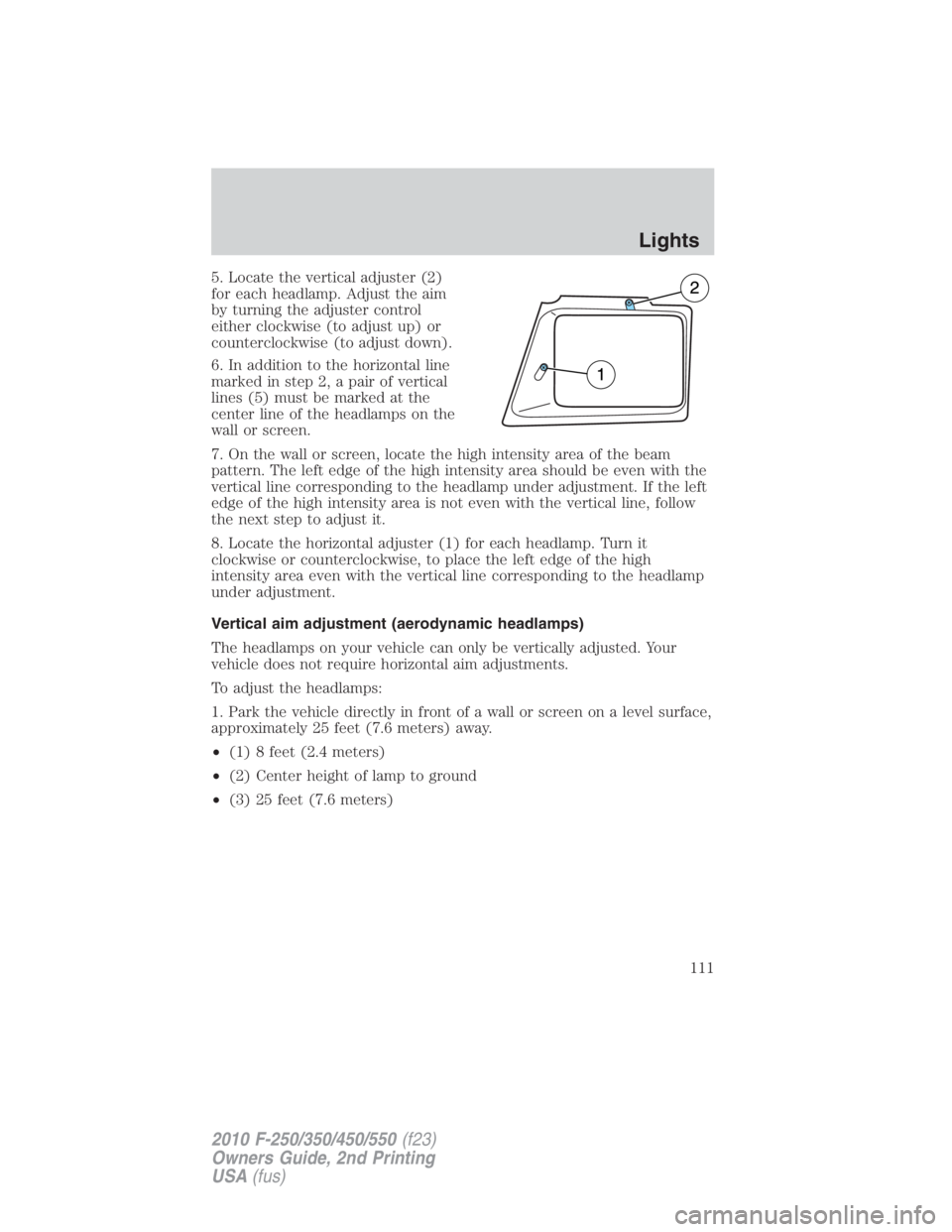
5. Locate the vertical adjuster (2)
for each headlamp. Adjust the aim
by turning the adjuster control
either clockwise (to adjust up) or
counterclockwise (to adjust down).
6. In addition to the horizontal line
marked in step 2, a pair of vertical
lines (5) must be marked at the
center line of the headlamps on the
wall or screen.
7. On the wall or screen, locate the high intensity area of the beam
pattern. The left edge of the high intensity area should be even with the
vertical line corresponding to the headlamp under adjustment. If the left
edge of the high intensity area is not even with the vertical line, follow
the next step to adjust it.
8. Locate the horizontal adjuster (1) for each headlamp. Turn it
clockwise or counterclockwise, to place the left edge of the high
intensity area even with the vertical line corresponding to the headlamp
under adjustment.
Vertical aim adjustment (aerodynamic headlamps)
The headlamps on your vehicle can only be vertically adjusted. Your
vehicle does not require horizontal aim adjustments.
To adjust the headlamps:
1. Park the vehicle directly in front of a wall or screen on a level surface,
approximately 25 feet (7.6 meters) away.
• (1) 8 feet (2.4 meters)
• (2) Center height of lamp to ground
• (3) 25 feet (7.6 meters) Lights
111
2010 F-250/350/450/550 (f23)
Owners Guide, 2nd Printing
USA (fus)
Page 112 of 408
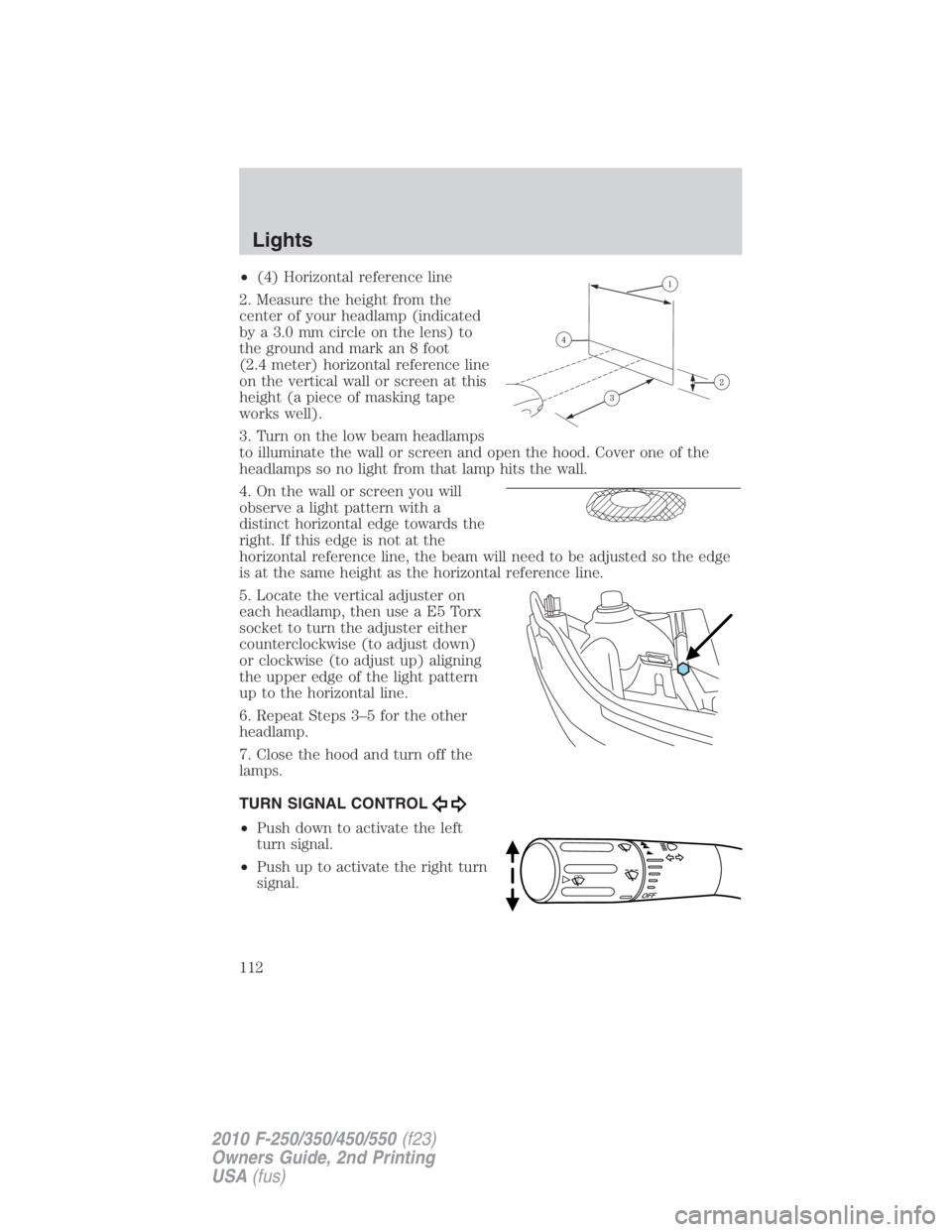
• (4) Horizontal reference line
2. Measure the height from the
center of your headlamp (indicated
by a 3.0 mm circle on the lens) to
the ground and mark an 8 foot
(2.4 meter) horizontal reference line
on the vertical wall or screen at this
height (a piece of masking tape
works well).
3. Turn on the low beam headlamps
to illuminate the wall or screen and open the hood. Cover one of the
headlamps so no light from that lamp hits the wall.
4. On the wall or screen you will
observe a light pattern with a
distinct horizontal edge towards the
right. If this edge is not at the
horizontal reference line, the beam will need to be adjusted so the edge
is at the same height as the horizontal reference line.
5. Locate the vertical adjuster on
each headlamp, then use a E5 Torx
socket to turn the adjuster either
counterclockwise (to adjust down)
or clockwise (to adjust up) aligning
the upper edge of the light pattern
up to the horizontal line.
6. Repeat Steps 3–5 for the other
headlamp.
7. Close the hood and turn off the
lamps.
TURN SIGNAL CONTROL
• Push down to activate the left
turn signal.
• Push up to activate the right turn
signal.Lights
112
2010 F-250/350/450/550 (f23)
Owners Guide, 2nd Printing
USA (fus)
Page 115 of 408
Replacing headlamp bulbs (aerodynamic)
1. Make sure that the headlamps are off, then open the hood.
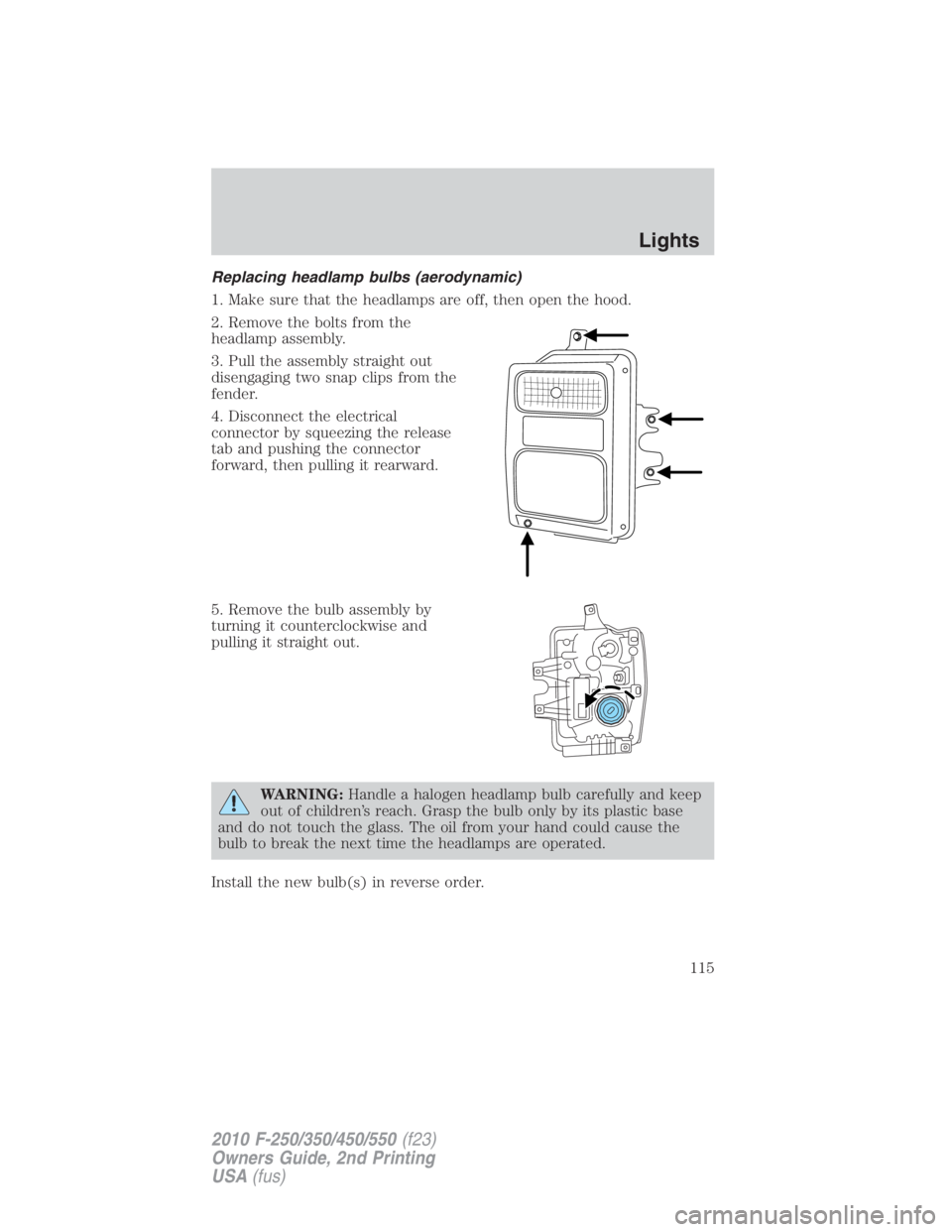
2. Remove the bolts from the
headlamp assembly.
3. Pull the assembly straight out
disengaging two snap clips from the
fender.
4. Disconnect the electrical
connector by squeezing the release
tab and pushing the connector
forward, then pulling it rearward.
5. Remove the bulb assembly by
turning it counterclockwise and
pulling it straight out.
WARNING: Handle a halogen headlamp bulb carefully and keep
out of children’s reach. Grasp the bulb only by its plastic base
and do not touch the glass. The oil from your hand could cause the
bulb to break the next time the headlamps are operated.
Install the new bulb(s) in reverse order. Lights
115
2010 F-250/350/450/550 (f23)
Owners Guide, 2nd Printing
USA (fus)
Page 116 of 408
Replacing park/turn and sidemarker lamp bulbs (aerodynamic)
1. Make sure that the headlamps are off, then open the hood.
2. Remove the bolts from the headlamp assembly.
3. Pull the assembly straight out.
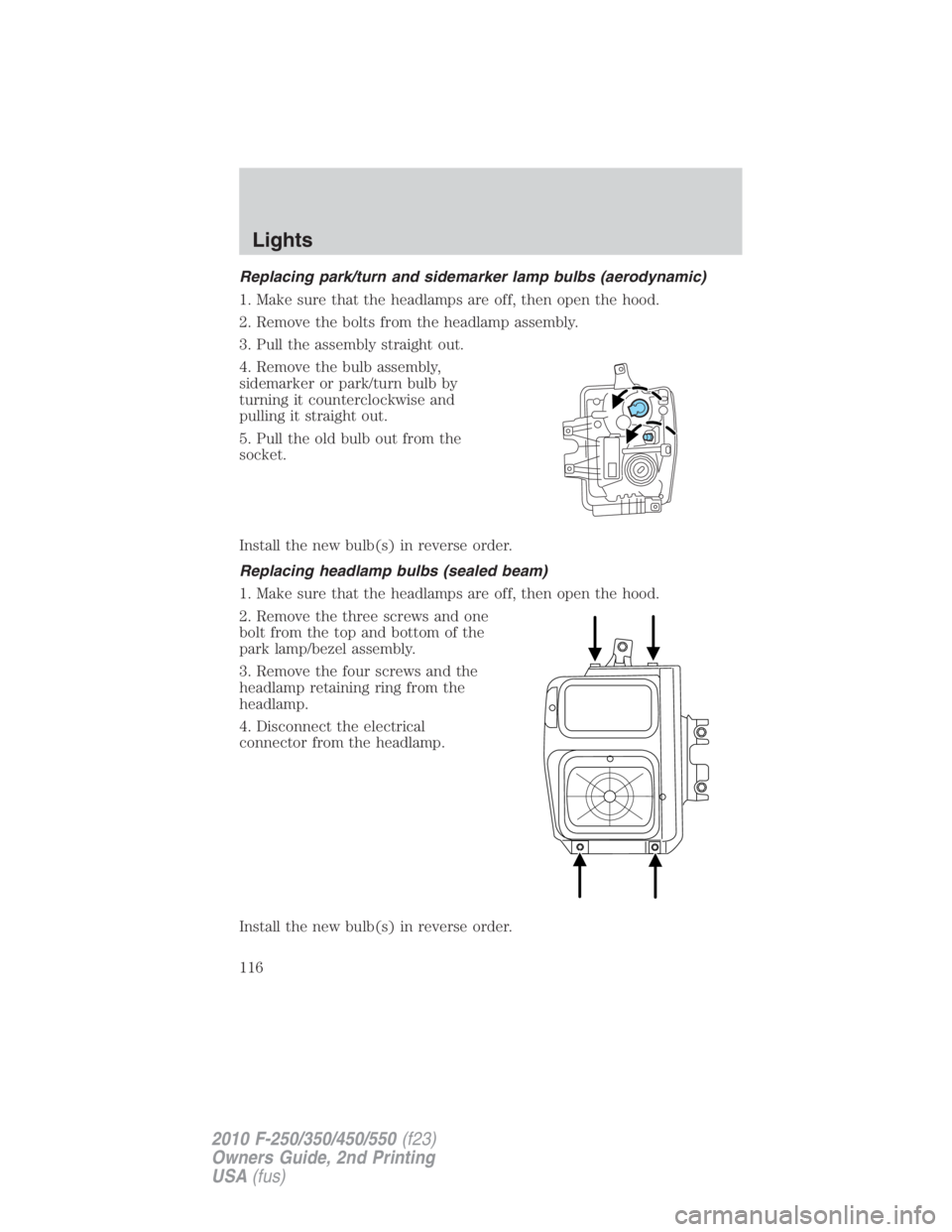
4. Remove the bulb assembly,
sidemarker or park/turn bulb by
turning it counterclockwise and
pulling it straight out.
5. Pull the old bulb out from the
socket.
Install the new bulb(s) in reverse order.
Replacing headlamp bulbs (sealed beam)
1. Make sure that the headlamps are off, then open the hood.
2. Remove the three screws and one
bolt from the top and bottom of the
park lamp/bezel assembly.
3. Remove the four screws and the
headlamp retaining ring from the
headlamp.
4. Disconnect the electrical
connector from the headlamp.
Install the new bulb(s) in reverse order.Lights
116
2010 F-250/350/450/550 (f23)
Owners Guide, 2nd Printing
USA (fus)
Page 117 of 408
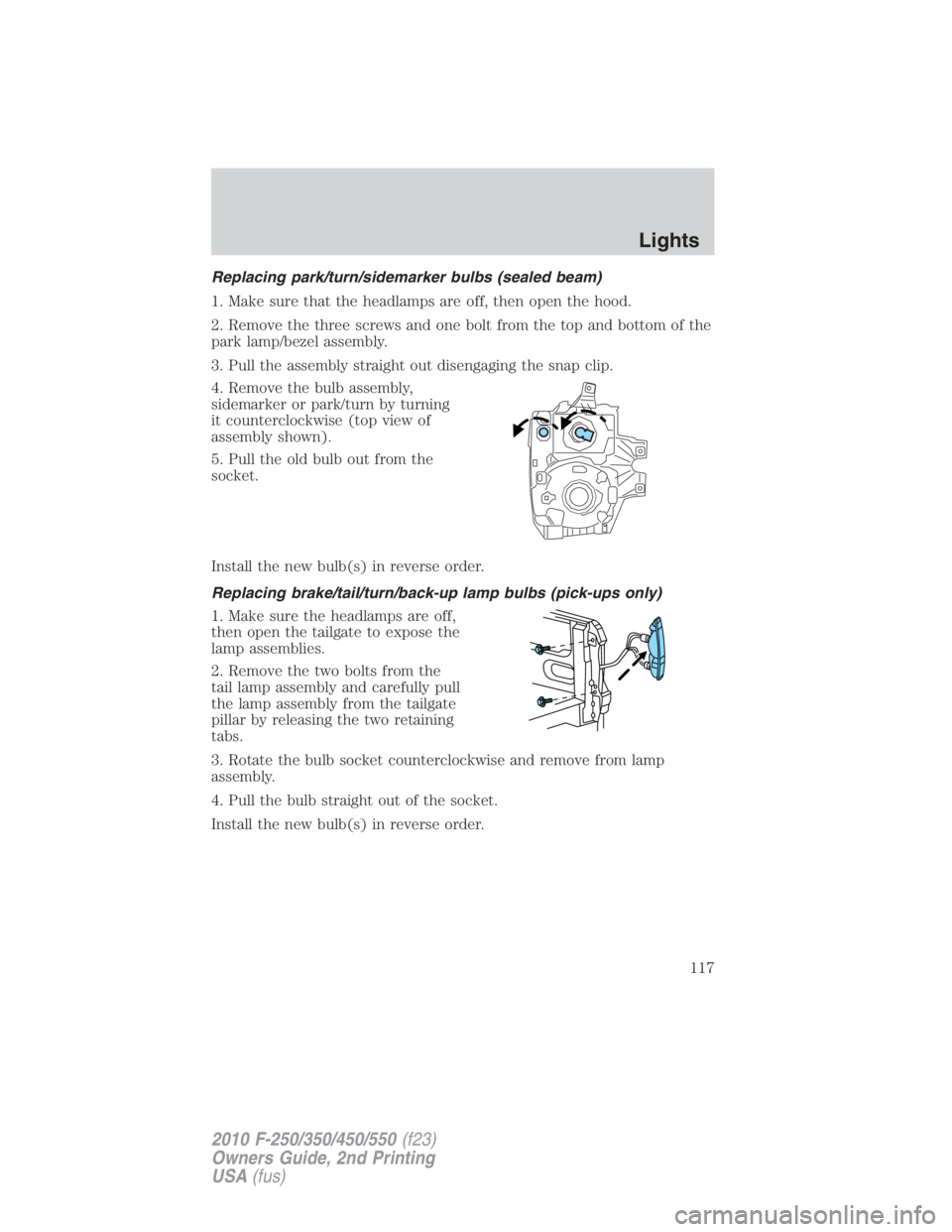
Replacing park/turn/sidemarker bulbs (sealed beam)
1. Make sure that the headlamps are off, then open the hood.
2. Remove the three screws and one bolt from the top and bottom of the
park lamp/bezel assembly.
3. Pull the assembly straight out disengaging the snap clip.
4. Remove the bulb assembly,
sidemarker or park/turn by turning
it counterclockwise (top view of
assembly shown).
5. Pull the old bulb out from the
socket.
Install the new bulb(s) in reverse order.
Replacing brake/tail/turn/back-up lamp bulbs (pick-ups only)
1. Make sure the headlamps are off,
then open the tailgate to expose the
lamp assemblies.
2. Remove the two bolts from the
tail lamp assembly and carefully pull
the lamp assembly from the tailgate
pillar by releasing the two retaining
tabs.
3. Rotate the bulb socket counterclockwise and remove from lamp
assembly.
4. Pull the bulb straight out of the socket.
Install the new bulb(s) in reverse order. Lights
117
2010 F-250/350/450/550 (f23)
Owners Guide, 2nd Printing
USA (fus)
Page 118 of 408
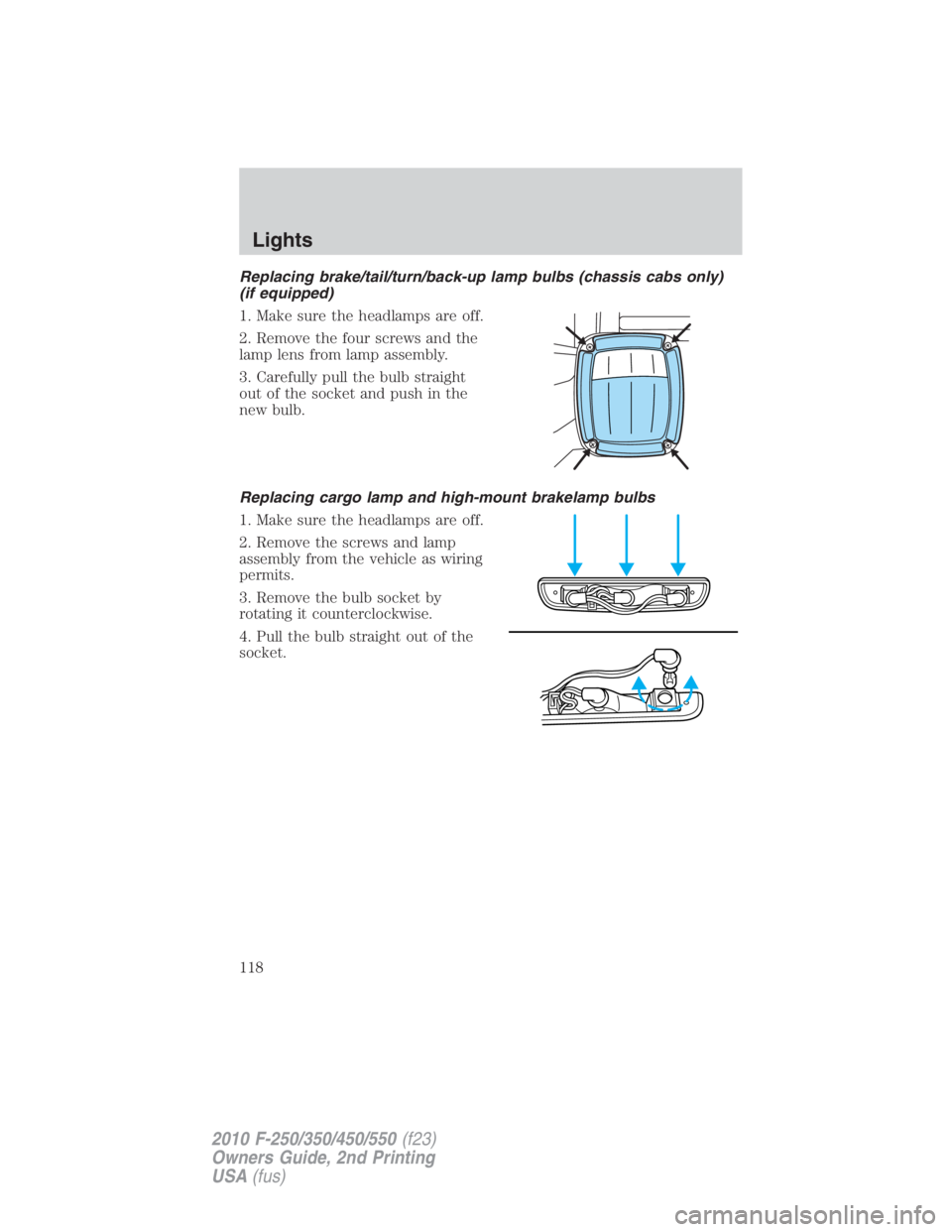
Replacing brake/tail/turn/back-up lamp bulbs (chassis cabs only)
(if equipped)
1. Make sure the headlamps are off.
2. Remove the four screws and the
lamp lens from lamp assembly.
3. Carefully pull the bulb straight
out of the socket and push in the
new bulb.
Replacing cargo lamp and high-mount brakelamp bulbs
1. Make sure the headlamps are off.
2. Remove the screws and lamp
assembly from the vehicle as wiring
permits.
3. Remove the bulb socket by
rotating it counterclockwise.
4. Pull the bulb straight out of the
socket.Lights
118
2010 F-250/350/450/550 (f23)
Owners Guide, 2nd Printing
USA (fus)
Page 119 of 408
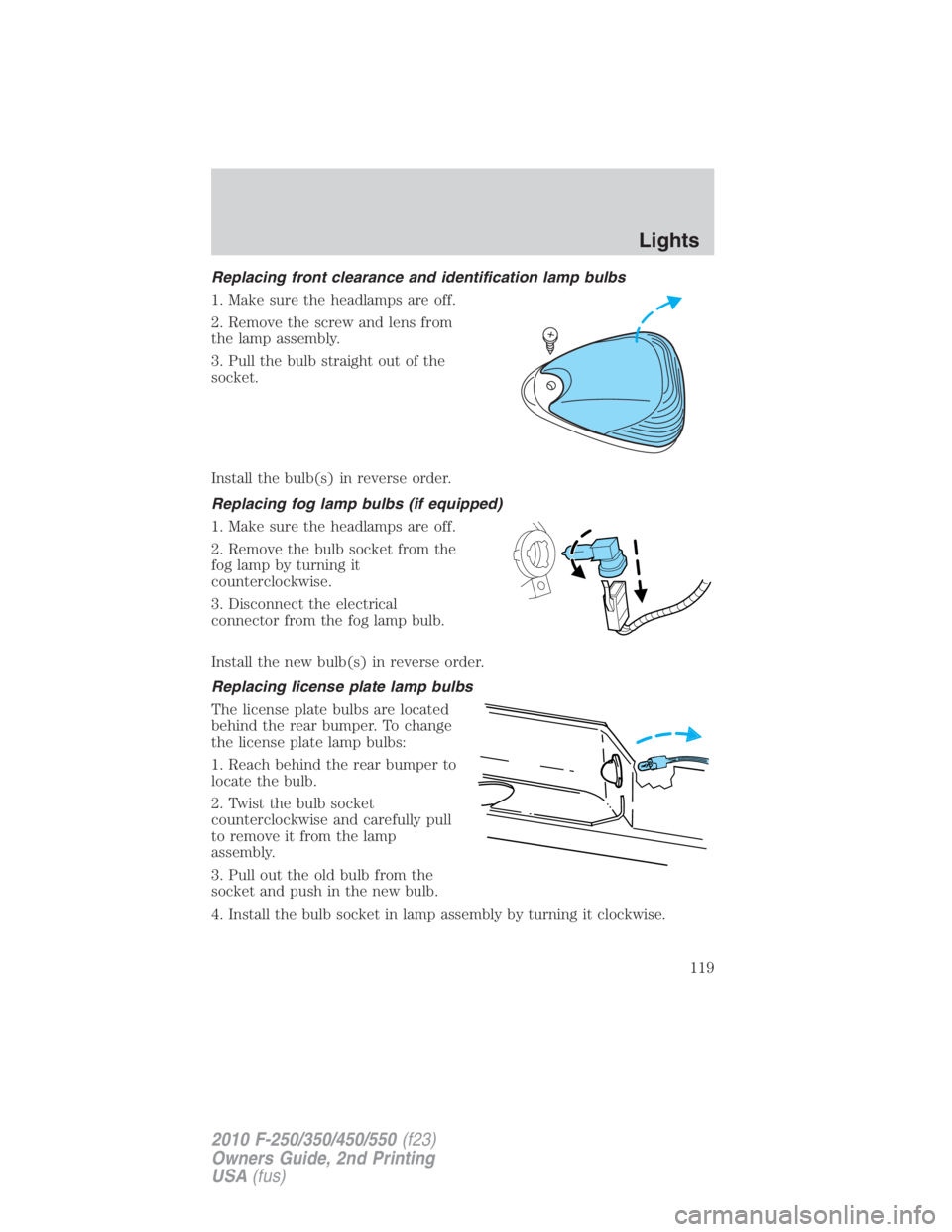
Replacing front clearance and identification lamp bulbs
1. Make sure the headlamps are off.
2. Remove the screw and lens from
the lamp assembly.
3. Pull the bulb straight out of the
socket.
Install the bulb(s) in reverse order.
Replacing fog lamp bulbs (if equipped)
1. Make sure the headlamps are off.
2. Remove the bulb socket from the
fog lamp by turning it
counterclockwise.
3. Disconnect the electrical
connector from the fog lamp bulb.
Install the new bulb(s) in reverse order.
Replacing license plate lamp bulbs
The license plate bulbs are located
behind the rear bumper. To change
the license plate lamp bulbs:
1. Reach behind the rear bumper to
locate the bulb.
2. Twist the bulb socket
counterclockwise and carefully pull
to remove it from the lamp
assembly.
3. Pull out the old bulb from the
socket and push in the new bulb.
4. Install the bulb socket in lamp assembly by turning it clockwise. Lights
119
2010 F-250/350/450/550 (f23)
Owners Guide, 2nd Printing
USA (fus)
Page 121 of 408
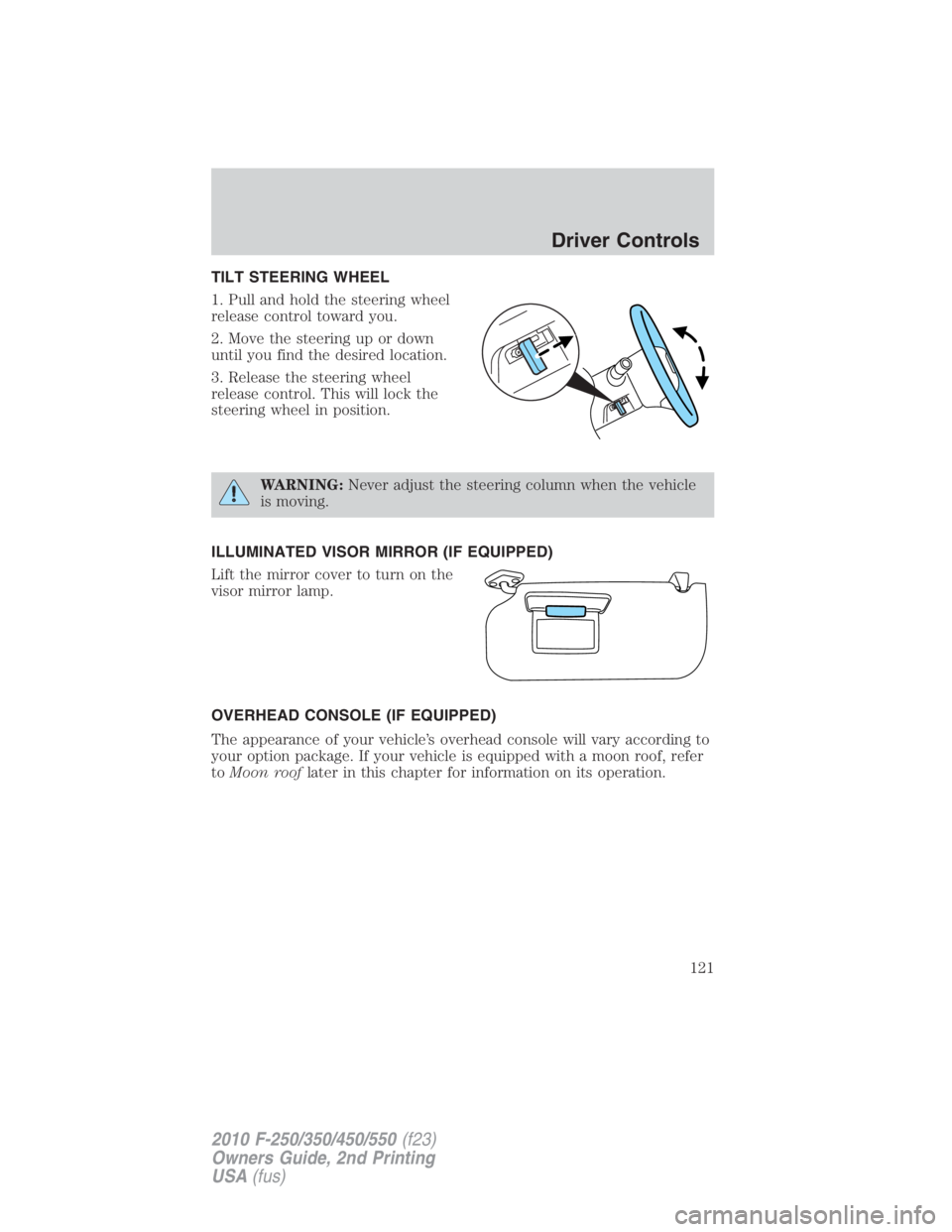
TILT STEERING WHEEL
1. Pull and hold the steering wheel
release control toward you.
2. Move the steering up or down
until you find the desired location.
3. Release the steering wheel
release control. This will lock the
steering wheel in position.
WARNING: Never adjust the steering column when the vehicle
is moving.
ILLUMINATED VISOR MIRROR (IF EQUIPPED)
Lift the mirror cover to turn on the
visor mirror lamp.
OVERHEAD CONSOLE (IF EQUIPPED)
The appearance of your vehicle’s overhead console will vary according to
your option package. If your vehicle is equipped with a moon roof, refer
to Moon roof later in this chapter for information on its operation. Driver Controls
121
2010 F-250/350/450/550 (f23)
Owners Guide, 2nd Printing
USA (fus)
Page 122 of 408
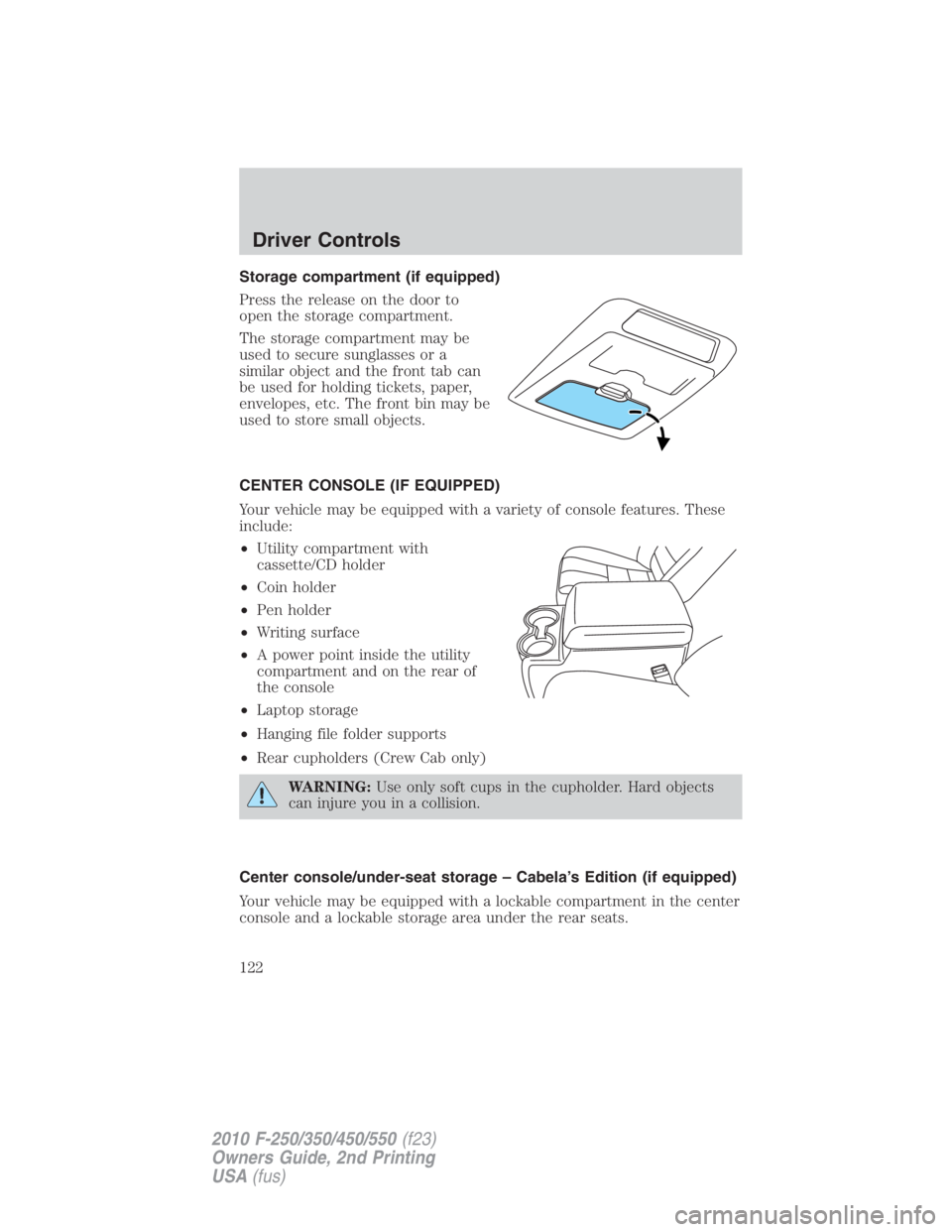
Storage compartment (if equipped)
Press the release on the door to
open the storage compartment.
The storage compartment may be
used to secure sunglasses or a
similar object and the front tab can
be used for holding tickets, paper,
envelopes, etc. The front bin may be
used to store small objects.
CENTER CONSOLE (IF EQUIPPED)
Your vehicle may be equipped with a variety of console features. These
include:
• Utility compartment with
cassette/CD holder
• Coin holder
• Pen holder
• Writing surface
• A power point inside the utility
compartment and on the rear of
the console
• Laptop storage
• Hanging file folder supports
• Rear cupholders (Crew Cab only)
WARNING: Use only soft cups in the cupholder. Hard objects
can injure you in a collision.
Center console/under-seat storage – Cabela’s Edition (if equipped)
Your vehicle may be equipped with a lockable compartment in the center
console and a lockable storage area under the rear seats.Driver Controls
122
2010 F-250/350/450/550 (f23)
Owners Guide, 2nd Printing
USA (fus)
Page 123 of 408
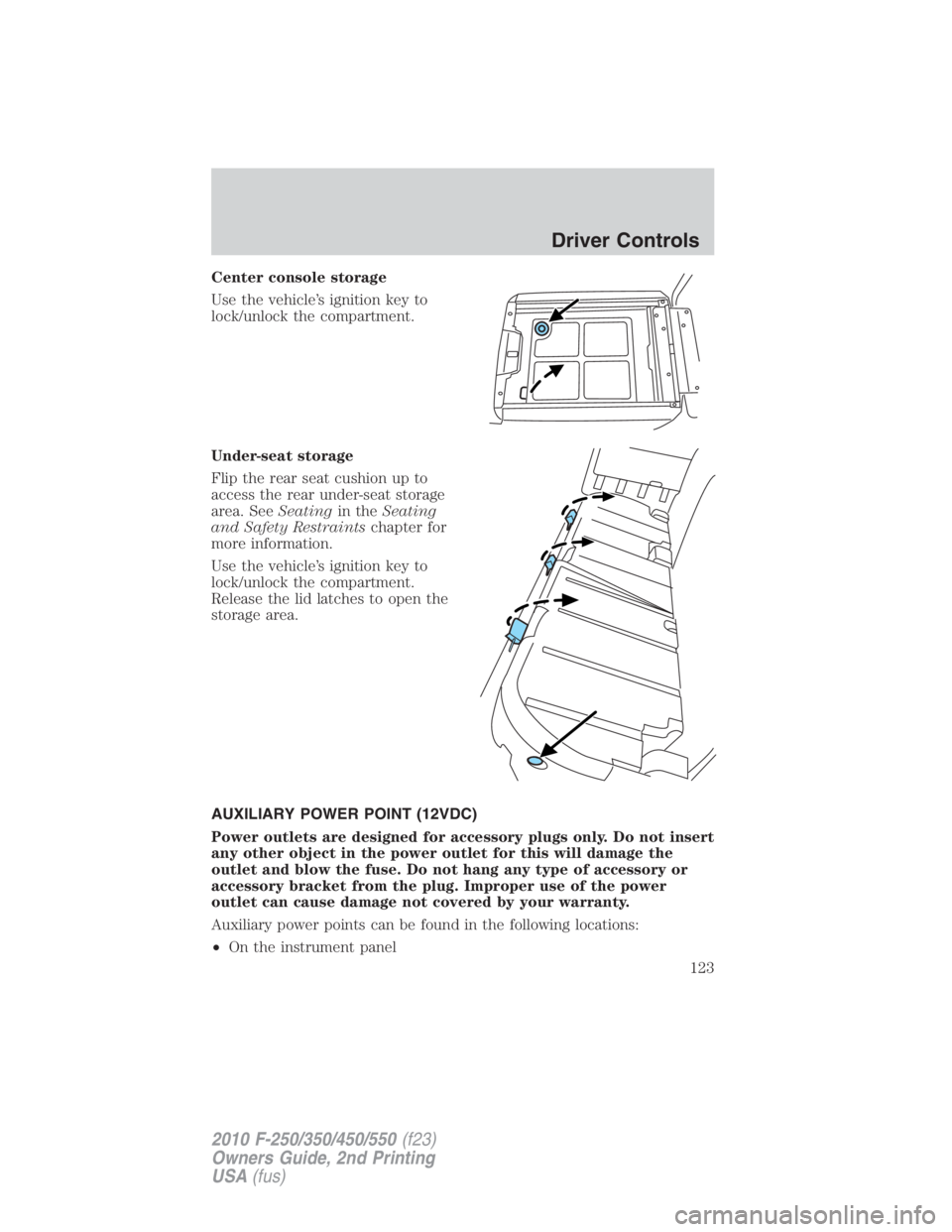
Center console storage
Use the vehicle’s ignition key to
lock/unlock the compartment.
Under-seat storage
Flip the rear seat cushion up to
access the rear under-seat storage
area. See Seating in the Seating
and Safety Restraints chapter for
more information.
Use the vehicle’s ignition key to
lock/unlock the compartment.
Release the lid latches to open the
storage area.
AUXILIARY POWER POINT (12VDC)
Power outlets are designed for accessory plugs only. Do not insert
any other object in the power outlet for this will damage the
outlet and blow the fuse. Do not hang any type of accessory or
accessory bracket from the plug. Improper use of the power
outlet can cause damage not covered by your warranty.
Auxiliary power points can be found in the following locations:
• On the instrument panel Driver Controls
123
2010 F-250/350/450/550 (f23)
Owners Guide, 2nd Printing
USA (fus)